Welcome #EUC11
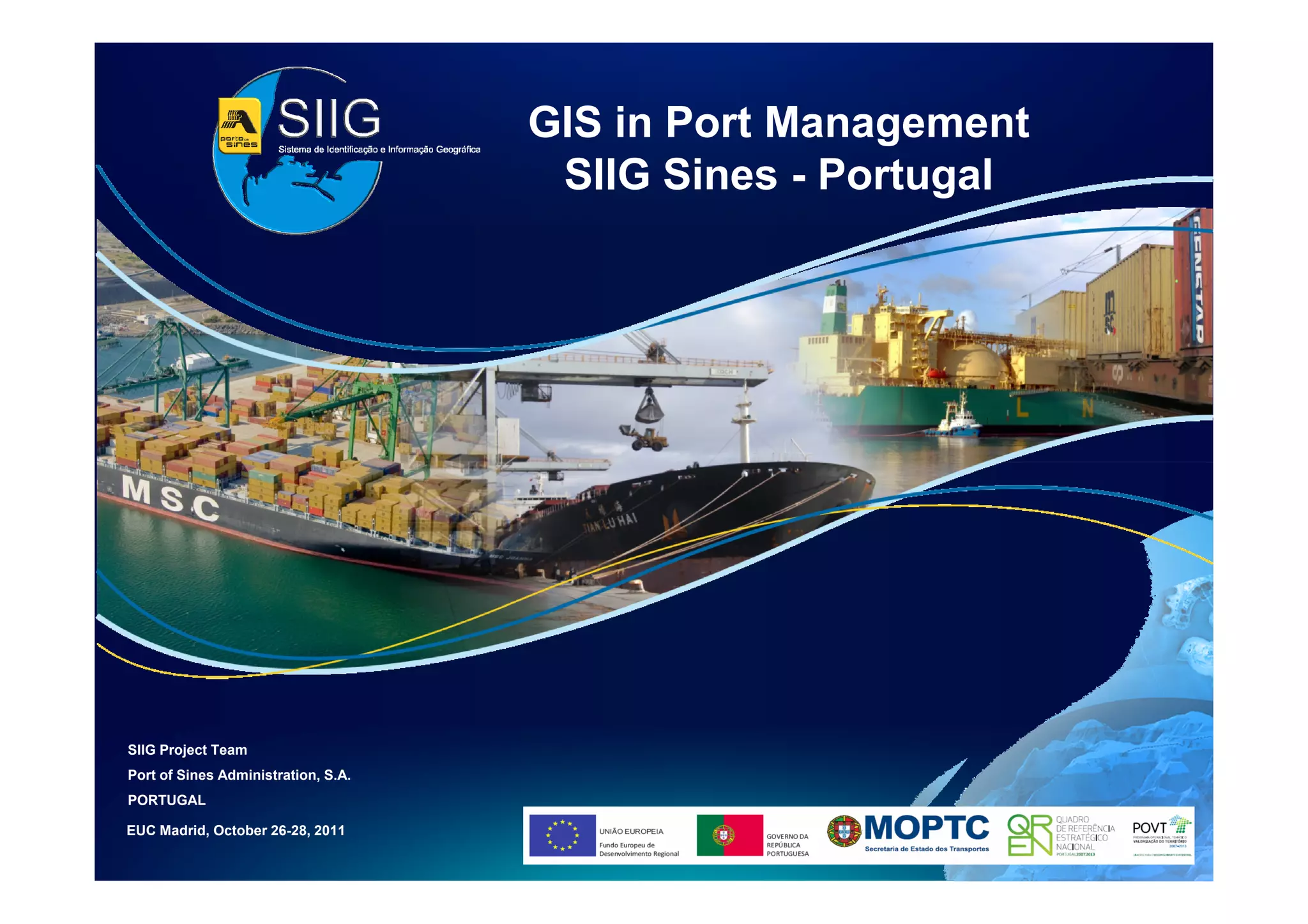
GIS in Port Management
  SIIG Sines - Portugal
  E. Moutinho – SIIG Project Manager
       J. Dias – IT Project Manager
Port of Sines Administration - PORTUGAL
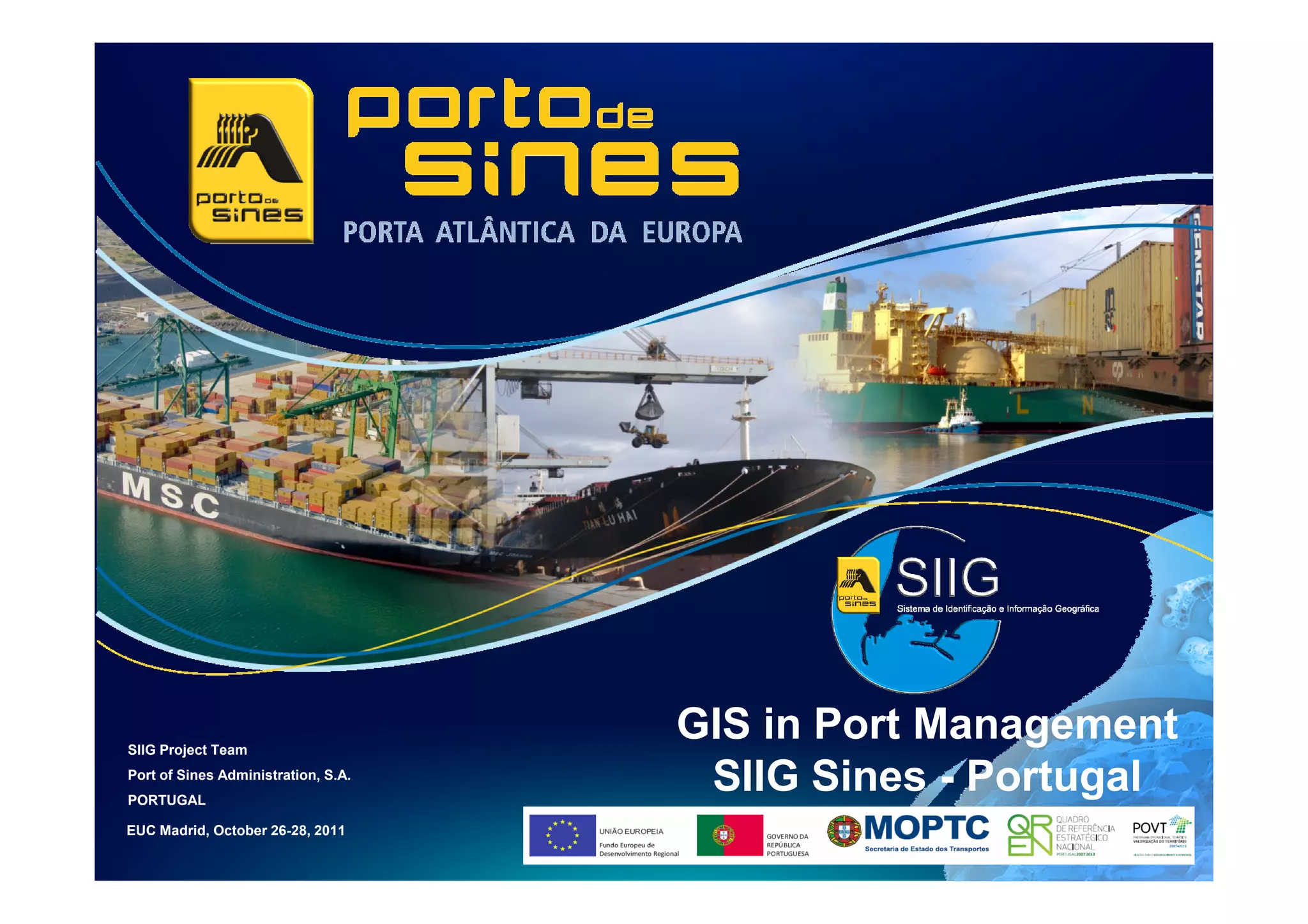
SIIG Project Team
                                     GIS in Port Management
Port of Sines Administration, S.A.
PORTUGAL
                                      SIIG Sines - Portugal
EUC Madrid, October 26-28, 2011
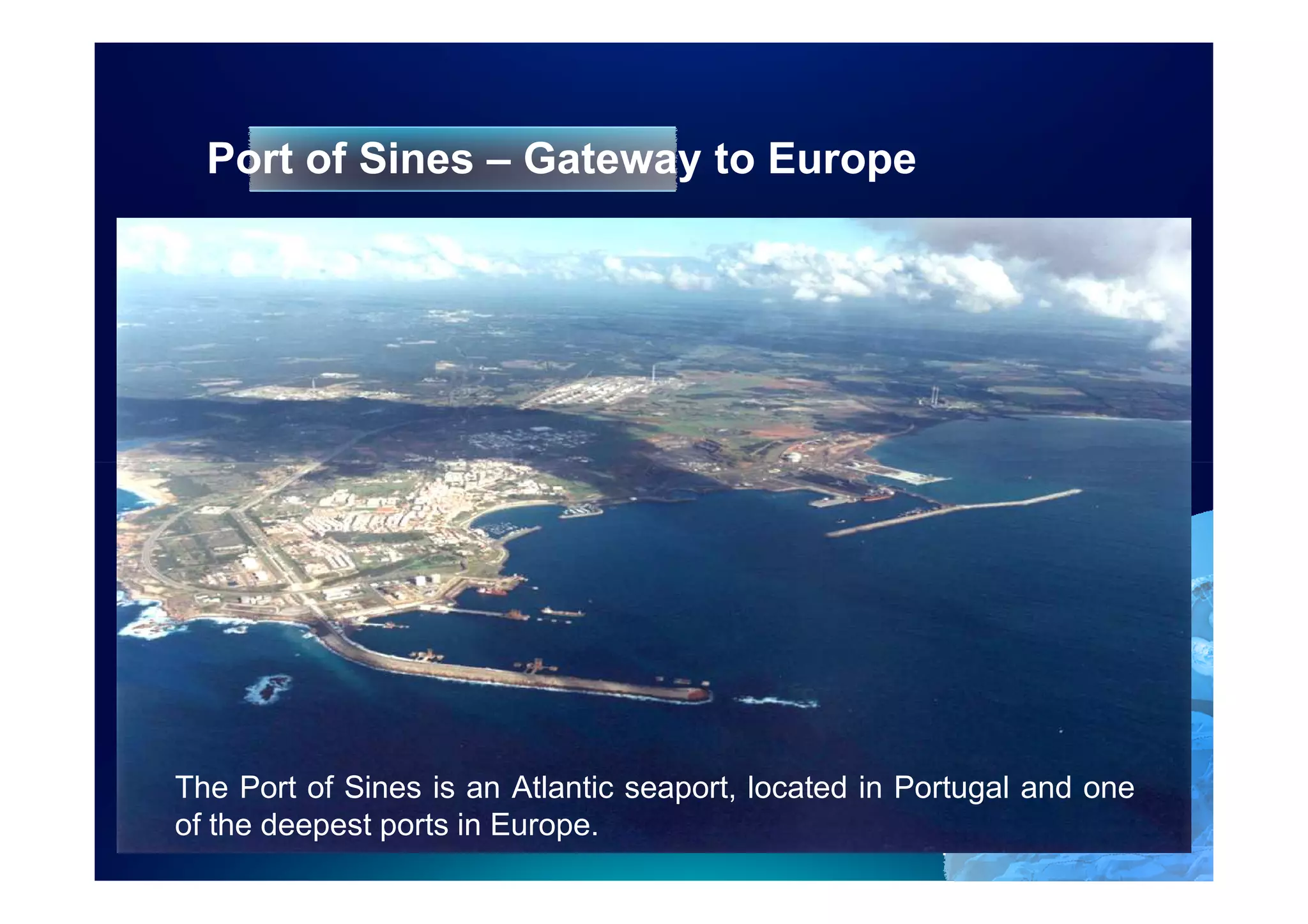
Port of Sines – Gateway to Europe


The Port of Sines is an Atlantic seaport, located in Portugal and one
of the deepest ports in Europe.
                                                      4
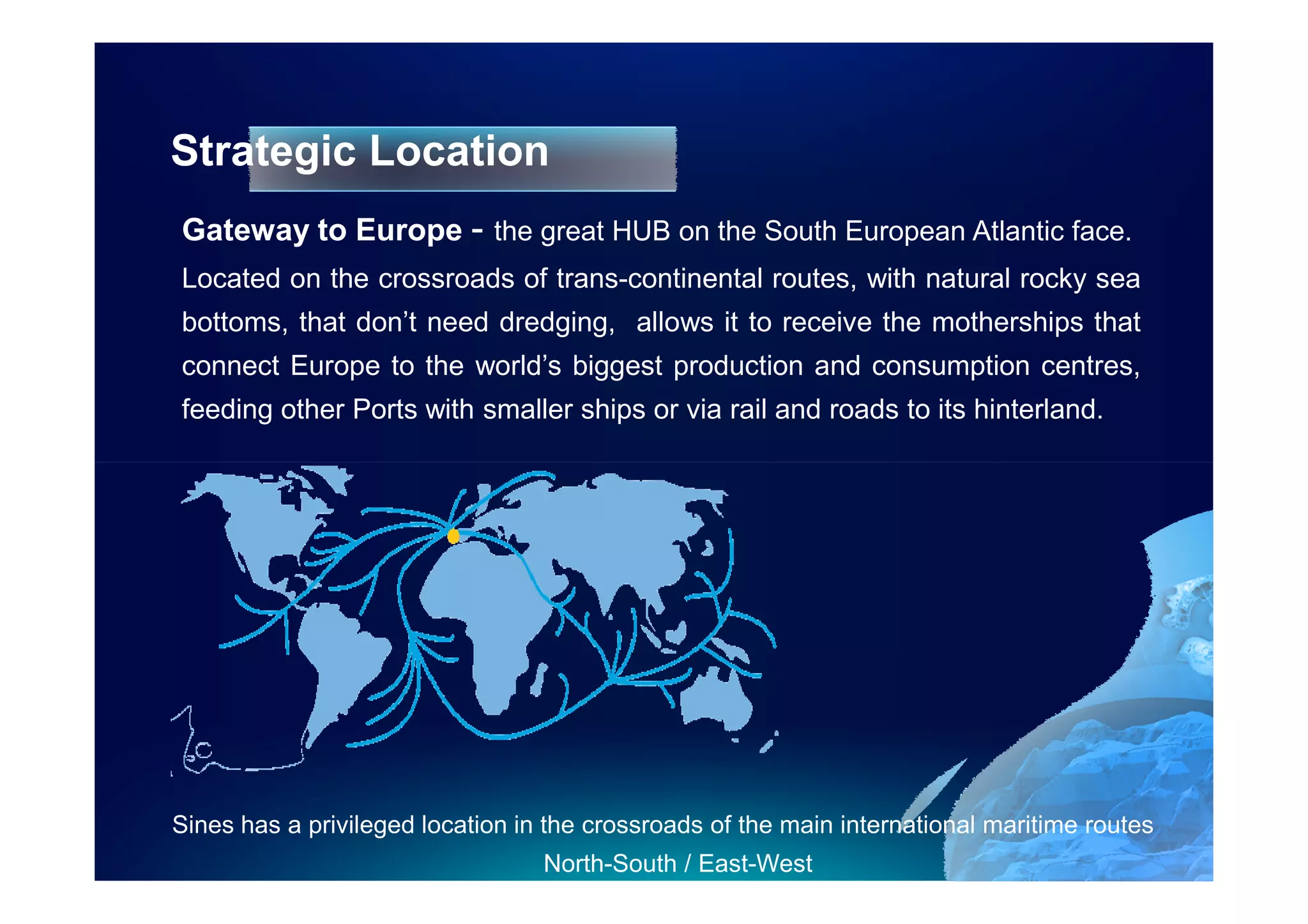
Strategic Location
Gateway to Europe - the great HUB on the South European Atlantic face.
Located on the crossroads of trans-continental routes, with natural rocky sea
bottoms, that don’t need dredging, allows it to receive the motherships that
connect Europe to the world’s biggest production and consumption centres,
feeding other Ports with smaller ships or via rail and roads to its hinterland.


Sines has a privileged location in the crossroads of the main international maritime routes
                                  North-South / East-West
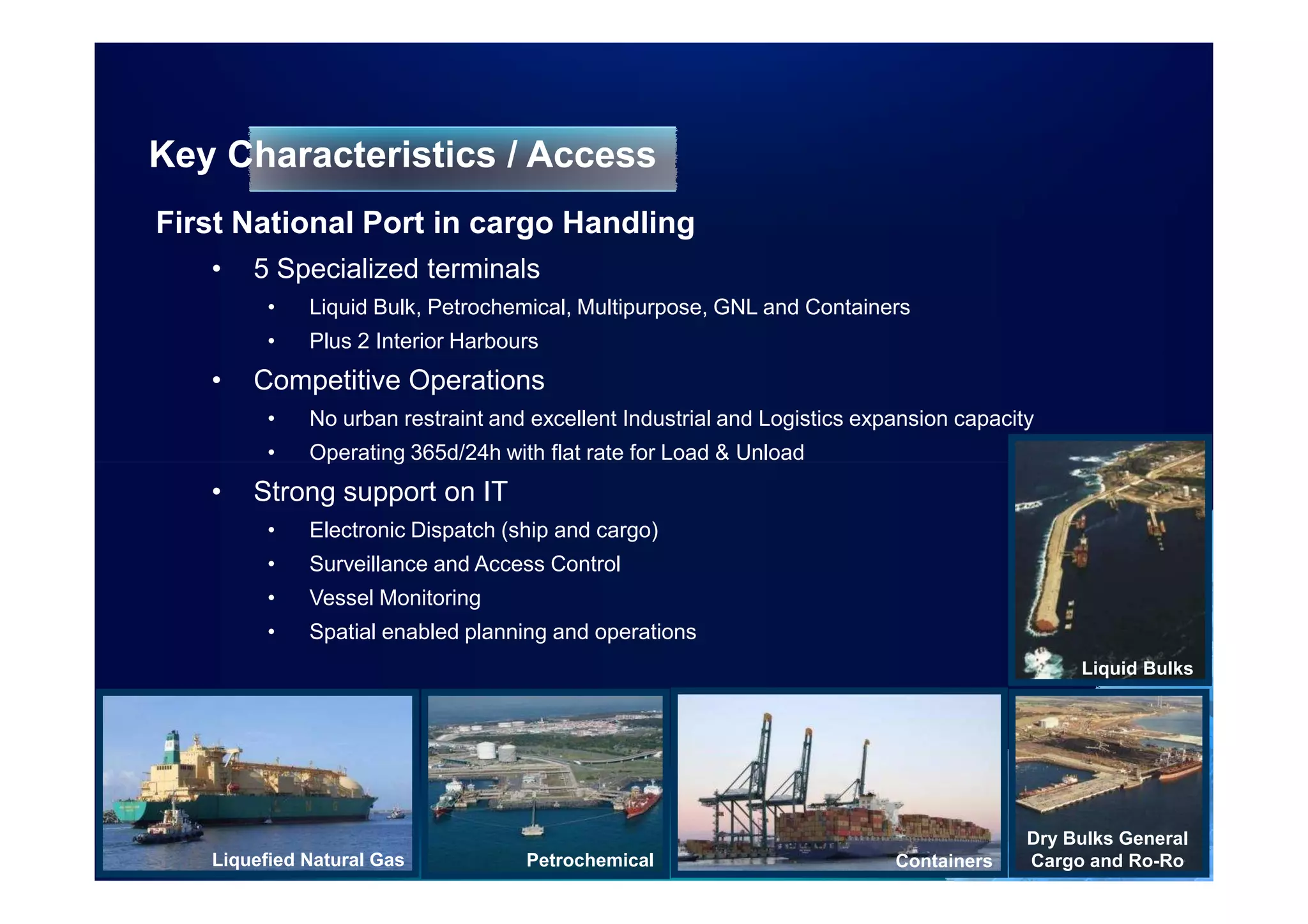
Key Characteristics / Access
First National Port in cargo Handling
   •   5 Specialized terminals
         •   Liquid Bulk, Petrochemical, Multipurpose, GNL and Containers
         •   Plus 2 Interior Harbours
   •   Competitive Operations
         •   No urban restraint and excellent Industrial and Logistics expansion capacity
         •   Operating 365d/24h with flat rate for Load & Unload
   •   Strong support on IT
         •   Electronic Dispatch (ship and cargo)
         •   Surveillance and Access Control
         •   Vessel Monitoring
         •   Spatial enabled planning and operations
                                                                                             Liquid Bulks


                                                                                        Dry Bulks General
   Liquefied Natural Gas           Petrochemical                          Containers    Cargo and Ro-Ro
GIS in Port Management
                                      SIIG Sines - Portugal


SIIG Project Team
Port of Sines Administration, S.A.
PORTUGAL

EUC Madrid, October 26-28, 2011
Introdution


Port of Sines is implementing his enterprise Geographic
Information and Identification System (SIIG), fully
supported on ArcGIS technology and supporting all the
functional areas in the harbour.

The SIIG is manly WEB based and has seven modular
and functional areas to support engineering, environment,
safety and security, planning port operations, concessions
and domain areas, supporting decisions based on static
and dynamic geographical information of all his hinterland
and foreland.
SIIG Project Objectives

1. Enable visualization and Interaction with dynamic data
2. Provide visual support to the planning of operations port,
   allowing real time display of ship movement, incorporation
   of rules and restrictions related to manouvers, berthing
   requests and infrastructure availability
3. Support everyday operations (engineering, planning, land
   sort, security, environment, port lease management and
   other) with georreferencced information;
4. Facilitate the access to information across the organization
   and integrate with existing legacy systems
5. Improve effectiveness in existing procedures
6. Increase competitiveness at the Port of Sines
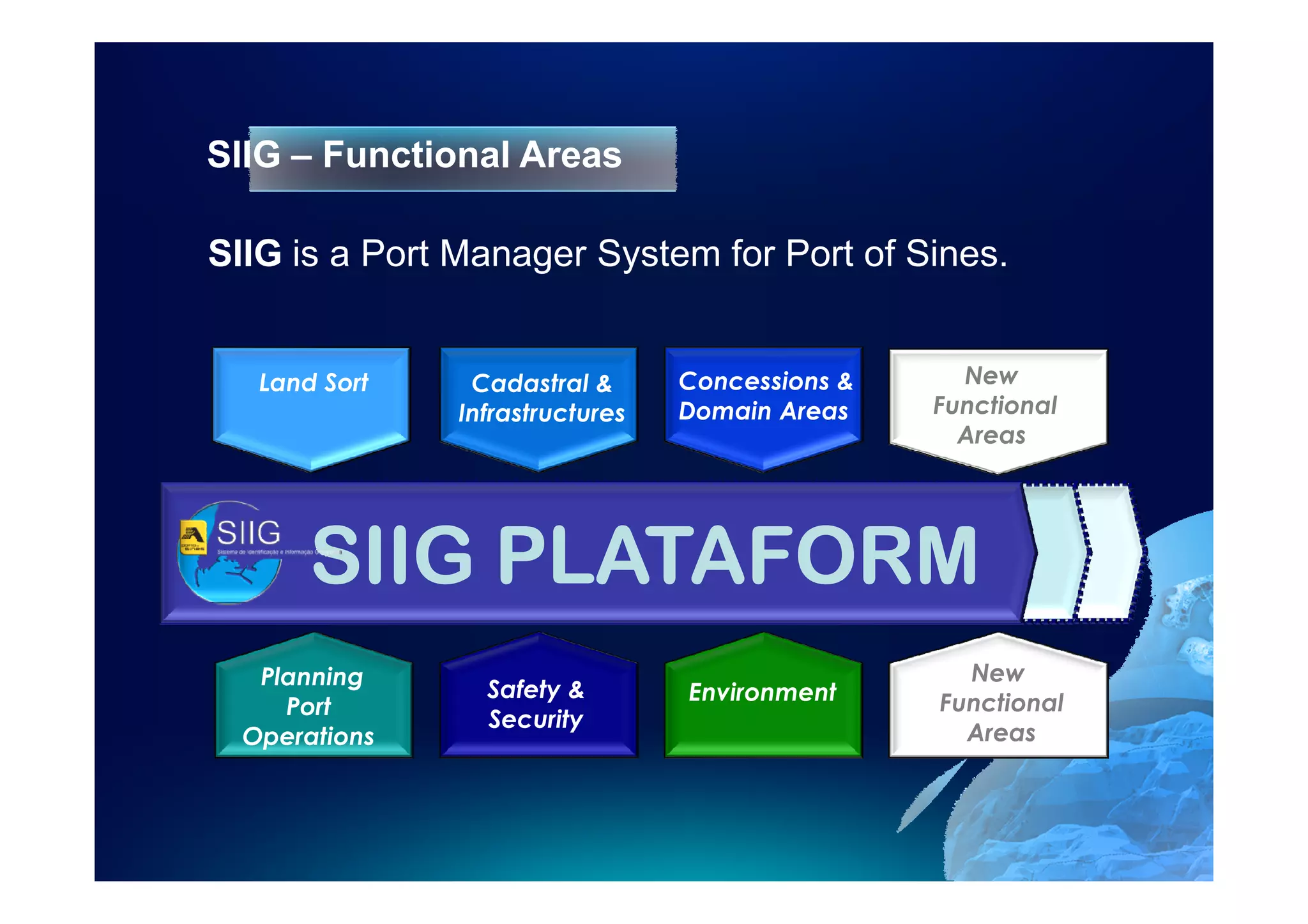
SIIG – Functional Areas

SIIG is a Port Manager System for Port of Sines.


 Ordenamento
   Land Sort     Cadastral e
                  Cadastro &        Concessões
                                   Concessions &        New
   Portuário   Infraestruturas
                Infrastructures   Áreas Dominiais
                                   Domain Areas       Functional
                                                        Areas


       SIIG PLATAFORM
   Planning                                              New
                  Safety &         Environment          Futuras
     Port                                              Functional
                  Security                          ÁreasAreas
                                                          funcionais
  Operations
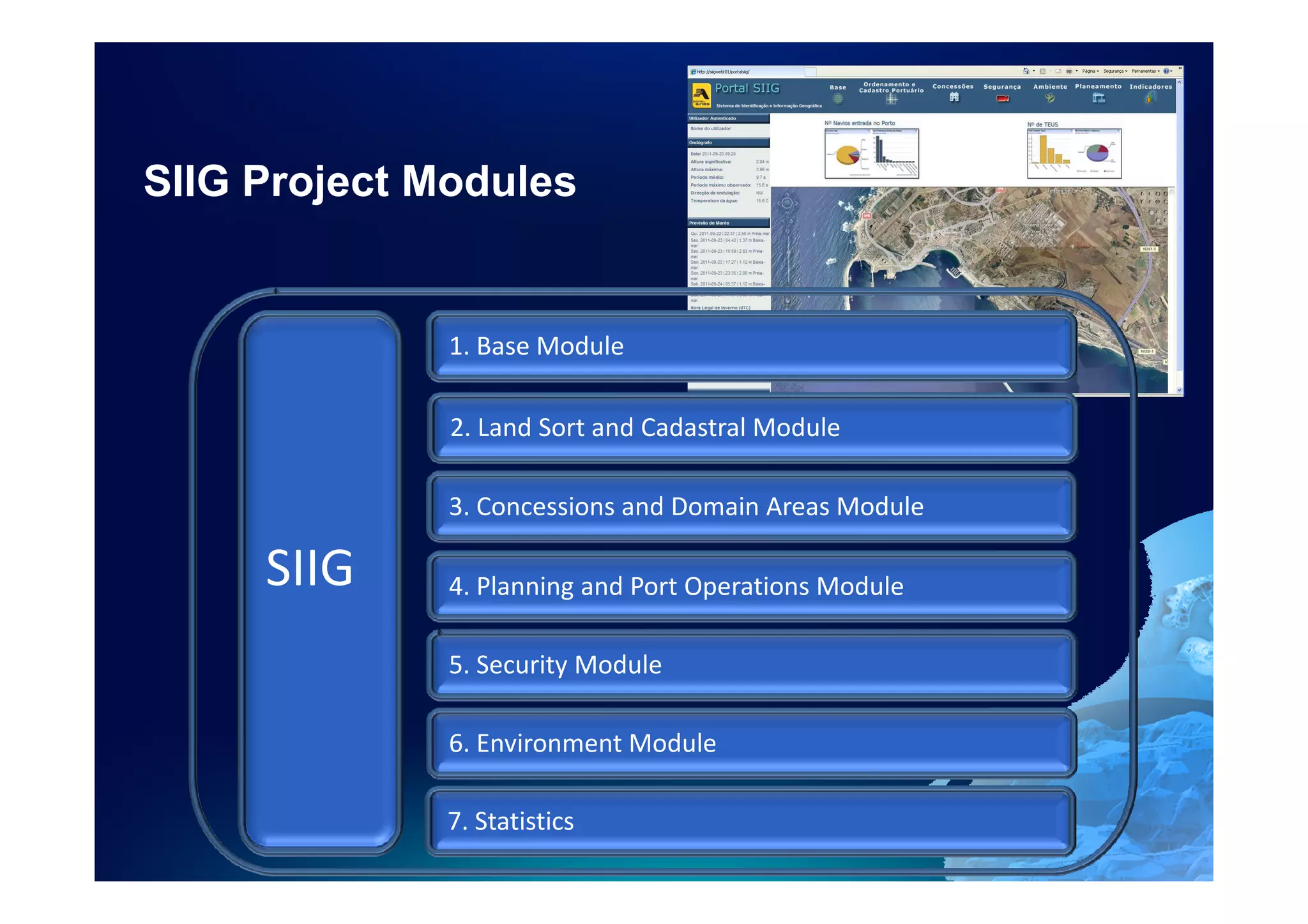
SIIG Project Modules


              1. Base Module

              2. Land Sort and Cadastral Module

              3. Concessions and Domain Areas Module

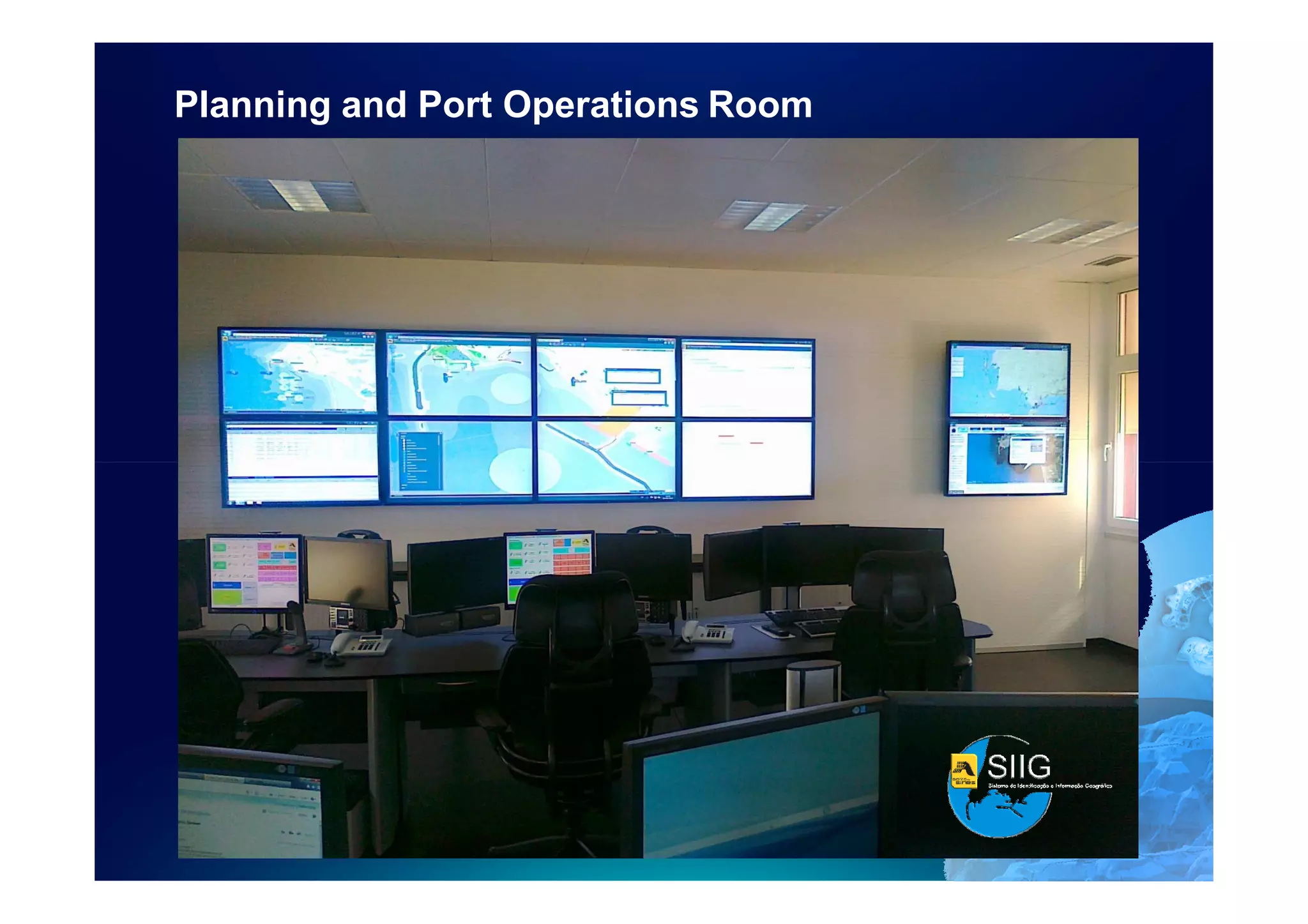
     SIIG     4. Planning and Port Operations Module

              5. Security Module

              6. Environment Module

              7. Statistics
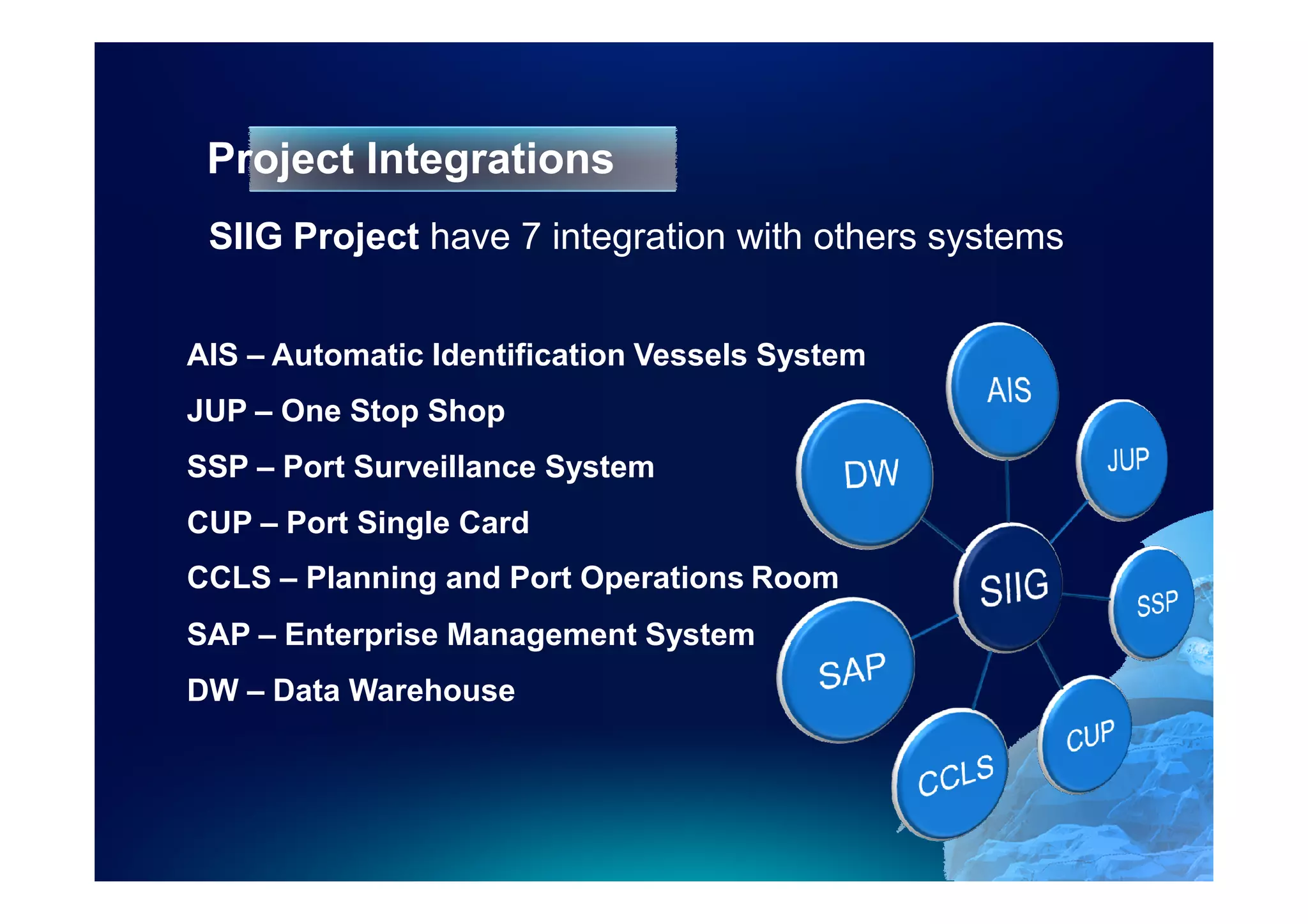
Project Integrations
 SIIG Project have 7 integration with others systems


AIS – Automatic Identification Vessels System
JUP – One Stop Shop
SSP – Port Surveillance System
CUP – Port Single Card
CCLS – Planning and Port Operations Room
SAP – Enterprise Management System
DW – Data Warehouse
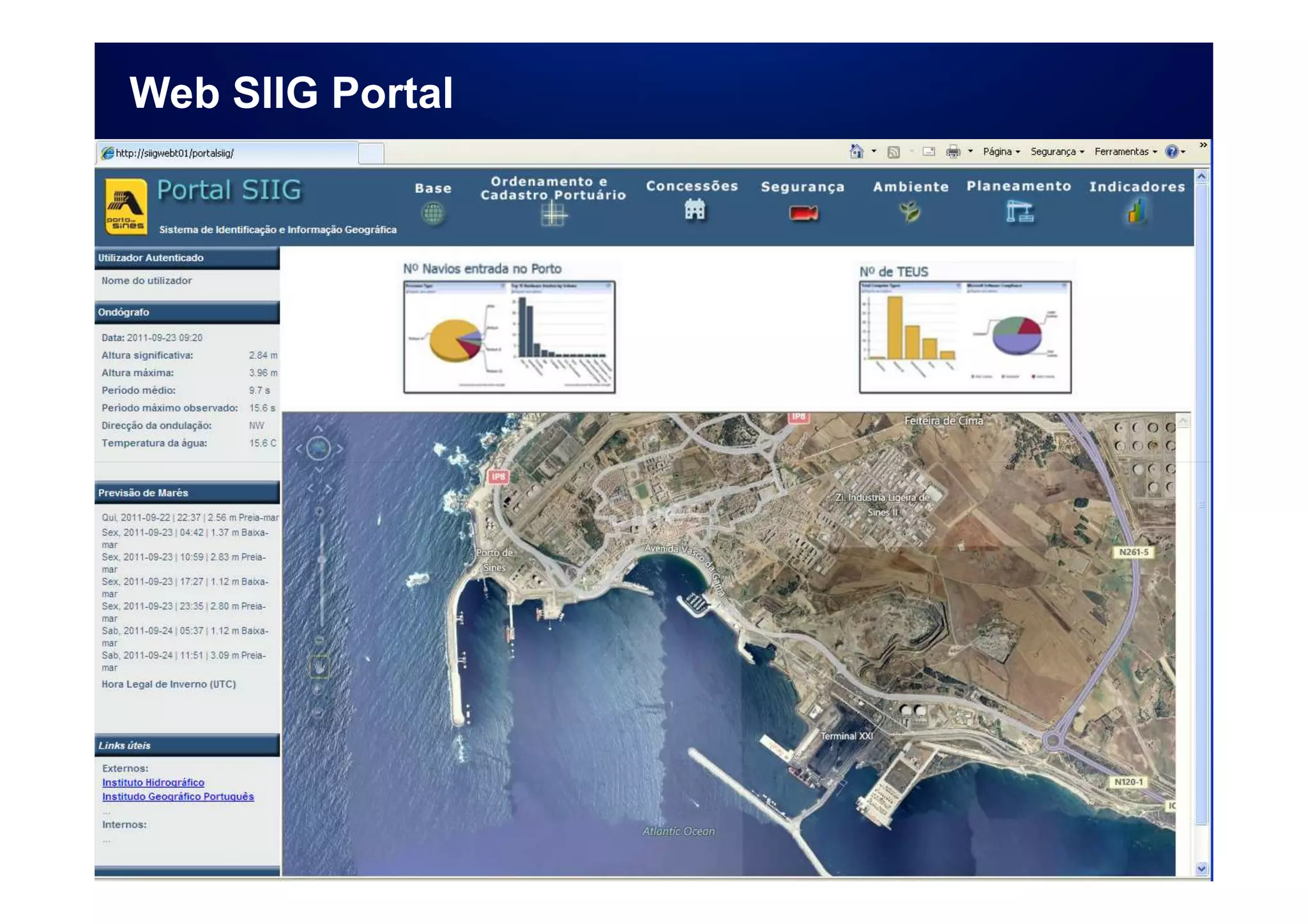
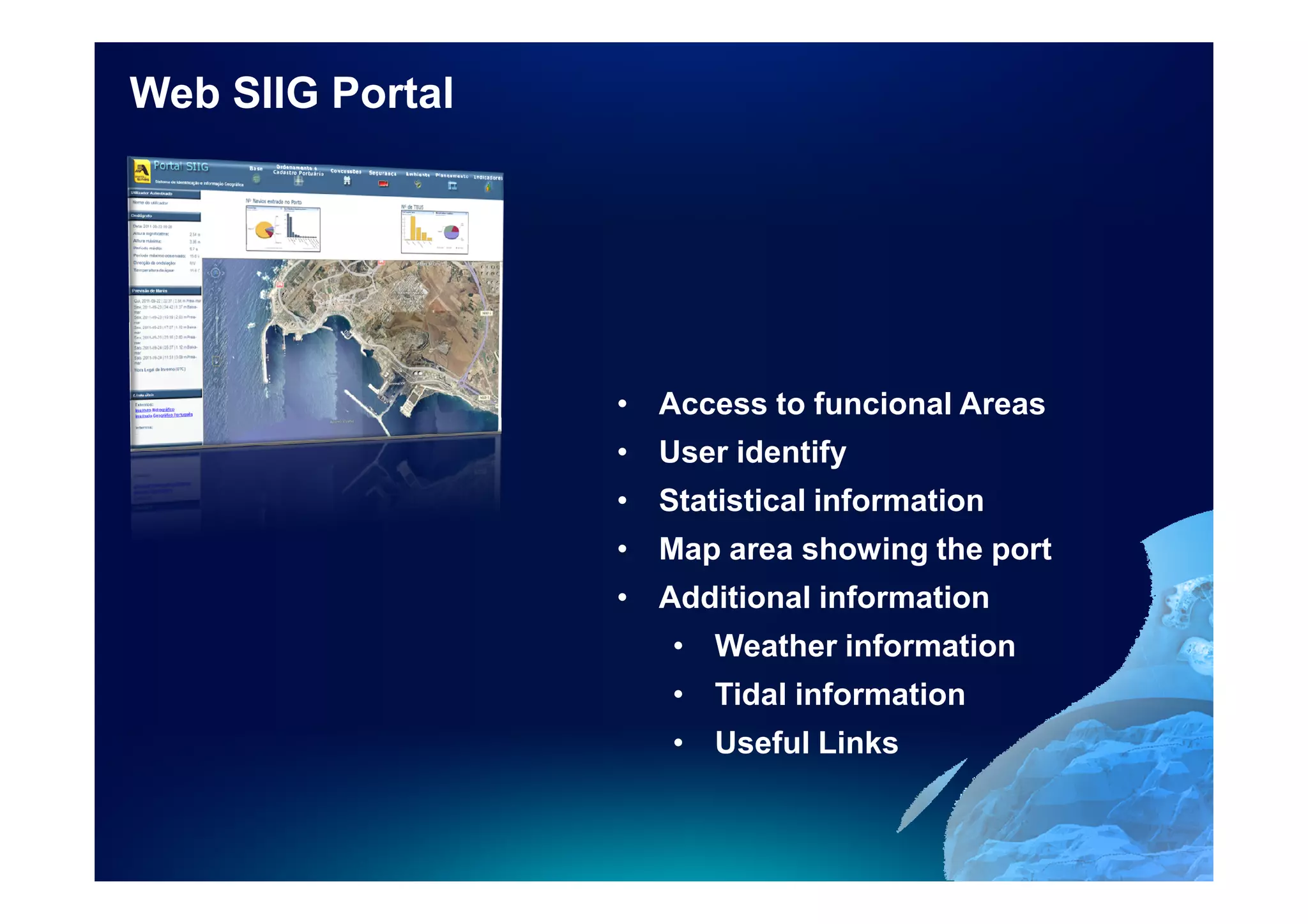
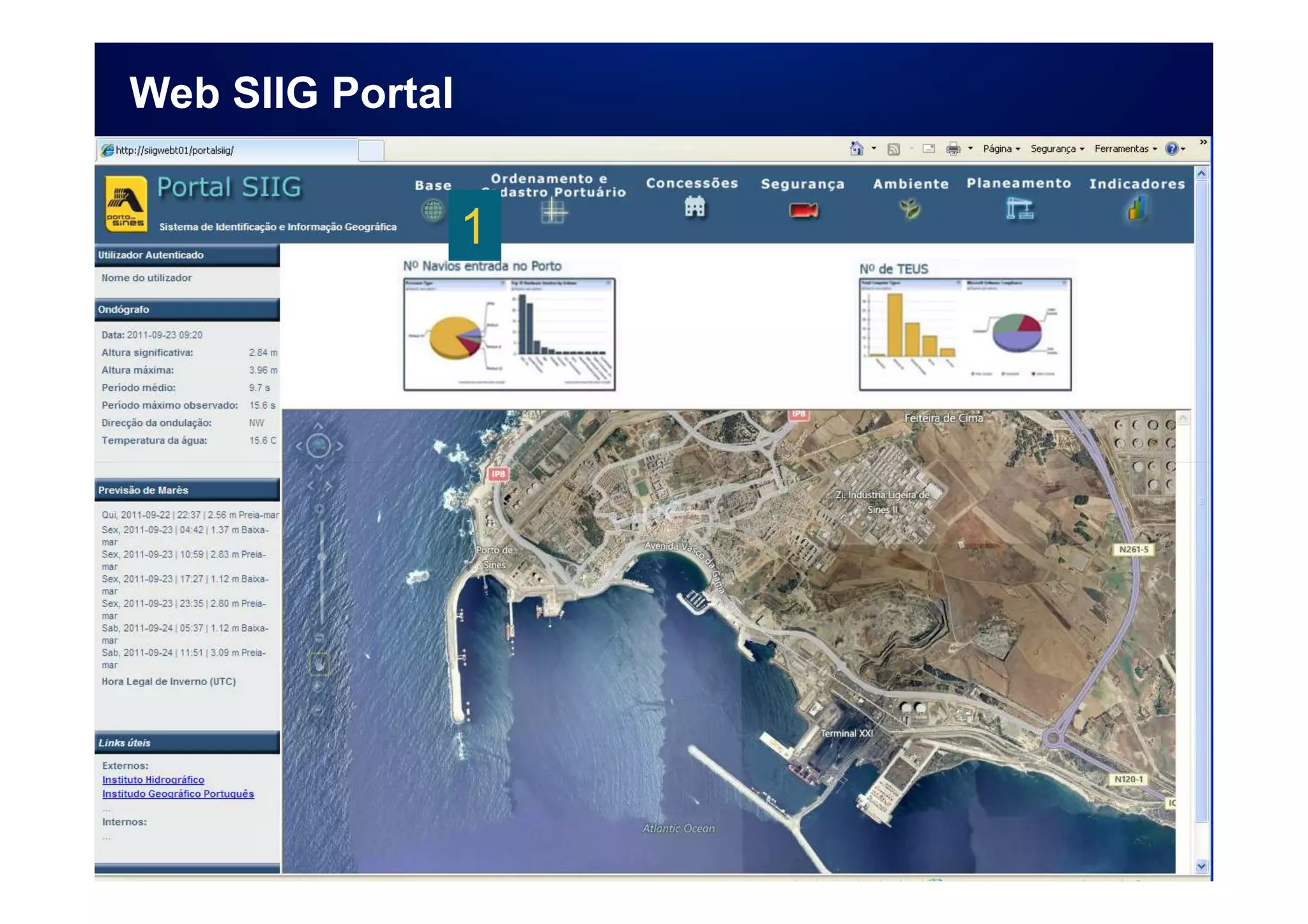
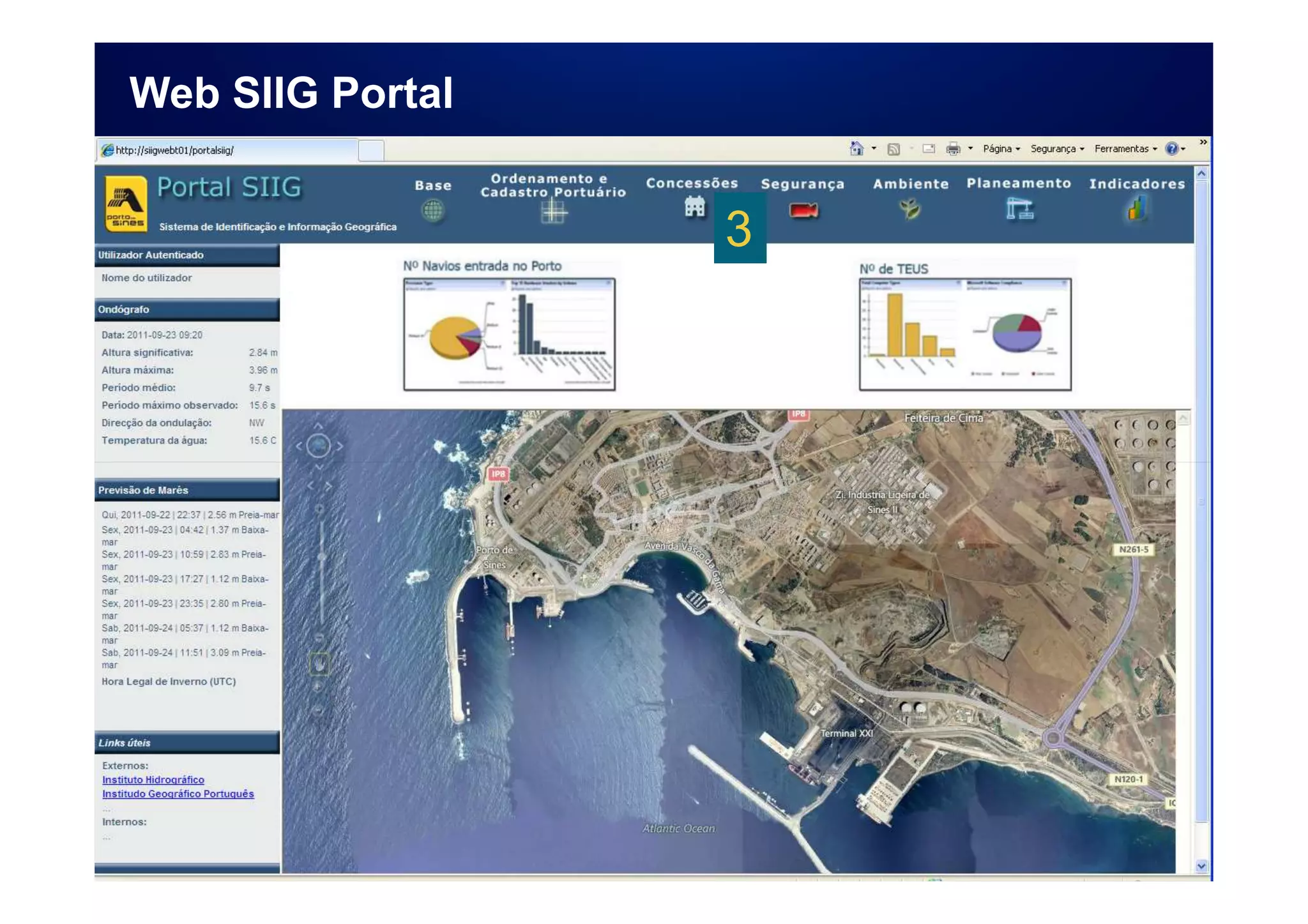
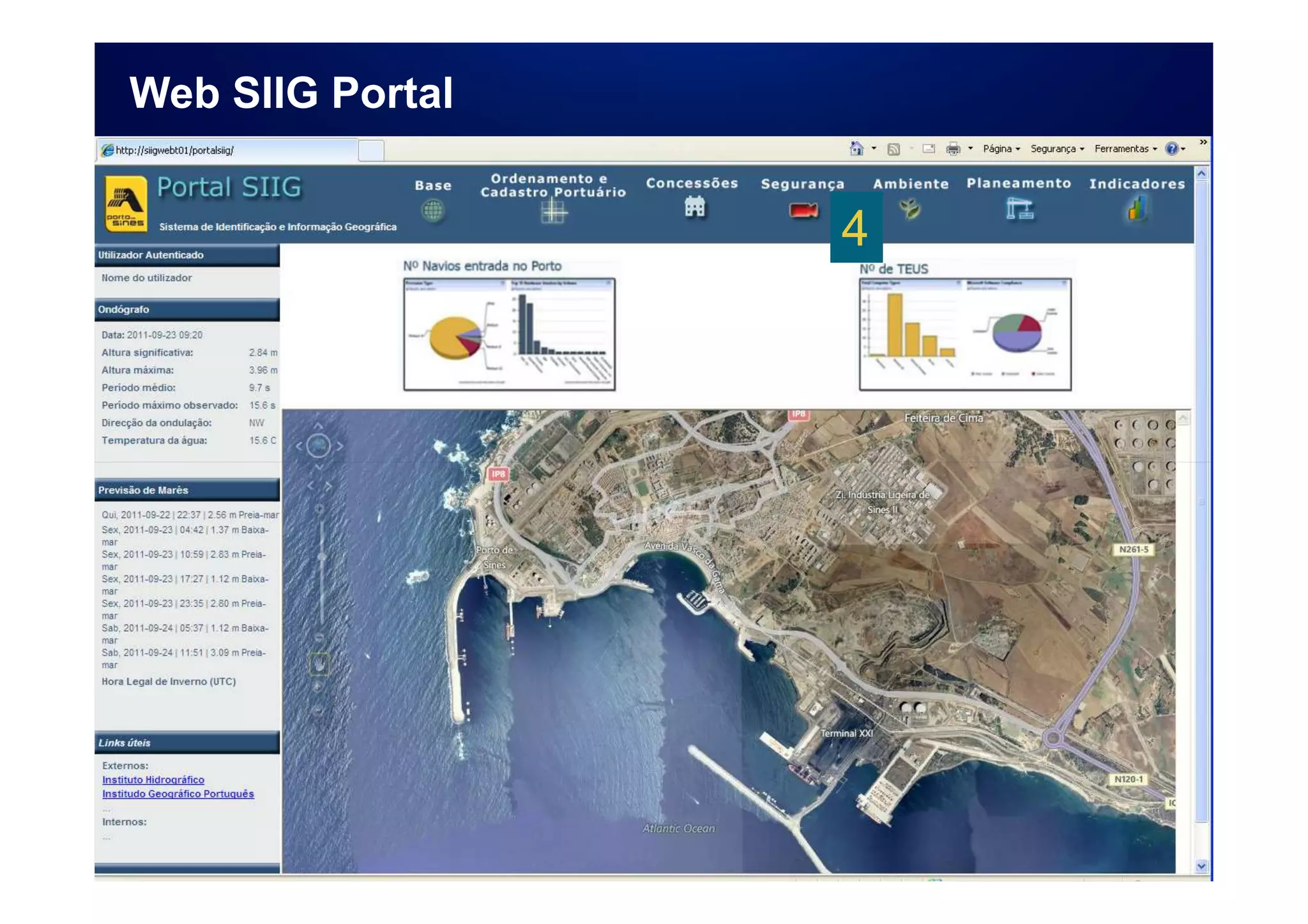
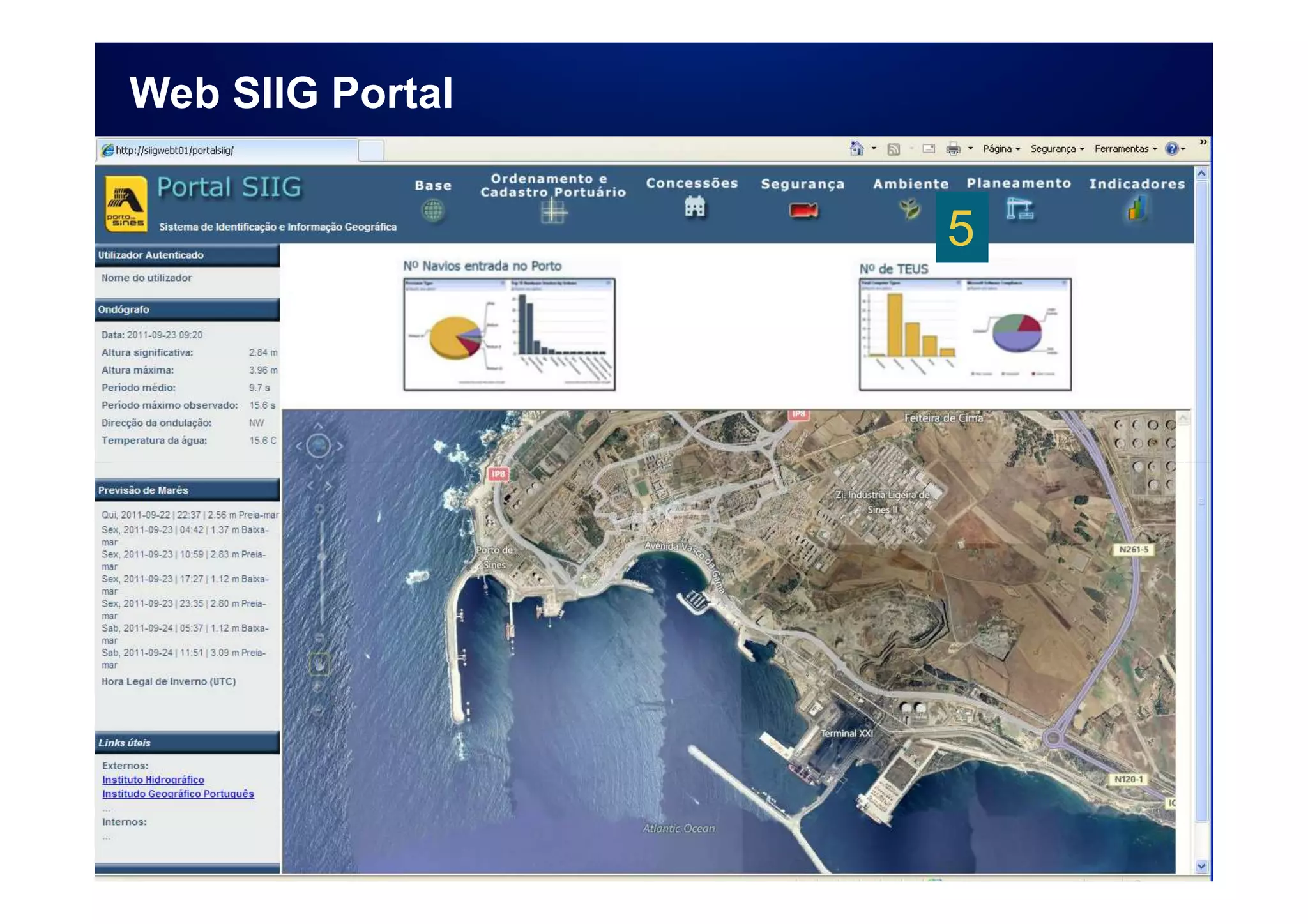
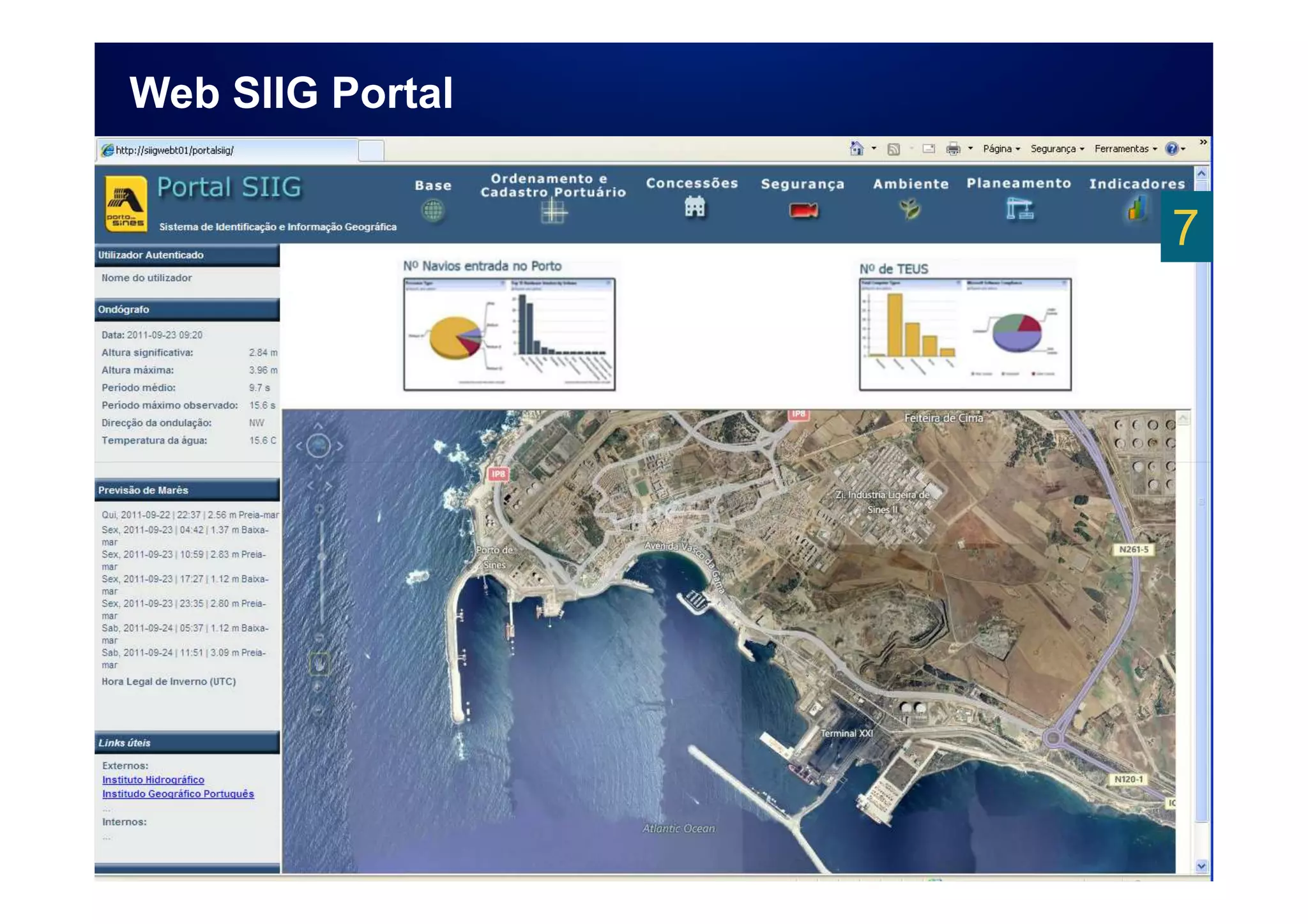
Web SIIG Portal
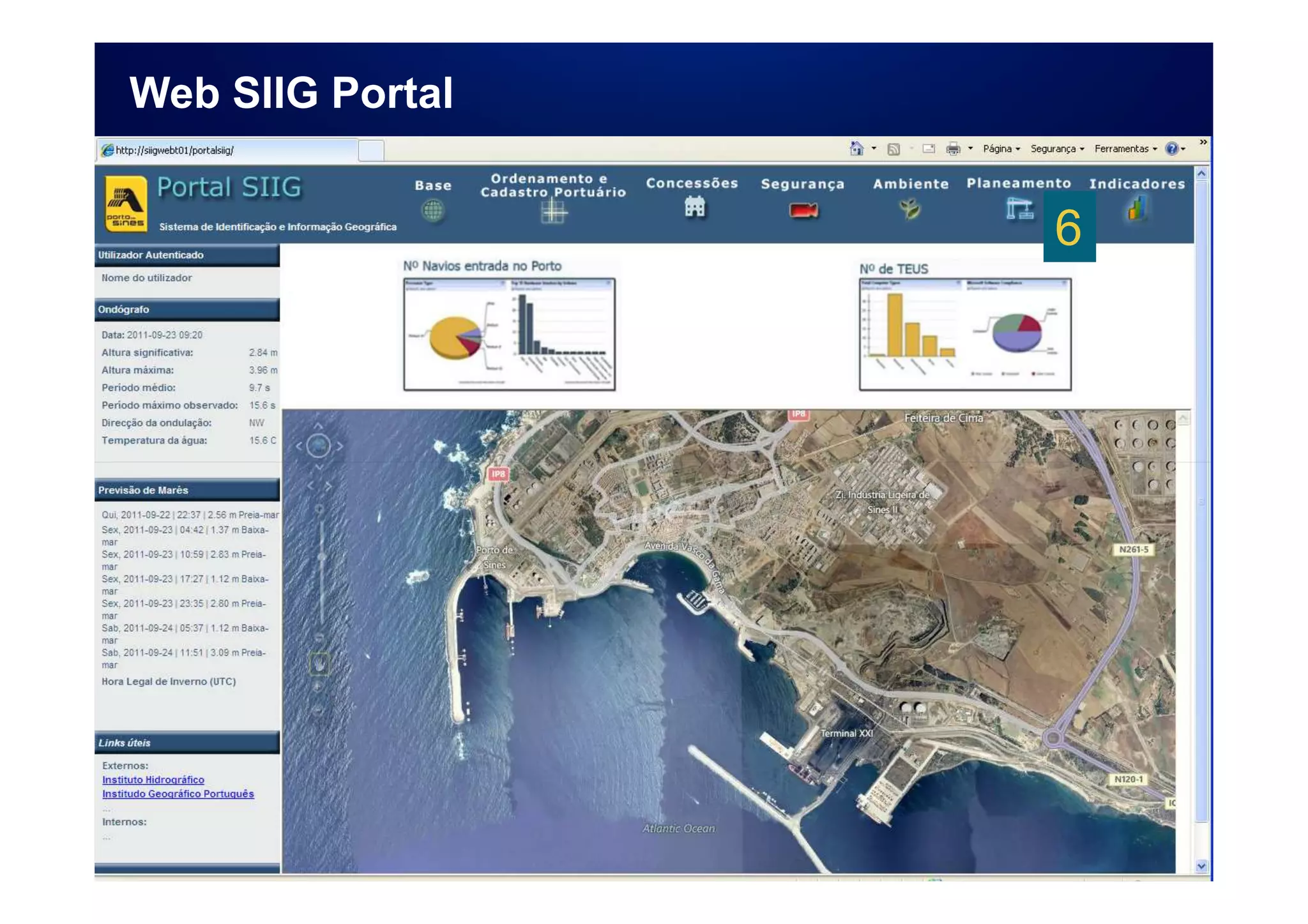
Web SIIG Portal


                  • Access to funcional Areas
                  • User identify
                  • Statistical information
                  • Map area showing the port
                  • Additional information
                     • Weather information
                     • Tidal information
                     • Useful Links
Web SIIG Portal


                  1
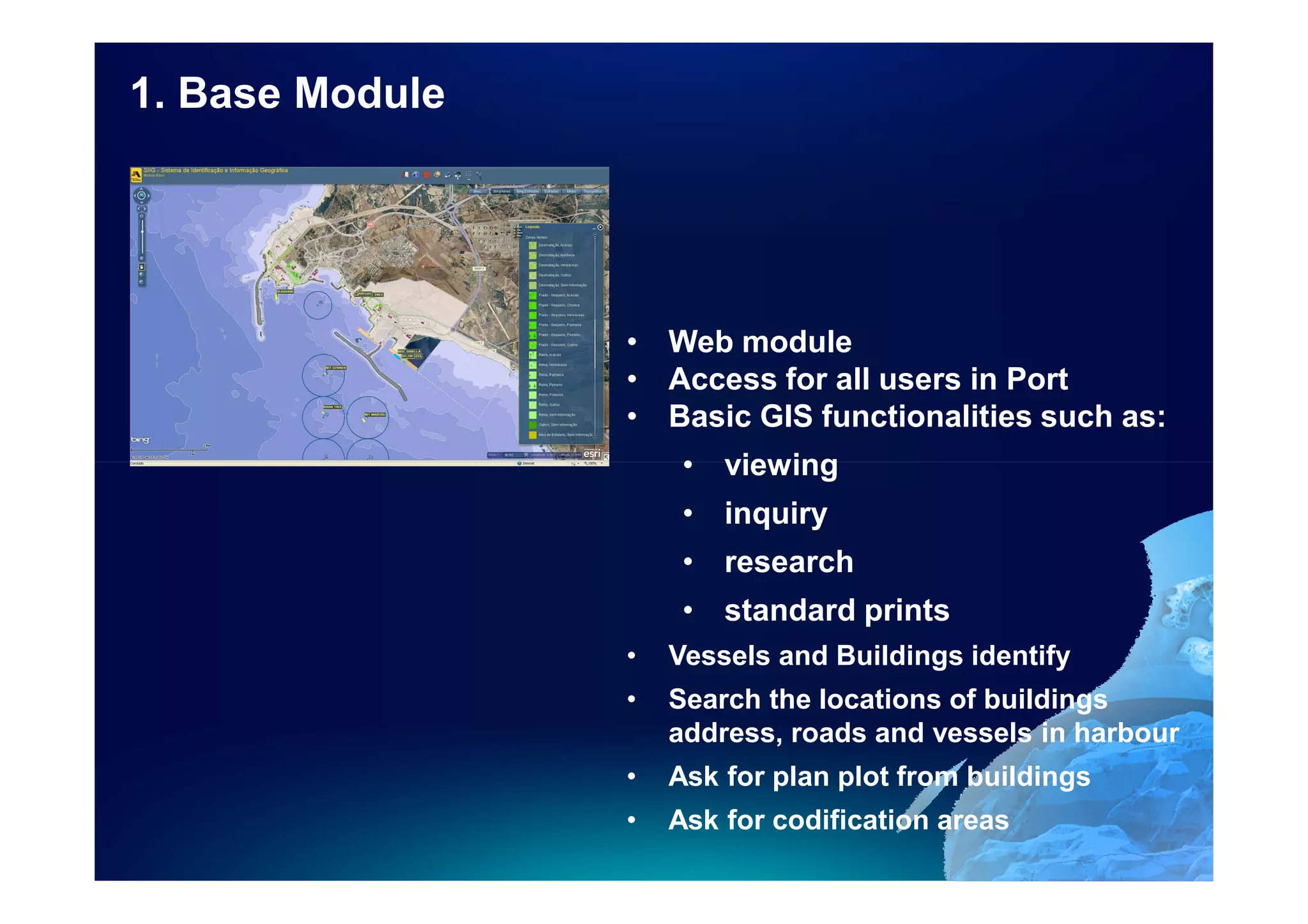
1. Base Module


                 • Web module
                 • Access for all users in Port
                 • Basic GIS functionalities such as:
                      • viewing
                      • inquiry
                      • research
                      • standard prints
                 •   Vessels and Buildings identify
                 •   Search the locations of buildings
                     address, roads and vessels in harbour
                 •   Ask for plan plot from buildings
                 •   Ask for codification areas
Web SIIG Portal


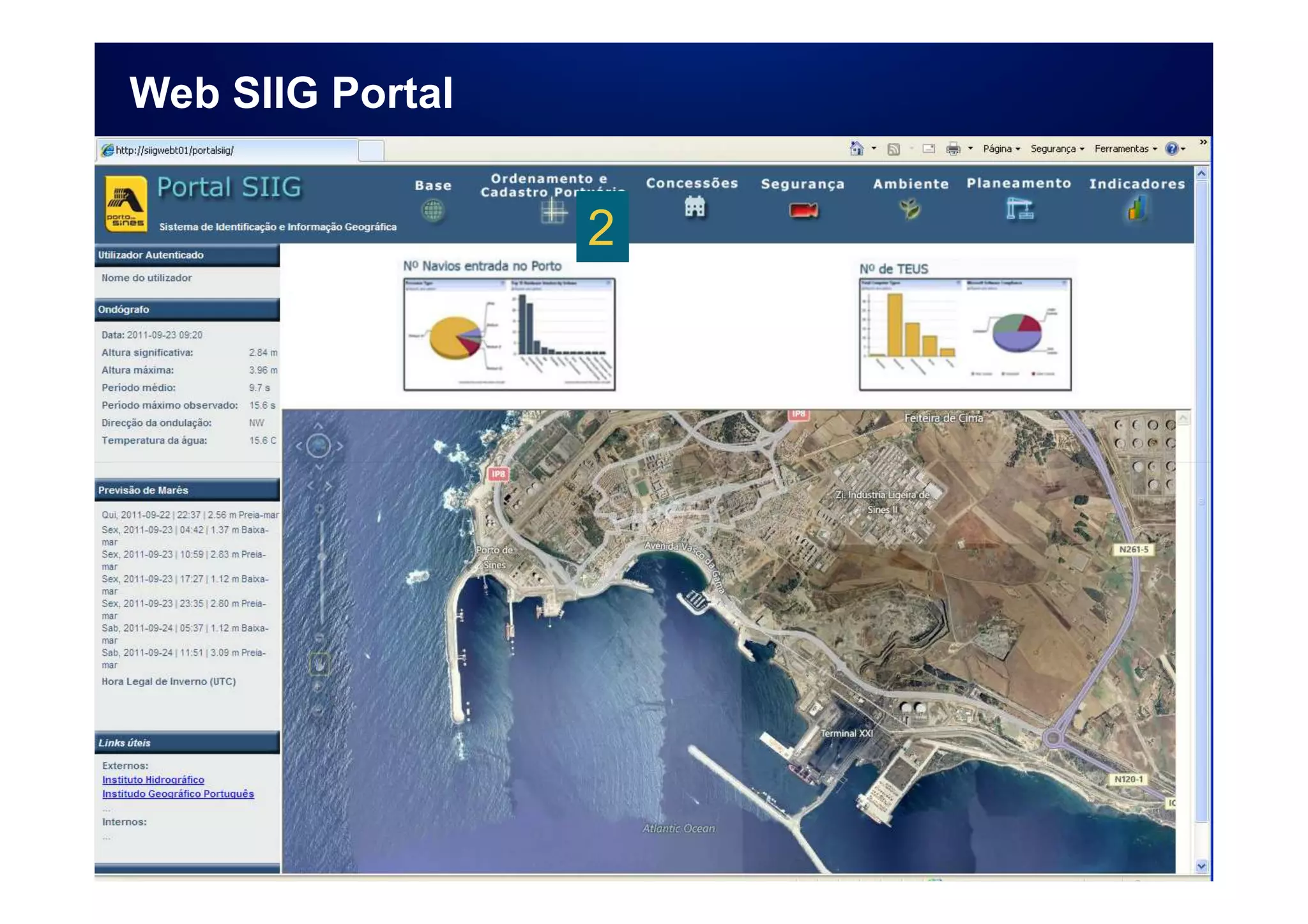
                  2
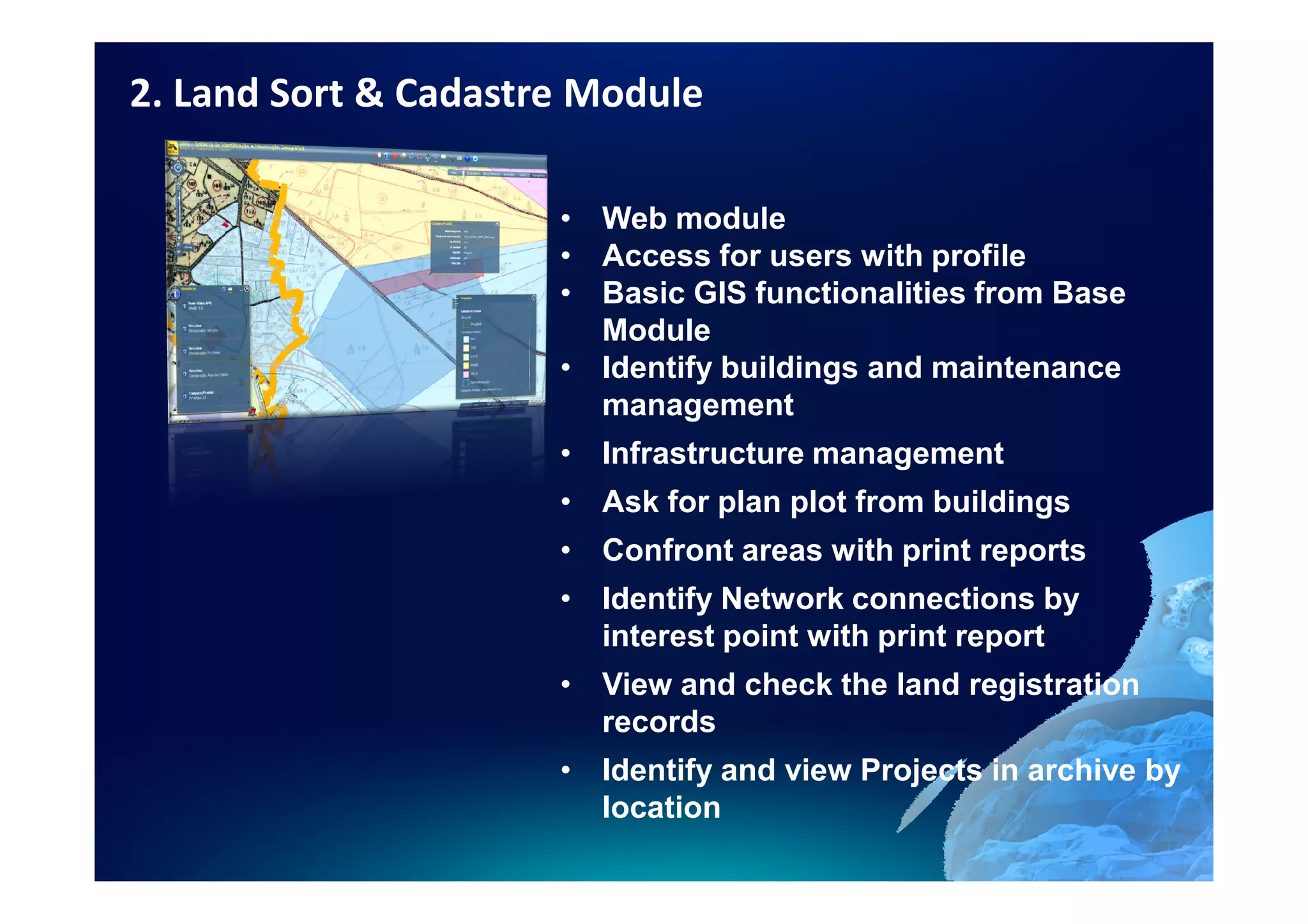
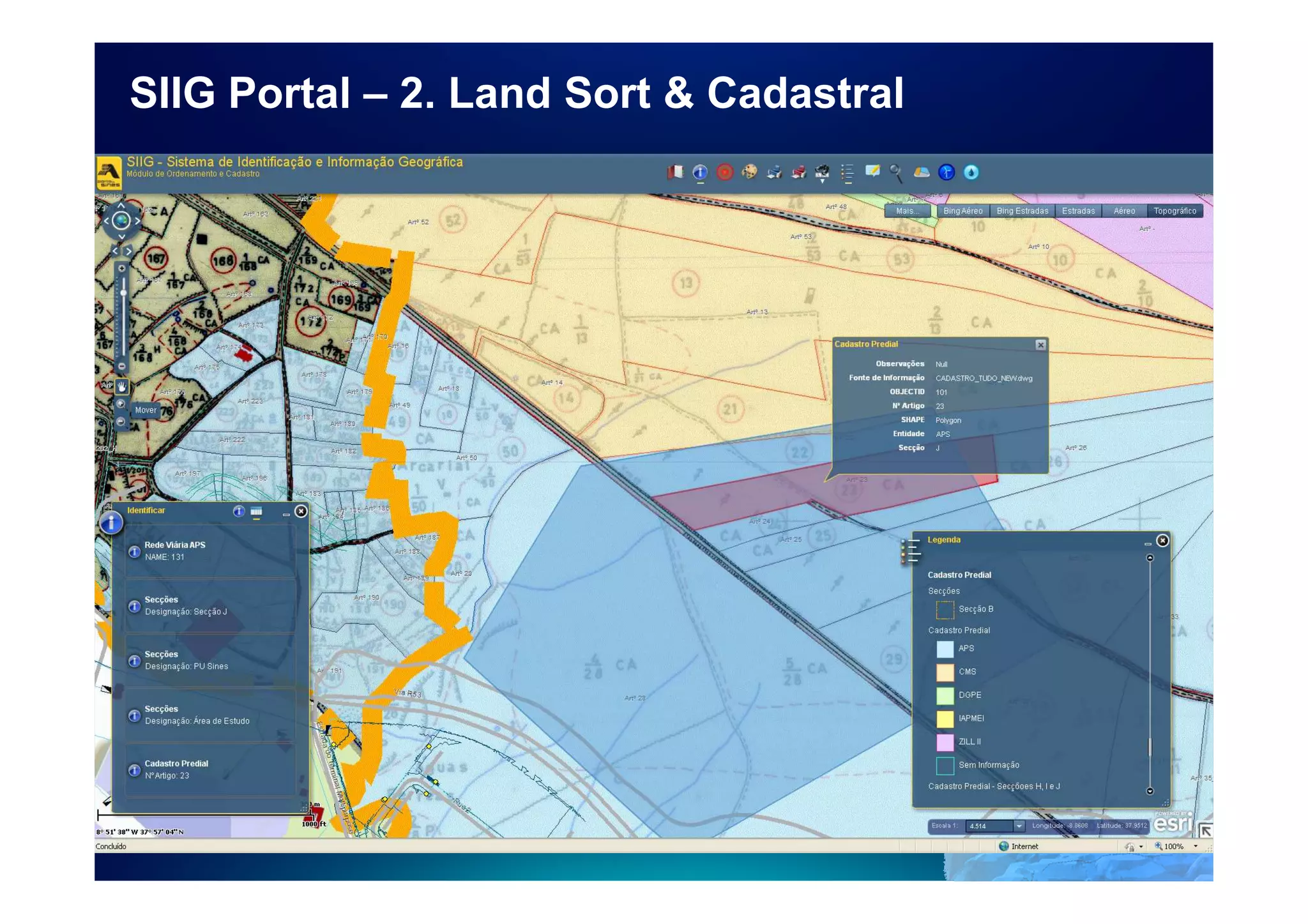
2. Land Sort & Cadastre Module

                      • Web module
                      • Access for users with profile
                      • Basic GIS functionalities from Base
                        Module
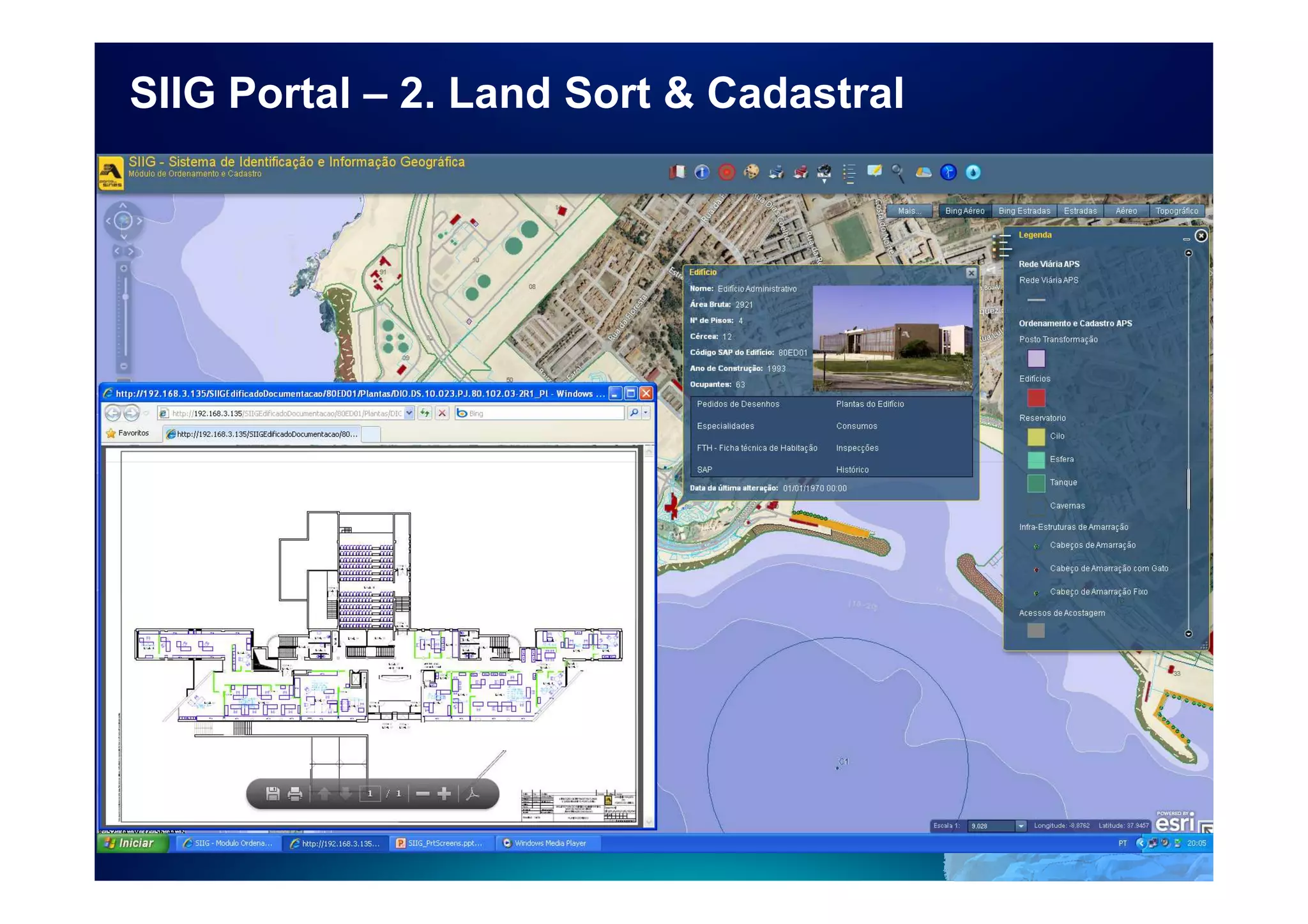
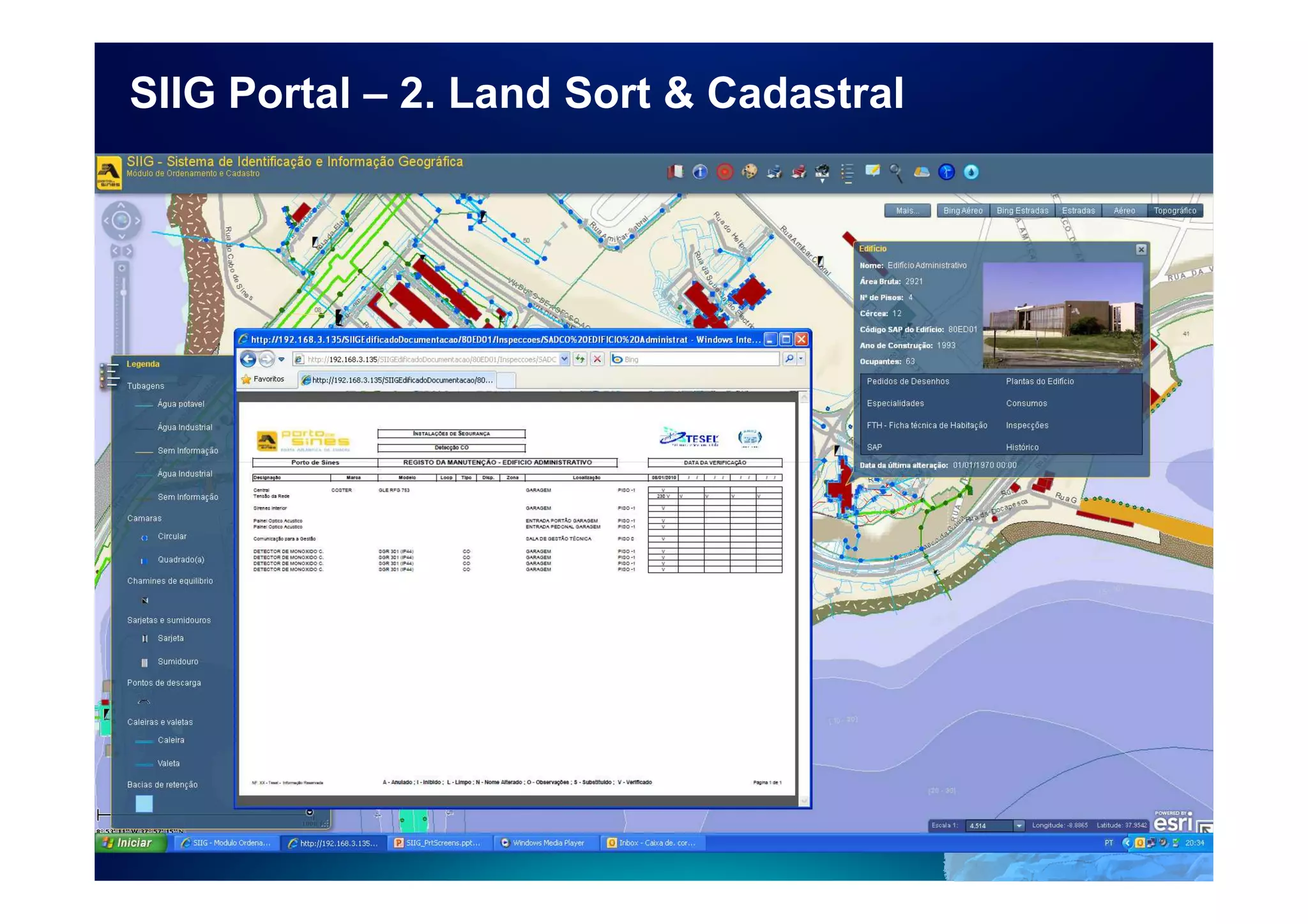
                      • Identify buildings and maintenance
                        management
                      • Infrastructure management
                      • Ask for plan plot from buildings
                      • Confront areas with print reports
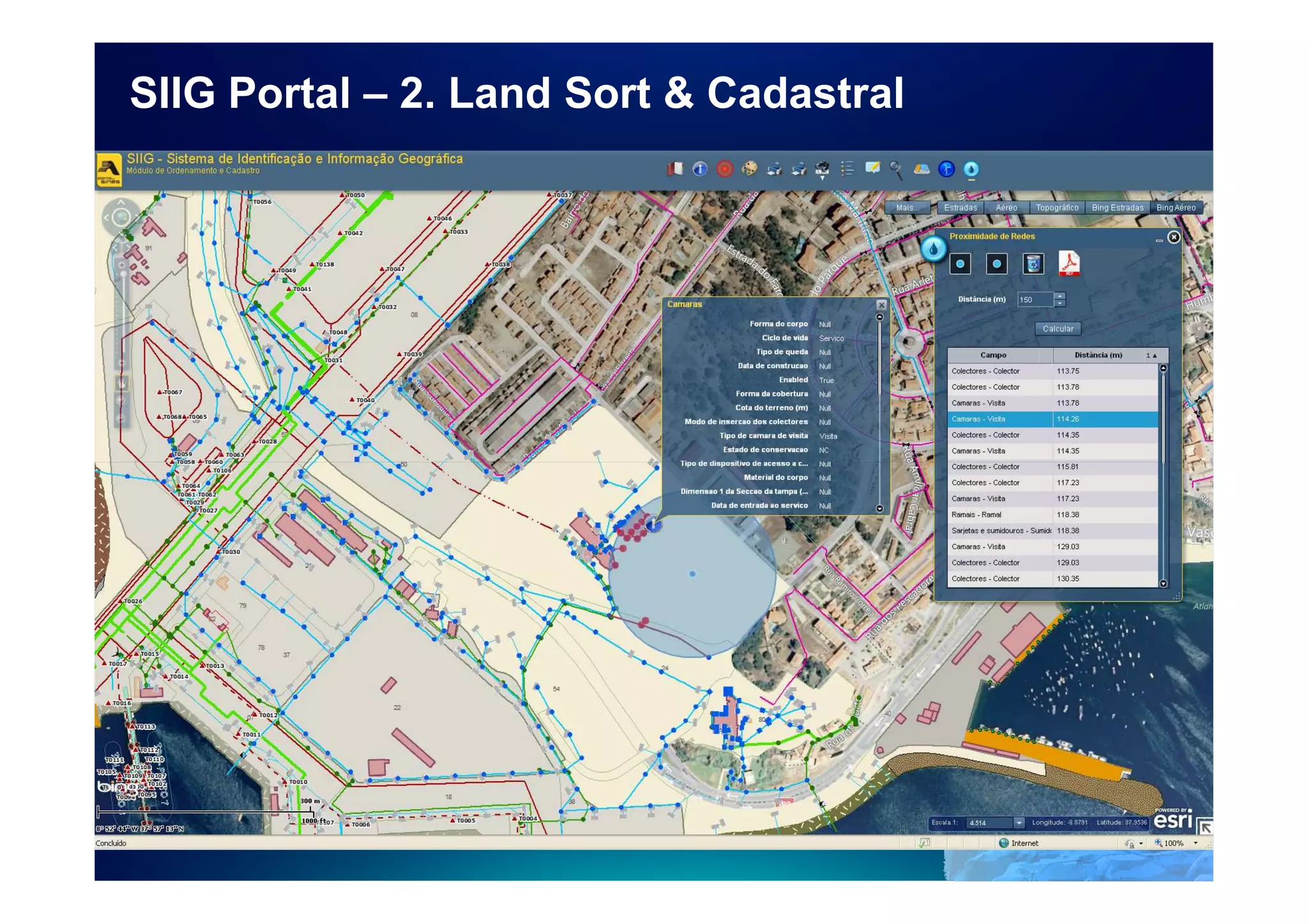
                      • Identify Network connections by
                        interest point with print report
                      • View and check the land registration
                        records
                      • Identify and view Projects in archive by
                        location
SIIG Portal – 2. Land Sort & Cadastral
Web SIIG Portal


                  3
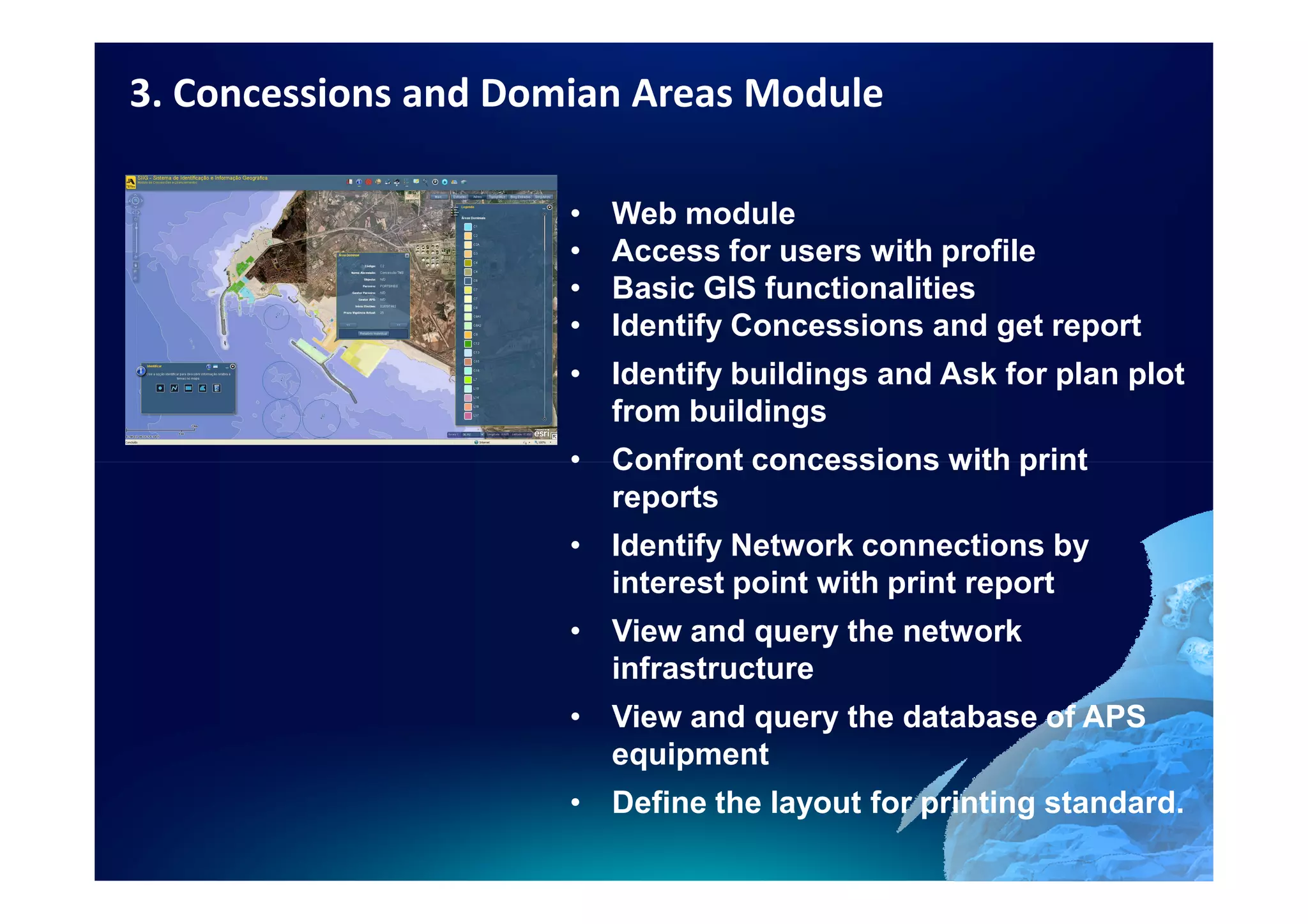
3. Concessions and Domian Areas Module

                      •   Web module
                      •   Access for users with profile
                      •   Basic GIS functionalities
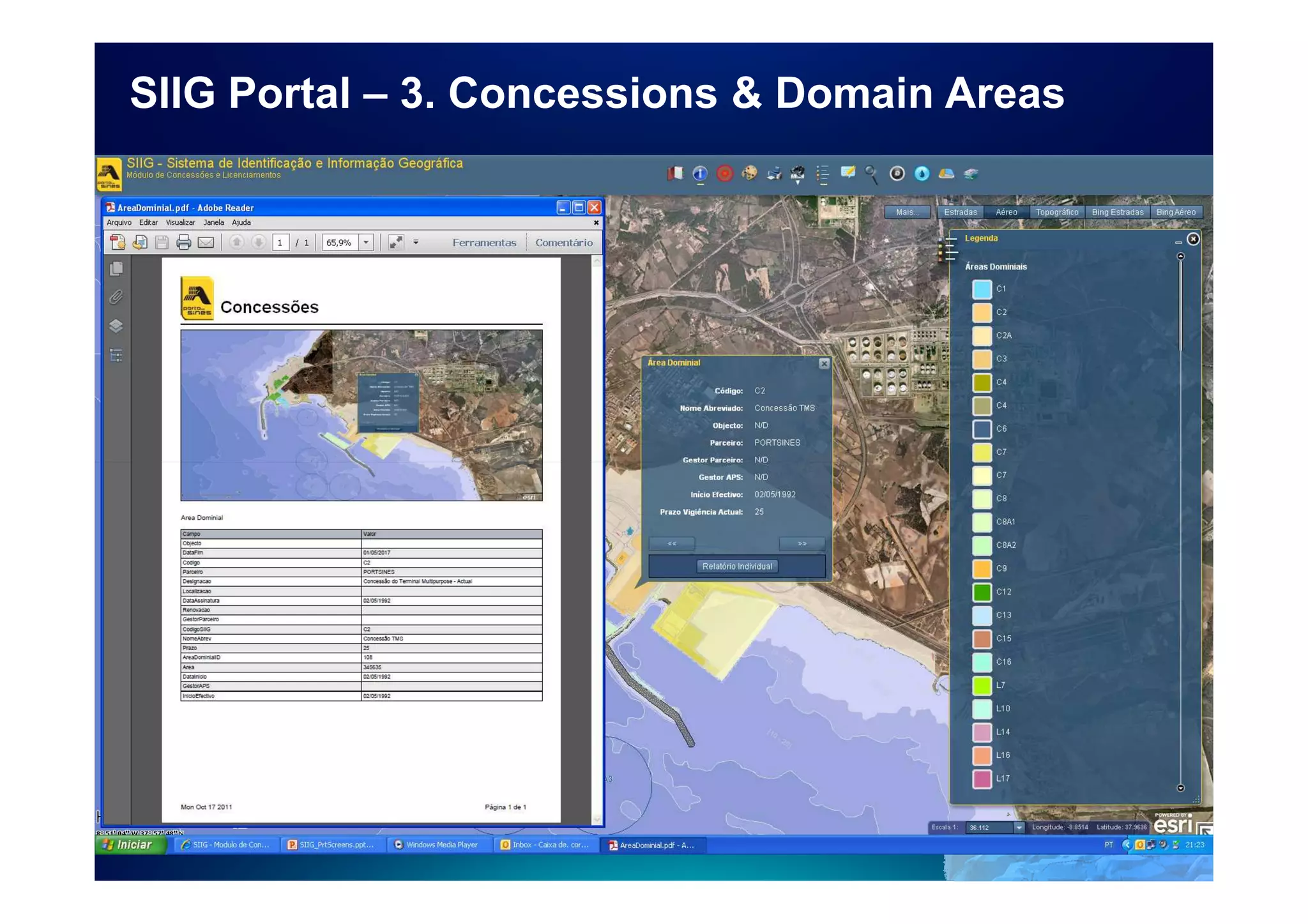
                      •   Identify Concessions and get report
                      • Identify buildings and Ask for plan plot
                        from buildings
                      • Confront concessions with print
                        reports
                      • Identify Network connections by
                        interest point with print report
                      • View and query the network
                        infrastructure
                      • View and query the database of APS
                        equipment
                      • Define the layout for printing standard.
SIIG Portal – 3. Concessions & Domain Areas
Web SIIG Portal


                  4
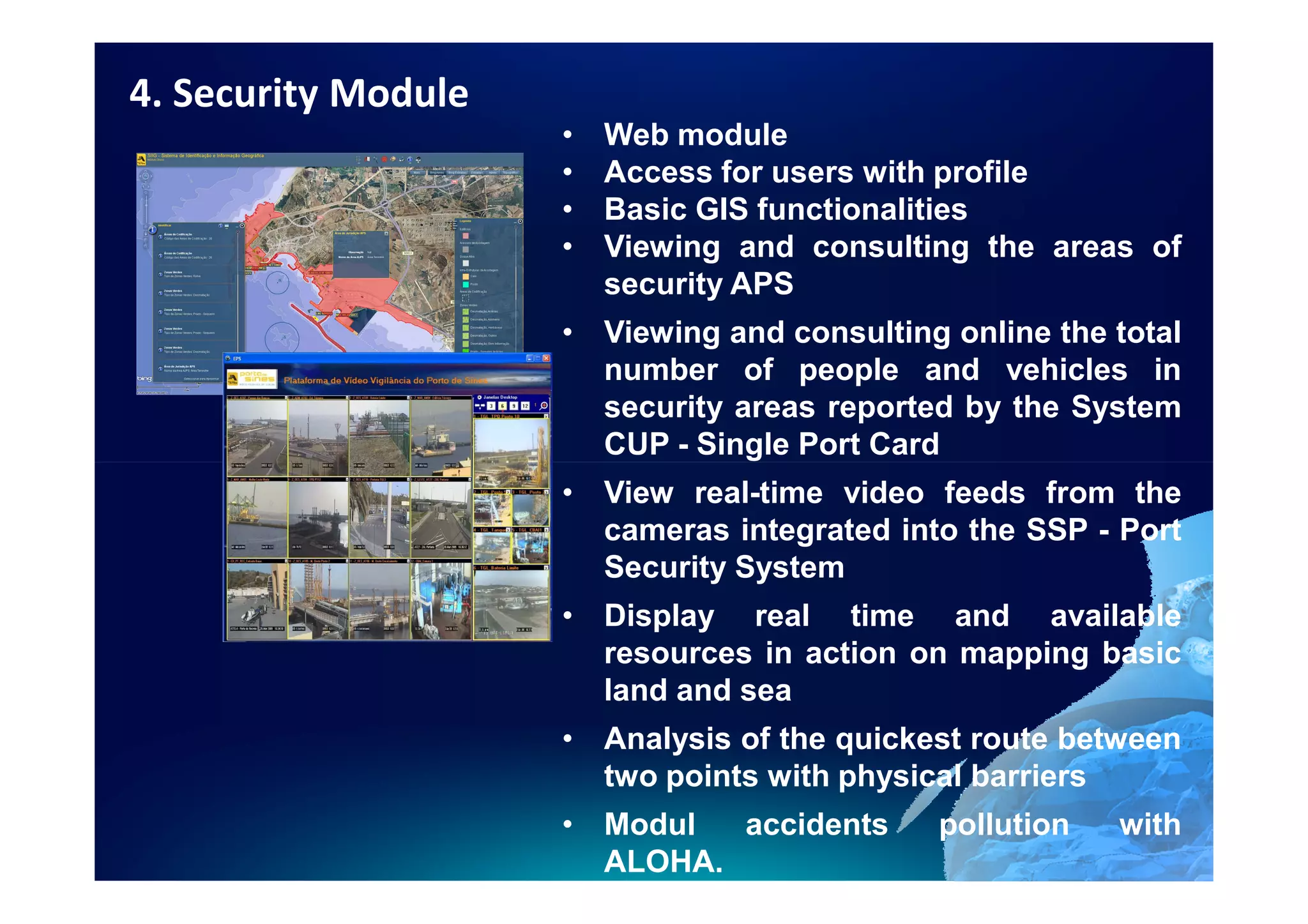
4. Security Module
                     •   Web module
                     •   Access for users with profile
                     •   Basic GIS functionalities
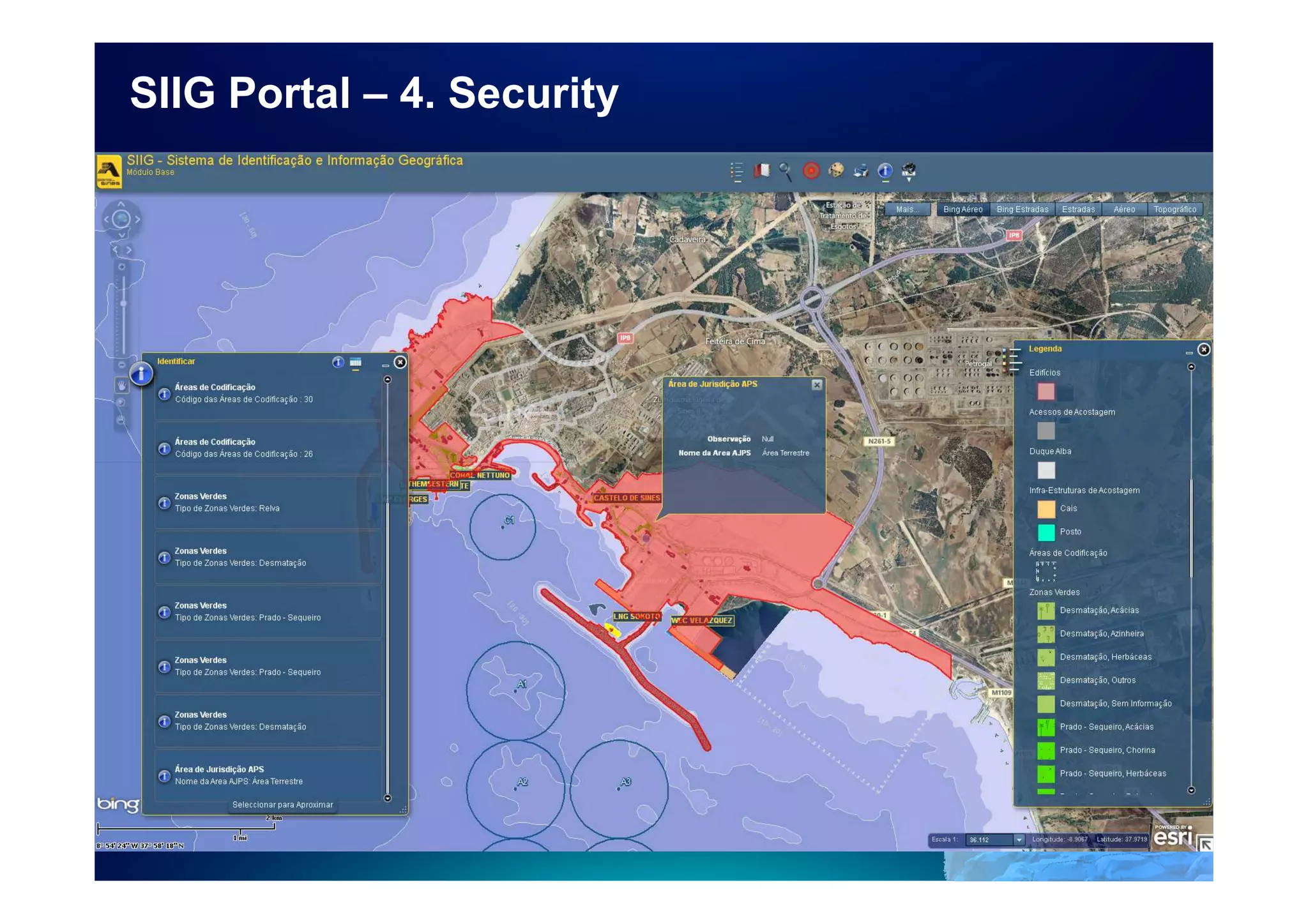
                     •   Viewing and consulting the areas of
                         security APS
                     • Viewing and consulting online the total
                       number of people and vehicles in
                       security areas reported by the System
                       CUP - Single Port Card
                     • View real-time video feeds from the
                       cameras integrated into the SSP - Port
                       Security System
                     • Display real time and available
                       resources in action on mapping basic
                       land and sea
                     • Analysis of the quickest route between
                       two points with physical barriers
                     • Modul  accidents      pollution   with
                       ALOHA.
SIIG Portal – 4. Security
Web SIIG Portal


                  5
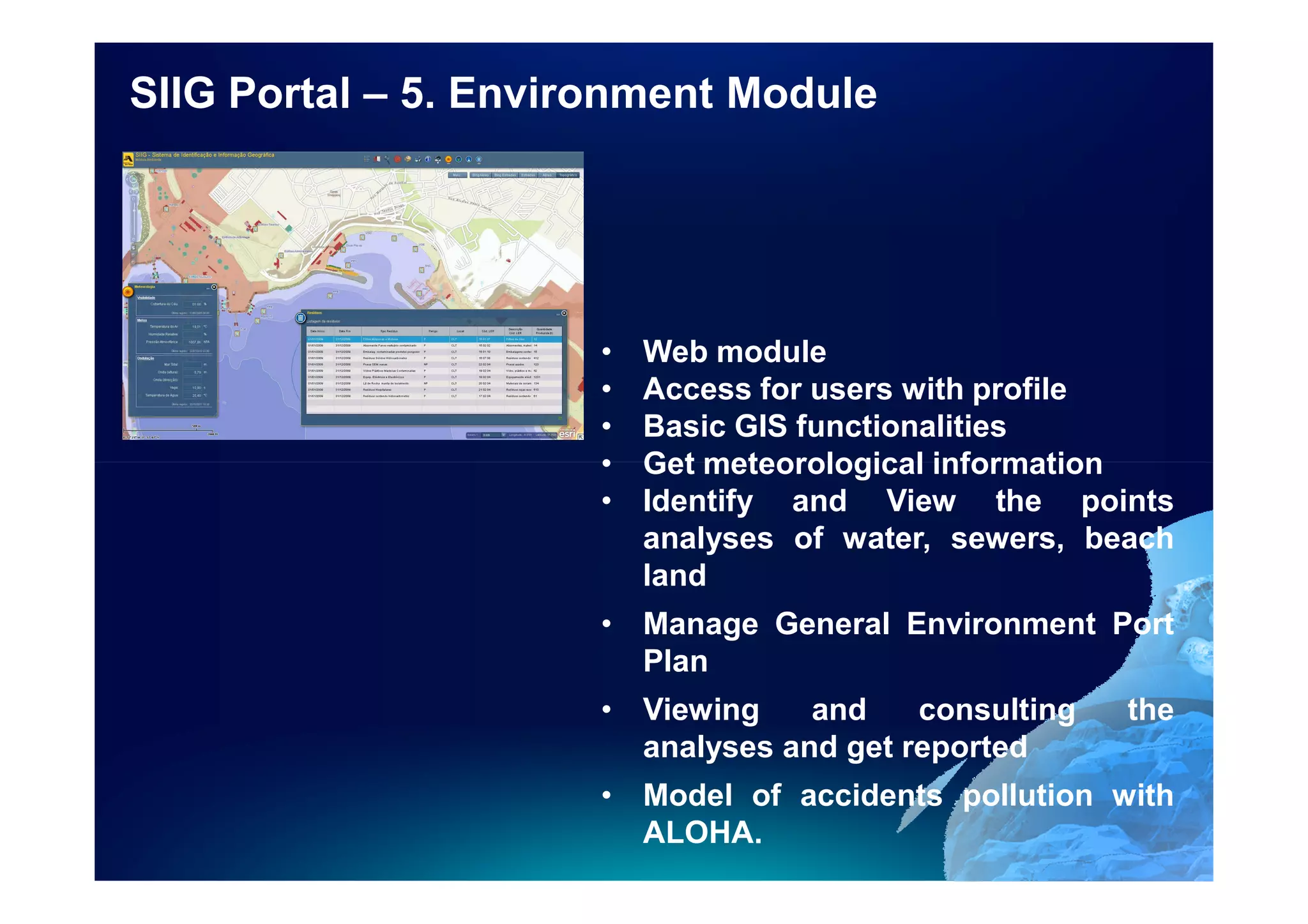
SIIG Portal – 5. Environment Module


                      •   Web module
                      •   Access for users with profile
                      •   Basic GIS functionalities
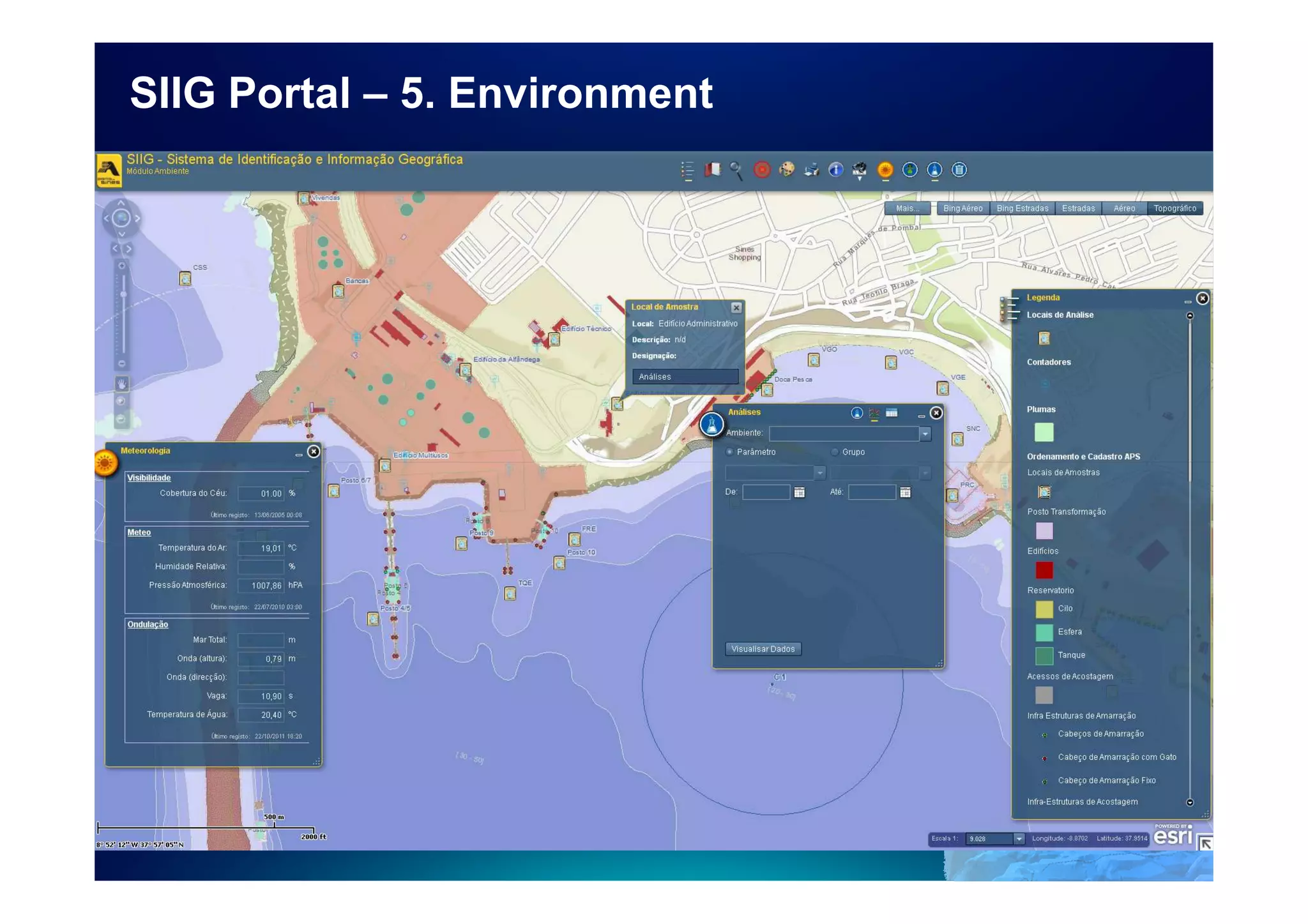
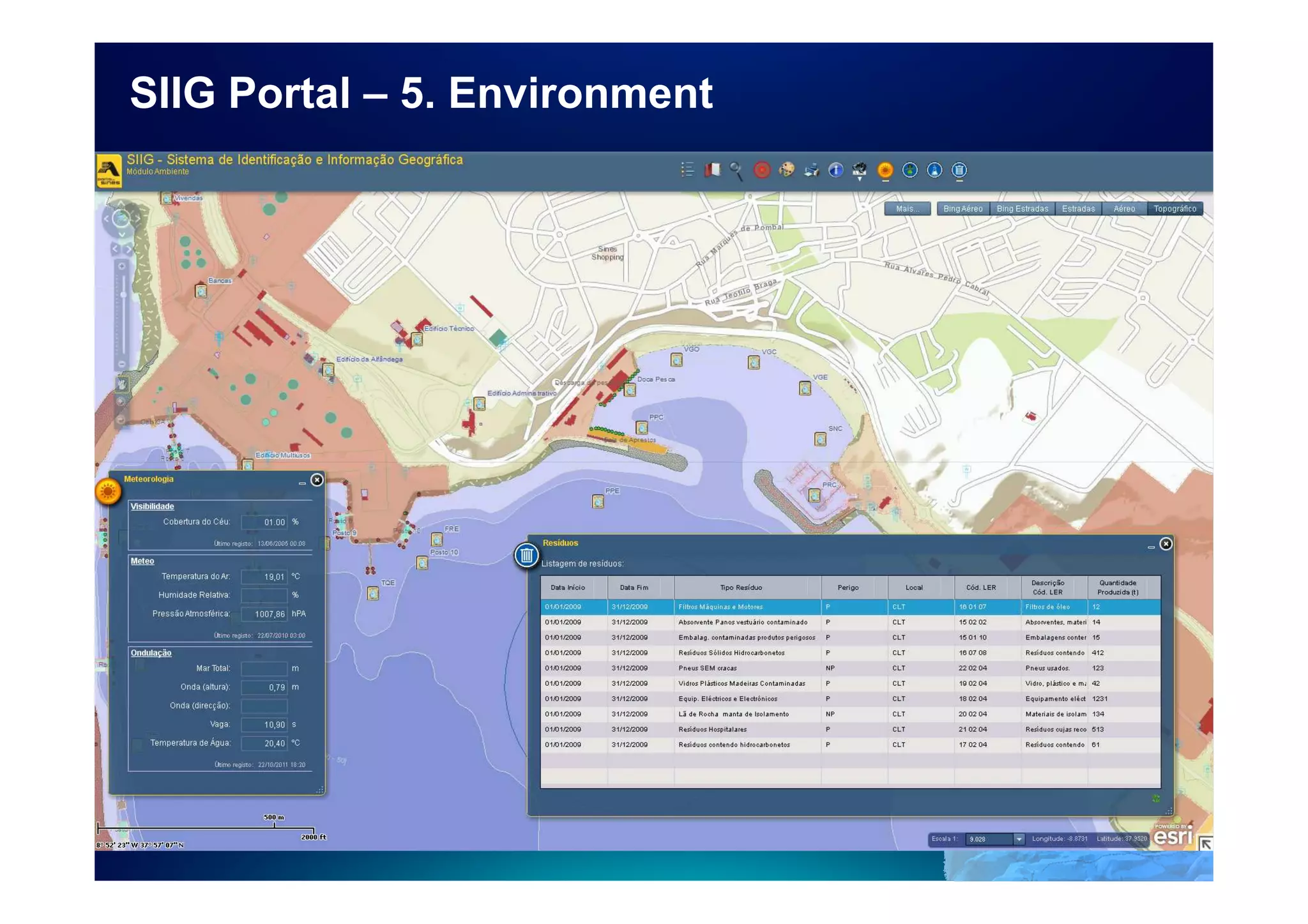
                      •   Get meteorological information
                      •   Identify and View the points
                          analyses of water, sewers, beach
                          land
                      • Manage General Environment Port
                        Plan
                      • Viewing    and    consulting   the
                        analyses and get reported
                      • Model of accidents pollution with
                        ALOHA.
SIIG Portal – 5. Environment
Web SIIG Portal


                  6
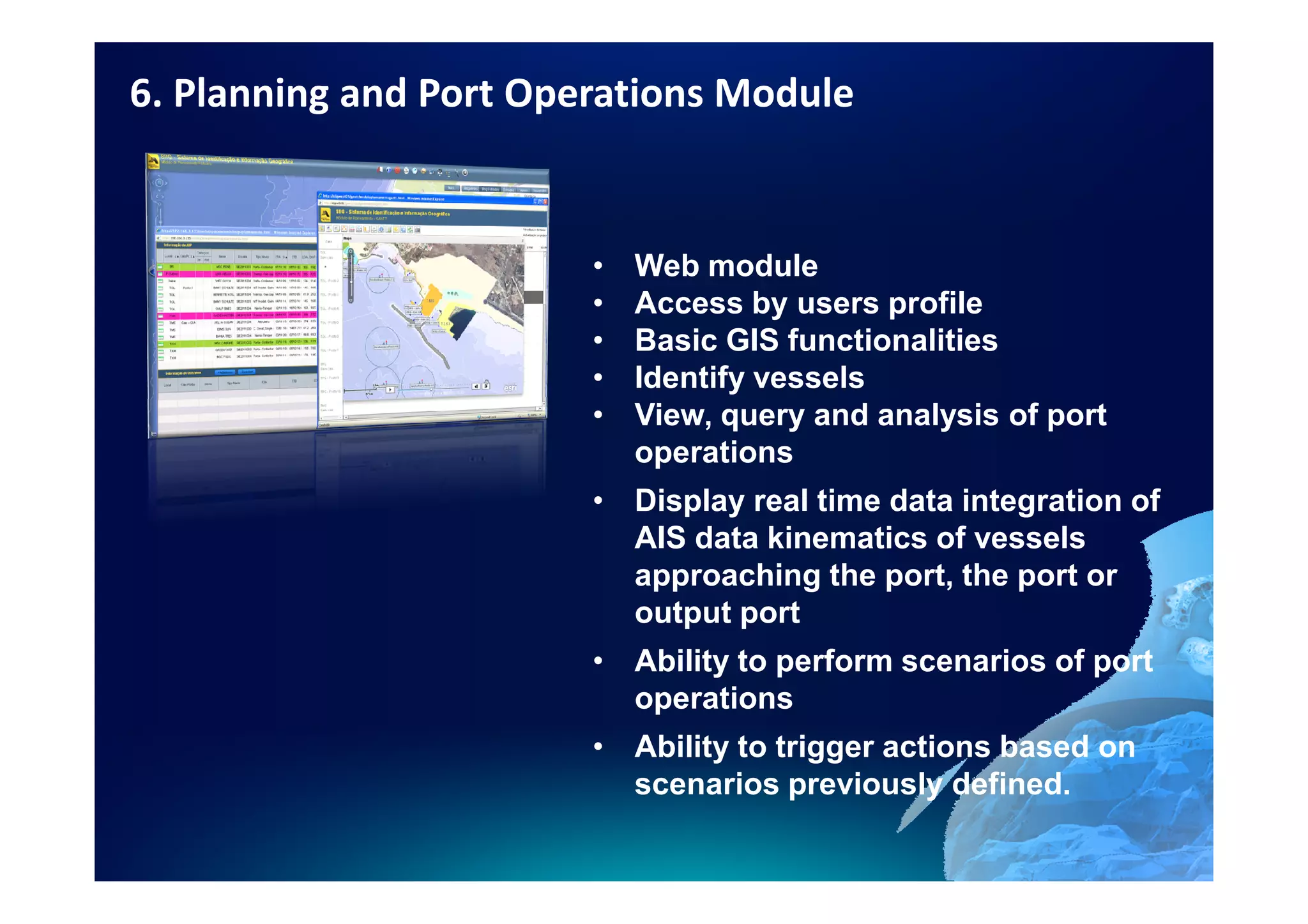
6. Planning and Port Operations Module


                        •   Web module
                        •   Access by users profile
                        •   Basic GIS functionalities
                        •   Identify vessels
                        •   View, query and analysis of port
                            operations
                        • Display real time data integration of
                          AIS data kinematics of vessels
                          approaching the port, the port or
                          output port
                        • Ability to perform scenarios of port
                          operations
                        • Ability to trigger actions based on
                          scenarios previously defined.
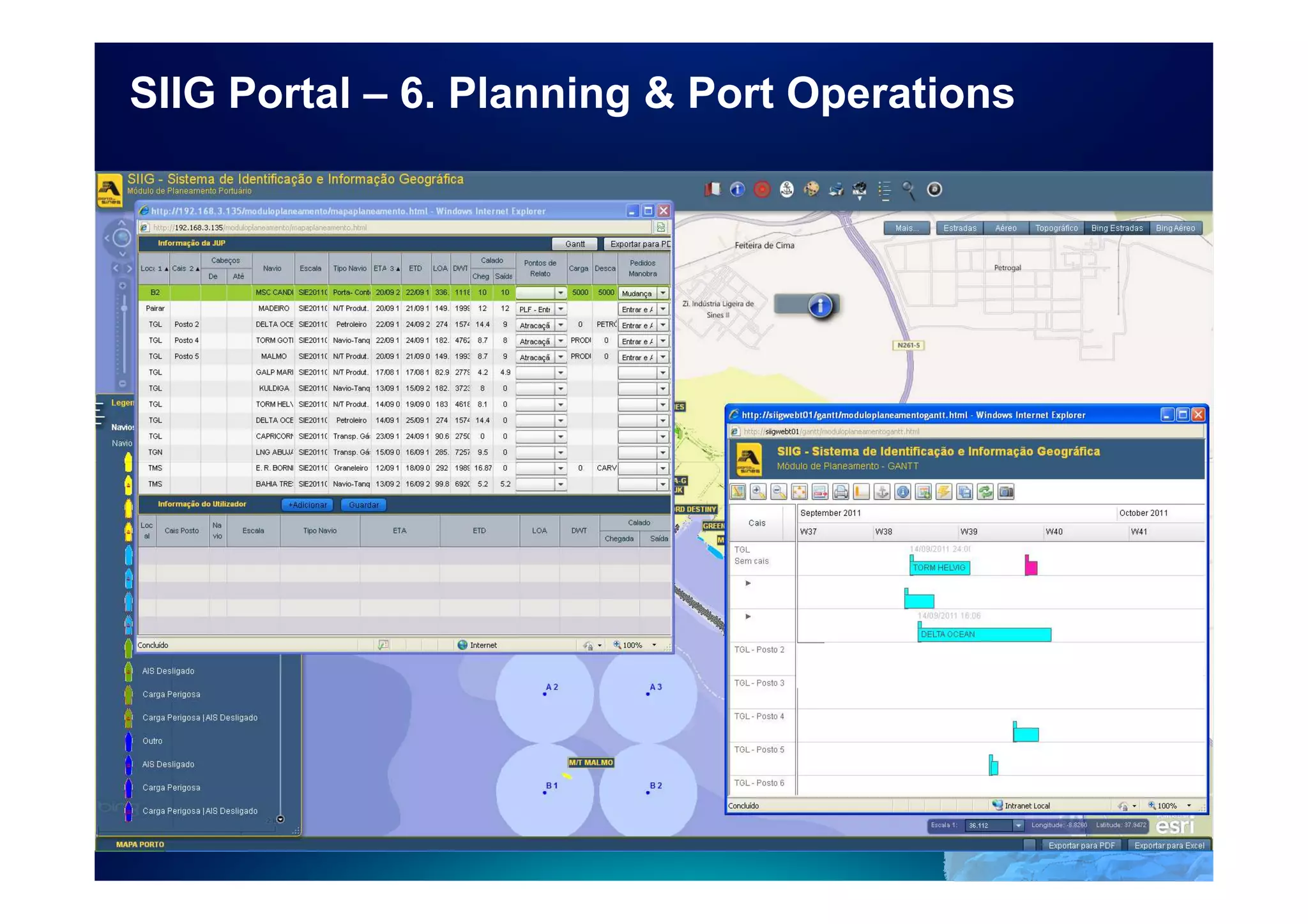
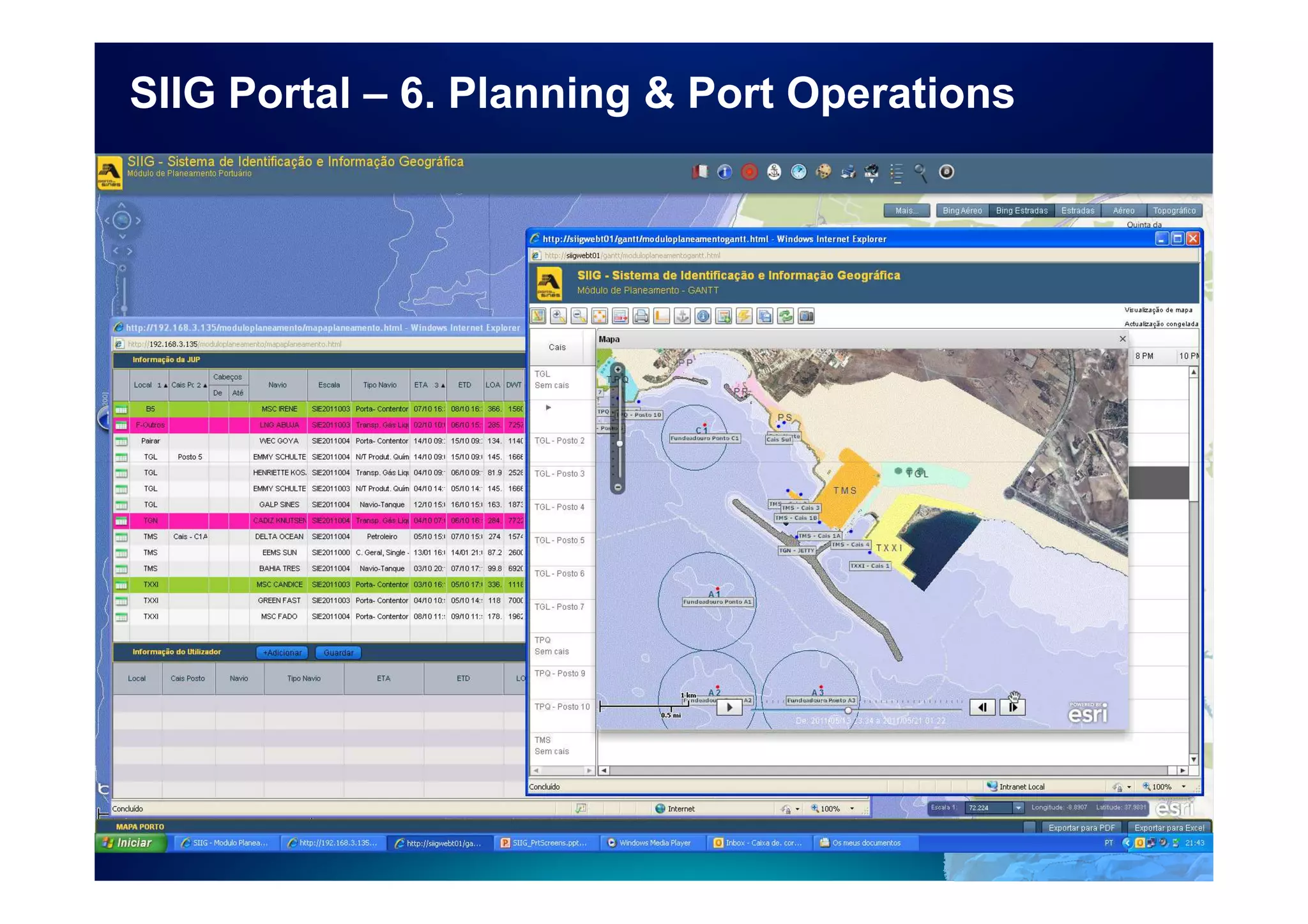
SIIG Portal – 6. Planning & Port Operations
Web SIIG Portal


                  7
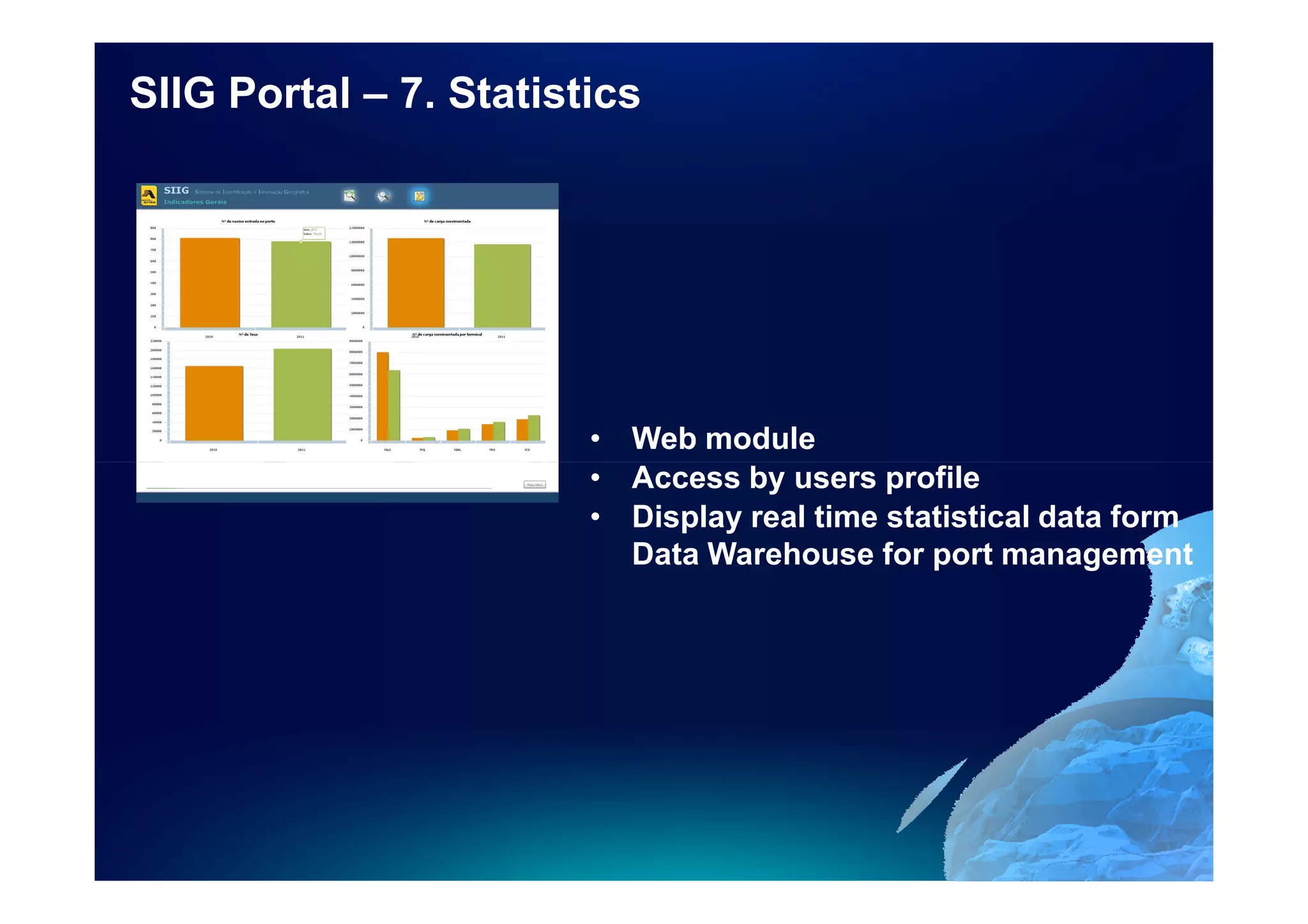
SIIG Portal – 7. Statistics


                        • Web module
                        • Access by users profile
                        • Display real time statistical data form
                          Data Warehouse for port management
GIS as the Hub for Port Information Systems

GIS is the key tool for the interoperability of all the systems in
the harbour and all the cartographic and tabular information
that is used to manage the different types of operations made
in the harbour every day.

GIS:
•   Increases efficiency in port management and supervision
•Optimise port operations while assuring adequate levels of
security
•   Maximize the use of infrastructures and HR
•Facilitate the access to information across the organization
and integrate with existing legacy systems
SIIG Project Team


 Partner solution
Future and New Developments

• Consolidate SIIG at Port of Sines
• Develop relations to integrate with others stakeholders
• Extend SAP integration to Concessions and Domain
Areas
• Extend SAP integration for Maintenance
• New integrations with DW
• New solutions to monitor maritime infrastructures
• Development of solution for Quarry monitorization in
port
Planning and Port Operations Room
www.portodesines.pt
      siig@portodesines.pt


Thank You

GIS in Port Management

  • 1.
  • 2.
    GIS in PortManagement SIIG Sines - Portugal E. Moutinho – SIIG Project Manager J. Dias – IT Project Manager Port of Sines Administration - PORTUGAL
  • 3.
    SIIG Project Team GIS in Port Management Port of Sines Administration, S.A. PORTUGAL SIIG Sines - Portugal EUC Madrid, October 26-28, 2011
  • 4.
    Port of Sines– Gateway to Europe The Port of Sines is an Atlantic seaport, located in Portugal and one of the deepest ports in Europe. 4
  • 5.
    Strategic Location Gateway toEurope - the great HUB on the South European Atlantic face. Located on the crossroads of trans-continental routes, with natural rocky sea bottoms, that don’t need dredging, allows it to receive the motherships that connect Europe to the world’s biggest production and consumption centres, feeding other Ports with smaller ships or via rail and roads to its hinterland. Sines has a privileged location in the crossroads of the main international maritime routes North-South / East-West
  • 6.
    Key Characteristics /Access First National Port in cargo Handling • 5 Specialized terminals • Liquid Bulk, Petrochemical, Multipurpose, GNL and Containers • Plus 2 Interior Harbours • Competitive Operations • No urban restraint and excellent Industrial and Logistics expansion capacity • Operating 365d/24h with flat rate for Load & Unload • Strong support on IT • Electronic Dispatch (ship and cargo) • Surveillance and Access Control • Vessel Monitoring • Spatial enabled planning and operations Liquid Bulks Dry Bulks General Liquefied Natural Gas Petrochemical Containers Cargo and Ro-Ro
  • 7.
    GIS in PortManagement SIIG Sines - Portugal SIIG Project Team Port of Sines Administration, S.A. PORTUGAL EUC Madrid, October 26-28, 2011
  • 8.
    Introdution Port of Sinesis implementing his enterprise Geographic Information and Identification System (SIIG), fully supported on ArcGIS technology and supporting all the functional areas in the harbour. The SIIG is manly WEB based and has seven modular and functional areas to support engineering, environment, safety and security, planning port operations, concessions and domain areas, supporting decisions based on static and dynamic geographical information of all his hinterland and foreland.
  • 9.
    SIIG Project Objectives 1.Enable visualization and Interaction with dynamic data 2. Provide visual support to the planning of operations port, allowing real time display of ship movement, incorporation of rules and restrictions related to manouvers, berthing requests and infrastructure availability 3. Support everyday operations (engineering, planning, land sort, security, environment, port lease management and other) with georreferencced information; 4. Facilitate the access to information across the organization and integrate with existing legacy systems 5. Improve effectiveness in existing procedures 6. Increase competitiveness at the Port of Sines
  • 10.
    SIIG – FunctionalAreas SIIG is a Port Manager System for Port of Sines. Ordenamento Land Sort Cadastral e Cadastro & Concessões Concessions & New Portuário Infraestruturas Infrastructures Áreas Dominiais Domain Areas Functional Areas SIIG PLATAFORM Planning New Safety & Environment Futuras Port Functional Security ÁreasAreas funcionais Operations
  • 11.
    SIIG Project Modules 1. Base Module 2. Land Sort and Cadastral Module 3. Concessions and Domain Areas Module SIIG 4. Planning and Port Operations Module 5. Security Module 6. Environment Module 7. Statistics
  • 12.
    Project Integrations SIIGProject have 7 integration with others systems AIS – Automatic Identification Vessels System JUP – One Stop Shop SSP – Port Surveillance System CUP – Port Single Card CCLS – Planning and Port Operations Room SAP – Enterprise Management System DW – Data Warehouse
  • 13.
  • 14.
    Web SIIG Portal • Access to funcional Areas • User identify • Statistical information • Map area showing the port • Additional information • Weather information • Tidal information • Useful Links
  • 15.
  • 16.
    1. Base Module • Web module • Access for all users in Port • Basic GIS functionalities such as: • viewing • inquiry • research • standard prints • Vessels and Buildings identify • Search the locations of buildings address, roads and vessels in harbour • Ask for plan plot from buildings • Ask for codification areas
  • 17.
  • 18.
    2. Land Sort& Cadastre Module • Web module • Access for users with profile • Basic GIS functionalities from Base Module • Identify buildings and maintenance management • Infrastructure management • Ask for plan plot from buildings • Confront areas with print reports • Identify Network connections by interest point with print report • View and check the land registration records • Identify and view Projects in archive by location
  • 19.
    SIIG Portal –2. Land Sort & Cadastral
  • 20.
    SIIG Portal –2. Land Sort & Cadastral
  • 21.
    SIIG Portal –2. Land Sort & Cadastral
  • 22.
    SIIG Portal –2. Land Sort & Cadastral
  • 23.
  • 24.
    3. Concessions andDomian Areas Module • Web module • Access for users with profile • Basic GIS functionalities • Identify Concessions and get report • Identify buildings and Ask for plan plot from buildings • Confront concessions with print reports • Identify Network connections by interest point with print report • View and query the network infrastructure • View and query the database of APS equipment • Define the layout for printing standard.
  • 25.
    SIIG Portal –3. Concessions & Domain Areas
  • 26.
  • 27.
    4. Security Module • Web module • Access for users with profile • Basic GIS functionalities • Viewing and consulting the areas of security APS • Viewing and consulting online the total number of people and vehicles in security areas reported by the System CUP - Single Port Card • View real-time video feeds from the cameras integrated into the SSP - Port Security System • Display real time and available resources in action on mapping basic land and sea • Analysis of the quickest route between two points with physical barriers • Modul accidents pollution with ALOHA.
  • 28.
    SIIG Portal –4. Security
  • 29.
  • 30.
    SIIG Portal –5. Environment Module • Web module • Access for users with profile • Basic GIS functionalities • Get meteorological information • Identify and View the points analyses of water, sewers, beach land • Manage General Environment Port Plan • Viewing and consulting the analyses and get reported • Model of accidents pollution with ALOHA.
  • 31.
    SIIG Portal –5. Environment
  • 32.
    SIIG Portal –5. Environment
  • 33.
  • 34.
    6. Planning andPort Operations Module • Web module • Access by users profile • Basic GIS functionalities • Identify vessels • View, query and analysis of port operations • Display real time data integration of AIS data kinematics of vessels approaching the port, the port or output port • Ability to perform scenarios of port operations • Ability to trigger actions based on scenarios previously defined.
  • 35.
    SIIG Portal –6. Planning & Port Operations
  • 36.
    SIIG Portal –6. Planning & Port Operations
  • 37.
    SIIG Portal –6. Planning & Port Operations
  • 38.
  • 39.
    SIIG Portal –7. Statistics • Web module • Access by users profile • Display real time statistical data form Data Warehouse for port management
  • 40.
    GIS as theHub for Port Information Systems GIS is the key tool for the interoperability of all the systems in the harbour and all the cartographic and tabular information that is used to manage the different types of operations made in the harbour every day. GIS: • Increases efficiency in port management and supervision •Optimise port operations while assuring adequate levels of security • Maximize the use of infrastructures and HR •Facilitate the access to information across the organization and integrate with existing legacy systems
  • 41.
    SIIG Project Team Partner solution
  • 42.
    Future and NewDevelopments • Consolidate SIIG at Port of Sines • Develop relations to integrate with others stakeholders • Extend SAP integration to Concessions and Domain Areas • Extend SAP integration for Maintenance • New integrations with DW • New solutions to monitor maritime infrastructures • Development of solution for Quarry monitorization in port
  • 43.
    Planning and PortOperations Room
  • 44.
    www.portodesines.pt siig@portodesines.pt Thank You