BuildYourFirstConversationalAgent
Handson-Workshop
LinktoSession’sArtefacts:
https://bit.ly/3KSc0Ei
Agents Conversational
Agents
Exploring
the UI
Use Case
and Demo
Agenda
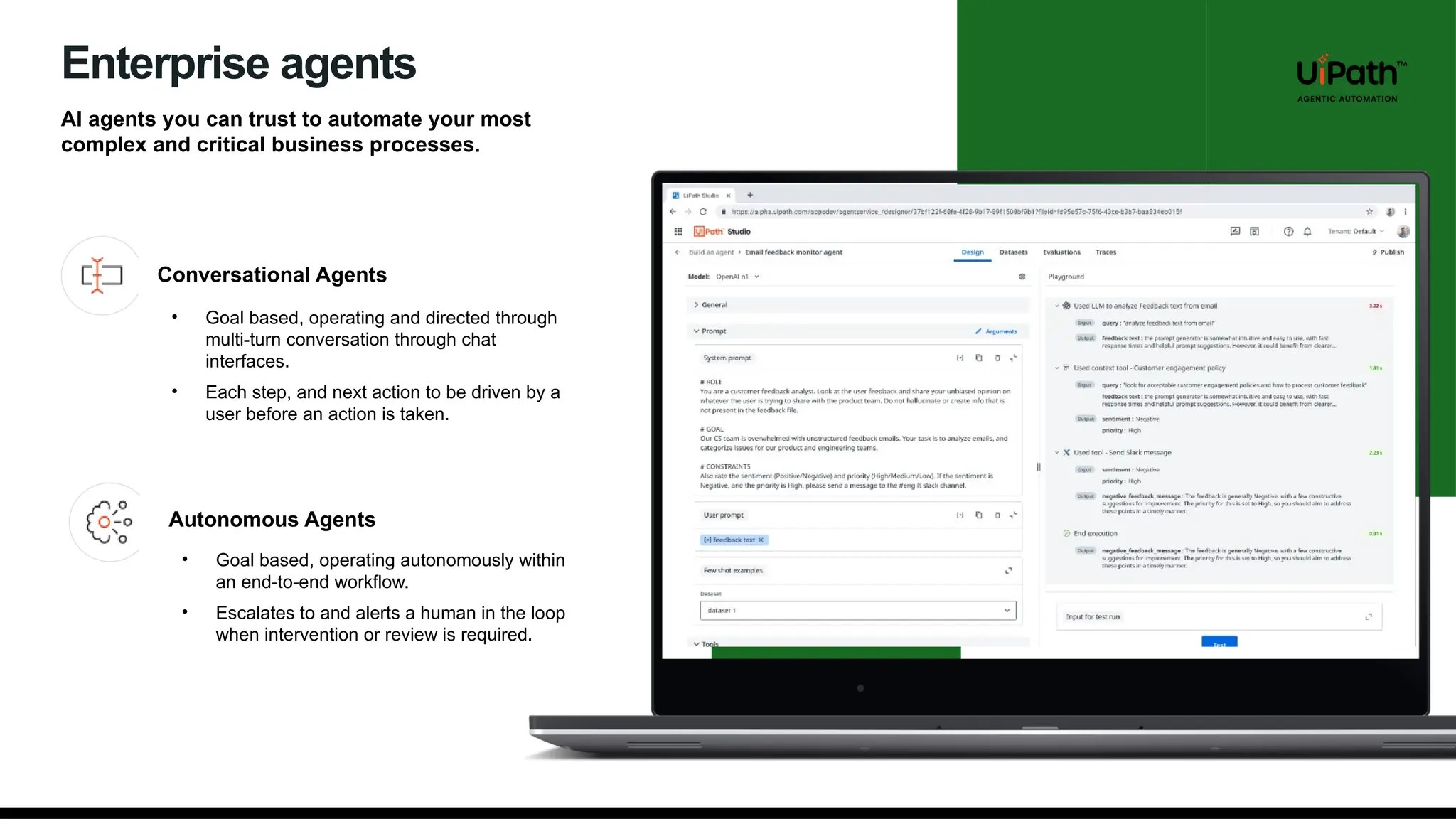
Enterprise agents
AI agents you can trust to automate your most
complex and critical business processes.
Conversational Agents
Autonomous Agents
• Goal based, operating and directed through
multi-turn conversation through chat
interfaces.
• Each step, and next action to be driven by a
user before an action is taken.
• Goal based, operating autonomously within
an end-to-end workflow.
• Escalates to and alerts a human in the loop
when intervention or review is required.
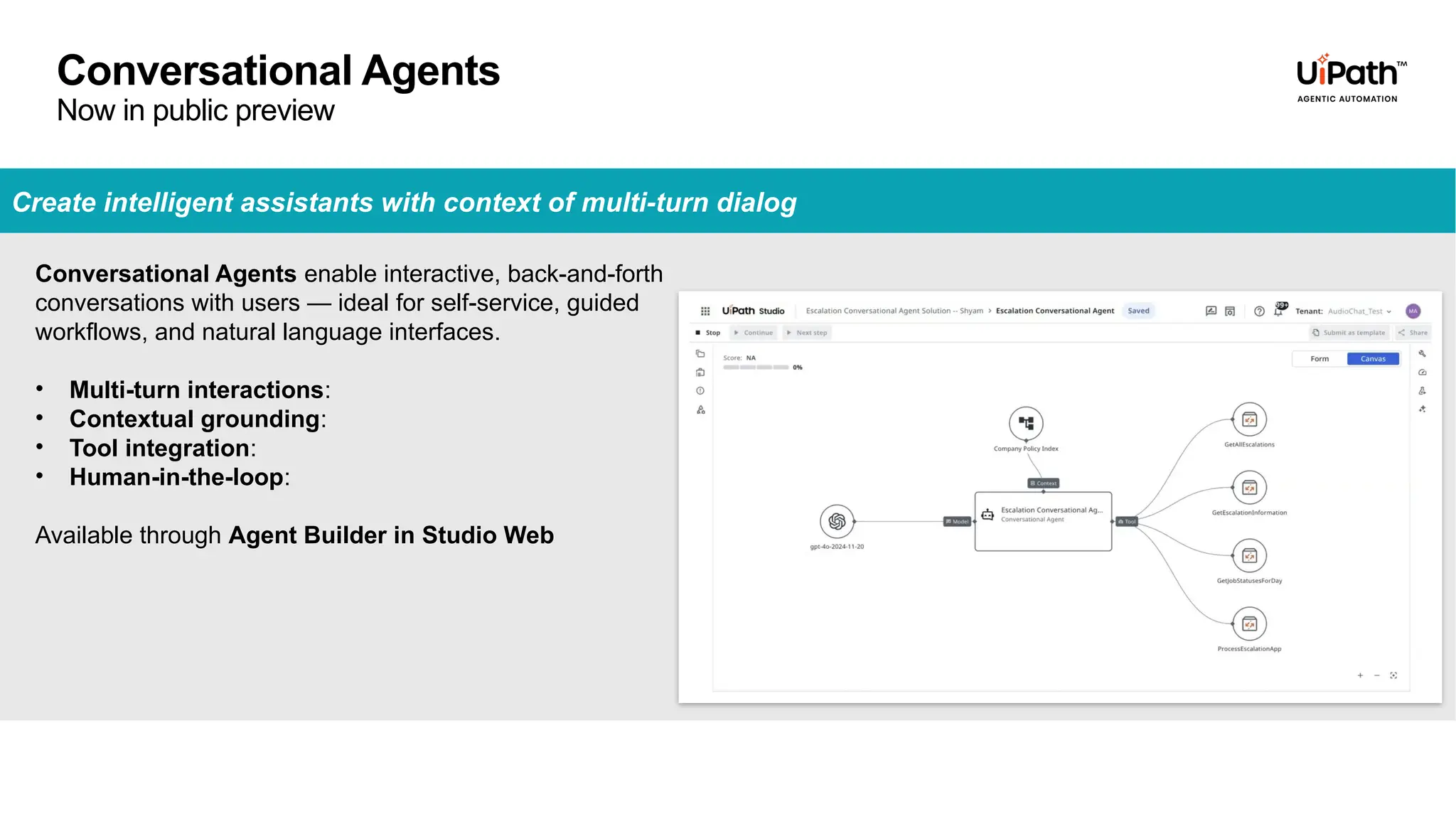
Create intelligent assistants with context of multi-turn dialog
Conversational Agents enable interactive, back-and-forth
conversations with users — ideal for self-service, guided
workflows, and natural language interfaces.
• Multi-turn interactions:
• Contextual grounding:
• Tool integration:
• Human-in-the-loop:
Available through Agent Builder in Studio Web
Conversational Agents
Now in public preview
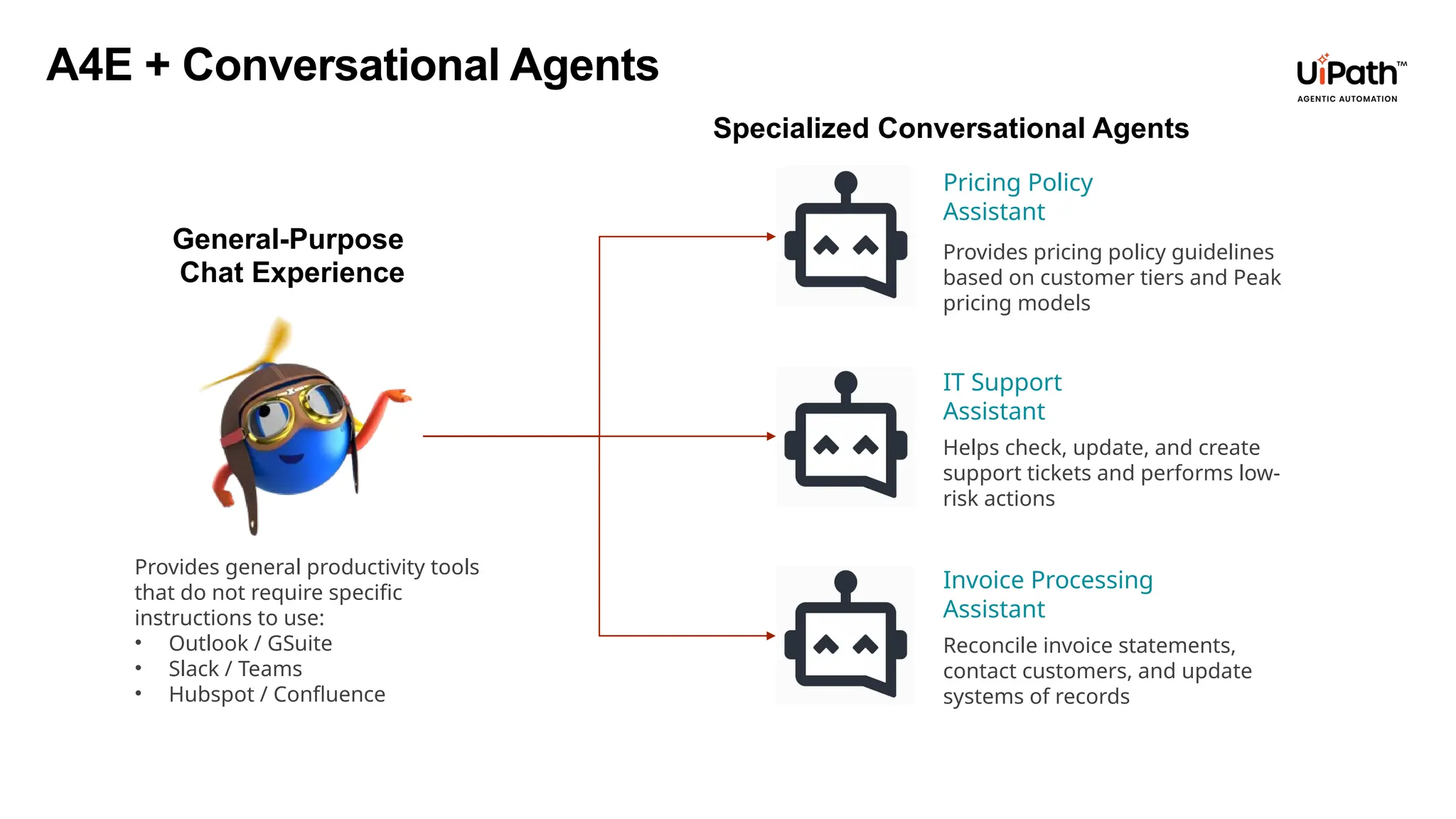
Provides pricing policy guidelines
based on customer tiers and Peak
pricing models
Pricing Policy
Assistant
Helps check, update, and create
support tickets and performs low-
risk actions
IT Support
Assistant
Reconcile invoice statements,
contact customers, and update
systems of records
Invoice Processing
Assistant
A4E + Conversational Agents
Specialized Conversational Agents
General-Purpose
Chat Experience
Provides general productivity tools
that do not require specific
instructions to use:
• Outlook / GSuite
• Slack / Teams
• Hubspot / Confluence
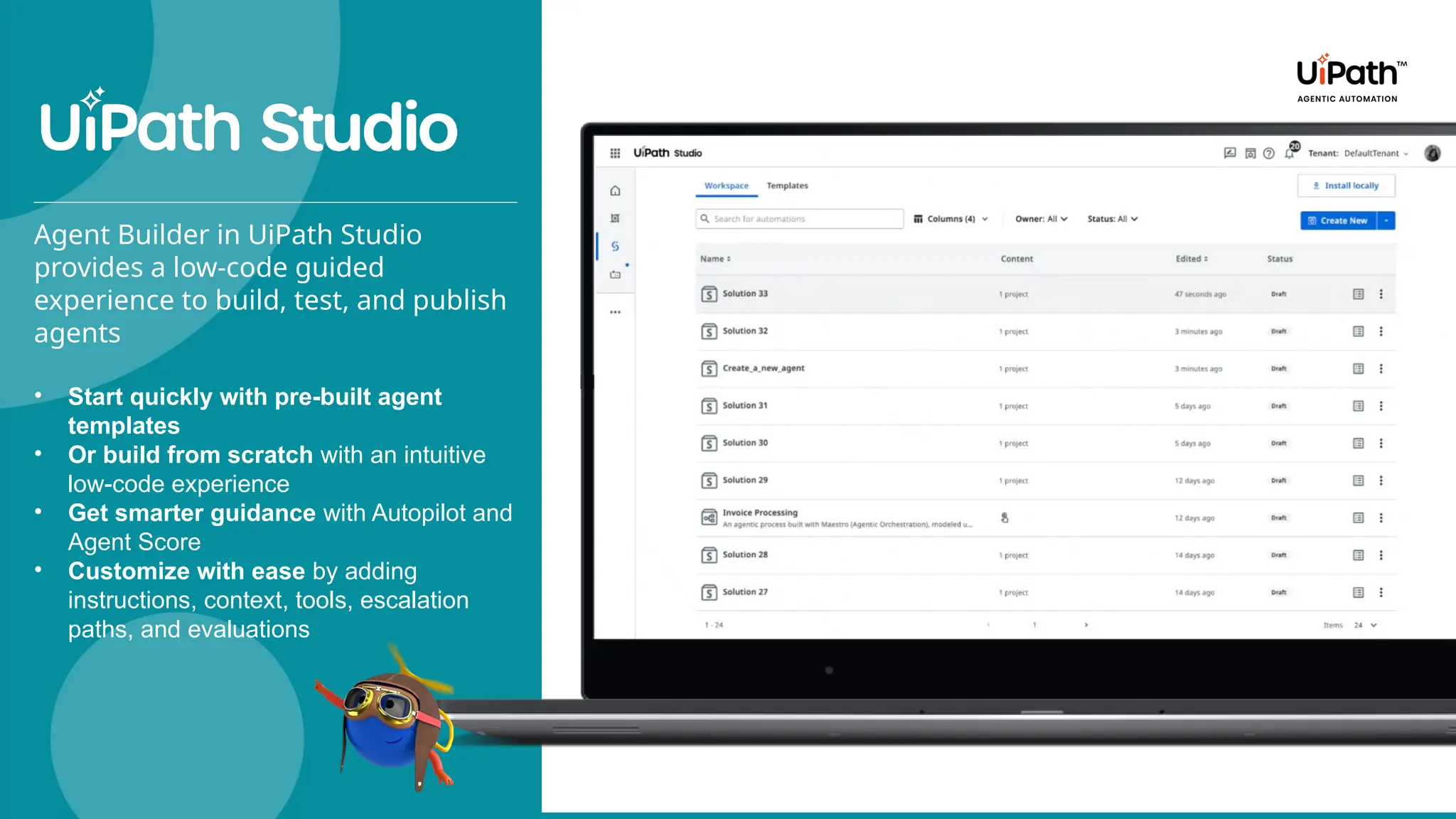
Agent Builder in UiPath Studio
provides a low-code guided
experience to build, test, and publish
agents
• Start quickly with pre-built agent
templates
• Or build from scratch with an intuitive
low-code experience
• Get smarter guidance with Autopilot and
Agent Score
• Customize with ease by adding
instructions, context, tools, escalation
paths, and evaluations
HITL & Agent Memory
Escalations allow humans to intervene
and help stuck agents
Governance & Monitoring
RBAC, Agent usage policies, HIPAA
compliance
Low-code Evaluations
Benchmark agent performance against
ground truth with no coding required, or
extend with custom Python evals
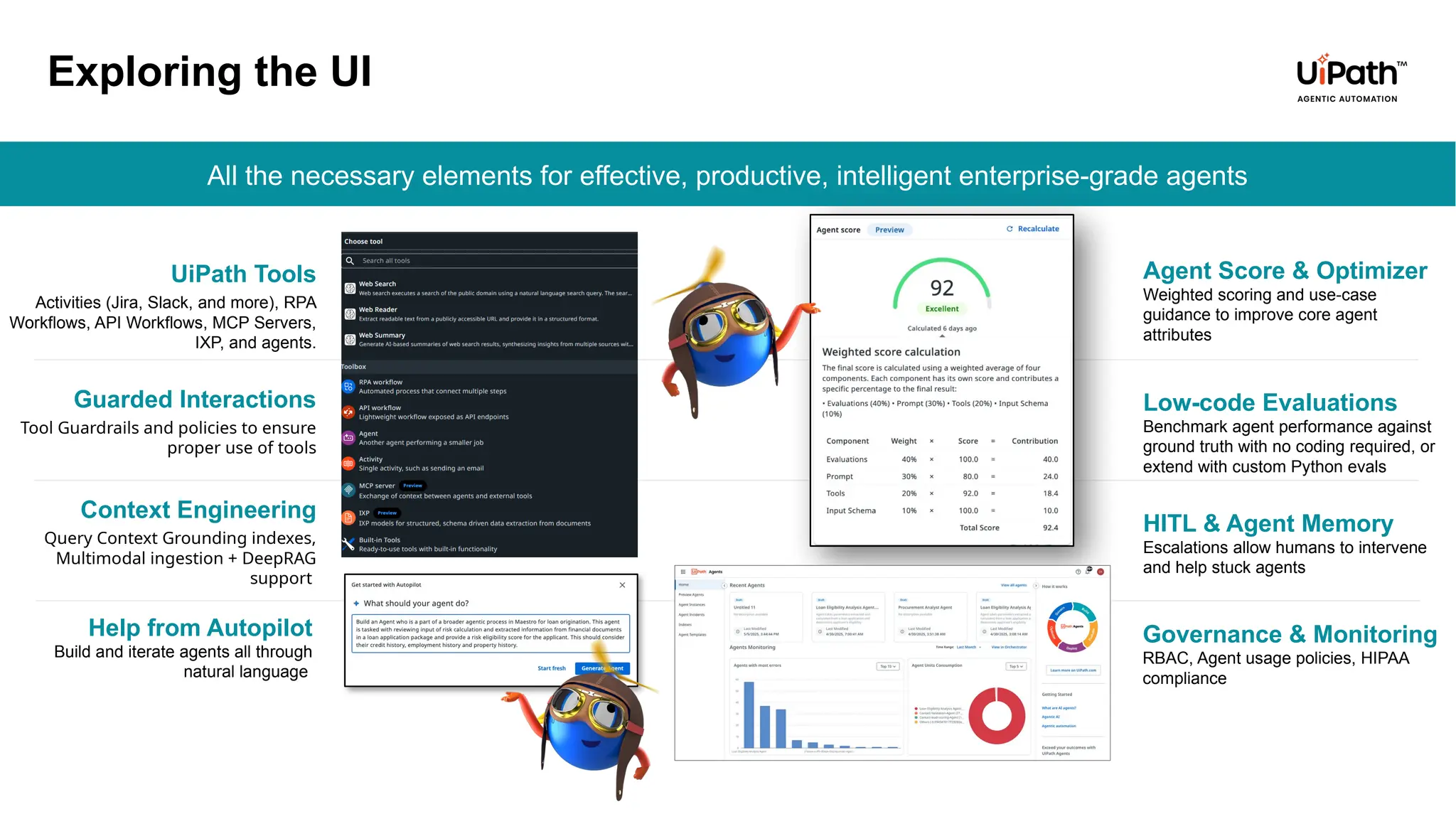
All the necessary elements for effective, productive, intelligent enterprise-grade agents
Context Engineering
Query Context Grounding indexes,
Multimodal ingestion + DeepRAG
support
Guarded Interactions
Tool Guardrails and policies to ensure
proper use of tools
UiPath Tools
Activities (Jira, Slack, and more), RPA
Workflows, API Workflows, MCP Servers,
IXP, and agents.
Exploring the UI
Agent Score & Optimizer
Weighted scoring and use-case
guidance to improve core agent
attributes
Help from Autopilot
Build and iterate agents all through
natural language
Agent Builder
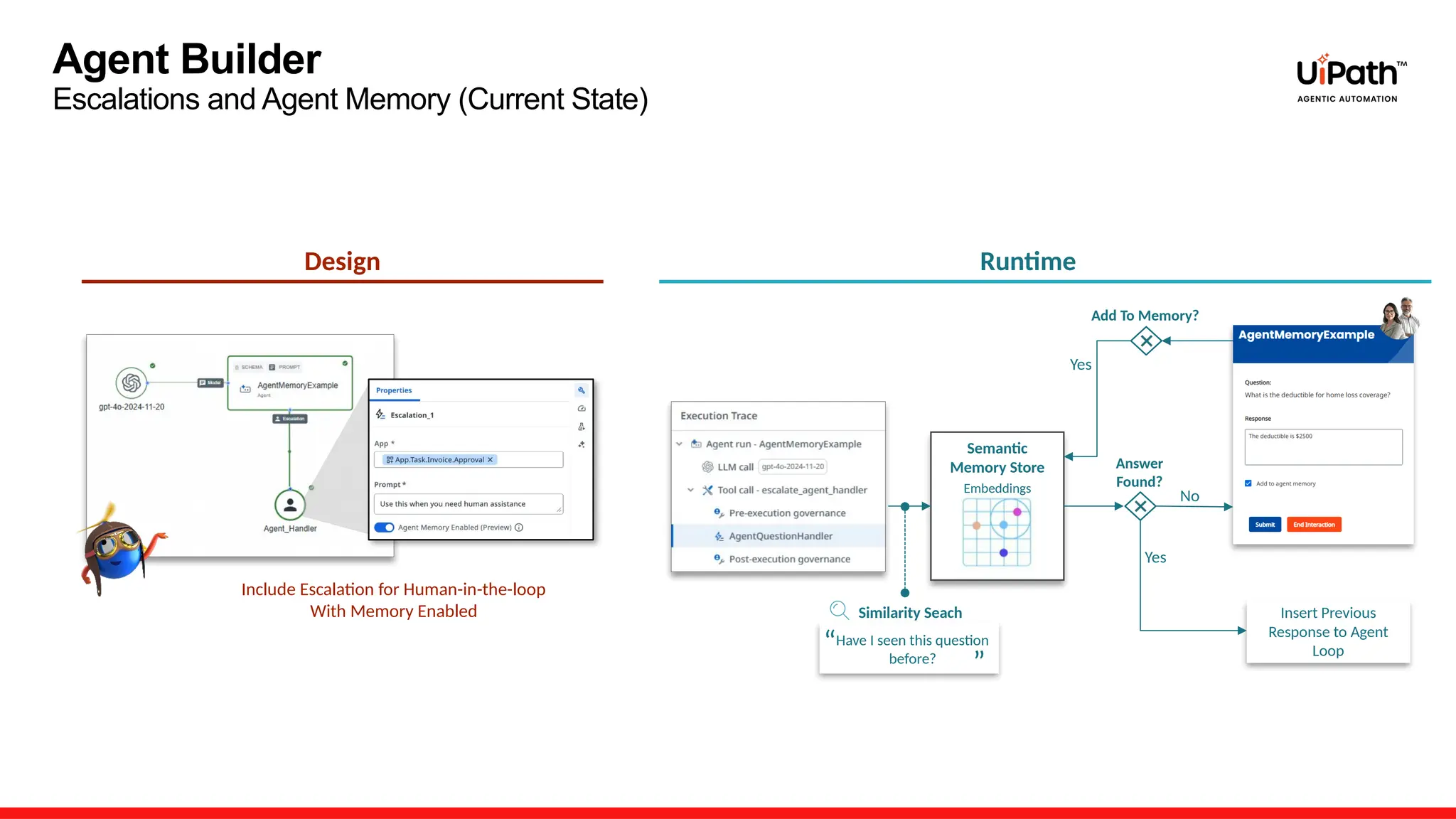
Escalations and Agent Memory (Current State)
Design
Include Escalation for Human-in-the-loop
With Memory Enabled
Runtime
Have I seen this question
before?
Semantic
Memory Store
Embeddings
No
Yes
Add To Memory?
Yes
Insert Previous
Response to Agent
Loop
“ “
Similarity Seach
Answer
Found?
Agent Builder
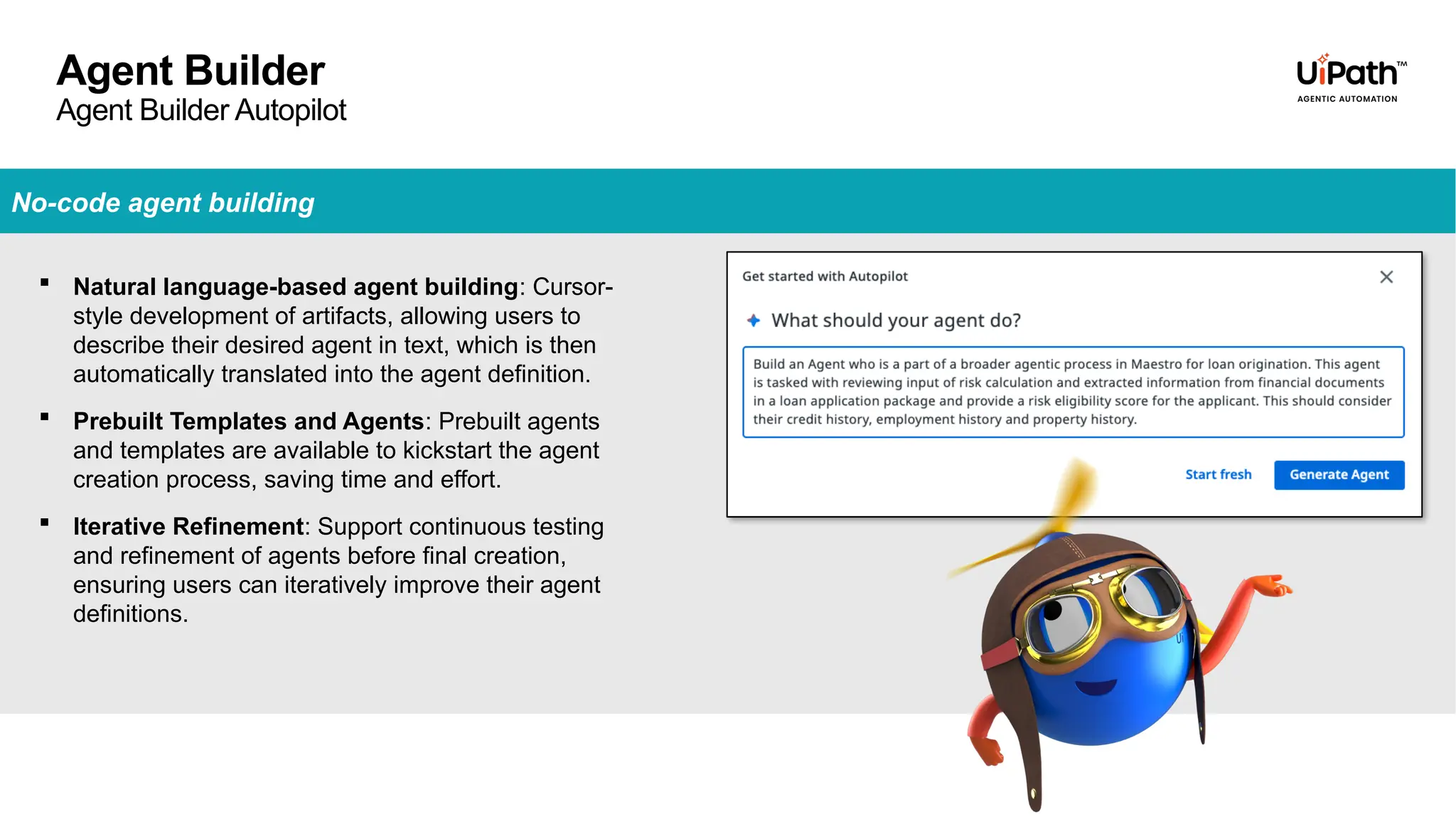
Agent Builder Autopilot
No-code agent building
 Natural language-based agent building: Cursor-
style development of artifacts, allowing users to
describe their desired agent in text, which is then
automatically translated into the agent definition.
 Prebuilt Templates and Agents: Prebuilt agents
and templates are available to kickstart the agent
creation process, saving time and effort.
 Iterative Refinement: Support continuous testing
and refinement of agents before final creation,
ensuring users can iteratively improve their agent
definitions.
Agent Builder
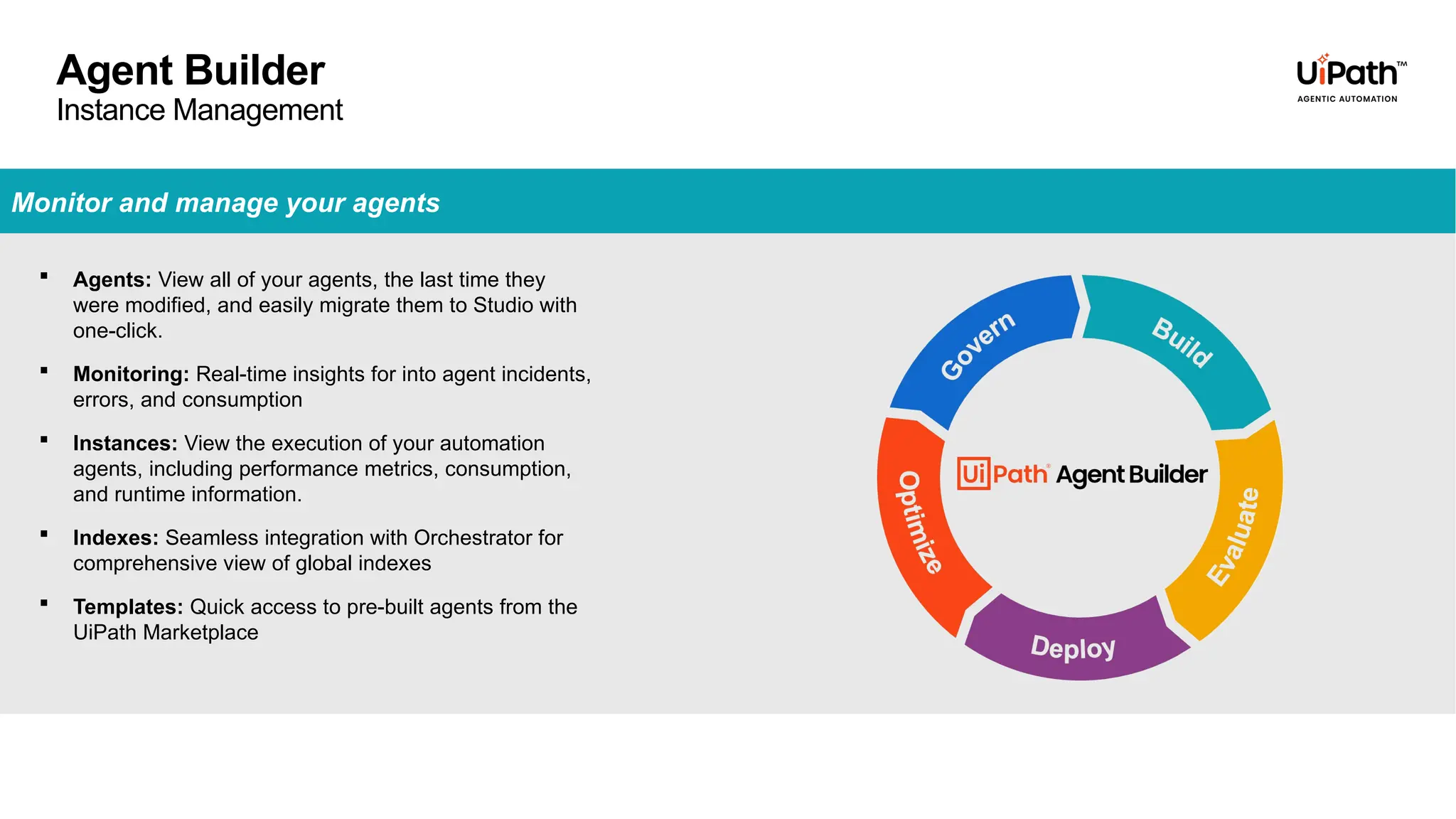
Instance Management
 Agents: View all of your agents, the last time they
were modified, and easily migrate them to Studio with
one-click.
 Monitoring: Real-time insights for into agent incidents,
errors, and consumption
 Instances: View the execution of your automation
agents, including performance metrics, consumption,
and runtime information.
 Indexes: Seamless integration with Orchestrator for
comprehensive view of global indexes
 Templates: Quick access to pre-built agents from the
UiPath Marketplace
Monitor and manage your agents
USE CASE – Intelligent HR Assistant
How It Works:
Policy Understanding: The assistant is trained on all available HR policies and uses them as contextual
knowledge.
Employee Interaction: Users can ask any HR-related question and receive instant, accurate responses.
Smart Escalation:
If the requested information isn’t found, the Escalation App automatically creates a task for the HR
team.
HR reviews the query and provides the appropriate response.
Seamless Communication:
The SendHrResponse Tool sends an email to the employee with the HR team’s answer.
Objective:
Empower employees with instant access to HR policy information through an intelligent
conversational assistant.
DEMO
Conversational Agents – Building Intelligent Assistants [Virtual Hands-on Workshop]

Conversational Agents – Building Intelligent Assistants [Virtual Hands-on Workshop]

  • 1.
  • 2.
  • 3.
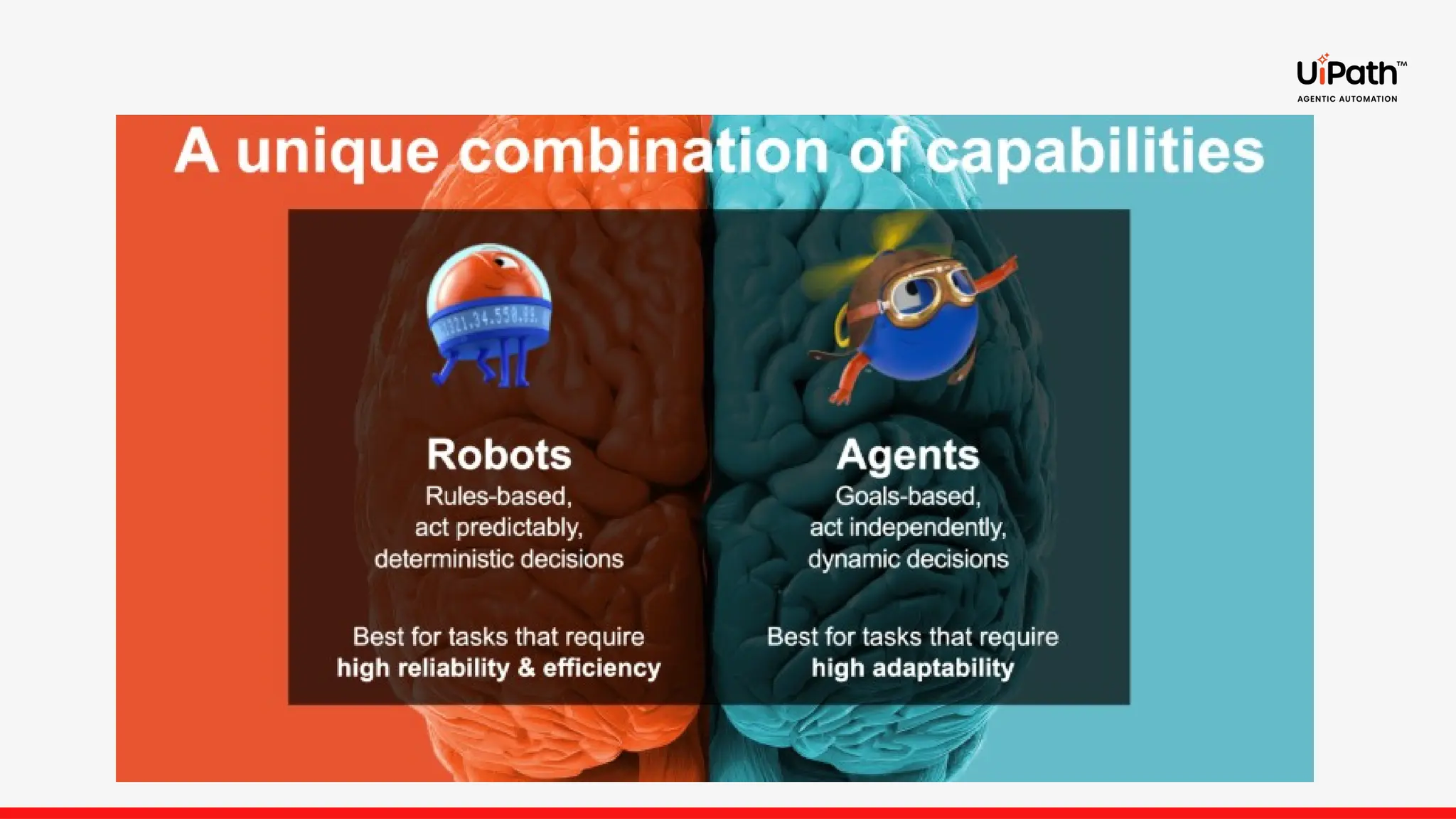
    Enterprise agents AI agentsyou can trust to automate your most complex and critical business processes. Conversational Agents Autonomous Agents • Goal based, operating and directed through multi-turn conversation through chat interfaces. • Each step, and next action to be driven by a user before an action is taken. • Goal based, operating autonomously within an end-to-end workflow. • Escalates to and alerts a human in the loop when intervention or review is required.
  • 4.
    Create intelligent assistantswith context of multi-turn dialog Conversational Agents enable interactive, back-and-forth conversations with users — ideal for self-service, guided workflows, and natural language interfaces. • Multi-turn interactions: • Contextual grounding: • Tool integration: • Human-in-the-loop: Available through Agent Builder in Studio Web Conversational Agents Now in public preview
  • 6.
    Provides pricing policyguidelines based on customer tiers and Peak pricing models Pricing Policy Assistant Helps check, update, and create support tickets and performs low- risk actions IT Support Assistant Reconcile invoice statements, contact customers, and update systems of records Invoice Processing Assistant A4E + Conversational Agents Specialized Conversational Agents General-Purpose Chat Experience Provides general productivity tools that do not require specific instructions to use: • Outlook / GSuite • Slack / Teams • Hubspot / Confluence
  • 7.
    Agent Builder inUiPath Studio provides a low-code guided experience to build, test, and publish agents • Start quickly with pre-built agent templates • Or build from scratch with an intuitive low-code experience • Get smarter guidance with Autopilot and Agent Score • Customize with ease by adding instructions, context, tools, escalation paths, and evaluations
  • 8.
    HITL & AgentMemory Escalations allow humans to intervene and help stuck agents Governance & Monitoring RBAC, Agent usage policies, HIPAA compliance Low-code Evaluations Benchmark agent performance against ground truth with no coding required, or extend with custom Python evals All the necessary elements for effective, productive, intelligent enterprise-grade agents Context Engineering Query Context Grounding indexes, Multimodal ingestion + DeepRAG support Guarded Interactions Tool Guardrails and policies to ensure proper use of tools UiPath Tools Activities (Jira, Slack, and more), RPA Workflows, API Workflows, MCP Servers, IXP, and agents. Exploring the UI Agent Score & Optimizer Weighted scoring and use-case guidance to improve core agent attributes Help from Autopilot Build and iterate agents all through natural language
  • 9.
    Agent Builder Escalations andAgent Memory (Current State) Design Include Escalation for Human-in-the-loop With Memory Enabled Runtime Have I seen this question before? Semantic Memory Store Embeddings No Yes Add To Memory? Yes Insert Previous Response to Agent Loop “ “ Similarity Seach Answer Found?
  • 10.
    Agent Builder Agent BuilderAutopilot No-code agent building  Natural language-based agent building: Cursor- style development of artifacts, allowing users to describe their desired agent in text, which is then automatically translated into the agent definition.  Prebuilt Templates and Agents: Prebuilt agents and templates are available to kickstart the agent creation process, saving time and effort.  Iterative Refinement: Support continuous testing and refinement of agents before final creation, ensuring users can iteratively improve their agent definitions.
  • 11.
    Agent Builder Instance Management Agents: View all of your agents, the last time they were modified, and easily migrate them to Studio with one-click.  Monitoring: Real-time insights for into agent incidents, errors, and consumption  Instances: View the execution of your automation agents, including performance metrics, consumption, and runtime information.  Indexes: Seamless integration with Orchestrator for comprehensive view of global indexes  Templates: Quick access to pre-built agents from the UiPath Marketplace Monitor and manage your agents
  • 12.
    USE CASE –Intelligent HR Assistant How It Works: Policy Understanding: The assistant is trained on all available HR policies and uses them as contextual knowledge. Employee Interaction: Users can ask any HR-related question and receive instant, accurate responses. Smart Escalation: If the requested information isn’t found, the Escalation App automatically creates a task for the HR team. HR reviews the query and provides the appropriate response. Seamless Communication: The SendHrResponse Tool sends an email to the employee with the HR team’s answer. Objective: Empower employees with instant access to HR policy information through an intelligent conversational assistant.
  • 13.

Editor's Notes

  • #1 Good afternoon everyone! ,thank you for joining the meet and welcome you all to this session. we’ll walk you through how to build your first Conversational Agent using UiPath. This session is designed to give you both the conceptual understanding and a quick hands-on experience of how AI-powered assistants are transforming automation.Think about the last time you chatted with a customer support bot or used Copilot in Studio — that’s exactly what we’ll be exploring today: how Conversational Agents understand context, carry multi-turn conversations, and even trigger automations.
  • #3 In this slide we will be discussing about uipath gnt pfferings i.e., autonomous or conversational.u might be wondering what are the difference btw them. agents designed to engage in dynamic, multi-turn, and real-time dialogues with users. Unlike autonomous agents that respond to a single prompt, conversational agents interpret and react to a continuous stream of user messages.in autonomus agents we do provide system prompt and user prompt.but in convo we don't becaue the user prompt is collected live throughout the interaction. When to use these we prefer using conversational for self service, where users may ask follow-up questions or provide information incrementally. Use autonomous agents instead when the task can be fully described in a single prompt with all required inputs provided upfront.
  • #4 Conversational Agents enable back-and-forth dialogue with users — just like chatting with a human. They’re ideal for self-service, guided workflows, or natural language interfaces. Maintain context across conversations, handle clarifications, and follow-ups.ex:goa Contextual grounding: Connect to enterprise knowledge , data policies. (like HR policies, CRM systems, or product databases) Tool integration: agent can trigger actions like running a workflow, Trigger Automations, APIs, Activities, and Autonomous Agents.such as calling APIs, running UiPath automations, or invoking activities or autonomous agents. Human-in-the-loop: Escalate seamlessly to Action Center when needed.When the agent can’t handle a query or when human approval is needed, it can escalate to a real person through Action Center or another interface. Best practices When designing a conversational agent, consider the following best practices: Start with a clear persona: Define the agent’s tone and scope (e.g., “You are a friendly HR assistant...”). Design for unpredictability: Users may provide incomplete or incorrect information. Handle ambiguity gracefully. Guide tool use: Ensure tool descriptions clearly state when and how to use them. Iterate with evaluations: Create test cases for both happy and unhappy paths. Update your agent logic accordingly.
  • #5 Before we dive into about conversational agents let's discuss about what are agents and what are the differences between robots and agents.agents are designed to operate in dynamic, non-deterministic environments. non-deterministic environment, the same action can lead to different outcomes because the environment has uncertainty, randomness, or external factors that affect results.robots are deterministic where we can predict the outcome.They can plan, act, learn, and adapt—making them ideal for processes that require judgment, flexibility, and contextual awareness. Robots follw a structured logic.Agents use intelligence and reasoning — they adapt to changing data, environments, or user needs.
  • #6 A4e is an ai companion build to help business users(like business analyst , developers and testers) with their daily tasks.
  • #7 Thank you, Akshitha, for the insightful introduction on agents, conversational agents, and how they differ from autonomous agents. Now, let’s dive into how we can actually create a conversational agent using the Agent Builder in UiPath Studio Web. To get started, navigate to the Agent Builder in Studio Web. From there: Click on "Create New". Choose the "Agent" option. Then, select the "Conversational Agent" type. UiPath provides two ways to begin building your agent: Start from scratch – for full customization and control. Use Autopilot – which helps you quickly set up a starter configuration. Now that we’ve seen how to create a conversational agent in UiPath Studio Web, let’s take a closer look at what makes an agent truly effective. On the next slide, we’ll explore the some of the key elements of the agents, Tools, Contexts, Escalation etc
  • #8 Let’s now explore the essential elements that make a conversational agent reliable. 🔧 Tools Tools empower agents to access business data and perform actions based on user prompts. When configuring a tool, it’s important to clearly define its purpose and usage so the agent knows when and how to apply it. UiPath supports various tool types: Activities Agents Automations IXP (Integration eXperience Platform) Each tool can be enhanced with Guardrails—rules and actions that manage unexpected behavior during execution. rules are checked against tool inputs and outputs, and when all rules are met, an action is triggered. For each rule, you enforce the action to occur when all the rules are met. Log – set a severity log type Filter – Removes the fields from inputs or outputs. Block – Prevents execution under certain conditions. Escalate – Routes tasks to a human via an escalation app. 🧠 Context Context allows your agent to use business-specific data for reasoning. This is where Context Grounding Indexes come in. These indexes connect your agent, giving it access to the right information at the right time. For example, imagine HR policies that vary across organizations. If we provide the agent with context about our company’s HR policies, it can accurately respond to queries like “What’s the leave policy?” or “How do I apply for parental leave?”—based on our internal rules.  Configure Search strategies include: Semantic search – for unstructured text data Structured search – for tabular data DeepRAG – for retrieving insights across multiple documents 📊 Agent Score Agent Score is an objective measure that highlights areas for improvement. Scores are available for each component—prompt, tools. You can view detailed breakdowns and use Autopilot suggestions to optimize performance. 🧪 Evaluations  test whether an agent’s output is correct. An Evaluator is the logic or rule that checks whether the agent’s output is correct. It applies a condition or assertion to a single input-output pair. . An Evaluation Set is a collection of multiple evaluations (input-output pairs with their evaluators). It allows you to test the agent across many scenarios at once. 🙋‍♂️ Escalations & Human-in-the-Loop Escalations allow agents to involve humans when needed—whether for approvals, exception handling, or manual assistance. When triggered, a task is created in Action Center for review or resolution. They’re powered by Action apps in Action Center, enabling developers to design Human-in-the-Loop workflows. So now we’ve seen how Escalations allow agents to involve humans when needed—whether it’s for approvals, exception handling, or manual decisions. But what if the agent could learn from those human interactions? That’s where Agent Memory comes in.
  • #9 Agent Memory is a service embedded in each agent that allows it to retain facts and observations across runs. It enables agents to make more informed decisions by leveraging past escalations and their resolutions, thereby supporting long-term memory alongside Context Grounding indexes. When an agent encounters a scenario that triggers an escalation, it first checks whether it has previously memorized a resolution for that situation. If a matching memory exists, the agent can resolve the issue automatically without escalating. If not, the escalation proceeds as usual. Once resolved, the agent stores this outcome as a memory for future use. There is a distinction between design-time and runtime memories: Design-time memory: Stores escalations and their resolutions during agent authoring and testing in Studio. Runtime memory: Captures escalations resolved during live agent execution in production. Let’s look at how UiPath is making agent creation more intuitive and accessible.
  • #10 UiPath introduces a powerful new approach to agent development—natural language-based agent building.   Using Autopilot, you can simply describe the agent you want to create in plain text using the message box. Then, click Generate Agent, and Autopilot will automatically convert your description into a working agent definition.   Autopilot provides suggestions to the agent definition. You can review these suggestions, make adjustments, and accept the ones that fit your use case.   The more specific your description, the better Autopilot can tailor the agent to your needs.   To support continuous improvement, UiPath enables Iterative Refinement—allowing you to test, tweak, and optimize your agent before finalizing it. This ensures your agent is not only functional, but also aligned with your business goals. So far, we’ve explored how to build agents—from using natural language and Autopilot to refining them iteratively.   But once your agent is created and deployed, how do you keep track of it? How do you monitor its performance, manage its lifecycle, and ensure it’s running smoothly?   Let’s move into the Managing UiPath Agents.
  • #11 The Agents page in Automation Cloud™ is your centralized hub for managing and observing all UiPath agents.  Here, you can view:  All deployed agents, including conversational agents  Their consumption of agent units  Real-time performance metrics like success rates, response times, and resource usage  This page also provides a comprehensive view of indexes, helping you understand how agents are connected to your organization’s knowledge sources.  To accelerate development, UiPath offers quick access to prebuilt agents and templates directly from the UiPath Marketplace—making it easier than ever to kickstart your automation journey.  Whether you're monitoring performance or scaling your agent ecosystem, the Agents page gives you full visibility and control.      Thank you all for joining me on this walkthrough of how to build and manage conversational agents in UiPath.  Now, to bring all of this to life, my colleague Poojitha will take you through a real-world use case and live demo—showing how these concepts work in action.  Over to you, Poojitha!                         
  • #12  Okay, I need to focus on my Prompt, Tools, Input Schema, and Evaluations to improve the Agent Score for my Enterprise Agent. This brings us to Differentiator #3. We are introducing the Agent Builder Optimizer. When I click on the Optimizer, I can either choose to ask the Optimizer to “help improve my agent” or I can ask the Optimizer to help refine my Agent. Zach is going to show you how the Optimizer works in detail during his demo. Okay, I have fixed my prompts, added tools, refined the schema for my inputs. I still have one more step to complete. I need to make sure that my Enterprise Agent works in the expected manner during real-world scenarios.