Using social media for learning,
teaching and research
Gráinne Conole
Bath Spa Innovating Pedagogy Seminar
9th March 2016
National
Teaching
Fellow 2012 Ascilite fellow 2012EDEN fellow 2013
Outline
• Characteristics of new media
• What is your digital network
• Using social media for:
– Learning
– Teaching
– Research
• Benefits and risks
• Types of tools
• Case studies
• Blogs, Twitter and facebook
Activity
• What are the
characteristics of new
technologies?
• What are their
implications for
learning, teaching and
research?
New media
Characteristics
• Lots out there!
• LinkedIn – what the
benefits?
• A lot of superficial use
• Time consuming and
distracting
• Need to be disciplined with
the use of social media
Implications
Conole and Alevizou, 2010
5
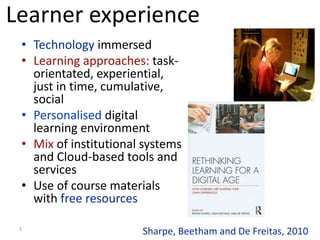
• Technology immersed
• Learning approaches: task-
orientated, experiential,
just in time, cumulative,
social
• Personalised digital
learning environment
• Mix of institutional systems
and Cloud-based tools and
services
• Use of course materials
with free resources
Sharpe, Beetham and De Freitas, 2010
Learner experience
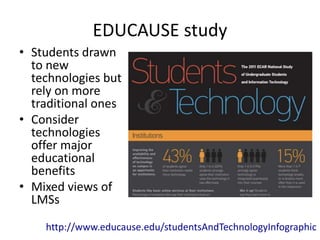
EDUCAUSE study
• Students drawn
to new
technologies but
rely on more
traditional ones
• Consider
technologies
offer major
educational
benefits
• Mixed views of
LMSs
http://www.educause.edu/studentsAndTechnologyInfographic
Game changers
• Harness the power of new
media
• Need to rethink education
• How can we reach more
learners, more effectively?
• Impact of free resources,
tools and expertise?
• New business models?
• New digital literacies?
http://www.educause.edu/game-changers
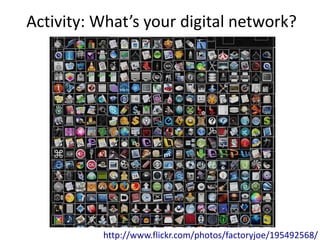
Activity: What’s your digital network?
http://www.flickr.com/photos/factoryjoe/195492568/
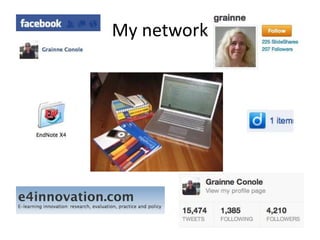
My network
Activity: fb love it or hate it?
Pros
• Sharing issues
• Focus on personal interests,
like music
Cons
• Don’t use enough
• Sharing personal stuff
• Trivial posts
What tools can students use for their
learning?
• Don’t use Minerva
enough
• Email
• Google to find relevant
resources
• Fb and Twitter
• Phone
• Multi-tasking across tools
• Phone at the centre of
their learning
• YouTube and free
resources
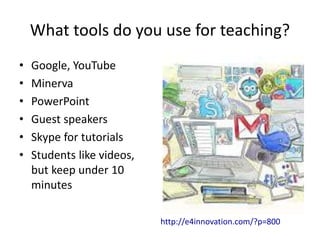
What tools do you use for teaching?
• Google, YouTube
• Minerva
• PowerPoint
• Guest speakers
• Skype for tutorials
• Students like videos,
but keep under 10
minutes
http://e4innovation.com/?p=800
What tools do you use for Research?
• Google, Google Scholar
• Library
• Dragon voice activated
software
• Skype
Activity: using new media for research
• How would you use the following for research (i.e. data
collection, dissemination, discussion)?
–Blogs
–Facebook
–Google+
–LinkedIn
–Academia.edu
–Twitter
–Flickr and Youtube
–Diigo
–Mandeley
–Dropbox
–Others?
Social media
• Range of internet-based tools that allow
people to create, co-create, share and interact
with information
Benefits of social media
• Students can communicate with their peers
• Researchers can be part of a global
community
• Students can use to demonstrate their
competences
• Universities can use to interact with a variety
of audiences
Risks of social media
• Ethical, privacy and security issues
• Time consuming
• Inappropriate use
• Ownership
• Constantly changing
Types of tools
• Social networking tools – e.g. facebook
• Reflective tools – e.g. blogs and Twitter
• Gaming tools and virtual worlds – e.g.
SecondLife
• Communication tools – e.g. WhatsApp
• Consumer tools – e.g. price comparison sites
Case studies
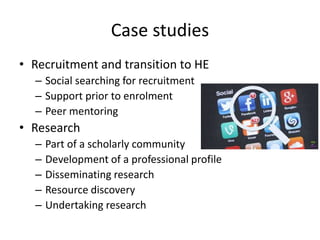
• Recruitment and transition to HE
– Social searching for recruitment
– Support prior to enrolment
– Peer mentoring
• Research
– Part of a scholarly community
– Development of a professional profile
– Disseminating research
– Resource discovery
– Undertaking research
Case studies
• Employability
– Social Media Knowledge Exchange
– Development of a professional
network
• Public engagement
– Dissemination to general public
• Enhancing learning and teaching
– Extending beyond the classroom
– Peer review
– Twitter as a back channel
– Keeping in touch when on placement
– Wikis to co-create knowledge
• Keeping in touch with Alumni
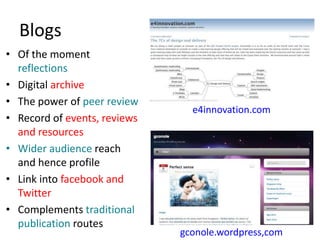
Blogs
• Of the moment
reflections
• Digital archive
• The power of peer review
• Record of events, reviews
and resources
• Wider audience reach
and hence profile
• Link into facebook and
Twitter
• Complements traditional
publication routes
e4innovation.com
gconole.wordpress,com
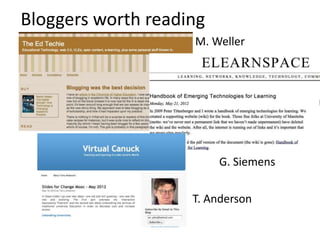
Bloggers worth reading
M. Weller
G. Siemens
T. Anderson
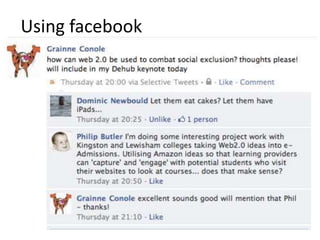
Using facebook
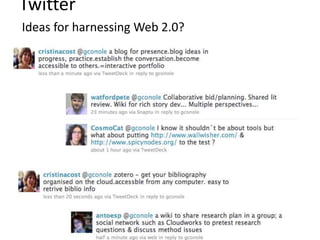
Ideas for harnessing Web 2.0?
Twitter
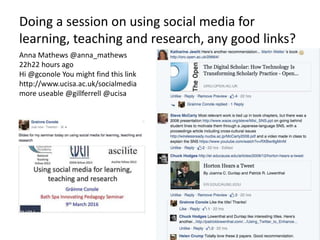
Doing a session on using social media for
learning, teaching and research, any good links?
Anna Mathews @anna_mathews
22h22 hours ago
Hi @gconole You might find this link
http://www.ucisa.ac.uk/socialmedia
more useable @gillferrell @ucisa
Final thoughts
• Participatory and social media enable new forms of
communication and collaboration
• Communities in these spaces are complex and
distributed
• Learners and teachers need to develop new digital
literacy skills to harness their potential
• We need to rethink how we design, support and assess
learning
• Open, participatory and social media can provide
mechanisms for us to share and discuss teaching and
research ideas in new ways
• We are seeing a blurring of boundaries:
teachers/learners, teaching/research, real/virtual
spaces, formal/informal modes of communication and
References
• UCISA social media toolkit
– http://www.ucisa.ac.uk/~/media/Files/publications/social_
media/344996%20UCISA%20-%20Book%20v8%208-12-15-
final.ashx
• M. Weller - The digital scholar
– http://oro.open.ac.uk/29664/
• EDUCAUSE
– http://er.educause.edu/articles/2009/12/horton-hears-a-
tweet
• Using Twitter to enhance social presence
– http://patricklowenthal.com/publications/Using_Twitter_t
o_Enhance_Social_Presence.pdf
http://www.slideshare.net/GrainneConole
g.conole@bathspa.ac.uk
Blog: http://e4innovation.com
Twitter: @gconole

Conole social media_final

  • 1.
    Using social mediafor learning, teaching and research Gráinne Conole Bath Spa Innovating Pedagogy Seminar 9th March 2016 National Teaching Fellow 2012 Ascilite fellow 2012EDEN fellow 2013
  • 2.
    Outline • Characteristics ofnew media • What is your digital network • Using social media for: – Learning – Teaching – Research • Benefits and risks • Types of tools • Case studies • Blogs, Twitter and facebook
  • 3.
    Activity • What arethe characteristics of new technologies? • What are their implications for learning, teaching and research?
  • 4.
    New media Characteristics • Lotsout there! • LinkedIn – what the benefits? • A lot of superficial use • Time consuming and distracting • Need to be disciplined with the use of social media Implications Conole and Alevizou, 2010
  • 5.
    5 • Technology immersed •Learning approaches: task- orientated, experiential, just in time, cumulative, social • Personalised digital learning environment • Mix of institutional systems and Cloud-based tools and services • Use of course materials with free resources Sharpe, Beetham and De Freitas, 2010 Learner experience
  • 6.
    EDUCAUSE study • Studentsdrawn to new technologies but rely on more traditional ones • Consider technologies offer major educational benefits • Mixed views of LMSs http://www.educause.edu/studentsAndTechnologyInfographic
  • 7.
    Game changers • Harnessthe power of new media • Need to rethink education • How can we reach more learners, more effectively? • Impact of free resources, tools and expertise? • New business models? • New digital literacies? http://www.educause.edu/game-changers
  • 8.
    Activity: What’s yourdigital network? http://www.flickr.com/photos/factoryjoe/195492568/
  • 9.
  • 10.
    Activity: fb loveit or hate it? Pros • Sharing issues • Focus on personal interests, like music Cons • Don’t use enough • Sharing personal stuff • Trivial posts
  • 11.
    What tools canstudents use for their learning? • Don’t use Minerva enough • Email • Google to find relevant resources • Fb and Twitter • Phone • Multi-tasking across tools • Phone at the centre of their learning • YouTube and free resources
  • 12.
    What tools doyou use for teaching? • Google, YouTube • Minerva • PowerPoint • Guest speakers • Skype for tutorials • Students like videos, but keep under 10 minutes http://e4innovation.com/?p=800
  • 13.
    What tools doyou use for Research? • Google, Google Scholar • Library • Dragon voice activated software • Skype
  • 14.
    Activity: using newmedia for research • How would you use the following for research (i.e. data collection, dissemination, discussion)? –Blogs –Facebook –Google+ –LinkedIn –Academia.edu –Twitter –Flickr and Youtube –Diigo –Mandeley –Dropbox –Others?
  • 15.
    Social media • Rangeof internet-based tools that allow people to create, co-create, share and interact with information
  • 16.
    Benefits of socialmedia • Students can communicate with their peers • Researchers can be part of a global community • Students can use to demonstrate their competences • Universities can use to interact with a variety of audiences
  • 17.
    Risks of socialmedia • Ethical, privacy and security issues • Time consuming • Inappropriate use • Ownership • Constantly changing
  • 18.
    Types of tools •Social networking tools – e.g. facebook • Reflective tools – e.g. blogs and Twitter • Gaming tools and virtual worlds – e.g. SecondLife • Communication tools – e.g. WhatsApp • Consumer tools – e.g. price comparison sites
  • 19.
    Case studies • Recruitmentand transition to HE – Social searching for recruitment – Support prior to enrolment – Peer mentoring • Research – Part of a scholarly community – Development of a professional profile – Disseminating research – Resource discovery – Undertaking research
  • 20.
    Case studies • Employability –Social Media Knowledge Exchange – Development of a professional network • Public engagement – Dissemination to general public • Enhancing learning and teaching – Extending beyond the classroom – Peer review – Twitter as a back channel – Keeping in touch when on placement – Wikis to co-create knowledge • Keeping in touch with Alumni
  • 21.
    Blogs • Of themoment reflections • Digital archive • The power of peer review • Record of events, reviews and resources • Wider audience reach and hence profile • Link into facebook and Twitter • Complements traditional publication routes e4innovation.com gconole.wordpress,com
  • 22.
    Bloggers worth reading M.Weller G. Siemens T. Anderson
  • 23.
  • 24.
    Ideas for harnessingWeb 2.0? Twitter
  • 25.
    Doing a sessionon using social media for learning, teaching and research, any good links? Anna Mathews @anna_mathews 22h22 hours ago Hi @gconole You might find this link http://www.ucisa.ac.uk/socialmedia more useable @gillferrell @ucisa
  • 26.
    Final thoughts • Participatoryand social media enable new forms of communication and collaboration • Communities in these spaces are complex and distributed • Learners and teachers need to develop new digital literacy skills to harness their potential • We need to rethink how we design, support and assess learning • Open, participatory and social media can provide mechanisms for us to share and discuss teaching and research ideas in new ways • We are seeing a blurring of boundaries: teachers/learners, teaching/research, real/virtual spaces, formal/informal modes of communication and
  • 27.
    References • UCISA socialmedia toolkit – http://www.ucisa.ac.uk/~/media/Files/publications/social_ media/344996%20UCISA%20-%20Book%20v8%208-12-15- final.ashx • M. Weller - The digital scholar – http://oro.open.ac.uk/29664/ • EDUCAUSE – http://er.educause.edu/articles/2009/12/horton-hears-a- tweet • Using Twitter to enhance social presence – http://patricklowenthal.com/publications/Using_Twitter_t o_Enhance_Social_Presence.pdf
  • 28.