The 7Cs of Learning Design
Gráinne Conole
University of Leicester
4th November 2014
Hobarth, Australia
National Teaching
Fellow 2012
Introductions
• Say who you are and
what you hope to get
out of the workshop
Outline
• An overview of learning design
• Activities
– A1: How to ruin a course
– A2: Course Features
– A3: Resource audit
– A4: Course Map
– A5: Activity Profile
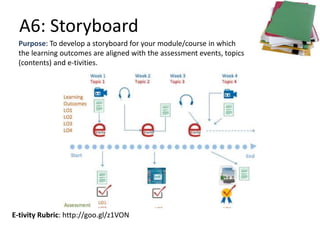
– A6: Story board
– A7: Evaluation Rubric
• Evaluation
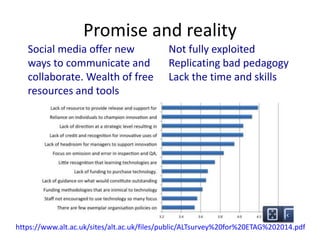
Promise and reality
Social media offer new
ways to communicate and
collaborate. Wealth of free
resources and tools
Not fully exploited
Replicating bad pedagogy
Lack the time and skills
https://www.alt.ac.uk/sites/alt.ac.uk/files/public/ALTsurvey%20for%20ETAG%202014.pdf
What is learning design? (1)
Guidance
https://www.flickr.com/photos/anonymouscollective/1899303123
What is learning design? (2)
https://www.flickr.com/photos/frawemedia/5187769740
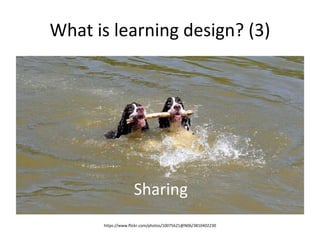
What is learning design? (3)
https://www.flickr.com/photos/10075621@N06/3810402230
Sharing
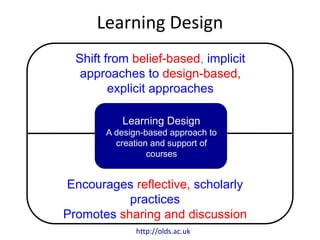
Learning Design
Shift from belief-based, implicit
approaches to design-based,
explicit approaches
Encourages reflective, scholarly
practices
Promotes sharing and discussion
Learning Design
A design-based approach to
creation and support of
courses
http://olds.ac.uk
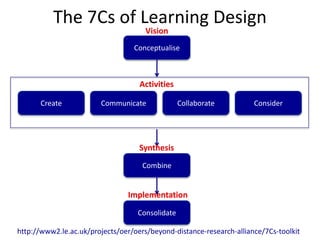
The 7Cs of Learning Design
Conceptualise
Vision
CommunicateCreate ConsiderCollaborate
Activities
Combine
Synthesis
Consolidate
Implementation
http://www2.le.ac.uk/projects/oer/oers/beyond-distance-research-alliance/7Cs-toolkit
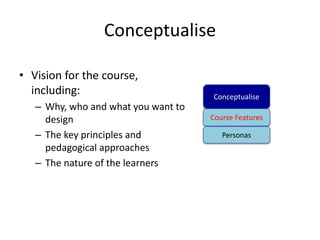
Conceptualise
• Vision for the course,
including:
– Why, who and what you want to
design
– The key principles and
pedagogical approaches
– The nature of the learners
Conceptualise
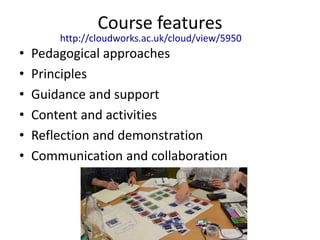
Course Features
Personas
Course features
• Pedagogical approaches
• Principles
• Guidance and support
• Content and activities
• Reflection and demonstration
• Communication and collaboration
http://cloudworks.ac.uk/cloud/view/5950
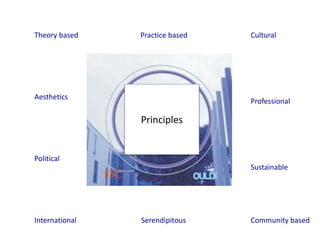
Principles
Theory based Practice based Cultural
Aesthetics
Political
International Serendipitous Community based
Sustainable
Professional
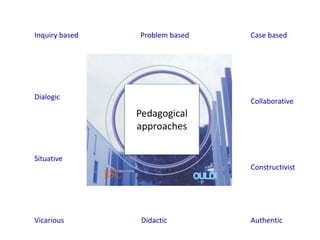
Pedagogical
approaches
Inquiry based Problem based Case based
Dialogic
Situative
Vicarious Didactic Authentic
Constructivist
Collaborative
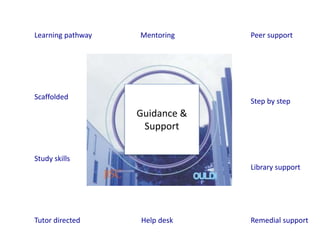
Guidance &
Support
Learning pathway Mentoring Peer support
Scaffolded
Study skills
Tutor directed Help desk Remedial support
Library support
Step by step
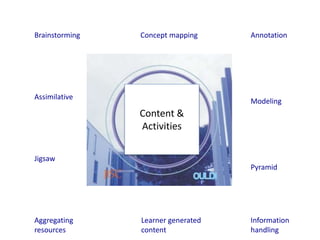
Content &
Activities
Brainstorming Concept mapping Annotation
Assimilative
Jigsaw
Aggregating
resources
Learner generated
content
Information
handling
Pyramid
Modeling
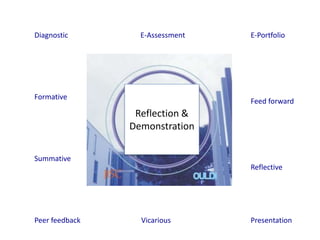
Reflection &
Demonstration
Diagnostic E-Assessment E-Portfolio
Formative
Summative
Peer feedback Vicarious Presentation
Reflective
Feed forward
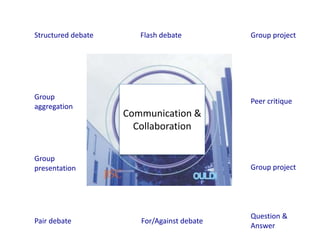
Communication &
Collaboration
Structured debate Flash debate Group project
Group
aggregation
Group
presentation
Pair debate For/Against debate
Question &
Answer
Group project
Peer critique
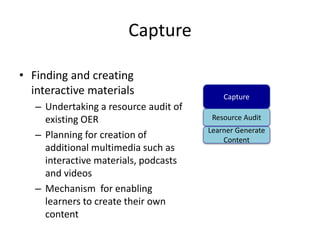
Capture
• Finding and creating
interactive materials
– Undertaking a resource audit of
existing OER
– Planning for creation of
additional multimedia such as
interactive materials, podcasts
and videos
– Mechanism for enabling
learners to create their own
content
Capture
Resource Audit
Learner Generate
Content
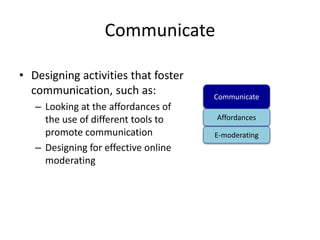
Communicate
• Designing activities that foster
communication, such as:
– Looking at the affordances of
the use of different tools to
promote communication
– Designing for effective online
moderating
Communicate
Affordances
E-moderating
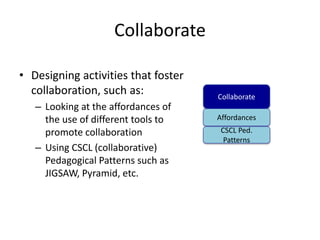
Collaborate
• Designing activities that foster
collaboration, such as:
– Looking at the affordances of
the use of different tools to
promote collaboration
– Using CSCL (collaborative)
Pedagogical Patterns such as
JIGSAW, Pyramid, etc.
Collaborate
Affordances
CSCL Ped.
Patterns
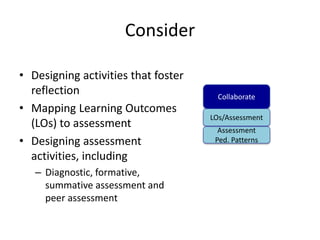
Consider
• Designing activities that foster
reflection
• Mapping Learning Outcomes
(LOs) to assessment
• Designing assessment
activities, including
– Diagnostic, formative,
summative assessment and
peer assessment
Collaborate
LOs/Assessment
Assessment
Ped. Patterns
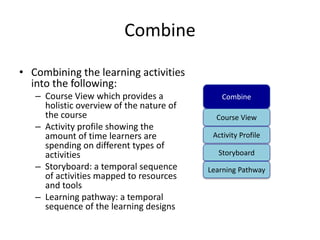
Combine
• Combining the learning activities
into the following:
– Course View which provides a
holistic overview of the nature of
the course
– Activity profile showing the
amount of time learners are
spending on different types of
activities
– Storyboard: a temporal sequence
of activities mapped to resources
and tools
– Learning pathway: a temporal
sequence of the learning designs
Combine
Course View
Activity Profile
Storyboard
Learning Pathway
Consolidate
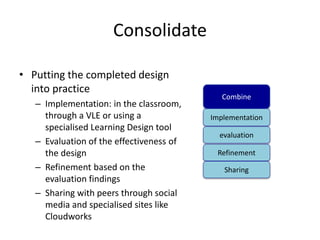
• Putting the completed design
into practice
– Implementation: in the classroom,
through a VLE or using a
specialised Learning Design tool
– Evaluation of the effectiveness of
the design
– Refinement based on the
evaluation findings
– Sharing with peers through social
media and specialised sites like
Cloudworks
Combine
Implementation
evaluation
Refinement
Sharing
Evaluation (from SPEED pilot)
• We made a big breakthrough. We have achieved insight about the need to
structure it as … an online course, and not just simply as a set of learning
activities plus integrated resources.
• The visual nature of the tools and the quick and easy way that one could
use it... They help stimulate us to look at the course in a different way, in a
natural and creative way even if we didn’t see all the little links right
upfront.
• I wanted to have my thinking challenged with regard to course design and
development and I definitely left reflecting and questioning our unit's
current approach and have some good tools and approaches to pilot...
• It’s a way of freeing your mind and putting all the ideas of all the people in
the course team down somewhere, not having to be so prescriptive. It was
just a much freer and [more] creative experience than getting the learning
outcomes and writing them as active verbs, and getting in at a granular
level. It was quite sort of a liberating thing to just have everybody move
components around and say, ‘Do you know I really like all these features.
I’d like to do some problem-based learning. I’d like to do peer-review.’
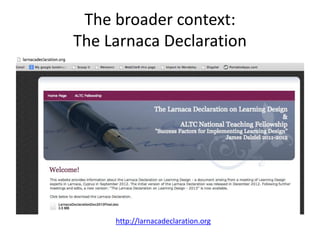
The broader context:
The Larnaca Declaration
http://larnacadeclaration.org
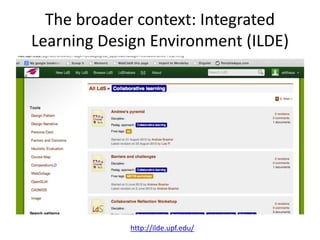
The broader context: Integrated
Learning Design Environment (ILDE)
http://ilde.upf.edu/
Summary
• 7Cs – a new learning design framework.
– involves a range of conceptual representations of
courses
– evaluation indicates that the framework is
welcomed and that the conceptual designs enable
teachers to rethink their design practice to create
more engaging learning interventions for their
learners
– can also be used with learners, to give them an
indication of the nature of the courses they are
undertaking
A1: How to ruin a course
• List the ten ways in which technologies can
ruin a course
• Consider strategies to avoid these issues
Purpose: To consider the ways in which technologies can ruin a course
and creation of strategies to avoid these problems
E-tivity Rubric: hhttp://tinyurl.com/m3x32se
A1: Discussions
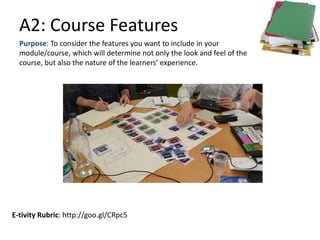
A2: Course Features
E-tivity Rubric: http://goo.gl/CRpc5
Purpose: To consider the features you want to include in your
module/course, which will determine not only the look and feel of the
course, but also the nature of the learners’ experience.
A2a: Forums, blogs and wikis
Purpose: To consider the use of three central, LMS-based tools for interaction
Discussion Forums Blogs Wikis
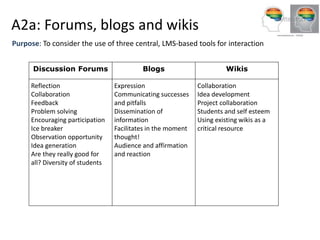
A2a: Forums, blogs and wikis
Purpose: To consider the use of three central, LMS-based tools for interaction
Discussion Forums Blogs Wikis
Reflection
Collaboration
Feedback
Problem solving
Encouraging participation
Ice breaker
Observation opportunity
Idea generation
Are they really good for
all? Diversity of students
Expression
Communicating successes
and pitfalls
Dissemination of
information
Facilitates in the moment
thought!
Audience and affirmation
and reaction
Collaboration
Idea development
Project collaboration
Students and self esteem
Using existing wikis as a
critical resource
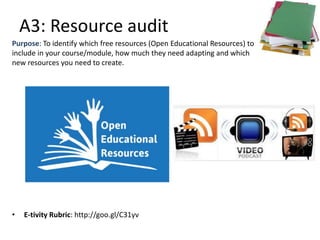
A3: Resource audit
• E-tivity Rubric: http://goo.gl/C31yv
Purpose: To identify which free resources (Open Educational Resources) to
include in your course/module, how much they need adapting and which
new resources you need to create.
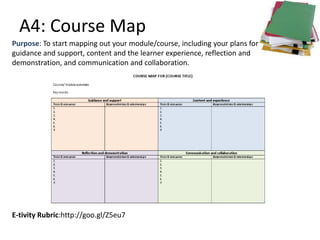
A4: Course Map
E-tivity Rubric:http://goo.gl/Z5eu7
Purpose: To start mapping out your module/course, including your plans for
guidance and support, content and the learner experience, reflection and
demonstration, and communication and collaboration.
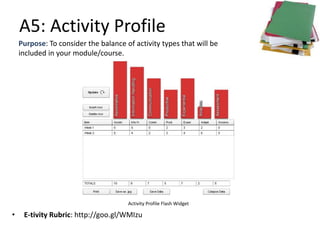
A5: Activity Profile
• E-tivity Rubric: http://goo.gl/WMIzu
Purpose: To consider the balance of activity types that will be
included in your module/course.
Activity Profile Flash Widget
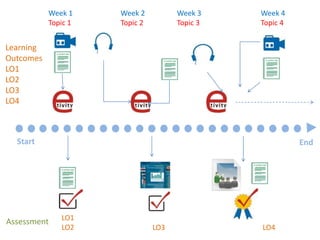
Start End
Learning
Outcomes
LO1
LO2
LO3
LO4
Assessment LO1
LO2 LO3 LO4
Week 1
Topic 1
Week 2
Topic 2
Week 3
Topic 3
Week 4
Topic 4
A6: Storyboard
E-tivity Rubric: http://goo.gl/z1VON
Purpose: To develop a storyboard for your module/course in which
the learning outcomes are aligned with the assessment events, topics
(contents) and e-tivities.
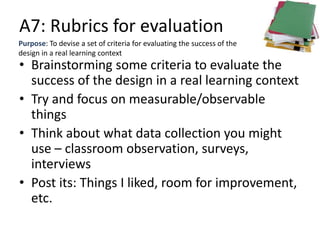
A7: Rubrics for evaluation
Purpose: To devise a set of criteria for evaluating the success of the
design in a real learning context
• Brainstorming some criteria to evaluate the
success of the design in a real learning context
• Try and focus on measurable/observable
things
• Think about what data collection you might
use – classroom observation, surveys,
interviews
• Post its: Things I liked, room for improvement,
etc.
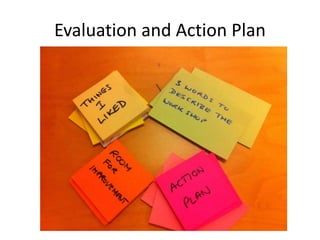
Evaluation and Action Plan
Three words…
Things I liked…
Suggestions for improvement
Action plan…
http://www.slideshare.net/GrainneConole
gconole@gmail.com
http://e4innovation.com
Twitter: @gconole
• OULDI website
http://www.open.ac.uk/blogs/OULDI/
• Carpe Diem website
http://www.le.ac.uk/carpediem
• 7Cs OER page
http://www2.le.ac.uk/projects/oer/oers/beyond-
distance-research-alliance/7cs-workshop-resources
• Cloudworks http://cloudworks.ac.uk/
Useful sites and resources

Conole learning design_workshop

  • 1.
    The 7Cs ofLearning Design Gráinne Conole University of Leicester 4th November 2014 Hobarth, Australia National Teaching Fellow 2012
  • 2.
    Introductions • Say whoyou are and what you hope to get out of the workshop
  • 3.
    Outline • An overviewof learning design • Activities – A1: How to ruin a course – A2: Course Features – A3: Resource audit – A4: Course Map – A5: Activity Profile – A6: Story board – A7: Evaluation Rubric • Evaluation
  • 4.
    Promise and reality Socialmedia offer new ways to communicate and collaborate. Wealth of free resources and tools Not fully exploited Replicating bad pedagogy Lack the time and skills https://www.alt.ac.uk/sites/alt.ac.uk/files/public/ALTsurvey%20for%20ETAG%202014.pdf
  • 5.
    What is learningdesign? (1) Guidance https://www.flickr.com/photos/anonymouscollective/1899303123
  • 6.
    What is learningdesign? (2) https://www.flickr.com/photos/frawemedia/5187769740
  • 7.
    What is learningdesign? (3) https://www.flickr.com/photos/10075621@N06/3810402230 Sharing
  • 8.
    Learning Design Shift frombelief-based, implicit approaches to design-based, explicit approaches Encourages reflective, scholarly practices Promotes sharing and discussion Learning Design A design-based approach to creation and support of courses http://olds.ac.uk
  • 9.
    The 7Cs ofLearning Design Conceptualise Vision CommunicateCreate ConsiderCollaborate Activities Combine Synthesis Consolidate Implementation http://www2.le.ac.uk/projects/oer/oers/beyond-distance-research-alliance/7Cs-toolkit
  • 10.
    Conceptualise • Vision forthe course, including: – Why, who and what you want to design – The key principles and pedagogical approaches – The nature of the learners Conceptualise Course Features Personas
  • 11.
    Course features • Pedagogicalapproaches • Principles • Guidance and support • Content and activities • Reflection and demonstration • Communication and collaboration http://cloudworks.ac.uk/cloud/view/5950
  • 12.
    Principles Theory based Practicebased Cultural Aesthetics Political International Serendipitous Community based Sustainable Professional
  • 13.
    Pedagogical approaches Inquiry based Problembased Case based Dialogic Situative Vicarious Didactic Authentic Constructivist Collaborative
  • 14.
    Guidance & Support Learning pathwayMentoring Peer support Scaffolded Study skills Tutor directed Help desk Remedial support Library support Step by step
  • 15.
    Content & Activities Brainstorming Conceptmapping Annotation Assimilative Jigsaw Aggregating resources Learner generated content Information handling Pyramid Modeling
  • 16.
    Reflection & Demonstration Diagnostic E-AssessmentE-Portfolio Formative Summative Peer feedback Vicarious Presentation Reflective Feed forward
  • 17.
    Communication & Collaboration Structured debateFlash debate Group project Group aggregation Group presentation Pair debate For/Against debate Question & Answer Group project Peer critique
  • 18.
    Capture • Finding andcreating interactive materials – Undertaking a resource audit of existing OER – Planning for creation of additional multimedia such as interactive materials, podcasts and videos – Mechanism for enabling learners to create their own content Capture Resource Audit Learner Generate Content
  • 19.
    Communicate • Designing activitiesthat foster communication, such as: – Looking at the affordances of the use of different tools to promote communication – Designing for effective online moderating Communicate Affordances E-moderating
  • 20.
    Collaborate • Designing activitiesthat foster collaboration, such as: – Looking at the affordances of the use of different tools to promote collaboration – Using CSCL (collaborative) Pedagogical Patterns such as JIGSAW, Pyramid, etc. Collaborate Affordances CSCL Ped. Patterns
  • 21.
    Consider • Designing activitiesthat foster reflection • Mapping Learning Outcomes (LOs) to assessment • Designing assessment activities, including – Diagnostic, formative, summative assessment and peer assessment Collaborate LOs/Assessment Assessment Ped. Patterns
  • 22.
    Combine • Combining thelearning activities into the following: – Course View which provides a holistic overview of the nature of the course – Activity profile showing the amount of time learners are spending on different types of activities – Storyboard: a temporal sequence of activities mapped to resources and tools – Learning pathway: a temporal sequence of the learning designs Combine Course View Activity Profile Storyboard Learning Pathway
  • 23.
    Consolidate • Putting thecompleted design into practice – Implementation: in the classroom, through a VLE or using a specialised Learning Design tool – Evaluation of the effectiveness of the design – Refinement based on the evaluation findings – Sharing with peers through social media and specialised sites like Cloudworks Combine Implementation evaluation Refinement Sharing
  • 24.
    Evaluation (from SPEEDpilot) • We made a big breakthrough. We have achieved insight about the need to structure it as … an online course, and not just simply as a set of learning activities plus integrated resources. • The visual nature of the tools and the quick and easy way that one could use it... They help stimulate us to look at the course in a different way, in a natural and creative way even if we didn’t see all the little links right upfront. • I wanted to have my thinking challenged with regard to course design and development and I definitely left reflecting and questioning our unit's current approach and have some good tools and approaches to pilot... • It’s a way of freeing your mind and putting all the ideas of all the people in the course team down somewhere, not having to be so prescriptive. It was just a much freer and [more] creative experience than getting the learning outcomes and writing them as active verbs, and getting in at a granular level. It was quite sort of a liberating thing to just have everybody move components around and say, ‘Do you know I really like all these features. I’d like to do some problem-based learning. I’d like to do peer-review.’
  • 25.
    The broader context: TheLarnaca Declaration http://larnacadeclaration.org
  • 26.
    The broader context:Integrated Learning Design Environment (ILDE) http://ilde.upf.edu/
  • 27.
    Summary • 7Cs –a new learning design framework. – involves a range of conceptual representations of courses – evaluation indicates that the framework is welcomed and that the conceptual designs enable teachers to rethink their design practice to create more engaging learning interventions for their learners – can also be used with learners, to give them an indication of the nature of the courses they are undertaking
  • 28.
    A1: How toruin a course • List the ten ways in which technologies can ruin a course • Consider strategies to avoid these issues Purpose: To consider the ways in which technologies can ruin a course and creation of strategies to avoid these problems E-tivity Rubric: hhttp://tinyurl.com/m3x32se
  • 29.
  • 30.
    A2: Course Features E-tivityRubric: http://goo.gl/CRpc5 Purpose: To consider the features you want to include in your module/course, which will determine not only the look and feel of the course, but also the nature of the learners’ experience.
  • 31.
    A2a: Forums, blogsand wikis Purpose: To consider the use of three central, LMS-based tools for interaction Discussion Forums Blogs Wikis
  • 32.
    A2a: Forums, blogsand wikis Purpose: To consider the use of three central, LMS-based tools for interaction Discussion Forums Blogs Wikis Reflection Collaboration Feedback Problem solving Encouraging participation Ice breaker Observation opportunity Idea generation Are they really good for all? Diversity of students Expression Communicating successes and pitfalls Dissemination of information Facilitates in the moment thought! Audience and affirmation and reaction Collaboration Idea development Project collaboration Students and self esteem Using existing wikis as a critical resource
  • 33.
    A3: Resource audit •E-tivity Rubric: http://goo.gl/C31yv Purpose: To identify which free resources (Open Educational Resources) to include in your course/module, how much they need adapting and which new resources you need to create.
  • 34.
    A4: Course Map E-tivityRubric:http://goo.gl/Z5eu7 Purpose: To start mapping out your module/course, including your plans for guidance and support, content and the learner experience, reflection and demonstration, and communication and collaboration.
  • 35.
    A5: Activity Profile •E-tivity Rubric: http://goo.gl/WMIzu Purpose: To consider the balance of activity types that will be included in your module/course. Activity Profile Flash Widget
  • 36.
    Start End Learning Outcomes LO1 LO2 LO3 LO4 Assessment LO1 LO2LO3 LO4 Week 1 Topic 1 Week 2 Topic 2 Week 3 Topic 3 Week 4 Topic 4
  • 37.
    A6: Storyboard E-tivity Rubric:http://goo.gl/z1VON Purpose: To develop a storyboard for your module/course in which the learning outcomes are aligned with the assessment events, topics (contents) and e-tivities.
  • 38.
    A7: Rubrics forevaluation Purpose: To devise a set of criteria for evaluating the success of the design in a real learning context • Brainstorming some criteria to evaluate the success of the design in a real learning context • Try and focus on measurable/observable things • Think about what data collection you might use – classroom observation, surveys, interviews • Post its: Things I liked, room for improvement, etc.
  • 39.
  • 40.
  • 41.
  • 42.
  • 43.
  • 44.
  • 45.
    • OULDI website http://www.open.ac.uk/blogs/OULDI/ •Carpe Diem website http://www.le.ac.uk/carpediem • 7Cs OER page http://www2.le.ac.uk/projects/oer/oers/beyond- distance-research-alliance/7cs-workshop-resources • Cloudworks http://cloudworks.ac.uk/ Useful sites and resources