
Using the
Cloud

Using Social Software Tools for
Learning & Teaching
Social Media

2

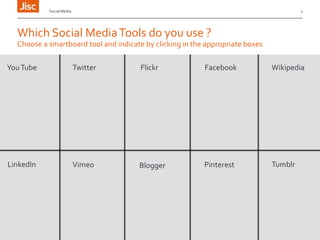
Which Social Media Tools do you use ?
Choose a smartboard tool and indicate by clicking in the appropriate boxes
You Tube

Twitter

Flickr

Facebook

Wikipedia

LinkedIn

Vimeo

Blogger

Pinterest

Tumblr
Social Media

What is Social Media?
Web2.0 Tools

» Changed the way we use the internet
› We were passive consumers
› Now able to contribute / comment without specialist web skills
› Knowledge and data sharing
› Publish in real-time
» Assumes people are always online
› PC/laptop/handheld devices
» Web-based / Browser reliant
» Easy to use
http://www.jiscinfonet.ac.uk/infokits/social-software/index_html

3
Social Media

4

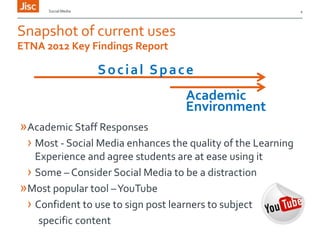
Snapshot of current uses
ETNA 2012 Key Findings Report

Social Space
Academic
Environment
»Academic Staff Responses
› Most - Social Media enhances the quality of the Learning
Experience and agree students are at ease using it
› Some – Consider Social Media to be a distraction
»Most popular tool –YouTube
› Confident to use to sign post learners to subject
specific content
Social Media

5

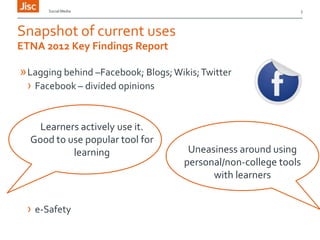
Snapshot of current uses
ETNA 2012 Key Findings Report

» Lagging behind –Facebook; Blogs; Wikis; Twitter
› Facebook – divided opinions
Learners actively use it.
Good to use popular tool for
learning

› e-Safety

Uneasiness around using
personal/non-college tools
with learners
Social Media

6

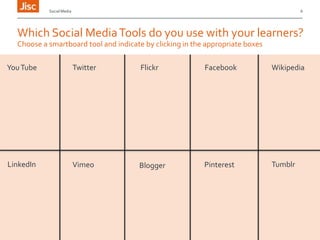
Which Social Media Tools do you use with your learners?
Choose a smartboard tool and indicate by clicking in the appropriate boxes
You Tube

Twitter

Flickr

Facebook

Wikipedia

LinkedIn

Vimeo

Blogger

Pinterest

Tumblr
Social Media

How are you using Social Media Tools?
Please share your current uses of Social Media in Learning and Teaching
www.padlet.com/wall/social_media1

7
Social Media

Pedagogical Considerations?
Modernising Learning

» Complementing existing pedagogy
› Social Constructivism – Vygotsky
» Evolving Pedagogy
› Connectivisim – Siemens
» Meeting learners expectations
› People expect to be able to work & learn wherever and
whenever they want
› Use own technologies along with institutional tool

8
Social Media

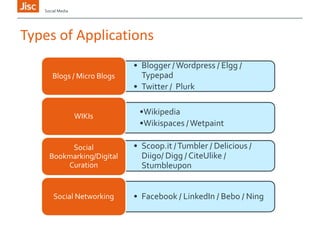
Types of Applications
Blogs / Micro Blogs

WIKIs

Social
Bookmarking/Digital
Curation

Social Networking

• Blogger / Wordpress / Elgg /
Typepad
• Twitter / Plurk
•Wikipedia
•Wikispaces / Wetpaint
• Scoop.it / Tumbler / Delicious /
Diigo/ Digg / CiteUlike /
Stumbleupon
• Facebook / LinkedIn / Bebo / Ning
Title of presentation 00/00/2013

10

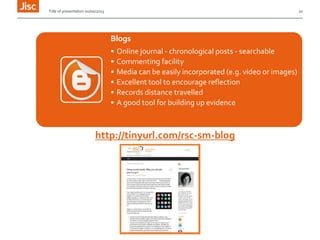
Blogs
•
•
•
•
•
•

Online journal - chronological posts - searchable
Commenting facility
Media can be easily incorporated (e.g. video or images)
Excellent tool to encourage reflection
Records distance travelled
A good tool for building up evidence

http://tinyurl.com/rsc-sm-blog
Social Media

11

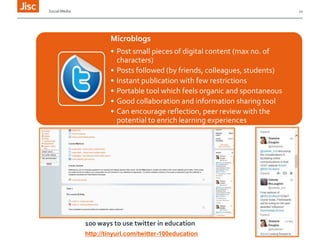
Microblogs
• Post small pieces of digital content (max no. of
characters)
• Posts followed (by friends, colleagues, students)
• Instant publication with few restrictions
• Portable tool which feels organic and spontaneous
• Good collaboration and information sharing tool
• Can encourage reflection, peer review with the
potential to enrich learning experiences

100 ways to use twitter in education
http://tinyurl.com/twitter-100education
Title of presentation 00/00/2013

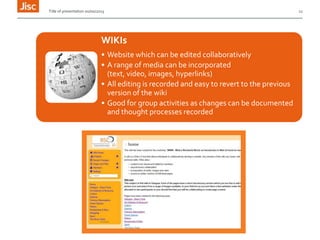
WIKIs
• Website which can be edited collaboratively
• A range of media can be incorporated
(text, video, images, hyperlinks)
• All editing is recorded and easy to revert to the previous
version of the wiki
• Good for group activities as changes can be documented
and thought processes recorded

12
Title of presentation 00/00/2013

13

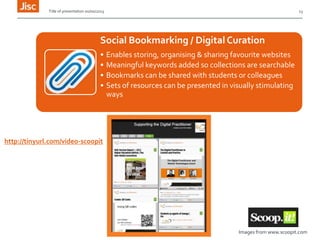
Social Bookmarking / Digital Curation
•
•
•
•

Enables storing, organising & sharing favourite websites
Meaningful keywords added so collections are searchable
Bookmarks can be shared with students or colleagues
Sets of resources can be presented in visually stimulating
ways

http://tinyurl.com/video-scoopit

Images from www.scoopit.com
Title of presentation 00/00/2013

14

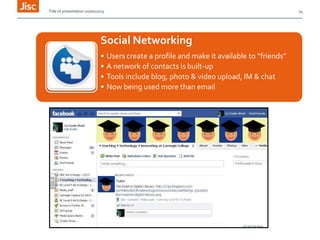
Social Networking
•
•
•
•

Users create a profile and make it available to “friends”
A network of contacts is built-up
Tools include blog, photo & video upload, IM & chat
Now being used more than email
Social Media

15

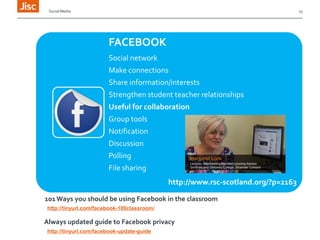
FACEBOOK
Social network
Make connections
Share information/interests
Strengthen student teacher relationships
Useful for collaboration
Group tools
Notification

Discussion
Polling
File sharing
http://www.rsc-scotland.org/?p=2163
101 Ways you should be using Facebook in the classroom
http://tinyurl.com/facebook-100classroom/

Always updated guide to Facebook privacy
http://tinyurl.com/facebook-update-guide
Social Media

Benefits
Social Media applications are easy to use and and can be easily accessed
online using a browser
Modernises the curriculum with many already being used by young people Can communicate with students outside class time
Increases choice and the scope for personalisation & learner autonomy
Improves possibilities for deeper & reflective learning
Supports collaboration & communication (tutor to student & student to
student)
Largely free or very inexpensive & inherently scalable

16
Social Media

Things to Consider
Older people are not familiar with social software services to the same extent
& lack web2.0 skills and attitudes

Learners & staff may not find mixing social and academic spaces desirable
Start with one tool and add others later – Think quality not quantity
Awarding Bodies require to have confidence in systems - Rubrics for assessing
work that use social software tools require to be developed
Use tools to collaborate and communicate with colleagues
image from Flickr by opensourceway licensed through cc
Social Media

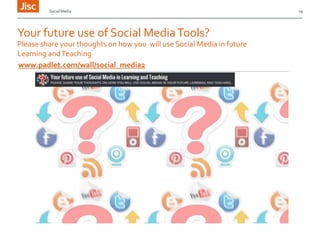
Your future use of Social Media Tools?
Please share your thoughts on how you will use Social Media in future
Learning and Teaching
www.padlet.com/wall/social_media2

19

Using Social Media to support learning - webinar Nov 2013

  • 1.
    Using the Cloud Using SocialSoftware Tools for Learning & Teaching
  • 2.
    Social Media 2 Which SocialMedia Tools do you use ? Choose a smartboard tool and indicate by clicking in the appropriate boxes You Tube Twitter Flickr Facebook Wikipedia LinkedIn Vimeo Blogger Pinterest Tumblr
  • 3.
    Social Media What isSocial Media? Web2.0 Tools » Changed the way we use the internet › We were passive consumers › Now able to contribute / comment without specialist web skills › Knowledge and data sharing › Publish in real-time » Assumes people are always online › PC/laptop/handheld devices » Web-based / Browser reliant » Easy to use http://www.jiscinfonet.ac.uk/infokits/social-software/index_html 3
  • 4.
    Social Media 4 Snapshot ofcurrent uses ETNA 2012 Key Findings Report Social Space Academic Environment »Academic Staff Responses › Most - Social Media enhances the quality of the Learning Experience and agree students are at ease using it › Some – Consider Social Media to be a distraction »Most popular tool –YouTube › Confident to use to sign post learners to subject specific content
  • 5.
    Social Media 5 Snapshot ofcurrent uses ETNA 2012 Key Findings Report » Lagging behind –Facebook; Blogs; Wikis; Twitter › Facebook – divided opinions Learners actively use it. Good to use popular tool for learning › e-Safety Uneasiness around using personal/non-college tools with learners
  • 6.
    Social Media 6 Which SocialMedia Tools do you use with your learners? Choose a smartboard tool and indicate by clicking in the appropriate boxes You Tube Twitter Flickr Facebook Wikipedia LinkedIn Vimeo Blogger Pinterest Tumblr
  • 7.
    Social Media How areyou using Social Media Tools? Please share your current uses of Social Media in Learning and Teaching www.padlet.com/wall/social_media1 7
  • 8.
    Social Media Pedagogical Considerations? ModernisingLearning » Complementing existing pedagogy › Social Constructivism – Vygotsky » Evolving Pedagogy › Connectivisim – Siemens » Meeting learners expectations › People expect to be able to work & learn wherever and whenever they want › Use own technologies along with institutional tool 8
  • 9.
    Social Media Types ofApplications Blogs / Micro Blogs WIKIs Social Bookmarking/Digital Curation Social Networking • Blogger / Wordpress / Elgg / Typepad • Twitter / Plurk •Wikipedia •Wikispaces / Wetpaint • Scoop.it / Tumbler / Delicious / Diigo/ Digg / CiteUlike / Stumbleupon • Facebook / LinkedIn / Bebo / Ning
  • 10.
    Title of presentation00/00/2013 10 Blogs • • • • • • Online journal - chronological posts - searchable Commenting facility Media can be easily incorporated (e.g. video or images) Excellent tool to encourage reflection Records distance travelled A good tool for building up evidence http://tinyurl.com/rsc-sm-blog
  • 11.
    Social Media 11 Microblogs • Postsmall pieces of digital content (max no. of characters) • Posts followed (by friends, colleagues, students) • Instant publication with few restrictions • Portable tool which feels organic and spontaneous • Good collaboration and information sharing tool • Can encourage reflection, peer review with the potential to enrich learning experiences 100 ways to use twitter in education http://tinyurl.com/twitter-100education
  • 12.
    Title of presentation00/00/2013 WIKIs • Website which can be edited collaboratively • A range of media can be incorporated (text, video, images, hyperlinks) • All editing is recorded and easy to revert to the previous version of the wiki • Good for group activities as changes can be documented and thought processes recorded 12
  • 13.
    Title of presentation00/00/2013 13 Social Bookmarking / Digital Curation • • • • Enables storing, organising & sharing favourite websites Meaningful keywords added so collections are searchable Bookmarks can be shared with students or colleagues Sets of resources can be presented in visually stimulating ways http://tinyurl.com/video-scoopit Images from www.scoopit.com
  • 14.
    Title of presentation00/00/2013 14 Social Networking • • • • Users create a profile and make it available to “friends” A network of contacts is built-up Tools include blog, photo & video upload, IM & chat Now being used more than email
  • 15.
    Social Media 15 FACEBOOK Social network Makeconnections Share information/interests Strengthen student teacher relationships Useful for collaboration Group tools Notification Discussion Polling File sharing http://www.rsc-scotland.org/?p=2163 101 Ways you should be using Facebook in the classroom http://tinyurl.com/facebook-100classroom/ Always updated guide to Facebook privacy http://tinyurl.com/facebook-update-guide
  • 16.
    Social Media Benefits Social Mediaapplications are easy to use and and can be easily accessed online using a browser Modernises the curriculum with many already being used by young people Can communicate with students outside class time Increases choice and the scope for personalisation & learner autonomy Improves possibilities for deeper & reflective learning Supports collaboration & communication (tutor to student & student to student) Largely free or very inexpensive & inherently scalable 16
  • 17.
    Social Media Things toConsider Older people are not familiar with social software services to the same extent & lack web2.0 skills and attitudes Learners & staff may not find mixing social and academic spaces desirable Start with one tool and add others later – Think quality not quantity Awarding Bodies require to have confidence in systems - Rubrics for assessing work that use social software tools require to be developed Use tools to collaborate and communicate with colleagues
  • 18.
    image from Flickrby opensourceway licensed through cc
  • 19.
    Social Media Your futureuse of Social Media Tools? Please share your thoughts on how you will use Social Media in future Learning and Teaching www.padlet.com/wall/social_media2 19

Editor's Notes

  • #3 Which SM tools do you use as an individual?
  • #4 http://www.jiscinfonet.ac.uk/infokits/social-software/index_html
  • #8 www.padlet.com/wall/social_media1
  • #10 Blogs/ Micro Blogs : A blog (short for web log) is a website which can be edited online. The main characteristic is that messages posted are displayed in chronological order. Individuals (or sometimes a group) post messages and comment on others posts and they are used mainly for reflection and opinion. Micro-blogs allow users to post small updates about something (often what they are doing or thinking). They tend to be limited to 140 characters and the posts can include links to websitesWikis : A Wiki is a website that can be edited online by multiple users using a simple interfaceSocial Bookmarking / Digital Curation : an online service where you can store & organise your favourite websites Social Networking: Social networking software enables users to build up a network of “friends” by creating a profile on a social networking site and making it available to others 
  • #11 http://tinyurl.com/rsc-sm-blog
  • #12 http://tinyurl.com/twitter-100education
  • #13 http://aboutglasgow.wikispaces.com/
  • #14 http://www.scoop.it/t/supporting-the-digital-practitioner
  • #16 http://www.rsc-scotland.org/?p=2163http://tinyurl.com/facebook-update-guide
  • #18 http://edina.ed.ac.uk/about/social_media/social_media_guidelines.html
  • #20 www.padlet.com/wall/social_media2