Strategies for designing and evaluating
effective learning activities
Gráinne Conole
National
Teaching
Fellow 2012 Ascilite fellow 2012EDEN fellow 2013
Outline
• The importance of e-learning
• E-learning timeline and
emergent technologies
• E-Pedagogies
• Social media
• What is good learning?
• The 7Cs of Learning Design
– Designing Courses
– Evaluating Courses
Education 2020
E-Learning timeline
Multimediaresources
80s
TheWeb
93
LearningManagementSystems
95
OpenEducationalResources
01
Mobiledevices
98
Gamingtechnologies
00 Socialandparticipatorymedia04
Virtualworlds
05
E-booksandsmartdevices
MassiveOpenOnlineCourses
07 08
LearningDesign
99
Learningobjects
94
LearningAnalytics
10
Barriers to adoption
• Lack of digital literacy skills
• No reward for teaching
• Competition from other
providers
• Scaling innovation
• Democratisation
The importance of e-learning
• For learning
– Potential to support interaction, communication
and collaboration
– Developing digital literacy skills
– Promoting different pedagogical approaches
– Fostering creativity and innovation
– Connecting students beyond the formal course
• For life
– Preparing students for an uncertain future
– Improving employability opportunities
– Increased importance of technology in society
Digital landscapes
Open
Social
Distributed
Participatory Mass scale
Networked
Complex Dynamic
Facilitating learning
• Guidance and support
• Content and activities
• Communication and
collaboration
• Reflection and
demonstration
Learner
centred
Formal
Informal
Individual Social
Blended courses
DL+ social media
Trad. campus courses
DL courses
OER
xMOOCs
OER + Social media
cMOOCs
APEL
ePortforlios
OERu
Badges
Formal/informal landscape
A
Constructivist
Building on prior
knowledge
Task-orientated
Situative
Learning through
social interaction
Learning in context
Connectivist
Learning in a
networked
environment
E-pedagogies Mayes & De Freitas, 2004
Conole 2010
E-training
Drill & practice
Inquiry learning
Collective intelligence
Resource-based
Experiential,
Problem-based
Role play
Reflective &
dialogic learning,
Personalised
learning
Associative
Focus on individual
Learning through
association and
reinforcement
https://tinyurl.com/hotelproject
Pedagogical approaches Social media tools and approaches
Personalised learning The ability to adapt, customised and
personalise. Mix and match of tools, use of
RSS feeds and filters
Situated learning, experiential learning,
problem-based learning, scenario-based
learning, role play
Use of location-aware functionality,
immersive 3D-worlds,connection with
peers and experts via social networking
tools, scenario-based and authentic tasks in
virtual worlds, application of gaming
technologies for educational purposes
Inquiry-based learning, resource-based
learning
Tools to support user-generated content
and facilitating easy sharing/discussion,
media repositories (Flickr, YouTube, and
SlideShare), social bookmarking sites
(Delicious), digital repositories and tools
for content generation, use of search
engines, participation in distributed virtual
communities, use of folksonomies and
social book marking as mechanisms for
finding and organising resources
Pedagogical approaches Social media tools and approaches
Reflective and dialogic learning, peer
learning
Tools for fostering peer reflection such as
blogs and e-portfolios, commenting on
other learners’ blog posts, co-creation of
learning artefacts in wikis
Communities of Practice Use of social networking tools to
participate in communities of learning
and/or teaching
Scholarly practice and the sharing of
designs and good practice
Use of Web 2.0 technologies to participate
in a distributed network of educators and
researchers.
Use of blogs, Twitter and wikis to co-
create knowledge and understanding, to
critique practice, and to share professional
practice and resources
Activity: What’s your digital network?
http://www.flickr.com/photos/factoryjoe/195492568/
My network
Useful sites
• You might like to explore the
following sites
– The EDUCAUSE 7 Things you
should know about… (pick on
technology and list the main
things you like)
– The AUTC Learning Design site
(pick one design and list the
main things you like)
– The CommonCraft videos (pick
one technology and list the
main things you like)
http://cloudworks.ac.uk/cloud/view/8805
Outline
• An overview of Learning Design
• Activities
– A1: How to ruin a course
– A2: Course Features
– A3: Resource audit
– A4: Course Map
– A5: Activity Profile
– A6 Constructive alignment
– A7: Story board
– A8: Evaluation Rubric
• Evaluation
The promise and the reality
New forms of interaction,
communication and
collaboration. Lots of free
resources
Not fully exploited
Bad pedagogies
Teachers don’t have the time
or the skills
https://www.alt.ac.uk/sites/alt.ac.uk/files/public/ALTsurvey%20for%20ETAG%202014.pdf
What is learning design? (1)
Guidance
https://www.flickr.com/photos/anonymouscollective/1899303123
What is learning design? (2)
https://www.flickr.com/photos/frawemedia/5187769740
What is learning design? (3)
https://www.flickr.com/photos/10075621@N06/3810402230
Sharing
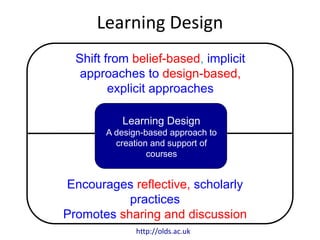
Learning Design
Shift from belief-based, implicit
approaches to design-based,
explicit approaches
Encourages reflective, scholarly
practices
Promotes sharing and discussion
Learning Design
A design-based approach to
creation and support of
courses
http://olds.ac.uk
http://www.larnacadeclaration.org/
• What is Learning Design?
• Teachers need help with making effective design
decisions that are pedagogically based and make
appropriate use of digital technologoies
The 7Cs of Learning Design
Conceptualise
Vision
CommunicateCreate ConsiderCollaborate
Activities
Combine
Synthesis
Consolidate
Implementation
http://www2.le.ac.uk/projects/oer/oers/beyond-distance-research-alliance/7Cs-toolkit
Conceptualise
• Vision for the course,
including:
– Why, who and what you want to
design
– The key principles and
pedagogical approaches
– The nature of the learners
Conceptualise
Course Features
Personas
Course features
• Pedagogical approaches
• Principles
• Guidance and support
• Content and activities
• Reflection and demonstration
• Communication and collaboration
http://cloudworks.ac.uk/cloud/view/5950
Principles
Theory based Practice based Cultural
Aesthetics
Political
International Serendipitous Community based
Sustainable
Professional
Pedagogical
approaches
Inquiry based Problem based Case based
Dialogic
Situative
Vicarious Didactic Authentic
Constructivist
Collaborative
Guidance &
Support
Learning pathway Mentoring Peer support
Scaffolded
Study skills
Tutor directed Help desk Remedial support
Library support
Step by step
Content &
Activities
Brainstorming Concept mapping Annotation
Assimilative
Jigsaw
Aggregating
resources
Learner generated
content
Information
handling
Pyramid
Modeling
Reflection &
Demonstration
Diagnostic E-Assessment E-Portfolio
Formative
Summative
Peer feedback Vicarious Presentation
Reflective
Feed forward
Communication &
Collaboration
Structured debate Flash debate Group project
Group
aggregation
Group
presentation
Pair debate For/Against debate
Question &
Answer
Group project
Peer critique
Capture
• Finding and creating
interactive materials
– Undertaking a resource audit of
existing OER
– Planning for creation of
additional multimedia such as
interactive materials, podcasts
and videos
– Mechanism for enabling
learners to create their own
content
Capture
Resource Audit
Learner Generate
Content
Communicate
• Designing activities that foster
communication, such as:
– Looking at the affordances of
the use of different tools to
promote communication
– Designing for effective online
moderating
Communicate
Affordances
E-moderating
Collaborate
• Designing activities that foster
collaboration, such as:
– Looking at the affordances of
the use of different tools to
promote collaboration
– Using CSCL (collaborative)
Pedagogical Patterns such as
JIGSAW, Pyramid, etc.
Collaborate
Affordances
CSCL Ped.
Patterns
Consider
• Designing activities that foster
reflection
• Mapping Learning Outcomes
(LOs) to assessment
• Designing assessment
activities, including
– Diagnostic, formative,
summative assessment and
peer assessment
Collaborate
LOs/Assessment
Assessment
Ped. Patterns
Combine
• Combining the learning activities
into the following:
– Course View which provides a
holistic overview of the nature of
the course
– Activity profile showing the
amount of time learners are
spending on different types of
activities
– Storyboard: a temporal sequence
of activities mapped to resources
and tools
– Learning pathway: a temporal
sequence of the learning designs
Combine
Course View
Activity Profile
Storyboard
Learning Pathway
Consolidate
• Putting the completed design
into practice
– Implementation: in the classroom,
through a VLE or using a
specialised Learning Design tool
– Evaluation of the effectiveness of
the design
– Refinement based on the
evaluation findings
– Sharing with peers through social
media and specialised sites like
Cloudworks
Combine
Implementation
evaluation
Refinement
Sharing
The broader context:
The Larnaca Declaration
http://larnacadeclaration.org
The broader context: Integrated
Learning Design Environment (ILDE)
http://ilde.upf.edu/
Summary
• 7Cs – a new learning design framework.
– involves a range of conceptual representations of
courses
– evaluation indicates that the framework is
welcomed and that the conceptual designs enable
teachers to rethink their design practice to create
more engaging learning interventions for their
learners
– can also be used with learners, to give them an
indication of the nature of the courses they are
undertaking
A1: How to ruin a course
• List the ten ways in which technologies can
ruin a course
• Consider strategies to avoid these issues
Purpose: To consider the ways in which technologies can ruin a course
and creation of strategies to avoid these problems
E-tivity Rubric: hhttp://tinyurl.com/m3x32se
A2: Course Features
E-tivity Rubric: http://goo.gl/CRpc5
Purpose: To consider the features you want to include in your
module/course, which will determine not only the look and feel of the
course, but also the nature of the learners’ experience.
A3: Resource audit
• E-tivity Rubric: http://goo.gl/C31yv
Purpose: To identify which free resources (Open Educational Resources) to
include in your course/module, how much they need adapting and which
new resources you need to create.
A4: Course Map
E-tivity Rubric:http://goo.gl/Z5eu7
Purpose: To start mapping out your module/course, including your plans for
guidance and support, content and the learner experience, reflection and
demonstration, and communication and collaboration.
A5: Activity Profile
• E-tivity Rubric: http://goo.gl/WMIzu
Purpose: To consider the balance of activity types that will be
included in your module/course.
Activity Profile Flash Widget
A6: Constructive alignment
Purpose: To consider the balance of activity types that will be
included in your module/course.
• Three aspects:
– Define the learning outcomes
– Select learning and teaching
activities likely to enable the
students to attain the
outcomes
– Assess the students'
outcomes and grade the
students learning
Constructive alignment
• Learners construct meaning from what they
do
• The teacher aligns the planned learning
activities with the learning outcomes
Biggs, 1999
Assessment
• Key driver for learning
• Four types
– Diagnostic
– Formative (tutor)
– Formative (peer)
– Summative
Viewpoints assessment cards
• Clarify good
performance
• Encourage time and
effort on task
• Deliver high quality
feedback
• Provide opportunities to
act on feedback
Viewpoints assessment cards
• Encourage interaction
and dialogue
• Develop self-assessment
and reflection
• Give assessment choice
• Encourage positive
motivational beliefs
• Inform and shape your
teaching
E-assessment
• Computer-marked
assessment for
Interactive feedback
• Reflective blogs
• E-portfolios
• Peer dialogue and
critique
• Personalisation of
learning
Effective practice with e-assessment
A7: Storyboard
E-tivity Rubric: http://goo.gl/z1VON
Purpose: To develop a storyboard for your module/course in which
the learning outcomes are aligned with the assessment events, topics
(contents) and e-tivities.
Start End
Learning
Outcomes
LO1
LO2
LO3
LO4
Assessment LO1
LO2 LO3 LO4
Week 1
Topic 1
Week 2
Topic 2
Week 3
Topic 3
Week 4
Topic 4
A8: Rubrics for evaluation
Purpose: To devise a set of criteria for evaluating the success of the
design in a real learning context
• Brainstorming some criteria to evaluate the
success of the design in a real learning context
• Try and focus on measurable/observable things
• Think about what data collection you might use –
classroom observation, surveys, interviews
• Post its: Things I liked, room for improvement,
etc.
• Use the LTDI Evaluation Cookbook
– http://www.icbl.hw.ac.uk/ltdi/cookbook/
http://www.le.ac.uk/ili
http://www.slideshare.net/GrainneConole
grainne.conole@le.ac.uk
http://e4innovation.com
@gconole
• OULDI website
http://www.open.ac.uk/blogs/OULDI/
• Carpe Diem website
http://www.le.ac.uk/carpediem
• 7Cs OER page
http://www2.le.ac.uk/projects/oer/oers/beyond-
distance-research-alliance/7cs-workshop-resources
• Cloudworks http://cloudworks.ac.uk/
Useful sites and resources

Conole learning design

  • 1.
    Strategies for designingand evaluating effective learning activities Gráinne Conole National Teaching Fellow 2012 Ascilite fellow 2012EDEN fellow 2013
  • 2.
    Outline • The importanceof e-learning • E-learning timeline and emergent technologies • E-Pedagogies • Social media • What is good learning? • The 7Cs of Learning Design – Designing Courses – Evaluating Courses
  • 3.
  • 4.
  • 5.
    Barriers to adoption •Lack of digital literacy skills • No reward for teaching • Competition from other providers • Scaling innovation • Democratisation
  • 6.
    The importance ofe-learning • For learning – Potential to support interaction, communication and collaboration – Developing digital literacy skills – Promoting different pedagogical approaches – Fostering creativity and innovation – Connecting students beyond the formal course • For life – Preparing students for an uncertain future – Improving employability opportunities – Increased importance of technology in society
  • 7.
  • 8.
    Facilitating learning • Guidanceand support • Content and activities • Communication and collaboration • Reflection and demonstration Learner centred
  • 9.
    Formal Informal Individual Social Blended courses DL+social media Trad. campus courses DL courses OER xMOOCs OER + Social media cMOOCs APEL ePortforlios OERu Badges Formal/informal landscape
  • 10.
    A Constructivist Building on prior knowledge Task-orientated Situative Learningthrough social interaction Learning in context Connectivist Learning in a networked environment E-pedagogies Mayes & De Freitas, 2004 Conole 2010 E-training Drill & practice Inquiry learning Collective intelligence Resource-based Experiential, Problem-based Role play Reflective & dialogic learning, Personalised learning Associative Focus on individual Learning through association and reinforcement
  • 11.
  • 12.
    Pedagogical approaches Socialmedia tools and approaches Personalised learning The ability to adapt, customised and personalise. Mix and match of tools, use of RSS feeds and filters Situated learning, experiential learning, problem-based learning, scenario-based learning, role play Use of location-aware functionality, immersive 3D-worlds,connection with peers and experts via social networking tools, scenario-based and authentic tasks in virtual worlds, application of gaming technologies for educational purposes Inquiry-based learning, resource-based learning Tools to support user-generated content and facilitating easy sharing/discussion, media repositories (Flickr, YouTube, and SlideShare), social bookmarking sites (Delicious), digital repositories and tools for content generation, use of search engines, participation in distributed virtual communities, use of folksonomies and social book marking as mechanisms for finding and organising resources
  • 13.
    Pedagogical approaches Socialmedia tools and approaches Reflective and dialogic learning, peer learning Tools for fostering peer reflection such as blogs and e-portfolios, commenting on other learners’ blog posts, co-creation of learning artefacts in wikis Communities of Practice Use of social networking tools to participate in communities of learning and/or teaching Scholarly practice and the sharing of designs and good practice Use of Web 2.0 technologies to participate in a distributed network of educators and researchers. Use of blogs, Twitter and wikis to co- create knowledge and understanding, to critique practice, and to share professional practice and resources
  • 14.
    Activity: What’s yourdigital network? http://www.flickr.com/photos/factoryjoe/195492568/
  • 15.
  • 16.
    Useful sites • Youmight like to explore the following sites – The EDUCAUSE 7 Things you should know about… (pick on technology and list the main things you like) – The AUTC Learning Design site (pick one design and list the main things you like) – The CommonCraft videos (pick one technology and list the main things you like) http://cloudworks.ac.uk/cloud/view/8805
  • 17.
    Outline • An overviewof Learning Design • Activities – A1: How to ruin a course – A2: Course Features – A3: Resource audit – A4: Course Map – A5: Activity Profile – A6 Constructive alignment – A7: Story board – A8: Evaluation Rubric • Evaluation
  • 18.
    The promise andthe reality New forms of interaction, communication and collaboration. Lots of free resources Not fully exploited Bad pedagogies Teachers don’t have the time or the skills https://www.alt.ac.uk/sites/alt.ac.uk/files/public/ALTsurvey%20for%20ETAG%202014.pdf
  • 19.
    What is learningdesign? (1) Guidance https://www.flickr.com/photos/anonymouscollective/1899303123
  • 20.
    What is learningdesign? (2) https://www.flickr.com/photos/frawemedia/5187769740
  • 21.
    What is learningdesign? (3) https://www.flickr.com/photos/10075621@N06/3810402230 Sharing
  • 22.
    Learning Design Shift frombelief-based, implicit approaches to design-based, explicit approaches Encourages reflective, scholarly practices Promotes sharing and discussion Learning Design A design-based approach to creation and support of courses http://olds.ac.uk
  • 23.
    http://www.larnacadeclaration.org/ • What isLearning Design? • Teachers need help with making effective design decisions that are pedagogically based and make appropriate use of digital technologoies
  • 24.
    The 7Cs ofLearning Design Conceptualise Vision CommunicateCreate ConsiderCollaborate Activities Combine Synthesis Consolidate Implementation http://www2.le.ac.uk/projects/oer/oers/beyond-distance-research-alliance/7Cs-toolkit
  • 25.
    Conceptualise • Vision forthe course, including: – Why, who and what you want to design – The key principles and pedagogical approaches – The nature of the learners Conceptualise Course Features Personas
  • 26.
    Course features • Pedagogicalapproaches • Principles • Guidance and support • Content and activities • Reflection and demonstration • Communication and collaboration http://cloudworks.ac.uk/cloud/view/5950
  • 27.
    Principles Theory based Practicebased Cultural Aesthetics Political International Serendipitous Community based Sustainable Professional
  • 28.
    Pedagogical approaches Inquiry based Problembased Case based Dialogic Situative Vicarious Didactic Authentic Constructivist Collaborative
  • 29.
    Guidance & Support Learning pathwayMentoring Peer support Scaffolded Study skills Tutor directed Help desk Remedial support Library support Step by step
  • 30.
    Content & Activities Brainstorming Conceptmapping Annotation Assimilative Jigsaw Aggregating resources Learner generated content Information handling Pyramid Modeling
  • 31.
    Reflection & Demonstration Diagnostic E-AssessmentE-Portfolio Formative Summative Peer feedback Vicarious Presentation Reflective Feed forward
  • 32.
    Communication & Collaboration Structured debateFlash debate Group project Group aggregation Group presentation Pair debate For/Against debate Question & Answer Group project Peer critique
  • 33.
    Capture • Finding andcreating interactive materials – Undertaking a resource audit of existing OER – Planning for creation of additional multimedia such as interactive materials, podcasts and videos – Mechanism for enabling learners to create their own content Capture Resource Audit Learner Generate Content
  • 34.
    Communicate • Designing activitiesthat foster communication, such as: – Looking at the affordances of the use of different tools to promote communication – Designing for effective online moderating Communicate Affordances E-moderating
  • 35.
    Collaborate • Designing activitiesthat foster collaboration, such as: – Looking at the affordances of the use of different tools to promote collaboration – Using CSCL (collaborative) Pedagogical Patterns such as JIGSAW, Pyramid, etc. Collaborate Affordances CSCL Ped. Patterns
  • 36.
    Consider • Designing activitiesthat foster reflection • Mapping Learning Outcomes (LOs) to assessment • Designing assessment activities, including – Diagnostic, formative, summative assessment and peer assessment Collaborate LOs/Assessment Assessment Ped. Patterns
  • 37.
    Combine • Combining thelearning activities into the following: – Course View which provides a holistic overview of the nature of the course – Activity profile showing the amount of time learners are spending on different types of activities – Storyboard: a temporal sequence of activities mapped to resources and tools – Learning pathway: a temporal sequence of the learning designs Combine Course View Activity Profile Storyboard Learning Pathway
  • 38.
    Consolidate • Putting thecompleted design into practice – Implementation: in the classroom, through a VLE or using a specialised Learning Design tool – Evaluation of the effectiveness of the design – Refinement based on the evaluation findings – Sharing with peers through social media and specialised sites like Cloudworks Combine Implementation evaluation Refinement Sharing
  • 39.
    The broader context: TheLarnaca Declaration http://larnacadeclaration.org
  • 40.
    The broader context:Integrated Learning Design Environment (ILDE) http://ilde.upf.edu/
  • 41.
    Summary • 7Cs –a new learning design framework. – involves a range of conceptual representations of courses – evaluation indicates that the framework is welcomed and that the conceptual designs enable teachers to rethink their design practice to create more engaging learning interventions for their learners – can also be used with learners, to give them an indication of the nature of the courses they are undertaking
  • 42.
    A1: How toruin a course • List the ten ways in which technologies can ruin a course • Consider strategies to avoid these issues Purpose: To consider the ways in which technologies can ruin a course and creation of strategies to avoid these problems E-tivity Rubric: hhttp://tinyurl.com/m3x32se
  • 43.
    A2: Course Features E-tivityRubric: http://goo.gl/CRpc5 Purpose: To consider the features you want to include in your module/course, which will determine not only the look and feel of the course, but also the nature of the learners’ experience.
  • 44.
    A3: Resource audit •E-tivity Rubric: http://goo.gl/C31yv Purpose: To identify which free resources (Open Educational Resources) to include in your course/module, how much they need adapting and which new resources you need to create.
  • 45.
    A4: Course Map E-tivityRubric:http://goo.gl/Z5eu7 Purpose: To start mapping out your module/course, including your plans for guidance and support, content and the learner experience, reflection and demonstration, and communication and collaboration.
  • 46.
    A5: Activity Profile •E-tivity Rubric: http://goo.gl/WMIzu Purpose: To consider the balance of activity types that will be included in your module/course. Activity Profile Flash Widget
  • 47.
    A6: Constructive alignment Purpose:To consider the balance of activity types that will be included in your module/course. • Three aspects: – Define the learning outcomes – Select learning and teaching activities likely to enable the students to attain the outcomes – Assess the students' outcomes and grade the students learning
  • 48.
    Constructive alignment • Learnersconstruct meaning from what they do • The teacher aligns the planned learning activities with the learning outcomes Biggs, 1999
  • 50.
    Assessment • Key driverfor learning • Four types – Diagnostic – Formative (tutor) – Formative (peer) – Summative
  • 51.
    Viewpoints assessment cards •Clarify good performance • Encourage time and effort on task • Deliver high quality feedback • Provide opportunities to act on feedback
  • 52.
    Viewpoints assessment cards •Encourage interaction and dialogue • Develop self-assessment and reflection • Give assessment choice • Encourage positive motivational beliefs • Inform and shape your teaching
  • 53.
    E-assessment • Computer-marked assessment for Interactivefeedback • Reflective blogs • E-portfolios • Peer dialogue and critique • Personalisation of learning Effective practice with e-assessment
  • 54.
    A7: Storyboard E-tivity Rubric:http://goo.gl/z1VON Purpose: To develop a storyboard for your module/course in which the learning outcomes are aligned with the assessment events, topics (contents) and e-tivities.
  • 55.
    Start End Learning Outcomes LO1 LO2 LO3 LO4 Assessment LO1 LO2LO3 LO4 Week 1 Topic 1 Week 2 Topic 2 Week 3 Topic 3 Week 4 Topic 4
  • 56.
    A8: Rubrics forevaluation Purpose: To devise a set of criteria for evaluating the success of the design in a real learning context • Brainstorming some criteria to evaluate the success of the design in a real learning context • Try and focus on measurable/observable things • Think about what data collection you might use – classroom observation, surveys, interviews • Post its: Things I liked, room for improvement, etc. • Use the LTDI Evaluation Cookbook – http://www.icbl.hw.ac.uk/ltdi/cookbook/
  • 57.
  • 58.
    • OULDI website http://www.open.ac.uk/blogs/OULDI/ •Carpe Diem website http://www.le.ac.uk/carpediem • 7Cs OER page http://www2.le.ac.uk/projects/oer/oers/beyond- distance-research-alliance/7cs-workshop-resources • Cloudworks http://cloudworks.ac.uk/ Useful sites and resources

Editor's Notes