The 7Cs of learning design

Gráinne Conole, Leicester University
          24thApril 2012
      Copenhagen, Denmark
Promise and reality

Social and
participatory media
offer new ways to
communicate and
collaborate           Not fully exploited

Wealth of free        Replicating bad pedagogy
resources and tools
                      Lack of time and skills
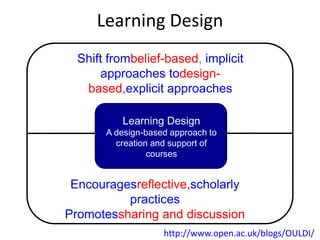
Learning Design
  Shift frombelief-based, implicit
       approaches todesign-
   based,explicit approaches

          Learning Design
       A design-based approach to
         creation and support of
                 courses


 Encouragesreflective,scholarly
          practices
Promotessharing and discussion
                    http://www.open.ac.uk/blogs/OULDI/
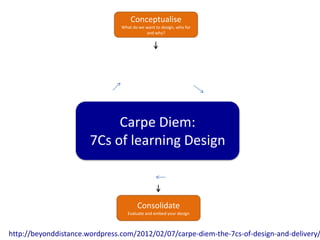
Conceptualise
                                What do we want to design, who for
                                           and why?


                            Carpe Diem:
                       7Cs of learning Design


                                       Consolidate
                                   Evaluate and embed your design


http://beyonddistance.wordpress.com/2012/02/07/carpe-diem-the-7cs-of-design-and-delivery/
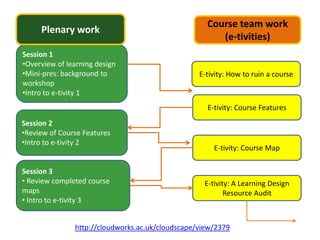
Course team work
     Plenary work
                                                       (e-tivities)
Session 1
•Overview of learning design
•Mini-pres: background to                         E-tivity: How to ruin a course
workshop
•Intro to e-tivity 1
                                                    E-tivity: Course Features
Session 2
•Review of Course Features
•Intro to e-tivity 2
                                                      E-tivity: Course Map

Session 3
• Review completed course                          E-tivity: A Learning Design
maps                                                      Resource Audit
• Intro to e-tivity 3


               http://cloudworks.ac.uk/cloudscape/view/2379
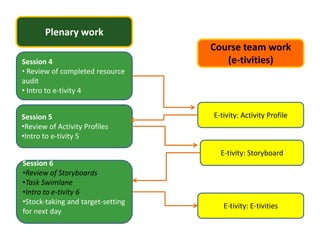
Plenary work
                                   Course team work
Session 4                             (e-tivities)
• Review of completed resource
audit
• Intro to e-tivity 4


Session 5                          E-tivity: Activity Profile
•Review of Activity Profiles
•Intro to e-tivity 5

                                     E-tivity: Storyboard
Session 6
•Review of Storyboards
•Task Swimlane
•Intro to e-tivity 6
•Stock-taking and target-setting
                                      E-tivity: E-tivities
for next day
Background to the workshop
• Useful sites and resources
  – OULDI website
  – Carpe Diem website
  – 7Cs OER page
  – Cloudworks cloudscape
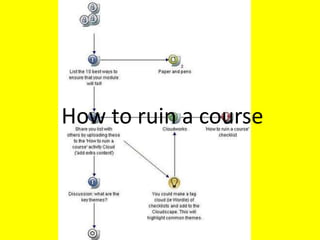
How to ruin a course
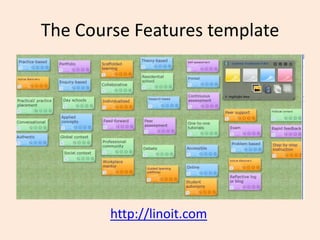
The Course Features template


        http://linoit.com
Course Features resources
• http://tinyurl.com/coursefeatures
• http://tinyurl.com/coursefeatures-Excel
• http://linoit.com
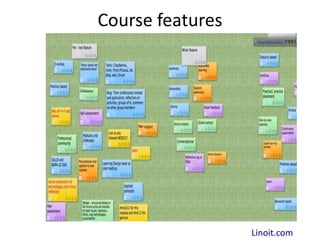
Course features


                  Linoit.com
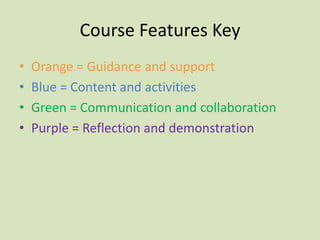
Course Features Key
•   Orange = Guidance and support
•   Blue = Content and activities
•   Green = Communication and collaboration
•   Purple = Reflection and demonstration
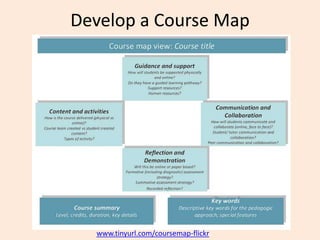
Develop a Course Map


  www.tinyurl.com/coursemap-flickr
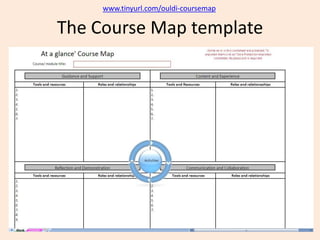
www.tinyurl.com/ouldi-coursemap

The Course Map template
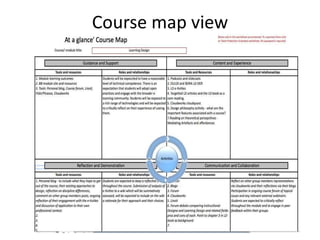
Course map view
Course Map resources
• www.tinyurl.com/coursemap-cloudworks
• www.tinyurl.com/ouldi-coursemap
• www.tinyurl.com/coursemap-ds
• www.tinyurl.com/coursemap-flickr
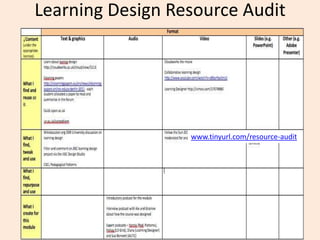
Learning Design Resource Audit


                  www.tinyurl.com/resource-audit
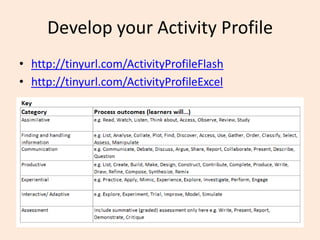
Develop your Activity Profile
• http://tinyurl.com/ActivityProfileFlash
• http://tinyurl.com/ActivityProfileExcel
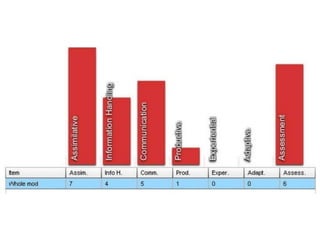
Activity Profile Resources
• www.cloudworks.ac.uk/cloud/view/3420
• www.tinyurl.com/activity-profile-ds
• www.tinyurl.com/ActivityProfileFlash
• www.tinyurl.com/ActivityProfileExcel
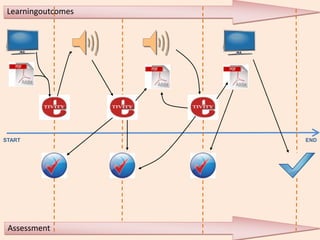
Learningoutcomes


START               END


 Assessment
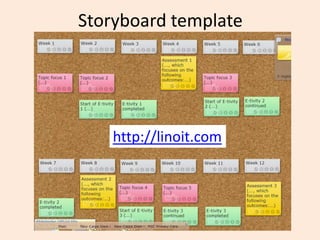
Storyboard template


    http://linoit.com
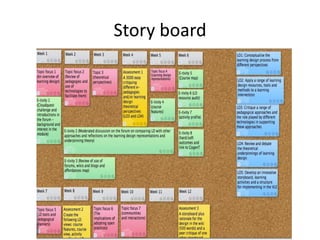
Story board
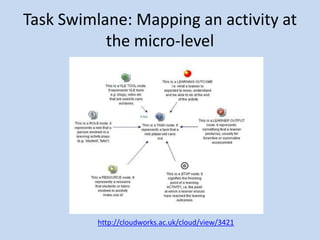
Task Swimlane: Mapping an activity at
           the micro-level


          http://cloudworks.ac.uk/cloud/view/3421
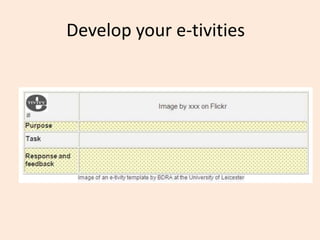
Develop your e-tivities
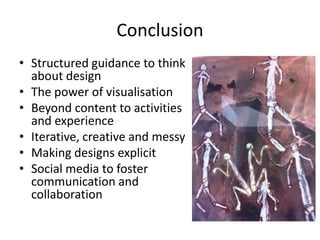
Conclusion
• Structured guidance to think
  about design
• The power of visualisation
• Beyond content to activities
  and experience
• Iterative, creative and messy
• Making designs explicit
• Social media to foster
  communication and
  collaboration
http://cloudworks.ac.uk/cloudscape/view/2406
                               http://www.ld-grid.org/
Conole, G. (forthcoming), Designing for learning in an open world, New York: Springer
                            Chapters available on dropbox
                              grainne.conole@le.ac.uk

Conole learning design_final

  • 1.
    The 7Cs oflearning design Gráinne Conole, Leicester University 24thApril 2012 Copenhagen, Denmark
  • 2.
    Promise and reality Socialand participatory media offer new ways to communicate and collaborate Not fully exploited Wealth of free Replicating bad pedagogy resources and tools Lack of time and skills
  • 3.
    Learning Design Shift frombelief-based, implicit approaches todesign- based,explicit approaches Learning Design A design-based approach to creation and support of courses Encouragesreflective,scholarly practices Promotessharing and discussion http://www.open.ac.uk/blogs/OULDI/
  • 4.
    Conceptualise What do we want to design, who for and why? Carpe Diem: 7Cs of learning Design Consolidate Evaluate and embed your design http://beyonddistance.wordpress.com/2012/02/07/carpe-diem-the-7cs-of-design-and-delivery/
  • 5.
    Course team work Plenary work (e-tivities) Session 1 •Overview of learning design •Mini-pres: background to E-tivity: How to ruin a course workshop •Intro to e-tivity 1 E-tivity: Course Features Session 2 •Review of Course Features •Intro to e-tivity 2 E-tivity: Course Map Session 3 • Review completed course E-tivity: A Learning Design maps Resource Audit • Intro to e-tivity 3 http://cloudworks.ac.uk/cloudscape/view/2379
  • 6.
    Plenary work Course team work Session 4 (e-tivities) • Review of completed resource audit • Intro to e-tivity 4 Session 5 E-tivity: Activity Profile •Review of Activity Profiles •Intro to e-tivity 5 E-tivity: Storyboard Session 6 •Review of Storyboards •Task Swimlane •Intro to e-tivity 6 •Stock-taking and target-setting E-tivity: E-tivities for next day
  • 7.
    Background to theworkshop • Useful sites and resources – OULDI website – Carpe Diem website – 7Cs OER page – Cloudworks cloudscape
  • 8.
    How to ruina course
  • 9.
    The Course Featurestemplate http://linoit.com
  • 10.
    Course Features resources •http://tinyurl.com/coursefeatures • http://tinyurl.com/coursefeatures-Excel • http://linoit.com
  • 11.
    Course features Linoit.com
  • 12.
    Course Features Key • Orange = Guidance and support • Blue = Content and activities • Green = Communication and collaboration • Purple = Reflection and demonstration
  • 13.
    Develop a CourseMap www.tinyurl.com/coursemap-flickr
  • 14.
  • 15.
  • 16.
    Course Map resources •www.tinyurl.com/coursemap-cloudworks • www.tinyurl.com/ouldi-coursemap • www.tinyurl.com/coursemap-ds • www.tinyurl.com/coursemap-flickr
  • 17.
    Learning Design ResourceAudit www.tinyurl.com/resource-audit
  • 18.
    Develop your ActivityProfile • http://tinyurl.com/ActivityProfileFlash • http://tinyurl.com/ActivityProfileExcel
  • 20.
    Activity Profile Resources •www.cloudworks.ac.uk/cloud/view/3420 • www.tinyurl.com/activity-profile-ds • www.tinyurl.com/ActivityProfileFlash • www.tinyurl.com/ActivityProfileExcel
  • 21.
  • 22.
    Storyboard template http://linoit.com
  • 23.
  • 24.
    Task Swimlane: Mappingan activity at the micro-level http://cloudworks.ac.uk/cloud/view/3421
  • 25.
  • 26.
    Conclusion • Structured guidanceto think about design • The power of visualisation • Beyond content to activities and experience • Iterative, creative and messy • Making designs explicit • Social media to foster communication and collaboration
  • 27.
    http://cloudworks.ac.uk/cloudscape/view/2406 http://www.ld-grid.org/ Conole, G. (forthcoming), Designing for learning in an open world, New York: Springer Chapters available on dropbox grainne.conole@le.ac.uk

Editor's Notes

  • #6 http://cloudworks.ac.uk/cloudscape/view/2379 –Cloudscape for the SAIDE workshop
  • #8 Add all the URLs here
  • #9 For participants to fill in – silent brainstorm.
  • #13 First askparticipants to guesswhat the colours represent. (See previous slide.)
  • #14 Include link to Course Map in Excel
  • #15 Include link to Course Map in Excel
  • #16 Include link to Course Map in Excel