Social Network for Learning
Eng Ahmed Fekry
Course Outlines
• What is Social Media ?
• What is Social Network?
• Social Networking vs Social Media
• Social Network– Most Popular Sites
• How Effective Using Social Network in Education ?
• Social Network for Higher Education .
• Successful Social Network Model .
• Social Network & blended learning
• Social Network in Education Examples
• Social Network (Tools)
• Tips for using social Network to support learning
• Social Network Best Practice
LMS (Learning Management System )
What is Social Media ?
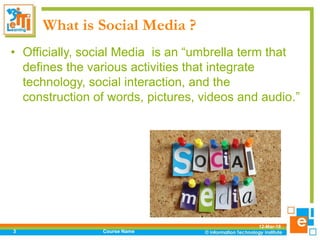
• Officially, social Media is an “umbrella term that
defines the various activities that integrate
technology, social interaction, and the
construction of words, pictures, videos and audio.”
12-Mar-18
Course Name3
What is Social Media ?
12-Mar-18
Course Name4
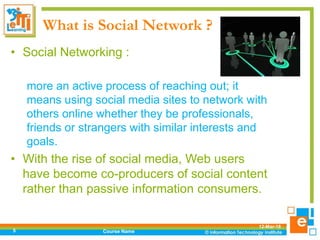
What is Social Network ?
• Social Networking :
more an active process of reaching out; it
means using social media sites to network with
others online whether they be professionals,
friends or strangers with similar interests and
goals.
• With the rise of social media, Web users
have become co-producers of social content
rather than passive information consumers.
12-Mar-18
Course Name5
What is Social Network ?
12-Mar-18
Course Name6
Social Network vs Social Media
• key differences between them :
– By Any Definition
• Social media is a way to transmit, or share
information with a broad audience, while social
networking is an act of engagement.
– Communication Style
• Social media is more to a communication channel.
It's a format that delivers a message, while With
social networking, communication is two-way. Social
networking is about mutual communication
12-Mar-18
Course Name7
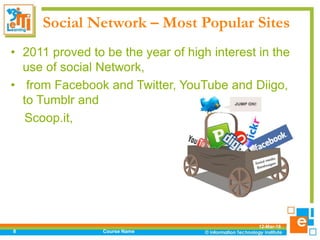
Social Network – Most Popular Sites
• 2011 proved to be the year of high interest in the
use of social Network,
• from Facebook and Twitter, YouTube and Diigo,
to Tumblr and
Scoop.it,
12-Mar-18
Course Name8
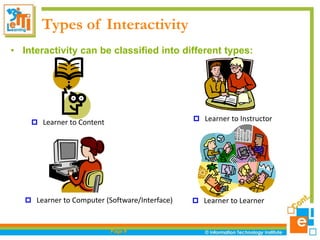
Types of Interactivity
• Interactivity can be classified into different types:
Page 9
 Learner to Content  Learner to Instructor
 Learner to Learner Learner to Computer (Software/Interface)
Social Network In Education
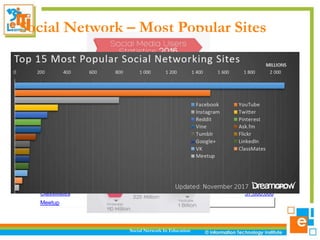
Social Network – Most Popular Sites
Social network Monthly Visitors
Facebook 1,860,000,000
YouTube 1,000,000,000
Instagram 600,000,000
Twitter 313,000,000
Reddit 234,000,000
Vine (In January 2017, The Vine became the
Vine Camera)
200,000,000
Pinterest 150,000,000
Ask.fm 160,000,000
Tumblr 115,000,000
Flickr 112,000,000
Google+ 111,000,000
LinkedIn 106,000,000
VK 90,000,000
ClassMates 57,000,000
Meetup
12-Mar-18
11
Facebook: largest of social networks.
Users can create profiles, businesses can create fan pages to post info,
events, announcements.
Twitter: Info shared through tweets with max 140 characters.
LinkedIn: LinkedIn is most popular with business-to-business users and
those looking for jobs.
Social Network In Education
Social Network – Most Popular Sites
12-Mar-18
12
YouTube: YouTube is the most popular video hosting and sharing
platform.
Bloger: A blog, by definition, is a web blog, where you can post anything
you want.
Social Network In Education
Social Network – Most Popular Sites
Flickr : A popular photo-sharing community.
Social Network has different
meaning to everyone….
• As technology provider:
How can we use social Network for outreach to
parents; enrollment, engagement, of our students?
 What are the policy, security considerations?
• As a Manager:
 How can I use social Network for professional
development in light of budget cuts?
 How do I know my students is not wasting time on
fb/twitter?
12-Mar-18
Course Name13
Social Network has different
meaning to everyone….
As staff advisor/mentor:
How do I connect with students that is not
too intrusive, to understand their
perspectives?
How do I mentor them about the concept of
digital citizenship in the context of social
Network?
12-Mar-18
Course Name14
How Effective Using Social Network in Education
?
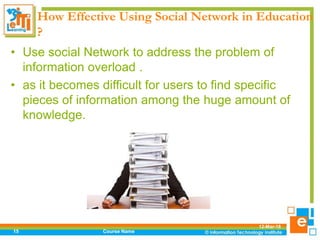
• Use social Network to address the problem of
information overload .
• as it becomes difficult for users to find specific
pieces of information among the huge amount of
knowledge.
12-Mar-18
Course Name15
How Effective Using Social Network in Education
?
• Social Network can also enhance the overall
organizational learning program by supporting the
knowledge transfer and actual behavioral change
after the “formal” learning event has ended.
12-Mar-18
Course Name16
How Effective Using Social Network in Education
?
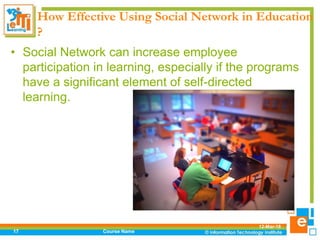
• Social Network can increase employee
participation in learning, especially if the programs
have a significant element of self-directed
learning.
12-Mar-18
Course Name17
How Effective Using Social Network in Education
?
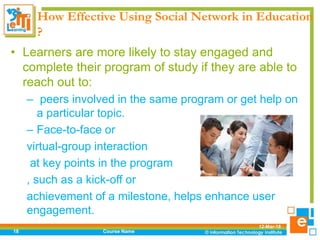
• Learners are more likely to stay engaged and
complete their program of study if they are able to
reach out to:
– peers involved in the same program or get help on
a particular topic.
– Face-to-face or
virtual-group interaction
at key points in the program
, such as a kick-off or
achievement of a milestone, helps enhance user
engagement.
12-Mar-18
Course Name18
How Effective Using Social Network in Education
?
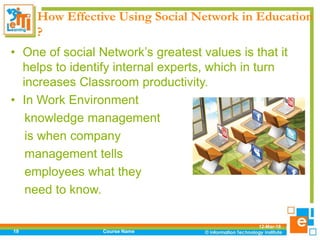
• One of social Network’s greatest values is that it
helps to identify internal experts, which in turn
increases Classroom productivity.
• In Work Environment
knowledge management
is when company
management tells
employees what they
need to know.
12-Mar-18
Course Name19
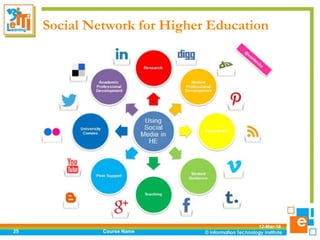
Social Network for Higher Education
• In higher education faculty practice
knowledge management by telling the
students what they need to know.
• Social Network is a method used to show
connections to the content they think is
important.
12-Mar-18
Course Name20
Social Network for Higher Education
• Can social Network be used in higher education to enhance
learning through student and faculty collaboration?
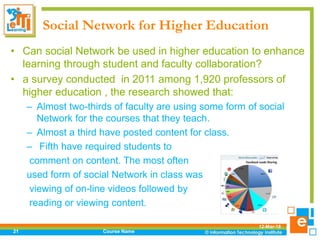
• a survey conducted in 2011 among 1,920 professors of
higher education , the research showed that:
– Almost two-thirds of faculty are using some form of social
Network for the courses that they teach.
– Almost a third have posted content for class.
– Fifth have required students to
comment on content. The most often
used form of social Network in class was
viewing of on-line videos followed by
reading or viewing content.
12-Mar-18
Course Name21
Social Network for Higher Education
• When evaluating specific social websites,:
– 53% of faculty indicated that Facebook has a negative
value in the classroom
– while 46% indicated Twitter has a negative value.
• However, Pearson does hypothesize that the
benefit of using social Network is the potential to
– “transform from pushing content outward to a way of
inviting conversation, of exchanging information…”.
12-Mar-18
Course Name22
Social Network for Higher Education
• A blog by Prof KRG discussed an ethics assignment that
asked students whether teachers/professors should interact
with their students on social Network.
• Most of students supported the use of social Network in
general, but did not support the use of Facebook for class
interactions.
• The positives mentioned for social Network are
adapting to alternative learning styles and it allows for
an extension of classroom discussions.
12-Mar-18
Course Name23
Social Network for Higher Education
• Lau, Higgins, and Mullins examined the effectiveness of
using Farm Town, a game that is integrated into Facebook,
in teaching introductory economics at Texas A & M University
and Sam Houston State University (Lau et. al., 2011).
• The research was conducted to examine student
perceptions of introductory economics knowledge and how
using Farm Town impacted that knowledge.
• In addition, they tested the effectiveness of a free social
Network simulation as a teaching tool such as Virtual Class
room .
12-Mar-18
Course Name24
Social Network for Higher Education
12-Mar-18
Course Name25
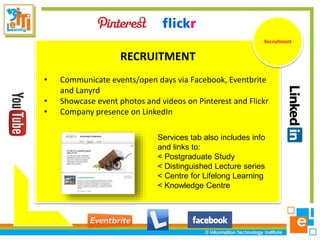
RECRUITMENT
• Communicate events/open days via Facebook, Eventbrite
and Lanyrd
• Showcase event photos and videos on Pinterest and Flickr
• Company presence on LinkedIn
Recruitment
Services tab also includes info
and links to:
< Postgraduate Study
< Distinguished Lecture series
< Centre for Lifelong Learning
< Knowledge Centre
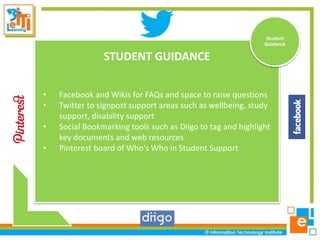
STUDENT GUIDANCE
• Facebook and Wikis for FAQs and space to raise questions
• Twitter to signpost support areas such as wellbeing, study
support, disability support
• Social Bookmarking tools such as Diigo to tag and highlight
key documents and web resources
• Pinterest board of Who's Who in Student Support
ResearchStudent
Guidance
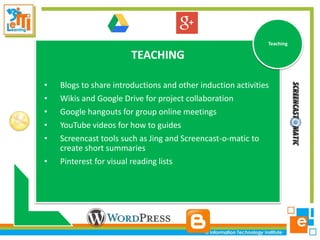
TEACHING
• Blogs to share introductions and other induction activities
• Wikis and Google Drive for project collaboration
• Google hangouts for group online meetings
• YouTube videos for how to guides
• Screencast tools such as Jing and Screencast-o-matic to
create short summaries
• Pinterest for visual reading lists
Research
Teaching
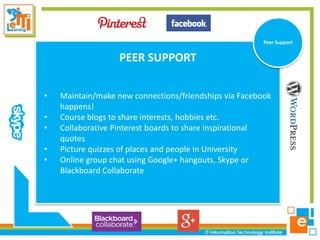
PEER SUPPORT
• Maintain/make new connections/friendships via Facebook
happens!
• Course blogs to share interests, hobbies etc.
• Collaborative Pinterest boards to share inspirational
quotes
• Picture quizzes of places and people in University
• Online group chat using Google+ hangouts, Skype or
Blackboard Collaborate
ResearchPeer Support
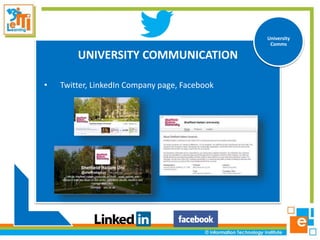
UNIVERSITY COMMUNICATION
• Twitter, LinkedIn Company page, Facebook
ResearchUniversity
Comms
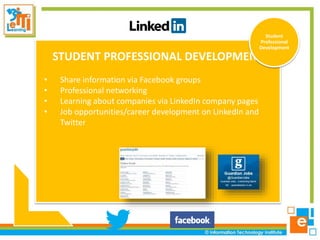
STUDENT PROFESSIONAL DEVELOPMENT
• Share information via Facebook groups
• Professional networking
• Learning about companies via LinkedIn company pages
• Job opportunities/career development on LinkedIn and
Twitter
Student
Professional
Development
ACADEMIC PROFESSIONAL DEVELOPMENT
• Sharing information via Twitter and LinkedIn
• Discussion forums such LinkedIn groups and Google+
communities
• Curation tools to gather resources on specific topics
Academic
Professional
Development
RESEARCH
• Be known as an expert in your field
• Research your project definition, funding and
collaboration
• Share and promote publications: papers, books, articles,
websites, presentations
Research
Social Network for Higher Education
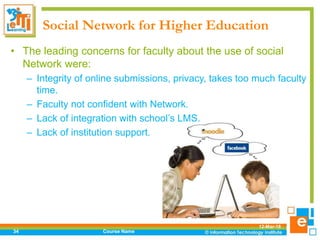
• The leading concerns for faculty about the use of social
Network were:
– Integrity of online submissions, privacy, takes too much faculty
time.
– Faculty not confident with Network.
– Lack of integration with school’s LMS.
– Lack of institution support.
12-Mar-18
Course Name34
Social Network for Higher Education
• StudentAdvisor – Top 100 Social Media Colleges
• http://www.studentadvisor.com/top-100-social-media-colleges
• #1 – Harvard University
• Posterous - http://harvardsocial.posterous.com/
• Facebook - https://www.facebook.com/Harvard
• YouTube - http://www.youtube.com/user/Harvard
• iTunes - http://itunes.harvard.edu/
• Twitter - http://twitter.com/#!/Harvard
• Foursquare - https://foursquare.com/harvard
• Social Media Group - http://abcd-socialmedia.scribo.harvard.edu/
12-Mar-18
Course Name35
Social Network for Higher Education
• Universities admissions offices are using social
Network
• In 2009, 87% of admissions departments use social networking
(i.e., Facebook)
• 59% have a Twitter account
• Many schools have fully used social Network
– http://socialmedia.tufts.edu
– http://socialmedia.ucsd.edu
•
12-Mar-18
Course Name36
Successful Social Network Model
• There are three elements required for success:
– Technology platform
– Vibrant community
– Great content.
12-Mar-18
Course Name37
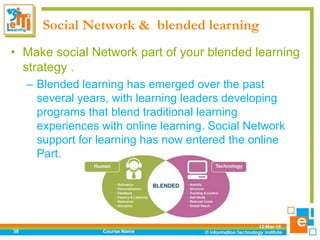
Social Network & blended learning
• Make social Network part of your blended learning
strategy .
– Blended learning has emerged over the past
several years, with learning leaders developing
programs that blend traditional learning
experiences with online learning. Social Network
support for learning has now entered the online
Part.
12-Mar-18
Course Name38
Why social Network Can be used as
learning tools?
• Free (Ad-supported)
• Cross-platform (& mobile)
• Discussion Forums
• Embed audio/video
• Expandable with Apps
• Integrates with any website/web page
• Millions of users
• More visitors than Google.com in 2010
12-Mar-18
Course Name39
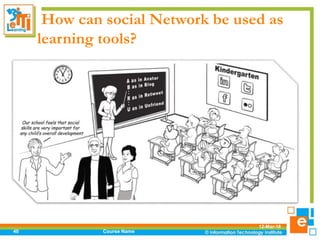
How can social Network be used as
learning tools?
12-Mar-18
Course Name40
Social Network in Education Examples
12-Mar-18
Course Name41
• Blogging
“Blogs are great for learning from others, story
sharing, facilitating connections among people,”
– Janice Petosky, Instructional designer,West
Chester, Pennsylvania
Social Network in Education Examples
12-Mar-18
Course Name42
• Blogging
“Writing a blog is a learning activity, of
course, but reading the best blogs that are
available is one of my most productive learning
experiences.”
– Jerome Martin, Book publisher, photographer and
a musician from Canada.
Social Network in Education Examples
12-Mar-18
Course Name43
• Blogging
“Blogs are obviously great ways to consolidate
personal learning, but as it is such a great CMS I
think that it lends itself exceptionally well to
broadcasting content of a non-blog nature.
Dan Roddy, eLearning Designer, UK
Social Network in Education Examples
12-Mar-18
Course Name44
• Blogging
“While everyone seems to get the blog thing now,, at
its root, it really is: a very quick web page creator. It
can be a place to list assignments, a site for student
interaction and discussion, and even a location for
structuring and hosting an entire course.
Jane Bozarth, E-learning Coordinator for the North
Carolina, USA, Office of State Personnel
Social Network in Education Examples
12-Mar-18
Course Name45
• Blogging
“Blogging has become a key medium for self-directed
learning.”
Patrick Mayfield, head of training and consultancy
company, UK
Social Network in Education Examples
12-Mar-18
Course Name46
• Blogging
“I manage class discussions out of class and provide
additional information here following classes that
students find difficult; if I am absent, this is where I
can teach “remote class”.”
Sarah Davis, Associate Dean at the College of
Charleston in Charleston, SC
Social Network in Education Examples
12-Mar-18
Course Name47
• Collaborative calendaring
“One of the main reasons I like Google Calendar is
that it was easy to embed into my website. I put all
the student assignments and other events on the
calendar. Color coding allows a quick visual cue so
that students (and parents) can easily distinguish
scheduled quizzes and tests, daily assignments, and
other events.”
Don Simmons, Middle School teacher, Texas, US
Social Network in Education Examples
12-Mar-18
Course Name48
• Collaborative calendaring
“Google Calendar is my diary and lesson
planner” Richard Allaway, Head of Geography,
International School
Social Network in Education Examples
12-Mar-18
Social Network In Education49
• Podcasting
– Udacity
Social Network in Education Examples
12-Mar-18
Social Network In Education50
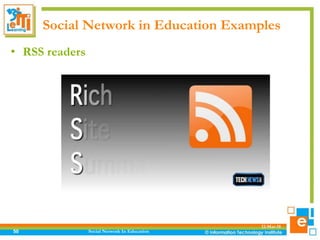
• RSS readers
Social Network in Education Examples
12-Mar-18
Course Name51
• RSS readers
“Google Reader -” which I’ve added to Blog lines as
one of my RSS aggregators, using each for different
collections. Both are essential for my ongoing
learning about what’s happening and what’s available
on the web.” Joan Vinall-Cox, social Network and
communications consultant, Canada
Social Network in Education Examples
12-Mar-18
Course Name52
• Collaborative Mind mapping
bubblus – “Mind mapping is useful when working
with vocabulary as well as when flowcharting work or
creating a graphic organizer for writing assignments.”
Mary Howard, Sixth grade teacher in Grand Island,
New York
Social Network in Education Examples
12-Mar-18
Course Name53
• Collaborative Mind mapping
Mindmeister – “I’ve been really getting into this
collaborative mindmapping tool. Recently created a
collaborative mindmap as the basis for discussions in
a conference session. People from round the world
contributed and on the day delegates worked on it in
real time.”
Rob Hubbard, creative elearning architect, UK
Social Network in Education Examples
12-Mar-18
Social Network In Education54
• Micro-blogging/micro-sharing
– Twitter
– Tumblr.
Social Network in Education Examples
12-Mar-18
Course Name55
• Micro-blogging/micro-sharing
“I use Twitter as a Personal Learning Network. I
share daily information on resources and tools that I
have found, and I select networks of people to follow
that provide me with their tips, guidelines and tools
that they have found.”
Mary Howard, Sixth grade teacher in Grand Island,
New York
Audience Survey
How many of you:
• Have a Twitter account?
• Check Twitter multiple times per day?
• Access Twitter from a smartphone?
• Use Twitter as an educational platform?
• Are checking Twitter right now?
12-Mar-18
Course Name56
Social Network in Education Examples
12-Mar-18
Social Network In Education57
• Photo sharing
– Flicker
– Instagram
– Pinterest
Social Network in Education Examples
12-Mar-18
Course Name58
• Photo sharing
“I have always loved Flickr for sharing photographs,
but find the advanced search option of only displaying
Creative Commons licensed photos very helpful in
creating material for my blog or classes.”
Britt Wattwood, Online learning specialist at Virginia
Commonwealth University’s Center for Teaching
Excellence in Richmond VA.
Social Network in Education Examples
12-Mar-18
Social Network In Education59
• Screencast sharing
– Jing
Social Network in Education Examples
12-Mar-18
Course Name60
• Screencast sharing
Jing - “I use it to record quick “just in time”
screencasts showing people how to accomplish
specific web tasks, like organizing a wiki or signing up
for a blog account. Much easier and more effective
than trying to coach through email or over the
phone.”
Michele Martin, Freelance Learning Consultant,
USA
Social Network in Education Examples
12-Mar-18
Social Network In Education61
• Event Sharing
– Eventbrite
– Lanyrd
Social Network in Education Examples
12-Mar-18
Social Network In Education62
• Presentation sharing
– Slidshare
– Prezi
Social Network in Education Examples
12-Mar-18
Course Name63
• Presentation sharing
Slideshare – “This is a great way to share student
work on a webspace”.
Mary Howard, Sixth grade teacher in Grand Island,
New York
Social Network in Education Examples
12-Mar-18
Course Name64
• Presentation sharing
• “Prezi allows us to communicate design ideas
with our clients in a highly engaging and dynamic
way, liberating interesting conversations from the
boredom of one-way presentations.”
• — Randy Howder, Design Strategist, Gensler
Social Network in Education Examples
12-Mar-18
Course Name65
• Video sharing
YouTube – “Video student presentations and upload
for the student’s themselves to assess their work.
Search for physics, history, language etc videos to
use as tools in the class.” Jason Denys, Mathematics
and Science teacher, Australian International School,
Hong Kong.
Social Network in Education Examples
12-Mar-18
Social Network In Education66
• Social bookmarking
– Diigo
– Delicious
Social Network in Education Examples
12-Mar-18
Course Name67
• Social bookmarking
“Delicious is the ideal instrument to illustrate how the
internet can change the way we teach and learn: the
first step is show how easy it is to use as a
comfortable place to store bookmarks, the second is
to wait a few weeks and the third is to show how
easy it is to share them, collect them as a group,
compare tags that are used for the same websites
etc. etc.”
Herman Post, Senior consultant te-learning at
hogeschool Leiden (University of Applied Sciences) .
Social Network in Education Examples
12-Mar-18
Course Name68
• Collaborative working
Google Docs – “students submit work this way;
surveys throughout the class; class brainstorming on
a shared document; gradebook simulations on
spreadsheets, etc.; too wonderful for words; “WebCT
didn’t work” or “but I sent you an email” are excuses
that don’t work here; students can get to class
content here and on my site anywhere there is
internet access.”
Sarah Davis, Associate Dean at the College of
Charleston in Charleston, SC
Social Network in Education Examples
12-Mar-18
Social Network In Education69
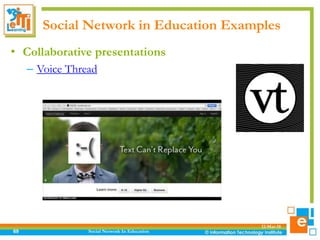
• Collaborative presentations
– Voice Thread
Social Network in Education Examples
12-Mar-18
Course Name70
• Collaborative presentations
“Voicethread brings discussions on such Network as
video to an entirely new level. It allows you and your
students to collaboratively share your thoughts on
video whilst watching simultaneously.”
Mark Schumann, e-Learning Developer, secondary
school, Melbourne, Australia,
Social Network in Education Examples
12-Mar-18
Course Name71
• Social networking
Facebook “provides easy communication with
students and colleagues, and private communication
in groups”
Pat Parslow, Researcher at OdinLab, School of
Systems Engineering, University of Reading. UK
Audience Survey
• How many of you:
• Use Facebook as an educational platform?
• Are checking Facebook right now?
12-Mar-18
Course Name72
Posting Audio
• Link to mp3 file on web
• SoundCloud
• Music Apps (Musiic, Music, iLike)
12-Mar-18
Course Name73
Posting Video
• • Embed YouTube/Vimeo etc.
• • Upload Video to Facebook
• • Record directly from webcam
12-Mar-18
Course Name74
Educational Apps in Facebook
12-Mar-18
Social Network In Education75
Educational Games in Facebook
12-Mar-18
Social Network In Education76
Facebook Alternatives
• How many of you:
• • Use other social media sites regularly?
12-Mar-18
Course Name77
Social Network in Education Examples
12-Mar-18
Social Network In Education78
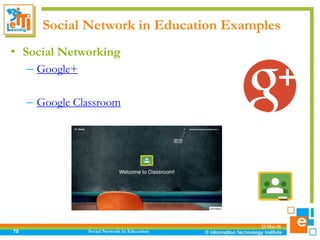
• Social Networking
– Google+
– Google Classroom
Social Network in Education Examples
12-Mar-18
Social Network In Education79
• Professional Social networking
– LinkedIn
– Xing
Social Network in Education Examples
12-Mar-18
Course Name80
• Social networking
LinkedIn – “Great way to interact, ask questions,
answer questions, start discussions and network”
Corinne Burkhert, Social Media Strategetist /
Relationship Marketing Consultant, UK
Social Media in Education Examples
12-Mar-18
Course Name81
• Social networking
Ning – “allowed me to set up a social network for
fellow librarians in just 15 minutes and the features
were enough to attract 245 colleagues from all over
the Netherlands and Belgian, mostly people I do not
know in real life. I love this application”
Edwin Mijnsbergen, librarian, Netherlands.
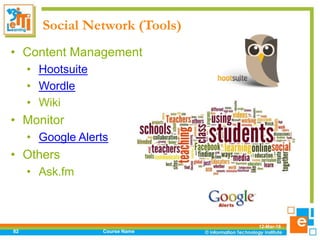
Social Network (Tools)
• Content Management
• Hootsuite
• Wordle
• Wiki
• Monitor
• Google Alerts
• Others
• Ask.fm
12-Mar-18
Course Name82
Social Network (Tools)
• Powerful Social Media Tools For Your Classroom
• Wikispaces
• Edmodo
• Facebook and Twitter:
(communication, photos, marketing)
• Blogs/Vlogs
• Virtual Social/Game Worlds:
Second Life
12-Mar-18
Course Name83
Tips for using social Network to support
learning
• The use of social Network to support learning has
now entered the formal paradigm with traditional
classroom, mentoring/coaching, and online
methods.
• The following tips provide guidance on how to
build successful social-media-supported learning
programs for your Institution :
12-Mar-18
Course Name84
Tips for using social Network to support
learning
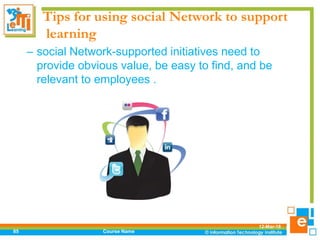
– social Network-supported initiatives need to
provide obvious value, be easy to find, and be
relevant to employees .
12-Mar-18
Course Name85
Tips for using social Network to support
learning
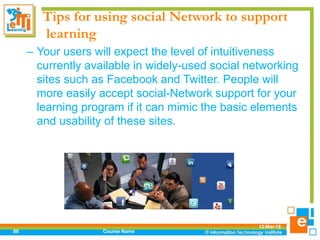
– Your users will expect the level of intuitiveness
currently available in widely-used social networking
sites such as Facebook and Twitter. People will
more easily accept social-Network support for your
learning program if it can mimic the basic elements
and usability of these sites.
12-Mar-18
Course Name86
Tips for using social Network to support
learning
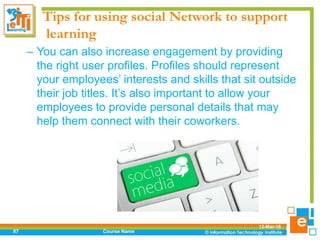
– You can also increase engagement by providing
the right user profiles. Profiles should represent
your employees’ interests and skills that sit outside
their job titles. It’s also important to allow your
employees to provide personal details that may
help them connect with their coworkers.
12-Mar-18
Course Name87
Social Network Best Practice
• Here are some things to keep in mind while using
social Network at College.
– Using Good Judgment
– Know who you are “adding”
– Ask yourself :
• Do I know this person?
• Do I feel comfortable with accepting or requesting
the link or person?
– Social Network is a form of expressing yourself
but it is also a form of showing who you are.
12-Mar-18
Course Name88
Social Network Best Practice
• Here are some things to keep in mind while using
social Network at College.
– Privacy
Privacy settings are important to moderate who and how
much certain people see on your social Network.
– Become familiar with privacy settings and how to use
them
– Private profiles do not guarantee your information won’t
get out!
– Use private and unpredictable passwords that you
change regularly
12-Mar-18
Course Name89
Social Network Best Practice
• Here are some things to keep in mind while using
social Network at College.
– Integrity
– Keep your integrity online
• Your information may be available to family,
classmates, professors, employers and others.
• Think before you post!
– Be who you are.
– Represent who YOU are in your online presence
12-Mar-18
Course Name90
Social Network Best Practice
• Here are some things to keep in mind while using
social Network at College.
– Keeping It Clean
– Future Employment & Professional Networking
• Recruiters for jobs check social Network sites to see
your online presence
• Clean your account of any comments, pictures, links
and status updates; you would not like future
employers to see.
12-Mar-18
Course Name91
Social Network - Risks!
Blurring of boundaries between professional life and
personal life
Control of information: privacy & confidentiality
issues, data protection
12-Mar-18
Course Name92
Hands-on Training
(Social Network for Learning )
12-Mar-18Course Name93

Social network for learning intake 38

  • 1.
    Social Network forLearning Eng Ahmed Fekry
  • 2.
    Course Outlines • Whatis Social Media ? • What is Social Network? • Social Networking vs Social Media • Social Network– Most Popular Sites • How Effective Using Social Network in Education ? • Social Network for Higher Education . • Successful Social Network Model . • Social Network & blended learning • Social Network in Education Examples • Social Network (Tools) • Tips for using social Network to support learning • Social Network Best Practice LMS (Learning Management System )
  • 3.
    What is SocialMedia ? • Officially, social Media is an “umbrella term that defines the various activities that integrate technology, social interaction, and the construction of words, pictures, videos and audio.” 12-Mar-18 Course Name3
  • 4.
    What is SocialMedia ? 12-Mar-18 Course Name4
  • 5.
    What is SocialNetwork ? • Social Networking : more an active process of reaching out; it means using social media sites to network with others online whether they be professionals, friends or strangers with similar interests and goals. • With the rise of social media, Web users have become co-producers of social content rather than passive information consumers. 12-Mar-18 Course Name5
  • 6.
    What is SocialNetwork ? 12-Mar-18 Course Name6
  • 7.
    Social Network vsSocial Media • key differences between them : – By Any Definition • Social media is a way to transmit, or share information with a broad audience, while social networking is an act of engagement. – Communication Style • Social media is more to a communication channel. It's a format that delivers a message, while With social networking, communication is two-way. Social networking is about mutual communication 12-Mar-18 Course Name7
  • 8.
    Social Network –Most Popular Sites • 2011 proved to be the year of high interest in the use of social Network, • from Facebook and Twitter, YouTube and Diigo, to Tumblr and Scoop.it, 12-Mar-18 Course Name8
  • 9.
    Types of Interactivity •Interactivity can be classified into different types: Page 9  Learner to Content  Learner to Instructor  Learner to Learner Learner to Computer (Software/Interface)
  • 10.
    Social Network InEducation Social Network – Most Popular Sites Social network Monthly Visitors Facebook 1,860,000,000 YouTube 1,000,000,000 Instagram 600,000,000 Twitter 313,000,000 Reddit 234,000,000 Vine (In January 2017, The Vine became the Vine Camera) 200,000,000 Pinterest 150,000,000 Ask.fm 160,000,000 Tumblr 115,000,000 Flickr 112,000,000 Google+ 111,000,000 LinkedIn 106,000,000 VK 90,000,000 ClassMates 57,000,000 Meetup
  • 11.
    12-Mar-18 11 Facebook: largest ofsocial networks. Users can create profiles, businesses can create fan pages to post info, events, announcements. Twitter: Info shared through tweets with max 140 characters. LinkedIn: LinkedIn is most popular with business-to-business users and those looking for jobs. Social Network In Education Social Network – Most Popular Sites
  • 12.
    12-Mar-18 12 YouTube: YouTube isthe most popular video hosting and sharing platform. Bloger: A blog, by definition, is a web blog, where you can post anything you want. Social Network In Education Social Network – Most Popular Sites Flickr : A popular photo-sharing community.
  • 13.
    Social Network hasdifferent meaning to everyone…. • As technology provider: How can we use social Network for outreach to parents; enrollment, engagement, of our students?  What are the policy, security considerations? • As a Manager:  How can I use social Network for professional development in light of budget cuts?  How do I know my students is not wasting time on fb/twitter? 12-Mar-18 Course Name13
  • 14.
    Social Network hasdifferent meaning to everyone…. As staff advisor/mentor: How do I connect with students that is not too intrusive, to understand their perspectives? How do I mentor them about the concept of digital citizenship in the context of social Network? 12-Mar-18 Course Name14
  • 15.
    How Effective UsingSocial Network in Education ? • Use social Network to address the problem of information overload . • as it becomes difficult for users to find specific pieces of information among the huge amount of knowledge. 12-Mar-18 Course Name15
  • 16.
    How Effective UsingSocial Network in Education ? • Social Network can also enhance the overall organizational learning program by supporting the knowledge transfer and actual behavioral change after the “formal” learning event has ended. 12-Mar-18 Course Name16
  • 17.
    How Effective UsingSocial Network in Education ? • Social Network can increase employee participation in learning, especially if the programs have a significant element of self-directed learning. 12-Mar-18 Course Name17
  • 18.
    How Effective UsingSocial Network in Education ? • Learners are more likely to stay engaged and complete their program of study if they are able to reach out to: – peers involved in the same program or get help on a particular topic. – Face-to-face or virtual-group interaction at key points in the program , such as a kick-off or achievement of a milestone, helps enhance user engagement. 12-Mar-18 Course Name18
  • 19.
    How Effective UsingSocial Network in Education ? • One of social Network’s greatest values is that it helps to identify internal experts, which in turn increases Classroom productivity. • In Work Environment knowledge management is when company management tells employees what they need to know. 12-Mar-18 Course Name19
  • 20.
    Social Network forHigher Education • In higher education faculty practice knowledge management by telling the students what they need to know. • Social Network is a method used to show connections to the content they think is important. 12-Mar-18 Course Name20
  • 21.
    Social Network forHigher Education • Can social Network be used in higher education to enhance learning through student and faculty collaboration? • a survey conducted in 2011 among 1,920 professors of higher education , the research showed that: – Almost two-thirds of faculty are using some form of social Network for the courses that they teach. – Almost a third have posted content for class. – Fifth have required students to comment on content. The most often used form of social Network in class was viewing of on-line videos followed by reading or viewing content. 12-Mar-18 Course Name21
  • 22.
    Social Network forHigher Education • When evaluating specific social websites,: – 53% of faculty indicated that Facebook has a negative value in the classroom – while 46% indicated Twitter has a negative value. • However, Pearson does hypothesize that the benefit of using social Network is the potential to – “transform from pushing content outward to a way of inviting conversation, of exchanging information…”. 12-Mar-18 Course Name22
  • 23.
    Social Network forHigher Education • A blog by Prof KRG discussed an ethics assignment that asked students whether teachers/professors should interact with their students on social Network. • Most of students supported the use of social Network in general, but did not support the use of Facebook for class interactions. • The positives mentioned for social Network are adapting to alternative learning styles and it allows for an extension of classroom discussions. 12-Mar-18 Course Name23
  • 24.
    Social Network forHigher Education • Lau, Higgins, and Mullins examined the effectiveness of using Farm Town, a game that is integrated into Facebook, in teaching introductory economics at Texas A & M University and Sam Houston State University (Lau et. al., 2011). • The research was conducted to examine student perceptions of introductory economics knowledge and how using Farm Town impacted that knowledge. • In addition, they tested the effectiveness of a free social Network simulation as a teaching tool such as Virtual Class room . 12-Mar-18 Course Name24
  • 25.
    Social Network forHigher Education 12-Mar-18 Course Name25
  • 26.
    RECRUITMENT • Communicate events/opendays via Facebook, Eventbrite and Lanyrd • Showcase event photos and videos on Pinterest and Flickr • Company presence on LinkedIn Recruitment Services tab also includes info and links to: < Postgraduate Study < Distinguished Lecture series < Centre for Lifelong Learning < Knowledge Centre
  • 27.
    STUDENT GUIDANCE • Facebookand Wikis for FAQs and space to raise questions • Twitter to signpost support areas such as wellbeing, study support, disability support • Social Bookmarking tools such as Diigo to tag and highlight key documents and web resources • Pinterest board of Who's Who in Student Support ResearchStudent Guidance
  • 28.
    TEACHING • Blogs toshare introductions and other induction activities • Wikis and Google Drive for project collaboration • Google hangouts for group online meetings • YouTube videos for how to guides • Screencast tools such as Jing and Screencast-o-matic to create short summaries • Pinterest for visual reading lists Research Teaching
  • 29.
    PEER SUPPORT • Maintain/makenew connections/friendships via Facebook happens! • Course blogs to share interests, hobbies etc. • Collaborative Pinterest boards to share inspirational quotes • Picture quizzes of places and people in University • Online group chat using Google+ hangouts, Skype or Blackboard Collaborate ResearchPeer Support
  • 30.
    UNIVERSITY COMMUNICATION • Twitter,LinkedIn Company page, Facebook ResearchUniversity Comms
  • 31.
    STUDENT PROFESSIONAL DEVELOPMENT •Share information via Facebook groups • Professional networking • Learning about companies via LinkedIn company pages • Job opportunities/career development on LinkedIn and Twitter Student Professional Development
  • 32.
    ACADEMIC PROFESSIONAL DEVELOPMENT •Sharing information via Twitter and LinkedIn • Discussion forums such LinkedIn groups and Google+ communities • Curation tools to gather resources on specific topics Academic Professional Development
  • 33.
    RESEARCH • Be knownas an expert in your field • Research your project definition, funding and collaboration • Share and promote publications: papers, books, articles, websites, presentations Research
  • 34.
    Social Network forHigher Education • The leading concerns for faculty about the use of social Network were: – Integrity of online submissions, privacy, takes too much faculty time. – Faculty not confident with Network. – Lack of integration with school’s LMS. – Lack of institution support. 12-Mar-18 Course Name34
  • 35.
    Social Network forHigher Education • StudentAdvisor – Top 100 Social Media Colleges • http://www.studentadvisor.com/top-100-social-media-colleges • #1 – Harvard University • Posterous - http://harvardsocial.posterous.com/ • Facebook - https://www.facebook.com/Harvard • YouTube - http://www.youtube.com/user/Harvard • iTunes - http://itunes.harvard.edu/ • Twitter - http://twitter.com/#!/Harvard • Foursquare - https://foursquare.com/harvard • Social Media Group - http://abcd-socialmedia.scribo.harvard.edu/ 12-Mar-18 Course Name35
  • 36.
    Social Network forHigher Education • Universities admissions offices are using social Network • In 2009, 87% of admissions departments use social networking (i.e., Facebook) • 59% have a Twitter account • Many schools have fully used social Network – http://socialmedia.tufts.edu – http://socialmedia.ucsd.edu • 12-Mar-18 Course Name36
  • 37.
    Successful Social NetworkModel • There are three elements required for success: – Technology platform – Vibrant community – Great content. 12-Mar-18 Course Name37
  • 38.
    Social Network &blended learning • Make social Network part of your blended learning strategy . – Blended learning has emerged over the past several years, with learning leaders developing programs that blend traditional learning experiences with online learning. Social Network support for learning has now entered the online Part. 12-Mar-18 Course Name38
  • 39.
    Why social NetworkCan be used as learning tools? • Free (Ad-supported) • Cross-platform (& mobile) • Discussion Forums • Embed audio/video • Expandable with Apps • Integrates with any website/web page • Millions of users • More visitors than Google.com in 2010 12-Mar-18 Course Name39
  • 40.
    How can socialNetwork be used as learning tools? 12-Mar-18 Course Name40
  • 41.
    Social Network inEducation Examples 12-Mar-18 Course Name41 • Blogging “Blogs are great for learning from others, story sharing, facilitating connections among people,” – Janice Petosky, Instructional designer,West Chester, Pennsylvania
  • 42.
    Social Network inEducation Examples 12-Mar-18 Course Name42 • Blogging “Writing a blog is a learning activity, of course, but reading the best blogs that are available is one of my most productive learning experiences.” – Jerome Martin, Book publisher, photographer and a musician from Canada.
  • 43.
    Social Network inEducation Examples 12-Mar-18 Course Name43 • Blogging “Blogs are obviously great ways to consolidate personal learning, but as it is such a great CMS I think that it lends itself exceptionally well to broadcasting content of a non-blog nature. Dan Roddy, eLearning Designer, UK
  • 44.
    Social Network inEducation Examples 12-Mar-18 Course Name44 • Blogging “While everyone seems to get the blog thing now,, at its root, it really is: a very quick web page creator. It can be a place to list assignments, a site for student interaction and discussion, and even a location for structuring and hosting an entire course. Jane Bozarth, E-learning Coordinator for the North Carolina, USA, Office of State Personnel
  • 45.
    Social Network inEducation Examples 12-Mar-18 Course Name45 • Blogging “Blogging has become a key medium for self-directed learning.” Patrick Mayfield, head of training and consultancy company, UK
  • 46.
    Social Network inEducation Examples 12-Mar-18 Course Name46 • Blogging “I manage class discussions out of class and provide additional information here following classes that students find difficult; if I am absent, this is where I can teach “remote class”.” Sarah Davis, Associate Dean at the College of Charleston in Charleston, SC
  • 47.
    Social Network inEducation Examples 12-Mar-18 Course Name47 • Collaborative calendaring “One of the main reasons I like Google Calendar is that it was easy to embed into my website. I put all the student assignments and other events on the calendar. Color coding allows a quick visual cue so that students (and parents) can easily distinguish scheduled quizzes and tests, daily assignments, and other events.” Don Simmons, Middle School teacher, Texas, US
  • 48.
    Social Network inEducation Examples 12-Mar-18 Course Name48 • Collaborative calendaring “Google Calendar is my diary and lesson planner” Richard Allaway, Head of Geography, International School
  • 49.
    Social Network inEducation Examples 12-Mar-18 Social Network In Education49 • Podcasting – Udacity
  • 50.
    Social Network inEducation Examples 12-Mar-18 Social Network In Education50 • RSS readers
  • 51.
    Social Network inEducation Examples 12-Mar-18 Course Name51 • RSS readers “Google Reader -” which I’ve added to Blog lines as one of my RSS aggregators, using each for different collections. Both are essential for my ongoing learning about what’s happening and what’s available on the web.” Joan Vinall-Cox, social Network and communications consultant, Canada
  • 52.
    Social Network inEducation Examples 12-Mar-18 Course Name52 • Collaborative Mind mapping bubblus – “Mind mapping is useful when working with vocabulary as well as when flowcharting work or creating a graphic organizer for writing assignments.” Mary Howard, Sixth grade teacher in Grand Island, New York
  • 53.
    Social Network inEducation Examples 12-Mar-18 Course Name53 • Collaborative Mind mapping Mindmeister – “I’ve been really getting into this collaborative mindmapping tool. Recently created a collaborative mindmap as the basis for discussions in a conference session. People from round the world contributed and on the day delegates worked on it in real time.” Rob Hubbard, creative elearning architect, UK
  • 54.
    Social Network inEducation Examples 12-Mar-18 Social Network In Education54 • Micro-blogging/micro-sharing – Twitter – Tumblr.
  • 55.
    Social Network inEducation Examples 12-Mar-18 Course Name55 • Micro-blogging/micro-sharing “I use Twitter as a Personal Learning Network. I share daily information on resources and tools that I have found, and I select networks of people to follow that provide me with their tips, guidelines and tools that they have found.” Mary Howard, Sixth grade teacher in Grand Island, New York
  • 56.
    Audience Survey How manyof you: • Have a Twitter account? • Check Twitter multiple times per day? • Access Twitter from a smartphone? • Use Twitter as an educational platform? • Are checking Twitter right now? 12-Mar-18 Course Name56
  • 57.
    Social Network inEducation Examples 12-Mar-18 Social Network In Education57 • Photo sharing – Flicker – Instagram – Pinterest
  • 58.
    Social Network inEducation Examples 12-Mar-18 Course Name58 • Photo sharing “I have always loved Flickr for sharing photographs, but find the advanced search option of only displaying Creative Commons licensed photos very helpful in creating material for my blog or classes.” Britt Wattwood, Online learning specialist at Virginia Commonwealth University’s Center for Teaching Excellence in Richmond VA.
  • 59.
    Social Network inEducation Examples 12-Mar-18 Social Network In Education59 • Screencast sharing – Jing
  • 60.
    Social Network inEducation Examples 12-Mar-18 Course Name60 • Screencast sharing Jing - “I use it to record quick “just in time” screencasts showing people how to accomplish specific web tasks, like organizing a wiki or signing up for a blog account. Much easier and more effective than trying to coach through email or over the phone.” Michele Martin, Freelance Learning Consultant, USA
  • 61.
    Social Network inEducation Examples 12-Mar-18 Social Network In Education61 • Event Sharing – Eventbrite – Lanyrd
  • 62.
    Social Network inEducation Examples 12-Mar-18 Social Network In Education62 • Presentation sharing – Slidshare – Prezi
  • 63.
    Social Network inEducation Examples 12-Mar-18 Course Name63 • Presentation sharing Slideshare – “This is a great way to share student work on a webspace”. Mary Howard, Sixth grade teacher in Grand Island, New York
  • 64.
    Social Network inEducation Examples 12-Mar-18 Course Name64 • Presentation sharing • “Prezi allows us to communicate design ideas with our clients in a highly engaging and dynamic way, liberating interesting conversations from the boredom of one-way presentations.” • — Randy Howder, Design Strategist, Gensler
  • 65.
    Social Network inEducation Examples 12-Mar-18 Course Name65 • Video sharing YouTube – “Video student presentations and upload for the student’s themselves to assess their work. Search for physics, history, language etc videos to use as tools in the class.” Jason Denys, Mathematics and Science teacher, Australian International School, Hong Kong.
  • 66.
    Social Network inEducation Examples 12-Mar-18 Social Network In Education66 • Social bookmarking – Diigo – Delicious
  • 67.
    Social Network inEducation Examples 12-Mar-18 Course Name67 • Social bookmarking “Delicious is the ideal instrument to illustrate how the internet can change the way we teach and learn: the first step is show how easy it is to use as a comfortable place to store bookmarks, the second is to wait a few weeks and the third is to show how easy it is to share them, collect them as a group, compare tags that are used for the same websites etc. etc.” Herman Post, Senior consultant te-learning at hogeschool Leiden (University of Applied Sciences) .
  • 68.
    Social Network inEducation Examples 12-Mar-18 Course Name68 • Collaborative working Google Docs – “students submit work this way; surveys throughout the class; class brainstorming on a shared document; gradebook simulations on spreadsheets, etc.; too wonderful for words; “WebCT didn’t work” or “but I sent you an email” are excuses that don’t work here; students can get to class content here and on my site anywhere there is internet access.” Sarah Davis, Associate Dean at the College of Charleston in Charleston, SC
  • 69.
    Social Network inEducation Examples 12-Mar-18 Social Network In Education69 • Collaborative presentations – Voice Thread
  • 70.
    Social Network inEducation Examples 12-Mar-18 Course Name70 • Collaborative presentations “Voicethread brings discussions on such Network as video to an entirely new level. It allows you and your students to collaboratively share your thoughts on video whilst watching simultaneously.” Mark Schumann, e-Learning Developer, secondary school, Melbourne, Australia,
  • 71.
    Social Network inEducation Examples 12-Mar-18 Course Name71 • Social networking Facebook “provides easy communication with students and colleagues, and private communication in groups” Pat Parslow, Researcher at OdinLab, School of Systems Engineering, University of Reading. UK
  • 72.
    Audience Survey • Howmany of you: • Use Facebook as an educational platform? • Are checking Facebook right now? 12-Mar-18 Course Name72
  • 73.
    Posting Audio • Linkto mp3 file on web • SoundCloud • Music Apps (Musiic, Music, iLike) 12-Mar-18 Course Name73
  • 74.
    Posting Video • •Embed YouTube/Vimeo etc. • • Upload Video to Facebook • • Record directly from webcam 12-Mar-18 Course Name74
  • 75.
    Educational Apps inFacebook 12-Mar-18 Social Network In Education75
  • 76.
    Educational Games inFacebook 12-Mar-18 Social Network In Education76
  • 77.
    Facebook Alternatives • Howmany of you: • • Use other social media sites regularly? 12-Mar-18 Course Name77
  • 78.
    Social Network inEducation Examples 12-Mar-18 Social Network In Education78 • Social Networking – Google+ – Google Classroom
  • 79.
    Social Network inEducation Examples 12-Mar-18 Social Network In Education79 • Professional Social networking – LinkedIn – Xing
  • 80.
    Social Network inEducation Examples 12-Mar-18 Course Name80 • Social networking LinkedIn – “Great way to interact, ask questions, answer questions, start discussions and network” Corinne Burkhert, Social Media Strategetist / Relationship Marketing Consultant, UK
  • 81.
    Social Media inEducation Examples 12-Mar-18 Course Name81 • Social networking Ning – “allowed me to set up a social network for fellow librarians in just 15 minutes and the features were enough to attract 245 colleagues from all over the Netherlands and Belgian, mostly people I do not know in real life. I love this application” Edwin Mijnsbergen, librarian, Netherlands.
  • 82.
    Social Network (Tools) •Content Management • Hootsuite • Wordle • Wiki • Monitor • Google Alerts • Others • Ask.fm 12-Mar-18 Course Name82
  • 83.
    Social Network (Tools) •Powerful Social Media Tools For Your Classroom • Wikispaces • Edmodo • Facebook and Twitter: (communication, photos, marketing) • Blogs/Vlogs • Virtual Social/Game Worlds: Second Life 12-Mar-18 Course Name83
  • 84.
    Tips for usingsocial Network to support learning • The use of social Network to support learning has now entered the formal paradigm with traditional classroom, mentoring/coaching, and online methods. • The following tips provide guidance on how to build successful social-media-supported learning programs for your Institution : 12-Mar-18 Course Name84
  • 85.
    Tips for usingsocial Network to support learning – social Network-supported initiatives need to provide obvious value, be easy to find, and be relevant to employees . 12-Mar-18 Course Name85
  • 86.
    Tips for usingsocial Network to support learning – Your users will expect the level of intuitiveness currently available in widely-used social networking sites such as Facebook and Twitter. People will more easily accept social-Network support for your learning program if it can mimic the basic elements and usability of these sites. 12-Mar-18 Course Name86
  • 87.
    Tips for usingsocial Network to support learning – You can also increase engagement by providing the right user profiles. Profiles should represent your employees’ interests and skills that sit outside their job titles. It’s also important to allow your employees to provide personal details that may help them connect with their coworkers. 12-Mar-18 Course Name87
  • 88.
    Social Network BestPractice • Here are some things to keep in mind while using social Network at College. – Using Good Judgment – Know who you are “adding” – Ask yourself : • Do I know this person? • Do I feel comfortable with accepting or requesting the link or person? – Social Network is a form of expressing yourself but it is also a form of showing who you are. 12-Mar-18 Course Name88
  • 89.
    Social Network BestPractice • Here are some things to keep in mind while using social Network at College. – Privacy Privacy settings are important to moderate who and how much certain people see on your social Network. – Become familiar with privacy settings and how to use them – Private profiles do not guarantee your information won’t get out! – Use private and unpredictable passwords that you change regularly 12-Mar-18 Course Name89
  • 90.
    Social Network BestPractice • Here are some things to keep in mind while using social Network at College. – Integrity – Keep your integrity online • Your information may be available to family, classmates, professors, employers and others. • Think before you post! – Be who you are. – Represent who YOU are in your online presence 12-Mar-18 Course Name90
  • 91.
    Social Network BestPractice • Here are some things to keep in mind while using social Network at College. – Keeping It Clean – Future Employment & Professional Networking • Recruiters for jobs check social Network sites to see your online presence • Clean your account of any comments, pictures, links and status updates; you would not like future employers to see. 12-Mar-18 Course Name91
  • 92.
    Social Network -Risks! Blurring of boundaries between professional life and personal life Control of information: privacy & confidentiality issues, data protection 12-Mar-18 Course Name92
  • 93.
    Hands-on Training (Social Networkfor Learning ) 12-Mar-18Course Name93

Editor's Notes

  • #3 Social Media: forms of electronic communication (as Web sites for social networking and microblogging) through which users create online communities to share information, ideas, personal messages, and other content (as videos). Social Networking: the creation and maintenance of personal and business relationships especially online
  • #4 Social Media - internet or web-based technologies that allow people to connect, communicate and interact in real time to share and exchange information.” (Rowe, 2011). It relates to websites with a connective or linking function.
  • #6 Global picture – More than 1.5 billion people have a social networking account, almost one in five hours is spent on social networking sites – increasingly on mobile devices (McKinsey, 2011) Facebook demographics – majority of users 52% are between 18-34 years of age (facebook.com)
  • #8 One thing that social media and social networking have in common is that they both depend on viral marketing to become truly successful. If the content goes viral, more and more people will be paying attention and the more online traffic you have, the better your chances are of increasing your business. A simple way to look at the basic difference between social media and social networking is that social media helps people to make the connection and social networking enhances that connection. People get together because they have common interests, passions, and causes and they continue to strengthen their relationships as they get to know each other through interaction over time. 1. By Any Definition Social media is a way to transmit, or share information with a broad audience. Everyone has the opportunity to create and distribute. All you really need is an internet connection and you're off to the races. On the other hand, social networking is an act of engagement. Groups of people with common interests, or like-minds, associate together on social networking sites and build relationships through community. 2. Communication Style Social media is more akin to a communication channel. It's a format that delivers a message. Like television, radio or newspaper, social media isn't a location that you visit. Social media is simply a system that disseminates information ‘to' others. With social networking, communication is two-way. Depending on the topic, subject matter or atmosphere, people congregate to join others with similar experiences and backgrounds. Conversations are at the core of social networking and through them relationships are developed. 3. Return on Investment It can be difficult to obtain precise numbers for determining the ROI from social media. How do you put a numeric value on the buzz and excitement of online conversations about your brand, product or service? This doesn't mean that ROI is null, it just means that the tactics used to measure are different. For instance, influence, or the depth of conversation and what the conversations are about, can be used to gauge ROI. Social networking's ROI is a bit more obvious. If the overall traffic to your website is on the rise and you're diligently increasing your social networking base, you probably could attribute the rise in online visitors to your social efforts. 4. Timely Responses Social media is hard work and it takes time. You can't automate individual conversations and unless you're a well-known and established brand, building a following doesn't happen overnight. Social media is definitely a marathon and not a sprint. Because social networking is direct communication between you and the people that you choose connect with, your conversations are richer, more purposeful and more personal. Your network exponentially grows as you meet and get introduced to others. 5. Asking or Telling A big no-no on with social media is skewing or manipulating comments, likes, diggs, stumbles or other data, for your own benefit (personal or business). Asking friends, family, co-workers or anyone else to cast a vote just to cast it, doesn't do anyone much good for anyone and it can quickly become a PR nightmare if word leaks out about dishonest practices. With social networking, you can tell your peers about your new business or blog and discuss how to make it a success. The conversations that you create can convert many people into loyal fans, so it's worth investing the time. Social media and social networking do have some overlap, but they really aren't the same thing. Knowing that they're two separate marketing concepts can make a difference in how you position your business going forward.
  • #9 Diigo https://www.youtube.com/watch?v=mbRxBRgDUg8 Scoop It https://www.youtube.com/watch?v=RFbxs2CzyG0 Tumblr https://www.youtube.com/watch?v=2m-e4PgiVfM
  • #11 http://www.statista.com/statistics/272014/global-social-networks-ranked-by-number-of-users/
  • #13  1. Twitter. Perhaps the simplest of all social media platforms, Twitter also just happens to be one of the most fun and interesting. Messages are limited to 140 characters or less, but that’s more than enough to post a link, share an image, or even trade thoughts with your favorite celebrity or influencer. Twitter’s interface is easy to learn and use, and setting up a new profile only takes minutes.   2. Facebook. Considered to be synonymous with “social media” by some, Facebook is the one site where you’re likely to find friends, colleagues, and relatives all floating around. Although Facebook is mainly centered around sharing photos, links, and quick thoughts of a personal nature, individuals can also show their support to brands or organizations by becoming fans.   3. LinkedIn. One of the only mainstream social media sites that’s actually geared towards business, LinkedIn is to cyberspace what networking groups once were to local business communities. It’s great for meeting customers, getting in touch with vendors, recruiting new employees, and keeping up with the latest in business or industry news. If it matters to your company or career, you can probably do it on LinkedIn.   4. Xing. Another professional networking and recruitment site, Xing has the global presence and focus that LinkedIn lacks. Although it can be mistaken for a job search portal, the site actually has a number of features and communities that make it easy to develop relationships with suppliers, colleagues and even thought leaders within industry.   5. Renren. Literally translating into “everyone’s website,” Renren is China’s largest social platform. Hugely popular with the younger crowd, it works in a way similar to Facebook, allowing users to share quick thoughts, update their moods, connect with others, and add posts or ideas to a blog-like stream.   6. Google+. Social media’s big up-and-comer has really arrived over the past few years. By combining the best of Facebook and Twitter into one site – and backing it by the power of the world’s largest search engine, Google has given users a social site that has a little something for everyone. You can add new content, highlight topics with hashtags, and even separate contacts into circles. And, a G+ profile only takes a few minutes to get set up.   7. Disqus. Disqus isn’t actually a social media platform so much as a social engagement platform, but it can definitely help you improve your social engagement. As a tool for commenting, managing feedback on your own website (or other Disqus-enabled websites), and managing spam/troll type messages, it’s invaluable. Advanced features allow for social monitoring and upvoting.    8. LinkedIn Pulse. Even though Pulse is technically a part of LinkedIn, it’s big and important enough to deserve its own entry. Serving as something between a blog and “best of” outlet, it’s the perfect medium sharing new ideas and keeping up on the thought leaders in your industry.    9. Snapchat. This surprisingly-addictive app gives you the ability to take a picture, add art and text if you’d like, and then send it to recipients for a set amount of time (after which the photo will delete itself and be removed from the company’s servers). Lots of fun, and potentially a good way to stay in touch with friends.    10. Tumblr. This platform is different form many others in that it essentially hosts microblogs for its users. Individuals and companies, in turn, can fill their blogs with multimedia (like images and short video clips). The fast-paced nature of Tumblr makes it ideal for memes, GIF’s, and other forms of fun or viral content.    11. Pinterest. Serving as a giant virtual idea and inspiration board, Pinterest has made a huge impact on social media in the last few years. Especially popular with women and the do-it-yourself crowd, it lets you share pictures, creative thoughts, or (especially) before-and-after pictures of projects that others can pin, save, or duplicate.   12. Twoo. This Belgian social network site is geared for the 25 and under crowd all over the world. Alongside normal social features like posts, updates, and photo sharing, it also boasts online games and chat features that make it popular with younger users who want to stay entertained while connecting with each other.   13. MyMFB. Created as a Muslim alternative to Facebook (it was previously called MillatFacebook), this site aims to connect the faith’s 1.5+ billion followers into a single social platform. While that might sound ambitious, it’s growing quickly and offers many of the same post, update, and sharing features as the original Facebook, and is already immensely popular in some parts of the world.   14. YouTube. As a video sharing service, YouTube has become so popular that its catalog of billions and billions of videos has become known as “the world’s second-largest search engine” in some circles. The site has everything from first-person product reviews to promotional clips and “how-two” instruction on virtually any topic or discipline. Users have the ability to share, rate, and comment on what they see.   15. Instagram. If you’re looking for a quick, convenient connection between the camera feature on your smart phone and all your social profiles, then Instagram is the answer. Not only will allow you to share via Twitter, Facebook, and the Instagram website, you can choose from a variety of photo filters and invite friends to comment on your photos or ideas.   16. Vine. This site (also available as an app) offers users the chance to share and view brief video clips. While that theoretically offers a virtually endless range of uses, most of Vine’s content is entertainment-focused, with a heavy preference towards “viral” and “meme” clips that are easy to share.   17. WhatsApp. The WhatsApp concept is simple: send text-style messages to anyone else using the platform, but without paying data charges. That straightforward idea has already gathered more than 700 million fans, making the app the world’s most popular messaging platform.   18. vk.com. Promoting itself as Europe’s largest social media site, vk.com is essentially the Russian version of Facebook, with the same kinds of profiles, messaging, and games you would expect. Like Facebook, vk.com allows users to enter both personal and professional information about themselves, and to follow or show support for organizations and businesses.   19. Meetup. Meetup is a perfectly-named platform, because it’s perfect for organizing local groups around specific interests. There are meetups centered on just about everything, from music to hobbies, and get-togethers are almost always open to newcomers. That makes it perfect for exploring an interest and making new friends at the same time.   20. Secret. This might be the best social media app most people haven’t tried. The premise is simple: join into a group of friends (or create your own), and then share an anonymous message. It’s great for fun interactions, idea starters, or just finally getting something off your chest. (Editor's note, 5/13/2015: Secret has folded. Co-founder David Byttow writes: "After a lot of thought and consultation with our board, I’ve decided to shut down Secret. Over time, I plan to publish postmortems so that others can learn from the unique mistakes and challenges we faced and the wisdom gained from such an incredible 16 months.") 21. Medium. If you’ve ever wished that social engagement could come with an ongoing, up-to-date “how to” manual written by the experts, Medium might be just what you’re looking for. With lots of helpful advice, tips, and articles, it can give you everything you need to start connecting like a pro.
  • #16 Providing community support for learning through social Network can help overcome this problem, with the power of such applications to amplify the most relevant content, highlighting the most useful resources. One option is a social platform that allows users to recommend or “like” certain assets. Another is a platform that allows users to post comments on the material contained in books or courses, as this can create a layer of unique business knowledge on top of the trusted knowledge contained in the resource.
  • #27 Events: http://lanyrd.com/dashboard/ http://www.eventbrite.com/ Images: http://pinterest.com/ http://www.flickr.com/ LinkedIn company pages: http://marketing.linkedin.com/company-pages/
  • #38 The platform is necessary as it acts as a place to capture the organization’s interactions. Ideally, it’s easy to find and use in the course of everyday work. However, a simple platform is not enough – it must be filled with enough interesting content for viewers to return and engage. People may come to visit the new social platform once or twice out of curiosity, but they won’t return if there isn’t anything there to engage them. Continued use is crucial to developing a vibrant community. By seeding the platform with great content, it’s much easier for learner to jump in and offer initial comments, which will lead to additional comments and overall interaction. It’s also important to start with content that’s both interesting to the audience and that provides business value. Learning professionals can help add this by building off their current base of learning content. This rich business or technical content will help keep the conversation focused on professional growth, rather than off-topic subject matter such as the weekend social scene.
  • #49 Google Calendar – “A free way for us to organise our schedules, we share our timetables among teachers and students to make the lesson timetabling clear.” Jonathan Lecun, Online teacher for UK Teachers Online
  • #50  “All of our students have a mobile phone and if they could learn to not only reflect (as we all do) but make notes of their reflection, we would see a change in educational ownership. Students moving from ‘being taught’ to ‘constructing my knowledge’ – Gabcast is the tool to do it.”  Andrew Middleton, Staff developer, Sheffield Hallam University, UK Audacity – “Free and easy to create classroom podcasts and mp3s where the students get to hear, edit and publish themselves.  Promotes ownership – extremely motivating.”  Kora Stoll, Fifth grade teacher in Miami, Florida
  • #51 https://www.commafeed.com   “Google Reader -” which I’ve added to Blog lines as one of my RSS aggregators, using each for different collections. Both are essential for my ongoing learning about what’s happening and what’s available on the web.” Joan Vinall-Cox, social Network and communications consultant, Canada
  • #52 https://www.commafeed.com
  • #54  “Mindmapping is a very powerful methodology for structuring your own ideas but also within workshops it can be a strong tool for both learners and trainers. MindMeister is a basic online tool. It stands out because of the clean and crispy interface, the excellent sharing options (share it really the way you want) and the user centric and personal service. MindMeister helps me to keep all the information in my head organized.” Marcel de Leeuwe,  works for a publisher of multimedia primary education in the Netherlands “My students use Mindomo to develop solutions to complex problems and to organize online research.” Rick Lillie, accounting professor at California State University,
  • #55 (33) “Can’t imagine being without Twitter now, both as a networking tool and an aggregator of resources and information. As well as keeping up to date with existing contacts, and developing new ones, I daily discover new nuggets of interesting information and debate that I might otherwise have missed. It’s also amazing the response you can get when you ask questions – anything from directions to input on podcasting software – the Twitter audience is knowledgeable and proactive which is invaluable.” Kate McNabb, Marketing Manager, e2train (34) “I use Twitter to share my thoughts, ideas, information with others and to learn or get inspired by others. I love the way professionals use Twitter as a backchannel during conferences, using tags, adding depth to presentations and discussions. Microblogging is the informal learning tool for me.” Jeroen Bottema, Teacher trainer for the School of Education Amsterdam, (35) Twitter – “I was reluctant to join in, but have been amazed at the amount of information, access to leaders in the field, and potential for professional development.” Melissa Venable, Curriculum Manager with Kaplan Higher Education  “I use Twitter as a Personal Learning Network. I share daily information on resources and tools that I have found, and I select networks of people to follow that provide me with their tips, guidelines and tools that they have found.”  Mary Howard, Sixth grade teacher in Grand Island, New York  
  • #56 (33) “Can’t imagine being without Twitter now, both as a networking tool and an aggregator of resources and information. As well as keeping up to date with existing contacts, and developing new ones, I daily discover new nuggets of interesting information and debate that I might otherwise have missed. It’s also amazing the response you can get when you ask questions – anything from directions to input on podcasting software – the Twitter audience is knowledgeable and proactive which is invaluable.” Kate McNabb, Marketing Manager, e2train (34) “I use Twitter to share my thoughts, ideas, information with others and to learn or get inspired by others. I love the way professionals use Twitter as a backchannel during conferences, using tags, adding depth to presentations and discussions. Microblogging is the informal learning tool for me.” Jeroen Bottema, Teacher trainer for the School of Education Amsterdam, (35) Twitter – “I was reluctant to join in, but have been amazed at the amount of information, access to leaders in the field, and potential for professional development.” Melissa Venable, Curriculum Manager with Kaplan Higher Education
  • #58  Flickr - “it’s an extraordinary image collection and I can search for Creative Commons photos which I can use for Powerpoint presentations“  Gabriela Grosseck, Senior lecturer , West University of Timisoara, Romania  “I have always loved Flickr for sharing photographs, but find the advanced search option of only displaying Creative Commons licensed photos very helpful in creating material for my blog or classes.”  Britt Wattwood, Online learning specialist at Virginia Commonwealth University’s Center for Teaching Excellence in Richmond VA. “I’ve used Picasa in school to share photos (albums) that I put together to supplement different aspects of my curriculum.”  Mary Howard, Sixth grade teacher in Grand Island, New York
  • #59  Flickr - “it’s an extraordinary image collection and I can search for Creative Commons photos which I can use for Powerpoint presentations“  Gabriela Grosseck, Senior lecturer , West University of Timisoara, Romania
  • #60 http://www.techsmith.com/jing.html
  • #61 http://www.techsmith.com/jing.html
  • #62 Foursquare: A location based service (LBS), allows customers/visitors to “check in” at your place of business/event.
  • #63 Slideshare – “Source of great learning resources”. Maria de los Angeles Castro, instructional designer at CSI Piemonte, Italy “Slideshare is an excellent sharing tool. Students can create and post their PPTs for class, and students can comment on them. It is an excellent tool for sharing ideas.”  Beth Ritter-Guth, Teacher at Community College in Schnecksville, PA. Slideshare – “Great for sharing presentations. But I love the Slidecast facility where you can add an mp3 file to run with your slides. Great for vocab drilling because you can show the flashcards at the same time.”  Adam Sutcliffe, Modern Languages teacher, The Gordon Schools, Scotland    Slideshare – “This is a great way to share student work on a webspace”. Mary Howard, Sixth grade teacher in Grand Island, New York  “Prezi allows us to communicate design ideas with our clients in a highly engaging and dynamic way, liberating interesting conversations from the boredom of one-way presentations.” — Randy Howder, Design Strategist, Gensler
  • #64 Slideshare – “Source of great learning resources”. Maria de los Angeles Castro, instructional designer at CSI Piemonte, Italy “Slideshare is an excellent sharing tool. Students can create and post their PPTs for class, and students can comment on them. It is an excellent tool for sharing ideas.”  Beth Ritter-Guth, Teacher at Community College in Schnecksville, PA. Slideshare – “Great for sharing presentations. But I love the Slidecast facility where you can add an mp3 file to run with your slides. Great for vocab drilling because you can show the flashcards at the same time.”  Adam Sutcliffe, Modern Languages teacher, The Gordon Schools, Scotland
  • #65 http://prezi.com/
  • #66 https://www.khanacademy.org
  • #67 Delicious  “Not only does it help me transfer my research and excellent web-treasures, but it has also created a network among other educators with the same interests and goals.  Great tool to make the world flatter.”  Kora Stoll, Fifth grade teacher in Miami, Florida Diigo is my primary social bookmarking tool and how I generate my daily bookmark posts for my blog. I do so much online research for both the courses I develop and for my own personal learning; a good system to track all the resources I find is indispensable.”  Christy Tucker, Instructional designer, US “Delicious  is the ideal instrument to illustrate how the internet can change the way we teach and learn: the first step is show how easy it is to use as a comfortable place to store bookmarks, the second is to wait a few weeks and the third is to show how easy it is to share them, collect them as a group, compare tags that are used for the same websites etc. etc.” Herman Post, Senior consultant te-learning at hogeschool Leiden (University of Applied Sciences)  .
  • #68 Delicious  “Not only does it help me transfer my research and excellent web-treasures, but it has also created a network among other educators with the same interests and goals.  Great tool to make the world flatter.”  Kora Stoll, Fifth grade teacher in Miami, Florida Diigo is my primary social bookmarking tool and how I generate my daily bookmark posts for my blog. I do so much online research for both the courses I develop and for my own personal learning; a good system to track all the resources I find is indispensable.”  Christy Tucker, Instructional designer, US
  • #69 Google Docs “supports writing academic papers, bid documents, impossible deadlines and working with interesting, busy people. For students making the transition to Web apps the collaborative features support peer support and negotiation.”  Andrew Middleton, Staff developer, Sheffield Hallam University, UK Google Docs “A great way to create a channel of communication between teacher and student between classes. Useful for writing assignments and feedback between classes.” Jonathan Lecun, Online teacher for UK Teachers Online Google Docs “allows our kids and teachers to share documents for joint projects, but also allows kids to continue work at home and then get it from school the next day again. No more lost papers or troubles at home with printers that don’t have ink!” Gail Potratz, Eighth grade LA teacher
  • #70 Voicethread  -“Social audio and social imagery personified. A perfect demonstration of how digital media can be integrated into the curriculum and at the same time explains the value of digital storytelling.”  Andrew Middleton, Staff developer, Sheffield Hallam University, UK Voicethread  -“A great tool for encouraging collaboration in your classroom.  Upload photos and add text, audio or voice comments with a web cam.  My new personal favorite way to get students to share comments with each other.”  Colette Cassinelli, high school computer teacher, Beaverton, Oregon “Voicethread brings discussions on such Network as video to an entirely new level.  It allows you and your students to collaboratively share your thoughts on video whilst watching simultaneously.” Mark Schumann, e-Learning Developer, secondary school, Melbourne, Australia,
  • #71 Voicethread  -“Social audio and social imagery personified. A perfect demonstration of how digital media can be integrated into the curriculum and at the same time explains the value of digital storytelling.”  Andrew Middleton, Staff developer, Sheffield Hallam University, UK Voicethread  -“A great tool for encouraging collaboration in your classroom.  Upload photos and add text, audio or voice comments with a web cam.  My new personal favorite way to get students to share comments with each other.”  Colette Cassinelli, high school computer teacher, Beaverton, Oregon
  • #76 Posting Audio Posting Video https://www.quizup.com/en
  • #77 Posting Audio Posting Video
  • #78 Edmodo Engrade Toonti elgg
  • #79 Facebook “provides easy communication with students and colleagues, and private communication in groups”  Pat Parslow, Researcher at OdinLab, School of Systems Engineering, University of Reading. UK
  • #80 LinkedIn – “Great way to interact, ask questions, answer questions, start discussions and network”  Corinne Burkhert, Social Media Strategetist / Relationship Marketing Consultant, UK
  • #83  Tweetdeck – http://www.tweetdeck.com Seesmic - http://seesmic.com/ Tube Mogul (video)- http://www.tubemogul.com Bit.ly (url shortener) – http://bit.ly yFrog - http://www.yfrog.com/ http://accessibletwitter.com/ - Twitter app optimized for disabled users Facebook scheduled posts - http://thesocialmediaguide.com/social_media/how-to-schedule-posts-to-your-facebook-page Google Alerts - http://www.google.com/alerts?hl=en&gl=us Twitter Advanced Search - http://search.twitter.com/advanced Icerocket - http://www.icerocket.com/ Addict-o-matic - http://addictomatic.com/ Social Mention - http://www.socialmention.com/ KGB People – http://www.kgbpeople.com WORDLE One of the most useful tools in upper primary has been word clouds (wordle), which is used for all manner of learning, such as reflections, analysing websites and summaries. Its visual appeal and graphic organisational structure has made it a really useful tool. Students have been turning written reflections, information reports and web sites into word clouds, which allows them to see patterns, comparisons and hierarchies, in a new and attractive way. http://www.tagxedo.com/gallery.html Ruth Adams (Director of Learning & PYP Coordinator) A wiki  is usually a web application which allows people to add, modify, or delete content in collaboration with others. Text is usually written using a simplified markup language or a rich-text editor.[1][2] While a wiki is a type of content management system, it differs from a blog or most other such systems in that the content is created without any defined owner or leader, and wikis have little implicit structure, allowing structure to emerge according to the needs of the users.[2]
  • #84 123ContactForm Edublogs WDWDT
  • #94 Create Account & use : HootSUite EdModo Diigo Install Jing Link to and Watch KhanAcademy Prezi