CIS-145 Final 100 points Open book, open notes, open computer True-false, multiple choice, fill-in, short answer
Databases Collection of related information Scope is based on what information we need to complete tasks Access uses seven objects to organize and manage data Tables, queries, forms, reports, macros, modules All objects are in one file
Tables Fields are individual data elements/values - columns Records are the collection of data for one occurrence – rows Table should be about one thing or idea Primary key uniquely identifies each record
Table Design Include all necessary data Store data in smallest parts Don’t include calculated fields
Field Data Types Common Types Number Currency Text Yes/No Date/Time What kind of data will be stored in the field? Numbers not used for calculations should usually be text.
Properties Set specific characteristics and behaviors of objects (fields, controls, or other objects) Properties set for a field are inherited by controls that refer to that field Drag field from field list in form design view
Data Validation Need to make sure we have good data - proper type and values Properties can help with validation: Field Size: How much data to accept Input Mask: How or what data is entered Format: How data is displayed Validation Rules: What data is acceptable Required: value must be entered
Relational Databases Have more than one table where tables are related to each other One to one One to many Many to many A combination of fields may be used for the table’s key
One to Many Relationships Each table contains data about a specific subject (customers, loans) Each table on the ‘one’ side has a primary key Primary key of the “one” table is used to create a foreign key in the “many” table
Many to Many Relationships Two tables are related, but can have many records in each table in common One student can attend many courses; one course can be attended by many students Implement a many to many relationship by creating a pair of one to many relationships with a third (join) table
Foreign Key A foreign key points to a record in another table Foreign key “looks like” the related primary key Same number of fields Data types for each field must match Field names don’t matter
Referential Integrity Makes sure that the records in related tables are consistent Must have a customer in the customer table for an order assigned to that customer Avoids “orphans” Can’t delete a record or change the primary key in the one table when associated records are in the many table, unless have cascade delete and cascade update enabled
Relationships Window Where relationships between tables are created and defined Related fields must have the same data type Autonumber is related to number field with long integer field size The one table has a  1  next to it; the many has a    next to it
Select Queries Select Queries represent a question and an answer Question is created in design view Design view creates a Structured Query Language (SQL) statement Answer is shown in datasheet view Answer is a dynaset -  dyna mic sub set  of a table
Query Design Specify data source - table or another query (FROM) Determine which rows to include (WHERE) Identify groups (GROUP BY) Specify groups to include in result (HAVING) Identify fields to include in result (SELECT)  Specify how to sort the answer (ORDER BY)
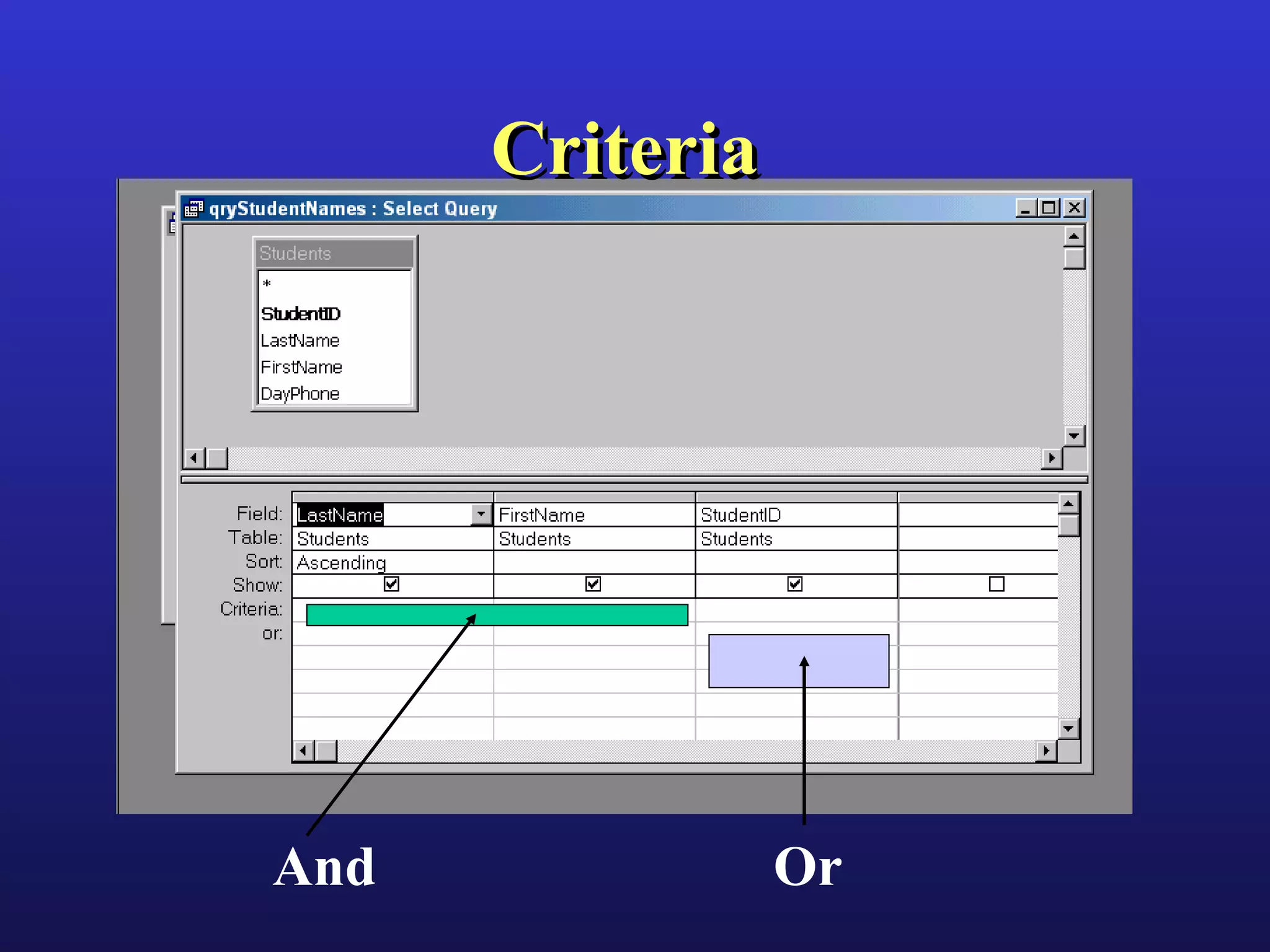
Criteria And Or
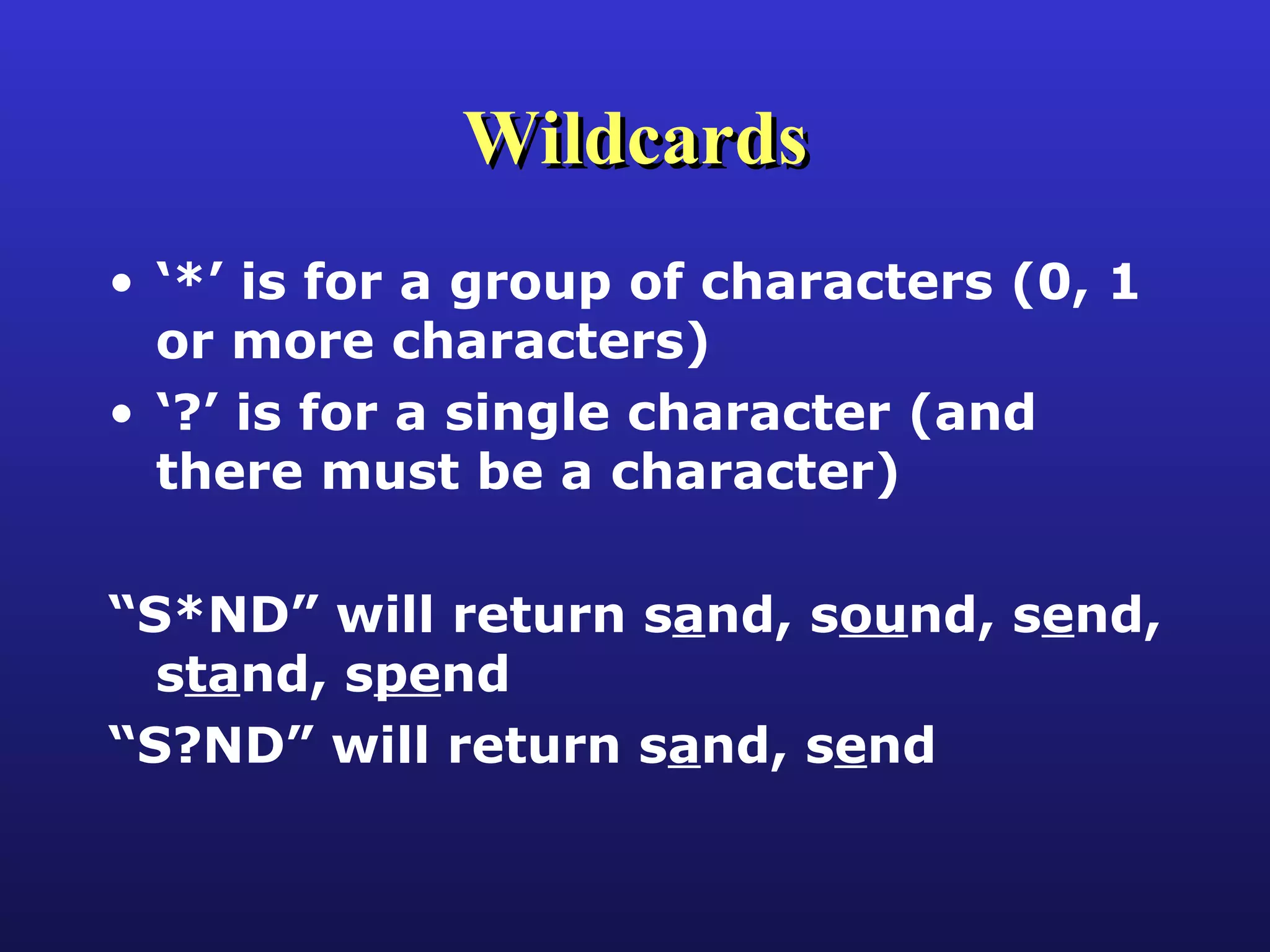
Wildcards ‘ *’ is for a group of characters (0, 1 or more characters) ‘ ?’ is for a single character (and there must be a character) “ S*ND” will return s a nd, s ou nd, s e nd, s ta nd, s pe nd “ S?ND” will return s a nd, s e nd
Total Queries Select query with results summarized by one or more fields Find value(s) that records share and summarize information Similar to Groups in a Report
Multi-table Queries Can use multiple tables in a query If tables are not already related, can connect tables in the query itself Drag the connecting field from the one table to the many table “ Joins” describe how rows in one table match rows in the other table(s)
Joins When using multiple tables, need to connect through a  join Inner-join is most common and requires matching values in both tables Outer-join includes all rows from one table and any matching records from second table that exist Cartesian Join matches all rows from one table with all rows from 2 nd  table
Autolookup Queries Use queries to automatically look up data from related tables Must contain the foreign key from the many table Value entered in foreign key is matched to value in related primary key to “look up” data Can add, change or delete data in the source tables Many side will determine where a new row is added or existing row deleted
Parameter Queries Parameter queries allow entry of criteria when query is run A “place holder” allows the criteria to be saved without a specific value Behaves like an argument in other programming languages Allows query to be used with different values without having to go into design view
Action Queries Action queries are about change Can change data Update: change an existing value Append: add rows to a table Delete: remove rows from a table Can change database Make-table: create a new database object
Forms Basic use is to enter and display information from a table Forms can also help to change data stored in table by being bound (record source is a table or query) Forms can help others use an application Typically an unbound form (no record source) Forms use controls: bound, unbound, calculated
Forms - 2 Forms have sections: header, footer, and detail Detail section is used to display data from one row in a table or query Tab order controls how the cursor moves through controls on a form
Forms & Subforms Main form is based on the primary (“one”) table Subform is based on the many table Subform shows records associated with the current record in the primary table Each form has its own status bar, record selector, and navigation buttons
Subforms Main form and subform are linked through specific fields; fields don’t have to be shown, but must be in data source (record source) A main form can have several subforms Subforms can be displayed as a data sheet, single form or continuous forms Display is set through the form’s default view in the properties window
List Controls A list or combo box can be bound to a field in one table, and display data from fields in a second table Good choice for selecting a value for a foreign key, if the primary and foreign keys are single fields Rowsource property specifies the list of choices, bound column specifies the value to save Can show/not show different columns in the list
Reports Displays information from a table or query Cannot change data A report shows the data at the time of printing or print preview Each time a report is displayed or printed, it recalculates and re-reads the data from tables, so one report can show different values
Reports - 2 Reports have sections: report, page, and group headers and footers; and detail Controls are used to display data, information, calculations The most common controls are text boxes, labels, and lines
Sorting & Grouping Groups  help to organize data into information for records that have something in common Can summarize information for subgroups (for example, showing subtotals by location) Sorting  controls the order that information is shown
Subreports Allow main report to include all records, regardless of whether there are related records Subreports are similar in function to subforms, finding related rows for the current row in main report Can include several subreports, if a query would create incomplete or duplicating results
Getting & Using Data in Forms and Reports Forms and reports have a  recordsource  property Can get data from a table or query Bound controls use the  controlsource  property to connect to a field Field for controlsource must be in form recordsource Controlsource is also used for calculations

Cis145 Final Review

  • 1.
    CIS-145 Final 100points Open book, open notes, open computer True-false, multiple choice, fill-in, short answer
  • 2.
    Databases Collection ofrelated information Scope is based on what information we need to complete tasks Access uses seven objects to organize and manage data Tables, queries, forms, reports, macros, modules All objects are in one file
  • 3.
    Tables Fields areindividual data elements/values - columns Records are the collection of data for one occurrence – rows Table should be about one thing or idea Primary key uniquely identifies each record
  • 4.
    Table Design Includeall necessary data Store data in smallest parts Don’t include calculated fields
  • 5.
    Field Data TypesCommon Types Number Currency Text Yes/No Date/Time What kind of data will be stored in the field? Numbers not used for calculations should usually be text.
  • 6.
    Properties Set specificcharacteristics and behaviors of objects (fields, controls, or other objects) Properties set for a field are inherited by controls that refer to that field Drag field from field list in form design view
  • 7.
    Data Validation Needto make sure we have good data - proper type and values Properties can help with validation: Field Size: How much data to accept Input Mask: How or what data is entered Format: How data is displayed Validation Rules: What data is acceptable Required: value must be entered
  • 8.
    Relational Databases Havemore than one table where tables are related to each other One to one One to many Many to many A combination of fields may be used for the table’s key
  • 9.
    One to ManyRelationships Each table contains data about a specific subject (customers, loans) Each table on the ‘one’ side has a primary key Primary key of the “one” table is used to create a foreign key in the “many” table
  • 10.
    Many to ManyRelationships Two tables are related, but can have many records in each table in common One student can attend many courses; one course can be attended by many students Implement a many to many relationship by creating a pair of one to many relationships with a third (join) table
  • 11.
    Foreign Key Aforeign key points to a record in another table Foreign key “looks like” the related primary key Same number of fields Data types for each field must match Field names don’t matter
  • 12.
    Referential Integrity Makessure that the records in related tables are consistent Must have a customer in the customer table for an order assigned to that customer Avoids “orphans” Can’t delete a record or change the primary key in the one table when associated records are in the many table, unless have cascade delete and cascade update enabled
  • 13.
    Relationships Window Whererelationships between tables are created and defined Related fields must have the same data type Autonumber is related to number field with long integer field size The one table has a 1 next to it; the many has a  next to it
  • 14.
    Select Queries SelectQueries represent a question and an answer Question is created in design view Design view creates a Structured Query Language (SQL) statement Answer is shown in datasheet view Answer is a dynaset - dyna mic sub set of a table
  • 15.
    Query Design Specifydata source - table or another query (FROM) Determine which rows to include (WHERE) Identify groups (GROUP BY) Specify groups to include in result (HAVING) Identify fields to include in result (SELECT) Specify how to sort the answer (ORDER BY)
  • 16.
  • 17.
    Wildcards ‘ *’is for a group of characters (0, 1 or more characters) ‘ ?’ is for a single character (and there must be a character) “ S*ND” will return s a nd, s ou nd, s e nd, s ta nd, s pe nd “ S?ND” will return s a nd, s e nd
  • 18.
    Total Queries Selectquery with results summarized by one or more fields Find value(s) that records share and summarize information Similar to Groups in a Report
  • 19.
    Multi-table Queries Canuse multiple tables in a query If tables are not already related, can connect tables in the query itself Drag the connecting field from the one table to the many table “ Joins” describe how rows in one table match rows in the other table(s)
  • 20.
    Joins When usingmultiple tables, need to connect through a join Inner-join is most common and requires matching values in both tables Outer-join includes all rows from one table and any matching records from second table that exist Cartesian Join matches all rows from one table with all rows from 2 nd table
  • 21.
    Autolookup Queries Usequeries to automatically look up data from related tables Must contain the foreign key from the many table Value entered in foreign key is matched to value in related primary key to “look up” data Can add, change or delete data in the source tables Many side will determine where a new row is added or existing row deleted
  • 22.
    Parameter Queries Parameterqueries allow entry of criteria when query is run A “place holder” allows the criteria to be saved without a specific value Behaves like an argument in other programming languages Allows query to be used with different values without having to go into design view
  • 23.
    Action Queries Actionqueries are about change Can change data Update: change an existing value Append: add rows to a table Delete: remove rows from a table Can change database Make-table: create a new database object
  • 24.
    Forms Basic useis to enter and display information from a table Forms can also help to change data stored in table by being bound (record source is a table or query) Forms can help others use an application Typically an unbound form (no record source) Forms use controls: bound, unbound, calculated
  • 25.
    Forms - 2Forms have sections: header, footer, and detail Detail section is used to display data from one row in a table or query Tab order controls how the cursor moves through controls on a form
  • 26.
    Forms & SubformsMain form is based on the primary (“one”) table Subform is based on the many table Subform shows records associated with the current record in the primary table Each form has its own status bar, record selector, and navigation buttons
  • 27.
    Subforms Main formand subform are linked through specific fields; fields don’t have to be shown, but must be in data source (record source) A main form can have several subforms Subforms can be displayed as a data sheet, single form or continuous forms Display is set through the form’s default view in the properties window
  • 28.
    List Controls Alist or combo box can be bound to a field in one table, and display data from fields in a second table Good choice for selecting a value for a foreign key, if the primary and foreign keys are single fields Rowsource property specifies the list of choices, bound column specifies the value to save Can show/not show different columns in the list
  • 29.
    Reports Displays informationfrom a table or query Cannot change data A report shows the data at the time of printing or print preview Each time a report is displayed or printed, it recalculates and re-reads the data from tables, so one report can show different values
  • 30.
    Reports - 2Reports have sections: report, page, and group headers and footers; and detail Controls are used to display data, information, calculations The most common controls are text boxes, labels, and lines
  • 31.
    Sorting & GroupingGroups help to organize data into information for records that have something in common Can summarize information for subgroups (for example, showing subtotals by location) Sorting controls the order that information is shown
  • 32.
    Subreports Allow mainreport to include all records, regardless of whether there are related records Subreports are similar in function to subforms, finding related rows for the current row in main report Can include several subreports, if a query would create incomplete or duplicating results
  • 33.
    Getting & UsingData in Forms and Reports Forms and reports have a recordsource property Can get data from a table or query Bound controls use the controlsource property to connect to a field Field for controlsource must be in form recordsource Controlsource is also used for calculations

Editor's Notes

  • #2 CIS-145 Final 08/18/09