CIS-245
Used to display data and calculations Main tool for making use of the data that’s stored in tables SELECT can be used as part of other commands
SELECT {field list}: What’s returned FROM {data source}: Which table to use WHERE {criteria}: Which rows to include GROUP BY {field list}: How to summarize HAVING {field list}: Which groups to include when grouping ORDER BY {field list}: How to sort
FROM – get data from original source(s) WHERE – limit rows to work with GROUP BY – create groups HAVING – limit groups SELECT – specify what to return ORDER BY – specify sorting
SELECT starts statement Followed by field list Fields can refer to table fields or calculations created as part of query SELECT can be used by itself: SELECT GetDate()
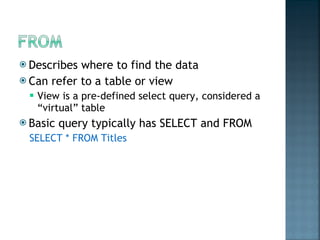
Describes where to find the data Can refer to a table or view  View is a pre-defined select query, considered a “virtual” table Basic query typically has SELECT and FROM SELECT * FROM Titles
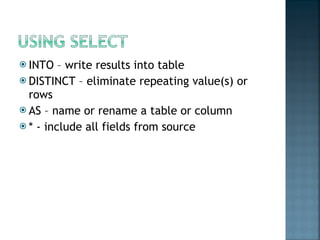
INTO – write results into table DISTINCT – eliminate repeating value(s) or rows AS – name or rename a table or column * - include all fields from source
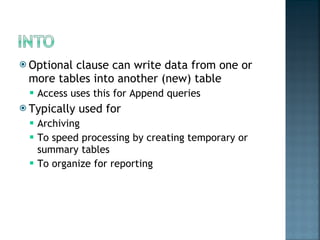
Optional clause can write data from one or more tables into another (new) table Access uses this for Append queries Typically used for  Archiving To speed processing by creating temporary or summary tables To organize for reporting
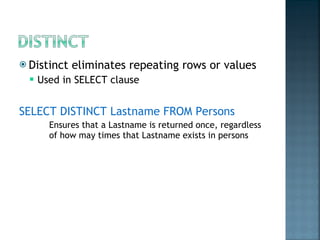
Distinct eliminates repeating rows or values Used in SELECT clause SELECT DISTINCT Lastname FROM Persons Ensures that a Lastname is returned once, regardless of how may times that Lastname exists in persons
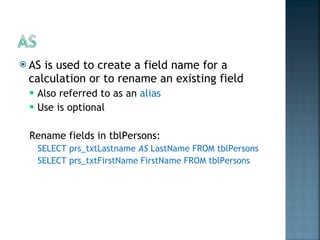
AS is used to create a field name for a calculation or to rename an existing field  Also referred to as an  alias Use is optional Rename fields in tblPersons: SELECT prs_txtLastname  AS  LastName FROM tblPersons SELECT prs_txtFirstName FirstName FROM tblPersons
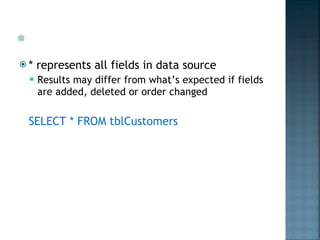
* represents all fields in data source Results may differ from what’s expected if fields are added, deleted or order changed SELECT * FROM tblCustomers
WHERE limits which rows are included in the result Criteria evaluate to True/False True means row will be used for result, false means row will be excluded Sometimes ‘Predicates’ is used in place of criteria (a predicate is a characteristic that’s true about a row)
Relational (=, >, <,<>,>=,<=) Like – compares text patterns Wildcards One Character: _ (underscore) Any combination: % Between – compares to range Is – compares true/false/null In – value is in a list Exists – whether there’s a value
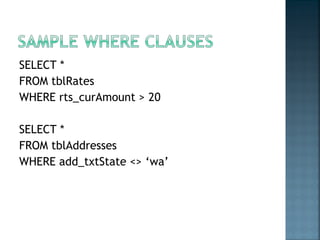
SELECT * FROM tblRates WHERE rts_curAmount > 20 SELECT * FROM tblAddresses WHERE add_txtState <> ‘wa’
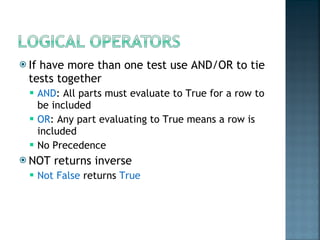
If have more than one test use AND/OR to tie tests together AND : All parts must evaluate to True for a row to be included OR : Any part evaluating to True means a row is included No Precedence NOT returns inverse Not False   returns  True
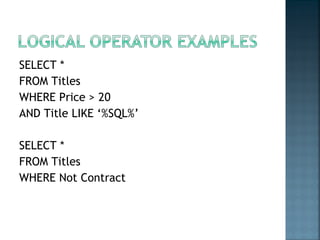
SELECT *  FROM Titles  WHERE Price > 20  AND Title LIKE ‘%SQL%’ SELECT * FROM Titles WHERE Not Contract
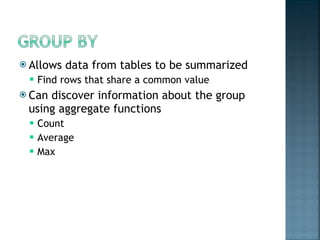
Allows data from tables to be summarized Find rows that share a common value Can discover information about the group using aggregate functions Count Average Max
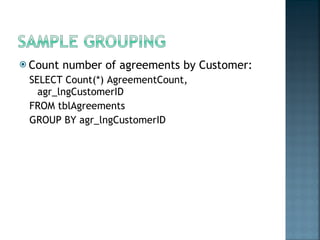
Count number of agreements by Customer: SELECT Count(*) AgreementCount, agr_lngCustomerID FROM tblAgreements GROUP BY agr_lngCustomerID
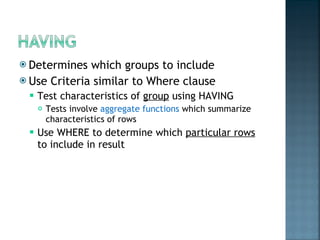
Determines which groups to include Use Criteria similar to Where clause Test characteristics of  group  using HAVING Tests involve  aggregate functions  which summarize characteristics of rows Use WHERE to determine which  particular rows  to include in result
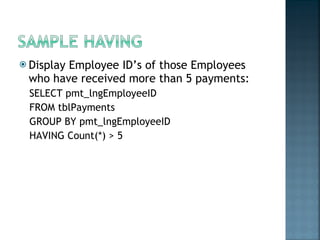
Display Employee ID’s of those Employees who have received more than 5 payments: SELECT pmt_lngEmployeeID FROM tblPayments GROUP BY pmt_lngEmployeeID HAVING Count(*) > 5
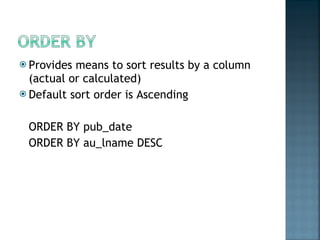
Provides means to sort results by a column (actual or calculated) Default sort order is Ascending ORDER BY pub_date ORDER BY au_lname DESC

CIS245 sql

  • 1.
  • 2.
    Used to displaydata and calculations Main tool for making use of the data that’s stored in tables SELECT can be used as part of other commands
  • 3.
    SELECT {field list}:What’s returned FROM {data source}: Which table to use WHERE {criteria}: Which rows to include GROUP BY {field list}: How to summarize HAVING {field list}: Which groups to include when grouping ORDER BY {field list}: How to sort
  • 4.
    FROM – getdata from original source(s) WHERE – limit rows to work with GROUP BY – create groups HAVING – limit groups SELECT – specify what to return ORDER BY – specify sorting
  • 5.
    SELECT starts statementFollowed by field list Fields can refer to table fields or calculations created as part of query SELECT can be used by itself: SELECT GetDate()
  • 6.
    Describes where tofind the data Can refer to a table or view View is a pre-defined select query, considered a “virtual” table Basic query typically has SELECT and FROM SELECT * FROM Titles
  • 7.
    INTO – writeresults into table DISTINCT – eliminate repeating value(s) or rows AS – name or rename a table or column * - include all fields from source
  • 8.
    Optional clause canwrite data from one or more tables into another (new) table Access uses this for Append queries Typically used for Archiving To speed processing by creating temporary or summary tables To organize for reporting
  • 9.
    Distinct eliminates repeatingrows or values Used in SELECT clause SELECT DISTINCT Lastname FROM Persons Ensures that a Lastname is returned once, regardless of how may times that Lastname exists in persons
  • 10.
    AS is usedto create a field name for a calculation or to rename an existing field Also referred to as an alias Use is optional Rename fields in tblPersons: SELECT prs_txtLastname AS LastName FROM tblPersons SELECT prs_txtFirstName FirstName FROM tblPersons
  • 11.
    * represents allfields in data source Results may differ from what’s expected if fields are added, deleted or order changed SELECT * FROM tblCustomers
  • 12.
    WHERE limits whichrows are included in the result Criteria evaluate to True/False True means row will be used for result, false means row will be excluded Sometimes ‘Predicates’ is used in place of criteria (a predicate is a characteristic that’s true about a row)
  • 13.
    Relational (=, >,<,<>,>=,<=) Like – compares text patterns Wildcards One Character: _ (underscore) Any combination: % Between – compares to range Is – compares true/false/null In – value is in a list Exists – whether there’s a value
  • 14.
    SELECT * FROMtblRates WHERE rts_curAmount > 20 SELECT * FROM tblAddresses WHERE add_txtState <> ‘wa’
  • 15.
    If have morethan one test use AND/OR to tie tests together AND : All parts must evaluate to True for a row to be included OR : Any part evaluating to True means a row is included No Precedence NOT returns inverse Not False returns True
  • 16.
    SELECT * FROM Titles WHERE Price > 20 AND Title LIKE ‘%SQL%’ SELECT * FROM Titles WHERE Not Contract
  • 17.
    Allows data fromtables to be summarized Find rows that share a common value Can discover information about the group using aggregate functions Count Average Max
  • 18.
    Count number ofagreements by Customer: SELECT Count(*) AgreementCount, agr_lngCustomerID FROM tblAgreements GROUP BY agr_lngCustomerID
  • 19.
    Determines which groupsto include Use Criteria similar to Where clause Test characteristics of group using HAVING Tests involve aggregate functions which summarize characteristics of rows Use WHERE to determine which particular rows to include in result
  • 20.
    Display Employee ID’sof those Employees who have received more than 5 payments: SELECT pmt_lngEmployeeID FROM tblPayments GROUP BY pmt_lngEmployeeID HAVING Count(*) > 5
  • 21.
    Provides means tosort results by a column (actual or calculated) Default sort order is Ascending ORDER BY pub_date ORDER BY au_lname DESC

Editor's Notes

  • #2 CIS-182 Select Statement 02/09/12
  • #3 02/09/12 CIS-182 Select Statement