CIS-189
   XPath provides a logical model for working
    with XML document
   Nodes are used to represent serialized XML
    (in memory)
    ◦ Not all parts of XML document are represented (XML
      declaration, DOCTYPE)
   XPath is used in combination with other tools
    (such as XSLT)
   Legal XPath code is called an expression
    ◦ An XPath expression that return a node set is a
     location path
   Expressions can be absolute and relative
    ◦ Absolute path includes a full definition of how to
      find node
    ◦ Relative path is based on current context (location)
   Root node represents document
    ◦ Can have only one child node (document element)
   Element node represents elements
    ◦ QName (qualified name) includes namespace prefix and
      element name
   Attribute node represent attributes
    ◦ Have name and value
    ◦ Are not represented as child nodes
   Text node represents text value of an element
    ◦ Does not have a name
   Namespace node gives access to the namespace URI
    and prefix
   Comment node
   Processing Instruction Node
   Boolean
    ◦ Written as true() and false()
   String
   Number – floating point values
   Node-set – unordered set
    ◦ Follows document order
   Element node references can be spelled out
    or abbreviated
    /child::movies/child::movie/child::price
    OR
    /movies/movie/price

    ◦ child::nodename can also be written nodename
   Attribute node references
    attribute::attributename
    OR
    @attributename
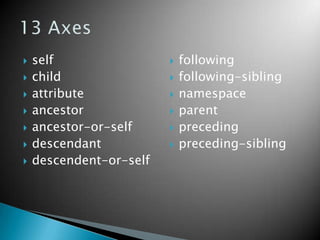
   self                    following
   child                   following-sibling
   attribute               namespace
   ancestor                parent
   ancestor-or-self        preceding
   descendant              preceding-sibling
   descendent-or-self
   Default axis
   Selects nodes that are immediate nodes of
    context (current) node
   Can use * to refer to all child nodes
<movie>              If context is movie
<title>Up</title>     Location path
<price>4.99</price     child::copy (or
 >                     copy) returns node
<copy>1</copy>         set with both copy
<copy>2</copy>         elements
                      Location path
</movie>
                       child::* (or *)
                       returns node set
                       with title, price, 2
                       copy nodes
   Can use node() to return all child nodes
    including comments, processing instructions,
    and text nodes
   Can return just text nodes using text()
    ◦ Text nodes are unnamed
   Used to select attributes belonging to a
    particular element node
   To return all attributes
    ◦ attribute::*
    ◦ @*
   To return particular attribute
    ◦ attribute::attributename
    ◦ @attributename
   Used to filter node sets
    ◦ Predicate similar to query criteria
   Can use specific values or location references
XML:                              Find 3rd Vehicle:

<vehicles>                        /vehicles/vehicle[2]
   <vehicle model="camaro">
    <year>1967</year>                     (1-based numbering)
    <engine>327 v8</engine>
   </vehicle>                     Find vehicles that are from ‘72:
   <vehicle model="challenger">   /vehicles/vehicle/[year=‘1972’]
    <year>1972</year>
    <engine>383 v8</engine>               (return a node set)
   </vehicle>
   <vehicle model="baja bug">
    <year>multiple</year>
    <engine>1200
  opposing4</engine>
   </vehicle>
</vehicles>

XPath

  • 1.
  • 2.
    XPath provides a logical model for working with XML document  Nodes are used to represent serialized XML (in memory) ◦ Not all parts of XML document are represented (XML declaration, DOCTYPE)  XPath is used in combination with other tools (such as XSLT)
  • 3.
    Legal XPath code is called an expression ◦ An XPath expression that return a node set is a location path  Expressions can be absolute and relative ◦ Absolute path includes a full definition of how to find node ◦ Relative path is based on current context (location)
  • 4.
    Root node represents document ◦ Can have only one child node (document element)  Element node represents elements ◦ QName (qualified name) includes namespace prefix and element name  Attribute node represent attributes ◦ Have name and value ◦ Are not represented as child nodes  Text node represents text value of an element ◦ Does not have a name  Namespace node gives access to the namespace URI and prefix  Comment node  Processing Instruction Node
  • 5.
    Boolean ◦ Written as true() and false()  String  Number – floating point values  Node-set – unordered set ◦ Follows document order
  • 6.
    Element node references can be spelled out or abbreviated /child::movies/child::movie/child::price OR /movies/movie/price ◦ child::nodename can also be written nodename  Attribute node references attribute::attributename OR @attributename
  • 7.
    self  following  child  following-sibling  attribute  namespace  ancestor  parent  ancestor-or-self  preceding  descendant  preceding-sibling  descendent-or-self
  • 8.
    Default axis  Selects nodes that are immediate nodes of context (current) node  Can use * to refer to all child nodes
  • 9.
    <movie> If context is movie <title>Up</title>  Location path <price>4.99</price child::copy (or > copy) returns node <copy>1</copy> set with both copy <copy>2</copy> elements  Location path </movie> child::* (or *) returns node set with title, price, 2 copy nodes
  • 10.
    Can use node() to return all child nodes including comments, processing instructions, and text nodes  Can return just text nodes using text() ◦ Text nodes are unnamed
  • 11.
    Used to select attributes belonging to a particular element node  To return all attributes ◦ attribute::* ◦ @*  To return particular attribute ◦ attribute::attributename ◦ @attributename
  • 12.
    Used to filter node sets ◦ Predicate similar to query criteria  Can use specific values or location references
  • 13.
    XML: Find 3rd Vehicle: <vehicles> /vehicles/vehicle[2] <vehicle model="camaro"> <year>1967</year> (1-based numbering) <engine>327 v8</engine> </vehicle> Find vehicles that are from ‘72: <vehicle model="challenger"> /vehicles/vehicle/[year=‘1972’] <year>1972</year> <engine>383 v8</engine> (return a node set) </vehicle> <vehicle model="baja bug"> <year>multiple</year> <engine>1200 opposing4</engine> </vehicle> </vehicles>