Jane Hart Social Media & Learning Consultant Centre for Learning & Performance Technologies www.C4LPT.co.uk   The Educational Environment Journey NVU Conference Trondheim, 17 March 2009
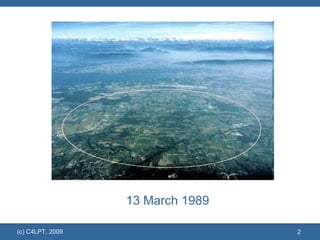
13 March 1989
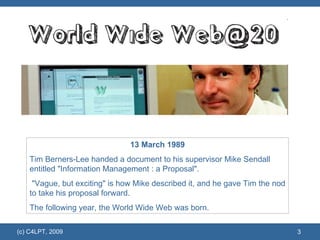
13 March 1989 Tim Berners-Lee handed a document to his supervisor Mike Sendall entitled "Information Management : a Proposal". "Vague, but exciting" is how Mike described it, and he gave Tim the nod to take his proposal forward.  The following year, the World Wide Web was born.
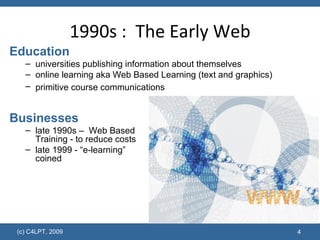
1990s :  The Early Web Education universities publishing information about themselves online learning aka Web Based Learning   (text and graphics) primitive course communications   Businesses late 1990s –  Web Based  Training - to reduce costs late 1999 - “e-learning”  coined
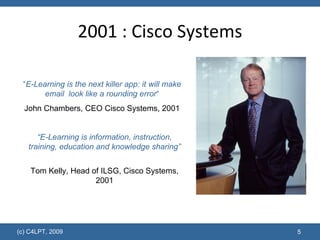
2001 : Cisco Systems “ E-Learning is the next killer app: it will make email  look like a rounding error “ John Chambers, CEO Cisco Systems, 2001 “ E-Learning is information, instruction, training, education and knowledge sharing” Tom Kelly, Head of ILSG, Cisco Systems, 2001
Early E-Learning: Benefits Learning comes to you  – any time, anywhere Self-paced learning  – no need for a tutor
E-Learning becomes big business Development of off-the-shelf generic course libraries Bespoke multimedia course development companies Rise of Course / Learning Management Systems / Virtual Learning Environments
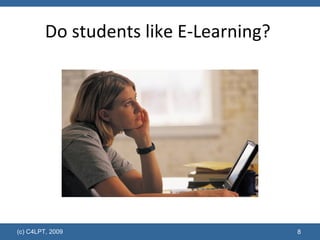
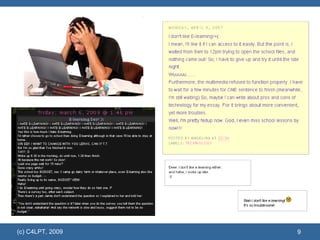
Do students like E-Learning?
 
Some reasons  ….  E-Learning = E-Reading = Lonely Learning E-Learning = VLE Learning  (i.e. not very user-friendly and not like the tools they are used to E-Learning = Traditional Learning  and doesn’t  suit the approach to  learning in late 2000s
Much of E-Learning is 1.0 E-Learning 1.0 one-way learning read-only learning online courses produced by experts (teachers)  and published on  a VLE to be studied by learners Web 1.0 one-way web read-only web content   produced by an expert author published   on the web  to be read by consumers.
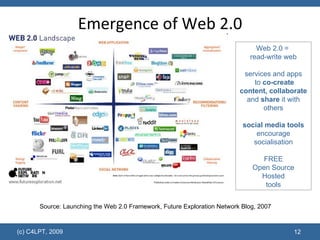
Emergence of Web 2.0 Source: Launching the Web 2.0 Framework, Future Exploration Network Blog, 2007 Web 2.0 =  read-write web services and apps  to  co-create content, collaborate  and  share  it with others social media tools encourage socialisation FREE Open Source Hosted tools
 
 
Generation Y and Technology 97% own a computer  97% have downloaded music and other media using peer-to-peer file sharing  94% own a cell phone  76% use instant messaging and social networking sites  75% of college students have a Facebook profile and most of them check it daily 60% own some type of portable music and/or video device such as an iPod  49% regularly download music and other media using peer-to-peer file sharing  34% use websites as their primary source of news  28% author a blog and 44% read blogs  15% of IM users are logged on 24 hours a day/7 days a week  Source:  Connecting to the Net.Generation: What Higher Education Professionals Need to Know About Today's Students , Reynold Junco and Jeanna Mastrodicasa, 2007
Attitudes/Approaches to Learning Traditional learner classrooms and workshops content-driven taught linear tied to tests “ just in case” singularity online web-based courses text-based independent New breed of learner hyperlinked info multi-task visual  experiential short attention spans social “ just in time” needs instant gratification construct own learning
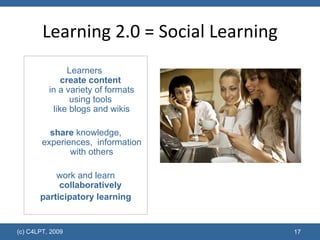
Learning 2.0 = Social Learning Learners  create content   in a variety of formats using tools  like blogs and wikis share  knowledge, experiences,  information with others work and learn collaboratively   participatory learning
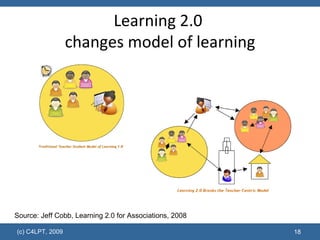
Learning 2.0  changes model of learning Source: Jeff Cobb, Learning 2.0 for Associations, 2008
How can we support Learning 2.0?
1.  Encourage learners to build a Personal Learning Environment “ collection of tools, brought together under the conceptual notion of openness, interoperability, and learner control.”  George Siemens, 2007 “ using whatever tools and devices which the learners choose” “ PLEs are based on the context that learning will take place in different contexts and situations and will not be provided by a single learning provider.” Graham Attwell, 2007
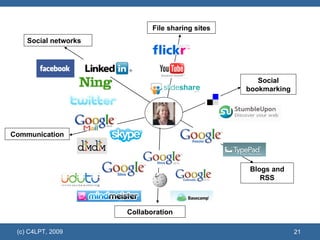
Social networks Communication File sharing sites Social bookmarking Blogs and RSS Collaboration
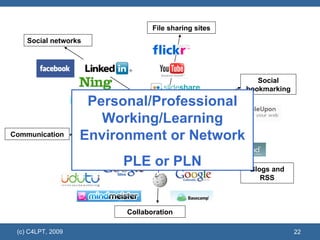
Social networks Communication File sharing sites Social bookmarking Blogs and RSS Collaboration Personal/Professional Working/Learning Environment or Network PLE or PLN
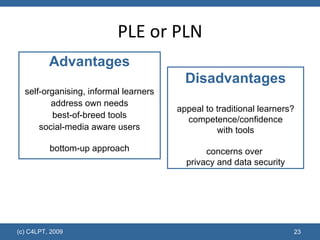
PLE or PLN Advantages self-organising, informal learners address own needs best-of-breed tools social-media aware users bottom-up approach Disadvantages appeal to traditional learners? competence/confidence with tools concerns over  privacy and data security
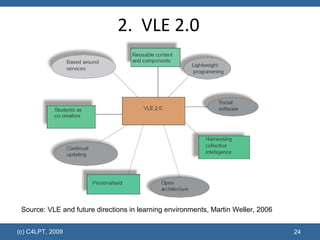
2.  VLE 2.0 Source: VLE and future directions in learning environments, Martin Weller, 2006
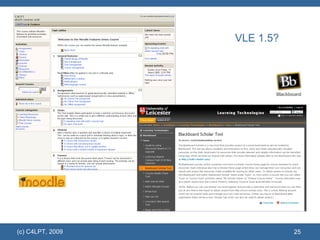
VLE 1.5?
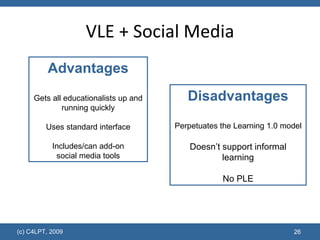
VLE + Social Media Disadvantages Perpetuates the Learning 1.0 model Doesn’t support informal learning No PLE Advantages Gets all educationalists up and running quickly Uses standard interface Includes/can add-on social media tools
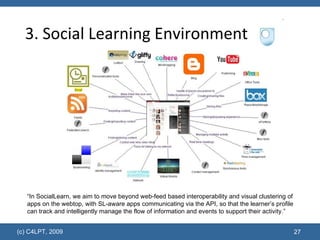
3. Social Learning Environment “ In SocialLearn, we aim to move beyond web-feed based interoperability and visual clustering of apps on the webtop, with SL-aware apps communicating via the API, so that the learner’s profile can track and intelligently manage the flow of information and events to support their activity.”
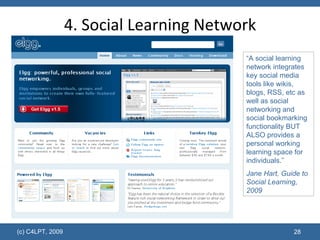
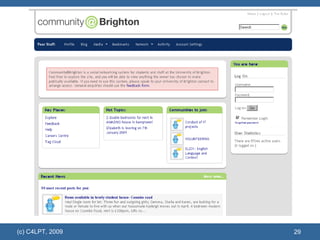
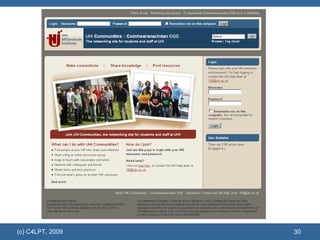
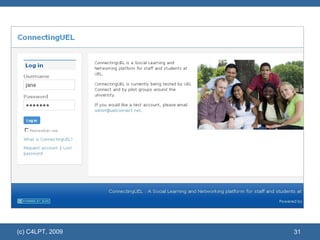
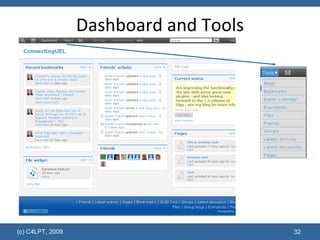
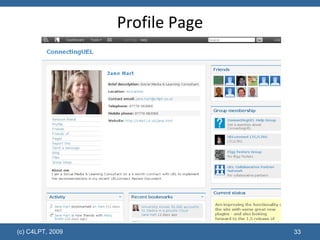
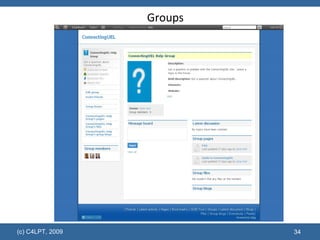
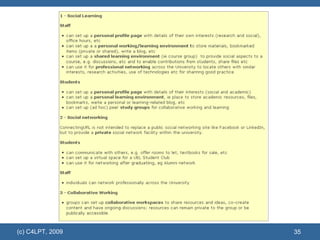
“ A social learning network integrates key social media tools like wikis, blogs, RSS, etc as well as social networking and social bookmarking functionality BUT ALSO provides a personal working learning space for individuals.” Jane Hart, Guide to Social Learning, 2009 4. Social Learning Network


Dashboard and Tools
Profile Page
Groups
 
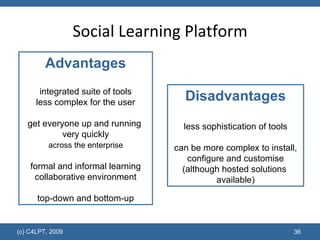
Social Learning Platform Disadvantages less sophistication of tools can be more complex to install, configure and customise (although hosted solutions  available) Advantages integrated suite of tools less complex for the user get everyone up and running  very quickly   across the enterprise  formal and informal learning collaborative environment top-down and bottom-up
Links for presentation www.c4lpt.co.uk/articles/edjourney.htm

The Educational Environment Journey

  • 1.
    Jane Hart SocialMedia & Learning Consultant Centre for Learning & Performance Technologies www.C4LPT.co.uk The Educational Environment Journey NVU Conference Trondheim, 17 March 2009
  • 2.
  • 3.
    13 March 1989Tim Berners-Lee handed a document to his supervisor Mike Sendall entitled "Information Management : a Proposal". "Vague, but exciting" is how Mike described it, and he gave Tim the nod to take his proposal forward. The following year, the World Wide Web was born.
  • 4.
    1990s : The Early Web Education universities publishing information about themselves online learning aka Web Based Learning (text and graphics) primitive course communications Businesses late 1990s – Web Based Training - to reduce costs late 1999 - “e-learning” coined
  • 5.
    2001 : CiscoSystems “ E-Learning is the next killer app: it will make email look like a rounding error “ John Chambers, CEO Cisco Systems, 2001 “ E-Learning is information, instruction, training, education and knowledge sharing” Tom Kelly, Head of ILSG, Cisco Systems, 2001
  • 6.
    Early E-Learning: BenefitsLearning comes to you – any time, anywhere Self-paced learning – no need for a tutor
  • 7.
    E-Learning becomes bigbusiness Development of off-the-shelf generic course libraries Bespoke multimedia course development companies Rise of Course / Learning Management Systems / Virtual Learning Environments
  • 8.
    Do students likeE-Learning?
  • 9.
  • 10.
    Some reasons …. E-Learning = E-Reading = Lonely Learning E-Learning = VLE Learning (i.e. not very user-friendly and not like the tools they are used to E-Learning = Traditional Learning and doesn’t suit the approach to learning in late 2000s
  • 11.
    Much of E-Learningis 1.0 E-Learning 1.0 one-way learning read-only learning online courses produced by experts (teachers) and published on a VLE to be studied by learners Web 1.0 one-way web read-only web content produced by an expert author published on the web to be read by consumers.
  • 12.
    Emergence of Web2.0 Source: Launching the Web 2.0 Framework, Future Exploration Network Blog, 2007 Web 2.0 = read-write web services and apps to co-create content, collaborate and share it with others social media tools encourage socialisation FREE Open Source Hosted tools
  • 13.
  • 14.
  • 15.
    Generation Y andTechnology 97% own a computer 97% have downloaded music and other media using peer-to-peer file sharing 94% own a cell phone 76% use instant messaging and social networking sites 75% of college students have a Facebook profile and most of them check it daily 60% own some type of portable music and/or video device such as an iPod 49% regularly download music and other media using peer-to-peer file sharing 34% use websites as their primary source of news 28% author a blog and 44% read blogs 15% of IM users are logged on 24 hours a day/7 days a week Source: Connecting to the Net.Generation: What Higher Education Professionals Need to Know About Today's Students , Reynold Junco and Jeanna Mastrodicasa, 2007
  • 16.
    Attitudes/Approaches to LearningTraditional learner classrooms and workshops content-driven taught linear tied to tests “ just in case” singularity online web-based courses text-based independent New breed of learner hyperlinked info multi-task visual experiential short attention spans social “ just in time” needs instant gratification construct own learning
  • 17.
    Learning 2.0 =Social Learning Learners create content in a variety of formats using tools like blogs and wikis share knowledge, experiences, information with others work and learn collaboratively participatory learning
  • 18.
    Learning 2.0 changes model of learning Source: Jeff Cobb, Learning 2.0 for Associations, 2008
  • 19.
    How can wesupport Learning 2.0?
  • 20.
    1. Encouragelearners to build a Personal Learning Environment “ collection of tools, brought together under the conceptual notion of openness, interoperability, and learner control.” George Siemens, 2007 “ using whatever tools and devices which the learners choose” “ PLEs are based on the context that learning will take place in different contexts and situations and will not be provided by a single learning provider.” Graham Attwell, 2007
  • 21.
    Social networks CommunicationFile sharing sites Social bookmarking Blogs and RSS Collaboration
  • 22.
    Social networks CommunicationFile sharing sites Social bookmarking Blogs and RSS Collaboration Personal/Professional Working/Learning Environment or Network PLE or PLN
  • 23.
    PLE or PLNAdvantages self-organising, informal learners address own needs best-of-breed tools social-media aware users bottom-up approach Disadvantages appeal to traditional learners? competence/confidence with tools concerns over privacy and data security
  • 24.
    2. VLE2.0 Source: VLE and future directions in learning environments, Martin Weller, 2006
  • 25.
  • 26.
    VLE + SocialMedia Disadvantages Perpetuates the Learning 1.0 model Doesn’t support informal learning No PLE Advantages Gets all educationalists up and running quickly Uses standard interface Includes/can add-on social media tools
  • 27.
    3. Social LearningEnvironment “ In SocialLearn, we aim to move beyond web-feed based interoperability and visual clustering of apps on the webtop, with SL-aware apps communicating via the API, so that the learner’s profile can track and intelligently manage the flow of information and events to support their activity.”
  • 28.
    “ A sociallearning network integrates key social media tools like wikis, blogs, RSS, etc as well as social networking and social bookmarking functionality BUT ALSO provides a personal working learning space for individuals.” Jane Hart, Guide to Social Learning, 2009 4. Social Learning Network
  • 29.
  • 30.
  • 31.
  • 32.
  • 33.
  • 34.
  • 35.
  • 36.
    Social Learning PlatformDisadvantages less sophistication of tools can be more complex to install, configure and customise (although hosted solutions available) Advantages integrated suite of tools less complex for the user get everyone up and running very quickly across the enterprise formal and informal learning collaborative environment top-down and bottom-up
  • 37.
    Links for presentationwww.c4lpt.co.uk/articles/edjourney.htm