Beyond Instructional Design:
How Performance Support is Revolutionising e-Learning
Jane Hart
Centre for Learning & Performance Technologies
(c) C4LPT, 2016 2
(c) C4LPT, 2016
@C4LPT
www.JaneHart.com
www.C4LPT.co.uk
www.ModernWorkplaceLearning.com
(c) C4LPT, 2016
AGENDA
Changing learning habits
What this means for content design
Design guidance and insights
Examples of performance support resources
Performance design process and measuring success
4
(c) C4LPT, 2016
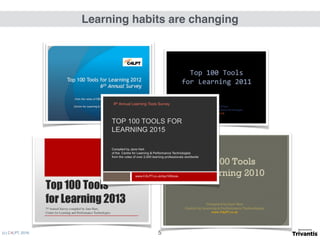
Learning habits are changing
5
(c) C4LPT, 2016
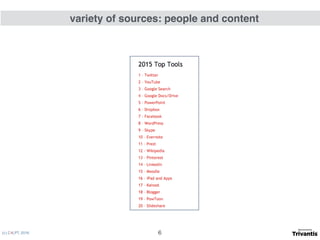
variety of sources: people and content
6
(c) C4LPT, 2016
on demand
7
(c) C4LPT, 2016
in short bursts
8
(c) C4LPT, 2016
on all kinds of devices
9
(c) C4LPT, 2016
in the flow of work
10
(c) C4LPT, 2016
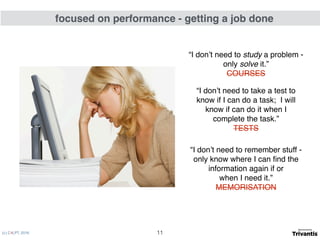
“I don’t need to study a problem -
only solve it.”
COURSES
“I don’t need to take a test to
know if I can do a task; I will
know if can do it when I
complete the task.”

TESTS
“I don’t need to remember stuff -
only know where I can find the
information again if or 

when I need it.”

MEMORISATION
focused on performance - getting a job done
11
(c) C4LPT, 2016
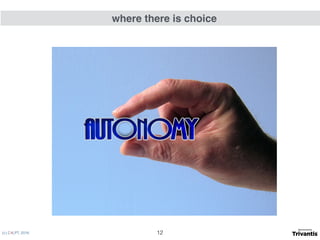
where there is choice
12
(c) C4LPT, 2016
producing
small, flexible, on demand
resources
for different users’ devices
in useful formats
to help get work done
courses > resources > performance support
What this means
13
• It’s not a learning resource 

but a performance resource
• You can create resources
alongside courses
• You can create resources
instead of courses
From
instructional design
to
performance design
and
information design
visual design
What this means
(c) C4LPT, 2016 14
(c) C4LPT, 2016
micro content
bite-sized content
nano content
How small is small?
1 - THINK SMALL
15
(c) C4LPT, 2016
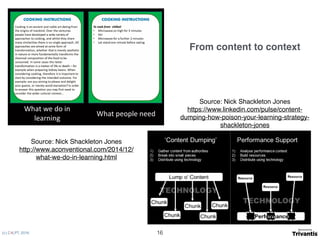
Source: Nick Shackleton Jones
http://www.aconventional.com/2014/12/
what-we-do-in-learning.html
Source: Nick Shackleton Jones

https://www.linkedin.com/pulse/content-
dumping-how-poison-your-learning-strategy-
shackleton-jones
From content to context
16
(c) C4LPT, 2016
content personalization
not about you personalizing it
but making it PERSONALIZABLE

by the user
i.e. to use in whatever way suits 

the individual concerned
2 - THINK FLEXIBLE
17
(c) C4LPT, 2016
How can it be

quickly found 

and
easily accessed?
3 - THINK ON DEMAND
18
(c) C4LPT, 2016
Mobile first - BYOD
4 - THINK DEVICES
19
(c) C4LPT, 2016
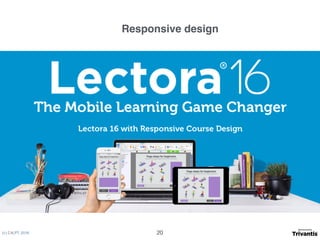
Responsive design
20
(c) C4LPT, 2016
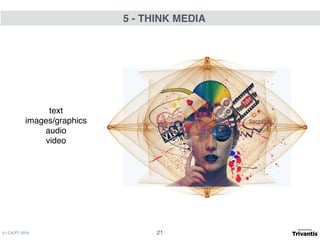
text
images/graphics
audio
video
5 - THINK MEDIA
21
(c) C4LPT, 2016
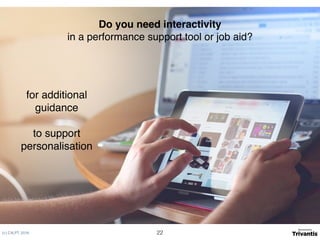
Do you need interactivity

in a performance support tool or job aid?
for additional
guidance
to support
personalisation
22
EXAMPLES OF PERFORMANCE SUPPORT RESOURCES

FROM AROUND THE WEB
23
(c) C4LPT, 2016
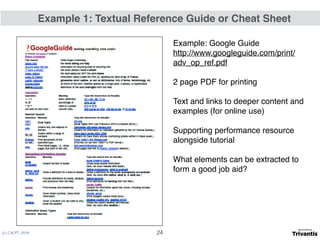
Example: Google Guide
http://www.googleguide.com/print/
adv_op_ref.pdf
2 page PDF for printing
Text and links to deeper content and
examples (for online use)
Supporting performance resource
alongside tutorial
What elements can be extracted to
form a good job aid?
Example 1: Textual Reference Guide or Cheat Sheet
24
(c) C4LPT, 2016
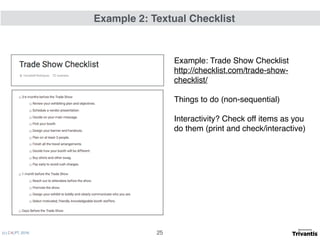
Example: Trade Show Checklist
http://checklist.com/trade-show-
checklist/
Things to do (non-sequential)
Interactivity? Check off items as you
do them (print and check/interactive)
Example 2: Textual Checklist
25
(c) C4LPT, 2016
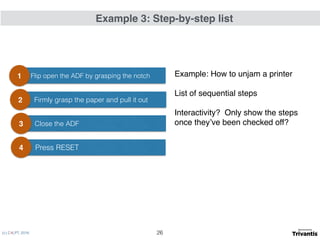
Example: How to unjam a printer
List of sequential steps
Interactivity? Only show the steps
once they’ve been checked off?
Flip open the ADF by grasping the notch1
Firmly grasp the paper and pull it out2
Cl Close the ADF3
Press RESET4
Example 3: Step-by-step list
26
(c) C4LPT, 2016
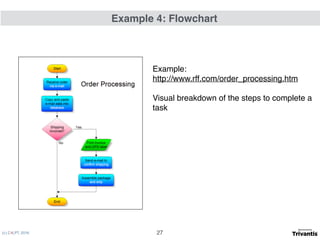
Example:
http://www.rff.com/order_processing.htm
Visual breakdown of the steps to complete a
task
Example 4: Flowchart
27
(c) C4LPT, 2016
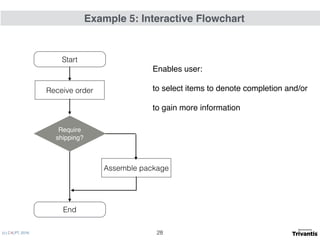
Start
End
Receive order
Assemble package
Require
shipping?
Enables user:
to select items to denote completion and/or
to gain more information
Example 5: Interactive Flowchart
28
(c) C4LPT, 2016
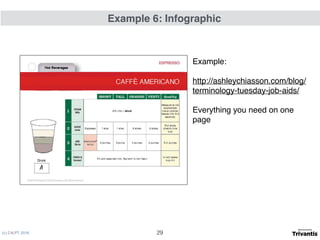
Example:


http://ashleychiasson.com/blog/
terminology-tuesday-job-aids/
Everything you need on one
page
Example 6: Infographic
29
(c) C4LPT, 2016
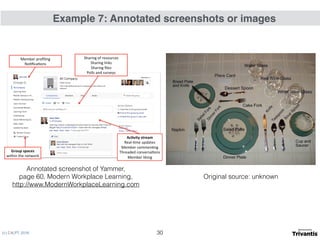
Example 7: Annotated screenshots or images
30
Annotated screenshot of Yammer, 

page 60, Modern Workplace Learning, 

http://www.ModernWorkplaceLearning.com
Original source: unknown
(c) C4LPT, 2016
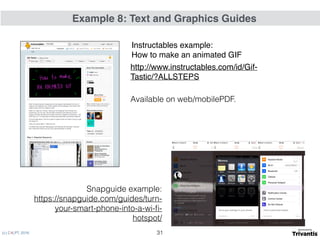
Available on web/mobilePDF.
Snapguide example:
https://snapguide.com/guides/turn-
your-smart-phone-into-a-wi-fi-
hotspot/
Example 8: Text and Graphics Guides
31
http://www.instructables.com/id/Gif-
Tastic/?ALLSTEPS
Instructables example: 

How to make an animated GIF
(c) C4LPT, 2016
Example 9: Audio Guides
useful if hands-free access required

talking through a task or activity
32
(c) C4LPT, 2016
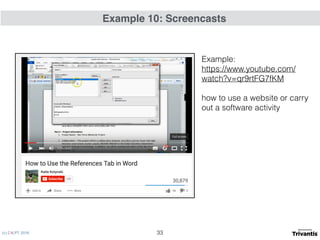
Example:

https://www.youtube.com/
watch?v=qr9rtFG7fKM
how to use a website or carry
out a software activity
Example 10: Screencasts
33
(c) C4LPT, 2016
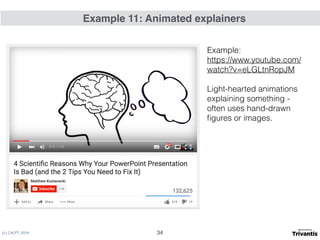
Example:

https://www.youtube.com/
watch?v=eLGLtnRopJM
Light-hearted animations
explaining something -
often uses hand-drawn
figures or images.
Example 11: Animated explainers
34
(c) C4LPT, 2016
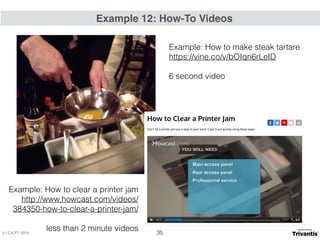
Example 12: How-To Videos
35
Example: How to clear a printer jam

http://www.howcast.com/videos/
384350-how-to-clear-a-printer-jam/
less than 2 minute videos
Example: How to make steak tartare

https://vine.co/v/bOIqn6rLeID
6 second video
(c) C4LPT, 2016
What is the right resource for a performance problem?
36
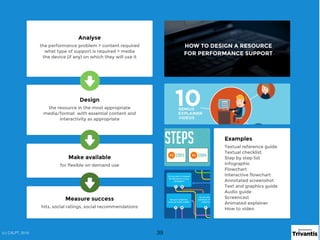
1. Analyse
• the performance problem
• the type of support that is required
• the device (if any) on which it will
be used
2. Design the resource in the most
appropriate format/media with
essentials required
3. Make available for flexible and on
demand use
Performance Support Design Process
(c) C4LPT, 2016 37
(c) C4LPT, 2016
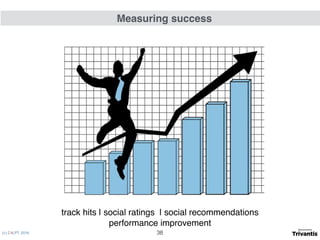
track hits | social ratings | social recommendations
performance improvement
Measuring success
38
(c) C4LPT, 2016 39(c) C4LPT, 2016

Beyond instructional design: how performance support is revolutionizng e-learning