STARTING 
MICROSOFT 
EXCEL 2010
Microsoft Excel Screen Elements
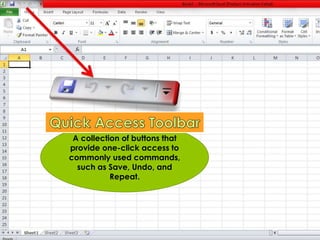
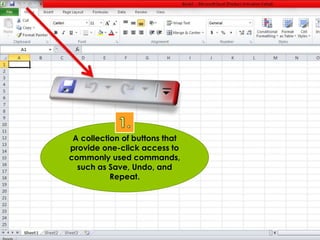
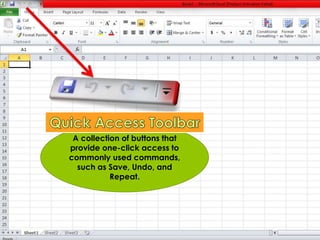
A collection of buttons that 
provide one-click access to 
commonly used commands, 
such as Save, Undo, and 
Repeat.
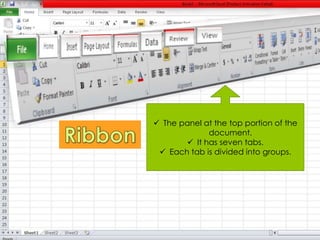
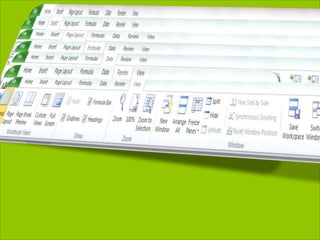
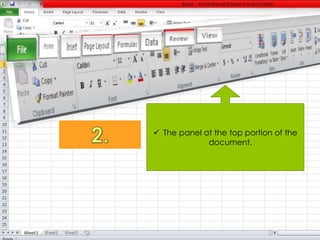
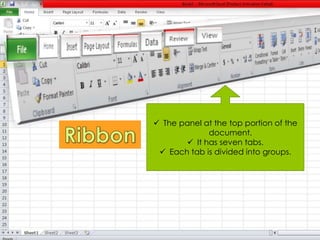
 The panel at the top portion of the 
document. 
 It has seven tabs. 
 Each tab is divided into groups.
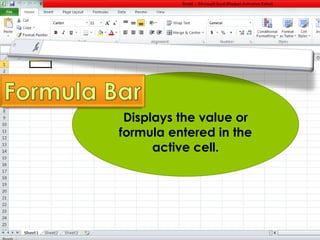
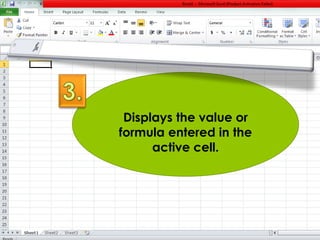
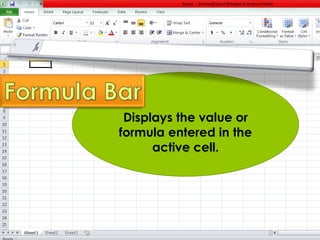
Displays the value or 
formula entered in the 
active cell.
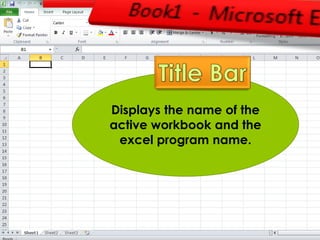
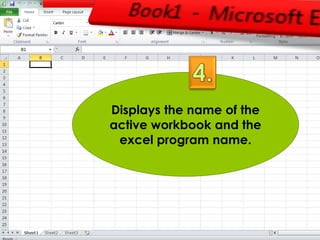
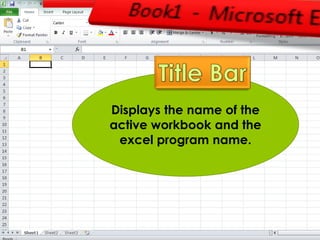
Displays the name of the 
active workbook and the 
excel program name.
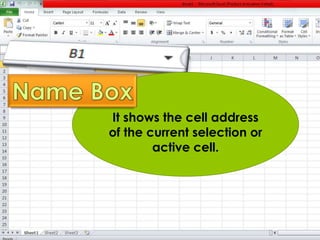
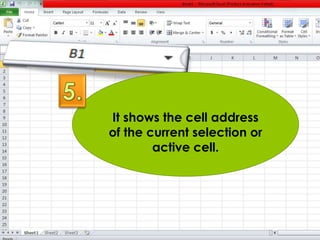
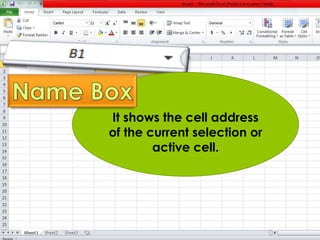
It shows the cell address 
of the current selection or 
active cell.
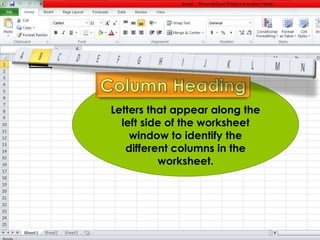
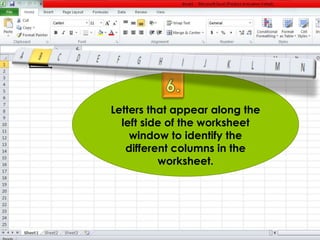
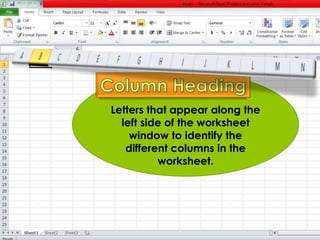
Letters that appear along the 
left side of the worksheet 
window to identify the 
different columns in the 
worksheet.
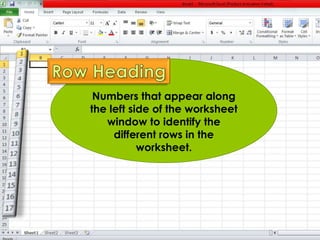
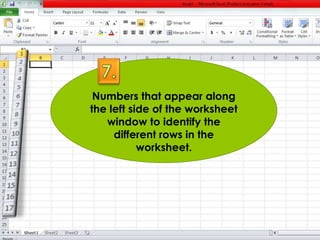
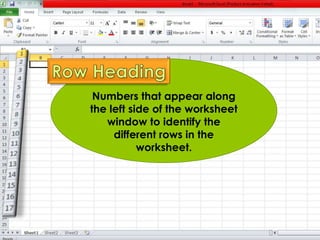
Numbers that appear along 
the left side of the worksheet 
window to identify the 
different rows in the 
worksheet.
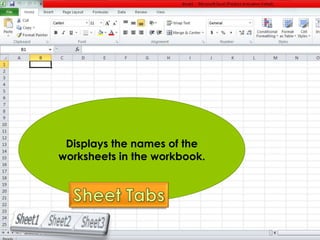
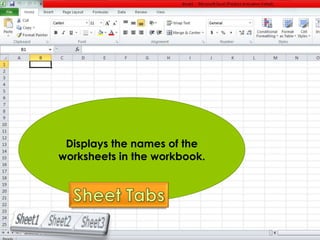
Displays the names of the 
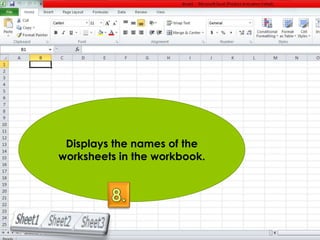
worksheets in the workbook.
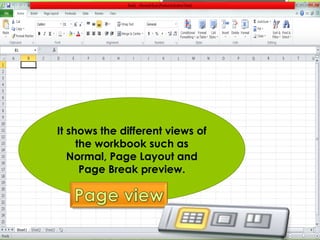
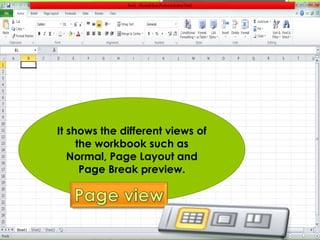
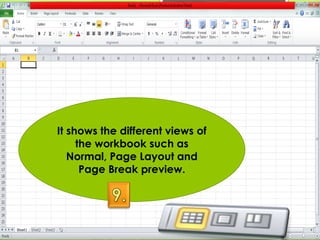
It shows the different views of 
the workbook such as 
Normal, Page Layout and 
Page Break preview.
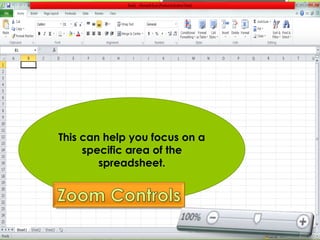
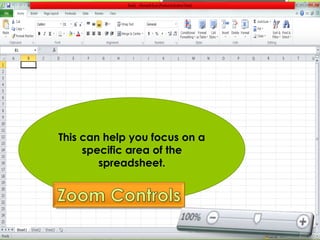
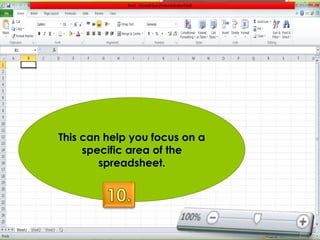
This can help you focus on a 
specific area of the 
spreadsheet.
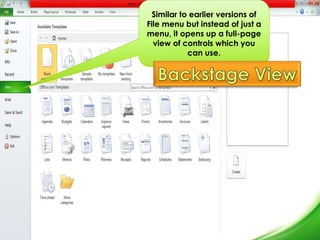
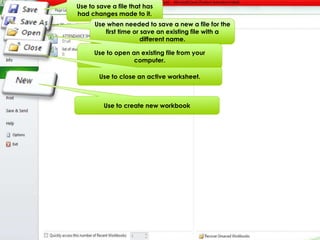
Similar to earlier versions of 
File menu but instead of just a 
menu, it opens up a full-page 
view of controls which you 
can use.
Use to save a file that has 
had changes made to it. 
Use when needed to save a new a file for the 
first time or save an existing file with a 
different name. 
Use to open an existing file from your 
computer. 
Use to close an active worksheet. 
Use to create new workbook
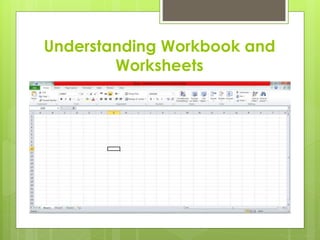
Understanding Workbook and 
Worksheets
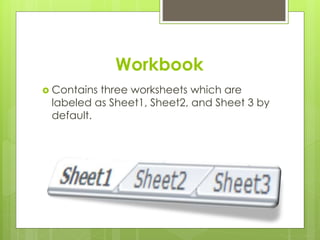
Workbook 
 Contains three worksheets which are 
labeled as Sheet1, Sheet2, and Sheet 3 by 
default.
Worksheets 
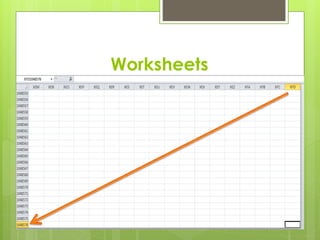
 Consists of cells that are organized into 
columns and rows. 
 A work sheet can contain up to 1,048, 576 
rows and 16,384 columns. 
 Row heading starts with 1 up to 1,048, 576. 
 Column heading starts with A up to XFD.
Worksheets
Creating and Saving a 
Workbook 
 File tab (Backstage View) 
 New(Blank Workbook) Create 
 Ctrl + N
To Save a new workbook: 
 File tab (Save As) 
 Save As Dialog Box Appears 
 Save In: (ex. My Document) 
 File Name: box 
 Save.
Opening and Closing a 
Workbook 
 To open an Existing Excel 2010 Workbook: 
1. Choose File Tab (Open) 
2. Open Dialog Box 
3. Look in 
4. Open the Folder 
5. Click the Open button
Opening and Closing a 
Workbook 
 To close an existing Excel 2010 Workbook 
1. File tab (Close) 
2. The workbook in the excel will be closed
Handling Worksheets 
Moving around the Worksheet 
1. To scroll through the worksheet 
2. To scroll using the keyboard
Handling Worksheets 
Renaming, Inserting, and 
Deleting Worksheets
Handling Worksheets 
Grouping and 
Ungrouping Worksheets
Handling Worksheets 
Moving and Copying 
Worksheets
Seatwork. 
Prepare Âź sheet of paper.
A collection of buttons that 
provide one-click access to 
commonly used commands, 
such as Save, Undo, and 
Repeat.
 The panel at the top portion of the 
document.
Displays the value or 
formula entered in the 
active cell.
Displays the name of the 
active workbook and the 
excel program name.
It shows the cell address 
of the current selection or 
active cell.
Letters that appear along the 
left side of the worksheet 
window to identify the 
different columns in the 
worksheet.
Numbers that appear along 
the left side of the worksheet 
window to identify the 
different rows in the 
worksheet.
Displays the names of the 
worksheets in the workbook.
It shows the different views of 
the workbook such as 
Normal, Page Layout and 
Page Break preview.
This can help you focus on a 
specific area of the 
spreadsheet.
Exchange papers. 
Indicate Corrected By:
A collection of buttons that 
provide one-click access to 
commonly used commands, 
such as Save, Undo, and 
Repeat.
 The panel at the top portion of the 
document. 
 It has seven tabs. 
 Each tab is divided into groups.
Displays the value or 
formula entered in the 
active cell.
Displays the name of the 
active workbook and the 
excel program name.
It shows the cell address 
of the current selection or 
active cell.
Letters that appear along the 
left side of the worksheet 
window to identify the 
different columns in the 
worksheet.
Numbers that appear along 
the left side of the worksheet 
window to identify the 
different rows in the 
worksheet.
Displays the names of the 
worksheets in the workbook.
It shows the different views of 
the workbook such as 
Normal, Page Layout and 
Page Break preview.
This can help you focus on a 
specific area of the 
spreadsheet.
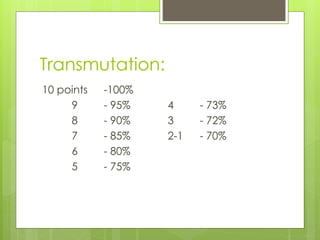
Transmutation: 
10 points -100% 
9 - 95% 4 - 73% 
8 - 90% 3 - 72% 
7 - 85% 2-1 - 70% 
6 - 80% 
5 - 75%

STARTING MICROSOFT EXCEL 2010

  • 1.
  • 2.
  • 3.
    A collection ofbuttons that provide one-click access to commonly used commands, such as Save, Undo, and Repeat.
  • 4.
     The panelat the top portion of the document.  It has seven tabs.  Each tab is divided into groups.
  • 6.
    Displays the valueor formula entered in the active cell.
  • 7.
    Displays the nameof the active workbook and the excel program name.
  • 8.
    It shows thecell address of the current selection or active cell.
  • 9.
    Letters that appearalong the left side of the worksheet window to identify the different columns in the worksheet.
  • 10.
    Numbers that appearalong the left side of the worksheet window to identify the different rows in the worksheet.
  • 11.
    Displays the namesof the worksheets in the workbook.
  • 12.
    It shows thedifferent views of the workbook such as Normal, Page Layout and Page Break preview.
  • 13.
    This can helpyou focus on a specific area of the spreadsheet.
  • 14.
    Similar to earlierversions of File menu but instead of just a menu, it opens up a full-page view of controls which you can use.
  • 15.
    Use to savea file that has had changes made to it. Use when needed to save a new a file for the first time or save an existing file with a different name. Use to open an existing file from your computer. Use to close an active worksheet. Use to create new workbook
  • 16.
  • 17.
    Workbook  Containsthree worksheets which are labeled as Sheet1, Sheet2, and Sheet 3 by default.
  • 18.
    Worksheets  Consistsof cells that are organized into columns and rows.  A work sheet can contain up to 1,048, 576 rows and 16,384 columns.  Row heading starts with 1 up to 1,048, 576.  Column heading starts with A up to XFD.
  • 19.
  • 20.
    Creating and Savinga Workbook  File tab (Backstage View)  New(Blank Workbook) Create  Ctrl + N
  • 21.
    To Save anew workbook:  File tab (Save As)  Save As Dialog Box Appears  Save In: (ex. My Document)  File Name: box  Save.
  • 22.
    Opening and Closinga Workbook  To open an Existing Excel 2010 Workbook: 1. Choose File Tab (Open) 2. Open Dialog Box 3. Look in 4. Open the Folder 5. Click the Open button
  • 23.
    Opening and Closinga Workbook  To close an existing Excel 2010 Workbook 1. File tab (Close) 2. The workbook in the excel will be closed
  • 24.
    Handling Worksheets Movingaround the Worksheet 1. To scroll through the worksheet 2. To scroll using the keyboard
  • 25.
    Handling Worksheets Renaming,Inserting, and Deleting Worksheets
  • 26.
    Handling Worksheets Groupingand Ungrouping Worksheets
  • 27.
    Handling Worksheets Movingand Copying Worksheets
  • 28.
    Seatwork. Prepare Âźsheet of paper.
  • 29.
    A collection ofbuttons that provide one-click access to commonly used commands, such as Save, Undo, and Repeat.
  • 30.
     The panelat the top portion of the document.
  • 31.
    Displays the valueor formula entered in the active cell.
  • 32.
    Displays the nameof the active workbook and the excel program name.
  • 33.
    It shows thecell address of the current selection or active cell.
  • 34.
    Letters that appearalong the left side of the worksheet window to identify the different columns in the worksheet.
  • 35.
    Numbers that appearalong the left side of the worksheet window to identify the different rows in the worksheet.
  • 36.
    Displays the namesof the worksheets in the workbook.
  • 37.
    It shows thedifferent views of the workbook such as Normal, Page Layout and Page Break preview.
  • 38.
    This can helpyou focus on a specific area of the spreadsheet.
  • 39.
  • 40.
    A collection ofbuttons that provide one-click access to commonly used commands, such as Save, Undo, and Repeat.
  • 41.
     The panelat the top portion of the document.  It has seven tabs.  Each tab is divided into groups.
  • 42.
    Displays the valueor formula entered in the active cell.
  • 43.
    Displays the nameof the active workbook and the excel program name.
  • 44.
    It shows thecell address of the current selection or active cell.
  • 45.
    Letters that appearalong the left side of the worksheet window to identify the different columns in the worksheet.
  • 46.
    Numbers that appearalong the left side of the worksheet window to identify the different rows in the worksheet.
  • 47.
    Displays the namesof the worksheets in the workbook.
  • 48.
    It shows thedifferent views of the workbook such as Normal, Page Layout and Page Break preview.
  • 49.
    This can helpyou focus on a specific area of the spreadsheet.
  • 50.
    Transmutation: 10 points-100% 9 - 95% 4 - 73% 8 - 90% 3 - 72% 7 - 85% 2-1 - 70% 6 - 80% 5 - 75%