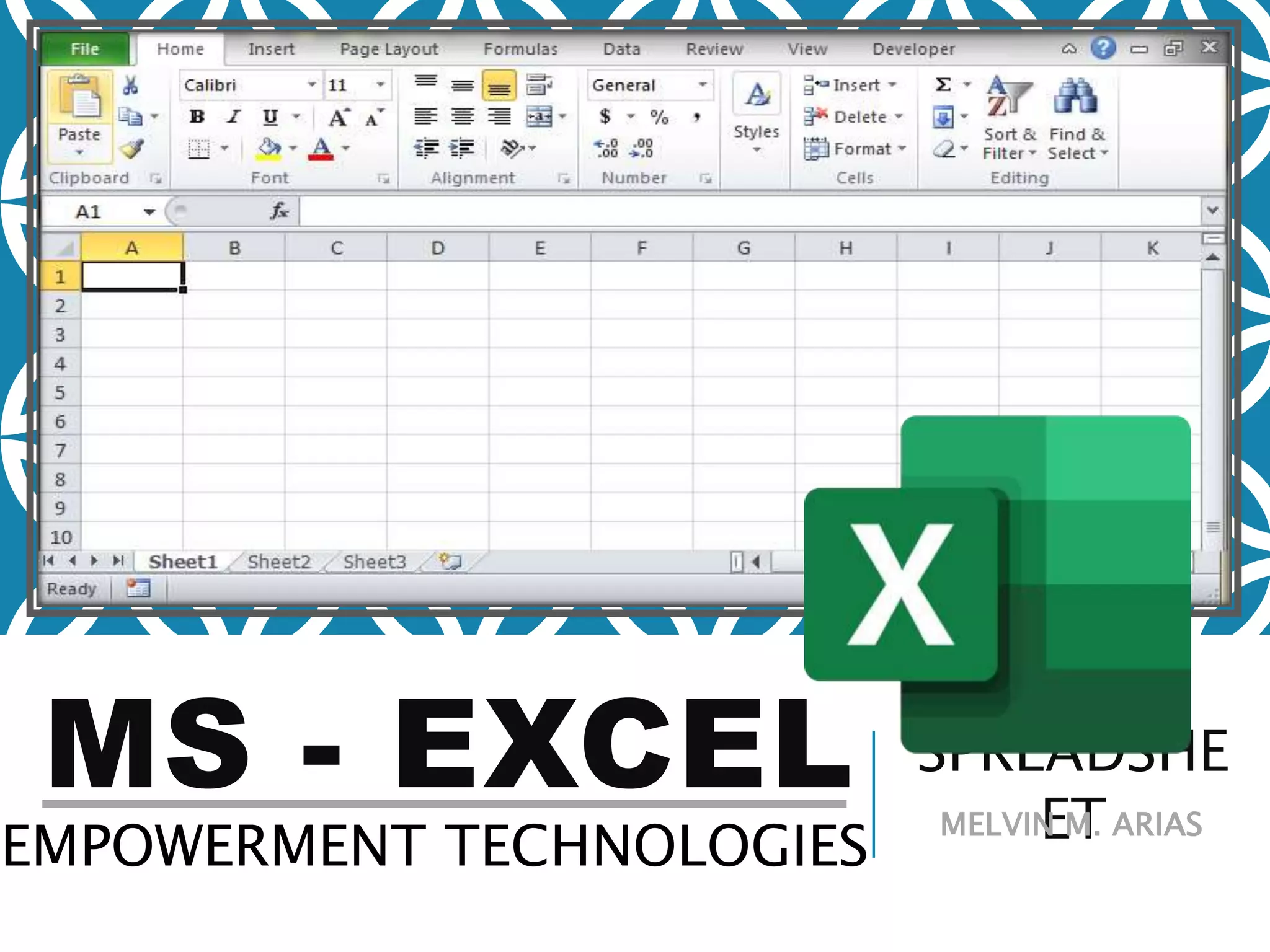
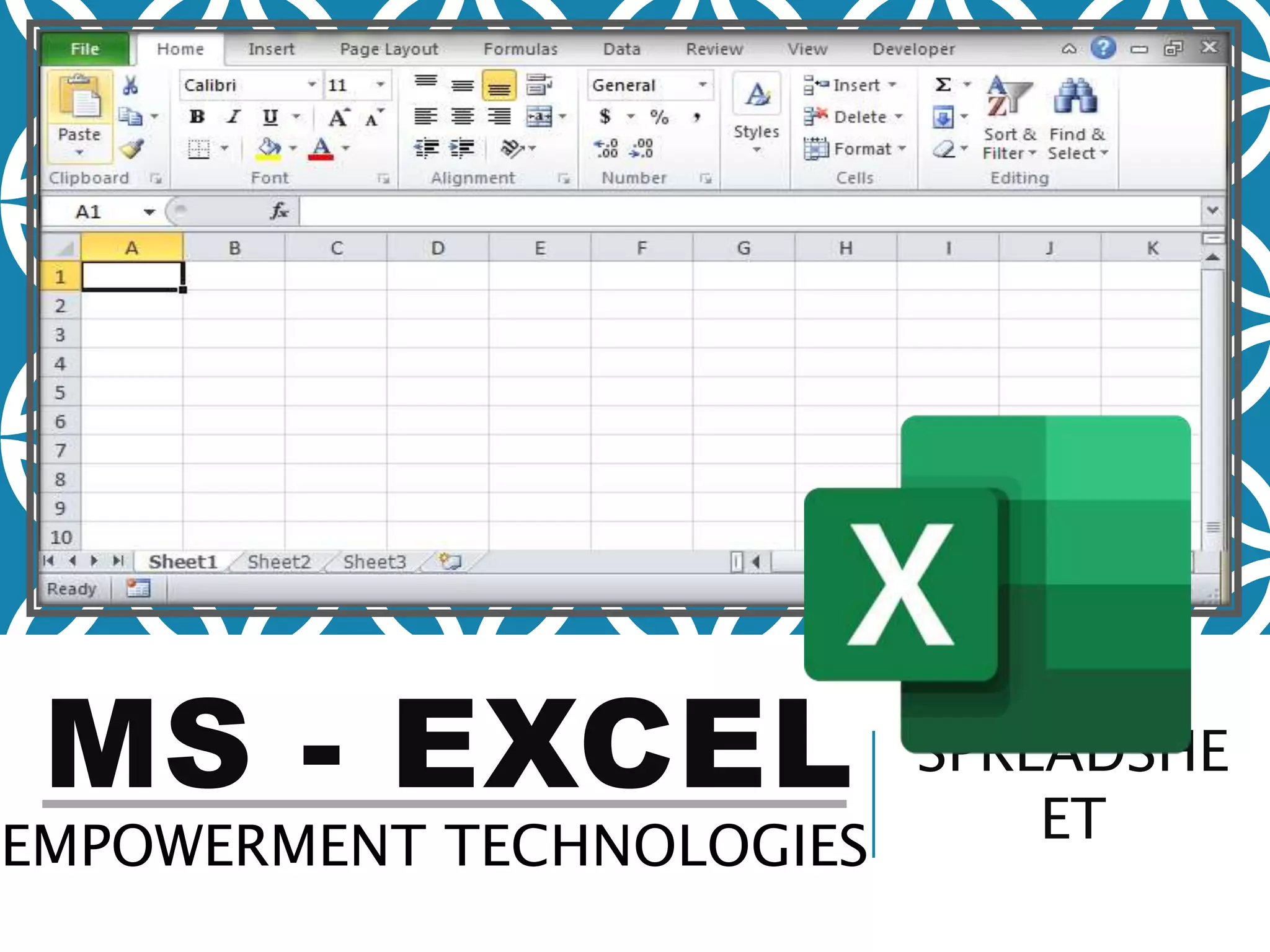
MS - EXCEL SPREADSHE
ETEMPOWERMENT TECHNOLOGIES
MELVIN M. ARIAS
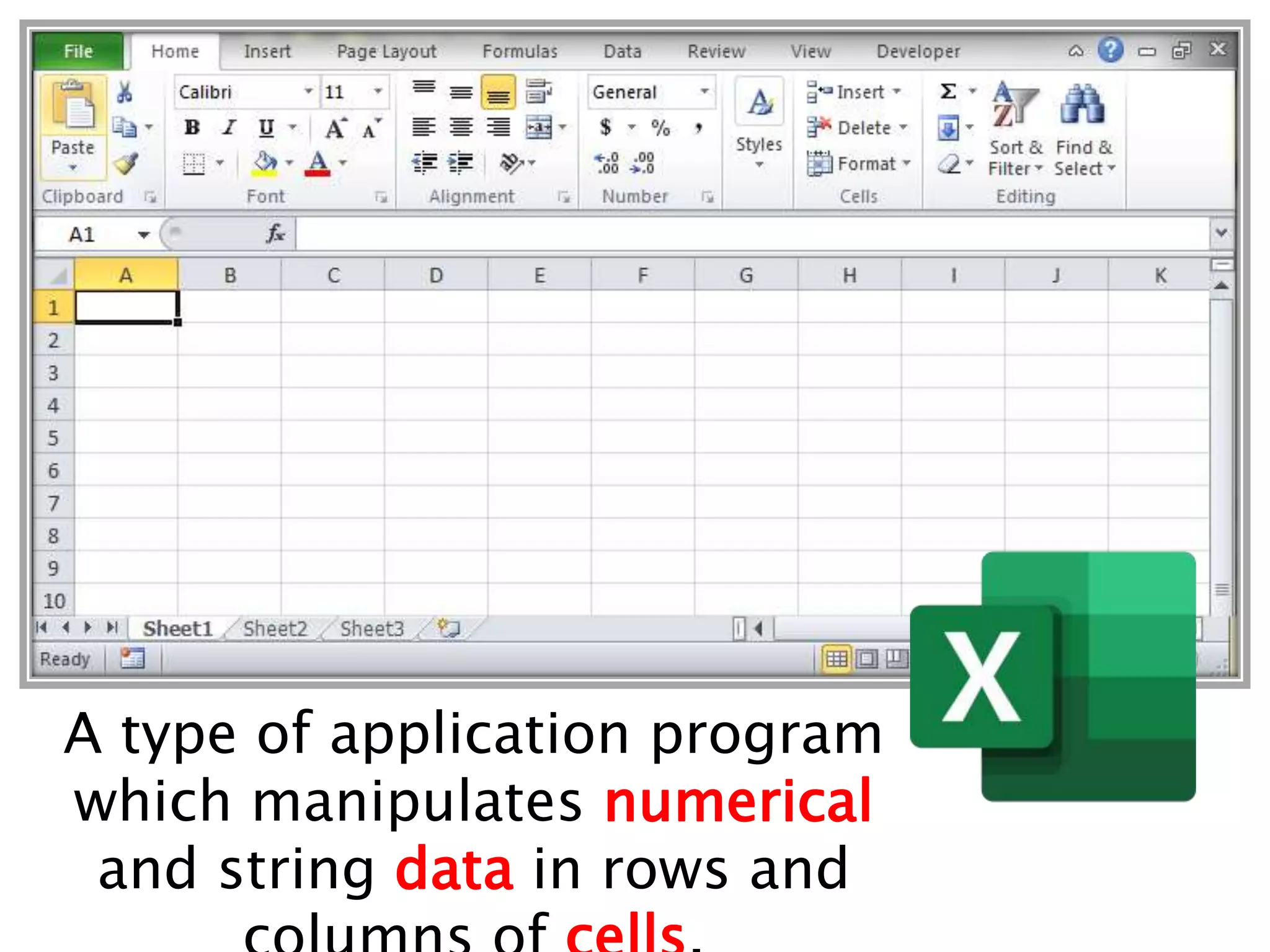
A type of application program
which manipulates numerical
and string data in rows and
SPREADSHEET USES:
SCHOOL: Students Grades and
PayrollSPORTS: Individual and Team
Statatistics
PERSONAL: Checkbook and Household
ExpensesBUSINESS: Payroll and
Investments
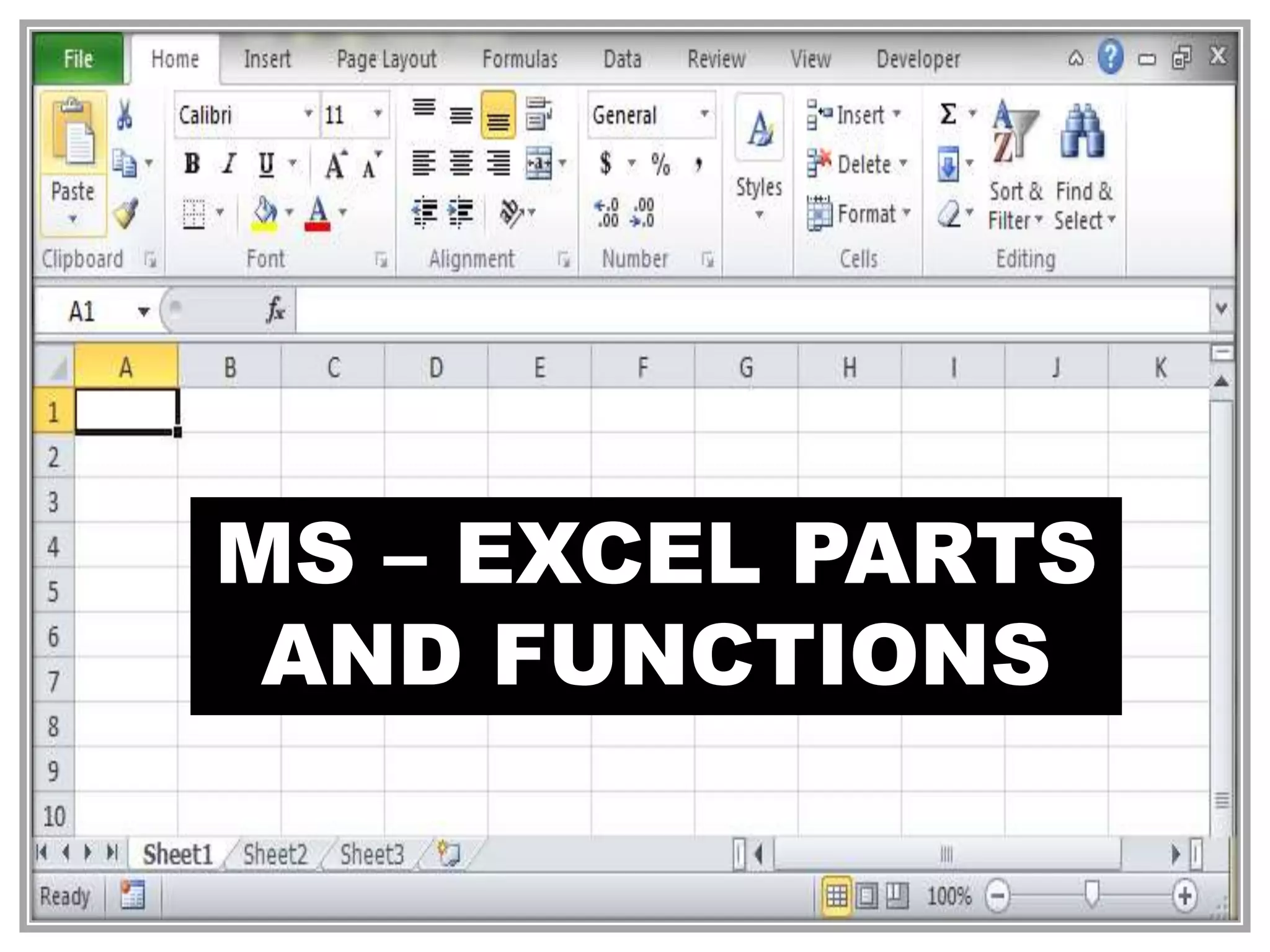
MS – EXCEL PARTS
AND FUNCTIONS
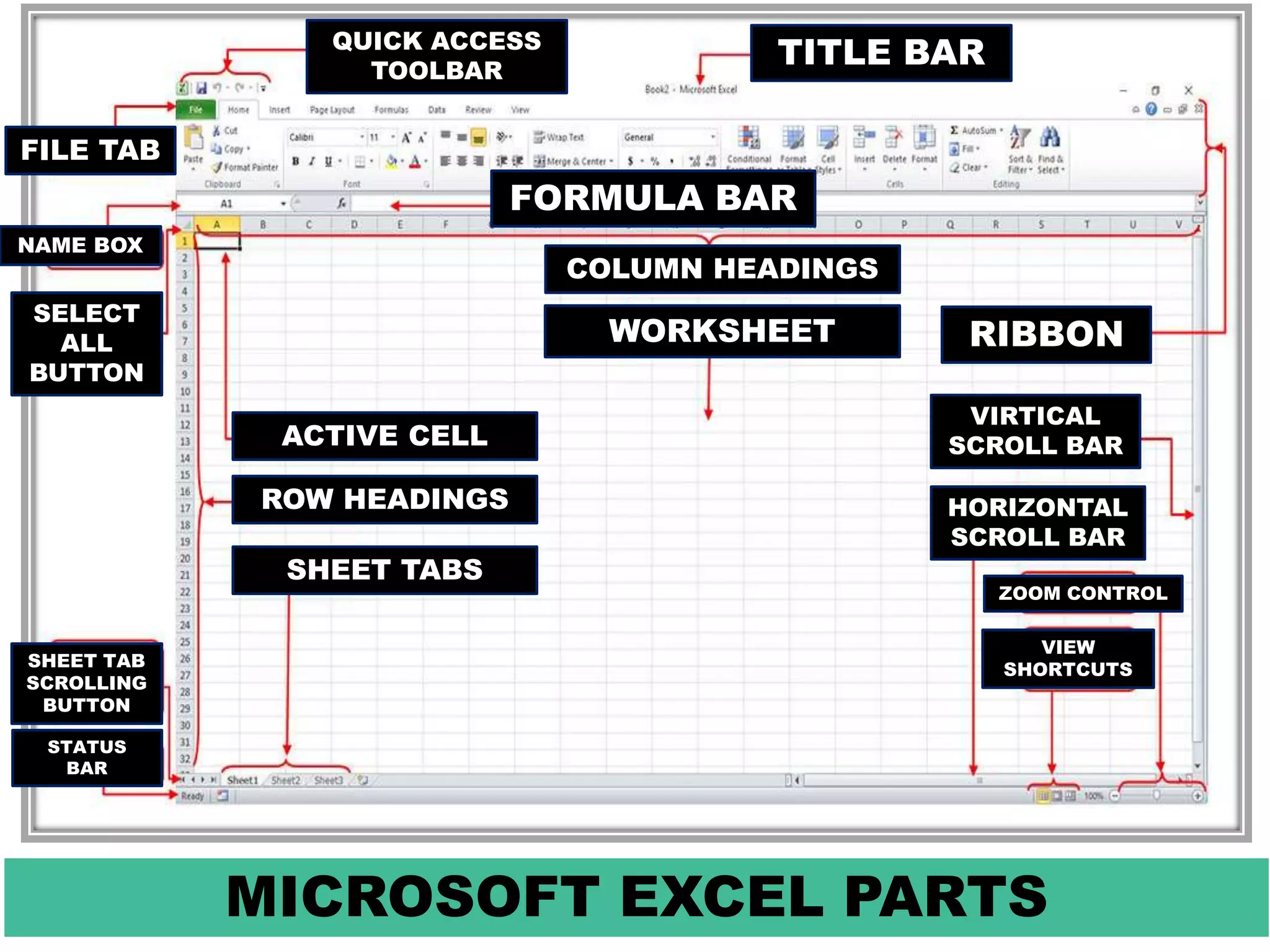
MICROSOFT EXCEL PARTS
RIBBONWORKSHEET
COLUMN HEADINGS
ACTIVE CELL
ROW HEADINGS
SHEET TABS
QUICK ACCESS
TOOLBAR
TITLE BAR
FILE TAB
NAME BOX
SELECT
ALL
BUTTON
SHEET TAB
SCROLLING
BUTTON
STATUS
BAR
FORMULA BAR
VIRTICAL
SCROLL BAR
HORIZONTAL
SCROLL BAR
ZOOM CONTROL
VIEW
SHORTCUTS
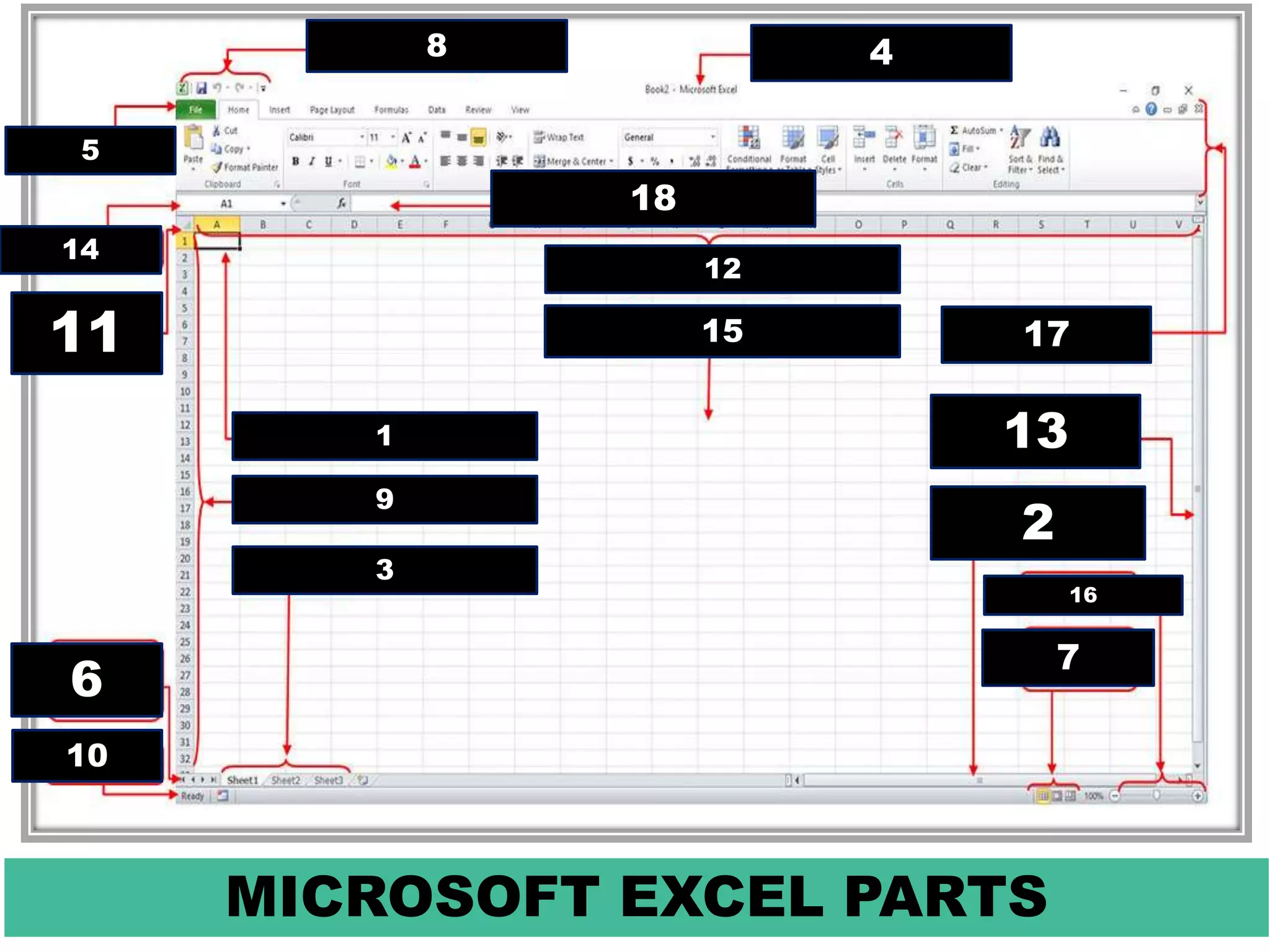
MICROSOFT EXCEL PARTS
1715
12
1
9
3
8 4
5
14
11
6
10
18
13
2
16
7
MS – EXCEL PARTS
AND FUNCTIONS
OFFICE BUTTON
A button that
provides
access to
workbook –
level features
and program
MS – EXCEL PARTS
AND FUNCTIONS
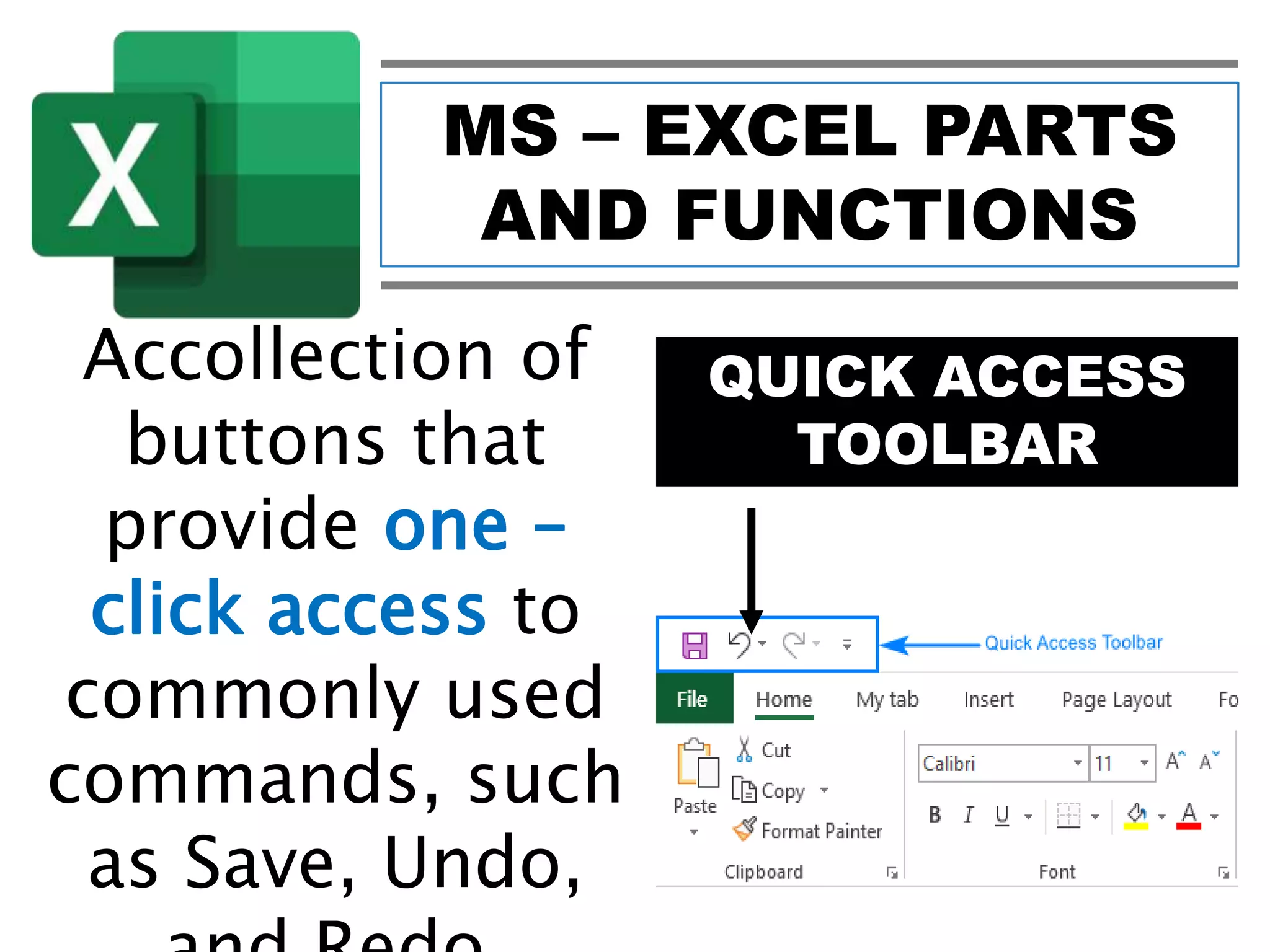
QUICK ACCESS
TOOLBAR
Accollection of
buttons that
provide one –
click access to
commonly used
commands, such
as Save, Undo,
MS – EXCEL PARTS
AND FUNCTIONS
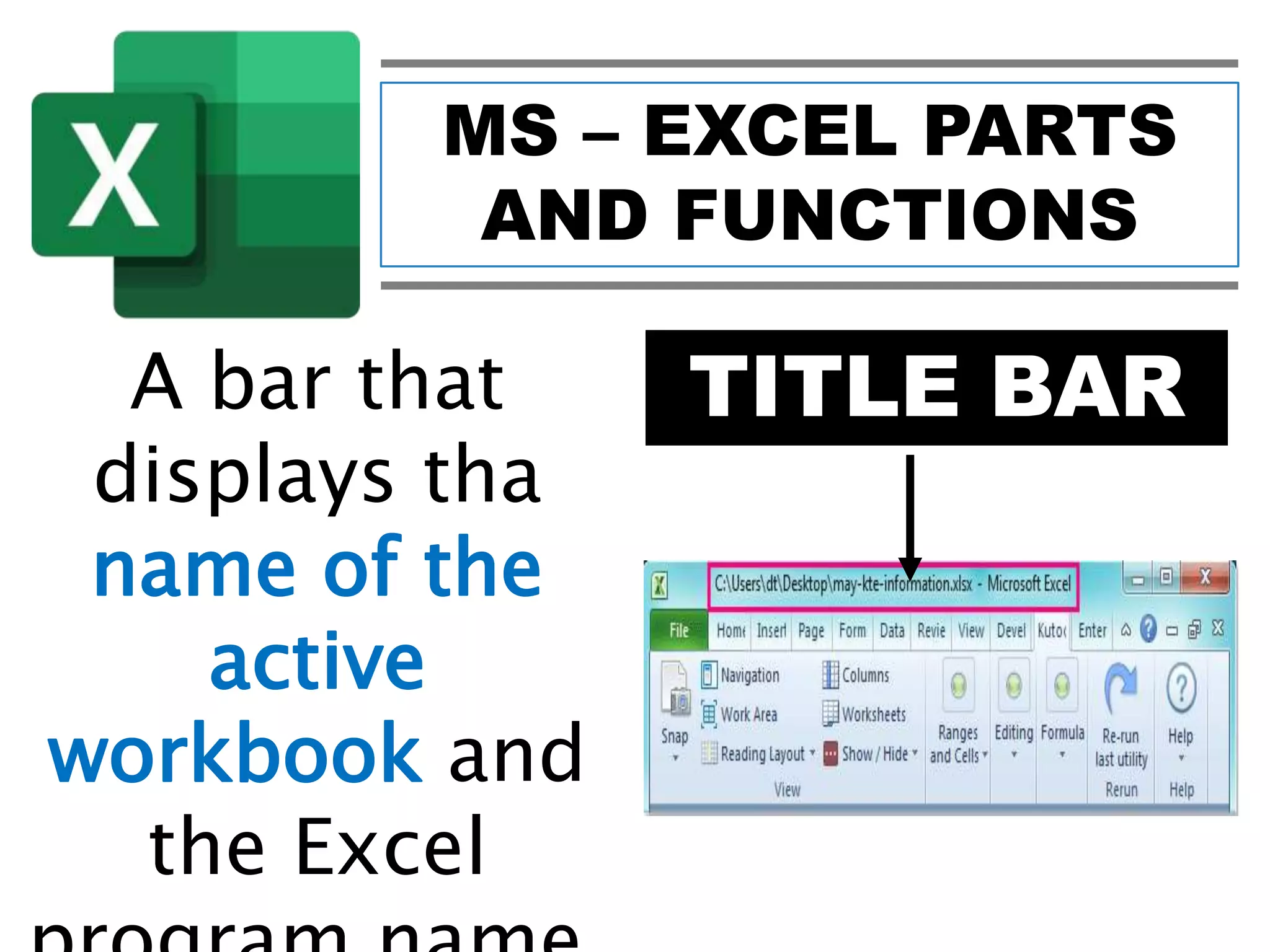
TITLE BARA bar that
displays tha
name of the
active
workbook and
the Excel
MS – EXCEL PARTS
AND FUNCTIONS
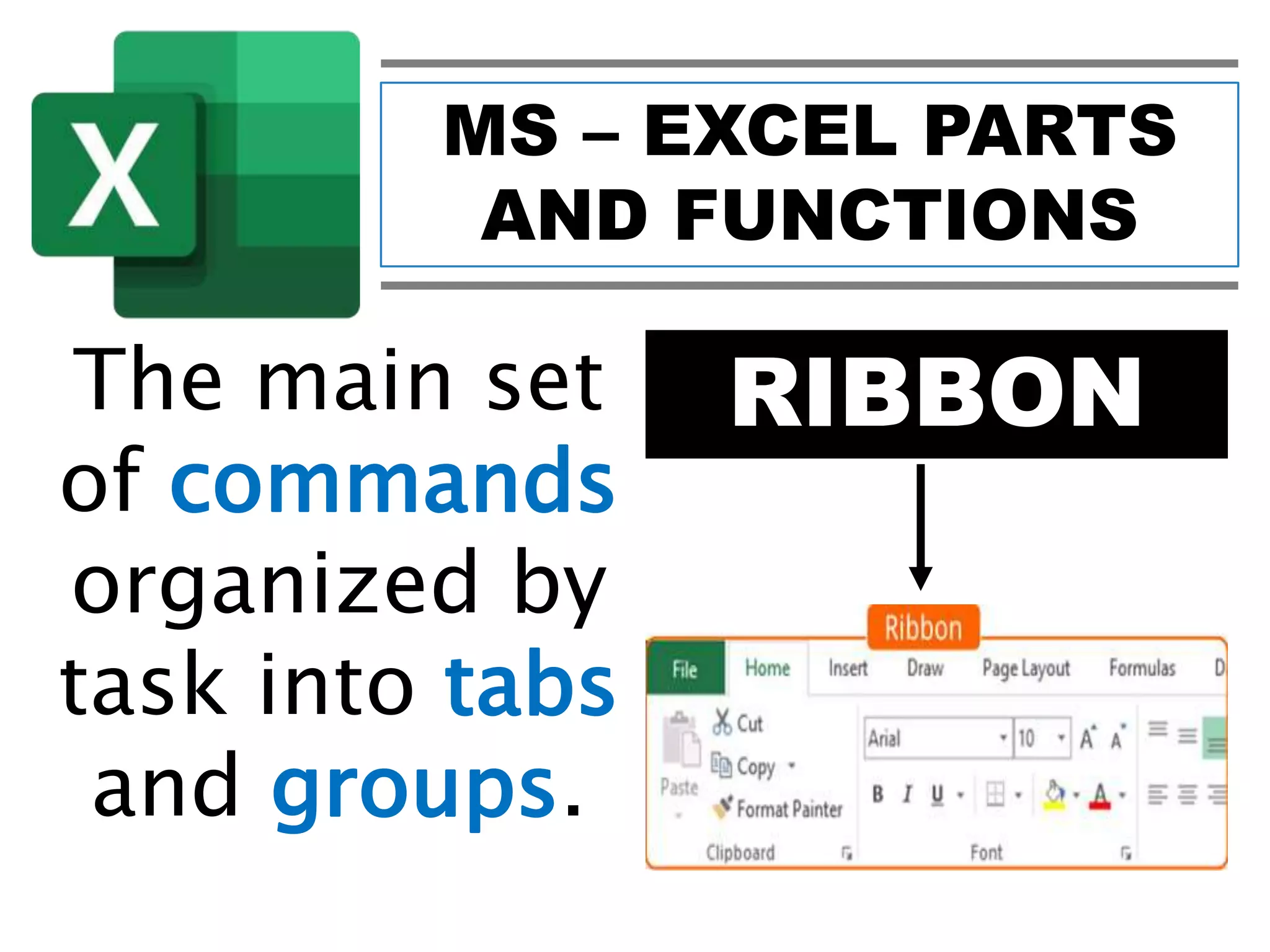
RIBBONThe main set
of commands
organized by
task into tabs
and groups.
MS – EXCEL PARTS
AND FUNCTIONS
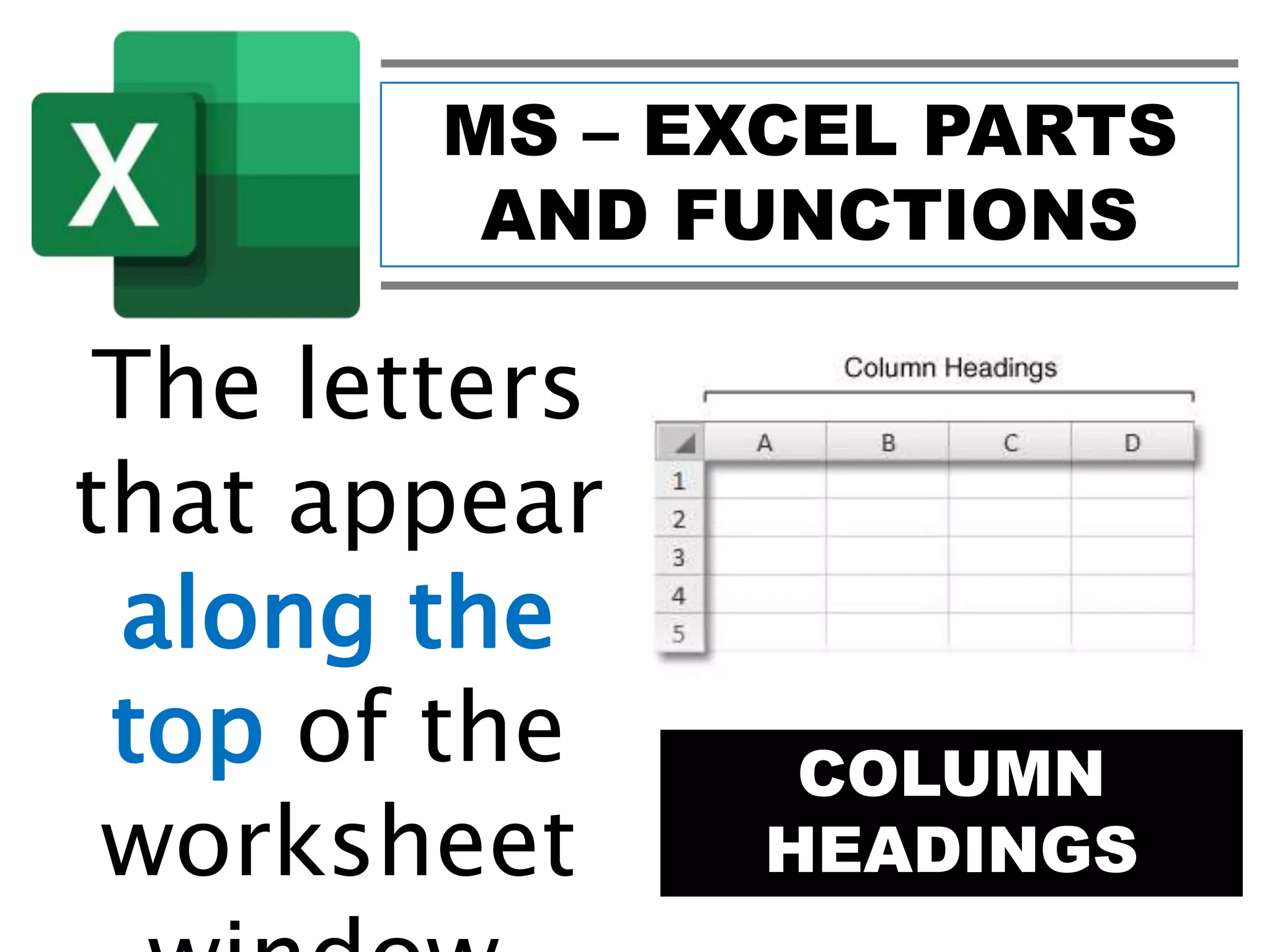
COLUMN
HEADINGS
The letters
that appear
along the
top of the
worksheet
MS – EXCEL PARTS
AND FUNCTIONS
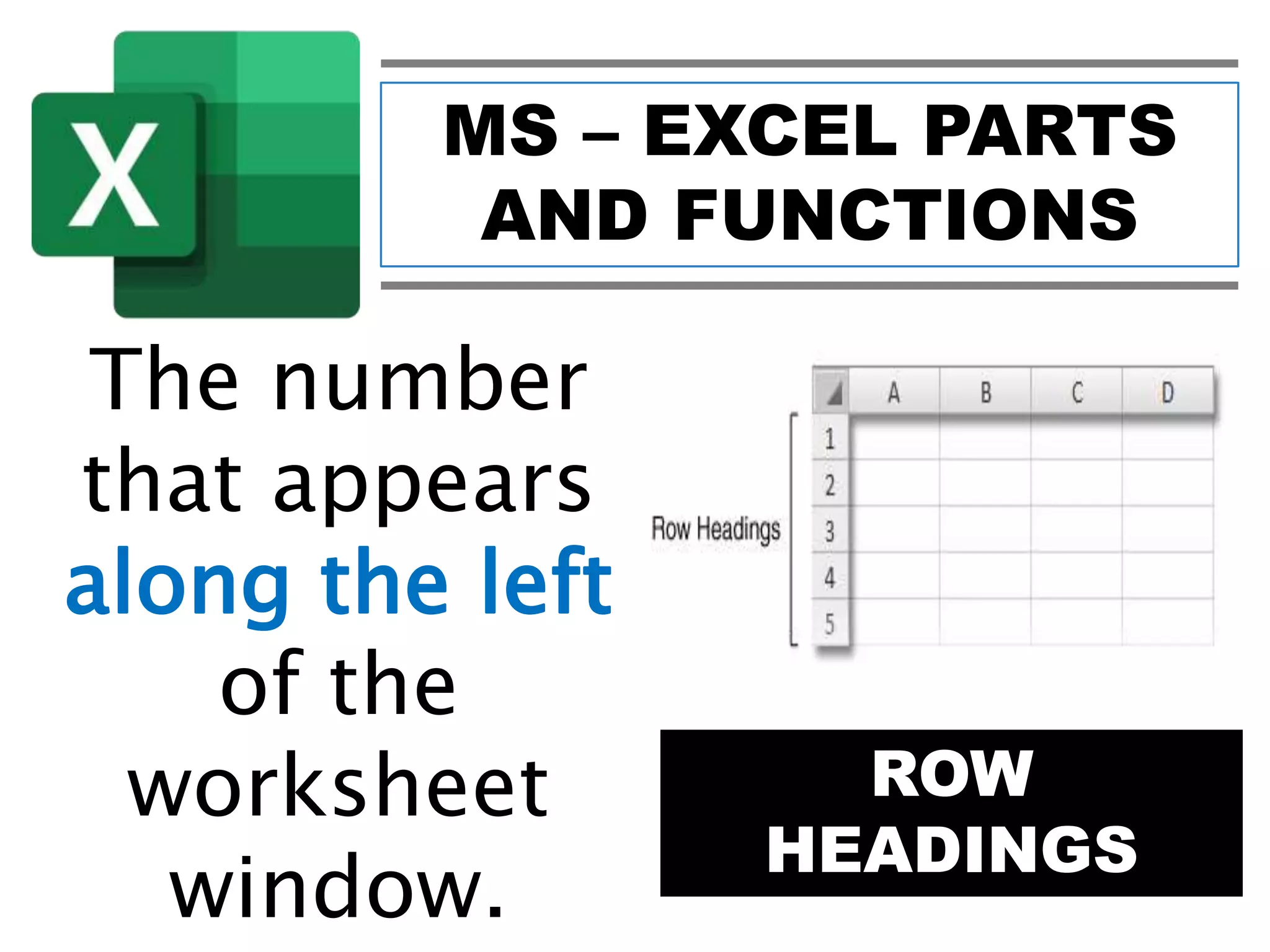
ROW
HEADINGS
The number
that appears
along the left
of the
worksheet
window.
MS – EXCEL PARTS
AND FUNCTIONS
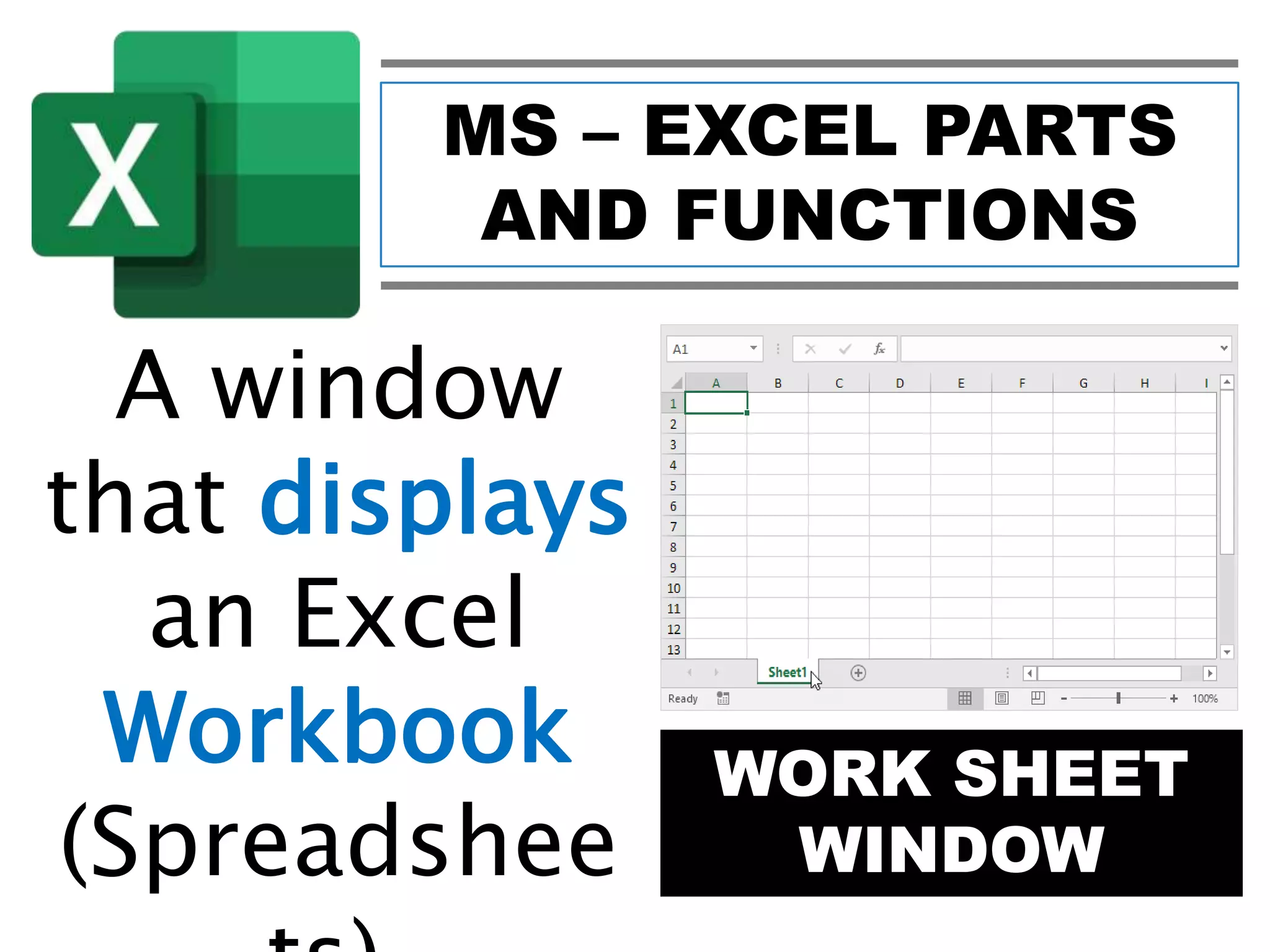
WORK SHEET
WINDOW
A window
that displays
an Excel
Workbook
(Spreadshee
MS – EXCEL PARTS
AND FUNCTIONS
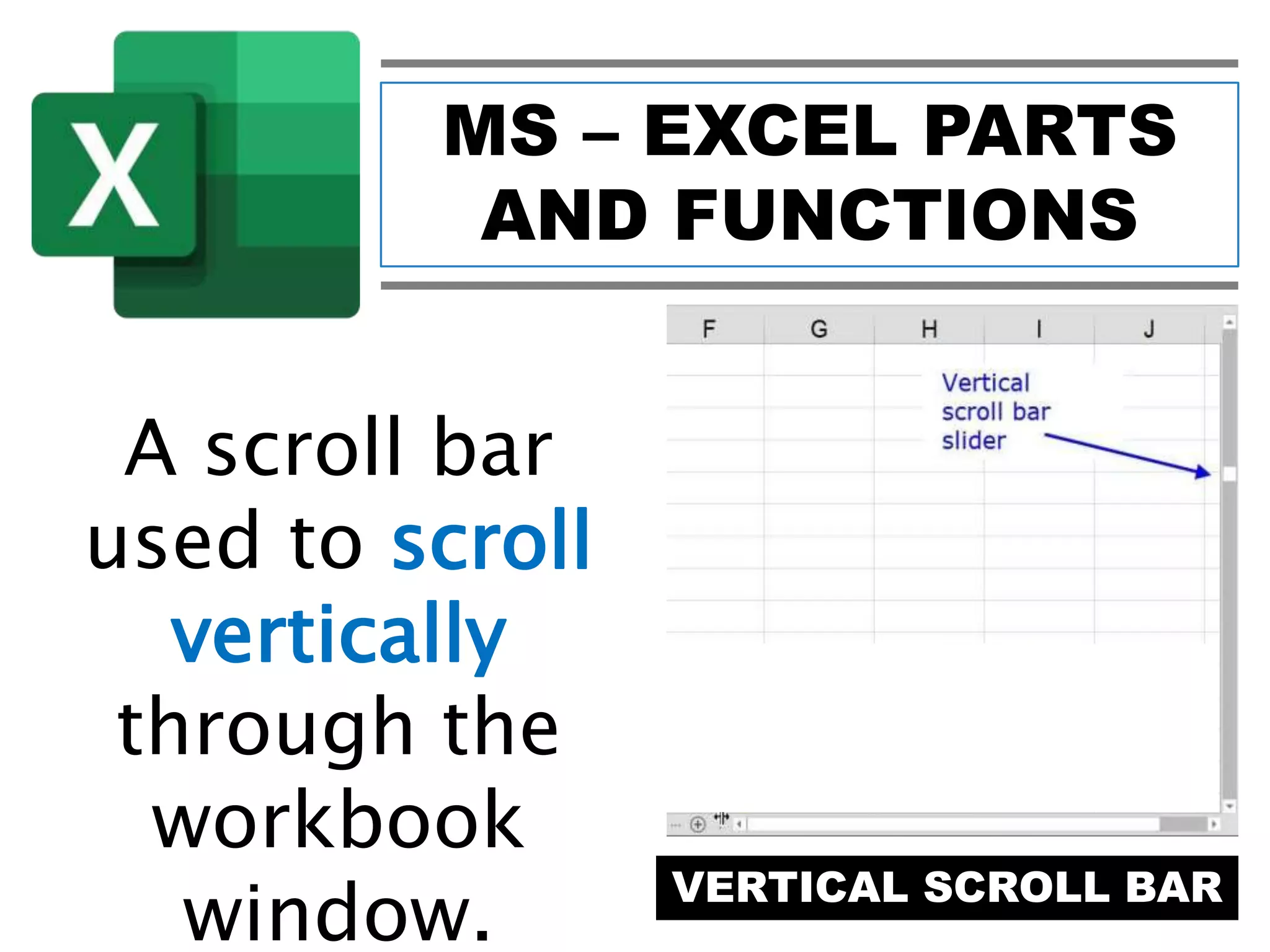
VERTICAL SCROLL BAR
A scroll bar
used to scroll
vertically
through the
workbook
window.
MS – EXCEL PARTS
AND FUNCTIONS
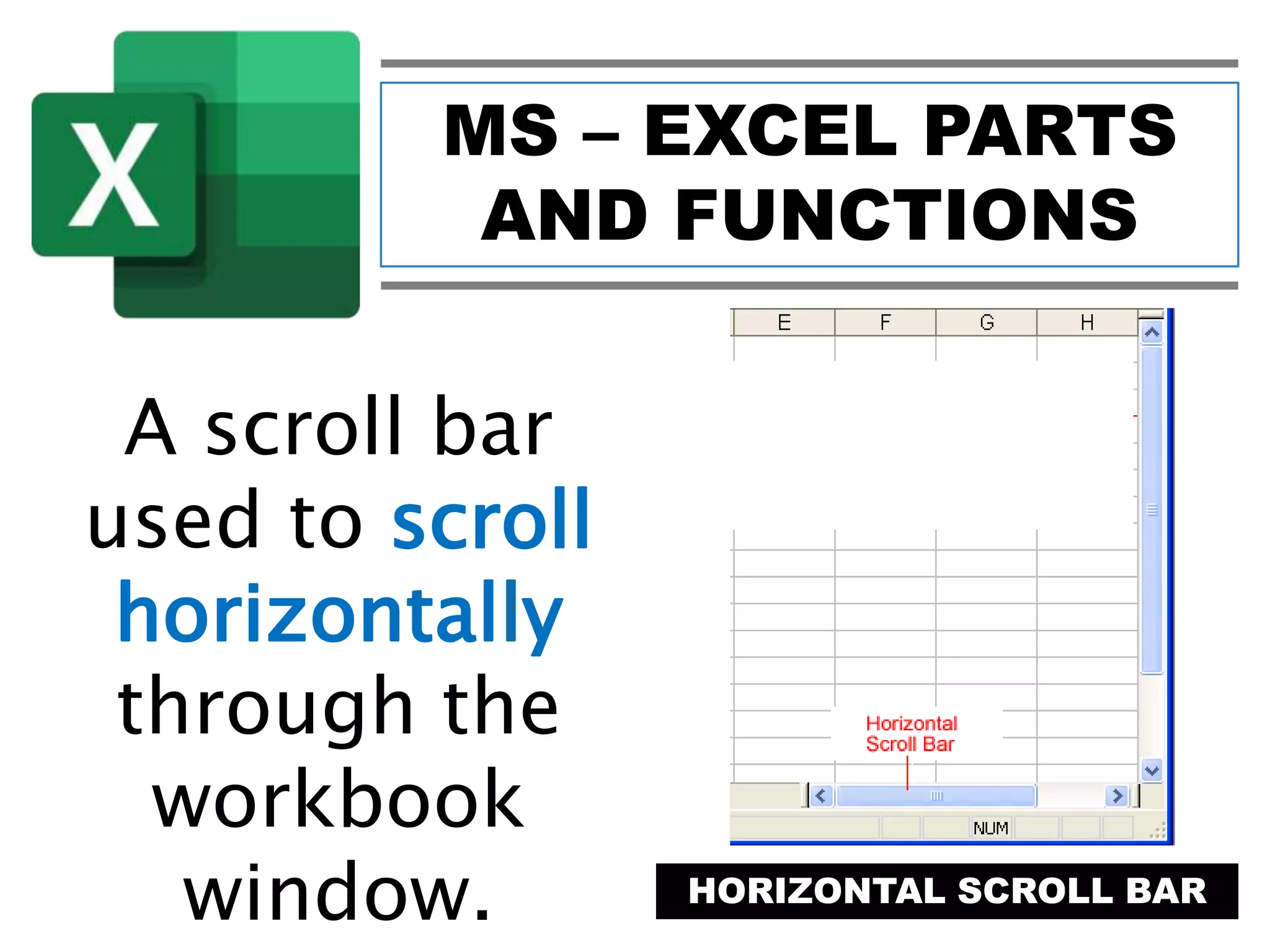
HORIZONTAL SCROLL BAR
A scroll bar
used to scroll
horizontally
through the
workbook
window.
MS – EXCEL PARTS
AND FUNCTIONS
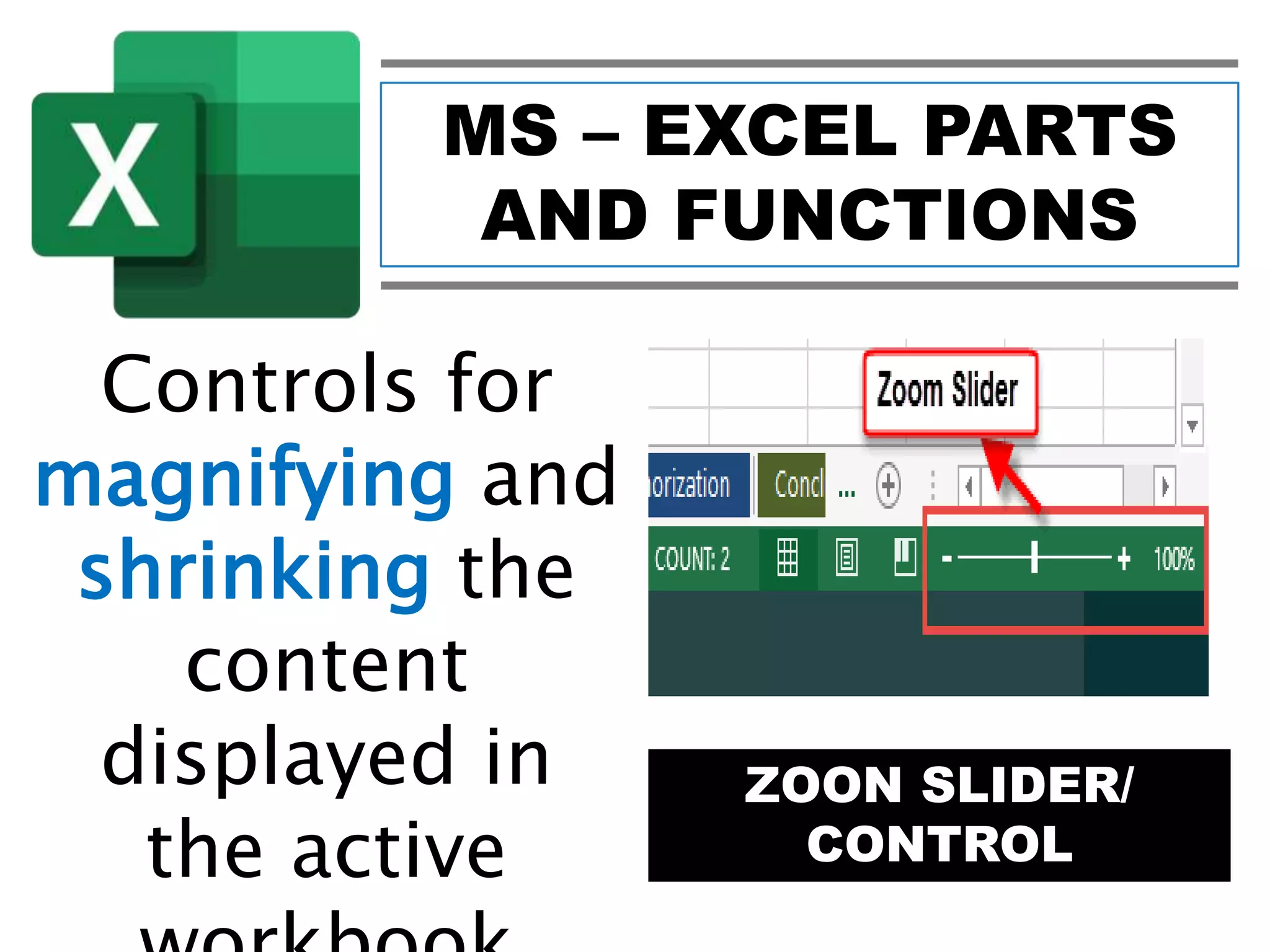
ZOON SLIDER/
CONTROL
Controls for
magnifying and
shrinking the
content
displayed in
the active
MS – EXCEL PARTS
AND FUNCTIONS
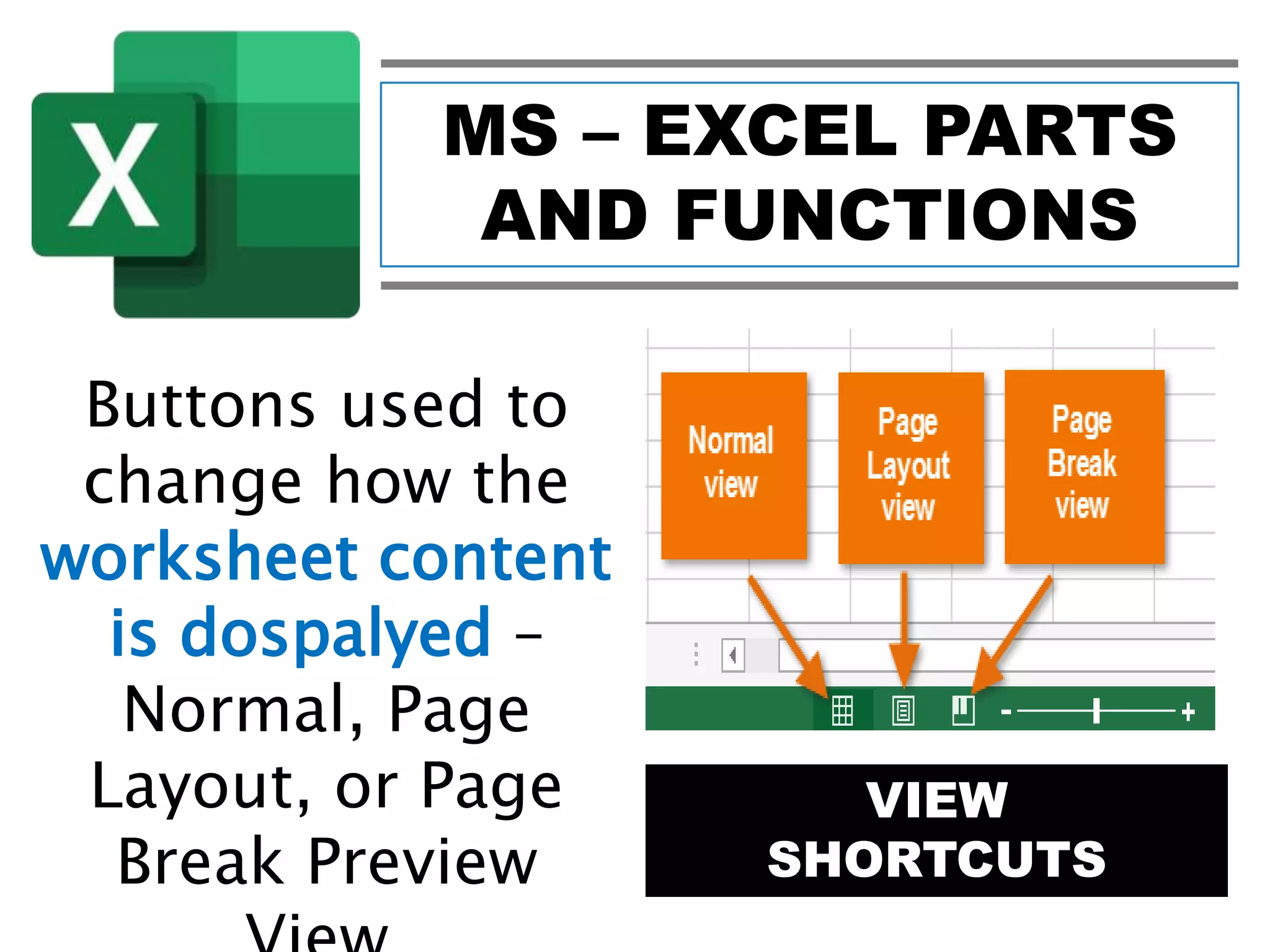
VIEW
SHORTCUTS
Buttons used to
change how the
worksheet content
is dospalyed –
Normal, Page
Layout, or Page
Break Preview
MS – EXCEL PARTS
AND FUNCTIONS
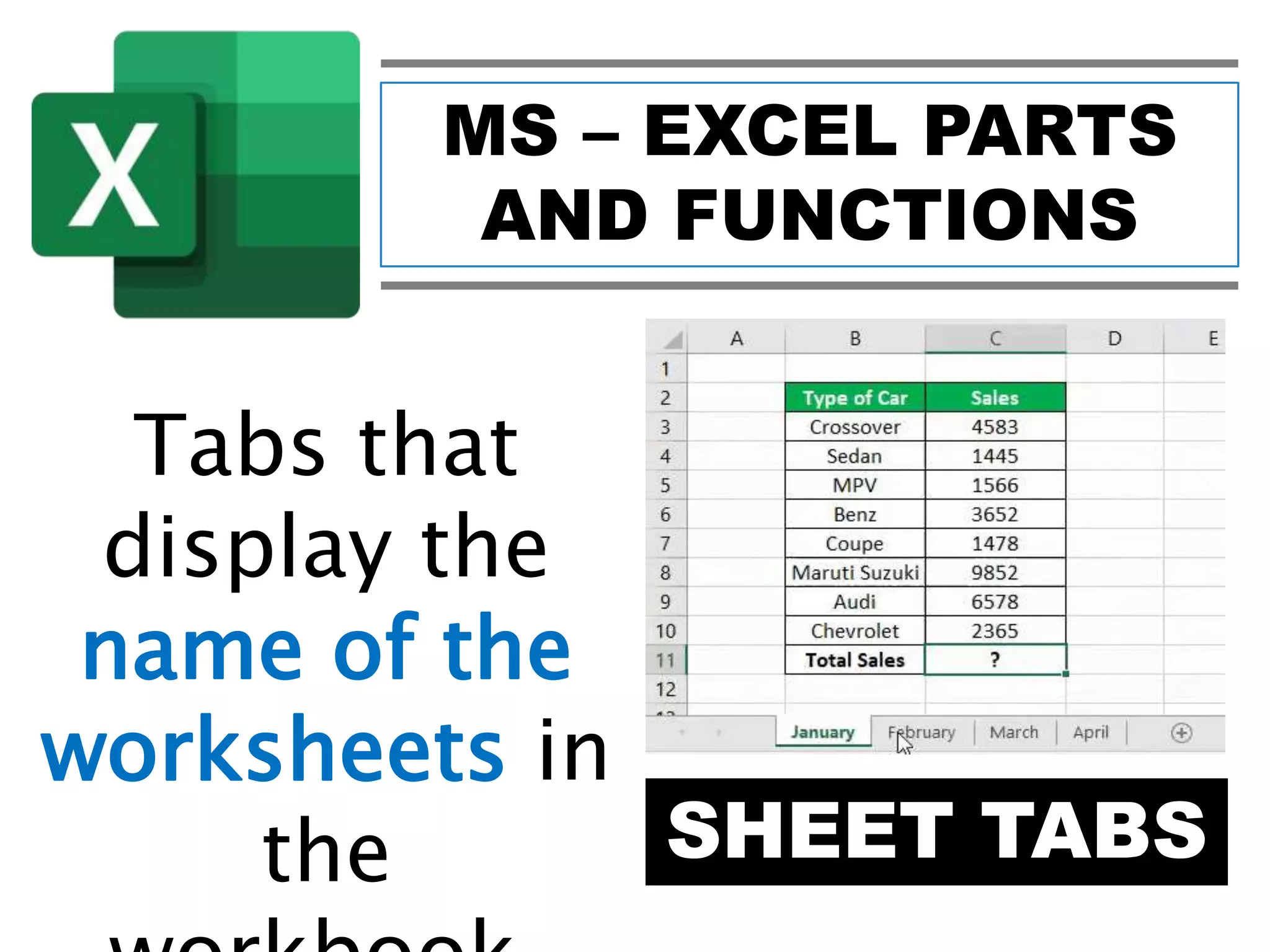
SHEET TABS
Tabs that
display the
name of the
worksheets in
the
MS – EXCEL PARTS
AND FUNCTIONS
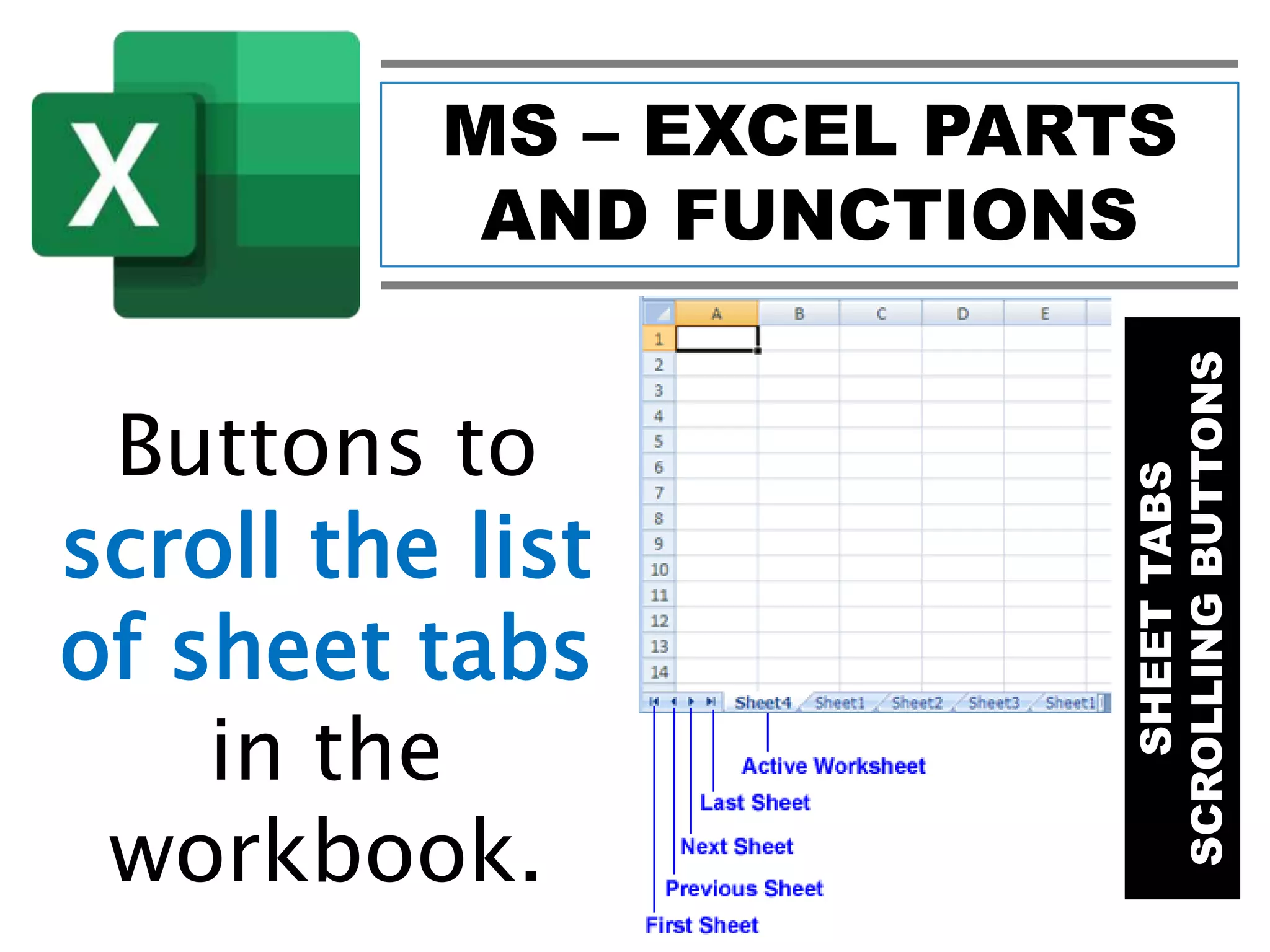
SHEETTABS
SCROLLINGBUTTONS
Buttons to
scroll the list
of sheet tabs
in the
workbook.
MS – EXCEL PARTS
AND FUNCTIONS
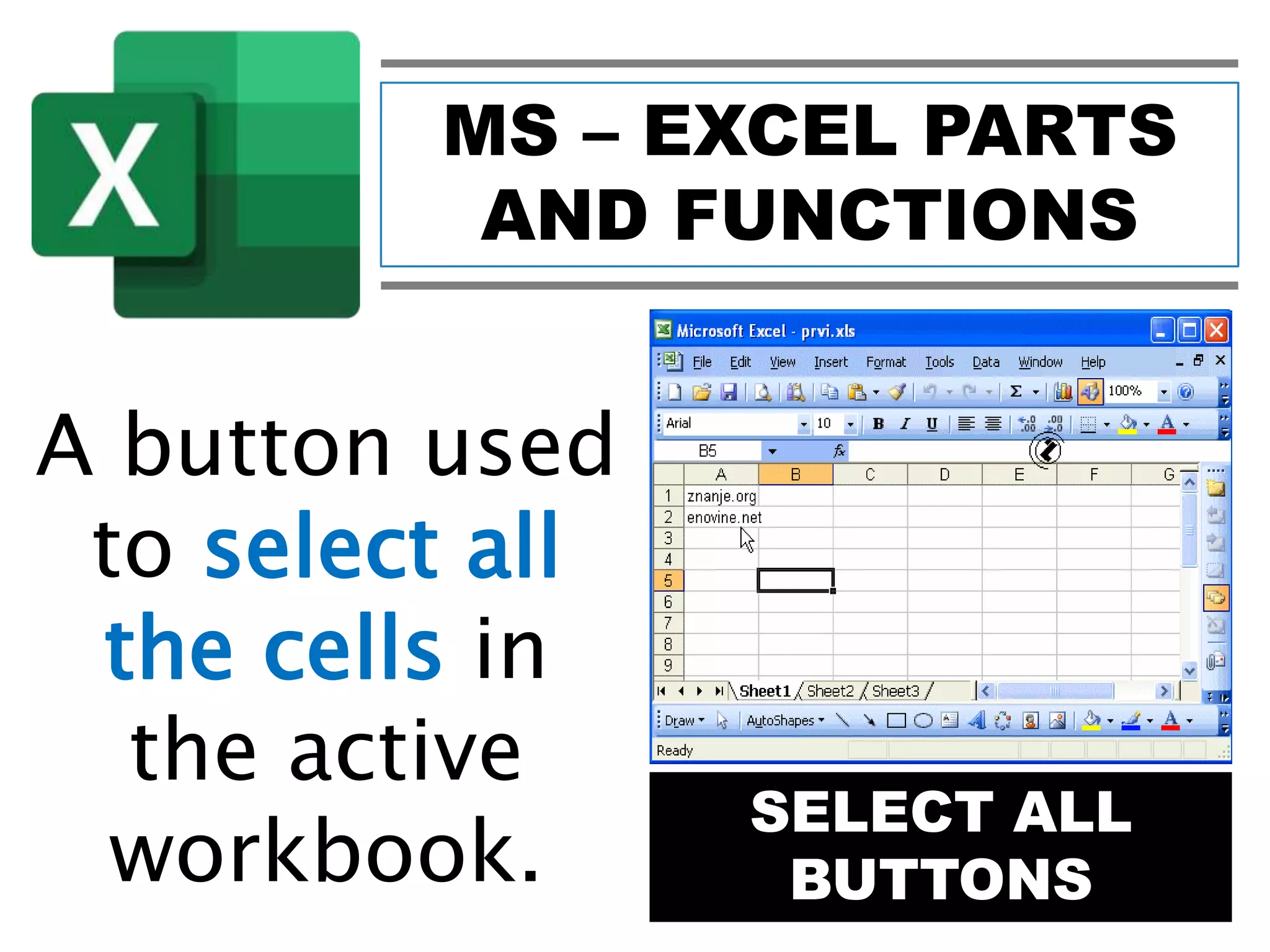
SELECT ALL
BUTTONS
A button used
to select all
the cells in
the active
workbook.
MS – EXCEL PARTS
AND FUNCTIONS
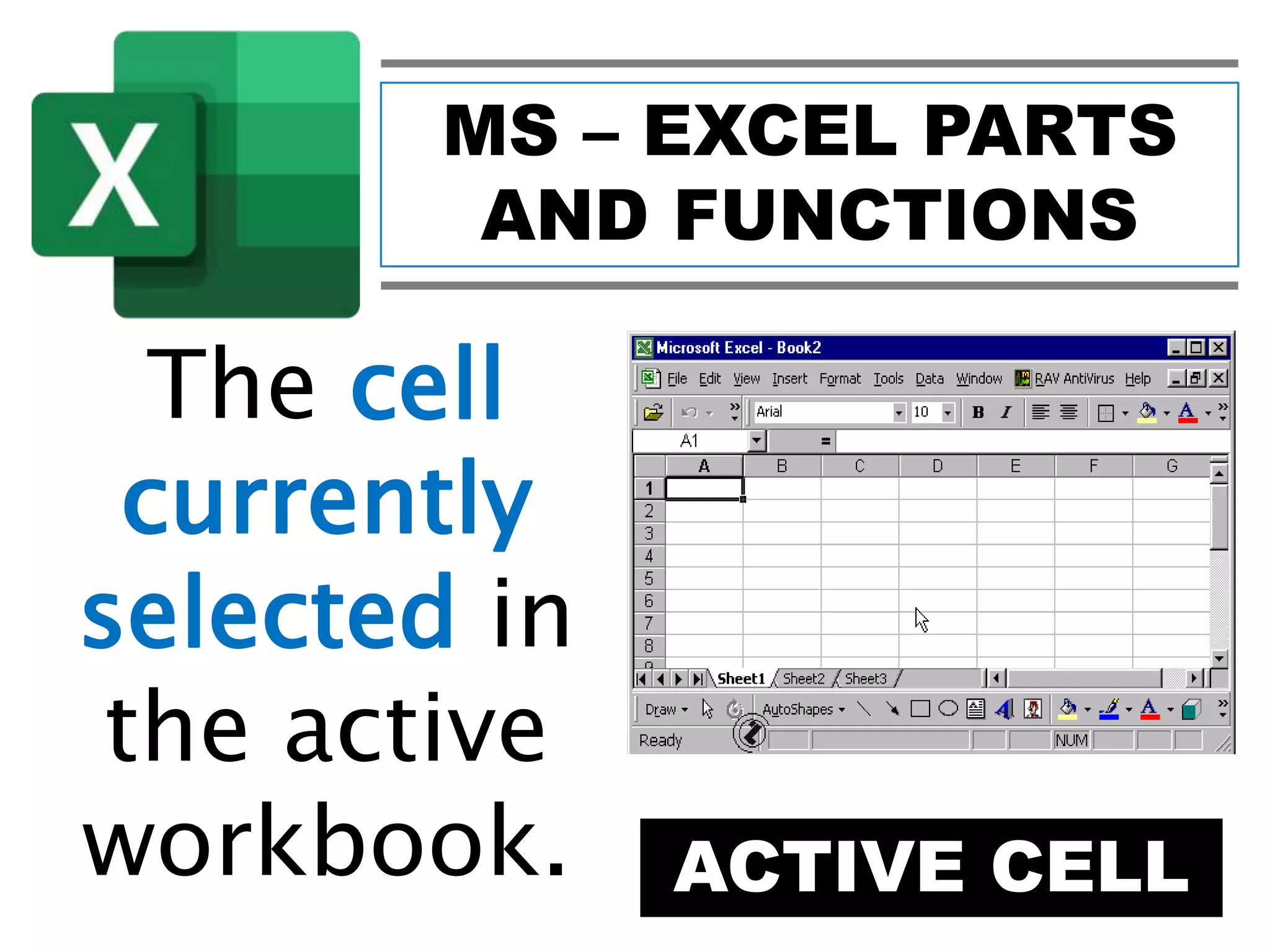
ACTIVE CELL
The cell
currently
selected in
the active
workbook.
MS – EXCEL PARTS
AND FUNCTIONS
ACTIVE CELL
A box that
displays the
cell
reference of
the active
MS – EXCEL PARTS
AND FUNCTIONS
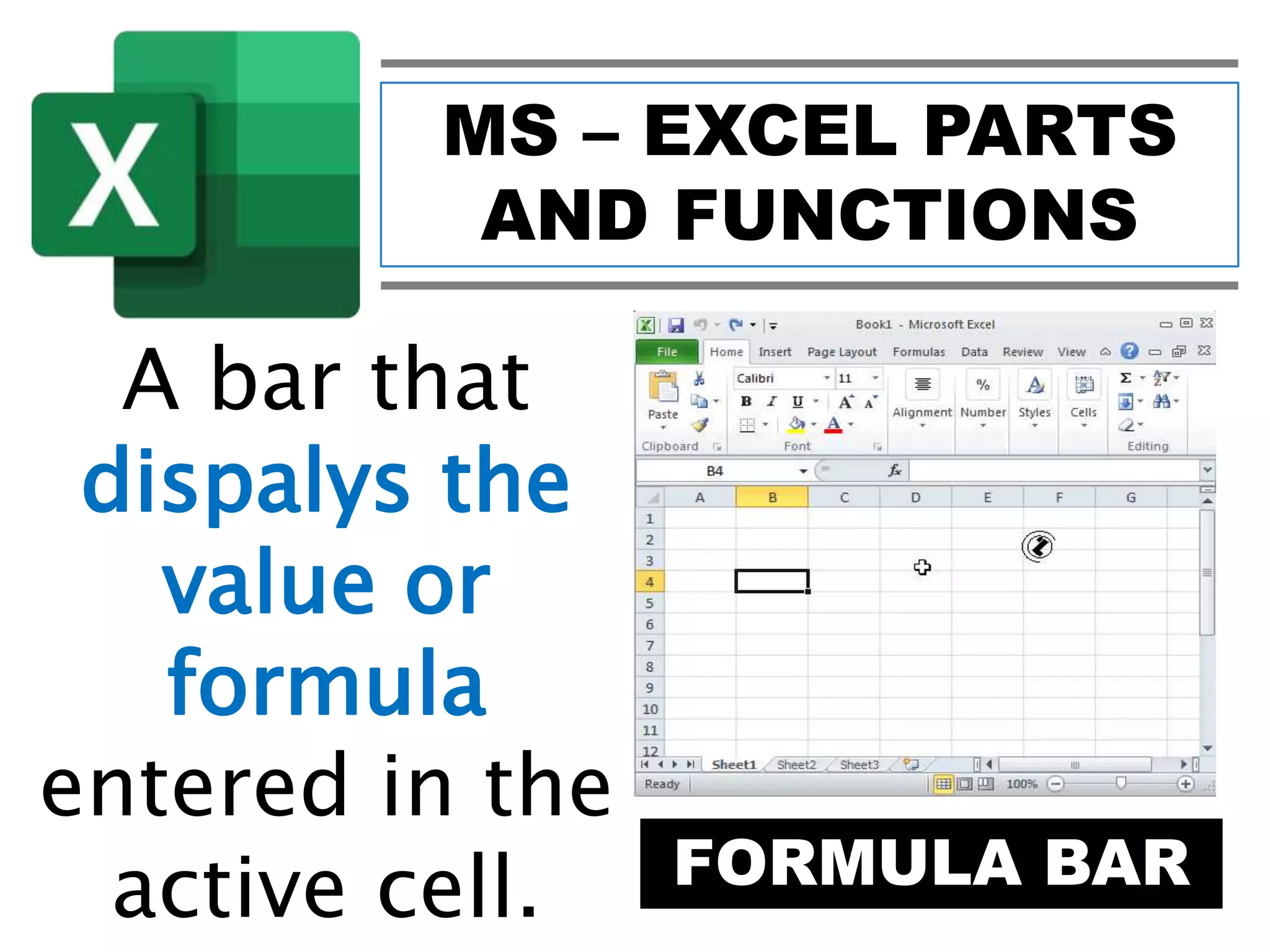
FORMULA BAR
A bar that
dispalys the
value or
formula
entered in the
active cell.
MS – EXCEL PARTS
AND FUNCTIONS
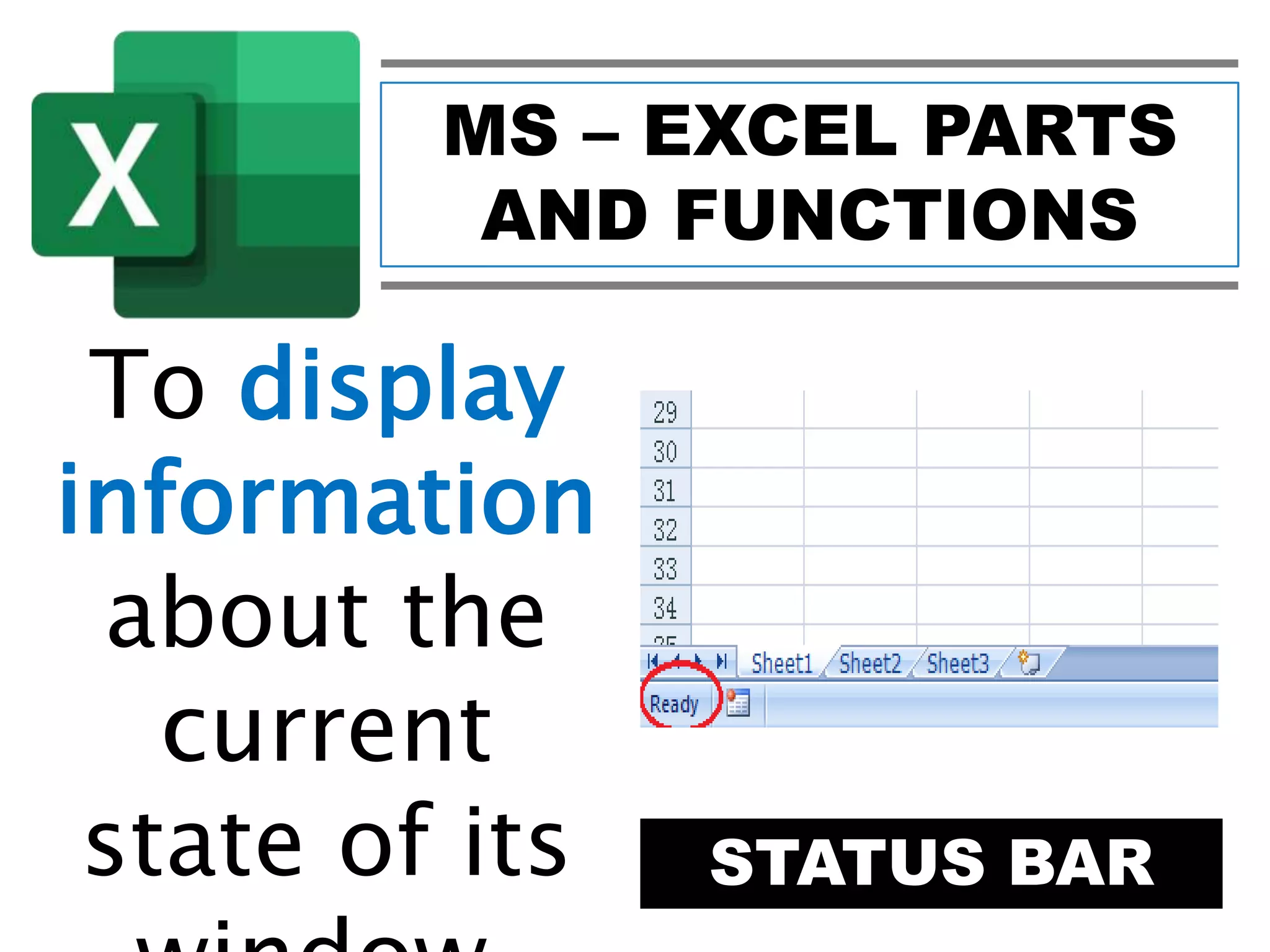
STATUS BAR
To display
information
about the
current
state of its
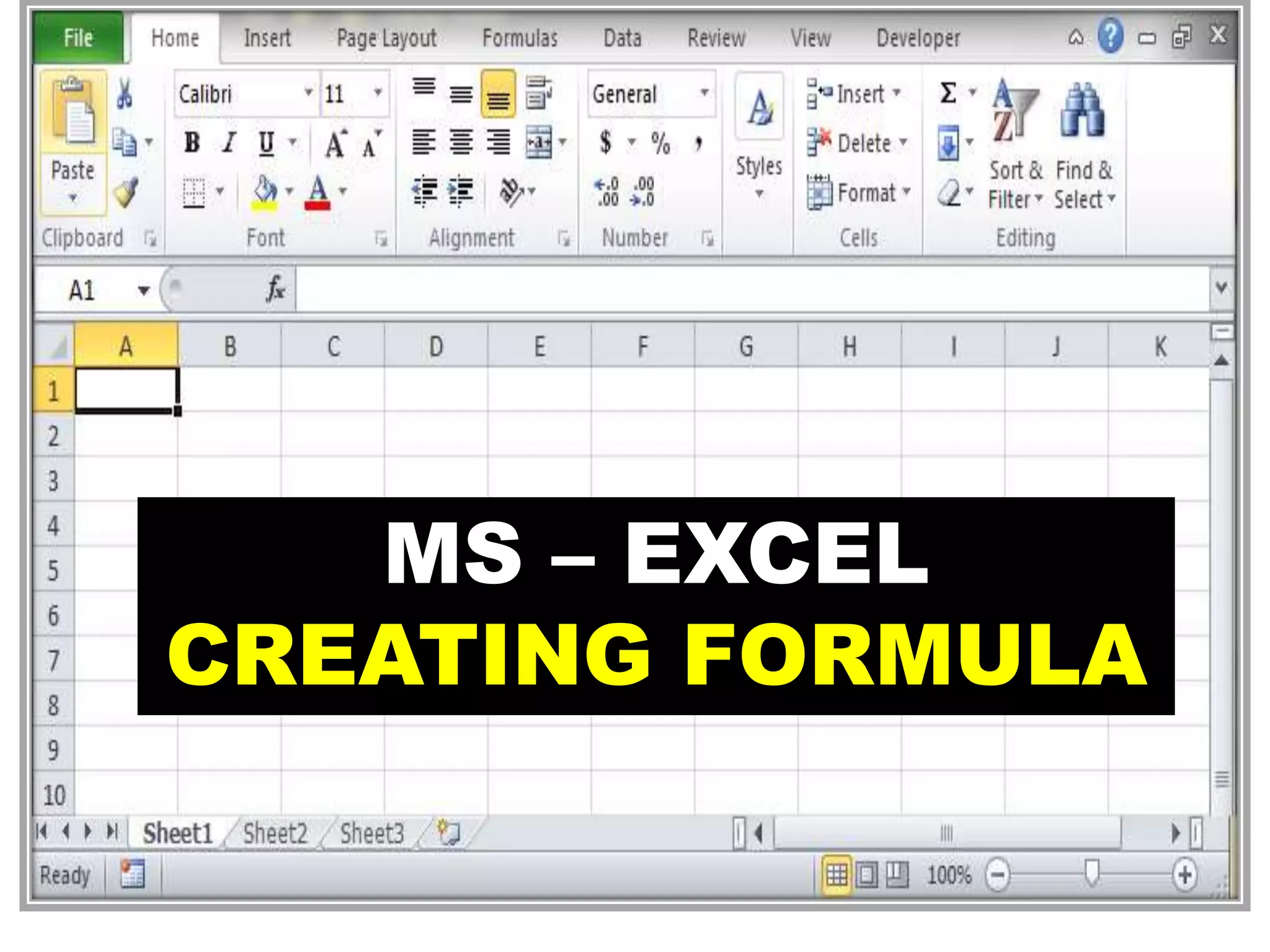
MS – EXCEL
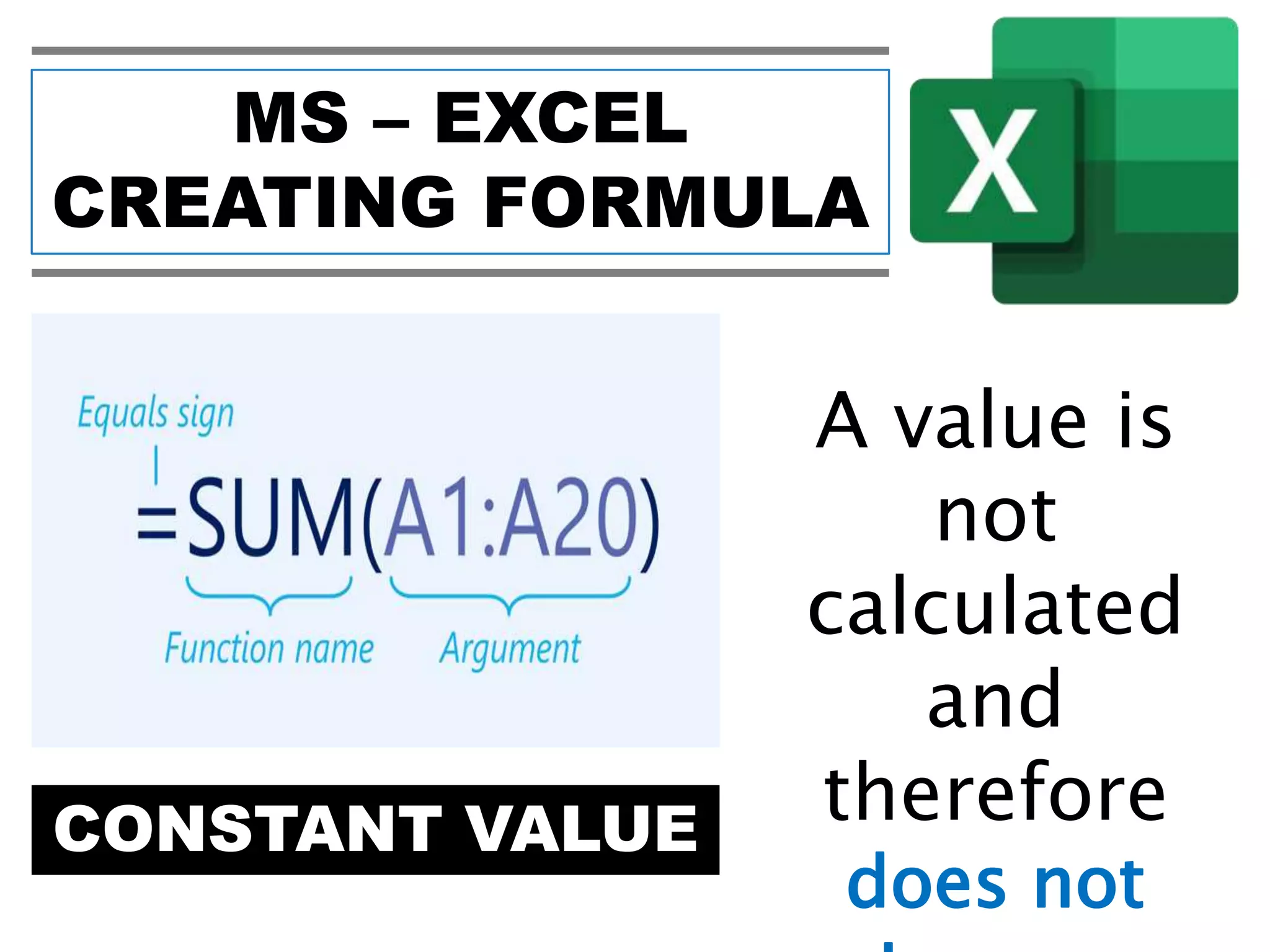
CREATING FORMULA
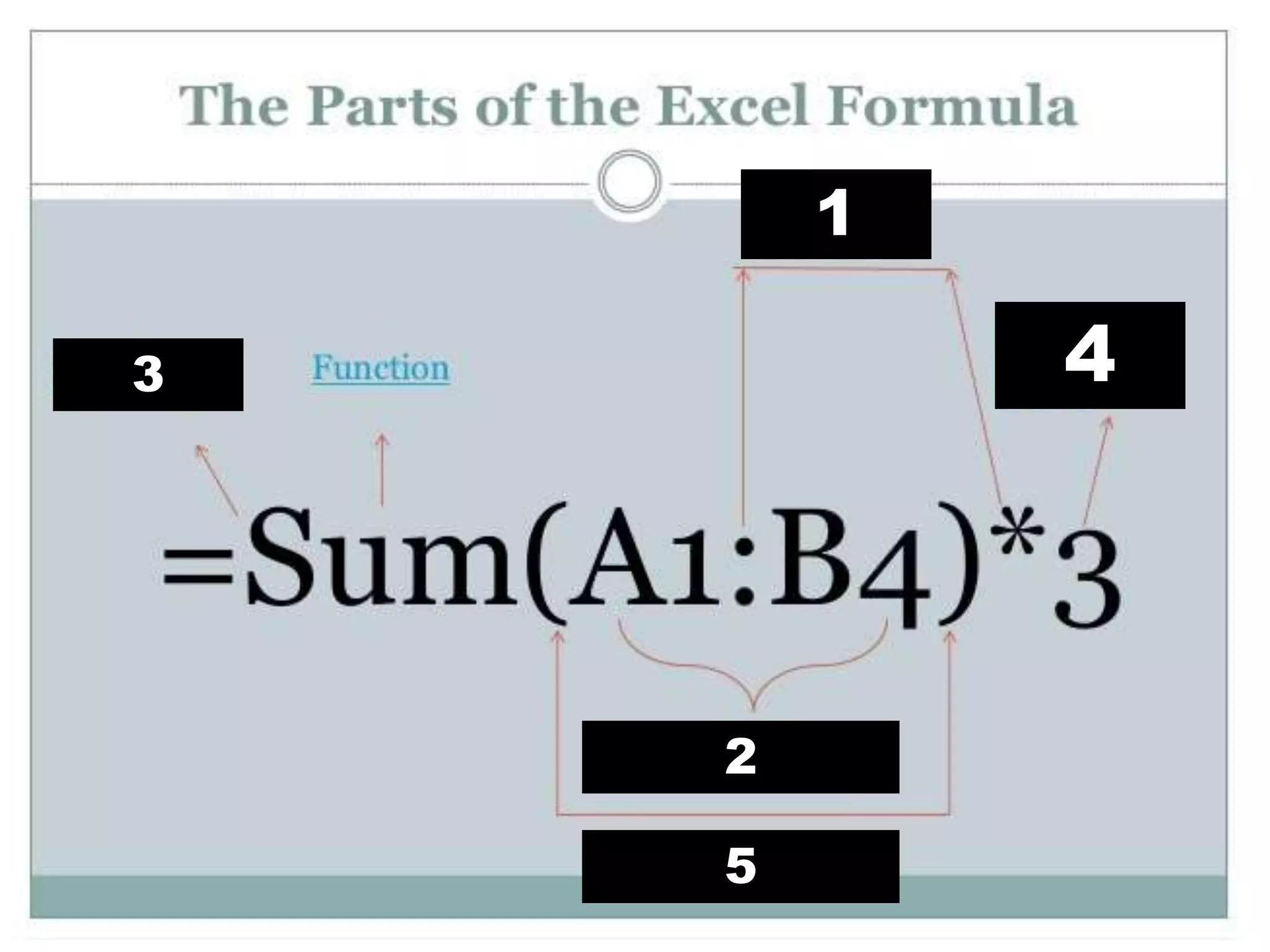
1
2
3 4
5
MS – EXCEL
CREATING FORMULA
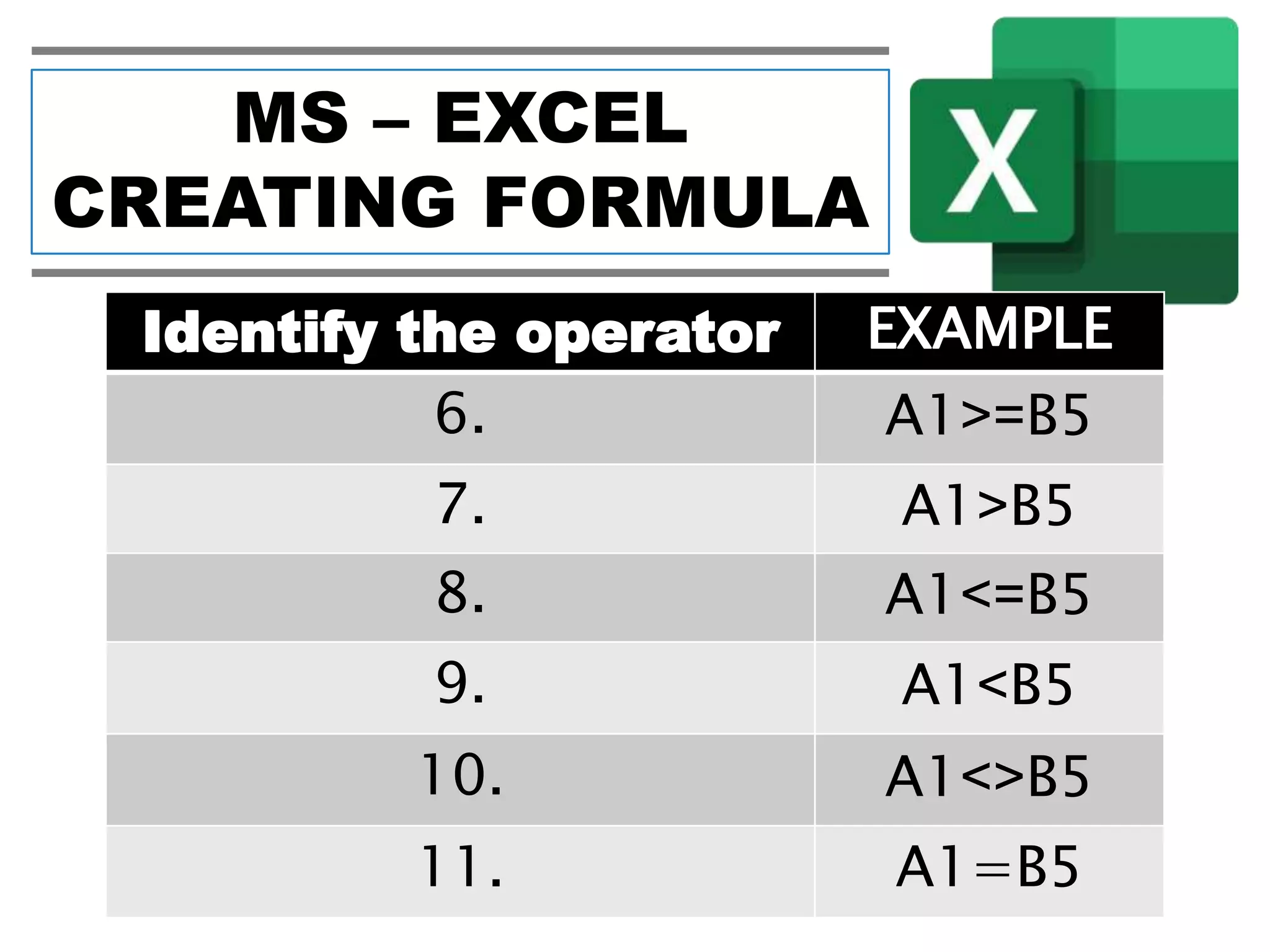
Identify the operator EXAMPLE
6. A1>=B5
7. A1>B5
8. A1<=B5
9. A1<B5
10. A1<>B5
11. A1=B5
MS – EXCEL
CREATING FORMULA
Give the meanig
ARITHMETIC
OPERATOR
12. + (Plus Sign)
13. - (Minus Sign)
14. * (Asterisk)
15.
/ (Forward
Slash)
16. % (Percent)
MS – EXCEL
CREATING FORMULA
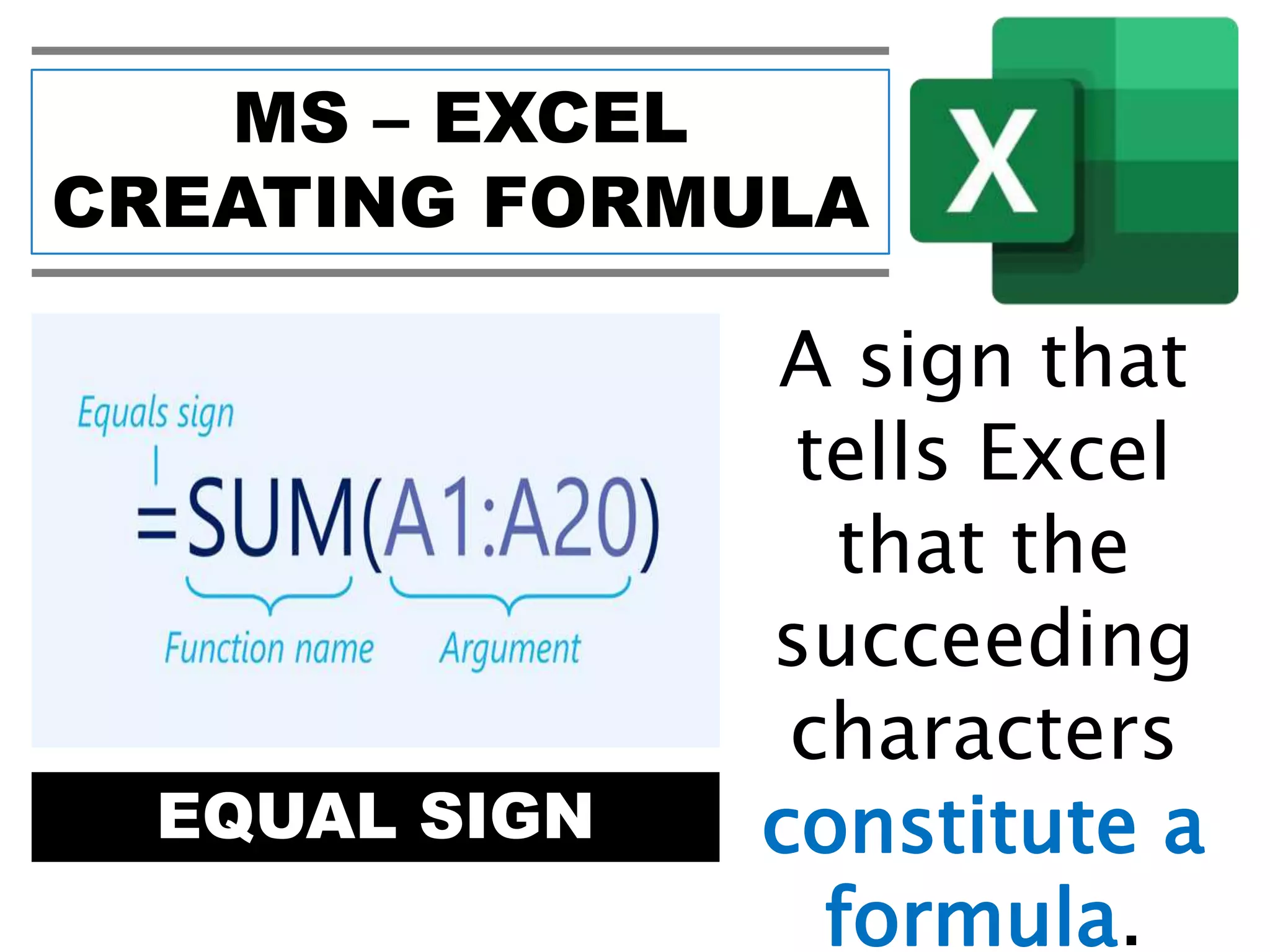
EQUAL SIGN
A sign that
tells Excel
that the
succeeding
characters
constitute a
formula.
MS – EXCEL
CREATING FORMULA
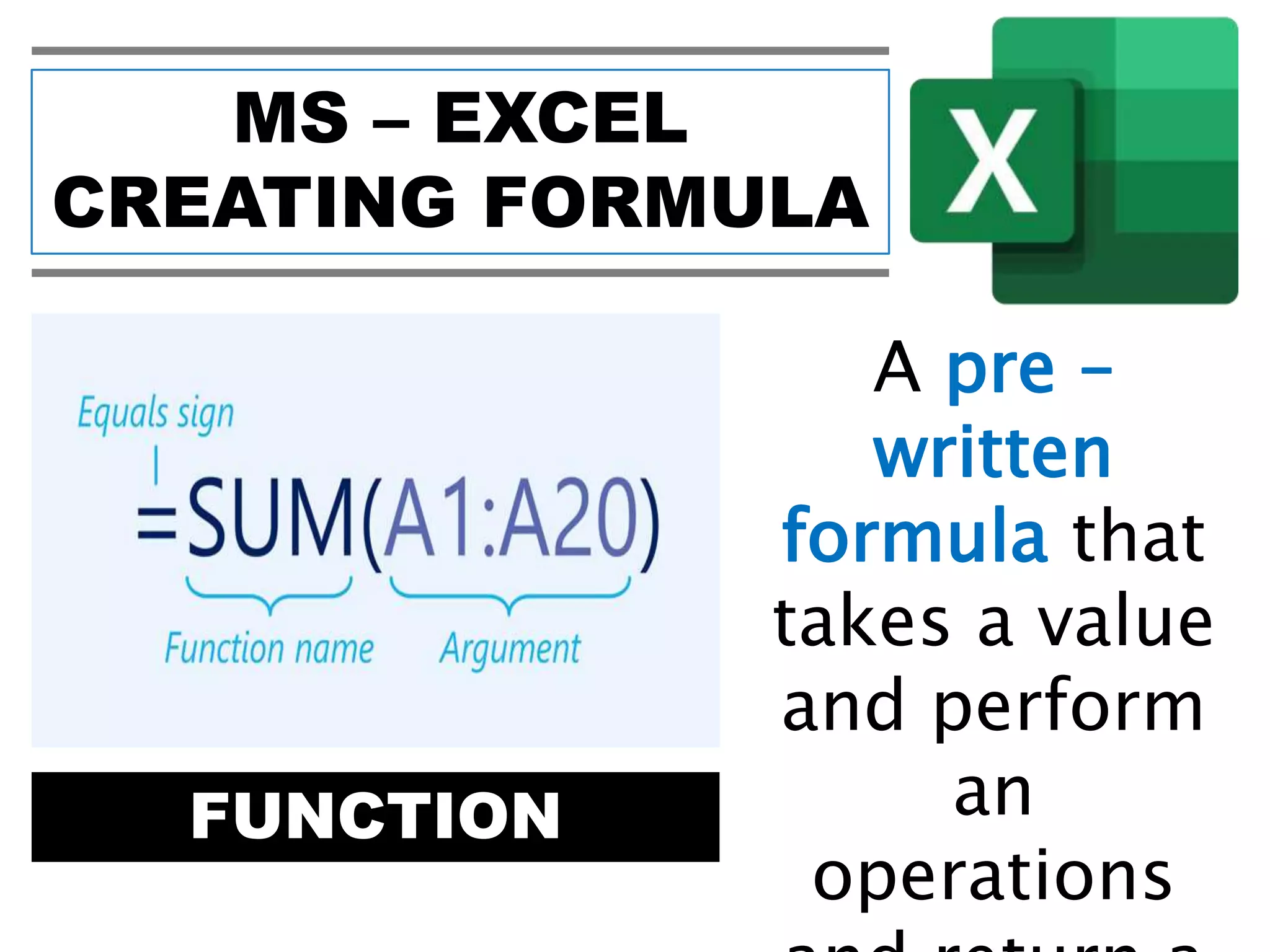
FUNCTION
A pre –
written
formula that
takes a value
and perform
an
operations
MS – EXCEL
CREATING FORMULA
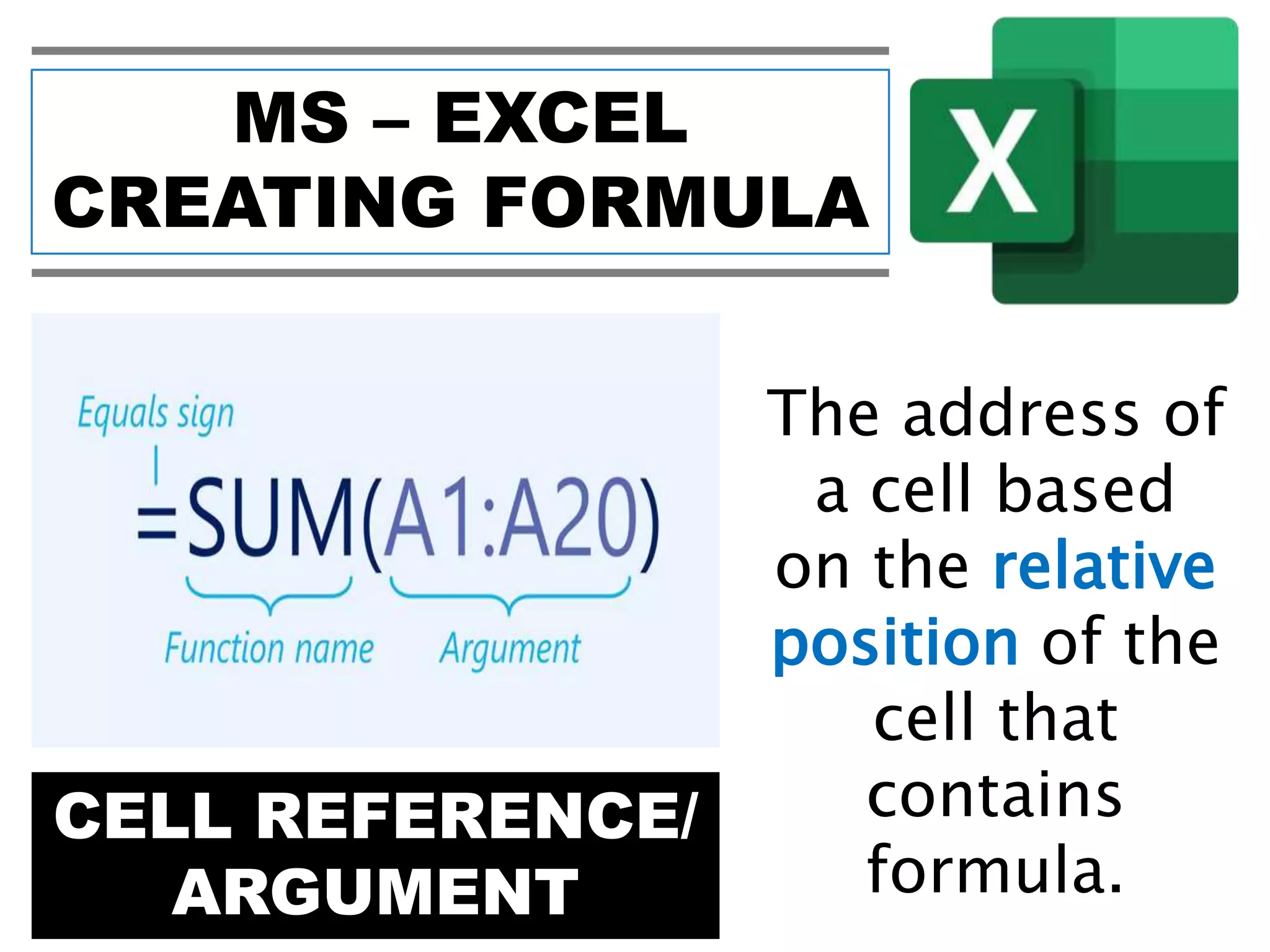
CELL REFERENCE/
ARGUMENT
The address of
a cell based
on the relative
position of the
cell that
contains
formula.
MS – EXCEL
CREATING FORMULA
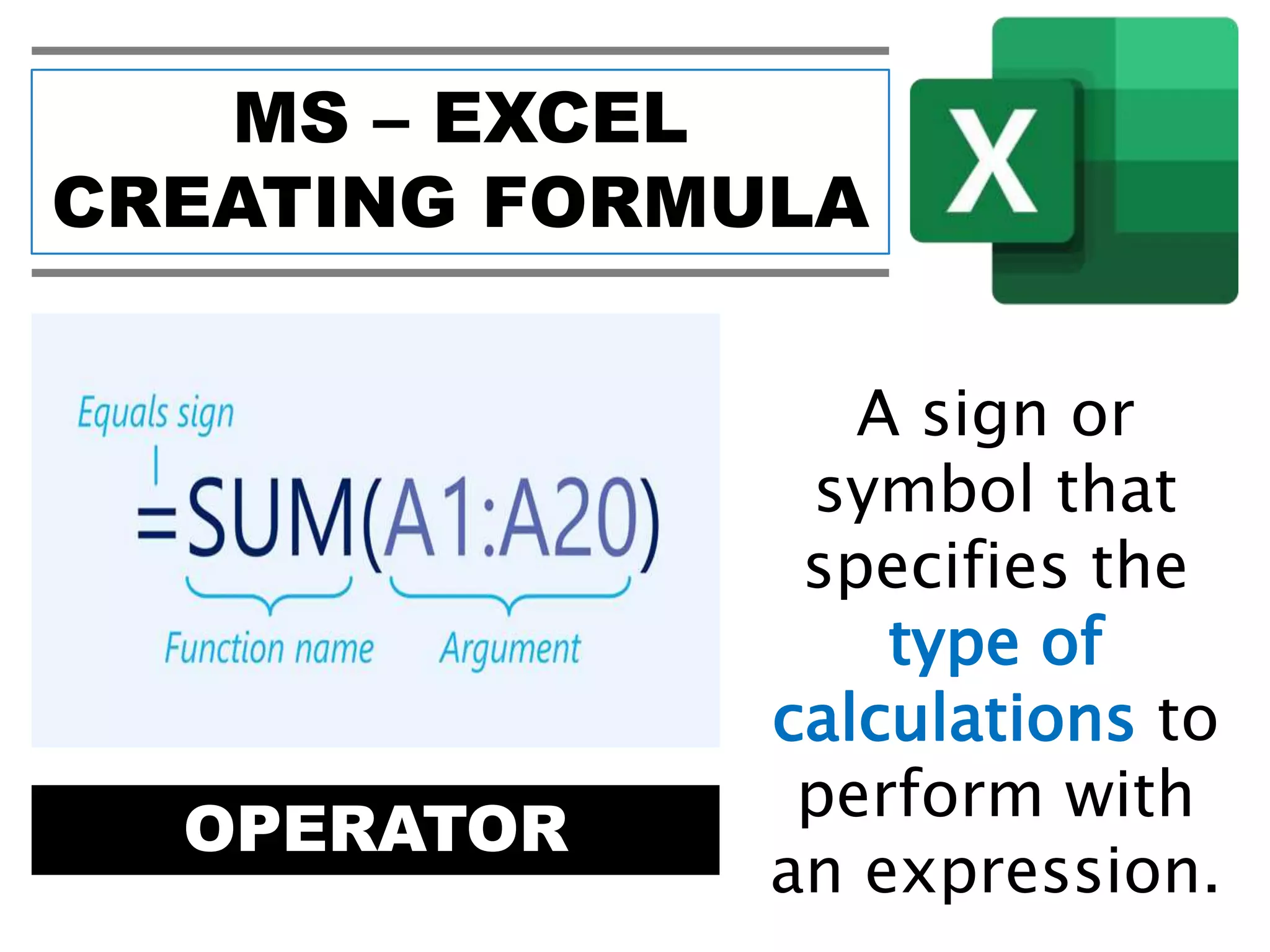
OPERATOR
A sign or
symbol that
specifies the
type of
calculations to
perform with
an expression.
MS – EXCEL
CREATING FORMULA
CONSTANT VALUE
A value is
not
calculated
and
therefore
does not
MS – EXCEL
CREATING FORMULA
ARITHMETIC OPERATOR MEANING EXAMPLE
+ (Plus Sign) Addition A1+C7
- (Minus Sign)
Subraction or
Negation
A1–C7
* (Asterisk) Multiplacation A1*C7
/ (Forward Slash) Division A1/C7
% (Percent) Percent 20%
^ (Caret0 Exponentiation A1^C7
MS – EXCEL
CREATING FORMULA
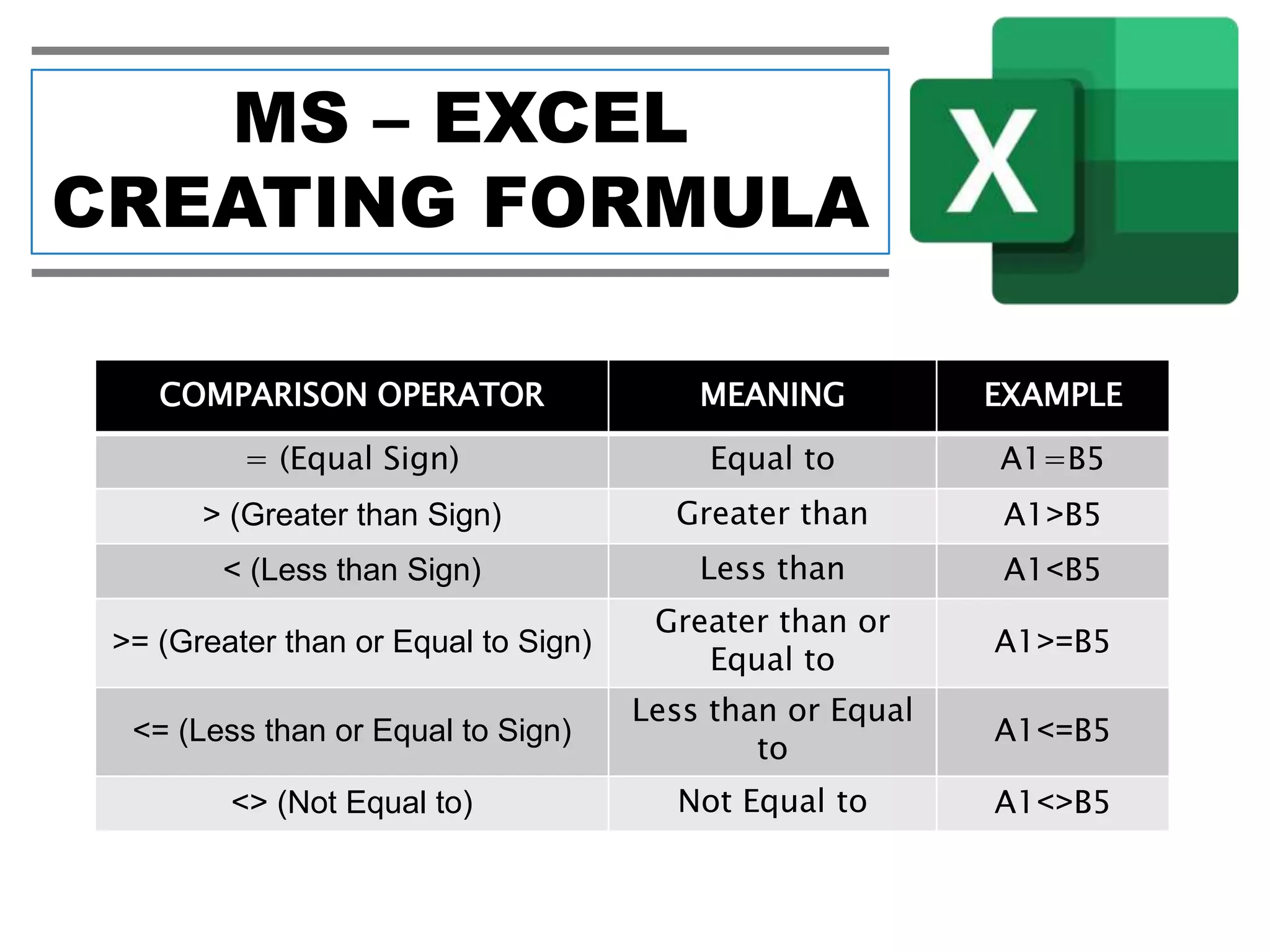
COMPARISON OPERATOR MEANING EXAMPLE
= (Equal Sign) Equal to A1=B5
> (Greater than Sign) Greater than A1>B5
< (Less than Sign) Less than A1<B5
>= (Greater than or Equal to Sign)
Greater than or
Equal to
A1>=B5
<= (Less than or Equal to Sign)
Less than or Equal
to
A1<=B5
<> (Not Equal to) Not Equal to A1<>B5
MS – EXCEL
CREATING FORMULA
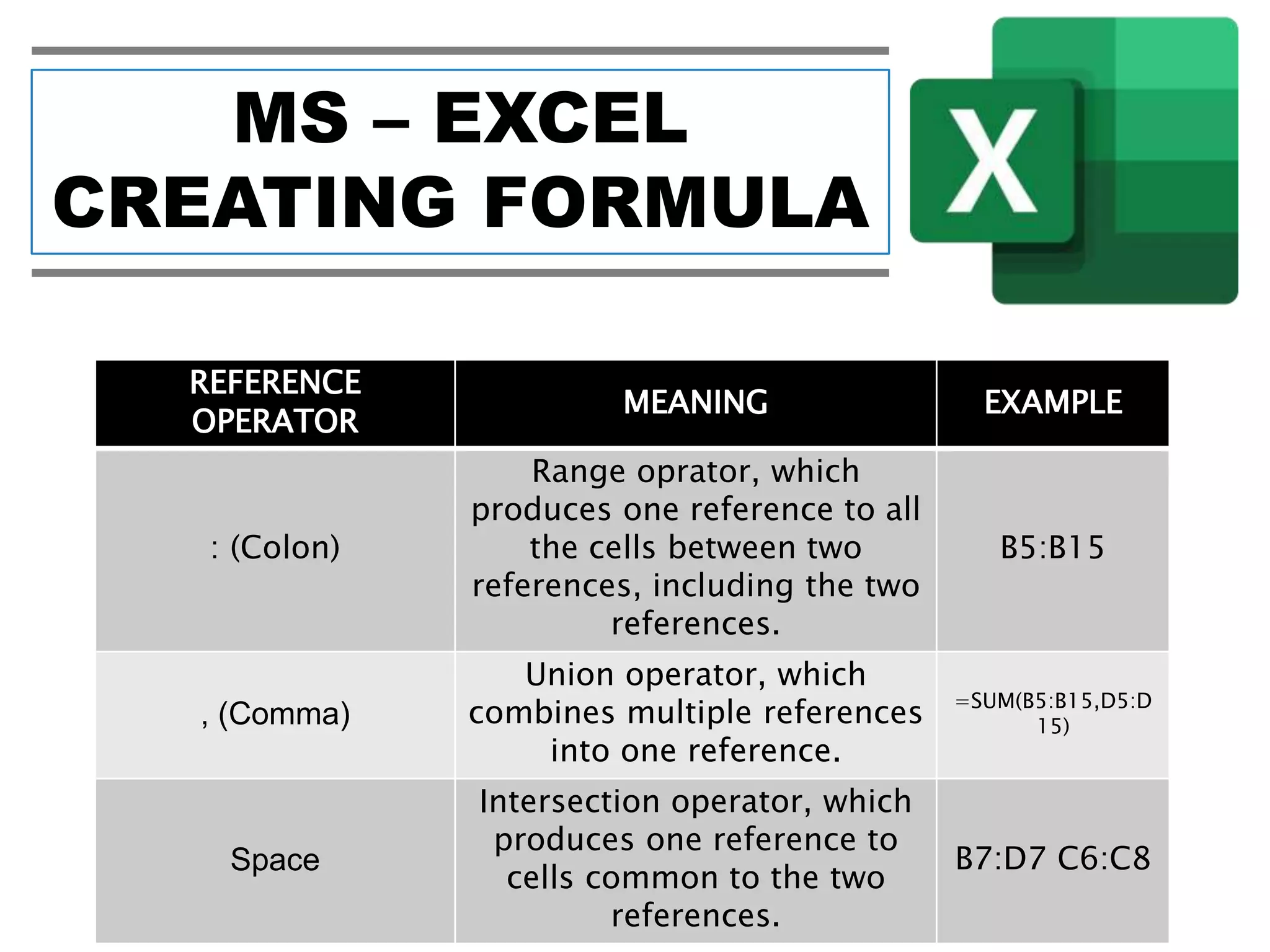
REFERENCE
OPERATOR
MEANING EXAMPLE
: (Colon)
Range oprator, which
produces one reference to all
the cells between two
references, including the two
references.
B5:B15
, (Comma)
Union operator, which
combines multiple references
into one reference.
=SUM(B5:B15,D5:D
15)
Space
Intersection operator, which
produces one reference to
cells common to the two
references.
B7:D7 C6:C8
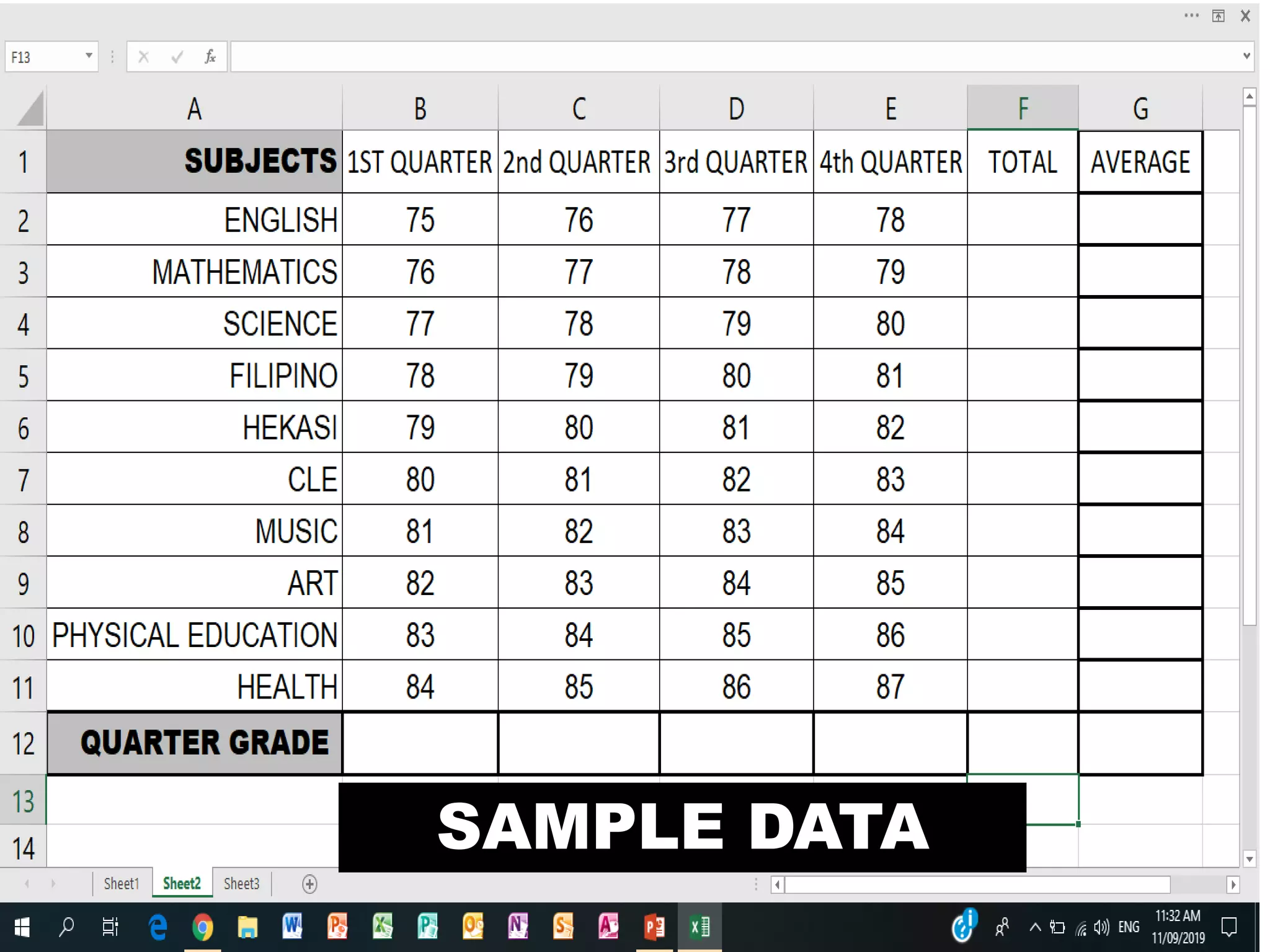
SAMPLE DATA
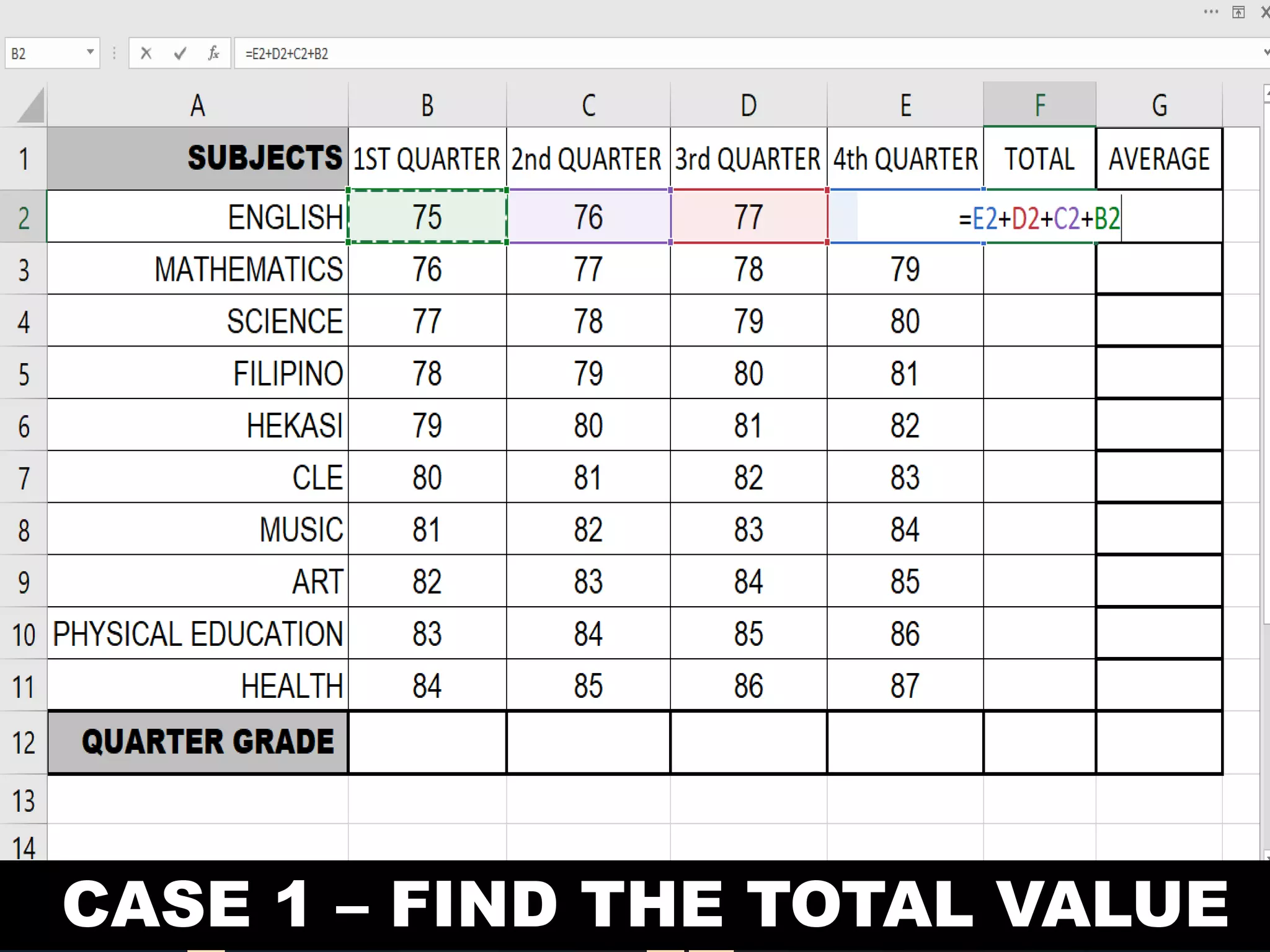
CASE 1 – FIND THE TOTAL VALUE
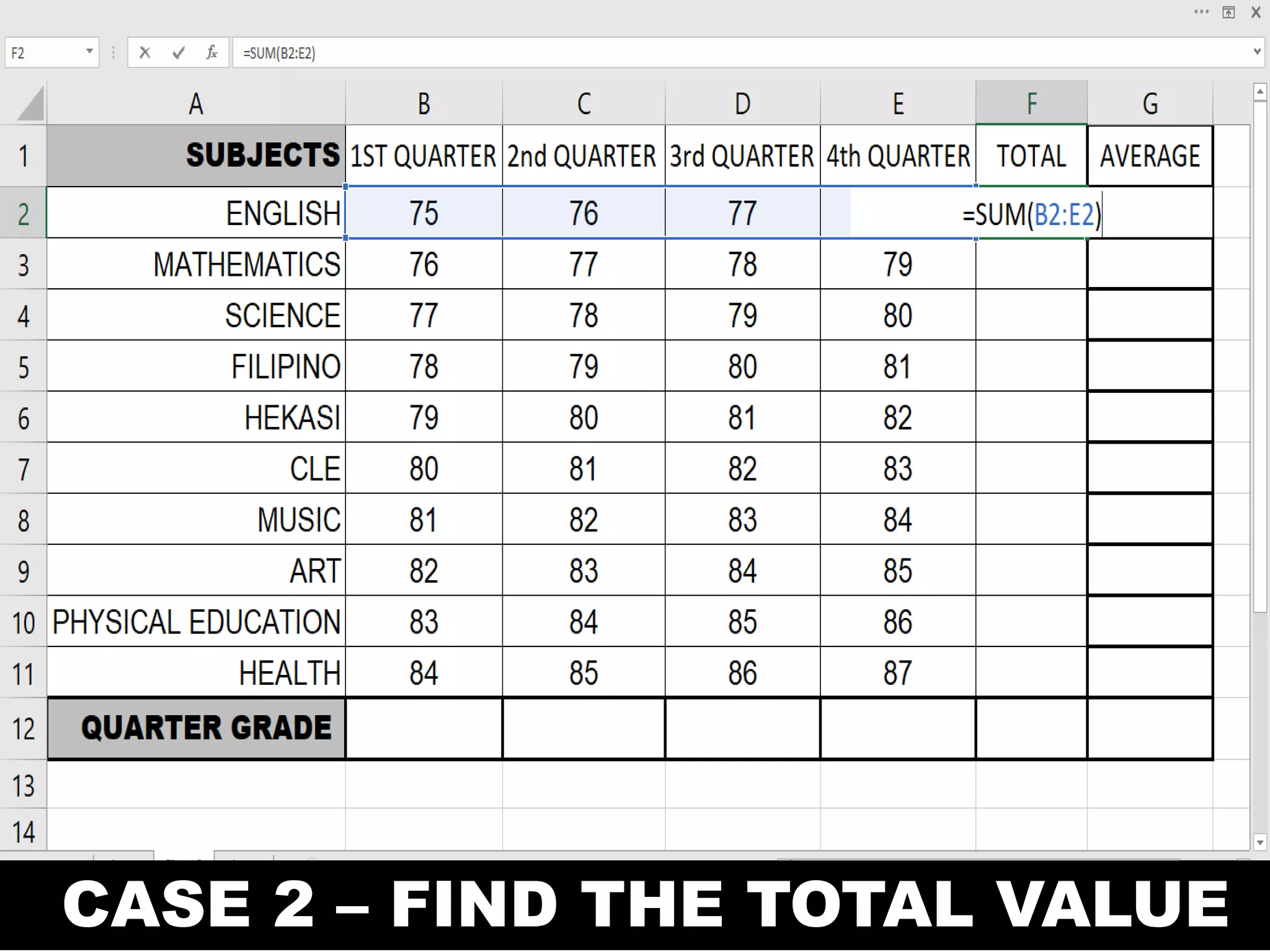
CASE 2 – FIND THE TOTAL VALUE
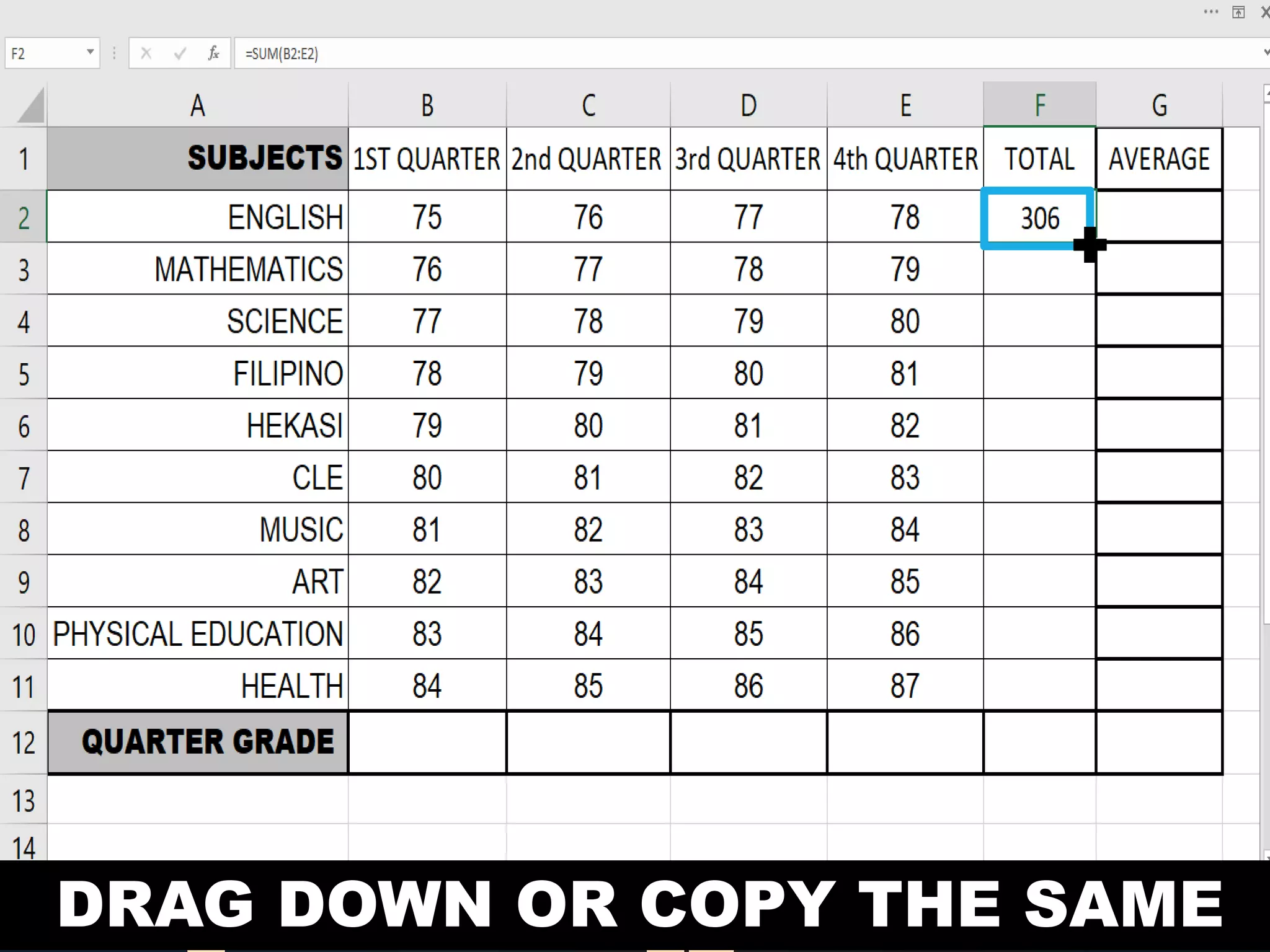
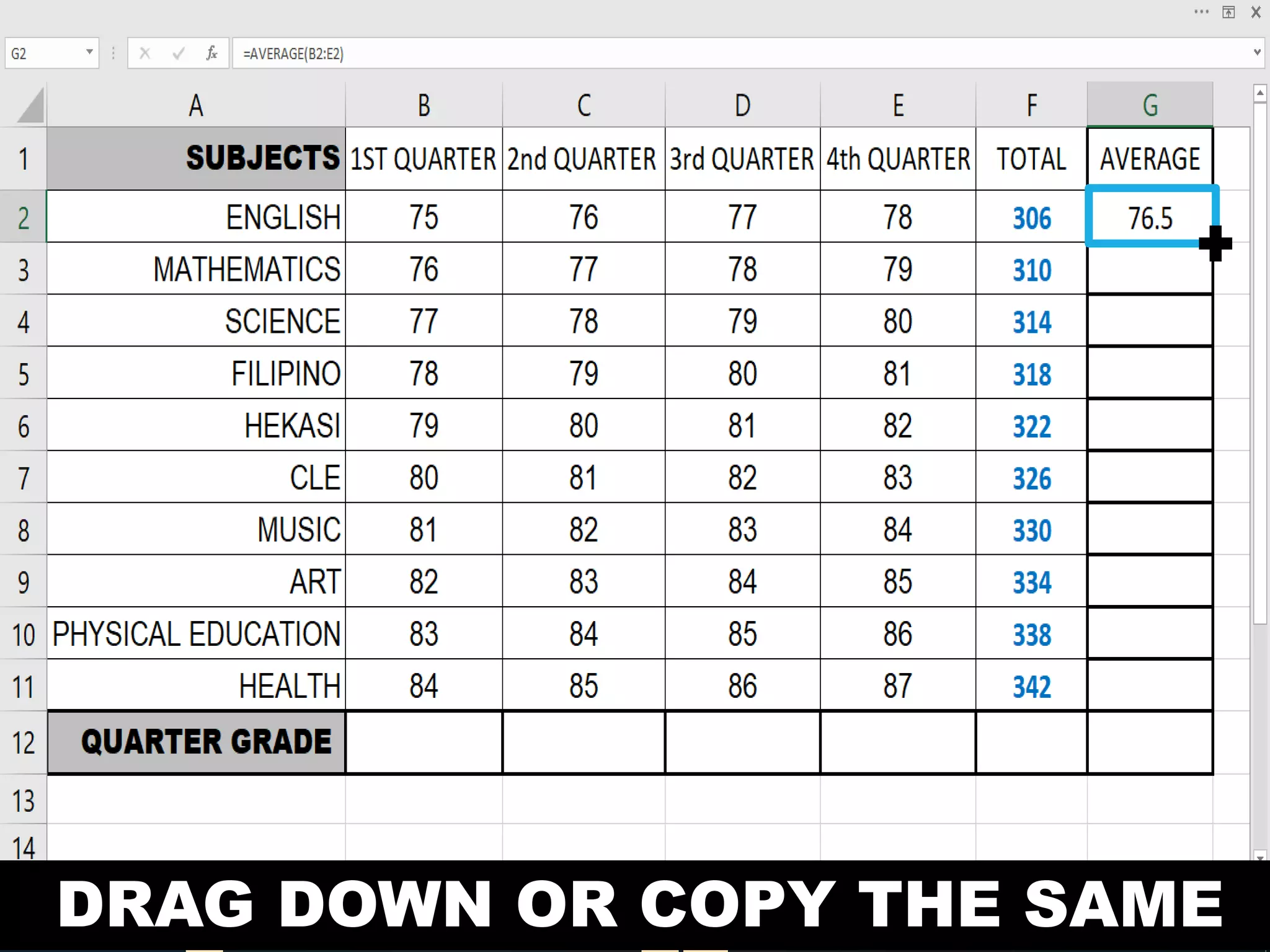
DRAG DOWN OR COPY THE SAME
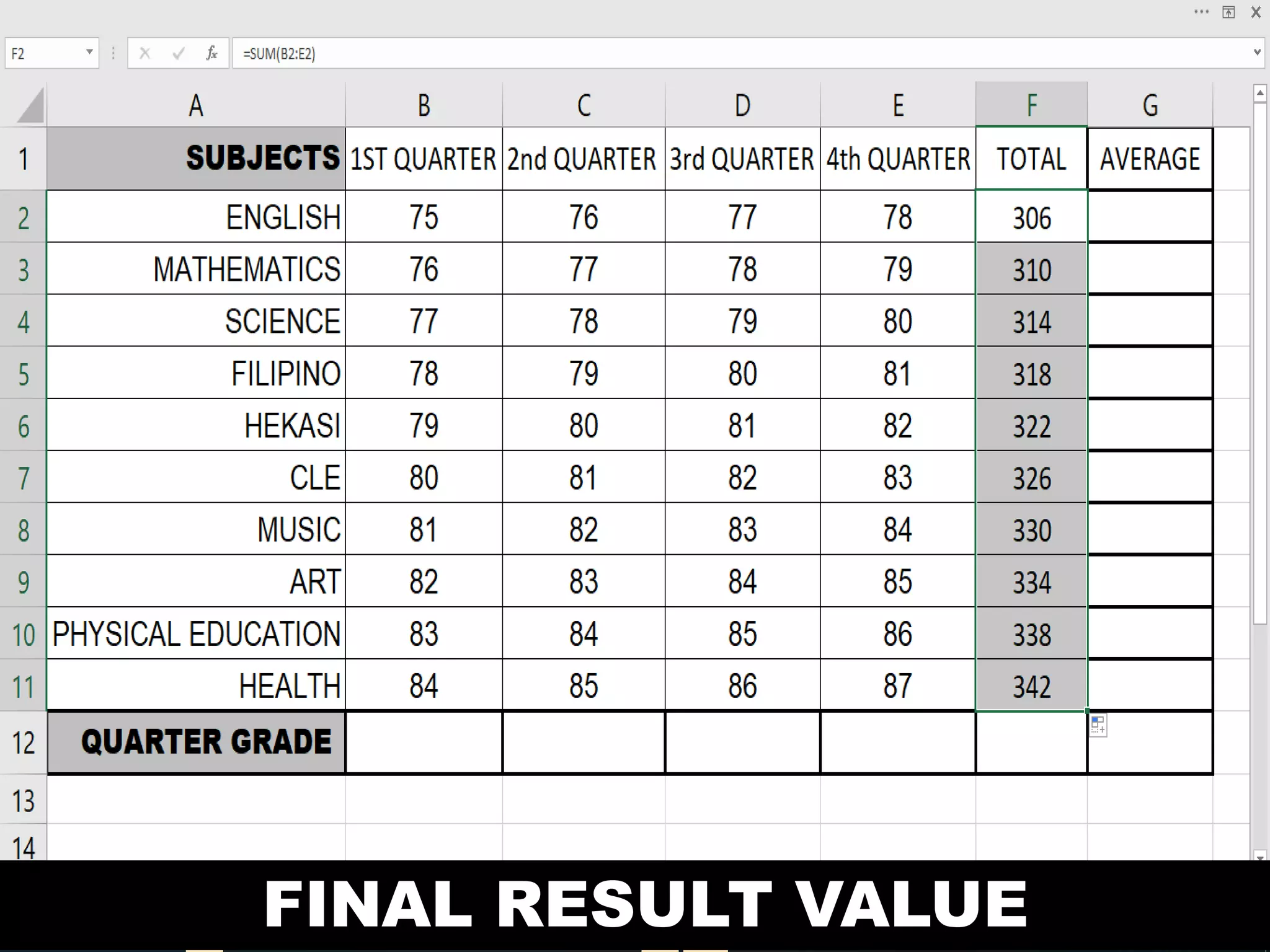
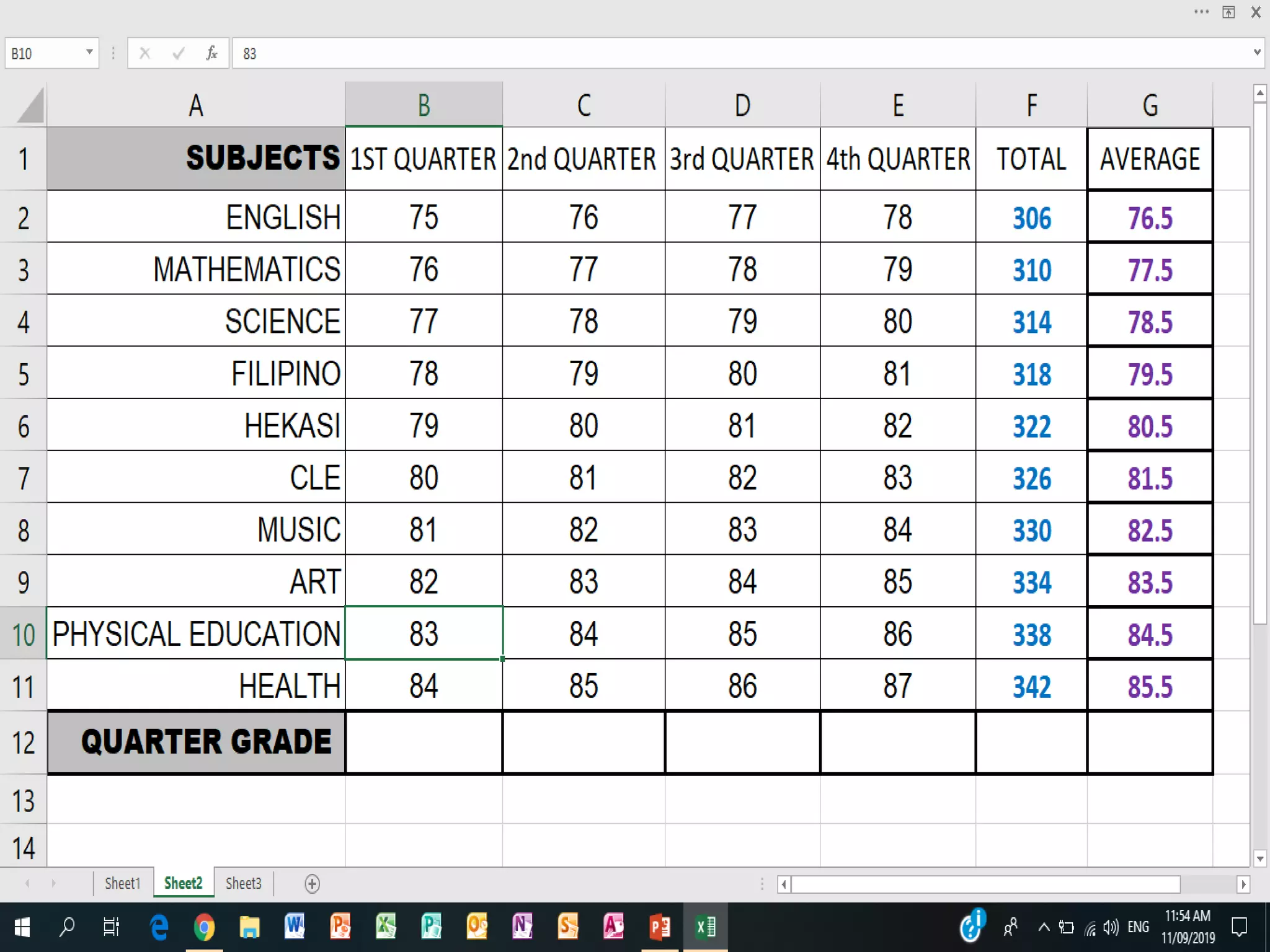
FINAL RESULT VALUE
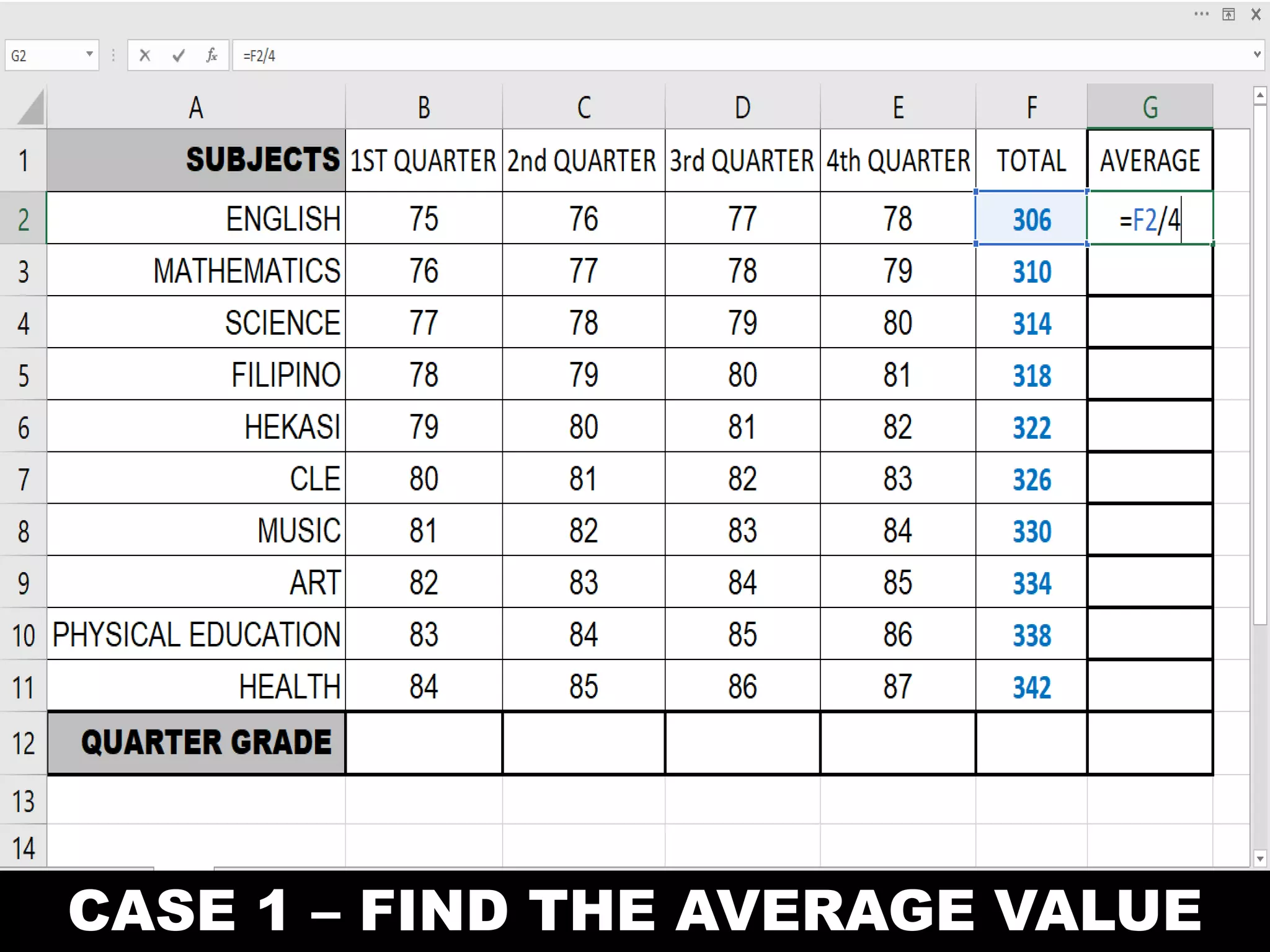
CASE 1 – FIND THE AVERAGE VALUE
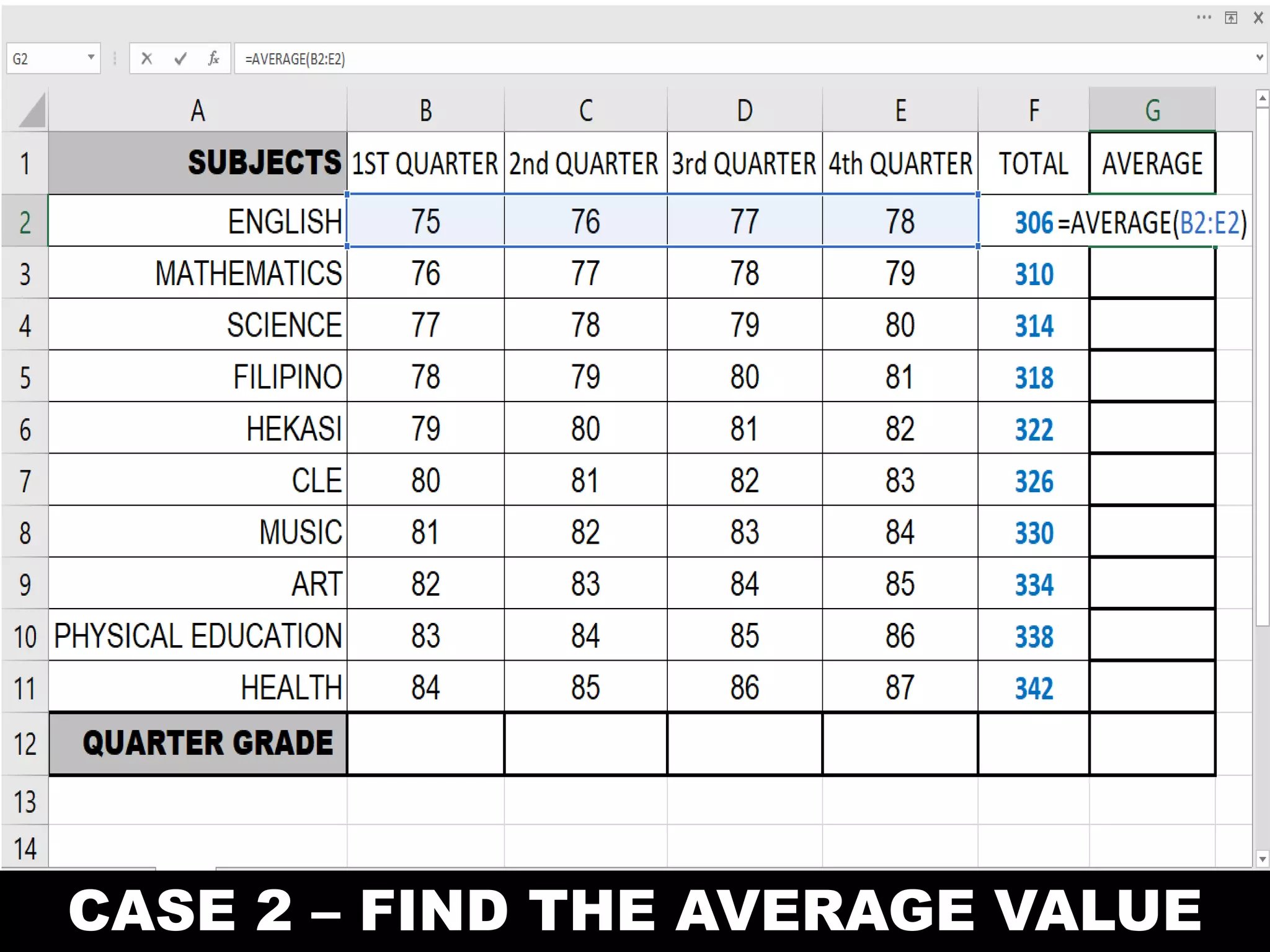
CASE 2 – FIND THE AVERAGE VALUE
DRAG DOWN OR COPY THE SAME
FINAL RESULT VALUE
MS - EXCEL SPREADSHE
ETEMPOWERMENT TECHNOLOGIES

EMPOWERMENT TECHNOLOGIES - LESSON 4

  • 1.
    MS - EXCELSPREADSHE ETEMPOWERMENT TECHNOLOGIES MELVIN M. ARIAS
  • 2.
    A type ofapplication program which manipulates numerical and string data in rows and
  • 3.
    SPREADSHEET USES: SCHOOL: StudentsGrades and PayrollSPORTS: Individual and Team Statatistics PERSONAL: Checkbook and Household ExpensesBUSINESS: Payroll and Investments
  • 4.
    MS – EXCELPARTS AND FUNCTIONS
  • 5.
    MICROSOFT EXCEL PARTS RIBBONWORKSHEET COLUMNHEADINGS ACTIVE CELL ROW HEADINGS SHEET TABS QUICK ACCESS TOOLBAR TITLE BAR FILE TAB NAME BOX SELECT ALL BUTTON SHEET TAB SCROLLING BUTTON STATUS BAR FORMULA BAR VIRTICAL SCROLL BAR HORIZONTAL SCROLL BAR ZOOM CONTROL VIEW SHORTCUTS
  • 6.
    MICROSOFT EXCEL PARTS 1715 12 1 9 3 84 5 14 11 6 10 18 13 2 16 7
  • 8.
    MS – EXCELPARTS AND FUNCTIONS OFFICE BUTTON A button that provides access to workbook – level features and program
  • 9.
    MS – EXCELPARTS AND FUNCTIONS QUICK ACCESS TOOLBAR Accollection of buttons that provide one – click access to commonly used commands, such as Save, Undo,
  • 10.
    MS – EXCELPARTS AND FUNCTIONS TITLE BARA bar that displays tha name of the active workbook and the Excel
  • 11.
    MS – EXCELPARTS AND FUNCTIONS RIBBONThe main set of commands organized by task into tabs and groups.
  • 12.
    MS – EXCELPARTS AND FUNCTIONS COLUMN HEADINGS The letters that appear along the top of the worksheet
  • 13.
    MS – EXCELPARTS AND FUNCTIONS ROW HEADINGS The number that appears along the left of the worksheet window.
  • 14.
    MS – EXCELPARTS AND FUNCTIONS WORK SHEET WINDOW A window that displays an Excel Workbook (Spreadshee
  • 15.
    MS – EXCELPARTS AND FUNCTIONS VERTICAL SCROLL BAR A scroll bar used to scroll vertically through the workbook window.
  • 16.
    MS – EXCELPARTS AND FUNCTIONS HORIZONTAL SCROLL BAR A scroll bar used to scroll horizontally through the workbook window.
  • 17.
    MS – EXCELPARTS AND FUNCTIONS ZOON SLIDER/ CONTROL Controls for magnifying and shrinking the content displayed in the active
  • 18.
    MS – EXCELPARTS AND FUNCTIONS VIEW SHORTCUTS Buttons used to change how the worksheet content is dospalyed – Normal, Page Layout, or Page Break Preview
  • 19.
    MS – EXCELPARTS AND FUNCTIONS SHEET TABS Tabs that display the name of the worksheets in the
  • 20.
    MS – EXCELPARTS AND FUNCTIONS SHEETTABS SCROLLINGBUTTONS Buttons to scroll the list of sheet tabs in the workbook.
  • 21.
    MS – EXCELPARTS AND FUNCTIONS SELECT ALL BUTTONS A button used to select all the cells in the active workbook.
  • 22.
    MS – EXCELPARTS AND FUNCTIONS ACTIVE CELL The cell currently selected in the active workbook.
  • 23.
    MS – EXCELPARTS AND FUNCTIONS ACTIVE CELL A box that displays the cell reference of the active
  • 24.
    MS – EXCELPARTS AND FUNCTIONS FORMULA BAR A bar that dispalys the value or formula entered in the active cell.
  • 25.
    MS – EXCELPARTS AND FUNCTIONS STATUS BAR To display information about the current state of its
  • 26.
  • 27.
  • 28.
    MS – EXCEL CREATINGFORMULA Identify the operator EXAMPLE 6. A1>=B5 7. A1>B5 8. A1<=B5 9. A1<B5 10. A1<>B5 11. A1=B5
  • 29.
    MS – EXCEL CREATINGFORMULA Give the meanig ARITHMETIC OPERATOR 12. + (Plus Sign) 13. - (Minus Sign) 14. * (Asterisk) 15. / (Forward Slash) 16. % (Percent)
  • 30.
    MS – EXCEL CREATINGFORMULA EQUAL SIGN A sign that tells Excel that the succeeding characters constitute a formula.
  • 31.
    MS – EXCEL CREATINGFORMULA FUNCTION A pre – written formula that takes a value and perform an operations
  • 32.
    MS – EXCEL CREATINGFORMULA CELL REFERENCE/ ARGUMENT The address of a cell based on the relative position of the cell that contains formula.
  • 33.
    MS – EXCEL CREATINGFORMULA OPERATOR A sign or symbol that specifies the type of calculations to perform with an expression.
  • 34.
    MS – EXCEL CREATINGFORMULA CONSTANT VALUE A value is not calculated and therefore does not
  • 35.
    MS – EXCEL CREATINGFORMULA ARITHMETIC OPERATOR MEANING EXAMPLE + (Plus Sign) Addition A1+C7 - (Minus Sign) Subraction or Negation A1–C7 * (Asterisk) Multiplacation A1*C7 / (Forward Slash) Division A1/C7 % (Percent) Percent 20% ^ (Caret0 Exponentiation A1^C7
  • 36.
    MS – EXCEL CREATINGFORMULA COMPARISON OPERATOR MEANING EXAMPLE = (Equal Sign) Equal to A1=B5 > (Greater than Sign) Greater than A1>B5 < (Less than Sign) Less than A1<B5 >= (Greater than or Equal to Sign) Greater than or Equal to A1>=B5 <= (Less than or Equal to Sign) Less than or Equal to A1<=B5 <> (Not Equal to) Not Equal to A1<>B5
  • 37.
    MS – EXCEL CREATINGFORMULA REFERENCE OPERATOR MEANING EXAMPLE : (Colon) Range oprator, which produces one reference to all the cells between two references, including the two references. B5:B15 , (Comma) Union operator, which combines multiple references into one reference. =SUM(B5:B15,D5:D 15) Space Intersection operator, which produces one reference to cells common to the two references. B7:D7 C6:C8
  • 38.
  • 39.
    CASE 1 –FIND THE TOTAL VALUE
  • 40.
    CASE 2 –FIND THE TOTAL VALUE
  • 41.
    DRAG DOWN ORCOPY THE SAME
  • 42.
  • 43.
    CASE 1 –FIND THE AVERAGE VALUE
  • 44.
    CASE 2 –FIND THE AVERAGE VALUE
  • 45.
    DRAG DOWN ORCOPY THE SAME
  • 46.
  • 48.
    MS - EXCELSPREADSHE ETEMPOWERMENT TECHNOLOGIES