Series
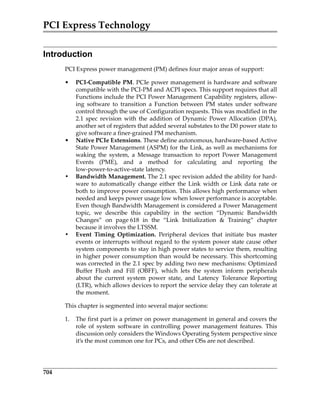
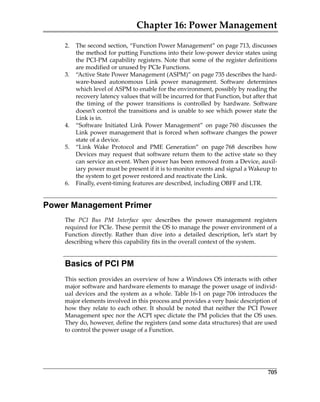
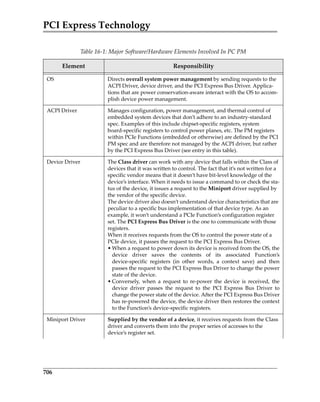
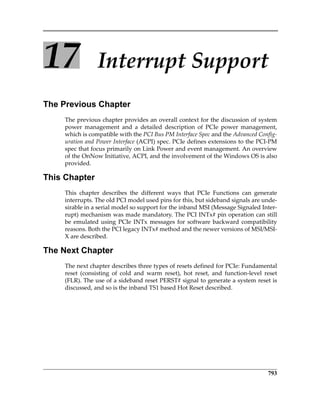
PCI Express
Technology
Mike Jackson, Ravi Budruk MindShare, Inc.
MindShare Technology Series
For training, visit mindshare.com
MindShare
Technology
PCIExpressTechnology
“MindShare books are critical in the understanding of complex technical topics, such as
PCI Express 3.0 architecture. Many of our customers and industry partners depend on
these books for the success of their projects” Joe Mendolia - Vice President, LeCroy
Comprehensive Guide to Generations 1.x, 2.x and 3.0
Essential topics covered include:
• PCI Express Origins
• Configuration Space and Access Methods
• Enumeration Process
• Packet Types and Fields
• Transaction Ordering
• Traffic Classes, Virtual Channels and Arbitration (QoS)
• Flow Control
• ACK/NAK Protocol
• Logical PHY (8b/10b, 128b/130b, Scrambling)
• Electrical PHY
• Link Training and Initialization
• Interrupt Delivery (Legacy, MSI, MSI-X)
• Error Detection and Reporting
• Power Management (for both software and hardware)
• 2.0 and 2.1 Features (such as 5.0GT/s, TLP Hints ,
and Multi-Casting)
• 3.0 Features (such as 8.0GT/s, and a new encoding scheme)
• Considerations for High Speed Signaling
(such as Equalization)
Mike Jackson is a Senior Staff Engineer with MindShare and
has trained thousands of engineers around the world on the
workings of PCI Express. Mike has developed materials and
taught courses on such topics as PC Architecture, PCI, PCI-X,
and SAS. Mike brings several years of design experience to
MindShare, including both systems integration work and
development of several ASIC designs.
Contact MindShare at training@mindshare.com or 1-800-633-1440
for training on PCI Express or any of our many other topics.
MindShare is a world-renowned training and publishing company that
sets a high standard of excellence in training and enables high-tech
companies to adopt, implement, and roll out cutting-edge technologies
quickly and confidently. We bring life to knowledge through a wide variety
of flexible learning methods and delivery options. MindShare now goes
beyond the classroom to deliver engaging interactive eLearning, both in a
virtual classroom and an online module format. Visit www.mindshare.com
to learn more about our enthusiastic and experienced instructors, courses,
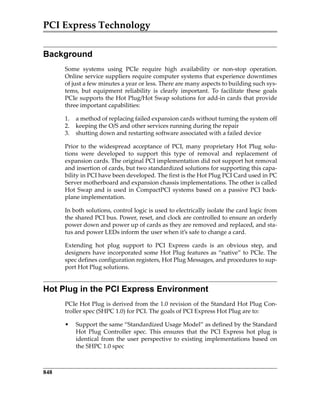
eLearning, books and other training delivery options.
$89.99 USA
PCI Express ® 3.0 is the latest generation of the
popular peripheral interface found in virtually
every PC, server, and industrial computer. Its high
bandwidth, low latency, and cost-to-performance
ratio make it a natural choice for many peripheral
devices today. Each new generation of PCI
Express adds more features, capabilities and
bandwidth, which maintains its popularity as a
device interconnect.
MindShare’s books take the hard work out of
deciphering the specs, and this one follows that
tradition. MindShare's PCI Express Technology
book provides a thorough description of the
interface with numerous practical examples that
illustrate the concepts. Written in a tutorial style,
this book is ideal for anyone new to PCI Express.
At the same time, its thorough coverage of the
details makes it an essential resource for
seasoned veterans.
PCI Express Technology Comprehensive Guide to Generations 1.x, 2.x and 3.0
ComprehensiveGuidetoGenerations1.x,2.xand3.0
Mike Jackson
MindShare, Inc.
MindShare Press
PCI EXPRESS
TRAINING
AT www.mindshare.com
LIVE COURSES:
Comprehensive PCI Express
Fundamentals of PCI Express
Intro to PCI Express
eLEARNING COURSES:
Comprehensive PCI Express
Fundamentals of PCI Express
Intro to PCI Express
PCI Express 
Technology
Comprehensive Guide to Generations 1.x, 2.x, 3.0
MINDSHARE, INC.
Mike Jackson
Ravi Budruk
Technical Edit by Joe Winkles and Don Anderson
PCIe 3.0.book Page i Sunday, September 2, 2012 11:25 AM
MindShare Live Training and Self-Paced Training
Are your company’s technical training needs being addressed in the most effective manner?
MindShare has over 25 years experience in conducting technical training on cutting‐edge technologies. 
We understand the challenges companies have when searching for quality, effective training which 
reduces the students’ time away from work and provides cost‐effective alternatives. MindShare offers 
many flexible solutions to meet those needs. Our courses are taught by highly‐skilled, enthusiastic, 
knowledgeable and experienced instructors. We bring life to knowledge through a wide variety of learn‐
ing methods and delivery options.
MindShare offers numerous courses in a self‐paced training format (eLearning). We’ve taken our 25+ 
years of experience in the technical training industry and made that knowledge available to you at the 
click of a mouse.
training@mindshare.com 1‐800‐633‐1440 www.mindshare.com
Intel Architecture
• Intel Ivy Bridge Processor
• Intel 64 (x86) Architecture
• Intel QuickPath Interconnect (QPI)
• Computer Architecture
Virtualization Technology
• PC Virtualization
• IO Virtualization
AMD Architecture
• MD Opteron Processor (Bulldozer)
• MD64 Architecture
IO Buses
• PCI Express 3.0
• USB 3.0 / 2.0
• xHCI for USB
Firmware Technology
• UEFI Architecture
• BIOS Essentials
Storage Technology
• SAS Architecture
• Serial ATA Architecture
• NVMe Architecture
ARM Architecture
• ARM Architecture
Memory Technology
• odern DRAM Architecture
Graphics Architecture
• Graphics Hardware Architecture
High Speed Design
• High Speed Design
• EMI/EMC
Programming
• X86 Architecture Programming
• X86 Assembly Language Basics
• OpenCL Programming
Surface-Mount Technology (SMT)
• SMT Manufacturing
• SMT Testing
Book Ad.fm Page 0 Wednesday, August 29, 2012 5:37 PM
BY
ARBOR
The Ultimate Tool to View, Edit and Verify
Configuration Settings of a Computer
• Scan config space for all PCI-visible
functions in system
• Run standard and custom rule checks
to find errors and non-optimal settings
• Write to any config space location,
memory address or IO address
• View standard and non-standard
structures in a decoded format
• Import raw scan data from other
tools (e.g. lspci) to view in Arbor’s
decoded format
• Decode info included for standard
PCI, PCI-X and PCI Express structures
• Decode info included for some
x86-based structures and device-
specific registers
• Create decode files for structures in
config space, memory address space
and IO space
• Save system scans for viewing later
or on other systems
• All decode files and saved system
scans are XML-based and open-format
COMING SOON
Decoded view of x86 structures
(MSRs, ACPI, Paging, Virtualization, etc.)
Feature List
Decode Data from
Live Systems
Everything Driven from
Open Format XML
Apply Standard and
Custom Rule Checks
Directly Edit Config,
Memory and IO Space
mindshare.com | 800.633.1440 | training@mindshare.com
BY
The Ultimate Tool to View,
Edit and Verify Configuration
Settings of a Computer
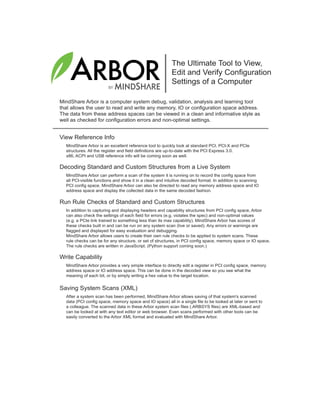
MindShare Arbor is a computer system debug, validation, analysis and learning tool
that allows the user to read and write any memory, IO or configuration space address.
The data from these address spaces can be viewed in a clean and informative style as
well as checked for configuration errors and non-optimal settings.
View Reference Info
MindShare Arbor is an excellent reference tool to quickly look at standard PCI, PCI-X and PCIe
structures. All the register and field definitions are up-to-date with the PCI Express 3.0.
x86, ACPI and USB reference info will be coming soon as well.
Decoding Standard and Custom Structures from a Live System
MindShare Arbor can perform a scan of the system it is running on to record the config space from
all PCI-visible functions and show it in a clean and intuitive decoded format. In addition to scanning
PCI config space, MindShare Arbor can also be directed to read any memory address space and IO
address space and display the collected data in the same decoded fashion.
Write Capability
MindShare Arbor provides a very simple interface to directly edit a register in PCI config space, memory
address space or IO address space. This can be done in the decoded view so you see what the
meaning of each bit, or by simply writing a hex value to the target location.
Saving System Scans (XML)
After a system scan has been performed, MindShare Arbor allows saving of that system's scanned
data (PCI config space, memory space and IO space) all in a single file to be looked at later or sent to
a colleague. The scanned data in these Arbor system scan files (.ARBSYS files) are XML-based and
can be looked at with any text editor or web browser. Even scans performed with other tools can be
easily converted to the Arbor XML format and evaluated with MindShare Arbor.
Run Rule Checks of Standard and Custom Structures
In addition to capturing and displaying headers and capability structures from PCI config space, Arbor
can also check the settings of each field for errors (e.g. violates the spec) and non-optimal values
(e.g. a PCIe link trained to something less than its max capability). MindShare Arbor has scores of
these checks built in and can be run on any system scan (live or saved). Any errors or warnings are
flagged and displayed for easy evaluation and debugging.
MindShare Arbor allows users to create their own rule checks to be applied to system scans. These
rule checks can be for any structure, or set of structures, in PCI config space, memory space or IO space.
The rule checks are written in JavaScript. (Python support coming soon.)
ArborAdEnd.fm Page 1 Wednesday, August 29, 2012 8:52 PM
PCI Express 
Technology
Comprehensive Guide to Generations 1.x, 2.x, 3.0
MINDSHARE, INC.
Mike Jackson
Ravi Budruk
Technical Edit by Joe Winkles and Don Anderson
PCIe 3.0.book Page i Wednesday, August 29, 2012 4:03 PM
Many of the designations used by manufacturers and sellers to distinguish their prod‐
ucts are claimed as trademarks. Where those designators appear in this book, and 
MindShare was aware of the trademark claim, the designations have been printed in ini‐
tial capital letters or all capital letters.
The authors and publishers have taken care in preparation of this book, but make no 
expressed or implied warranty of any kind and assume no responsibility for errors or 
omissions. No liability is assumed for incidental or consequential damages in connec‐
tion with or arising out of the use of the information or programs contained herein.
Library of Congress Cataloging‐in‐Publication Data
Jackson, Mike and Budruk, Ravi
PCI Express Technology / MindShare, Inc., Mike Jackson, Ravi Budruk....[et al.]
Includes index
ISBN: 978‐0‐9836465‐2‐5 (alk. paper)
1. Computer Architecture. 2.0 Microcomputers ‐ buses.
I. Jackson, Mike    II. MindShare, Inc.   III. Title
Library of Congress Number: 2011921066
ISBN: 978‐0‐9836465‐2‐5
Copyright ©2012 by MindShare, Inc.
All rights reserved. No part of this publication may be reproduced, stored in a retrieval 
system, or transmitted, in any form or by any means, electronic, mechanical, photocopy‐
ing, recording, or otherwise, without the prior written permission of the publisher. 
Printed in the United States of America.
Editors: Joe Winkles and Don Anderson
Project Manager: Maryanne Daves
Cover Design: Greenhouse Creative and MindShare, Inc.
Set in 10 point Palatino Linotype by MindShare, Inc.
Text printed on recycled and acid‐free paper
First Edition, First Printing, September, 2012
PCIe 3.0.book Page ii Sunday, September 2, 2012 11:25 AM
“This book is dedicated to my sons, Jeremy and Bryan – I love you guys
deeply. Creating a book takes a long time and a team effort, but it’s finally
done and now you hold the results in your hand. It’s a picture of the way
life is sometimes: investing over a long time with your team before you
see  the  result.  You  were  a  gift  to  us  when  you  were  born  and  we’ve
invested in you for many years, along with a number of people who have
helped us. Now you’ve become fine young men in your own right and it’s
been a joy to become your friend as grown men. What will you invest in
that will become the big achievements in your lives? I can hardly wait to
find out.”
PCIe 3.0.book Page iii Sunday, September 2, 2012 11:25 AM
PCIe 3.0.book Page iv Sunday, September 2, 2012 11:25 AM
Acknowledgments
Thanks to those who made significant contributions to this book:
Maryanne Daves ‐ for being book project manager and getting the book to press
in a timely manner.
Don  Anderson  ‐  for  excellent  work  editing  numerous  chapters  and  doing  a
complete re‐write of Chapter 8 on “Transaction Ordering”.
Joe Winkles ‐ for his superb job of technical editing and doing a complete re‐
write of Chapter 4 on “Address Space and Transaction Routing”.
Jay Trodden ‐ for his contribution in developing Chapter 4 on “Address Space
and Transaction Routing”
Special thanks to LeCroy Corporation, Inc. for supplying:
Appendix A: Debugging PCI Express™ Traffic using LeCroy Tools
Special thanks to PLX Technology for contributing two appendices: 
Appendix B: Markets  Applications for PCI Express™
Appendix C: Implementing Intelligent Adapters and Multi‐Host Systems
With PCI Express™ Technology
Thanks also to the PCI SIG for giving permission to use some of the mechanical
drawings from the specification.
PCIe 3.0.book Page v Sunday, September 2, 2012 11:25 AM
PCIe 3.0.book Page vi Sunday, September 2, 2012 11:25 AM
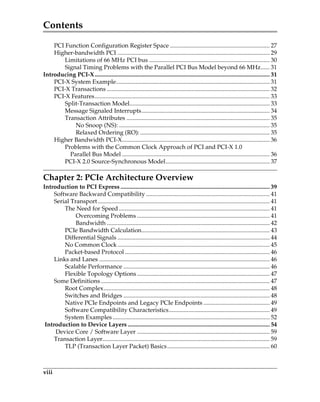
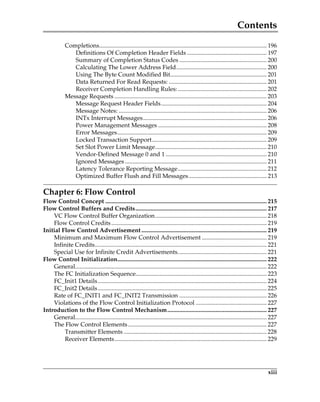
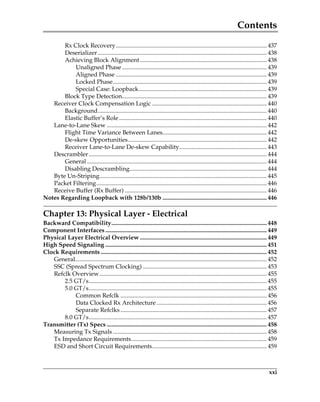
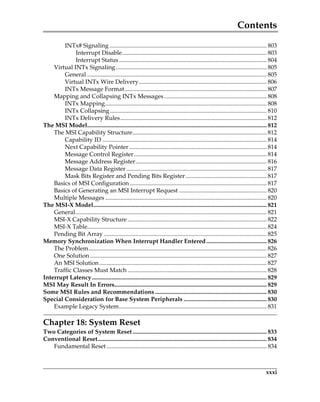
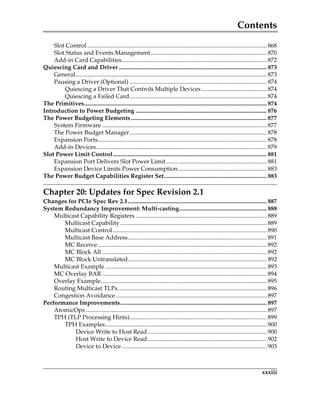
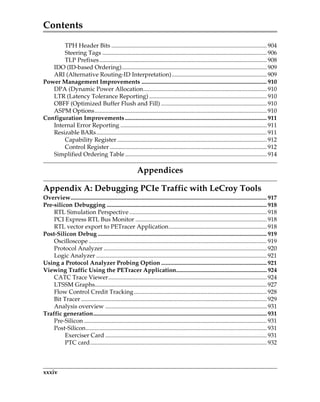
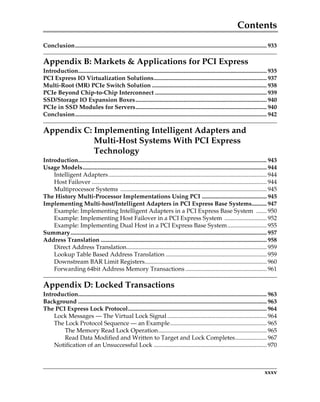
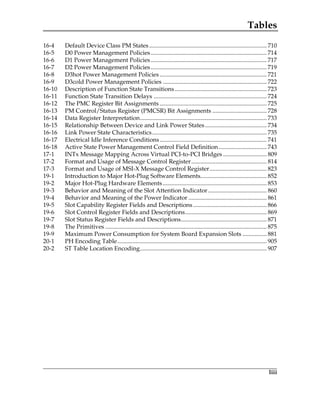
Contents
vii
About This Book
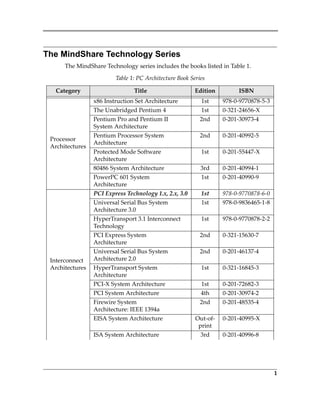
The MindShare Technology Series ........................................................................................ 1
Cautionary Note ......................................................................................................................... 2
Intended Audience .................................................................................................................... 2
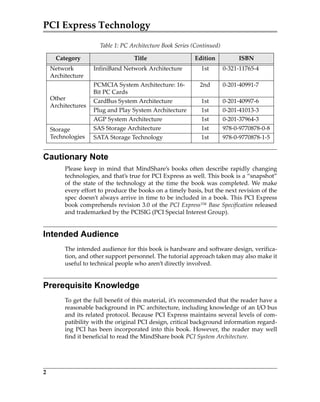
Prerequisite Knowledge ........................................................................................................... 2
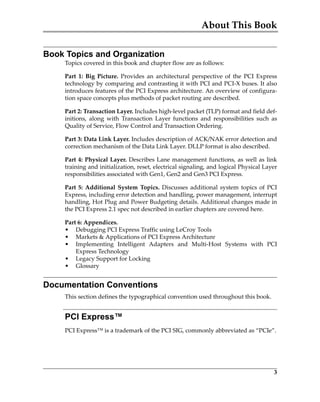
Book Topics and Organization................................................................................................ 3
Documentation Conventions................................................................................................... 3
PCI Express™ ....................................................................................................................... 3
Hexadecimal Notation ........................................................................................................ 4
Binary Notation.................................................................................................................... 4
Decimal Notation................................................................................................................. 4
Bits, Bytes and Transfers Notation .................................................................................... 4
Bit Fields................................................................................................................................ 4
Active Signal States.............................................................................................................. 5
Visit Our Web Site..................................................................................................................... 5
We Want Your Feedback........................................................................................................... 5
Part One: The Big Picture
Chapter 1: Background
Introduction................................................................................................................................. 9
PCI and PCI-X........................................................................................................................... 10
PCI Basics .................................................................................................................................. 11
Basics of a PCI-Based System........................................................................................... 11
PCI Bus Initiator and Target............................................................................................. 12
Typical PCI Bus Cycle ....................................................................................................... 13
Reflected-Wave Signaling................................................................................................. 16
PCI Bus Architecture Perspective ......................................................................................... 18
PCI Transaction Models.................................................................................................... 18
Programmed I/O........................................................................................................ 18
Direct Memory Access (DMA).................................................................................. 19
Peer-to-Peer ................................................................................................................. 20
PCI Bus Arbitration ........................................................................................................... 20
PCI Inefficiencies................................................................................................................ 21
PCI Retry Protocol ...................................................................................................... 21
PCI Disconnect Protocol ............................................................................................ 22
PCI Interrupt Handling..................................................................................................... 23
PCI Error Handling............................................................................................................ 24
PCI Address Space Map.................................................................................................... 25
PCI Configuration Cycle Generation .............................................................................. 26
PCIe 3.0.book Page vii Sunday, September 2, 2012 11:25 AM
Contents
viii
PCI Function Configuration Register Space .................................................................. 27
Higher-bandwidth PCI ..................................................................................................... 29
Limitations of 66 MHz PCI bus ................................................................................ 30
Signal Timing Problems with the Parallel PCI Bus Model beyond 66 MHz...... 31
Introducing PCI-X.................................................................................................................... 31
PCI-X System Example...................................................................................................... 31
PCI-X Transactions ............................................................................................................ 32
PCI-X Features.................................................................................................................... 33
Split-Transaction Model............................................................................................. 33
Message Signaled Interrupts..................................................................................... 34
Transaction Attributes ............................................................................................... 35
No Snoop (NS): .................................................................................................... 35
Relaxed Ordering (RO):...................................................................................... 35
Higher Bandwidth PCI-X.................................................................................................. 36
Problems with the Common Clock Approach of PCI and PCI-X 1.0
Parallel Bus Model .................................................................................................. 36
PCI-X 2.0 Source-Synchronous Model..................................................................... 37
Chapter 2: PCIe Architecture Overview
Introduction to PCI Express ................................................................................................... 39
Software Backward Compatibility .................................................................................. 41
Serial Transport.................................................................................................................. 41
The Need for Speed .................................................................................................... 41
Overcoming Problems ........................................................................................ 41
Bandwidth ............................................................................................................ 42
PCIe Bandwidth Calculation..................................................................................... 43
Differential Signals ..................................................................................................... 44
No Common Clock..................................................................................................... 45
Packet-based Protocol ................................................................................................ 46
Links and Lanes ................................................................................................................. 46
Scalable Performance ................................................................................................. 46
Flexible Topology Options ........................................................................................ 47
Some Definitions................................................................................................................ 47
Root Complex.............................................................................................................. 48
Switches and Bridges ................................................................................................. 48
Native PCIe Endpoints and Legacy PCIe Endpoints ............................................ 49
Software Compatibility Characteristics................................................................... 49
System Examples ........................................................................................................ 52
Introduction to Device Layers .............................................................................................. 54
Device Core / Software Layer ........................................................................................ 59
Transaction Layer............................................................................................................... 59
TLP (Transaction Layer Packet) Basics.................................................................... 60
PCIe 3.0.book Page viii Sunday, September 2, 2012 11:25 AM
Contents
ix
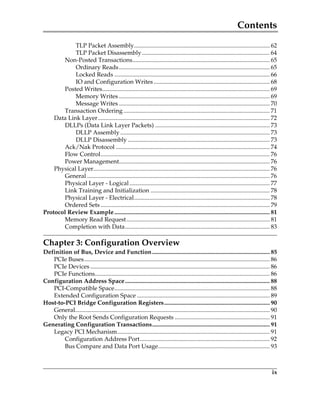
TLP Packet Assembly.......................................................................................... 62
TLP Packet Disassembly..................................................................................... 64
Non-Posted Transactions........................................................................................... 65
Ordinary Reads.................................................................................................... 65
Locked Reads ....................................................................................................... 66
IO and Configuration Writes ............................................................................. 68
Posted Writes............................................................................................................... 69
Memory Writes .................................................................................................... 69
Message Writes .................................................................................................... 70
Transaction Ordering................................................................................................. 71
Data Link Layer.................................................................................................................. 72
DLLPs (Data Link Layer Packets) ............................................................................ 73
DLLP Assembly ................................................................................................... 73
DLLP Disassembly .............................................................................................. 73
Ack/Nak Protocol ...................................................................................................... 74
Flow Control................................................................................................................ 76
Power Management.................................................................................................... 76
Physical Layer..................................................................................................................... 76
General ......................................................................................................................... 76
Physical Layer - Logical............................................................................................. 77
Link Training and Initialization ............................................................................... 78
Physical Layer - Electrical.......................................................................................... 78
Ordered Sets ................................................................................................................ 79
Protocol Review Example....................................................................................................... 81
Memory Read Request............................................................................................... 81
Completion with Data................................................................................................ 83
Chapter 3: Configuration Overview
Definition of Bus, Device and Function.............................................................................. 85
PCIe Buses........................................................................................................................... 86
PCIe Devices ....................................................................................................................... 86
PCIe Functions.................................................................................................................... 86
Configuration Address Space................................................................................................ 88
PCI-Compatible Space....................................................................................................... 88
Extended Configuration Space ........................................................................................ 89
Host-to-PCI Bridge Configuration Registers...................................................................... 90
General................................................................................................................................. 90
Only the Root Sends Configuration Requests ............................................................... 91
Generating Configuration Transactions.............................................................................. 91
Legacy PCI Mechanism..................................................................................................... 91
Configuration Address Port...................................................................................... 92
Bus Compare and Data Port Usage.......................................................................... 93
PCIe 3.0.book Page ix Sunday, September 2, 2012 11:25 AM
Contents
x
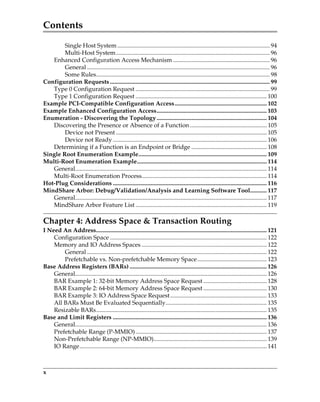
Single Host System ..................................................................................................... 94
Multi-Host System...................................................................................................... 96
Enhanced Configuration Access Mechanism ................................................................ 96
General ......................................................................................................................... 96
Some Rules................................................................................................................... 98
Configuration Requests.......................................................................................................... 99
Type 0 Configuration Request ......................................................................................... 99
Type 1 Configuration Request ....................................................................................... 100
Example PCI-Compatible Configuration Access............................................................. 102
Example Enhanced Configuration Access......................................................................... 103
Enumeration - Discovering the Topology......................................................................... 104
Discovering the Presence or Absence of a Function................................................... 105
Device not Present .................................................................................................... 105
Device not Ready...................................................................................................... 106
Determining if a Function is an Endpoint or Bridge .................................................. 108
Single Root Enumeration Example..................................................................................... 109
Multi-Root Enumeration Example...................................................................................... 114
General............................................................................................................................... 114
Multi-Root Enumeration Process................................................................................... 114
Hot-Plug Considerations ...................................................................................................... 116
MindShare Arbor: Debug/Validation/Analysis and Learning Software Tool........... 117
General............................................................................................................................... 117
MindShare Arbor Feature List ....................................................................................... 119
Chapter 4: Address Space  Transaction Routing
I Need An Address................................................................................................................. 121
Configuration Space ........................................................................................................ 122
Memory and IO Address Spaces ................................................................................... 122
General ....................................................................................................................... 122
Prefetchable vs. Non-prefetchable Memory Space.............................................. 123
Base Address Registers (BARs) ........................................................................................... 126
General............................................................................................................................... 126
BAR Example 1: 32-bit Memory Address Space Request .......................................... 128
BAR Example 2: 64-bit Memory Address Space Request .......................................... 130
BAR Example 3: IO Address Space Request................................................................ 133
All BARs Must Be Evaluated Sequentially................................................................... 135
Resizable BARs................................................................................................................. 135
Base and Limit Registers ...................................................................................................... 136
General............................................................................................................................... 136
Prefetchable Range (P-MMIO)....................................................................................... 137
Non-Prefetchable Range (NP-MMIO)........................................................................... 139
IO Range............................................................................................................................ 141
PCIe 3.0.book Page x Sunday, September 2, 2012 11:25 AM
Contents
xi
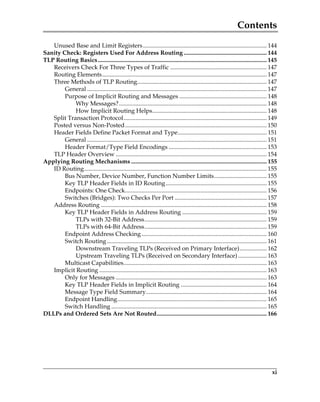
Unused Base and Limit Registers.................................................................................. 144
Sanity Check: Registers Used For Address Routing ....................................................... 144
TLP Routing Basics................................................................................................................ 145
Receivers Check For Three Types of Traffic ................................................................ 147
Routing Elements............................................................................................................. 147
Three Methods of TLP Routing...................................................................................... 147
General ....................................................................................................................... 147
Purpose of Implicit Routing and Messages .......................................................... 148
Why Messages?.................................................................................................. 148
How Implicit Routing Helps............................................................................ 148
Split Transaction Protocol............................................................................................... 149
Posted versus Non-Posted.............................................................................................. 150
Header Fields Define Packet Format and Type........................................................... 151
General ....................................................................................................................... 151
Header Format/Type Field Encodings ................................................................. 153
TLP Header Overview .................................................................................................... 154
Applying Routing Mechanisms .......................................................................................... 155
ID Routing......................................................................................................................... 155
Bus Number, Device Number, Function Number Limits................................... 155
Key TLP Header Fields in ID Routing................................................................... 155
Endpoints: One Check.............................................................................................. 156
Switches (Bridges): Two Checks Per Port ............................................................. 157
Address Routing .............................................................................................................. 158
Key TLP Header Fields in Address Routing ........................................................ 159
TLPs with 32-Bit Address................................................................................. 159
TLPs with 64-Bit Address................................................................................. 159
Endpoint Address Checking................................................................................... 160
Switch Routing.......................................................................................................... 161
Downstream Traveling TLPs (Received on Primary Interface).................. 162
Upstream Traveling TLPs (Received on Secondary Interface) ................... 163
Multicast Capabilities............................................................................................... 163
Implicit Routing ............................................................................................................... 163
Only for Messages .................................................................................................... 163
Key TLP Header Fields in Implicit Routing ......................................................... 164
Message Type Field Summary................................................................................ 164
Endpoint Handling................................................................................................... 165
Switch Handling ....................................................................................................... 165
DLLPs and Ordered Sets Are Not Routed......................................................................... 166
PCIe 3.0.book Page xi Sunday, September 2, 2012 11:25 AM
Contents
xii
Part Two: Transaction Layer
Chapter 5: TLP Elements
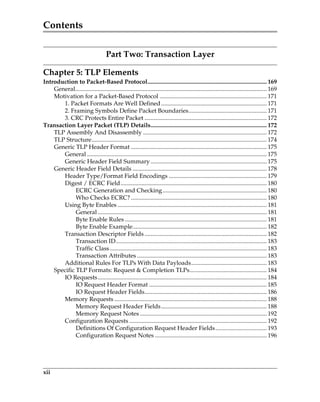
Introduction to Packet-Based Protocol............................................................................... 169
General............................................................................................................................... 169
Motivation for a Packet-Based Protocol ....................................................................... 171
1. Packet Formats Are Well Defined...................................................................... 171
2. Framing Symbols Define Packet Boundaries.................................................... 171
3. CRC Protects Entire Packet ................................................................................. 172
Transaction Layer Packet (TLP) Details............................................................................. 172
TLP Assembly And Disassembly .................................................................................. 172
TLP Structure.................................................................................................................... 174
Generic TLP Header Format .......................................................................................... 175
General ....................................................................................................................... 175
Generic Header Field Summary............................................................................. 175
Generic Header Field Details ......................................................................................... 178
Header Type/Format Field Encodings ................................................................. 179
Digest / ECRC Field................................................................................................. 180
ECRC Generation and Checking..................................................................... 180
Who Checks ECRC? .......................................................................................... 180
Using Byte Enables ................................................................................................... 181
General ................................................................................................................ 181
Byte Enable Rules .............................................................................................. 181
Byte Enable Example......................................................................................... 182
Transaction Descriptor Fields ................................................................................. 182
Transaction ID.................................................................................................... 183
Traffic Class........................................................................................................ 183
Transaction Attributes ...................................................................................... 183
Additional Rules For TLPs With Data Payloads.................................................. 183
Specific TLP Formats: Request  Completion TLPs................................................... 184
IO Requests................................................................................................................ 184
IO Request Header Format .............................................................................. 185
IO Request Header Fields................................................................................. 186
Memory Requests ..................................................................................................... 188
Memory Request Header Fields...................................................................... 188
Memory Request Notes .................................................................................... 192
Configuration Requests ........................................................................................... 192
Definitions Of Configuration Request Header Fields.................................. 193
Configuration Request Notes .......................................................................... 196
PCIe 3.0.book Page xii Sunday, September 2, 2012 11:25 AM
Contents
xiii
Completions............................................................................................................... 196
Definitions Of Completion Header Fields ..................................................... 197
Summary of Completion Status Codes .......................................................... 200
Calculating The Lower Address Field............................................................ 200
Using The Byte Count Modified Bit................................................................ 201
Data Returned For Read Requests: ................................................................. 201
Receiver Completion Handling Rules:........................................................... 202
Message Requests ..................................................................................................... 203
Message Request Header Fields...................................................................... 204
Message Notes: .................................................................................................. 206
INTx Interrupt Messages.................................................................................. 206
Power Management Messages ........................................................................ 208
Error Messages................................................................................................... 209
Locked Transaction Support............................................................................ 209
Set Slot Power Limit Message.......................................................................... 210
Vendor-Defined Message 0 and 1 ................................................................... 210
Ignored Messages .............................................................................................. 211
Latency Tolerance Reporting Message........................................................... 212
Optimized Buffer Flush and Fill Messages.................................................... 213
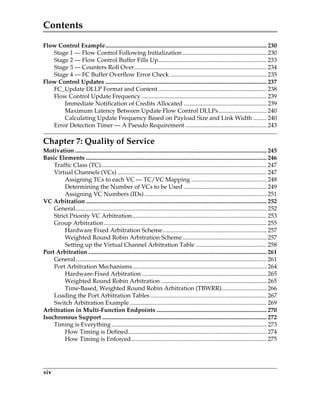
Chapter 6: Flow Control
Flow Control Concept ........................................................................................................... 215
Flow Control Buffers and Credits....................................................................................... 217
VC Flow Control Buffer Organization.......................................................................... 218
Flow Control Credits....................................................................................................... 219
Initial Flow Control Advertisement ................................................................................... 219
Minimum and Maximum Flow Control Advertisement ........................................... 219
Infinite Credits.................................................................................................................. 221
Special Use for Infinite Credit Advertisements........................................................... 221
Flow Control Initialization................................................................................................... 222
General............................................................................................................................... 222
The FC Initialization Sequence....................................................................................... 223
FC_Init1 Details................................................................................................................ 224
FC_Init2 Details................................................................................................................ 225
Rate of FC_INIT1 and FC_INIT2 Transmission .......................................................... 226
Violations of the Flow Control Initialization Protocol ............................................... 227
Introduction to the Flow Control Mechanism.................................................................. 227
General............................................................................................................................... 227
The Flow Control Elements............................................................................................ 227
Transmitter Elements ............................................................................................... 228
Receiver Elements..................................................................................................... 229
PCIe 3.0.book Page xiii Sunday, September 2, 2012 11:25 AM
Contents
xiv
Flow Control Example........................................................................................................... 230
Stage 1 — Flow Control Following Initialization........................................................ 230
Stage 2 — Flow Control Buffer Fills Up........................................................................ 233
Stage 3 — Counters Roll Over........................................................................................ 234
Stage 4 — FC Buffer Overflow Error Check ................................................................ 235
Flow Control Updates ........................................................................................................... 237
FC_Update DLLP Format and Content........................................................................ 238
Flow Control Update Frequency ................................................................................... 239
Immediate Notification of Credits Allocated ....................................................... 239
Maximum Latency Between Update Flow Control DLLPs................................ 240
Calculating Update Frequency Based on Payload Size and Link Width ......... 240
Error Detection Timer — A Pseudo Requirement ...................................................... 243
Chapter 7: Quality of Service
Motivation ............................................................................................................................... 245
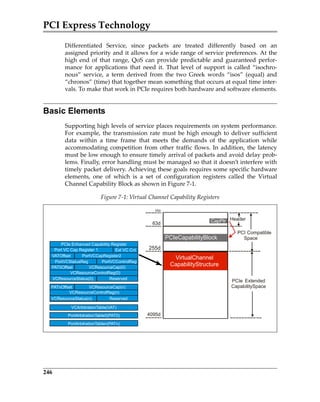
Basic Elements ........................................................................................................................ 246
Traffic Class (TC).............................................................................................................. 247
Virtual Channels (VCs) ................................................................................................... 247
Assigning TCs to each VC — TC/VC Mapping .................................................. 248
Determining the Number of VCs to be Used ....................................................... 249
Assigning VC Numbers (IDs) ................................................................................. 251
VC Arbitration........................................................................................................................ 252
General............................................................................................................................... 252
Strict Priority VC Arbitration......................................................................................... 253
Group Arbitration............................................................................................................ 255
Hardware Fixed Arbitration Scheme..................................................................... 257
Weighted Round Robin Arbitration Scheme........................................................ 257
Setting up the Virtual Channel Arbitration Table ............................................... 258
Port Arbitration ...................................................................................................................... 261
General............................................................................................................................... 261
Port Arbitration Mechanisms......................................................................................... 264
Hardware-Fixed Arbitration................................................................................... 265
Weighted Round Robin Arbitration ...................................................................... 265
Time-Based, Weighted Round Robin Arbitration (TBWRR).............................. 266
Loading the Port Arbitration Tables ............................................................................. 267
Switch Arbitration Example........................................................................................... 269
Arbitration in Multi-Function Endpoints ......................................................................... 270
Isochronous Support ............................................................................................................. 272
Timing is Everything....................................................................................................... 273
How Timing is Defined............................................................................................ 274
How Timing is Enforced.......................................................................................... 275
PCIe 3.0.book Page xiv Sunday, September 2, 2012 11:25 AM
Contents
xv
Software Support ............................................................................................................. 275
Device Drivers........................................................................................................... 276
Isochronous Broker................................................................................................... 276
Bringing it all together .................................................................................................... 276
Endpoints................................................................................................................... 276
Switches...................................................................................................................... 278
Arbitration Issues .............................................................................................. 278
Timing Issues ..................................................................................................... 278
Bandwidth Allocation Problems ..................................................................... 280
Latency Issues .................................................................................................... 281
Root Complex............................................................................................................ 281
Problem: Snooping ............................................................................................ 281
Snooping Solutions............................................................................................ 282
Power Management.................................................................................................. 282
Error Handling.......................................................................................................... 282
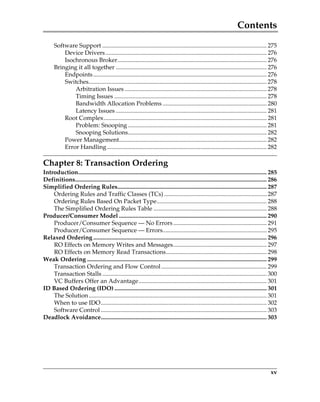
Chapter 8: Transaction Ordering
Introduction............................................................................................................................. 285
Definitions............................................................................................................................... 286
Simplified Ordering Rules................................................................................................... 287
Ordering Rules and Traffic Classes (TCs) .................................................................... 287
Ordering Rules Based On Packet Type......................................................................... 288
The Simplified Ordering Rules Table ........................................................................... 288
Producer/Consumer Model .................................................................................................. 290
Producer/Consumer Sequence — No Errors.............................................................. 291
Producer/Consumer Sequence — Errors..................................................................... 295
Relaxed Ordering ................................................................................................................... 296
RO Effects on Memory Writes and Messages.............................................................. 297
RO Effects on Memory Read Transactions................................................................... 298
Weak Ordering ....................................................................................................................... 299
Transaction Ordering and Flow Control...................................................................... 299
Transaction Stalls ............................................................................................................. 300
VC Buffers Offer an Advantage..................................................................................... 301
ID Based Ordering (IDO) ..................................................................................................... 301
The Solution...................................................................................................................... 301
When to use IDO.............................................................................................................. 302
Software Control .............................................................................................................. 303
Deadlock Avoidance.............................................................................................................. 303
PCIe 3.0.book Page xv Sunday, September 2, 2012 11:25 AM
Contents
xvi
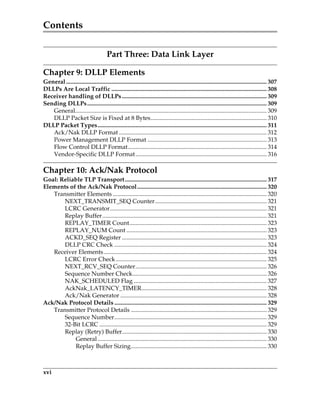
Part Three: Data Link Layer
Chapter 9: DLLP Elements
General..................................................................................................................................... 307
DLLPs Are Local Traffic ....................................................................................................... 308
Receiver handling of DLLPs................................................................................................ 309
Sending DLLPs....................................................................................................................... 309
General............................................................................................................................... 309
DLLP Packet Size is Fixed at 8 Bytes............................................................................. 310
DLLP Packet Types................................................................................................................ 311
Ack/Nak DLLP Format .................................................................................................. 312
Power Management DLLP Format ............................................................................... 313
Flow Control DLLP Format............................................................................................ 314
Vendor-Specific DLLP Format....................................................................................... 316
Chapter 10: Ack/Nak Protocol
Goal: Reliable TLP Transport.............................................................................................. 317
Elements of the Ack/Nak Protocol...................................................................................... 320
Transmitter Elements ...................................................................................................... 320
NEXT_TRANSMIT_SEQ Counter.......................................................................... 321
LCRC Generator........................................................................................................ 321
Replay Buffer............................................................................................................. 321
REPLAY_TIMER Count........................................................................................... 323
REPLAY_NUM Count ............................................................................................. 323
ACKD_SEQ Register ................................................................................................ 323
DLLP CRC Check ..................................................................................................... 324
Receiver Elements............................................................................................................ 324
LCRC Error Check.................................................................................................... 325
NEXT_RCV_SEQ Counter....................................................................................... 326
Sequence Number Check......................................................................................... 326
NAK_SCHEDULED Flag ........................................................................................ 327
AckNak_LATENCY_TIMER................................................................................... 328
Ack/Nak Generator ................................................................................................. 328
Ack/Nak Protocol Details ..................................................................................................... 329
Transmitter Protocol Details .......................................................................................... 329
Sequence Number..................................................................................................... 329
32-Bit LCRC ............................................................................................................... 329
Replay (Retry) Buffer................................................................................................ 330
General ................................................................................................................ 330
Replay Buffer Sizing.......................................................................................... 330
PCIe 3.0.book Page xvi Sunday, September 2, 2012 11:25 AM
Contents
xvii
Transmitter’s Response to an Ack DLLP .............................................................. 331
Ack/Nak Examples.................................................................................................. 331
Example 1............................................................................................................ 331
Example 2............................................................................................................ 332
Transmitter’s Response to a Nak............................................................................ 333
TLP Replay................................................................................................................. 333
Efficient TLP Replay................................................................................................. 334
Example of a Nak...................................................................................................... 334
Repeated Replay of TLPs......................................................................................... 335
General ................................................................................................................ 335
Replay Number Rollover.................................................................................. 336
Replay Timer ............................................................................................................. 336
REPLAY_TIMER Equation............................................................................... 337
REPLAY_TIMER Summary Table .................................................................. 338
Transmitter DLLP Handling................................................................................... 340
Receiver Protocol Details ................................................................................................ 340
Physical Layer ........................................................................................................... 340
TLP LCRC Check...................................................................................................... 341
Next Received TLP’s Sequence Number............................................................... 341
Duplicate TLP..................................................................................................... 342
Out of Sequence TLP......................................................................................... 342
Receiver Schedules An Ack DLLP ......................................................................... 342
Receiver Schedules a Nak........................................................................................ 343
AckNak_LATENCY_TIMER.................................................................................. 343
AckNak_LATENCY_TIMER Equation .......................................................... 344
AckNak_LATENCY_TIMER Summary Table .............................................. 345
More Examples ....................................................................................................................... 345
Lost TLPs........................................................................................................................... 345
Bad Ack ............................................................................................................................. 347
Bad Nak............................................................................................................................. 348
Error Situations Handled by Ack/Nak............................................................................... 349
Recommended Priority To Schedule Packets................................................................... 350
Timing Differences for Newer Spec Versions ................................................................. 350
Ack Transmission Latency (AckNak Latency) ............................................................ 351
2.5 GT/s Operation................................................................................................... 351
5.0 GT/s Operation................................................................................................... 352
8.0 GT/s Operation................................................................................................... 352
Replay Timer .................................................................................................................... 353
2.5 GT/s Operation................................................................................................... 353
5.0 GT/s Operation................................................................................................... 354
8.0 GT/s Operation................................................................................................... 354
PCIe 3.0.book Page xvii Sunday, September 2, 2012 11:25 AM
Contents
xviii
Switch Cut-Through Mode .................................................................................................. 354
Background....................................................................................................................... 355
A Latency Improvement Option.................................................................................... 355
Cut-Through Operation.................................................................................................. 356
Example of Cut-Through Operation............................................................................. 356
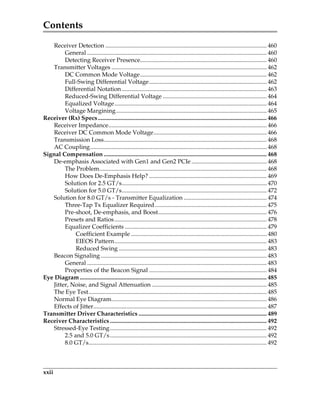
Part Four: Physical Layer
Chapter 11: Physical Layer - Logical (Gen1 and Gen2)
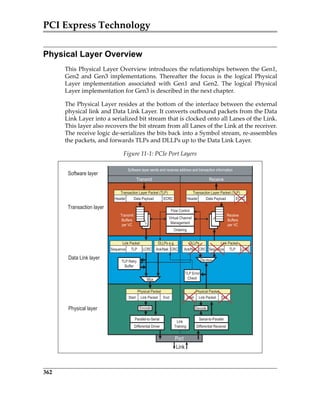
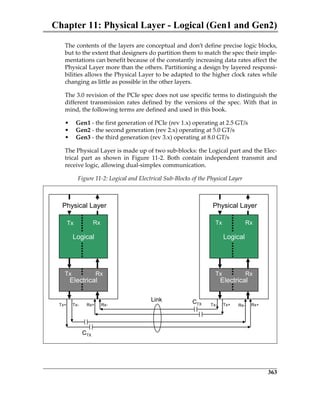
Physical Layer Overview ...................................................................................................... 362
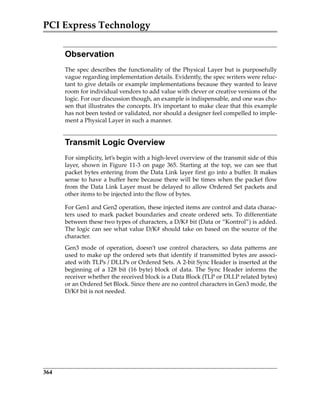
Observation....................................................................................................................... 364
Transmit Logic Overview............................................................................................... 364
Receive Logic Overview ................................................................................................. 366
Transmit Logic Details (Gen1 and Gen2 Only) ............................................................... 368
Tx Buffer............................................................................................................................ 368
Mux and Control Logic................................................................................................... 368
Byte Striping (for Wide Links) ....................................................................................... 371
Packet Format Rules ........................................................................................................ 373
General Rules ............................................................................................................ 373
Example: x1 Format.................................................................................................. 374
x4 Format Rules......................................................................................................... 374
Example x4 Format................................................................................................... 375
Large Link-Width Packet Format Rules................................................................ 376
x8 Packet Format Example ...................................................................................... 376
Scrambler........................................................................................................................... 377
Scrambler Algorithm................................................................................................ 378
Some Scrambler implementation rules:................................................................. 379
Disabling Scrambling ............................................................................................... 379
8b/10b Encoding.............................................................................................................. 380
General ....................................................................................................................... 380
Motivation.................................................................................................................. 380
Properties of 10-bit Symbols ................................................................................... 381
Character Notation ................................................................................................... 382
Disparity..................................................................................................................... 383
Definition............................................................................................................ 383
CRD (Current Running Disparity).................................................................. 383
Encoding Procedure ................................................................................................. 383
Example Transmission............................................................................................. 385
Control Characters.................................................................................................... 386
Ordered sets............................................................................................................... 388
General ................................................................................................................ 388
PCIe 3.0.book Page xviii Sunday, September 2, 2012 11:25 AM
Contents
xix
TS1 and TS2 Ordered Set (TS1OS/TS2OS) .................................................... 388
Electrical Idle Ordered Set (EIOS)................................................................... 388
FTS Ordered Set (FTSOS) ................................................................................. 388
SKP Ordered Set (SOS) ..................................................................................... 389
Electrical Idle Exit Ordered Set (EIEOS) ........................................................ 389
Serializer............................................................................................................................ 389
Differential Driver............................................................................................................ 389
Transmit Clock (Tx Clock).............................................................................................. 390
Miscellaneous Transmit Topics...................................................................................... 390
Logical Idle ................................................................................................................ 390
Tx Signal Skew .......................................................................................................... 390
Clock Compensation ................................................................................................ 391
Background ........................................................................................................ 391
SKIP ordered set Insertion Rules..................................................................... 391
Receive Logic Details (Gen1 and Gen2 Only).................................................................. 392
Differential Receiver........................................................................................................ 393
Rx Clock Recovery........................................................................................................... 394
General ....................................................................................................................... 394
Achieving Bit Lock ................................................................................................... 395
Losing Bit Lock.......................................................................................................... 395
Regaining Bit Lock.................................................................................................... 395
Deserializer ....................................................................................................................... 395
General ....................................................................................................................... 395
Achieving Symbol Lock........................................................................................... 396
Receiver Clock Compensation Logic ............................................................................ 396
Background................................................................................................................ 396
Elastic Buffer’s Role.................................................................................................. 397
Lane-to-Lane Skew .......................................................................................................... 398
Flight Time Will Vary Between Lanes................................................................... 398
Ordered sets Help De-Skewing .............................................................................. 398
Receiver Lane-to-Lane De-Skew Capability ......................................................... 398
De-Skew Opportunities ........................................................................................... 399
8b/10b Decoder................................................................................................................ 400
General ....................................................................................................................... 400
Disparity Calculator ................................................................................................. 400
Code Violation and Disparity Error Detection..................................................... 400
General ................................................................................................................ 400
Code Violations.................................................................................................. 400
Disparity Errors ................................................................................................. 400
Descrambler...................................................................................................................... 402
Some Descrambler Implementation Rules:........................................................... 402
Disabling Descrambling........................................................................................... 402
PCIe 3.0.book Page xix Sunday, September 2, 2012 11:25 AM
Contents
xx
Byte Un-Striping............................................................................................................... 402
Filter and Packet Alignment Check............................................................................... 403
Receive Buffer (Rx Buffer) .............................................................................................. 403
Physical Layer Error Handling ............................................................................................ 404
General............................................................................................................................... 404
Response of Data Link Layer to Receiver Error .......................................................... 404
Active State Power Management ........................................................................................ 405
Link Training and Initialization ......................................................................................... 405
Chapter 12: Physical Layer - Logical (Gen3)
Introduction to Gen3 ............................................................................................................. 407
New Encoding Model...................................................................................................... 409
Sophisticated Signal Equalization ................................................................................. 410
Encoding for 8.0 GT/s............................................................................................................ 410
Lane-Level Encoding....................................................................................................... 410
Block Alignment............................................................................................................... 411
Ordered Set Blocks........................................................................................................... 412
Data Stream and Data Blocks......................................................................................... 413
Data Block Frame Construction..................................................................................... 414
Framing Tokens ........................................................................................................ 415
Packets........................................................................................................................ 415
Transmitter Framing Requirements....................................................................... 417
Receiver Framing Requirements ............................................................................ 419
Recovery from Framing Errors............................................................................... 420
Gen3 Physical Layer Transmit Logic.................................................................................. 421
Multiplexer........................................................................................................................ 421
Byte Striping ..................................................................................................................... 423
Byte Striping x8 Example......................................................................................... 424
Nullified Packet x8 Example................................................................................... 425
Ordered Set Example - SOS..................................................................................... 426
Transmitter SOS Rules ............................................................................................. 429
Receiver SOS Rules................................................................................................... 430
Scrambling ........................................................................................................................ 430
Number of LFSRs...................................................................................................... 430
First Option: Multiple LFSRs ........................................................................... 431
Second Option: Single LFSR ............................................................................ 432
Scrambling Rules ...................................................................................................... 433
Serializer............................................................................................................................ 434
Mux for Sync Header Bits............................................................................................... 435
Gen3 Physical Layer Receive Logic .................................................................................... 435
Differential Receiver........................................................................................................ 435
CDR (Clock and Data Recovery) Logic......................................................................... 437
PCIe 3.0.book Page xx Sunday, September 2, 2012 11:25 AM
Contents
xxi
Rx Clock Recovery.................................................................................................... 437
Deserializer................................................................................................................ 438
Achieving Block Alignment .................................................................................... 438
Unaligned Phase................................................................................................ 439
Aligned Phase .................................................................................................... 439
Locked Phase...................................................................................................... 439
Special Case: Loopback..................................................................................... 439
Block Type Detection................................................................................................ 439
Receiver Clock Compensation Logic ............................................................................ 440
Background................................................................................................................ 440
Elastic Buffer’s Role.................................................................................................. 440
Lane-to-Lane Skew .......................................................................................................... 442
Flight Time Variance Between Lanes..................................................................... 442
De-skew Opportunities............................................................................................ 442
Receiver Lane-to-Lane De-skew Capability.......................................................... 443
Descrambler...................................................................................................................... 444
General ....................................................................................................................... 444
Disabling Descrambling........................................................................................... 444
Byte Un-Striping............................................................................................................... 445
Packet Filtering................................................................................................................. 446
Receive Buffer (Rx Buffer) .............................................................................................. 446
Notes Regarding Loopback with 128b/130b ..................................................................... 446
Chapter 13: Physical Layer - Electrical
Backward Compatibility....................................................................................................... 448
Component Interfaces ........................................................................................................... 449
Physical Layer Electrical Overview .................................................................................... 449
High Speed Signaling ........................................................................................................... 451
Clock Requirements .............................................................................................................. 452
General............................................................................................................................... 452
SSC (Spread Spectrum Clocking) .................................................................................. 453
Refclk Overview............................................................................................................... 455
2.5 GT/s...................................................................................................................... 455
5.0 GT/s...................................................................................................................... 455
Common Refclk ................................................................................................. 456
Data Clocked Rx Architecture ......................................................................... 456
Separate Refclks................................................................................................. 457
8.0 GT/s...................................................................................................................... 457
Transmitter (Tx) Specs .......................................................................................................... 458
Measuring Tx Signals ...................................................................................................... 458
Tx Impedance Requirements.......................................................................................... 459
ESD and Short Circuit Requirements............................................................................ 459
PCIe 3.0.book Page xxi Sunday, September 2, 2012 11:25 AM
Contents
xxii
Receiver Detection ........................................................................................................... 460
General ....................................................................................................................... 460
Detecting Receiver Presence.................................................................................... 460
Transmitter Voltages ....................................................................................................... 462
DC Common Mode Voltage.................................................................................... 462
Full-Swing Differential Voltage.............................................................................. 462
Differential Notation ................................................................................................ 463
Reduced-Swing Differential Voltage ..................................................................... 464
Equalized Voltage..................................................................................................... 464
Voltage Margining.................................................................................................... 465
Receiver (Rx) Specs................................................................................................................ 466
Receiver Impedance......................................................................................................... 466
Receiver DC Common Mode Voltage........................................................................... 466
Transmission Loss............................................................................................................ 468
AC Coupling..................................................................................................................... 468
Signal Compensation ............................................................................................................ 468
De-emphasis Associated with Gen1 and Gen2 PCIe .................................................. 468
The Problem............................................................................................................... 468
How Does De-Emphasis Help? .............................................................................. 469
Solution for 2.5 GT/s................................................................................................ 470
Solution for 5.0 GT/s................................................................................................ 472
Solution for 8.0 GT/s - Transmitter Equalization ....................................................... 474
Three-Tap Tx Equalizer Required .......................................................................... 475
Pre-shoot, De-emphasis, and Boost........................................................................ 476
Presets and Ratios..................................................................................................... 478
Equalizer Coefficients .............................................................................................. 479
Coefficient Example .......................................................................................... 480
EIEOS Pattern..................................................................................................... 483
Reduced Swing .................................................................................................. 483
Beacon Signaling .............................................................................................................. 483
General ....................................................................................................................... 483
Properties of the Beacon Signal .............................................................................. 484
Eye Diagram............................................................................................................................ 485
Jitter, Noise, and Signal Attenuation ............................................................................ 485
The Eye Test...................................................................................................................... 485
Normal Eye Diagram....................................................................................................... 486
Effects of Jitter................................................................................................................... 487
Transmitter Driver Characteristics ..................................................................................... 489
Receiver Characteristics........................................................................................................ 492
Stressed-Eye Testing........................................................................................................ 492
2.5 and 5.0 GT/s........................................................................................................ 492
8.0 GT/s...................................................................................................................... 492
PCIe 3.0.book Page xxii Sunday, September 2, 2012 11:25 AM
Contents
xxiii
Receiver (Rx) Equalization ............................................................................................. 493
Continuous-Time Linear Equalization (CTLE) .................................................... 493
Decision Feedback Equalization (DFE) ................................................................. 495
Receiver Characteristics........................................................................................................ 497
Link Power Management States.......................................................................................... 500
Chapter 14: Link Initialization  Training
Overview.................................................................................................................................. 506
Ordered Sets in Link Training ............................................................................................ 509
General............................................................................................................................... 509
TS1 and TS2 Ordered Sets............................................................................................... 510
Link Training and Status State Machine (LTSSM)......................................................... 518
General............................................................................................................................... 518
Overview of LTSSM States ............................................................................................. 519
Introductions, Examples and State/Substates............................................................. 521
Detect State.............................................................................................................................. 522
Introduction ...................................................................................................................... 522
Detailed Detect Substate ................................................................................................. 523
Detect.Quiet............................................................................................................... 523
Detect.Active ............................................................................................................. 524
Polling State ............................................................................................................................ 525
Introduction ...................................................................................................................... 525
Detailed Polling Substates .............................................................................................. 526
Polling.Active ............................................................................................................ 526
Polling.Configuration............................................................................................... 527
Polling.Compliance .................................................................................................. 529
Compliance Pattern for 8b/10b....................................................................... 529
Compliance Pattern for 128b/130b................................................................. 530
Modified Compliance Pattern for 8b/10b...................................................... 532
Modified Compliance Pattern for 128b/130b................................................ 533
Compliance Pattern........................................................................................... 537
Modified Compliance Pattern ......................................................................... 537
Configuration State................................................................................................................ 539
Configuration State — General...................................................................................... 540
Designing Devices with Links that can be Merged .................................................... 541
Configuration State — Training Examples .................................................................. 542
Introduction............................................................................................................... 542
Link Configuration Example 1................................................................................ 542
Link Number Negotiation................................................................................ 542
Lane Number Negotiation ............................................................................... 543
Confirming Link and Lane Numbers ............................................................. 544
PCIe 3.0.book Page xxiii Sunday, September 2, 2012 11:25 AM
Contents
xxiv
Link Configuration Example 2................................................................................ 545
Link Number Negotiation................................................................................ 546
Lane Number Negotiation ............................................................................... 547
Confirming Link and Lane Numbers ............................................................. 548
Link Configuration Example 3: Failed Lane......................................................... 549
Link Number Negotiation................................................................................ 549
Lane Number Negotiation ............................................................................... 550
Confirming Link and Lane Numbers ............................................................. 551
Detailed Configuration Substates.................................................................................. 552
Configuration.Linkwidth.Start ............................................................................... 553
Downstream Lanes............................................................................................ 553
Crosslinks............................................................................................................ 554
Upconfiguring the Link Width........................................................................ 554
Upstream Lanes ................................................................................................. 556
Crosslinks............................................................................................................ 556
Configuration.Linkwidth.Accept ........................................................................... 558
Configuration.Lanenum.Wait................................................................................. 559
Configuration.Lanenum.Accept............................................................................. 560
Configuration.Complete.......................................................................................... 562
Configuration.Idle .................................................................................................... 566
L0 State ..................................................................................................................................... 568
Speed Change................................................................................................................... 568
Link Width Change ......................................................................................................... 570
Link Partner Initiated ...................................................................................................... 570
Recovery State......................................................................................................................... 571
Reasons for Entering Recovery State ............................................................................ 572
Initiating the Recovery Process...................................................................................... 572
Detailed Recovery Substates .......................................................................................... 573
Speed Change Example................................................................................................... 576
Link Equalization Overview .......................................................................................... 577
Phase 0........................................................................................................................ 578
Phase 1........................................................................................................................ 581
Phase 2........................................................................................................................ 583
Phase 3........................................................................................................................ 586
Equalization Notes ................................................................................................... 586
Detailed Equalization Substates .................................................................................... 587
Recovery.Equalization ............................................................................................. 587
Phase 1 Downstream......................................................................................... 589
Phase 2 Downstream......................................................................................... 589
Phase 3 Downstream......................................................................................... 591
Phase 0 Upstream .............................................................................................. 592
Phase 1 Upstream .............................................................................................. 593
PCIe 3.0.book Page xxiv Sunday, September 2, 2012 11:25 AM
Contents
xxv
Phase 2 Upstream .............................................................................................. 593
Phase 3 Upstream .............................................................................................. 594
Recovery.Speed......................................................................................................... 595
Recovery.RcvrCfg..................................................................................................... 598
Recovery.Idle............................................................................................................. 601
L0s State............................................................................................................................. 603
L0s Transmitter State Machine ............................................................................... 603
Tx_L0s.Entry....................................................................................................... 604
Tx_L0s.Idle.......................................................................................................... 604
Tx_L0s.FTS.......................................................................................................... 604
L0s Receiver State Machine..................................................................................... 605
Rx_L0s.Entry ...................................................................................................... 606
Rx_L0s.Idle ......................................................................................................... 606
Rx_L0s.FTS ......................................................................................................... 606
L1 State .............................................................................................................................. 607
L1.Entry...................................................................................................................... 608
L1.Idle......................................................................................................................... 609
L2 State .............................................................................................................................. 609
L2.Idle......................................................................................................................... 611
L2.TransmitWake...................................................................................................... 612
Hot Reset State.................................................................................................................. 612
Disable State...................................................................................................................... 613
Loopback State ................................................................................................................. 613
Loopback.Entry......................................................................................................... 614
Loopback.Active ....................................................................................................... 617
Loopback.Exit............................................................................................................ 618
Dynamic Bandwidth Changes............................................................................................. 618
Dynamic Link Speed Changes....................................................................................... 619
Upstream Port Initiates Speed Change......................................................................... 622
Speed Change Example................................................................................................... 622
Software Control of Speed Changes.............................................................................. 627
Dynamic Link Width Changes....................................................................................... 629
Link Width Change Example......................................................................................... 630
Related Configuration Registers......................................................................................... 638
Link Capabilities Register............................................................................................... 638
Max Link Speed [3:0]................................................................................................ 639
Maximum Link Width[9:4]...................................................................................... 640
Link Capabilities 2 Register............................................................................................ 640
Link Status Register......................................................................................................... 641
Current Link Speed[3:0]:.......................................................................................... 641
Negotiated Link Width[9:4] .................................................................................... 641
Undefined[10]............................................................................................................ 642
PCIe 3.0.book Page xxv Sunday, September 2, 2012 11:25 AM
Contents
xxvi
Link Training[11] ...................................................................................................... 642
Link Control Register ...................................................................................................... 642
Link Disable............................................................................................................... 643
Retrain Link ............................................................................................................... 643
Extended Synch......................................................................................................... 643
Part Five: Additional System Topics
Chapter 15: Error Detection and Handling
Background ............................................................................................................................. 648
PCIe Error Definitions .......................................................................................................... 650
PCIe Error Reporting............................................................................................................. 650
Baseline Error Reporting................................................................................................. 650
Advanced Error Reporting (AER) ................................................................................. 651
Error Classes............................................................................................................................ 651
Correctable Errors............................................................................................................ 651
Uncorrectable Errors........................................................................................................ 652
Non-fatal Uncorrectable Errors .............................................................................. 652
Fatal Uncorrectable Errors....................................................................................... 652
PCIe Error Checking Mechanisms...................................................................................... 652
CRC .................................................................................................................................... 653
Error Checks by Layer..................................................................................................... 655
Physical Layer Errors ............................................................................................... 655
Data Link Layer Errors ............................................................................................ 655
Transaction Layer Errors ......................................................................................... 656
Error Pollution ........................................................................................................................ 656
Sources of PCI Express Errors.............................................................................................. 657
ECRC Generation and Checking ................................................................................... 657
TLP Digest.................................................................................................................. 659
Variant Bits Not Included in ECRC Mechanism.................................................. 659
Data Poisoning ................................................................................................................. 660
Split Transaction Errors .................................................................................................. 662
Unsupported Request (UR) Status......................................................................... 663
Completer Abort (CA) Status.................................................................................. 664
Unexpected Completion.......................................................................................... 664
Completion Timeout ................................................................................................ 665
Link Flow Control Related Errors ................................................................................. 666
Malformed TLP ................................................................................................................ 666
Internal Errors .................................................................................................................. 667
The Problem............................................................................................................... 667
The Solution............................................................................................................... 668
PCIe 3.0.book Page xxvi Sunday, September 2, 2012 11:25 AM
Contents
xxvii
How Errors are Reported ...................................................................................................... 668
Introduction ...................................................................................................................... 668
Error Messages ................................................................................................................. 668
Advisory Non-Fatal Errors...................................................................................... 670
Advisory Non-Fatal Cases....................................................................................... 671
Baseline Error Detection and Handling............................................................................. 674
PCI-Compatible Error Reporting Mechanisms ........................................................... 674
General ....................................................................................................................... 674
Legacy Command and Status Registers................................................................ 675
Baseline Error Handling.................................................................................................. 677
Enabling/Disabling Error Reporting..................................................................... 678
Device Control Register.................................................................................... 680
Device Status Register....................................................................................... 681
Root’s Response to Error Message ......................................................................... 682
Link Errors................................................................................................................. 683
Advanced Error Reporting (AER) ....................................................................................... 685
Advanced Error Capability and Control...................................................................... 686
Handling Sticky Bits ........................................................................................................ 688
Advanced Correctable Error Handling ........................................................................ 688
Advanced Correctable Error Status ....................................................................... 689
Advanced Correctable Error Masking................................................................... 690
Advanced Uncorrectable Error Handling.................................................................... 691
Advanced Uncorrectable Error Status................................................................... 691
Selecting Uncorrectable Error Severity.................................................................. 693
Uncorrectable Error Masking.................................................................................. 694
Header Logging................................................................................................................ 695
Root Complex Error Tracking and Reporting ............................................................. 696
Root Complex Error Status Registers .................................................................... 696
Advanced Source ID Register ................................................................................. 697
Root Error Command Register ............................................................................... 698
Summary of Error Logging and Reporting ....................................................................... 698
Example Flow of Software Error Investigation................................................................ 699
Chapter 16: Power Management
Introduction............................................................................................................................. 704
Power Management Primer.................................................................................................. 705
Basics of PCI PM .............................................................................................................. 705
ACPI Spec Defines Overall PM...................................................................................... 707
System PM States...................................................................................................... 708
Device PM States....................................................................................................... 709
Definition of Device Context................................................................................... 709
General ................................................................................................................ 709
PCIe 3.0.book Page xxvii Sunday, September 2, 2012 11:25 AM
Contents
xxviii
PME Context ...................................................................................................... 710
Device-Class-Specific PM Specs ............................................................................. 710
Default Device Class Spec ................................................................................ 710
Device Class-Specific PM Specs ...................................................................... 711
Power Management Policy Owner ........................................................................ 711
PCI Express Power Management vs. ACPI.................................................................. 711
PCI Express Bus Driver Accesses PM Registers................................................... 711
ACPI Driver Controls Non-Standard Embedded Devices ................................. 712
Function Power Management.............................................................................................. 713
The PM Capability Register Set ..................................................................................... 713
Device PM States.............................................................................................................. 713
D0 State—Full On ..................................................................................................... 714
Mandatory. ......................................................................................................... 714
D0 Uninitialized................................................................................................. 714
D0 Active ............................................................................................................ 714
Dynamic Power Allocation (DPA)......................................................................... 714
D1 State—Light Sleep............................................................................................... 716
D2 State—Deep Sleep............................................................................................... 717
D3—Full Off .............................................................................................................. 719
D3Hot State......................................................................................................... 719
D3Cold State....................................................................................................... 721
Function PM State Transitions................................................................................ 722
Detailed Description of PCI-PM Registers................................................................... 724
PM Capabilities (PMC) Register............................................................................. 724
PM Control and Status Register (PMCSR)............................................................ 727
Data Register ............................................................................................................. 731
Determining Presence of the Data Register................................................... 731
Operation of the Data Register ........................................................................ 731
Multi-Function Devices .................................................................................... 732
Virtual PCI-to-PCI Bridge Power Data........................................................... 732
Introduction to Link Power Management......................................................................... 733
Active State Power Management (ASPM)......................................................................... 735
Electrical Idle .................................................................................................................... 736
Transmitter Entry to Electrical Idle........................................................................ 736
Gen1/Gen2 Mode Encoding............................................................................ 737
Gen3 Mode Encoding........................................................................................ 737
Transmitter Exit from Electrical Idle...................................................................... 738
Gen1 Mode ......................................................................................................... 738
Gen2 Mode ......................................................................................................... 738
Gen3 Mode ......................................................................................................... 739
Receiver Entry to Electrical Idle.............................................................................. 740
Detecting Electrical Idle Voltage ..................................................................... 740
PCIe 3.0.book Page xxviii Sunday, September 2, 2012 11:25 AM
Contents
xxix
Inferring Electrical Idle ..................................................................................... 741
Receiver Exit from Electrical Idle ........................................................................... 742
L0s State............................................................................................................................. 744
Entry into L0s ............................................................................................................ 745
Entry into L0s..................................................................................................... 745
Flow Control Credits Must be Delivered....................................................... 746
Transmitter Initiates Entry to L0s ................................................................... 746
Exit from L0s State.................................................................................................... 746
Transmitter Initiates L0s Exit........................................................................... 746
Actions Taken by Switches that Receive L0s Exit......................................... 746
L1 ASPM State.................................................................................................................. 747
Downstream Component Decides to Enter L1 ASPM ........................................ 748
Negotiation Required to Enter L1 ASPM.............................................................. 748
Scenario 1: Both Ports Ready to Enter L1 ASPM State........................................ 748
Downstream Component Requests L1 State ................................................. 748
Upstream Component Response to L1 ASPM Request ............................... 749
Upstream Component Acknowledges Request to Enter L1........................ 749
Downstream Component Sees Acknowledgement...................................... 749
Upstream Component Receives Electrical Idle............................................. 749
Scenario 2: Upstream Component Transmits TLP Just Prior to
Receiving L1 Request............................................................................................. 750
TLP Must Be Accepted by Downstream Component .................................. 751
Upstream Component Receives Request to Enter L1................................... 751
Scenario 3: Downstream Component Receives TLP During Negotiation........ 751
Scenario 4: Upstream Component Receives TLP During Negotiation ............. 751
Scenario 5: Upstream Component Rejects L1 Request........................................ 752
Exit from L1 ASPM State ......................................................................................... 753
L1 ASPM Exit Signaling.................................................................................... 753
Switch Receives L1 Exit from Downstream Component............................. 753
Switch Receives L1 Exit from Upstream Component .................................. 754
ASPM Exit Latency .......................................................................................................... 756
Reporting a Valid ASPM Exit Latency .................................................................. 756
L0s Exit Latency Update................................................................................... 756
L1 Exit Latency Update .................................................................................... 757
Calculating Latency from Endpoint to Root Complex........................................ 758
Software Initiated Link Power Management ................................................................... 760
D1/D2/D3Hot and the L1 State .................................................................................... 760
Entering the L1 State ................................................................................................ 760
Exiting the L1 State................................................................................................... 762
Upstream Component Initiates ....................................................................... 762
Downstream Component Initiates L1 to L0 Transition ............................... 763
The L1 Exit Protocol .......................................................................................... 763
PCIe 3.0.book Page xxix Sunday, September 2, 2012 11:25 AM
Contents
xxx
L2/L3 Ready — Removing Power from the Link....................................................... 763
L2/L3 Ready Handshake Sequence....................................................................... 764
Exiting the L2/L3 Ready State — Clock and Power Removed.......................... 767
The L2 State................................................................................................................ 767
The L3 State................................................................................................................ 767
Link Wake Protocol and PME Generation........................................................................ 768
The PME Message............................................................................................................ 769
The PME Sequence........................................................................................................... 770
PME Message Back Pressure Deadlock Avoidance.................................................... 770
Background................................................................................................................ 770
The Problem............................................................................................................... 771
The Solution............................................................................................................... 771
The PME Context ............................................................................................................. 771
Waking Non-Communicating Links............................................................................. 772
Beacon......................................................................................................................... 772
WAKE#....................................................................................................................... 773
Auxiliary Power ............................................................................................................... 775
Improving PM Efficiency ..................................................................................................... 776
Background....................................................................................................................... 776
OBFF (Optimized Buffer Flush and Fill) ...................................................................... 776
The Problem............................................................................................................... 776
The Solution............................................................................................................... 778
Using the WAKE# Pin....................................................................................... 779
Using the OBFF Message.................................................................................. 780
LTR (Latency Tolerance Reporting) .............................................................................. 784
LTR Registers............................................................................................................. 784
LTR Messages............................................................................................................ 786
Guidelines Regarding LTR Use .............................................................................. 786
LTR Example ............................................................................................................. 789
Chapter 17: Interrupt Support
Interrupt Support Background............................................................................................ 794
General............................................................................................................................... 794
Two Methods of Interrupt Delivery.............................................................................. 794
The Legacy Model.................................................................................................................. 796
General............................................................................................................................... 796
Changes to Support Multiple Processors ..................................................................... 798
Legacy PCI Interrupt Delivery....................................................................................... 800
Device INTx# Pins .................................................................................................... 800
Determining INTx# Pin Support ............................................................................ 801
Interrupt Routing...................................................................................................... 802
Associating the INTx# Line to an IRQ Number................................................... 802
PCIe 3.0.book Page xxx Sunday, September 2, 2012 11:25 AM
Contents
xxxi
INTx# Signaling ........................................................................................................ 803
Interrupt Disable................................................................................................ 803
Interrupt Status.................................................................................................. 804
Virtual INTx Signaling.................................................................................................... 805
General ....................................................................................................................... 805
Virtual INTx Wire Delivery..................................................................................... 806
INTx Message Format.............................................................................................. 807
Mapping and Collapsing INTx Messages .................................................................... 808
INTx Mapping........................................................................................................... 808
INTx Collapsing........................................................................................................ 810
INTx Delivery Rules................................................................................................. 812
The MSI Model....................................................................................................................... 812
The MSI Capability Structure......................................................................................... 812
Capability ID ............................................................................................................. 814
Next Capability Pointer ........................................................................................... 814
Message Control Register........................................................................................ 814
Message Address Register....................................................................................... 816
Message Data Register ............................................................................................. 817
Mask Bits Register and Pending Bits Register...................................................... 817
Basics of MSI Configuration........................................................................................... 817
Basics of Generating an MSI Interrupt Request .......................................................... 820
Multiple Messages ........................................................................................................... 820
The MSI-X Model................................................................................................................... 821
General............................................................................................................................... 821
MSI-X Capability Structure ............................................................................................ 822
MSI-X Table....................................................................................................................... 824
Pending Bit Array ............................................................................................................ 825
Memory Synchronization When Interrupt Handler Entered........................................ 826
The Problem...................................................................................................................... 826
One Solution ..................................................................................................................... 827
An MSI Solution............................................................................................................... 827
Traffic Classes Must Match ............................................................................................ 828
Interrupt Latency.................................................................................................................... 829
MSI May Result In Errors..................................................................................................... 829
Some MSI Rules and Recommendations .......................................................................... 830
Special Consideration for Base System Peripherals ....................................................... 830
Example Legacy System.................................................................................................. 831
Chapter 18: System Reset
Two Categories of System Reset......................................................................................... 833
Conventional Reset................................................................................................................ 834
Fundamental Reset .......................................................................................................... 834
PCIe 3.0.book Page xxxi Sunday, September 2, 2012 11:25 AM
Contents
xxxii
PERST# Fundamental Reset Generation ............................................................... 835
Autonomous Reset Generation............................................................................... 835
Link Wakeup from L2 Low Power State............................................................... 836
Hot Reset (In-band Reset)............................................................................................... 837
Response to Receiving Hot Reset ........................................................................... 837
Switches Generate Hot Reset on Downstream Ports........................................... 838
Bridges Forward Hot Reset to the Secondary Bus............................................... 838
Software Generation of Hot Reset.......................................................................... 838
Software Can Disable the Link ............................................................................... 840
Function Level Reset (FLR) .................................................................................................. 842
Time Allowed ................................................................................................................... 844
Behavior During FLR ...................................................................................................... 845
Reset Exit.................................................................................................................................. 846
Chapter 19: Hot Plug and Power Budgeting
Background ............................................................................................................................. 848
Hot Plug in the PCI Express Environment........................................................................ 848
Surprise Removal Notification....................................................................................... 849
Differences between PCI and PCIe Hot Plug............................................................... 849
Elements Required to Support Hot Plug........................................................................... 852
Software Elements ........................................................................................................... 852
Hardware Elements......................................................................................................... 853
Card Removal and Insertion Procedures........................................................................... 855
On and Off States ............................................................................................................. 855
Turning Slot Off ........................................................................................................ 855
Turning Slot On......................................................................................................... 855
Card Removal Procedure................................................................................................ 856
Card Insertion Procedure................................................................................................ 857
Standardized Usage Model .................................................................................................. 858
Background....................................................................................................................... 858
Standard User Interface .................................................................................................. 859
Attention Indicator ................................................................................................... 859
Power Indicator......................................................................................................... 860
Manually Operated Retention Latch and Sensor................................................. 861
Electromechanical Interlock (optional).................................................................. 862
Software User Interface............................................................................................ 862
Attention Button ....................................................................................................... 862
Slot Numbering Identification................................................................................ 862
Standard Hot Plug Controller Signaling Interface.......................................................... 863
The Hot-Plug Controller Programming Interface............................................................ 864
Slot Capabilities................................................................................................................ 865
Slot Power Limit Control ................................................................................................ 867
PCIe 3.0.book Page xxxii Sunday, September 2, 2012 11:25 AM
Contents
xxxiii
Slot Control ....................................................................................................................... 868
Slot Status and Events Management............................................................................. 870
Add-in Card Capabilities................................................................................................ 872
Quiescing Card and Driver .................................................................................................. 873
General............................................................................................................................... 873
Pausing a Driver (Optional) ........................................................................................... 874
Quiescing a Driver That Controls Multiple Devices ........................................... 874
Quiescing a Failed Card........................................................................................... 874
The Primitives......................................................................................................................... 874
Introduction to Power Budgeting ....................................................................................... 876
The Power Budgeting Elements.......................................................................................... 877
System Firmware ............................................................................................................. 877
The Power Budget Manager........................................................................................... 878
Expansion Ports................................................................................................................ 878
Add-in Devices................................................................................................................. 879
Slot Power Limit Control...................................................................................................... 881
Expansion Port Delivers Slot Power Limit................................................................... 881
Expansion Device Limits Power Consumption........................................................... 883
The Power Budget Capabilities Register Set.................................................................... 883
Chapter 20: Updates for Spec Revision 2.1
Changes for PCIe Spec Rev 2.1............................................................................................ 887
System Redundancy Improvement: Multi-casting.......................................................... 888
Multicast Capability Registers ....................................................................................... 889
Multicast Capability ................................................................................................. 889
Multicast Control...................................................................................................... 890
Multicast Base Address............................................................................................ 891
MC Receive................................................................................................................ 892
MC Block All ............................................................................................................. 892
MC Block Untranslated............................................................................................ 892
Multicast Example ........................................................................................................... 893
MC Overlay BAR ............................................................................................................. 894
Overlay Example.............................................................................................................. 895
Routing Multicast TLPs................................................................................................... 896
Congestion Avoidance .................................................................................................... 897
Performance Improvements................................................................................................. 897
AtomicOps ........................................................................................................................ 897
TPH (TLP Processing Hints)........................................................................................... 899
TPH Examples........................................................................................................... 900
Device Write to Host Read............................................................................... 900
Host Write to Device Read............................................................................... 902
Device to Device ................................................................................................ 903
PCIe 3.0.book Page xxxiii Sunday, September 2, 2012 11:25 AM
Contents
xxxiv
TPH Header Bits ....................................................................................................... 904
Steering Tags ............................................................................................................. 906
TLP Prefixes............................................................................................................... 908
IDO (ID-based Ordering)................................................................................................ 909
ARI (Alternative Routing-ID Interpretation)............................................................... 909
Power Management Improvements ................................................................................... 910
DPA (Dynamic Power Allocation.................................................................................. 910
LTR (Latency Tolerance Reporting) .............................................................................. 910
OBFF (Optimized Buffer Flush and Fill) ...................................................................... 910
ASPM Options.................................................................................................................. 910
Configuration Improvements.............................................................................................. 911
Internal Error Reporting ................................................................................................. 911
Resizable BARs................................................................................................................. 911
Capability Register ................................................................................................... 912
Control Register ........................................................................................................ 912
Simplified Ordering Table.............................................................................................. 914
Appendices
Appendix A: Debugging PCIe Traffic with LeCroy Tools
Overview.................................................................................................................................. 917
Pre-silicon Debugging .......................................................................................................... 918
RTL Simulation Perspective ........................................................................................... 918
PCI Express RTL Bus Monitor ....................................................................................... 918
RTL vector export to PETracer Application................................................................. 918
Post-Silicon Debug ................................................................................................................ 919
Oscilloscope ...................................................................................................................... 919
Protocol Analyzer ............................................................................................................ 920
Logic Analyzer ................................................................................................................. 921
Using a Protocol Analyzer Probing Option ...................................................................... 921
Viewing Traffic Using the PETracer Application............................................................ 924
CATC Trace Viewer......................................................................................................... 924
LTSSM Graphs.................................................................................................................. 927
Flow Control Credit Tracking........................................................................................ 928
Bit Tracer ........................................................................................................................... 929
Analysis overview ........................................................................................................... 931
Traffic generation................................................................................................................... 931
Pre-Silicon ......................................................................................................................... 931
Post-Silicon........................................................................................................................ 931
Exerciser Card ........................................................................................................... 931
PTC card..................................................................................................................... 932
PCIe 3.0.book Page xxxiv Sunday, September 2, 2012 11:25 AM
Contents
xxxv
Conclusion............................................................................................................................... 933
Appendix B: Markets  Applications for PCI Express
Introduction............................................................................................................................. 935
PCI Express IO Virtualization Solutions........................................................................... 937
Multi-Root (MR) PCIe Switch Solution ............................................................................ 938
PCIe Beyond Chip-to-Chip Interconnect .......................................................................... 939
SSD/Storage IO Expansion Boxes....................................................................................... 940
PCIe in SSD Modules for Servers....................................................................................... 940
Conclusion............................................................................................................................... 942
Appendix C: Implementing Intelligent Adapters and
Multi-Host Systems With PCI Express
Technology
Introduction............................................................................................................................. 943
Usage Models.......................................................................................................................... 944
Intelligent Adapters......................................................................................................... 944
Host Failover .................................................................................................................... 944
Multiprocessor Systems ................................................................................................. 945
The History Multi-Processor Implementations Using PCI ........................................... 945
Implementing Multi-host/Intelligent Adapters in PCI Express Base Systems.......... 947
Example: Implementing Intelligent Adapters in a PCI Express Base System ....... 950
Example: Implementing Host Failover in a PCI Express System ............................ 952
Example: Implementing Dual Host in a PCI Express Base System.......................... 955
Summary.................................................................................................................................. 957
Address Translation .............................................................................................................. 958
Direct Address Translation............................................................................................. 959
Lookup Table Based Address Translation ................................................................... 959
Downstream BAR Limit Registers................................................................................. 960
Forwarding 64bit Address Memory Transactions ...................................................... 961
Appendix D: Locked Transactions
Introduction............................................................................................................................. 963
Background ............................................................................................................................. 963
The PCI Express Lock Protocol............................................................................................ 964
Lock Messages — The Virtual Lock Signal.................................................................. 964
The Lock Protocol Sequence — an Example................................................................ 965
The Memory Read Lock Operation........................................................................ 965
Read Data Modified and Written to Target and Lock Completes..................... 967
Notification of an Unsuccessful Lock ........................................................................... 970
PCIe 3.0.book Page xxxv Sunday, September 2, 2012 11:25 AM
Contents
xxxvi
Summary of Locking Rules.................................................................................................. 970
Rules Related To the Initiation and Propagation of Locked Transactions .............. 970
Rules Related to Switches ............................................................................................... 971
Rules Related To PCI Express/PCI Bridges................................................................. 972
Rules Related To the Root Complex.............................................................................. 972
Rules Related To Legacy Endpoints.............................................................................. 972
Rules Related To PCI Express Endpoints..................................................................... 972
Glossary........................................................................................973
PCIe 3.0.book Page xxxvi Sunday, September 2, 2012 11:25 AM
Figures
xxxvii
1-1 Legacy PCI Bus-Based Platform ............................................................................... 12
1-2 PCI Bus Arbitration .................................................................................................... 13
1-3 Simple PCI Bus Transfer............................................................................................ 15
1-4 PCI Reflected-Wave Signaling.................................................................................. 17
1-5 33 MHz PCI System, Including a PCI-to-PCI Bridge ............................................ 18
1-6 PCI Transaction Models............................................................................................. 19
1-7 PCI Transaction Retry Mechanism........................................................................... 21
1-8 PCI Transaction Disconnect Mechanism................................................................. 23
1-9 PCI Error Handling .................................................................................................... 24
1-10 Address Space Mapping............................................................................................ 26
1-11 Configuration Address Register............................................................................... 27
1-12 PCI Configuration Header Type 1 (Bridge)............................................................ 28
1-13 PCI Configuration Header Type 0 (not a Bridge) .................................................. 29
1-14 66 MHz PCI Bus Based Platform.............................................................................. 30
1-15 66 MHz/133 MHz PCI-X Bus Based Platform ....................................................... 32
1-16 Example PCI-X Burst Memory Read Bus Cycle..................................................... 33
1-17 PCI-X Split Transaction Protocol.............................................................................. 34
1-18 Inherent Problems in a Parallel Design ................................................................... 36
1-19 Source-Synchronous Clocking Model ..................................................................... 38
2-1 Dual-Simplex Link...................................................................................................... 40
2-2 One Lane ...................................................................................................................... 40
2-3 Parallel Bus Limitations............................................................................................. 42
2-4 Differential Signaling ................................................................................................. 44
2-5 Simple PLL Block Diagram ....................................................................................... 45
2-6 Example PCIe Topology ............................................................................................ 47
2-7 Configuration Headers .............................................................................................. 50
2-8 Topology Example...................................................................................................... 51
2-9 Example Results of System Enumeration ............................................................... 52
2-10 Low-Cost PCIe System............................................................................................... 53
2-11 Server PCIe System..................................................................................................... 54
2-12 PCI Express Device Layers........................................................................................ 56
2-13 Switch Port Layers...................................................................................................... 57
2-14 Detailed Block Diagram of PCI Express Device’s Layers ..................................... 58
2-15 TLP Origin and Destination ...................................................................................... 62
2-16 TLP Assembly ............................................................................................................. 63
2-17 TLP Disassembly......................................................................................................... 64
2-18 Non-Posted Read Example........................................................................................ 65
2-19 Non-Posted Locked Read Transaction Protocol..................................................... 67
2-20 Non-Posted Write Transaction Protocol.................................................................. 68
2-21 Posted Memory Write Transaction Protocol........................................................... 69
2-22 QoS Example .............................................................................................................. 71
2-23 Flow Control Basics.................................................................................................... 72
PCIe 3.0.book Page xxxvii Sunday, September 2, 2012 11:25 AM
Figures
xxxviii
2-24 DLLP Origin and Destination................................................................................... 73
2-25 Data Link Layer Replay Mechanism........................................................................ 74
2-26 TLP and DLLP Structure at the Data Link Layer................................................... 75
2-27 Non-Posted Transaction with Ack/Nak Protocol ................................................. 76
2-28 TLP and DLLP Structure at the Physical Layer...................................................... 77
2-29 Physical Layer Electrical............................................................................................ 79
2-30 Ordered Sets Origin and Destination ...................................................................... 80
2-31 Ordered-Set Structure ................................................................................................ 80
2-32 Memory Read Request Phase.................................................................................... 81
2-33 Completion with Data Phase .................................................................................... 83
3-1 Example System.......................................................................................................... 87
3-2 PCI Compatible Configuration Register Space ...................................................... 89
3-3 4KB Configuration Space per PCI Express Function............................................. 90
3-4 Configuration Address Port at 0CF8h ..................................................................... 92
3-5 Single-Root System..................................................................................................... 95
3-6 Multi-Root System...................................................................................................... 97
3-7 Type 0 Configuration Read and Write Request Headers ................................... 100
3-8 Type 1 Configuration Read and Write Request Headers ................................... 101
3-9 Example Configuration Read Access..................................................................... 104
3-10 Topology View At Startup ...................................................................................... 105
3-11 Root Control Register in PCIe Capability Block................................................... 108
3-12 Header Type Register............................................................................................... 108
3-13 Single-Root System................................................................................................... 113
3-14 Multi-Root System.................................................................................................... 116
3-15 Partial Screenshot of MindShare Arbor................................................................. 118
4-1 Generic Memory And IO Address Maps .............................................................. 125
4-2 BARs in Configuration Space.................................................................................. 127
4-3 PCI Express Devices And Type 0 And Type 1 Header Use ............................... 128
4-4 32-Bit Non-Prefetchable Memory BAR Set Up..................................................... 130
4-5 64-Bit Prefetchable Memory BAR Set Up.............................................................. 132
4-6 IO BAR Set Up........................................................................................................... 134
4-7 Example Topology for Setting Up Base and Limit Values ................................. 137
4-8 Example Prefetchable Memory Base/Limit Register Values............................. 138
4-9 Example Non-Prefetchable Memory Base/Limit Register Values.................... 140
4-10 Example IO Base/Limit Register Values............................................................... 142
4-11 Final Example Address Routing Setup.................................................................. 145
4-12 Multi-Port PCIe Devices Have Routing Responsibilities.................................... 146
4-13 PCI Express Transaction Request And Completion TLPs.................................. 149
4-14 Transaction Layer Packet Generic 3DW And 4DW Headers............................. 152
4-15 3DW TLP Header - ID Routing Fields................................................................... 156
4-16 4DW TLP Header - ID Routing Fields................................................................... 156
4-17 Switch Checks Routing Of An Inbound TLP Using ID Routing ....................... 158
PCIe 3.0.book Page xxxviii Sunday, September 2, 2012 11:25 AM
Figures
xxxix
4-18 3DW TLP Header - Address Routing Fields......................................................... 159
4-19 4DW TLP Header - Address Routing Fields......................................................... 160
4-20 Endpoint Checks Incoming TLP Address............................................................. 161
4-21 Switch Checks Routing Of An Inbound TLP Using Address ............................ 162
4-22 4DW Message TLP Header - Implicit Routing Fields ......................................... 164
5-1 TLP And DLLP Packets ........................................................................................... 170
5-2 PCIe TLP Assembly/Disassembly......................................................................... 173
5-3 Generic TLP Header Fields ..................................................................................... 175
5-4 Using First DW and Last DW Byte Enable Fields................................................ 182
5-5 Transaction Descriptor Fields ................................................................................. 183
5-6 System IO Map.......................................................................................................... 185
5-7 3DW IO Request Header Format............................................................................ 185
5-8 3DW And 4DW Memory Request Header Formats ............................................ 188
5-9 3DW Configuration Request And Header Format.............................................. 193
5-10 3DW Completion Header Format ......................................................................... 197
5-11 4DW Message Request Header Format................................................................. 203
5-12 Vendor-Defined Message Header.......................................................................... 211
5-13 LTR Message Header ............................................................................................... 212
5-14 OBFF Message Header............................................................................................. 213
6-1 Location of Flow Control Logic .............................................................................. 217
6-2 Flow Control Buffer Organization ......................................................................... 218
6-3 Physical Layer Reports That It’s Ready................................................................. 222
6-4 The Data Link Control  Management State Machine....................................... 223
6-5 INIT1 Flow Control DLLP Format and Contents ................................................ 224
6-6 Devices Send InitFC1 in the DL_Init State ............................................................ 225
6-7 FC Values Registered - Send InitFC2s, Report DL_Up ....................................... 226
6-8 Flow Control Elements ............................................................................................ 228
6-9 Types and Format of Flow Control DLLPs........................................................... 229
6-10 Flow Control Elements Following Initialization.................................................. 231
6-11 Flow Control Elements After First TLP Sent ........................................................ 232
6-12 Flow Control Elements with Flow Control Buffer Filled.................................... 234
6-13 Flow Control Rollover Problem.............................................................................. 235
6-14 Buffer Overflow Error Check.................................................................................. 236
6-15 Flow Control Update Example............................................................................... 238
6-16 Update Flow Control Packet Format and Contents ............................................ 239
7-1 Virtual Channel Capability Registers .................................................................... 246
7-2 Traffic Class Field in TLP Header .......................................................................... 247
7-3 TC to VC Mapping Example................................................................................... 249
7-4 Multiple VCs Supported by a Device .................................................................... 250
7-5 Extended VCs Supported Field .............................................................................. 251
7-6 VC Arbitration Example .......................................................................................... 253
7-7 Strict Priority Arbitration......................................................................................... 254
PCIe 3.0.book Page xxxix Sunday, September 2, 2012 11:25 AM
Figures
xl
7-8 Low-Priority Extended VCs.................................................................................... 255
7-9 VC Arbitration Capabilities..................................................................................... 256
7-10 VC Arbitration Priorities ......................................................................................... 257
7-11 WRR VC Arbitration Table...................................................................................... 258
7-12 VC Arbitration Table Offset and Load VC Arbitration Table Fields ................ 259
7-13 Loading the VC Arbitration Table Entries ............................................................ 260
7-14 Port Arbitration Concept ......................................................................................... 262
7-15 Port Arbitration Tables for Each VC...................................................................... 263
7-16 Port Arbitration Buffering ....................................................................................... 264
7-17 Software Selects Port Arbitration Scheme............................................................. 265
7-18 Maximum Time Slots Register................................................................................ 267
7-19 Format of Port Arbitration Tables.......................................................................... 268
7-20 Arbitration Examples in a Switch........................................................................... 270
7-21 Simple Multi-Function Arbitration ........................................................................ 271
7-22 QoS Support in Multi-Function Arbitration ......................................................... 272
7-23 Example Application of Isochronous Transaction............................................... 274
7-24 Example Isochronous System ................................................................................. 277
7-25 Injection of Isochronous Packets ............................................................................ 279
7-26 Over-Subscribing the Bandwidth........................................................................... 280
7-27 Bandwidth Congestion ............................................................................................ 281
8-1 Example Producer/Consumer Topology.............................................................. 291
8-2 Producer/Consumer Sequence Example — Part 1.............................................. 293
8-3 Producer/Consumer Sequence Example — Part 2.............................................. 294
8-4 Producer/Consumer Sequence with Error........................................................... 296
8-5 Relaxed Ordering Bit in a 32-bit Header ............................................................... 297
8-6 Strongly Ordered Example Results in Temporary Stall...................................... 300
8-7 Different Sources are Unlikely to Have Dependencies....................................... 302
8-8 IDO Attribute in 64-bit Header............................................................................... 303
9-1 Data Link Layer Sends A DLLP.............................................................................. 308
9-2 Generic Data Link Layer Packet Format ............................................................... 310
9-3 Ack Or Nak DLLP Format....................................................................................... 312
9-4 Power Management DLLP Format ........................................................................ 314
9-5 Flow Control DLLP Format..................................................................................... 315
9-6 Vendor-Specific DLLP Format................................................................................ 316
10-1 Data Link Layer......................................................................................................... 318
10-2 Overview of the Ack/Nak Protocol....................................................................... 319
10-3 Elements of the Ack/Nak Protocol........................................................................ 320
10-4 Transmitter Elements Associated with the Ack/Nak Protocol ......................... 322
10-5 Receiver Elements Associated with the Ack/Nak Protocol............................... 325
10-6 Examples of Sequence Number Ranges ................................................................ 327
10-7 Ack Or Nak DLLP Format....................................................................................... 328
10-8 Example 1 - Example of Ack ................................................................................... 332
PCIe 3.0.book Page xl Sunday, September 2, 2012 11:25 AM
Figures
xli
10-9 Example 2 - Ack with Sequence Number Rollover ............................................. 333
10-10 Example of a Nak...................................................................................................... 335
10-11 Gen1 Unadjusted REPLAY_TIMER Values.......................................................... 339
10-12 Ack/Nak Receiver Elements................................................................................... 341
10-13 Handling Lost TLPs.................................................................................................. 346
10-14 Handling Bad Ack .................................................................................................... 347
10-15 Handling Bad Nak.................................................................................................... 349
10-16 Switch Cut-Through Mode Showing Error Handling......................................... 357
11-1 PCIe Port Layers ....................................................................................................... 362
11-2 Logical and Electrical Sub-Blocks of the Physical Layer..................................... 363
11-3 Physical Layer Transmit Details............................................................................. 365
11-4 Physical Layer Receive Logic Details..................................................................... 367
11-5 Physical Layer Transmit Logic Details (Gen1 and Gen2 Only) ......................... 369
11-6 Transmit Logic Multiplexer..................................................................................... 370
11-7 TLP and DLLP Packet Framing with Start and End Control Characters......... 371
11-8 x1 Byte Striping......................................................................................................... 372
11-9 x4 Byte Striping......................................................................................................... 372
11-10 x8 Byte Striping with DWord Parallel Data.......................................................... 373
11-11 x1 Packet Format....................................................................................................... 374
11-12 x4 Packet Format....................................................................................................... 375
11-13 x8 Packet Format....................................................................................................... 377
11-14 Scrambler ................................................................................................................... 378
11-15 Example of 8-bit Character 00h Encoding............................................................. 381
11-16 8b/10b Nomenclature.............................................................................................. 382
11-17 8-bit to 10-bit (8b/10b) Encoder.............................................................................. 384
11-18 Example 8b/10b Encodings .................................................................................... 385
11-19 Example 8b/10b Transmission............................................................................... 386
11-20 SKIP Ordered Set ...................................................................................................... 392
11-21 Physical Layer Receive Logic Details (Gen1 and Gen2 Only)............................ 393
11-22 Receiver Logic’s Front End Per Lane..................................................................... 394
11-23 Receiver’s Link De-Skew Logic .............................................................................. 399
11-24 8b/10b Decoder per Lane........................................................................................ 401
11-25 Example of Delayed Disparity Error Detection ................................................... 401
11-26 Example of x8 Byte Un-Striping ............................................................................. 403
12-1 8b/10b Lane Encoding............................................................................................. 409
12-2 128b/130b Block Encoding...................................................................................... 410
12-3 Sync Header Data Block Example.......................................................................... 411
12-4 Gen3 Mode EIEOS Symbol Pattern........................................................................ 411
12-5 Gen3 x1 Ordered Set Block Example ..................................................................... 412
12-6 Gen3 FTS Ordered Set Example ............................................................................. 413
12-7 Gen3 x1 Frame Construction Example.................................................................. 414
12-8 Gen3 Frame Token Examples ................................................................................. 417
PCIe 3.0.book Page xli Sunday, September 2, 2012 11:25 AM
Figures
xlii
12-9 AER Correctable Error Register.............................................................................. 421
12-10 Gen3 Physical Layer Transmitter Details.............................................................. 422
12-11 Gen3 Byte Striping x4............................................................................................... 424
12-12 Gen3 x8 Example: TLP Straddles Block Boundary.............................................. 425
12-13 Gen3 x8 Nullified Packet ......................................................................................... 426
12-14 Gen3 x1 Ordered Set Construction ........................................................................ 427
12-15 Gen3 x8 Skip Ordered Set (SOS) Example ............................................................ 428
12-16 Gen3 Per-Lane LFSR Scrambling Logic................................................................. 431
12-17 Gen3 Single-LFSR Scrambler .................................................................................. 433
12-18 Gen3 Physical Layer Receiver Details.................................................................... 436
12-19 Gen3 CDR Logic........................................................................................................ 437
12-20 EIEOS Symbol Pattern.............................................................................................. 438
12-21 Gen3 Elastic Buffer Logic......................................................................................... 441
12-22 Receiver Link De-Skew Logic ................................................................................. 444
12-23 Physical Layer Receive Logic Details..................................................................... 445
13-1 Electrical Sub-Block of the Physical Layer ............................................................ 450
13-2 Differential Transmitter/Receiver.......................................................................... 451
13-3 Differential Common-Mode Noise Rejection ....................................................... 452
13-4 SSC Motivation.......................................................................................................... 454
13-5 Signal Rate Less Than Half the Clock Rate........................................................... 454
13-6 SSC Modulation Example........................................................................................ 455
13-7 Shared Refclk Architecture...................................................................................... 456
13-8 Data Clocked Rx Architecture ................................................................................ 457
13-9 Separate Refclk Architecture................................................................................... 457
13-10 Test Circuit Measurement Channels...................................................................... 458
13-11 Receiver Detection Mechanism............................................................................... 461
13-12 Differential Signaling ............................................................................................... 463
13-13 Differential Peak-to-Peak (VDIFFp-p) and Peak (VDIFFp) Voltages................ 464
13-14 Transmit Margin Field in Link Control 2 Register............................................... 465
13-15 Receiver DC Common-Mode Voltage Adjustment ............................................. 467
13-16 Transmission with De-emphasis ............................................................................ 469
13-17 Benefit of De-emphasis at the Receiver ................................................................. 471
13-18 Benefit of De-emphasis at Receiver Shown With Differential Signals.............. 472
13-19 De-emphasis Options for 5.0 GT/s ........................................................................ 473
13-20 Reduced-Swing Option for 5.0 GT/s with No De-emphasis ............................. 474
13-21 3-Tap Tx Equalizer.................................................................................................... 475
13-22 Tx 3-Tap Equalizer Shaping of an Output Pulse.................................................. 476
13-23 8.0 GT/s Tx Voltage Levels..................................................................................... 477
13-24 Tx 3-Tap Equalizer Output...................................................................................... 482
13-25 Example Beacon Signal ............................................................................................ 484
13-26 Transmitter Eye Diagram ........................................................................................ 486
13-27 Rx Normal Eye (No De-emphasis)......................................................................... 488
PCIe 3.0.book Page xlii Sunday, September 2, 2012 11:25 AM
Figures
xliii
13-28 Rx Bad Eye (No De-emphasis)................................................................................ 488
13-29 Rx Discrete-Time Linear Equalizer (DLE)............................................................. 494
13-30 Rx Continuous-Time Linear Equalizer (CTLE) .................................................... 494
13-31 Effect of Rx Continuous-Time Linear Equalizer (CTLE) on Received Signal.. 495
13-32 Rx 1-Tap DFE............................................................................................................. 495
13-33 Rx 2-Tap DFE............................................................................................................. 497
13-34 2.5 GT/s Receiver Eye Diagram ............................................................................. 499
13-35 L0 Full-On Link State ............................................................................................... 500
13-36 L0s Low Power Link State....................................................................................... 501
13-37 L1 Low Power Link State......................................................................................... 502
13-38 L2 Low Power Link State......................................................................................... 503
13-39 L3 Link Off State ....................................................................................................... 504
14-1 Link Training and Status State Machine Location............................................... 506
14-2 Lane Reversal Example (Support Optional) ......................................................... 508
14-3 Polarity Inversion Example (Support Required).................................................. 509
14-4 TS1 and TS2 Ordered Sets When In Gen1 or Gen2 Mode .................................. 510
14-5 TS1 and TS2 Ordered Set Block When In Gen3 Mode of Operation................. 511
14-6 Link Training and Status State Machine (LTSSM)............................................... 519
14-7 States Involved in Initial Link Training at 2.5 Gb/s............................................ 522
14-8 Detect State Machine................................................................................................ 523
14-9 Polling State Machine............................................................................................... 525
14-10 Polling State Machine with Legacy Speed Change.............................................. 528
14-11 Link Control 2 Register............................................................................................ 536
14-12 Link Control 2 Register’s “Enter Compliance” Bit .............................................. 539
14-13 Link and Lane Number Encoding in TS1/TS2..................................................... 540
14-14 Combining Lanes to Form Wider Links (Link Merging).................................... 541
14-15 Example 1 - Steps 1 and 2 ........................................................................................ 543
14-16 Example 1 - Steps 3 and 4 ........................................................................................ 544
14-17 Example 1 - Steps 5 and 6 ........................................................................................ 545
14-18 Example 2 - Step 1..................................................................................................... 546
14-19 Example 2 - Step 2..................................................................................................... 547
14-20 Example 2 - Steps 3, 4 and 5 .................................................................................... 548
14-21 Example 3 - Steps 1 and 2 ........................................................................................ 550
14-22 Example 3 - Steps 3 and 4 ........................................................................................ 551
14-23 Example 3 - Steps 5 and 6 ........................................................................................ 552
14-24 Configuration State Machine .................................................................................. 553
14-25 Link Control Register............................................................................................... 569
14-26 Link Control 2 Register............................................................................................ 569
14-27 Recovery State Machine........................................................................................... 573
14-28 EC Field in TS1s and TS2s for 8.0 GT/s................................................................. 578
14-29 Equalization Control Registers ............................................................................... 579
14-30 Equalization Process: Starting Point ...................................................................... 581
PCIe 3.0.book Page xliii Sunday, September 2, 2012 11:25 AM
Figures
xliv
14-31 Equalization Process: Initiating Phase 2................................................................ 583
14-32 Equalization Coefficients Exchanged .................................................................... 584
14-33 3-Tap Transmitter Equalization.............................................................................. 585
14-34 Equalization Process: Adjustments During Phase 2............................................ 585
14-35 Equalization Process: Adjustments During Phase 3............................................ 586
14-36 Link Status 2 Register............................................................................................... 588
14-37 Link Control 3 Register............................................................................................ 588
14-38 TS1s - Rejecting Coefficient Values ........................................................................ 590
14-39 Link Status Register.................................................................................................. 597
14-40 L0s Tx State Machine................................................................................................ 603
14-41 L0s Receiver State Machine..................................................................................... 605
14-42 L1 State Machine....................................................................................................... 608
14-43 L2 State Machine....................................................................................................... 611
14-44 Loopback State Machine.......................................................................................... 614
14-45 LTSSM Overview...................................................................................................... 620
14-46 TS1 Contents.............................................................................................................. 621
14-47 TS2 Contents.............................................................................................................. 621
14-48 Recovery Sub-States ................................................................................................. 622
14-49 Speed Change - Initiated.......................................................................................... 623
14-50 Speed Change - Part 2 .............................................................................................. 624
14-51 Speed Change - Part 3 .............................................................................................. 625
14-52 Bandwidth Change Status Bits ............................................................................... 625
14-53 Bandwidth Notification Capability........................................................................ 626
14-54 Bandwidth Change Notification Bits..................................................................... 626
14-55 Speed Change Finish................................................................................................ 627
14-56 Link Control 2 Register............................................................................................ 628
14-57 Link Control Register............................................................................................... 629
14-58 TS2 Contents.............................................................................................................. 630
14-59 Link Width Change Example.................................................................................. 631
14-60 Link Width Change LTSSM Sequence................................................................... 631
14-61 Simplified Configuration Substates ....................................................................... 632
14-62 Link Width Change - Start....................................................................................... 633
14-63 Link Width Change - Recovery.Idle....................................................................... 634
14-64 Marking Active Lanes.............................................................................................. 635
14-65 Response to Lane Number Changes...................................................................... 636
14-66 Link Width Change - Finish.................................................................................... 637
14-67 Link Control Register............................................................................................... 638
14-68 Link Capabilities Register........................................................................................ 639
14-69 Link Capabilities 2 Register..................................................................................... 640
14-70 Link Status Register.................................................................................................. 642
14-71 Link Control Register............................................................................................... 644
15-1 PCI Error Handling .................................................................................................. 649
PCIe 3.0.book Page xliv Sunday, September 2, 2012 11:25 AM
Figures
xlv
15-2 Scope of PCI Express Error Checking and Reporting ......................................... 653
15-3 ECRC Usage Example.............................................................................................. 654
15-4 Location of Error-Related Configuration Registers............................................. 658
15-5 TLP Digest Bit in a Completion Header................................................................ 659
15-6 The Error/Poisoned Bit in a Completion Header................................................ 660
15-7 Completion Status Field within the Completion Header ................................... 662
15-8 Device Control Register 2 ........................................................................................ 665
15-9 Error Message Format.............................................................................................. 669
15-10 Device Capabilities Register.................................................................................... 670
15-11 Role-Based Error Reporting Example.................................................................... 672
15-12 Advanced Source ID Register ................................................................................. 672
15-13 Command Register in Configuration Header ...................................................... 675
15-14 Status Register in Configuration Header .............................................................. 676
15-15 PCI Express Capability Structure........................................................................... 678
15-16 Device Control Register Fields Related to Error Handling ................................ 681
15-17 Device Status Register Bit Fields Related to Error Handling............................. 682
15-18 Root Control Register............................................................................................... 683
15-19 Link Control Register - Force Link Retraining ..................................................... 684
15-20 Link Training Status in the Link Status Register.................................................. 685
15-21 Advanced Error Capability Structure.................................................................... 686
15-22 The Advanced Error Capability and Control Register........................................ 687
15-23 Advanced Correctable Error Status Register........................................................ 689
15-24 Advanced Correctable Error Mask Register......................................................... 690
15-25 Advanced Uncorrectable Error Status Register ................................................... 691
15-26 Advanced Uncorrectable Error Severity Register................................................ 694
15-27 Advanced Uncorrectable Error Mask Register..................................................... 694
15-28 Root Error Status Register ....................................................................................... 697
15-29 Advanced Source ID Register ................................................................................. 698
15-30 Advanced Root Error Command Register............................................................ 698
15-31 Flow Chart of Error Handling Within a Function ............................................... 699
15-32 Error Investigation Example System ..................................................................... 701
16-1 Relationship of OS, Device Drivers, Bus Driver, PCI Express Registers,
and ACPI712
16-2 PCI Power Management Capability Register Set................................................. 713
16-3 Dynamic Power Allocation Registers .................................................................... 715
16-4 DPA Capability Register.......................................................................................... 716
16-5 DPA Status Register ................................................................................................. 716
16-6 PCIe Function D-State Transitions......................................................................... 722
16-7 PCI Function’s PM Registers................................................................................... 724
16-8 PM Registers.............................................................................................................. 732
16-9 Gen1/Gen2 Mode EIOS Pattern............................................................................. 737
16-10 Gen3 Mode EIOS Pattern......................................................................................... 737
PCIe 3.0.book Page xlv Sunday, September 2, 2012 11:25 AM
Figures
xlvi
16-11 Gen1/Gen2 Mode EIEOS Symbol Pattern ............................................................ 739
16-12 128b/130b EIEOS Block ........................................................................................... 740
16-13 ASPM Link State Transitions .................................................................................. 742
16-14 ASPM Support .......................................................................................................... 743
16-15 Active State PM Control Field ................................................................................ 744
16-16 Only Upstream Ports Initiate L1 ASPM ................................................................ 747
16-17 Negotiation Sequence Required to Enter L1 Active State PM ........................... 750
16-18 Negotiation Sequence Resulting in Rejection to Enter L1 ASPM State ............ 752
16-19 Switch Behavior When Downstream Component Signals L1 Exit.................... 754
16-20 Switch Behavior When Upstream Component Signals L1 Exit ......................... 755
16-21 Config. Registers for ASPM Exit Latency Management and Reporting........... 757
16-22 Example of Total L1 Latency................................................................................... 759
16-23 Devices Transition to L1 When Software Changes their Power Level
from D0760
16-24 Procedure Used to Transition a Link from the L0 to L1 State............................ 762
16-25 Link States Transitions Associated with Preparing Devices
for Removal of the Reference Clock and Power764
16-26 Negotiation for Entering L2/L3 Ready State........................................................ 766
16-27 State Transitions from L2/L3 Ready When Power is Removed........................ 767
16-28 PME Message Format............................................................................................... 769
16-29 WAKE# Signal Implementations............................................................................ 774
16-30 Auxiliary Current Enable for Devices Not Supporting PMEs ........................... 775
16-31 Poor System Idle Time ............................................................................................. 777
16-32 Improved System Idle Time.................................................................................... 777
16-33 OBFF Signaling Example......................................................................................... 778
16-34 WAKE# Pin OBFF Signaling ................................................................................... 779
16-35 OBFF Message Contents .......................................................................................... 781
16-36 OBFF Support Indication......................................................................................... 782
16-37 OBFF Enable Register............................................................................................... 783
16-38 LTR Capability Status .............................................................................................. 785
16-39 LTR Enable................................................................................................................. 785
16-40 LTR Message Format................................................................................................ 788
16-41 LTR Example ............................................................................................................. 789
16-42 LTR - Change but no Update .................................................................................. 790
16-43 LTR - Change with Update ..................................................................................... 791
16-44 LTR - Link Down Case............................................................................................. 791
17-1 PCI Interrupt Delivery ............................................................................................. 795
17-2 Interrupt Delivery Options in PCIe System.......................................................... 796
17-3 Legacy Interrupt Example....................................................................................... 797
17-4 APIC Model for Interrupt Delivery ....................................................................... 799
17-5 Interrupt Registers in PCI Configuration Header................................................ 801
17-6 INTx Signal Routing is Platform Specific.............................................................. 803
PCIe 3.0.book Page xlvi Sunday, September 2, 2012 11:25 AM
Figures
xlvii
17-7 Configuration Command Register — Interrupt Disable Field........................... 804
17-8 Configuration Status Register — Interrupt Status Field..................................... 805
17-9 Example of INTx Messages to Virtualize INTA#-INTD#
Signal Transitions806
17-10 INTx Message Format and Type ............................................................................ 807
17-11 Example of INTx Mapping...................................................................................... 810
17-12 Switch Uses Bridge Mapping of INTx Messages ................................................. 811
17-13 MSI Capability Structure Variations...................................................................... 813
17-14 Message Control Register........................................................................................ 814
17-15 Device MSI Configuration Process......................................................................... 819
17-16 Format of Memory Write Transaction for Native-Device MSI Delivery.......... 821
17-17 MSI-X Capability Structure ..................................................................................... 822
17-18 Location of MSI-X Table .......................................................................................... 824
17-19 MSI-X Table Entries.................................................................................................. 825
17-20 Pending Bit Array..................................................................................................... 826
17-21 Memory Synchronization Problem........................................................................ 827
17-22 MSI Delivery.............................................................................................................. 829
17-23 PCI Express System with PCI-Based IO Controller Hub.................................... 831
18-1 PERST# Generation .................................................................................................. 836
18-2 TS1 Ordered-Set Showing the Hot Reset Bit......................................................... 837
18-3 Switch Generates Hot Reset on One Downstream Port...................................... 838
18-4 Switch Generates Hot Reset on All Downstream Ports ...................................... 839
18-5 Secondary Bus Reset Register to Generate Hot Reset ......................................... 840
18-6 Link Control Register............................................................................................... 841
18-7 TS1 Ordered-Set Showing Disable Link Bit.......................................................... 842
18-8 Function-Level Reset Capability............................................................................. 843
18-9 Function-Level Reset Initiate Bit............................................................................. 843
19-1 PCI Hot Plug Elements ............................................................................................ 850
19-2 PCI Express Hot-Plug Elements ............................................................................. 851
19-3 Hot Plug Control Functions within a Switch........................................................ 864
19-4 PCIe Capability Registers Used for Hot-Plug ...................................................... 865
19-5 Slot Capabilities Register......................................................................................... 866
19-6 Slot Control Register ................................................................................................ 868
19-7 Slot Status Register ................................................................................................... 870
19-8 Device Capabilities Register.................................................................................... 873
19-9 Power Budget Registers........................................................................................... 878
19-10 Elements Involved in Power Budget ..................................................................... 880
19-11 Slot Power Limit Sequence...................................................................................... 882
19-12 Power Budget Capability Registers ....................................................................... 884
19-13 Power Budget Data Field Format and Definition ................................................ 885
20-1 Multicast System Example ...................................................................................... 888
20-2 Multicast Capability Registers................................................................................ 889
PCIe 3.0.book Page xlvii Sunday, September 2, 2012 11:25 AM
Figures
xlviii
20-3 Multicast Capability Register.................................................................................. 890
20-4 Multicast Control Register....................................................................................... 890
20-5 Multicast Base Address Register ............................................................................ 891
20-6 Position of Multicast Group Number .................................................................... 892
20-7 Multicast Address Example .................................................................................... 894
20-8 Multicast Overlay BAR ............................................................................................ 895
20-9 Overlay Example ...................................................................................................... 896
20-10 Device Capabilities 2 Register................................................................................. 899
20-11 TPH Example............................................................................................................. 901
20-12 TPH Example with System Cache.......................................................................... 902
20-13 TPH Usage for TLPs to Endpoint........................................................................... 903
20-14 TPH Usage Between Endpoints.............................................................................. 904
20-15 TPH Header Bits ....................................................................................................... 905
20-16 TPH Requester Capability Structure...................................................................... 906
20-17 TPH Capability and Control Registers.................................................................. 907
20-18 TPH Capability ST Table ......................................................................................... 908
20-19 TPH Prefix Indication............................................................................................... 909
20-20 Resizable BAR Registers .......................................................................................... 912
20-21 Resizable BAR Capability Register ........................................................................ 912
20-22 Resizable BAR Control Register ............................................................................. 913
20-23 BARs in a Type0 Configuration Header................................................................ 914
1 LeCroy Oscilloscope with ProtoSync Software Option ...................................... 920
2 LeCroy PCI Express Slot Interposer x16................................................................ 922
3 LeCroy XMC, AMC, and Mini Card Interposers................................................. 923
4 LeCroy PCI Express Gen3 Mid-Bus Probe............................................................ 923
5 LeCroy PCI Express Gen2 Flying Lead Probe...................................................... 924
6 TLP Packet with ECRC Error.................................................................................. 925
7 “Link Level” Groups TLP Packets with their Link Layer Response................. 925
8 “Split Level” Groups Completions with Associated Non-Posted Request...... 926
9 “Compact View” Collapses Related Packets for Easy Viewing
of Link Training927
10 LTSSM Graph Shows Link State Transitions Across the Trace ......................... 928
11 Flow Control Credit Tracking................................................................................. 929
12 BitTracer View of Gen2 Traffic ............................................................................... 930
13 LeCroy Gen3 PETrainer Exerciser Card................................................................ 932
14 LeCroy Gen2 Protocol Test Card (PTC) ................................................................ 933
1 MR-IOV Switch Usage ............................................................................................ 938
2 MR-IOV Switch Internal Architecture.................................................................. 939
3 PCIe in a Data Center for HPC Applications....................................................... 940
4 PCIe Switch Application in an SSD Add-In Card............................................... 941
5 Server Motherboard Use PCIe Switches............................................................... 941
6 Server Failover in 1 + N Failover Scheme ............................................................ 942
PCIe 3.0.book Page xlviii Sunday, September 2, 2012 11:25 AM
Figures
xlix
1 Enumeration Using Transparent Bridges.............................................................. 947
2 Direct Address Translation ..................................................................................... 949
3 Look Up Table Translation Creates Multiple Windows..................................... 950
4 Intelligent Adapters in PCI and PCI Express Systems........................................ 951
5 Host Failover in PCI and PCI Express Systems.................................................... 953
6 Dual Host in a PCI and PCI Express System........................................................ 955
7 Dual-Star Fabric ........................................................................................................ 957
8 Direct Address Translation ..................................................................................... 959
9 Lookup Table Based Translation............................................................................ 960
10 Use of Limit Register................................................................................................ 961
1 Lock Sequence Begins with Memory Read Lock Request.................................. 967
2 Lock Completes with Memory Write Followed by Unlock Message ............... 969
PCIe 3.0.book Page xlix Sunday, September 2, 2012 11:25 AM
Figures
l
PCIe 3.0.book Page l Sunday, September 2, 2012 11:25 AM
Tables
li
1 PC Architecture Book Series ....................................................................................... 1
1-1 Comparison of Bus Frequency, Bandwidth and Number of Slots ..................... 11
2-1 PCIe Aggregate Gen1, Gen2 and Gen3 Bandwidth for Various Link Widths... 43
2-2 PCI Express Request Types....................................................................................... 59
2-3 PCI Express TLP Types.............................................................................................. 61
3-1 Enhanced Configuration Mechanism Memory-Mapped Address Range.......... 98
4-1 Results of Reading the BAR after Writing All 1s To It........................................ 129
4-2 Results Of Reading the BAR Pair after Writing All 1s To Both ......................... 132
4-3 Results Of Reading the IO BAR after Writing All 1s To It.................................. 134
4-4 Example Prefetchable Memory Base/Limit Register Meanings........................ 139
4-5 Example Non-Prefetchable Memory Base/Limit Register Meanings............... 141
4-6 Example IO Base/Limit Register Meanings ......................................................... 143
4-7 PCI Express TLP Types And Routing Methods................................................... 147
4-8 Posted and Non-Posted Transactions.................................................................... 150
4-9 TLP Header Format and Type Field Encodings................................................... 153
4-10 Message Request Header Type Field Usage......................................................... 165
5-1 TLP Header Type Field Defines Transaction Variant ......................................... 174
5-2 Generic Header Field Summary............................................................................. 176
5-3 TLP Header Type and Format Field Encodings................................................... 179
5-4 IO Request Header Fields........................................................................................ 186
5-5 4DW Memory Request Header Fields................................................................... 189
5-6 Configuration Request Header Fields ................................................................... 194
5-7 Completion Header Fields ...................................................................................... 197
5-8 Message Request Header Fields............................................................................. 204
5-9 INTx Interrupt Signaling Message Coding........................................................... 207
5-10 Power Management Message Coding ................................................................... 208
5-11 Error Message Coding ............................................................................................. 209
5-12 Unlock Message Coding.......................................................................................... 209
5-13 Slot Power Limit Message Coding......................................................................... 210
5-14 Vendor-Defined Message Coding.......................................................................... 211
5-15 Hot Plug Message Coding....................................................................................... 212
5-16 LTR Message Coding ............................................................................................... 213
5-17 LTR Message Coding ............................................................................................... 213
6-1 Required Minimum Flow Control Advertisements ............................................ 219
6-2 Maximum Flow Control Advertisements ............................................................. 220
6-3 Gen1 Unadjusted AckNak_LATENCY_TIMER Values (Symbol Times)......... 241
6-4 Gen2 Unadjusted AckNak_LATENCY_TIMER Values (Symbol Times)......... 241
6-5 Gen3 Unadjusted AckNak_LATENCY_TIMER Values (Symbol Times)......... 242
8-1 Simplified Ordering Rules Table............................................................................ 289
8-2 Transactions That Can Be Reordered Due to Relaxed Ordering....................... 299
9-1 DLLP Types ............................................................................................................... 311
9-2 Ack/Nak DLLP Fields ............................................................................................. 313
PCIe 3.0.book Page li Sunday, September 2, 2012 11:25 AM
Tables
lii
9-3 Power Management DLLP Fields........................................................................... 314
9-4 Flow Control DLLP Fields....................................................................................... 315
10-1 Ack or Nak DLLP Fields.......................................................................................... 329
10-2 Gen1 Unadjusted Ack Transmission Latency ...................................................... 345
10-3 Gen1 Unadjusted AckNak_LATENCY_TIMER Values (Symbol Times)......... 351
10-4 Gen2 Unadjusted AckNak_LATENCY_TIMER Values (Symbol Times)......... 352
10-5 Gen3 Unadjusted AckNak_LATENCY_TIMER Values (Symbol Times)......... 352
10-6 Gen1 Unadjusted REPLAY_TIMER Values in Symbol Times ........................... 353
10-7 Gen2 Unadjusted REPLAY_TIMER Values in Symbol Times ........................... 354
10-8 Gen3 Unadjusted REPLAY_TIMER Values.......................................................... 354
11-1 Control Character Encoding and Definition......................................................... 386
11-2 Allowable Transmitter Signal Skew....................................................................... 391
11-3 Allowable Receiver Signal Skew ............................................................................ 399
12-1 PCI Express Aggregate Bandwidth for Various Link Widths ........................... 408
12-2 Gen3 16-bit Skip Ordered Set Encoding................................................................ 428
12-3 Gen3 Scrambler Seed Values................................................................................... 432
12-4 Gen3 Tap Equations for Single-LFSR Scrambler.................................................. 433
12-5 Signal Skew Parameters........................................................................................... 443
13-1 Tx Preset Encodings with Coefficients and Voltage Ratios................................ 478
13-2 Tx Coefficient Table.................................................................................................. 480
13-3 Transmitter Specs...................................................................................................... 489
13-4 Parameters Specific to 8.0 GT/s.............................................................................. 491
13-5 Common Receiver Characteristics ......................................................................... 498
14-1 Summary of TS1 Ordered Set Contents................................................................. 514
14-2 Summary of TS2 Ordered Set Contents................................................................. 516
14-3 Symbol Sequence 8b/10b Compliance Pattern .................................................... 529
14-4 Second Block of 128b/130b Compliance Pattern ................................................. 530
14-5 Third Block of 128b/130b Compliance Pattern.................................................... 531
14-6 Symbol Sequence of 8b/10b Modified Compliance Pattern .............................. 532
14-7 Sequence of Compliance Tx Settings ..................................................................... 535
14-8 Tx Preset Encodings ................................................................................................. 579
14-9 Rx Preset Hint Encodings........................................................................................ 580
14-10 Conditions for Inferring Electrical Idle.................................................................. 596
15-1 Completion Code and Description ........................................................................ 663
15-2 Error Message Codes and Description .................................................................. 669
15-3 Error-Related Fields in Command Register.......................................................... 675
15-4 Error-Related Fields in Status Register.................................................................. 677
15-5 Default Classification of Errors............................................................................... 679
15-6 Errors That Can Use Header Log Registers.......................................................... 695
16-1 Major Software/Hardware Elements Involved In PC PM ................................. 706
16-2 System PM States as Defined by the OnNow Design Initiative ........................ 708
16-3 OnNow Definition of Device-Level PM States..................................................... 709
PCIe 3.0.book Page lii Sunday, September 2, 2012 11:25 AM
Tables
liii
16-4 Default Device Class PM States.............................................................................. 710
16-5 D0 Power Management Policies............................................................................. 714
16-6 D1 Power Management Policies............................................................................. 717
16-7 D2 Power Management Policies............................................................................. 719
16-8 D3hot Power Management Policies ....................................................................... 721
16-9 D3cold Power Management Policies ..................................................................... 722
16-10 Description of Function State Transitions............................................................. 723
16-11 Function State Transition Delays ........................................................................... 724
16-12 The PMC Register Bit Assignments ....................................................................... 725
16-13 PM Control/Status Register (PMCSR) Bit Assignments .................................... 728
16-14 Data Register Interpretation.................................................................................... 733
16-15 Relationship Between Device and Link Power States......................................... 734
16-16 Link Power State Characteristics............................................................................ 735
16-17 Electrical Idle Inference Conditions....................................................................... 741
16-18 Active State Power Management Control Field Definition................................ 743
17-1 INTx Message Mapping Across Virtual PCI-to-PCI Bridges ............................. 809
17-2 Format and Usage of Message Control Register.................................................. 814
17-3 Format and Usage of MSI-X Message Control Register...................................... 823
19-1 Introduction to Major Hot-Plug Software Elements............................................ 852
19-2 Major Hot-Plug Hardware Elements..................................................................... 853
19-3 Behavior and Meaning of the Slot Attention Indicator....................................... 860
19-4 Behavior and Meaning of the Power Indicator .................................................... 861
19-5 Slot Capability Register Fields and Descriptions................................................. 866
19-6 Slot Control Register Fields and Descriptions...................................................... 869
19-7 Slot Status Register Fields and Descriptions......................................................... 871
19-8 The Primitives ........................................................................................................... 875
19-9 Maximum Power Consumption for System Board Expansion Slots ................ 881
20-1 PH Encoding Table................................................................................................... 905
20-2 ST Table Location Encoding.................................................................................... 907
PCIe 3.0.book Page liii Sunday, September 2, 2012 11:25 AM
Tables
liv
PCIe 3.0.book Page liv Sunday, September 2, 2012 11:25 AM
1
The MindShare Technology Series
The MindShare Technology series includes the books listed in Table 1.
Table 1: PC Architecture Book Series
Category Title Edition ISBN
Processor 
Architectures
x86 Instruction Set Architecture 1st 978‐0‐9770878‐5‐3
The Unabridged Pentium 4 1st 0‐321‐24656‐X
Pentium Pro and Pentium II 
System Architecture
2nd 0‐201‐30973‐4
Pentium Processor System 
Architecture
2nd 0‐201‐40992‐5
Protected Mode Software 
Architecture
1st 0‐201‐55447‐X
80486 System Architecture 3rd 0‐201‐40994‐1
PowerPC 601 System
Architecture
1st 0‐201‐40990‐9
Interconnect 
Architectures
PCI Express Technology 1.x, 2.x, 3.0 1st 978‐0‐9770878‐6‐0
Universal Serial Bus System 
Architecture 3.0
1st 978‐0‐9836465‐1‐8
HyperTransport 3.1 Interconnect 
Technology
1st 978‐0‐9770878‐2‐2
PCI Express System 
Architecture
2nd 0‐321‐15630‐7
Universal Serial Bus System 
Architecture 2.0
2nd 0‐201‐46137‐4
HyperTransport System 
Architecture
1st 0‐321‐16845‐3
PCI‐X System Architecture 1st 0‐201‐72682‐3
PCI System Architecture 4th 0‐201‐30974‐2
Firewire System 
Architecture: IEEE 1394a
2nd 0‐201‐48535‐4
EISA System Architecture Out‐of‐
print
0‐201‐40995‐X
ISA System Architecture 3rd 0‐201‐40996‐8
PCIe 3.0.book Page 1 Sunday, September 2, 2012 11:25 AM
PCI Express Technology
2
Cautionary Note
Please keep in mind that MindShare’s books often describe rapidly changing
technologies, and that’s true for PCI Express as well. This book is a “snapshot”
of the state of the technology at the time the book was completed. We make
every effort to produce the books on a timely basis, but the next revision of the
spec doesn’t always arrive in time to be included in a book. This PCI Express
book comprehends revision 3.0 of the PCI Express™ Base Specification released
and trademarked by the PCISIG (PCI Special Interest Group).
Intended Audience
The intended audience for this book is hardware and software design, verifica‐
tion, and other support personnel. The tutorial approach taken may also make it
useful to technical people who aren’t directly involved.
Prerequisite Knowledge
To get the full benefit of this material, it’s recommended that the reader have a
reasonable background in PC architecture, including knowledge of an I/O bus
and its related protocol. Because PCI Express maintains several levels of com‐
patibility with the original PCI design, critical background information regard‐
ing PCI has been incorporated into this book. However, the reader may well
find it beneficial to read the MindShare book PCI System Architecture.
Network 
Architecture
InfiniBand Network Architecture 1st 0‐321‐11765‐4
Other 
Architectures
PCMCIA System Architecture: 16‐
Bit PC Cards
2nd 0‐201‐40991‐7
CardBus System Architecture 1st 0‐201‐40997‐6
Plug and Play System Architecture 1st 0‐201‐41013‐3
AGP System Architecture 1st 0‐201‐37964‐3
Storage 
Technologies
SAS Storage Architecture 1st 978‐0‐9770878‐0‐8
SATA Storage Technology 1st 978‐0‐9770878‐1‐5
Table 1: PC Architecture Book Series (Continued)
Category Title Edition ISBN
PCIe 3.0.book Page 2 Sunday, September 2, 2012 11:25 AM
About This Book
3
Book Topics and Organization
Topics covered in this book and chapter flow are as follows:
Part  1:  Big  Picture.  Provides  an  architectural  perspective  of  the  PCI  Express
technology by comparing and contrasting it with PCI and PCI‐X buses. It also
introduces features of the PCI Express architecture. An overview of configura‐
tion space concepts plus methods of packet routing are described.
Part 2: Transaction Layer. Includes high‐level packet (TLP) format and field def‐
initions,  along  with  Transaction  Layer  functions  and  responsibilities  such  as
Quality of Service, Flow Control and Transaction Ordering.
Part 3: Data Link Layer. Includes description of ACK/NAK error detection and
correction mechanism of the Data Link Layer. DLLP format is also described.
Part 4: Physical Layer. Describes Lane management functions, as well as link
training and initialization, reset, electrical signaling, and logical Physical Layer
responsibilities associated with Gen1, Gen2 and Gen3 PCI Express.
Part 5: Additional System Topics. Discusses additional system topics of PCI
Express, including error detection and handling, power management, interrupt
handling, Hot Plug and Power Budgeting details. Additional changes made in
the PCI Express 2.1 spec not described in earlier chapters are covered here.
Part 6: Appendices. 
• Debugging PCI Express Traffic using LeCroy Tools
• Markets  Applications of PCI Express Architecture
• Implementing  Intelligent  Adapters  and  Multi‐Host  Systems  with  PCI
Express Technology
• Legacy Support for Locking
• Glossary
Documentation Conventions
This section defines the typographical convention used throughout this book.
PCI Express™
PCI Express™ is a trademark of the PCI SIG, commonly abbreviated as “PCIe”.
PCIe 3.0.book Page 3 Sunday, September 2, 2012 11:25 AM
PCI Express Technology
4
Hexadecimal Notation
All hex numbers are followed by a lower case “h.” For example:
89F2BD02h
0111h
Binary Notation
All binary numbers are followed by a lower case “b.” For example:
1000 1001 1111 0010b
01b
Decimal Notation
Number  without  any  suffix  are  decimal.  When  required  for  clarity,  decimal
numbers are followed by a lower case “d.” Examples:
9
15
512d
Bits, Bytes and Transfers Notation
This book represents bits with a lower‐case “b” and bytes with an upper‐case
“B.” For example:
Megabits/second = Mb/s 
Megabytes/second = MB/s
Megatransfers/second = MT/s
Bit Fields
Groups bits are represented with the high‐order bits first followed by the low‐
order bits and enclosed by brackets. For example:
[7:0] = bits 0 through 7
PCIe 3.0.book Page 4 Sunday, September 2, 2012 11:25 AM
About This Book
5
Active Signal States
Signals that are active low are followed by #, as in PERST# and WAKE#. Active
high signals have no suffix, such as POWERGOOD.
Visit Our Web Site
Our  web  site,  www.mindshare.com,  lists  all  of  our  current  courses  and  the
delivery options available for each course:
• eLearning modules
• Live web‐delivered classes
• Live on‐site classes.
In addition, other items are available on our site:
• Free short courses on selected topics
• Technical papers
• Errata for our books
Our books can be ordered in hard copy or eBook versions.
We Want Your Feedback
MindShare values your comments and suggestions. Contact us at:
www.mindshare.com
Phone: US 1‐800‐633‐1440, International 1‐575‐373‐0336
General information: training@mindshare.com
Corporate Mailing Address:
MindShare, Inc.
481 Highway 105
Suite B, # 246
Monument, CO 80132
USA
PCIe 3.0.book Page 5 Sunday, September 2, 2012 11:25 AM
PCI Express Technology
6
PCIe 3.0.book Page 6 Sunday, September 2, 2012 11:25 AM
Part One:
 The Big Picture
PCIe 3.0.book Page 7 Sunday, September 2, 2012 11:25 AM
PCIe 3.0.book Page 8 Sunday, September 2, 2012 11:25 AM
9
1 Background
This Chapter
This chapter reviews the PCI (Peripheral Component Interface) bus models that
preceded PCI Express (PCIe) as a way of building a foundation for understand‐
ing PCI Express architecture. PCI and PCI‐X (PCI‐eXtended) are introduced and
their basic features and characteristics are described, followed by a discussion
of the motivation for migrating from those earlier parallel bus models to the
serial bus model used by PCIe. 
The Next Chapter
The next chapter provides an introduction to the PCI Express architecture and
is intended to serve as an “executive level” overview, covering all the basics of
the architecture at a high level. It introduces the layered approach to PCIe port
design given in the spec and describes the responsibilities of each layer.
Introduction
Establishing a solid foundation in the technologies on which PCIe is built is a
helpful first step to understanding it, and an overview of those architectures is
presented here. Readers already familiar with PCI may prefer to skip to the next
chapter. This background is only intended as a brief overview. For more depth
and detail on PCI and PCI‐X, please refer to MindShare’s books: PCI System
Architecture, and PCI‐X System Architecture.
As an example of how this background can be helpful, the software used for
PCIe remains much the same as it was for PCI. Maintaining this backward com‐
patibility encourages migration from the older designs to the new by making
the software changes as simple and inexpensive as possible. As a result, older
PCI software works unchanged in a PCIe system and new software will con‐
tinue to use the same models of operation. For this reason and others, under‐
standing  PCI  and  its  models  of  operation  will  facilitate  an  understanding  of
PCIe.
PCIe 3.0.book Page 9 Sunday, September 2, 2012 11:25 AM
PCI Express Technology
10
PCI and PCI-X
The  PCI  (Peripheral  Component  Interface)  bus  was  developed  in  the  early
1990’s to address the shortcomings of the peripheral buses that were used in
PCs (personal computers) at the time. The standard at the time was IBM’s AT
(Advanced Technology) bus, referred to by other vendors as the ISA (Industry
Standard Architecture) bus. ISA had been sufficient for the 286 16‐bit machines
for which it was designed, but additional bandwidth and improved capabilities,
such  plug‐and‐play,  were  needed  for  the  newer  32‐bit  machines  and  their
peripherals. Besides that, ISA used big connectors that had a high pin count. PC
vendors  recognized  the  need  for  a  change  and  several  alternate  bus  designs
were proposed, such as IBM’s MCA (Micro‐Channel Architecture), the EISA bus
(Extended  ISA,  proposed  as  an  open  standard  by  IBM  competitors),  and  the
VESA bus (Video Electronics Standards Association, proposed by video card
vendors for video devices). However, all of these designs had drawbacks that
prevented wide acceptance. Eventually, PCI was developed as an open standard
by a consortium of major players in the PC market who formed a group called
the PCISIG (PCI Special Interest Group). The performance of the newly‐devel‐
oped bus architecture was much higher than ISA, and it also defined a new set
of registers within each device referred to as configuration space. These regis‐
ters allowed software to see the memory and IO resources a device needed and
assign each device addresses that wouldn’t conflict with other addresses in the
system.  These  features:  open  design,  high  speed,  and  software  visibility  and
control,  helped  PCI  overcome  the  obstacles  that  had  limited  ISA  and  other
buses PCI quickly became the standard peripheral bus in PCs.
A few years later, PCI‐X (PCI‐eXtended) was developed as a logical extension of
the PCI architecture and improved the performance of the bus quite a bit. We’ll
discuss the changes a little later, but a major design goal for PCI‐X was main‐
taining compatibility with PCI devices, both in hardware and software, to make
migration from PCI as simple as possible. Later, the PCI‐X 2.0 revision added
even higher speeds, achieving a raw data rate of up to 4 GB/s. Since PCI‐X main‐
tained hardware backward compatibility with PCI, it remained a parallel bus
and inherited the problems associated with that model. That’s interesting for us
because  parallel  buses  eventually  reach  a  practical  ceiling  on  effective  band‐
width and can’t readily be made to go faster. Going to a higher data rate with
PCI‐X was explored by the PCISIG, but the effort was eventually abandoned.
That speed ceiling, along with a high pin count, motivated the transition away
from the parallel bus model to the new serial bus model. 
These earlier bus definitions are listed in Table 1‐1 on page 11, which shows the
development over time of higher frequencies and bandwidths. One of the inter‐
PCIe 3.0.book Page 10 Sunday, September 2, 2012 11:25 AM
Chapter 1: Background
11
esting things to note in this table is the correlation of clock frequency and the
number of add‐in card slots on the bus. This was due to PCI’s low‐power signal‐
ing  model,  which  meant  that  higher  frequencies  required  shorter  traces  and
fewer loads on the bus (see “Reflected‐Wave Signaling” on page 16). Another
point of interest is that, as the clock frequency increases, the number of devices
permitted on the shared bus decreases. When PCI‐X 2.0 was introduced, its high
speed mandated that the bus become a point‐to‐point interconnect.  
PCI Basics
Basics of a PCI-Based System
Figure 1‐1 on page 12 shows an older system based on a PCI bus. The system
includes a North Bridge (called “north” because if the diagram is viewed as a
map,  it  appears  geographically  north  of  the  central  PCI  bus)  that  interfaces
between the processor and the PCI bus. Associated with the North Bridge is the
processor bus, system memory bus, AGP graphics bus, and PCI. Several devices
share the PCI bus and are either connected directly to the bus or plugged into
an add‐in card connector. A South Bridge connects PCI to system peripherals,
such as the ISA bus where legacy peripherals were carried forward for a few
years. The South Bridge was typically also the central resource for PCI that pro‐
vided system signals like reset, reference clock, and error reporting.
Table 1‐1:  Comparison of Bus Frequency, Bandwidth and Number of Slots
Bus Type Clock Frequency
Peak Bandwidth 
32‐bit ‐ 64‐bit bus
Number of Card 
Slots per Bus
PCI  33 MHz 133 ‐ 266 MB/s 4‐5
PCI  66 MHz 266 ‐ 533 MB/s 1‐2
PCI‐X 1.0 66 MHz 266 ‐ 533 MB/s 4
PCI‐X 1.0 133 MHz 533 ‐ 1066 MB/s 1‐2
PCI‐X 2.0 (DDR) 133 MHz 1066 ‐ 2132 MB/s 1 (point‐to‐point bus)
PCI‐X 2.0 (QDR) 133 MHz 2132 ‐ 4262 MB/s 1 (point‐to‐point bus)
PCIe 3.0.book Page 11 Sunday, September 2, 2012 11:25 AM
PCI Express Technology
12
 
PCI Bus Initiator and Target
In a PCI hierarchy each device on the bus may contain up to eight functions that
all  share  the  bus  interface  for  that  device,  numbered  0‐7  (a  single‐function
device is always assigned function number 0). Every function is capable of act‐
ing as a target for transactions on the bus, and most will also be able to initiate
transactions. Such an initiator (called a Bus Master) has a pair of pins (REQ# and
GNT#) dedicated to arbitrating for use of the shared PCI bus. As shown in Fig‐
ure 1‐2 on page 13, a Request (REQ#) pin indicates that the master needs to use
the bus and is sent to the bus arbiter for evaluation against all the other requests
at that moment. The arbiter is often located in the bridge that is hierarchically
above the bus and receives arbitration requests from all the devices that can act
as  initiators  (Bus  Masters)  on  that  bus.  The  arbiter  decides  which  requester
should be the next owner of the bus and asserts the Grant (GNT#) pin for that
device. According to the protocol, whenever the previous transaction finishes
and the bus goes idle, whichever device sees its GNT# asserted at that time is
designated as the next Bus Master and can begin its transaction.
Figure 1‐1: Legacy PCI Bus‐Based Platform
Processor
North Bridge
(Intel 440) S
South Bridge
HDD
Super
I/O
COM1
COM2
Audio
Chip
Modem
Chip
ISA
Boot
ROM
Error
Logic
Processor
North Bridge
SDRAM
South Bridge
PCI 33 MHz
HDD
USB
CDCD
Super
I/O
COM1
COM2
Super
I/O
COM1
COM2
SCSISCSI
Audio
Chip
Modem
Chip
ISA
Boot
ROM
FSB
EthernetEthernet
Slots
Graphics
IDE
North Bridge
(Intel 440)
Address Port Data Port
North Bridge
PCIe 3.0.book Page 12 Sunday, September 2, 2012 11:25 AM
39
2 PCIe Architecture 
Overview
Previous Chapter
The previous chapter provided historical background to establish a foundation
for understanding PCI Express. This included reviewing the basics of PCI and
PCI‐X 1.0/2.0. The goal was to provide a context for the overview of PCI Express
that follows.
This Chapter
This chapter provides a thorough introduction to the PCI Express architecture
and is intended to serve as an “executive level” overview, covering all the basics
of the architecture at a high level. It introduces the layered approach given in
the  spec  and  describes  the  responsibilities  of  each  layer.  The  various  packet
types are introduced along with the protocol used to communicate them and
facilitate reliable transmission.
The Next Chapter
The next chapter provides an introduction to configuration in the PCI Express
environment. This includes the space in which a Function’s configuration regis‐
ters are implemented, how a Function is discovered, how configuration transac‐
tions are generated and routed, the difference between PCI‐compatible space
and PCIe extended space, and how software differentiates between an Endpoint
and a Bridge.
Introduction to PCI Express
PCI Express represents a major shift from the parallel bus model of its predeces‐
sors.  As  a  serial  bus,  it  has  more  in  common  with  earlier  serial  designs  like
InfiniBand or Fibre Channel, but it remains fully backward compatible with PCI
in software.
PCIe 3.0.book Page 39 Sunday, September 2, 2012 11:25 AM
PCI Express Technology
40
As is true of many high‐speed serial transports, PCIe uses a bidirectional con‐
nection and is capable of sending and receiving information at the same time.
The model used is referred to as a dual‐simplex connection because each inter‐
face has a simplex transmit path and a simplex receive path, as shown in Figure
2‐1 on page 40. Since traffic is allowed in both directions at once, the communi‐
cation path between two devices is technically full duplex, but the spec uses the
term dual‐simplex because it’s a little more descriptive of the actual communi‐
cation channels that exist.
The term for this path between the devices is a Link, and is made up of one or
more transmit and receive pairs. One such pair is called a Lane, and the spec
allows a Link to be made up 1, 2, 4, 8, 12, 16, or 32 Lanes. The number of lanes is
called the Link Width and is represented as x1, x2, x4, x8, x16, and x32. The
trade‐off regarding the number of lanes to be used in a given design is straight‐
forward:  more  lanes  increase  the  bandwidth  of  the  Link  but  add  to  its  cost,
space requirement, and power consumption. For more on this, see “Links and
Lanes” on page 46. 
Figure 2‐1: Dual‐Simplex Link
Figure 2‐2: One Lane
PCIe
Device
A
PCIe
Device
B
Link (1 to 32 lanes wide)
Packet
Packet
PCIe
Device
A
PCIe
Device
B
Link (1 to 32 lanes wide)
Packet
Packet
Transmitter Receiver
TransmitterReceiver TransmitterReceiver
One lane
PCIe 3.0.book Page 40 Sunday, September 2, 2012 11:25 AM
Chapter 2: PCIe Architecture Overview
41
Software Backward Compatibility
One of the most important design goals for PCIe was backward compatibility
with PCI software. Encouraging migration away from a design that is already
installed and working in existing systems requires two things: First, a compel‐
ling improvement that motivates even considering a change and, second, mini‐
mizing the cost, risk, and effort of changing. A common way to help this second
factor in computers is to maintain the viability of software written for the old
model in the new one. To achieve this for PCIe, all the address spaces used for
PCI are carried forward either unchanged or simply extended. Memory, IO, and
Configuration spaces are still visible to software and programmed in exactly the
same way they were before. Consequently, software written years ago for PCI
(BIOS code, device drivers, etc.) will still work with PCIe devices today. The
configuration space has been extended dramatically to include many new regis‐
ters to support new functionality, but the old registers are still there and still
accessible in the regular way (see “Software Compatibility Characteristics” on
page 49).
Serial Transport
The Need for Speed
Of course, a serial model must run much faster than a parallel design to accom‐
plish the same bandwidth because it may only send one bit at a time. This has
not proven difficult, though, and in the past PCIe has worked reliably at 2.5 GT/
s and 5.0 GT/s. The reason these and still higher speeds (8 GT/s) are attainable is
that the serial model overcomes the shortcomings of the parallel model. 
Overcoming Problems. By way of review, there are a handful of problems
that limit the performance of a parallel bus and three are illustrated in Figure 2‐
3 on page 42. To get started, recall that parallel buses use a common clock; out‐
puts are clocked out on one clock edge and clocked into the receiver on the next
edge. One issue with this model is the time it takes to send a signal from trans‐
mitter to receiver, called the flight time. The flight time must be less than the
clock period or the model won’t work, so going to smaller clock periods is chal‐
lenging. To make this possible, traces must get shorter and loads reduced but
eventually  this  becomes  impractical.  Another  factor  is  the  difference  in  the
arrival time of the clock at the sender and receiver, called clock skew. Board lay‐
out designers work hard to minimize this value because it detracts from the tim‐
ing budget but it can never be eliminated. A third factor is signal skew, which is
PCIe 3.0.book Page 41 Sunday, September 2, 2012 11:25 AM
PCI Express Technology
42
the  difference  in  arrival  times  for  all  the  signals  needed  on  a  given  clock.
Clearly, the data can’t be latched until all the bits are ready and stable, so we end
up waiting for the slowest one.
How does a serial transport like PCIe get around these problems? First, flight
time  becomes  a  non‐issue  because  the  clock  that  will  latch  the  data  into  the
receiver is actually built into the data stream and no external reference clock is
necessary. As a result, it doesn’t matter how small the clock period is or how
long it takes the signal to arrive at the receiver because the clock arrives with it
at the same time. For the same reason there’s no clock skew, again because the
latching clock is recovered from the data stream. Finally, signal skew is elimi‐
nated  within  a  Lane because  there’s  only one  data bit  being  sent.  The  signal
skew problem returns if a multi‐lane design is used, but the receiver corrects for
this  automatically  and  can  fix  a  generous  amount  of  skew.  Although  serial
designs overcome many of the problems of parallel models, they have their own
set of complications. Still, as we’ll see later, the solutions are manageable and
allow for high‐speed, reliable communication.
Bandwidth. The combination of high speed and wide Links that PCIe sup‐
ports can result in some impressive bandwidth numbers, as shown in Table 2‐1
on page 43. These numbers are derived from the bit rate and bus characteristics.
One such characteristic is that, like many other serial transports, the first two
generations of PCIe use an encoding process called 8b/10b that generates a 10‐
bit output based on an 8‐bit input. In spite of the overhead this introduces, there
are several good reasons for doing it as we’ll see later. For now it’s enough to
Figure 2‐3: Parallel Bus Limitations
Common Clock
Transmitter Receiver
Transmission
Media
Incorrect
sampling
due to skew
Flight Time
Common Clock
PCIe 3.0.book Page 42 Sunday, September 2, 2012 11:25 AM
85
3  Configuration 
Overview
The Previous Chapter
The  previous  chapter  provides  a  thorough  introduction  to  the  PCI  Express
architecture and is intended to serve as an “executive level” overview. It intro‐
duces the layered approach to PCIe port design described in the spec. The vari‐
ous packet types are introduced along with the transaction protocol.
This Chapter
This  chapter  provides  an  introduction  to  configuration  in  the  PCIe  environ‐
ment. This includes the space in which a Function’s configuration registers are
implemented, how a Function is discovered, how configuration transactions are
generated  and  routed,  the  difference  between  PCI‐compatible  configuration
space and PCIe extended configuration space, and how software differentiates
between an Endpoint and a Bridge.
The Next Chapter
The next chapter describes the purpose and methods of a function requesting
memory or IO address space through Base Address Registers (BARs) and how
software initializes them. The chapter describes how bridge Base/Limit registers
are initialized, thus allowing switches to route TLPs through the PCIe fabric.
Definition of Bus, Device and Function
Just  as  in  PCI,  every  PCIe  Function  is  uniquely  identified  by  the  Device  it
resides within and the Bus to which the Device connects. This unique identifier
is commonly referred to as a ‘BDF’. Configuration software is responsible for
detecting every Bus, Device and Function (BDF) within a given topology. The
following sections discuss the primary BDF characteristics in the context of a
sample PCIe topology. Figure 3‐1 on page 87 depicts a PCIe topology that high‐
PCIe 3.0.book Page 85 Sunday, September 2, 2012 11:25 AM
PCI Express Technology
86
lights the Buses, Devices and Functions implemented in a sample system. Later
in this chapter the process of assigning Bus and Device Numbers is explained.
PCIe Buses
Up to 256 Bus Numbers can be assigned by configuration software. The initial
Bus Number, Bus 0, is typically assigned by hardware to the Root Complex. Bus
0 consists of a Virtual PCI bus with integrated endpoints and Virtual PCI‐to‐PCI
Bridges (P2P) which are hard‐coded with a Device number and Function num‐
ber. Each P2P bridge creates a new bus that additional PCIe devices can be con‐
nected  to.  Each  bus  must  be  assigned  a  unique  bus  number.  Configuration
software begins the process of assigning bus numbers by searching for bridges
starting  with  Bus  0,  Device  0,  Function  0.  When  a  bridge  is  found,  software
assigns the new bus a bus number that is unique and larger than the bus num‐
ber the bridge lives on. Once the new bus has been assigned a bus number, soft‐
ware begins looking for bridges on the new bus before continuing scanning for
more bridges on the current bus. This is referred to as a “depth first search” and
is described in detail in “Enumeration ‐ Discovering the Topology” on page 104.
PCIe Devices
PCIe permits up to 32 device attachments on a single PCI bus, however, the
point‐to‐point  nature  of  PCIe  means  only  a  single  device  can  be  attached
directly to a PCIe link and that device will always end up being Device 0. Root
Complexes  and  Switches  have  Virtual  PCI  buses  which  do  allow  multiple
Devices being “attached” to the bus. Each Device must implement Function 0
and may contain a collection of up to eight Functions. When two or more Func‐
tions are implemented the Device is called a multi‐function device.
PCIe Functions
As previously discussed Functions are designed into every Device. These Func‐
tions may include hard drive interfaces, display controllers, ethernet control‐
lers, USB controllers, etc. Devices that have multiple Functions do not need to
be  implemented  sequentially.  For  example,  a  Device  might  implement  Func‐
tions 0, 2, and 7. As a result, when configuration software detects a multifunc‐
tion device, each of the possible Functions must be checked to learn which of
them are present. Each Function also has its own configuration address space
that is used to setup the resources associated with the Function.
PCIe 3.0.book Page 86 Sunday, September 2, 2012 11:25 AM
Chapter 3: Configuration Overview
87
Figure 3‐1: Example System
CPU
Host/PCI
Bridge
Virtual
P2P
Virtual
P2P
Virtual
P2P
Virtual
P2P
Virtual
P2P
Virtual
P2P
Virtual
P2P
Virtual
P2P
Virtual
P2P
Express
PCI
Bridge
PCI
Device
PCI
Device
PCI
Device
Bus 0
Bus 1
Bus 2
Dev 2
Func 0
Bus 6
Dev 1
Func 0
Bus 2
Dev 1
Func 0
Bus 2
Bus 0
Dev 0
Func 0
Bus 0
Dev 1
Func 0
Integr.
EP
Bus 0
Dev 2
Func 0
Bus 1
Dev 0
Func 0
Bus 5
Dev 0
Func 0 Bus 6
Dev 2
Func 0
Bus 6
Dev 3
Func 0
Bus 3
Bus 4
Bus 5
Dev 0
Dev 1
Func 0
Dev 2
Func 0
Dev 3
Func 0
Bus 6
Bus 7 Bus 8
Bus 9
Dev 0 Dev 0Dev 0
Bus 10
Bus 8
Dev 0
Func 0
Function 0 Function 1 Function 0Function 0 Function 0
Root Complex
PCI Bus
PCIe 3.0.book Page 87 Sunday, September 2, 2012 11:25 AM
PCI Express Technology
88
Configuration Address Space
The first PCs required users to set switches and jumpers to assign resources for
each card installed and this frequently resulted in conflicting memory, IO and
interrupt settings. The subsequent IO architectures, Extended ISA (EISA) and
the IBM PS2 systems, were the first to implemented plug and play architectures.
In these architectures configuration files were shipped with each plug‐in card
that allowed system software to assign basic resources. PCI extended this capa‐
bility by implementing standardized configuration registers that permit generic
shrink‐wrapped OSs to manage virtually all system resources. Having a stan‐
dard way to enable error reporting, interrupt delivery, address mapping and
more, allows one entity, the configuration software, to allocate and configure
the system resources which virtually eliminates resource conflicts.
PCI defines a dedicated block of configuration address space for each Function.
Registers mapped into the configuration space allow software to discover the
existence of a Function, configure it for normal operation and check the status of
the Function. Most of the basic functionality that needs to be standardized is in
the  header  portion  of  the  configuration  register  block,  but  the  PCI  architects
realized that it would beneficial to standardize optional features, called capabil‐
ity  structures  (e.g.  Power  Management,  Hot  Plug,  etc.).  The  PCI‐Compatible
configuration space includes 256 bytes for each Function.
PCI-Compatible Space
Refer to Figure 3‐2 on page 89 during the following discussion. The 256 bytes of
PCI‐compatible  configuration  space  was  so  named  because  it  was  originally
designed for PCI. The first 16 dwords (64 bytes) of this space are the configura‐
tion header (Header Type 0 or Header Type 1). Type 0 headers are required for
every Function except for the bridge functions that use a Type 1 header. The
remaining 48 dwords are used for optional registers including PCI capability
structures.  For  PCIe  Functions,  some  capability  structures  are  required.  For
example, PCIe Functions must implement the following Capability Structures: 
• PCI Express Capability
• Power Management
• MSI and/or MSI‐X 
PCIe 3.0.book Page 88 Sunday, September 2, 2012 11:25 AM
121
4 Address Space  
Transaction Routing
The Previous Chapter
The  previous  chapter  provides  an  introduction  to  configuration  in  the  PCI
Express environment. This includes the space in which a Function’s configura‐
tion registers are implemented, how a Function is discovered, how configura‐
tion  transactions  are  generated  and  routed,  the  difference  between  PCI‐
compatible  configuration  space  and  PCIe  extended  configuration  space,  and
how software differentiates between an Endpoint and a Bridge.
This Chapter
This  chapter  describes  the  purpose  and  methods  of  a  function  requesting
address space (either memory address space or IO address space) through Base
Address Registers (BARs) and how software must setup the Base/Limit regis‐
ters in all bridges to route TLPs from a source port to the correct destination
port. The general concepts of TLP routing in PCI Express are also discussed,
including address‐based routing, ID‐based routing and implicit routing.
The Next Chapter
The next chapter describes Transaction Layer Packet (TLP) content in detail. We
describe the use, format, and definition of the TLP packet types and the details
of their related fields.
I Need An Address
Almost all devices have internal registers or storage locations that software (and
potentially other devices) need to be able to access. These internal locations may
control the device’s behavior, report the status of the device, or may be a loca‐
tion to  hold  data  for  the  device  to  process.  Regardless  of  the purpose  of  the
internal registers/storage, it is important to be able to access them from outside
PCIe 3.0.book Page 121 Sunday, September 2, 2012 11:25 AM
PCI Express Technology
122
the device itself. This means these internal locations need to be addressable. Soft‐
ware must be able to perform a read or write operation with an address that
will access the appropriate internal location within the targeted device. In order
to make this work, these internal locations need to be assigned addresses from
one of the address spaces supported in the system.
PCI Express supports the exact same three address spaces that were supported
in PCI:
• Configuration
• Memory
• IO
Configuration Space
As we saw in Chapter 1, configuration space was introduced with PCI to allow
software to control and check the status of devices in a standardized way. PCI
Express was designed to be software backwards compatible with PCI, so config‐
uration space is still supported and used for the same reason as it was in PCI.
More info about configuration space (purpose of, how to access, size, contents,
etc.) can be found in Chapter 3.
Even  though  configuration  space  was  originally  meant  to  hold  standardized
structures (PCI‐defined headers, capability structures, etc.), it is very common
for  PCIe  devices  to  have  device‐specific  registers  mapped  into  their  config
space. In these cases, the device‐specific registers mapped into config space are
often control, status or pointer registers as opposed to data storage locations.
Memory and IO Address Spaces
General
In  the  early  days  of  PCs,  the  internal  registers/storage  in  IO  devices  were
accessed via IO address space (as defined by Intel). However, because of several
limitations and undesirable effects related to IO address space, that we will not
be  going  into  here,  that  address  space  quickly  lost  favor  with  software  and
hardware vendors. This resulted in the internal registers/storage of IO devices
being mapped into memory address space (commonly referred to as memory‐
mapped IO, or MMIO). However, because early software was written to use IO
address space to access internal registers/storage on IO devices, it became com‐
mon  practice  to  map  the  same  set  of  device‐specific  registers  in  memory
PCIe 3.0.book Page 122 Sunday, September 2, 2012 11:25 AM
Chapter 4: Address Space  Transaction Routing
123
address space as well as in IO address space. This allows new software to access
the internal locations of a device using memory address space (MMIO), while
allowing legacy (old) software to continue to function because it can still access
the internal registers of devices using IO address space.
Newer devices that do not rely on legacy software or have legacy compatibility
issues  typically  just  map  internal  registers/storage  through  memory  address
space  (MMIO),  with  no  IO  address  space  being  requested.  In  fact,  the  PCI
Express specification actually discourages the use of IO address space, indicat‐
ing  that  it  is  only  supported  for  legacy  reasons  and  may  be  deprecated  in  a
future revision of the spec.
A generic memory and IO map is shown in Figure 4‐1 on page 125. The size of
the memory map is a function of the range of addresses that the system can use
(often dictated by the CPU addressable range). The size of the IO map in PCIe is
limited to 32 bits (4GB), although in many computers using Intel‐compatible
(x86) processors, only the lower 16 bits (64KB) are used. PCIe can support mem‐
ory addresses up to 64 bits in size.
The mapping example in Figure 4‐1 is only showing MMIO and IO space being
claimed by Endpoints, but that ability is not exclusive to Endpoints. It is very
common for Switches and Root Complexes to also have device‐specific registers
accessed via MMIO and IO addresses.
Prefetchable vs. Non-prefetchable Memory Space
Figure 4‐1 shows two different types of MMIO being claimed by PCIe devices:
Prefetchable MMIO (P‐MMIO) and Non‐Prefetchable MMIO (NP‐MMIO). It’s
important to describe the distinction between prefetchable and non‐prefetch‐
able memory space. Prefetchable space has two very well defined attributes:
• Reads do not have side effects
• Write merging is allowed
Defining a region of MMIO as prefetchable allows the data in that region to be
speculatively fetched ahead in anticipation that a Requester might need more
data in the near future than was actually requested. The reason it’s safe to do
this minor caching of the data is that reading the data doesn’t change any state
info at the target device. That is to say there are no side effects from the act of
reading the location. For example, if a Requester asks to read 128 bytes from an
address, the Completer might prefetch the next 128 bytes as well in an effort to
improve performance by having it on hand when it’s requested. However, if the
Requester never asks for the extra data, the Completer will eventually have to
PCIe 3.0.book Page 123 Sunday, September 2, 2012 11:25 AM
PCI Express Technology
124
discard it to free up the buffer space. If the act of reading the data changed the
value at that address (or had some other side effect), it would be impossible to
recover the discarded data. However, for prefetchable space, the read had no
side effects, so it is always possible to go back and get it later since the original
data would still be there.
You  may  be  wondering  what  sort  of  memory  space  might  have  read  side
effects?  One  example  would  be  a  memory‐mapped  status  register  that  was
designed to automatically clear itself when read to save the programmer the
extra step of explicitly clearing the bits after reading the status.
Making this distinction was more important for PCI than it is for PCIe because
transactions in that bus protocol did not include a transfer size. That wasn’t a
problem  when  the  devices  exchanging  data  were  on  the  same  bus,  because
there was a real‐time handshake to indicate when the requester was finished
and did not need anymore data, therefore knowing the byte count wasn’t so
important. But when the transfer had to cross a bridge it wasn’t as easy because
for reads, the bridge would need to guess the byte count when gathering data
on the other bus. Guessing wrong on the transfer size would add latency and
reduce performance, so having permission to prefetch could be very helpful.
That’s why the notion of memory space being designated as prefetchable was
helpful in PCI. Since PCIe requests do include a transfer size it’s less interesting
than it was, but it’s carried forward for backward compatibility.
PCIe 3.0.book Page 124 Sunday, September 2, 2012 11:25 AM
Part Two:
 Transaction Layer
PCIe 3.0.book Page 167 Sunday, September 2, 2012 11:25 AM
PCIe 3.0.book Page 168 Sunday, September 2, 2012 11:25 AM
169
5 TLP Elements
The Previous Chapter
The previous chapter describes the purpose and methods of a function request‐
ing address space (either memory address space or IO address space) through
Base  Address Registers (BARs)  and how software must setup the Base/Limit
registers in all bridges to route TLPs from a source port to the correct destina‐
tion  port.  The  general  concepts  of  TLP  routing  in  PCI  Express  are  also  dis‐
cussed, including address‐based routing, ID‐based routing and implicit routing.
This Chapter
Information moves between PCI Express devices in packets. The three major
classes of packets are Transaction Layer Packets (TLPs), Data Link Layer Packets
(DLLPs) and Ordered Sets. This chapter describes the use, format, and definition
of the variety of TLPs and the details of their related fields. DLLPs are described
separately in Chapter 9, entitled ʺDLLP Elements,ʺ on page 307.
The Next Chapter
The  next  chapter  discusses  the  purposes  and  detailed  operation  of  the  Flow
Control  Protocol.  Flow  control  is  designed  to  ensure  that  transmitters  never
send Transaction Layer Packets (TLPs) that a receiver can’t accept. This prevents
receive buffer over‐runs and eliminates the need for PCI‐style inefficiencies like
disconnects, retries, and wait‐states.
Introduction to Packet-Based Protocol
General
Unlike parallel buses, serial transport buses like PCIe use no control signals to
identify what’s happening on the Link at a given time. Instead, the bit stream
they send must have an expected size and a recognizable format to make it pos‐
PCIe 3.0.book Page 169 Sunday, September 2, 2012 11:25 AM
PCI Express Technology
170
sible for the receiver to understand the content. In addition, PCIe does not use
any immediate handshake for the packet while it is being transmitted.
With  the  exception  of  the  Logical  Idle  symbols  and  Physical  Layer  packets
called Ordered Sets, information moves across an active PCIe Link in fundamen‐
tal chunks called packets that are comprised of symbols. The two major classes
of  packets  exchanged  are  the  high‐level  Transaction  Layer  Packets  (TLPs),  and
low‐level Link maintenance packets called Data Link Layer Packets (DLLPs). The
packets and their flow are illustrated in Figure 5‐1 on page 170. Ordered Sets are
packets  too,  however,  they  are  not  framed  with  a  start  and  end  symbol  like
TLPs and DLLPs are. They are also not byte striped like TLPs and DLLPs are.
Ordered Set packets are instead replicated on all Lanes of a Link.
Figure 5‐1: TLP And DLLP Packets
(Link)
PCIe Device A
(TX)
Device Core
Transaction Layer
Data Link Layer
Physical Layer
(RX)
PCIe Device B
(TX)
Device Core
Transaction Layer
Data Link Layer
Physical Layer
(RX)
DLLP Types:
- TLP Ack/Nak
- Power Management
- Link Flow Control
- Vendor-Specific
TLP Types:
- Memory Read / Write
- IO Read / Write
- Configuration Read / Write
- Completion
- Message
- AtomicOp
DLLP
DLLP
TLP
TLP
Transaction Layer Packet (TLP)
Data Link Layer Packet (DLLP)
DLLP
C
R
C
Framing
(SDP)
Framing
(END)
EndSTP Seq Num HDR Data Digest CRC
PCIe 3.0.book Page 170 Sunday, September 2, 2012 11:25 AM
Chapter 5: TLP Elements
171
Motivation for a Packet-Based Protocol
There are three distinct advantages to using a packet‐based protocol especially
when it comes to data integrity: 
1. Packet Formats Are Well Defined
Earlier buses like PCI allow transfers of indeterminate size, making identifica‐
tion of payload boundaries impossible until the end of the transfer. In addition,
either device is able to terminate the transfer before it completes, making it diffi‐
cult for the sender to calculate and send a checksum or CRC covering an entire
payload. Instead, PCI uses a simple parity scheme and checks it on each data
phase. 
By comparison, PCIe packets have a known size and format. The packet header
at  the  beginning  indicates  the  packet  type  and  contains  the  required  and
optional  fields.  The  size  of  the  header  fields  is  fixed  except  for  the  address,
which can be 32 bits or 64 bits in size. Once a transfer commences, the recipient
can’t pause or terminate it early. This structured format allows including infor‐
mation in the TLPs to aid in reliable delivery, including framing symbols, CRC,
and a packet Sequence Number.
2. Framing Symbols Define Packet Boundaries
When using 8b/10b encoding in Gen1 and Gen2 mode of operation, each TLP
and  DLLP  packet  sent  is  framed  by  Start  and  End  control  symbols,  clearly
defining the packet boundaries for the receiver. This is a big improvement over
PCI and PCI‐X, where the assertion and de‐assertion of the single FRAME# sig‐
nal indicates the beginning and end of a transaction. A glitch on that signal (or
any of the other control signals) could cause a target to misconstrue bus events.
A PCIe receiver must properly decode a complete 10‐bit symbol before conclud‐
ing Link activity is beginning or ending, so unexpected or unrecognized sym‐
bols are more easily recognized and handled as errors.
For  the  128b/130b  encoding  used  in  Gen3,  control  characters  are  no  longer
employed and there are no framing symbols as such. For more on the differ‐
ences between Gen3 encoding and the earlier versions, see Chapter 12, entitled
ʺPhysical Layer ‐ Logical (Gen3),ʺ on page 407.
PCIe 3.0.book Page 171 Sunday, September 2, 2012 11:25 AM
PCI Express Technology
172
3. CRC Protects Entire Packet
Unlike the side‐band parity signals used by PCI during the address and data
phases of a transaction, the in‐band CRC value of PCIe verifies error‐free deliv‐
ery of the entire packet. TLP packets also have a Sequence Number appended to
them by the transmitter’s Data Link Layer so that if an error is detected at the
Receiver, the problem packet can be automatically resent. The transmitter main‐
tains a copy of each TLP sent in a Retry Buffer until it has been acknowledged by
the receiver. This TLP acknowledgement mechanism, called the Ack/Nak Proto‐
col,  (and  described  in  Chapter  10,  entitled  ʺAck/Nak  Protocol,ʺ  on  page  317)
forms the basis of Link‐level TLP error detection and correction. This Ack/Nak
Protocol error recovery mechanism allows for a timely resolution of the prob‐
lem at the place or Link where the problem occurred, but requires a local hard‐
ware solution to support it.
Transaction Layer Packet (TLP) Details
In PCI Express, high‐level transactions originate in the device core of the trans‐
mitting device and terminate at the core of the receiving device. The Transaction
Layer acts on these requests to assemble outbound TLPs in the Transmitter and
interpret them at the Receiver. Along the way, the Data Link Layer and Physical
Layer of each device also contribute to the final packet assembly.
TLP Assembly And Disassembly
The general flow of TLP assembly at the transmit side of a Link and disassem‐
bly at the receiver is shown in Figure 5‐2 on page 173. Let’s now walk through
the steps from creation of a packet to its delivery to the core logic of the receiver.
The key stages in Transaction Layer Packet assembly and disassembly are listed
below. The list numbers correspond to the numbers in Figure 5‐2 on page 173.
Transmitter:
1. The core logic of Device A sends a request to its PCIe interface. How this is
accomplished  is  outside  the  scope  of  the  spec  or  this  book.  The  request
includes:
— Target address or ID (routing information)
— Source information such as Requester ID and Tag
— Transaction type/packet type (Command to perform, such as a memory
read.)
— Data payload size (if any) along with data payload (if any)
— Traffic Class (to assign packet priority)
— Attributes of the Request (No Snoop, Relaxed Ordering, etc.)
PCIe 3.0.book Page 172 Sunday, September 2, 2012 11:25 AM
215
6 Flow Control
The Previous Chapter
The previous chapter discusses the three major classes of packets: Transaction
Layer  Packets  (TLPs),  Data  Link  Layer  Packets  (DLLPs)  and  Ordered  Sets.  This
chapter describes the use, format, and definition of the variety of TLPs and the
details of their related fields. DLLPs are described separately in Chapter 9, enti‐
tled ʺDLLP Elements,ʺ on page 307.
This Chapter
This chapter discusses the purposes and detailed operation of the Flow Control
Protocol. Flow control is designed to ensure that transmitters never send Trans‐
action Layer Packets (TLPs) that a receiver can’t accept. This prevents receive
buffer over‐runs and eliminates the need for PCI‐style inefficiencies like discon‐
nects, retries, and wait‐states.
The Next Chapter
The next chapter discusses the mechanisms that support Quality of Service and
describes the means of controlling the timing and bandwidth of different pack‐
ets  traversing  the  fabric.  These  mechanisms  include  application‐specific  soft‐
ware that assigns a priority value to every packet, and optional hardware that
must be built into each device to enable managing transaction priority. 
Flow Control Concept
Ports at each end of every PCIe Link must implement Flow Control. Before a
packet can be transmitted, flow control checks must verify that the receiving
port has sufficient buffer space to accept it. In parallel bus architectures like PCI,
transactions are attempted without knowing whether the target is prepared to
handle the data. If the request is rejected due to insufficient buffer space, the
transaction is repeated (retried) until it completes. This is the “Delayed Transac‐
tion Model” of PCI and while it works the efficiency is poor.
PCIe 3.0.book Page 215 Sunday, September 2, 2012 11:25 AM
PCI Express Technology
216
Flow Control mechanisms can improve transmission efficiency if multiple Vir‐
tual Channels (VCs) are used. Each Virtual Channel carries transactions that are
independent from the traffic flowing in other VCs because flow‐control buffers
are maintained separately. Therefore, a full Flow Control buffer in one VC will
not block access to other VC buffers. PCIe supports up to 8 Virtual Channels.
The Flow Control mechanism uses a credit‐based mechanism that allows the
transmitting port to be aware of buffer space available at the receiving port. As
part of its initialization, each receiver reports the size of its buffers to the trans‐
mitter  on  the  other  end  of  the  Link,  and  then  during  run‐time  it  regularly
updates the number of credits available using Flow Control DLLPs. Technically,
of course, DLLPs are overhead because they don’t convey any data payload, but
they are kept small (always 8 symbols in size) to minimize their impact on per‐
formance. 
Flow control logic is actually a shared responsibility between two layers: the
Transaction Layer contains the counters, but the Link Layer sends and receives
the DLLPs that convey the information. Figure 6‐1 on page 217 illustrates that
shared responsibility. In the process of making flow control work:
• Devices Report Available Buffer Space — The receiver of each port reports
the size of its Flow Control buffers in units called credits. The number of
credits within a buffer is sent from the receive‐side transaction layer to the
transmit‐side of the Link Layer. At the appropriate times, the Link Layer
creates  a  Flow  Control  DLLP  to  forward  this  credit  information  to  the
receiver at the other end of the Link for each Flow Control Buffer.
• Receivers Register Credits — The receiver gets Flow Control DLLPs and
transfers the credit values to the transmit‐side of the transaction layer. The
completes the transfer of credits from one link partner to the other. These
actions are performed in both directions until all flow control information
has been exchanged.
• Transmitters  Check  Credits  —  Before  it  can  send  a  TLP,  a  transmitter
checks  the  Flow  Control  Counters  to  learn  whether  sufficient  credits  are
available. If so, the TLP is forwarded to the Link Layer but, if not, the trans‐
action is blocked until more Flow Control credits are reported.
PCIe 3.0.book Page 216 Sunday, September 2, 2012 11:25 AM
Chapter 6: Flow Control
217
Flow Control Buffers and Credits
Flow  control  buffers  are  implemented  for  each  VC  resource  supported  by  a
port. Recall that ports at each end of the Link may not support the same number
of VCs, therefore the maximum number of VCs configured and enabled by soft‐
ware is the highest common number between the two ports.
Figure 6‐1: Location of Flow Control Logic
Link
PCIe Device A
Device Core
PCIe-Core
Hardware/Software
Interface
Data Link Layer
Physical Layer
PCIe Device B
(TX)
Device Core
PCIe-Core
Hardware/Software
Interface
(RX)(TX) (RX)
Transaction Layer
Data Link Layer
Physical Layer
Transaction Layer
FC BuffersFC BuffersFC Counters FC Counters
PCIe 3.0.book Page 217 Sunday, September 2, 2012 11:25 AM
PCI Express Technology
218
VC Flow Control Buffer Organization
Each VC Flow Control buffer at the receiver is managed for each category of
transaction flowing through the virtual channel. These categories are:
• Posted Transactions — Memory Writes and Messages
• Non‐Posted  Transactions  —  Memory  Reads,  Configuration  Reads  and
Writes, and I/O Reads and Writes
• Completions — Read and Write Completions
In addition, each of these categories is separated into header and data portions
for transactions that have both header and data. This yields six different buffers
each of which implements its own flow control (see Figure 6‐2 on page 218).
Some transactions, like read requests, consist of a header only while others, like
write requests, have both a header and data. The transmitter must ensure that
both header and data buffer space is available as needed for a transaction before
it can be sent. Note that transaction ordering must be maintained within a VC
Flow Control buffer when the transactions are forwarded to software or to an
egress port in the case of a switch. Consequently, the receiver must also track
the order of header and data components within the buffer.
Figure 6‐2: Flow Control Buffer Organization
Link
PCIe Device A
Device Core
PCIe-Core
Hardware/Software
Interface
Data Link Layer
Physical Layer
PCIe Device B
(TX)
Device Core
PCIe-Core
Hardware/Software
Interface
(RX)(TX) (RX)
Transaction Layer
P Posted Request
Non-Posted Request
Completion
NP
CPL
Data Link Layer
Physical Layer
Transaction Layer
RCV Buffers
CPLNPP
FC Counters
CPLNPP
(PH)
Flow Control Buffers (Receiver)
(PD) (NPH) (NPD) (CPLH) (CPLD)
PCIe 3.0.book Page 218 Sunday, September 2, 2012 11:25 AM
245
7 Quality of Service
The Previous Chapter
The previous chapter discusses the purposes and detailed operation of the Flow
Control  Protocol.  Flow  control  is  designed  to  ensure  that  transmitters  never
send Transaction Layer Packets (TLPs) that a receiver can’t accept. This prevents
receive buffer over‐runs and eliminates the need for PCI‐style inefficiencies like
disconnects, retries, and wait‐states.
This Chapter
This  chapter  discusses  the  mechanisms  that  support  Quality  of  Service  and
describes the means of controlling the timing and bandwidth of different pack‐
ets  traversing  the  fabric.  These  mechanisms  include  application‐specific  soft‐
ware that assigns a priority value to every packet, and optional hardware that
must be built into each device to enable managing transaction priority. 
The Next Chapter
The next chapter discusses the ordering requirements for transactions in a PCI
Express topology. These rules are inherited from PCI. The Producer/Consumer
programming model motivated many of them, so its mechanism is described
here. The original rules also took into consideration possible deadlock condi‐
tions that must be avoided.
Motivation
Many  computer  systems  today  don’t  include  mechanisms  to  manage  band‐
width for peripheral traffic, but there are some applications that need it. One
example  is  streaming  video  across  a  general‐purpose  data  bus,  that  requires
data  be  delivered  at  the  right  time.  In  embedded  guidance  control  systems
timely  delivery  of  video  data  is  also  critical  to  system  operation.  Foreseeing
those needs, the original PCIe spec included Quality of Service (QoS) mecha‐
nisms that can give preference to some traffic flows. The broader term for this is
PCIe 3.0.book Page 245 Sunday, September 2, 2012 11:25 AM
PCI Express Technology
246
Differentiated  Service,  since  packets  are  treated  differently  based  on  an
assigned priority and it allows for a wide range of service preferences. At the
high  end  of  that  range,  QoS  can  provide  predictable  and  guaranteed  perfor‐
mance  for  applications  that  need  it.  That  level  of  support  is  called  “isochro‐
nous”  service,  a  term  derived  from  the  two  Greek  words  “isos”  (equal)  and
“chronos” (time) that together mean something that occurs at equal time inter‐
vals. To make that work in PCIe requires both hardware and software elements.
Basic Elements
Supporting high levels of service places requirements on system performance.
For example, the transmission rate must be high enough to deliver sufficient
data  within  a  time  frame  that  meets  the  demands  of  the  application  while
accommodating competition from other traffic flows. In addition, the latency
must be low enough to ensure timely arrival of packets and avoid delay prob‐
lems. Finally, error handling must be managed so that it doesn’t interfere with
timely packet delivery. Achieving these goals requires some specific hardware
elements,  one  of  which  is  a  set  of  configuration  registers  called  the  Virtual
Channel Capability Block as shown in Figure 7‐1. 
Figure 7‐1: Virtual Channel Capability Registers
63d
255d
0d
4095d
Header
PCI Compatible
Space
VirtualChannel
CapabilityStructure
PCIeCapabilityBlock
CapPtr
PCIe Extended
CapabilitySpace
VATOffset
PortVCStatusReg
PortVCCapRegister2
PortVCControlReg
PAT0Offset VCResourceCap(0)
PATnOffset VCResourceCap(n)
VCArbitrationTable(VAT)
VCResourceControlReg(0)
VCResourceControlReg(n)
VCResourceStatus(0)
VCResourceStatus(n)
Reserved
Reserved
PortArbitrationTable0(PAT0)
PortArbitrationTablen(PATn)
PCIe Enhanced Capability Register
Port VC Cap Register 1 Ext VC Cnt
PCIe 3.0.book Page 246 Sunday, September 2, 2012 11:25 AM
Chapter 7: Quality of Service
247
Traffic Class (TC)
The first thing we need is a way to differentiate traffic; something to distinguish
which packets have high priority. This is accomplished by designating Traffic
Classes (TCs) that define eight priorities specified by a 3‐bit TC field within each
TLP  header  (with  ascending  priority;  TC  0‐7).  The  32‐bit  memory  request
header in Figure 7‐2 reveals the location of the TC field. During initialization,
the device driver communicates the level of services to the isochronous man‐
agement software, which returns the appropriate TC values to use for each type
of packet. The driver then assigns the correct TC priority for the packet. The TC
value defaults to zero so packets that don’t need priority service won’t acciden‐
tally interfere with those that do.
Configuration software that’s unaware of PCIe won’t recognize the new regis‐
ters and will use the default TC0/VC0 combination for all transactions. In addi‐
tion, there are some packets that are always required to use TC0/VC0, including
Configuration, I/O, and Message transactions. If these packets are thought of as
maintenance‐level traffic, then it makes sense that they would need to be con‐
fined to VC0 and kept out of the path of high‐priority packets.
Virtual Channels (VCs)
VCs are hardware buffers that act as queues for outgoing packets. Each port
must include the default VC0, but may have as many as eight (from VC0 to
VC7). Each channel represents a different path available for outgoing packets.
Figure 7‐2: Traffic Class Field in TLP Header
Byte 0
Byte 4
Byte 8
+3
7 6 5 4 3 2 1 07 6 5 4 3 2 1 07 6 5 4 3 2 1 07 6 5 4 3 2 1 0
+2+1+0
LengthATTCType
Requester ID Tag
Address [31:2]
Fmt R
R
RR E
P
1st DW
BE
Last DW
BE
T
D
T
H
At
tr
Attr
PCIe 3.0.book Page 247 Sunday, September 2, 2012 11:25 AM
PCI Express Technology
248
The motivation for multiple paths is analogous to that of a toll road in which
drivers  purchase  a  radio  tag  that  lets  them  take  one  of  several  high  priority
lanes at the toll booth. Those who don’t purchase a tag can still use the road but
they’ll have to stop at the booth and pay cash each time they go through, and
that takes longer. If there was only one path, everyone’s access time would be
limited by the slowest driver, but having multiple paths available means that
those who have priority are not delayed by those who don’t.
Assigning TCs to each VC — TC/VC Mapping
The Traffic Class value assigned to each packet travels unchanged to the desti‐
nation and must be mapped to a VC at each service point as it traverses the path
to the target. VC mapping is specific to a Link and can change from one Link to
another.  Configuration  software  establishes  this  association  during  initializa‐
tion using the TC/VC Map field of the VC Resource Control Register. This 8‐bit
field permits TC values to be mapped to a selected VC, where each bit position
represents the corresponding TC value (bit 0 = TC0, bit 1 = TC1, etc.). Setting a
bit assigns the corresponding TC value to the VC ID. Figure 7‐3 on page 249
shows  a  mapping  example  where  TC0  and  TC1  are  mapped  to  VC0  and
TC2:TC4 are mapped to VC3.
Software has a great deal of flexibility in assigning VC IDs and mapping the
TCs, but there are some rules regarding the TC/VC mapping:
• TC/VC mapping must be identical for the two ports attached on either end
of the same Link.
• TC0 will automatically be mapped to VC0.
• Other TCs may be mapped to any VC.
• A TC may not be mapped to more than one VC.
The number of virtual channels used depends on the greatest capability shared
by the two devices attached to a given link. Software assigns an ID for each VC
and maps one or more TCs to the VCs.
PCIe 3.0.book Page 248 Sunday, September 2, 2012 11:25 AM
285
8 Transaction 
Ordering
The Previous Chapter
The previous chapter discusses the mechanisms that support Quality of Service
and describes the means of controlling the timing and bandwidth of different
packets  traversing  the  fabric.  These  mechanisms  include  application‐specific
software that assigns a priority value to every packet, and optional hardware
that must be built into each device to enable managing transaction priority. 
This Chapter
This  chapter  discusses  the  ordering  requirements  for  transactions  in  a  PCI
Express topology. These rules are inherited from PCI. The Producer/Consumer
programming model motivated many of them, so its mechanism is described
here. The original rules also took into consideration possible deadlock condi‐
tions that must be avoided. 
The Next Chapter
The next chapter describes, Data Link Layer Packets (DLLPs). We describe the
use, format, and definition of the DLLP packet types and the details of their
related fields. DLLPs are used to support Ack/Nak protocol, power manage‐
ment, flow control mechanism and can be used for vender defined purposes.
Introduction
As with other protocols, PCI Express imposes ordering rules on transactions of
the same traffic class (TC) moving through the fabric at the same time. Transac‐
tions  with  different  TCs  do  not  have  ordering  relationships.  The  reasons  for
these ordering rules related to transactions of the same TC include:
• Maintaining compatibility with legacy buses (PCI, PCI‐X, and AGP).
• Ensuring  that  the  completion  of  transactions  is  deterministic  and  in  the
sequence intended by the programmer.
PCIe 3.0.book Page 285 Sunday, September 2, 2012 11:25 AM
PCI Express 3.0 Technology
286
• Avoiding deadlock conditions.
• Maximize performance and throughput by minimizing read latencies and
managing read and write ordering.
Implementation of the specific PCI/PCIe transaction ordering is based on the
following features:
1. Producer/Consumer programming model on which the fundamental order‐
ing rules are based.
2. Relaxed  Ordering  option  that  allows  an  exception  to  this  when  the
Requester knows that a transaction does not have any dependencies on pre‐
vious transactions.
3. ID  Ordering  option  that  allows  a  switches  to  permit  requests  from  one
device to move ahead of requests from another device because unrelated
threads of execution are being performed by these two devices.
4. Means for avoiding deadlock conditions and supporting PCI legacy imple‐
mentations.
Definitions
There are three general models for ordering transactions in a traffic flow:
1. Strong  Ordering:  PCI  Express  requires  strong  ordering  of  transactions
flowing through the fabric that have the same Traffic Class (TC) assignment.
Transactions that have the same TC value assigned to them are mapped to a
given VC, therefore the same rules apply to transactions within each VC.
Consequently, when multiple TCs are assigned to the same VC all transac‐
tions are typically handled as a single TC, even though no ordering rela‐
tionship exists between different TCs.
2. Weak Ordering: Transactions stay in sequence unless reordering would be
helpful. Maintaining the strong ordering relationship between transactions
can result in all transactions being blocked due to dependencies associated
with  a  given  transaction  model  (e.g.,  The  Producer/Consumer  Model).
Some of the blocked transactions very likely are not related to the depen‐
dencies and can safely be reordered ahead of blocking transactions.
3. Relaxed Ordering: Transactions can be reordered, but only under certain
controlled conditions. The benefit is improved performance like the weak‐
ordered model, but only when specified by software so as to avoid prob‐
lems with dependencies. The drawback is that only some transactions will
be  optimized  for  performance.  There  is  some  overhead  for  software  to
enable transactions for Relaxed Ordering (RO).
PCIe 3.0.book Page 286 Sunday, September 2, 2012 11:25 AM
Chapter 8: Transaction Ordering
287
Simplified Ordering Rules
The  2.1  revision  of  the  spec  introduced  a  simplified  version  of  the  Ordering
Table as shown in Table 8‐1 on page 289. The table can be segmented on a per
topic basis as follows:
• Producer/Consumer rules (page 290)
• Relaxed Ordering rules (page 296)
• Weak Ordering rules (page 299)
• ID Ordering rules (page 301)
• Deadlock avoidance (page 303)
These sections provide details associated with the ordering models, operation,
rationales, conditions and requirement.
Ordering Rules and Traffic Classes (TCs)
PCI Express ordering rules apply to transactions of the same Traffic Class (TC).
Transactions moving through the fabric that have different TCs have no order‐
ing  requirement  and  are  considered  to  be  associated  with  unrelated  applica‐
tions.  As  a  result,  there  is  no  transaction  ordering  related  performance
degradation associated with packets of different TCs.
Packets that do share the same TC may experience performance degradation as
they flow through the PCIe fabric. This is because switches and devices must
support ordering rules that may require packets to be delayed or forwarded in
front of packets previously sent.
As discussed in Chapter 7, entitled ʺQuality of Service,ʺ on page 245, transac‐
tions of different TC may map to the same VC. The TC‐to‐VC mapping configu‐
ration  determines  which  packets  of  a  given  TC  map  to  a  specific  VC.  Even
though the transaction ordering rules apply only to packets of the same TC, it
may be simpler to design endpoint devices/switches/root complexes that apply
the transaction ordering rules to all packets within a VC even though multiple
TCs are mapped to the same VC.
As one would expect, there are no ordering relationships between packets that
map to different VCs no matter their TC.
PCIe 3.0.book Page 287 Sunday, September 2, 2012 11:25 AM
PCI Express 3.0 Technology
288
Ordering Rules Based On Packet Type
Ordering relationships defined by the PCIe spec are based on TLP type. TLPs
are divided into three categories: 1) Posted, 2) Completion and 3) Non‐Posted
TLPs. 
The Posted category of TLPs include memory write requests (MWr) and Mes‐
sages (Msg/MsgD). Completion category of TLPs include Cpl and CplD. Non‐
Posted category of TLPs include MRd, IORd, IOWr, CfgRd0, CfgRd1, CfgWr0
and CfgWr1. 
The transaction ordering rules are described by a table in the following section
“The  Simplified  Ordering  Rules  Table”  on  page 288.  As  you  will  notice,  the
table shows TLPs listed according to the three categories mentioned above with
their ordering relationships defined.
The Simplified Ordering Rules Table
The table is organized in a Row Pass Column fashion. All of the rules are sum‐
marized following the Simplified Ordering Table. Each rule or group of rules
define the actions that are required.
In Table 8‐1 on page 289, columns 2 ‐ 5 represent transactions that have previ‐
ously been delivered by a PCI Express device, while row A ‐ D represents a new
transaction that has just arrived. For outbound transactions, the table specifies
whether a transaction represented in the row (A ‐ D) is allowed to pass a previ‐
ous transaction represented by the column (2 ‐ 5). A ‘No’ entry means the trans‐
action in the row is not allowed to pass the transaction in the column. A ‘Yes’
entry means the transaction in the row must be allowed to pass the transaction
in the column to avoid a deadlock. A ‘Yes/No’ entry means a transaction in a
row is allowed to pass the transaction in the column but is not required to do so.
The entries in the following have the meaning.
PCIe 3.0.book Page 288 Sunday, September 2, 2012 11:25 AM
Part Three:
 Data Link Layer
PCIe 3.0.book Page 305 Sunday, September 2, 2012 11:25 AM
PCIe 3.0.book Page 306 Sunday, September 2, 2012 11:25 AM
307
9 DLLP Elements
The Previous Chapter
The previous chapter discussed the ordering requirements for transactions in a
PCI Express topology. These rules are inherited from PCI, and the Producer/
Consumer programming model motivated many of them, so its mechanism is
described here. The original rules also took into consideration possible dead‐
lock conditions that must be avoided, but did not include any means to avoid
the performance problems that could result.
This Chapter
In this chapter we describe the other major category of packets, Data Link Layer
Packets (DLLPs). We describe the use, format, and definition of the DLLP packet
types and the details of their related fields. DLLPs are used to support Ack/Nak
protocol, power management, flow control mechanism and can even be used
for vendor‐defined purposes.
The Next Chapter
The following chapter describes a key feature of the Data Link Layer: an auto‐
matic,  hardware‐based  mechanism  for  ensuring  reliable  transport  of  TLPs
across the Link. Ack DLLPs confirm good reception of TLPs while Nak DLLPs
indicate a transmission error. We describe the normal rules of operation when
no TLP or DLLP error is detected as well as error recovery mechanisms associ‐
ated with both TLP and DLLP errors.
General
The Data Link Layer can be thought of as managing the lower level Link proto‐
col. Its primary responsibility is to assure the integrity of TLPs moving between
devices,  but  it  also  plays  a  part  in  TLP  flow  control,  Link  initialization  and
power management, and conveys information between the Transaction Layer
above it and the Physical Layer below it. 
PCIe 3.0.book Page 307 Sunday, September 2, 2012 11:25 AM
PCI Express Technology
308
In performing these jobs, the Data Link Layer exchanges packets with its neigh‐
bor  known  as  Data  Link  Layer  Packets  (DLLPs).  DLLPs  are  communicated
between the Data Link Layers of each device. Figure 9‐1 on page 308 illustrates
a DLLP exchanged between devices. 
DLLPs Are Local Traffic
DLLPs have a simple packet format and are a fixed size, 8 bytes total, including
the  framing  bytes.  Unlike  TLPs,  they  carry  no  target  or  routing  information
because they are only used for nearest‐neighbor communications and don’t get
routed at all. They’re also not seen by the Transaction Layer since they’re not
part of the information exchanged at that level.
Figure 9‐1: Data Link Layer Sends A DLLP
PCIe Device A
(TX)
Device Core
Transaction Layer
PCIe Core
Hardware/Software
Interface
Data Link Layer
Physical Layer
(RX)
PCIe Device B
(TX)
Device Core
Transaction Layer
PCIe Core
Hardware/Software
Interface
Data Link Layer
Physical Layer
(RX)
DLLP
C
R
C
Framing
(SDP)
Framing
(END)
PCIe 3.0.book Page 308 Sunday, September 2, 2012 11:25 AM
Chapter 9: DLLP Elements
309
Receiver handling of DLLPs
When DLLPs are received, several rules apply:
1. They’re immediately processed at the Receiver. In other words, their flow
cannot be controlled the way it is for TLPs (DLLPs are not subject to flow
control).
2. They’re checked for errors; first at the Physical Layer, and then at the Data
Link Layer. The 16‐bit CRC included with the packet is checked by calculat‐
ing what the CRC should be and comparing it to the received value. DLLPs
that fail this check are discarded. How will the Link recover from this error?
DLLPs still arrive periodically, and the next one of that type that succeeds
will update the missing information.
3. Unlike TLPs, there’s no acknowledgement protocol for DLLPs. Instead, the
spec defines time‐out mechanisms to facilitate recovery from failed DLLPs.
4. If there are no errors, the DLLP type is determined and passed to the appro‐
priate internal logic to manage:
— Ack/Nak notification of TLP status
— Flow Control notification of buffer space available
— Power Management settings
— Vendor specific information
Sending DLLPs
General
These packets originate at the Data Link Layer and are passed to the Physical
Layer. If 8b/10b encoding is in use (Gen1 and Gen2 mode), framing symbols will
be added to both ends of the DLLP at this level before the packet is sent. In Gen3
mode, a SDP token of two bytes is added to the front end of the DLLP, but no
END is added to the end of the DLLP. Figure 9‐2 on page 310 shows a generic
(Gen1/Gen2)  DLLP  in  transit,  showing  the  framing  symbols  and  the  general
contents of the packet.
PCIe 3.0.book Page 309 Sunday, September 2, 2012 11:25 AM
PCI Express Technology
310
DLLP Packet Size is Fixed at 8 Bytes
Data Link Layer Packets are always 8 bytes long for both 8b/10b and 128b/130b
and consist of the following components:
1. A 1 DW core (4 bytes) containing the one‐byte DLLP Type field and three
additional bytes of attributes. The attributes vary with the DLLP type.
2. A  2‐byte  CRC  value  that  is  calculated  based  on  the  core  contents  of  the
DLLP. It is important to point out that this CRC is different from the LCRCs
added to TLPs. This CRC is only 16 bits in size and is calculated differently
than the 32‐bit LCRCs in TLPs. This CRC is appended to the core DLLP and
then these 6 bytes are passed to the Physical Layer.
Figure 9‐2: Generic Data Link Layer Packet Format
Device A
(TX)
Device Core
Transaction Layer
PCI-XP Core
Hardware/Software
Interface
Data Link Layer
Physical Layer
(RX)
Device B
(TX)
Device Core
Transaction Layer
PCI-XP Core
Hardware/Software
Interface
Data Link Layer
Physical Layer
(RX)
7 6 5 4 3 2 1 0 7 6 5 4 3 2 1 0 7 6 5 4 3 2 1 0
+3
7 6 5 4 3 2 1 0
DLLP Type
+2+1+0
Byte 0
Byte 4 16 Bit CRC
(Fields Vary With DLLP Type)
DLLP
C
R
C
Framing
(SDP)
Framing
(END)
PCIe 3.0.book Page 310 Sunday, September 2, 2012 11:25 AM
317
10 Ack/Nak Protocol
The Previous Chapter
In  the  previous  chapter  we  describe  Data  Link  Layer  Packets  (DLLPs).  We
describe the use, format, and definition of the DLLP types and the details of
their related fields. DLLPs are used to support Ack/Nak protocol, power man‐
agement,  flow  control  mechanism  and  can  be  used  for  vendor‐defined  pur‐
poses.
This Chapter
This chapter describes a key feature of the Data Link Layer: an automatic, hard‐
ware‐based mechanism for ensuring reliable transport of TLPs across the Link.
Ack DLLPs confirm successful reception of TLPs while Nak DLLPs indicate a
transmission error. We describe the normal rules of operation when no TLP or
DLLP error is detected as well as error recovery mechanisms associated with
both TLP and DLLP errors.
The Next Chapter
The next chapter describes the Logical sub‐block of the Physical Layer, which
prepares packets for serial transmission and reception. Several steps are needed
to accomplish this and they are described in detail. This chapter covers the logic
associated  with  the  first  two  spec  versions  Gen1  and  Gen2  that  use  8b/10b
encoding. The logic for Gen3 does not use 8b/10b encoding and is described
separately in the chapter called “Physical Layer ‐ Logical (Gen3)” on page 407.
Goal: Reliable TLP Transport
The function of the Data Link Layer (shown in Figure 10‐1 on page 318) is to
ensure reliable delivery of TLPs. The spec requires a BER (Bit Error Rate) of no
worse than 10‐12
, but errors will still happen often enough to cause trouble, and
a single bit error will corrupt an entire packet. This problem will only become
more pronounced as Link rates continue to increase with new generations.
PCIe 3.0.book Page 317 Sunday, September 2, 2012 11:25 AM
PCI Express Technology
318
To  facilitate  this  goal,  an  error  detection  code  called  an  LCRC  (Link  Cyclic
Redundancy Code) is added to each TLP. The first step in error checking is sim‐
ply to verify that this code still evaluates correctly at the receiver. If each packet
is given a unique incremental Sequence Number as well, then it will be easy to
sort out which packet, out of several that have been sent, encountered an error.
Using that Sequence Number, we can also require that TLPs must be success‐
fully received in the same order they were sent. This simple rule makes it easy
to detect missing TLPs at the Receiver’s Data Link Layer.
The basic blocks in the Data Link Layer associated with the Ack/Nak protocol
are shown in greater detail in Figure 10‐2 on page 319. Every TLP sent across
the Link is checked at the receiver by evaluating the LCRC (first) and Sequence
Number (second) in the packet. The receiving device notifies the transmitting
device that a good TLP has been received by returning an Ack. Reception of an
Figure 10‐1: Data Link Layer
Port
Link
Memory, I/O, Configuration R/W Requests or Message Requests or Completions
(Software layer sends / receives address/transaction type/data/message index)
Software layer
Transaction layer
Header Data Payload ECRC
Receive
Buffers
per VC
Transmit
Buffers
per VC
Data Link layer
Physical layer
Serial-to-ParallelParallel-to-Serial
Differential ReceiverDifferential Driver
Link PacketStart EndLink PacketStart End
DecodeEncode
Transaction Layer Packet (TLP)
TLP Error
Check
TLP Replay
Buffer
Physical PacketPhysical Packet
Link Packet
Sequence TLP LCRCACK/NAK
DLLPs e.g.
CRC
Header Data Payload ECRC
Transaction Layer Packet (TLP)
Link Packet
Sequence TLP LCRC
De-mux
Mux
Transmit Receive
Flow Control
Virtual Channel
Management
Ordering
Link
Training
ACK/NAK
DLLPs
CRC
PCIe 3.0.book Page 318 Sunday, September 2, 2012 11:25 AM
Chapter 10: Ack/Nak Protocol
319
Ack at the transmitter means that the receiver has received at least one TLP suc‐
cessfully. On the other hand, reception of a Nak by the transmitter indicates that
the receiver has received at least one TLP in error. In that case, the transmitter
will re‐send the appropriate TLP(s) in hopes of a better result this time. This is
sensible, because things that would cause a transmission error would likely be
transient events and a replay will have a very good chance of solving the prob‐
lem. 
Since both the sending and receiving devices in the protocol have both a trans‐
mit and a receive side, this chapter will use the terms:
• Transmitter to mean the device that sends TLPs
• Receiver to mean the device that receives TLPs
Figure 10‐2: Overview of the Ack/Nak Protocol
Replay
Buffer
ACK /
NAK
DLLP
De-mux
Mux
From
Transaction Layer
Data Link Layer
Tx Rx
TLP
Sequence TLP LCRC
Transmit
Device A
Receiver
Device B
Tx
Error
Check
TLP
Sequence TLP LCRC
De-mux
Mux
To
Transaction Layer
Data Link Layer
Tx Rx
ACK /
NAK
DLLP
Rx
TLP
Sequence TLP LCRC
ACK /
NAK
DLLP
Link
PCIe 3.0.book Page 319 Sunday, September 2, 2012 11:25 AM
PCI Express Technology
320
Elements of the Ack/Nak Protocol
The major Ack/Nak protocol elements of the Data Link Layer are shown in Fig‐
ure 10‐3 on page 320. There’s too much to consider all at once, though, so let’s
begin by focusing on just the transmitter elements, which are shown in a larger
view in Figure 10‐4 on page 322. 
Transmitter Elements
As TLPs arrive from the Transaction Layer, several things are done to prepare
them for robust error detection at the receiver. As shown in the diagram TLPs
are first assigned the next sequential Sequence Number, obtained from the 12‐
bit NEXT_TRANSMIT_SEQ counter. 
Figure 10‐3: Elements of the Ack/Nak Protocol
Seq Num  NRS (Duplicate TLP)
DLLP
Ack/Nak
TLPTLP
Ack/Nak
Generator
NEXT_RCV_SEQ (NRS)
Increment NRS
Seq Num = NRS
NAK_SCHEDULED
Yes
Nak
Seq Num  NRS (Lost TLP)
(Schedule Ack)
AckNak Latency
Timer
Nak Flag Clear?
Set  Send Nak
Transaction Layer (RX)
Good TLPs
Good TLP?
Pass
LCRC?
Seq Num
, , =
NRS?
No
Assign
Sequence
Number
NEXT_TRANSMIT_SEQ (NTS)
LCRC
Generator
(Increment)
Yes
No
(Discard)
REPLAY_NUM
REPLAY_TIMER
(Reset Both)
BlockTLPduringReplay
No
Transaction Layer (TX) Block TLPs; Report
DLL protocol error
AckD_SEQ (AS)
No
Purge Older TLPs
Yes
Increment on Replay)
Pass
CRC?
(NTS-AS) ≥ 2048?
Nak?
Nak
Yes
(Replay)
Retry (Replay)
Buffer
(TLP copy)
(Update)
(TLP copy)
(Continue)
Yes
(Send Nak)
(Send Nak)
Ack
Clear Nak Flag
AckNak
SeqNum = AS?
Link
TLPs
(NRS–1)=AckNak_Seq_Num[11:0]
PCIe 3.0.book Page 320 Sunday, September 2, 2012 11:25 AM
Part Four:
 Physical Layer
PCIe 3.0.book Page 359 Sunday, September 2, 2012 11:25 AM
PCIe 3.0.book Page 360 Sunday, September 2, 2012 11:25 AM
361
11 Physical Layer ‐ 
Logical (Gen1 
and Gen2)
The Previous Chapter
The previous chapter describes the Ack/Nak Protocol: an automatic, hardware‐
based mechanism for ensuring reliable transport of TLPs across the Link. Ack
DLLPs confirm good reception of TLPs while Nak DLLPs indicate a transmis‐
sion error. The chapter describes the normal rules of operation as well as error
recovery mechanisms. 
This Chapter
This  chapter  describes  the  Logical  sub‐block  of  the  Physical  Layer.  This  pre‐
pares packets for serial transmission and recovery. Several steps are needed to
accomplish this and they are described in detail. This chapter covers the logic
associated with the Gen1 and Gen2 protocol that use 8b/10b encoding. The logic
for Gen3 does not use 8b/10b encoding and is described separately in the chap‐
ter called “Physical Layer ‐ Logical (Gen3)” on page 407.
The Next Chapter
The next chapter describes the Physical Layer characteristics for the third gener‐
ation (Gen3) of PCIe. The major change includes the ability to double the band‐
width relative to Gen2 without needing to double the frequency by eliminating
the need for 8b/10b encoding. More robust signal compensation is necessary at
Gen3 speed. Making these changes is more complex than might be expected. 
PCIe 3.0.book Page 361 Sunday, September 2, 2012 11:25 AM
PCI Express Technology
362
Physical Layer Overview
This Physical Layer Overview introduces the relationships between the Gen1,
Gen2  and  Gen3  implementations.  Thereafter  the  focus  is  the  logical  Physical
Layer  implementation  associated  with  Gen1  and  Gen2.  The  logical  Physical
Layer implementation for Gen3 is described in the next chapter.
The Physical Layer resides at the bottom of the interface between the external
physical link and Data Link Layer. It converts outbound packets from the Data
Link Layer into a serialized bit stream that is clocked onto all Lanes of the Link.
This layer also recovers the bit stream from all Lanes of the Link at the receiver.
The receive logic de‐serializes the bits back into a Symbol stream, re‐assembles
the packets, and forwards TLPs and DLLPs up to the Data Link Layer.
Figure 11‐1: PCIe Port Layers
Port
Link
Software layer sends and receives address and transaction information
Software layer
Transaction layer
Header Data Payload ECRC
Receive
Buffers
per VC
Transmit
Buffers
per VC
Data Link layer
Physical layer
Serial-to-ParallelParallel-to-Serial
Differential ReceiverDifferential Driver
Link PacketStart EndLink PacketStart End
DecodeEncode
Transaction Layer Packet (TLP)
TLP Error
Check
TLP Retry
Buffer
Physical PacketPhysical Packet
Link Packet
Sequence TLP LCRCAck/Nak
DLLPs e.g.
CRC
Header Data Payload ECRC
Transaction Layer Packet (TLP)
Link Packet
Sequence TLP LCRC
De-mux
Mux
Transmit Receive
Flow Control
Virtual Channel
Management
Ordering
Link
Training
Ack/Nak
DLLPs
CRC
PCIe 3.0.book Page 362 Sunday, September 2, 2012 11:25 AM
Chapter 11: Physical Layer - Logical (Gen1 and Gen2)
363
The contents of the layers are conceptual and don’t define precise logic blocks,
but to the extent that designers do partition them to match the spec their imple‐
mentations can benefit because of the constantly increasing data rates affect the
Physical Layer more than the others. Partitioning a design by layered responsi‐
bilities allows the Physical Layer to be adapted to the higher clock rates while
changing as little as possible in the other layers.
The 3.0 revision of the PCIe spec does not use specific terms to distinguish the
different transmission rates defined by the versions of the spec. With that in
mind, the following terms are defined and used in this book.
• Gen1 ‐ the first generation of PCIe (rev 1.x) operating at 2.5 GT/s
• Gen2 ‐ the second generation (rev 2.x) operating at 5.0 GT/s 
• Gen3 ‐ the third generation (rev 3.x) operating at 8.0 GT/s
The Physical Layer is made up of two sub‐blocks: the Logical part and the Elec‐
trical  part  as  shown  in  Figure  11‐2.  Both  contain  independent  transmit  and
receive logic, allowing dual‐simplex communication. 
Figure 11‐2: Logical and Electrical Sub‐Blocks of the Physical Layer
Logical
Electrical
Physical Layer
Logical
Electrical
Physical Layer
Link
CTX
CTX
Tx
Tx
Tx
Tx
Rx
Rx
Rx
Rx
Tx+ Tx+Tx- Tx-Rx+ Rx- Rx- Rx+
PCIe 3.0.book Page 363 Sunday, September 2, 2012 11:25 AM
PCI Express Technology
364
Observation
The spec describes the functionality of the Physical Layer but is purposefully
vague regarding implementation details. Evidently, the spec writers were reluc‐
tant to give details or example implementations because they wanted to leave
room for individual vendors to add value with clever or creative versions of the
logic. For our discussion though, an example is indispensable, and one was cho‐
sen that illustrates the concepts. It’s important to make clear that this example
has not been tested or validated, nor should a designer feel compelled to imple‐
ment a Physical Layer in such a manner.
Transmit Logic Overview
For simplicity, let’s begin with a high‐level overview of the transmit side of this
layer, shown in Figure 11‐3 on page 365. Starting at the top, we can see that
packet bytes entering from the Data Link layer first go into a buffer. It makes
sense to have a buffer here because there will be times when the packet flow
from the Data Link Layer must be delayed to allow Ordered Set packets and
other items to be injected into the flow of bytes.
For Gen1 and Gen2 operation, these injected items are control and data charac‐
ters used to mark packet boundaries and create ordered sets. To differentiate
between these two types of characters, a D/K# bit (Data or “Kontrol”) is added.
The logic can see what value D/K# should take on based on the source of the
character. 
Gen3  mode  of  operation,  doesn’t  use  control  characters,  so  data  patterns  are
used to make up the ordered sets that identify if transmitted bytes are associ‐
ated with TLPs / DLLPs or Ordered Sets. A 2‐bit Sync Header is inserted at the
beginning  of  a  128  bit  (16  byte)  block  of  data.  The  Sync  Header  informs  the
receiver whether the received block is a Data Block (TLP or DLLP related bytes)
or an Ordered Set Block. Since there are no control characters in Gen3 mode, the
D/K# bit is not needed.
PCIe 3.0.book Page 364 Sunday, September 2, 2012 11:25 AM
407
12 Physical Layer ‐ 
Logical (Gen3)
The Previous Chapter
The previous chapter describes the Gen1/Gen2 logical sub‐block of the Physical
Layer. This layer prepares packets for serial transmission and recovery, and the
several steps needed to accomplish this are described in detail. The chapter cov‐
ers logic associated with the Gen1 and Gen2 protocol that use 8b/10b encoding/
decoding.
This Chapter
This  chapter  describes  the  logical  Physical  Layer  characteristics  for  the  third
generation (Gen3) of PCIe. The major change includes the ability to double the
bandwidth  relative  to  Gen2  speed  without  needing  to  double  the  frequency
(Link speed goes from 5 GT/s to 8 GT/s). This is accomplished by eliminating
8b/10b encoding when in Gen3 mode. More robust signal compensation is nec‐
essary at Gen3 speed.
The Next Chapter
The next chapter describes the Physical Layer electrical interface to the Link.
The need for signal equalization and the methods used to accomplish it are also
discussed here. This chapter combines electrical transmitter and receiver char‐
acteristics for both Gen1, Gen2 and Gen3 speeds. 
Introduction to Gen3
Recall that when a PCIe Link enters training (i.e., after a reset) it always begins
using Gen1 speed for backward compatibility. If higher speeds were advertised
during the training, the Link will immediately transition to the Recovery state
and attempt to change to the highest commonly‐supported speed.
PCIe 3.0.book Page 407 Sunday, September 2, 2012 11:25 AM
PCI Express Technology
408
The major motivation for upgrading the PCIe spec to Gen3 was to double the
bandwidth,  as  shown  in  Table 12‐1  on  page 408.  The  straightforward  way  to
accomplish this would have been to simply double the signal frequency from 5
GT/s to 10 Gb/s, but doing that presented several problems: 
• Higher frequencies consume substantially more power, a condition exacer‐
bated  by  the  need  for  sophisticated  conditioning  logic  (equalization)  to
maintain signal integrity at the higher speeds. In fact, the power demand of
this equalizing logic is mentioned in PCISIG literature as a big motivation
for keeping the frequency as low as practical.
• Some  circuit  board materials experience significant  signal  degradation at
higher  frequencies.  This  problem  can  be  overcome  with  better  materials
and more design effort,  but those add cost  and development  time. Since
PCIe is intended to serve a wide variety of systems, the goal was that it
should work well in inexpensive designs, too.
• Similarly,  allowing new designs to use the  existing infrastructure (circuit
boards  and  connectors,  for  example)  minimizes  board  design  effort  and
cost.  Using  higher  frequencies  makes  that  more  difficult  because  trace
lengths and other parameters must be adjusted to account for the new tim‐
ing, and that makes high frequencies less desirable.
These considerations led to two significant changes to the Gen3 spec compared
with the previous generations: a new encoding model and a more sophisticated
signal equalization model.
Table 12‐1: PCI Express Aggregate Bandwidth for Various Link Widths
Link Width x1 x2 x4 x8 x12 x16 x32
Gen1 Bandwidth 
(GB /s)
0.5 1 2 4 6 8 16
Gen2 Bandwidth 
(GB/s)
1 2 4 8 12 16 32
Gen3 Bandwidth 
(GB/s)
2 4 8 16 24 32 64
PCIe 3.0.book Page 408 Sunday, September 2, 2012 11:25 AM
Chapter 12: Physical Layer - Logical (Gen3)
409
New Encoding Model
The logical part of the Physical Layer replaced the 8b/10b encoding with a new
128b/130b  encoding  scheme.  Of  course,  this  meant  departing  from  the  well‐
understood 8b/10b model used in many serial designs. Designers were willing
to take this step to recover the 20% transmission overhead imposed by the 8b/
10b encoding. Using 128b/130b means the Lanes are now delivering 8 bits/byte
instead of 10 bits, and that means an 8.0 GT/s data rate that doubles the band‐
width. This equates to a bandwidth of 1 GB/s in each direction.
To illustrate the difference between these two encodings, first consider Figure
12‐1 that shows the general 8b/10b packet construction. The arrows highlight
the  Control  (K)  characters  representing  the  framing  Symbols  for  the  8b/10b
packets. Receivers know what to expect by recognizing these control characters.
See  “8b/10b  Encoding”  on  page 380  to  review  the  benefits  of  this  encoding
scheme.
By comparison, Figure 12‐2 on page 410 shows the 128b/130b encoding. This
encoding  does  not  affect  bytes  being  transferred,  instead  the  characters  are
grouped into blocks of 16 bytes with a 2‐bit Sync field at the beginning of each
block. The 2‐bit Sync field specifies whether the block includes Data (10b) or
Ordered Sets (01b). Consequently, the Sync field indicates to the receiver what
kind of traffic to expect and when it will begin. Ordered sets are similar to the
8b/10b version in that they must be driven on all the Lanes simultaneously. That
requires getting the Lanes properly synchronized and this is part of the training
process (see “Achieving Block Alignment” on page 438).
Figure 12‐1: 8b/10b Lane Encoding
Header Data Payload ECRCSequence LCRC
DLLP Type CRCMisc.SDP END
STP END
‘K’ Character ‘K’ Character
‘D’ Characters
‘D’ Characters
‘K’ Character‘K’ Character
PCIe 3.0.book Page 409 Sunday, September 2, 2012 11:25 AM
PCI Express Technology
410
Sophisticated Signal Equalization
The second change is made to the electrical sub‐block of the Physical Layer and
involves more sophisticated signal equalization both at the transmit side of the
Link and optionally at the receiver. Gen1 and Gen2 implementations use a fixed
Tx de‐emphasis to achieve good signal quality. However, increasing transmis‐
sion  frequencies  beyond  5  GT/s  causes  signal  integrity  problems  to  become
more pronounced, requiring more transmitter and receiver compensation. This
can be managed somewhat at the board level but the designers wanted to allow
the external infrastructure to remain the same as much as possible, and instead
placed  the  burden  on  the  PHY  transmitter  and  receiver  circuits.  For  more
details  on  signal  conditioning,  refer  to  “Solution  for  8.0  GT/s  ‐  Transmitter
Equalization” on page 474.
Encoding for 8.0 GT/s
As previously discussed, the Gen3 128b/130b encoding method uses Link‐wide
packets and per‐Lane block encoding. This section provides additional details
regarding the encoding.
Lane-Level Encoding
To illustrate the use of Blocks, consider Figure 12‐3 on page 411, where a single‐
Lane Data Block is shown. At the beginning are the two Sync Header bits fol‐
lower by 16 bytes (128 bits) of information resulting in 130 transmitted bits. The
Sync Header simply defines whether a Data block (10b) or an Ordered Set (01b)
is being sent. You may have noticed the Data Block in Figure 12‐3 has a Sync
Header value of 01 rather than the 10b value mentioned above. This is because
the least significant bit of the Sync Header is sent first when transmitting the
block across the link. Notice the symbols following the Sync Header are also
sent with the least significant bit first.
Figure 12‐2: 128b/130b Block Encoding
0 1 2 3 4 5 6 70 1 2 3 4 5 6 7 0 1 2 3 4 5 6 70 1 2 3 4 5 6 7 0 1 2 3 4 5 6 70 1 2 3 4 5 6 70 10 1
Symbol 0 Symbol 1 Symbol 15Sync
Field
PCIe 3.0.book Page 410 Sunday, September 2, 2012 11:25 AM
447
13 Physical Layer ‐ 
Electrical
The Previous Chapter
The previous chapter describes the logical Physical Layer characteristics for the
third generation (Gen3) of PCIe. The major change includes the ability to double
the bandwidth relative to Gen2 speed without needing to double the frequency
(Link speed goes from 5 GT/s to 8 GT/s). This is accomplished by eliminating
8b/10b encoding when in Gen3 mode. More robust signal compensation is nec‐
essary at Gen3 speed. Making these changes is more complex than might be
expected.
This Chapter
This chapter describes the Physical Layer electrical interface to the Link, includ‐
ing some low‐level characteristics of the differential Transmitters and Receivers.
The need for signal equalization and the methods used to accomplish it are also
discussed here. This chapter combines electrical transmitter and receiver char‐
acteristics for both Gen1, Gen2 and Gen3 speeds.
The Next Chapter
The next chapter describes the operation of the Link Training and Status State
Machine (LTSSM) of the Physical Layer. The initialization process of the Link is
described from Power‐On or Reset until the Link reaches the fully‐operational
L0 state during which normal packet traffic occurs. In addition, the Link power
management states L0s, L1, L2, L3 are discussed along with the causes of transi‐
tions between the states. The Recovery state during which bit lock, symbol lock
or block lock can be re‐established is described.
PCIe 3.0.book Page 447 Sunday, September 2, 2012 11:25 AM
PCI Express Technology
448
Backward Compatibility
The spec begins the Physical Layer Electrical section with the observation that
newer data rates need to be backward compatible with the older rates. The fol‐
lowing summary defines the requirements:
• Initial training is done at 2.5 GT/s for all devices.
• Changing to other rates requires negotiation between the Link partners to
determine the peak common frequency.
• Root ports that support 8.0 GT/s are required to support both 2.5 and 5.0
GT/s as well. 
• Downstream devices must obviously support 2.5 GT/s, but all higher rates
are optional. This means that an 8 GT/s device is not required to support 5
GT/s.
In addition, the optional Reference clock (Refclk) remains the same regardless
of the data rate and does not require improved jitter characteristics to support
the higher rates.
In spite of these similarities, the spec does describe some changes for the 8.0 GT/
s rate:
• ESD standards: Earlier PCIe versions required all signal and power pins to
withstand a certain level of ESD (Electro‐Static Discharge) and that’s true
for the 3.0 spec, too. The difference is that more JEDEC standards are listed
and the spec notes that they apply to devices regardless of which rates they
support.
• Rx  powered‐off  Resistance:  The  new  impedance  values  specified  for  8.0
GT/s  (ZRX‐HIGH‐IMP‐DC‐POS  and  ZRX‐HIGH‐IMP‐DC‐NEG)  will  be  applied  to
devices supporting 2.5 and 5.0 GT/s as well.
• Tx Equalization Tolerance: Relaxing the previous spec tolerance on the Tx
de‐emphasis values from +/‐ 0.5 dB to +/‐ 1.0 dB makes the ‐3.5 and ‐6.0 dB
de‐emphasis tolerance consistent across all three data rates.
• Tx  Equalization  during  Tx  Margining:  The  de‐emphasis  tolerance  was
already relaxed to +/‐ 1.0 dB for this case in the earlier specs. The accuracy
for 8.0 GT/s is determined by the Tx coefficient granularity and the TxEQ
tolerances for the Transmitter during normal operation.
• VTX‐ACCM  and  VRX‐ACCM:  For  2.5  and  5.0  GT/s  these  are  relaxed  to  150
mVPP for the Transmitter and 300 mVPP for the Receiver.
PCIe 3.0.book Page 448 Sunday, September 2, 2012 11:25 AM
Chapter 13: Physical Layer - Electrical
449
Component Interfaces
Components  from  different  vendors  must  work  reliably  together,  so  a  set  of
parameters are specified that must be met for the interface. For 2.5 GT/s it was
implied, and for 5.0 GT/s it was explicitly stated, that the characteristics of this
interface are defined at the device pins. That allows a component to be charac‐
terized independently, without requiring the use of any other PCIe components.
Other interfaces may be specified at a connector or other location, but those are
not covered in the base spec and would be described in other form‐factor specs
like the PCI Express Card Electromechanical Spec.
Physical Layer Electrical Overview
The electrical sub‐block associated with each lane, as shown in Figure 13‐1 on
page 450, provides the physical interface to the Link and contains differential
Transmitters  and  Receivers.  The  Transmitter  delivers  outbound  Symbols  on
each Lane by converting the bit stream into two single‐ended electrical signals
with opposite polarity. Receivers compare the two signals and, when the differ‐
ence is sufficiently positive or negative, generate a one or zero internally to rep‐
resent the intended serial bit stream to the rest of the Physical Layer.
PCIe 3.0.book Page 449 Sunday, September 2, 2012 11:25 AM
PCI Express Technology
450
When the Link is in the L0 full‐on state, the drivers apply the differential volt‐
age associated with a logical 1 and logical 0 while maintaining the correct DC
common mode voltage. Receivers sense this voltage as the input stream, but if it
drops below a threshold value, it’s understood to represent the Electrical Idle
Link condition. Electrical Idle is entered when the Link is disabled, or when
ASPM logic puts the Link into low‐power Link states such as L0s or L1 (see
“Electrical Idle” on page 736 for more on this topic).
Devices must support the Transmitter equalization methods required for each
supported data rate so they can achieve adequate signal integrity. De‐emphasis
is  applied  for  2.5  and  5.0  GT/s,  and  a  more  complex  equalization  process  is
applied for 8.0 GT/s. These are described in more detail in “Signal Compensa‐
tion” on page 468, and “Recovery.Equalization” on page 587.
The drivers and Receivers are short‐circuit tolerant, making PCIe add‐in cards
suited for hot (powered‐on) insertion and removal events in a hot‐plug environ‐
ment. The Link connecting two components is AC‐coupled by adding a capaci‐
tor in‐line, typically near the Transmitter side of the Link. This serves to de‐
Figure 13‐1: Electrical Sub‐Block of the Physical Layer
Logical
Electrical
Physical Layer
Logical
Electrical
Physical Layer
Link
CTX
CTX
Tx
Tx
Tx
Tx
Rx
Rx
Rx
Rx
Tx+ Tx+Tx- Tx-Rx+ Rx- Rx- Rx+
PCIe 3.0.book Page 450 Sunday, September 2, 2012 11:25 AM
505
14  Link Initialization 
 Training
The Previous Chapter
The  previous  chapter  describes  the  Physical  Layer  electrical  interface  to  the
Link,  including some  low‐level  characteristics of the differential  Transmitters
and Receivers. The need for signal equalization and the methods used to accom‐
plish it are also discussed here. This chapter combines electrical transmitter and
receiver characteristics for both Gen1, Gen2 and Gen3 speeds.
This Chapter
This  chapter  describes  the  operation  of  the  Link  Training  and  Status  State
Machine (LTSSM) of the Physical Layer. The initialization process of the Link is
described from Power‐On or Reset until the Link reaches fully‐operational L0
state during which normal packet traffic occurs. In addition, the Link power
management states L0s, L1, L2, and L3 are discussed along with the state transi‐
tions. The Recovery state, during which bit lock, symbol lock or block lock are
re‐established is described. Link speed and width change for Link bandwidth
management is also discussed.
The Next Chapter
The next chapter discusses error types that occur in a PCIe Port or Link, how
they  are  detected,  reported,  and  options  for  handling  them.  Since  PCIe  is
designed to be backward compatible with PCI error reporting, a review of the
PCI approach to error handling is included as background information. Then
we focus on PCIe error handling of correctable, non‐fatal and fatal errors.
PCIe 3.0.book Page 505 Sunday, September 2, 2012 11:25 AM
PCI Express Technology
506
Overview
Link initialization and training is a hardware‐based (not software) process con‐
trolled by the Physical Layer. The process configures and initializes a device’s
link and port so that normal packet traffic proceeds on the link.
 
Figure 14‐1: Link Training and Status State Machine Location
Port
Memory, I/O, Configuration R/W Requests or Message Requests or Completions
(Software layer sends / receives address/transaction type/data/message index)
Software layer
Transaction layer
Header Data Payload ECRC
Receive
Buffers
per VC
Transmit
Buffers
per VC
Data Link layer
Physical layer
Serial-to-ParallelParallel-to-Serial
Differential ReceiverDifferential Driver
Link PacketStart EndLink PacketStart End
DecodeEncode
Transaction Layer Packet (TLP)
TLP Error
Check
TLP Replay
Buffer
Physical PacketPhysical Packet
Link Packet
Sequence TLP LCRCACK/NAK
DLLPs e.g.
CRC
Header Data Payload ECRC
Transaction Layer Packet (TLP)
Link Packet
Sequence TLP LCRC
De-mux
Mux
Transmit Receive
Flow Control
Virtual Channel
Management
Ordering
Link
Training
(LTSSM)
ACK/NAK
DLLPs
CRC
PCIe 3.0.book Page 506 Sunday, September 2, 2012 11:25 AM
Chapter 14: Link Initialization  Training
507
The full training process is automatically initiated by hardware after a reset and
is managed by the LTSSM (Link Training and Status State Machine), shown in
Figure 14‐1 on page 506. 
Several things are configured during the Link initialization and training pro‐
cess. Let’s consider what they are and define some terms up front.
• Bit Lock: When Link training begins the Receiver’s clock is not yet synchro‐
nized with the transmit clock of the incoming signal, and is unable to reliably
sample incoming bits. During Link training, the Receiver CDR (Clock and
Data Recovery) logic recreates the Transmitter’s clock by using the incoming
bit stream as a clock reference. Once the clock has been recovered from the
stream, the Receiver is said to have acquired Bit Lock and is then able to sam‐
ple the incoming bits. For more on the Bit Lock mechanism, see “Achieving
Bit Lock” on page 395.
• Symbol Lock: For 8b/10b encoding (used in Gen1 and Gen2), the next step is
to acquire Symbol Lock. This is a similar problem in that the receiver can
now see individual bits but doesn’t know where the boundaries of the 10‐bit
Symbols are found. As TS1s and TS2s are exchanged, Receivers search for a
recognizable  pattern  in  the  bit  stream.  A  simple  one  to  use  for  this  is  the
COM Symbol. Its unique encoding makes it easy to recognize and its arrival
shows the boundary of both the Symbol and the Ordered Set since a TS1 or
TS2 must be in progress. For more on this, see “Achieving Symbol Lock” on
page 396.
• Block Lock: For 8.0 GT/s (Gen3), the process is a little different from Symbol
Lock because since 8b/10b encoding is not used, there are no COM charac‐
ters. However, Receivers still need to find a recognizable packet boundary in
the  incoming  bit  stream.  The  solution  is  to  include  more  instances  of  the
EIEOS (Electrical Idle Exit Ordered Set) in the training sequence and use that
to locate the boundaries. An EIEOS is recognizable as a pattern of alternating
00h and FFh bytes, and it defines the Block boundary because, by definition,
when that pattern ends the next Block must begin.
• Link Width: Devices with multiple Lanes may be able to use different Link
widths. For example, a device with a x2 port may be connected to one with a
x4 port. During Link training, the Physical Layer of both devices tests the
Link and sets the width to the highest common value.
• Lane  Reversal:  The  Lanes  on  a  multi‐Lane  device’s  port  are  numbered
sequentially beginning with Lane 0. Normally, Lane 0 of one device’s port
connects to Lane 0 of the neighbor’s port, Lane 1 to Lane 1, and so on. How‐
ever, sometimes it’s desirable to be able to logically reverse the Lane numbers
to simplify routing and allow the Lanes to be wired directly without having
to crisscross (see Figure 14‐2 on page 508). As long as one device supports the
optional Lane Reversal feature, this will work. The situation is detected dur‐
PCIe 3.0.book Page 507 Sunday, September 2, 2012 11:25 AM
PCI Express Technology
508
ing Link training and one device must internally reverse its Lane numbering.
Since the spec doesn’t require support for this, board designers will need to
verify that at least one of the connected devices supports this feature before
wiring the Lanes in reverse order.
• Polarity Inversion: The D+ and D‐ differential pair terminals for two devices
may  also  be reversed  as  needed  to  make  board  layout  and  routing easier.
Every Receiver Lane must independently check for this and automatically
correct it as needed during training, as illustrated in Figure 14‐3 on page 509.
To do this, the Receiver looks at Symbols 6 to 15 of the incoming TS1s or
TS2s. If a D21.5 is received instead of a D10.2 in a TS1, or a D26.5 instead of
the D5.2 expected for a TS2, then the polarity of that lane is inverted and
must be corrected. Unlike Lane reversal, support for this feature is manda‐
tory.
Figure 14‐2: Lane Reversal Example (Support Optional)
Device A
(Upstream Device)
Device B
(Downstream Device)
0 1 2 3 0 1 2 3
0 1 2 3 0 1 2 3
Device A
(Upstream Device)
Device B
(Downstream Device)
0 1 2 3 0 1 2 3
3 2 1 0 3 2 1 0 3 2 1 0 3 2 1 0 Lanes
before
reversal
Lanes
after
reversal
Traces must cross to wire the Lanes
correctly, adding complexity and cost.
Lane Reversal allows Lane
numbers to match directly.
Example 2
0 1 2 3 0 1 2 3
0 1 2 3 0 1 2 3
0 1 2 3 0 1 2 3
3 2 1 0 3 2 1 0
Neither device supports Lane Reversal Device B supports Lane Reversal
3 2 1 0 3 2 1 0
Example 1
PCIe 3.0.book Page 508 Sunday, September 2, 2012 11:25 AM
Part Five:
Additional System 
Topics
PCIe 3.0.book Page 645 Sunday, September 2, 2012 11:25 AM
PCIe 3.0.book Page 646 Sunday, September 2, 2012 11:25 AM
647
15 Error Detection 
and Handling
The Previous Chapter
This  chapter  describes  the  operation  of  the  Link  Training  and  Status  State
Machine (LTSSM) of the Physical Layer. The initialization process of the Link is
described from Power‐On or Reset until the Link reaches fully‐operational L0
state during which normal packet traffic occurs. In addition, the Link power
management states L0s, L1, L2, and L3 are discussed along with the state transi‐
tions. The Recovery state, during which bit lock, symbol lock or block lock are
re‐established is described. Link speed and width change for Link bandwidth
management is also discussed.
This Chapter
Although care is always taken to minimize errors they can’t be eliminated, so
detecting and reporting them is an important consideration. This chapter dis‐
cusses  error  types  that  occur  in  a  PCIe  Port  or  Link,  how  they  are  detected,
reported, and options for handling them. Since PCIe is designed to be backward
compatible with PCI error reporting, a review of the PCI approach to error han‐
dling is included as background information. Then we focus on PCIe error han‐
dling of correctable, non‐fatal and fatal errors.
The Next Chapter
The next chapter provides an overall context for the discussion of system power
management and a detailed description of PCIe power management, which is
compatible with the PCI Bus PM Interface Spec and the Advanced Configuration
and  Power  Interface  (ACPI).  PCIe  defines  extensions  to  the  PCI‐PM  spec  that
focus primarily on Link Power and event management.
PCIe 3.0.book Page 647 Sunday, September 2, 2012 11:25 AM
PCI Express Technology
648
Background
Software backward compatibility with PCI is an important feature of PCIe, and
that’s  accomplished  by  retaining  the  PCI  configuration  registers  that  were
already in place. PCI verified the correct parity on each transmission phase of
the bus to check for errors. Detected errors were recorded in the Status register
and could optionally be reported with either of two side‐band signals: PERR#
(Parity Error) for a potentially recoverable parity  fault during data transmis‐
sion, and SERR# (System Error) for a more serious problem that was usually not
recoverable. These two types can be categorized as follows:
• Ordinary data parity errors — reported via PERR# 
• Data  parity  errors  during  multi‐task  transactions  (special  cycles)  —
reported via SERR#
• Address and command parity errors — reported via SERR#
• Other types of errors (device‐specific) — reported via SERR#
How the errors should be handled was outside the scope of the PCI spec and
might include hardware support or device‐specific software. As an example, a
data parity error on a read from memory might be recovered in hardware by
detecting the condition and simply repeating the Request. That would be a safe
step if the memory contents weren’t changed by the failed operation.
As shown in Figure 15‐1 on page 649, both error pins were typically connected
to the chipset and used to signal the CPU in a consumer PC. These machines
were very cost sensitive, so they didn’t usually have the budget for much in the
way of error handling. Consequently, the resulting error reporting signal chosen
was the NMI (Non‐Maskable Interrupt) signal from the chipset to the processor
that indicated significant system trouble requiring immediate attention. Most
consumer PCs didn’t include an error handler for this condition, so the system
would simply be stopped to avoid corruption and the BSOD (Blue Screen Of
Death) would inform the operator. An example of an SERR# condition would be
an address parity mismatch seen during the command phase of a transaction.
This is a potentially destructive case because the wrong target might respond. If
that happened and SERR# reported it, recovery would be difficult and would
probably require significant software overhead. (To learn more about PCI error
handling, refer to MindShare’s book PCI System Architecture.)
PCI‐X uses the same two error reporting signals but defines specific error han‐
dling requirements depending on whether device‐specific error handling soft‐
ware  is  present.  If  such  a  handler  is  not  present,  then  all  parity  errors  are
reported with SERR#. 
PCIe 3.0.book Page 648 Sunday, September 2, 2012 11:25 AM
Chapter 15: Error Detection and Handling
649
 
PCI‐X 2.0 uses source‐synchronous clocking to achieve faster data rates (up to
4GB/s). This bus targeted high‐end enterprise systems because it was generally
too expensive for consumer machines. Since these high‐performance systems
also require high availability, the spec writers chose to improve the error han‐
dling by adding Error‐Correcting Code (ECC) support. ECC allows more robust
error detection and enables correction of single‐bit errors on the fly. ECC is very
helpful in minimizing the impact of transmission errors. (To learn more about
PCI‐X error handling, see MindShare’s book PCI‐X System Architecture.)
PCIe maintains backward compatibility with these legacy mechanisms by using
the error status bits in the legacy configuration registers to record error events
in PCIe that are analogous to those of PCI. That lets legacy software see PCIe
error events in terms that it understands, and allows it to operate with PCIe
hardware. See “PCI‐Compatible Error Reporting Mechanisms” on page 674 for
the details of these registers.
Figure 15‐1: PCI Error Handling
Processor
S
HDD
Super
I/O
COM1
COM2
Audio
Chip
Modem
Chip
ISA
Boot
ROM
Processor
SDRAM
PCI 33 MHz
HDD
USB
CDCD
Super
I/O
COM1
COM2
Super
I/O
COM1
COM2
Audio
Chip
Modem
Chip
ISA
Boot
ROM
FSB
Slots
Graphics
IDE
SERR#
PERR#
NMI
South BridgeSouth Bridge
Address Port Data Port
EthernetEthernet SCSISCSI
North Bridge
(Intel 440)
North BridgeNorth Bridge
(Intel 440)
North Bridge
Error
Logic
PCIe 3.0.book Page 649 Sunday, September 2, 2012 11:25 AM
PCI Express Technology
650
PCIe Error Definitions
The spec uses four general terms regarding errors, defined here:
1. Error Detection ‐ the process of determining that an error exists. Errors are
discovered by an agent as a result of a local problem, such as receiving a
bad packet, or because it received a packet signaling an error from another
device (like a poisoned packet).
2. Error  Logging  ‐  setting  the  appropriate  bits  in  the  architected  registers
based on the error detected as an aid for error‐handling software.
3. Error Reporting ‐ notifying the system that an error condition exists. This
can take the form of an error Message being delivered to the Root Complex,
assuming the device is enabled to send error messages. The Root, in turn,
can send an interrupt to the system when it receives an error Message.
4. Error Signaling ‐ the process of one agent notifying another of an error con‐
dition by sending an error Message, or sending a Completion with a UR
(Unsupported Request) or CA (Completer Abort) status, or poisoning a TLP
(also known as error forwarding).
PCIe Error Reporting
Two error reporting levels are defined for PCIe. The first is a Baseline capability
required for all devices. This includes support for legacy error reporting as well
as basic support for reporting PCIe errors. The second is an optional Advanced
Error Reporting Capability that adds a new set of configuration registers and
tracks many more details about which errors have occurred, how serious they
are and in some cases, can even record information about the packet that caused
the error.
Baseline Error Reporting
Two  sets  of  configuration  registers  are  required  in  all  devices  in  support  of
Baseline error reporting. These are described in detail in “Baseline Error Detec‐
tion and Handling” on page 674 and are summarized here:
• PCI‐compatible Registers — these are the same registers used by PCI and
provide  backward  compatibility  for  existing  PCI‐compatible  software.  To
make this work, PCIe errors are mapped to PCI‐compatible errors, making
them visible to the legacy software.
PCIe 3.0.book Page 650 Sunday, September 2, 2012 11:25 AM
703
16 Power 
Management
The Previous Chapter
The previous chapter discusses error types that occur in a PCIe Port or Link,
how they are detected, reported, and options for handling them. Since PCIe is
designed to be backward compatible with PCI error reporting, a review of the
PCI approach to error handling is included as background information. Then
we focus on PCIe error handling of correctable, non‐fatal and fatal errors.
This Chapter
This  chapter  provides  an  overall  context  for  the  discussion  of  system  power
management and a detailed description of PCIe power management, which is
compatible with the PCI Bus PM Interface Spec and the Advanced Configuration
and  Power  Interface  (ACPI).  PCIe  defines  extensions  to  the  PCI‐PM  spec  that
focus  primarily  on  Link  Power  and  event  management.  An  overview  of  the
OnNow Initiative, ACPI, and the involvement of the Windows OS is also pro‐
vided.
The Next Chapter
The next chapter details the different ways that PCIe Functions can generate
interrupts.  The  old  PCI  model  used  pins  for  this,  but  side‐band  signals  are
undesirable in a serial model so support for the in‐band MSI (Message‐Signaled
Interrupts) mechanism was made mandatory. The PCI INTx# pin operation can
still be emulated in support of a legacy system using PCIe INTx messages. Both
the  PCI  legacy  INTx#  method  and  the  newer  versions  of  MSI/MSI‐X  are
described.
PCIe 3.0.book Page 703 Sunday, September 2, 2012 11:25 AM
PCI Express Technology
704
Introduction
PCI Express power management (PM) defines four major areas of support:
• PCI‐Compatible PM. PCIe power management is hardware and software
compatible with the PCI‐PM and ACPI specs. This support requires that all
Functions include the PCI Power Management Capability registers, allow‐
ing  software  to  transition  a  Function  between  PM  states  under  software
control through the use of Configuration requests. This was modified in the
2.1  spec  revision  with  the  addition  of  Dynamic  Power  Allocation  (DPA),
another set of registers that added several substates to the D0 power state to
give software a finer‐grained PM mechanism.
• Native PCIe Extensions. These define autonomous, hardware‐based Active
State Power Management (ASPM) for the Link, as well as mechanisms for
waking  the  system,  a  Message  transaction  to  report  Power  Management
Events  (PME),  and  a  method  for  calculating  and  reporting  the
low‐power‐to‐active‐state latency.
• Bandwidth Management. The 2.1 spec revision added the ability for hard‐
ware  to  automatically  change  either  the  Link  width  or  Link  data  rate  or
both to improve power consumption. This allows high performance when
needed and keeps power usage low when lower performance is acceptable.
Even though Bandwidth Management is considered a Power Management
topic,  we  describe  this  capability  in  the  section  “Dynamic  Bandwidth
Changes”  on  page 618  in  the  “Link  Initialization    Training”  chapter
because it involves the LTSSM.
• Event  Timing  Optimization.  Peripheral  devices  that  initiate  bus  master
events or interrupts without regard to the system power state cause other
system components to stay in high power states to service them, resulting
in higher power consumption than would be necessary. This shortcoming
was corrected in the 2.1 spec by adding two new mechanisms: Optimized
Buffer  Flush  and  Fill  (OBFF),  which  lets  the  system  inform  peripherals
about  the  current  system  power  state,  and  Latency  Tolerance  Reporting
(LTR), which allows devices to report the service delay they can tolerate at
the moment.
This chapter is segmented into several major sections:
1. The first part is a primer on power management in general and covers the
role  of  system  software  in  controlling  power  management  features.  This
discussion only considers the Windows Operating System perspective since
it’s the most common one for PCs, and other OSs are not described.
PCIe 3.0.book Page 704 Sunday, September 2, 2012 11:25 AM
Chapter 16: Power Management
705
2. The second section, “Function Power Management” on page 713, discusses
the method for putting Functions into their low‐power device states using
the PCI‐PM capability registers. Note that some of the register definitions
are modified or unused by PCIe Functions.
3. “Active State Power Management (ASPM)” on page 735 describes the hard‐
ware‐based  autonomous  Link  power  management.  Software  determines
which level of ASPM to enable for the environment, possibly by reading the
recovery latency values that will be incurred for that Function, but after that
the  timing  of  the  power  transitions  is  controlled  by  hardware.  Software
doesn’t control the transitions and is unable to see which power state the
Link is in.
4. “Software  Initiated  Link  Power  Management”  on  page 760  discusses  the
Link power management that is forced when software changes the power
state of a device. 
5. “Link  Wake  Protocol  and  PME  Generation”  on  page 768  describes  how
Devices may request that software return them to the active state so they
can service an event. When power has been removed from a Device, auxil‐
iary power must be present if it is to monitor events and signal a Wakeup to
the system to get power restored and reactivate the Link. 
6. Finally, event‐timing features are described, including OBFF and LTR.
Power Management Primer
The  PCI  Bus  PM  Interface  spec  describes  the  power  management  registers
required for PCIe. These permit the OS to manage the power environment of a
Function  directly.  Rather  than  dive  into  a  detailed  description,  let’s  start  by
describing where this capability fits in the overall context of the system. 
Basics of PCI PM
This section provides an overview of how a Windows OS interacts with other
major software and hardware elements to manage the power usage of individ‐
ual devices and the system as a whole. Table 16‐1 on page 706 introduces the
major elements involved in this process and provides a very basic description of
how they relate to each other. It should be noted that neither the PCI Power
Management spec nor the ACPI spec dictate the PM policies that the OS uses.
They do, however, define the registers (and some data structures) that are used
to control the power usage of a Function.
PCIe 3.0.book Page 705 Sunday, September 2, 2012 11:25 AM
PCI Express Technology
706
Table 16‐1: Major Software/Hardware Elements Involved In PC PM
Element Responsibility
OS Directs overall system power management by sending requests to the 
ACPI Driver, device driver, and the PCI Express Bus Driver. Applica‐
tions that are power conservation‐aware interact with the OS to accom‐
plish device power management.
ACPI Driver Manages configuration, power management, and thermal control of 
embedded system devices that don’t adhere to an industry‐standard 
spec. Examples of this include chipset‐specific registers, system 
board‐specific registers to control power planes, etc. The PM registers 
within PCIe Functions (embedded or otherwise) are defined by the PCI 
PM spec and are therefore not managed by the ACPI driver, but rather 
by the PCI Express Bus Driver (see entry in this table).
Device Driver The Class driver can work with any device that falls within the Class of 
devices that it was written to control. The fact that it’s not written for a 
specific vendor means that it doesn’t have bit‐level knowledge of the 
device’s interface. When it needs to issue a command to or check the sta‐
tus of the device, it issues a request to the Miniport driver supplied by 
the vendor of the specific device.
The device driver also doesn’t understand device characteristics that are 
peculiar to a specific bus implementation of that device type. As an 
example, it won’t understand a PCIe Function’s configuration register 
set. The PCI Express Bus Driver is the one to communicate with those 
registers.
When it receives requests from the OS to control the power state of a 
PCIe device, it passes the request to the PCI Express Bus Driver.
• When a request to power down its device is received from the OS, the
device  driver  saves  the  contents  of  its  associated  Function’s
device‐specific  registers  (in  other  words,  a  context  save)  and  then
passes the request to the PCI Express Bus Driver to change the power
state of the device.
• Conversely,  when  a  request  to  re‐power  the  device  is  received,  the
device  driver  passes  the  request  to  the  PCI  Express  Bus  Driver  to
change the power state of the device. After the PCI Express Bus Driver
has re‐powered the device, the device driver then restores the context
to the Function’s device‐specific registers.
Miniport Driver Supplied by the vendor of a device, it receives requests from the Class 
driver and converts them into the proper series of accesses to the 
device’s register set.
PCIe 3.0.book Page 706 Sunday, September 2, 2012 11:25 AM
793
17 Interrupt Support
The Previous Chapter
The previous chapter provides an overall context for the discussion of system
power  management  and  a  detailed  description  of  PCIe  power  management,
which is compatible with the PCI Bus PM Interface Spec and the Advanced Config‐
uration and Power Interface (ACPI) spec. PCIe defines extensions to the PCI‐PM
spec that focus primarily on Link Power and event management. An overview
of the OnNow Initiative, ACPI, and the involvement of the Windows OS is also
provided.
This Chapter
This  chapter  describes  the  different  ways  that  PCIe  Functions  can  generate
interrupts. The old PCI model used pins for this, but sideband signals are unde‐
sirable in a serial model so support for the inband MSI (Message Signaled Inter‐
rupt) mechanism was made mandatory. The PCI INTx# pin operation can still
be emulated using PCIe INTx messages for software backward compatibility
reasons. Both the PCI legacy INTx# method and the newer versions of MSI/MSI‐
X are described.
The Next Chapter
The next chapter describes three types of resets defined for PCIe: Fundamental
reset  (consisting  of  cold  and  warm  reset),  hot  reset,  and  function‐level  reset
(FLR). The use of a sideband reset PERST# signal to generate a system reset is
discussed, and so is the inband TS1 based Hot Reset described.
PCIe 3.0.book Page 793 Sunday, September 2, 2012 11:25 AM
PCI Express 3.0 Technology
794
Interrupt Support Background
General
The PCI architecture supported interrupts from peripheral devices as a means
of improving their performance and offloading the CPU from the need to poll
devices to determine when they require servicing. PCIe inherits this support
largely  unchanged  from  PCI,  allowing  software  backwards  compatibility  to
PCI. We provide a background to system interrupt handling in this chapter, but
the  reader  who  wants  more  details  on  interrupts  is  encouraged  to  look  into
these references:
• For PCI interrupt background, refer to the PCI spec rev 3.0 or to chapter 14
of MindShare’s textbook: PCI System Architecture (www.mindshare.com).
• To learn more about Local and IO APICs, refer to MindShare’s textbook: x86
Instruction Set Architecture.
Two Methods of Interrupt Delivery
PCI used sideband interrupt wires that were routed to a central interrupt con‐
troller. This method worked well in simple, single‐CPU systems, but had some
shortcomings that motivated moving to a newer method called MSI (Message
Signaled Interrupts) with an extension called MSI‐X (eXtented).
Legacy PCI Interrupt Delivery — This original mechanism defined for the PCI
bus consists of up to four signals per device or INTx# (INTA#, INTB#, INTC#,
and INTD#) as shown in Figure 17‐1 on page 795. In this model, the pins are
shared by wire‐ORing them together, and they’d eventually be connected to an
input  on  the  8259  PIC  (Programmable  Interrupt  Controller).  When  a  pin  is
asserted, the PIC in turn asserts its interrupt request pin to the CPU as part of a
process described in “The Legacy Model” on page 796. 
PCIe supports this PCI interrupt functionality for backward compatibility, but a
design goal for serial transports is to minimize the pin count. As a result, the
INTx# signals were not implemented as sideband pins. Instead, a Function can
generate an inband interrupt message packet to indicate the assertion or deas‐
sertion of a pin. These messages act as “virtual wires”, and target the interrupt
controller in the system (typically in the Root Complex), as shown in Figure 17‐
2 on page 796. This picture also illustrates how an older PCI device using the
PCIe 3.0.book Page 794 Sunday, September 2, 2012 11:25 AM
Chapter 17: Interrupt Support
795
pins can work in a PCIe system; the bridge translates the assertion of a pin into
an interrupt emulation message (INTx) going upstream to the Root Complex.
The expectation is that PCIe devices would not normally need to use the INTx
messages but, at the time of this writing, in practice they often do because sys‐
tem software has not been updated to support MSI.
 
MSI Interrupt Delivery —  MSI  eliminates  the  need  for  sideband  signals  by
using memory writes to deliver the interrupt notification. The term “Message
Signaled Interrupt” can be confusing because its name includes the term “Mes‐
sage” which is a type of TLP in PCIe, but an MSI interrupt is a Posted Memory
Write instead of a Message transaction. MSI memory writes are distinguished
from other memory writes only by the addresses they target, which are typi‐
cally reserved by the system for interrupt delivery (e.g., x86‐based systems tra‐
ditionally reserve the address range FEEx_xxxxh for interrupt delivery).
Figure  17‐2  illustrates  the  delivery  of  interrupts  from  various  types  of  PCIe
devices. All PCIe devices are required to support MSI, but software may or may
not support MSI, in which case, the INTx messages would be used. Figure 17‐2
also shows how a PCIe‐to‐PCI Bridge is required to convert sideband interrupts
from connected PCI devices to PCIe‐supported INTx messages.
Figure 17‐1: PCI Interrupt Delivery
PCIe 3.0.book Page 795 Sunday, September 2, 2012 11:25 AM
PCI Express 3.0 Technology
796
 
The Legacy Model
General
To illustrate the legacy interrupt delivery model, refer to Figure 17‐3 on page
797 and consider the usual steps involved in interrupt delivery using the legacy
method of interrupt pins:
1. The device generates an interrupt by asserting its pin to the controller. In
older systems this controller was typically an Intel 8259 PIC that had 15 IRQ
inputs and one INTR output. The PIC would then assert INTR to inform the
CPU that one or more interrupts were pending.
Figure 17‐2: Interrupt Delivery Options in PCIe System
Root Complex
CPU
PCIe
Endpoint
Switch
Legacy
Endpoint
PCIe
Bridge
to PCI
or PCI-X
PCI/PCI-X
Memory
Interrupt Controller
INTx#
INTx
Message
MSI or
INTx Message
MSI or
INTx Message
MSI or
INTx Message
PCIe 3.0.book Page 796 Sunday, September 2, 2012 11:25 AM
833
18 System Reset
The Previous Chapter
The previous chapter describes the different ways that PCIe Functions can gen‐
erate interrupts. The old PCI model used pins for this, but sideband signals are
undesirable in a serial model so support for the inband MSI (Message Signaled
Interrupt) mechanism was made mandatory. The PCI INTx# pin operation can
still be emulated using PCIe INTx messages for software backward compatibil‐
ity reasons. Both the PCI legacy INTx# method and the newer versions of MSI/
MSI‐X are described.
This Chapter
This  chapter  describes  the  four  types  of  resets  defined  for  PCIe:  cold  reset,
warm  reset,  hot  reset,  and  function‐level  reset.  The  use  of  a  side‐band  reset
PERST# signal to generate a system reset is discussed, and so is the in‐band TS1
used to generate a Hot Reset. 
The Next Chapter
The next chapter describes the PCI Express hot plug model. A standard usage
model  is  also  defined  for  all  devices  and  form  factors  that  support  hot  plug
capability. Power is an issue for hot plug cards, too, and when a new card is
added to a system during runtime, it’s important to ensure that its power needs
don’t exceed what the system can deliver. A mechanism was needed to query
and control the power requirements of a device, Power Budgeting provides this.
Two Categories of System Reset
The PCI Express spec describes four types of reset mechanisms. Three of these
were part of the earlier revisions of the PCIe spec and are collectively referred to
now as Conventional Resets, and two of them are called Fundamental Resets.
The fourth category and method, added with the 2.0 spec revision, is called the
Function Level Reset. 
PCIe 3.0.book Page 833 Sunday, September 2, 2012 11:25 AM
PCI Express Technology
834
Conventional Reset
Fundamental Reset
A Fundamental Reset is handled in hardware and resets the entire device, re‐
initializing every state machine and all the hardware logic, port states and con‐
figuration registers. The exception to this rule is a group of some configuration
register fields that are identified as “sticky”, meaning they retain their contents
unless all power is removed. This makes them very useful for diagnosing prob‐
lems that require a reset to get a Link working again, because the error status
survives  the  reset  and  is  available  to  software  afterwards.  If  main  power  is
removed but Vaux is available, that will also maintain the sticky bits, but if both
main power and Vaux are lost, the sticky bits will be reset along with everything
else.
A Fundamental Reset will occur on a system‐wide reset, but it can also be done
for individual devices. 
Two types of Fundamental Reset are defined:
• Cold  Reset:  The  result  when  the  main  power  is  turned  on  for  a  device.
Cycling the power will cause a cold reset.
• Warm Reset (optional): Triggered by a system‐specific means without shut‐
ting  off  main  power.  For  example,  a  change  in  the  system  power  status
might be used to initiate this. The mechanism for generating a Warm Reset
is not defined by the spec, so the system designer will choose how this is
done.
When a Fundamental Reset occurs:
• For positive voltages, receiver terminations are required to meet the 
ZRX‐HIGH‐IMP‐DC‐POS parameter. At 2.5 GT/s, this is no less than 10 K. At
the higher speeds it must be no less than 10 Kfor voltages below 200mv,
and 20 Kfor voltages above 200mv. These are the values when the termi‐
nations are not powered.
• Similarly  for  negative  voltages,  the  ZRX‐HIGH‐IMP‐DC‐NEG  parameter,  the
value is a minimum of 1 Kin every case.
• Transmitter terminations are required to meet the output impedance 
ZTX‐DIFF‐DC from 80 to 120 for Gen1 and max of 120 for Gen2 and Gen3,
but may place the driver in a high impedance state.
• The transmitter holds a DC common mode voltage between 0 and 3.6 V.
PCIe 3.0.book Page 834 Sunday, September 2, 2012 11:25 AM
Chapter 18: System Reset
835
When exiting from a Fundamental Reset:
• The receiver single‐ended terminations must be present when receiver ter‐
minations are enabled so that Receiver Detect works properly (40‐60for
Gen1 and Gen2, and 50for Gen3. By the time Detect is entered,
the common‐mode impedance must be within the proper range of 50

• must re‐enable its receiver terminations ZRX‐DIFF‐DC of 100 within 5 ms of
Fundamental Reset exit, making it detectable by the neighbor’s transmitter
during training.
• The transmitter holds a DC common mode voltage between 0 and 3.6 V.
Two methods of delivering a Fundamental Reset are defined. First, it can be sig‐
naled  with  an  auxiliary  side‐band  signal  called  PERST#  (PCI  Express  Reset).
Second, when PERST# is not provided to an add‐in card or component, a Fun‐
damental Reset is generated autonomously by the component or add‐in card
when the power is cycled. 
PERST# Fundamental Reset Generation
A central resource device such as a chipset in the PCI Express system provides
this reset. For example, the IO Controller Hub (ICH) chip in Figure 18‐1 on page
836  may  generate  PERST#  based  on  the  status  of  the  system  power  supply
‘POWERGOOD’ signal, since this indicates that the main power is turned on
and stable. If power is cycled off, POWERGOOD toggles and causes PERST# to
assert and deassert., resulting in a Cold Reset. The system may also provide a
method of toggling PERST# by some other means to accomplish a Warm Reset.
The PERST# signal feeds all PCI Express devices on the motherboard including
the connectors and graphics controller. Devices may choose to use PERST# but
are not required to do so. PERST# also feeds the PCIe‐to‐PCI‐X bridge shown in
the figure. Bridges always forward a reset on their primary (upstream) bus to
their secondary (downstream) bus, so the PCI‐X bus sees RST# asserted. 
Autonomous Reset Generation
A device must be designed to generate its own reset in hardware upon applica‐
tion of main power. The spec doesn’t describe how this would be done, so a self‐
reset  mechanism  can  be  built  into  the  device  or  added  as  external  logic.  For
example, an add‐in card that detects Power‐On may use that event to generate a
local reset to its device. The device must also generate an autonomous reset if it
detects its power go outside of the limits specified. 
PCIe 3.0.book Page 835 Sunday, September 2, 2012 11:25 AM
PCI Express Technology
836
Link Wakeup from L2 Low Power State
As  an  example  of  the  need  for  an  autonomous  reset,  a  device  whose  main
power has been turned off as part of a power management policy may be able to
request  a  return  to  full  power  if  it  was  designed  to  signal  a  wakeup.  When
power is restored, the device must be reset. The power controller for the system
may assert the PERST# pin to the device, as shown in Figure 18‐1 on page 836,
but if it doesn’t, or if the device doesn’t support PERST#, the device must auton‐
omously generate its own Fundamental Reset when it senses main power re‐
applied. 
Figure 18‐1: PERST# Generation
Processor
Root Complex
DDR
SDRAM
IO Controller Hub
(ICH) IEEE
1394
PCI Express
GFX
PCI
PCI Express
Add-In Add-In
GFX
FSB
PCI Express
Link
Switch
PCI Express
to-PCI-X
PCI-X
SCSI
Gigabit
Ethernet
PERST#
PRST#
PRST#POWERGOOD
PCIe 3.0.book Page 836 Sunday, September 2, 2012 11:25 AM
847
19 Hot Plug and 
Power Budgeting
The Previous Chapter
The previous chapter describes three types of resets defined for PCIe: Funda‐
mental reset (consisting of cold and warm reset), hot reset, and function‐level
reset (FLR). The use of a side‐band reset PERST# signal to generate a system
reset is discussed, and so is the in‐band TS1 based Hot Reset described.
This Chapter
This  chapter  describes  the  PCI  Express  hot  plug  model.  A  standard  usage
model  is  also  defined  for  all  devices  and  form  factors  that  support  hot  plug
capability. Power is an issue for hot plug cards, too, and when a new card is
added to a system during runtime, it’s important to ensure that its power needs
don’t exceed what the system can deliver. A mechanism was needed to query
the  power  requirements  of  a  device  before  giving  it  permission  to  operate.
Power budgeting registers provide that.
The Next Chapter
The next chapter describes the changes and new features that were added with
the 2.1 revision of the spec. Some of these topics, like the ones related to power
management,  are  described  in  earlier  chapters,  but  for  others  there  wasn’t
another  logical  place  for  them.  In  the  end,  it  seemed  best  to  group  them  all
together in one chapter to ensure that they were all covered and to help clarify
what features are new.
PCIe 3.0.book Page 847 Sunday, September 2, 2012 11:25 AM
PCI Express Technology
848
Background
Some  systems  using  PCIe  require  high  availability  or  non‐stop  operation.
Online service suppliers require computer systems that experience downtimes
of just a few minutes a year or less. There are many aspects to building such sys‐
tems,  but  equipment  reliability  is  clearly  important.  To  facilitate  these  goals
PCIe supports the Hot Plug/Hot Swap solutions for add‐in cards that provide
three important capabilities:
1. a method of replacing failed expansion cards without turning the system off
2. keeping the O/S and other services running during the repair
3. shutting down and restarting software associated with a failed device
Prior to the widespread acceptance of PCI, many proprietary Hot Plug solu‐
tions  were  developed  to  support  this  type  of  removal  and  replacement  of
expansion cards. The original PCI implementation did not support hot removal
and insertion of cards, but two standardized solutions for supporting this capa‐
bility in PCI have been developed. The first is the Hot Plug PCI Card used in PC
Server motherboard and expansion chassis implementations. The other is called
Hot Swap and is used in CompactPCI systems based on a passive PCI back‐
plane implementation.
In both solutions, control logic is used to electrically isolate the card logic from
the shared PCI bus. Power, reset, and clock are controlled to ensure an orderly
power down and power up of cards as they are removed and replaced, and sta‐
tus and power LEDs inform the user when it’s safe to change a card.
Extending  hot  plug  support  to  PCI  Express  cards  is  an  obvious  step,  and
designers have incorporated some Hot Plug features as “native” to PCIe. The
spec defines configuration registers, Hot Plug Messages, and procedures to sup‐
port Hot Plug solutions.
Hot Plug in the PCI Express Environment
PCIe Hot Plug is derived from the 1.0 revision of the Standard Hot Plug Con‐
troller spec (SHPC 1.0) for PCI. The goals of PCI Express Hot Plug are to:
• Support the same “Standardized Usage Model” as defined by the Standard
Hot  Plug  Controller  spec.  This  ensures  that  the  PCI  Express  hot  plug  is
identical from the user perspective to existing implementations based on
the SHPC 1.0 spec
PCIe 3.0.book Page 848 Sunday, September 2, 2012 11:25 AM
Chapter 19: Hot Plug and Power Budgeting
849
• Support the same software model implemented by existing operating sys‐
tems. However, an OS using a SHPC 1.0 compliant driver won’t work with
PCI Express Hot Plug controllers because they have a different program‐
ming interface.
The  registers  necessary  to  support  a  Hot  Plug  Controller  are  integrated  into
individual Root and Switch Ports. Under Hot Plug software control, these con‐
trollers and the associated port interface must control the card interface signals
to ensure orderly power down and power up as cards are changed. To accom‐
plish that, they’ll need to: 
• Assert and deassert the PERST# signal to the PCI Express card connector
• Remove or apply power to the card connector.
• Selectively  turn  on  or  off  the  Power  and  Attention  Indicators  associated
with a specific card connector to draw the user’s attention to the connector
and indicate whether power is applied to the slot.
• Monitor  slot  events  (e.g.  card  removal)  and  report  them  to  software  via
interrupts.
PCI Express Hot‐Plug (like PCI) is designed as a “no surprises” Hot‐Plug meth‐
odology. In other words, the user is not normally allowed to install or remove a
PCI  Express  card  without  first  notifying  the  system.  Software  then  prepares
both the card and slot and finally indicates to the operator the status of the hot
plug  process  and  notification  that  installation  or  removal  may  now  be  per‐
formed.
Surprise Removal Notification
Cards  designed  to  the  PCIe  Card  ElectroMechanical  spec  (CEM)  implement
card  presence  detect  pins  (PRSNT1#  and  PRSNT2#)  on  the  connector.  These
pins are shorter than the others so that they break contact first (when the card is
removed from the slot). This can be used to give advanced notice to software of
a “surprise” removal, allowing time to remove power before the signals break
contact.
Differences between PCI and PCIe Hot Plug
The elements needed to support hot plug are essentially the same in both PCI
and PCIe hot plug solutions. Figure 19‐1 on page 850 shows the PCI hardware
and software elements required to support hot plug. PCI solutions implement a
single standardized hot plug controller on the system board that handled all the
PCIe 3.0.book Page 849 Sunday, September 2, 2012 11:25 AM
PCI Express Technology
850
hot plug slots on the bus. Isolation logic is needed in the PCI environment to
electrically disconnect a card from the shared bus prior to making changes to
avoid glitching the signals on an active bus. 
PCIe uses point‐to‐point connections (see Figure 19‐2 on page 851) that elimi‐
nate the need for isolation logic but require a separate hot plug controller for
each Port to which a connector is attached. A standardized software interface
defined for each Root and Switch Port controls hot plug operations.
 
Figure 19‐1: PCI Hot Plug Elements
PCIe 3.0.book Page 850 Sunday, September 2, 2012 11:25 AM
887
20 Updates for Spec 
Revision 2.1
Previous Chapter
The previous chapter describes the PCI Express hot  plug model. A standard
usage model is also defined for all devices and form factors that support hot
plug capability. Power is an issue for hot plug cards, too, and when a new card
is  added  to  a  system  during runtime,  it’s important to ensure  that  its power
needs don’t exceed what the system can deliver. A mechanism was needed to
query the power requirements of a device before giving it permission to oper‐
ate. Power budgeting registers provide that.
This Chapter
This chapter describes the changes and new features that were added with the
2.1 revision  of the spec.  Some of  these topics, like the ones  related to power
management,  are  described  in  other  chapters,  but  for  others  there  wasn’t
another  logical  place  for  them.  In  the  end,  it  seemed  best  to  group  them  all
together in one chapter to ensure that they were all covered and to help clarify
what features were new.
The Next Chapter
The next section is the book appendix which includes topics such as: Debugging
PCI Express Traffic using LeCroy Tools, Markets  Applications of PCI Express
Architecture, Implementing Intelligent Adapters and Multi‐Host Systems with
PCI Express Technology, Legacy Support for Locking and the book Glossary. 
Changes for PCIe Spec Rev 2.1
The 2.1 revision of the spec for PCIe introduced several changes to enhance per‐
formance  or  improve  operational  characteristics.  It  did  not  add  another  data
rate and that’s why it was considered an incremental revision. The modifica‐
tions can be grouped generally into four areas of improvement: System Redun‐
dancy, Performance, Power Management, and Configuration.
PCIe 3.0.book Page 887 Sunday, September 2, 2012 11:25 AM
PCI Express Technology
888
System Redundancy Improvement: Multi-casting
The Multi‐casting capability allows a Posted Write TLP to be routed to more
than one destination at the same time, allowing for things like automatically
making  redundant  copies  of  data  or  supporting  multi‐headed  graphics.  As
shown in Figure 20‐1 on page 888, a TLP sourced from one Endpoint can be
routed  to  multiple  destinations  based  solely  on  its  address.  In  this  example,
data is sent to the video port for display while redundant copies of it are auto‐
matically  routed  to  storage.  There  are  other  ways this  activity  could  be sup‐
ported, of course, but this is very efficient in terms of Link usage since it doesn’t
require a recipient to re‐send the packet to secondary locations. 
This mechanism is only supported for posted, address‐routed Requests, such as
Memory Writes, that contain data to be delivered and an address that can be
decoded to show which Ports should receive it. Non‐posted Requests will not
be treated as Multicast even if their addresses fall within the MultiCast address
range. Those will be treated as unicast TLPs just as they normally would.
The setup for Multicast operation involves programming a new register block
for each routing element and Function that will be involved, called the Multi‐
cast Capability structure. The contents of this block are shown in Figure 20‐2 on
page 889, where it can be seen that they define addresses and also MCGs (Mul‐
tiCast Group numbers) that explain whether a Function should send or receive
copies  of  an  incoming  TLP  or  whether  a  Port  should  forward  them.  Let’s
Figure 20‐1: Multicast System Example
Root ComplexGFX
SDRAM
SCSI
Switch
Endpoint
NIC
Disk
Endpoint
SCSI
Disk
PCIe 3.0.book Page 888 Sunday, September 2, 2012 11:25 AM
Chapter 20: Updates for Spec Revision 2.1
889
describe these registers next and discuss how they’re used to create Multicast
operations in a system.
 
Multicast Capability Registers
The Capability Header register at the top of the figure includes the Capability
ID of 0012h, a 4‐bit Version number, and a pointer to the next capability struc‐
ture in the linked list of registers. 
Multicast Capability
This register, shown in detail in Figure 20‐3 on page 890, contains several fields.
The MC_Max_Group value defines how many Multicast Groups this Function
has  been  designed  to  support  minus  one,  so  that  a  value  of  zero  means  one
Figure 20‐2: Multicast Capability Registers
PCIe Extended Capability ID
(0012h for Multicast)
PCIe Enhanced Capability Header
031
Next Extended
Capability Offset
01516192031
Version
(1h)
00h
04h
08h
0Ch
Offset
Multicast Control
10h
14h
18h
1Ch
Multicast Capability
MC_Base_Address Register
MC_Receive Register
MC_Block_All Register
MC_Block_Untranslated Register
MC_Overlay_BAR
Root Ports and
Switch Ports
20h
24h
28h
2Ch
MCGs this Function
is allowed to receive
or forward
MCGs this Function
must not send
or forward
MCGs this Function
must not send or
forward if the address
is untranslated
PCIe 3.0.book Page 889 Sunday, September 2, 2012 11:25 AM
PCI Express Technology
890
group is supported. The Window Size Requested, which is only valid for End‐
points  and  reserved  in  Switches  and  Root  Ports,  represents  the  address  size
needed for this purpose as a power of two.
 
Lastly, bit 15 indicates whether this Function supports regenerating the ECRC
value in a TLP if forwarding it involved making address changes to it. Refer to
the section called “Overlay Example” on page 895 for more detail on this. 
Multicast Control
This register, shown in Figure 20‐4 on page 890, contains the MC_Num_Group
that is programmed with the number of Multicast Groups configured by soft‐
ware for use by this Function. The default number is zero, and the spec notes
that programming a value here that is greater than the max value defined in the
MC_Max_Group register will result in undefined behavior. The MC_Enable bit
is used to enable the Multicast mechanism for this component. 
 
Figure 20‐3: Multicast Capability Register
Figure 20‐4: Multicast Control Register
15 14 13 8 7 6 5 0
MC_Max_GroupMC_Window_Size
Requested
RsvdP
MC_ECRC_
Regeneration_Supported
RsvdP
Max number of MCGs
Supported minus 1
Exponent for MC
window size in
endpoints –
RsvdP in Switches
and RC
15 14 6 5 0
MC_Num_GroupRsvdP
MC_Enable Number of MCGs
Configured minus 1
PCIe 3.0.book Page 890 Sunday, September 2, 2012 11:25 AM
973
Glossary
Term Definition
128b/130b Encoding  This isn’t encoding in the same sense as 8b/10b. Instead,
the transmitter sends information in Blocks that consist
of 16 raw bytes in a row, preceded by a 2‐bit Sync field
that indicates whether the Block is to be considered as a
Data  Block  or  an  Ordered  Set  Block.  This  scheme  was
introduced with Gen3, primarily to allow the Link band‐
width to double without doubling the clock rate. It pro‐
vides  better  bandwidth  utilization  but  sacrifices  some
benefits that 8b/10b provided for receivers.
8b/10b Encoding Encoding scheme developed many years ago that’s used
in many serial transports today. It was designed to help
receivers recover the clock and data from the incoming
signal,  but  it  also  reduces  available  bandwidth  at  the
receiver  by  20%.  This  scheme  is  used  with  the  earlier
versions of PCIe: Gen1 and Gen2.
ACK/NAK Protocol The  Acknowledge/Negative  Acknowledge  mechanism
by  which  the  Data  Link  Layer  reports  whether  TLPs
have experienced any errors during transmission. If so, a
NAK is returned to the sender to request a replay of the
failed TLPs. If not, an ACK is returned to indicate that
one or more TLPs have arrived safely.
ACPI Advanced Configuration and Power Interface. Specifies
the various system and device power states.
ACS Access Control Services.
PCIe 3.0.book Page 973 Sunday, September 2, 2012 11:25 AM
PCI Express Technology
974
ARI Alternative  Routing‐ID  Interpretation;  optional  feature
that allows Endpoints to have more Functions that the 8
allowed normally.
ASPM Active  State  Power  Management:  When  enabled,  this
allows  hardware  to  make  changes  to  the  Link  power
state from L0 to L0s or L1 or both. 
AtomicOps Atomic Operations; three new Requests added with the
2.1  spec  revision.  These  carry  out  multiple  operations
that  are  guaranteed  to  take  place  without  interruption
within the target device.
Bandwidth Management Hardware‐initiated changes to Link speed or width for
the purpose of power conservation or reliability.
BAR Base Address Register. Used by Functions to indicate the
type and size of their local memory and IO space.
Beacon Low‐frequency  in‐band  signal  used  by  Devices  whose
main power has been shut off to signal that an event has
occurred  for  which  they  need  to  have  the  power
restored. This can be sent across the Link when the Link
is in the L2 state.
BER Bit  Error  Rate  or  Ratio;  a  measure  of  signal  integrity
based  on  the  number  of  transmission  bit  errors  seen
within a time period
Bit Lock The process of acquiring the transmitter’s precise clock
frequency at the receiver. This is done in the CDR logic
and is one of the first steps in Link Training.
Block The 130‐bit unit sent by a Gen3 transmitter, made up of a
2‐bit Sync Field followed by a group of 16 bytes.
Term Definition
PCIe 3.0.book Page 974 Sunday, September 2, 2012 11:25 AM
Glossary
975
Block Lock Finding  the  Block  boundaries  at  the  Receiver  when
using  128b/130b  encoding  so as  to  recognize incoming
Blocks. The process involves three phases. First, search
the  incoming  stream  for  an  EIEOS  (Electrical  Idle  Exit
Ordered Set) and adjust the internal Block boundary to
match  it.  Next,  search  for  the  SDS  (Start  Data  Stream)
Ordered  Set.  After  that,  the  receiver  is  locked  into  the
Block boundary.
Bridge A Function that acts as the interface between two buses.
Switches and the Root Complex will implement bridges
on their Ports to enable packet routing, and a bridge can
also  be  made  to  connect  between  different  protocols,
such as between PCIe and PCI.
Byte Striping Spreading  the  output  byte  stream  across  all  available
Lanes.  All  available  Lanes  are  used  whenever  sending
bytes.
CC Credits Consumed: Number of credits already used by
the transmitter when calculating Flow Control.
CDR Clock  and  Data  Recovery  logic  used  to  recover  the
Transmitter clock from the incoming bit stream and then
sample  the  bits  to  recognize  patterns.  For  8b/10b,  that
pattern,  found  in  the  COM,  FTS,  and  EIEOS  symbols,
allows the logic to acquire Symbol Lock. For 128b/130b
the  EIEOS  sequence  is  used  to  acquire  Block  Lock  by
going through the three phases of locking.
Character Term used to describe the 8‐bit values to be communi‐
cated between Link neighbors. For Gen1 and Gen2, these
are a mix of ordinary data bytes (labeled as D characters)
and special control values (labeled as K characters). For
Gen3  there  are  no  control  characters  because  8b/10b
encoding is no longer used. In that case, the characters
all appear as data bytes.
Term Definition
PCIe 3.0.book Page 975 Sunday, September 2, 2012 11:25 AM
PCI Express Technology
976
CL Credit Limit: Flow Control credits seen as available from
the transmitter’s perspective. Checked to verify whether
enough credits are available to send a TLP.
Control Character These are special characters (labeled as “K” characters)
used in 8b/10b encoding that facilitate Link training and
Ordered Sets. They are not used in Gen3, where there is
no distinction between characters.
Correctable Errors Errors that are corrected automatically by hardware and
don’t require software attention.
CR Credits Required ‐ this is the sum of CC and PTLP.
CRC Cyclic Redundancy Code; added to TLPs and DLLPs to
allow verifying error‐free transmission. The name means
that the patterns are cyclic in nature and are redundant
(they don’t add any extra information). The codes don’t
contain  enough  information  to  permit  automatic  error
correction, but provide robust error detection.
Cut‐Through Mode Mechanism  by  which  a  Switch  allows  a  TLP  to  pass
through,  forwarded  from  an  ingress  Port  to  an  egress
Port  without  storing  it  first  to  check  for  errors.  This
involves  a  risk,  since  the  TLP  may  be  found  to  have
errors after part of it has already been forwarded to the
egress Port. In that case, the end of the packet is modi‐
fied in the Data Link Layer to have an LCRC value that is
inverted  from  what  it  should  be, and  also  modified at
the Physical  Layer  to  have  an  End  Bad (EDB) framing
symbol for 8b/10b encoding or an EDB token for 128b/
130b  encoding.  The  combination  tells  the  receiver  that
the packet has been nullified and should be  discarded
without sending an ACK/NAK response.
Data Characters Characters  (labeled  as  “D”  characters)  that  represent
ordinary data and are distinguished from control char‐
acters  in  8b/10b.  For  Gen3,  there  is  no  distinction
between characters.
Term Definition
PCIe 3.0.book Page 976 Sunday, September 2, 2012 11:25 AM
Glossary
977
Data Stream The flow of data Blocks for Gen3 operation. The stream
is entered by an SDS (Start of Data Stream Ordered Set)
and  exited  with  an  EDS  (End  of  Data  Stream  token).
During a Data Stream, only data Blocks or the SOS are
expected. When any other Ordered Sets are needed, the
Data Stream must be exited and only re‐entered when
more  data  Blocks  are  ready  to  send.  Starting  a  Data
Stream is equivalent to entering the L0 Link state, since
Ordered Sets are only sent while in other LTSSM states,
like Recovery.
De‐emphasis The  process  of  reducing  the  transmitter  voltage  for
repeated  bits  in  a  stream.  This  has  the  effect  of  de‐
emphasizing the low‐frequency components of the sig‐
nal  that  are  known  to  cause  trouble  in  a  transmission
medium  and  thus  improves  the  signal  integrity  at  the
receiver.
Digest Another  name  for  the  ECRC  (End‐to‐End  CRC)  value
that can optionally be appended to a TLP when it’s cre‐
ated in the Transaction Layer.
DLCMSM Data  Link  Control  and  Management  State  Machine;
manages the Link Layer training process (which is pri‐
marily Flow Control initialization).
DLLP Data  Link  Layer  Packet.  These  are  created  in  the  Data
Link Layer and are forwarded to the Physical Layer but
are not seen by the Transaction Layer.
DPA Dynamic  Power  Allocation;  a  new  set  of  configuration
registers with the 2.1 spec revision that defines 32 power
substates  under  the  D0  device  power  state,  making  it
easier for software to control device power options.
DSP (Downstream Port) Port that faces downstream, like a Root Port or a Switch
Downstream Port. This distinction is meaningful in the
LTSSM  because  the  Ports  have  assigned  roles  during
some states.
Term Definition
PCIe 3.0.book Page 977 Sunday, September 2, 2012 11:25 AM
PCI Express Technology
978
ECRC End‐to‐End  CRC  value,  optionally  appended  to  a  TLP
when it’s created in the Transaction Layer. This enables a
receiver to verify reliable packet transport from source to
destination, regardless of how many Links were crossed
to get there.
Egress Port Port that has outgoing traffic.
Elastic Buffer Part of the CDR logic, this buffer enables the receiver to
compensate  for  the  difference  between  the  transmitter
and receiver clocks.
EMI Electro‐Magnetic  Interference:  the  emitted  electrical
noise from a system. For PCIe, both SSC and scrambling
are used to attack it.
Endpoint PCIe Function that is at the bottom of the PCI Inverted‐
Tree structure.
Enumeration The process of system discovery in which software reads
all of the expected configuration locations to learn which
PCI‐configurable Functions are visible and thus present
in the system.
Equalization The process of adjusting Tx and Rx values to compen‐
sate for actual or expected signal distortion through the
transmission media. For Gen1 and Gen2, this takes the
form of Tx De‐emphasis. For Gen3, an active evaluation
process is introduced to test the signaling environment
and adjust the Tx settings accordingly, and optional Rx
equalization is mentioned.
Flow Control Mechanism by which transmitters avoid the risk of hav‐
ing  packets  rejected  at  a  receiver  due  to  lack  of  buffer
space. The receiver sends periodic updates about avail‐
able  buffer  space  and  the  transmitter  verifies  that
enough is available before attempting to send a packet.
FLR Function‐Level Reset
Term Definition
PCIe 3.0.book Page 978 Sunday, September 2, 2012 11:25 AM
Glossary
979
Framing Symbols The “start” and “end” control characters used in 8b/10b
encoding that indicate the boundaries of a TLP or DLLP.
Gen1 Generation 1, meaning designs created to be compliant
with the 1.x version of the PCIe spec.
Gen1, Gen2, Gen3 Abbreviations for the revisions of the PCIe spec. Gen1 =
rev 1.x, Gen2 = rev 2.x, and Gen3 = rev 3.0
Gen2 Generation 2, meaning designs created to be compliant
with the 2.x version of the PCIe spec.
Gen3 Generation 3, meaning designs created to be compliant
with the 3.x version of the PCIe spec.
IDO ID‐based  Ordering;  when  enabled,  this  allows  TLPs
from different Requesters to be forwarded out of order
with respect to each other. The goal is to improve latency
and performance.
Implicit Routing TLPs whose routing is understood without reference to
an address or ID. Only Message requests have the option
to use this type of routing.
Ingress Port Port that has incoming traffic.
ISI Inter‐Symbol Interference; the effect on one bit time that
is caused by the recent bits that preceded it. 
Lane The  two  differential  pairs  that  allow  a  transmit  and
receive path of one bit between two Ports. A Link can
consist of just one Lane or it may contain as many as 32
Lanes.
Lane‐to‐Lane Skew Difference  in  arrival  times  for  bits  on  different  Lanes.
Receivers are required to detect this and correct it inter‐
nally.
Legacy Endpoint An Endpoint that carries any of three legacy items for‐
ward: support for IO transactions, support for local 32‐
bit‐only prefetchable memory space, or support for the
locked transactions.
Term Definition
PCIe 3.0.book Page 979 Sunday, September 2, 2012 11:25 AM
PCI Express Technology
980
LFSR Linear‐Feedback  Shift  Register;  creates  a  pseudo‐ran‐
dom pattern used to facilitate scrambling.
Link Interface  between  two  Ports,  made  up  of  one  or  more
Lanes.
LTR Latency‐Tolerance  Reporting;  mechanism  that  allows
devices to report to the system how quickly they need to
get service when they send a Request. Longer latencies
afford more power management options to the system.
LTSSM Link  Training  and  Status  State  Machine;  manages  the
training process for the Physical Layer.
Non‐posted Request A  Request  that  expects  to  receive  a  Completion  in
response. For example, any read request would be non‐
posted.
Non‐prefetchable 
Memory
Memory that exhibits side effects when read. For exam‐
ple, a status register that automatically self‐clears when
read.  Such  data  is  not  safe  to  prefetch  since,  if  the
requester never requested the data and it was discarded,
it  would  be  lost  to  the  system.  This  was  an  important
distinction for PCI bridges, which had to guess about the
data size on reads. If they knew it was safe to specula‐
tively read ahead in the memory space, they could guess
a larger number and achieve better efficiency. The dis‐
tinction is much less interesting for PCIe, since the exact
byte  count  for  a  transfer  is  included  in  the  TLP,  but
maintaining it allows backward compatibility.
Nullified Packet When a transmitter recognizes that a packet has an error
and should not have been sent, the packet can be “nulli‐
fied”, meaning it should be discarded and the receiver
should behave as if it had never been sent. This problem
can  arise  when  using  “cut‐through”  operation  on  a
Switch.
Term Definition
PCIe 3.0.book Page 980 Sunday, September 2, 2012 11:25 AM
Glossary
981
OBFF Optimized Buffer Flush and Fill; mechanism that allows
the system to tell devices about the best times to initiate
traffic.  If  devices  send  requests  during  optimal  times
and not during other times system power management
will be improved.
Ordered Sets Groups of Symbols sent as Physical Layer communica‐
tion  for  Lane  management.  These  often  consist  of  just
control characters for 8b/10b encoding. They are created
in the Physical Layer of the sender and consumed in the
Physical  Layer  of  the  receiver  without  being  visible  to
the other layers at all.
PCI Peripheral  Component  Interface.  Designed  to  replace
earlier bus designs used in PCs, such as ISA.
PCI‐X PCI eXtended. Designed to correct the shortcomings of
PCI and enable higher speeds.
PME Power Management Event; message from a device indi‐
cating that power‐related service is needed. 
Poisoned TLP Packet whose data payload was known to be bad when
it was created. Sending the packet with bad data can be
helpful as an aid to diagnosing the problem and deter‐
mining a solution for it.
Polarity Inversion The  receiver’s  signal  polarity  is  permitted  to  be  con‐
nected  backwards  to  support  cases  when  doing  so
would simplify board layout. The receiver is required to
detect this condition and internally invert the signal to
correct it during Link Training.
Port Input/output interface to a PCIe Link.
Posted Request A Request packet for which no completion is expected.
There  are  only two  such requests defined by the  spec:
Memory Writes and Messages.
Term Definition
PCIe 3.0.book Page 981 Sunday, September 2, 2012 11:25 AM
PCI Express Technology
982
Prefetchable Memory Memory that has no side‐effects as a result of being read.
That property makes it safe to prefetch since, if it’s dis‐
carded by the intermediate buffer, it can always be read
again later if needed. This was an important distinction
for PCI bridges, which had to guess about the data size
on reads. Prefetchable space allowed speculatively read‐
ing  more  data  and  gave  a  chance  for  better  efficiency.
The distinction is much less interesting for PCIe, since
the exact byte count for a transfer is included in the TLP,
but maintaining it allows backward compatibility.
PTLP Pending TLP ‐ Flow Control credits needed to send the
current TLP.
QoS Quality  of  Service;  the  ability  of  the  PCIe  topology  to
assign  different  priorities  for  different  packets.  This
could just mean giving preference to packets at arbitra‐
tion points, but in more complex systems, it allows mak‐
ing bandwidth and latency guarantees for packets.
Requester ID The configuration address of the Requester for a transac‐
tion, meaning the BDF (Bus, Device, and Function num‐
ber)  that  corresponds  to  it.  This  will  be  used  by  the
Completer as the return address for the resulting com‐
pletion packet.
Root Complex The  components  that  act  as  the  interface  between  the
CPU cores in the system and the PCIe topology. This can
consist of one or more chips and may be simple or com‐
plex. From the PCIe perspective, it serves as the root of
the inverted tree structure that backward‐compatibility
with PCI demands.
Run Length The number of consecutive ones or zeros in a row. For
8b/10b encoding the run length is limited to 5 bits. For
128b/130b,  there  is  no  defined  limit,  but  the  modified
scrambling scheme it uses is intended to compensate for
that.
Term Definition
PCIe 3.0.book Page 982 Sunday, September 2, 2012 11:25 AM
Glossary
983
Scrambling The  process  of  randomizing  the  output  bit  stream  to
avoid  repeated  patterns  on  the  Link  and  thus  reduce
EMI. Scrambling can be turned off for Gen1 and Gen2 to
allow specifying patterns on the Link, but it cannot be
turned off for Gen3 because it does other work at that
speed and the Link is not expected to be able to work
reliably without it.
SOS Skip Ordered Set ‐ used to compensate for the slight fre‐
quency difference between Tx and Rx.
SSC Spread‐Spectrum Clocking. This is a method of reducing
EMI in a system by allowing the clock frequency to vary
back and forth across an allowed range. This spreads the
emitted energy across a wider range of frequencies and
thus avoids the problem of having too much EMI energy
concentrated in one particular frequency.
Sticky Bits Status bits whose value survives a reset. This characteris‐
tic  is  useful  for  maintaining  status  information  when
errors are detected by a Function downstream of a Link
that  is  no  longer  operating  correctly.  The  failed  Link
must  be  reset  to  gain  access  to  the  downstream  Func‐
tions,  and  the  error  status  information  in  its  registers
must survive that reset to be available to software.
Switch A  device  containing  multiple  Downstream  Ports  and
one Upstream Port that is able to route traffic between its
Ports.
Symbol Encoded unit sent across the Link. For 8b/10b these are
the  10‐bit  values  that  result  from  encoding,  while  for
128b/130b they’re 8‐bit values.
Symbol Lock Finding  the  Symbol  boundaries  at  the  Receiver  when
using 8b/10b encoding so as to recognize incoming Sym‐
bols and thus the contents of packets.
Symbol time The time it takes to send one symbol across the Link ‐
4ns for Gen1, 2ns for Gen2, and 1ns for Gen3.
Term Definition
PCIe 3.0.book Page 983 Sunday, September 2, 2012 11:25 AM
PCI Express Technology
984
TLP Transaction Layer Packet. These are created in the Trans‐
action Layer and passed through the other layers.
Token Identifier of the type of information being delivered dur‐
ing a Data Stream when operating at Gen3 speed.
TPH TLP Processing Hints; these help system routing agents
make choices to improve latency and traffic congestion.
UI Unit Interval; the time it takes to send one bit across the
Link ‐ 0.4ns for Gen1, 0.2ns for Gen2, 0.125ns for Gen3
Uncorrectable Errors Errors that can’t be corrected by hardware and thus will
ordinarily  require  software  attention  to  resolve.  These
are divided into Fatal errors ‐ those that render further
Link operation unreliable, and Non‐fatal errors ‐ those
that do not affect the Link operation in spite of the prob‐
lem that was detected.
USP  Upstream Port, meaning a Port that faces upstream, as
for an Endpoint or a Switch Upstream Port. This distinc‐
tion is meaningful in the LTSSM because the Ports have
assigned roles during Configuration and Recovery.
Term Definition
PCIe 3.0.book Page 984 Sunday, September 2, 2012 11:25 AM
Glossary
985
Variables A number of flags are used to communicate events and
status  between  hardware  layers.  These  are  specific  to
state transitions in the hardware are not usually visible
to software. Some examples:
— LinkUp ‐ Indication from the Physical Layer to the
Data  Link  Layer  that  training  has  completed  and
the Physical Layer is now operational.
— idle_to_rlock_transitioned  ‐  This  counter  tracks
the  number  of  times  the  LTSSM  has  transitioned
from  Configuration.Idle  to  the  Recovery.RcvrLock
state. Any time the process of recognizing TS2s to
leave Configuration doesn’t work, the LTSSM tran‐
sitions to  Recovery to take appropriate  steps. If it
still doesn’t work after 256 passes through Recovery
(counter reaches FFh), then it goes back to Detect to
start over. It may be that some Lanes are not work‐
ing.
WAKE# Side‐band  pin  used  to  signal  to  the  system  that  the
power should be restored. It’s used instead of the Beacon
in  systems  where  power  conservation  is  an  important
consideration.
Term Definition
PCIe 3.0.book Page 985 Sunday, September 2, 2012 11:25 AM
PCI Express Technology
986
PCIe 3.0.book Page 986 Sunday, September 2, 2012 11:25 AM
Numerics
128b/130b 43
128b/130b Encoding 973
1x Packet Format 374, 375
3DW Header 152
3-Tap Transmitter Equalization 585
4DW Headers 152
4x Packet Format 374
8.0 GT/s 410
8b/10b 42
8b/10b Decoder 367
8b/10b Encoder 366
8b/10b Encoding 973
A
AC Coupling 468
ACK 318
Ack 311
ACK DLLP 75, 312
ACK/NAK DLLP 312
ACK/NAK Latency 328
ACK/NAK Protocol 318, 320, 329, 973
Ack/Nak Protocol 74
ACKD_SEQ Count 323
ACKNAK_Latency_Timer 328, 343
ACPI 711, 973
ACPI Driver 706
ACPI Machine Language 712
ACPI Source Language 712
ACPI spec 705
ACPI tables 712
ACS 973
Active State Power Management 405, 735
Address Routing 158
Address Space 121
Address Translation 958, 959
Advanced Correctable Error Reporting 690
Advanced Correctable Error Status 689
Advanced Correctable Errors 688
Advanced Error Reporting 685
Advanced Source ID Register 697
Advanced Uncorrectable Error Handling 691
Advanced Uncorrectable Error Status 691
Aggregate Bandwidth 408
Alternative Routing-ID Interpretation 909
AML 712
AML token interpreter 712
Arbitration 20, 270
Arbor 117
Architecture Overview 39
ARI 909, 974
ASL 712
ASPM 735, 742, 910, 974
ASPM Exit Latency 756, 757
Assert_INTx messages 806
Async Notice of Slot Status Change 876
AtomicOp 150
AtomicOps 897, 974
Attention Button 854, 862
Attention Indicator 854, 859
Aux_Current field 726
B
Bandwidth 42
Bandwidth Congestion 281
Bandwidth Management 974
BAR 126, 960, 974
Base Address Registers 126
Base and Limit Registers 136
BDF 85
Beacon 483, 772, 974
BER 974
BIOS 712, 853
Bit Lock 78, 395, 507, 742, 974
Bit Tracer 929
Block 974
Block Alignment 435
Block Encoding 410
Block Lock 507, 975
Boost 476
Bridge 975
Bus 85
Bus Master 20
Bus Number register 93
Byte Count Modified 201
Byte Enables 181
Byte Striping 371, 372, 373, 975
byte striping 371
Byte Striping logic 365
Byte Un-Striping 402
C
Capabilities List bit 818
Capabilities Pointer register 713
Capability ID 713, 814
Capability Structures 88
Card Connector Power Switching Logic 854
Card Insertion 855
Card Insertion Procedure 857
Card Present 854
Card Removal 855
Card Removal Procedure 856
Card Reset Logic 854
CC 975
CDR 435, 437, 975
Character 79, 366, 975
CL 976
Class driver 706
Clock Requirements 452
Code Violation 400
Coefficients 584
Cold Reset 834
PCIe 3.0.book Page 985 Sunday, September 2, 2012 11:25 AM
COM 386
Common-Mode Noise Rejection 452
Completer 33
Completer Abort 664
Completion Packet 197
Completion Status 200
Completion Time-out 665
Completion TLP 184
Completions 196, 218
Compliance Pattern 537
Compliance Pattern - 8b/10b 529
Configuration 85
Configuration Address Port 92, 93
Configuration Address Space 88
Configuration Cycle Generation 26
Configuration Data Port 92, 93
Configuration Headers 50
Configuration Read 151
Configuration Read Access 104
Configuration Register Space 27, 89
Configuration Registers 90
Configuration Request Packet 193
Configuration Requests 99, 192
Configuration Space 122
Configuration State 520, 540
Configuration Status Register 676
Configuration Status register 713
Configuration Transactions 91
Configuration Write 151
Configuration.Complete 562
Configuration.Idle 566
Configuration.Lanenum.Accept 560
Configuration.Lanenum.Wait 559
Configuration.Linkwidth.Accept 558
Configuration.Linkwidth.Start 553
Congestion Avoidance 897
Continuous-Time Linear Equalization 493
Control Character 976
Control Character Encoding 386
Control Method 712
Conventional Reset 834
Correctable Errors 651, 976
CR 976
CRC 976
CRD 383
Credit Allocated Count 229
Credit Limit counter 228
CREDIT_ALLOCATED 229
Credits Consumed counter 228
Credits Received Counter 229
CREDITS_RECEIVED 229
CTLE 493, 494
Current Running Disparity 383
Cursor Coefficient 584
Cut-Through 354
Cut-Through Mode 976
D
D0 709, 710, 714, 734
D0 Active 714
D0 Uninitialized 714
D1 709, 710, 716, 734
D1_Support bit 725
D2 709, 710, 717, 734
D2_Support bit 725
D3 709, 710, 719
D3cold 721, 734
D3hot 719, 734
Data Characters 976
Data Link Layer 55, 72
Data Link Layer Packet 72
Data Link Layer Packet Format 310
Data Link Layer Packets 73
Data Poisoning 660
Data Register 731
Data Stream 977
Data_Scale field 729
Data_Select field 729
DC Common Mode 462
DC Common Mode Voltage 466
DC Common-Mode Voltage 467
Deadlock Avoidance 303
Deassert_INTx messages 806
Debugging PCIe Traffic 917
Decision Feedback Equalization 495
De-emphasis 450, 468, 469, 471,
476, 977
De-Scrambler 367
Deserializer 395
De-Skew 399
Detect State 519, 522
Detect.Active 524
Detect.Quiet 523
Device 85
Device Capabilities 2 Register 899
Device Capabilities Register 873
Device Context 709
Device Core 59
Device core 55
Device Driver 706
device driver 853
Device Layers 54
Device PM States 713
device PM states 709
Device Status Register 681
Device-Specific Initialization (DSI) bit 727
DFE 493, 495, 497
Differential Driver 389
Differential Receiver 393, 435, 451
Differential Signaling 463
Differential Signals 44
Differential Transmitter 451
Digest 180, 977
Direct Address Translation 949
PCIe 3.0.book Page 986 Sunday, September 2, 2012 11:25 AM
Disable State 521, 613
Discrete Time Linear Equalizer 493
Discrete-Time Linear Equalizer 494
Disparity 383
Disparity Error Detection 400
DLCMSM 977
DLE 493, 494
DLL 437
DLLP 73, 170, 238, 308, 311, 977
DLLP Elements 307
DMA 937
DPA 910, 977
Driver Characteristics 489
DSI bit 727
DSP 977
D-State Transitions 722
Dual Simplex 363
Dual-Simplex 40
Dual-Star Fabric 957
Dynamic Bandwidth Changes 618
Dynamic Link Speed Changes 619
Dynamic Link Width Changes 629
Dynamic Power Allocation 910
E
ECRC 63, 180, 978
ECRC Generation and Checking 657
EDB 373, 387
Egress Port 978
EIE 387
EIEOS 389, 739, 740
EIOS 388, 737
Elastic Buffer 366, 435, 978
Electrical Idle 388, 736, 738, 741
Electrical Idle Exit Ordered Set 389
Electrical Idle Ordered Set 388
EMI 77, 978
Encoding 410
END 373, 387
Endpoint 978
End-to-End CRC 180
Enhanced Configuration Access
Mechanism 96
Enumeration 51, 104, 978
Equalization 474, 978
Equalization - Phase 0 578
Equalization - Phase 1 581
Equalization - Phase 2 583
Equalization - Phase 3 586
Equalization Control 513
Equalization Control Registers 579
Equalizer 475
Equalizer Coefficients 479
Error Classifications 651
Error Handling 282, 699
Error Isolation 937
Error Messages 209, 668
ESD 459
ESD standards 448
Exerciser Card 931
Extended Configuration Space 89
Eye Diagram 486
F
Failover 942, 944, 952
FC Initialization 223
FC Initialization Sequence 223
FC_Init1 224
FC_Init2 225
FC_Update 238
First DW Byte Enables 178, 181
Flow Control 72, 76, 215, 217, 299,
928, 978
Flow Control Buffer 217, 229
Flow Control Buffers 217
Flow Control Credits 216, 219
Flow Control Elements 227, 231
Flow Control Initialization 227, 230, 237
Flow Control Packet 239
Flow Control Packet Format 314
Flow Control Update Frequency 239
Flow Control Updates 237
FLR 842, 844, 845, 978
Flying Lead Probe 924
Format Field 179
Framing Symbols 171, 979
FTS 387
FTS Ordered Set 388
FTSOS 388
Function 85
Function Level Reset 842, 843
Function PM State Transitions 722
Function State Transition Delays 724
Fundamental Reset 834
G
Gen1 43, 77, 979
Gen2 43, 77, 979
Gen3 44, 77, 407, 979
Gen3 products 936
H
handler 712
Hardware Based Fixed Arbitration 256
Hardware Fixed VC Arbitration 257
Hardware-Fixed Port Arbitration 265
Header Type 0 29
Header Type 1 28
Header Type/Format Field 178
High Speed Signaling 451
host/PCI bridge 94
Hot Plug 847, 852
PCIe 3.0.book Page 987 Sunday, September 2, 2012 11:25 AM
Hot Plug Controller 863
Hot Plug Elements 852
Hot Plug Messages 211
Hot Reset 839
Hot Reset State 521, 612
Hot-Plug 116, 853
Hot-Plug Controller 853, 864
hot-plug primitives 874
Hot-Plug Service 852
Hot-Plug System Driver 852
HPC Applications 940
Hub Link 32
I
ID Based Ordering 301
ID Routing 155
ID-based Ordering 301, 909, 979
IDL 387
IDO 301, 302, 909, 979
IEEE 1394 Bus Driver 711
Ignored Messages 211
Implicit Routing 148, 979
In-band Reset 837
Infinite Credits 221
Infinite Flow Control Credits 219
Ingress Port 979
InitFC1-Cpl 312
InitFC1-NP 311
InitFC1-P DLLP 311
InitFC2-Cpl 312
InitFC2-NP 312
InitFC2-P 312
Intelligent Adapters 943, 944, 951
Internal Error Reporting 911
Interrupt Disable 803
Interrupt Latency 829
interrupt latency 829
Interrupt Line Register 802
Interrupt Pin Register 801
Interrupt Status 804
Inter-symbol Interference 469
INTx Interrupt Messages 206
INTx Interrupt Signaling 206
INTx Message Format 807
INTx# Pins 800
INTx# Signaling 803
IO 126
IO Address Spaces 122
IO Range 141
IO Read 151
IO Requests 184
IO Virtualization 937
IO Write 151
ISI 979
Isochronous Packets 279
Isochronous Support 272
Isochronous Transaction Support 272
J
Jitter 485, 487
L
L0 State 500, 520, 568
L0s 744
L0s Receiver State Machine 605
L0s State 520, 603, 744
L0s Transmitter State Machine 603
L1 ASPM 736, 747
L1 ASPM Negotiation 748
L1 ASPM State 747
L1 State 520, 607, 760
L2 State 521, 609, 767
L2/L3 Ready 767
L2/L3 Ready state 763, 764
Lane 40, 78, 365, 979
Lane # 511
Lane Number Negotiation 543, 547
Lane Reversal 507
Lane-Level Encoding 410
Lane-to-Lane de-skew 78
Lane-to-Lane Skew 979
Last DW Byte Enables 178, 181
Latency Tolerance Reporting 910
LCRC 63, 325, 329
LeCroy 922, 923, 933
LeCroy Tools 917
Legacy Endpoint 816, 979
Legacy Endpoints 972
LFSR 980
Link 40, 980
Link # 511
Link Capabilities 2 Register 640
Link Capability Register 743
Link Configuration - Failed Lane 549
Link Control 841
Link Data Rate 509
Link data rate 78
Link Equalization 577
Link Errors 683
Link Flow Control-Related Errors 666
Link Number Negotiation 542, 546
Link Power Management 733
Link Status Register 641
Link Training and Initialization 78
Link Training and Status State
Machine (LTSSM) 518
Link Upconfigure Capability 512
Link Width 507
Link width 78
Link Width Change 570
Link Width Change Example 630
Lock 964
Locked Reads 66
Locked Transaction 209
PCIe 3.0.book Page 988 Sunday, September 2, 2012 11:25 AM
Locked Transactions 963
Logic Analyzer 921
Logical Idle Sequence 370
Loopback Master 615
Loopback Slave 616
Loopback State 521, 613
Loopback.Active 617
Loopback.Entry 614
Loopback.Exit 618
Low-priority VC Arbitration 255
LTR 784, 910, 980
LTR Messages 786
LTR Registers 784
LTSSM 507, 518, 839, 927, 980
M
Malformed TLP 666
Memory Address Space 122
Memory Read 150
Memory Read Lock 150
Memory Request Packet 188
Memory Requests 188
Memory Write 150
Memory Writes 69
Message 151
Message Address Register 816
Message Address register 816, 818
Message Control Register 814
Message Control register 814, 818
Message Data register 817, 818
Message Request Packet 203
Message Requests 70, 203
Message Writes 70
Messages 148
Mid-Bus Probe 923
MindShare Arbor 117
Miniport Driver 706
MMIO 123
Modified Compliance Pattern 537
Modified Compliance Pattern - 8b/10b 532
MR-IOV 937, 939
MSI Capability Register 812
MSI Configuration 817
Multicast 893, 896
Multicast Capabilities 163
Multicast Capability Registers 889
Multi-casting 888
Multi-Function Arbitration 272
Multi-Host System 96
Multi-Host Systems 943
Multiple Message Capable field 818
Multiple Messages 820
Multi-Root 938
Multi-Root Enumeration 114
Multi-Root System 97, 116
N
N_FTS 511
Nak 311
NAK_SCHEDULED Flag 327
namespace 712
Native PCI Express Endpoints 972
NEXT_RCV_SEQ 313, 326, 341
Noise 485
Non-Posted 150
non-posted 60
Non-posted Request 980
Non-Posted Transactions 65, 218
Non-prefetchable 123
Non-prefetchable Memory 980
Non-Prefetchable Range 139
North Bridge 21
NP-MMIO 126, 139
NT bridging 936
Nullified Packet 388, 689, 980
O
OBFF 776, 910, 981
OBFF Messages 213
OnNow Design Initiative 707
Optimized Buffer Flush and Fill 776,
910, 981
Optimized Buffer Flush and Fill Messages 213
Ordered Sets 981
Ordered-Sets 370
Ordering Rules 287
Ordering Rules Table 288, 289
Ordering Table 914
Oscilloscope 919
P
Packet Format 151
Packet Generation 937
Packet-Based Protocol 169
Packet-based Protocol 46
PAD 386
Pause command 853, 874
Pausing a Driver 874
PCI 981
PCI Bus Driver 706, 707, 711
PCI Bus PM Interface Specification 705
PCI Express 39
PCI PM 705
PCI power management 647, 703, 793
PCI Transaction Model 18
PCI-Based System 11
PCI-Compatible Error Reporting 674
PCIe System 53, 54
PCI-X 981
PERST# 835, 849
PETracer 918, 924
PCIe 3.0.book Page 989 Sunday, September 2, 2012 11:25 AM
PETrainer 932
Physical Layer 55, 76
Physical Layer Electrical 449
PLL 435, 437
PLX Technology 935, 943
PM Capabilities (PMC) Register 724
PM Capability Registers 713
PM Control/Status (PMCSR) Register 727
PM Registers 724, 732
PM_Active_State_Request_L1 311
PM_Enter_L1 DLLP 311
PM_Enter_L23 311
PM_Request_Ack 311
PMC Register 724
PMCSR 727, 728
PMCSR Register 727
PME 981
PME Clock bit 727
PME Context 710
PME Generation 768
PME Message 769
PME_En bit 730
PME_Status bit 728
PME_Support field 725
P-MMIO 126, 137
Poisoned TLP 981
Polarity Inversion 78, 508, 981
Polling State 519, 525
Polling.Active 526
Polling.Compliance 529
Polling.Configuration 527
Port 981
Port Arbitration 261, 265
Port Arbitration Table 267
Port Arbitration Tables 263
Post-Cursor Coefficient 584
Posted 150
posted 60
Posted Request 981
Posted Transactions 218
Posted Writes 69
Post-Silicon 931
Post-Silicon Debug 919
Power Budget Capabilities Register 883
Power Budget Capability Registers 884
Power Budget Registers 878
Power Budgeting 847, 876
Power Indicator 854, 860
Power Management 76, 703, 711
power management 647, 703, 793
Power Management DLLP 313
Power Management DLLP Packet 313
Power Management Message 208
Power Management Messages 208
Power Management Policy Owner 711
power management register set 713, 724
Power Management States 500
PowerState field 730
Pre-Cursor Coefficient 584
Prefetchable 123
Prefetchable Memory 982
Prefetchable Range 137
Presets 478
Pre-shoot 476
Pre-Silicon 931
Pre-silicon Debugging 918
Primitives 852
Primitives, hot-plug 852, 874
Producer/Consumer Model 290
Producer/Consumer model 290
Protocol Analyzer 920
PTC card 932
PTLP 982
Q
QoS 70, 245, 272, 982
Quality of Service 70, 245
Query Hot-Plug System Driver 875
Query Slot Status 875
quiesce 873
Quiesce command 853
Quiescing Card 873
Quiescing Card and Driver 873
Quiescing Driver 873
R
Rate ID 512
Ratios 478
Receive Buffer 403
Receive Logic 366, 392
Receiver Characteristics 492, 497
Recovery Process 572
Recovery State 520, 571
Recovery State - Entry 572
Recovery.Equalization 587
Recovery.RcvrCfg 574, 575, 576, 598
Recovery.RcvrLock 573, 576
Recovery.Speed 575, 595
Refclk 455
Relaxed Ordering 286, 296, 299
Replay Mechanism 74
Replay Timer 690
Request TLP 184
Request Types 59
Requester 33
Requester ID 982
Reset 846
Resizable BARs 135, 911
Resume command 853
Retention Latch 861
Retention Latch Sensor 861
Retry 21
RO 297
Root Complex 91, 109, 147, 163, 668,
PCIe 3.0.book Page 990 Sunday, September 2, 2012 11:25 AM
696, 812, 972, 982
Root Complex Error Status 696
Root Error Command Register 698
Routing Elements 147
Routing Mechanisms 155
RST# 854
RTL Simulation 918
Run Length 982
Rx Buffer 403
Rx Clock 435
Rx Clock Recovery 394, 437
Rx Equalization 493
Rx Preset Hint Encodings 580
S
Scrambler 366, 377
Scrambler implementation 379
Scrambling 983
SDP 373, 387
Secondary Bus Reset 840
Sequence Number 326
Serial Transport 41
Serializer 389
Service Interval 279
Set Slot Power Limit Message 210
Set Slot Status 875
Severity of Error 693
Short Circuit Requirements 459
SHPC 1.0 848
SI 278
Signal Attenuation 485
Simplified Ordering Rule 287
Simplified Ordering Table 914
Single Host System 94
Single-Root System 113
SKIP 386, 387
SKIP ordered set 392
Skip Ordered Set 983
SKP 386
SKP Ordered Set 389
Slot Capabilities 865
Slot Capabilities Registers 865
Slot Control 868
Slot Control Register 869
Slot Numbering 862
Slot Numbering Identification 862
Slot Power Limit Control 867, 881
Slot Power Limit Message 210
Slot Status 870
Soft Off 708
SOS 389, 983
South Bridge 11
Spec Revision 2.1 887
Speed Change 568
Speed Change Example 576, 622
Speed Changes - Software 627
Split Transaction Protocol 149
SR-IOV 937
SSC 983
SSC Modulation 455
SSD Modules 940
Start command 853
Sticky Bits 688, 983
STP 373, 387
Strict Priority VC Arbitration 253
Strong Ordering 286
Subordinate Bus Number register 93
Surprise Removal 849
Surprise Removal Notification 849
Switch 269, 278, 938, 971, 983
Switch Arbitration 269
Switch Port 57
Switch Routing 161
Switches 941
Symbol 366, 983
Symbol Lock 78, 396, 507, 983
Symbol time 983
Symbols 381
Sync Header 364
System PM States 708
System Reset 833
T
Target 21, 22
TBWRR 266, 279
TC 247, 285, 287
TC to VC Mapping 249
TC/VC Mapping 248, 252
Time-Based, Weighted Round Robin
Arbitration 266
TLP 60, 61, 170, 172, 984
TLP Elements 169
TLP Header 154
TLP Header Format 175
TLP Prefixes 908
TLP Processing Hints 899, 984
TLP Routing 145, 147
TLP Structure 174
Token 984
token 712
TPH 899, 900, 984
TPH Capability 907
TPH Control 907
Trace Viewer 924
Traffic Class 71, 174, 176, 183, 247, 248
Training Control 512
Training Examples 542
Training Sequence 1 369
Transaction Attributes 183
Transaction Descriptor 182
Transaction ID 183
Transaction Layer 55, 59
Transaction Layer Packet 60, 172
Transaction Ordering 71, 285
PCIe 3.0.book Page 991 Sunday, September 2, 2012 11:25 AM
Transaction Routing 121
Transaction Stalls 300
Transactions 150
Transactions Pending Buffer 228
Translating Slot IDs 873
Transmission Loss 468
Transmit Logic 364, 368
TS1 388
TS1 and TS2 Ordered Sets 510
TS1 Ordered-Set 842
Turning Slot Off 855
Turning Slot On 855
Tx Buffer 368, 435
Tx Clock 390
Tx Equalization 448
Tx Equalization Tolerance 448
Tx Preset Encodings 579
Tx Signal Skew 390
Type 0 Configuration Request 99
Type 1 Configuration Request 100
Type 1 configuration transaction 93
Type Field 179
U
UI 984
Uncorrectable Error Reporting 694
Uncorrectable Errors 984
Uncorrectable Fatal Errors 652
Uncorrectable Non-Fatal Errors 652
Unexpected Completion 664
Unit Interval 984
Unlock Message 209
Unsupported Request 663
UpdateFC-Cpl 312
UpdateFC-NP 312
UpdateFC-P 312
USB Bus Driver 711
USP 984
V
Variables 985
VC 216, 247, 287
VC Arbitration 252, 257
VC Buffers 301
Vendor Specific 311
Vendor Specific DLLP 311
Vendor-Defined Message 210
Virtual Channel 218, 258, 301
Virtual Channel Arbitration Table 258
Virtual Channel Capability Registers 246
Virtual Channels 247
W
WAKE# Signal 772
WAKE# signal 773
Warm Reset 834
WDM Device Driver 706
Weak Ordering 286, 299
Weighted Round Robin Arbitration 256
Weighted Round Robin Port Arbitration 265
Weighted Round Robin VC Arbitration 257
Working state 708
Write Transaction 68
WRR 256
PCIe 3.0.book Page 992 Sunday, September 2, 2012 11:25 AM
World Leader in PCI Express®
P t l T t d V ifi tiProtocol Test and Verification
LeCroy leads the protocol test and verification market with the most advanced and widest
range of protocol test tools available on the market today. LeCroy’s dedication to PCI Express
development and test is demonstrated by our history of being first-to-market with new test
capabilities to help you to be first-to-market with new PCI Express products. Among our
accomplishments are:accomplishments are:
 First PCIe® 1.0 Protocol Analyzer
 First PCIe 2.0 Protocol Analyzer
 First PCIe 2.0 Exerciser
 First PCIe 2.0 Protocol Test Card
 First PCIe 3.0 Protocol Analyzer
 First PCIe 3.0 Device Emulator
 First PCIe 3.0 Host Emulator
 First PCIe 3.0 Active Interposer
 First PCIe 3.0 MidBus Probe
 First PCIe 3.0 ExpressModule
Interposer
 First to support NVM Express
LeCroy provides you the widest range of test tools and specialty probes to simplify and
accelerate test and debug of all PCI Express products, providing tools with capabilities and
price points to meet any customer’s test requirements and budget.
Summit™ T3-16
Protocol Analyzer
Summit T3-8
Protocol Analyzer
Summit T2-16
Protocol Analyzer
Summit T28
Protocol Analyzer
Summit Z3-16
D i E l t
Edge™ T1-4
Protocol Analyzer
Summit Z3-16
H t E l t
Gen2 Protocol
T t C d
SimPASS™ PE Gen3 x16 Active
I t
www lecroy com
For more information on LeCroy protocol verification solutions, please contact your
Device Emulator Host Emulator Test Card Simulation Analysis Interposer
MidBus Probe Multi-lead Probe AMC Interposer MiniCard Interposer
For many additional PCIe
products and specialty
probes, contact your local
LeCroy representative or
visit our website
www.lecroy.comRegional Sales Engineer: 1-800-909-7211 or 408-653-1262; or PSGsales@lecroy.com
MindShare Live Training and Self-Paced Training
Are your company’s technical training needs being addressed in the most effective manner?
MindShare has over 25 years experience in conducting technical training on cutting‐edge technologies. 
We understand the challenges companies have when searching for quality, effective training which 
reduces the students’ time away from work and provides cost‐effective alternatives. MindShare offers 
many flexible solutions to meet those needs. Our courses are taught by highly‐skilled, enthusiastic, 
knowledgeable and experienced instructors. We bring life to knowledge through a wide variety of learn‐
ing methods and delivery options.
MindShare offers numerous courses in a self‐paced training format (eLearning). We’ve taken our 25+ 
years of experience in the technical training industry and made that knowledge available to you at the 
click of a mouse.
training@mindshare.com 1‐800‐633‐1440 www.mindshare.com
Intel Architecture
• Intel Ivy Bridge Processor
• Intel 64 (x86) Architecture
• Intel QuickPath Interconnect (QPI)
• Computer Architecture
Virtualization Technology
• PC Virtualization
• IO Virtualization
AMD Architecture
• MD Opteron Processor (Bulldozer)
• MD64 Architecture
IO Buses
• PCI Express 3.0
• USB 3.0 / 2.0
• xHCI for USB
Firmware Technology
• UEFI Architecture
• BIOS Essentials
Storage Technology
• SAS Architecture
• Serial ATA Architecture
• NVMe Architecture
ARM Architecture
• ARM Architecture
Memory Technology
• odern DRAM Architecture
Graphics Architecture
• Graphics Hardware Architecture
High Speed Design
• High Speed Design
• EMI/EMC
Programming
• X86 Architecture Programming
• X86 Assembly Language Basics
• OpenCL Programming
Surface-Mount Technology (SMT)
• SMT Manufacturing
• SMT Testing
Book Ad.fm Page 0 Wednesday, August 29, 2012 5:37 PM
BY
The Ultimate Tool to View,
Edit and Verify Configuration
Settings of a Computer
MindShare Arbor is a computer system debug, validation, analysis and learning tool
that allows the user to read and write any memory, IO or configuration space address.
The data from these address spaces can be viewed in a clean and informative style as
well as checked for configuration errors and non-optimal settings.
View Reference Info
MindShare Arbor is an excellent reference tool to quickly look at standard PCI, PCI-X and PCIe
structures. All the register and field definitions are up-to-date with the PCI Express 3.0.
x86, ACPI and USB reference info will be coming soon as well.
Decoding Standard and Custom Structures from a Live System
MindShare Arbor can perform a scan of the system it is running on to record the config space from
all PCI-visible functions and show it in a clean and intuitive decoded format. In addition to scanning
PCI config space, MindShare Arbor can also be directed to read any memory address space and IO
address space and display the collected data in the same decoded fashion.
Write Capability
MindShare Arbor provides a very simple interface to directly edit a register in PCI config space, memory
address space or IO address space. This can be done in the decoded view so you see what the
meaning of each bit, or by simply writing a hex value to the target location.
Saving System Scans (XML)
After a system scan has been performed, MindShare Arbor allows saving of that system's scanned
data (PCI config space, memory space and IO space) all in a single file to be looked at later or sent to
a colleague. The scanned data in these Arbor system scan files (.ARBSYS files) are XML-based and
can be looked at with any text editor or web browser. Even scans performed with other tools can be
easily converted to the Arbor XML format and evaluated with MindShare Arbor.
Run Rule Checks of Standard and Custom Structures
In addition to capturing and displaying headers and capability structures from PCI config space, Arbor
can also check the settings of each field for errors (e.g. violates the spec) and non-optimal values
(e.g. a PCIe link trained to something less than its max capability). MindShare Arbor has scores of
these checks built in and can be run on any system scan (live or saved). Any errors or warnings are
flagged and displayed for easy evaluation and debugging.
MindShare Arbor allows users to create their own rule checks to be applied to system scans. These
rule checks can be for any structure, or set of structures, in PCI config space, memory space or IO space.
The rule checks are written in JavaScript. (Python support coming soon.)
ArborAdEnd.fm Page 1 Wednesday, August 29, 2012 8:52 PM
BY
ARBOR
The Ultimate Tool to View, Edit and Verify
Configuration Settings of a Computer
• Scan config space for all PCI-visible
functions in system
• Run standard and custom rule checks
to find errors and non-optimal settings
• Write to any config space location,
memory address or IO address
• View standard and non-standard
structures in a decoded format
• Import raw scan data from other
tools (e.g. lspci) to view in Arbor’s
decoded format
• Decode info included for standard
PCI, PCI-X and PCI Express structures
• Decode info included for some
x86-based structures and device-
specific registers
• Create decode files for structures in
config space, memory address space
and IO space
• Save system scans for viewing later
or on other systems
• All decode files and saved system
scans are XML-based and open-format
COMING SOON
Decoded view of x86 structures
(MSRs, ACPI, Paging, Virtualization, etc.)
Feature List
Decode Data from
Live Systems
Everything Driven from
Open Format XML
Apply Standard and
Custom Rule Checks
Directly Edit Config,
Memory and IO Space
mindshare.com | 800.633.1440 | training@mindshare.com

Pci express technology 3.0

  • 1.
    Series PCI Express Technology Mike Jackson,Ravi Budruk MindShare, Inc. MindShare Technology Series For training, visit mindshare.com MindShare Technology PCIExpressTechnology “MindShare books are critical in the understanding of complex technical topics, such as PCI Express 3.0 architecture. Many of our customers and industry partners depend on these books for the success of their projects” Joe Mendolia - Vice President, LeCroy Comprehensive Guide to Generations 1.x, 2.x and 3.0 Essential topics covered include: • PCI Express Origins • Configuration Space and Access Methods • Enumeration Process • Packet Types and Fields • Transaction Ordering • Traffic Classes, Virtual Channels and Arbitration (QoS) • Flow Control • ACK/NAK Protocol • Logical PHY (8b/10b, 128b/130b, Scrambling) • Electrical PHY • Link Training and Initialization • Interrupt Delivery (Legacy, MSI, MSI-X) • Error Detection and Reporting • Power Management (for both software and hardware) • 2.0 and 2.1 Features (such as 5.0GT/s, TLP Hints , and Multi-Casting) • 3.0 Features (such as 8.0GT/s, and a new encoding scheme) • Considerations for High Speed Signaling (such as Equalization) Mike Jackson is a Senior Staff Engineer with MindShare and has trained thousands of engineers around the world on the workings of PCI Express. Mike has developed materials and taught courses on such topics as PC Architecture, PCI, PCI-X, and SAS. Mike brings several years of design experience to MindShare, including both systems integration work and development of several ASIC designs. Contact MindShare at training@mindshare.com or 1-800-633-1440 for training on PCI Express or any of our many other topics. MindShare is a world-renowned training and publishing company that sets a high standard of excellence in training and enables high-tech companies to adopt, implement, and roll out cutting-edge technologies quickly and confidently. We bring life to knowledge through a wide variety of flexible learning methods and delivery options. MindShare now goes beyond the classroom to deliver engaging interactive eLearning, both in a virtual classroom and an online module format. Visit www.mindshare.com to learn more about our enthusiastic and experienced instructors, courses, eLearning, books and other training delivery options. $89.99 USA PCI Express ® 3.0 is the latest generation of the popular peripheral interface found in virtually every PC, server, and industrial computer. Its high bandwidth, low latency, and cost-to-performance ratio make it a natural choice for many peripheral devices today. Each new generation of PCI Express adds more features, capabilities and bandwidth, which maintains its popularity as a device interconnect. MindShare’s books take the hard work out of deciphering the specs, and this one follows that tradition. MindShare's PCI Express Technology book provides a thorough description of the interface with numerous practical examples that illustrate the concepts. Written in a tutorial style, this book is ideal for anyone new to PCI Express. At the same time, its thorough coverage of the details makes it an essential resource for seasoned veterans. PCI Express Technology Comprehensive Guide to Generations 1.x, 2.x and 3.0 ComprehensiveGuidetoGenerations1.x,2.xand3.0 Mike Jackson MindShare, Inc. MindShare Press PCI EXPRESS TRAINING AT www.mindshare.com LIVE COURSES: Comprehensive PCI Express Fundamentals of PCI Express Intro to PCI Express eLEARNING COURSES: Comprehensive PCI Express Fundamentals of PCI Express Intro to PCI Express
  • 2.
  • 3.
    MindShare Live Trainingand Self-Paced Training Are your company’s technical training needs being addressed in the most effective manner? MindShare has over 25 years experience in conducting technical training on cutting‐edge technologies.  We understand the challenges companies have when searching for quality, effective training which  reduces the students’ time away from work and provides cost‐effective alternatives. MindShare offers  many flexible solutions to meet those needs. Our courses are taught by highly‐skilled, enthusiastic,  knowledgeable and experienced instructors. We bring life to knowledge through a wide variety of learn‐ ing methods and delivery options. MindShare offers numerous courses in a self‐paced training format (eLearning). We’ve taken our 25+  years of experience in the technical training industry and made that knowledge available to you at the  click of a mouse. training@mindshare.com 1‐800‐633‐1440 www.mindshare.com Intel Architecture • Intel Ivy Bridge Processor • Intel 64 (x86) Architecture • Intel QuickPath Interconnect (QPI) • Computer Architecture Virtualization Technology • PC Virtualization • IO Virtualization AMD Architecture • MD Opteron Processor (Bulldozer) • MD64 Architecture IO Buses • PCI Express 3.0 • USB 3.0 / 2.0 • xHCI for USB Firmware Technology • UEFI Architecture • BIOS Essentials Storage Technology • SAS Architecture • Serial ATA Architecture • NVMe Architecture ARM Architecture • ARM Architecture Memory Technology • odern DRAM Architecture Graphics Architecture • Graphics Hardware Architecture High Speed Design • High Speed Design • EMI/EMC Programming • X86 Architecture Programming • X86 Assembly Language Basics • OpenCL Programming Surface-Mount Technology (SMT) • SMT Manufacturing • SMT Testing Book Ad.fm Page 0 Wednesday, August 29, 2012 5:37 PM
  • 4.
    BY ARBOR The Ultimate Toolto View, Edit and Verify Configuration Settings of a Computer • Scan config space for all PCI-visible functions in system • Run standard and custom rule checks to find errors and non-optimal settings • Write to any config space location, memory address or IO address • View standard and non-standard structures in a decoded format • Import raw scan data from other tools (e.g. lspci) to view in Arbor’s decoded format • Decode info included for standard PCI, PCI-X and PCI Express structures • Decode info included for some x86-based structures and device- specific registers • Create decode files for structures in config space, memory address space and IO space • Save system scans for viewing later or on other systems • All decode files and saved system scans are XML-based and open-format COMING SOON Decoded view of x86 structures (MSRs, ACPI, Paging, Virtualization, etc.) Feature List Decode Data from Live Systems Everything Driven from Open Format XML Apply Standard and Custom Rule Checks Directly Edit Config, Memory and IO Space mindshare.com | 800.633.1440 | training@mindshare.com
  • 5.
    BY The Ultimate Toolto View, Edit and Verify Configuration Settings of a Computer MindShare Arbor is a computer system debug, validation, analysis and learning tool that allows the user to read and write any memory, IO or configuration space address. The data from these address spaces can be viewed in a clean and informative style as well as checked for configuration errors and non-optimal settings. View Reference Info MindShare Arbor is an excellent reference tool to quickly look at standard PCI, PCI-X and PCIe structures. All the register and field definitions are up-to-date with the PCI Express 3.0. x86, ACPI and USB reference info will be coming soon as well. Decoding Standard and Custom Structures from a Live System MindShare Arbor can perform a scan of the system it is running on to record the config space from all PCI-visible functions and show it in a clean and intuitive decoded format. In addition to scanning PCI config space, MindShare Arbor can also be directed to read any memory address space and IO address space and display the collected data in the same decoded fashion. Write Capability MindShare Arbor provides a very simple interface to directly edit a register in PCI config space, memory address space or IO address space. This can be done in the decoded view so you see what the meaning of each bit, or by simply writing a hex value to the target location. Saving System Scans (XML) After a system scan has been performed, MindShare Arbor allows saving of that system's scanned data (PCI config space, memory space and IO space) all in a single file to be looked at later or sent to a colleague. The scanned data in these Arbor system scan files (.ARBSYS files) are XML-based and can be looked at with any text editor or web browser. Even scans performed with other tools can be easily converted to the Arbor XML format and evaluated with MindShare Arbor. Run Rule Checks of Standard and Custom Structures In addition to capturing and displaying headers and capability structures from PCI config space, Arbor can also check the settings of each field for errors (e.g. violates the spec) and non-optimal values (e.g. a PCIe link trained to something less than its max capability). MindShare Arbor has scores of these checks built in and can be run on any system scan (live or saved). Any errors or warnings are flagged and displayed for easy evaluation and debugging. MindShare Arbor allows users to create their own rule checks to be applied to system scans. These rule checks can be for any structure, or set of structures, in PCI config space, memory space or IO space. The rule checks are written in JavaScript. (Python support coming soon.) ArborAdEnd.fm Page 1 Wednesday, August 29, 2012 8:52 PM
  • 6.
  • 7.
    Many of the designations used by manufacturers and sellers to distinguish their prod‐ ucts are claimed as trademarks. Where those designators appear in this book, and  MindShare was aware of the trademark claim, the designations have been printed in ini‐ tial capital letters or all capital letters. The authors and publishers have taken care in preparation of this book, but make no  expressed or implied warranty of any kind and assume no responsibility for errors or  omissions. No liability is assumed for incidental or consequential damages in connec‐ tion with or arising out of the use of the information or programs contained herein. Library of Congress Cataloging‐in‐Publication Data Jackson, Mike and Budruk, Ravi PCI Express Technology / MindShare, Inc., Mike Jackson, Ravi Budruk....[et al.] Includes index ISBN: 978‐0‐9836465‐2‐5 (alk. paper) 1. Computer Architecture. 2.0 Microcomputers ‐ buses. I. Jackson, Mike    II. MindShare, Inc.   III. Title Library of Congress Number: 2011921066 ISBN: 978‐0‐9836465‐2‐5 Copyright ©2012 by MindShare, Inc. All rights reserved. No part of this publication may be reproduced, stored in a retrieval  system, or transmitted, in any form or by any means, electronic, mechanical, photocopy‐ ing, recording, or otherwise, without the prior written permission of the publisher.  Printed in the United States of America. Editors: Joe Winkles and Don Anderson Project Manager: Maryanne Daves Cover Design: Greenhouse Creative and MindShare, Inc. Set in 10 point Palatino Linotype by MindShare, Inc. Text printed on recycled and acid‐free paper First Edition, First Printing, September, 2012 PCIe 3.0.book Pageii Sunday, September 2, 2012 11:25 AM
  • 8.
    “This book is dedicated to my sons, Jeremy and Bryan – I love you guys deeply. Creating a book takes a long time and a team effort, but it’s finally done and now you hold the results in your hand. It’s a picture of the way life is sometimes: investing over a long time with your team before you see  the  result. You  were  a  gift  to  us  when  you  were  born  and  we’ve invested in you for many years, along with a number of people who have helped us. Now you’ve become fine young men in your own right and it’s been a joy to become your friend as grown men. What will you invest in that will become the big achievements in your lives? I can hardly wait to find out.” PCIe 3.0.book Page iii Sunday, September 2, 2012 11:25 AM
  • 9.
    PCIe 3.0.book Pageiv Sunday, September 2, 2012 11:25 AM
  • 10.
    Acknowledgments Thanks to those who made significant contributions to this book: Maryanne Daves ‐ for being book project manager and getting the book to press in a timely manner. Don  Anderson  ‐ for  excellent  work  editing  numerous  chapters  and  doing  a complete re‐write of Chapter 8 on “Transaction Ordering”. Joe Winkles ‐ for his superb job of technical editing and doing a complete re‐ write of Chapter 4 on “Address Space and Transaction Routing”. Jay Trodden ‐ for his contribution in developing Chapter 4 on “Address Space and Transaction Routing” Special thanks to LeCroy Corporation, Inc. for supplying: Appendix A: Debugging PCI Express™ Traffic using LeCroy Tools Special thanks to PLX Technology for contributing two appendices:  Appendix B: Markets  Applications for PCI Express™ Appendix C: Implementing Intelligent Adapters and Multi‐Host Systems With PCI Express™ Technology Thanks also to the PCI SIG for giving permission to use some of the mechanical drawings from the specification. PCIe 3.0.book Page v Sunday, September 2, 2012 11:25 AM
  • 11.
    PCIe 3.0.book Pagevi Sunday, September 2, 2012 11:25 AM
  • 12.
    Contents vii About This Book TheMindShare Technology Series ........................................................................................ 1 Cautionary Note ......................................................................................................................... 2 Intended Audience .................................................................................................................... 2 Prerequisite Knowledge ........................................................................................................... 2 Book Topics and Organization................................................................................................ 3 Documentation Conventions................................................................................................... 3 PCI Express™ ....................................................................................................................... 3 Hexadecimal Notation ........................................................................................................ 4 Binary Notation.................................................................................................................... 4 Decimal Notation................................................................................................................. 4 Bits, Bytes and Transfers Notation .................................................................................... 4 Bit Fields................................................................................................................................ 4 Active Signal States.............................................................................................................. 5 Visit Our Web Site..................................................................................................................... 5 We Want Your Feedback........................................................................................................... 5 Part One: The Big Picture Chapter 1: Background Introduction................................................................................................................................. 9 PCI and PCI-X........................................................................................................................... 10 PCI Basics .................................................................................................................................. 11 Basics of a PCI-Based System........................................................................................... 11 PCI Bus Initiator and Target............................................................................................. 12 Typical PCI Bus Cycle ....................................................................................................... 13 Reflected-Wave Signaling................................................................................................. 16 PCI Bus Architecture Perspective ......................................................................................... 18 PCI Transaction Models.................................................................................................... 18 Programmed I/O........................................................................................................ 18 Direct Memory Access (DMA).................................................................................. 19 Peer-to-Peer ................................................................................................................. 20 PCI Bus Arbitration ........................................................................................................... 20 PCI Inefficiencies................................................................................................................ 21 PCI Retry Protocol ...................................................................................................... 21 PCI Disconnect Protocol ............................................................................................ 22 PCI Interrupt Handling..................................................................................................... 23 PCI Error Handling............................................................................................................ 24 PCI Address Space Map.................................................................................................... 25 PCI Configuration Cycle Generation .............................................................................. 26 PCIe 3.0.book Page vii Sunday, September 2, 2012 11:25 AM
  • 13.
    Contents viii PCI Function ConfigurationRegister Space .................................................................. 27 Higher-bandwidth PCI ..................................................................................................... 29 Limitations of 66 MHz PCI bus ................................................................................ 30 Signal Timing Problems with the Parallel PCI Bus Model beyond 66 MHz...... 31 Introducing PCI-X.................................................................................................................... 31 PCI-X System Example...................................................................................................... 31 PCI-X Transactions ............................................................................................................ 32 PCI-X Features.................................................................................................................... 33 Split-Transaction Model............................................................................................. 33 Message Signaled Interrupts..................................................................................... 34 Transaction Attributes ............................................................................................... 35 No Snoop (NS): .................................................................................................... 35 Relaxed Ordering (RO):...................................................................................... 35 Higher Bandwidth PCI-X.................................................................................................. 36 Problems with the Common Clock Approach of PCI and PCI-X 1.0 Parallel Bus Model .................................................................................................. 36 PCI-X 2.0 Source-Synchronous Model..................................................................... 37 Chapter 2: PCIe Architecture Overview Introduction to PCI Express ................................................................................................... 39 Software Backward Compatibility .................................................................................. 41 Serial Transport.................................................................................................................. 41 The Need for Speed .................................................................................................... 41 Overcoming Problems ........................................................................................ 41 Bandwidth ............................................................................................................ 42 PCIe Bandwidth Calculation..................................................................................... 43 Differential Signals ..................................................................................................... 44 No Common Clock..................................................................................................... 45 Packet-based Protocol ................................................................................................ 46 Links and Lanes ................................................................................................................. 46 Scalable Performance ................................................................................................. 46 Flexible Topology Options ........................................................................................ 47 Some Definitions................................................................................................................ 47 Root Complex.............................................................................................................. 48 Switches and Bridges ................................................................................................. 48 Native PCIe Endpoints and Legacy PCIe Endpoints ............................................ 49 Software Compatibility Characteristics................................................................... 49 System Examples ........................................................................................................ 52 Introduction to Device Layers .............................................................................................. 54 Device Core / Software Layer ........................................................................................ 59 Transaction Layer............................................................................................................... 59 TLP (Transaction Layer Packet) Basics.................................................................... 60 PCIe 3.0.book Page viii Sunday, September 2, 2012 11:25 AM
  • 14.
    Contents ix TLP Packet Assembly..........................................................................................62 TLP Packet Disassembly..................................................................................... 64 Non-Posted Transactions........................................................................................... 65 Ordinary Reads.................................................................................................... 65 Locked Reads ....................................................................................................... 66 IO and Configuration Writes ............................................................................. 68 Posted Writes............................................................................................................... 69 Memory Writes .................................................................................................... 69 Message Writes .................................................................................................... 70 Transaction Ordering................................................................................................. 71 Data Link Layer.................................................................................................................. 72 DLLPs (Data Link Layer Packets) ............................................................................ 73 DLLP Assembly ................................................................................................... 73 DLLP Disassembly .............................................................................................. 73 Ack/Nak Protocol ...................................................................................................... 74 Flow Control................................................................................................................ 76 Power Management.................................................................................................... 76 Physical Layer..................................................................................................................... 76 General ......................................................................................................................... 76 Physical Layer - Logical............................................................................................. 77 Link Training and Initialization ............................................................................... 78 Physical Layer - Electrical.......................................................................................... 78 Ordered Sets ................................................................................................................ 79 Protocol Review Example....................................................................................................... 81 Memory Read Request............................................................................................... 81 Completion with Data................................................................................................ 83 Chapter 3: Configuration Overview Definition of Bus, Device and Function.............................................................................. 85 PCIe Buses........................................................................................................................... 86 PCIe Devices ....................................................................................................................... 86 PCIe Functions.................................................................................................................... 86 Configuration Address Space................................................................................................ 88 PCI-Compatible Space....................................................................................................... 88 Extended Configuration Space ........................................................................................ 89 Host-to-PCI Bridge Configuration Registers...................................................................... 90 General................................................................................................................................. 90 Only the Root Sends Configuration Requests ............................................................... 91 Generating Configuration Transactions.............................................................................. 91 Legacy PCI Mechanism..................................................................................................... 91 Configuration Address Port...................................................................................... 92 Bus Compare and Data Port Usage.......................................................................... 93 PCIe 3.0.book Page ix Sunday, September 2, 2012 11:25 AM
  • 15.
    Contents x Single Host System..................................................................................................... 94 Multi-Host System...................................................................................................... 96 Enhanced Configuration Access Mechanism ................................................................ 96 General ......................................................................................................................... 96 Some Rules................................................................................................................... 98 Configuration Requests.......................................................................................................... 99 Type 0 Configuration Request ......................................................................................... 99 Type 1 Configuration Request ....................................................................................... 100 Example PCI-Compatible Configuration Access............................................................. 102 Example Enhanced Configuration Access......................................................................... 103 Enumeration - Discovering the Topology......................................................................... 104 Discovering the Presence or Absence of a Function................................................... 105 Device not Present .................................................................................................... 105 Device not Ready...................................................................................................... 106 Determining if a Function is an Endpoint or Bridge .................................................. 108 Single Root Enumeration Example..................................................................................... 109 Multi-Root Enumeration Example...................................................................................... 114 General............................................................................................................................... 114 Multi-Root Enumeration Process................................................................................... 114 Hot-Plug Considerations ...................................................................................................... 116 MindShare Arbor: Debug/Validation/Analysis and Learning Software Tool........... 117 General............................................................................................................................... 117 MindShare Arbor Feature List ....................................................................................... 119 Chapter 4: Address Space Transaction Routing I Need An Address................................................................................................................. 121 Configuration Space ........................................................................................................ 122 Memory and IO Address Spaces ................................................................................... 122 General ....................................................................................................................... 122 Prefetchable vs. Non-prefetchable Memory Space.............................................. 123 Base Address Registers (BARs) ........................................................................................... 126 General............................................................................................................................... 126 BAR Example 1: 32-bit Memory Address Space Request .......................................... 128 BAR Example 2: 64-bit Memory Address Space Request .......................................... 130 BAR Example 3: IO Address Space Request................................................................ 133 All BARs Must Be Evaluated Sequentially................................................................... 135 Resizable BARs................................................................................................................. 135 Base and Limit Registers ...................................................................................................... 136 General............................................................................................................................... 136 Prefetchable Range (P-MMIO)....................................................................................... 137 Non-Prefetchable Range (NP-MMIO)........................................................................... 139 IO Range............................................................................................................................ 141 PCIe 3.0.book Page x Sunday, September 2, 2012 11:25 AM
  • 16.
    Contents xi Unused Base andLimit Registers.................................................................................. 144 Sanity Check: Registers Used For Address Routing ....................................................... 144 TLP Routing Basics................................................................................................................ 145 Receivers Check For Three Types of Traffic ................................................................ 147 Routing Elements............................................................................................................. 147 Three Methods of TLP Routing...................................................................................... 147 General ....................................................................................................................... 147 Purpose of Implicit Routing and Messages .......................................................... 148 Why Messages?.................................................................................................. 148 How Implicit Routing Helps............................................................................ 148 Split Transaction Protocol............................................................................................... 149 Posted versus Non-Posted.............................................................................................. 150 Header Fields Define Packet Format and Type........................................................... 151 General ....................................................................................................................... 151 Header Format/Type Field Encodings ................................................................. 153 TLP Header Overview .................................................................................................... 154 Applying Routing Mechanisms .......................................................................................... 155 ID Routing......................................................................................................................... 155 Bus Number, Device Number, Function Number Limits................................... 155 Key TLP Header Fields in ID Routing................................................................... 155 Endpoints: One Check.............................................................................................. 156 Switches (Bridges): Two Checks Per Port ............................................................. 157 Address Routing .............................................................................................................. 158 Key TLP Header Fields in Address Routing ........................................................ 159 TLPs with 32-Bit Address................................................................................. 159 TLPs with 64-Bit Address................................................................................. 159 Endpoint Address Checking................................................................................... 160 Switch Routing.......................................................................................................... 161 Downstream Traveling TLPs (Received on Primary Interface).................. 162 Upstream Traveling TLPs (Received on Secondary Interface) ................... 163 Multicast Capabilities............................................................................................... 163 Implicit Routing ............................................................................................................... 163 Only for Messages .................................................................................................... 163 Key TLP Header Fields in Implicit Routing ......................................................... 164 Message Type Field Summary................................................................................ 164 Endpoint Handling................................................................................................... 165 Switch Handling ....................................................................................................... 165 DLLPs and Ordered Sets Are Not Routed......................................................................... 166 PCIe 3.0.book Page xi Sunday, September 2, 2012 11:25 AM
  • 17.
    Contents xii Part Two: TransactionLayer Chapter 5: TLP Elements Introduction to Packet-Based Protocol............................................................................... 169 General............................................................................................................................... 169 Motivation for a Packet-Based Protocol ....................................................................... 171 1. Packet Formats Are Well Defined...................................................................... 171 2. Framing Symbols Define Packet Boundaries.................................................... 171 3. CRC Protects Entire Packet ................................................................................. 172 Transaction Layer Packet (TLP) Details............................................................................. 172 TLP Assembly And Disassembly .................................................................................. 172 TLP Structure.................................................................................................................... 174 Generic TLP Header Format .......................................................................................... 175 General ....................................................................................................................... 175 Generic Header Field Summary............................................................................. 175 Generic Header Field Details ......................................................................................... 178 Header Type/Format Field Encodings ................................................................. 179 Digest / ECRC Field................................................................................................. 180 ECRC Generation and Checking..................................................................... 180 Who Checks ECRC? .......................................................................................... 180 Using Byte Enables ................................................................................................... 181 General ................................................................................................................ 181 Byte Enable Rules .............................................................................................. 181 Byte Enable Example......................................................................................... 182 Transaction Descriptor Fields ................................................................................. 182 Transaction ID.................................................................................................... 183 Traffic Class........................................................................................................ 183 Transaction Attributes ...................................................................................... 183 Additional Rules For TLPs With Data Payloads.................................................. 183 Specific TLP Formats: Request Completion TLPs................................................... 184 IO Requests................................................................................................................ 184 IO Request Header Format .............................................................................. 185 IO Request Header Fields................................................................................. 186 Memory Requests ..................................................................................................... 188 Memory Request Header Fields...................................................................... 188 Memory Request Notes .................................................................................... 192 Configuration Requests ........................................................................................... 192 Definitions Of Configuration Request Header Fields.................................. 193 Configuration Request Notes .......................................................................... 196 PCIe 3.0.book Page xii Sunday, September 2, 2012 11:25 AM
  • 18.
    Contents xiii Completions............................................................................................................... 196 Definitions OfCompletion Header Fields ..................................................... 197 Summary of Completion Status Codes .......................................................... 200 Calculating The Lower Address Field............................................................ 200 Using The Byte Count Modified Bit................................................................ 201 Data Returned For Read Requests: ................................................................. 201 Receiver Completion Handling Rules:........................................................... 202 Message Requests ..................................................................................................... 203 Message Request Header Fields...................................................................... 204 Message Notes: .................................................................................................. 206 INTx Interrupt Messages.................................................................................. 206 Power Management Messages ........................................................................ 208 Error Messages................................................................................................... 209 Locked Transaction Support............................................................................ 209 Set Slot Power Limit Message.......................................................................... 210 Vendor-Defined Message 0 and 1 ................................................................... 210 Ignored Messages .............................................................................................. 211 Latency Tolerance Reporting Message........................................................... 212 Optimized Buffer Flush and Fill Messages.................................................... 213 Chapter 6: Flow Control Flow Control Concept ........................................................................................................... 215 Flow Control Buffers and Credits....................................................................................... 217 VC Flow Control Buffer Organization.......................................................................... 218 Flow Control Credits....................................................................................................... 219 Initial Flow Control Advertisement ................................................................................... 219 Minimum and Maximum Flow Control Advertisement ........................................... 219 Infinite Credits.................................................................................................................. 221 Special Use for Infinite Credit Advertisements........................................................... 221 Flow Control Initialization................................................................................................... 222 General............................................................................................................................... 222 The FC Initialization Sequence....................................................................................... 223 FC_Init1 Details................................................................................................................ 224 FC_Init2 Details................................................................................................................ 225 Rate of FC_INIT1 and FC_INIT2 Transmission .......................................................... 226 Violations of the Flow Control Initialization Protocol ............................................... 227 Introduction to the Flow Control Mechanism.................................................................. 227 General............................................................................................................................... 227 The Flow Control Elements............................................................................................ 227 Transmitter Elements ............................................................................................... 228 Receiver Elements..................................................................................................... 229 PCIe 3.0.book Page xiii Sunday, September 2, 2012 11:25 AM
  • 19.
    Contents xiv Flow Control Example...........................................................................................................230 Stage 1 — Flow Control Following Initialization........................................................ 230 Stage 2 — Flow Control Buffer Fills Up........................................................................ 233 Stage 3 — Counters Roll Over........................................................................................ 234 Stage 4 — FC Buffer Overflow Error Check ................................................................ 235 Flow Control Updates ........................................................................................................... 237 FC_Update DLLP Format and Content........................................................................ 238 Flow Control Update Frequency ................................................................................... 239 Immediate Notification of Credits Allocated ....................................................... 239 Maximum Latency Between Update Flow Control DLLPs................................ 240 Calculating Update Frequency Based on Payload Size and Link Width ......... 240 Error Detection Timer — A Pseudo Requirement ...................................................... 243 Chapter 7: Quality of Service Motivation ............................................................................................................................... 245 Basic Elements ........................................................................................................................ 246 Traffic Class (TC).............................................................................................................. 247 Virtual Channels (VCs) ................................................................................................... 247 Assigning TCs to each VC — TC/VC Mapping .................................................. 248 Determining the Number of VCs to be Used ....................................................... 249 Assigning VC Numbers (IDs) ................................................................................. 251 VC Arbitration........................................................................................................................ 252 General............................................................................................................................... 252 Strict Priority VC Arbitration......................................................................................... 253 Group Arbitration............................................................................................................ 255 Hardware Fixed Arbitration Scheme..................................................................... 257 Weighted Round Robin Arbitration Scheme........................................................ 257 Setting up the Virtual Channel Arbitration Table ............................................... 258 Port Arbitration ...................................................................................................................... 261 General............................................................................................................................... 261 Port Arbitration Mechanisms......................................................................................... 264 Hardware-Fixed Arbitration................................................................................... 265 Weighted Round Robin Arbitration ...................................................................... 265 Time-Based, Weighted Round Robin Arbitration (TBWRR).............................. 266 Loading the Port Arbitration Tables ............................................................................. 267 Switch Arbitration Example........................................................................................... 269 Arbitration in Multi-Function Endpoints ......................................................................... 270 Isochronous Support ............................................................................................................. 272 Timing is Everything....................................................................................................... 273 How Timing is Defined............................................................................................ 274 How Timing is Enforced.......................................................................................... 275 PCIe 3.0.book Page xiv Sunday, September 2, 2012 11:25 AM
  • 20.
    Contents xv Software Support .............................................................................................................275 Device Drivers........................................................................................................... 276 Isochronous Broker................................................................................................... 276 Bringing it all together .................................................................................................... 276 Endpoints................................................................................................................... 276 Switches...................................................................................................................... 278 Arbitration Issues .............................................................................................. 278 Timing Issues ..................................................................................................... 278 Bandwidth Allocation Problems ..................................................................... 280 Latency Issues .................................................................................................... 281 Root Complex............................................................................................................ 281 Problem: Snooping ............................................................................................ 281 Snooping Solutions............................................................................................ 282 Power Management.................................................................................................. 282 Error Handling.......................................................................................................... 282 Chapter 8: Transaction Ordering Introduction............................................................................................................................. 285 Definitions............................................................................................................................... 286 Simplified Ordering Rules................................................................................................... 287 Ordering Rules and Traffic Classes (TCs) .................................................................... 287 Ordering Rules Based On Packet Type......................................................................... 288 The Simplified Ordering Rules Table ........................................................................... 288 Producer/Consumer Model .................................................................................................. 290 Producer/Consumer Sequence — No Errors.............................................................. 291 Producer/Consumer Sequence — Errors..................................................................... 295 Relaxed Ordering ................................................................................................................... 296 RO Effects on Memory Writes and Messages.............................................................. 297 RO Effects on Memory Read Transactions................................................................... 298 Weak Ordering ....................................................................................................................... 299 Transaction Ordering and Flow Control...................................................................... 299 Transaction Stalls ............................................................................................................. 300 VC Buffers Offer an Advantage..................................................................................... 301 ID Based Ordering (IDO) ..................................................................................................... 301 The Solution...................................................................................................................... 301 When to use IDO.............................................................................................................. 302 Software Control .............................................................................................................. 303 Deadlock Avoidance.............................................................................................................. 303 PCIe 3.0.book Page xv Sunday, September 2, 2012 11:25 AM
  • 21.
    Contents xvi Part Three: DataLink Layer Chapter 9: DLLP Elements General..................................................................................................................................... 307 DLLPs Are Local Traffic ....................................................................................................... 308 Receiver handling of DLLPs................................................................................................ 309 Sending DLLPs....................................................................................................................... 309 General............................................................................................................................... 309 DLLP Packet Size is Fixed at 8 Bytes............................................................................. 310 DLLP Packet Types................................................................................................................ 311 Ack/Nak DLLP Format .................................................................................................. 312 Power Management DLLP Format ............................................................................... 313 Flow Control DLLP Format............................................................................................ 314 Vendor-Specific DLLP Format....................................................................................... 316 Chapter 10: Ack/Nak Protocol Goal: Reliable TLP Transport.............................................................................................. 317 Elements of the Ack/Nak Protocol...................................................................................... 320 Transmitter Elements ...................................................................................................... 320 NEXT_TRANSMIT_SEQ Counter.......................................................................... 321 LCRC Generator........................................................................................................ 321 Replay Buffer............................................................................................................. 321 REPLAY_TIMER Count........................................................................................... 323 REPLAY_NUM Count ............................................................................................. 323 ACKD_SEQ Register ................................................................................................ 323 DLLP CRC Check ..................................................................................................... 324 Receiver Elements............................................................................................................ 324 LCRC Error Check.................................................................................................... 325 NEXT_RCV_SEQ Counter....................................................................................... 326 Sequence Number Check......................................................................................... 326 NAK_SCHEDULED Flag ........................................................................................ 327 AckNak_LATENCY_TIMER................................................................................... 328 Ack/Nak Generator ................................................................................................. 328 Ack/Nak Protocol Details ..................................................................................................... 329 Transmitter Protocol Details .......................................................................................... 329 Sequence Number..................................................................................................... 329 32-Bit LCRC ............................................................................................................... 329 Replay (Retry) Buffer................................................................................................ 330 General ................................................................................................................ 330 Replay Buffer Sizing.......................................................................................... 330 PCIe 3.0.book Page xvi Sunday, September 2, 2012 11:25 AM
  • 22.
    Contents xvii Transmitter’s Response toan Ack DLLP .............................................................. 331 Ack/Nak Examples.................................................................................................. 331 Example 1............................................................................................................ 331 Example 2............................................................................................................ 332 Transmitter’s Response to a Nak............................................................................ 333 TLP Replay................................................................................................................. 333 Efficient TLP Replay................................................................................................. 334 Example of a Nak...................................................................................................... 334 Repeated Replay of TLPs......................................................................................... 335 General ................................................................................................................ 335 Replay Number Rollover.................................................................................. 336 Replay Timer ............................................................................................................. 336 REPLAY_TIMER Equation............................................................................... 337 REPLAY_TIMER Summary Table .................................................................. 338 Transmitter DLLP Handling................................................................................... 340 Receiver Protocol Details ................................................................................................ 340 Physical Layer ........................................................................................................... 340 TLP LCRC Check...................................................................................................... 341 Next Received TLP’s Sequence Number............................................................... 341 Duplicate TLP..................................................................................................... 342 Out of Sequence TLP......................................................................................... 342 Receiver Schedules An Ack DLLP ......................................................................... 342 Receiver Schedules a Nak........................................................................................ 343 AckNak_LATENCY_TIMER.................................................................................. 343 AckNak_LATENCY_TIMER Equation .......................................................... 344 AckNak_LATENCY_TIMER Summary Table .............................................. 345 More Examples ....................................................................................................................... 345 Lost TLPs........................................................................................................................... 345 Bad Ack ............................................................................................................................. 347 Bad Nak............................................................................................................................. 348 Error Situations Handled by Ack/Nak............................................................................... 349 Recommended Priority To Schedule Packets................................................................... 350 Timing Differences for Newer Spec Versions ................................................................. 350 Ack Transmission Latency (AckNak Latency) ............................................................ 351 2.5 GT/s Operation................................................................................................... 351 5.0 GT/s Operation................................................................................................... 352 8.0 GT/s Operation................................................................................................... 352 Replay Timer .................................................................................................................... 353 2.5 GT/s Operation................................................................................................... 353 5.0 GT/s Operation................................................................................................... 354 8.0 GT/s Operation................................................................................................... 354 PCIe 3.0.book Page xvii Sunday, September 2, 2012 11:25 AM
  • 23.
    Contents xviii Switch Cut-Through Mode.................................................................................................. 354 Background....................................................................................................................... 355 A Latency Improvement Option.................................................................................... 355 Cut-Through Operation.................................................................................................. 356 Example of Cut-Through Operation............................................................................. 356 Part Four: Physical Layer Chapter 11: Physical Layer - Logical (Gen1 and Gen2) Physical Layer Overview ...................................................................................................... 362 Observation....................................................................................................................... 364 Transmit Logic Overview............................................................................................... 364 Receive Logic Overview ................................................................................................. 366 Transmit Logic Details (Gen1 and Gen2 Only) ............................................................... 368 Tx Buffer............................................................................................................................ 368 Mux and Control Logic................................................................................................... 368 Byte Striping (for Wide Links) ....................................................................................... 371 Packet Format Rules ........................................................................................................ 373 General Rules ............................................................................................................ 373 Example: x1 Format.................................................................................................. 374 x4 Format Rules......................................................................................................... 374 Example x4 Format................................................................................................... 375 Large Link-Width Packet Format Rules................................................................ 376 x8 Packet Format Example ...................................................................................... 376 Scrambler........................................................................................................................... 377 Scrambler Algorithm................................................................................................ 378 Some Scrambler implementation rules:................................................................. 379 Disabling Scrambling ............................................................................................... 379 8b/10b Encoding.............................................................................................................. 380 General ....................................................................................................................... 380 Motivation.................................................................................................................. 380 Properties of 10-bit Symbols ................................................................................... 381 Character Notation ................................................................................................... 382 Disparity..................................................................................................................... 383 Definition............................................................................................................ 383 CRD (Current Running Disparity).................................................................. 383 Encoding Procedure ................................................................................................. 383 Example Transmission............................................................................................. 385 Control Characters.................................................................................................... 386 Ordered sets............................................................................................................... 388 General ................................................................................................................ 388 PCIe 3.0.book Page xviii Sunday, September 2, 2012 11:25 AM
  • 24.
    Contents xix TS1 and TS2Ordered Set (TS1OS/TS2OS) .................................................... 388 Electrical Idle Ordered Set (EIOS)................................................................... 388 FTS Ordered Set (FTSOS) ................................................................................. 388 SKP Ordered Set (SOS) ..................................................................................... 389 Electrical Idle Exit Ordered Set (EIEOS) ........................................................ 389 Serializer............................................................................................................................ 389 Differential Driver............................................................................................................ 389 Transmit Clock (Tx Clock).............................................................................................. 390 Miscellaneous Transmit Topics...................................................................................... 390 Logical Idle ................................................................................................................ 390 Tx Signal Skew .......................................................................................................... 390 Clock Compensation ................................................................................................ 391 Background ........................................................................................................ 391 SKIP ordered set Insertion Rules..................................................................... 391 Receive Logic Details (Gen1 and Gen2 Only).................................................................. 392 Differential Receiver........................................................................................................ 393 Rx Clock Recovery........................................................................................................... 394 General ....................................................................................................................... 394 Achieving Bit Lock ................................................................................................... 395 Losing Bit Lock.......................................................................................................... 395 Regaining Bit Lock.................................................................................................... 395 Deserializer ....................................................................................................................... 395 General ....................................................................................................................... 395 Achieving Symbol Lock........................................................................................... 396 Receiver Clock Compensation Logic ............................................................................ 396 Background................................................................................................................ 396 Elastic Buffer’s Role.................................................................................................. 397 Lane-to-Lane Skew .......................................................................................................... 398 Flight Time Will Vary Between Lanes................................................................... 398 Ordered sets Help De-Skewing .............................................................................. 398 Receiver Lane-to-Lane De-Skew Capability ......................................................... 398 De-Skew Opportunities ........................................................................................... 399 8b/10b Decoder................................................................................................................ 400 General ....................................................................................................................... 400 Disparity Calculator ................................................................................................. 400 Code Violation and Disparity Error Detection..................................................... 400 General ................................................................................................................ 400 Code Violations.................................................................................................. 400 Disparity Errors ................................................................................................. 400 Descrambler...................................................................................................................... 402 Some Descrambler Implementation Rules:........................................................... 402 Disabling Descrambling........................................................................................... 402 PCIe 3.0.book Page xix Sunday, September 2, 2012 11:25 AM
  • 25.
    Contents xx Byte Un-Striping............................................................................................................... 402 Filterand Packet Alignment Check............................................................................... 403 Receive Buffer (Rx Buffer) .............................................................................................. 403 Physical Layer Error Handling ............................................................................................ 404 General............................................................................................................................... 404 Response of Data Link Layer to Receiver Error .......................................................... 404 Active State Power Management ........................................................................................ 405 Link Training and Initialization ......................................................................................... 405 Chapter 12: Physical Layer - Logical (Gen3) Introduction to Gen3 ............................................................................................................. 407 New Encoding Model...................................................................................................... 409 Sophisticated Signal Equalization ................................................................................. 410 Encoding for 8.0 GT/s............................................................................................................ 410 Lane-Level Encoding....................................................................................................... 410 Block Alignment............................................................................................................... 411 Ordered Set Blocks........................................................................................................... 412 Data Stream and Data Blocks......................................................................................... 413 Data Block Frame Construction..................................................................................... 414 Framing Tokens ........................................................................................................ 415 Packets........................................................................................................................ 415 Transmitter Framing Requirements....................................................................... 417 Receiver Framing Requirements ............................................................................ 419 Recovery from Framing Errors............................................................................... 420 Gen3 Physical Layer Transmit Logic.................................................................................. 421 Multiplexer........................................................................................................................ 421 Byte Striping ..................................................................................................................... 423 Byte Striping x8 Example......................................................................................... 424 Nullified Packet x8 Example................................................................................... 425 Ordered Set Example - SOS..................................................................................... 426 Transmitter SOS Rules ............................................................................................. 429 Receiver SOS Rules................................................................................................... 430 Scrambling ........................................................................................................................ 430 Number of LFSRs...................................................................................................... 430 First Option: Multiple LFSRs ........................................................................... 431 Second Option: Single LFSR ............................................................................ 432 Scrambling Rules ...................................................................................................... 433 Serializer............................................................................................................................ 434 Mux for Sync Header Bits............................................................................................... 435 Gen3 Physical Layer Receive Logic .................................................................................... 435 Differential Receiver........................................................................................................ 435 CDR (Clock and Data Recovery) Logic......................................................................... 437 PCIe 3.0.book Page xx Sunday, September 2, 2012 11:25 AM
  • 26.
    Contents xxi Rx Clock Recovery....................................................................................................437 Deserializer................................................................................................................ 438 Achieving Block Alignment .................................................................................... 438 Unaligned Phase................................................................................................ 439 Aligned Phase .................................................................................................... 439 Locked Phase...................................................................................................... 439 Special Case: Loopback..................................................................................... 439 Block Type Detection................................................................................................ 439 Receiver Clock Compensation Logic ............................................................................ 440 Background................................................................................................................ 440 Elastic Buffer’s Role.................................................................................................. 440 Lane-to-Lane Skew .......................................................................................................... 442 Flight Time Variance Between Lanes..................................................................... 442 De-skew Opportunities............................................................................................ 442 Receiver Lane-to-Lane De-skew Capability.......................................................... 443 Descrambler...................................................................................................................... 444 General ....................................................................................................................... 444 Disabling Descrambling........................................................................................... 444 Byte Un-Striping............................................................................................................... 445 Packet Filtering................................................................................................................. 446 Receive Buffer (Rx Buffer) .............................................................................................. 446 Notes Regarding Loopback with 128b/130b ..................................................................... 446 Chapter 13: Physical Layer - Electrical Backward Compatibility....................................................................................................... 448 Component Interfaces ........................................................................................................... 449 Physical Layer Electrical Overview .................................................................................... 449 High Speed Signaling ........................................................................................................... 451 Clock Requirements .............................................................................................................. 452 General............................................................................................................................... 452 SSC (Spread Spectrum Clocking) .................................................................................. 453 Refclk Overview............................................................................................................... 455 2.5 GT/s...................................................................................................................... 455 5.0 GT/s...................................................................................................................... 455 Common Refclk ................................................................................................. 456 Data Clocked Rx Architecture ......................................................................... 456 Separate Refclks................................................................................................. 457 8.0 GT/s...................................................................................................................... 457 Transmitter (Tx) Specs .......................................................................................................... 458 Measuring Tx Signals ...................................................................................................... 458 Tx Impedance Requirements.......................................................................................... 459 ESD and Short Circuit Requirements............................................................................ 459 PCIe 3.0.book Page xxi Sunday, September 2, 2012 11:25 AM
  • 27.
    Contents xxii Receiver Detection ...........................................................................................................460 General ....................................................................................................................... 460 Detecting Receiver Presence.................................................................................... 460 Transmitter Voltages ....................................................................................................... 462 DC Common Mode Voltage.................................................................................... 462 Full-Swing Differential Voltage.............................................................................. 462 Differential Notation ................................................................................................ 463 Reduced-Swing Differential Voltage ..................................................................... 464 Equalized Voltage..................................................................................................... 464 Voltage Margining.................................................................................................... 465 Receiver (Rx) Specs................................................................................................................ 466 Receiver Impedance......................................................................................................... 466 Receiver DC Common Mode Voltage........................................................................... 466 Transmission Loss............................................................................................................ 468 AC Coupling..................................................................................................................... 468 Signal Compensation ............................................................................................................ 468 De-emphasis Associated with Gen1 and Gen2 PCIe .................................................. 468 The Problem............................................................................................................... 468 How Does De-Emphasis Help? .............................................................................. 469 Solution for 2.5 GT/s................................................................................................ 470 Solution for 5.0 GT/s................................................................................................ 472 Solution for 8.0 GT/s - Transmitter Equalization ....................................................... 474 Three-Tap Tx Equalizer Required .......................................................................... 475 Pre-shoot, De-emphasis, and Boost........................................................................ 476 Presets and Ratios..................................................................................................... 478 Equalizer Coefficients .............................................................................................. 479 Coefficient Example .......................................................................................... 480 EIEOS Pattern..................................................................................................... 483 Reduced Swing .................................................................................................. 483 Beacon Signaling .............................................................................................................. 483 General ....................................................................................................................... 483 Properties of the Beacon Signal .............................................................................. 484 Eye Diagram............................................................................................................................ 485 Jitter, Noise, and Signal Attenuation ............................................................................ 485 The Eye Test...................................................................................................................... 485 Normal Eye Diagram....................................................................................................... 486 Effects of Jitter................................................................................................................... 487 Transmitter Driver Characteristics ..................................................................................... 489 Receiver Characteristics........................................................................................................ 492 Stressed-Eye Testing........................................................................................................ 492 2.5 and 5.0 GT/s........................................................................................................ 492 8.0 GT/s...................................................................................................................... 492 PCIe 3.0.book Page xxii Sunday, September 2, 2012 11:25 AM
  • 28.
    Contents xxiii Receiver (Rx) Equalization............................................................................................. 493 Continuous-Time Linear Equalization (CTLE) .................................................... 493 Decision Feedback Equalization (DFE) ................................................................. 495 Receiver Characteristics........................................................................................................ 497 Link Power Management States.......................................................................................... 500 Chapter 14: Link Initialization Training Overview.................................................................................................................................. 506 Ordered Sets in Link Training ............................................................................................ 509 General............................................................................................................................... 509 TS1 and TS2 Ordered Sets............................................................................................... 510 Link Training and Status State Machine (LTSSM)......................................................... 518 General............................................................................................................................... 518 Overview of LTSSM States ............................................................................................. 519 Introductions, Examples and State/Substates............................................................. 521 Detect State.............................................................................................................................. 522 Introduction ...................................................................................................................... 522 Detailed Detect Substate ................................................................................................. 523 Detect.Quiet............................................................................................................... 523 Detect.Active ............................................................................................................. 524 Polling State ............................................................................................................................ 525 Introduction ...................................................................................................................... 525 Detailed Polling Substates .............................................................................................. 526 Polling.Active ............................................................................................................ 526 Polling.Configuration............................................................................................... 527 Polling.Compliance .................................................................................................. 529 Compliance Pattern for 8b/10b....................................................................... 529 Compliance Pattern for 128b/130b................................................................. 530 Modified Compliance Pattern for 8b/10b...................................................... 532 Modified Compliance Pattern for 128b/130b................................................ 533 Compliance Pattern........................................................................................... 537 Modified Compliance Pattern ......................................................................... 537 Configuration State................................................................................................................ 539 Configuration State — General...................................................................................... 540 Designing Devices with Links that can be Merged .................................................... 541 Configuration State — Training Examples .................................................................. 542 Introduction............................................................................................................... 542 Link Configuration Example 1................................................................................ 542 Link Number Negotiation................................................................................ 542 Lane Number Negotiation ............................................................................... 543 Confirming Link and Lane Numbers ............................................................. 544 PCIe 3.0.book Page xxiii Sunday, September 2, 2012 11:25 AM
  • 29.
    Contents xxiv Link Configuration Example2................................................................................ 545 Link Number Negotiation................................................................................ 546 Lane Number Negotiation ............................................................................... 547 Confirming Link and Lane Numbers ............................................................. 548 Link Configuration Example 3: Failed Lane......................................................... 549 Link Number Negotiation................................................................................ 549 Lane Number Negotiation ............................................................................... 550 Confirming Link and Lane Numbers ............................................................. 551 Detailed Configuration Substates.................................................................................. 552 Configuration.Linkwidth.Start ............................................................................... 553 Downstream Lanes............................................................................................ 553 Crosslinks............................................................................................................ 554 Upconfiguring the Link Width........................................................................ 554 Upstream Lanes ................................................................................................. 556 Crosslinks............................................................................................................ 556 Configuration.Linkwidth.Accept ........................................................................... 558 Configuration.Lanenum.Wait................................................................................. 559 Configuration.Lanenum.Accept............................................................................. 560 Configuration.Complete.......................................................................................... 562 Configuration.Idle .................................................................................................... 566 L0 State ..................................................................................................................................... 568 Speed Change................................................................................................................... 568 Link Width Change ......................................................................................................... 570 Link Partner Initiated ...................................................................................................... 570 Recovery State......................................................................................................................... 571 Reasons for Entering Recovery State ............................................................................ 572 Initiating the Recovery Process...................................................................................... 572 Detailed Recovery Substates .......................................................................................... 573 Speed Change Example................................................................................................... 576 Link Equalization Overview .......................................................................................... 577 Phase 0........................................................................................................................ 578 Phase 1........................................................................................................................ 581 Phase 2........................................................................................................................ 583 Phase 3........................................................................................................................ 586 Equalization Notes ................................................................................................... 586 Detailed Equalization Substates .................................................................................... 587 Recovery.Equalization ............................................................................................. 587 Phase 1 Downstream......................................................................................... 589 Phase 2 Downstream......................................................................................... 589 Phase 3 Downstream......................................................................................... 591 Phase 0 Upstream .............................................................................................. 592 Phase 1 Upstream .............................................................................................. 593 PCIe 3.0.book Page xxiv Sunday, September 2, 2012 11:25 AM
  • 30.
    Contents xxv Phase 2 Upstream.............................................................................................. 593 Phase 3 Upstream .............................................................................................. 594 Recovery.Speed......................................................................................................... 595 Recovery.RcvrCfg..................................................................................................... 598 Recovery.Idle............................................................................................................. 601 L0s State............................................................................................................................. 603 L0s Transmitter State Machine ............................................................................... 603 Tx_L0s.Entry....................................................................................................... 604 Tx_L0s.Idle.......................................................................................................... 604 Tx_L0s.FTS.......................................................................................................... 604 L0s Receiver State Machine..................................................................................... 605 Rx_L0s.Entry ...................................................................................................... 606 Rx_L0s.Idle ......................................................................................................... 606 Rx_L0s.FTS ......................................................................................................... 606 L1 State .............................................................................................................................. 607 L1.Entry...................................................................................................................... 608 L1.Idle......................................................................................................................... 609 L2 State .............................................................................................................................. 609 L2.Idle......................................................................................................................... 611 L2.TransmitWake...................................................................................................... 612 Hot Reset State.................................................................................................................. 612 Disable State...................................................................................................................... 613 Loopback State ................................................................................................................. 613 Loopback.Entry......................................................................................................... 614 Loopback.Active ....................................................................................................... 617 Loopback.Exit............................................................................................................ 618 Dynamic Bandwidth Changes............................................................................................. 618 Dynamic Link Speed Changes....................................................................................... 619 Upstream Port Initiates Speed Change......................................................................... 622 Speed Change Example................................................................................................... 622 Software Control of Speed Changes.............................................................................. 627 Dynamic Link Width Changes....................................................................................... 629 Link Width Change Example......................................................................................... 630 Related Configuration Registers......................................................................................... 638 Link Capabilities Register............................................................................................... 638 Max Link Speed [3:0]................................................................................................ 639 Maximum Link Width[9:4]...................................................................................... 640 Link Capabilities 2 Register............................................................................................ 640 Link Status Register......................................................................................................... 641 Current Link Speed[3:0]:.......................................................................................... 641 Negotiated Link Width[9:4] .................................................................................... 641 Undefined[10]............................................................................................................ 642 PCIe 3.0.book Page xxv Sunday, September 2, 2012 11:25 AM
  • 31.
    Contents xxvi Link Training[11] ......................................................................................................642 Link Control Register ...................................................................................................... 642 Link Disable............................................................................................................... 643 Retrain Link ............................................................................................................... 643 Extended Synch......................................................................................................... 643 Part Five: Additional System Topics Chapter 15: Error Detection and Handling Background ............................................................................................................................. 648 PCIe Error Definitions .......................................................................................................... 650 PCIe Error Reporting............................................................................................................. 650 Baseline Error Reporting................................................................................................. 650 Advanced Error Reporting (AER) ................................................................................. 651 Error Classes............................................................................................................................ 651 Correctable Errors............................................................................................................ 651 Uncorrectable Errors........................................................................................................ 652 Non-fatal Uncorrectable Errors .............................................................................. 652 Fatal Uncorrectable Errors....................................................................................... 652 PCIe Error Checking Mechanisms...................................................................................... 652 CRC .................................................................................................................................... 653 Error Checks by Layer..................................................................................................... 655 Physical Layer Errors ............................................................................................... 655 Data Link Layer Errors ............................................................................................ 655 Transaction Layer Errors ......................................................................................... 656 Error Pollution ........................................................................................................................ 656 Sources of PCI Express Errors.............................................................................................. 657 ECRC Generation and Checking ................................................................................... 657 TLP Digest.................................................................................................................. 659 Variant Bits Not Included in ECRC Mechanism.................................................. 659 Data Poisoning ................................................................................................................. 660 Split Transaction Errors .................................................................................................. 662 Unsupported Request (UR) Status......................................................................... 663 Completer Abort (CA) Status.................................................................................. 664 Unexpected Completion.......................................................................................... 664 Completion Timeout ................................................................................................ 665 Link Flow Control Related Errors ................................................................................. 666 Malformed TLP ................................................................................................................ 666 Internal Errors .................................................................................................................. 667 The Problem............................................................................................................... 667 The Solution............................................................................................................... 668 PCIe 3.0.book Page xxvi Sunday, September 2, 2012 11:25 AM
  • 32.
    Contents xxvii How Errors areReported ...................................................................................................... 668 Introduction ...................................................................................................................... 668 Error Messages ................................................................................................................. 668 Advisory Non-Fatal Errors...................................................................................... 670 Advisory Non-Fatal Cases....................................................................................... 671 Baseline Error Detection and Handling............................................................................. 674 PCI-Compatible Error Reporting Mechanisms ........................................................... 674 General ....................................................................................................................... 674 Legacy Command and Status Registers................................................................ 675 Baseline Error Handling.................................................................................................. 677 Enabling/Disabling Error Reporting..................................................................... 678 Device Control Register.................................................................................... 680 Device Status Register....................................................................................... 681 Root’s Response to Error Message ......................................................................... 682 Link Errors................................................................................................................. 683 Advanced Error Reporting (AER) ....................................................................................... 685 Advanced Error Capability and Control...................................................................... 686 Handling Sticky Bits ........................................................................................................ 688 Advanced Correctable Error Handling ........................................................................ 688 Advanced Correctable Error Status ....................................................................... 689 Advanced Correctable Error Masking................................................................... 690 Advanced Uncorrectable Error Handling.................................................................... 691 Advanced Uncorrectable Error Status................................................................... 691 Selecting Uncorrectable Error Severity.................................................................. 693 Uncorrectable Error Masking.................................................................................. 694 Header Logging................................................................................................................ 695 Root Complex Error Tracking and Reporting ............................................................. 696 Root Complex Error Status Registers .................................................................... 696 Advanced Source ID Register ................................................................................. 697 Root Error Command Register ............................................................................... 698 Summary of Error Logging and Reporting ....................................................................... 698 Example Flow of Software Error Investigation................................................................ 699 Chapter 16: Power Management Introduction............................................................................................................................. 704 Power Management Primer.................................................................................................. 705 Basics of PCI PM .............................................................................................................. 705 ACPI Spec Defines Overall PM...................................................................................... 707 System PM States...................................................................................................... 708 Device PM States....................................................................................................... 709 Definition of Device Context................................................................................... 709 General ................................................................................................................ 709 PCIe 3.0.book Page xxvii Sunday, September 2, 2012 11:25 AM
  • 33.
    Contents xxviii PME Context ......................................................................................................710 Device-Class-Specific PM Specs ............................................................................. 710 Default Device Class Spec ................................................................................ 710 Device Class-Specific PM Specs ...................................................................... 711 Power Management Policy Owner ........................................................................ 711 PCI Express Power Management vs. ACPI.................................................................. 711 PCI Express Bus Driver Accesses PM Registers................................................... 711 ACPI Driver Controls Non-Standard Embedded Devices ................................. 712 Function Power Management.............................................................................................. 713 The PM Capability Register Set ..................................................................................... 713 Device PM States.............................................................................................................. 713 D0 State—Full On ..................................................................................................... 714 Mandatory. ......................................................................................................... 714 D0 Uninitialized................................................................................................. 714 D0 Active ............................................................................................................ 714 Dynamic Power Allocation (DPA)......................................................................... 714 D1 State—Light Sleep............................................................................................... 716 D2 State—Deep Sleep............................................................................................... 717 D3—Full Off .............................................................................................................. 719 D3Hot State......................................................................................................... 719 D3Cold State....................................................................................................... 721 Function PM State Transitions................................................................................ 722 Detailed Description of PCI-PM Registers................................................................... 724 PM Capabilities (PMC) Register............................................................................. 724 PM Control and Status Register (PMCSR)............................................................ 727 Data Register ............................................................................................................. 731 Determining Presence of the Data Register................................................... 731 Operation of the Data Register ........................................................................ 731 Multi-Function Devices .................................................................................... 732 Virtual PCI-to-PCI Bridge Power Data........................................................... 732 Introduction to Link Power Management......................................................................... 733 Active State Power Management (ASPM)......................................................................... 735 Electrical Idle .................................................................................................................... 736 Transmitter Entry to Electrical Idle........................................................................ 736 Gen1/Gen2 Mode Encoding............................................................................ 737 Gen3 Mode Encoding........................................................................................ 737 Transmitter Exit from Electrical Idle...................................................................... 738 Gen1 Mode ......................................................................................................... 738 Gen2 Mode ......................................................................................................... 738 Gen3 Mode ......................................................................................................... 739 Receiver Entry to Electrical Idle.............................................................................. 740 Detecting Electrical Idle Voltage ..................................................................... 740 PCIe 3.0.book Page xxviii Sunday, September 2, 2012 11:25 AM
  • 34.
    Contents xxix Inferring Electrical Idle..................................................................................... 741 Receiver Exit from Electrical Idle ........................................................................... 742 L0s State............................................................................................................................. 744 Entry into L0s ............................................................................................................ 745 Entry into L0s..................................................................................................... 745 Flow Control Credits Must be Delivered....................................................... 746 Transmitter Initiates Entry to L0s ................................................................... 746 Exit from L0s State.................................................................................................... 746 Transmitter Initiates L0s Exit........................................................................... 746 Actions Taken by Switches that Receive L0s Exit......................................... 746 L1 ASPM State.................................................................................................................. 747 Downstream Component Decides to Enter L1 ASPM ........................................ 748 Negotiation Required to Enter L1 ASPM.............................................................. 748 Scenario 1: Both Ports Ready to Enter L1 ASPM State........................................ 748 Downstream Component Requests L1 State ................................................. 748 Upstream Component Response to L1 ASPM Request ............................... 749 Upstream Component Acknowledges Request to Enter L1........................ 749 Downstream Component Sees Acknowledgement...................................... 749 Upstream Component Receives Electrical Idle............................................. 749 Scenario 2: Upstream Component Transmits TLP Just Prior to Receiving L1 Request............................................................................................. 750 TLP Must Be Accepted by Downstream Component .................................. 751 Upstream Component Receives Request to Enter L1................................... 751 Scenario 3: Downstream Component Receives TLP During Negotiation........ 751 Scenario 4: Upstream Component Receives TLP During Negotiation ............. 751 Scenario 5: Upstream Component Rejects L1 Request........................................ 752 Exit from L1 ASPM State ......................................................................................... 753 L1 ASPM Exit Signaling.................................................................................... 753 Switch Receives L1 Exit from Downstream Component............................. 753 Switch Receives L1 Exit from Upstream Component .................................. 754 ASPM Exit Latency .......................................................................................................... 756 Reporting a Valid ASPM Exit Latency .................................................................. 756 L0s Exit Latency Update................................................................................... 756 L1 Exit Latency Update .................................................................................... 757 Calculating Latency from Endpoint to Root Complex........................................ 758 Software Initiated Link Power Management ................................................................... 760 D1/D2/D3Hot and the L1 State .................................................................................... 760 Entering the L1 State ................................................................................................ 760 Exiting the L1 State................................................................................................... 762 Upstream Component Initiates ....................................................................... 762 Downstream Component Initiates L1 to L0 Transition ............................... 763 The L1 Exit Protocol .......................................................................................... 763 PCIe 3.0.book Page xxix Sunday, September 2, 2012 11:25 AM
  • 35.
    Contents xxx L2/L3 Ready —Removing Power from the Link....................................................... 763 L2/L3 Ready Handshake Sequence....................................................................... 764 Exiting the L2/L3 Ready State — Clock and Power Removed.......................... 767 The L2 State................................................................................................................ 767 The L3 State................................................................................................................ 767 Link Wake Protocol and PME Generation........................................................................ 768 The PME Message............................................................................................................ 769 The PME Sequence........................................................................................................... 770 PME Message Back Pressure Deadlock Avoidance.................................................... 770 Background................................................................................................................ 770 The Problem............................................................................................................... 771 The Solution............................................................................................................... 771 The PME Context ............................................................................................................. 771 Waking Non-Communicating Links............................................................................. 772 Beacon......................................................................................................................... 772 WAKE#....................................................................................................................... 773 Auxiliary Power ............................................................................................................... 775 Improving PM Efficiency ..................................................................................................... 776 Background....................................................................................................................... 776 OBFF (Optimized Buffer Flush and Fill) ...................................................................... 776 The Problem............................................................................................................... 776 The Solution............................................................................................................... 778 Using the WAKE# Pin....................................................................................... 779 Using the OBFF Message.................................................................................. 780 LTR (Latency Tolerance Reporting) .............................................................................. 784 LTR Registers............................................................................................................. 784 LTR Messages............................................................................................................ 786 Guidelines Regarding LTR Use .............................................................................. 786 LTR Example ............................................................................................................. 789 Chapter 17: Interrupt Support Interrupt Support Background............................................................................................ 794 General............................................................................................................................... 794 Two Methods of Interrupt Delivery.............................................................................. 794 The Legacy Model.................................................................................................................. 796 General............................................................................................................................... 796 Changes to Support Multiple Processors ..................................................................... 798 Legacy PCI Interrupt Delivery....................................................................................... 800 Device INTx# Pins .................................................................................................... 800 Determining INTx# Pin Support ............................................................................ 801 Interrupt Routing...................................................................................................... 802 Associating the INTx# Line to an IRQ Number................................................... 802 PCIe 3.0.book Page xxx Sunday, September 2, 2012 11:25 AM
  • 36.
    Contents xxxi INTx# Signaling ........................................................................................................803 Interrupt Disable................................................................................................ 803 Interrupt Status.................................................................................................. 804 Virtual INTx Signaling.................................................................................................... 805 General ....................................................................................................................... 805 Virtual INTx Wire Delivery..................................................................................... 806 INTx Message Format.............................................................................................. 807 Mapping and Collapsing INTx Messages .................................................................... 808 INTx Mapping........................................................................................................... 808 INTx Collapsing........................................................................................................ 810 INTx Delivery Rules................................................................................................. 812 The MSI Model....................................................................................................................... 812 The MSI Capability Structure......................................................................................... 812 Capability ID ............................................................................................................. 814 Next Capability Pointer ........................................................................................... 814 Message Control Register........................................................................................ 814 Message Address Register....................................................................................... 816 Message Data Register ............................................................................................. 817 Mask Bits Register and Pending Bits Register...................................................... 817 Basics of MSI Configuration........................................................................................... 817 Basics of Generating an MSI Interrupt Request .......................................................... 820 Multiple Messages ........................................................................................................... 820 The MSI-X Model................................................................................................................... 821 General............................................................................................................................... 821 MSI-X Capability Structure ............................................................................................ 822 MSI-X Table....................................................................................................................... 824 Pending Bit Array ............................................................................................................ 825 Memory Synchronization When Interrupt Handler Entered........................................ 826 The Problem...................................................................................................................... 826 One Solution ..................................................................................................................... 827 An MSI Solution............................................................................................................... 827 Traffic Classes Must Match ............................................................................................ 828 Interrupt Latency.................................................................................................................... 829 MSI May Result In Errors..................................................................................................... 829 Some MSI Rules and Recommendations .......................................................................... 830 Special Consideration for Base System Peripherals ....................................................... 830 Example Legacy System.................................................................................................. 831 Chapter 18: System Reset Two Categories of System Reset......................................................................................... 833 Conventional Reset................................................................................................................ 834 Fundamental Reset .......................................................................................................... 834 PCIe 3.0.book Page xxxi Sunday, September 2, 2012 11:25 AM
  • 37.
    Contents xxxii PERST# Fundamental ResetGeneration ............................................................... 835 Autonomous Reset Generation............................................................................... 835 Link Wakeup from L2 Low Power State............................................................... 836 Hot Reset (In-band Reset)............................................................................................... 837 Response to Receiving Hot Reset ........................................................................... 837 Switches Generate Hot Reset on Downstream Ports........................................... 838 Bridges Forward Hot Reset to the Secondary Bus............................................... 838 Software Generation of Hot Reset.......................................................................... 838 Software Can Disable the Link ............................................................................... 840 Function Level Reset (FLR) .................................................................................................. 842 Time Allowed ................................................................................................................... 844 Behavior During FLR ...................................................................................................... 845 Reset Exit.................................................................................................................................. 846 Chapter 19: Hot Plug and Power Budgeting Background ............................................................................................................................. 848 Hot Plug in the PCI Express Environment........................................................................ 848 Surprise Removal Notification....................................................................................... 849 Differences between PCI and PCIe Hot Plug............................................................... 849 Elements Required to Support Hot Plug........................................................................... 852 Software Elements ........................................................................................................... 852 Hardware Elements......................................................................................................... 853 Card Removal and Insertion Procedures........................................................................... 855 On and Off States ............................................................................................................. 855 Turning Slot Off ........................................................................................................ 855 Turning Slot On......................................................................................................... 855 Card Removal Procedure................................................................................................ 856 Card Insertion Procedure................................................................................................ 857 Standardized Usage Model .................................................................................................. 858 Background....................................................................................................................... 858 Standard User Interface .................................................................................................. 859 Attention Indicator ................................................................................................... 859 Power Indicator......................................................................................................... 860 Manually Operated Retention Latch and Sensor................................................. 861 Electromechanical Interlock (optional).................................................................. 862 Software User Interface............................................................................................ 862 Attention Button ....................................................................................................... 862 Slot Numbering Identification................................................................................ 862 Standard Hot Plug Controller Signaling Interface.......................................................... 863 The Hot-Plug Controller Programming Interface............................................................ 864 Slot Capabilities................................................................................................................ 865 Slot Power Limit Control ................................................................................................ 867 PCIe 3.0.book Page xxxii Sunday, September 2, 2012 11:25 AM
  • 38.
    Contents xxxiii Slot Control .......................................................................................................................868 Slot Status and Events Management............................................................................. 870 Add-in Card Capabilities................................................................................................ 872 Quiescing Card and Driver .................................................................................................. 873 General............................................................................................................................... 873 Pausing a Driver (Optional) ........................................................................................... 874 Quiescing a Driver That Controls Multiple Devices ........................................... 874 Quiescing a Failed Card........................................................................................... 874 The Primitives......................................................................................................................... 874 Introduction to Power Budgeting ....................................................................................... 876 The Power Budgeting Elements.......................................................................................... 877 System Firmware ............................................................................................................. 877 The Power Budget Manager........................................................................................... 878 Expansion Ports................................................................................................................ 878 Add-in Devices................................................................................................................. 879 Slot Power Limit Control...................................................................................................... 881 Expansion Port Delivers Slot Power Limit................................................................... 881 Expansion Device Limits Power Consumption........................................................... 883 The Power Budget Capabilities Register Set.................................................................... 883 Chapter 20: Updates for Spec Revision 2.1 Changes for PCIe Spec Rev 2.1............................................................................................ 887 System Redundancy Improvement: Multi-casting.......................................................... 888 Multicast Capability Registers ....................................................................................... 889 Multicast Capability ................................................................................................. 889 Multicast Control...................................................................................................... 890 Multicast Base Address............................................................................................ 891 MC Receive................................................................................................................ 892 MC Block All ............................................................................................................. 892 MC Block Untranslated............................................................................................ 892 Multicast Example ........................................................................................................... 893 MC Overlay BAR ............................................................................................................. 894 Overlay Example.............................................................................................................. 895 Routing Multicast TLPs................................................................................................... 896 Congestion Avoidance .................................................................................................... 897 Performance Improvements................................................................................................. 897 AtomicOps ........................................................................................................................ 897 TPH (TLP Processing Hints)........................................................................................... 899 TPH Examples........................................................................................................... 900 Device Write to Host Read............................................................................... 900 Host Write to Device Read............................................................................... 902 Device to Device ................................................................................................ 903 PCIe 3.0.book Page xxxiii Sunday, September 2, 2012 11:25 AM
  • 39.
    Contents xxxiv TPH Header Bits....................................................................................................... 904 Steering Tags ............................................................................................................. 906 TLP Prefixes............................................................................................................... 908 IDO (ID-based Ordering)................................................................................................ 909 ARI (Alternative Routing-ID Interpretation)............................................................... 909 Power Management Improvements ................................................................................... 910 DPA (Dynamic Power Allocation.................................................................................. 910 LTR (Latency Tolerance Reporting) .............................................................................. 910 OBFF (Optimized Buffer Flush and Fill) ...................................................................... 910 ASPM Options.................................................................................................................. 910 Configuration Improvements.............................................................................................. 911 Internal Error Reporting ................................................................................................. 911 Resizable BARs................................................................................................................. 911 Capability Register ................................................................................................... 912 Control Register ........................................................................................................ 912 Simplified Ordering Table.............................................................................................. 914 Appendices Appendix A: Debugging PCIe Traffic with LeCroy Tools Overview.................................................................................................................................. 917 Pre-silicon Debugging .......................................................................................................... 918 RTL Simulation Perspective ........................................................................................... 918 PCI Express RTL Bus Monitor ....................................................................................... 918 RTL vector export to PETracer Application................................................................. 918 Post-Silicon Debug ................................................................................................................ 919 Oscilloscope ...................................................................................................................... 919 Protocol Analyzer ............................................................................................................ 920 Logic Analyzer ................................................................................................................. 921 Using a Protocol Analyzer Probing Option ...................................................................... 921 Viewing Traffic Using the PETracer Application............................................................ 924 CATC Trace Viewer......................................................................................................... 924 LTSSM Graphs.................................................................................................................. 927 Flow Control Credit Tracking........................................................................................ 928 Bit Tracer ........................................................................................................................... 929 Analysis overview ........................................................................................................... 931 Traffic generation................................................................................................................... 931 Pre-Silicon ......................................................................................................................... 931 Post-Silicon........................................................................................................................ 931 Exerciser Card ........................................................................................................... 931 PTC card..................................................................................................................... 932 PCIe 3.0.book Page xxxiv Sunday, September 2, 2012 11:25 AM
  • 40.
    Contents xxxv Conclusion............................................................................................................................... 933 Appendix B:Markets Applications for PCI Express Introduction............................................................................................................................. 935 PCI Express IO Virtualization Solutions........................................................................... 937 Multi-Root (MR) PCIe Switch Solution ............................................................................ 938 PCIe Beyond Chip-to-Chip Interconnect .......................................................................... 939 SSD/Storage IO Expansion Boxes....................................................................................... 940 PCIe in SSD Modules for Servers....................................................................................... 940 Conclusion............................................................................................................................... 942 Appendix C: Implementing Intelligent Adapters and Multi-Host Systems With PCI Express Technology Introduction............................................................................................................................. 943 Usage Models.......................................................................................................................... 944 Intelligent Adapters......................................................................................................... 944 Host Failover .................................................................................................................... 944 Multiprocessor Systems ................................................................................................. 945 The History Multi-Processor Implementations Using PCI ........................................... 945 Implementing Multi-host/Intelligent Adapters in PCI Express Base Systems.......... 947 Example: Implementing Intelligent Adapters in a PCI Express Base System ....... 950 Example: Implementing Host Failover in a PCI Express System ............................ 952 Example: Implementing Dual Host in a PCI Express Base System.......................... 955 Summary.................................................................................................................................. 957 Address Translation .............................................................................................................. 958 Direct Address Translation............................................................................................. 959 Lookup Table Based Address Translation ................................................................... 959 Downstream BAR Limit Registers................................................................................. 960 Forwarding 64bit Address Memory Transactions ...................................................... 961 Appendix D: Locked Transactions Introduction............................................................................................................................. 963 Background ............................................................................................................................. 963 The PCI Express Lock Protocol............................................................................................ 964 Lock Messages — The Virtual Lock Signal.................................................................. 964 The Lock Protocol Sequence — an Example................................................................ 965 The Memory Read Lock Operation........................................................................ 965 Read Data Modified and Written to Target and Lock Completes..................... 967 Notification of an Unsuccessful Lock ........................................................................... 970 PCIe 3.0.book Page xxxv Sunday, September 2, 2012 11:25 AM
  • 41.
    Contents xxxvi Summary of LockingRules.................................................................................................. 970 Rules Related To the Initiation and Propagation of Locked Transactions .............. 970 Rules Related to Switches ............................................................................................... 971 Rules Related To PCI Express/PCI Bridges................................................................. 972 Rules Related To the Root Complex.............................................................................. 972 Rules Related To Legacy Endpoints.............................................................................. 972 Rules Related To PCI Express Endpoints..................................................................... 972 Glossary........................................................................................973 PCIe 3.0.book Page xxxvi Sunday, September 2, 2012 11:25 AM
  • 42.
    Figures xxxvii 1-1 Legacy PCIBus-Based Platform ............................................................................... 12 1-2 PCI Bus Arbitration .................................................................................................... 13 1-3 Simple PCI Bus Transfer............................................................................................ 15 1-4 PCI Reflected-Wave Signaling.................................................................................. 17 1-5 33 MHz PCI System, Including a PCI-to-PCI Bridge ............................................ 18 1-6 PCI Transaction Models............................................................................................. 19 1-7 PCI Transaction Retry Mechanism........................................................................... 21 1-8 PCI Transaction Disconnect Mechanism................................................................. 23 1-9 PCI Error Handling .................................................................................................... 24 1-10 Address Space Mapping............................................................................................ 26 1-11 Configuration Address Register............................................................................... 27 1-12 PCI Configuration Header Type 1 (Bridge)............................................................ 28 1-13 PCI Configuration Header Type 0 (not a Bridge) .................................................. 29 1-14 66 MHz PCI Bus Based Platform.............................................................................. 30 1-15 66 MHz/133 MHz PCI-X Bus Based Platform ....................................................... 32 1-16 Example PCI-X Burst Memory Read Bus Cycle..................................................... 33 1-17 PCI-X Split Transaction Protocol.............................................................................. 34 1-18 Inherent Problems in a Parallel Design ................................................................... 36 1-19 Source-Synchronous Clocking Model ..................................................................... 38 2-1 Dual-Simplex Link...................................................................................................... 40 2-2 One Lane ...................................................................................................................... 40 2-3 Parallel Bus Limitations............................................................................................. 42 2-4 Differential Signaling ................................................................................................. 44 2-5 Simple PLL Block Diagram ....................................................................................... 45 2-6 Example PCIe Topology ............................................................................................ 47 2-7 Configuration Headers .............................................................................................. 50 2-8 Topology Example...................................................................................................... 51 2-9 Example Results of System Enumeration ............................................................... 52 2-10 Low-Cost PCIe System............................................................................................... 53 2-11 Server PCIe System..................................................................................................... 54 2-12 PCI Express Device Layers........................................................................................ 56 2-13 Switch Port Layers...................................................................................................... 57 2-14 Detailed Block Diagram of PCI Express Device’s Layers ..................................... 58 2-15 TLP Origin and Destination ...................................................................................... 62 2-16 TLP Assembly ............................................................................................................. 63 2-17 TLP Disassembly......................................................................................................... 64 2-18 Non-Posted Read Example........................................................................................ 65 2-19 Non-Posted Locked Read Transaction Protocol..................................................... 67 2-20 Non-Posted Write Transaction Protocol.................................................................. 68 2-21 Posted Memory Write Transaction Protocol........................................................... 69 2-22 QoS Example .............................................................................................................. 71 2-23 Flow Control Basics.................................................................................................... 72 PCIe 3.0.book Page xxxvii Sunday, September 2, 2012 11:25 AM
  • 43.
    Figures xxxviii 2-24 DLLP Originand Destination................................................................................... 73 2-25 Data Link Layer Replay Mechanism........................................................................ 74 2-26 TLP and DLLP Structure at the Data Link Layer................................................... 75 2-27 Non-Posted Transaction with Ack/Nak Protocol ................................................. 76 2-28 TLP and DLLP Structure at the Physical Layer...................................................... 77 2-29 Physical Layer Electrical............................................................................................ 79 2-30 Ordered Sets Origin and Destination ...................................................................... 80 2-31 Ordered-Set Structure ................................................................................................ 80 2-32 Memory Read Request Phase.................................................................................... 81 2-33 Completion with Data Phase .................................................................................... 83 3-1 Example System.......................................................................................................... 87 3-2 PCI Compatible Configuration Register Space ...................................................... 89 3-3 4KB Configuration Space per PCI Express Function............................................. 90 3-4 Configuration Address Port at 0CF8h ..................................................................... 92 3-5 Single-Root System..................................................................................................... 95 3-6 Multi-Root System...................................................................................................... 97 3-7 Type 0 Configuration Read and Write Request Headers ................................... 100 3-8 Type 1 Configuration Read and Write Request Headers ................................... 101 3-9 Example Configuration Read Access..................................................................... 104 3-10 Topology View At Startup ...................................................................................... 105 3-11 Root Control Register in PCIe Capability Block................................................... 108 3-12 Header Type Register............................................................................................... 108 3-13 Single-Root System................................................................................................... 113 3-14 Multi-Root System.................................................................................................... 116 3-15 Partial Screenshot of MindShare Arbor................................................................. 118 4-1 Generic Memory And IO Address Maps .............................................................. 125 4-2 BARs in Configuration Space.................................................................................. 127 4-3 PCI Express Devices And Type 0 And Type 1 Header Use ............................... 128 4-4 32-Bit Non-Prefetchable Memory BAR Set Up..................................................... 130 4-5 64-Bit Prefetchable Memory BAR Set Up.............................................................. 132 4-6 IO BAR Set Up........................................................................................................... 134 4-7 Example Topology for Setting Up Base and Limit Values ................................. 137 4-8 Example Prefetchable Memory Base/Limit Register Values............................. 138 4-9 Example Non-Prefetchable Memory Base/Limit Register Values.................... 140 4-10 Example IO Base/Limit Register Values............................................................... 142 4-11 Final Example Address Routing Setup.................................................................. 145 4-12 Multi-Port PCIe Devices Have Routing Responsibilities.................................... 146 4-13 PCI Express Transaction Request And Completion TLPs.................................. 149 4-14 Transaction Layer Packet Generic 3DW And 4DW Headers............................. 152 4-15 3DW TLP Header - ID Routing Fields................................................................... 156 4-16 4DW TLP Header - ID Routing Fields................................................................... 156 4-17 Switch Checks Routing Of An Inbound TLP Using ID Routing ....................... 158 PCIe 3.0.book Page xxxviii Sunday, September 2, 2012 11:25 AM
  • 44.
    Figures xxxix 4-18 3DW TLPHeader - Address Routing Fields......................................................... 159 4-19 4DW TLP Header - Address Routing Fields......................................................... 160 4-20 Endpoint Checks Incoming TLP Address............................................................. 161 4-21 Switch Checks Routing Of An Inbound TLP Using Address ............................ 162 4-22 4DW Message TLP Header - Implicit Routing Fields ......................................... 164 5-1 TLP And DLLP Packets ........................................................................................... 170 5-2 PCIe TLP Assembly/Disassembly......................................................................... 173 5-3 Generic TLP Header Fields ..................................................................................... 175 5-4 Using First DW and Last DW Byte Enable Fields................................................ 182 5-5 Transaction Descriptor Fields ................................................................................. 183 5-6 System IO Map.......................................................................................................... 185 5-7 3DW IO Request Header Format............................................................................ 185 5-8 3DW And 4DW Memory Request Header Formats ............................................ 188 5-9 3DW Configuration Request And Header Format.............................................. 193 5-10 3DW Completion Header Format ......................................................................... 197 5-11 4DW Message Request Header Format................................................................. 203 5-12 Vendor-Defined Message Header.......................................................................... 211 5-13 LTR Message Header ............................................................................................... 212 5-14 OBFF Message Header............................................................................................. 213 6-1 Location of Flow Control Logic .............................................................................. 217 6-2 Flow Control Buffer Organization ......................................................................... 218 6-3 Physical Layer Reports That It’s Ready................................................................. 222 6-4 The Data Link Control Management State Machine....................................... 223 6-5 INIT1 Flow Control DLLP Format and Contents ................................................ 224 6-6 Devices Send InitFC1 in the DL_Init State ............................................................ 225 6-7 FC Values Registered - Send InitFC2s, Report DL_Up ....................................... 226 6-8 Flow Control Elements ............................................................................................ 228 6-9 Types and Format of Flow Control DLLPs........................................................... 229 6-10 Flow Control Elements Following Initialization.................................................. 231 6-11 Flow Control Elements After First TLP Sent ........................................................ 232 6-12 Flow Control Elements with Flow Control Buffer Filled.................................... 234 6-13 Flow Control Rollover Problem.............................................................................. 235 6-14 Buffer Overflow Error Check.................................................................................. 236 6-15 Flow Control Update Example............................................................................... 238 6-16 Update Flow Control Packet Format and Contents ............................................ 239 7-1 Virtual Channel Capability Registers .................................................................... 246 7-2 Traffic Class Field in TLP Header .......................................................................... 247 7-3 TC to VC Mapping Example................................................................................... 249 7-4 Multiple VCs Supported by a Device .................................................................... 250 7-5 Extended VCs Supported Field .............................................................................. 251 7-6 VC Arbitration Example .......................................................................................... 253 7-7 Strict Priority Arbitration......................................................................................... 254 PCIe 3.0.book Page xxxix Sunday, September 2, 2012 11:25 AM
  • 45.
    Figures xl 7-8 Low-Priority ExtendedVCs.................................................................................... 255 7-9 VC Arbitration Capabilities..................................................................................... 256 7-10 VC Arbitration Priorities ......................................................................................... 257 7-11 WRR VC Arbitration Table...................................................................................... 258 7-12 VC Arbitration Table Offset and Load VC Arbitration Table Fields ................ 259 7-13 Loading the VC Arbitration Table Entries ............................................................ 260 7-14 Port Arbitration Concept ......................................................................................... 262 7-15 Port Arbitration Tables for Each VC...................................................................... 263 7-16 Port Arbitration Buffering ....................................................................................... 264 7-17 Software Selects Port Arbitration Scheme............................................................. 265 7-18 Maximum Time Slots Register................................................................................ 267 7-19 Format of Port Arbitration Tables.......................................................................... 268 7-20 Arbitration Examples in a Switch........................................................................... 270 7-21 Simple Multi-Function Arbitration ........................................................................ 271 7-22 QoS Support in Multi-Function Arbitration ......................................................... 272 7-23 Example Application of Isochronous Transaction............................................... 274 7-24 Example Isochronous System ................................................................................. 277 7-25 Injection of Isochronous Packets ............................................................................ 279 7-26 Over-Subscribing the Bandwidth........................................................................... 280 7-27 Bandwidth Congestion ............................................................................................ 281 8-1 Example Producer/Consumer Topology.............................................................. 291 8-2 Producer/Consumer Sequence Example — Part 1.............................................. 293 8-3 Producer/Consumer Sequence Example — Part 2.............................................. 294 8-4 Producer/Consumer Sequence with Error........................................................... 296 8-5 Relaxed Ordering Bit in a 32-bit Header ............................................................... 297 8-6 Strongly Ordered Example Results in Temporary Stall...................................... 300 8-7 Different Sources are Unlikely to Have Dependencies....................................... 302 8-8 IDO Attribute in 64-bit Header............................................................................... 303 9-1 Data Link Layer Sends A DLLP.............................................................................. 308 9-2 Generic Data Link Layer Packet Format ............................................................... 310 9-3 Ack Or Nak DLLP Format....................................................................................... 312 9-4 Power Management DLLP Format ........................................................................ 314 9-5 Flow Control DLLP Format..................................................................................... 315 9-6 Vendor-Specific DLLP Format................................................................................ 316 10-1 Data Link Layer......................................................................................................... 318 10-2 Overview of the Ack/Nak Protocol....................................................................... 319 10-3 Elements of the Ack/Nak Protocol........................................................................ 320 10-4 Transmitter Elements Associated with the Ack/Nak Protocol ......................... 322 10-5 Receiver Elements Associated with the Ack/Nak Protocol............................... 325 10-6 Examples of Sequence Number Ranges ................................................................ 327 10-7 Ack Or Nak DLLP Format....................................................................................... 328 10-8 Example 1 - Example of Ack ................................................................................... 332 PCIe 3.0.book Page xl Sunday, September 2, 2012 11:25 AM
  • 46.
    Figures xli 10-9 Example 2- Ack with Sequence Number Rollover ............................................. 333 10-10 Example of a Nak...................................................................................................... 335 10-11 Gen1 Unadjusted REPLAY_TIMER Values.......................................................... 339 10-12 Ack/Nak Receiver Elements................................................................................... 341 10-13 Handling Lost TLPs.................................................................................................. 346 10-14 Handling Bad Ack .................................................................................................... 347 10-15 Handling Bad Nak.................................................................................................... 349 10-16 Switch Cut-Through Mode Showing Error Handling......................................... 357 11-1 PCIe Port Layers ....................................................................................................... 362 11-2 Logical and Electrical Sub-Blocks of the Physical Layer..................................... 363 11-3 Physical Layer Transmit Details............................................................................. 365 11-4 Physical Layer Receive Logic Details..................................................................... 367 11-5 Physical Layer Transmit Logic Details (Gen1 and Gen2 Only) ......................... 369 11-6 Transmit Logic Multiplexer..................................................................................... 370 11-7 TLP and DLLP Packet Framing with Start and End Control Characters......... 371 11-8 x1 Byte Striping......................................................................................................... 372 11-9 x4 Byte Striping......................................................................................................... 372 11-10 x8 Byte Striping with DWord Parallel Data.......................................................... 373 11-11 x1 Packet Format....................................................................................................... 374 11-12 x4 Packet Format....................................................................................................... 375 11-13 x8 Packet Format....................................................................................................... 377 11-14 Scrambler ................................................................................................................... 378 11-15 Example of 8-bit Character 00h Encoding............................................................. 381 11-16 8b/10b Nomenclature.............................................................................................. 382 11-17 8-bit to 10-bit (8b/10b) Encoder.............................................................................. 384 11-18 Example 8b/10b Encodings .................................................................................... 385 11-19 Example 8b/10b Transmission............................................................................... 386 11-20 SKIP Ordered Set ...................................................................................................... 392 11-21 Physical Layer Receive Logic Details (Gen1 and Gen2 Only)............................ 393 11-22 Receiver Logic’s Front End Per Lane..................................................................... 394 11-23 Receiver’s Link De-Skew Logic .............................................................................. 399 11-24 8b/10b Decoder per Lane........................................................................................ 401 11-25 Example of Delayed Disparity Error Detection ................................................... 401 11-26 Example of x8 Byte Un-Striping ............................................................................. 403 12-1 8b/10b Lane Encoding............................................................................................. 409 12-2 128b/130b Block Encoding...................................................................................... 410 12-3 Sync Header Data Block Example.......................................................................... 411 12-4 Gen3 Mode EIEOS Symbol Pattern........................................................................ 411 12-5 Gen3 x1 Ordered Set Block Example ..................................................................... 412 12-6 Gen3 FTS Ordered Set Example ............................................................................. 413 12-7 Gen3 x1 Frame Construction Example.................................................................. 414 12-8 Gen3 Frame Token Examples ................................................................................. 417 PCIe 3.0.book Page xli Sunday, September 2, 2012 11:25 AM
  • 47.
    Figures xlii 12-9 AER CorrectableError Register.............................................................................. 421 12-10 Gen3 Physical Layer Transmitter Details.............................................................. 422 12-11 Gen3 Byte Striping x4............................................................................................... 424 12-12 Gen3 x8 Example: TLP Straddles Block Boundary.............................................. 425 12-13 Gen3 x8 Nullified Packet ......................................................................................... 426 12-14 Gen3 x1 Ordered Set Construction ........................................................................ 427 12-15 Gen3 x8 Skip Ordered Set (SOS) Example ............................................................ 428 12-16 Gen3 Per-Lane LFSR Scrambling Logic................................................................. 431 12-17 Gen3 Single-LFSR Scrambler .................................................................................. 433 12-18 Gen3 Physical Layer Receiver Details.................................................................... 436 12-19 Gen3 CDR Logic........................................................................................................ 437 12-20 EIEOS Symbol Pattern.............................................................................................. 438 12-21 Gen3 Elastic Buffer Logic......................................................................................... 441 12-22 Receiver Link De-Skew Logic ................................................................................. 444 12-23 Physical Layer Receive Logic Details..................................................................... 445 13-1 Electrical Sub-Block of the Physical Layer ............................................................ 450 13-2 Differential Transmitter/Receiver.......................................................................... 451 13-3 Differential Common-Mode Noise Rejection ....................................................... 452 13-4 SSC Motivation.......................................................................................................... 454 13-5 Signal Rate Less Than Half the Clock Rate........................................................... 454 13-6 SSC Modulation Example........................................................................................ 455 13-7 Shared Refclk Architecture...................................................................................... 456 13-8 Data Clocked Rx Architecture ................................................................................ 457 13-9 Separate Refclk Architecture................................................................................... 457 13-10 Test Circuit Measurement Channels...................................................................... 458 13-11 Receiver Detection Mechanism............................................................................... 461 13-12 Differential Signaling ............................................................................................... 463 13-13 Differential Peak-to-Peak (VDIFFp-p) and Peak (VDIFFp) Voltages................ 464 13-14 Transmit Margin Field in Link Control 2 Register............................................... 465 13-15 Receiver DC Common-Mode Voltage Adjustment ............................................. 467 13-16 Transmission with De-emphasis ............................................................................ 469 13-17 Benefit of De-emphasis at the Receiver ................................................................. 471 13-18 Benefit of De-emphasis at Receiver Shown With Differential Signals.............. 472 13-19 De-emphasis Options for 5.0 GT/s ........................................................................ 473 13-20 Reduced-Swing Option for 5.0 GT/s with No De-emphasis ............................. 474 13-21 3-Tap Tx Equalizer.................................................................................................... 475 13-22 Tx 3-Tap Equalizer Shaping of an Output Pulse.................................................. 476 13-23 8.0 GT/s Tx Voltage Levels..................................................................................... 477 13-24 Tx 3-Tap Equalizer Output...................................................................................... 482 13-25 Example Beacon Signal ............................................................................................ 484 13-26 Transmitter Eye Diagram ........................................................................................ 486 13-27 Rx Normal Eye (No De-emphasis)......................................................................... 488 PCIe 3.0.book Page xlii Sunday, September 2, 2012 11:25 AM
  • 48.
    Figures xliii 13-28 Rx BadEye (No De-emphasis)................................................................................ 488 13-29 Rx Discrete-Time Linear Equalizer (DLE)............................................................. 494 13-30 Rx Continuous-Time Linear Equalizer (CTLE) .................................................... 494 13-31 Effect of Rx Continuous-Time Linear Equalizer (CTLE) on Received Signal.. 495 13-32 Rx 1-Tap DFE............................................................................................................. 495 13-33 Rx 2-Tap DFE............................................................................................................. 497 13-34 2.5 GT/s Receiver Eye Diagram ............................................................................. 499 13-35 L0 Full-On Link State ............................................................................................... 500 13-36 L0s Low Power Link State....................................................................................... 501 13-37 L1 Low Power Link State......................................................................................... 502 13-38 L2 Low Power Link State......................................................................................... 503 13-39 L3 Link Off State ....................................................................................................... 504 14-1 Link Training and Status State Machine Location............................................... 506 14-2 Lane Reversal Example (Support Optional) ......................................................... 508 14-3 Polarity Inversion Example (Support Required).................................................. 509 14-4 TS1 and TS2 Ordered Sets When In Gen1 or Gen2 Mode .................................. 510 14-5 TS1 and TS2 Ordered Set Block When In Gen3 Mode of Operation................. 511 14-6 Link Training and Status State Machine (LTSSM)............................................... 519 14-7 States Involved in Initial Link Training at 2.5 Gb/s............................................ 522 14-8 Detect State Machine................................................................................................ 523 14-9 Polling State Machine............................................................................................... 525 14-10 Polling State Machine with Legacy Speed Change.............................................. 528 14-11 Link Control 2 Register............................................................................................ 536 14-12 Link Control 2 Register’s “Enter Compliance” Bit .............................................. 539 14-13 Link and Lane Number Encoding in TS1/TS2..................................................... 540 14-14 Combining Lanes to Form Wider Links (Link Merging).................................... 541 14-15 Example 1 - Steps 1 and 2 ........................................................................................ 543 14-16 Example 1 - Steps 3 and 4 ........................................................................................ 544 14-17 Example 1 - Steps 5 and 6 ........................................................................................ 545 14-18 Example 2 - Step 1..................................................................................................... 546 14-19 Example 2 - Step 2..................................................................................................... 547 14-20 Example 2 - Steps 3, 4 and 5 .................................................................................... 548 14-21 Example 3 - Steps 1 and 2 ........................................................................................ 550 14-22 Example 3 - Steps 3 and 4 ........................................................................................ 551 14-23 Example 3 - Steps 5 and 6 ........................................................................................ 552 14-24 Configuration State Machine .................................................................................. 553 14-25 Link Control Register............................................................................................... 569 14-26 Link Control 2 Register............................................................................................ 569 14-27 Recovery State Machine........................................................................................... 573 14-28 EC Field in TS1s and TS2s for 8.0 GT/s................................................................. 578 14-29 Equalization Control Registers ............................................................................... 579 14-30 Equalization Process: Starting Point ...................................................................... 581 PCIe 3.0.book Page xliii Sunday, September 2, 2012 11:25 AM
  • 49.
    Figures xliv 14-31 Equalization Process:Initiating Phase 2................................................................ 583 14-32 Equalization Coefficients Exchanged .................................................................... 584 14-33 3-Tap Transmitter Equalization.............................................................................. 585 14-34 Equalization Process: Adjustments During Phase 2............................................ 585 14-35 Equalization Process: Adjustments During Phase 3............................................ 586 14-36 Link Status 2 Register............................................................................................... 588 14-37 Link Control 3 Register............................................................................................ 588 14-38 TS1s - Rejecting Coefficient Values ........................................................................ 590 14-39 Link Status Register.................................................................................................. 597 14-40 L0s Tx State Machine................................................................................................ 603 14-41 L0s Receiver State Machine..................................................................................... 605 14-42 L1 State Machine....................................................................................................... 608 14-43 L2 State Machine....................................................................................................... 611 14-44 Loopback State Machine.......................................................................................... 614 14-45 LTSSM Overview...................................................................................................... 620 14-46 TS1 Contents.............................................................................................................. 621 14-47 TS2 Contents.............................................................................................................. 621 14-48 Recovery Sub-States ................................................................................................. 622 14-49 Speed Change - Initiated.......................................................................................... 623 14-50 Speed Change - Part 2 .............................................................................................. 624 14-51 Speed Change - Part 3 .............................................................................................. 625 14-52 Bandwidth Change Status Bits ............................................................................... 625 14-53 Bandwidth Notification Capability........................................................................ 626 14-54 Bandwidth Change Notification Bits..................................................................... 626 14-55 Speed Change Finish................................................................................................ 627 14-56 Link Control 2 Register............................................................................................ 628 14-57 Link Control Register............................................................................................... 629 14-58 TS2 Contents.............................................................................................................. 630 14-59 Link Width Change Example.................................................................................. 631 14-60 Link Width Change LTSSM Sequence................................................................... 631 14-61 Simplified Configuration Substates ....................................................................... 632 14-62 Link Width Change - Start....................................................................................... 633 14-63 Link Width Change - Recovery.Idle....................................................................... 634 14-64 Marking Active Lanes.............................................................................................. 635 14-65 Response to Lane Number Changes...................................................................... 636 14-66 Link Width Change - Finish.................................................................................... 637 14-67 Link Control Register............................................................................................... 638 14-68 Link Capabilities Register........................................................................................ 639 14-69 Link Capabilities 2 Register..................................................................................... 640 14-70 Link Status Register.................................................................................................. 642 14-71 Link Control Register............................................................................................... 644 15-1 PCI Error Handling .................................................................................................. 649 PCIe 3.0.book Page xliv Sunday, September 2, 2012 11:25 AM
  • 50.
    Figures xlv 15-2 Scope ofPCI Express Error Checking and Reporting ......................................... 653 15-3 ECRC Usage Example.............................................................................................. 654 15-4 Location of Error-Related Configuration Registers............................................. 658 15-5 TLP Digest Bit in a Completion Header................................................................ 659 15-6 The Error/Poisoned Bit in a Completion Header................................................ 660 15-7 Completion Status Field within the Completion Header ................................... 662 15-8 Device Control Register 2 ........................................................................................ 665 15-9 Error Message Format.............................................................................................. 669 15-10 Device Capabilities Register.................................................................................... 670 15-11 Role-Based Error Reporting Example.................................................................... 672 15-12 Advanced Source ID Register ................................................................................. 672 15-13 Command Register in Configuration Header ...................................................... 675 15-14 Status Register in Configuration Header .............................................................. 676 15-15 PCI Express Capability Structure........................................................................... 678 15-16 Device Control Register Fields Related to Error Handling ................................ 681 15-17 Device Status Register Bit Fields Related to Error Handling............................. 682 15-18 Root Control Register............................................................................................... 683 15-19 Link Control Register - Force Link Retraining ..................................................... 684 15-20 Link Training Status in the Link Status Register.................................................. 685 15-21 Advanced Error Capability Structure.................................................................... 686 15-22 The Advanced Error Capability and Control Register........................................ 687 15-23 Advanced Correctable Error Status Register........................................................ 689 15-24 Advanced Correctable Error Mask Register......................................................... 690 15-25 Advanced Uncorrectable Error Status Register ................................................... 691 15-26 Advanced Uncorrectable Error Severity Register................................................ 694 15-27 Advanced Uncorrectable Error Mask Register..................................................... 694 15-28 Root Error Status Register ....................................................................................... 697 15-29 Advanced Source ID Register ................................................................................. 698 15-30 Advanced Root Error Command Register............................................................ 698 15-31 Flow Chart of Error Handling Within a Function ............................................... 699 15-32 Error Investigation Example System ..................................................................... 701 16-1 Relationship of OS, Device Drivers, Bus Driver, PCI Express Registers, and ACPI712 16-2 PCI Power Management Capability Register Set................................................. 713 16-3 Dynamic Power Allocation Registers .................................................................... 715 16-4 DPA Capability Register.......................................................................................... 716 16-5 DPA Status Register ................................................................................................. 716 16-6 PCIe Function D-State Transitions......................................................................... 722 16-7 PCI Function’s PM Registers................................................................................... 724 16-8 PM Registers.............................................................................................................. 732 16-9 Gen1/Gen2 Mode EIOS Pattern............................................................................. 737 16-10 Gen3 Mode EIOS Pattern......................................................................................... 737 PCIe 3.0.book Page xlv Sunday, September 2, 2012 11:25 AM
  • 51.
    Figures xlvi 16-11 Gen1/Gen2 ModeEIEOS Symbol Pattern ............................................................ 739 16-12 128b/130b EIEOS Block ........................................................................................... 740 16-13 ASPM Link State Transitions .................................................................................. 742 16-14 ASPM Support .......................................................................................................... 743 16-15 Active State PM Control Field ................................................................................ 744 16-16 Only Upstream Ports Initiate L1 ASPM ................................................................ 747 16-17 Negotiation Sequence Required to Enter L1 Active State PM ........................... 750 16-18 Negotiation Sequence Resulting in Rejection to Enter L1 ASPM State ............ 752 16-19 Switch Behavior When Downstream Component Signals L1 Exit.................... 754 16-20 Switch Behavior When Upstream Component Signals L1 Exit ......................... 755 16-21 Config. Registers for ASPM Exit Latency Management and Reporting........... 757 16-22 Example of Total L1 Latency................................................................................... 759 16-23 Devices Transition to L1 When Software Changes their Power Level from D0760 16-24 Procedure Used to Transition a Link from the L0 to L1 State............................ 762 16-25 Link States Transitions Associated with Preparing Devices for Removal of the Reference Clock and Power764 16-26 Negotiation for Entering L2/L3 Ready State........................................................ 766 16-27 State Transitions from L2/L3 Ready When Power is Removed........................ 767 16-28 PME Message Format............................................................................................... 769 16-29 WAKE# Signal Implementations............................................................................ 774 16-30 Auxiliary Current Enable for Devices Not Supporting PMEs ........................... 775 16-31 Poor System Idle Time ............................................................................................. 777 16-32 Improved System Idle Time.................................................................................... 777 16-33 OBFF Signaling Example......................................................................................... 778 16-34 WAKE# Pin OBFF Signaling ................................................................................... 779 16-35 OBFF Message Contents .......................................................................................... 781 16-36 OBFF Support Indication......................................................................................... 782 16-37 OBFF Enable Register............................................................................................... 783 16-38 LTR Capability Status .............................................................................................. 785 16-39 LTR Enable................................................................................................................. 785 16-40 LTR Message Format................................................................................................ 788 16-41 LTR Example ............................................................................................................. 789 16-42 LTR - Change but no Update .................................................................................. 790 16-43 LTR - Change with Update ..................................................................................... 791 16-44 LTR - Link Down Case............................................................................................. 791 17-1 PCI Interrupt Delivery ............................................................................................. 795 17-2 Interrupt Delivery Options in PCIe System.......................................................... 796 17-3 Legacy Interrupt Example....................................................................................... 797 17-4 APIC Model for Interrupt Delivery ....................................................................... 799 17-5 Interrupt Registers in PCI Configuration Header................................................ 801 17-6 INTx Signal Routing is Platform Specific.............................................................. 803 PCIe 3.0.book Page xlvi Sunday, September 2, 2012 11:25 AM
  • 52.
    Figures xlvii 17-7 Configuration CommandRegister — Interrupt Disable Field........................... 804 17-8 Configuration Status Register — Interrupt Status Field..................................... 805 17-9 Example of INTx Messages to Virtualize INTA#-INTD# Signal Transitions806 17-10 INTx Message Format and Type ............................................................................ 807 17-11 Example of INTx Mapping...................................................................................... 810 17-12 Switch Uses Bridge Mapping of INTx Messages ................................................. 811 17-13 MSI Capability Structure Variations...................................................................... 813 17-14 Message Control Register........................................................................................ 814 17-15 Device MSI Configuration Process......................................................................... 819 17-16 Format of Memory Write Transaction for Native-Device MSI Delivery.......... 821 17-17 MSI-X Capability Structure ..................................................................................... 822 17-18 Location of MSI-X Table .......................................................................................... 824 17-19 MSI-X Table Entries.................................................................................................. 825 17-20 Pending Bit Array..................................................................................................... 826 17-21 Memory Synchronization Problem........................................................................ 827 17-22 MSI Delivery.............................................................................................................. 829 17-23 PCI Express System with PCI-Based IO Controller Hub.................................... 831 18-1 PERST# Generation .................................................................................................. 836 18-2 TS1 Ordered-Set Showing the Hot Reset Bit......................................................... 837 18-3 Switch Generates Hot Reset on One Downstream Port...................................... 838 18-4 Switch Generates Hot Reset on All Downstream Ports ...................................... 839 18-5 Secondary Bus Reset Register to Generate Hot Reset ......................................... 840 18-6 Link Control Register............................................................................................... 841 18-7 TS1 Ordered-Set Showing Disable Link Bit.......................................................... 842 18-8 Function-Level Reset Capability............................................................................. 843 18-9 Function-Level Reset Initiate Bit............................................................................. 843 19-1 PCI Hot Plug Elements ............................................................................................ 850 19-2 PCI Express Hot-Plug Elements ............................................................................. 851 19-3 Hot Plug Control Functions within a Switch........................................................ 864 19-4 PCIe Capability Registers Used for Hot-Plug ...................................................... 865 19-5 Slot Capabilities Register......................................................................................... 866 19-6 Slot Control Register ................................................................................................ 868 19-7 Slot Status Register ................................................................................................... 870 19-8 Device Capabilities Register.................................................................................... 873 19-9 Power Budget Registers........................................................................................... 878 19-10 Elements Involved in Power Budget ..................................................................... 880 19-11 Slot Power Limit Sequence...................................................................................... 882 19-12 Power Budget Capability Registers ....................................................................... 884 19-13 Power Budget Data Field Format and Definition ................................................ 885 20-1 Multicast System Example ...................................................................................... 888 20-2 Multicast Capability Registers................................................................................ 889 PCIe 3.0.book Page xlvii Sunday, September 2, 2012 11:25 AM
  • 53.
    Figures xlviii 20-3 Multicast CapabilityRegister.................................................................................. 890 20-4 Multicast Control Register....................................................................................... 890 20-5 Multicast Base Address Register ............................................................................ 891 20-6 Position of Multicast Group Number .................................................................... 892 20-7 Multicast Address Example .................................................................................... 894 20-8 Multicast Overlay BAR ............................................................................................ 895 20-9 Overlay Example ...................................................................................................... 896 20-10 Device Capabilities 2 Register................................................................................. 899 20-11 TPH Example............................................................................................................. 901 20-12 TPH Example with System Cache.......................................................................... 902 20-13 TPH Usage for TLPs to Endpoint........................................................................... 903 20-14 TPH Usage Between Endpoints.............................................................................. 904 20-15 TPH Header Bits ....................................................................................................... 905 20-16 TPH Requester Capability Structure...................................................................... 906 20-17 TPH Capability and Control Registers.................................................................. 907 20-18 TPH Capability ST Table ......................................................................................... 908 20-19 TPH Prefix Indication............................................................................................... 909 20-20 Resizable BAR Registers .......................................................................................... 912 20-21 Resizable BAR Capability Register ........................................................................ 912 20-22 Resizable BAR Control Register ............................................................................. 913 20-23 BARs in a Type0 Configuration Header................................................................ 914 1 LeCroy Oscilloscope with ProtoSync Software Option ...................................... 920 2 LeCroy PCI Express Slot Interposer x16................................................................ 922 3 LeCroy XMC, AMC, and Mini Card Interposers................................................. 923 4 LeCroy PCI Express Gen3 Mid-Bus Probe............................................................ 923 5 LeCroy PCI Express Gen2 Flying Lead Probe...................................................... 924 6 TLP Packet with ECRC Error.................................................................................. 925 7 “Link Level” Groups TLP Packets with their Link Layer Response................. 925 8 “Split Level” Groups Completions with Associated Non-Posted Request...... 926 9 “Compact View” Collapses Related Packets for Easy Viewing of Link Training927 10 LTSSM Graph Shows Link State Transitions Across the Trace ......................... 928 11 Flow Control Credit Tracking................................................................................. 929 12 BitTracer View of Gen2 Traffic ............................................................................... 930 13 LeCroy Gen3 PETrainer Exerciser Card................................................................ 932 14 LeCroy Gen2 Protocol Test Card (PTC) ................................................................ 933 1 MR-IOV Switch Usage ............................................................................................ 938 2 MR-IOV Switch Internal Architecture.................................................................. 939 3 PCIe in a Data Center for HPC Applications....................................................... 940 4 PCIe Switch Application in an SSD Add-In Card............................................... 941 5 Server Motherboard Use PCIe Switches............................................................... 941 6 Server Failover in 1 + N Failover Scheme ............................................................ 942 PCIe 3.0.book Page xlviii Sunday, September 2, 2012 11:25 AM
  • 54.
    Figures xlix 1 Enumeration UsingTransparent Bridges.............................................................. 947 2 Direct Address Translation ..................................................................................... 949 3 Look Up Table Translation Creates Multiple Windows..................................... 950 4 Intelligent Adapters in PCI and PCI Express Systems........................................ 951 5 Host Failover in PCI and PCI Express Systems.................................................... 953 6 Dual Host in a PCI and PCI Express System........................................................ 955 7 Dual-Star Fabric ........................................................................................................ 957 8 Direct Address Translation ..................................................................................... 959 9 Lookup Table Based Translation............................................................................ 960 10 Use of Limit Register................................................................................................ 961 1 Lock Sequence Begins with Memory Read Lock Request.................................. 967 2 Lock Completes with Memory Write Followed by Unlock Message ............... 969 PCIe 3.0.book Page xlix Sunday, September 2, 2012 11:25 AM
  • 55.
    Figures l PCIe 3.0.book Pagel Sunday, September 2, 2012 11:25 AM
  • 56.
    Tables li 1 PC ArchitectureBook Series ....................................................................................... 1 1-1 Comparison of Bus Frequency, Bandwidth and Number of Slots ..................... 11 2-1 PCIe Aggregate Gen1, Gen2 and Gen3 Bandwidth for Various Link Widths... 43 2-2 PCI Express Request Types....................................................................................... 59 2-3 PCI Express TLP Types.............................................................................................. 61 3-1 Enhanced Configuration Mechanism Memory-Mapped Address Range.......... 98 4-1 Results of Reading the BAR after Writing All 1s To It........................................ 129 4-2 Results Of Reading the BAR Pair after Writing All 1s To Both ......................... 132 4-3 Results Of Reading the IO BAR after Writing All 1s To It.................................. 134 4-4 Example Prefetchable Memory Base/Limit Register Meanings........................ 139 4-5 Example Non-Prefetchable Memory Base/Limit Register Meanings............... 141 4-6 Example IO Base/Limit Register Meanings ......................................................... 143 4-7 PCI Express TLP Types And Routing Methods................................................... 147 4-8 Posted and Non-Posted Transactions.................................................................... 150 4-9 TLP Header Format and Type Field Encodings................................................... 153 4-10 Message Request Header Type Field Usage......................................................... 165 5-1 TLP Header Type Field Defines Transaction Variant ......................................... 174 5-2 Generic Header Field Summary............................................................................. 176 5-3 TLP Header Type and Format Field Encodings................................................... 179 5-4 IO Request Header Fields........................................................................................ 186 5-5 4DW Memory Request Header Fields................................................................... 189 5-6 Configuration Request Header Fields ................................................................... 194 5-7 Completion Header Fields ...................................................................................... 197 5-8 Message Request Header Fields............................................................................. 204 5-9 INTx Interrupt Signaling Message Coding........................................................... 207 5-10 Power Management Message Coding ................................................................... 208 5-11 Error Message Coding ............................................................................................. 209 5-12 Unlock Message Coding.......................................................................................... 209 5-13 Slot Power Limit Message Coding......................................................................... 210 5-14 Vendor-Defined Message Coding.......................................................................... 211 5-15 Hot Plug Message Coding....................................................................................... 212 5-16 LTR Message Coding ............................................................................................... 213 5-17 LTR Message Coding ............................................................................................... 213 6-1 Required Minimum Flow Control Advertisements ............................................ 219 6-2 Maximum Flow Control Advertisements ............................................................. 220 6-3 Gen1 Unadjusted AckNak_LATENCY_TIMER Values (Symbol Times)......... 241 6-4 Gen2 Unadjusted AckNak_LATENCY_TIMER Values (Symbol Times)......... 241 6-5 Gen3 Unadjusted AckNak_LATENCY_TIMER Values (Symbol Times)......... 242 8-1 Simplified Ordering Rules Table............................................................................ 289 8-2 Transactions That Can Be Reordered Due to Relaxed Ordering....................... 299 9-1 DLLP Types ............................................................................................................... 311 9-2 Ack/Nak DLLP Fields ............................................................................................. 313 PCIe 3.0.book Page li Sunday, September 2, 2012 11:25 AM
  • 57.
    Tables lii 9-3 Power ManagementDLLP Fields........................................................................... 314 9-4 Flow Control DLLP Fields....................................................................................... 315 10-1 Ack or Nak DLLP Fields.......................................................................................... 329 10-2 Gen1 Unadjusted Ack Transmission Latency ...................................................... 345 10-3 Gen1 Unadjusted AckNak_LATENCY_TIMER Values (Symbol Times)......... 351 10-4 Gen2 Unadjusted AckNak_LATENCY_TIMER Values (Symbol Times)......... 352 10-5 Gen3 Unadjusted AckNak_LATENCY_TIMER Values (Symbol Times)......... 352 10-6 Gen1 Unadjusted REPLAY_TIMER Values in Symbol Times ........................... 353 10-7 Gen2 Unadjusted REPLAY_TIMER Values in Symbol Times ........................... 354 10-8 Gen3 Unadjusted REPLAY_TIMER Values.......................................................... 354 11-1 Control Character Encoding and Definition......................................................... 386 11-2 Allowable Transmitter Signal Skew....................................................................... 391 11-3 Allowable Receiver Signal Skew ............................................................................ 399 12-1 PCI Express Aggregate Bandwidth for Various Link Widths ........................... 408 12-2 Gen3 16-bit Skip Ordered Set Encoding................................................................ 428 12-3 Gen3 Scrambler Seed Values................................................................................... 432 12-4 Gen3 Tap Equations for Single-LFSR Scrambler.................................................. 433 12-5 Signal Skew Parameters........................................................................................... 443 13-1 Tx Preset Encodings with Coefficients and Voltage Ratios................................ 478 13-2 Tx Coefficient Table.................................................................................................. 480 13-3 Transmitter Specs...................................................................................................... 489 13-4 Parameters Specific to 8.0 GT/s.............................................................................. 491 13-5 Common Receiver Characteristics ......................................................................... 498 14-1 Summary of TS1 Ordered Set Contents................................................................. 514 14-2 Summary of TS2 Ordered Set Contents................................................................. 516 14-3 Symbol Sequence 8b/10b Compliance Pattern .................................................... 529 14-4 Second Block of 128b/130b Compliance Pattern ................................................. 530 14-5 Third Block of 128b/130b Compliance Pattern.................................................... 531 14-6 Symbol Sequence of 8b/10b Modified Compliance Pattern .............................. 532 14-7 Sequence of Compliance Tx Settings ..................................................................... 535 14-8 Tx Preset Encodings ................................................................................................. 579 14-9 Rx Preset Hint Encodings........................................................................................ 580 14-10 Conditions for Inferring Electrical Idle.................................................................. 596 15-1 Completion Code and Description ........................................................................ 663 15-2 Error Message Codes and Description .................................................................. 669 15-3 Error-Related Fields in Command Register.......................................................... 675 15-4 Error-Related Fields in Status Register.................................................................. 677 15-5 Default Classification of Errors............................................................................... 679 15-6 Errors That Can Use Header Log Registers.......................................................... 695 16-1 Major Software/Hardware Elements Involved In PC PM ................................. 706 16-2 System PM States as Defined by the OnNow Design Initiative ........................ 708 16-3 OnNow Definition of Device-Level PM States..................................................... 709 PCIe 3.0.book Page lii Sunday, September 2, 2012 11:25 AM
  • 58.
    Tables liii 16-4 Default DeviceClass PM States.............................................................................. 710 16-5 D0 Power Management Policies............................................................................. 714 16-6 D1 Power Management Policies............................................................................. 717 16-7 D2 Power Management Policies............................................................................. 719 16-8 D3hot Power Management Policies ....................................................................... 721 16-9 D3cold Power Management Policies ..................................................................... 722 16-10 Description of Function State Transitions............................................................. 723 16-11 Function State Transition Delays ........................................................................... 724 16-12 The PMC Register Bit Assignments ....................................................................... 725 16-13 PM Control/Status Register (PMCSR) Bit Assignments .................................... 728 16-14 Data Register Interpretation.................................................................................... 733 16-15 Relationship Between Device and Link Power States......................................... 734 16-16 Link Power State Characteristics............................................................................ 735 16-17 Electrical Idle Inference Conditions....................................................................... 741 16-18 Active State Power Management Control Field Definition................................ 743 17-1 INTx Message Mapping Across Virtual PCI-to-PCI Bridges ............................. 809 17-2 Format and Usage of Message Control Register.................................................. 814 17-3 Format and Usage of MSI-X Message Control Register...................................... 823 19-1 Introduction to Major Hot-Plug Software Elements............................................ 852 19-2 Major Hot-Plug Hardware Elements..................................................................... 853 19-3 Behavior and Meaning of the Slot Attention Indicator....................................... 860 19-4 Behavior and Meaning of the Power Indicator .................................................... 861 19-5 Slot Capability Register Fields and Descriptions................................................. 866 19-6 Slot Control Register Fields and Descriptions...................................................... 869 19-7 Slot Status Register Fields and Descriptions......................................................... 871 19-8 The Primitives ........................................................................................................... 875 19-9 Maximum Power Consumption for System Board Expansion Slots ................ 881 20-1 PH Encoding Table................................................................................................... 905 20-2 ST Table Location Encoding.................................................................................... 907 PCIe 3.0.book Page liii Sunday, September 2, 2012 11:25 AM
  • 59.
    Tables liv PCIe 3.0.book Pageliv Sunday, September 2, 2012 11:25 AM
  • 60.
    1 The MindShare TechnologySeries The MindShare Technology series includes the books listed in Table 1. Table 1: PC Architecture Book Series Category Title Edition ISBN Processor  Architectures x86 Instruction Set Architecture 1st 978‐0‐9770878‐5‐3 The Unabridged Pentium 4 1st 0‐321‐24656‐X Pentium Pro and Pentium II  System Architecture 2nd 0‐201‐30973‐4 Pentium Processor System  Architecture 2nd 0‐201‐40992‐5 Protected Mode Software  Architecture 1st 0‐201‐55447‐X 80486 System Architecture 3rd 0‐201‐40994‐1 PowerPC 601 System Architecture 1st 0‐201‐40990‐9 Interconnect  Architectures PCI Express Technology 1.x, 2.x, 3.0 1st 978‐0‐9770878‐6‐0 Universal Serial Bus System  Architecture 3.0 1st 978‐0‐9836465‐1‐8 HyperTransport 3.1 Interconnect  Technology 1st 978‐0‐9770878‐2‐2 PCI Express System  Architecture 2nd 0‐321‐15630‐7 Universal Serial Bus System  Architecture 2.0 2nd 0‐201‐46137‐4 HyperTransport System  Architecture 1st 0‐321‐16845‐3 PCI‐X System Architecture 1st 0‐201‐72682‐3 PCI System Architecture 4th 0‐201‐30974‐2 Firewire System  Architecture: IEEE 1394a 2nd 0‐201‐48535‐4 EISA System Architecture Out‐of‐ print 0‐201‐40995‐X ISA System Architecture 3rd 0‐201‐40996‐8 PCIe 3.0.book Page 1 Sunday, September 2, 2012 11:25 AM
  • 61.
    PCI Express Technology 2 Cautionary Note Please keep in mind that MindShare’s books often describe rapidly changing technologies, and that’s true for PCI Express as well. This book is a “snapshot” of the state of the technology at the time the book was completed. We make every effort to produce the books on a timely basis, but the next revision of the spec doesn’t always arrive in time to be included in a book. This PCI Express book comprehends revision 3.0 of the PCI Express™ Base Specification released and trademarked by the PCISIG (PCI Special Interest Group). Intended Audience The intended audience for this book is hardware and software design, verifica‐ tion, and other support personnel. The tutorial approach taken may also make it useful to technical people who aren’t directly involved. PrerequisiteKnowledge To get the full benefit of this material, it’s recommended that the reader have a reasonable background in PC architecture, including knowledge of an I/O bus and its related protocol. Because PCI Express maintains several levels of com‐ patibility with the original PCI design, critical background information regard‐ ing PCI has been incorporated into this book. However, the reader may well find it beneficial to read the MindShare book PCI System Architecture. Network  Architecture InfiniBand Network Architecture 1st 0‐321‐11765‐4 Other  Architectures PCMCIA System Architecture: 16‐ Bit PC Cards 2nd 0‐201‐40991‐7 CardBus System Architecture 1st 0‐201‐40997‐6 Plug and Play System Architecture 1st 0‐201‐41013‐3 AGP System Architecture 1st 0‐201‐37964‐3 Storage  Technologies SAS Storage Architecture 1st 978‐0‐9770878‐0‐8 SATA Storage Technology 1st 978‐0‐9770878‐1‐5 Table 1: PC Architecture Book Series (Continued) Category Title Edition ISBN PCIe 3.0.book Page 2 Sunday, September 2, 2012 11:25 AM
  • 62.
    About This Book 3 Book Topics andOrganization Topics covered in this book and chapter flow are as follows: Part  1:  Big  Picture.  Provides  an  architectural  perspective  of  the  PCI  Express technology by comparing and contrasting it with PCI and PCI‐X buses. It also introduces features of the PCI Express architecture. An overview of configura‐ tion space concepts plus methods of packet routing are described. Part 2: Transaction Layer. Includes high‐level packet (TLP) format and field def‐ initions,  along  with  Transaction  Layer  functions  and  responsibilities  such  as Quality of Service, Flow Control and Transaction Ordering. Part 3: Data Link Layer. Includes description of ACK/NAK error detection and correction mechanism of the Data Link Layer. DLLP format is also described. Part 4: Physical Layer. Describes Lane management functions, as well as link training and initialization, reset, electrical signaling, and logical Physical Layer responsibilities associated with Gen1, Gen2 and Gen3 PCI Express. Part 5: Additional System Topics. Discusses additional system topics of PCI Express, including error detection and handling, power management, interrupt handling, Hot Plug and Power Budgeting details. Additional changes made in the PCI Express 2.1 spec not described in earlier chapters are covered here. Part 6: Appendices.  • Debugging PCI Express Traffic using LeCroy Tools • Markets  Applications of PCI Express Architecture • Implementing  Intelligent  Adapters  and  Multi‐Host  Systems  with  PCI Express Technology • Legacy Support for Locking • Glossary Documentation Conventions This section defines the typographical convention used throughout this book. PCI Express™ PCI Express™ is a trademark of the PCI SIG, commonly abbreviated as “PCIe”. PCIe 3.0.book Page 3 Sunday, September 2, 2012 11:25 AM
  • 63.
    PCI Express Technology 4 Hexadecimal Notation All hex numbers are followed by a lower case “h.” For example: 89F2BD02h 0111h Binary Notation All binary numbers are followed by a lower case “b.” For example: 1000 1001 1111 0010b 01b DecimalNotation Number  without  any  suffix  are  decimal.  When  required  for  clarity,  decimal numbers are followed by a lower case “d.” Examples: 9 15 512d Bits, Bytes and Transfers Notation This book represents bits with a lower‐case “b” and bytes with an upper‐case “B.” For example: Megabits/second = Mb/s  Megabytes/second = MB/s Megatransfers/second = MT/s Bit Fields Groups bits are represented with the high‐order bits first followed by the low‐ order bits and enclosed by brackets. For example: [7:0] = bits 0 through 7 PCIe 3.0.book Page 4 Sunday, September 2, 2012 11:25 AM
  • 64.
    About This Book 5 Active Signal States Signals that are active low are followed by #, as in PERST# and WAKE#. Active high signals have no suffix, such as POWERGOOD. VisitOur Web Site Our  web  site,  www.mindshare.com,  lists  all  of  our  current  courses  and  the delivery options available for each course: • eLearning modules • Live web‐delivered classes • Live on‐site classes. In addition, other items are available on our site: • Free short courses on selected topics • Technical papers • Errata for our books Our books can be ordered in hard copy or eBook versions. We Want Your Feedback MindShare values your comments and suggestions. Contact us at: www.mindshare.com Phone: US 1‐800‐633‐1440, International 1‐575‐373‐0336 General information: training@mindshare.com Corporate Mailing Address: MindShare, Inc. 481 Highway 105 Suite B, # 246 Monument, CO 80132 USA PCIe 3.0.book Page 5 Sunday, September 2, 2012 11:25 AM
  • 65.
    PCI Express Technology 6 PCIe 3.0.book Page6 Sunday, September 2, 2012 11:25 AM
  • 66.
    Part One:  The Big Picture PCIe 3.0.book Page7 Sunday, September 2, 2012 11:25 AM
  • 67.
    PCIe 3.0.book Page8 Sunday, September 2, 2012 11:25 AM
  • 68.
    9 1 Background This Chapter This chapter reviews the PCI (Peripheral Component Interface) bus models that preceded PCI Express (PCIe) as a way of building a foundation for understand‐ ing PCI Express architecture. PCI and PCI‐X (PCI‐eXtended) are introduced and their basic features and characteristics are described, followed by a discussion of the motivation for migrating from those earlier parallel bus models to the serial bus model used by PCIe.  TheNext Chapter The next chapter provides an introduction to the PCI Express architecture and is intended to serve as an “executive level” overview, covering all the basics of the architecture at a high level. It introduces the layered approach to PCIe port design given in the spec and describes the responsibilities of each layer. Introduction Establishing a solid foundation in the technologies on which PCIe is built is a helpful first step to understanding it, and an overview of those architectures is presented here. Readers already familiar with PCI may prefer to skip to the next chapter. This background is only intended as a brief overview. For more depth and detail on PCI and PCI‐X, please refer to MindShare’s books: PCI System Architecture, and PCI‐X System Architecture. As an example of how this background can be helpful, the software used for PCIe remains much the same as it was for PCI. Maintaining this backward com‐ patibility encourages migration from the older designs to the new by making the software changes as simple and inexpensive as possible. As a result, older PCI software works unchanged in a PCIe system and new software will con‐ tinue to use the same models of operation. For this reason and others, under‐ standing  PCI  and  its  models  of  operation  will  facilitate  an  understanding  of PCIe. PCIe 3.0.book Page 9 Sunday, September 2, 2012 11:25 AM
  • 69.
    PCI Express Technology 10 PCI and PCI-X The PCI  (Peripheral  Component  Interface)  bus  was  developed  in  the  early 1990’s to address the shortcomings of the peripheral buses that were used in PCs (personal computers) at the time. The standard at the time was IBM’s AT (Advanced Technology) bus, referred to by other vendors as the ISA (Industry Standard Architecture) bus. ISA had been sufficient for the 286 16‐bit machines for which it was designed, but additional bandwidth and improved capabilities, such  plug‐and‐play,  were  needed  for  the  newer  32‐bit  machines  and  their peripherals. Besides that, ISA used big connectors that had a high pin count. PC vendors  recognized  the  need  for  a  change  and  several  alternate  bus  designs were proposed, such as IBM’s MCA (Micro‐Channel Architecture), the EISA bus (Extended  ISA,  proposed  as  an  open  standard  by  IBM  competitors),  and  the VESA bus (Video Electronics Standards Association, proposed by video card vendors for video devices). However, all of these designs had drawbacks that prevented wide acceptance. Eventually, PCI was developed as an open standard by a consortium of major players in the PC market who formed a group called the PCISIG (PCI Special Interest Group). The performance of the newly‐devel‐ oped bus architecture was much higher than ISA, and it also defined a new set of registers within each device referred to as configuration space. These regis‐ ters allowed software to see the memory and IO resources a device needed and assign each device addresses that wouldn’t conflict with other addresses in the system.  These  features:  open  design,  high  speed,  and  software  visibility  and control,  helped  PCI  overcome  the  obstacles  that  had  limited  ISA  and  other buses PCI quickly became the standard peripheral bus in PCs. A few years later, PCI‐X (PCI‐eXtended) was developed as a logical extension of the PCI architecture and improved the performance of the bus quite a bit. We’ll discuss the changes a little later, but a major design goal for PCI‐X was main‐ taining compatibility with PCI devices, both in hardware and software, to make migration from PCI as simple as possible. Later, the PCI‐X 2.0 revision added even higher speeds, achieving a raw data rate of up to 4 GB/s. Since PCI‐X main‐ tained hardware backward compatibility with PCI, it remained a parallel bus and inherited the problems associated with that model. That’s interesting for us because  parallel  buses  eventually  reach  a  practical  ceiling  on  effective  band‐ width and can’t readily be made to go faster. Going to a higher data rate with PCI‐X was explored by the PCISIG, but the effort was eventually abandoned. That speed ceiling, along with a high pin count, motivated the transition away from the parallel bus model to the new serial bus model.  These earlier bus definitions are listed in Table 1‐1 on page 11, which shows the development over time of higher frequencies and bandwidths. One of the inter‐ PCIe 3.0.book Page 10 Sunday, September 2, 2012 11:25 AM
  • 70.
    Chapter 1: Background 11 esting things to note in this table is the correlation of clock frequency and the number of add‐in card slots on the bus. This was due to PCI’s low‐power signal‐ ing model,  which  meant  that  higher  frequencies  required  shorter  traces  and fewer loads on the bus (see “Reflected‐Wave Signaling” on page 16). Another point of interest is that, as the clock frequency increases, the number of devices permitted on the shared bus decreases. When PCI‐X 2.0 was introduced, its high speed mandated that the bus become a point‐to‐point interconnect.   PCI Basics Basics of a PCI-Based System Figure 1‐1 on page 12 shows an older system based on a PCI bus. The system includes a North Bridge (called “north” because if the diagram is viewed as a map,  it  appears  geographically  north  of  the  central  PCI  bus)  that  interfaces between the processor and the PCI bus. Associated with the North Bridge is the processor bus, system memory bus, AGP graphics bus, and PCI. Several devices share the PCI bus and are either connected directly to the bus or plugged into an add‐in card connector. A South Bridge connects PCI to system peripherals, such as the ISA bus where legacy peripherals were carried forward for a few years. The South Bridge was typically also the central resource for PCI that pro‐ vided system signals like reset, reference clock, and error reporting. Table 1‐1:  Comparison of Bus Frequency, Bandwidth and Number of Slots Bus Type Clock Frequency Peak Bandwidth  32‐bit ‐ 64‐bit bus Number of Card  Slots per Bus PCI  33 MHz 133 ‐ 266 MB/s 4‐5 PCI  66 MHz 266 ‐ 533 MB/s 1‐2 PCI‐X 1.0 66 MHz 266 ‐ 533 MB/s 4 PCI‐X 1.0 133 MHz 533 ‐ 1066 MB/s 1‐2 PCI‐X 2.0 (DDR) 133 MHz 1066 ‐ 2132 MB/s 1 (point‐to‐point bus) PCI‐X 2.0 (QDR) 133 MHz 2132 ‐ 4262 MB/s 1 (point‐to‐point bus) PCIe 3.0.book Page 11 Sunday, September 2, 2012 11:25 AM
  • 71.
    PCI Express Technology 12   PCI Bus Initiatorand Target In a PCI hierarchy each device on the bus may contain up to eight functions that all  share  the  bus  interface  for  that  device,  numbered  0‐7  (a  single‐function device is always assigned function number 0). Every function is capable of act‐ ing as a target for transactions on the bus, and most will also be able to initiate transactions. Such an initiator (called a Bus Master) has a pair of pins (REQ# and GNT#) dedicated to arbitrating for use of the shared PCI bus. As shown in Fig‐ ure 1‐2 on page 13, a Request (REQ#) pin indicates that the master needs to use the bus and is sent to the bus arbiter for evaluation against all the other requests at that moment. The arbiter is often located in the bridge that is hierarchically above the bus and receives arbitration requests from all the devices that can act as  initiators  (Bus  Masters)  on  that  bus.  The  arbiter  decides  which  requester should be the next owner of the bus and asserts the Grant (GNT#) pin for that device. According to the protocol, whenever the previous transaction finishes and the bus goes idle, whichever device sees its GNT# asserted at that time is designated as the next Bus Master and can begin its transaction. Figure 1‐1: Legacy PCI Bus‐Based Platform Processor North Bridge (Intel 440) S South Bridge HDD Super I/O COM1 COM2 Audio Chip Modem Chip ISA Boot ROM Error Logic Processor North Bridge SDRAM South Bridge PCI 33 MHz HDD USB CDCD Super I/O COM1 COM2 Super I/O COM1 COM2 SCSISCSI Audio Chip Modem Chip ISA Boot ROM FSB EthernetEthernet Slots Graphics IDE North Bridge (Intel 440) Address Port Data Port North Bridge PCIe 3.0.book Page 12 Sunday, September 2, 2012 11:25 AM
  • 72.
    39 2 PCIe Architecture  Overview Previous Chapter The previous chapter provided historical background to establish a foundation for understanding PCI Express. This included reviewing the basics of PCI and PCI‐X 1.0/2.0. The goal was to provide a context for the overview of PCI Express that follows. ThisChapter This chapter provides a thorough introduction to the PCI Express architecture and is intended to serve as an “executive level” overview, covering all the basics of the architecture at a high level. It introduces the layered approach given in the  spec  and  describes  the  responsibilities  of  each  layer.  The  various  packet types are introduced along with the protocol used to communicate them and facilitate reliable transmission. The Next Chapter The next chapter provides an introduction to configuration in the PCI Express environment. This includes the space in which a Function’s configuration regis‐ ters are implemented, how a Function is discovered, how configuration transac‐ tions are generated and routed, the difference between PCI‐compatible space and PCIe extended space, and how software differentiates between an Endpoint and a Bridge. Introduction to PCI Express PCI Express represents a major shift from the parallel bus model of its predeces‐ sors.  As  a  serial  bus,  it  has  more  in  common  with  earlier  serial  designs  like InfiniBand or Fibre Channel, but it remains fully backward compatible with PCI in software. PCIe 3.0.book Page 39 Sunday, September 2, 2012 11:25 AM
  • 73.
    PCI Express Technology 40 As is true of many high‐speed serial transports, PCIe uses a bidirectional con‐ nection and is capable of sending and receiving information at the same time. The model used is referred to as a dual‐simplex connection because each inter‐ face has a simplex transmit path and a simplex receive path, as shown in Figure 2‐1 on page 40. Since traffic is allowed in both directions at once, the communi‐ cation path between two devices is technically full duplex, but the spec uses the term dual‐simplex because it’s a little more descriptive of the actual communi‐ cation channels that exist. The term for this path between the devices is a Link, and is made up of one or more transmit and receive pairs. One such pair is called a Lane, and the spec allows a Link to be made up 1, 2, 4, 8, 12, 16, or 32 Lanes. The number of lanes is called the Link Width and is represented as x1, x2, x4, x8, x16, and x32. The trade‐off regarding the number of lanes to be used in a given design is straight‐ forward:  more  lanes increase  the  bandwidth  of  the  Link  but  add  to  its  cost, space requirement, and power consumption. For more on this, see “Links and Lanes” on page 46.  Figure 2‐1: Dual‐Simplex Link Figure 2‐2: One Lane PCIe Device A PCIe Device B Link (1 to 32 lanes wide) Packet Packet PCIe Device A PCIe Device B Link (1 to 32 lanes wide) Packet Packet Transmitter Receiver TransmitterReceiver TransmitterReceiver One lane PCIe 3.0.book Page 40 Sunday, September 2, 2012 11:25 AM
  • 74.
    Chapter 2: PCIeArchitecture Overview 41 Software Backward Compatibility One of the most important design goals for PCIe was backward compatibility with PCI software. Encouraging migration away from a design that is already installed and working in existing systems requires two things: First, a compel‐ ling improvement that motivates even considering a change and, second, mini‐ mizing the cost, risk, and effort of changing. A common way to help this second factor in computers is to maintain the viability of software written for the old model in the new one. To achieve this for PCIe, all the address spaces used for PCI are carried forward either unchanged or simply extended. Memory, IO, and Configuration spaces are still visible to software and programmed in exactly the same way they were before. Consequently, software written years ago for PCI (BIOS code, device drivers, etc.) will still work with PCIe devices today. The configuration space has been extended dramatically to include many new regis‐ ters to support new functionality, but the old registers are still there and still accessible in the regular way (see “Software Compatibility Characteristics” on page 49). Serial Transport The Need for Speed Of course, a serial model must run much faster than a parallel design to accom‐ plish the same bandwidth because it may only send one bit at a time. This has not proven difficult, though, and in the past PCIe has worked reliably at 2.5 GT/ s and 5.0 GT/s. The reason these and still higher speeds (8 GT/s) are attainable is that the serial model overcomes the shortcomings of the parallel model.  Overcoming Problems. By way of review, there are a handful of problems that limit the performance of a parallel bus and three are illustrated in Figure 2‐ 3 on page 42. To get started, recall that parallel buses use a common clock; out‐ puts are clocked out on one clock edge and clocked into the receiver on the next edge. One issue with this model is the time it takes to send a signal from trans‐ mitter to receiver, called the flight time. The flight time must be less than the clock period or the model won’t work, so going to smaller clock periods is chal‐ lenging. To make this possible, traces must get shorter and loads reduced but eventually  this  becomes  impractical.  Another  factor  is  the  difference  in  the arrival time of the clock at the sender and receiver, called clock skew. Board lay‐ out designers work hard to minimize this value because it detracts from the tim‐ ing budget but it can never be eliminated. A third factor is signal skew, which is PCIe 3.0.book Page 41 Sunday, September 2, 2012 11:25 AM
  • 75.
    PCI Express Technology 42 the  difference  in arrival  times  for  all  the  signals  needed  on  a  given  clock. Clearly, the data can’t be latched until all the bits are ready and stable, so we end up waiting for the slowest one. How does a serial transport like PCIe get around these problems? First, flight time  becomes  a  non‐issue  because  the  clock  that  will  latch  the  data  into  the receiver is actually built into the data stream and no external reference clock is necessary. As a result, it doesn’t matter how small the clock period is or how long it takes the signal to arrive at the receiver because the clock arrives with it at the same time. For the same reason there’s no clock skew, again because the latching clock is recovered from the data stream. Finally, signal skew is elimi‐ nated  within  a  Lane because  there’s  only one  data bit  being  sent.  The  signal skew problem returns if a multi‐lane design is used, but the receiver corrects for this  automatically  and  can  fix  a  generous  amount  of  skew.  Although  serial designs overcome many of the problems of parallel models, they have their own set of complications. Still, as we’ll see later, the solutions are manageable and allow for high‐speed, reliable communication. Bandwidth. The combination of high speed and wide Links that PCIe sup‐ ports can result in some impressive bandwidth numbers, as shown in Table 2‐1 on page 43. These numbers are derived from the bit rate and bus characteristics. One such characteristic is that, like many other serial transports, the first two generations of PCIe use an encoding process called 8b/10b that generates a 10‐ bit output based on an 8‐bit input. In spite of the overhead this introduces, there are several good reasons for doing it as we’ll see later. For now it’s enough to Figure 2‐3: Parallel Bus Limitations Common Clock Transmitter Receiver Transmission Media Incorrect sampling due to skew Flight Time Common Clock PCIe 3.0.book Page 42 Sunday, September 2, 2012 11:25 AM
  • 76.
    85 3  Configuration  Overview The PreviousChapter The  previous  chapter  provides  a  thorough  introduction  to  the  PCI  Express architecture and is intended to serve as an “executive level” overview. It intro‐ duces the layered approach to PCIe port design described in the spec. The vari‐ ous packet types are introduced along with the transaction protocol. This Chapter This  chapter  provides  an  introduction  to  configuration  in  the  PCIe  environ‐ ment. This includes the space in which a Function’s configuration registers are implemented, how a Function is discovered, how configuration transactions are generated  and  routed,  the  difference  between  PCI‐compatible  configuration space and PCIe extended configuration space, and how software differentiates between an Endpoint and a Bridge. The Next Chapter The next chapter describes the purpose and methods of a function requesting memory or IO address space through Base Address Registers (BARs) and how software initializes them. The chapter describes how bridge Base/Limit registers are initialized, thus allowing switches to route TLPs through the PCIe fabric. Definition of Bus, Device and Function Just  as  in  PCI,  every  PCIe  Function  is  uniquely  identified  by  the  Device  it resides within and the Bus to which the Device connects. This unique identifier is commonly referred to as a ‘BDF’. Configuration software is responsible for detecting every Bus, Device and Function (BDF) within a given topology. The following sections discuss the primary BDF characteristics in the context of a sample PCIe topology. Figure 3‐1 on page 87 depicts a PCIe topology that high‐ PCIe 3.0.book Page 85 Sunday, September 2, 2012 11:25 AM
  • 77.
    PCI Express Technology 86 lights the Buses, Devices and Functions implemented in a sample system. Later in this chapter the process of assigning Bus and Device Numbers is explained. PCIe Buses Up to 256 Bus Numbers can be assigned by configuration software. The initial Bus Number, Bus 0, is typically assigned by hardware to the Root Complex. Bus 0 consists of a Virtual PCI bus with integrated endpoints and Virtual PCI‐to‐PCI Bridges (P2P) which are hard‐coded with a Device number and Function num‐ ber. Each P2P bridge creates a new bus that additional PCIe devices can be con‐ nected  to. Each  bus  must  be  assigned  a  unique  bus  number.  Configuration software begins the process of assigning bus numbers by searching for bridges starting  with  Bus  0,  Device  0,  Function  0.  When  a  bridge  is  found,  software assigns the new bus a bus number that is unique and larger than the bus num‐ ber the bridge lives on. Once the new bus has been assigned a bus number, soft‐ ware begins looking for bridges on the new bus before continuing scanning for more bridges on the current bus. This is referred to as a “depth first search” and is described in detail in “Enumeration ‐ Discovering the Topology” on page 104. PCIe Devices PCIe permits up to 32 device attachments on a single PCI bus, however, the point‐to‐point  nature  of  PCIe  means  only  a  single  device  can  be  attached directly to a PCIe link and that device will always end up being Device 0. Root Complexes  and  Switches  have  Virtual  PCI  buses  which  do  allow  multiple Devices being “attached” to the bus. Each Device must implement Function 0 and may contain a collection of up to eight Functions. When two or more Func‐ tions are implemented the Device is called a multi‐function device. PCIe Functions As previously discussed Functions are designed into every Device. These Func‐ tions may include hard drive interfaces, display controllers, ethernet control‐ lers, USB controllers, etc. Devices that have multiple Functions do not need to be  implemented  sequentially.  For  example,  a  Device  might  implement  Func‐ tions 0, 2, and 7. As a result, when configuration software detects a multifunc‐ tion device, each of the possible Functions must be checked to learn which of them are present. Each Function also has its own configuration address space that is used to setup the resources associated with the Function. PCIe 3.0.book Page 86 Sunday, September 2, 2012 11:25 AM
  • 78.
    Chapter 3: Configuration Overview 87 Figure 3‐1: Example System CPU Host/PCI Bridge Virtual P2P Virtual P2P Virtual P2P Virtual P2P Virtual P2P Virtual P2P Virtual P2P Virtual P2P Virtual P2P Express PCI Bridge PCI Device PCI Device PCI Device Bus 0 Bus 1 Bus2 Dev 2 Func 0 Bus 6 Dev 1 Func 0 Bus 2 Dev 1 Func 0 Bus 2 Bus 0 Dev 0 Func 0 Bus 0 Dev 1 Func 0 Integr. EP Bus 0 Dev 2 Func 0 Bus 1 Dev 0 Func 0 Bus 5 Dev 0 Func 0 Bus 6 Dev 2 Func 0 Bus 6 Dev 3 Func 0 Bus 3 Bus 4 Bus 5 Dev 0 Dev 1 Func 0 Dev 2 Func 0 Dev 3 Func 0 Bus 6 Bus 7 Bus 8 Bus 9 Dev 0 Dev 0Dev 0 Bus 10 Bus 8 Dev 0 Func 0 Function 0 Function 1 Function 0Function 0 Function 0 Root Complex PCI Bus PCIe 3.0.book Page 87 Sunday, September 2, 2012 11:25 AM
  • 79.
    PCI Express Technology 88 Configuration Address Space The first PCs required users to set switches and jumpers to assign resources for each card installed and this frequently resulted in conflicting memory, IO and interrupt settings. The subsequent IO architectures, Extended ISA (EISA) and the IBM PS2 systems, were the first to implemented plug and play architectures. In these architectures configuration files were shipped with each plug‐in card that allowed system software to assign basic resources. PCI extended this capa‐ bility by implementing standardized configuration registers that permit generic shrink‐wrapped OSs to manage virtually all system resources. Having a stan‐ dard way to enable error reporting, interrupt delivery, address mapping and more, allows one entity, the configuration software, to allocate and configure the system resources which virtually eliminates resource conflicts. PCI defines a dedicated block of configuration address space for each Function. Registers mapped into the configuration space allow software to discover the existence of a Function, configure it for normal operation and check the status of the Function. Most of the basic functionality that needs to be standardized is in the header  portion  of  the  configuration  register  block,  but  the  PCI  architects realized that it would beneficial to standardize optional features, called capabil‐ ity  structures  (e.g.  Power  Management,  Hot  Plug,  etc.).  The  PCI‐Compatible configuration space includes 256 bytes for each Function. PCI-Compatible Space Refer to Figure 3‐2 on page 89 during the following discussion. The 256 bytes of PCI‐compatible  configuration  space  was  so  named  because  it  was  originally designed for PCI. The first 16 dwords (64 bytes) of this space are the configura‐ tion header (Header Type 0 or Header Type 1). Type 0 headers are required for every Function except for the bridge functions that use a Type 1 header. The remaining 48 dwords are used for optional registers including PCI capability structures.  For  PCIe  Functions,  some  capability  structures  are  required.  For example, PCIe Functions must implement the following Capability Structures:  • PCI Express Capability • Power Management • MSI and/or MSI‐X  PCIe 3.0.book Page 88 Sunday, September 2, 2012 11:25 AM
  • 80.
    121 4 Address Space   Transaction Routing The PreviousChapter The  previous  chapter  provides  an  introduction  to  configuration  in  the  PCI Express environment. This includes the space in which a Function’s configura‐ tion registers are implemented, how a Function is discovered, how configura‐ tion  transactions  are  generated  and  routed,  the  difference  between  PCI‐ compatible  configuration  space  and  PCIe  extended  configuration  space,  and how software differentiates between an Endpoint and a Bridge. This Chapter This  chapter  describes  the  purpose  and  methods  of  a  function  requesting address space (either memory address space or IO address space) through Base Address Registers (BARs) and how software must setup the Base/Limit regis‐ ters in all bridges to route TLPs from a source port to the correct destination port. The general concepts of TLP routing in PCI Express are also discussed, including address‐based routing, ID‐based routing and implicit routing. The Next Chapter The next chapter describes Transaction Layer Packet (TLP) content in detail. We describe the use, format, and definition of the TLP packet types and the details of their related fields. I Need An Address Almost all devices have internal registers or storage locations that software (and potentially other devices) need to be able to access. These internal locations may control the device’s behavior, report the status of the device, or may be a loca‐ tion to  hold  data  for  the  device  to  process.  Regardless  of  the purpose  of  the internal registers/storage, it is important to be able to access them from outside PCIe 3.0.book Page 121 Sunday, September 2, 2012 11:25 AM
  • 81.
    PCI Express Technology 122 the device itself. This means these internal locations need to be addressable. Soft‐ ware must be able to perform a read or write operation with an address that will access the appropriate internal location within the targeted device. In order to make this work, these internal locations need to be assigned addresses from one of the address spaces supported in the system. PCI Express supports the exact same three address spaces that were supported in PCI: •Configuration • Memory • IO Configuration Space As we saw in Chapter 1, configuration space was introduced with PCI to allow software to control and check the status of devices in a standardized way. PCI Express was designed to be software backwards compatible with PCI, so config‐ uration space is still supported and used for the same reason as it was in PCI. More info about configuration space (purpose of, how to access, size, contents, etc.) can be found in Chapter 3. Even  though  configuration  space  was  originally  meant  to  hold  standardized structures (PCI‐defined headers, capability structures, etc.), it is very common for  PCIe  devices  to  have  device‐specific  registers  mapped  into  their  config space. In these cases, the device‐specific registers mapped into config space are often control, status or pointer registers as opposed to data storage locations. Memory and IO Address Spaces General In  the  early  days  of  PCs,  the  internal  registers/storage  in  IO  devices  were accessed via IO address space (as defined by Intel). However, because of several limitations and undesirable effects related to IO address space, that we will not be  going  into  here,  that  address  space  quickly  lost  favor  with  software  and hardware vendors. This resulted in the internal registers/storage of IO devices being mapped into memory address space (commonly referred to as memory‐ mapped IO, or MMIO). However, because early software was written to use IO address space to access internal registers/storage on IO devices, it became com‐ mon  practice  to  map  the  same  set  of  device‐specific  registers  in  memory PCIe 3.0.book Page 122 Sunday, September 2, 2012 11:25 AM
  • 82.
    Chapter 4: AddressSpace Transaction Routing 123 address space as well as in IO address space. This allows new software to access the internal locations of a device using memory address space (MMIO), while allowing legacy (old) software to continue to function because it can still access the internal registers of devices using IO address space. Newer devices that do not rely on legacy software or have legacy compatibility issues  typically  just  map  internal  registers/storage  through  memory  address space  (MMIO),  with  no  IO  address  space  being  requested.  In  fact,  the  PCI Express specification actually discourages the use of IO address space, indicat‐ ing  that  it  is  only  supported  for  legacy  reasons  and  may  be  deprecated  in  a future revision of the spec. A generic memory and IO map is shown in Figure 4‐1 on page 125. The size of the memory map is a function of the range of addresses that the system can use (often dictated by the CPU addressable range). The size of the IO map in PCIe is limited to 32 bits (4GB), although in many computers using Intel‐compatible (x86) processors, only the lower 16 bits (64KB) are used. PCIe can support mem‐ ory addresses up to 64 bits in size. The mapping example in Figure 4‐1 is only showing MMIO and IO space being claimed by Endpoints, but that ability is not exclusive to Endpoints. It is very common for Switches and Root Complexes to also have device‐specific registers accessed via MMIO and IO addresses. Prefetchable vs. Non-prefetchable Memory Space Figure 4‐1 shows two different types of MMIO being claimed by PCIe devices: Prefetchable MMIO (P‐MMIO) and Non‐Prefetchable MMIO (NP‐MMIO). It’s important to describe the distinction between prefetchable and non‐prefetch‐ able memory space. Prefetchable space has two very well defined attributes: • Reads do not have side effects • Write merging is allowed Defining a region of MMIO as prefetchable allows the data in that region to be speculatively fetched ahead in anticipation that a Requester might need more data in the near future than was actually requested. The reason it’s safe to do this minor caching of the data is that reading the data doesn’t change any state info at the target device. That is to say there are no side effects from the act of reading the location. For example, if a Requester asks to read 128 bytes from an address, the Completer might prefetch the next 128 bytes as well in an effort to improve performance by having it on hand when it’s requested. However, if the Requester never asks for the extra data, the Completer will eventually have to PCIe 3.0.book Page 123 Sunday, September 2, 2012 11:25 AM
  • 83.
    PCI Express Technology 124 discard it to free up the buffer space. If the act of reading the data changed the value at that address (or had some other side effect), it would be impossible to recover the discarded data. However, for prefetchable space, the read had no side effects, so it is always possible to go back and get it later since the original data would still be there. You may  be  wondering  what  sort  of  memory  space  might  have  read  side effects?  One  example  would  be  a  memory‐mapped  status  register  that  was designed to automatically clear itself when read to save the programmer the extra step of explicitly clearing the bits after reading the status. Making this distinction was more important for PCI than it is for PCIe because transactions in that bus protocol did not include a transfer size. That wasn’t a problem  when  the  devices  exchanging  data  were  on  the  same  bus,  because there was a real‐time handshake to indicate when the requester was finished and did not need anymore data, therefore knowing the byte count wasn’t so important. But when the transfer had to cross a bridge it wasn’t as easy because for reads, the bridge would need to guess the byte count when gathering data on the other bus. Guessing wrong on the transfer size would add latency and reduce performance, so having permission to prefetch could be very helpful. That’s why the notion of memory space being designated as prefetchable was helpful in PCI. Since PCIe requests do include a transfer size it’s less interesting than it was, but it’s carried forward for backward compatibility. PCIe 3.0.book Page 124 Sunday, September 2, 2012 11:25 AM
  • 84.
    Part Two:  Transaction Layer PCIe 3.0.book Page167 Sunday, September 2, 2012 11:25 AM
  • 85.
    PCIe 3.0.book Page168 Sunday, September 2, 2012 11:25 AM
  • 86.
    169 5 TLP Elements The PreviousChapter The previous chapter describes the purpose and methods of a function request‐ ing address space (either memory address space or IO address space) through Base  Address Registers (BARs)  and how software must setup the Base/Limit registers in all bridges to route TLPs from a source port to the correct destina‐ tion  port.  The  general  concepts  of  TLP  routing  in  PCI  Express  are  also  dis‐ cussed, including address‐based routing, ID‐based routing and implicit routing. This Chapter Information moves between PCI Express devices in packets. The three major classes of packets are Transaction Layer Packets (TLPs), Data Link Layer Packets (DLLPs) and Ordered Sets. This chapter describes the use, format, and definition of the variety of TLPs and the details of their related fields. DLLPs are described separately in Chapter 9, entitled ʺDLLP Elements,ʺ on page 307. The Next Chapter The  next  chapter  discusses  the  purposes  and  detailed  operation  of  the  Flow Control  Protocol.  Flow  control  is  designed  to  ensure  that  transmitters  never send Transaction Layer Packets (TLPs) that a receiver can’t accept. This prevents receive buffer over‐runs and eliminates the need for PCI‐style inefficiencies like disconnects, retries, and wait‐states. Introduction to Packet-Based Protocol General Unlike parallel buses, serial transport buses like PCIe use no control signals to identify what’s happening on the Link at a given time. Instead, the bit stream they send must have an expected size and a recognizable format to make it pos‐ PCIe 3.0.book Page 169 Sunday, September 2, 2012 11:25 AM
  • 87.
    PCI Express Technology 170 sible for the receiver to understand the content. In addition, PCIe does not use any immediate handshake for the packet while it is being transmitted. With  the  exception of  the  Logical  Idle  symbols  and  Physical  Layer  packets called Ordered Sets, information moves across an active PCIe Link in fundamen‐ tal chunks called packets that are comprised of symbols. The two major classes of  packets  exchanged  are  the  high‐level  Transaction  Layer  Packets  (TLPs),  and low‐level Link maintenance packets called Data Link Layer Packets (DLLPs). The packets and their flow are illustrated in Figure 5‐1 on page 170. Ordered Sets are packets  too,  however,  they  are  not  framed  with  a  start  and  end  symbol  like TLPs and DLLPs are. They are also not byte striped like TLPs and DLLPs are. Ordered Set packets are instead replicated on all Lanes of a Link. Figure 5‐1: TLP And DLLP Packets (Link) PCIe Device A (TX) Device Core Transaction Layer Data Link Layer Physical Layer (RX) PCIe Device B (TX) Device Core Transaction Layer Data Link Layer Physical Layer (RX) DLLP Types: - TLP Ack/Nak - Power Management - Link Flow Control - Vendor-Specific TLP Types: - Memory Read / Write - IO Read / Write - Configuration Read / Write - Completion - Message - AtomicOp DLLP DLLP TLP TLP Transaction Layer Packet (TLP) Data Link Layer Packet (DLLP) DLLP C R C Framing (SDP) Framing (END) EndSTP Seq Num HDR Data Digest CRC PCIe 3.0.book Page 170 Sunday, September 2, 2012 11:25 AM
  • 88.
    Chapter 5: TLPElements 171 Motivation for a Packet-Based Protocol There are three distinct advantages to using a packet‐based protocol especially when it comes to data integrity:  1. Packet Formats Are Well Defined Earlier buses like PCI allow transfers of indeterminate size, making identifica‐ tion of payload boundaries impossible until the end of the transfer. In addition, either device is able to terminate the transfer before it completes, making it diffi‐ cult for the sender to calculate and send a checksum or CRC covering an entire payload. Instead, PCI uses a simple parity scheme and checks it on each data phase.  By comparison, PCIe packets have a known size and format. The packet header at  the  beginning  indicates  the  packet  type  and  contains  the  required  and optional  fields.  The  size  of  the  header  fields  is  fixed  except  for  the  address, which can be 32 bits or 64 bits in size. Once a transfer commences, the recipient can’t pause or terminate it early. This structured format allows including infor‐ mation in the TLPs to aid in reliable delivery, including framing symbols, CRC, and a packet Sequence Number. 2. Framing Symbols Define Packet Boundaries When using 8b/10b encoding in Gen1 and Gen2 mode of operation, each TLP and  DLLP  packet  sent  is  framed  by  Start  and  End  control  symbols,  clearly defining the packet boundaries for the receiver. This is a big improvement over PCI and PCI‐X, where the assertion and de‐assertion of the single FRAME# sig‐ nal indicates the beginning and end of a transaction. A glitch on that signal (or any of the other control signals) could cause a target to misconstrue bus events. A PCIe receiver must properly decode a complete 10‐bit symbol before conclud‐ ing Link activity is beginning or ending, so unexpected or unrecognized sym‐ bols are more easily recognized and handled as errors. For  the  128b/130b  encoding  used  in  Gen3,  control  characters  are  no  longer employed and there are no framing symbols as such. For more on the differ‐ ences between Gen3 encoding and the earlier versions, see Chapter 12, entitled ʺPhysical Layer ‐ Logical (Gen3),ʺ on page 407. PCIe 3.0.book Page 171 Sunday, September 2, 2012 11:25 AM
  • 89.
    PCI Express Technology 172 3. CRC ProtectsEntire Packet Unlike the side‐band parity signals used by PCI during the address and data phases of a transaction, the in‐band CRC value of PCIe verifies error‐free deliv‐ ery of the entire packet. TLP packets also have a Sequence Number appended to them by the transmitter’s Data Link Layer so that if an error is detected at the Receiver, the problem packet can be automatically resent. The transmitter main‐ tains a copy of each TLP sent in a Retry Buffer until it has been acknowledged by the receiver. This TLP acknowledgement mechanism, called the Ack/Nak Proto‐ col,  (and  described  in  Chapter  10,  entitled  ʺAck/Nak  Protocol,ʺ  on  page  317) forms the basis of Link‐level TLP error detection and correction. This Ack/Nak Protocol error recovery mechanism allows for a timely resolution of the prob‐ lem at the place or Link where the problem occurred, but requires a local hard‐ ware solution to support it. Transaction Layer Packet (TLP) Details In PCI Express, high‐level transactions originate in the device core of the trans‐ mitting device and terminate at the core of the receiving device. The Transaction Layer acts on these requests to assemble outbound TLPs in the Transmitter and interpret them at the Receiver. Along the way, the Data Link Layer and Physical Layer of each device also contribute to the final packet assembly. TLP Assembly And Disassembly The general flow of TLP assembly at the transmit side of a Link and disassem‐ bly at the receiver is shown in Figure 5‐2 on page 173. Let’s now walk through the steps from creation of a packet to its delivery to the core logic of the receiver. The key stages in Transaction Layer Packet assembly and disassembly are listed below. The list numbers correspond to the numbers in Figure 5‐2 on page 173. Transmitter: 1. The core logic of Device A sends a request to its PCIe interface. How this is accomplished  is  outside  the  scope  of  the  spec  or  this  book.  The  request includes: — Target address or ID (routing information) — Source information such as Requester ID and Tag — Transaction type/packet type (Command to perform, such as a memory read.) — Data payload size (if any) along with data payload (if any) — Traffic Class (to assign packet priority) — Attributes of the Request (No Snoop, Relaxed Ordering, etc.) PCIe 3.0.book Page 172 Sunday, September 2, 2012 11:25 AM
  • 90.
    215 6 Flow Control The PreviousChapter The previous chapter discusses the three major classes of packets: Transaction Layer  Packets  (TLPs),  Data  Link  Layer  Packets  (DLLPs)  and  Ordered  Sets.  This chapter describes the use, format, and definition of the variety of TLPs and the details of their related fields. DLLPs are described separately in Chapter 9, enti‐ tled ʺDLLP Elements,ʺ on page 307. This Chapter This chapter discusses the purposes and detailed operation of the Flow Control Protocol. Flow control is designed to ensure that transmitters never send Trans‐ action Layer Packets (TLPs) that a receiver can’t accept. This prevents receive buffer over‐runs and eliminates the need for PCI‐style inefficiencies like discon‐ nects, retries, and wait‐states. The Next Chapter The next chapter discusses the mechanisms that support Quality of Service and describes the means of controlling the timing and bandwidth of different pack‐ ets  traversing  the  fabric.  These  mechanisms  include  application‐specific  soft‐ ware that assigns a priority value to every packet, and optional hardware that must be built into each device to enable managing transaction priority.  Flow Control Concept Ports at each end of every PCIe Link must implement Flow Control. Before a packet can be transmitted, flow control checks must verify that the receiving port has sufficient buffer space to accept it. In parallel bus architectures like PCI, transactions are attempted without knowing whether the target is prepared to handle the data. If the request is rejected due to insufficient buffer space, the transaction is repeated (retried) until it completes. This is the “Delayed Transac‐ tion Model” of PCI and while it works the efficiency is poor. PCIe 3.0.book Page 215 Sunday, September 2, 2012 11:25 AM
  • 91.
    PCI Express Technology 216 Flow Control mechanisms can improve transmission efficiency if multiple Vir‐ tual Channels (VCs) are used. Each Virtual Channel carries transactions that are independent from the traffic flowing in other VCs because flow‐control buffers are maintained separately. Therefore, a full Flow Control buffer in one VC will not block access to other VC buffers. PCIe supports up to 8 Virtual Channels. The Flow Control mechanism uses a credit‐based mechanism that allows the transmitting port to be aware of buffer space available at the receiving port. As part of its initialization, each receiver reports the size of its buffers to the trans‐ mitter  on  the other  end  of  the  Link,  and  then  during  run‐time  it  regularly updates the number of credits available using Flow Control DLLPs. Technically, of course, DLLPs are overhead because they don’t convey any data payload, but they are kept small (always 8 symbols in size) to minimize their impact on per‐ formance.  Flow control logic is actually a shared responsibility between two layers: the Transaction Layer contains the counters, but the Link Layer sends and receives the DLLPs that convey the information. Figure 6‐1 on page 217 illustrates that shared responsibility. In the process of making flow control work: • Devices Report Available Buffer Space — The receiver of each port reports the size of its Flow Control buffers in units called credits. The number of credits within a buffer is sent from the receive‐side transaction layer to the transmit‐side of the Link Layer. At the appropriate times, the Link Layer creates  a  Flow  Control  DLLP  to  forward  this  credit  information  to  the receiver at the other end of the Link for each Flow Control Buffer. • Receivers Register Credits — The receiver gets Flow Control DLLPs and transfers the credit values to the transmit‐side of the transaction layer. The completes the transfer of credits from one link partner to the other. These actions are performed in both directions until all flow control information has been exchanged. • Transmitters  Check  Credits  —  Before  it  can  send  a  TLP,  a  transmitter checks  the  Flow  Control  Counters  to  learn  whether  sufficient  credits  are available. If so, the TLP is forwarded to the Link Layer but, if not, the trans‐ action is blocked until more Flow Control credits are reported. PCIe 3.0.book Page 216 Sunday, September 2, 2012 11:25 AM
  • 92.
    Chapter 6: FlowControl 217 Flow Control Buffers and Credits Flow  control  buffers  are  implemented  for  each  VC  resource  supported  by  a port. Recall that ports at each end of the Link may not support the same number of VCs, therefore the maximum number of VCs configured and enabled by soft‐ ware is the highest common number between the two ports. Figure 6‐1: Location of Flow Control Logic Link PCIe Device A Device Core PCIe-Core Hardware/Software Interface Data Link Layer Physical Layer PCIe Device B (TX) Device Core PCIe-Core Hardware/Software Interface (RX)(TX) (RX) Transaction Layer Data Link Layer Physical Layer Transaction Layer FC BuffersFC BuffersFC Counters FC Counters PCIe 3.0.book Page 217 Sunday, September 2, 2012 11:25 AM
  • 93.
    PCI Express Technology 218 VC Flow ControlBuffer Organization Each VC Flow Control buffer at the receiver is managed for each category of transaction flowing through the virtual channel. These categories are: • Posted Transactions — Memory Writes and Messages • Non‐Posted  Transactions  —  Memory  Reads,  Configuration  Reads  and Writes, and I/O Reads and Writes • Completions — Read and Write Completions In addition, each of these categories is separated into header and data portions for transactions that have both header and data. This yields six different buffers each of which implements its own flow control (see Figure 6‐2 on page 218). Some transactions, like read requests, consist of a header only while others, like write requests, have both a header and data. The transmitter must ensure that both header and data buffer space is available as needed for a transaction before it can be sent. Note that transaction ordering must be maintained within a VC Flow Control buffer when the transactions are forwarded to software or to an egress port in the case of a switch. Consequently, the receiver must also track the order of header and data components within the buffer. Figure 6‐2: Flow Control Buffer Organization Link PCIe Device A Device Core PCIe-Core Hardware/Software Interface Data Link Layer Physical Layer PCIe Device B (TX) Device Core PCIe-Core Hardware/Software Interface (RX)(TX) (RX) Transaction Layer P Posted Request Non-Posted Request Completion NP CPL Data Link Layer Physical Layer Transaction Layer RCV Buffers CPLNPP FC Counters CPLNPP (PH) Flow Control Buffers (Receiver) (PD) (NPH) (NPD) (CPLH) (CPLD) PCIe 3.0.book Page 218 Sunday, September 2, 2012 11:25 AM
  • 94.
    245 7 Quality of Service The PreviousChapter The previous chapter discusses the purposes and detailed operation of the Flow Control  Protocol.  Flow  control  is  designed  to  ensure  that  transmitters  never send Transaction Layer Packets (TLPs) that a receiver can’t accept. This prevents receive buffer over‐runs and eliminates the need for PCI‐style inefficiencies like disconnects, retries, and wait‐states. This Chapter This  chapter  discusses  the  mechanisms  that  support  Quality  of  Service  and describes the means of controlling the timing and bandwidth of different pack‐ ets  traversing  the  fabric.  These  mechanisms  include  application‐specific  soft‐ ware that assigns a priority value to every packet, and optional hardware that must be built into each device to enable managing transaction priority.  The Next Chapter The next chapter discusses the ordering requirements for transactions in a PCI Express topology. These rules are inherited from PCI. The Producer/Consumer programming model motivated many of them, so its mechanism is described here. The original rules also took into consideration possible deadlock condi‐ tions that must be avoided. Motivation Many  computer  systems  today  don’t  include  mechanisms  to  manage  band‐ width for peripheral traffic, but there are some applications that need it. One example  is  streaming  video  across  a  general‐purpose  data  bus,  that  requires data  be  delivered  at  the  right  time.  In  embedded  guidance  control  systems timely  delivery  of  video  data  is  also  critical  to  system  operation.  Foreseeing those needs, the original PCIe spec included Quality of Service (QoS) mecha‐ nisms that can give preference to some traffic flows. The broader term for this is PCIe 3.0.book Page 245 Sunday, September 2, 2012 11:25 AM
  • 95.
    PCI Express Technology 246 Differentiated  Service,  since packets  are  treated  differently  based  on  an assigned priority and it allows for a wide range of service preferences. At the high  end  of  that  range,  QoS  can  provide  predictable  and  guaranteed  perfor‐ mance  for  applications  that  need  it.  That  level  of  support  is  called  “isochro‐ nous”  service,  a  term  derived  from  the  two  Greek  words  “isos”  (equal)  and “chronos” (time) that together mean something that occurs at equal time inter‐ vals. To make that work in PCIe requires both hardware and software elements. Basic Elements Supporting high levels of service places requirements on system performance. For example, the transmission rate must be high enough to deliver sufficient data  within  a  time  frame  that  meets  the  demands  of  the  application  while accommodating competition from other traffic flows. In addition, the latency must be low enough to ensure timely arrival of packets and avoid delay prob‐ lems. Finally, error handling must be managed so that it doesn’t interfere with timely packet delivery. Achieving these goals requires some specific hardware elements,  one  of  which  is  a  set  of  configuration  registers  called  the  Virtual Channel Capability Block as shown in Figure 7‐1.  Figure 7‐1: Virtual Channel Capability Registers 63d 255d 0d 4095d Header PCI Compatible Space VirtualChannel CapabilityStructure PCIeCapabilityBlock CapPtr PCIe Extended CapabilitySpace VATOffset PortVCStatusReg PortVCCapRegister2 PortVCControlReg PAT0Offset VCResourceCap(0) PATnOffset VCResourceCap(n) VCArbitrationTable(VAT) VCResourceControlReg(0) VCResourceControlReg(n) VCResourceStatus(0) VCResourceStatus(n) Reserved Reserved PortArbitrationTable0(PAT0) PortArbitrationTablen(PATn) PCIe Enhanced Capability Register Port VC Cap Register 1 Ext VC Cnt PCIe 3.0.book Page 246 Sunday, September 2, 2012 11:25 AM
  • 96.
    Chapter 7: Qualityof Service 247 Traffic Class (TC) The first thing we need is a way to differentiate traffic; something to distinguish which packets have high priority. This is accomplished by designating Traffic Classes (TCs) that define eight priorities specified by a 3‐bit TC field within each TLP  header  (with  ascending  priority;  TC  0‐7).  The  32‐bit  memory  request header in Figure 7‐2 reveals the location of the TC field. During initialization, the device driver communicates the level of services to the isochronous man‐ agement software, which returns the appropriate TC values to use for each type of packet. The driver then assigns the correct TC priority for the packet. The TC value defaults to zero so packets that don’t need priority service won’t acciden‐ tally interfere with those that do. Configuration software that’s unaware of PCIe won’t recognize the new regis‐ ters and will use the default TC0/VC0 combination for all transactions. In addi‐ tion, there are some packets that are always required to use TC0/VC0, including Configuration, I/O, and Message transactions. If these packets are thought of as maintenance‐level traffic, then it makes sense that they would need to be con‐ fined to VC0 and kept out of the path of high‐priority packets. Virtual Channels (VCs) VCs are hardware buffers that act as queues for outgoing packets. Each port must include the default VC0, but may have as many as eight (from VC0 to VC7). Each channel represents a different path available for outgoing packets. Figure 7‐2: Traffic Class Field in TLP Header Byte 0 Byte 4 Byte 8 +3 7 6 5 4 3 2 1 07 6 5 4 3 2 1 07 6 5 4 3 2 1 07 6 5 4 3 2 1 0 +2+1+0 LengthATTCType Requester ID Tag Address [31:2] Fmt R R RR E P 1st DW BE Last DW BE T D T H At tr Attr PCIe 3.0.book Page 247 Sunday, September 2, 2012 11:25 AM
  • 97.
    PCI Express Technology 248 The motivation for multiple paths is analogous to that of a toll road in which drivers  purchase  a radio  tag  that  lets  them  take  one  of  several  high  priority lanes at the toll booth. Those who don’t purchase a tag can still use the road but they’ll have to stop at the booth and pay cash each time they go through, and that takes longer. If there was only one path, everyone’s access time would be limited by the slowest driver, but having multiple paths available means that those who have priority are not delayed by those who don’t. Assigning TCs to each VC — TC/VC Mapping The Traffic Class value assigned to each packet travels unchanged to the desti‐ nation and must be mapped to a VC at each service point as it traverses the path to the target. VC mapping is specific to a Link and can change from one Link to another.  Configuration  software  establishes  this  association  during  initializa‐ tion using the TC/VC Map field of the VC Resource Control Register. This 8‐bit field permits TC values to be mapped to a selected VC, where each bit position represents the corresponding TC value (bit 0 = TC0, bit 1 = TC1, etc.). Setting a bit assigns the corresponding TC value to the VC ID. Figure 7‐3 on page 249 shows  a  mapping  example  where  TC0  and  TC1  are  mapped  to  VC0  and TC2:TC4 are mapped to VC3. Software has a great deal of flexibility in assigning VC IDs and mapping the TCs, but there are some rules regarding the TC/VC mapping: • TC/VC mapping must be identical for the two ports attached on either end of the same Link. • TC0 will automatically be mapped to VC0. • Other TCs may be mapped to any VC. • A TC may not be mapped to more than one VC. The number of virtual channels used depends on the greatest capability shared by the two devices attached to a given link. Software assigns an ID for each VC and maps one or more TCs to the VCs. PCIe 3.0.book Page 248 Sunday, September 2, 2012 11:25 AM
  • 98.
    285 8 Transaction  Ordering The PreviousChapter The previous chapter discusses the mechanisms that support Quality of Service and describes the means of controlling the timing and bandwidth of different packets  traversing  the  fabric.  These  mechanisms  include  application‐specific software that assigns a priority value to every packet, and optional hardware that must be built into each device to enable managing transaction priority.  This Chapter This  chapter  discusses  the  ordering  requirements  for  transactions  in  a  PCI Express topology. These rules are inherited from PCI. The Producer/Consumer programming model motivated many of them, so its mechanism is described here. The original rules also took into consideration possible deadlock condi‐ tions that must be avoided.  The Next Chapter The next chapter describes, Data Link Layer Packets (DLLPs). We describe the use, format, and definition of the DLLP packet types and the details of their related fields. DLLPs are used to support Ack/Nak protocol, power manage‐ ment, flow control mechanism and can be used for vender defined purposes. Introduction As with other protocols, PCI Express imposes ordering rules on transactions of the same traffic class (TC) moving through the fabric at the same time. Transac‐ tions  with  different  TCs  do  not  have  ordering  relationships.  The  reasons  for these ordering rules related to transactions of the same TC include: • Maintaining compatibility with legacy buses (PCI, PCI‐X, and AGP). • Ensuring  that  the  completion  of  transactions  is  deterministic  and  in  the sequence intended by the programmer. PCIe 3.0.book Page 285 Sunday, September 2, 2012 11:25 AM
  • 99.
    PCI Express 3.0 Technology 286 • Avoiding deadlock conditions. • Maximize performance and throughput by minimizing read latencies and managing read and write ordering. Implementation of the specific PCI/PCIe transaction ordering is based on the following features: 1.Producer/Consumer programming model on which the fundamental order‐ ing rules are based. 2. Relaxed  Ordering  option  that  allows  an  exception  to  this  when  the Requester knows that a transaction does not have any dependencies on pre‐ vious transactions. 3. ID  Ordering  option  that  allows  a  switches  to  permit  requests  from  one device to move ahead of requests from another device because unrelated threads of execution are being performed by these two devices. 4. Means for avoiding deadlock conditions and supporting PCI legacy imple‐ mentations. Definitions There are three general models for ordering transactions in a traffic flow: 1. Strong  Ordering:  PCI  Express  requires  strong  ordering  of  transactions flowing through the fabric that have the same Traffic Class (TC) assignment. Transactions that have the same TC value assigned to them are mapped to a given VC, therefore the same rules apply to transactions within each VC. Consequently, when multiple TCs are assigned to the same VC all transac‐ tions are typically handled as a single TC, even though no ordering rela‐ tionship exists between different TCs. 2. Weak Ordering: Transactions stay in sequence unless reordering would be helpful. Maintaining the strong ordering relationship between transactions can result in all transactions being blocked due to dependencies associated with  a  given  transaction  model  (e.g.,  The  Producer/Consumer  Model). Some of the blocked transactions very likely are not related to the depen‐ dencies and can safely be reordered ahead of blocking transactions. 3. Relaxed Ordering: Transactions can be reordered, but only under certain controlled conditions. The benefit is improved performance like the weak‐ ordered model, but only when specified by software so as to avoid prob‐ lems with dependencies. The drawback is that only some transactions will be  optimized  for  performance.  There  is  some  overhead  for  software  to enable transactions for Relaxed Ordering (RO). PCIe 3.0.book Page 286 Sunday, September 2, 2012 11:25 AM
  • 100.
    Chapter 8: TransactionOrdering 287 Simplified Ordering Rules The  2.1  revision  of  the  spec  introduced  a  simplified  version  of  the  Ordering Table as shown in Table 8‐1 on page 289. The table can be segmented on a per topic basis as follows: • Producer/Consumer rules (page 290) • Relaxed Ordering rules (page 296) • Weak Ordering rules (page 299) • ID Ordering rules (page 301) • Deadlock avoidance (page 303) These sections provide details associated with the ordering models, operation, rationales, conditions and requirement. Ordering Rules and Traffic Classes (TCs) PCI Express ordering rules apply to transactions of the same Traffic Class (TC). Transactions moving through the fabric that have different TCs have no order‐ ing  requirement  and  are  considered  to  be  associated  with  unrelated  applica‐ tions.  As  a  result,  there  is  no  transaction  ordering  related  performance degradation associated with packets of different TCs. Packets that do share the same TC may experience performance degradation as they flow through the PCIe fabric. This is because switches and devices must support ordering rules that may require packets to be delayed or forwarded in front of packets previously sent. As discussed in Chapter 7, entitled ʺQuality of Service,ʺ on page 245, transac‐ tions of different TC may map to the same VC. The TC‐to‐VC mapping configu‐ ration  determines  which  packets  of  a  given  TC  map  to  a  specific  VC.  Even though the transaction ordering rules apply only to packets of the same TC, it may be simpler to design endpoint devices/switches/root complexes that apply the transaction ordering rules to all packets within a VC even though multiple TCs are mapped to the same VC. As one would expect, there are no ordering relationships between packets that map to different VCs no matter their TC. PCIe 3.0.book Page 287 Sunday, September 2, 2012 11:25 AM
  • 101.
    PCI Express 3.0 Technology 288 Ordering Rules BasedOn Packet Type Ordering relationships defined by the PCIe spec are based on TLP type. TLPs are divided into three categories: 1) Posted, 2) Completion and 3) Non‐Posted TLPs.  The Posted category of TLPs include memory write requests (MWr) and Mes‐ sages (Msg/MsgD). Completion category of TLPs include Cpl and CplD. Non‐ Posted category of TLPs include MRd, IORd, IOWr, CfgRd0, CfgRd1, CfgWr0 and CfgWr1.  The transaction ordering rules are described by a table in the following section “The  Simplified  Ordering  Rules  Table”  on  page 288.  As  you  will  notice,  the table shows TLPs listed according to the three categories mentioned above with their ordering relationships defined. The Simplified Ordering Rules Table The table is organized in a Row Pass Column fashion. All of the rules are sum‐ marized following the Simplified Ordering Table. Each rule or group of rules define the actions that are required. In Table 8‐1 on page 289, columns 2 ‐ 5 represent transactions that have previ‐ ously been delivered by a PCI Express device, while row A ‐ D represents a new transaction that has just arrived. For outbound transactions, the table specifies whether a transaction represented in the row (A ‐ D) is allowed to pass a previ‐ ous transaction represented by the column (2 ‐ 5). A ‘No’ entry means the trans‐ action in the row is not allowed to pass the transaction in the column. A ‘Yes’ entry means the transaction in the row must be allowed to pass the transaction in the column to avoid a deadlock. A ‘Yes/No’ entry means a transaction in a row is allowed to pass the transaction in the column but is not required to do so. The entries in the following have the meaning. PCIe 3.0.book Page 288 Sunday, September 2, 2012 11:25 AM
  • 102.
    Part Three:  Data Link Layer PCIe 3.0.book Page305 Sunday, September 2, 2012 11:25 AM
  • 103.
    PCIe 3.0.book Page306 Sunday, September 2, 2012 11:25 AM
  • 104.
    307 9 DLLP Elements The PreviousChapter The previous chapter discussed the ordering requirements for transactions in a PCI Express topology. These rules are inherited from PCI, and the Producer/ Consumer programming model motivated many of them, so its mechanism is described here. The original rules also took into consideration possible dead‐ lock conditions that must be avoided, but did not include any means to avoid the performance problems that could result. This Chapter In this chapter we describe the other major category of packets, Data Link Layer Packets (DLLPs). We describe the use, format, and definition of the DLLP packet types and the details of their related fields. DLLPs are used to support Ack/Nak protocol, power management, flow control mechanism and can even be used for vendor‐defined purposes. The Next Chapter The following chapter describes a key feature of the Data Link Layer: an auto‐ matic,  hardware‐based  mechanism  for  ensuring  reliable  transport  of  TLPs across the Link. Ack DLLPs confirm good reception of TLPs while Nak DLLPs indicate a transmission error. We describe the normal rules of operation when no TLP or DLLP error is detected as well as error recovery mechanisms associ‐ ated with both TLP and DLLP errors. General The Data Link Layer can be thought of as managing the lower level Link proto‐ col. Its primary responsibility is to assure the integrity of TLPs moving between devices,  but  it  also  plays  a  part  in  TLP  flow  control,  Link  initialization  and power management, and conveys information between the Transaction Layer above it and the Physical Layer below it.  PCIe 3.0.book Page 307 Sunday, September 2, 2012 11:25 AM
  • 105.
    PCI Express Technology 308 In performing these jobs, the Data Link Layer exchanges packets with its neigh‐ bor  known  as Data  Link  Layer  Packets  (DLLPs).  DLLPs  are  communicated between the Data Link Layers of each device. Figure 9‐1 on page 308 illustrates a DLLP exchanged between devices.  DLLPs Are Local Traffic DLLPs have a simple packet format and are a fixed size, 8 bytes total, including the  framing  bytes.  Unlike  TLPs,  they  carry  no  target  or  routing  information because they are only used for nearest‐neighbor communications and don’t get routed at all. They’re also not seen by the Transaction Layer since they’re not part of the information exchanged at that level. Figure 9‐1: Data Link Layer Sends A DLLP PCIe Device A (TX) Device Core Transaction Layer PCIe Core Hardware/Software Interface Data Link Layer Physical Layer (RX) PCIe Device B (TX) Device Core Transaction Layer PCIe Core Hardware/Software Interface Data Link Layer Physical Layer (RX) DLLP C R C Framing (SDP) Framing (END) PCIe 3.0.book Page 308 Sunday, September 2, 2012 11:25 AM
  • 106.
    Chapter 9: DLLPElements 309 Receiver handling of DLLPs When DLLPs are received, several rules apply: 1. They’re immediately processed at the Receiver. In other words, their flow cannot be controlled the way it is for TLPs (DLLPs are not subject to flow control). 2. They’re checked for errors; first at the Physical Layer, and then at the Data Link Layer. The 16‐bit CRC included with the packet is checked by calculat‐ ing what the CRC should be and comparing it to the received value. DLLPs that fail this check are discarded. How will the Link recover from this error? DLLPs still arrive periodically, and the next one of that type that succeeds will update the missing information. 3. Unlike TLPs, there’s no acknowledgement protocol for DLLPs. Instead, the spec defines time‐out mechanisms to facilitate recovery from failed DLLPs. 4. If there are no errors, the DLLP type is determined and passed to the appro‐ priate internal logic to manage: — Ack/Nak notification of TLP status — Flow Control notification of buffer space available — Power Management settings — Vendor specific information Sending DLLPs General These packets originate at the Data Link Layer and are passed to the Physical Layer. If 8b/10b encoding is in use (Gen1 and Gen2 mode), framing symbols will be added to both ends of the DLLP at this level before the packet is sent. In Gen3 mode, a SDP token of two bytes is added to the front end of the DLLP, but no END is added to the end of the DLLP. Figure 9‐2 on page 310 shows a generic (Gen1/Gen2)  DLLP  in  transit,  showing  the  framing  symbols  and  the  general contents of the packet. PCIe 3.0.book Page 309 Sunday, September 2, 2012 11:25 AM
  • 107.
    PCI Express Technology 310 DLLP Packet Sizeis Fixed at 8 Bytes Data Link Layer Packets are always 8 bytes long for both 8b/10b and 128b/130b and consist of the following components: 1. A 1 DW core (4 bytes) containing the one‐byte DLLP Type field and three additional bytes of attributes. The attributes vary with the DLLP type. 2. A  2‐byte  CRC  value  that  is  calculated  based  on  the  core  contents  of  the DLLP. It is important to point out that this CRC is different from the LCRCs added to TLPs. This CRC is only 16 bits in size and is calculated differently than the 32‐bit LCRCs in TLPs. This CRC is appended to the core DLLP and then these 6 bytes are passed to the Physical Layer. Figure 9‐2: Generic Data Link Layer Packet Format Device A (TX) Device Core Transaction Layer PCI-XP Core Hardware/Software Interface Data Link Layer Physical Layer (RX) Device B (TX) Device Core Transaction Layer PCI-XP Core Hardware/Software Interface Data Link Layer Physical Layer (RX) 7 6 5 4 3 2 1 0 7 6 5 4 3 2 1 0 7 6 5 4 3 2 1 0 +3 7 6 5 4 3 2 1 0 DLLP Type +2+1+0 Byte 0 Byte 4 16 Bit CRC (Fields Vary With DLLP Type) DLLP C R C Framing (SDP) Framing (END) PCIe 3.0.book Page 310 Sunday, September 2, 2012 11:25 AM
  • 108.
    317 10 Ack/Nak Protocol The PreviousChapter In  the  previous  chapter  we  describe  Data  Link  Layer  Packets  (DLLPs).  We describe the use, format, and definition of the DLLP types and the details of their related fields. DLLPs are used to support Ack/Nak protocol, power man‐ agement,  flow  control  mechanism  and  can  be  used  for  vendor‐defined  pur‐ poses. This Chapter This chapter describes a key feature of the Data Link Layer: an automatic, hard‐ ware‐based mechanism for ensuring reliable transport of TLPs across the Link. Ack DLLPs confirm successful reception of TLPs while Nak DLLPs indicate a transmission error. We describe the normal rules of operation when no TLP or DLLP error is detected as well as error recovery mechanisms associated with both TLP and DLLP errors. The Next Chapter The next chapter describes the Logical sub‐block of the Physical Layer, which prepares packets for serial transmission and reception. Several steps are needed to accomplish this and they are described in detail. This chapter covers the logic associated  with  the  first  two  spec  versions  Gen1  and  Gen2  that  use  8b/10b encoding. The logic for Gen3 does not use 8b/10b encoding and is described separately in the chapter called “Physical Layer ‐ Logical (Gen3)” on page 407. Goal: Reliable TLP Transport The function of the Data Link Layer (shown in Figure 10‐1 on page 318) is to ensure reliable delivery of TLPs. The spec requires a BER (Bit Error Rate) of no worse than 10‐12 , but errors will still happen often enough to cause trouble, and a single bit error will corrupt an entire packet. This problem will only become more pronounced as Link rates continue to increase with new generations. PCIe 3.0.book Page 317 Sunday, September 2, 2012 11:25 AM
  • 109.
    PCI Express Technology 318 To  facilitate  this goal,  an  error  detection  code  called  an  LCRC  (Link  Cyclic Redundancy Code) is added to each TLP. The first step in error checking is sim‐ ply to verify that this code still evaluates correctly at the receiver. If each packet is given a unique incremental Sequence Number as well, then it will be easy to sort out which packet, out of several that have been sent, encountered an error. Using that Sequence Number, we can also require that TLPs must be success‐ fully received in the same order they were sent. This simple rule makes it easy to detect missing TLPs at the Receiver’s Data Link Layer. The basic blocks in the Data Link Layer associated with the Ack/Nak protocol are shown in greater detail in Figure 10‐2 on page 319. Every TLP sent across the Link is checked at the receiver by evaluating the LCRC (first) and Sequence Number (second) in the packet. The receiving device notifies the transmitting device that a good TLP has been received by returning an Ack. Reception of an Figure 10‐1: Data Link Layer Port Link Memory, I/O, Configuration R/W Requests or Message Requests or Completions (Software layer sends / receives address/transaction type/data/message index) Software layer Transaction layer Header Data Payload ECRC Receive Buffers per VC Transmit Buffers per VC Data Link layer Physical layer Serial-to-ParallelParallel-to-Serial Differential ReceiverDifferential Driver Link PacketStart EndLink PacketStart End DecodeEncode Transaction Layer Packet (TLP) TLP Error Check TLP Replay Buffer Physical PacketPhysical Packet Link Packet Sequence TLP LCRCACK/NAK DLLPs e.g. CRC Header Data Payload ECRC Transaction Layer Packet (TLP) Link Packet Sequence TLP LCRC De-mux Mux Transmit Receive Flow Control Virtual Channel Management Ordering Link Training ACK/NAK DLLPs CRC PCIe 3.0.book Page 318 Sunday, September 2, 2012 11:25 AM
  • 110.
    Chapter 10: Ack/Nak Protocol 319 Ack at the transmitter means that the receiver has received at least one TLP suc‐ cessfully. On the other hand, reception of a Nak by the transmitter indicates that the receiver has received at least one TLP in error. In that case, the transmitter will re‐send the appropriate TLP(s) in hopes of a better result this time. This is sensible, because things that would cause a transmission error would likely be transient events and a replay will have a very good chance of solving the prob‐ lem.  Since both the sending and receiving devices in the protocol have both a trans‐ mit and a receive side, this chapter will use the terms: • Transmitter to mean the device that sends TLPs • Receiver to mean the device that receives TLPs Figure 10‐2: Overview of the Ack/Nak Protocol Replay Buffer ACK/ NAK DLLP De-mux Mux From Transaction Layer Data Link Layer Tx Rx TLP Sequence TLP LCRC Transmit Device A Receiver Device B Tx Error Check TLP Sequence TLP LCRC De-mux Mux To Transaction Layer Data Link Layer Tx Rx ACK / NAK DLLP Rx TLP Sequence TLP LCRC ACK / NAK DLLP Link PCIe 3.0.book Page 319 Sunday, September 2, 2012 11:25 AM
  • 111.
    PCI Express Technology 320 Elements of theAck/Nak Protocol The major Ack/Nak protocol elements of the Data Link Layer are shown in Fig‐ ure 10‐3 on page 320. There’s too much to consider all at once, though, so let’s begin by focusing on just the transmitter elements, which are shown in a larger view in Figure 10‐4 on page 322.  Transmitter Elements As TLPs arrive from the Transaction Layer, several things are done to prepare them for robust error detection at the receiver. As shown in the diagram TLPs are first assigned the next sequential Sequence Number, obtained from the 12‐ bit NEXT_TRANSMIT_SEQ counter.  Figure 10‐3: Elements of the Ack/Nak Protocol Seq Num NRS (Duplicate TLP) DLLP Ack/Nak TLPTLP Ack/Nak Generator NEXT_RCV_SEQ (NRS) Increment NRS Seq Num = NRS NAK_SCHEDULED Yes Nak Seq Num NRS (Lost TLP) (Schedule Ack) AckNak Latency Timer Nak Flag Clear? Set Send Nak Transaction Layer (RX) Good TLPs Good TLP? Pass LCRC? Seq Num , , = NRS? No Assign Sequence Number NEXT_TRANSMIT_SEQ (NTS) LCRC Generator (Increment) Yes No (Discard) REPLAY_NUM REPLAY_TIMER (Reset Both) BlockTLPduringReplay No Transaction Layer (TX) Block TLPs; Report DLL protocol error AckD_SEQ (AS) No Purge Older TLPs Yes Increment on Replay) Pass CRC? (NTS-AS) ≥ 2048? Nak? Nak Yes (Replay) Retry (Replay) Buffer (TLP copy) (Update) (TLP copy) (Continue) Yes (Send Nak) (Send Nak) Ack Clear Nak Flag AckNak SeqNum = AS? Link TLPs (NRS–1)=AckNak_Seq_Num[11:0] PCIe 3.0.book Page 320 Sunday, September 2, 2012 11:25 AM
  • 112.
    Part Four:  Physical Layer PCIe 3.0.book Page359 Sunday, September 2, 2012 11:25 AM
  • 113.
    PCIe 3.0.book Page360 Sunday, September 2, 2012 11:25 AM
  • 114.
    361 11 Physical Layer ‐  Logical (Gen1  and Gen2) The PreviousChapter The previous chapter describes the Ack/Nak Protocol: an automatic, hardware‐ based mechanism for ensuring reliable transport of TLPs across the Link. Ack DLLPs confirm good reception of TLPs while Nak DLLPs indicate a transmis‐ sion error. The chapter describes the normal rules of operation as well as error recovery mechanisms.  This Chapter This  chapter  describes  the  Logical  sub‐block  of  the  Physical  Layer.  This  pre‐ pares packets for serial transmission and recovery. Several steps are needed to accomplish this and they are described in detail. This chapter covers the logic associated with the Gen1 and Gen2 protocol that use 8b/10b encoding. The logic for Gen3 does not use 8b/10b encoding and is described separately in the chap‐ ter called “Physical Layer ‐ Logical (Gen3)” on page 407. The Next Chapter The next chapter describes the Physical Layer characteristics for the third gener‐ ation (Gen3) of PCIe. The major change includes the ability to double the band‐ width relative to Gen2 without needing to double the frequency by eliminating the need for 8b/10b encoding. More robust signal compensation is necessary at Gen3 speed. Making these changes is more complex than might be expected.  PCIe 3.0.book Page 361 Sunday, September 2, 2012 11:25 AM
  • 115.
    PCI Express Technology 362 Physical Layer Overview This Physical Layer Overview introduces the relationships between the Gen1, Gen2 and  Gen3  implementations.  Thereafter  the  focus  is  the  logical  Physical Layer  implementation  associated  with  Gen1  and  Gen2.  The  logical  Physical Layer implementation for Gen3 is described in the next chapter. The Physical Layer resides at the bottom of the interface between the external physical link and Data Link Layer. It converts outbound packets from the Data Link Layer into a serialized bit stream that is clocked onto all Lanes of the Link. This layer also recovers the bit stream from all Lanes of the Link at the receiver. The receive logic de‐serializes the bits back into a Symbol stream, re‐assembles the packets, and forwards TLPs and DLLPs up to the Data Link Layer. Figure 11‐1: PCIe Port Layers Port Link Software layer sends and receives address and transaction information Software layer Transaction layer Header Data Payload ECRC Receive Buffers per VC Transmit Buffers per VC Data Link layer Physical layer Serial-to-ParallelParallel-to-Serial Differential ReceiverDifferential Driver Link PacketStart EndLink PacketStart End DecodeEncode Transaction Layer Packet (TLP) TLP Error Check TLP Retry Buffer Physical PacketPhysical Packet Link Packet Sequence TLP LCRCAck/Nak DLLPs e.g. CRC Header Data Payload ECRC Transaction Layer Packet (TLP) Link Packet Sequence TLP LCRC De-mux Mux Transmit Receive Flow Control Virtual Channel Management Ordering Link Training Ack/Nak DLLPs CRC PCIe 3.0.book Page 362 Sunday, September 2, 2012 11:25 AM
  • 116.
    Chapter 11: PhysicalLayer - Logical (Gen1 and Gen2) 363 The contents of the layers are conceptual and don’t define precise logic blocks, but to the extent that designers do partition them to match the spec their imple‐ mentations can benefit because of the constantly increasing data rates affect the Physical Layer more than the others. Partitioning a design by layered responsi‐ bilities allows the Physical Layer to be adapted to the higher clock rates while changing as little as possible in the other layers. The 3.0 revision of the PCIe spec does not use specific terms to distinguish the different transmission rates defined by the versions of the spec. With that in mind, the following terms are defined and used in this book. • Gen1 ‐ the first generation of PCIe (rev 1.x) operating at 2.5 GT/s • Gen2 ‐ the second generation (rev 2.x) operating at 5.0 GT/s  • Gen3 ‐ the third generation (rev 3.x) operating at 8.0 GT/s The Physical Layer is made up of two sub‐blocks: the Logical part and the Elec‐ trical  part  as  shown  in  Figure  11‐2.  Both  contain  independent  transmit  and receive logic, allowing dual‐simplex communication.  Figure 11‐2: Logical and Electrical Sub‐Blocks of the Physical Layer Logical Electrical Physical Layer Logical Electrical Physical Layer Link CTX CTX Tx Tx Tx Tx Rx Rx Rx Rx Tx+ Tx+Tx- Tx-Rx+ Rx- Rx- Rx+ PCIe 3.0.book Page 363 Sunday, September 2, 2012 11:25 AM
  • 117.
    PCI Express Technology 364 Observation The spec describes the functionality of the Physical Layer but is purposefully vague regarding implementation details. Evidently, the spec writers were reluc‐ tant to give details or example implementations because they wanted to leave room for individual vendors to add value with clever or creative versions of the logic. For our discussion though, an example is indispensable, and one was cho‐ sen that illustrates the concepts. It’s important to make clear that this example has not been tested or validated, nor should a designer feel compelled to imple‐ ment a Physical Layer in such a manner. Transmit Logic Overview For simplicity, let’s begin with a high‐level overview of the transmit side of this layer, shown in Figure 11‐3 on page 365. Starting at the top, we can see that packet bytes entering from the Data Link layer first go into a buffer. It makes sense to have a buffer here because there will be times when the packet flow from the Data Link Layer must be delayed to allow Ordered Set packets and other items to be injected into the flow of bytes. For Gen1 and Gen2 operation, these injected items are control and data charac‐ ters used to mark packet boundaries and create ordered sets. To differentiate between these two types of characters, a D/K# bit (Data or “Kontrol”) is added. The logic can see what value D/K# should take on based on the source of the character.  Gen3 mode  of  operation,  doesn’t  use  control  characters,  so  data  patterns  are used to make up the ordered sets that identify if transmitted bytes are associ‐ ated with TLPs / DLLPs or Ordered Sets. A 2‐bit Sync Header is inserted at the beginning  of  a  128  bit  (16  byte)  block  of  data.  The  Sync  Header  informs  the receiver whether the received block is a Data Block (TLP or DLLP related bytes) or an Ordered Set Block. Since there are no control characters in Gen3 mode, the D/K# bit is not needed. PCIe 3.0.book Page 364 Sunday, September 2, 2012 11:25 AM
  • 118.
    407 12 Physical Layer ‐  Logical (Gen3) The PreviousChapter The previous chapter describes the Gen1/Gen2 logical sub‐block of the Physical Layer. This layer prepares packets for serial transmission and recovery, and the several steps needed to accomplish this are described in detail. The chapter cov‐ ers logic associated with the Gen1 and Gen2 protocol that use 8b/10b encoding/ decoding. This Chapter This  chapter  describes  the  logical  Physical  Layer  characteristics  for  the  third generation (Gen3) of PCIe. The major change includes the ability to double the bandwidth  relative  to  Gen2  speed  without  needing  to  double  the  frequency (Link speed goes from 5 GT/s to 8 GT/s). This is accomplished by eliminating 8b/10b encoding when in Gen3 mode. More robust signal compensation is nec‐ essary at Gen3 speed. The Next Chapter The next chapter describes the Physical Layer electrical interface to the Link. The need for signal equalization and the methods used to accomplish it are also discussed here. This chapter combines electrical transmitter and receiver char‐ acteristics for both Gen1, Gen2 and Gen3 speeds.  Introduction to Gen3 Recall that when a PCIe Link enters training (i.e., after a reset) it always begins using Gen1 speed for backward compatibility. If higher speeds were advertised during the training, the Link will immediately transition to the Recovery state and attempt to change to the highest commonly‐supported speed. PCIe 3.0.book Page 407 Sunday, September 2, 2012 11:25 AM
  • 119.
    PCI Express Technology 408 The major motivation for upgrading the PCIe spec to Gen3 was to double the bandwidth,  as  shown in  Table 12‐1  on  page 408.  The  straightforward  way  to accomplish this would have been to simply double the signal frequency from 5 GT/s to 10 Gb/s, but doing that presented several problems:  • Higher frequencies consume substantially more power, a condition exacer‐ bated  by  the  need  for  sophisticated  conditioning  logic  (equalization)  to maintain signal integrity at the higher speeds. In fact, the power demand of this equalizing logic is mentioned in PCISIG literature as a big motivation for keeping the frequency as low as practical. • Some  circuit  board materials experience significant  signal  degradation at higher  frequencies.  This  problem  can  be  overcome  with  better  materials and more design effort,  but those add cost  and development  time. Since PCIe is intended to serve a wide variety of systems, the goal was that it should work well in inexpensive designs, too. • Similarly,  allowing new designs to use the  existing infrastructure (circuit boards  and  connectors,  for  example)  minimizes  board  design  effort  and cost.  Using  higher  frequencies  makes  that  more  difficult  because  trace lengths and other parameters must be adjusted to account for the new tim‐ ing, and that makes high frequencies less desirable. These considerations led to two significant changes to the Gen3 spec compared with the previous generations: a new encoding model and a more sophisticated signal equalization model. Table 12‐1: PCI Express Aggregate Bandwidth for Various Link Widths Link Width x1 x2 x4 x8 x12 x16 x32 Gen1 Bandwidth  (GB /s) 0.5 1 2 4 6 8 16 Gen2 Bandwidth  (GB/s) 1 2 4 8 12 16 32 Gen3 Bandwidth  (GB/s) 2 4 8 16 24 32 64 PCIe 3.0.book Page 408 Sunday, September 2, 2012 11:25 AM
  • 120.
    Chapter 12: PhysicalLayer - Logical (Gen3) 409 New Encoding Model The logical part of the Physical Layer replaced the 8b/10b encoding with a new 128b/130b  encoding  scheme.  Of  course,  this  meant  departing  from  the  well‐ understood 8b/10b model used in many serial designs. Designers were willing to take this step to recover the 20% transmission overhead imposed by the 8b/ 10b encoding. Using 128b/130b means the Lanes are now delivering 8 bits/byte instead of 10 bits, and that means an 8.0 GT/s data rate that doubles the band‐ width. This equates to a bandwidth of 1 GB/s in each direction. To illustrate the difference between these two encodings, first consider Figure 12‐1 that shows the general 8b/10b packet construction. The arrows highlight the  Control  (K)  characters  representing  the  framing  Symbols  for  the  8b/10b packets. Receivers know what to expect by recognizing these control characters. See  “8b/10b  Encoding”  on  page 380  to  review  the  benefits  of  this  encoding scheme. By comparison, Figure 12‐2 on page 410 shows the 128b/130b encoding. This encoding  does  not  affect  bytes  being  transferred,  instead  the  characters  are grouped into blocks of 16 bytes with a 2‐bit Sync field at the beginning of each block. The 2‐bit Sync field specifies whether the block includes Data (10b) or Ordered Sets (01b). Consequently, the Sync field indicates to the receiver what kind of traffic to expect and when it will begin. Ordered sets are similar to the 8b/10b version in that they must be driven on all the Lanes simultaneously. That requires getting the Lanes properly synchronized and this is part of the training process (see “Achieving Block Alignment” on page 438). Figure 12‐1: 8b/10b Lane Encoding Header Data Payload ECRCSequence LCRC DLLP Type CRCMisc.SDP END STP END ‘K’ Character ‘K’ Character ‘D’ Characters ‘D’ Characters ‘K’ Character‘K’ Character PCIe 3.0.book Page 409 Sunday, September 2, 2012 11:25 AM
  • 121.
    PCI Express Technology 410 Sophisticated Signal Equalization The second change is made to the electrical sub‐block of the Physical Layer and involves more sophisticated signal equalization both at the transmit side of the Link and optionally at the receiver. Gen1 and Gen2 implementations use a fixed Tx de‐emphasis to achieve good signal quality. However, increasing transmis‐ sion frequencies  beyond  5  GT/s  causes  signal  integrity  problems  to  become more pronounced, requiring more transmitter and receiver compensation. This can be managed somewhat at the board level but the designers wanted to allow the external infrastructure to remain the same as much as possible, and instead placed  the  burden  on  the  PHY  transmitter  and  receiver  circuits.  For  more details  on  signal  conditioning,  refer  to  “Solution  for  8.0  GT/s  ‐  Transmitter Equalization” on page 474. Encoding for 8.0 GT/s As previously discussed, the Gen3 128b/130b encoding method uses Link‐wide packets and per‐Lane block encoding. This section provides additional details regarding the encoding. Lane-Level Encoding To illustrate the use of Blocks, consider Figure 12‐3 on page 411, where a single‐ Lane Data Block is shown. At the beginning are the two Sync Header bits fol‐ lower by 16 bytes (128 bits) of information resulting in 130 transmitted bits. The Sync Header simply defines whether a Data block (10b) or an Ordered Set (01b) is being sent. You may have noticed the Data Block in Figure 12‐3 has a Sync Header value of 01 rather than the 10b value mentioned above. This is because the least significant bit of the Sync Header is sent first when transmitting the block across the link. Notice the symbols following the Sync Header are also sent with the least significant bit first. Figure 12‐2: 128b/130b Block Encoding 0 1 2 3 4 5 6 70 1 2 3 4 5 6 7 0 1 2 3 4 5 6 70 1 2 3 4 5 6 7 0 1 2 3 4 5 6 70 1 2 3 4 5 6 70 10 1 Symbol 0 Symbol 1 Symbol 15Sync Field PCIe 3.0.book Page 410 Sunday, September 2, 2012 11:25 AM
  • 122.
    447 13 Physical Layer ‐  Electrical The PreviousChapter The previous chapter describes the logical Physical Layer characteristics for the third generation (Gen3) of PCIe. The major change includes the ability to double the bandwidth relative to Gen2 speed without needing to double the frequency (Link speed goes from 5 GT/s to 8 GT/s). This is accomplished by eliminating 8b/10b encoding when in Gen3 mode. More robust signal compensation is nec‐ essary at Gen3 speed. Making these changes is more complex than might be expected. This Chapter This chapter describes the Physical Layer electrical interface to the Link, includ‐ ing some low‐level characteristics of the differential Transmitters and Receivers. The need for signal equalization and the methods used to accomplish it are also discussed here. This chapter combines electrical transmitter and receiver char‐ acteristics for both Gen1, Gen2 and Gen3 speeds. The Next Chapter The next chapter describes the operation of the Link Training and Status State Machine (LTSSM) of the Physical Layer. The initialization process of the Link is described from Power‐On or Reset until the Link reaches the fully‐operational L0 state during which normal packet traffic occurs. In addition, the Link power management states L0s, L1, L2, L3 are discussed along with the causes of transi‐ tions between the states. The Recovery state during which bit lock, symbol lock or block lock can be re‐established is described. PCIe 3.0.book Page 447 Sunday, September 2, 2012 11:25 AM
  • 123.
    PCI Express Technology 448 Backward Compatibility The spec begins the Physical Layer Electrical section with the observation that newer data rates need to be backward compatible with the older rates. The fol‐ lowing summary defines the requirements: • Initial training is done at 2.5 GT/s for all devices. •Changing to other rates requires negotiation between the Link partners to determine the peak common frequency. • Root ports that support 8.0 GT/s are required to support both 2.5 and 5.0 GT/s as well.  • Downstream devices must obviously support 2.5 GT/s, but all higher rates are optional. This means that an 8 GT/s device is not required to support 5 GT/s. In addition, the optional Reference clock (Refclk) remains the same regardless of the data rate and does not require improved jitter characteristics to support the higher rates. In spite of these similarities, the spec does describe some changes for the 8.0 GT/ s rate: • ESD standards: Earlier PCIe versions required all signal and power pins to withstand a certain level of ESD (Electro‐Static Discharge) and that’s true for the 3.0 spec, too. The difference is that more JEDEC standards are listed and the spec notes that they apply to devices regardless of which rates they support. • Rx  powered‐off  Resistance:  The  new  impedance  values  specified  for  8.0 GT/s  (ZRX‐HIGH‐IMP‐DC‐POS  and  ZRX‐HIGH‐IMP‐DC‐NEG)  will  be  applied  to devices supporting 2.5 and 5.0 GT/s as well. • Tx Equalization Tolerance: Relaxing the previous spec tolerance on the Tx de‐emphasis values from +/‐ 0.5 dB to +/‐ 1.0 dB makes the ‐3.5 and ‐6.0 dB de‐emphasis tolerance consistent across all three data rates. • Tx  Equalization  during  Tx  Margining:  The  de‐emphasis  tolerance  was already relaxed to +/‐ 1.0 dB for this case in the earlier specs. The accuracy for 8.0 GT/s is determined by the Tx coefficient granularity and the TxEQ tolerances for the Transmitter during normal operation. • VTX‐ACCM  and  VRX‐ACCM:  For  2.5  and  5.0  GT/s  these  are  relaxed  to  150 mVPP for the Transmitter and 300 mVPP for the Receiver. PCIe 3.0.book Page 448 Sunday, September 2, 2012 11:25 AM
  • 124.
    Chapter 13: PhysicalLayer - Electrical 449 Component Interfaces Components  from  different  vendors  must  work  reliably  together,  so  a  set  of parameters are specified that must be met for the interface. For 2.5 GT/s it was implied, and for 5.0 GT/s it was explicitly stated, that the characteristics of this interface are defined at the device pins. That allows a component to be charac‐ terized independently, without requiring the use of any other PCIe components. Other interfaces may be specified at a connector or other location, but those are not covered in the base spec and would be described in other form‐factor specs like the PCI Express Card Electromechanical Spec. Physical Layer Electrical Overview The electrical sub‐block associated with each lane, as shown in Figure 13‐1 on page 450, provides the physical interface to the Link and contains differential Transmitters  and  Receivers.  The  Transmitter  delivers  outbound  Symbols  on each Lane by converting the bit stream into two single‐ended electrical signals with opposite polarity. Receivers compare the two signals and, when the differ‐ ence is sufficiently positive or negative, generate a one or zero internally to rep‐ resent the intended serial bit stream to the rest of the Physical Layer. PCIe 3.0.book Page 449 Sunday, September 2, 2012 11:25 AM
  • 125.
    PCI Express Technology 450 When the Link is in the L0 full‐on state, the drivers apply the differential volt‐ age associated with a logical 1 and logical 0 while maintaining the correct DC common mode voltage. Receivers sense this voltage as the input stream, but if it drops below a threshold value, it’s understood to represent the Electrical Idle Link condition. Electrical Idle is entered when the Link is disabled, or when ASPM logic puts the Link into low‐power Link states such as L0s or L1 (see “Electrical Idle” on page 736 for more on this topic). Devices must support the Transmitter equalization methods required for each supported data rate so they can achieve adequate signal integrity. De‐emphasis is  applied for  2.5  and  5.0  GT/s,  and  a  more  complex  equalization  process  is applied for 8.0 GT/s. These are described in more detail in “Signal Compensa‐ tion” on page 468, and “Recovery.Equalization” on page 587. The drivers and Receivers are short‐circuit tolerant, making PCIe add‐in cards suited for hot (powered‐on) insertion and removal events in a hot‐plug environ‐ ment. The Link connecting two components is AC‐coupled by adding a capaci‐ tor in‐line, typically near the Transmitter side of the Link. This serves to de‐ Figure 13‐1: Electrical Sub‐Block of the Physical Layer Logical Electrical Physical Layer Logical Electrical Physical Layer Link CTX CTX Tx Tx Tx Tx Rx Rx Rx Rx Tx+ Tx+Tx- Tx-Rx+ Rx- Rx- Rx+ PCIe 3.0.book Page 450 Sunday, September 2, 2012 11:25 AM
  • 126.
    505 14  Link Initialization   Training The PreviousChapter The  previous  chapter  describes  the  Physical  Layer  electrical  interface  to  the Link,  including some  low‐level  characteristics of the differential  Transmitters and Receivers. The need for signal equalization and the methods used to accom‐ plish it are also discussed here. This chapter combines electrical transmitter and receiver characteristics for both Gen1, Gen2 and Gen3 speeds. This Chapter This  chapter  describes  the  operation  of  the  Link  Training  and  Status  State Machine (LTSSM) of the Physical Layer. The initialization process of the Link is described from Power‐On or Reset until the Link reaches fully‐operational L0 state during which normal packet traffic occurs. In addition, the Link power management states L0s, L1, L2, and L3 are discussed along with the state transi‐ tions. The Recovery state, during which bit lock, symbol lock or block lock are re‐established is described. Link speed and width change for Link bandwidth management is also discussed. The Next Chapter The next chapter discusses error types that occur in a PCIe Port or Link, how they  are  detected,  reported,  and  options  for  handling  them.  Since  PCIe  is designed to be backward compatible with PCI error reporting, a review of the PCI approach to error handling is included as background information. Then we focus on PCIe error handling of correctable, non‐fatal and fatal errors. PCIe 3.0.book Page 505 Sunday, September 2, 2012 11:25 AM
  • 127.
    PCI Express Technology 506 Overview Link initialization and training is a hardware‐based (not software) process con‐ trolled by the Physical Layer. The process configures and initializes a device’s link and port so that normal packet traffic proceeds on the link.   Figure 14‐1: Link Training and Status State Machine Location Port Memory, I/O, ConfigurationR/W Requests or Message Requests or Completions (Software layer sends / receives address/transaction type/data/message index) Software layer Transaction layer Header Data Payload ECRC Receive Buffers per VC Transmit Buffers per VC Data Link layer Physical layer Serial-to-ParallelParallel-to-Serial Differential ReceiverDifferential Driver Link PacketStart EndLink PacketStart End DecodeEncode Transaction Layer Packet (TLP) TLP Error Check TLP Replay Buffer Physical PacketPhysical Packet Link Packet Sequence TLP LCRCACK/NAK DLLPs e.g. CRC Header Data Payload ECRC Transaction Layer Packet (TLP) Link Packet Sequence TLP LCRC De-mux Mux Transmit Receive Flow Control Virtual Channel Management Ordering Link Training (LTSSM) ACK/NAK DLLPs CRC PCIe 3.0.book Page 506 Sunday, September 2, 2012 11:25 AM
  • 128.
    Chapter 14: LinkInitialization Training 507 The full training process is automatically initiated by hardware after a reset and is managed by the LTSSM (Link Training and Status State Machine), shown in Figure 14‐1 on page 506.  Several things are configured during the Link initialization and training pro‐ cess. Let’s consider what they are and define some terms up front. • Bit Lock: When Link training begins the Receiver’s clock is not yet synchro‐ nized with the transmit clock of the incoming signal, and is unable to reliably sample incoming bits. During Link training, the Receiver CDR (Clock and Data Recovery) logic recreates the Transmitter’s clock by using the incoming bit stream as a clock reference. Once the clock has been recovered from the stream, the Receiver is said to have acquired Bit Lock and is then able to sam‐ ple the incoming bits. For more on the Bit Lock mechanism, see “Achieving Bit Lock” on page 395. • Symbol Lock: For 8b/10b encoding (used in Gen1 and Gen2), the next step is to acquire Symbol Lock. This is a similar problem in that the receiver can now see individual bits but doesn’t know where the boundaries of the 10‐bit Symbols are found. As TS1s and TS2s are exchanged, Receivers search for a recognizable  pattern  in  the  bit  stream.  A  simple  one  to  use  for  this  is  the COM Symbol. Its unique encoding makes it easy to recognize and its arrival shows the boundary of both the Symbol and the Ordered Set since a TS1 or TS2 must be in progress. For more on this, see “Achieving Symbol Lock” on page 396. • Block Lock: For 8.0 GT/s (Gen3), the process is a little different from Symbol Lock because since 8b/10b encoding is not used, there are no COM charac‐ ters. However, Receivers still need to find a recognizable packet boundary in the  incoming  bit  stream.  The  solution  is  to  include  more  instances  of  the EIEOS (Electrical Idle Exit Ordered Set) in the training sequence and use that to locate the boundaries. An EIEOS is recognizable as a pattern of alternating 00h and FFh bytes, and it defines the Block boundary because, by definition, when that pattern ends the next Block must begin. • Link Width: Devices with multiple Lanes may be able to use different Link widths. For example, a device with a x2 port may be connected to one with a x4 port. During Link training, the Physical Layer of both devices tests the Link and sets the width to the highest common value. • Lane  Reversal:  The  Lanes  on  a  multi‐Lane  device’s  port  are  numbered sequentially beginning with Lane 0. Normally, Lane 0 of one device’s port connects to Lane 0 of the neighbor’s port, Lane 1 to Lane 1, and so on. How‐ ever, sometimes it’s desirable to be able to logically reverse the Lane numbers to simplify routing and allow the Lanes to be wired directly without having to crisscross (see Figure 14‐2 on page 508). As long as one device supports the optional Lane Reversal feature, this will work. The situation is detected dur‐ PCIe 3.0.book Page 507 Sunday, September 2, 2012 11:25 AM
  • 129.
    PCI Express Technology 508 ing Link training and one device must internally reverse its Lane numbering. Since the spec doesn’t require support for this, board designers will need to verify that at least one of the connected devices supports this feature before wiring the Lanes in reverse order. • Polarity Inversion: The D+ and D‐ differential pair terminals for two devices may  also be reversed  as  needed  to  make  board  layout  and  routing easier. Every Receiver Lane must independently check for this and automatically correct it as needed during training, as illustrated in Figure 14‐3 on page 509. To do this, the Receiver looks at Symbols 6 to 15 of the incoming TS1s or TS2s. If a D21.5 is received instead of a D10.2 in a TS1, or a D26.5 instead of the D5.2 expected for a TS2, then the polarity of that lane is inverted and must be corrected. Unlike Lane reversal, support for this feature is manda‐ tory. Figure 14‐2: Lane Reversal Example (Support Optional) Device A (Upstream Device) Device B (Downstream Device) 0 1 2 3 0 1 2 3 0 1 2 3 0 1 2 3 Device A (Upstream Device) Device B (Downstream Device) 0 1 2 3 0 1 2 3 3 2 1 0 3 2 1 0 3 2 1 0 3 2 1 0 Lanes before reversal Lanes after reversal Traces must cross to wire the Lanes correctly, adding complexity and cost. Lane Reversal allows Lane numbers to match directly. Example 2 0 1 2 3 0 1 2 3 0 1 2 3 0 1 2 3 0 1 2 3 0 1 2 3 3 2 1 0 3 2 1 0 Neither device supports Lane Reversal Device B supports Lane Reversal 3 2 1 0 3 2 1 0 Example 1 PCIe 3.0.book Page 508 Sunday, September 2, 2012 11:25 AM
  • 130.
    Part Five: Additional System  Topics PCIe 3.0.book Page645 Sunday, September 2, 2012 11:25 AM
  • 131.
    PCIe 3.0.book Page646 Sunday, September 2, 2012 11:25 AM
  • 132.
    647 15 Error Detection  and Handling The PreviousChapter This  chapter  describes  the  operation  of  the  Link  Training  and  Status  State Machine (LTSSM) of the Physical Layer. The initialization process of the Link is described from Power‐On or Reset until the Link reaches fully‐operational L0 state during which normal packet traffic occurs. In addition, the Link power management states L0s, L1, L2, and L3 are discussed along with the state transi‐ tions. The Recovery state, during which bit lock, symbol lock or block lock are re‐established is described. Link speed and width change for Link bandwidth management is also discussed. This Chapter Although care is always taken to minimize errors they can’t be eliminated, so detecting and reporting them is an important consideration. This chapter dis‐ cusses  error  types  that  occur  in  a  PCIe  Port  or  Link,  how  they  are  detected, reported, and options for handling them. Since PCIe is designed to be backward compatible with PCI error reporting, a review of the PCI approach to error han‐ dling is included as background information. Then we focus on PCIe error han‐ dling of correctable, non‐fatal and fatal errors. The Next Chapter The next chapter provides an overall context for the discussion of system power management and a detailed description of PCIe power management, which is compatible with the PCI Bus PM Interface Spec and the Advanced Configuration and  Power  Interface  (ACPI).  PCIe  defines  extensions  to  the  PCI‐PM  spec  that focus primarily on Link Power and event management. PCIe 3.0.book Page 647 Sunday, September 2, 2012 11:25 AM
  • 133.
    PCI Express Technology 648 Background Software backward compatibility with PCI is an important feature of PCIe, and that’s  accomplished  by retaining  the  PCI  configuration  registers  that  were already in place. PCI verified the correct parity on each transmission phase of the bus to check for errors. Detected errors were recorded in the Status register and could optionally be reported with either of two side‐band signals: PERR# (Parity Error) for a potentially recoverable parity  fault during data transmis‐ sion, and SERR# (System Error) for a more serious problem that was usually not recoverable. These two types can be categorized as follows: • Ordinary data parity errors — reported via PERR#  • Data  parity  errors  during  multi‐task  transactions  (special  cycles)  — reported via SERR# • Address and command parity errors — reported via SERR# • Other types of errors (device‐specific) — reported via SERR# How the errors should be handled was outside the scope of the PCI spec and might include hardware support or device‐specific software. As an example, a data parity error on a read from memory might be recovered in hardware by detecting the condition and simply repeating the Request. That would be a safe step if the memory contents weren’t changed by the failed operation. As shown in Figure 15‐1 on page 649, both error pins were typically connected to the chipset and used to signal the CPU in a consumer PC. These machines were very cost sensitive, so they didn’t usually have the budget for much in the way of error handling. Consequently, the resulting error reporting signal chosen was the NMI (Non‐Maskable Interrupt) signal from the chipset to the processor that indicated significant system trouble requiring immediate attention. Most consumer PCs didn’t include an error handler for this condition, so the system would simply be stopped to avoid corruption and the BSOD (Blue Screen Of Death) would inform the operator. An example of an SERR# condition would be an address parity mismatch seen during the command phase of a transaction. This is a potentially destructive case because the wrong target might respond. If that happened and SERR# reported it, recovery would be difficult and would probably require significant software overhead. (To learn more about PCI error handling, refer to MindShare’s book PCI System Architecture.) PCI‐X uses the same two error reporting signals but defines specific error han‐ dling requirements depending on whether device‐specific error handling soft‐ ware  is  present.  If  such  a  handler  is  not  present,  then  all  parity  errors  are reported with SERR#.  PCIe 3.0.book Page 648 Sunday, September 2, 2012 11:25 AM
  • 134.
    Chapter 15: ErrorDetection and Handling 649   PCI‐X 2.0 uses source‐synchronous clocking to achieve faster data rates (up to 4GB/s). This bus targeted high‐end enterprise systems because it was generally too expensive for consumer machines. Since these high‐performance systems also require high availability, the spec writers chose to improve the error han‐ dling by adding Error‐Correcting Code (ECC) support. ECC allows more robust error detection and enables correction of single‐bit errors on the fly. ECC is very helpful in minimizing the impact of transmission errors. (To learn more about PCI‐X error handling, see MindShare’s book PCI‐X System Architecture.) PCIe maintains backward compatibility with these legacy mechanisms by using the error status bits in the legacy configuration registers to record error events in PCIe that are analogous to those of PCI. That lets legacy software see PCIe error events in terms that it understands, and allows it to operate with PCIe hardware. See “PCI‐Compatible Error Reporting Mechanisms” on page 674 for the details of these registers. Figure 15‐1: PCI Error Handling Processor S HDD Super I/O COM1 COM2 Audio Chip Modem Chip ISA Boot ROM Processor SDRAM PCI 33 MHz HDD USB CDCD Super I/O COM1 COM2 Super I/O COM1 COM2 Audio Chip Modem Chip ISA Boot ROM FSB Slots Graphics IDE SERR# PERR# NMI South BridgeSouth Bridge Address Port Data Port EthernetEthernet SCSISCSI North Bridge (Intel 440) North BridgeNorth Bridge (Intel 440) North Bridge Error Logic PCIe 3.0.book Page 649 Sunday, September 2, 2012 11:25 AM
  • 135.
    PCI Express Technology 650 PCIe Error Definitions The spec uses four general terms regarding errors, defined here: 1.Error Detection ‐ the process of determining that an error exists. Errors are discovered by an agent as a result of a local problem, such as receiving a bad packet, or because it received a packet signaling an error from another device (like a poisoned packet). 2. Error  Logging  ‐  setting  the  appropriate  bits  in  the  architected  registers based on the error detected as an aid for error‐handling software. 3. Error Reporting ‐ notifying the system that an error condition exists. This can take the form of an error Message being delivered to the Root Complex, assuming the device is enabled to send error messages. The Root, in turn, can send an interrupt to the system when it receives an error Message. 4. Error Signaling ‐ the process of one agent notifying another of an error con‐ dition by sending an error Message, or sending a Completion with a UR (Unsupported Request) or CA (Completer Abort) status, or poisoning a TLP (also known as error forwarding). PCIe Error Reporting Two error reporting levels are defined for PCIe. The first is a Baseline capability required for all devices. This includes support for legacy error reporting as well as basic support for reporting PCIe errors. The second is an optional Advanced Error Reporting Capability that adds a new set of configuration registers and tracks many more details about which errors have occurred, how serious they are and in some cases, can even record information about the packet that caused the error. Baseline Error Reporting Two  sets  of  configuration  registers  are  required  in  all  devices  in  support  of Baseline error reporting. These are described in detail in “Baseline Error Detec‐ tion and Handling” on page 674 and are summarized here: • PCI‐compatible Registers — these are the same registers used by PCI and provide  backward  compatibility  for  existing  PCI‐compatible  software.  To make this work, PCIe errors are mapped to PCI‐compatible errors, making them visible to the legacy software. PCIe 3.0.book Page 650 Sunday, September 2, 2012 11:25 AM
  • 136.
    703 16 Power  Management The PreviousChapter The previous chapter discusses error types that occur in a PCIe Port or Link, how they are detected, reported, and options for handling them. Since PCIe is designed to be backward compatible with PCI error reporting, a review of the PCI approach to error handling is included as background information. Then we focus on PCIe error handling of correctable, non‐fatal and fatal errors. This Chapter This  chapter  provides  an  overall  context  for  the  discussion  of  system  power management and a detailed description of PCIe power management, which is compatible with the PCI Bus PM Interface Spec and the Advanced Configuration and  Power  Interface  (ACPI).  PCIe  defines  extensions  to  the  PCI‐PM  spec  that focus  primarily  on  Link  Power  and  event  management.  An  overview  of  the OnNow Initiative, ACPI, and the involvement of the Windows OS is also pro‐ vided. The Next Chapter The next chapter details the different ways that PCIe Functions can generate interrupts.  The  old  PCI  model  used  pins  for  this,  but  side‐band  signals  are undesirable in a serial model so support for the in‐band MSI (Message‐Signaled Interrupts) mechanism was made mandatory. The PCI INTx# pin operation can still be emulated in support of a legacy system using PCIe INTx messages. Both the  PCI  legacy  INTx#  method  and  the  newer  versions  of  MSI/MSI‐X  are described. PCIe 3.0.book Page 703 Sunday, September 2, 2012 11:25 AM
  • 137.
    PCI Express Technology 704 Introduction PCI Express power management (PM) defines four major areas of support: • PCI‐Compatible PM. PCIe power management is hardware and software compatible with the PCI‐PM and ACPI specs. This support requires that all Functions include the PCI Power Management Capability registers, allow‐ ing  software to  transition  a  Function  between  PM  states  under  software control through the use of Configuration requests. This was modified in the 2.1  spec  revision  with  the  addition  of  Dynamic  Power  Allocation  (DPA), another set of registers that added several substates to the D0 power state to give software a finer‐grained PM mechanism. • Native PCIe Extensions. These define autonomous, hardware‐based Active State Power Management (ASPM) for the Link, as well as mechanisms for waking  the  system,  a  Message  transaction  to  report  Power  Management Events  (PME),  and  a  method  for  calculating  and  reporting  the low‐power‐to‐active‐state latency. • Bandwidth Management. The 2.1 spec revision added the ability for hard‐ ware  to  automatically  change  either  the  Link  width  or  Link  data  rate  or both to improve power consumption. This allows high performance when needed and keeps power usage low when lower performance is acceptable. Even though Bandwidth Management is considered a Power Management topic,  we  describe  this  capability  in  the  section  “Dynamic  Bandwidth Changes”  on  page 618  in  the  “Link  Initialization    Training”  chapter because it involves the LTSSM. • Event  Timing  Optimization.  Peripheral  devices  that  initiate  bus  master events or interrupts without regard to the system power state cause other system components to stay in high power states to service them, resulting in higher power consumption than would be necessary. This shortcoming was corrected in the 2.1 spec by adding two new mechanisms: Optimized Buffer  Flush  and  Fill  (OBFF),  which  lets  the  system  inform  peripherals about  the  current  system  power  state,  and  Latency  Tolerance  Reporting (LTR), which allows devices to report the service delay they can tolerate at the moment. This chapter is segmented into several major sections: 1. The first part is a primer on power management in general and covers the role  of  system  software  in  controlling  power  management  features.  This discussion only considers the Windows Operating System perspective since it’s the most common one for PCs, and other OSs are not described. PCIe 3.0.book Page 704 Sunday, September 2, 2012 11:25 AM
  • 138.
    Chapter 16: Power Management 705 2. The second section, “Function Power Management” on page 713, discusses the method for putting Functions into their low‐power device states using the PCI‐PM capability registers. Note that some of the register definitions are modified or unused by PCIe Functions. 3.“Active State Power Management (ASPM)” on page 735 describes the hard‐ ware‐based  autonomous  Link  power  management.  Software  determines which level of ASPM to enable for the environment, possibly by reading the recovery latency values that will be incurred for that Function, but after that the  timing  of  the  power  transitions  is  controlled  by  hardware.  Software doesn’t control the transitions and is unable to see which power state the Link is in. 4. “Software  Initiated  Link  Power  Management”  on  page 760  discusses  the Link power management that is forced when software changes the power state of a device.  5. “Link  Wake  Protocol  and  PME  Generation”  on  page 768  describes  how Devices may request that software return them to the active state so they can service an event. When power has been removed from a Device, auxil‐ iary power must be present if it is to monitor events and signal a Wakeup to the system to get power restored and reactivate the Link.  6. Finally, event‐timing features are described, including OBFF and LTR. Power Management Primer The  PCI  Bus  PM  Interface  spec  describes  the  power  management  registers required for PCIe. These permit the OS to manage the power environment of a Function  directly.  Rather  than  dive  into  a  detailed  description,  let’s  start  by describing where this capability fits in the overall context of the system.  Basics of PCI PM This section provides an overview of how a Windows OS interacts with other major software and hardware elements to manage the power usage of individ‐ ual devices and the system as a whole. Table 16‐1 on page 706 introduces the major elements involved in this process and provides a very basic description of how they relate to each other. It should be noted that neither the PCI Power Management spec nor the ACPI spec dictate the PM policies that the OS uses. They do, however, define the registers (and some data structures) that are used to control the power usage of a Function. PCIe 3.0.book Page 705 Sunday, September 2, 2012 11:25 AM
  • 139.
    PCI Express Technology 706 Table 16‐1: Major Software/Hardware Elements Involved In PC PM Element Responsibility OS Directs overall system power management by sending requests to the  ACPI Driver, device driver, and the PCI Express Bus Driver. Applica‐ tions that are power conservation‐aware interact with the OS to accom‐ plish device power management. ACPI DriverManages configuration, power management, and thermal control of  embedded system devices that don’t adhere to an industry‐standard  spec. Examples of this include chipset‐specific registers, system  board‐specific registers to control power planes, etc. The PM registers  within PCIe Functions (embedded or otherwise) are defined by the PCI  PM spec and are therefore not managed by the ACPI driver, but rather  by the PCI Express Bus Driver (see entry in this table). Device Driver The Class driver can work with any device that falls within the Class of  devices that it was written to control. The fact that it’s not written for a  specific vendor means that it doesn’t have bit‐level knowledge of the  device’s interface. When it needs to issue a command to or check the sta‐ tus of the device, it issues a request to the Miniport driver supplied by  the vendor of the specific device. The device driver also doesn’t understand device characteristics that are  peculiar to a specific bus implementation of that device type. As an  example, it won’t understand a PCIe Function’s configuration register  set. The PCI Express Bus Driver is the one to communicate with those  registers. When it receives requests from the OS to control the power state of a  PCIe device, it passes the request to the PCI Express Bus Driver. • When a request to power down its device is received from the OS, the device  driver  saves  the  contents  of  its  associated  Function’s device‐specific  registers  (in  other  words,  a  context  save)  and  then passes the request to the PCI Express Bus Driver to change the power state of the device. • Conversely,  when  a  request  to  re‐power  the  device  is  received,  the device  driver  passes  the  request  to  the  PCI  Express  Bus  Driver  to change the power state of the device. After the PCI Express Bus Driver has re‐powered the device, the device driver then restores the context to the Function’s device‐specific registers. Miniport Driver Supplied by the vendor of a device, it receives requests from the Class  driver and converts them into the proper series of accesses to the  device’s register set. PCIe 3.0.book Page 706 Sunday, September 2, 2012 11:25 AM
  • 140.
    793 17 Interrupt Support The PreviousChapter The previous chapter provides an overall context for the discussion of system power  management  and  a  detailed  description  of  PCIe  power  management, which is compatible with the PCI Bus PM Interface Spec and the Advanced Config‐ uration and Power Interface (ACPI) spec. PCIe defines extensions to the PCI‐PM spec that focus primarily on Link Power and event management. An overview of the OnNow Initiative, ACPI, and the involvement of the Windows OS is also provided. This Chapter This  chapter  describes  the  different  ways  that  PCIe  Functions  can  generate interrupts. The old PCI model used pins for this, but sideband signals are unde‐ sirable in a serial model so support for the inband MSI (Message Signaled Inter‐ rupt) mechanism was made mandatory. The PCI INTx# pin operation can still be emulated using PCIe INTx messages for software backward compatibility reasons. Both the PCI legacy INTx# method and the newer versions of MSI/MSI‐ X are described. The Next Chapter The next chapter describes three types of resets defined for PCIe: Fundamental reset  (consisting  of  cold  and  warm  reset),  hot  reset,  and  function‐level  reset (FLR). The use of a sideband reset PERST# signal to generate a system reset is discussed, and so is the inband TS1 based Hot Reset described. PCIe 3.0.book Page 793 Sunday, September 2, 2012 11:25 AM
  • 141.
    PCI Express 3.0 Technology 794 Interrupt Support Background General The PCI architecture supported interrupts from peripheral devices as a means of improving their performance and offloading the CPU from the need to poll devices to determine when they require servicing. PCIe inherits this support largely unchanged  from  PCI,  allowing  software  backwards  compatibility  to PCI. We provide a background to system interrupt handling in this chapter, but the  reader  who  wants  more  details  on  interrupts  is  encouraged  to  look  into these references: • For PCI interrupt background, refer to the PCI spec rev 3.0 or to chapter 14 of MindShare’s textbook: PCI System Architecture (www.mindshare.com). • To learn more about Local and IO APICs, refer to MindShare’s textbook: x86 Instruction Set Architecture. Two Methods of Interrupt Delivery PCI used sideband interrupt wires that were routed to a central interrupt con‐ troller. This method worked well in simple, single‐CPU systems, but had some shortcomings that motivated moving to a newer method called MSI (Message Signaled Interrupts) with an extension called MSI‐X (eXtented). Legacy PCI Interrupt Delivery — This original mechanism defined for the PCI bus consists of up to four signals per device or INTx# (INTA#, INTB#, INTC#, and INTD#) as shown in Figure 17‐1 on page 795. In this model, the pins are shared by wire‐ORing them together, and they’d eventually be connected to an input  on  the  8259  PIC  (Programmable  Interrupt  Controller).  When  a  pin  is asserted, the PIC in turn asserts its interrupt request pin to the CPU as part of a process described in “The Legacy Model” on page 796.  PCIe supports this PCI interrupt functionality for backward compatibility, but a design goal for serial transports is to minimize the pin count. As a result, the INTx# signals were not implemented as sideband pins. Instead, a Function can generate an inband interrupt message packet to indicate the assertion or deas‐ sertion of a pin. These messages act as “virtual wires”, and target the interrupt controller in the system (typically in the Root Complex), as shown in Figure 17‐ 2 on page 796. This picture also illustrates how an older PCI device using the PCIe 3.0.book Page 794 Sunday, September 2, 2012 11:25 AM
  • 142.
    Chapter 17: InterruptSupport 795 pins can work in a PCIe system; the bridge translates the assertion of a pin into an interrupt emulation message (INTx) going upstream to the Root Complex. The expectation is that PCIe devices would not normally need to use the INTx messages but, at the time of this writing, in practice they often do because sys‐ tem software has not been updated to support MSI.   MSI Interrupt Delivery —  MSI  eliminates  the  need  for  sideband  signals  by using memory writes to deliver the interrupt notification. The term “Message Signaled Interrupt” can be confusing because its name includes the term “Mes‐ sage” which is a type of TLP in PCIe, but an MSI interrupt is a Posted Memory Write instead of a Message transaction. MSI memory writes are distinguished from other memory writes only by the addresses they target, which are typi‐ cally reserved by the system for interrupt delivery (e.g., x86‐based systems tra‐ ditionally reserve the address range FEEx_xxxxh for interrupt delivery). Figure  17‐2  illustrates  the  delivery  of  interrupts  from  various  types  of  PCIe devices. All PCIe devices are required to support MSI, but software may or may not support MSI, in which case, the INTx messages would be used. Figure 17‐2 also shows how a PCIe‐to‐PCI Bridge is required to convert sideband interrupts from connected PCI devices to PCIe‐supported INTx messages. Figure 17‐1: PCI Interrupt Delivery PCIe 3.0.book Page 795 Sunday, September 2, 2012 11:25 AM
  • 143.
    PCI Express 3.0 Technology 796   The Legacy Model General To illustrate the legacy interrupt delivery model, refer to Figure 17‐3 on page 797 and consider the usual steps involved in interrupt delivery using the legacy method of interrupt pins: 1.The device generates an interrupt by asserting its pin to the controller. In older systems this controller was typically an Intel 8259 PIC that had 15 IRQ inputs and one INTR output. The PIC would then assert INTR to inform the CPU that one or more interrupts were pending. Figure 17‐2: Interrupt Delivery Options in PCIe System Root Complex CPU PCIe Endpoint Switch Legacy Endpoint PCIe Bridge to PCI or PCI-X PCI/PCI-X Memory Interrupt Controller INTx# INTx Message MSI or INTx Message MSI or INTx Message MSI or INTx Message PCIe 3.0.book Page 796 Sunday, September 2, 2012 11:25 AM
  • 144.
    833 18 System Reset The PreviousChapter The previous chapter describes the different ways that PCIe Functions can gen‐ erate interrupts. The old PCI model used pins for this, but sideband signals are undesirable in a serial model so support for the inband MSI (Message Signaled Interrupt) mechanism was made mandatory. The PCI INTx# pin operation can still be emulated using PCIe INTx messages for software backward compatibil‐ ity reasons. Both the PCI legacy INTx# method and the newer versions of MSI/ MSI‐X are described. This Chapter This  chapter  describes  the  four  types  of  resets  defined  for  PCIe:  cold  reset, warm  reset,  hot  reset,  and  function‐level  reset.  The  use  of  a  side‐band  reset PERST# signal to generate a system reset is discussed, and so is the in‐band TS1 used to generate a Hot Reset.  The Next Chapter The next chapter describes the PCI Express hot plug model. A standard usage model  is  also  defined  for  all  devices  and  form  factors  that  support  hot  plug capability. Power is an issue for hot plug cards, too, and when a new card is added to a system during runtime, it’s important to ensure that its power needs don’t exceed what the system can deliver. A mechanism was needed to query and control the power requirements of a device, Power Budgeting provides this. Two Categories of System Reset The PCI Express spec describes four types of reset mechanisms. Three of these were part of the earlier revisions of the PCIe spec and are collectively referred to now as Conventional Resets, and two of them are called Fundamental Resets. The fourth category and method, added with the 2.0 spec revision, is called the Function Level Reset.  PCIe 3.0.book Page 833 Sunday, September 2, 2012 11:25 AM
  • 145.
    PCI Express Technology 834 Conventional Reset Fundamental Reset A Fundamental Reset is handled in hardware and resets the entire device, re‐ initializing every state machine and all the hardware logic, port states and con‐ figuration registers. The exception to this rule is a group of some configuration register fields that are identified as “sticky”, meaning they retain their contents unless all power is removed. This makes them very useful for diagnosing prob‐ lems that require a reset to get a Link working again, because the error status survives the  reset  and  is  available  to  software  afterwards.  If  main  power  is removed but Vaux is available, that will also maintain the sticky bits, but if both main power and Vaux are lost, the sticky bits will be reset along with everything else. A Fundamental Reset will occur on a system‐wide reset, but it can also be done for individual devices.  Two types of Fundamental Reset are defined: • Cold  Reset:  The  result  when  the  main  power  is  turned  on  for  a  device. Cycling the power will cause a cold reset. • Warm Reset (optional): Triggered by a system‐specific means without shut‐ ting  off  main  power.  For  example,  a  change  in  the  system  power  status might be used to initiate this. The mechanism for generating a Warm Reset is not defined by the spec, so the system designer will choose how this is done. When a Fundamental Reset occurs: • For positive voltages, receiver terminations are required to meet the  ZRX‐HIGH‐IMP‐DC‐POS parameter. At 2.5 GT/s, this is no less than 10 K. At the higher speeds it must be no less than 10 Kfor voltages below 200mv, and 20 Kfor voltages above 200mv. These are the values when the termi‐ nations are not powered. • Similarly  for  negative  voltages,  the  ZRX‐HIGH‐IMP‐DC‐NEG  parameter,  the value is a minimum of 1 Kin every case. • Transmitter terminations are required to meet the output impedance  ZTX‐DIFF‐DC from 80 to 120 for Gen1 and max of 120 for Gen2 and Gen3, but may place the driver in a high impedance state. • The transmitter holds a DC common mode voltage between 0 and 3.6 V. PCIe 3.0.book Page 834 Sunday, September 2, 2012 11:25 AM
  • 146.
    Chapter 18: System Reset 835 When exiting from a Fundamental Reset: • The receiver single‐ended terminations must be present when receiver ter‐ minations are enabled so that Receiver Detect works properly (40‐60for Gen1 and Gen2, and 50for Gen3. By the time Detect is entered, the common‐mode impedance must be within the proper range of 50  • must re‐enable its receiver terminations ZRX‐DIFF‐DC of 100 within 5 ms of Fundamental Reset exit, making it detectable by the neighbor’s transmitter during training. •The transmitter holds a DC common mode voltage between 0 and 3.6 V. Two methods of delivering a Fundamental Reset are defined. First, it can be sig‐ naled  with  an  auxiliary  side‐band  signal  called  PERST#  (PCI  Express  Reset). Second, when PERST# is not provided to an add‐in card or component, a Fun‐ damental Reset is generated autonomously by the component or add‐in card when the power is cycled.  PERST# Fundamental Reset Generation A central resource device such as a chipset in the PCI Express system provides this reset. For example, the IO Controller Hub (ICH) chip in Figure 18‐1 on page 836  may  generate  PERST#  based  on  the  status  of  the  system  power  supply ‘POWERGOOD’ signal, since this indicates that the main power is turned on and stable. If power is cycled off, POWERGOOD toggles and causes PERST# to assert and deassert., resulting in a Cold Reset. The system may also provide a method of toggling PERST# by some other means to accomplish a Warm Reset. The PERST# signal feeds all PCI Express devices on the motherboard including the connectors and graphics controller. Devices may choose to use PERST# but are not required to do so. PERST# also feeds the PCIe‐to‐PCI‐X bridge shown in the figure. Bridges always forward a reset on their primary (upstream) bus to their secondary (downstream) bus, so the PCI‐X bus sees RST# asserted.  Autonomous Reset Generation A device must be designed to generate its own reset in hardware upon applica‐ tion of main power. The spec doesn’t describe how this would be done, so a self‐ reset  mechanism  can  be  built  into  the  device  or  added  as  external  logic.  For example, an add‐in card that detects Power‐On may use that event to generate a local reset to its device. The device must also generate an autonomous reset if it detects its power go outside of the limits specified.  PCIe 3.0.book Page 835 Sunday, September 2, 2012 11:25 AM
  • 147.
    PCI Express Technology 836 Link Wakeup fromL2 Low Power State As  an  example  of  the  need  for  an  autonomous  reset,  a  device  whose  main power has been turned off as part of a power management policy may be able to request  a  return  to  full  power  if  it  was  designed  to  signal  a  wakeup.  When power is restored, the device must be reset. The power controller for the system may assert the PERST# pin to the device, as shown in Figure 18‐1 on page 836, but if it doesn’t, or if the device doesn’t support PERST#, the device must auton‐ omously generate its own Fundamental Reset when it senses main power re‐ applied.  Figure 18‐1: PERST# Generation Processor Root Complex DDR SDRAM IO Controller Hub (ICH) IEEE 1394 PCI Express GFX PCI PCI Express Add-In Add-In GFX FSB PCI Express Link Switch PCI Express to-PCI-X PCI-X SCSI Gigabit Ethernet PERST# PRST# PRST#POWERGOOD PCIe 3.0.book Page 836 Sunday, September 2, 2012 11:25 AM
  • 148.
    847 19 Hot Plug and  Power Budgeting The PreviousChapter The previous chapter describes three types of resets defined for PCIe: Funda‐ mental reset (consisting of cold and warm reset), hot reset, and function‐level reset (FLR). The use of a side‐band reset PERST# signal to generate a system reset is discussed, and so is the in‐band TS1 based Hot Reset described. This Chapter This  chapter  describes  the  PCI  Express  hot  plug  model.  A  standard  usage model  is  also  defined  for  all  devices  and  form  factors  that  support  hot  plug capability. Power is an issue for hot plug cards, too, and when a new card is added to a system during runtime, it’s important to ensure that its power needs don’t exceed what the system can deliver. A mechanism was needed to query the  power  requirements  of  a  device  before  giving  it  permission  to  operate. Power budgeting registers provide that. The Next Chapter The next chapter describes the changes and new features that were added with the 2.1 revision of the spec. Some of these topics, like the ones related to power management,  are  described  in  earlier  chapters,  but  for  others  there  wasn’t another  logical  place  for  them.  In  the  end,  it  seemed  best  to  group  them  all together in one chapter to ensure that they were all covered and to help clarify what features are new. PCIe 3.0.book Page 847 Sunday, September 2, 2012 11:25 AM
  • 149.
    PCI Express Technology 848 Background Some  systems  using PCIe  require  high  availability  or  non‐stop  operation. Online service suppliers require computer systems that experience downtimes of just a few minutes a year or less. There are many aspects to building such sys‐ tems,  but  equipment  reliability  is  clearly  important.  To  facilitate  these  goals PCIe supports the Hot Plug/Hot Swap solutions for add‐in cards that provide three important capabilities: 1. a method of replacing failed expansion cards without turning the system off 2. keeping the O/S and other services running during the repair 3. shutting down and restarting software associated with a failed device Prior to the widespread acceptance of PCI, many proprietary Hot Plug solu‐ tions  were  developed  to  support  this  type  of  removal  and  replacement  of expansion cards. The original PCI implementation did not support hot removal and insertion of cards, but two standardized solutions for supporting this capa‐ bility in PCI have been developed. The first is the Hot Plug PCI Card used in PC Server motherboard and expansion chassis implementations. The other is called Hot Swap and is used in CompactPCI systems based on a passive PCI back‐ plane implementation. In both solutions, control logic is used to electrically isolate the card logic from the shared PCI bus. Power, reset, and clock are controlled to ensure an orderly power down and power up of cards as they are removed and replaced, and sta‐ tus and power LEDs inform the user when it’s safe to change a card. Extending  hot  plug  support  to  PCI  Express  cards  is  an  obvious  step,  and designers have incorporated some Hot Plug features as “native” to PCIe. The spec defines configuration registers, Hot Plug Messages, and procedures to sup‐ port Hot Plug solutions. Hot Plug in the PCI Express Environment PCIe Hot Plug is derived from the 1.0 revision of the Standard Hot Plug Con‐ troller spec (SHPC 1.0) for PCI. The goals of PCI Express Hot Plug are to: • Support the same “Standardized Usage Model” as defined by the Standard Hot  Plug  Controller  spec.  This  ensures  that  the  PCI  Express  hot  plug  is identical from the user perspective to existing implementations based on the SHPC 1.0 spec PCIe 3.0.book Page 848 Sunday, September 2, 2012 11:25 AM
  • 150.
    Chapter 19: HotPlug and Power Budgeting 849 • Support the same software model implemented by existing operating sys‐ tems. However, an OS using a SHPC 1.0 compliant driver won’t work with PCI Express Hot Plug controllers because they have a different program‐ ming interface. The  registers  necessary  to  support  a  Hot  Plug  Controller  are  integrated  into individual Root and Switch Ports. Under Hot Plug software control, these con‐ trollers and the associated port interface must control the card interface signals to ensure orderly power down and power up as cards are changed. To accom‐ plish that, they’ll need to:  • Assert and deassert the PERST# signal to the PCI Express card connector • Remove or apply power to the card connector. • Selectively  turn  on  or  off  the  Power  and  Attention  Indicators  associated with a specific card connector to draw the user’s attention to the connector and indicate whether power is applied to the slot. • Monitor  slot  events  (e.g.  card  removal)  and  report  them  to  software  via interrupts. PCI Express Hot‐Plug (like PCI) is designed as a “no surprises” Hot‐Plug meth‐ odology. In other words, the user is not normally allowed to install or remove a PCI  Express  card  without  first  notifying  the  system.  Software  then  prepares both the card and slot and finally indicates to the operator the status of the hot plug  process  and  notification  that  installation  or  removal  may  now  be  per‐ formed. Surprise Removal Notification Cards  designed  to  the  PCIe  Card  ElectroMechanical  spec  (CEM)  implement card  presence  detect  pins  (PRSNT1#  and  PRSNT2#)  on  the  connector.  These pins are shorter than the others so that they break contact first (when the card is removed from the slot). This can be used to give advanced notice to software of a “surprise” removal, allowing time to remove power before the signals break contact. Differences between PCI and PCIe Hot Plug The elements needed to support hot plug are essentially the same in both PCI and PCIe hot plug solutions. Figure 19‐1 on page 850 shows the PCI hardware and software elements required to support hot plug. PCI solutions implement a single standardized hot plug controller on the system board that handled all the PCIe 3.0.book Page 849 Sunday, September 2, 2012 11:25 AM
  • 151.
  • 152.
    887 20 Updates for Spec  Revision 2.1 Previous Chapter The previous chapter describes the PCI Express hot plug model. A standard usage model is also defined for all devices and form factors that support hot plug capability. Power is an issue for hot plug cards, too, and when a new card is  added  to  a  system  during runtime,  it’s important to ensure  that  its power needs don’t exceed what the system can deliver. A mechanism was needed to query the power requirements of a device before giving it permission to oper‐ ate. Power budgeting registers provide that. This Chapter This chapter describes the changes and new features that were added with the 2.1 revision  of the spec.  Some of  these topics, like the ones  related to power management,  are  described  in  other  chapters,  but  for  others  there  wasn’t another  logical  place  for  them.  In  the  end,  it  seemed  best  to  group  them  all together in one chapter to ensure that they were all covered and to help clarify what features were new. The Next Chapter The next section is the book appendix which includes topics such as: Debugging PCI Express Traffic using LeCroy Tools, Markets  Applications of PCI Express Architecture, Implementing Intelligent Adapters and Multi‐Host Systems with PCI Express Technology, Legacy Support for Locking and the book Glossary.  Changes for PCIe Spec Rev 2.1 The 2.1 revision of the spec for PCIe introduced several changes to enhance per‐ formance  or  improve  operational  characteristics.  It  did  not  add  another  data rate and that’s why it was considered an incremental revision. The modifica‐ tions can be grouped generally into four areas of improvement: System Redun‐ dancy, Performance, Power Management, and Configuration. PCIe 3.0.book Page 887 Sunday, September 2, 2012 11:25 AM
  • 153.
    PCI Express Technology 888 System Redundancy Improvement:Multi-casting The Multi‐casting capability allows a Posted Write TLP to be routed to more than one destination at the same time, allowing for things like automatically making  redundant  copies  of  data  or  supporting  multi‐headed  graphics.  As shown in Figure 20‐1 on page 888, a TLP sourced from one Endpoint can be routed  to  multiple  destinations  based  solely  on  its  address.  In  this  example, data is sent to the video port for display while redundant copies of it are auto‐ matically  routed  to  storage.  There  are  other  ways this  activity  could  be sup‐ ported, of course, but this is very efficient in terms of Link usage since it doesn’t require a recipient to re‐send the packet to secondary locations.  This mechanism is only supported for posted, address‐routed Requests, such as Memory Writes, that contain data to be delivered and an address that can be decoded to show which Ports should receive it. Non‐posted Requests will not be treated as Multicast even if their addresses fall within the MultiCast address range. Those will be treated as unicast TLPs just as they normally would. The setup for Multicast operation involves programming a new register block for each routing element and Function that will be involved, called the Multi‐ cast Capability structure. The contents of this block are shown in Figure 20‐2 on page 889, where it can be seen that they define addresses and also MCGs (Mul‐ tiCast Group numbers) that explain whether a Function should send or receive copies  of  an  incoming  TLP  or  whether  a  Port  should  forward  them.  Let’s Figure 20‐1: Multicast System Example Root ComplexGFX SDRAM SCSI Switch Endpoint NIC Disk Endpoint SCSI Disk PCIe 3.0.book Page 888 Sunday, September 2, 2012 11:25 AM
  • 154.
    Chapter 20: Updates for Spec Revision 2.1 889 describe these registers next and discuss how they’re used to create Multicast operations in a system.   Multicast Capability Registers The Capability Header register at the top of the figure includes the Capability ID of 0012h, a 4‐bit Version number, and a pointer to the next capability struc‐ ture in the linked list of registers.  MulticastCapability This register, shown in detail in Figure 20‐3 on page 890, contains several fields. The MC_Max_Group value defines how many Multicast Groups this Function has  been  designed  to  support  minus  one,  so  that  a  value  of  zero  means  one Figure 20‐2: Multicast Capability Registers PCIe Extended Capability ID (0012h for Multicast) PCIe Enhanced Capability Header 031 Next Extended Capability Offset 01516192031 Version (1h) 00h 04h 08h 0Ch Offset Multicast Control 10h 14h 18h 1Ch Multicast Capability MC_Base_Address Register MC_Receive Register MC_Block_All Register MC_Block_Untranslated Register MC_Overlay_BAR Root Ports and Switch Ports 20h 24h 28h 2Ch MCGs this Function is allowed to receive or forward MCGs this Function must not send or forward MCGs this Function must not send or forward if the address is untranslated PCIe 3.0.book Page 889 Sunday, September 2, 2012 11:25 AM
  • 155.
    PCI Express Technology 890 group is supported. The Window Size Requested, which is only valid for End‐ points  and  reserved in  Switches  and  Root  Ports,  represents  the  address  size needed for this purpose as a power of two.   Lastly, bit 15 indicates whether this Function supports regenerating the ECRC value in a TLP if forwarding it involved making address changes to it. Refer to the section called “Overlay Example” on page 895 for more detail on this.  Multicast Control This register, shown in Figure 20‐4 on page 890, contains the MC_Num_Group that is programmed with the number of Multicast Groups configured by soft‐ ware for use by this Function. The default number is zero, and the spec notes that programming a value here that is greater than the max value defined in the MC_Max_Group register will result in undefined behavior. The MC_Enable bit is used to enable the Multicast mechanism for this component.    Figure 20‐3: Multicast Capability Register Figure 20‐4: Multicast Control Register 15 14 13 8 7 6 5 0 MC_Max_GroupMC_Window_Size Requested RsvdP MC_ECRC_ Regeneration_Supported RsvdP Max number of MCGs Supported minus 1 Exponent for MC window size in endpoints – RsvdP in Switches and RC 15 14 6 5 0 MC_Num_GroupRsvdP MC_Enable Number of MCGs Configured minus 1 PCIe 3.0.book Page 890 Sunday, September 2, 2012 11:25 AM
  • 156.
    973 Glossary Term Definition 128b/130b Encoding  This isn’t encoding in the same sense as 8b/10b. Instead, the transmitter sends information in Blocks that consist of 16 raw bytes in a row, preceded by a 2‐bit Sync field that indicates whether the Block is to be considered as a Data Block  or  an  Ordered  Set  Block.  This  scheme  was introduced with Gen3, primarily to allow the Link band‐ width to double without doubling the clock rate. It pro‐ vides  better  bandwidth  utilization  but  sacrifices  some benefits that 8b/10b provided for receivers. 8b/10b Encoding Encoding scheme developed many years ago that’s used in many serial transports today. It was designed to help receivers recover the clock and data from the incoming signal,  but  it  also  reduces  available  bandwidth  at  the receiver  by  20%.  This  scheme  is  used  with  the  earlier versions of PCIe: Gen1 and Gen2. ACK/NAK Protocol The  Acknowledge/Negative  Acknowledge  mechanism by  which  the  Data  Link  Layer  reports  whether  TLPs have experienced any errors during transmission. If so, a NAK is returned to the sender to request a replay of the failed TLPs. If not, an ACK is returned to indicate that one or more TLPs have arrived safely. ACPI Advanced Configuration and Power Interface. Specifies the various system and device power states. ACS Access Control Services. PCIe 3.0.book Page 973 Sunday, September 2, 2012 11:25 AM
  • 157.
    PCI Express Technology 974 ARI Alternative  Routing‐ID Interpretation;  optional  feature that allows Endpoints to have more Functions that the 8 allowed normally. ASPM Active  State  Power  Management:  When  enabled,  this allows  hardware  to  make  changes  to  the  Link  power state from L0 to L0s or L1 or both.  AtomicOps Atomic Operations; three new Requests added with the 2.1  spec  revision.  These  carry  out  multiple  operations that  are  guaranteed  to  take  place  without  interruption within the target device. Bandwidth Management Hardware‐initiated changes to Link speed or width for the purpose of power conservation or reliability. BAR Base Address Register. Used by Functions to indicate the type and size of their local memory and IO space. Beacon Low‐frequency  in‐band  signal  used  by  Devices  whose main power has been shut off to signal that an event has occurred  for  which  they  need  to  have  the  power restored. This can be sent across the Link when the Link is in the L2 state. BER Bit  Error  Rate  or  Ratio;  a  measure  of  signal  integrity based  on  the  number  of  transmission  bit  errors  seen within a time period Bit Lock The process of acquiring the transmitter’s precise clock frequency at the receiver. This is done in the CDR logic and is one of the first steps in Link Training. Block The 130‐bit unit sent by a Gen3 transmitter, made up of a 2‐bit Sync Field followed by a group of 16 bytes. Term Definition PCIe 3.0.book Page 974 Sunday, September 2, 2012 11:25 AM
  • 158.
    Glossary 975 Block Lock Finding  the Block  boundaries  at  the  Receiver  when using  128b/130b  encoding  so as  to  recognize incoming Blocks. The process involves three phases. First, search the  incoming  stream  for  an  EIEOS  (Electrical  Idle  Exit Ordered Set) and adjust the internal Block boundary to match  it.  Next,  search  for  the  SDS  (Start  Data  Stream) Ordered  Set.  After  that,  the  receiver  is  locked  into  the Block boundary. Bridge A Function that acts as the interface between two buses. Switches and the Root Complex will implement bridges on their Ports to enable packet routing, and a bridge can also  be  made  to  connect  between  different  protocols, such as between PCIe and PCI. Byte Striping Spreading  the  output  byte  stream  across  all  available Lanes.  All  available  Lanes  are  used  whenever  sending bytes. CC Credits Consumed: Number of credits already used by the transmitter when calculating Flow Control. CDR Clock  and  Data  Recovery  logic  used  to  recover  the Transmitter clock from the incoming bit stream and then sample  the  bits  to  recognize  patterns.  For  8b/10b,  that pattern,  found  in  the  COM,  FTS,  and  EIEOS  symbols, allows the logic to acquire Symbol Lock. For 128b/130b the  EIEOS  sequence  is  used  to  acquire  Block  Lock  by going through the three phases of locking. Character Term used to describe the 8‐bit values to be communi‐ cated between Link neighbors. For Gen1 and Gen2, these are a mix of ordinary data bytes (labeled as D characters) and special control values (labeled as K characters). For Gen3  there  are  no  control  characters  because  8b/10b encoding is no longer used. In that case, the characters all appear as data bytes. Term Definition PCIe 3.0.book Page 975 Sunday, September 2, 2012 11:25 AM
  • 159.
    PCI Express Technology 976 CL Credit Limit: Flow Control credits seen as available from the transmitter’s perspective. Checked to verify whether enough credits are available to send a TLP. Control Character These are special characters (labeled as “K” characters) used in 8b/10b encoding that facilitate Link training and Ordered Sets. They are not used in Gen3, where there is no distinction between characters. Correctable ErrorsErrors that are corrected automatically by hardware and don’t require software attention. CR Credits Required ‐ this is the sum of CC and PTLP. CRC Cyclic Redundancy Code; added to TLPs and DLLPs to allow verifying error‐free transmission. The name means that the patterns are cyclic in nature and are redundant (they don’t add any extra information). The codes don’t contain  enough  information  to  permit  automatic  error correction, but provide robust error detection. Cut‐Through Mode Mechanism  by  which  a  Switch  allows  a  TLP  to  pass through,  forwarded  from  an  ingress  Port  to  an  egress Port  without  storing  it  first  to  check  for  errors.  This involves  a  risk,  since  the  TLP  may  be  found  to  have errors after part of it has already been forwarded to the egress Port. In that case, the end of the packet is modi‐ fied in the Data Link Layer to have an LCRC value that is inverted  from  what  it  should  be, and  also  modified at the Physical  Layer  to  have  an  End  Bad (EDB) framing symbol for 8b/10b encoding or an EDB token for 128b/ 130b  encoding.  The  combination  tells  the  receiver  that the packet has been nullified and should be  discarded without sending an ACK/NAK response. Data Characters Characters  (labeled  as  “D”  characters)  that  represent ordinary data and are distinguished from control char‐ acters  in  8b/10b.  For  Gen3,  there  is  no  distinction between characters. Term Definition PCIe 3.0.book Page 976 Sunday, September 2, 2012 11:25 AM
  • 160.
    Glossary 977 Data Stream The flow of data Blocks for Gen3 operation. The stream is entered by an SDS (Start of Data Stream Ordered Set) and  exited with  an  EDS  (End  of  Data  Stream  token). During a Data Stream, only data Blocks or the SOS are expected. When any other Ordered Sets are needed, the Data Stream must be exited and only re‐entered when more  data  Blocks  are  ready  to  send.  Starting  a  Data Stream is equivalent to entering the L0 Link state, since Ordered Sets are only sent while in other LTSSM states, like Recovery. De‐emphasis The  process  of  reducing  the  transmitter  voltage  for repeated  bits  in  a  stream.  This  has  the  effect  of  de‐ emphasizing the low‐frequency components of the sig‐ nal  that  are  known  to  cause  trouble  in  a  transmission medium  and  thus  improves  the  signal  integrity  at  the receiver. Digest Another  name  for  the  ECRC  (End‐to‐End  CRC)  value that can optionally be appended to a TLP when it’s cre‐ ated in the Transaction Layer. DLCMSM Data  Link  Control  and  Management  State  Machine; manages the Link Layer training process (which is pri‐ marily Flow Control initialization). DLLP Data  Link  Layer  Packet.  These  are  created  in  the  Data Link Layer and are forwarded to the Physical Layer but are not seen by the Transaction Layer. DPA Dynamic  Power  Allocation;  a  new  set  of  configuration registers with the 2.1 spec revision that defines 32 power substates  under  the  D0  device  power  state,  making  it easier for software to control device power options. DSP (Downstream Port) Port that faces downstream, like a Root Port or a Switch Downstream Port. This distinction is meaningful in the LTSSM  because  the  Ports  have  assigned  roles  during some states. Term Definition PCIe 3.0.book Page 977 Sunday, September 2, 2012 11:25 AM
  • 161.
    PCI Express Technology 978 ECRC End‐to‐End  CRC value,  optionally  appended  to  a  TLP when it’s created in the Transaction Layer. This enables a receiver to verify reliable packet transport from source to destination, regardless of how many Links were crossed to get there. Egress Port Port that has outgoing traffic. Elastic Buffer Part of the CDR logic, this buffer enables the receiver to compensate  for  the  difference  between  the  transmitter and receiver clocks. EMI Electro‐Magnetic  Interference:  the  emitted  electrical noise from a system. For PCIe, both SSC and scrambling are used to attack it. Endpoint PCIe Function that is at the bottom of the PCI Inverted‐ Tree structure. Enumeration The process of system discovery in which software reads all of the expected configuration locations to learn which PCI‐configurable Functions are visible and thus present in the system. Equalization The process of adjusting Tx and Rx values to compen‐ sate for actual or expected signal distortion through the transmission media. For Gen1 and Gen2, this takes the form of Tx De‐emphasis. For Gen3, an active evaluation process is introduced to test the signaling environment and adjust the Tx settings accordingly, and optional Rx equalization is mentioned. Flow Control Mechanism by which transmitters avoid the risk of hav‐ ing  packets  rejected  at  a  receiver  due  to  lack  of  buffer space. The receiver sends periodic updates about avail‐ able  buffer  space  and  the  transmitter  verifies  that enough is available before attempting to send a packet. FLR Function‐Level Reset Term Definition PCIe 3.0.book Page 978 Sunday, September 2, 2012 11:25 AM
  • 162.
    Glossary 979 Framing Symbols The “start” and “end” control characters used in 8b/10b encoding that indicate the boundaries of a TLP or DLLP. Gen1 Generation 1, meaning designs created to be compliant with the 1.x version of the PCIe spec. Gen1, Gen2, Gen3Abbreviations for the revisions of the PCIe spec. Gen1 = rev 1.x, Gen2 = rev 2.x, and Gen3 = rev 3.0 Gen2 Generation 2, meaning designs created to be compliant with the 2.x version of the PCIe spec. Gen3 Generation 3, meaning designs created to be compliant with the 3.x version of the PCIe spec. IDO ID‐based  Ordering;  when  enabled,  this  allows  TLPs from different Requesters to be forwarded out of order with respect to each other. The goal is to improve latency and performance. Implicit Routing TLPs whose routing is understood without reference to an address or ID. Only Message requests have the option to use this type of routing. Ingress Port Port that has incoming traffic. ISI Inter‐Symbol Interference; the effect on one bit time that is caused by the recent bits that preceded it.  Lane The  two  differential  pairs  that  allow  a  transmit  and receive path of one bit between two Ports. A Link can consist of just one Lane or it may contain as many as 32 Lanes. Lane‐to‐Lane Skew Difference  in  arrival  times  for  bits  on  different  Lanes. Receivers are required to detect this and correct it inter‐ nally. Legacy Endpoint An Endpoint that carries any of three legacy items for‐ ward: support for IO transactions, support for local 32‐ bit‐only prefetchable memory space, or support for the locked transactions. Term Definition PCIe 3.0.book Page 979 Sunday, September 2, 2012 11:25 AM
  • 163.
    PCI Express Technology 980 LFSR Linear‐Feedback  Shift Register;  creates  a  pseudo‐ran‐ dom pattern used to facilitate scrambling. Link Interface  between  two  Ports,  made  up  of  one  or  more Lanes. LTR Latency‐Tolerance  Reporting;  mechanism  that  allows devices to report to the system how quickly they need to get service when they send a Request. Longer latencies afford more power management options to the system. LTSSM Link  Training  and  Status  State  Machine;  manages  the training process for the Physical Layer. Non‐posted Request A  Request  that  expects  to  receive  a  Completion  in response. For example, any read request would be non‐ posted. Non‐prefetchable  Memory Memory that exhibits side effects when read. For exam‐ ple, a status register that automatically self‐clears when read.  Such  data  is  not  safe  to  prefetch  since,  if  the requester never requested the data and it was discarded, it  would  be  lost  to  the  system.  This  was  an  important distinction for PCI bridges, which had to guess about the data size on reads. If they knew it was safe to specula‐ tively read ahead in the memory space, they could guess a larger number and achieve better efficiency. The dis‐ tinction is much less interesting for PCIe, since the exact byte  count  for  a  transfer  is  included  in  the  TLP,  but maintaining it allows backward compatibility. Nullified Packet When a transmitter recognizes that a packet has an error and should not have been sent, the packet can be “nulli‐ fied”, meaning it should be discarded and the receiver should behave as if it had never been sent. This problem can  arise  when  using  “cut‐through”  operation  on  a Switch. Term Definition PCIe 3.0.book Page 980 Sunday, September 2, 2012 11:25 AM
  • 164.
    Glossary 981 OBFF Optimized Buffer Flush and Fill; mechanism that allows the system to tell devices about the best times to initiate traffic.  If devices  send  requests  during  optimal  times and not during other times system power management will be improved. Ordered Sets Groups of Symbols sent as Physical Layer communica‐ tion  for  Lane  management.  These  often  consist  of  just control characters for 8b/10b encoding. They are created in the Physical Layer of the sender and consumed in the Physical  Layer  of  the  receiver  without  being  visible  to the other layers at all. PCI Peripheral  Component  Interface.  Designed  to  replace earlier bus designs used in PCs, such as ISA. PCI‐X PCI eXtended. Designed to correct the shortcomings of PCI and enable higher speeds. PME Power Management Event; message from a device indi‐ cating that power‐related service is needed.  Poisoned TLP Packet whose data payload was known to be bad when it was created. Sending the packet with bad data can be helpful as an aid to diagnosing the problem and deter‐ mining a solution for it. Polarity Inversion The  receiver’s  signal  polarity  is  permitted  to  be  con‐ nected  backwards  to  support  cases  when  doing  so would simplify board layout. The receiver is required to detect this condition and internally invert the signal to correct it during Link Training. Port Input/output interface to a PCIe Link. Posted Request A Request packet for which no completion is expected. There  are  only two  such requests defined by the  spec: Memory Writes and Messages. Term Definition PCIe 3.0.book Page 981 Sunday, September 2, 2012 11:25 AM
  • 165.
    PCI Express Technology 982 Prefetchable Memory Memory that has no side‐effects as a result of being read. That property makes it safe to prefetch since, if it’s dis‐ carded by the intermediate buffer, it can always be read again later if needed. This was an important distinction for PCI bridges, which had to guess about the data size on reads. Prefetchable space allowed speculatively read‐ ing  more data  and  gave  a  chance  for  better  efficiency. The distinction is much less interesting for PCIe, since the exact byte count for a transfer is included in the TLP, but maintaining it allows backward compatibility. PTLP Pending TLP ‐ Flow Control credits needed to send the current TLP. QoS Quality  of  Service;  the  ability  of  the  PCIe  topology  to assign  different  priorities  for  different  packets.  This could just mean giving preference to packets at arbitra‐ tion points, but in more complex systems, it allows mak‐ ing bandwidth and latency guarantees for packets. Requester ID The configuration address of the Requester for a transac‐ tion, meaning the BDF (Bus, Device, and Function num‐ ber)  that  corresponds  to  it.  This  will  be  used  by  the Completer as the return address for the resulting com‐ pletion packet. Root Complex The  components  that  act  as  the  interface  between  the CPU cores in the system and the PCIe topology. This can consist of one or more chips and may be simple or com‐ plex. From the PCIe perspective, it serves as the root of the inverted tree structure that backward‐compatibility with PCI demands. Run Length The number of consecutive ones or zeros in a row. For 8b/10b encoding the run length is limited to 5 bits. For 128b/130b,  there  is  no  defined  limit,  but  the  modified scrambling scheme it uses is intended to compensate for that. Term Definition PCIe 3.0.book Page 982 Sunday, September 2, 2012 11:25 AM
  • 166.
    Glossary 983 Scrambling The  process of  randomizing  the  output  bit  stream  to avoid  repeated  patterns  on  the  Link  and  thus  reduce EMI. Scrambling can be turned off for Gen1 and Gen2 to allow specifying patterns on the Link, but it cannot be turned off for Gen3 because it does other work at that speed and the Link is not expected to be able to work reliably without it. SOS Skip Ordered Set ‐ used to compensate for the slight fre‐ quency difference between Tx and Rx. SSC Spread‐Spectrum Clocking. This is a method of reducing EMI in a system by allowing the clock frequency to vary back and forth across an allowed range. This spreads the emitted energy across a wider range of frequencies and thus avoids the problem of having too much EMI energy concentrated in one particular frequency. Sticky Bits Status bits whose value survives a reset. This characteris‐ tic  is  useful  for  maintaining  status  information  when errors are detected by a Function downstream of a Link that  is  no  longer  operating  correctly.  The  failed  Link must  be  reset  to  gain  access  to  the  downstream  Func‐ tions,  and  the  error  status  information  in  its  registers must survive that reset to be available to software. Switch A  device  containing  multiple  Downstream  Ports  and one Upstream Port that is able to route traffic between its Ports. Symbol Encoded unit sent across the Link. For 8b/10b these are the  10‐bit  values  that  result  from  encoding,  while  for 128b/130b they’re 8‐bit values. Symbol Lock Finding  the  Symbol  boundaries  at  the  Receiver  when using 8b/10b encoding so as to recognize incoming Sym‐ bols and thus the contents of packets. Symbol time The time it takes to send one symbol across the Link ‐ 4ns for Gen1, 2ns for Gen2, and 1ns for Gen3. Term Definition PCIe 3.0.book Page 983 Sunday, September 2, 2012 11:25 AM
  • 167.
    PCI Express Technology 984 TLP Transaction Layer Packet. These are created in the Trans‐ action Layer and passed through the other layers. Token Identifier of the type of information being delivered dur‐ ing a Data Stream when operating at Gen3 speed. TPHTLP Processing Hints; these help system routing agents make choices to improve latency and traffic congestion. UI Unit Interval; the time it takes to send one bit across the Link ‐ 0.4ns for Gen1, 0.2ns for Gen2, 0.125ns for Gen3 Uncorrectable Errors Errors that can’t be corrected by hardware and thus will ordinarily  require  software  attention  to  resolve.  These are divided into Fatal errors ‐ those that render further Link operation unreliable, and Non‐fatal errors ‐ those that do not affect the Link operation in spite of the prob‐ lem that was detected. USP  Upstream Port, meaning a Port that faces upstream, as for an Endpoint or a Switch Upstream Port. This distinc‐ tion is meaningful in the LTSSM because the Ports have assigned roles during Configuration and Recovery. Term Definition PCIe 3.0.book Page 984 Sunday, September 2, 2012 11:25 AM
  • 168.
    Glossary 985 Variables A number of flags are used to communicate events and status  between hardware  layers.  These  are  specific  to state transitions in the hardware are not usually visible to software. Some examples: — LinkUp ‐ Indication from the Physical Layer to the Data  Link  Layer  that  training  has  completed  and the Physical Layer is now operational. — idle_to_rlock_transitioned  ‐  This  counter  tracks the  number  of  times  the  LTSSM  has  transitioned from  Configuration.Idle  to  the  Recovery.RcvrLock state. Any time the process of recognizing TS2s to leave Configuration doesn’t work, the LTSSM tran‐ sitions to  Recovery to take appropriate  steps. If it still doesn’t work after 256 passes through Recovery (counter reaches FFh), then it goes back to Detect to start over. It may be that some Lanes are not work‐ ing. WAKE# Side‐band  pin  used  to  signal  to  the  system  that  the power should be restored. It’s used instead of the Beacon in  systems  where  power  conservation  is  an  important consideration. Term Definition PCIe 3.0.book Page 985 Sunday, September 2, 2012 11:25 AM
  • 169.
    PCI Express Technology 986 PCIe 3.0.book Page986 Sunday, September 2, 2012 11:25 AM
  • 170.
    Numerics 128b/130b 43 128b/130b Encoding973 1x Packet Format 374, 375 3DW Header 152 3-Tap Transmitter Equalization 585 4DW Headers 152 4x Packet Format 374 8.0 GT/s 410 8b/10b 42 8b/10b Decoder 367 8b/10b Encoder 366 8b/10b Encoding 973 A AC Coupling 468 ACK 318 Ack 311 ACK DLLP 75, 312 ACK/NAK DLLP 312 ACK/NAK Latency 328 ACK/NAK Protocol 318, 320, 329, 973 Ack/Nak Protocol 74 ACKD_SEQ Count 323 ACKNAK_Latency_Timer 328, 343 ACPI 711, 973 ACPI Driver 706 ACPI Machine Language 712 ACPI Source Language 712 ACPI spec 705 ACPI tables 712 ACS 973 Active State Power Management 405, 735 Address Routing 158 Address Space 121 Address Translation 958, 959 Advanced Correctable Error Reporting 690 Advanced Correctable Error Status 689 Advanced Correctable Errors 688 Advanced Error Reporting 685 Advanced Source ID Register 697 Advanced Uncorrectable Error Handling 691 Advanced Uncorrectable Error Status 691 Aggregate Bandwidth 408 Alternative Routing-ID Interpretation 909 AML 712 AML token interpreter 712 Arbitration 20, 270 Arbor 117 Architecture Overview 39 ARI 909, 974 ASL 712 ASPM 735, 742, 910, 974 ASPM Exit Latency 756, 757 Assert_INTx messages 806 Async Notice of Slot Status Change 876 AtomicOp 150 AtomicOps 897, 974 Attention Button 854, 862 Attention Indicator 854, 859 Aux_Current field 726 B Bandwidth 42 Bandwidth Congestion 281 Bandwidth Management 974 BAR 126, 960, 974 Base Address Registers 126 Base and Limit Registers 136 BDF 85 Beacon 483, 772, 974 BER 974 BIOS 712, 853 Bit Lock 78, 395, 507, 742, 974 Bit Tracer 929 Block 974 Block Alignment 435 Block Encoding 410 Block Lock 507, 975 Boost 476 Bridge 975 Bus 85 Bus Master 20 Bus Number register 93 Byte Count Modified 201 Byte Enables 181 Byte Striping 371, 372, 373, 975 byte striping 371 Byte Striping logic 365 Byte Un-Striping 402 C Capabilities List bit 818 Capabilities Pointer register 713 Capability ID 713, 814 Capability Structures 88 Card Connector Power Switching Logic 854 Card Insertion 855 Card Insertion Procedure 857 Card Present 854 Card Removal 855 Card Removal Procedure 856 Card Reset Logic 854 CC 975 CDR 435, 437, 975 Character 79, 366, 975 CL 976 Class driver 706 Clock Requirements 452 Code Violation 400 Coefficients 584 Cold Reset 834 PCIe 3.0.book Page 985 Sunday, September 2, 2012 11:25 AM
  • 171.
    COM 386 Common-Mode NoiseRejection 452 Completer 33 Completer Abort 664 Completion Packet 197 Completion Status 200 Completion Time-out 665 Completion TLP 184 Completions 196, 218 Compliance Pattern 537 Compliance Pattern - 8b/10b 529 Configuration 85 Configuration Address Port 92, 93 Configuration Address Space 88 Configuration Cycle Generation 26 Configuration Data Port 92, 93 Configuration Headers 50 Configuration Read 151 Configuration Read Access 104 Configuration Register Space 27, 89 Configuration Registers 90 Configuration Request Packet 193 Configuration Requests 99, 192 Configuration Space 122 Configuration State 520, 540 Configuration Status Register 676 Configuration Status register 713 Configuration Transactions 91 Configuration Write 151 Configuration.Complete 562 Configuration.Idle 566 Configuration.Lanenum.Accept 560 Configuration.Lanenum.Wait 559 Configuration.Linkwidth.Accept 558 Configuration.Linkwidth.Start 553 Congestion Avoidance 897 Continuous-Time Linear Equalization 493 Control Character 976 Control Character Encoding 386 Control Method 712 Conventional Reset 834 Correctable Errors 651, 976 CR 976 CRC 976 CRD 383 Credit Allocated Count 229 Credit Limit counter 228 CREDIT_ALLOCATED 229 Credits Consumed counter 228 Credits Received Counter 229 CREDITS_RECEIVED 229 CTLE 493, 494 Current Running Disparity 383 Cursor Coefficient 584 Cut-Through 354 Cut-Through Mode 976 D D0 709, 710, 714, 734 D0 Active 714 D0 Uninitialized 714 D1 709, 710, 716, 734 D1_Support bit 725 D2 709, 710, 717, 734 D2_Support bit 725 D3 709, 710, 719 D3cold 721, 734 D3hot 719, 734 Data Characters 976 Data Link Layer 55, 72 Data Link Layer Packet 72 Data Link Layer Packet Format 310 Data Link Layer Packets 73 Data Poisoning 660 Data Register 731 Data Stream 977 Data_Scale field 729 Data_Select field 729 DC Common Mode 462 DC Common Mode Voltage 466 DC Common-Mode Voltage 467 Deadlock Avoidance 303 Deassert_INTx messages 806 Debugging PCIe Traffic 917 Decision Feedback Equalization 495 De-emphasis 450, 468, 469, 471, 476, 977 De-Scrambler 367 Deserializer 395 De-Skew 399 Detect State 519, 522 Detect.Active 524 Detect.Quiet 523 Device 85 Device Capabilities 2 Register 899 Device Capabilities Register 873 Device Context 709 Device Core 59 Device core 55 Device Driver 706 device driver 853 Device Layers 54 Device PM States 713 device PM states 709 Device Status Register 681 Device-Specific Initialization (DSI) bit 727 DFE 493, 495, 497 Differential Driver 389 Differential Receiver 393, 435, 451 Differential Signaling 463 Differential Signals 44 Differential Transmitter 451 Digest 180, 977 Direct Address Translation 949 PCIe 3.0.book Page 986 Sunday, September 2, 2012 11:25 AM
  • 172.
    Disable State 521,613 Discrete Time Linear Equalizer 493 Discrete-Time Linear Equalizer 494 Disparity 383 Disparity Error Detection 400 DLCMSM 977 DLE 493, 494 DLL 437 DLLP 73, 170, 238, 308, 311, 977 DLLP Elements 307 DMA 937 DPA 910, 977 Driver Characteristics 489 DSI bit 727 DSP 977 D-State Transitions 722 Dual Simplex 363 Dual-Simplex 40 Dual-Star Fabric 957 Dynamic Bandwidth Changes 618 Dynamic Link Speed Changes 619 Dynamic Link Width Changes 629 Dynamic Power Allocation 910 E ECRC 63, 180, 978 ECRC Generation and Checking 657 EDB 373, 387 Egress Port 978 EIE 387 EIEOS 389, 739, 740 EIOS 388, 737 Elastic Buffer 366, 435, 978 Electrical Idle 388, 736, 738, 741 Electrical Idle Exit Ordered Set 389 Electrical Idle Ordered Set 388 EMI 77, 978 Encoding 410 END 373, 387 Endpoint 978 End-to-End CRC 180 Enhanced Configuration Access Mechanism 96 Enumeration 51, 104, 978 Equalization 474, 978 Equalization - Phase 0 578 Equalization - Phase 1 581 Equalization - Phase 2 583 Equalization - Phase 3 586 Equalization Control 513 Equalization Control Registers 579 Equalizer 475 Equalizer Coefficients 479 Error Classifications 651 Error Handling 282, 699 Error Isolation 937 Error Messages 209, 668 ESD 459 ESD standards 448 Exerciser Card 931 Extended Configuration Space 89 Eye Diagram 486 F Failover 942, 944, 952 FC Initialization 223 FC Initialization Sequence 223 FC_Init1 224 FC_Init2 225 FC_Update 238 First DW Byte Enables 178, 181 Flow Control 72, 76, 215, 217, 299, 928, 978 Flow Control Buffer 217, 229 Flow Control Buffers 217 Flow Control Credits 216, 219 Flow Control Elements 227, 231 Flow Control Initialization 227, 230, 237 Flow Control Packet 239 Flow Control Packet Format 314 Flow Control Update Frequency 239 Flow Control Updates 237 FLR 842, 844, 845, 978 Flying Lead Probe 924 Format Field 179 Framing Symbols 171, 979 FTS 387 FTS Ordered Set 388 FTSOS 388 Function 85 Function Level Reset 842, 843 Function PM State Transitions 722 Function State Transition Delays 724 Fundamental Reset 834 G Gen1 43, 77, 979 Gen2 43, 77, 979 Gen3 44, 77, 407, 979 Gen3 products 936 H handler 712 Hardware Based Fixed Arbitration 256 Hardware Fixed VC Arbitration 257 Hardware-Fixed Port Arbitration 265 Header Type 0 29 Header Type 1 28 Header Type/Format Field 178 High Speed Signaling 451 host/PCI bridge 94 Hot Plug 847, 852 PCIe 3.0.book Page 987 Sunday, September 2, 2012 11:25 AM
  • 173.
    Hot Plug Controller863 Hot Plug Elements 852 Hot Plug Messages 211 Hot Reset 839 Hot Reset State 521, 612 Hot-Plug 116, 853 Hot-Plug Controller 853, 864 hot-plug primitives 874 Hot-Plug Service 852 Hot-Plug System Driver 852 HPC Applications 940 Hub Link 32 I ID Based Ordering 301 ID Routing 155 ID-based Ordering 301, 909, 979 IDL 387 IDO 301, 302, 909, 979 IEEE 1394 Bus Driver 711 Ignored Messages 211 Implicit Routing 148, 979 In-band Reset 837 Infinite Credits 221 Infinite Flow Control Credits 219 Ingress Port 979 InitFC1-Cpl 312 InitFC1-NP 311 InitFC1-P DLLP 311 InitFC2-Cpl 312 InitFC2-NP 312 InitFC2-P 312 Intelligent Adapters 943, 944, 951 Internal Error Reporting 911 Interrupt Disable 803 Interrupt Latency 829 interrupt latency 829 Interrupt Line Register 802 Interrupt Pin Register 801 Interrupt Status 804 Inter-symbol Interference 469 INTx Interrupt Messages 206 INTx Interrupt Signaling 206 INTx Message Format 807 INTx# Pins 800 INTx# Signaling 803 IO 126 IO Address Spaces 122 IO Range 141 IO Read 151 IO Requests 184 IO Virtualization 937 IO Write 151 ISI 979 Isochronous Packets 279 Isochronous Support 272 Isochronous Transaction Support 272 J Jitter 485, 487 L L0 State 500, 520, 568 L0s 744 L0s Receiver State Machine 605 L0s State 520, 603, 744 L0s Transmitter State Machine 603 L1 ASPM 736, 747 L1 ASPM Negotiation 748 L1 ASPM State 747 L1 State 520, 607, 760 L2 State 521, 609, 767 L2/L3 Ready 767 L2/L3 Ready state 763, 764 Lane 40, 78, 365, 979 Lane # 511 Lane Number Negotiation 543, 547 Lane Reversal 507 Lane-Level Encoding 410 Lane-to-Lane de-skew 78 Lane-to-Lane Skew 979 Last DW Byte Enables 178, 181 Latency Tolerance Reporting 910 LCRC 63, 325, 329 LeCroy 922, 923, 933 LeCroy Tools 917 Legacy Endpoint 816, 979 Legacy Endpoints 972 LFSR 980 Link 40, 980 Link # 511 Link Capabilities 2 Register 640 Link Capability Register 743 Link Configuration - Failed Lane 549 Link Control 841 Link Data Rate 509 Link data rate 78 Link Equalization 577 Link Errors 683 Link Flow Control-Related Errors 666 Link Number Negotiation 542, 546 Link Power Management 733 Link Status Register 641 Link Training and Initialization 78 Link Training and Status State Machine (LTSSM) 518 Link Upconfigure Capability 512 Link Width 507 Link width 78 Link Width Change 570 Link Width Change Example 630 Lock 964 Locked Reads 66 Locked Transaction 209 PCIe 3.0.book Page 988 Sunday, September 2, 2012 11:25 AM
  • 174.
    Locked Transactions 963 LogicAnalyzer 921 Logical Idle Sequence 370 Loopback Master 615 Loopback Slave 616 Loopback State 521, 613 Loopback.Active 617 Loopback.Entry 614 Loopback.Exit 618 Low-priority VC Arbitration 255 LTR 784, 910, 980 LTR Messages 786 LTR Registers 784 LTSSM 507, 518, 839, 927, 980 M Malformed TLP 666 Memory Address Space 122 Memory Read 150 Memory Read Lock 150 Memory Request Packet 188 Memory Requests 188 Memory Write 150 Memory Writes 69 Message 151 Message Address Register 816 Message Address register 816, 818 Message Control Register 814 Message Control register 814, 818 Message Data register 817, 818 Message Request Packet 203 Message Requests 70, 203 Message Writes 70 Messages 148 Mid-Bus Probe 923 MindShare Arbor 117 Miniport Driver 706 MMIO 123 Modified Compliance Pattern 537 Modified Compliance Pattern - 8b/10b 532 MR-IOV 937, 939 MSI Capability Register 812 MSI Configuration 817 Multicast 893, 896 Multicast Capabilities 163 Multicast Capability Registers 889 Multi-casting 888 Multi-Function Arbitration 272 Multi-Host System 96 Multi-Host Systems 943 Multiple Message Capable field 818 Multiple Messages 820 Multi-Root 938 Multi-Root Enumeration 114 Multi-Root System 97, 116 N N_FTS 511 Nak 311 NAK_SCHEDULED Flag 327 namespace 712 Native PCI Express Endpoints 972 NEXT_RCV_SEQ 313, 326, 341 Noise 485 Non-Posted 150 non-posted 60 Non-posted Request 980 Non-Posted Transactions 65, 218 Non-prefetchable 123 Non-prefetchable Memory 980 Non-Prefetchable Range 139 North Bridge 21 NP-MMIO 126, 139 NT bridging 936 Nullified Packet 388, 689, 980 O OBFF 776, 910, 981 OBFF Messages 213 OnNow Design Initiative 707 Optimized Buffer Flush and Fill 776, 910, 981 Optimized Buffer Flush and Fill Messages 213 Ordered Sets 981 Ordered-Sets 370 Ordering Rules 287 Ordering Rules Table 288, 289 Ordering Table 914 Oscilloscope 919 P Packet Format 151 Packet Generation 937 Packet-Based Protocol 169 Packet-based Protocol 46 PAD 386 Pause command 853, 874 Pausing a Driver 874 PCI 981 PCI Bus Driver 706, 707, 711 PCI Bus PM Interface Specification 705 PCI Express 39 PCI PM 705 PCI power management 647, 703, 793 PCI Transaction Model 18 PCI-Based System 11 PCI-Compatible Error Reporting 674 PCIe System 53, 54 PCI-X 981 PERST# 835, 849 PETracer 918, 924 PCIe 3.0.book Page 989 Sunday, September 2, 2012 11:25 AM
  • 175.
    PETrainer 932 Physical Layer55, 76 Physical Layer Electrical 449 PLL 435, 437 PLX Technology 935, 943 PM Capabilities (PMC) Register 724 PM Capability Registers 713 PM Control/Status (PMCSR) Register 727 PM Registers 724, 732 PM_Active_State_Request_L1 311 PM_Enter_L1 DLLP 311 PM_Enter_L23 311 PM_Request_Ack 311 PMC Register 724 PMCSR 727, 728 PMCSR Register 727 PME 981 PME Clock bit 727 PME Context 710 PME Generation 768 PME Message 769 PME_En bit 730 PME_Status bit 728 PME_Support field 725 P-MMIO 126, 137 Poisoned TLP 981 Polarity Inversion 78, 508, 981 Polling State 519, 525 Polling.Active 526 Polling.Compliance 529 Polling.Configuration 527 Port 981 Port Arbitration 261, 265 Port Arbitration Table 267 Port Arbitration Tables 263 Post-Cursor Coefficient 584 Posted 150 posted 60 Posted Request 981 Posted Transactions 218 Posted Writes 69 Post-Silicon 931 Post-Silicon Debug 919 Power Budget Capabilities Register 883 Power Budget Capability Registers 884 Power Budget Registers 878 Power Budgeting 847, 876 Power Indicator 854, 860 Power Management 76, 703, 711 power management 647, 703, 793 Power Management DLLP 313 Power Management DLLP Packet 313 Power Management Message 208 Power Management Messages 208 Power Management Policy Owner 711 power management register set 713, 724 Power Management States 500 PowerState field 730 Pre-Cursor Coefficient 584 Prefetchable 123 Prefetchable Memory 982 Prefetchable Range 137 Presets 478 Pre-shoot 476 Pre-Silicon 931 Pre-silicon Debugging 918 Primitives 852 Primitives, hot-plug 852, 874 Producer/Consumer Model 290 Producer/Consumer model 290 Protocol Analyzer 920 PTC card 932 PTLP 982 Q QoS 70, 245, 272, 982 Quality of Service 70, 245 Query Hot-Plug System Driver 875 Query Slot Status 875 quiesce 873 Quiesce command 853 Quiescing Card 873 Quiescing Card and Driver 873 Quiescing Driver 873 R Rate ID 512 Ratios 478 Receive Buffer 403 Receive Logic 366, 392 Receiver Characteristics 492, 497 Recovery Process 572 Recovery State 520, 571 Recovery State - Entry 572 Recovery.Equalization 587 Recovery.RcvrCfg 574, 575, 576, 598 Recovery.RcvrLock 573, 576 Recovery.Speed 575, 595 Refclk 455 Relaxed Ordering 286, 296, 299 Replay Mechanism 74 Replay Timer 690 Request TLP 184 Request Types 59 Requester 33 Requester ID 982 Reset 846 Resizable BARs 135, 911 Resume command 853 Retention Latch 861 Retention Latch Sensor 861 Retry 21 RO 297 Root Complex 91, 109, 147, 163, 668, PCIe 3.0.book Page 990 Sunday, September 2, 2012 11:25 AM
  • 176.
    696, 812, 972,982 Root Complex Error Status 696 Root Error Command Register 698 Routing Elements 147 Routing Mechanisms 155 RST# 854 RTL Simulation 918 Run Length 982 Rx Buffer 403 Rx Clock 435 Rx Clock Recovery 394, 437 Rx Equalization 493 Rx Preset Hint Encodings 580 S Scrambler 366, 377 Scrambler implementation 379 Scrambling 983 SDP 373, 387 Secondary Bus Reset 840 Sequence Number 326 Serial Transport 41 Serializer 389 Service Interval 279 Set Slot Power Limit Message 210 Set Slot Status 875 Severity of Error 693 Short Circuit Requirements 459 SHPC 1.0 848 SI 278 Signal Attenuation 485 Simplified Ordering Rule 287 Simplified Ordering Table 914 Single Host System 94 Single-Root System 113 SKIP 386, 387 SKIP ordered set 392 Skip Ordered Set 983 SKP 386 SKP Ordered Set 389 Slot Capabilities 865 Slot Capabilities Registers 865 Slot Control 868 Slot Control Register 869 Slot Numbering 862 Slot Numbering Identification 862 Slot Power Limit Control 867, 881 Slot Power Limit Message 210 Slot Status 870 Soft Off 708 SOS 389, 983 South Bridge 11 Spec Revision 2.1 887 Speed Change 568 Speed Change Example 576, 622 Speed Changes - Software 627 Split Transaction Protocol 149 SR-IOV 937 SSC 983 SSC Modulation 455 SSD Modules 940 Start command 853 Sticky Bits 688, 983 STP 373, 387 Strict Priority VC Arbitration 253 Strong Ordering 286 Subordinate Bus Number register 93 Surprise Removal 849 Surprise Removal Notification 849 Switch 269, 278, 938, 971, 983 Switch Arbitration 269 Switch Port 57 Switch Routing 161 Switches 941 Symbol 366, 983 Symbol Lock 78, 396, 507, 983 Symbol time 983 Symbols 381 Sync Header 364 System PM States 708 System Reset 833 T Target 21, 22 TBWRR 266, 279 TC 247, 285, 287 TC to VC Mapping 249 TC/VC Mapping 248, 252 Time-Based, Weighted Round Robin Arbitration 266 TLP 60, 61, 170, 172, 984 TLP Elements 169 TLP Header 154 TLP Header Format 175 TLP Prefixes 908 TLP Processing Hints 899, 984 TLP Routing 145, 147 TLP Structure 174 Token 984 token 712 TPH 899, 900, 984 TPH Capability 907 TPH Control 907 Trace Viewer 924 Traffic Class 71, 174, 176, 183, 247, 248 Training Control 512 Training Examples 542 Training Sequence 1 369 Transaction Attributes 183 Transaction Descriptor 182 Transaction ID 183 Transaction Layer 55, 59 Transaction Layer Packet 60, 172 Transaction Ordering 71, 285 PCIe 3.0.book Page 991 Sunday, September 2, 2012 11:25 AM
  • 177.
    Transaction Routing 121 TransactionStalls 300 Transactions 150 Transactions Pending Buffer 228 Translating Slot IDs 873 Transmission Loss 468 Transmit Logic 364, 368 TS1 388 TS1 and TS2 Ordered Sets 510 TS1 Ordered-Set 842 Turning Slot Off 855 Turning Slot On 855 Tx Buffer 368, 435 Tx Clock 390 Tx Equalization 448 Tx Equalization Tolerance 448 Tx Preset Encodings 579 Tx Signal Skew 390 Type 0 Configuration Request 99 Type 1 Configuration Request 100 Type 1 configuration transaction 93 Type Field 179 U UI 984 Uncorrectable Error Reporting 694 Uncorrectable Errors 984 Uncorrectable Fatal Errors 652 Uncorrectable Non-Fatal Errors 652 Unexpected Completion 664 Unit Interval 984 Unlock Message 209 Unsupported Request 663 UpdateFC-Cpl 312 UpdateFC-NP 312 UpdateFC-P 312 USB Bus Driver 711 USP 984 V Variables 985 VC 216, 247, 287 VC Arbitration 252, 257 VC Buffers 301 Vendor Specific 311 Vendor Specific DLLP 311 Vendor-Defined Message 210 Virtual Channel 218, 258, 301 Virtual Channel Arbitration Table 258 Virtual Channel Capability Registers 246 Virtual Channels 247 W WAKE# Signal 772 WAKE# signal 773 Warm Reset 834 WDM Device Driver 706 Weak Ordering 286, 299 Weighted Round Robin Arbitration 256 Weighted Round Robin Port Arbitration 265 Weighted Round Robin VC Arbitration 257 Working state 708 Write Transaction 68 WRR 256 PCIe 3.0.book Page 992 Sunday, September 2, 2012 11:25 AM
  • 178.
    World Leader inPCI Express® P t l T t d V ifi tiProtocol Test and Verification LeCroy leads the protocol test and verification market with the most advanced and widest range of protocol test tools available on the market today. LeCroy’s dedication to PCI Express development and test is demonstrated by our history of being first-to-market with new test capabilities to help you to be first-to-market with new PCI Express products. Among our accomplishments are:accomplishments are:  First PCIe® 1.0 Protocol Analyzer  First PCIe 2.0 Protocol Analyzer  First PCIe 2.0 Exerciser  First PCIe 2.0 Protocol Test Card  First PCIe 3.0 Protocol Analyzer  First PCIe 3.0 Device Emulator  First PCIe 3.0 Host Emulator  First PCIe 3.0 Active Interposer  First PCIe 3.0 MidBus Probe  First PCIe 3.0 ExpressModule Interposer  First to support NVM Express LeCroy provides you the widest range of test tools and specialty probes to simplify and accelerate test and debug of all PCI Express products, providing tools with capabilities and price points to meet any customer’s test requirements and budget. Summit™ T3-16 Protocol Analyzer Summit T3-8 Protocol Analyzer Summit T2-16 Protocol Analyzer Summit T28 Protocol Analyzer Summit Z3-16 D i E l t Edge™ T1-4 Protocol Analyzer Summit Z3-16 H t E l t Gen2 Protocol T t C d SimPASS™ PE Gen3 x16 Active I t www lecroy com For more information on LeCroy protocol verification solutions, please contact your Device Emulator Host Emulator Test Card Simulation Analysis Interposer MidBus Probe Multi-lead Probe AMC Interposer MiniCard Interposer For many additional PCIe products and specialty probes, contact your local LeCroy representative or visit our website www.lecroy.comRegional Sales Engineer: 1-800-909-7211 or 408-653-1262; or PSGsales@lecroy.com
  • 179.
    MindShare Live Trainingand Self-Paced Training Are your company’s technical training needs being addressed in the most effective manner? MindShare has over 25 years experience in conducting technical training on cutting‐edge technologies.  We understand the challenges companies have when searching for quality, effective training which  reduces the students’ time away from work and provides cost‐effective alternatives. MindShare offers  many flexible solutions to meet those needs. Our courses are taught by highly‐skilled, enthusiastic,  knowledgeable and experienced instructors. We bring life to knowledge through a wide variety of learn‐ ing methods and delivery options. MindShare offers numerous courses in a self‐paced training format (eLearning). We’ve taken our 25+  years of experience in the technical training industry and made that knowledge available to you at the  click of a mouse. training@mindshare.com 1‐800‐633‐1440 www.mindshare.com Intel Architecture • Intel Ivy Bridge Processor • Intel 64 (x86) Architecture • Intel QuickPath Interconnect (QPI) • Computer Architecture Virtualization Technology • PC Virtualization • IO Virtualization AMD Architecture • MD Opteron Processor (Bulldozer) • MD64 Architecture IO Buses • PCI Express 3.0 • USB 3.0 / 2.0 • xHCI for USB Firmware Technology • UEFI Architecture • BIOS Essentials Storage Technology • SAS Architecture • Serial ATA Architecture • NVMe Architecture ARM Architecture • ARM Architecture Memory Technology • odern DRAM Architecture Graphics Architecture • Graphics Hardware Architecture High Speed Design • High Speed Design • EMI/EMC Programming • X86 Architecture Programming • X86 Assembly Language Basics • OpenCL Programming Surface-Mount Technology (SMT) • SMT Manufacturing • SMT Testing Book Ad.fm Page 0 Wednesday, August 29, 2012 5:37 PM
  • 180.
    BY The Ultimate Toolto View, Edit and Verify Configuration Settings of a Computer MindShare Arbor is a computer system debug, validation, analysis and learning tool that allows the user to read and write any memory, IO or configuration space address. The data from these address spaces can be viewed in a clean and informative style as well as checked for configuration errors and non-optimal settings. View Reference Info MindShare Arbor is an excellent reference tool to quickly look at standard PCI, PCI-X and PCIe structures. All the register and field definitions are up-to-date with the PCI Express 3.0. x86, ACPI and USB reference info will be coming soon as well. Decoding Standard and Custom Structures from a Live System MindShare Arbor can perform a scan of the system it is running on to record the config space from all PCI-visible functions and show it in a clean and intuitive decoded format. In addition to scanning PCI config space, MindShare Arbor can also be directed to read any memory address space and IO address space and display the collected data in the same decoded fashion. Write Capability MindShare Arbor provides a very simple interface to directly edit a register in PCI config space, memory address space or IO address space. This can be done in the decoded view so you see what the meaning of each bit, or by simply writing a hex value to the target location. Saving System Scans (XML) After a system scan has been performed, MindShare Arbor allows saving of that system's scanned data (PCI config space, memory space and IO space) all in a single file to be looked at later or sent to a colleague. The scanned data in these Arbor system scan files (.ARBSYS files) are XML-based and can be looked at with any text editor or web browser. Even scans performed with other tools can be easily converted to the Arbor XML format and evaluated with MindShare Arbor. Run Rule Checks of Standard and Custom Structures In addition to capturing and displaying headers and capability structures from PCI config space, Arbor can also check the settings of each field for errors (e.g. violates the spec) and non-optimal values (e.g. a PCIe link trained to something less than its max capability). MindShare Arbor has scores of these checks built in and can be run on any system scan (live or saved). Any errors or warnings are flagged and displayed for easy evaluation and debugging. MindShare Arbor allows users to create their own rule checks to be applied to system scans. These rule checks can be for any structure, or set of structures, in PCI config space, memory space or IO space. The rule checks are written in JavaScript. (Python support coming soon.) ArborAdEnd.fm Page 1 Wednesday, August 29, 2012 8:52 PM
  • 181.
    BY ARBOR The Ultimate Toolto View, Edit and Verify Configuration Settings of a Computer • Scan config space for all PCI-visible functions in system • Run standard and custom rule checks to find errors and non-optimal settings • Write to any config space location, memory address or IO address • View standard and non-standard structures in a decoded format • Import raw scan data from other tools (e.g. lspci) to view in Arbor’s decoded format • Decode info included for standard PCI, PCI-X and PCI Express structures • Decode info included for some x86-based structures and device- specific registers • Create decode files for structures in config space, memory address space and IO space • Save system scans for viewing later or on other systems • All decode files and saved system scans are XML-based and open-format COMING SOON Decoded view of x86 structures (MSRs, ACPI, Paging, Virtualization, etc.) Feature List Decode Data from Live Systems Everything Driven from Open Format XML Apply Standard and Custom Rule Checks Directly Edit Config, Memory and IO Space mindshare.com | 800.633.1440 | training@mindshare.com