Guide to Network Security
1st Edition
Chapter Twelve
Digital Forensics
© 2013 Course Technology/Cengage Learning. All Rights Reserved
Objectives
• Explain how U.S. law enforcement and the U.S.
legal system affect digital forensics
• Describe the roles and responsibilities of digital
forensic team members
• List the steps involved in collecting digital evidence
• Discuss the process used to analyze evidence
• Explain how encryption can thwart digital forensic
analysis
2
© 2013 Course Technology/Cengage Learning. All Rights Reserved
Introduction
• Computer forensics
– Use of technical investigation and analysis
techniques to collect, preserve, and analyze
electronic evidence
• Digital forensics
– Applies to all modern electronic devices
3
© 2013 Course Technology/Cengage Learning. All Rights Reserved
Legal Matters
• Prosecution
– Most important outcome of digital forensics process
• Various aspects of U.S. legal system influence
digital forensics process
• Important to understand how to interact with law
enforcement personnel
4
© 2013 Course Technology/Cengage Learning. All Rights Reserved
Search and Seizure
• Private sector requirements to search an
employee’s computer
– Employee was made aware of organizational policy
establishing possibility of search
– Search has legitimate business reason
– Search has specific focus and is constrained to that
focus
– Organization has clear ownership to container in
which the material was discovered
– Search is authorized by the responsible manager
5
© 2013 Course Technology/Cengage Learning. All Rights Reserved
Interacting with Law Enforcement
• Must notify authorities when incident violates civil
or criminal law
– Appropriate agency depends on type of crime
– Example: FBI handles computer crimes categorized
as felonies
• State, county, and city law enforcement agencies
– Better equipped for processing evidence than
business organizations
– Prepared to handle warrants and subpoenas
6
© 2013 Course Technology/Cengage Learning. All Rights Reserved
Interacting with Law Enforcement
(cont’d.)
• Disadvantages of involving law enforcement
– Loss of control of the chain of events
– Long delays in resolution due to heavy caseloads or
resource shortages
– Organizational assets can be removed, stored, and
preserved as evidence
• Involving law enforcement unnecessary if
organization simply wants to reprimand or dismiss
an employee
7
© 2013 Course Technology/Cengage Learning. All Rights Reserved
Adversarial Legal System
• U.S. legal system is adversarial in nature
– Parties attempt to prove own views are correct
– Everything is open to challenge by opposing counsel
• Methods used in collecting evidence will be
challenged
– Ensures all parties “follow the rules”
8
© 2013 Course Technology/Cengage Learning. All Rights Reserved
Digital Forensics Team
• Team of experts responsible for translating a real-
world problem into questions to be answered by
digital forensic analysis
• First response team
– Assesses location, identifies sources of relevant
digital evidence, and collects and preserves
evidence
• Analysis and presentation team
– Analyzes the collected information to identify
material facts relevant to the investigation
9
© 2013 Course Technology/Cengage Learning. All Rights Reserved
First Response Team
• Size and makeup of team varies based on
organization size
• Roles and duties
– Incident manager
• Identifies sources of relevant information and
produces photographic documentation
– Scribe or recorder
• Produces written record of team’s activities and
maintains control of field evidence log and locker
– Imager
• Collects copies or images of digital evidence
10
© 2013 Course Technology/Cengage Learning. All Rights Reserved
First Response Team (cont’d.)
• Incident manager prioritizes collected evidence
– Guiding principles: value, volatility, and effort
required
• Incident manager photographs equipment to be
removed
– Imager sets up equipment and begins imaging items
– Image hash information is documented in the record
– Image is logged into the field evidence locker
• Team returns items to the scene after imaging
11
© 2013 Course Technology/Cengage Learning. All Rights Reserved
Analysis Team
• Analysis performed by specially trained digital
forensics personnel
• Tasks
– Recover deleted files
– Reassemble file fragments
– Interpret operating system artifacts
• Larger organizations may divide functions
– Forensic examiner
– Forensic analyst
– Subject matter expert (if required)
12
© 2013 Course Technology/Cengage Learning. All Rights Reserved
Analysis Team (cont’d.)
• Presentation
– Creating forensic reports
– Present investigation’s findings
• Documentation should be easily understood by the
audience (judge and jury)
– Communicate highly technical matters without
sacrificing critical details
– Analogies often used
13
© 2013 Course Technology/Cengage Learning. All Rights Reserved
Dedicated Team or Outsource?
• Factors affecting decision to employ in-house
investigatory team or outsource
– Size and nature of the organization
– Available resources
– Cost
• Tools, hardware, staffing, and training
– Response time
• Outside consultant needs time to get up to speed
– Data sensitivity
• Outside consultant may have access to highly
sensitive information
14
© 2013 Course Technology/Cengage Learning. All Rights Reserved
Forensic Field Kit
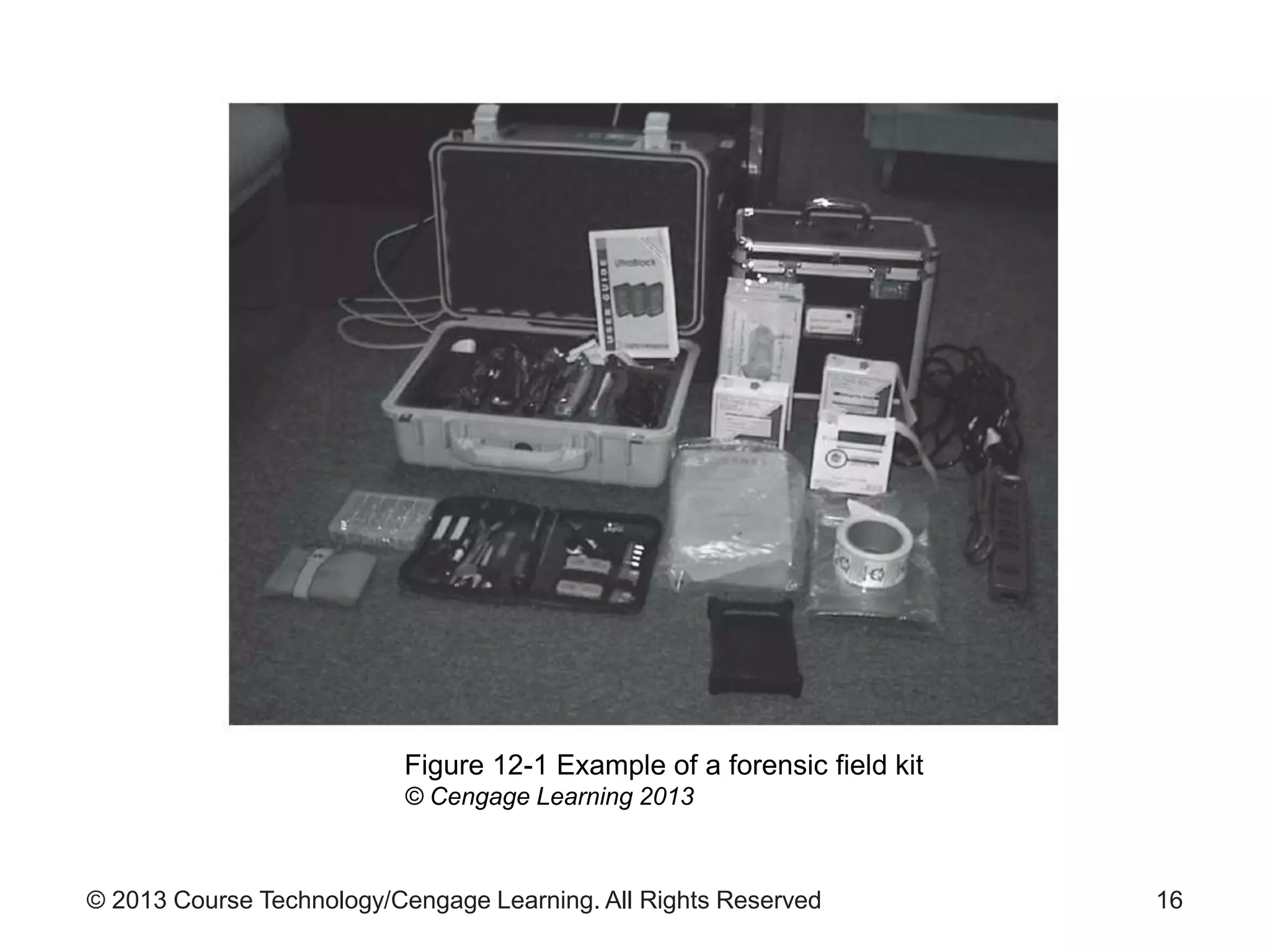
• Prepacked field kit
– Also known as a jump bag
– Contains portable equipment and tools needed for
an investigation
• Equipment in the kit should never be borrowed
– Always ready to respond
• See Figure 12-1 for example of a forensic field kit
15
© 2013 Course Technology/Cengage Learning. All Rights Reserved 16
Figure 12-1 Example of a forensic field kit
© Cengage Learning 2013
© 2013 Course Technology/Cengage Learning. All Rights Reserved
Forensic Field Kit (cont’d.)
• Example forensic field kit contents
– Dedicated laptops with multiple operating systems
– Call list with subject matter experts
– Mobile phones with extra batteries and chargers
– Hard drives, blank CDs, DVDs, and thumb drives
– Imaging software or hardware
– Forensic software and tools to perform data
collection and analysis
– Ethernet tap to sniff network traffic
17
© 2013 Course Technology/Cengage Learning. All Rights Reserved
Forensic Field Kit (cont’d.)
• Example forensic field kit contents (cont’d.)
– Cables to provide access to other devices
– Extension cords and power strips
– Evidence bags, seals, permanent markers for storing
and labeling evidence
– Digital camera with photographic markers and
scales
– Incident forms, notebooks, and pens
– Computer toolkit with spare screws, anti-static mats
and straps, mirrors, lights, and other equipment
18
© 2013 Course Technology/Cengage Learning. All Rights Reserved
Digital Forensics Methodology
• Digital investigation begins with allegation of
wrongdoing
• Authorization is sought to begin investigation
– Public sector: search warrant
– Private sector: affidavit, or other form specified by
organization’s policy
19
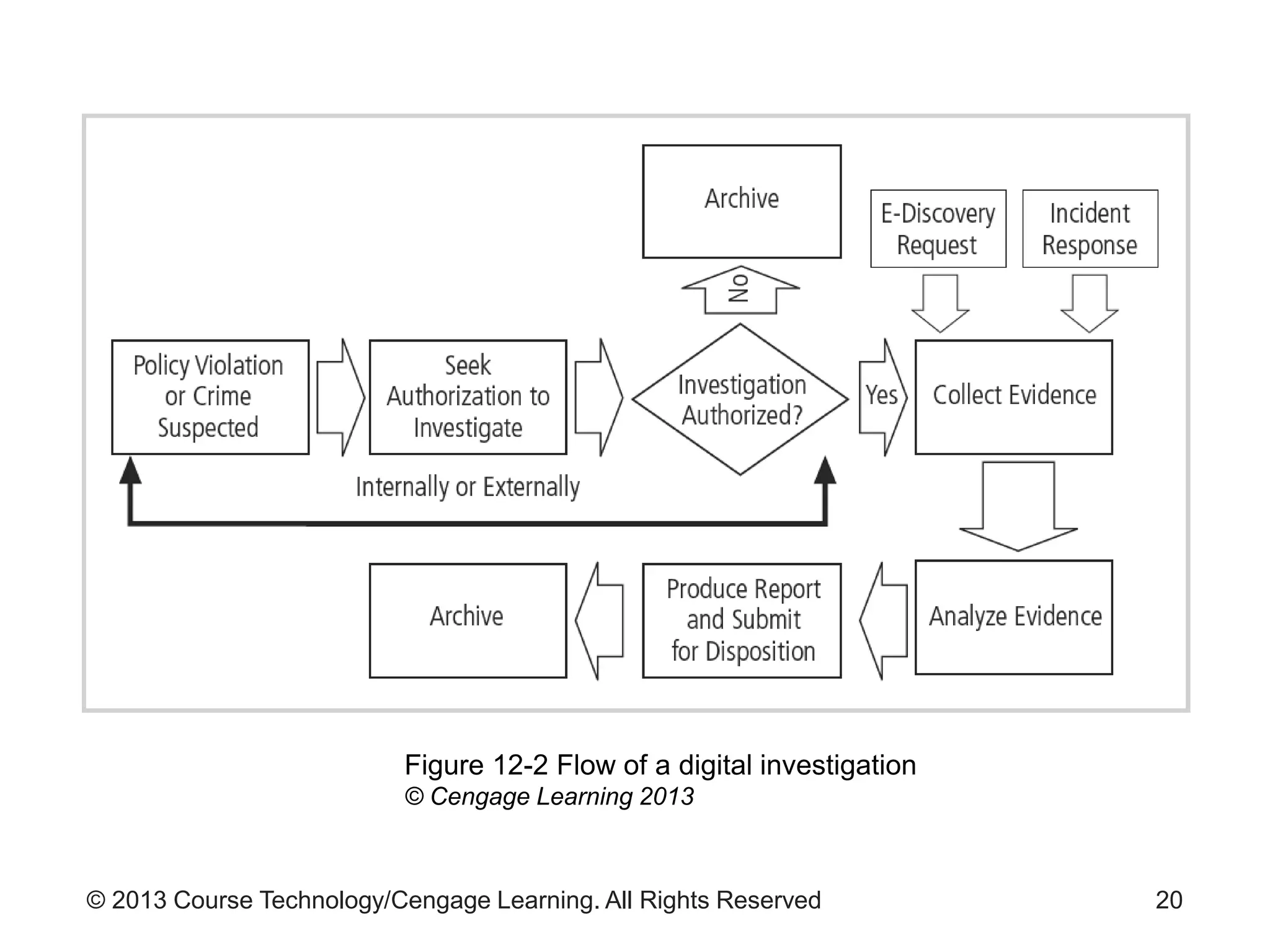
© 2013 Course Technology/Cengage Learning. All Rights Reserved 20
Figure 12-2 Flow of a digital investigation
© Cengage Learning 2013
© 2013 Course Technology/Cengage Learning. All Rights Reserved
Assessing the Scene
• Assess the scene and document its state:
– Before evidence collection begins
• Assessment process
– Interviewing key contacts
– Documenting the scene as it is
• Typical tools used
– Photography
– Field notes
21
© 2013 Course Technology/Cengage Learning. All Rights Reserved
Assessing the Scene (cont’d.)
• Photographic evidence
– Plays a major role in documenting evidence
• Digital camera best practices
– Sterilize the media card by formatting to destroy
existing content
– Set the camera’s clock to ensure accurate recorded
dates/times
– Take the first exposure of a “begin digital
photography” marker to make media self-
documenting
22
© 2013 Course Technology/Cengage Learning. All Rights Reserved
Assessing the Scene (cont’d.)
• Digital camera best practices (cont’d.)
– Make an “end of photography” exposure
– Remove card from the camera, place it in a static
bag, and seal in an evidence envelope
– Do not make hashes of digital photographs until the
first time the evidence envelope is opened
• Field notes
– Purpose: help investigators remember key aspects
of the scene
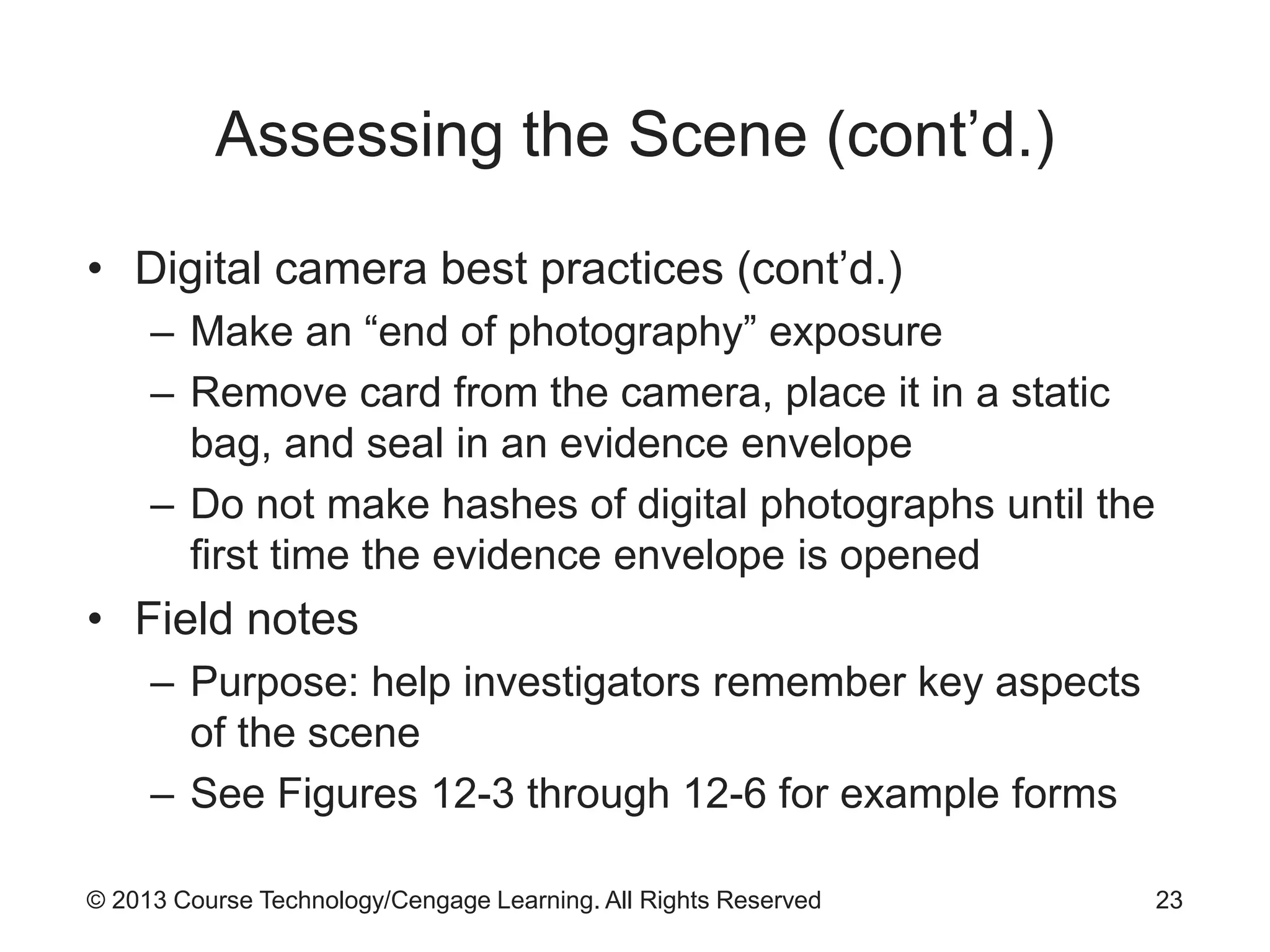
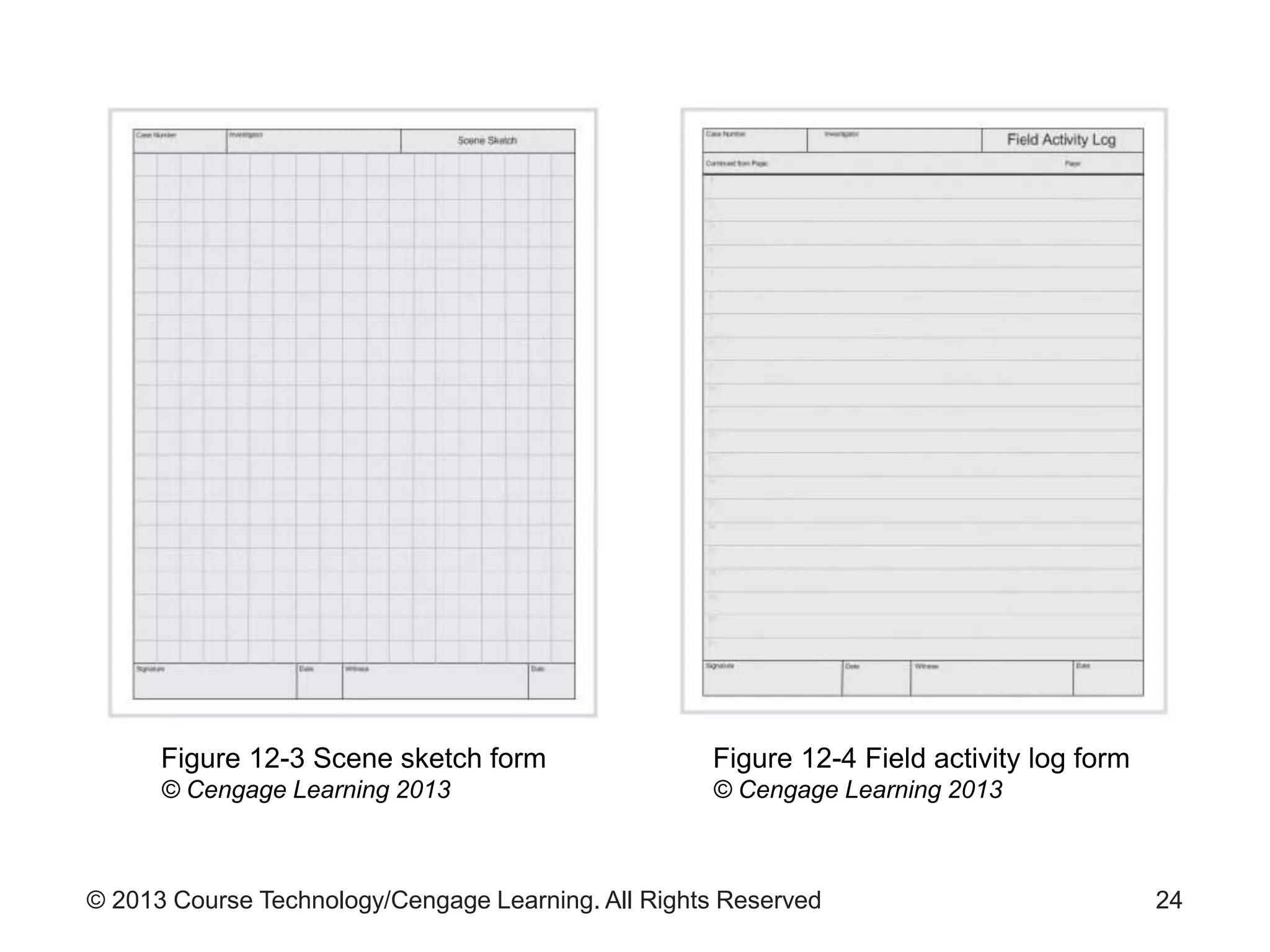
– See Figures 12-3 through 12-6 for example forms
23
© 2013 Course Technology/Cengage Learning. All Rights Reserved 24
Figure 12-3 Scene sketch form
© Cengage Learning 2013
Figure 12-4 Field activity log form
© Cengage Learning 2013
© 2013 Course Technology/Cengage Learning. All Rights Reserved 25
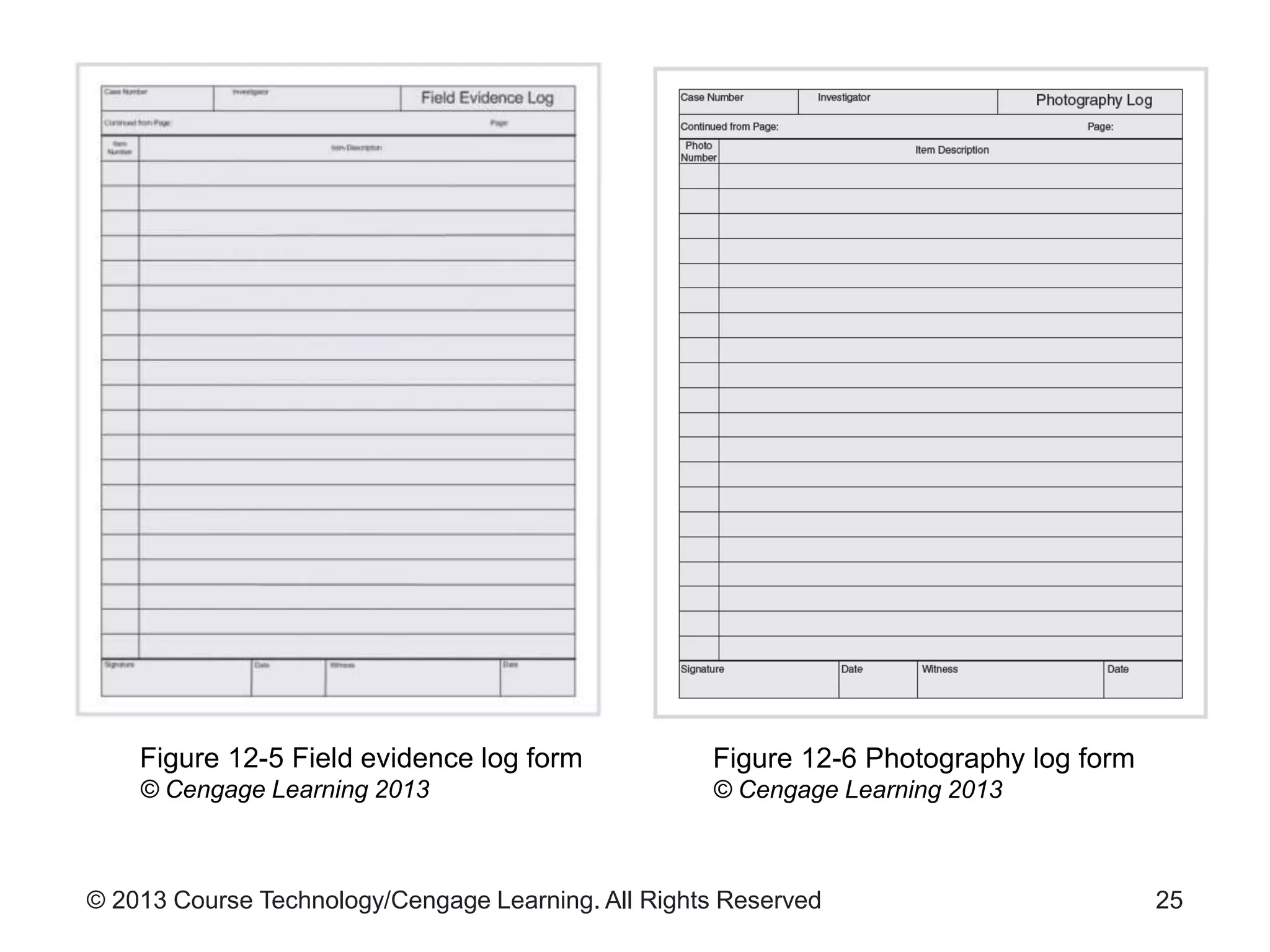
Figure 12-5 Field evidence log form
© Cengage Learning 2013
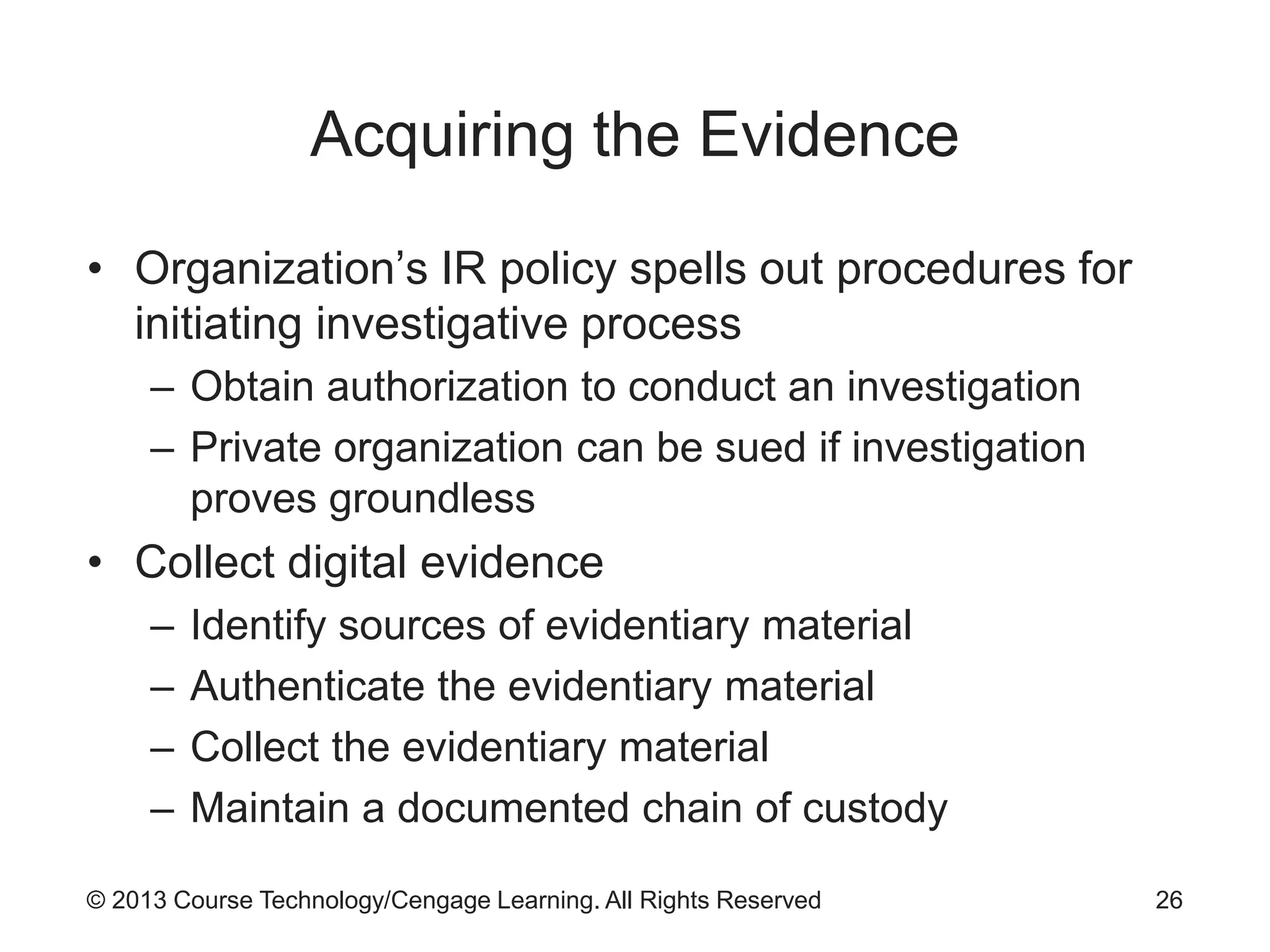
Figure 12-6 Photography log form
© Cengage Learning 2013
© 2013 Course Technology/Cengage Learning. All Rights Reserved
Acquiring the Evidence
• Organization’s IR policy spells out procedures for
initiating investigative process
– Obtain authorization to conduct an investigation
– Private organization can be sued if investigation
proves groundless
• Collect digital evidence
– Identify sources of evidentiary material
– Authenticate the evidentiary material
– Collect the evidentiary material
– Maintain a documented chain of custody
26
© 2013 Course Technology/Cengage Learning. All Rights Reserved
Acquiring the Evidence (cont’d.)
• Identifying sources
– Can be complex in the digital world
• Data collection may involve:
– Hundreds of gigabytes of information
– A wide variety of devices
• Volatile information
– Contents of a computer’s memory
– Currently challenging to capture without sacrificing
information on disk
27
© 2013 Course Technology/Cengage Learning. All Rights Reserved
Acquiring the Evidence (cont’d.)
• Authenticating evidentiary material
– Must be able to demonstrate data is a true and
accurate copy of the original
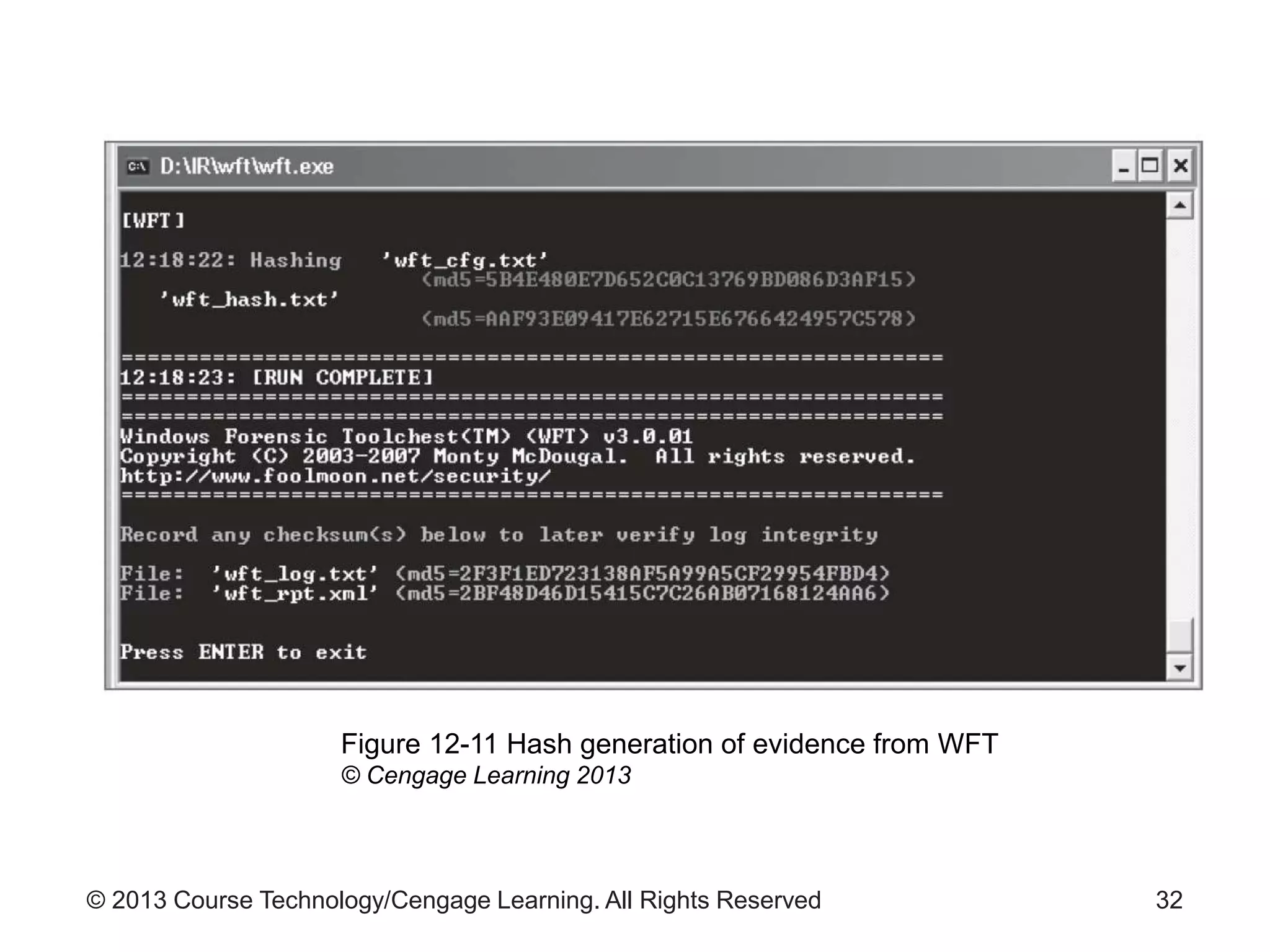
• Authentication method: cryptographic hash
– Data is fed through the hash function
– Fixed size output results
– Infeasible that another input could produce the same
output value as a given input
– Hash value is recorded with the digital evidence
– Two commonly used hashes: MD-5 and SHA-1
28
© 2013 Course Technology/Cengage Learning. All Rights Reserved
Acquiring the Evidence (cont’d.)
• Collecting evidence
– Live acquisition
• Collecting evidence from a currently running system
– Dead acquisition
• Powering down the system to copy data from the hard
drives
• Important to make no changes to the evidence
– Labels and seals are crucial
• Media used to collect digital evidence must be
forensically sterile
– Contains no residue from previous use
29
© 2013 Course Technology/Cengage Learning. All Rights Reserved
Acquiring the Evidence (cont’d.)
• Live acquisition
– Investigator uses a trusted set of CD-based tools
– Stand-alone tools can also be used
– Live response tools modify the state of the system
• Renders hard drive information inadmissible in a legal
proceeding
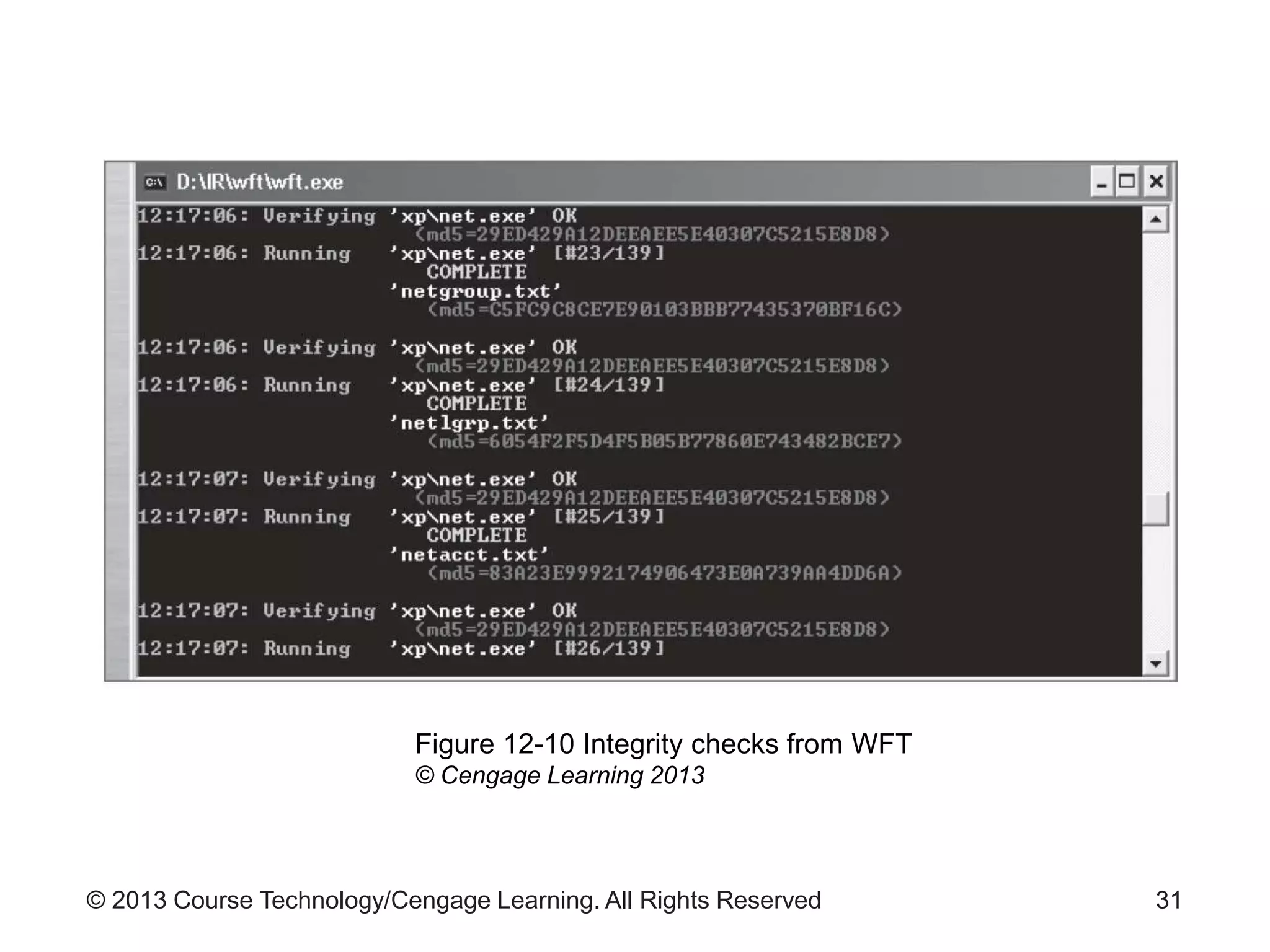
• Windows Forensic Toolchest (WFT)
– Driver script that identifies and lists running
processes, active network connections, and other
activity
– Saves output on external media
30
© 2013 Course Technology/Cengage Learning. All Rights Reserved 31
Figure 12-10 Integrity checks from WFT
© Cengage Learning 2013
© 2013 Course Technology/Cengage Learning. All Rights Reserved 32
Figure 12-11 Hash generation of evidence from WFT
© Cengage Learning 2013
© 2013 Course Technology/Cengage Learning. All Rights Reserved
Acquiring the Evidence (cont’d.)
• Examples of situations that require live acquisition
– Running server
– Logs
• State is changing on a continual basis
– PDAs and cellular phones
• Could continue to receive calls or be accessed
wirelessly
• To prevent: block wireless access using a Faraday
Cage
33
© 2013 Course Technology/Cengage Learning. All Rights Reserved
Acquiring the Evidence (cont’d.)
• Dead acquisition often used with:
– Computer disks
– Thumb drives
– Memory cards
– MP3 players
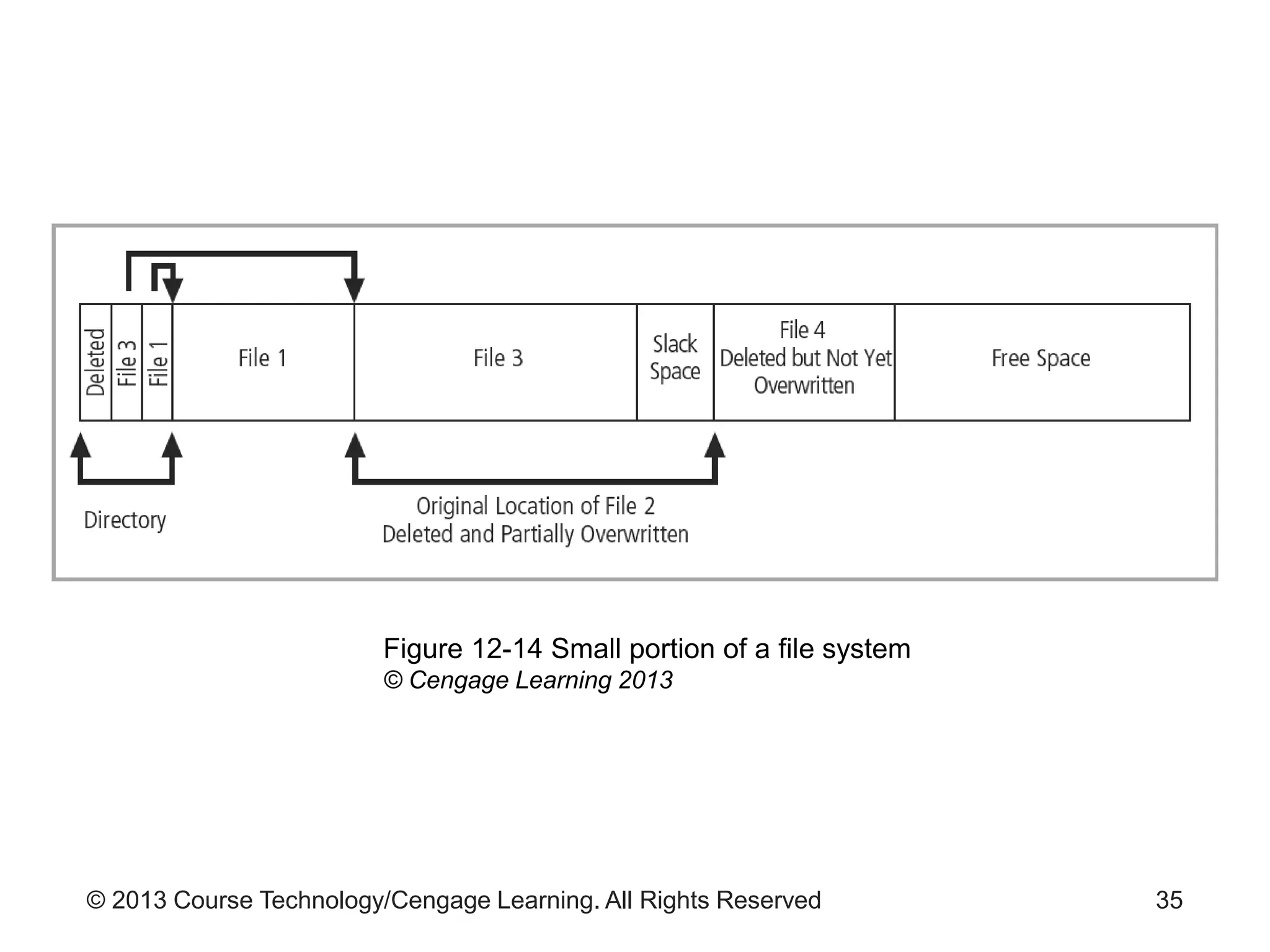
• Investigator seeks to obtain a forensic image of
disk or device
– Includes active files and directories and deleted files
and file fragments
34
© 2013 Course Technology/Cengage Learning. All Rights Reserved 35
Figure 12-14 Small portion of a file system
© Cengage Learning 2013
© 2013 Course Technology/Cengage Learning. All Rights Reserved
Acquiring the Evidence (cont’d.)
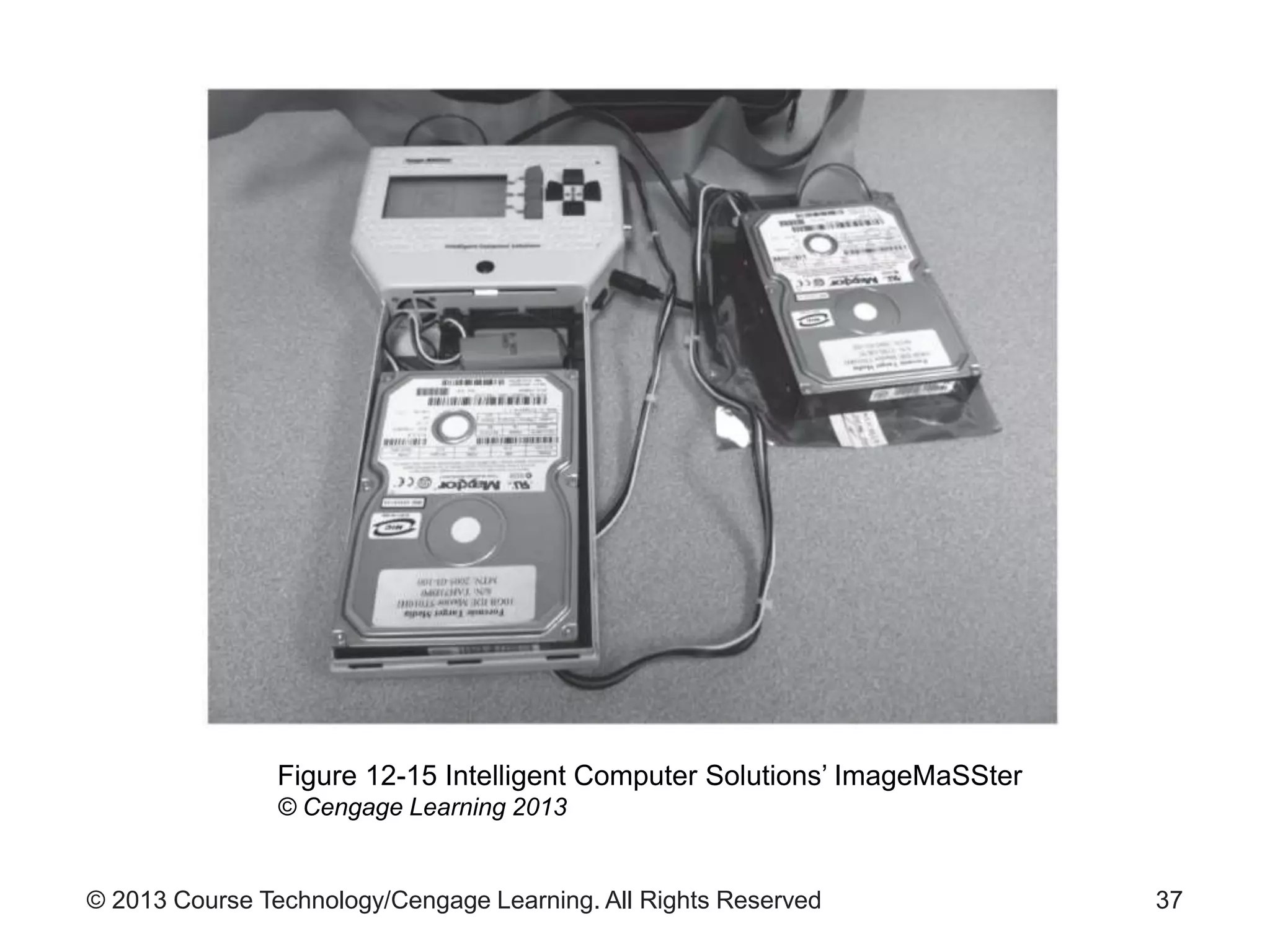
• Bit-stream (sector-by-sector) copying
– Used when making a forensic image of a device
– Copies all sectors on the suspect drive
• Tools used
– Specialized hardware tools
• Generally faster than software tools
– Software running on a computer
36
© 2013 Course Technology/Cengage Learning. All Rights Reserved 37
Figure 12-15 Intelligent Computer Solutions’ ImageMaSSter
© Cengage Learning 2013
© 2013 Course Technology/Cengage Learning. All Rights Reserved
Acquiring the Evidence (cont’d.)
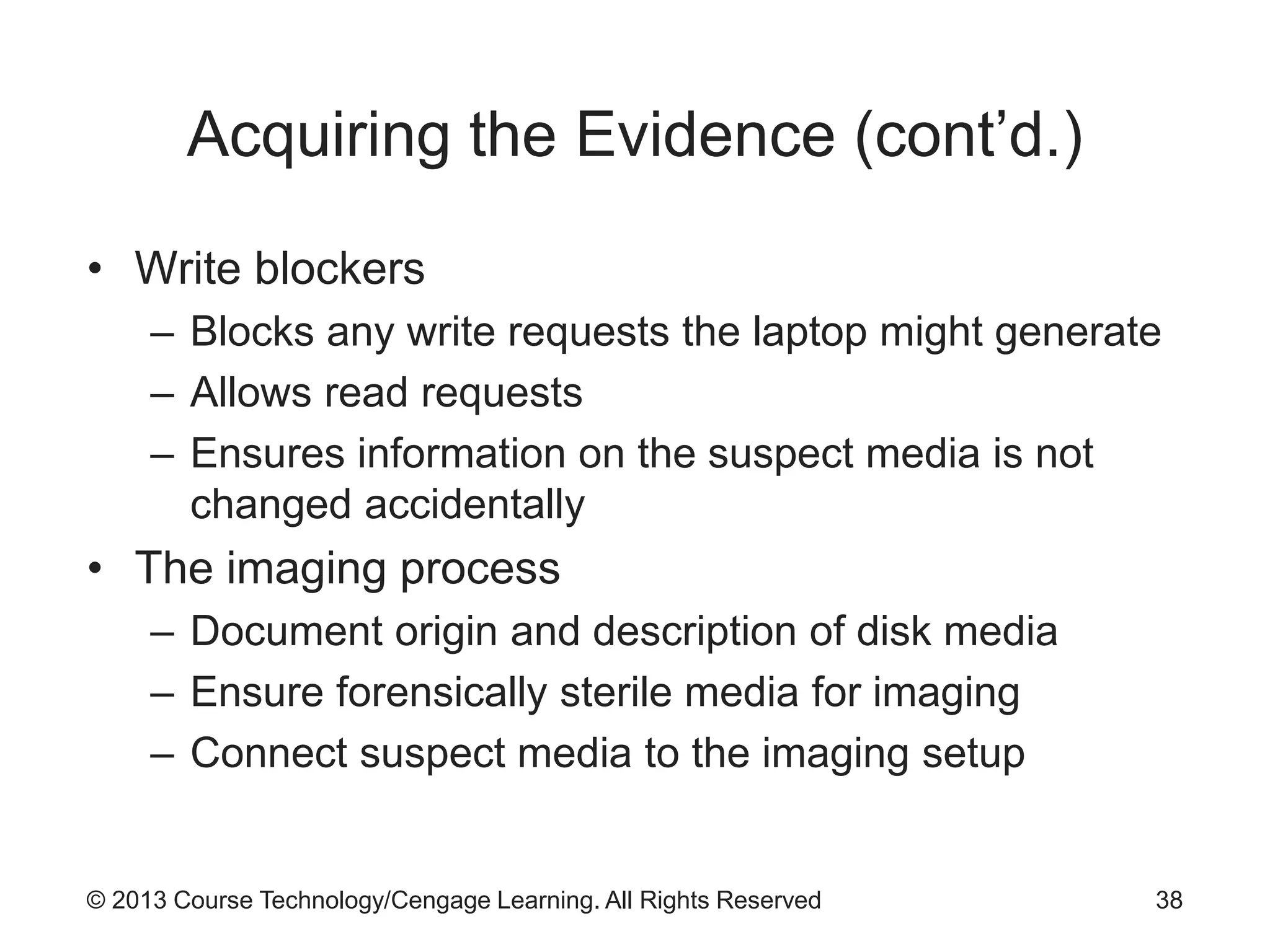
• Write blockers
– Blocks any write requests the laptop might generate
– Allows read requests
– Ensures information on the suspect media is not
changed accidentally
• The imaging process
– Document origin and description of disk media
– Ensure forensically sterile media for imaging
– Connect suspect media to the imaging setup
38
© 2013 Course Technology/Cengage Learning. All Rights Reserved
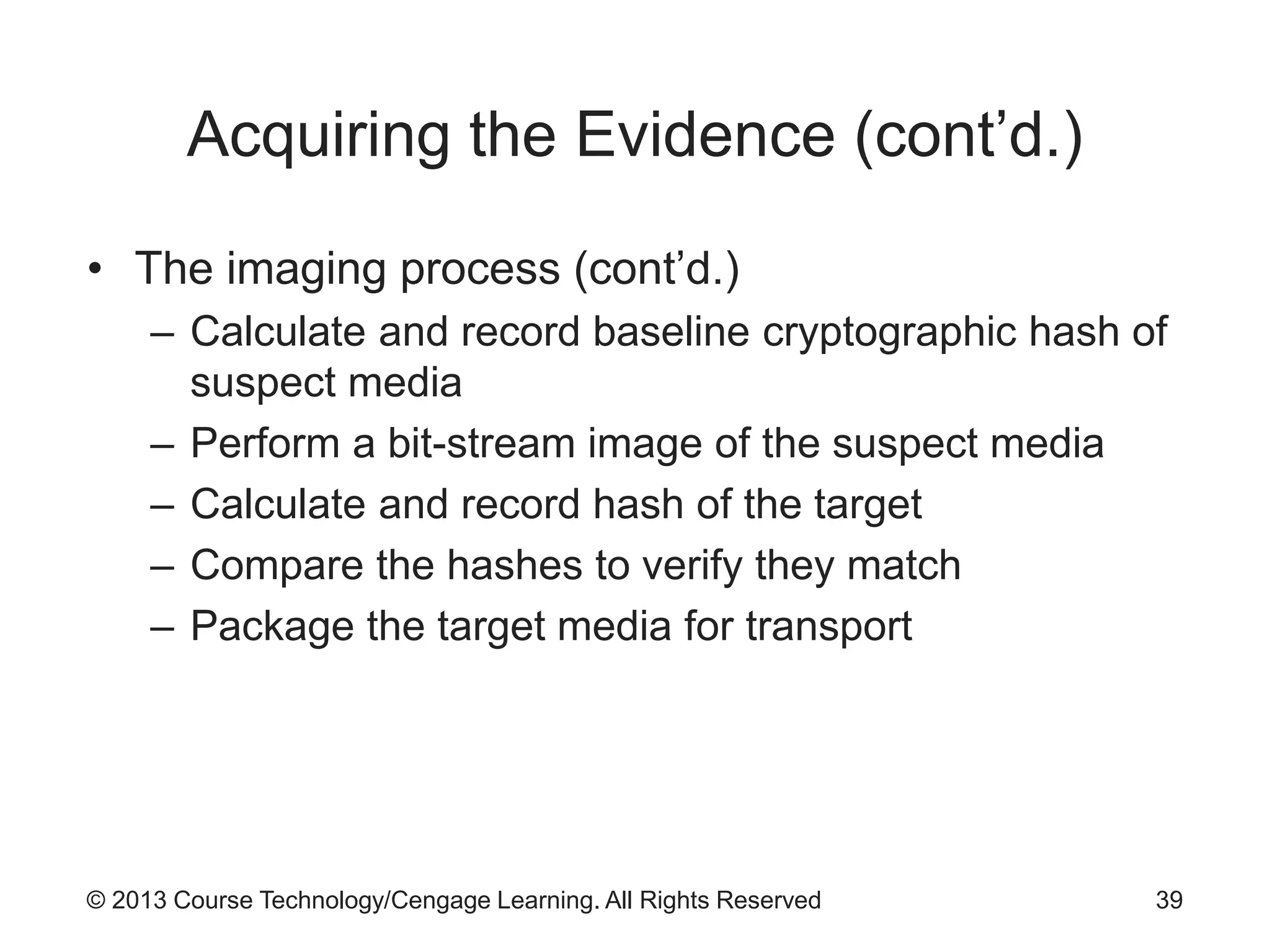
Acquiring the Evidence (cont’d.)
• The imaging process (cont’d.)
– Calculate and record baseline cryptographic hash of
suspect media
– Perform a bit-stream image of the suspect media
– Calculate and record hash of the target
– Compare the hashes to verify they match
– Package the target media for transport
39
© 2013 Course Technology/Cengage Learning. All Rights Reserved
Acquiring the Evidence (cont’d.)
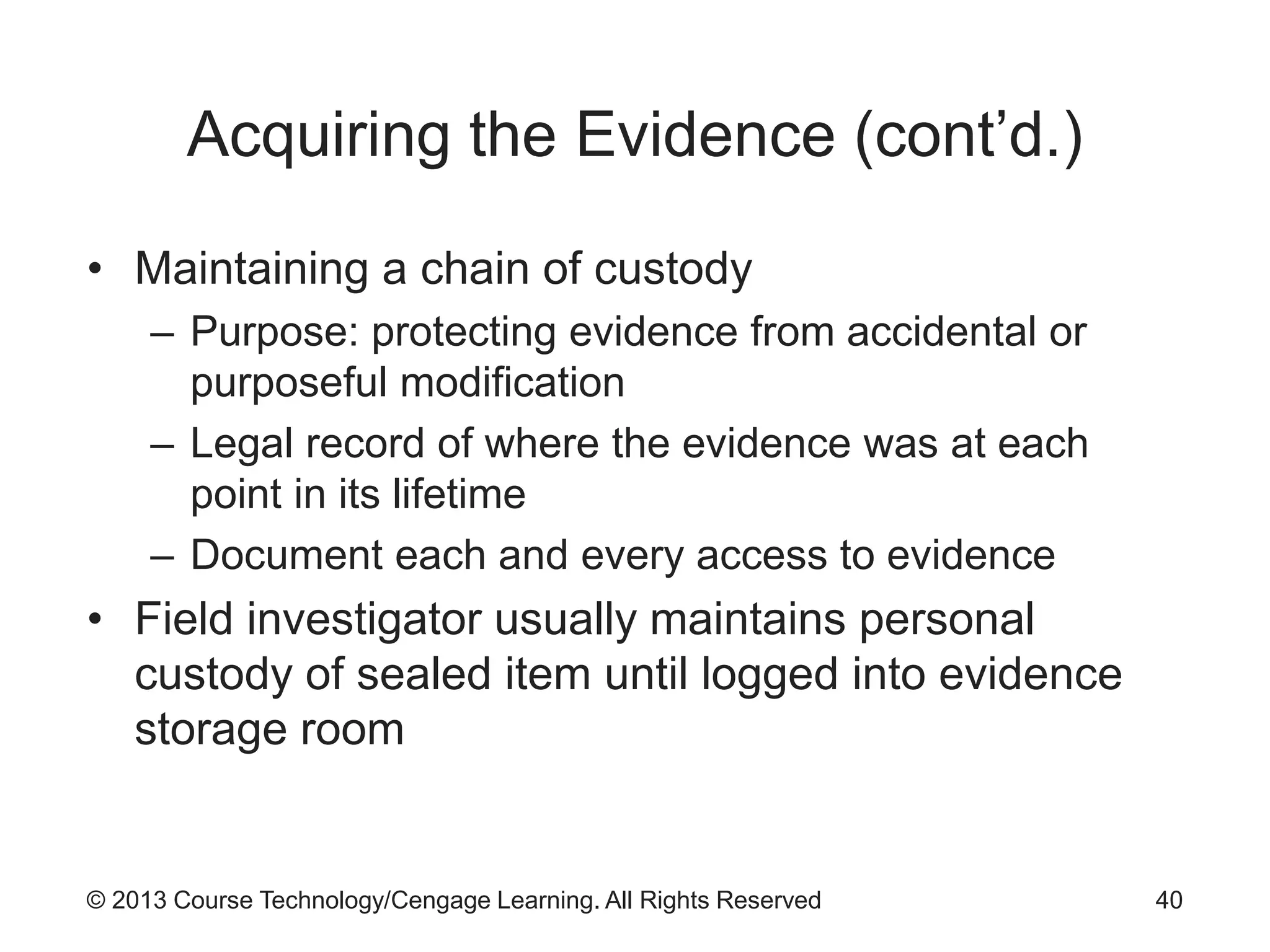
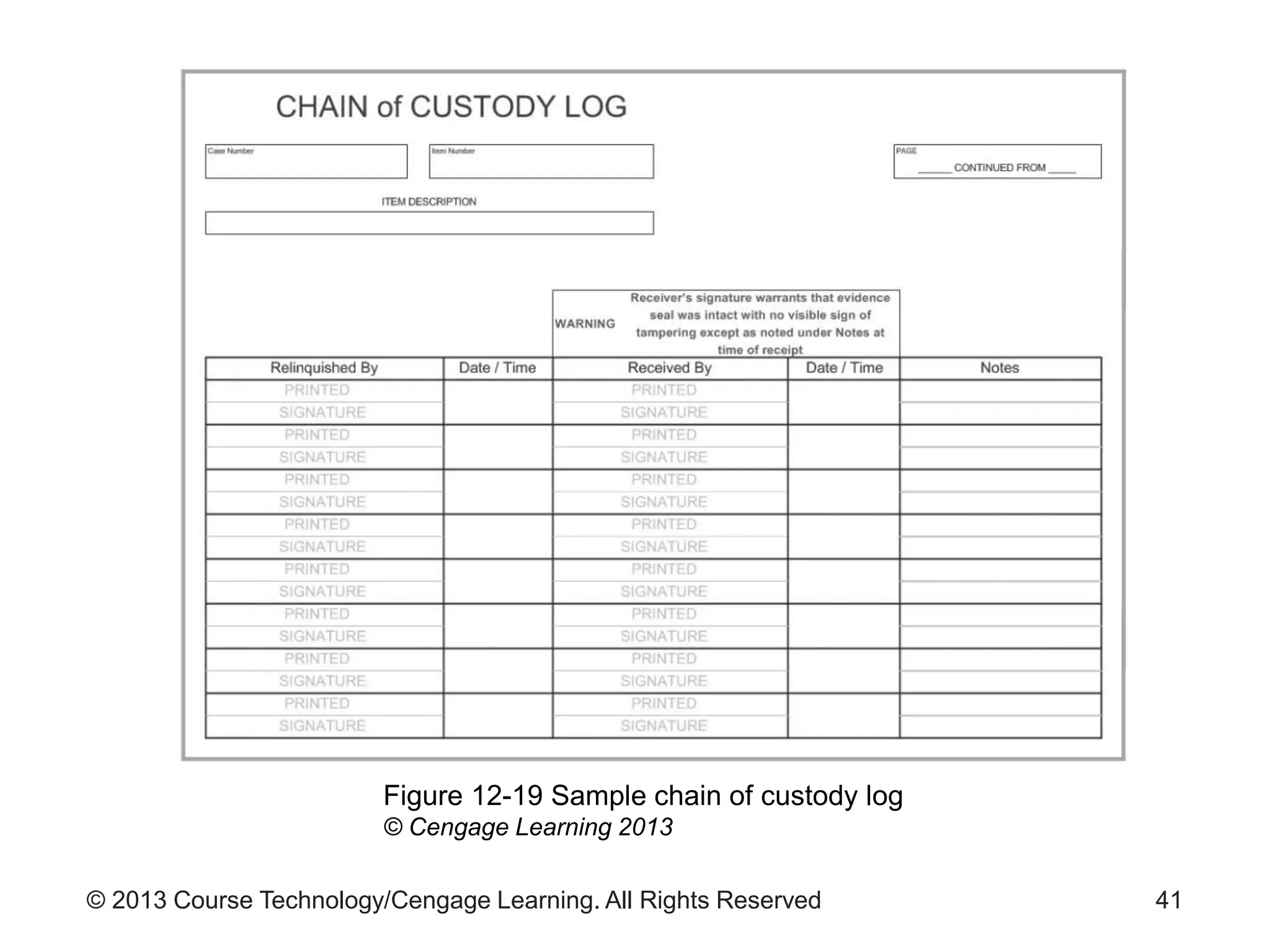
• Maintaining a chain of custody
– Purpose: protecting evidence from accidental or
purposeful modification
– Legal record of where the evidence was at each
point in its lifetime
– Document each and every access to evidence
• Field investigator usually maintains personal
custody of sealed item until logged into evidence
storage room
40
© 2013 Course Technology/Cengage Learning. All Rights Reserved 41
Figure 12-19 Sample chain of custody log
© Cengage Learning 2013
© 2013 Course Technology/Cengage Learning. All Rights Reserved
Acquiring the Evidence (cont’d.)
• Proper storage
– Controlled temperature and humidity
– Freedom from strong electrical and magnetic fields
– Protection from file and other physical hazards
42
© 2013 Course Technology/Cengage Learning. All Rights Reserved
Analyzing Evidence
• First step in analysis: obtain evidence from the
storage area
– Make a copy for analysis
– Return original to storage
• Major tools in forensic analysis
– EnCase Forensic from Guidance Software
– Forensic Toolkit from AccessData
43
© 2013 Course Technology/Cengage Learning. All Rights Reserved
Searching for Evidence
• Identifying relevant information
– Important task
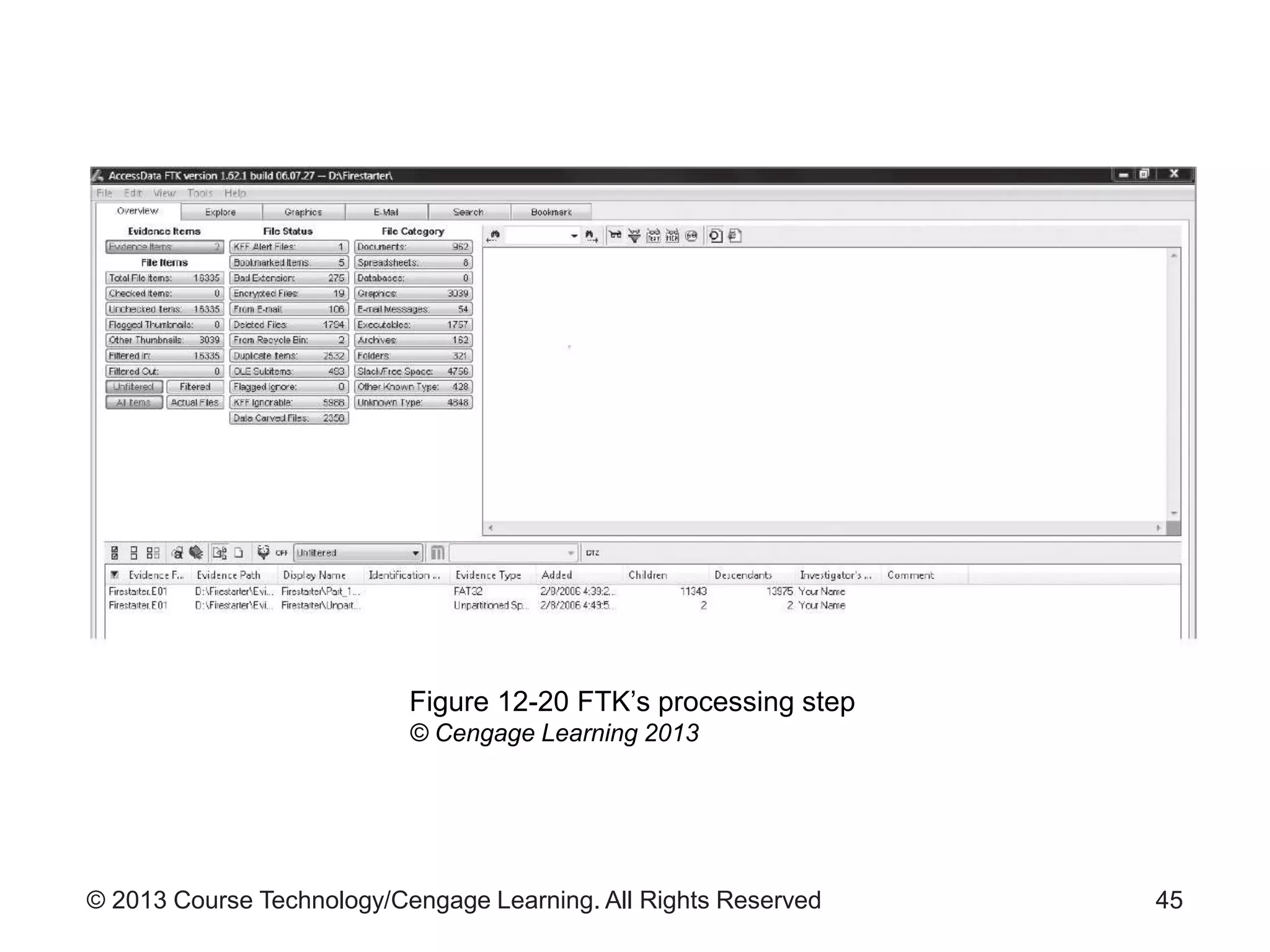
• FTK preprocessing
– Constructs index of terms found on the image
– Results available under the Search tab
• FTK also allows searching on user-specified terms
• EnCase offers flexible search interface
– Includes predefined filters for common items
44
© 2013 Course Technology/Cengage Learning. All Rights Reserved 45
Figure 12-20 FTK’s processing step
© Cengage Learning 2013
© 2013 Course Technology/Cengage Learning. All Rights Reserved
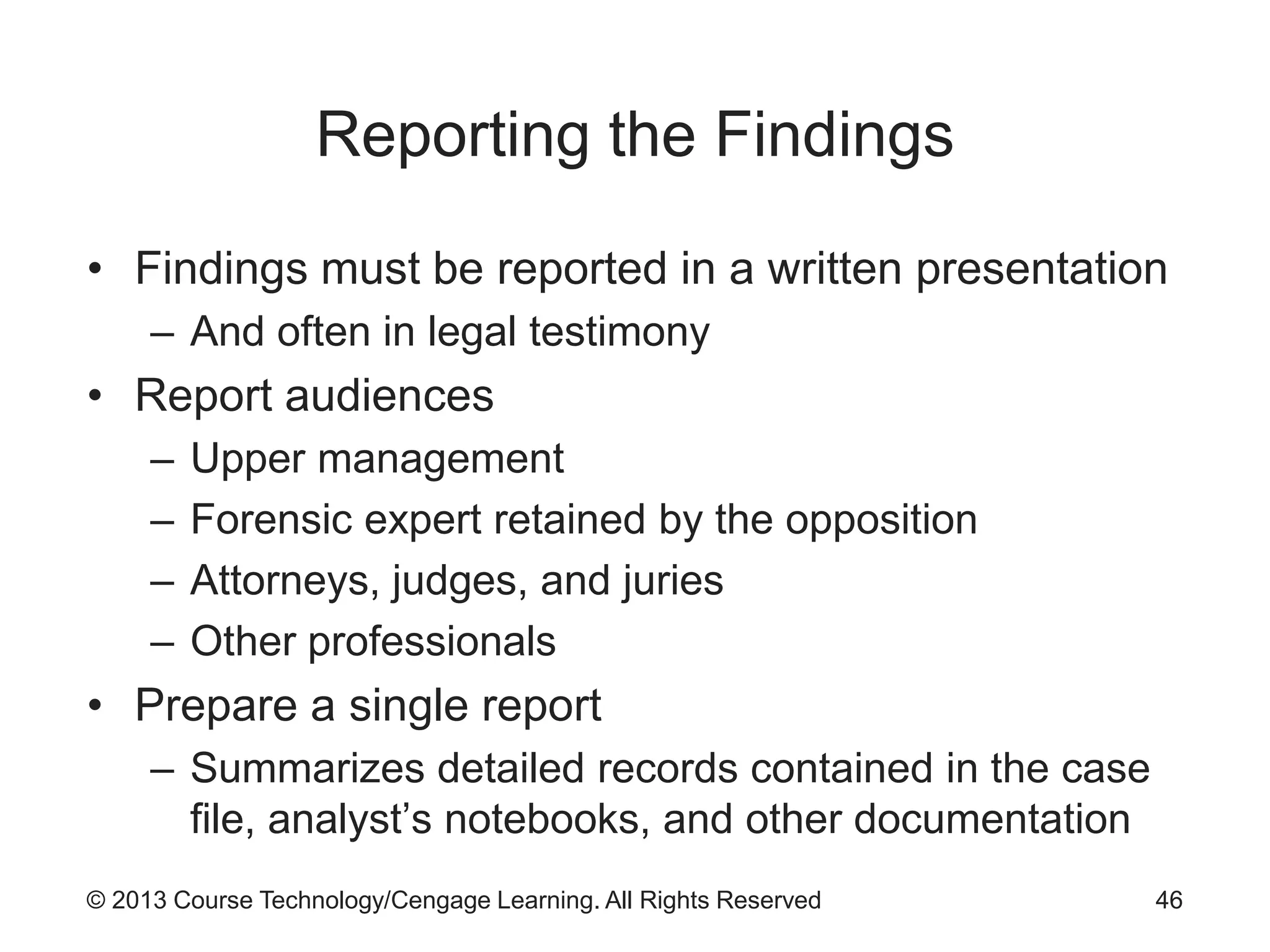
Reporting the Findings
• Findings must be reported in a written presentation
– And often in legal testimony
• Report audiences
– Upper management
– Forensic expert retained by the opposition
– Attorneys, judges, and juries
– Other professionals
• Prepare a single report
– Summarizes detailed records contained in the case
file, analyst’s notebooks, and other documentation
46
© 2013 Course Technology/Cengage Learning. All Rights Reserved
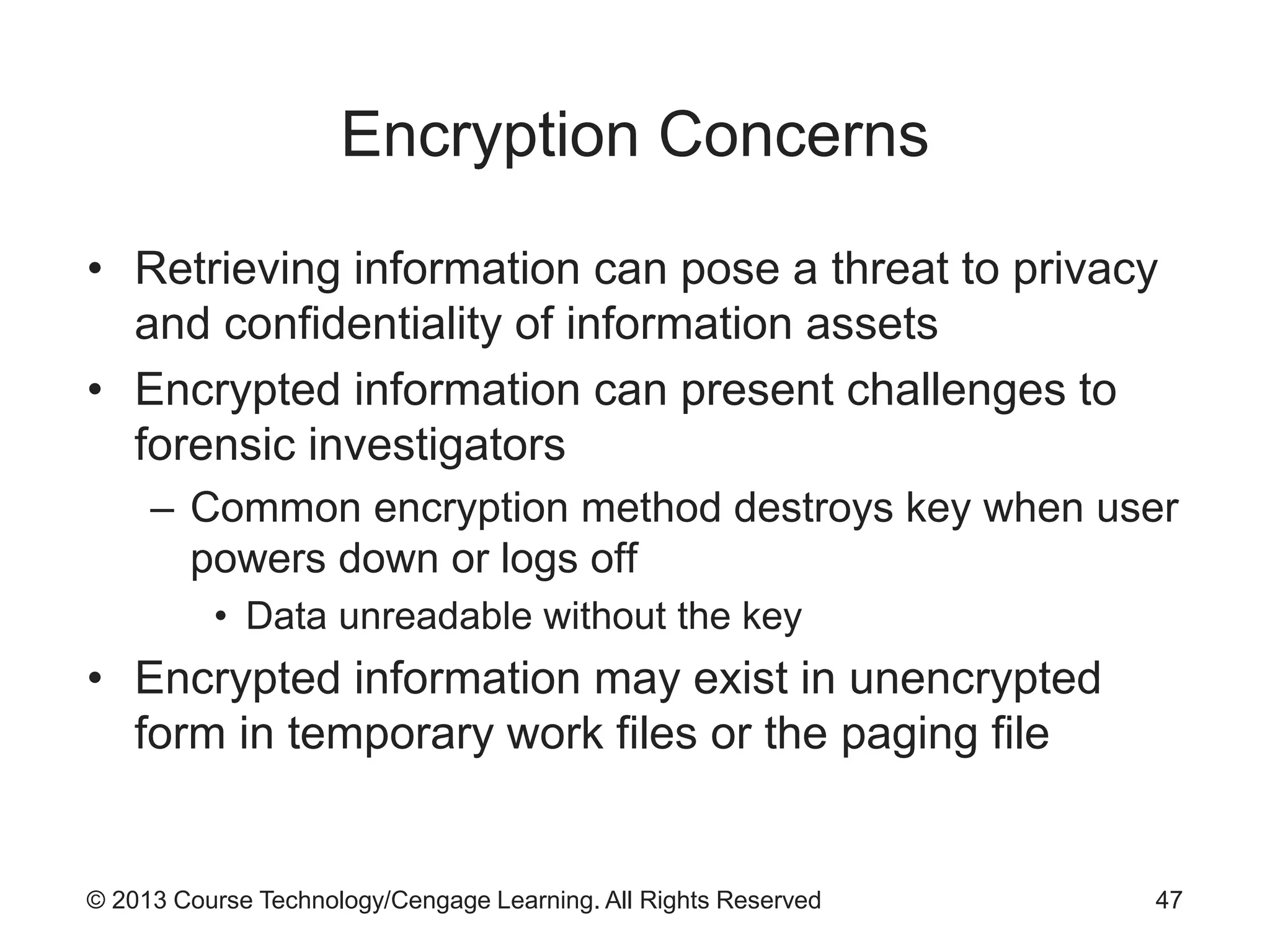
Encryption Concerns
• Retrieving information can pose a threat to privacy
and confidentiality of information assets
• Encrypted information can present challenges to
forensic investigators
– Common encryption method destroys key when user
powers down or logs off
• Data unreadable without the key
• Encrypted information may exist in unencrypted
form in temporary work files or the paging file
47
© 2013 Course Technology/Cengage Learning. All Rights Reserved
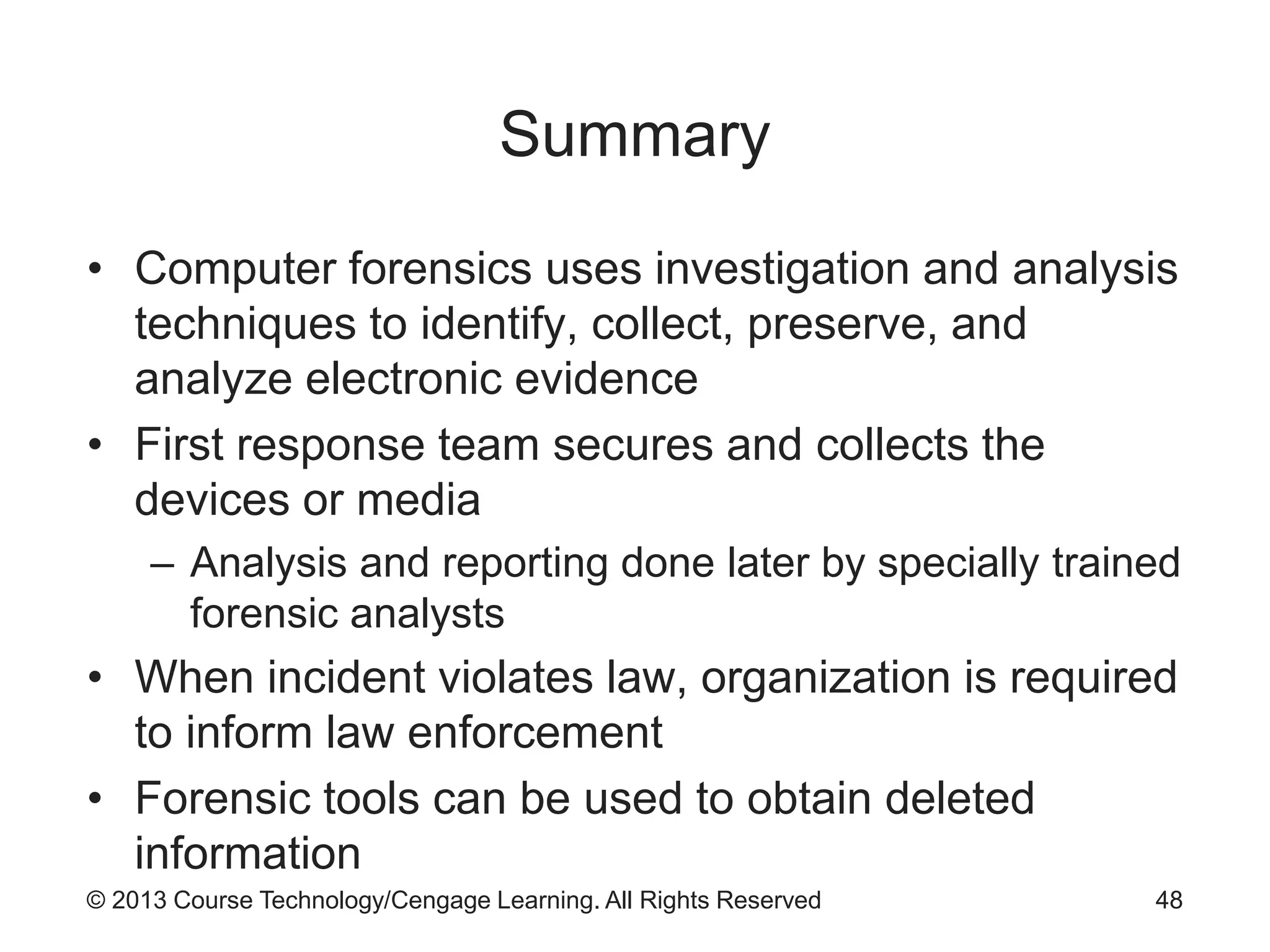
Summary
• Computer forensics uses investigation and analysis
techniques to identify, collect, preserve, and
analyze electronic evidence
• First response team secures and collects the
devices or media
– Analysis and reporting done later by specially trained
forensic analysts
• When incident violates law, organization is required
to inform law enforcement
• Forensic tools can be used to obtain deleted
information
48

9780840024220 ppt ch12

  • 1.
    Guide to NetworkSecurity 1st Edition Chapter Twelve Digital Forensics
  • 2.
    © 2013 CourseTechnology/Cengage Learning. All Rights Reserved Objectives • Explain how U.S. law enforcement and the U.S. legal system affect digital forensics • Describe the roles and responsibilities of digital forensic team members • List the steps involved in collecting digital evidence • Discuss the process used to analyze evidence • Explain how encryption can thwart digital forensic analysis 2
  • 3.
    © 2013 CourseTechnology/Cengage Learning. All Rights Reserved Introduction • Computer forensics – Use of technical investigation and analysis techniques to collect, preserve, and analyze electronic evidence • Digital forensics – Applies to all modern electronic devices 3
  • 4.
    © 2013 CourseTechnology/Cengage Learning. All Rights Reserved Legal Matters • Prosecution – Most important outcome of digital forensics process • Various aspects of U.S. legal system influence digital forensics process • Important to understand how to interact with law enforcement personnel 4
  • 5.
    © 2013 CourseTechnology/Cengage Learning. All Rights Reserved Search and Seizure • Private sector requirements to search an employee’s computer – Employee was made aware of organizational policy establishing possibility of search – Search has legitimate business reason – Search has specific focus and is constrained to that focus – Organization has clear ownership to container in which the material was discovered – Search is authorized by the responsible manager 5
  • 6.
    © 2013 CourseTechnology/Cengage Learning. All Rights Reserved Interacting with Law Enforcement • Must notify authorities when incident violates civil or criminal law – Appropriate agency depends on type of crime – Example: FBI handles computer crimes categorized as felonies • State, county, and city law enforcement agencies – Better equipped for processing evidence than business organizations – Prepared to handle warrants and subpoenas 6
  • 7.
    © 2013 CourseTechnology/Cengage Learning. All Rights Reserved Interacting with Law Enforcement (cont’d.) • Disadvantages of involving law enforcement – Loss of control of the chain of events – Long delays in resolution due to heavy caseloads or resource shortages – Organizational assets can be removed, stored, and preserved as evidence • Involving law enforcement unnecessary if organization simply wants to reprimand or dismiss an employee 7
  • 8.
    © 2013 CourseTechnology/Cengage Learning. All Rights Reserved Adversarial Legal System • U.S. legal system is adversarial in nature – Parties attempt to prove own views are correct – Everything is open to challenge by opposing counsel • Methods used in collecting evidence will be challenged – Ensures all parties “follow the rules” 8
  • 9.
    © 2013 CourseTechnology/Cengage Learning. All Rights Reserved Digital Forensics Team • Team of experts responsible for translating a real- world problem into questions to be answered by digital forensic analysis • First response team – Assesses location, identifies sources of relevant digital evidence, and collects and preserves evidence • Analysis and presentation team – Analyzes the collected information to identify material facts relevant to the investigation 9
  • 10.
    © 2013 CourseTechnology/Cengage Learning. All Rights Reserved First Response Team • Size and makeup of team varies based on organization size • Roles and duties – Incident manager • Identifies sources of relevant information and produces photographic documentation – Scribe or recorder • Produces written record of team’s activities and maintains control of field evidence log and locker – Imager • Collects copies or images of digital evidence 10
  • 11.
    © 2013 CourseTechnology/Cengage Learning. All Rights Reserved First Response Team (cont’d.) • Incident manager prioritizes collected evidence – Guiding principles: value, volatility, and effort required • Incident manager photographs equipment to be removed – Imager sets up equipment and begins imaging items – Image hash information is documented in the record – Image is logged into the field evidence locker • Team returns items to the scene after imaging 11
  • 12.
    © 2013 CourseTechnology/Cengage Learning. All Rights Reserved Analysis Team • Analysis performed by specially trained digital forensics personnel • Tasks – Recover deleted files – Reassemble file fragments – Interpret operating system artifacts • Larger organizations may divide functions – Forensic examiner – Forensic analyst – Subject matter expert (if required) 12
  • 13.
    © 2013 CourseTechnology/Cengage Learning. All Rights Reserved Analysis Team (cont’d.) • Presentation – Creating forensic reports – Present investigation’s findings • Documentation should be easily understood by the audience (judge and jury) – Communicate highly technical matters without sacrificing critical details – Analogies often used 13
  • 14.
    © 2013 CourseTechnology/Cengage Learning. All Rights Reserved Dedicated Team or Outsource? • Factors affecting decision to employ in-house investigatory team or outsource – Size and nature of the organization – Available resources – Cost • Tools, hardware, staffing, and training – Response time • Outside consultant needs time to get up to speed – Data sensitivity • Outside consultant may have access to highly sensitive information 14
  • 15.
    © 2013 CourseTechnology/Cengage Learning. All Rights Reserved Forensic Field Kit • Prepacked field kit – Also known as a jump bag – Contains portable equipment and tools needed for an investigation • Equipment in the kit should never be borrowed – Always ready to respond • See Figure 12-1 for example of a forensic field kit 15
  • 16.
    © 2013 CourseTechnology/Cengage Learning. All Rights Reserved 16 Figure 12-1 Example of a forensic field kit © Cengage Learning 2013
  • 17.
    © 2013 CourseTechnology/Cengage Learning. All Rights Reserved Forensic Field Kit (cont’d.) • Example forensic field kit contents – Dedicated laptops with multiple operating systems – Call list with subject matter experts – Mobile phones with extra batteries and chargers – Hard drives, blank CDs, DVDs, and thumb drives – Imaging software or hardware – Forensic software and tools to perform data collection and analysis – Ethernet tap to sniff network traffic 17
  • 18.
    © 2013 CourseTechnology/Cengage Learning. All Rights Reserved Forensic Field Kit (cont’d.) • Example forensic field kit contents (cont’d.) – Cables to provide access to other devices – Extension cords and power strips – Evidence bags, seals, permanent markers for storing and labeling evidence – Digital camera with photographic markers and scales – Incident forms, notebooks, and pens – Computer toolkit with spare screws, anti-static mats and straps, mirrors, lights, and other equipment 18
  • 19.
    © 2013 CourseTechnology/Cengage Learning. All Rights Reserved Digital Forensics Methodology • Digital investigation begins with allegation of wrongdoing • Authorization is sought to begin investigation – Public sector: search warrant – Private sector: affidavit, or other form specified by organization’s policy 19
  • 20.
    © 2013 CourseTechnology/Cengage Learning. All Rights Reserved 20 Figure 12-2 Flow of a digital investigation © Cengage Learning 2013
  • 21.
    © 2013 CourseTechnology/Cengage Learning. All Rights Reserved Assessing the Scene • Assess the scene and document its state: – Before evidence collection begins • Assessment process – Interviewing key contacts – Documenting the scene as it is • Typical tools used – Photography – Field notes 21
  • 22.
    © 2013 CourseTechnology/Cengage Learning. All Rights Reserved Assessing the Scene (cont’d.) • Photographic evidence – Plays a major role in documenting evidence • Digital camera best practices – Sterilize the media card by formatting to destroy existing content – Set the camera’s clock to ensure accurate recorded dates/times – Take the first exposure of a “begin digital photography” marker to make media self- documenting 22
  • 23.
    © 2013 CourseTechnology/Cengage Learning. All Rights Reserved Assessing the Scene (cont’d.) • Digital camera best practices (cont’d.) – Make an “end of photography” exposure – Remove card from the camera, place it in a static bag, and seal in an evidence envelope – Do not make hashes of digital photographs until the first time the evidence envelope is opened • Field notes – Purpose: help investigators remember key aspects of the scene – See Figures 12-3 through 12-6 for example forms 23
  • 24.
    © 2013 CourseTechnology/Cengage Learning. All Rights Reserved 24 Figure 12-3 Scene sketch form © Cengage Learning 2013 Figure 12-4 Field activity log form © Cengage Learning 2013
  • 25.
    © 2013 CourseTechnology/Cengage Learning. All Rights Reserved 25 Figure 12-5 Field evidence log form © Cengage Learning 2013 Figure 12-6 Photography log form © Cengage Learning 2013
  • 26.
    © 2013 CourseTechnology/Cengage Learning. All Rights Reserved Acquiring the Evidence • Organization’s IR policy spells out procedures for initiating investigative process – Obtain authorization to conduct an investigation – Private organization can be sued if investigation proves groundless • Collect digital evidence – Identify sources of evidentiary material – Authenticate the evidentiary material – Collect the evidentiary material – Maintain a documented chain of custody 26
  • 27.
    © 2013 CourseTechnology/Cengage Learning. All Rights Reserved Acquiring the Evidence (cont’d.) • Identifying sources – Can be complex in the digital world • Data collection may involve: – Hundreds of gigabytes of information – A wide variety of devices • Volatile information – Contents of a computer’s memory – Currently challenging to capture without sacrificing information on disk 27
  • 28.
    © 2013 CourseTechnology/Cengage Learning. All Rights Reserved Acquiring the Evidence (cont’d.) • Authenticating evidentiary material – Must be able to demonstrate data is a true and accurate copy of the original • Authentication method: cryptographic hash – Data is fed through the hash function – Fixed size output results – Infeasible that another input could produce the same output value as a given input – Hash value is recorded with the digital evidence – Two commonly used hashes: MD-5 and SHA-1 28
  • 29.
    © 2013 CourseTechnology/Cengage Learning. All Rights Reserved Acquiring the Evidence (cont’d.) • Collecting evidence – Live acquisition • Collecting evidence from a currently running system – Dead acquisition • Powering down the system to copy data from the hard drives • Important to make no changes to the evidence – Labels and seals are crucial • Media used to collect digital evidence must be forensically sterile – Contains no residue from previous use 29
  • 30.
    © 2013 CourseTechnology/Cengage Learning. All Rights Reserved Acquiring the Evidence (cont’d.) • Live acquisition – Investigator uses a trusted set of CD-based tools – Stand-alone tools can also be used – Live response tools modify the state of the system • Renders hard drive information inadmissible in a legal proceeding • Windows Forensic Toolchest (WFT) – Driver script that identifies and lists running processes, active network connections, and other activity – Saves output on external media 30
  • 31.
    © 2013 CourseTechnology/Cengage Learning. All Rights Reserved 31 Figure 12-10 Integrity checks from WFT © Cengage Learning 2013
  • 32.
    © 2013 CourseTechnology/Cengage Learning. All Rights Reserved 32 Figure 12-11 Hash generation of evidence from WFT © Cengage Learning 2013
  • 33.
    © 2013 CourseTechnology/Cengage Learning. All Rights Reserved Acquiring the Evidence (cont’d.) • Examples of situations that require live acquisition – Running server – Logs • State is changing on a continual basis – PDAs and cellular phones • Could continue to receive calls or be accessed wirelessly • To prevent: block wireless access using a Faraday Cage 33
  • 34.
    © 2013 CourseTechnology/Cengage Learning. All Rights Reserved Acquiring the Evidence (cont’d.) • Dead acquisition often used with: – Computer disks – Thumb drives – Memory cards – MP3 players • Investigator seeks to obtain a forensic image of disk or device – Includes active files and directories and deleted files and file fragments 34
  • 35.
    © 2013 CourseTechnology/Cengage Learning. All Rights Reserved 35 Figure 12-14 Small portion of a file system © Cengage Learning 2013
  • 36.
    © 2013 CourseTechnology/Cengage Learning. All Rights Reserved Acquiring the Evidence (cont’d.) • Bit-stream (sector-by-sector) copying – Used when making a forensic image of a device – Copies all sectors on the suspect drive • Tools used – Specialized hardware tools • Generally faster than software tools – Software running on a computer 36
  • 37.
    © 2013 CourseTechnology/Cengage Learning. All Rights Reserved 37 Figure 12-15 Intelligent Computer Solutions’ ImageMaSSter © Cengage Learning 2013
  • 38.
    © 2013 CourseTechnology/Cengage Learning. All Rights Reserved Acquiring the Evidence (cont’d.) • Write blockers – Blocks any write requests the laptop might generate – Allows read requests – Ensures information on the suspect media is not changed accidentally • The imaging process – Document origin and description of disk media – Ensure forensically sterile media for imaging – Connect suspect media to the imaging setup 38
  • 39.
    © 2013 CourseTechnology/Cengage Learning. All Rights Reserved Acquiring the Evidence (cont’d.) • The imaging process (cont’d.) – Calculate and record baseline cryptographic hash of suspect media – Perform a bit-stream image of the suspect media – Calculate and record hash of the target – Compare the hashes to verify they match – Package the target media for transport 39
  • 40.
    © 2013 CourseTechnology/Cengage Learning. All Rights Reserved Acquiring the Evidence (cont’d.) • Maintaining a chain of custody – Purpose: protecting evidence from accidental or purposeful modification – Legal record of where the evidence was at each point in its lifetime – Document each and every access to evidence • Field investigator usually maintains personal custody of sealed item until logged into evidence storage room 40
  • 41.
    © 2013 CourseTechnology/Cengage Learning. All Rights Reserved 41 Figure 12-19 Sample chain of custody log © Cengage Learning 2013
  • 42.
    © 2013 CourseTechnology/Cengage Learning. All Rights Reserved Acquiring the Evidence (cont’d.) • Proper storage – Controlled temperature and humidity – Freedom from strong electrical and magnetic fields – Protection from file and other physical hazards 42
  • 43.
    © 2013 CourseTechnology/Cengage Learning. All Rights Reserved Analyzing Evidence • First step in analysis: obtain evidence from the storage area – Make a copy for analysis – Return original to storage • Major tools in forensic analysis – EnCase Forensic from Guidance Software – Forensic Toolkit from AccessData 43
  • 44.
    © 2013 CourseTechnology/Cengage Learning. All Rights Reserved Searching for Evidence • Identifying relevant information – Important task • FTK preprocessing – Constructs index of terms found on the image – Results available under the Search tab • FTK also allows searching on user-specified terms • EnCase offers flexible search interface – Includes predefined filters for common items 44
  • 45.
    © 2013 CourseTechnology/Cengage Learning. All Rights Reserved 45 Figure 12-20 FTK’s processing step © Cengage Learning 2013
  • 46.
    © 2013 CourseTechnology/Cengage Learning. All Rights Reserved Reporting the Findings • Findings must be reported in a written presentation – And often in legal testimony • Report audiences – Upper management – Forensic expert retained by the opposition – Attorneys, judges, and juries – Other professionals • Prepare a single report – Summarizes detailed records contained in the case file, analyst’s notebooks, and other documentation 46
  • 47.
    © 2013 CourseTechnology/Cengage Learning. All Rights Reserved Encryption Concerns • Retrieving information can pose a threat to privacy and confidentiality of information assets • Encrypted information can present challenges to forensic investigators – Common encryption method destroys key when user powers down or logs off • Data unreadable without the key • Encrypted information may exist in unencrypted form in temporary work files or the paging file 47
  • 48.
    © 2013 CourseTechnology/Cengage Learning. All Rights Reserved Summary • Computer forensics uses investigation and analysis techniques to identify, collect, preserve, and analyze electronic evidence • First response team secures and collects the devices or media – Analysis and reporting done later by specially trained forensic analysts • When incident violates law, organization is required to inform law enforcement • Forensic tools can be used to obtain deleted information 48