Guide to Network Security
First Edition
Chapter Seven
Wireless Network Security
© 2013 Course Technology/Cengage Learning. All Rights Reserved
Objectives
• Identify various wireless technologies and
standards
• Recognize the topology and architecture of
wireless networks
• Define popular wireless security protocols
• Describe various WLAN security concerns
• Discuss the security issues regarding Bluetooth
technology
2
© 2013 Course Technology/Cengage Learning. All Rights Reserved
Introduction
• Definitions of “wireless”
– Signal transmitted using a radiated signal
• Wireless network security is difficult
– Signal is uncontrolled
• Wireless access point (WAP)
– Radio transmitter/receiver
– Takes signal from wired network and broadcasts it to
wireless receivers
• Wireless local area network (WLAN)
– Also called Wi-Fi
3
© 2013 Course Technology/Cengage Learning. All Rights Reserved
Introduction (cont’d.)
• Wireless networks differ from wired networks in
that:
– The signaling method does not have readily
observable boundaries
– They are susceptible to interference from other
devices and networks
– They are less reliable
– The number of devices being networked may
change frequently
– They may lack full connectivity among nodes
– The signal propagation is less certain
4
© 2013 Course Technology/Cengage Learning. All Rights Reserved
Wireless Technologies and Standards
• WLANs became popular in the 1990s
– Commercial products connected computers
wirelessly
– Radio transmissions in the 900 mHz band
• Transmission rates about 1 Mbps
• Bandwidths assigned to radio-based
communications began to vary more widely
– 2.4 GHz range
• Data rates up to 54 Mbps
5
© 2013 Course Technology/Cengage Learning. All Rights Reserved
Wireless Modulation Technologies
• Modulation
– Method of manipulating the medium signal to carry
data
• Technologies used in wireless communications
– Quadrature amplitude modulation (QAM)
– Quadrature phase shift keying (QPSK)
– Spread-spectrum transmission
6
© 2013 Course Technology/Cengage Learning. All Rights Reserved
Wireless Modulation Technologies
(cont’d.)
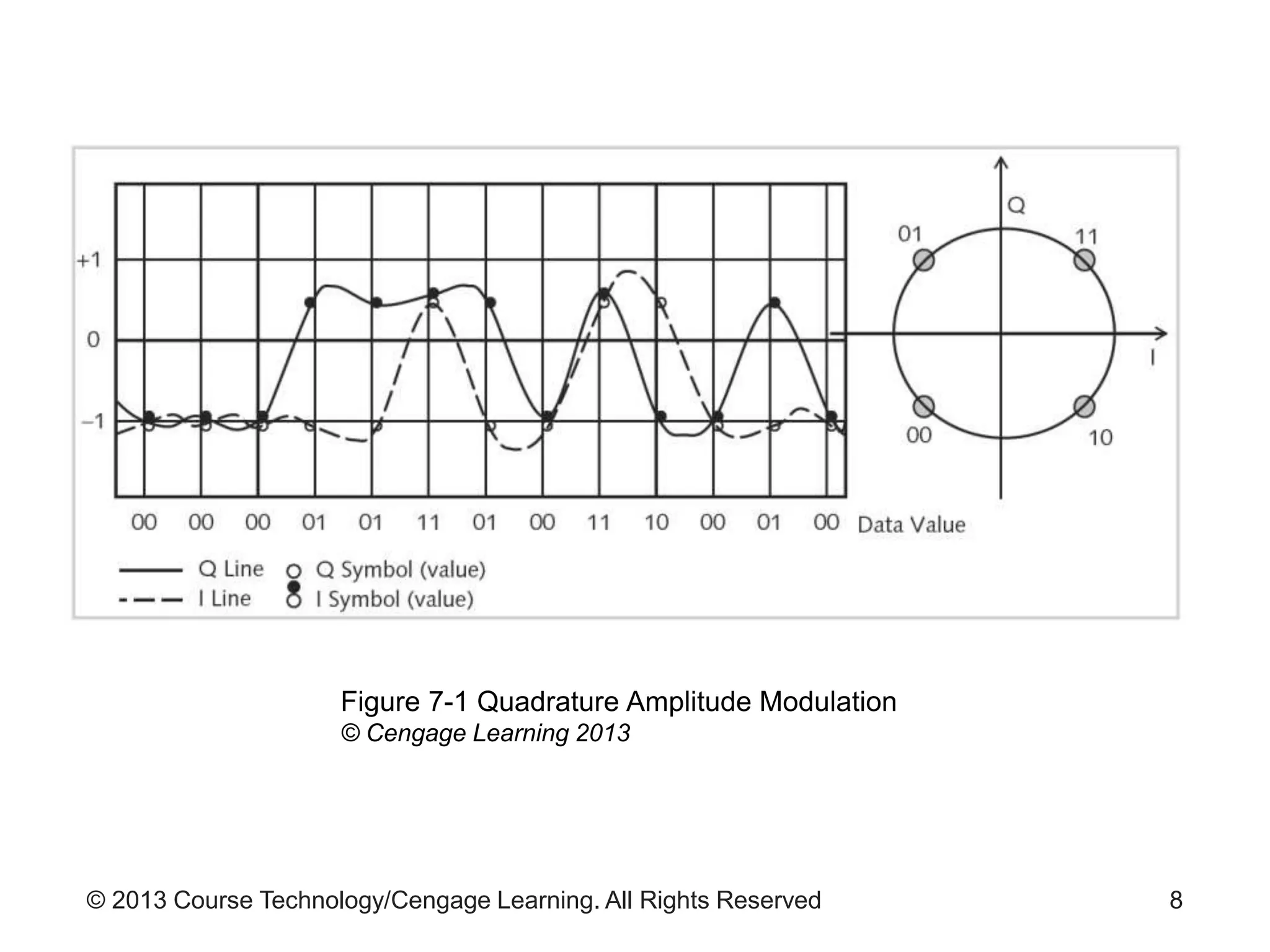
• QAM
– Combines digital and analog signaling
– Encodes data onto radio signals
– Encodes two message channels at the same time
– Changes amplitude of the two carrier waves
– At least two phases and two amplitudes are used
– See Figure 7-1 for an example
7
© 2013 Course Technology/Cengage Learning. All Rights Reserved 8
Figure 7-1 Quadrature Amplitude Modulation
© Cengage Learning 2013
© 2013 Course Technology/Cengage Learning. All Rights Reserved
Wireless Modulation Technologies
(cont’d.)
• QPSK
– Provides multi-bit carrying capability
– Enhancement of Binary Phase Shift Keying
– Uses four signal states 90 degrees out of phase with
each other
• Spread-spectrum transmission advantages over
fixed frequencies
– Reduced narrowband interference
– Signal interception less likely
– Interference minimized
9
© 2013 Course Technology/Cengage Learning. All Rights Reserved
Wireless Modulation Technologies
(cont’d.)
• Spread-spectrum technologies
– Frequency hopping spread spectrum (FHSS)
– Direct-sequence spread spectrum (DSSS)
– Orthogonal frequency-division multiplexing (OFDM)
10
© 2013 Course Technology/Cengage Learning. All Rights Reserved
IEEE 802.11 Standards
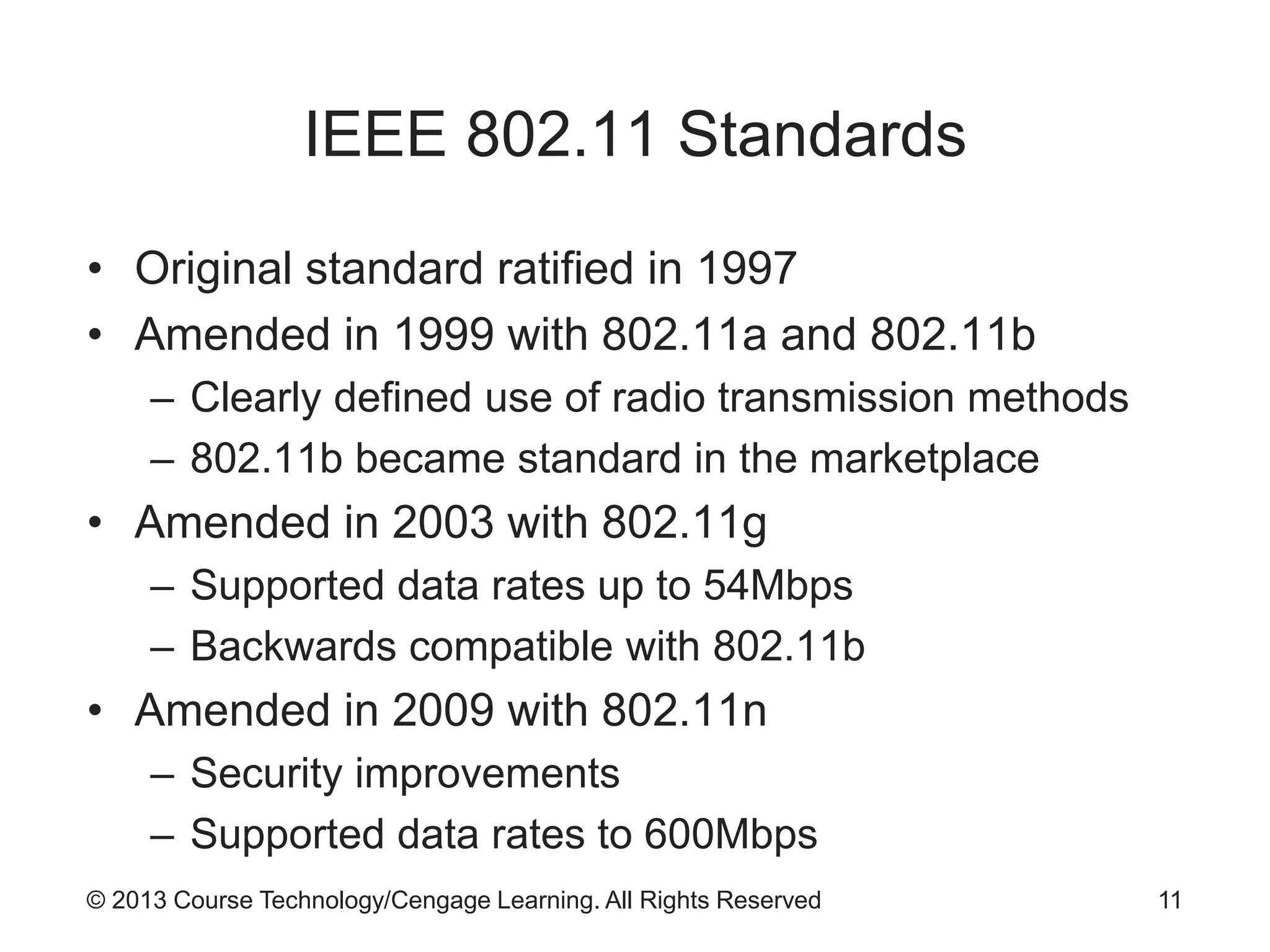
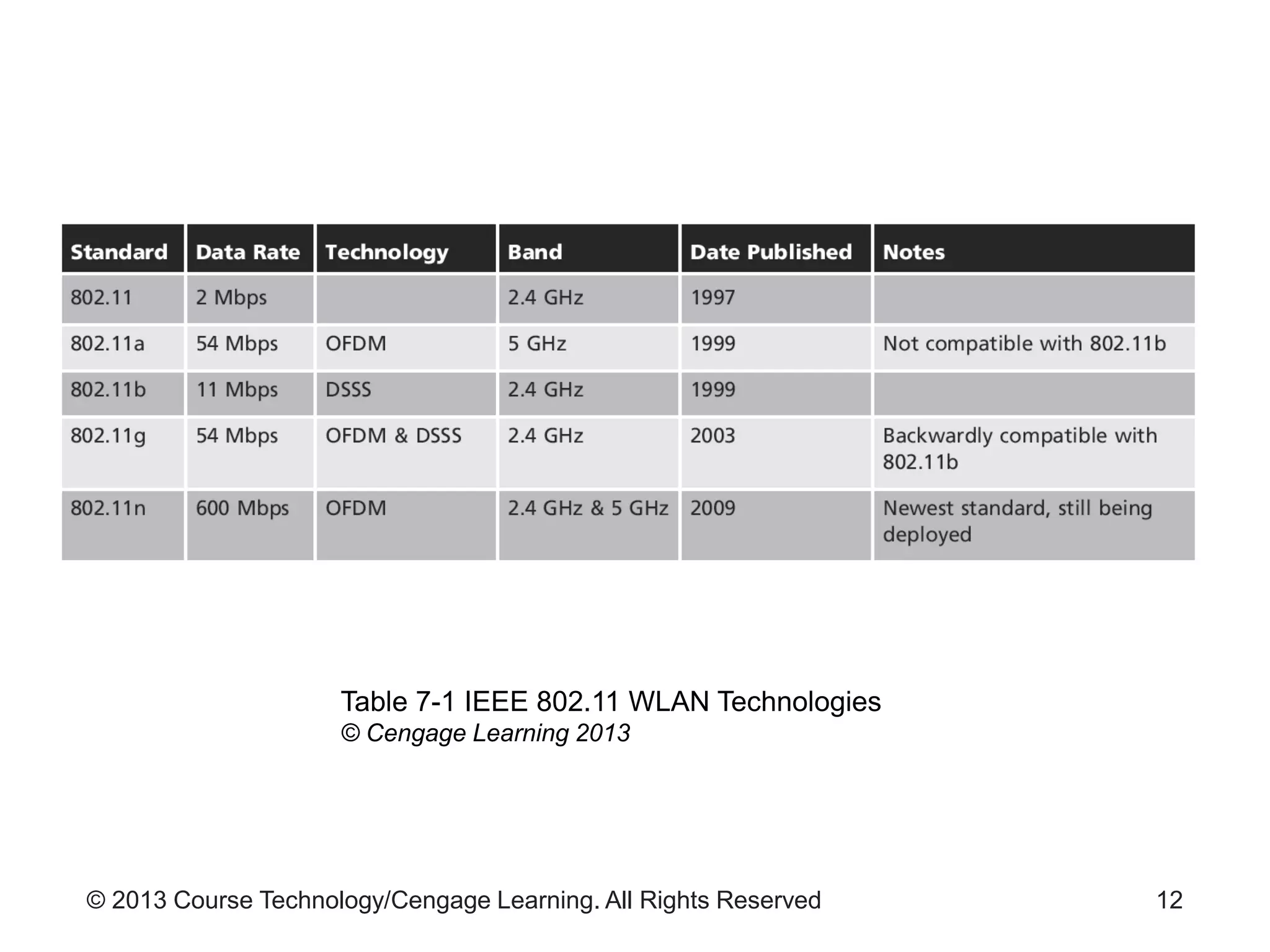
• Original standard ratified in 1997
• Amended in 1999 with 802.11a and 802.11b
– Clearly defined use of radio transmission methods
– 802.11b became standard in the marketplace
• Amended in 2003 with 802.11g
– Supported data rates up to 54Mbps
– Backwards compatible with 802.11b
• Amended in 2009 with 802.11n
– Security improvements
– Supported data rates to 600Mbps
11
© 2013 Course Technology/Cengage Learning. All Rights Reserved 12
Table 7-1 IEEE 802.11 WLAN Technologies
© Cengage Learning 2013
© 2013 Course Technology/Cengage Learning. All Rights Reserved
Wi-Fi Alliance Certifications
• Wi-Fi Alliance
– Group created to certify interoperability of 802.11b
products
– Created Wi-Fi Protected Access (WPA) security
protocol in 2002
• WPA
– Called for supporting Advanced Encryption Standard
• WPA2
– Introduced with ratification of 802.11i amendment
13
© 2013 Course Technology/Cengage Learning. All Rights Reserved
Other Wireless Standards
• Bluetooth
– Open standard for short-range wireless
communication between devices
– Included in IEEE standard 802.15.1
• WiMAX
– Standard for devices in geographically dispersed
facilities
– Range: up to 30 miles
14
© 2013 Course Technology/Cengage Learning. All Rights Reserved
Other Wireless Standards (cont’d.)
• WiMedia
– Wireless Personal Area Network (WPAN) standard
– Low-cost, low-power-consumption network
– Application: wireless USB devices communicate
remotely with host system
• ZigBee
– WPAN standard used for monitoring and control
devices
– Examples of uses: building climate control systems;
shipping container tracking devices
15
© 2013 Course Technology/Cengage Learning. All Rights Reserved
Wireless Architectures and Topologies
• Technology standards not enough to create
functional networks
– Must have clearly defined ways of assembling
pieces
• Wireless architectures
– Structured solutions
– No need to prepare each deployment from scratch
16
© 2013 Course Technology/Cengage Learning. All Rights Reserved
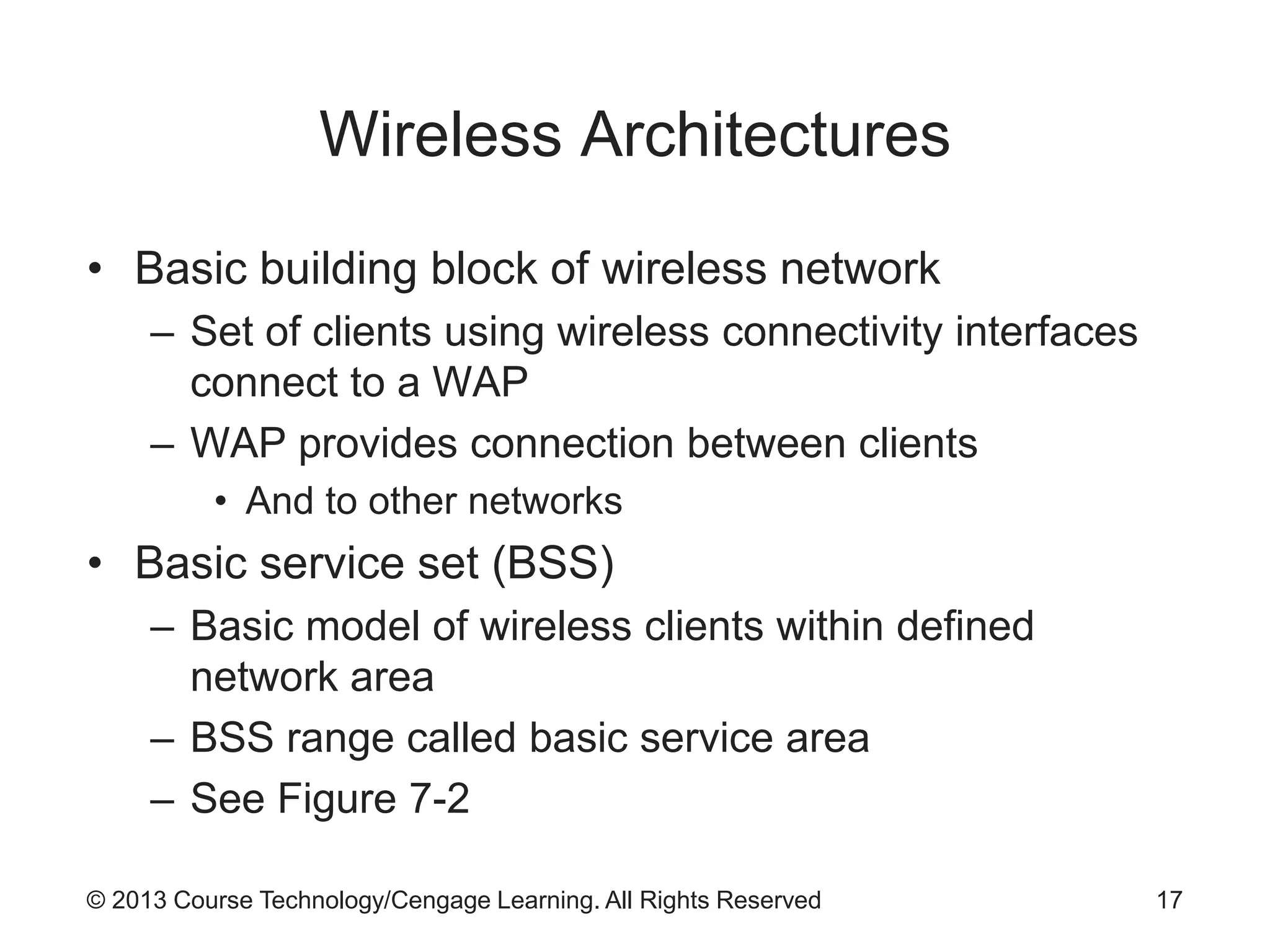
Wireless Architectures
• Basic building block of wireless network
– Set of clients using wireless connectivity interfaces
connect to a WAP
– WAP provides connection between clients
• And to other networks
• Basic service set (BSS)
– Basic model of wireless clients within defined
network area
– BSS range called basic service area
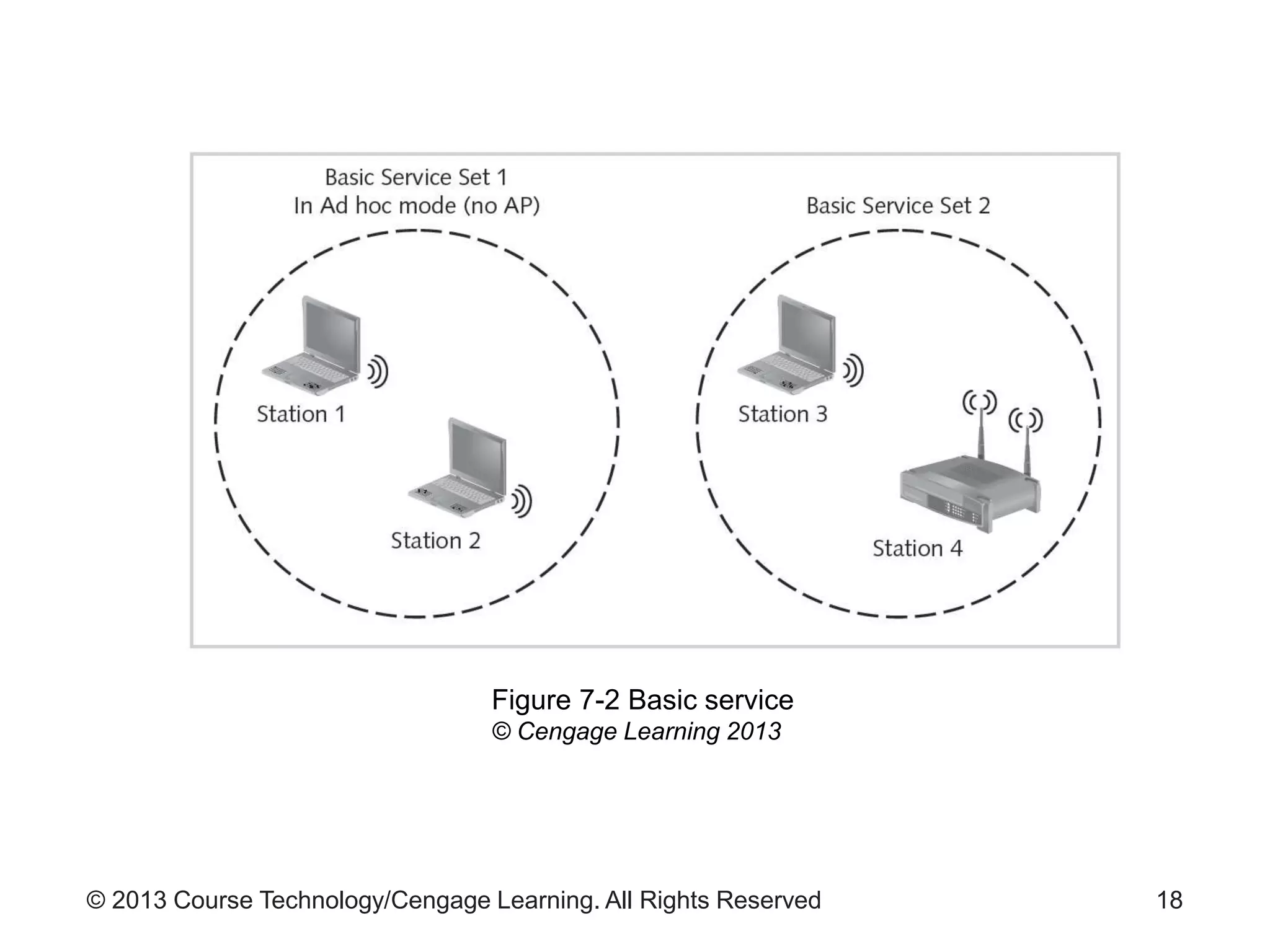
– See Figure 7-2
17
© 2013 Course Technology/Cengage Learning. All Rights Reserved 18
Figure 7-2 Basic service
© Cengage Learning 2013
© 2013 Course Technology/Cengage Learning. All Rights Reserved
Wireless Architectures (cont’d.)
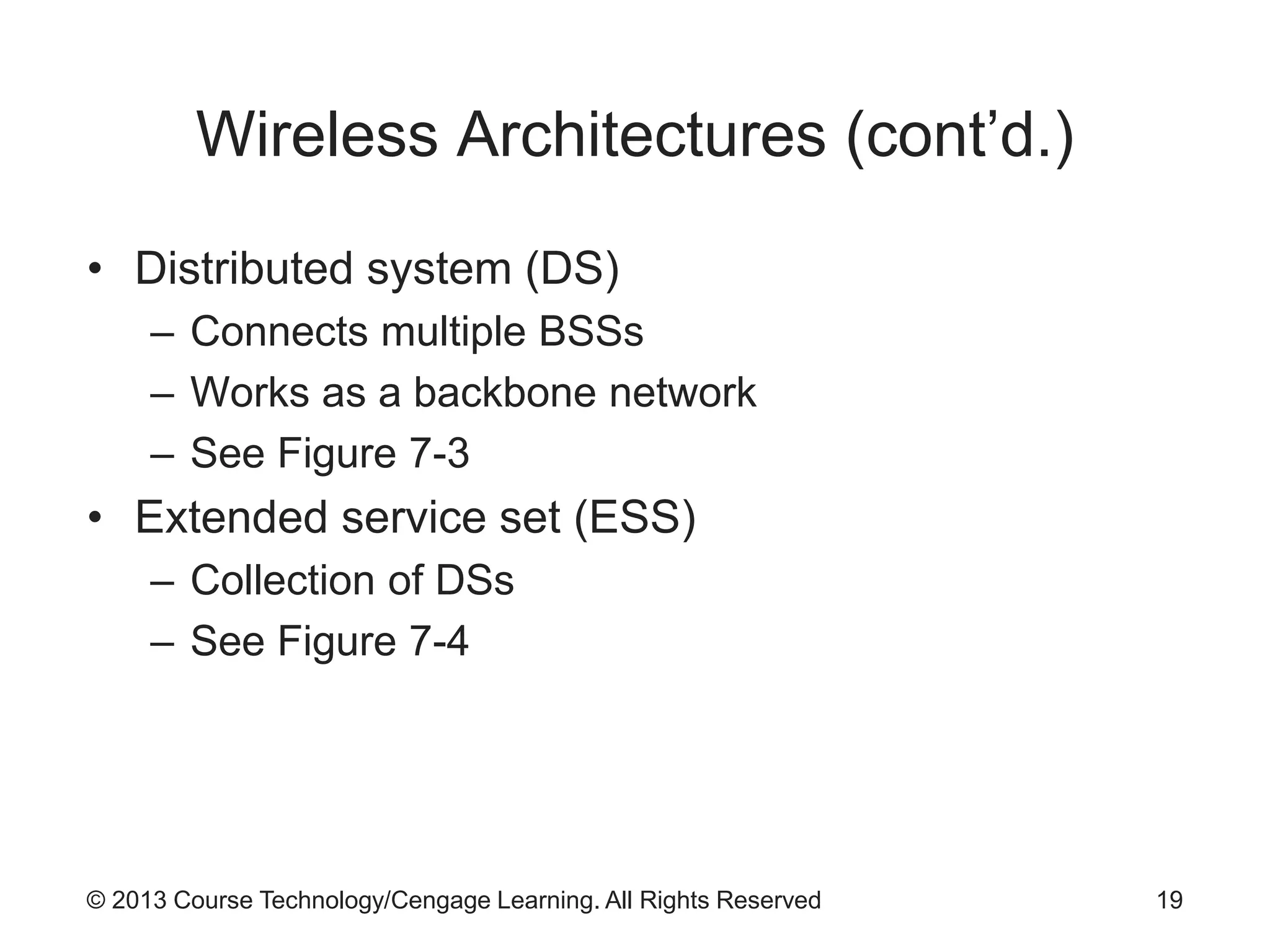
• Distributed system (DS)
– Connects multiple BSSs
– Works as a backbone network
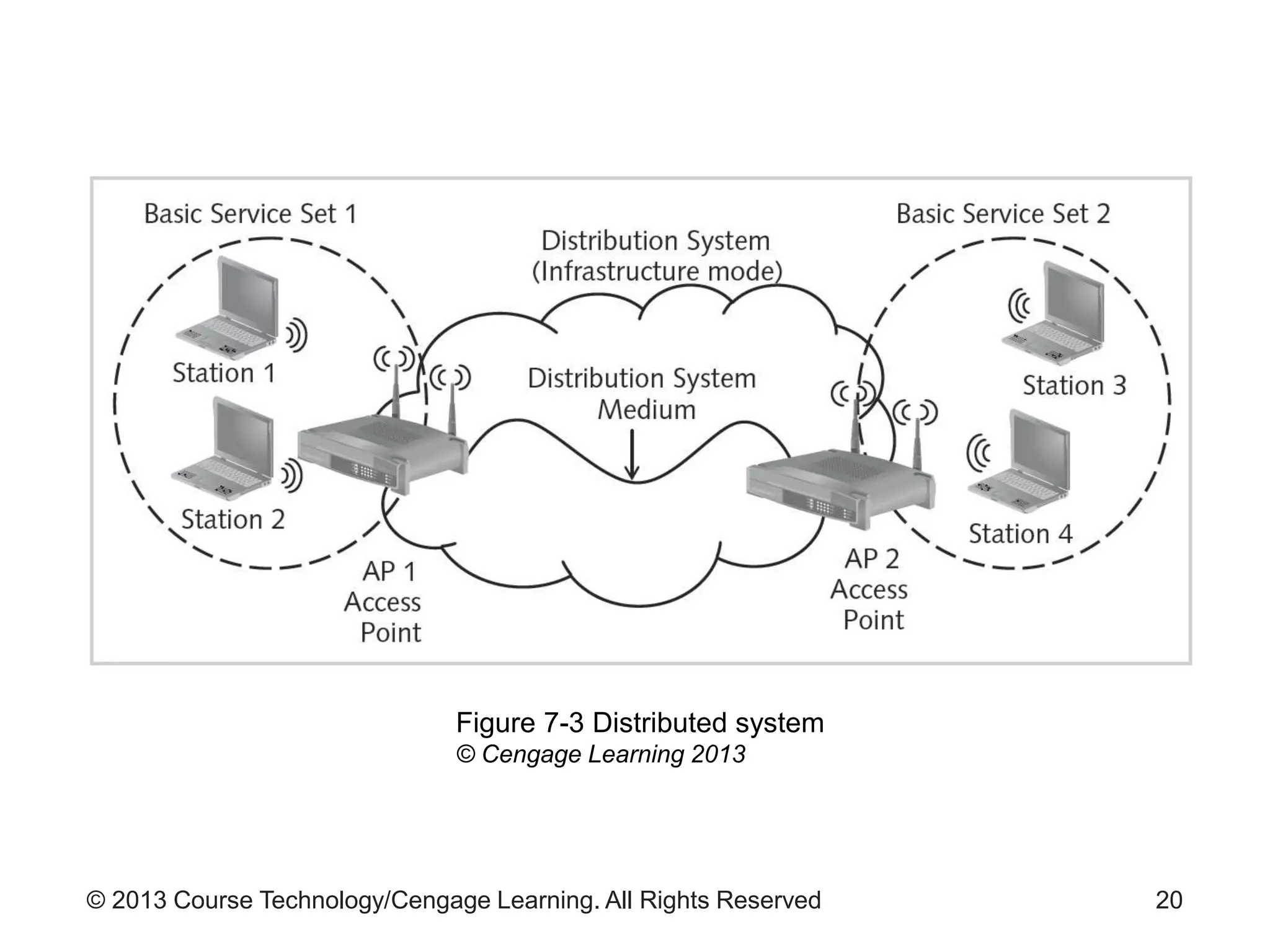
– See Figure 7-3
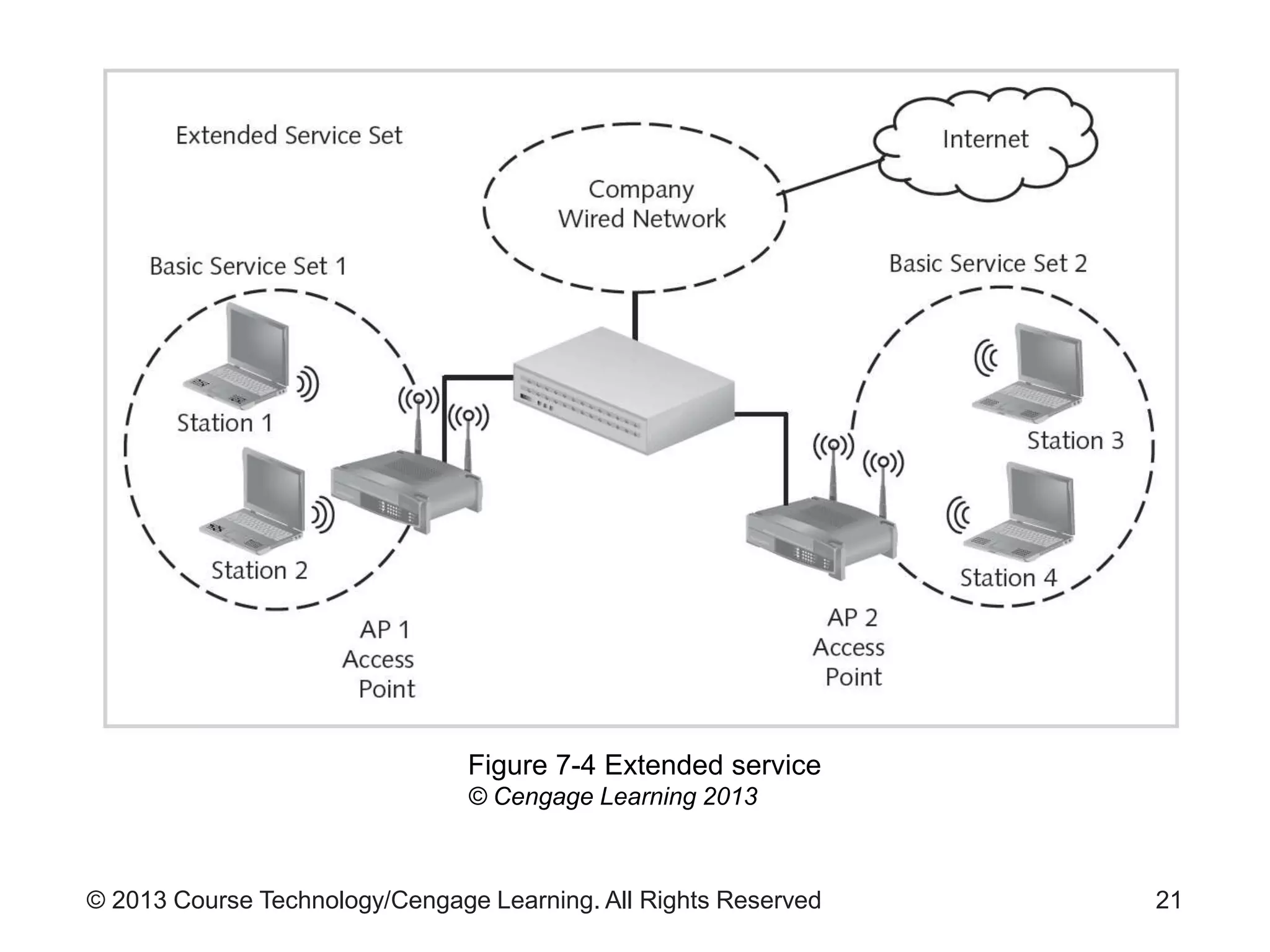
• Extended service set (ESS)
– Collection of DSs
– See Figure 7-4
19
© 2013 Course Technology/Cengage Learning. All Rights Reserved 20
Figure 7-3 Distributed system
© Cengage Learning 2013
© 2013 Course Technology/Cengage Learning. All Rights Reserved 21
Figure 7-4 Extended service
© Cengage Learning 2013
© 2013 Course Technology/Cengage Learning. All Rights Reserved
Wireless Topologies
• Network configuration layouts
– Star
– Bus
– Ring
– Hierarchical
– Mesh
– Hybrid
22
© 2013 Course Technology/Cengage Learning. All Rights Reserved
Wireless Topologies (cont’d.)
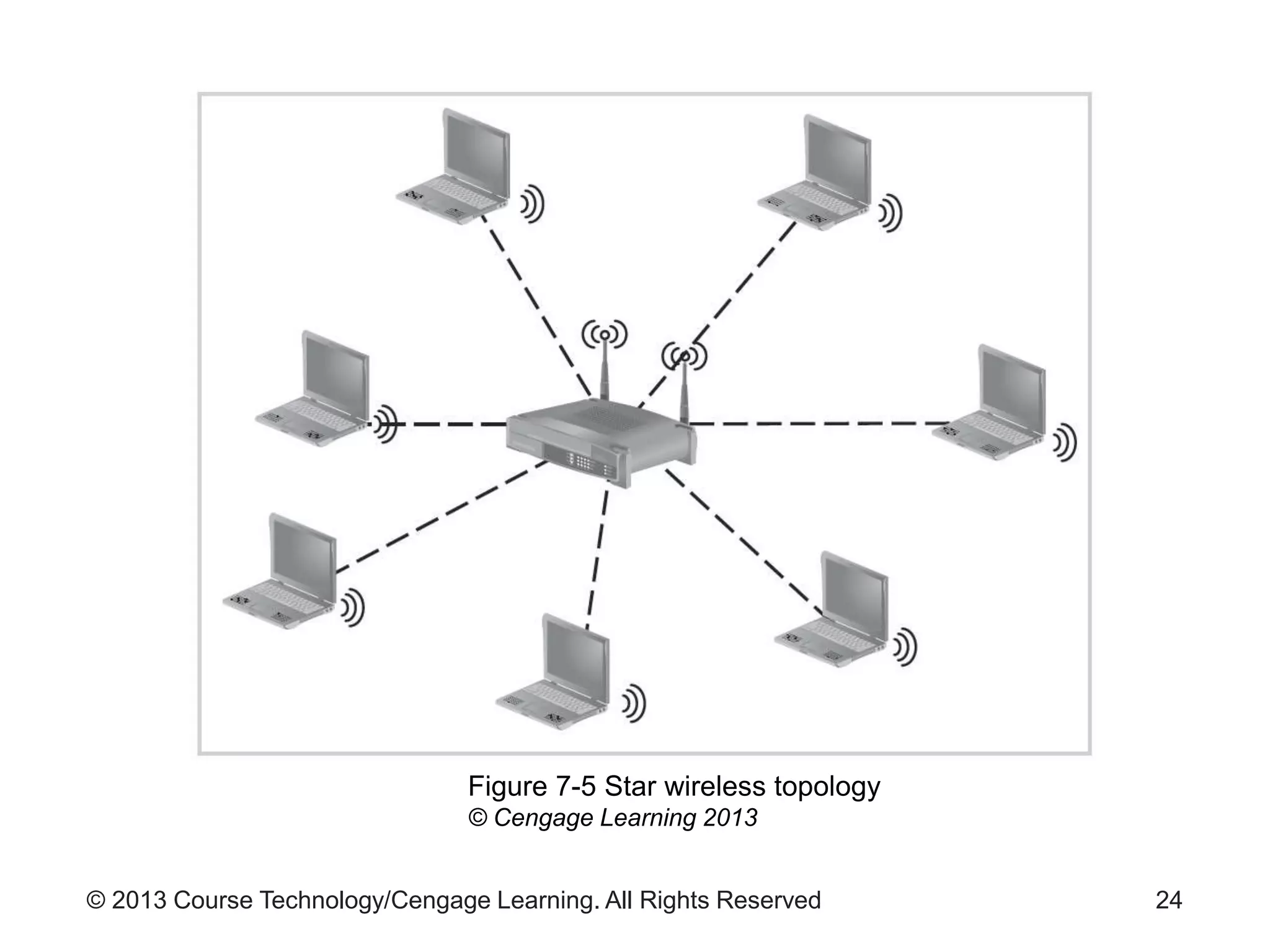
• Star wireless topology
– Also called hub-and-spoke model
– See Figure 7-5 for star topology
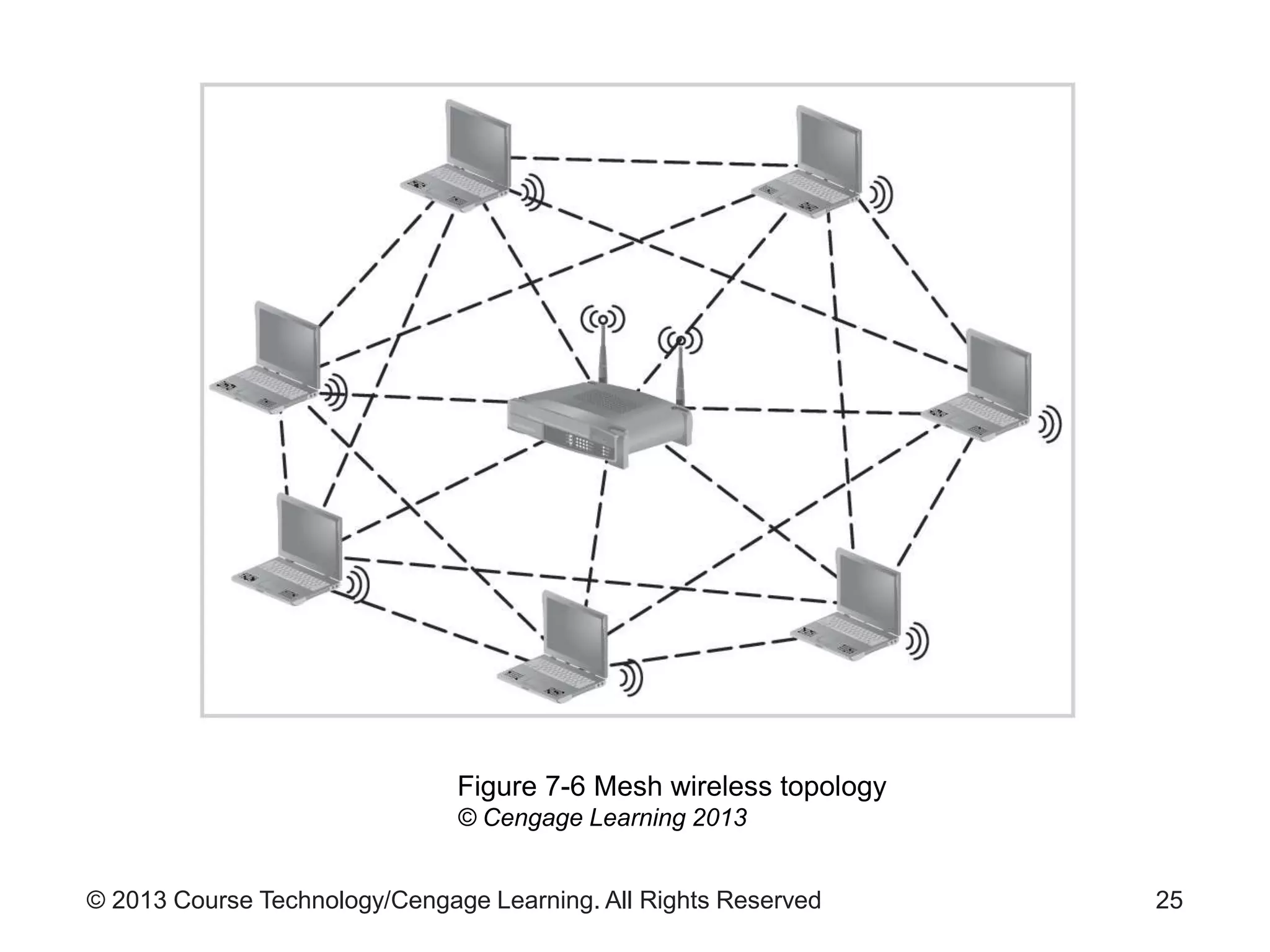
• Mesh wireless topology
– All stations on the network are equal peers
– See Figure 7-6 for mesh topology
23
© 2013 Course Technology/Cengage Learning. All Rights Reserved 24
Figure 7-5 Star wireless topology
© Cengage Learning 2013
© 2013 Course Technology/Cengage Learning. All Rights Reserved 25
Figure 7-6 Mesh wireless topology
© Cengage Learning 2013
© 2013 Course Technology/Cengage Learning. All Rights Reserved
Wireless Topologies (cont’d.)
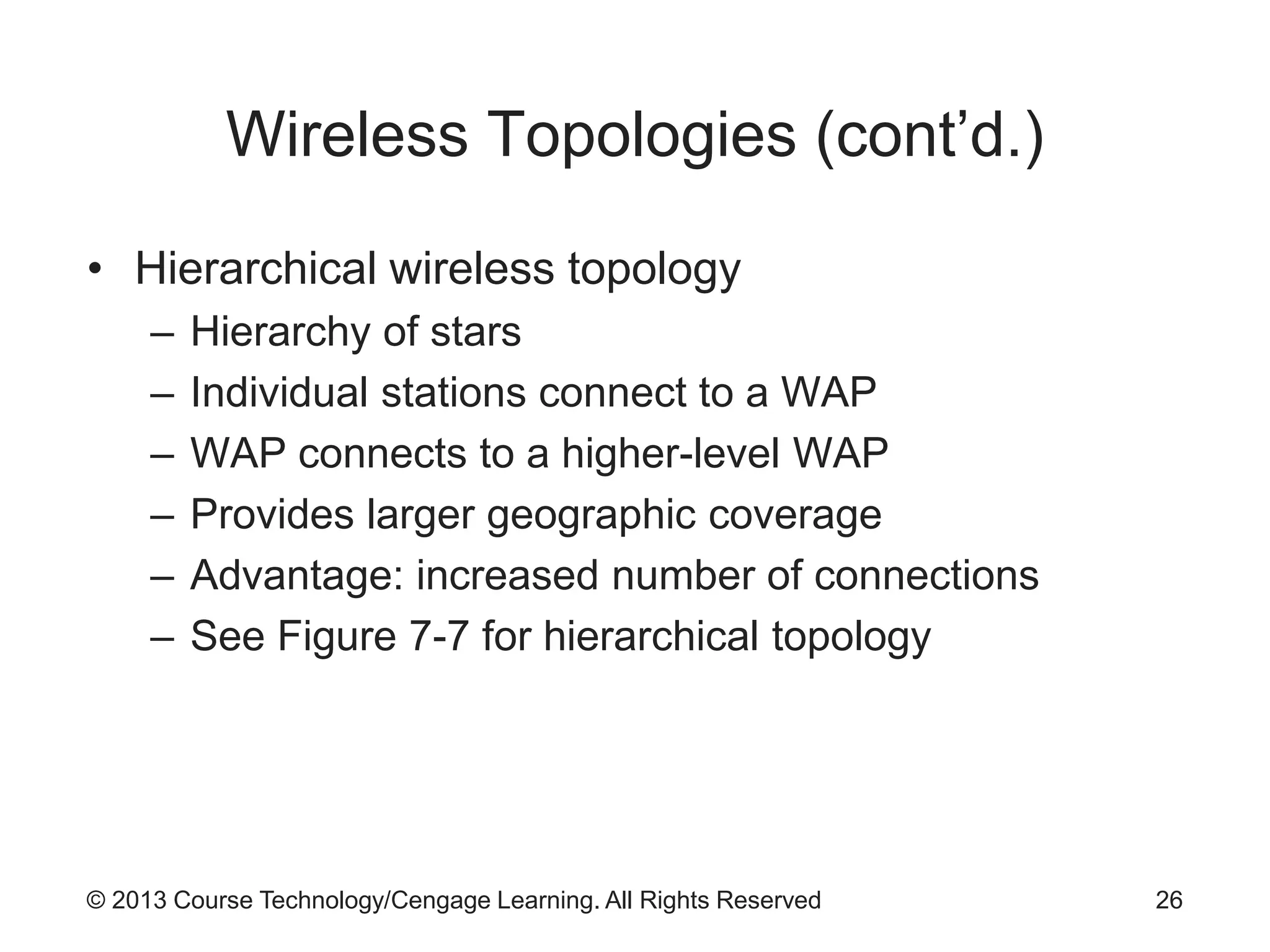
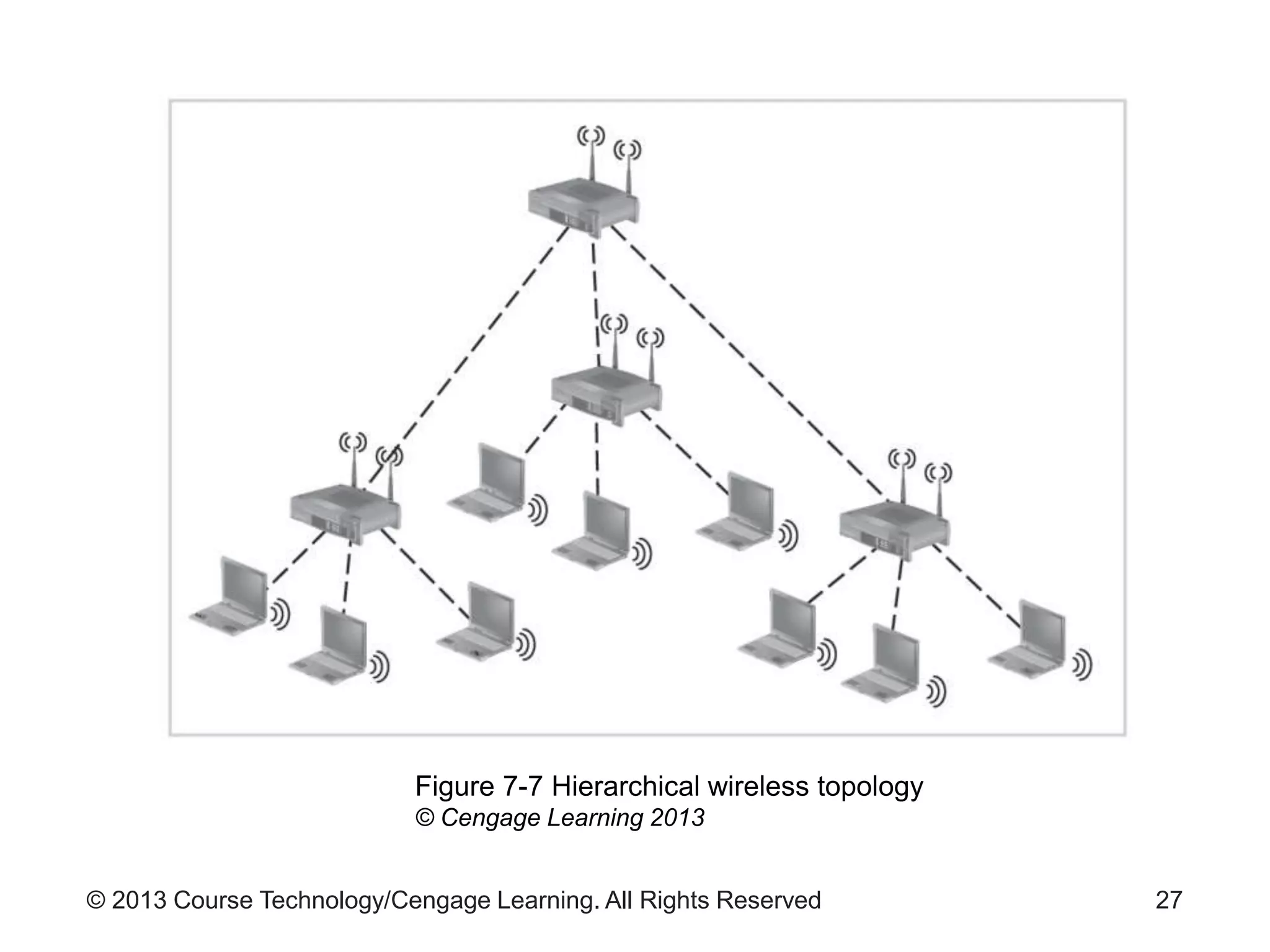
• Hierarchical wireless topology
– Hierarchy of stars
– Individual stations connect to a WAP
– WAP connects to a higher-level WAP
– Provides larger geographic coverage
– Advantage: increased number of connections
– See Figure 7-7 for hierarchical topology
26
© 2013 Course Technology/Cengage Learning. All Rights Reserved 27
Figure 7-7 Hierarchical wireless topology
© Cengage Learning 2013
© 2013 Course Technology/Cengage Learning. All Rights Reserved
Wireless Topologies (cont’d.)
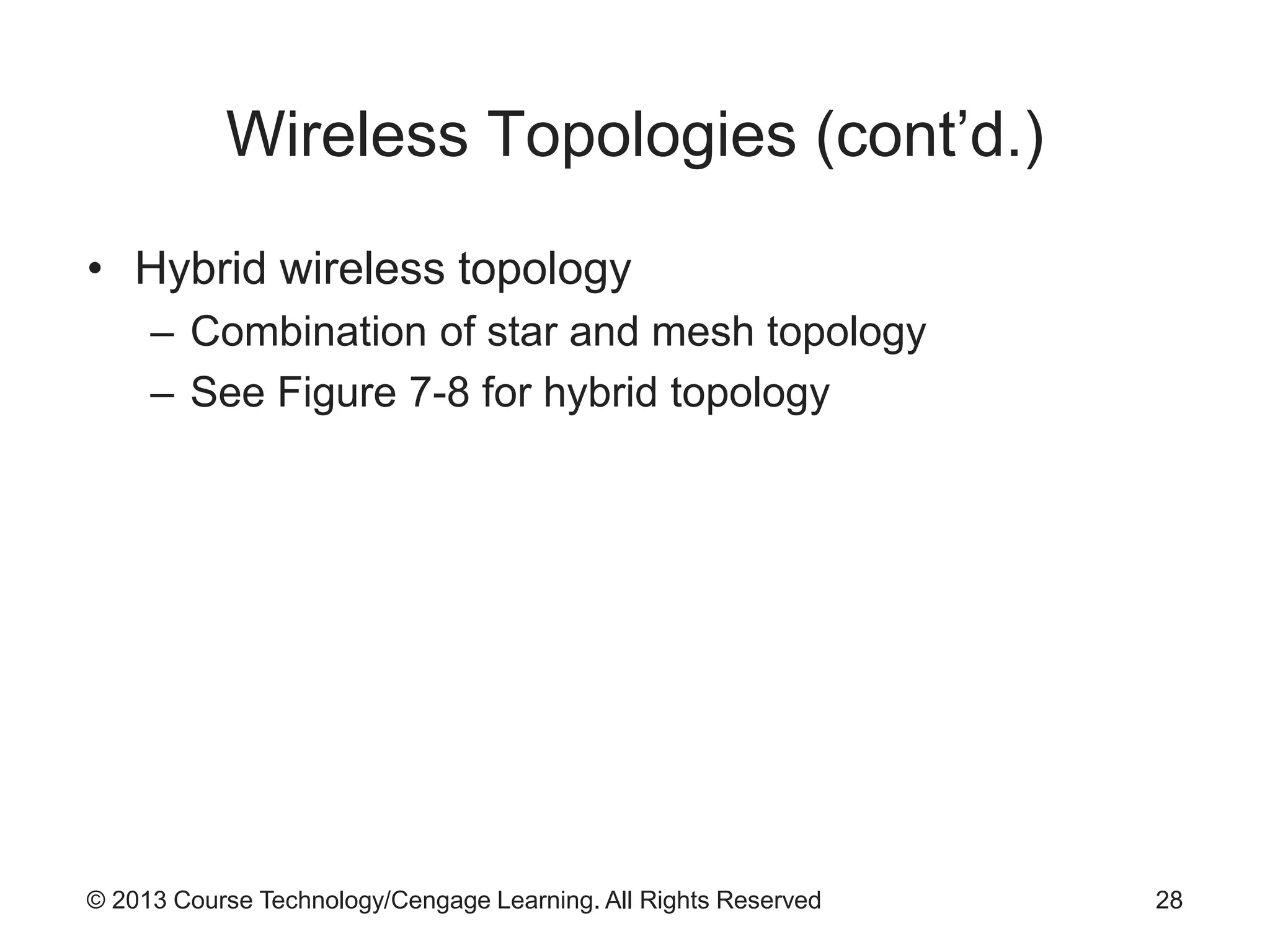
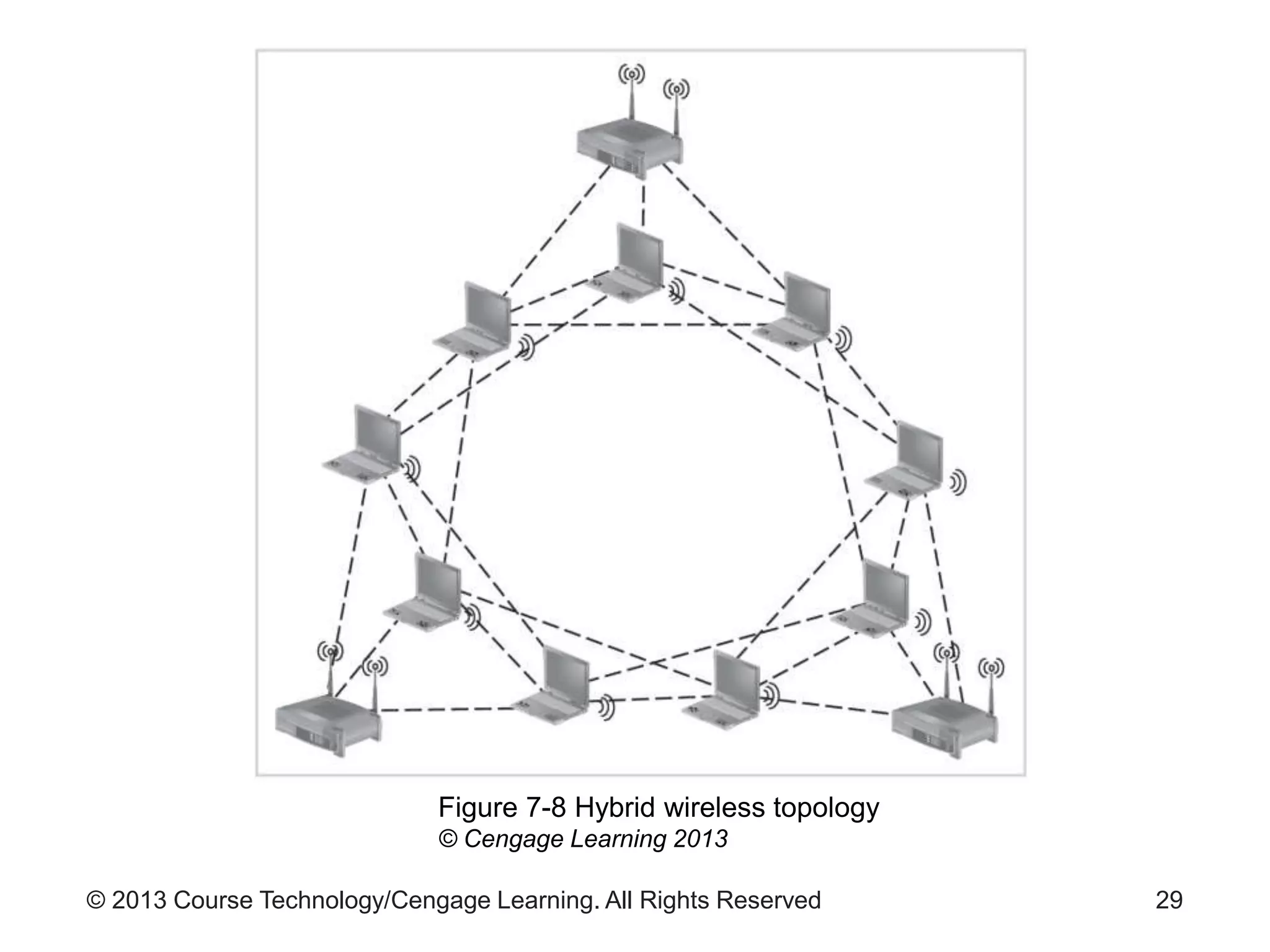
• Hybrid wireless topology
– Combination of star and mesh topology
– See Figure 7-8 for hybrid topology
28
© 2013 Course Technology/Cengage Learning. All Rights Reserved 29
Figure 7-8 Hybrid wireless topology
© Cengage Learning 2013
© 2013 Course Technology/Cengage Learning. All Rights Reserved
Wireless Architectures
• Implementation models
– Ad hoc approach
– Permanent, consistent connection points
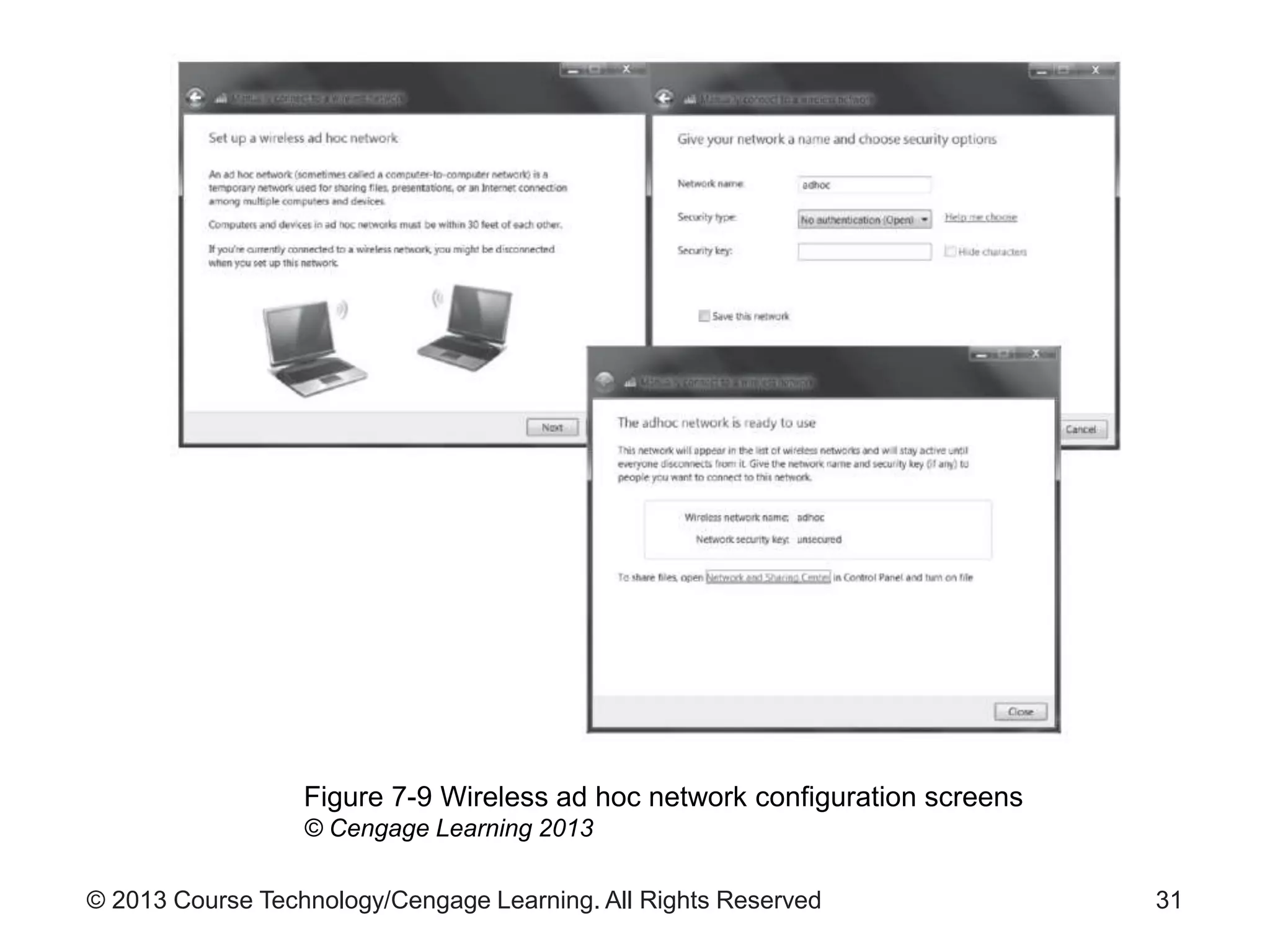
• Ad hoc implementation
– No formal access points
– Peer-to-peer connection
– At least one station must have WAP connectivity
– Inherently unreliable
30
© 2013 Course Technology/Cengage Learning. All Rights Reserved 31
Figure 7-9 Wireless ad hoc network configuration screens
© Cengage Learning 2013
© 2013 Course Technology/Cengage Learning. All Rights Reserved
Wireless Architectures (cont’d.)
• Infrastructure model
– Used by most installed wireless networks
– WAP connected to a wired network
– Provides reliable connectivity
– Provides better scalability than ad-hoc networks
• Connectivity models
– Describes how wireless networks communicate
– Unicast, broadcast, or multicast
32
© 2013 Course Technology/Cengage Learning. All Rights Reserved
Wireless Architectures (cont’d.)
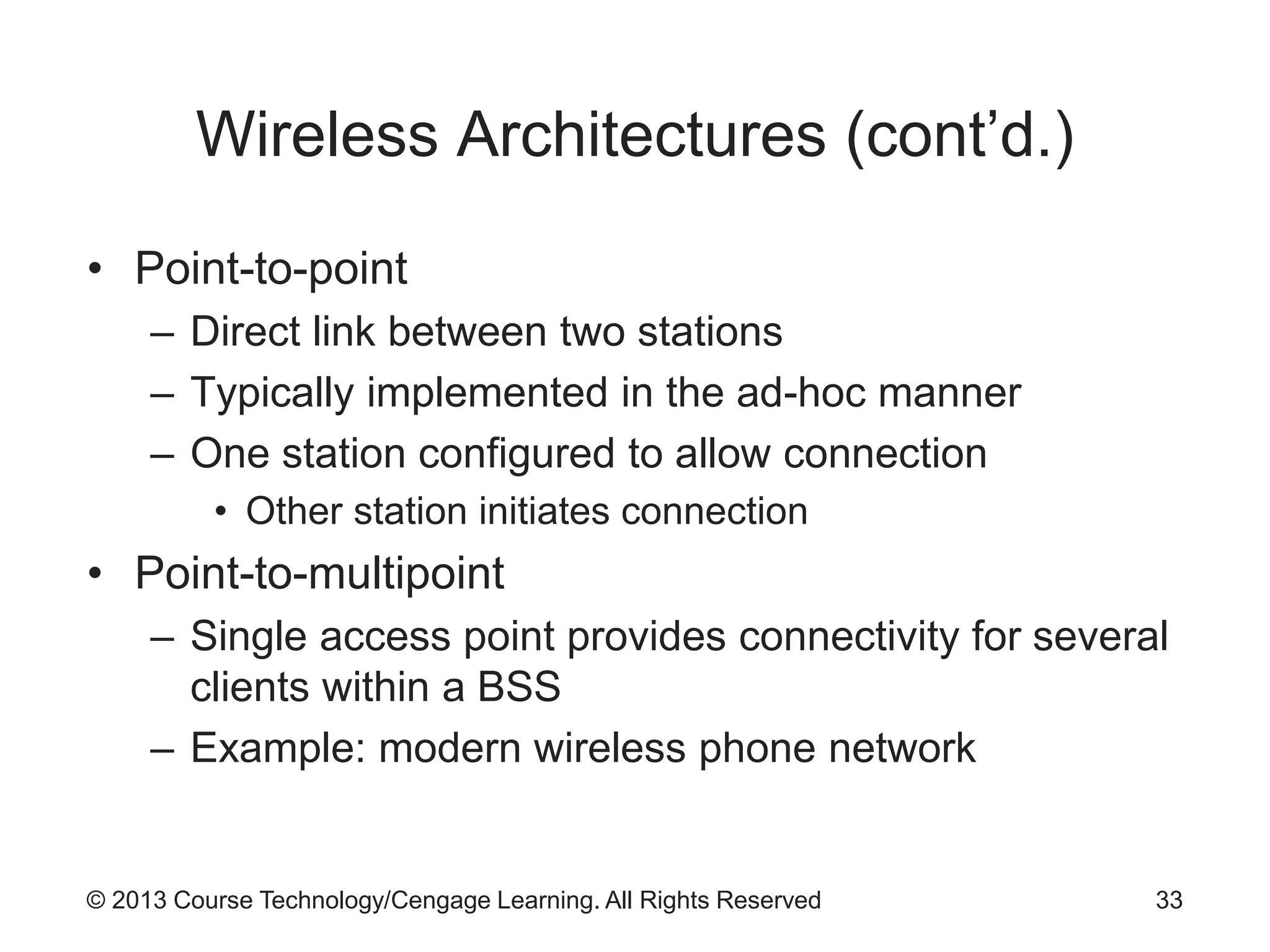
• Point-to-point
– Direct link between two stations
– Typically implemented in the ad-hoc manner
– One station configured to allow connection
• Other station initiates connection
• Point-to-multipoint
– Single access point provides connectivity for several
clients within a BSS
– Example: modern wireless phone network
33
© 2013 Course Technology/Cengage Learning. All Rights Reserved
Wireless Architectures (cont’d.)
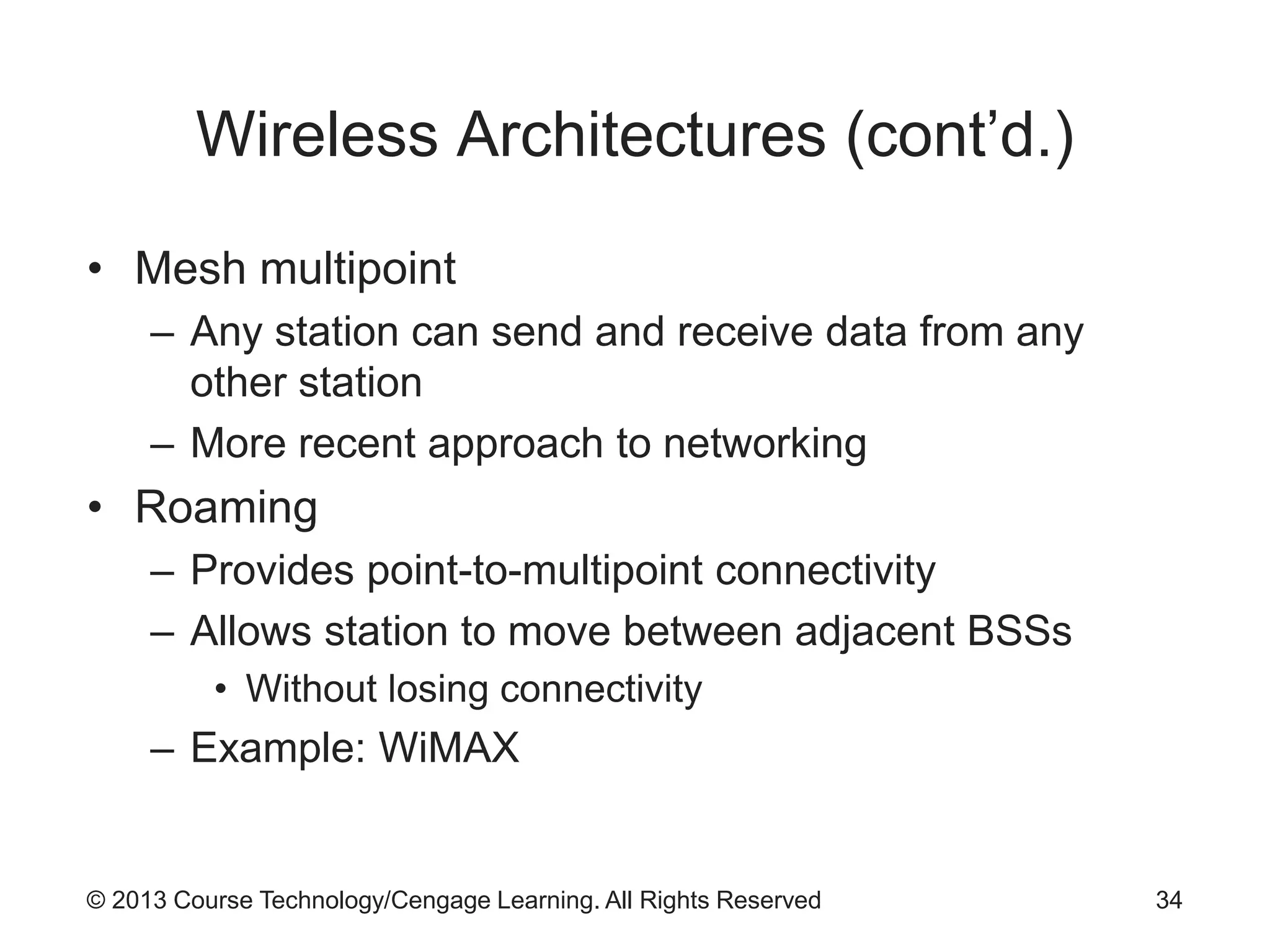
• Mesh multipoint
– Any station can send and receive data from any
other station
– More recent approach to networking
• Roaming
– Provides point-to-multipoint connectivity
– Allows station to move between adjacent BSSs
• Without losing connectivity
– Example: WiMAX
34
© 2013 Course Technology/Cengage Learning. All Rights Reserved
Wireless Architectures (cont’d.)
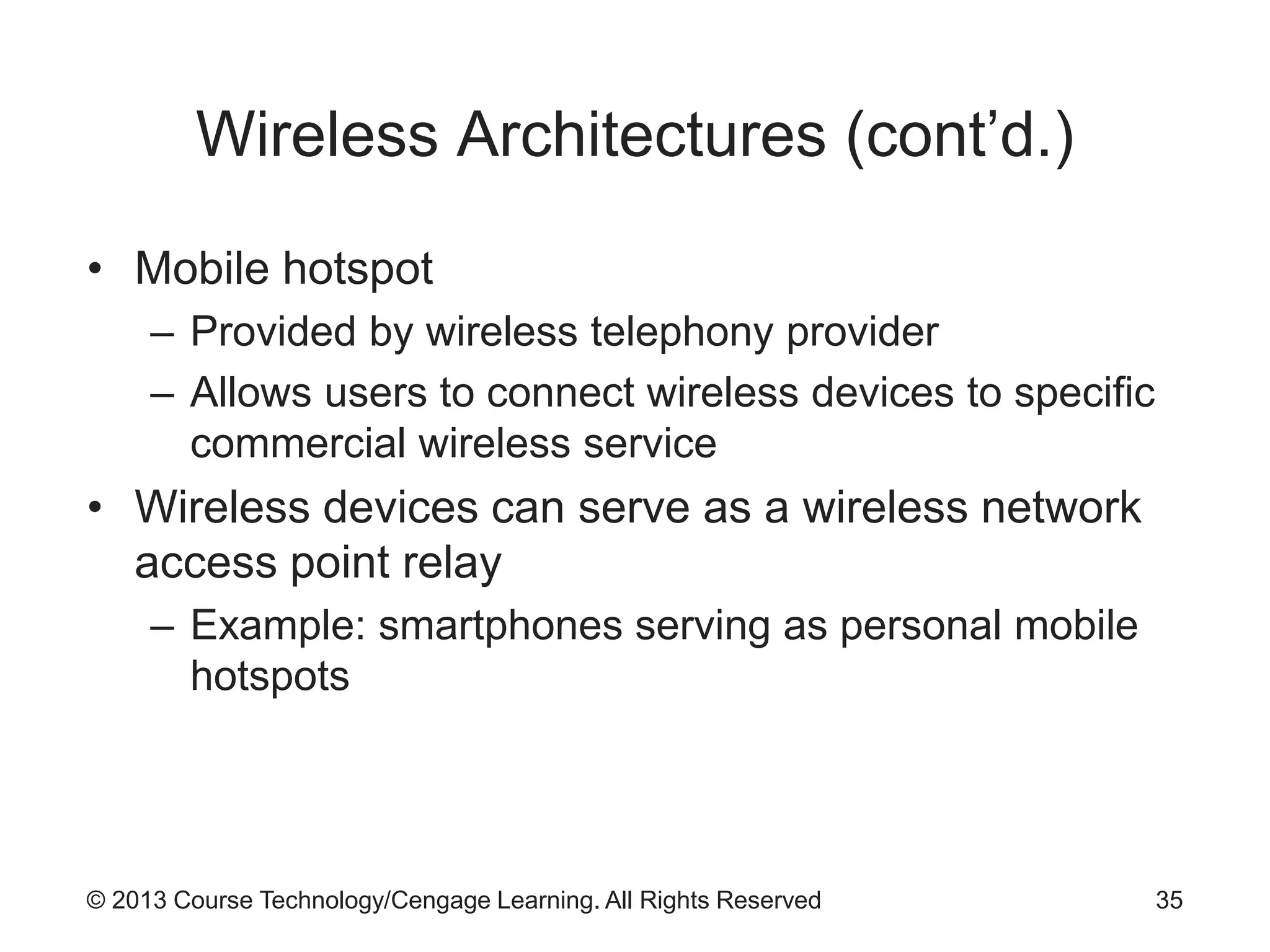
• Mobile hotspot
– Provided by wireless telephony provider
– Allows users to connect wireless devices to specific
commercial wireless service
• Wireless devices can serve as a wireless network
access point relay
– Example: smartphones serving as personal mobile
hotspots
35
© 2013 Course Technology/Cengage Learning. All Rights Reserved
Wireless Security Protocols
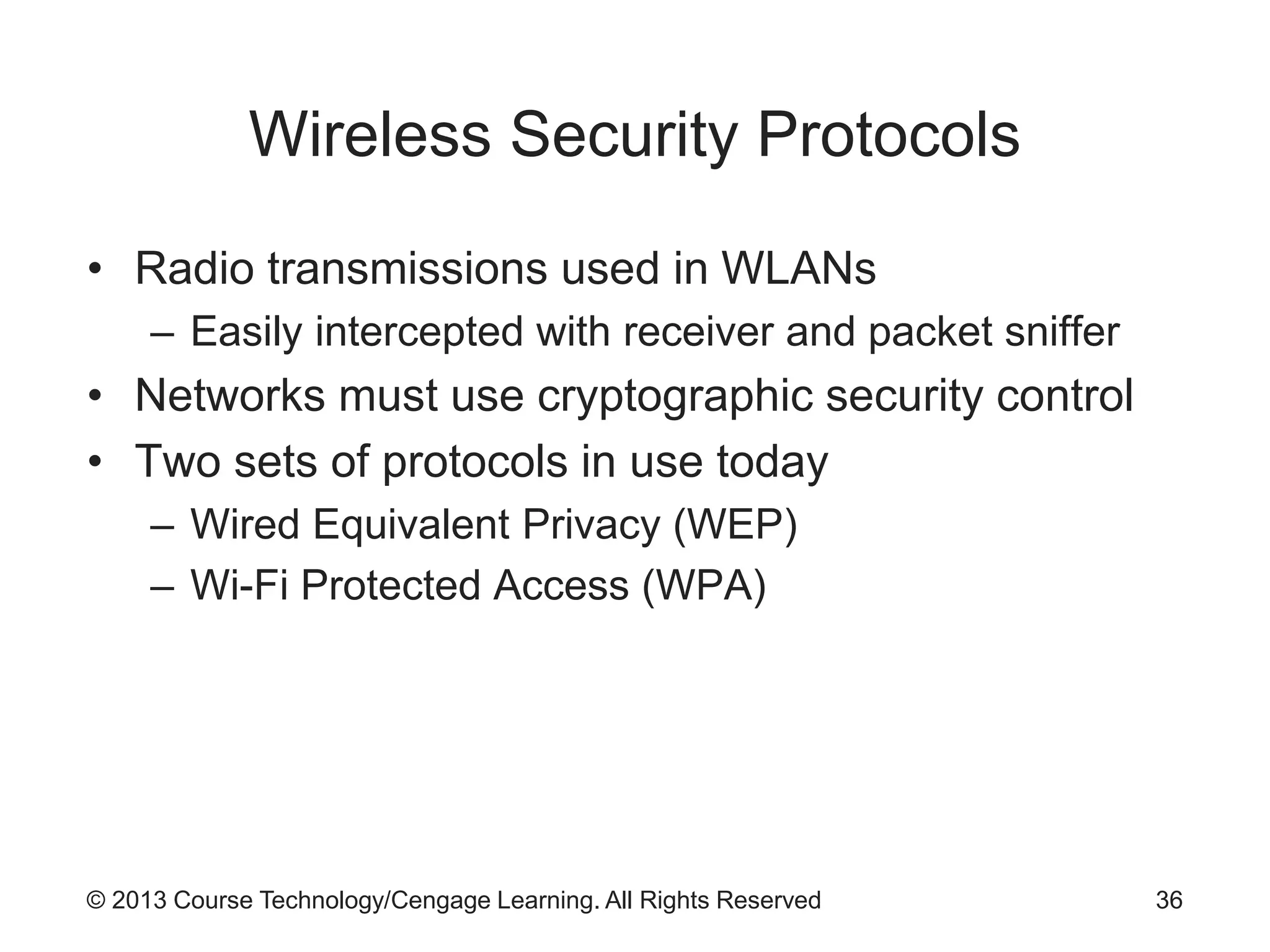
• Radio transmissions used in WLANs
– Easily intercepted with receiver and packet sniffer
• Networks must use cryptographic security control
• Two sets of protocols in use today
– Wired Equivalent Privacy (WEP)
– Wi-Fi Protected Access (WPA)
36
© 2013 Course Technology/Cengage Learning. All Rights Reserved
Wired Equivalent Privacy (WEP)
• Early attempt to provide security with 802.11
network protocol
• Now considered too weak cryptographically
• Reasons for weakness
– No key management defined in protocol
• Keys are seldom changed
– Initialization vector too small
– Tools exist to allow cracking of the WEP key
37
© 2013 Course Technology/Cengage Learning. All Rights Reserved
Wi-Fi Protected Access (WPA and
WPA2)
• Introduced to resolve issues with WEP
• WPA key
– 128 bits
– Dynamically changing
– Uses Temporal Key Integrity Protocol (TKIP)
• Some compromises made to allow backwards
compatibility
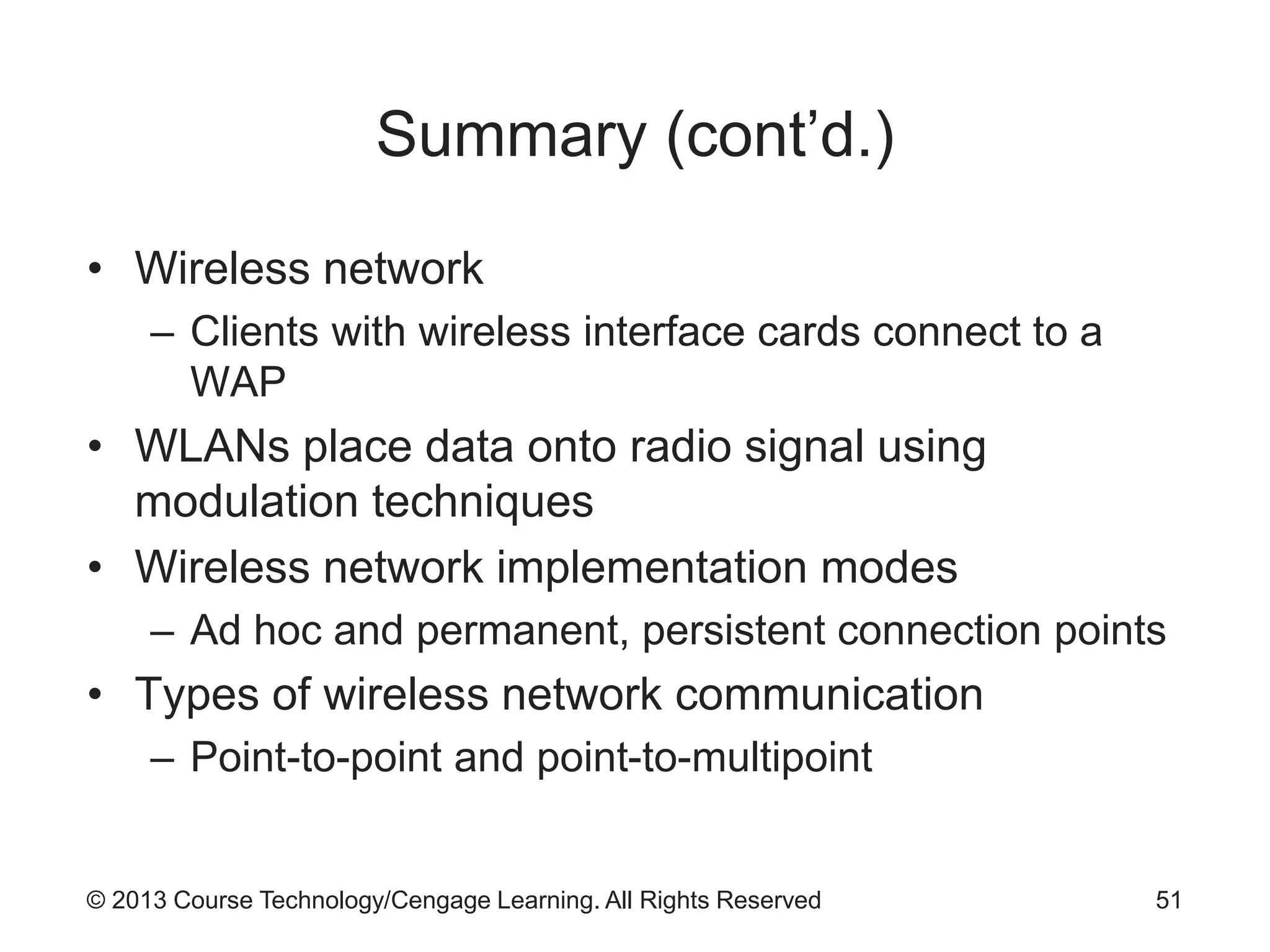
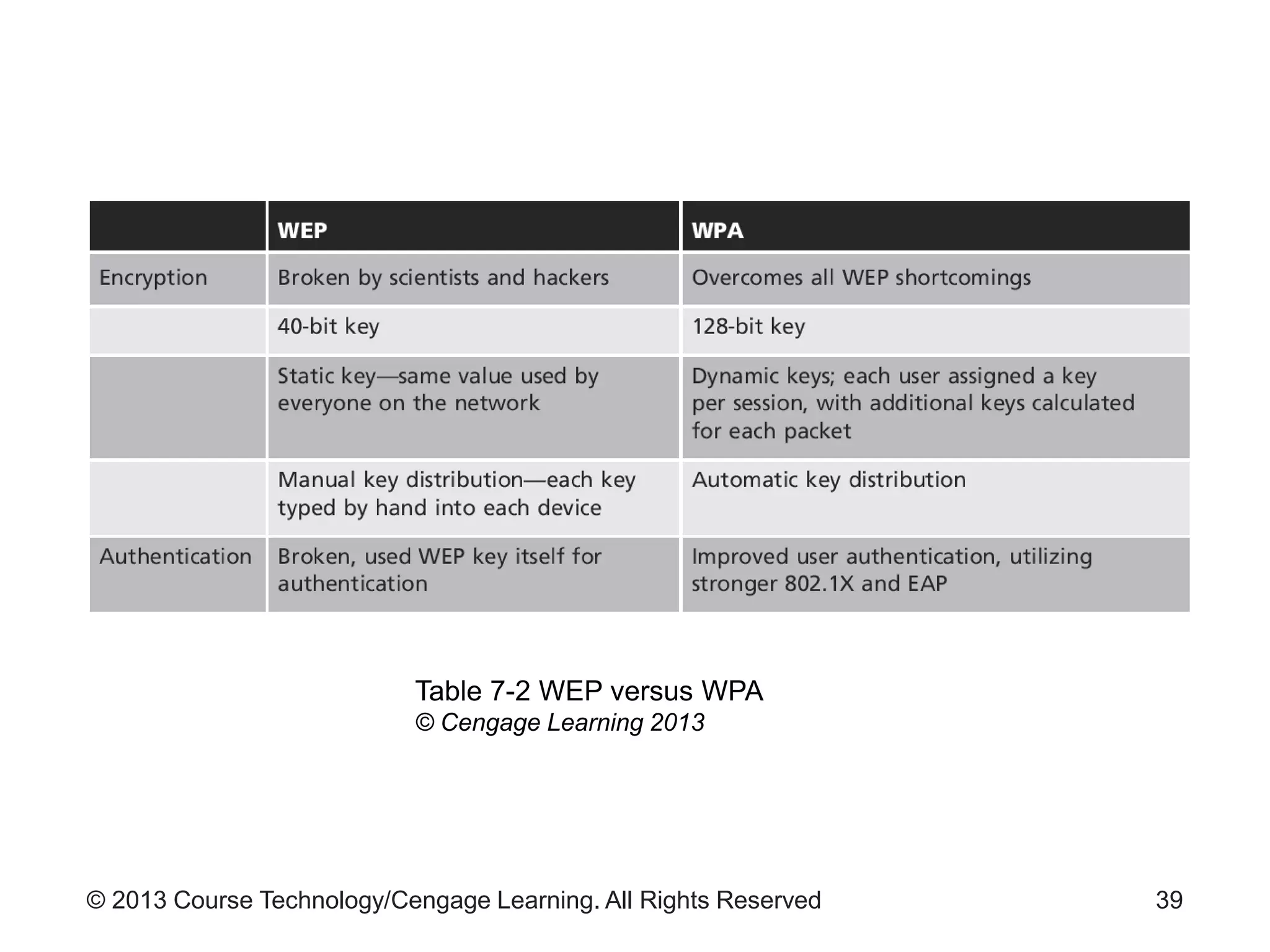
• See Table 7-2 for differences between WEP and
WPA
38
© 2013 Course Technology/Cengage Learning. All Rights Reserved 39
Table 7-2 WEP versus WPA
© Cengage Learning 2013
© 2013 Course Technology/Cengage Learning. All Rights Reserved
WPA2
• Mandatory for all new Wi-Fi devices in 2006
• Designed to meet all 802.11i standard
requirements
• Robust Security Network (RSN)
– Network that only allows connections that provide
encryption
• Notable features of WPA2
– AES-based encryption
– CCMP encryption method
– EAP authentication protocol
40
© 2013 Course Technology/Cengage Learning. All Rights Reserved
WPA2 (cont’d.)
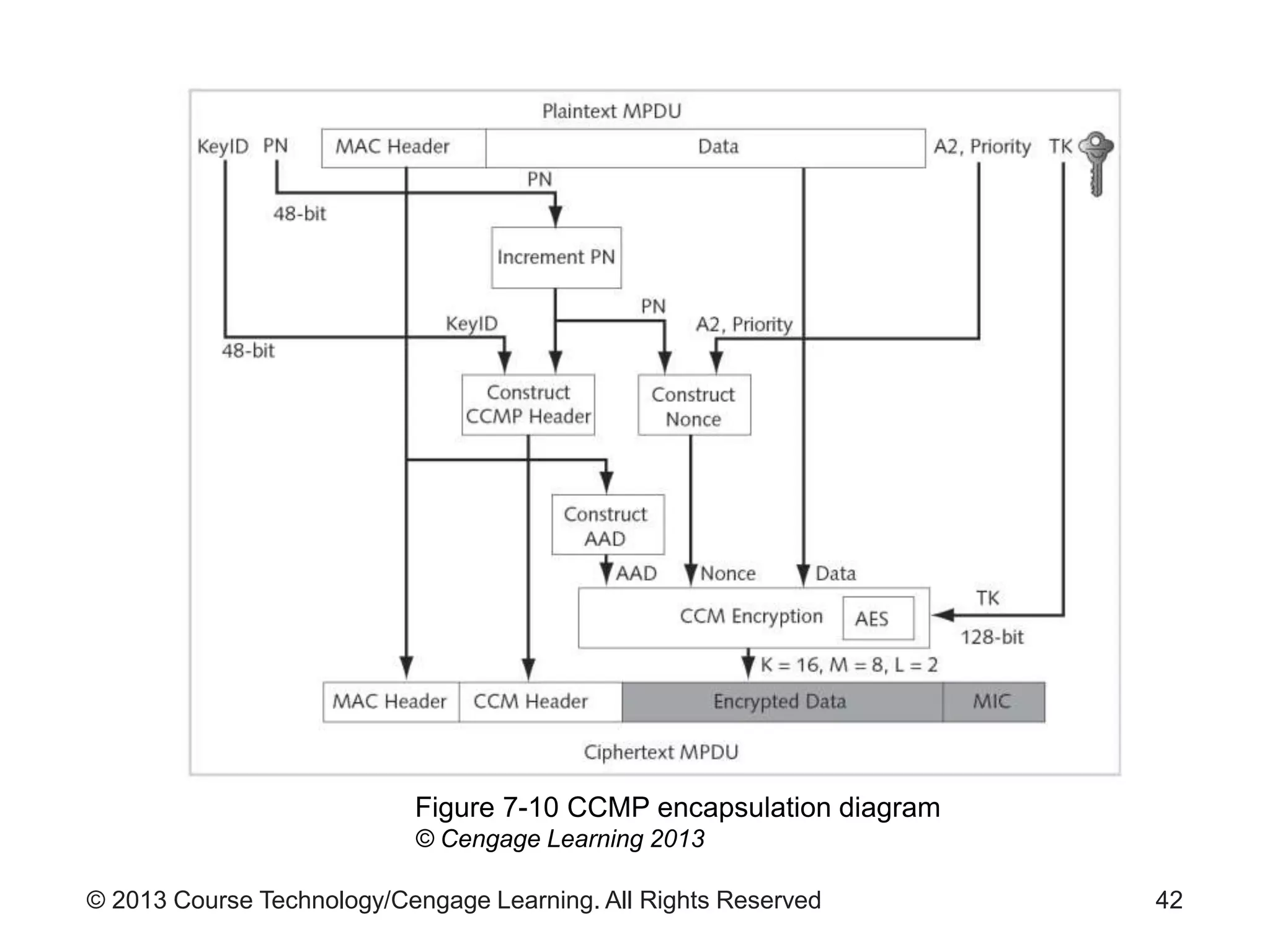
• Counter Mode with Cipher Block Chaining
Message Authentication Code Protocol (CCMP)
– Enhances confidentiality and integrity of wireless
LAN protocols
– No constraint of interoperation with legacy hardware
– Uses a new temporal key every session
– See Figure 7-10
41
© 2013 Course Technology/Cengage Learning. All Rights Reserved 42
Figure 7-10 CCMP encapsulation diagram
© Cengage Learning 2013
© 2013 Course Technology/Cengage Learning. All Rights Reserved
WPA2 (cont’d.)
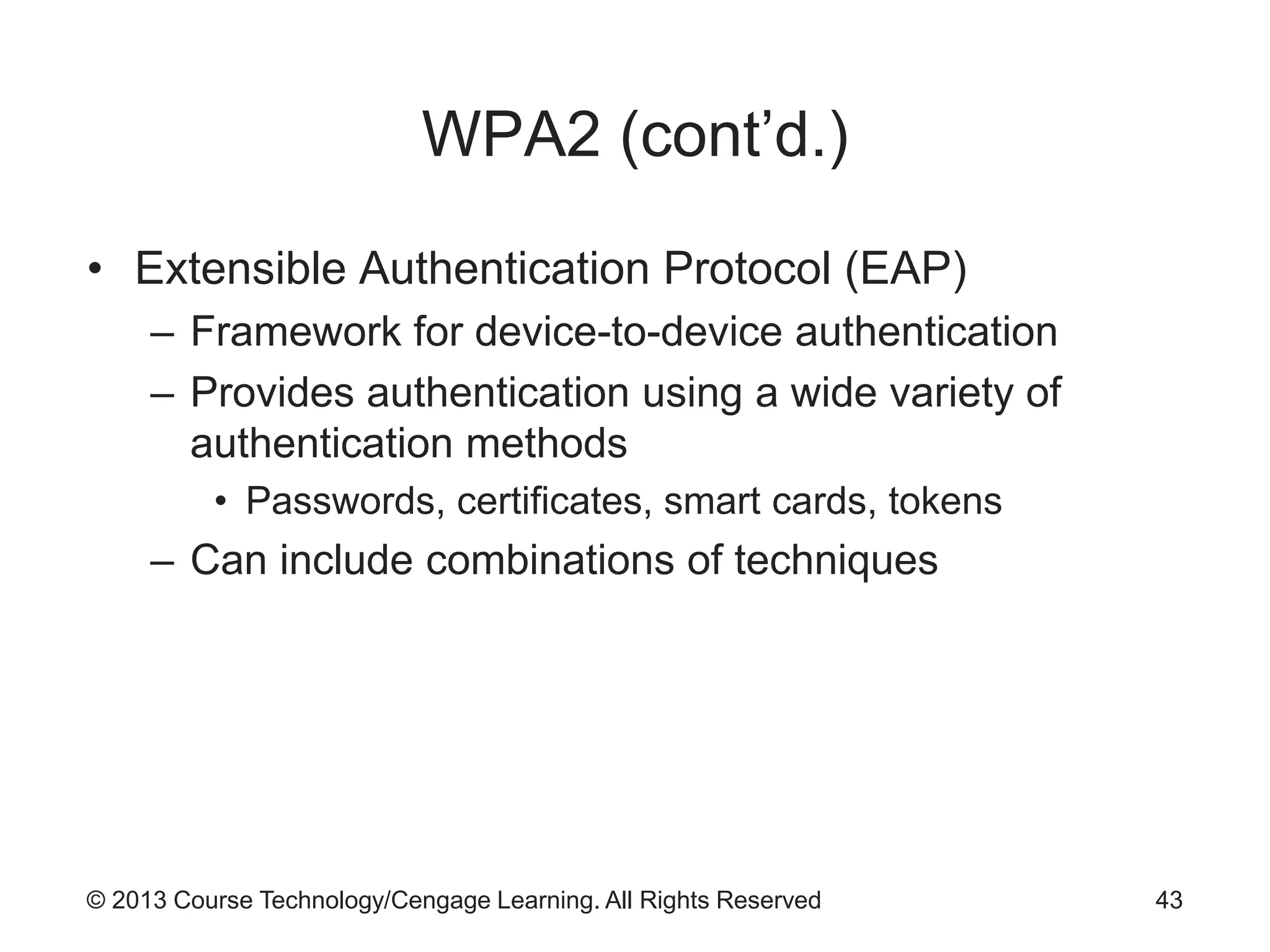
• Extensible Authentication Protocol (EAP)
– Framework for device-to-device authentication
– Provides authentication using a wide variety of
authentication methods
• Passwords, certificates, smart cards, tokens
– Can include combinations of techniques
43
© 2013 Course Technology/Cengage Learning. All Rights Reserved
WLAN Security Concerns
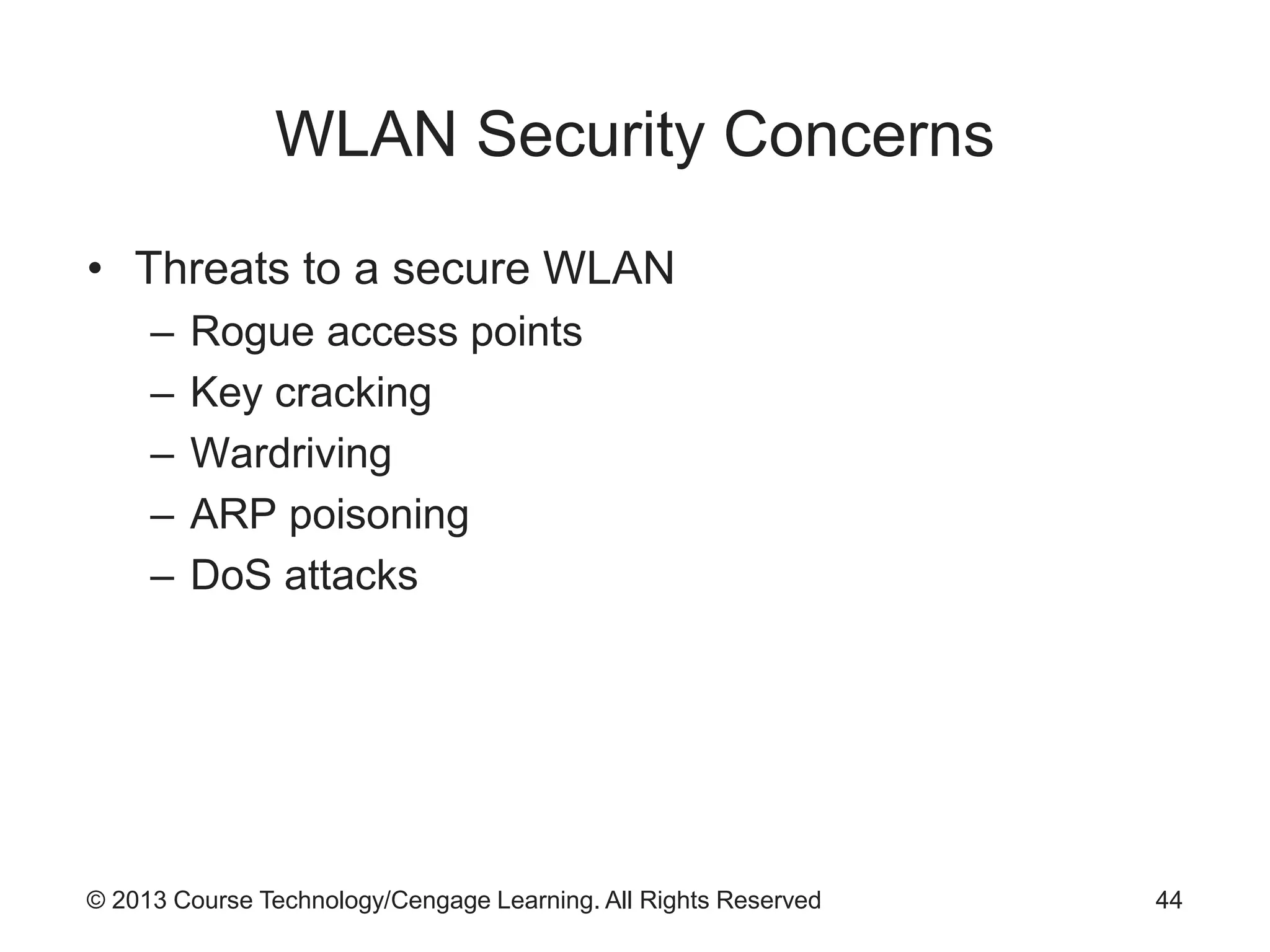
• Threats to a secure WLAN
– Rogue access points
– Key cracking
– Wardriving
– ARP poisoning
– DoS attacks
44
© 2013 Course Technology/Cengage Learning. All Rights Reserved
WLAN Security Solutions
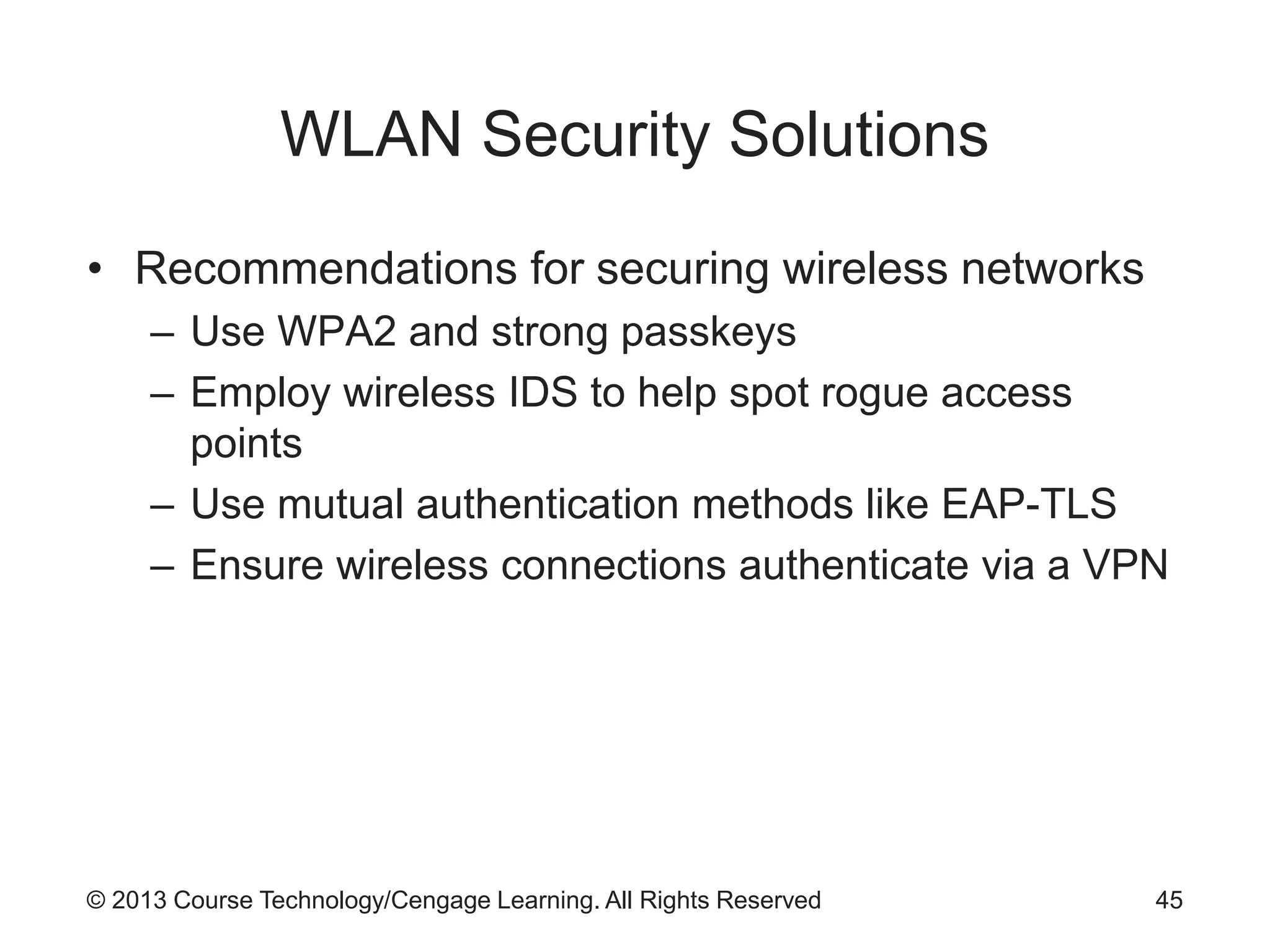
• Recommendations for securing wireless networks
– Use WPA2 and strong passkeys
– Employ wireless IDS to help spot rogue access
points
– Use mutual authentication methods like EAP-TLS
– Ensure wireless connections authenticate via a VPN
45
© 2013 Course Technology/Cengage Learning. All Rights Reserved
WLAN Security Myths
• Processes that fail to provide adequate security
– MAC filtering
– SSID hiding
– Disable DHCP
– LEAP authentication
– Signal suppression
46
© 2013 Course Technology/Cengage Learning. All Rights Reserved
Bluetooth
• Wireless communication standard
– Allows devices to communicate within limited range
– Range: depends on type of radio used in the device
• From 3 to 300 feet
• Piconets
– Bluetooth networks
• Key benefits of Bluetooth
– Removes wired cables
– Share and synchronize data
– Serve as an Internet hotspot
47
© 2013 Course Technology/Cengage Learning. All Rights Reserved
Bluetooth Security Concerns
• Consistently criticized as insecure
• Paired devices generate a session key
– Used for all future communications
• Bluetooth attacks
– Bluesnarf
– Bluejacking
– BlueBug
– Evil twin
48
© 2013 Course Technology/Cengage Learning. All Rights Reserved
Bluetooth Security Solutions
• Best practices for Bluetooth security
– Turn off Bluetooth when not using
– Do not accept incoming communications pairing
request unless you know the requester
• Secure Simple Pairing (SSP)
– New security mechanism in Bluetooth 2.1
49
© 2013 Course Technology/Cengage Learning. All Rights Reserved
Summary
• Wireless security is problematic
– Organization can do little to restrict a wireless signal
– Can restrict wireless network’s footprint
• Wireless local area network (WLAN or Wi-Fi)
– Networking nodes connected with the use of radio
waves
• Basic building blocks of the modern WLAN
– Wireless modulation technologies
– IEEE 802.11
50
© 2013 Course Technology/Cengage Learning. All Rights Reserved
Summary (cont’d.)
• Wireless network
– Clients with wireless interface cards connect to a
WAP
• WLANs place data onto radio signal using
modulation techniques
• Wireless network implementation modes
– Ad hoc and permanent, persistent connection points
• Types of wireless network communication
– Point-to-point and point-to-multipoint
51

9780840024220 ppt ch07

  • 1.
    Guide to NetworkSecurity First Edition Chapter Seven Wireless Network Security
  • 2.
    © 2013 CourseTechnology/Cengage Learning. All Rights Reserved Objectives • Identify various wireless technologies and standards • Recognize the topology and architecture of wireless networks • Define popular wireless security protocols • Describe various WLAN security concerns • Discuss the security issues regarding Bluetooth technology 2
  • 3.
    © 2013 CourseTechnology/Cengage Learning. All Rights Reserved Introduction • Definitions of “wireless” – Signal transmitted using a radiated signal • Wireless network security is difficult – Signal is uncontrolled • Wireless access point (WAP) – Radio transmitter/receiver – Takes signal from wired network and broadcasts it to wireless receivers • Wireless local area network (WLAN) – Also called Wi-Fi 3
  • 4.
    © 2013 CourseTechnology/Cengage Learning. All Rights Reserved Introduction (cont’d.) • Wireless networks differ from wired networks in that: – The signaling method does not have readily observable boundaries – They are susceptible to interference from other devices and networks – They are less reliable – The number of devices being networked may change frequently – They may lack full connectivity among nodes – The signal propagation is less certain 4
  • 5.
    © 2013 CourseTechnology/Cengage Learning. All Rights Reserved Wireless Technologies and Standards • WLANs became popular in the 1990s – Commercial products connected computers wirelessly – Radio transmissions in the 900 mHz band • Transmission rates about 1 Mbps • Bandwidths assigned to radio-based communications began to vary more widely – 2.4 GHz range • Data rates up to 54 Mbps 5
  • 6.
    © 2013 CourseTechnology/Cengage Learning. All Rights Reserved Wireless Modulation Technologies • Modulation – Method of manipulating the medium signal to carry data • Technologies used in wireless communications – Quadrature amplitude modulation (QAM) – Quadrature phase shift keying (QPSK) – Spread-spectrum transmission 6
  • 7.
    © 2013 CourseTechnology/Cengage Learning. All Rights Reserved Wireless Modulation Technologies (cont’d.) • QAM – Combines digital and analog signaling – Encodes data onto radio signals – Encodes two message channels at the same time – Changes amplitude of the two carrier waves – At least two phases and two amplitudes are used – See Figure 7-1 for an example 7
  • 8.
    © 2013 CourseTechnology/Cengage Learning. All Rights Reserved 8 Figure 7-1 Quadrature Amplitude Modulation © Cengage Learning 2013
  • 9.
    © 2013 CourseTechnology/Cengage Learning. All Rights Reserved Wireless Modulation Technologies (cont’d.) • QPSK – Provides multi-bit carrying capability – Enhancement of Binary Phase Shift Keying – Uses four signal states 90 degrees out of phase with each other • Spread-spectrum transmission advantages over fixed frequencies – Reduced narrowband interference – Signal interception less likely – Interference minimized 9
  • 10.
    © 2013 CourseTechnology/Cengage Learning. All Rights Reserved Wireless Modulation Technologies (cont’d.) • Spread-spectrum technologies – Frequency hopping spread spectrum (FHSS) – Direct-sequence spread spectrum (DSSS) – Orthogonal frequency-division multiplexing (OFDM) 10
  • 11.
    © 2013 CourseTechnology/Cengage Learning. All Rights Reserved IEEE 802.11 Standards • Original standard ratified in 1997 • Amended in 1999 with 802.11a and 802.11b – Clearly defined use of radio transmission methods – 802.11b became standard in the marketplace • Amended in 2003 with 802.11g – Supported data rates up to 54Mbps – Backwards compatible with 802.11b • Amended in 2009 with 802.11n – Security improvements – Supported data rates to 600Mbps 11
  • 12.
    © 2013 CourseTechnology/Cengage Learning. All Rights Reserved 12 Table 7-1 IEEE 802.11 WLAN Technologies © Cengage Learning 2013
  • 13.
    © 2013 CourseTechnology/Cengage Learning. All Rights Reserved Wi-Fi Alliance Certifications • Wi-Fi Alliance – Group created to certify interoperability of 802.11b products – Created Wi-Fi Protected Access (WPA) security protocol in 2002 • WPA – Called for supporting Advanced Encryption Standard • WPA2 – Introduced with ratification of 802.11i amendment 13
  • 14.
    © 2013 CourseTechnology/Cengage Learning. All Rights Reserved Other Wireless Standards • Bluetooth – Open standard for short-range wireless communication between devices – Included in IEEE standard 802.15.1 • WiMAX – Standard for devices in geographically dispersed facilities – Range: up to 30 miles 14
  • 15.
    © 2013 CourseTechnology/Cengage Learning. All Rights Reserved Other Wireless Standards (cont’d.) • WiMedia – Wireless Personal Area Network (WPAN) standard – Low-cost, low-power-consumption network – Application: wireless USB devices communicate remotely with host system • ZigBee – WPAN standard used for monitoring and control devices – Examples of uses: building climate control systems; shipping container tracking devices 15
  • 16.
    © 2013 CourseTechnology/Cengage Learning. All Rights Reserved Wireless Architectures and Topologies • Technology standards not enough to create functional networks – Must have clearly defined ways of assembling pieces • Wireless architectures – Structured solutions – No need to prepare each deployment from scratch 16
  • 17.
    © 2013 CourseTechnology/Cengage Learning. All Rights Reserved Wireless Architectures • Basic building block of wireless network – Set of clients using wireless connectivity interfaces connect to a WAP – WAP provides connection between clients • And to other networks • Basic service set (BSS) – Basic model of wireless clients within defined network area – BSS range called basic service area – See Figure 7-2 17
  • 18.
    © 2013 CourseTechnology/Cengage Learning. All Rights Reserved 18 Figure 7-2 Basic service © Cengage Learning 2013
  • 19.
    © 2013 CourseTechnology/Cengage Learning. All Rights Reserved Wireless Architectures (cont’d.) • Distributed system (DS) – Connects multiple BSSs – Works as a backbone network – See Figure 7-3 • Extended service set (ESS) – Collection of DSs – See Figure 7-4 19
  • 20.
    © 2013 CourseTechnology/Cengage Learning. All Rights Reserved 20 Figure 7-3 Distributed system © Cengage Learning 2013
  • 21.
    © 2013 CourseTechnology/Cengage Learning. All Rights Reserved 21 Figure 7-4 Extended service © Cengage Learning 2013
  • 22.
    © 2013 CourseTechnology/Cengage Learning. All Rights Reserved Wireless Topologies • Network configuration layouts – Star – Bus – Ring – Hierarchical – Mesh – Hybrid 22
  • 23.
    © 2013 CourseTechnology/Cengage Learning. All Rights Reserved Wireless Topologies (cont’d.) • Star wireless topology – Also called hub-and-spoke model – See Figure 7-5 for star topology • Mesh wireless topology – All stations on the network are equal peers – See Figure 7-6 for mesh topology 23
  • 24.
    © 2013 CourseTechnology/Cengage Learning. All Rights Reserved 24 Figure 7-5 Star wireless topology © Cengage Learning 2013
  • 25.
    © 2013 CourseTechnology/Cengage Learning. All Rights Reserved 25 Figure 7-6 Mesh wireless topology © Cengage Learning 2013
  • 26.
    © 2013 CourseTechnology/Cengage Learning. All Rights Reserved Wireless Topologies (cont’d.) • Hierarchical wireless topology – Hierarchy of stars – Individual stations connect to a WAP – WAP connects to a higher-level WAP – Provides larger geographic coverage – Advantage: increased number of connections – See Figure 7-7 for hierarchical topology 26
  • 27.
    © 2013 CourseTechnology/Cengage Learning. All Rights Reserved 27 Figure 7-7 Hierarchical wireless topology © Cengage Learning 2013
  • 28.
    © 2013 CourseTechnology/Cengage Learning. All Rights Reserved Wireless Topologies (cont’d.) • Hybrid wireless topology – Combination of star and mesh topology – See Figure 7-8 for hybrid topology 28
  • 29.
    © 2013 CourseTechnology/Cengage Learning. All Rights Reserved 29 Figure 7-8 Hybrid wireless topology © Cengage Learning 2013
  • 30.
    © 2013 CourseTechnology/Cengage Learning. All Rights Reserved Wireless Architectures • Implementation models – Ad hoc approach – Permanent, consistent connection points • Ad hoc implementation – No formal access points – Peer-to-peer connection – At least one station must have WAP connectivity – Inherently unreliable 30
  • 31.
    © 2013 CourseTechnology/Cengage Learning. All Rights Reserved 31 Figure 7-9 Wireless ad hoc network configuration screens © Cengage Learning 2013
  • 32.
    © 2013 CourseTechnology/Cengage Learning. All Rights Reserved Wireless Architectures (cont’d.) • Infrastructure model – Used by most installed wireless networks – WAP connected to a wired network – Provides reliable connectivity – Provides better scalability than ad-hoc networks • Connectivity models – Describes how wireless networks communicate – Unicast, broadcast, or multicast 32
  • 33.
    © 2013 CourseTechnology/Cengage Learning. All Rights Reserved Wireless Architectures (cont’d.) • Point-to-point – Direct link between two stations – Typically implemented in the ad-hoc manner – One station configured to allow connection • Other station initiates connection • Point-to-multipoint – Single access point provides connectivity for several clients within a BSS – Example: modern wireless phone network 33
  • 34.
    © 2013 CourseTechnology/Cengage Learning. All Rights Reserved Wireless Architectures (cont’d.) • Mesh multipoint – Any station can send and receive data from any other station – More recent approach to networking • Roaming – Provides point-to-multipoint connectivity – Allows station to move between adjacent BSSs • Without losing connectivity – Example: WiMAX 34
  • 35.
    © 2013 CourseTechnology/Cengage Learning. All Rights Reserved Wireless Architectures (cont’d.) • Mobile hotspot – Provided by wireless telephony provider – Allows users to connect wireless devices to specific commercial wireless service • Wireless devices can serve as a wireless network access point relay – Example: smartphones serving as personal mobile hotspots 35
  • 36.
    © 2013 CourseTechnology/Cengage Learning. All Rights Reserved Wireless Security Protocols • Radio transmissions used in WLANs – Easily intercepted with receiver and packet sniffer • Networks must use cryptographic security control • Two sets of protocols in use today – Wired Equivalent Privacy (WEP) – Wi-Fi Protected Access (WPA) 36
  • 37.
    © 2013 CourseTechnology/Cengage Learning. All Rights Reserved Wired Equivalent Privacy (WEP) • Early attempt to provide security with 802.11 network protocol • Now considered too weak cryptographically • Reasons for weakness – No key management defined in protocol • Keys are seldom changed – Initialization vector too small – Tools exist to allow cracking of the WEP key 37
  • 38.
    © 2013 CourseTechnology/Cengage Learning. All Rights Reserved Wi-Fi Protected Access (WPA and WPA2) • Introduced to resolve issues with WEP • WPA key – 128 bits – Dynamically changing – Uses Temporal Key Integrity Protocol (TKIP) • Some compromises made to allow backwards compatibility • See Table 7-2 for differences between WEP and WPA 38
  • 39.
    © 2013 CourseTechnology/Cengage Learning. All Rights Reserved 39 Table 7-2 WEP versus WPA © Cengage Learning 2013
  • 40.
    © 2013 CourseTechnology/Cengage Learning. All Rights Reserved WPA2 • Mandatory for all new Wi-Fi devices in 2006 • Designed to meet all 802.11i standard requirements • Robust Security Network (RSN) – Network that only allows connections that provide encryption • Notable features of WPA2 – AES-based encryption – CCMP encryption method – EAP authentication protocol 40
  • 41.
    © 2013 CourseTechnology/Cengage Learning. All Rights Reserved WPA2 (cont’d.) • Counter Mode with Cipher Block Chaining Message Authentication Code Protocol (CCMP) – Enhances confidentiality and integrity of wireless LAN protocols – No constraint of interoperation with legacy hardware – Uses a new temporal key every session – See Figure 7-10 41
  • 42.
    © 2013 CourseTechnology/Cengage Learning. All Rights Reserved 42 Figure 7-10 CCMP encapsulation diagram © Cengage Learning 2013
  • 43.
    © 2013 CourseTechnology/Cengage Learning. All Rights Reserved WPA2 (cont’d.) • Extensible Authentication Protocol (EAP) – Framework for device-to-device authentication – Provides authentication using a wide variety of authentication methods • Passwords, certificates, smart cards, tokens – Can include combinations of techniques 43
  • 44.
    © 2013 CourseTechnology/Cengage Learning. All Rights Reserved WLAN Security Concerns • Threats to a secure WLAN – Rogue access points – Key cracking – Wardriving – ARP poisoning – DoS attacks 44
  • 45.
    © 2013 CourseTechnology/Cengage Learning. All Rights Reserved WLAN Security Solutions • Recommendations for securing wireless networks – Use WPA2 and strong passkeys – Employ wireless IDS to help spot rogue access points – Use mutual authentication methods like EAP-TLS – Ensure wireless connections authenticate via a VPN 45
  • 46.
    © 2013 CourseTechnology/Cengage Learning. All Rights Reserved WLAN Security Myths • Processes that fail to provide adequate security – MAC filtering – SSID hiding – Disable DHCP – LEAP authentication – Signal suppression 46
  • 47.
    © 2013 CourseTechnology/Cengage Learning. All Rights Reserved Bluetooth • Wireless communication standard – Allows devices to communicate within limited range – Range: depends on type of radio used in the device • From 3 to 300 feet • Piconets – Bluetooth networks • Key benefits of Bluetooth – Removes wired cables – Share and synchronize data – Serve as an Internet hotspot 47
  • 48.
    © 2013 CourseTechnology/Cengage Learning. All Rights Reserved Bluetooth Security Concerns • Consistently criticized as insecure • Paired devices generate a session key – Used for all future communications • Bluetooth attacks – Bluesnarf – Bluejacking – BlueBug – Evil twin 48
  • 49.
    © 2013 CourseTechnology/Cengage Learning. All Rights Reserved Bluetooth Security Solutions • Best practices for Bluetooth security – Turn off Bluetooth when not using – Do not accept incoming communications pairing request unless you know the requester • Secure Simple Pairing (SSP) – New security mechanism in Bluetooth 2.1 49
  • 50.
    © 2013 CourseTechnology/Cengage Learning. All Rights Reserved Summary • Wireless security is problematic – Organization can do little to restrict a wireless signal – Can restrict wireless network’s footprint • Wireless local area network (WLAN or Wi-Fi) – Networking nodes connected with the use of radio waves • Basic building blocks of the modern WLAN – Wireless modulation technologies – IEEE 802.11 50
  • 51.
    © 2013 CourseTechnology/Cengage Learning. All Rights Reserved Summary (cont’d.) • Wireless network – Clients with wireless interface cards connect to a WAP • WLANs place data onto radio signal using modulation techniques • Wireless network implementation modes – Ad hoc and permanent, persistent connection points • Types of wireless network communication – Point-to-point and point-to-multipoint 51