The Six Stages of
Incident Response
ASHLEY DEUBLE
Why?
 Incidents of all sizes happen every day
 Preparation could mean the difference between success and failure
 You may be subject to legal requirements (due care, regulations – PCI etc.)
Overview
Preparation
Identification
Containment
Lessons Learned
Recovery
Eradication
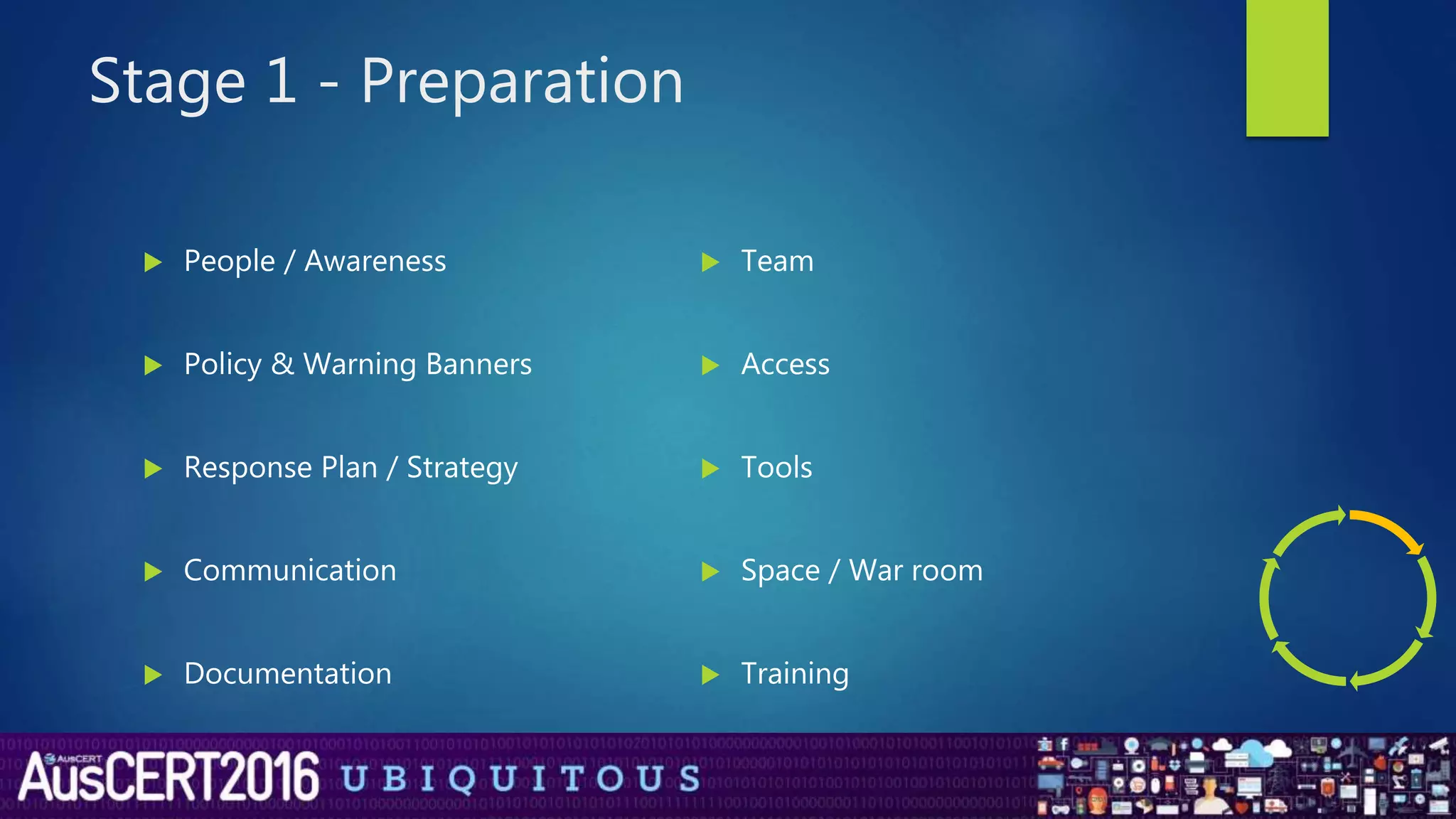
Stage 1 - Preparation
 People / Awareness
 Policy & Warning Banners
 Response Plan / Strategy
 Communication
 Documentation
 Team
 Access
 Tools
 Space / War room
 Training
Stage 1 – Preparation cont..
 Jump Bag
 Journal (bound with page numbers)
 Call tree / Contact list
 Bootable USB or Live CD (up to date tools, anti malware, static linked binaries)
 Laptop with forensic tools (EnCase/FTK), anti malware utilities, internet access
 Computer and network toolkits (components, network cables, network
switches, network hubs, network taps, hard drives etc.)
 Drive duplicators with write blocking (for forensically sound images)
Stage 2 – Identification
Incident Definition
 An incident is the act of violating an explicit or implied security policy
(NIST SP800-61)
 These include but are not limited to:
 attempts (either failed or successful) to gain unauthorized access to a system or
its data
 unwanted disruption or denial of service
 the unauthorized use of a system for the processing or storage of data
 changes to system hardware, firmware, or software characteristics without the
owner's knowledge, instruction, or consent
(https://www.us-cert.gov/government-users/compliance-and-reporting/incident-definition)
Stage 2 – Identification cont..
 Determine what is an event vs incident
 Has there been significant deviation from normal operations with appropriate
scope to be classified as an incident?
 May need to review system logs, error messages, firewall alerts, IPS alerts,
Antivirus alerts etc.
 If it is an incident
 Report it as soon as possible so that the incident response team can start
collecting evidence and preparing for the following steps
 Notify the incident response team members and establish communications
between handlers and to Management
Stage 2 – Identification cont..
 If it is an incident
 Start documenting all activities!
 Document “who, what, where, when, how” in case it is needed to be provided
to the law enforcement / courts etc.
 If possible have at least two incident handlers – one to identify and assess, and
another to collect evidence
 Establish chain of custody for all evidence collected
 Once the full scope of the incident has been determined, the incident team
can move on to the containment phase
Stage 3 - Containment
 Limit and prevent any further damage from occurring
 You may want to allow the incident to continue to gather evidence or to
identify the attacker
 Influencing factors for the containment strategy
 Potential damage to, or theft of the resource
 Need/requirements for evidence preservation
 Service availability
 Time and resources required to implement the containment strategy
 How effective the containment strategy will be
 Duration of the containment solution
Stage 3 – Containment cont..
 Image systems to preserve evidence
 Take a forensic image of the systems in question
 Use known forensic tools (FTK, EnCase etc.)
 Short term containment
 Limit the incident
 E.g. Isolating network segment, removing servers etc.
 Long term containment
 Implement temporary fixes to allow their continued use
 Rebuild systems, remove accounts, update antivirus, patch etc.
Stage 4 - Eradication
 Ensure that proper measures have been taken to remove malicious content
from the affected systems (residue may be left in obscure locations that
are difficult to locate)
 A complete reimage, or restore from a known good/clean backup
 Improve the defences of the system to ensure that it will not be
compromised again (e.g. patching to remove a vulnerability etc.)
Stage 5 - Recovery
 Time to bring the system back in to production
 Key decisions (including, but not limited to)
 How to test and verify the system is clean and fully functional
 What tools to use to test, monitor and validate the system behaviour
 How long to monitor for signs of abnormal activities
 When to restore the system (system owners to make decision based upon
advice of the CIRT team)
Stage 6 – Lessons Learned
 The most critical phase of the lifecycle!
 Learn from the incident
 Complete any documentation that was not done during the incident, as
well as any other documentation that may help in future incidents
 Create a formal written report that covers the entire incident
 Cover the Who, What, Where, When and How of the incident
Stage 6 – Lessons Learned cont…
 Hold a lessons learned meeting within 2 weeks of the incident
 Have a presentation that covers
 Who detected the initial problem and when
 What the scope of the incident was
 How was it contained and eradicated
 What work was performed during the recovery
 Where was the CIRT team effective
 Where does the CIRT team or processes need to be improved
 Team comments/suggestions about the incident
 Feed all this info back in to the preparation phase
Resources
 SANS Incident Handlers Handbook (https://www.sans.org/reading-
room/whitepapers/incident/incident-handlers-handbook-33901)
 NIST SP 800-61 rev2 - Computer Security Incident Handling Guide
(http://nvlpubs.nist.gov/nistpubs/SpecialPublications/NIST.SP.800-
61r2.pdf)
 ISO 27002 – Code of Practice for Information Security Controls
(http://www.iso.org/iso/home/store/catalogue_tc/catalogue_detail.htm?csn
umber=54533)
 ISO 27035 – Information Security Incident Management
(http://www.iso.org/iso/home/store/catalogue_tc/catalogue_detail.htm?csn
umber=44379)
Resources
 Chain of Custody Form
(http://www.nist.gov/oles/forensics/upload/Sample-Chain-of-Custody-
Form.docx
 SANS Forensics Cheat Sheets (http://digital-
forensics.sans.org/community/cheat-sheets)
 Lenny Zeltser’s Security Incident Survey Cheat Sheet for Server
Administrators (https://zeltser.com/security-incident-survey-cheat-sheet/)
 The Seven Deadly Sins of Incident Response
(http://www.infosectoday.com/Articles/Seven_Deadly_Sins.htm)
Resources
 SANS Sample Incident Handling Forms
(https://www.sans.org/score/incident-forms)
 Example Incident Response Plan
(http://www.cio.ca.gov/ois/government/library/documents/incident_respon
se_plan_example.doc)
 ASD Information Security Manual
(http://www.asd.gov.au/infosec/ism/index.htm)
 CIRT Sample Policies (http://csirt.org/sample_policies/index.html
(http://www.asd.gov.au/infosec/ism/index.htm)

The Six Stages of Incident Response - Auscert 2016

  • 1.
    The Six Stagesof Incident Response ASHLEY DEUBLE
  • 2.
    Why?  Incidents ofall sizes happen every day  Preparation could mean the difference between success and failure  You may be subject to legal requirements (due care, regulations – PCI etc.)
  • 3.
  • 4.
    Stage 1 -Preparation  People / Awareness  Policy & Warning Banners  Response Plan / Strategy  Communication  Documentation  Team  Access  Tools  Space / War room  Training
  • 5.
    Stage 1 –Preparation cont..  Jump Bag  Journal (bound with page numbers)  Call tree / Contact list  Bootable USB or Live CD (up to date tools, anti malware, static linked binaries)  Laptop with forensic tools (EnCase/FTK), anti malware utilities, internet access  Computer and network toolkits (components, network cables, network switches, network hubs, network taps, hard drives etc.)  Drive duplicators with write blocking (for forensically sound images)
  • 6.
    Stage 2 –Identification Incident Definition  An incident is the act of violating an explicit or implied security policy (NIST SP800-61)  These include but are not limited to:  attempts (either failed or successful) to gain unauthorized access to a system or its data  unwanted disruption or denial of service  the unauthorized use of a system for the processing or storage of data  changes to system hardware, firmware, or software characteristics without the owner's knowledge, instruction, or consent (https://www.us-cert.gov/government-users/compliance-and-reporting/incident-definition)
  • 7.
    Stage 2 –Identification cont..  Determine what is an event vs incident  Has there been significant deviation from normal operations with appropriate scope to be classified as an incident?  May need to review system logs, error messages, firewall alerts, IPS alerts, Antivirus alerts etc.  If it is an incident  Report it as soon as possible so that the incident response team can start collecting evidence and preparing for the following steps  Notify the incident response team members and establish communications between handlers and to Management
  • 8.
    Stage 2 –Identification cont..  If it is an incident  Start documenting all activities!  Document “who, what, where, when, how” in case it is needed to be provided to the law enforcement / courts etc.  If possible have at least two incident handlers – one to identify and assess, and another to collect evidence  Establish chain of custody for all evidence collected  Once the full scope of the incident has been determined, the incident team can move on to the containment phase
  • 9.
    Stage 3 -Containment  Limit and prevent any further damage from occurring  You may want to allow the incident to continue to gather evidence or to identify the attacker  Influencing factors for the containment strategy  Potential damage to, or theft of the resource  Need/requirements for evidence preservation  Service availability  Time and resources required to implement the containment strategy  How effective the containment strategy will be  Duration of the containment solution
  • 10.
    Stage 3 –Containment cont..  Image systems to preserve evidence  Take a forensic image of the systems in question  Use known forensic tools (FTK, EnCase etc.)  Short term containment  Limit the incident  E.g. Isolating network segment, removing servers etc.  Long term containment  Implement temporary fixes to allow their continued use  Rebuild systems, remove accounts, update antivirus, patch etc.
  • 11.
    Stage 4 -Eradication  Ensure that proper measures have been taken to remove malicious content from the affected systems (residue may be left in obscure locations that are difficult to locate)  A complete reimage, or restore from a known good/clean backup  Improve the defences of the system to ensure that it will not be compromised again (e.g. patching to remove a vulnerability etc.)
  • 12.
    Stage 5 -Recovery  Time to bring the system back in to production  Key decisions (including, but not limited to)  How to test and verify the system is clean and fully functional  What tools to use to test, monitor and validate the system behaviour  How long to monitor for signs of abnormal activities  When to restore the system (system owners to make decision based upon advice of the CIRT team)
  • 13.
    Stage 6 –Lessons Learned  The most critical phase of the lifecycle!  Learn from the incident  Complete any documentation that was not done during the incident, as well as any other documentation that may help in future incidents  Create a formal written report that covers the entire incident  Cover the Who, What, Where, When and How of the incident
  • 14.
    Stage 6 –Lessons Learned cont…  Hold a lessons learned meeting within 2 weeks of the incident  Have a presentation that covers  Who detected the initial problem and when  What the scope of the incident was  How was it contained and eradicated  What work was performed during the recovery  Where was the CIRT team effective  Where does the CIRT team or processes need to be improved  Team comments/suggestions about the incident  Feed all this info back in to the preparation phase
  • 15.
    Resources  SANS IncidentHandlers Handbook (https://www.sans.org/reading- room/whitepapers/incident/incident-handlers-handbook-33901)  NIST SP 800-61 rev2 - Computer Security Incident Handling Guide (http://nvlpubs.nist.gov/nistpubs/SpecialPublications/NIST.SP.800- 61r2.pdf)  ISO 27002 – Code of Practice for Information Security Controls (http://www.iso.org/iso/home/store/catalogue_tc/catalogue_detail.htm?csn umber=54533)  ISO 27035 – Information Security Incident Management (http://www.iso.org/iso/home/store/catalogue_tc/catalogue_detail.htm?csn umber=44379)
  • 16.
    Resources  Chain ofCustody Form (http://www.nist.gov/oles/forensics/upload/Sample-Chain-of-Custody- Form.docx  SANS Forensics Cheat Sheets (http://digital- forensics.sans.org/community/cheat-sheets)  Lenny Zeltser’s Security Incident Survey Cheat Sheet for Server Administrators (https://zeltser.com/security-incident-survey-cheat-sheet/)  The Seven Deadly Sins of Incident Response (http://www.infosectoday.com/Articles/Seven_Deadly_Sins.htm)
  • 17.
    Resources  SANS SampleIncident Handling Forms (https://www.sans.org/score/incident-forms)  Example Incident Response Plan (http://www.cio.ca.gov/ois/government/library/documents/incident_respon se_plan_example.doc)  ASD Information Security Manual (http://www.asd.gov.au/infosec/ism/index.htm)  CIRT Sample Policies (http://csirt.org/sample_policies/index.html (http://www.asd.gov.au/infosec/ism/index.htm)

Editor's Notes

  • #9 Add example of incident – refer SANS article