Security Operations
Domain 7
Pages 1014-1080
Official CISSP CBK Third Edition

Jem Jensen & Tim Jensen
StaridLabs
Main Themes
●

Maintaining operational resilience
–

●

Protecting valuable assets
–

●

Day-to-day protection for human & material assets

Controlling system accounts
–

●

Anticipating disruptions, maintain processes

Provide checks & balances

Managing security services
–

Reporting, change control, key management, etc
Review
●

Least Privilege
–

●

User or process is given the minimum access
privilege necessary to do a job

Need to know
–

Requires need for access based on job or business
requirements

–

Must have privileges as well as a need to know
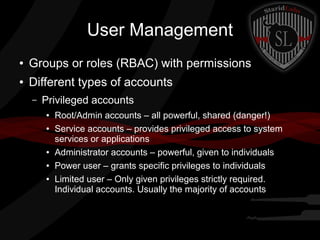
User Management
●

Groups or roles (RBAC) with permissions

●

Different types of accounts
–

Privileged accounts
●
●

●
●
●

Root/Admin accounts – all powerful, shared (danger!)
Service accounts – provides privileged access to system
services or applications
Administrator accounts – powerful, given to individuals
Power user – grants specific privileges to individuals
Limited user – Only given privileges strictly required.
Individual accounts. Usually the majority of accounts
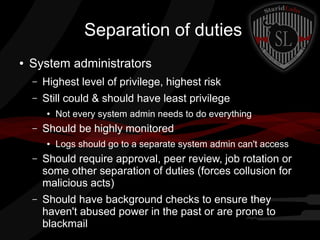
Separation of duties
●

System administrators
–

Highest level of privilege, highest risk

–

Still could & should have least privilege
●

–

Not every system admin needs to do everything

Should be highly monitored
●

Logs should go to a separate system admin can't access

–

Should require approval, peer review, job rotation or
some other separation of duties (forces collusion for
malicious acts)

–

Should have background checks to ensure they
haven't abused power in the past or are prone to
blackmail
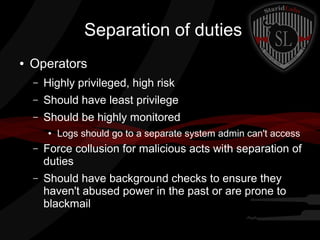
Separation of duties
●

Operators
–

Highly privileged, high risk

–

Should have least privilege

–

Should be highly monitored
●

Logs should go to a separate system admin can't access

–

Force collusion for malicious acts with separation of
duties

–

Should have background checks to ensure they
haven't abused power in the past or are prone to
blackmail
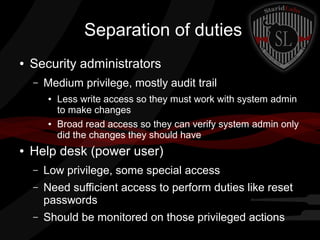
Separation of duties
●

Security administrators
–

Medium privilege, mostly audit trail
●

●

●

Less write access so they must work with system admin
to make changes
Broad read access so they can verify system admin only
did the changes they should have

Help desk (power user)
–

Low privilege, some special access

–

Need sufficient access to perform duties like reset
passwords

–

Should be monitored on those privileged actions
Monitoring Special Privileges
●

Access should be based on:
–
–

History of trustworthiness

–
●

Past actions
Level of access needed to do their job

Conduct regular reviews & background checks
–

For background checks, focus on relevance

–

Periodic reviews to find inactive accounts
Job Rotation
●

Pros:
–
–

Reduces the risk of collusion

–
●

May uncover nonstandard or fraudulent activities
Provides greater diversity of skills

Cons:
–

More difficult for smaller companies

–

Getting enough skilled employees is expensive
Sensitive Information
●

Process to classify and declassify information
–

●

Info changes over time

Media
–

Label: Encrypted? Point of Contact?
●

Unlabeled media should be considered highly sensitive
until reviewed and classified

–

Handling: Only trust certain trained individuals

–

Storing: Away from where everyone can access

–

Destruction: Don't recycle or reuse! Keep a record
of the destruction to correspond to remaining logs
Record Retention
●

Only keep data as long as it is required

●

Make a retention policy
–

Shouldn't be a single, blanket amount of time

–

Too many logs make noise

–

Too few and you don't meet your legal and
organizational obligations
Employee Resource Protection
●

Tangible assets: equipment, employees, etc

●

Intangible assets: intellectual property, data

●

Protecting physical assets
–

Confirm ownership of assets

–

Facilities
●
●

–

Access control (badges, keys)
Fire suppression, surge protection, AC

Hardware
●
●
●

Highly secured data center
Less secured workstations, managers with locking office
Printers, phone, cameras
Media Management
●

Types
–

Magnetic: Tape, Floppy, Hard Drives

–

Optical: DVD, CD-ROM

–

Hard copy: Paper printouts

●

Encrypt sensitive information

●

Software librarian
–

Keep original copies of software, test data, code
Media Management
●

Archival & Offline Storage
–

Historical data, backups for disaster recovery

–

Stored offline – in a safe, offsite, unplugged

–

Recovery
●
●

●

Usually slow
Usually some loss

Disposal/Reuse
–

Scrub old media thoroughly or destroy it
Asset Management
●

Software licenses
–
–

●

Prevent copyright infringement
Prevent theft by employees (personal use)

Equipment lifecycle
–

Define requirements (incl security requirements)

–

Acquire & implement (validate security impl)

–

Operations & maintenance (keep it secure!)

–

Disposal & decommission (securely erased)
Media Management
●

Types
–

Magnetic: Tape, Floppy, Hard Drives

–

Optical: DVD, CD-ROM

–

Hard copy: Paper printouts

●

Encrypt sensitive information

●

Software librarian
–

Keep original copies of software, test data, code
Incident Containment
●

Containment Strategies:
–
–

Shut systems down

–
●

Disconnect devices from the network
Redirect traffic

Considerations:
–

Preservation of forensic evidence

–

Availability of services

–

Potential damage of inaction

–

Time required for containment

–

Resources required for containment
Bad ideas
●

●

Delaying containment of a compromised
system is a bad idea.
There may be legal implications if your
organization knows about the compromised
system and then the system is used to attack
other systems.
Good Ideas
●

●

●

●

●

Forensics team should create a forensic image of
the RAM and hard drive.
Determine how to mitigate the vulnerability
Consult legal to see if the image needs to be
admissible in court
If needed for court, a chain of custody must be
setup and thoroughly documented.
If your security/infrastructure team doesn't know
how to do forensics and it'll be needed for court
rd
then consider hiring a 3 party forensics company.
Incident Documentation
●

●

The initial incident and all relevant information
should be documented in an incident
management system (IMS).
The incident should be updated as more
information becomes available until the incident
is considered resolved.
Reporting Requirements
●

Some organizations are required to report incidents which
meet certain conditions:
–

●

US Civilian Government Agencies are required to report any
preach of personally identifiable information tot he US Computer
Emergency Readiness Team (US-CERT) within 1 hour of
discovery

Policies and procedures must define how an incident is
routed when criminal activity is suspected
–

Mangement

–

Law Enforcement

–

FBI/US Secret Service
Incident Escalation Procedures
●

●

●

●

●

Does the media or an external affairs group (Public
Relations) need to be involved?
Does the organization's legal team need to be involved?
At what point should security brief: line management,
middle management, senior management, board of
dirctors or stakeholders
What confidentiality requirements are necessary to
protect incident information
What methods are used for reporting (email, phones, IM,
etc could be out of service during an incident)
Incident Recovery
●

Systems need to be recovered to a “known good” state

●

The first step is to eradicate (remove) the threat.

●

●

Recovery primarily involves restoring the system to a
known good state.
If no clean image is available then the system may need
to be backed up, re-imaged, data restored, and the
system checked to verify that the incident doesn't reoccur.
Remediation and Review
●

The most important part of incident response is
reviewing the incident once it's resolved to
identify:
–
–

How could this have been prevented?

–

How could we have sped up containment?

–

How could we have sped up restoration?

–
●

What went wrong?

Etc...

Another common term for this is doing a
postmortem
Root Cause Analysis
●

●

●
●

●

Root Cause Analysis is asking “why” until there is
only one answer left.
A team is formed to review logs, procedures, packet
captures, etc to figure out exactly what happened, how
it happened, what failed, etc.
This is a very time consuming process.
Teams being investigated may not cooperate for fear of
wrongdoing
When complete, management needs to sign off on the
proposed changes or document that they are accepting
the risk.
Problem Management
●
●

●

●

Related to incident management.
Goal is to identify and resolve defects that
cause incidents.
Not limited to single incidents. Can cover
multiple incidents over long periods of time.
Not always directly related to security. Could be
figuring out why system outages consistently
occur after reboot, resource usage, etc.
Security Audits and Reviews
●

Security Audits are usually performed by an
independent 3rd party
–

●

Compares implemented controls with policy, procedures,
and compliance guidelines.

Security Reviews are conducted by system
administrators or security personnel to identify
vulnerabilities within the system.
–

Vulnerabilities are defined as:
●
●
●

Policy violations
Misconfigurations
Hardware/software flaws in systems.
Audits and Reviews
The Legend Continues
●

Penetration testing is a form of security review.
–

–

Determines actual risk to system vs perceived risk

–
●

Actually tests exploitation of systems vs just looking at
configuration.
Can either have physical access or must gain external access.

Security audits can be both internal and external.
–

Internal are conducted by the organization's staff who doesn't
have management responsibility of the system.

–

External are conducted by 3rd parties.
●

Security personnel often like external audits, since they can support
security concerns which have been given low priority by management.
Preventative Measures
Against Attacks
●

●

A security professional's job is to understand common
threats to operations and help prepare for them.
The goal is to be prepared for any potential threat
which impacts reliable service.
–

●

Full mitigation or limiting of damages.

The CIA triad (Confidentiality, Integrity, Availability) is
meant to protect against the threats of disclosure,
corruption, and destruction
Unauthorized Disclosure
●

Unauthorized release of information is not a good thing

●

Common causes:
–
–

Malware infections

–

Disgruntled employees, contractors, or partners

–

System misconfigurations

–
●

Hacker penetrates system that contains confidential information

Programming errors

Technical solutions need to be put in place to protect sensitive
information. Privileged users must be monitored and file system
logging should be enabled and monitored for abnormal activity.
Destruction, Interruption, and Theft
●

Data can be destroyed by malicious, unintentional, and
uncontrollable means.
–

Secure operation is intended to prevent destruction of sensitive
assets.

●

Service interruption can be very expensive and disruptive

●

Theft is common (really, really common)
–

Secure configurations and operations help protect against theft
but it's likely to still happen.

–

Preventative measures should be continuously evolved

–

Solid policies, procedures, and training should be setup and
evolved to protect an organization against theft.
Corruption and Improper
Modification
●

●

●

●

●

●

Environmental factors as well as individuals can cause
damage to systems and data
Sporadic fluctuations in temperature or line power can
cause systems to make errors while writing data.
Changes to file or table permissions can cause
unintended data corruption
Integrity protections should be implemented on key
systems
Procedures should be put in place to protect against
misconfigurations
Logging and monitoring should be put in place to
monitor privileged access to high risk targets
Patch and Vulnerability
Management
●

Patches are created to fix flaws in vendor products which are
continuously discovered.

●

Patch management isn't as easy as it sounds

●

Types of patches:
–

In band (Follows a release cycle)
●

Microsoft Patch Tuesday

–

Out of band (Critical security or functionality patches)

–

Hotfixes
●

●

Vendors don't always say what a patch is resolving.
–

●

Can be public or private

Often release notes don't show security remediations or are incomplete.

3rd party organizations provide vulnerability databases which show
criticality, remediation steps, and continuously updated information.
rd

3 Party Vulnerability Orgs
●

Cve.mitre.org
–

–
●

Provides the common vulnerability and exposures database. Generates
a standard name and number for disclosed vulnerabilities
CVE numbers are formatted: CVE-2013-0001

Nvd.nist.gov
–

●

Cert.gov
–

●

Vulnerability database managed by NIST
Online resource for vulnerabilities and remedation options

(Tim Tip) cvedetails.com is the best database I've found for
vulnerabilities
–

Provides same info as NIST/MITRE

–

Easy to correlate vendor, product, and product version

–

Tells you if there's a metasploit module for the CVE and provides the
module if available.
Vulnerability Management
●

Many automated and manual tools exist to test for
vulnerabilities
–

Vulnerability scanners (nessus, openvas, retina)
●
●

–

●

May not be up to date on all vulnerabilities
Often provide false positives

Once a vulnerability is identified it should be validated. If the
vuln is valid then a determination should be made whether to
patch the system or not.

If a patch is applied then the system should be re-scanned
to make sure new vulnerabilities weren't introduced
Vulnerability Considerations
●
●

●

●

●
●

What is the risk if the flaw isn't patched?
Is the system likely to be exposed to threats
that may be exploited?
Are special privileges required for the
vulnerability to be exploited?
Can the vulnerability be used to gain
administrative privilege?
How easy is it to exploit?
Is physical access required or can this be
exploited remotely?
Patching Etiquette
●

Users should be notified of when patches are to be applied
–

●

●

●

●

This helps both users and the helpdesk troubleshoot issues

When possible patching should be done on evenings or
weekends when systems are less used.
Full system backups should be done before patches are
applied (I've learned this the hard way more than once)
Deploy updates in stages, preferably to dev and test before
production to identify possible issues.
Document changes
–

What was applied

–

Were there problems? How were they resolved

–

If not applied, why not?
Random Sun Tzu quote
●

“If you know the enemy and know thyself, then
you need not fear the result of a hundred
battles”
Know thyself
●

●

●

●

Organizations need to consistently utilize configuration
management and vulnerability scanning.
Configuration management provides an organization with
knowledge about all of its parts.
Vulnerability scanning identifies weaknesses present within
the parts.
(These also provide you with a list of what systems are
connected to your network and possibly who put them there)
Change and Configuration
Management
●
●

●

Provides system integrity
Documents changes to hardware, OS, software
packages installed, software patches,
configuration changes, etc.
Provides documentation for audits, transparency
for business units, and a troubleshooting
database for questions like “Why did the system
th
start dropping every 10 connection on July
16th”
Change Requests
●

●

Proposed changes should be formally
presented to a committee in writing.
Should provide a detailed justification with a
business case need focusing on benefits of
implementation and costs of not implimenting.
Impact Assessment
●

Members of the committee should determine
the impacts to operations regarding the
decision to implement or reject the change
Approval/Disapproval
●

Requests should be answered officially
regarding their acceptance or rejection
Build and Test
●

●

●
●

Approvals are provided to operations for testing
and development
Changes should be tested on a non-production
system.
Testing documentation should be created and filed.
Security should be invited to perform a final review
of the change in test before its implemented into
production.
Notification
●

●

●

System users are notified of the proposed change
and the schedule of deployment
Be a little cautious with this step. If the change is
security related, don't say “fixing CVE-2008-0009 in 4
days time at 9PM” because that's letting everyone
know of how to exploit the system.
Especially don't tell public users if it's an internet app.
Just say “system maintenance is scheduled for 9PM
on July 19th. The system may be unresponsive for 2
hours.”
Implementation
●

Changes are deployed incrementally when
possible and monitored for issues.
Validation
●
●

The change is validated by operational staff
Security performs a security scan or review to
ensure new vulnerabilities are not introduced
Documentation
●

Lessons learned, outcome, and scan results
should be recorded and kept
Configuration Management
●
●

Hardware and software requires proper tracking
Configuration management documents
hardware components, software, and
configuration settings.
Hardware data to include
●

Make

●

Model

●

MAC Address

●

Serial Number

●

Operating System or firmware version

●

Location

●

BIOS and other hardware related passwords

●

Assigned IP (If Applicable)

●

Bar code or organization label number/name
Software Data to Include
●

Software name

●

Software vendor

●

Software reseller

●

Keys or activation codes

●

Type of license (and version)

●

Number of licenses

●

License expiration

●

License portability

●

Software librarian or asset manager

●

Organizational contact for installed software

●

Upgrade, full, or limited license
System Resilience
and Fault Tolerance
●

●

Systems should be designed for resilience and
should be documented for likely system lifetime
When system components are designed they are
rated with a 'mean time to failure (MTF).
–

●

Moving parts generally fail sooner (fans, power
supplies)

Systems should be able to react automatically to
failures and recovery without human interaction
Trusted Paths and Fail Secure
Mechanisms
●

Trusted paths provide trustworthy interfaces into
privileged user functions and are intended to provide
a way to ensure that any communications over that
path cannot be intercepted or corrupted.
–

●

Example is 2 ethernet NICS on a server. One serves port
80/443 web traffic. The other provides server
management (port 22/ssh, sftp, configuration webpage,
etc)

Security should validate that trusted paths continue
to operate as intended through log collection,
vulnerability scanning, patch management, and
system integrity checking.
Fail-safe / Fail-Secure
●

●

Fail-Safe: Mechanisms focus on failing with a
minimum of harm to personnel or systems
Fail-secure: Focuses on failing in a controlled
manner to block access while the systems are
in an inconsistent state.
Redundancy / Fault Tolerance
●

●

●

●

Redundant/ fault tolerant systems can continue to
operate in the event of a component failure.
Cold spare: spare component that is not powered
up but is a duplicate that can be inserted if
needed. Requires human intervention
Warm spare: Installed in system but require
human interaction to start
Hot spare: Powered on and ready to work.
Requires no or little human intervention.
Redundant Networks
●

Networks can be configured with redundant
paths so if one path dies the network still
functions
Clustering
●

●
●

Clusters are two or more partner systems
joined together providing service at the same
time.
Not to be confused with redundancy.
Redundancy provides same service if one path
dies. Clustered systems continue to operate but
in a degraded capacity.
Power Supplies
●

●
●

If power fails or voltage lowers then systems
will fail or become unreliable.
Redundant power supplies are very common
Power faults outside of the system can be dealt
with using uninterruptable power supplies.
Drives and Data Storage
●

●
●

One of the most common types of failures is
drive failure.
Caused by the many rotating and moving parts
Even solid state drives (SSD) will fail after a
number of write operations
Storage Area Networks (SAN)
●

●

●

Dedicated block level storage on a dedicated
network.
Can be made of tape libraries, optical drives,
and disk arrays.
Generally use protocols like iSCSI to appear to
operating systems as local drives
Network Attached Storage (NAS)
●

Provides file level storage

●

Common for FTP and file servers

●

Generally on a shared network and show up as
a shared drive.
JBOD systems
●

●

●

●

The simpliest drive configuration is to stick a bunch of
drives into a system and have them all independent (C
drive, D drive, E drive, F drive).
If one drive fails all of the data on that drive is lost, but
other drives continue to operate.
Called “Just a Bunch of Drives” (JBOD)
An alternate method is to concatenate (join) drives. If
you have 2 40GB drives you can concatenate them into
1 logical 80GB partition. A single drive failure looses
data on all drives.
RAID
●

●

RAID allows us to configure drives an a way
that doesn't suck
Multiple configuration options to increase
performance, reliability, or both
RAID Types
●

●

●

●

RAID 0: Writes data in stripes across multiple disks without parity. Fast, but
not fault tolerant. A single drive failure looses all data.
RAID 1: Duplicates all disk writes from one disk to another to create two
identical (mirrored) drives.
RAID 2: Theoretical and not used. Data is spread across mutliple disks at the
bit level, uses Hamming error correction. Very complex and expensive.
RAID 3/4: Data is striped across drives but redundancy is also provided.
Parity data is written to a dedicated disk. If one disk fails then the party data
disk is used to recover. The difference between RAID 3 and 4 is how data is
stripped. 4 is a little faster. The parity drive slows the RAID down some and
the parity drive is the most likely to fail.
RAID Types 2
●

●

RAID 5: Requires 3 or more drives to
impliment. Data AND parity data is stripped
across drives. Most popular RAID type, can
tolerate the loss of any one drive.
RAID 6: Extends RAID 5 by providing two sets
of parity data. RAID 6 can tolerate two failed
drives. Performance is slightly less than RAID 5
RAIT
●

●

●

●

Tape media can also be redundant by creating a RAIT
(Redundant Array of Independent Tapes).
RAIT uses robotic mechanisms to automatically transfer
tapes between storage and the drive mechanisms.
RAIT uses striping without redundancy.
Commonly uses tape vaulting to make multiple copies
of tapes that are used for backup and recovery.
Backups/Recovery
●

●
●

Clustering, fault tolerance, and redundancy
doesn't solve everything.
Backups are important
Backups should be stored off of the system
(removable media) and stored in a different
location
Staffing Resilience
●
●

Staffing shouldn't fall to a single point of failure.
Multiple people should be trained to operate
systems in the event of training, sick days,
employee termination, or death/disability.

Cissp Week 23

  • 1.
    Security Operations Domain 7 Pages1014-1080 Official CISSP CBK Third Edition Jem Jensen & Tim Jensen StaridLabs
  • 2.
    Main Themes ● Maintaining operationalresilience – ● Protecting valuable assets – ● Day-to-day protection for human & material assets Controlling system accounts – ● Anticipating disruptions, maintain processes Provide checks & balances Managing security services – Reporting, change control, key management, etc
  • 3.
    Review ● Least Privilege – ● User orprocess is given the minimum access privilege necessary to do a job Need to know – Requires need for access based on job or business requirements – Must have privileges as well as a need to know
  • 4.
    User Management ● Groups orroles (RBAC) with permissions ● Different types of accounts – Privileged accounts ● ● ● ● ● Root/Admin accounts – all powerful, shared (danger!) Service accounts – provides privileged access to system services or applications Administrator accounts – powerful, given to individuals Power user – grants specific privileges to individuals Limited user – Only given privileges strictly required. Individual accounts. Usually the majority of accounts
  • 5.
    Separation of duties ● Systemadministrators – Highest level of privilege, highest risk – Still could & should have least privilege ● – Not every system admin needs to do everything Should be highly monitored ● Logs should go to a separate system admin can't access – Should require approval, peer review, job rotation or some other separation of duties (forces collusion for malicious acts) – Should have background checks to ensure they haven't abused power in the past or are prone to blackmail
  • 6.
    Separation of duties ● Operators – Highlyprivileged, high risk – Should have least privilege – Should be highly monitored ● Logs should go to a separate system admin can't access – Force collusion for malicious acts with separation of duties – Should have background checks to ensure they haven't abused power in the past or are prone to blackmail
  • 7.
    Separation of duties ● Securityadministrators – Medium privilege, mostly audit trail ● ● ● Less write access so they must work with system admin to make changes Broad read access so they can verify system admin only did the changes they should have Help desk (power user) – Low privilege, some special access – Need sufficient access to perform duties like reset passwords – Should be monitored on those privileged actions
  • 8.
    Monitoring Special Privileges ● Accessshould be based on: – – History of trustworthiness – ● Past actions Level of access needed to do their job Conduct regular reviews & background checks – For background checks, focus on relevance – Periodic reviews to find inactive accounts
  • 9.
    Job Rotation ● Pros: – – Reduces therisk of collusion – ● May uncover nonstandard or fraudulent activities Provides greater diversity of skills Cons: – More difficult for smaller companies – Getting enough skilled employees is expensive
  • 10.
    Sensitive Information ● Process toclassify and declassify information – ● Info changes over time Media – Label: Encrypted? Point of Contact? ● Unlabeled media should be considered highly sensitive until reviewed and classified – Handling: Only trust certain trained individuals – Storing: Away from where everyone can access – Destruction: Don't recycle or reuse! Keep a record of the destruction to correspond to remaining logs
  • 11.
    Record Retention ● Only keepdata as long as it is required ● Make a retention policy – Shouldn't be a single, blanket amount of time – Too many logs make noise – Too few and you don't meet your legal and organizational obligations
  • 12.
    Employee Resource Protection ● Tangibleassets: equipment, employees, etc ● Intangible assets: intellectual property, data ● Protecting physical assets – Confirm ownership of assets – Facilities ● ● – Access control (badges, keys) Fire suppression, surge protection, AC Hardware ● ● ● Highly secured data center Less secured workstations, managers with locking office Printers, phone, cameras
  • 13.
    Media Management ● Types – Magnetic: Tape,Floppy, Hard Drives – Optical: DVD, CD-ROM – Hard copy: Paper printouts ● Encrypt sensitive information ● Software librarian – Keep original copies of software, test data, code
  • 14.
    Media Management ● Archival &Offline Storage – Historical data, backups for disaster recovery – Stored offline – in a safe, offsite, unplugged – Recovery ● ● ● Usually slow Usually some loss Disposal/Reuse – Scrub old media thoroughly or destroy it
  • 15.
    Asset Management ● Software licenses – – ● Preventcopyright infringement Prevent theft by employees (personal use) Equipment lifecycle – Define requirements (incl security requirements) – Acquire & implement (validate security impl) – Operations & maintenance (keep it secure!) – Disposal & decommission (securely erased)
  • 16.
    Media Management ● Types – Magnetic: Tape,Floppy, Hard Drives – Optical: DVD, CD-ROM – Hard copy: Paper printouts ● Encrypt sensitive information ● Software librarian – Keep original copies of software, test data, code
  • 17.
    Incident Containment ● Containment Strategies: – – Shutsystems down – ● Disconnect devices from the network Redirect traffic Considerations: – Preservation of forensic evidence – Availability of services – Potential damage of inaction – Time required for containment – Resources required for containment
  • 18.
    Bad ideas ● ● Delaying containmentof a compromised system is a bad idea. There may be legal implications if your organization knows about the compromised system and then the system is used to attack other systems.
  • 19.
    Good Ideas ● ● ● ● ● Forensics teamshould create a forensic image of the RAM and hard drive. Determine how to mitigate the vulnerability Consult legal to see if the image needs to be admissible in court If needed for court, a chain of custody must be setup and thoroughly documented. If your security/infrastructure team doesn't know how to do forensics and it'll be needed for court rd then consider hiring a 3 party forensics company.
  • 20.
    Incident Documentation ● ● The initialincident and all relevant information should be documented in an incident management system (IMS). The incident should be updated as more information becomes available until the incident is considered resolved.
  • 21.
    Reporting Requirements ● Some organizationsare required to report incidents which meet certain conditions: – ● US Civilian Government Agencies are required to report any preach of personally identifiable information tot he US Computer Emergency Readiness Team (US-CERT) within 1 hour of discovery Policies and procedures must define how an incident is routed when criminal activity is suspected – Mangement – Law Enforcement – FBI/US Secret Service
  • 22.
    Incident Escalation Procedures ● ● ● ● ● Doesthe media or an external affairs group (Public Relations) need to be involved? Does the organization's legal team need to be involved? At what point should security brief: line management, middle management, senior management, board of dirctors or stakeholders What confidentiality requirements are necessary to protect incident information What methods are used for reporting (email, phones, IM, etc could be out of service during an incident)
  • 23.
    Incident Recovery ● Systems needto be recovered to a “known good” state ● The first step is to eradicate (remove) the threat. ● ● Recovery primarily involves restoring the system to a known good state. If no clean image is available then the system may need to be backed up, re-imaged, data restored, and the system checked to verify that the incident doesn't reoccur.
  • 24.
    Remediation and Review ● Themost important part of incident response is reviewing the incident once it's resolved to identify: – – How could this have been prevented? – How could we have sped up containment? – How could we have sped up restoration? – ● What went wrong? Etc... Another common term for this is doing a postmortem
  • 25.
    Root Cause Analysis ● ● ● ● ● RootCause Analysis is asking “why” until there is only one answer left. A team is formed to review logs, procedures, packet captures, etc to figure out exactly what happened, how it happened, what failed, etc. This is a very time consuming process. Teams being investigated may not cooperate for fear of wrongdoing When complete, management needs to sign off on the proposed changes or document that they are accepting the risk.
  • 26.
    Problem Management ● ● ● ● Related toincident management. Goal is to identify and resolve defects that cause incidents. Not limited to single incidents. Can cover multiple incidents over long periods of time. Not always directly related to security. Could be figuring out why system outages consistently occur after reboot, resource usage, etc.
  • 27.
    Security Audits andReviews ● Security Audits are usually performed by an independent 3rd party – ● Compares implemented controls with policy, procedures, and compliance guidelines. Security Reviews are conducted by system administrators or security personnel to identify vulnerabilities within the system. – Vulnerabilities are defined as: ● ● ● Policy violations Misconfigurations Hardware/software flaws in systems.
  • 28.
    Audits and Reviews TheLegend Continues ● Penetration testing is a form of security review. – – Determines actual risk to system vs perceived risk – ● Actually tests exploitation of systems vs just looking at configuration. Can either have physical access or must gain external access. Security audits can be both internal and external. – Internal are conducted by the organization's staff who doesn't have management responsibility of the system. – External are conducted by 3rd parties. ● Security personnel often like external audits, since they can support security concerns which have been given low priority by management.
  • 29.
    Preventative Measures Against Attacks ● ● Asecurity professional's job is to understand common threats to operations and help prepare for them. The goal is to be prepared for any potential threat which impacts reliable service. – ● Full mitigation or limiting of damages. The CIA triad (Confidentiality, Integrity, Availability) is meant to protect against the threats of disclosure, corruption, and destruction
  • 30.
    Unauthorized Disclosure ● Unauthorized releaseof information is not a good thing ● Common causes: – – Malware infections – Disgruntled employees, contractors, or partners – System misconfigurations – ● Hacker penetrates system that contains confidential information Programming errors Technical solutions need to be put in place to protect sensitive information. Privileged users must be monitored and file system logging should be enabled and monitored for abnormal activity.
  • 31.
    Destruction, Interruption, andTheft ● Data can be destroyed by malicious, unintentional, and uncontrollable means. – Secure operation is intended to prevent destruction of sensitive assets. ● Service interruption can be very expensive and disruptive ● Theft is common (really, really common) – Secure configurations and operations help protect against theft but it's likely to still happen. – Preventative measures should be continuously evolved – Solid policies, procedures, and training should be setup and evolved to protect an organization against theft.
  • 32.
    Corruption and Improper Modification ● ● ● ● ● ● Environmentalfactors as well as individuals can cause damage to systems and data Sporadic fluctuations in temperature or line power can cause systems to make errors while writing data. Changes to file or table permissions can cause unintended data corruption Integrity protections should be implemented on key systems Procedures should be put in place to protect against misconfigurations Logging and monitoring should be put in place to monitor privileged access to high risk targets
  • 33.
    Patch and Vulnerability Management ● Patchesare created to fix flaws in vendor products which are continuously discovered. ● Patch management isn't as easy as it sounds ● Types of patches: – In band (Follows a release cycle) ● Microsoft Patch Tuesday – Out of band (Critical security or functionality patches) – Hotfixes ● ● Vendors don't always say what a patch is resolving. – ● Can be public or private Often release notes don't show security remediations or are incomplete. 3rd party organizations provide vulnerability databases which show criticality, remediation steps, and continuously updated information.
  • 34.
    rd 3 Party VulnerabilityOrgs ● Cve.mitre.org – – ● Provides the common vulnerability and exposures database. Generates a standard name and number for disclosed vulnerabilities CVE numbers are formatted: CVE-2013-0001 Nvd.nist.gov – ● Cert.gov – ● Vulnerability database managed by NIST Online resource for vulnerabilities and remedation options (Tim Tip) cvedetails.com is the best database I've found for vulnerabilities – Provides same info as NIST/MITRE – Easy to correlate vendor, product, and product version – Tells you if there's a metasploit module for the CVE and provides the module if available.
  • 35.
    Vulnerability Management ● Many automatedand manual tools exist to test for vulnerabilities – Vulnerability scanners (nessus, openvas, retina) ● ● – ● May not be up to date on all vulnerabilities Often provide false positives Once a vulnerability is identified it should be validated. If the vuln is valid then a determination should be made whether to patch the system or not. If a patch is applied then the system should be re-scanned to make sure new vulnerabilities weren't introduced
  • 36.
    Vulnerability Considerations ● ● ● ● ● ● What isthe risk if the flaw isn't patched? Is the system likely to be exposed to threats that may be exploited? Are special privileges required for the vulnerability to be exploited? Can the vulnerability be used to gain administrative privilege? How easy is it to exploit? Is physical access required or can this be exploited remotely?
  • 37.
    Patching Etiquette ● Users shouldbe notified of when patches are to be applied – ● ● ● ● This helps both users and the helpdesk troubleshoot issues When possible patching should be done on evenings or weekends when systems are less used. Full system backups should be done before patches are applied (I've learned this the hard way more than once) Deploy updates in stages, preferably to dev and test before production to identify possible issues. Document changes – What was applied – Were there problems? How were they resolved – If not applied, why not?
  • 38.
    Random Sun Tzuquote ● “If you know the enemy and know thyself, then you need not fear the result of a hundred battles”
  • 39.
    Know thyself ● ● ● ● Organizations needto consistently utilize configuration management and vulnerability scanning. Configuration management provides an organization with knowledge about all of its parts. Vulnerability scanning identifies weaknesses present within the parts. (These also provide you with a list of what systems are connected to your network and possibly who put them there)
  • 40.
    Change and Configuration Management ● ● ● Providessystem integrity Documents changes to hardware, OS, software packages installed, software patches, configuration changes, etc. Provides documentation for audits, transparency for business units, and a troubleshooting database for questions like “Why did the system th start dropping every 10 connection on July 16th”
  • 41.
    Change Requests ● ● Proposed changesshould be formally presented to a committee in writing. Should provide a detailed justification with a business case need focusing on benefits of implementation and costs of not implimenting.
  • 42.
    Impact Assessment ● Members ofthe committee should determine the impacts to operations regarding the decision to implement or reject the change
  • 43.
    Approval/Disapproval ● Requests should beanswered officially regarding their acceptance or rejection
  • 44.
    Build and Test ● ● ● ● Approvalsare provided to operations for testing and development Changes should be tested on a non-production system. Testing documentation should be created and filed. Security should be invited to perform a final review of the change in test before its implemented into production.
  • 45.
    Notification ● ● ● System users arenotified of the proposed change and the schedule of deployment Be a little cautious with this step. If the change is security related, don't say “fixing CVE-2008-0009 in 4 days time at 9PM” because that's letting everyone know of how to exploit the system. Especially don't tell public users if it's an internet app. Just say “system maintenance is scheduled for 9PM on July 19th. The system may be unresponsive for 2 hours.”
  • 46.
    Implementation ● Changes are deployedincrementally when possible and monitored for issues.
  • 47.
    Validation ● ● The change isvalidated by operational staff Security performs a security scan or review to ensure new vulnerabilities are not introduced
  • 48.
    Documentation ● Lessons learned, outcome,and scan results should be recorded and kept
  • 49.
    Configuration Management ● ● Hardware andsoftware requires proper tracking Configuration management documents hardware components, software, and configuration settings.
  • 50.
    Hardware data toinclude ● Make ● Model ● MAC Address ● Serial Number ● Operating System or firmware version ● Location ● BIOS and other hardware related passwords ● Assigned IP (If Applicable) ● Bar code or organization label number/name
  • 51.
    Software Data toInclude ● Software name ● Software vendor ● Software reseller ● Keys or activation codes ● Type of license (and version) ● Number of licenses ● License expiration ● License portability ● Software librarian or asset manager ● Organizational contact for installed software ● Upgrade, full, or limited license
  • 52.
    System Resilience and FaultTolerance ● ● Systems should be designed for resilience and should be documented for likely system lifetime When system components are designed they are rated with a 'mean time to failure (MTF). – ● Moving parts generally fail sooner (fans, power supplies) Systems should be able to react automatically to failures and recovery without human interaction
  • 53.
    Trusted Paths andFail Secure Mechanisms ● Trusted paths provide trustworthy interfaces into privileged user functions and are intended to provide a way to ensure that any communications over that path cannot be intercepted or corrupted. – ● Example is 2 ethernet NICS on a server. One serves port 80/443 web traffic. The other provides server management (port 22/ssh, sftp, configuration webpage, etc) Security should validate that trusted paths continue to operate as intended through log collection, vulnerability scanning, patch management, and system integrity checking.
  • 54.
    Fail-safe / Fail-Secure ● ● Fail-Safe:Mechanisms focus on failing with a minimum of harm to personnel or systems Fail-secure: Focuses on failing in a controlled manner to block access while the systems are in an inconsistent state.
  • 55.
    Redundancy / FaultTolerance ● ● ● ● Redundant/ fault tolerant systems can continue to operate in the event of a component failure. Cold spare: spare component that is not powered up but is a duplicate that can be inserted if needed. Requires human intervention Warm spare: Installed in system but require human interaction to start Hot spare: Powered on and ready to work. Requires no or little human intervention.
  • 56.
    Redundant Networks ● Networks canbe configured with redundant paths so if one path dies the network still functions
  • 57.
    Clustering ● ● ● Clusters are twoor more partner systems joined together providing service at the same time. Not to be confused with redundancy. Redundancy provides same service if one path dies. Clustered systems continue to operate but in a degraded capacity.
  • 58.
    Power Supplies ● ● ● If powerfails or voltage lowers then systems will fail or become unreliable. Redundant power supplies are very common Power faults outside of the system can be dealt with using uninterruptable power supplies.
  • 59.
    Drives and DataStorage ● ● ● One of the most common types of failures is drive failure. Caused by the many rotating and moving parts Even solid state drives (SSD) will fail after a number of write operations
  • 60.
    Storage Area Networks(SAN) ● ● ● Dedicated block level storage on a dedicated network. Can be made of tape libraries, optical drives, and disk arrays. Generally use protocols like iSCSI to appear to operating systems as local drives
  • 61.
    Network Attached Storage(NAS) ● Provides file level storage ● Common for FTP and file servers ● Generally on a shared network and show up as a shared drive.
  • 62.
    JBOD systems ● ● ● ● The simpliestdrive configuration is to stick a bunch of drives into a system and have them all independent (C drive, D drive, E drive, F drive). If one drive fails all of the data on that drive is lost, but other drives continue to operate. Called “Just a Bunch of Drives” (JBOD) An alternate method is to concatenate (join) drives. If you have 2 40GB drives you can concatenate them into 1 logical 80GB partition. A single drive failure looses data on all drives.
  • 63.
    RAID ● ● RAID allows usto configure drives an a way that doesn't suck Multiple configuration options to increase performance, reliability, or both
  • 64.
    RAID Types ● ● ● ● RAID 0:Writes data in stripes across multiple disks without parity. Fast, but not fault tolerant. A single drive failure looses all data. RAID 1: Duplicates all disk writes from one disk to another to create two identical (mirrored) drives. RAID 2: Theoretical and not used. Data is spread across mutliple disks at the bit level, uses Hamming error correction. Very complex and expensive. RAID 3/4: Data is striped across drives but redundancy is also provided. Parity data is written to a dedicated disk. If one disk fails then the party data disk is used to recover. The difference between RAID 3 and 4 is how data is stripped. 4 is a little faster. The parity drive slows the RAID down some and the parity drive is the most likely to fail.
  • 65.
    RAID Types 2 ● ● RAID5: Requires 3 or more drives to impliment. Data AND parity data is stripped across drives. Most popular RAID type, can tolerate the loss of any one drive. RAID 6: Extends RAID 5 by providing two sets of parity data. RAID 6 can tolerate two failed drives. Performance is slightly less than RAID 5
  • 66.
    RAIT ● ● ● ● Tape media canalso be redundant by creating a RAIT (Redundant Array of Independent Tapes). RAIT uses robotic mechanisms to automatically transfer tapes between storage and the drive mechanisms. RAIT uses striping without redundancy. Commonly uses tape vaulting to make multiple copies of tapes that are used for backup and recovery.
  • 67.
    Backups/Recovery ● ● ● Clustering, fault tolerance,and redundancy doesn't solve everything. Backups are important Backups should be stored off of the system (removable media) and stored in a different location
  • 68.
    Staffing Resilience ● ● Staffing shouldn'tfall to a single point of failure. Multiple people should be trained to operate systems in the event of training, sick days, employee termination, or death/disability.