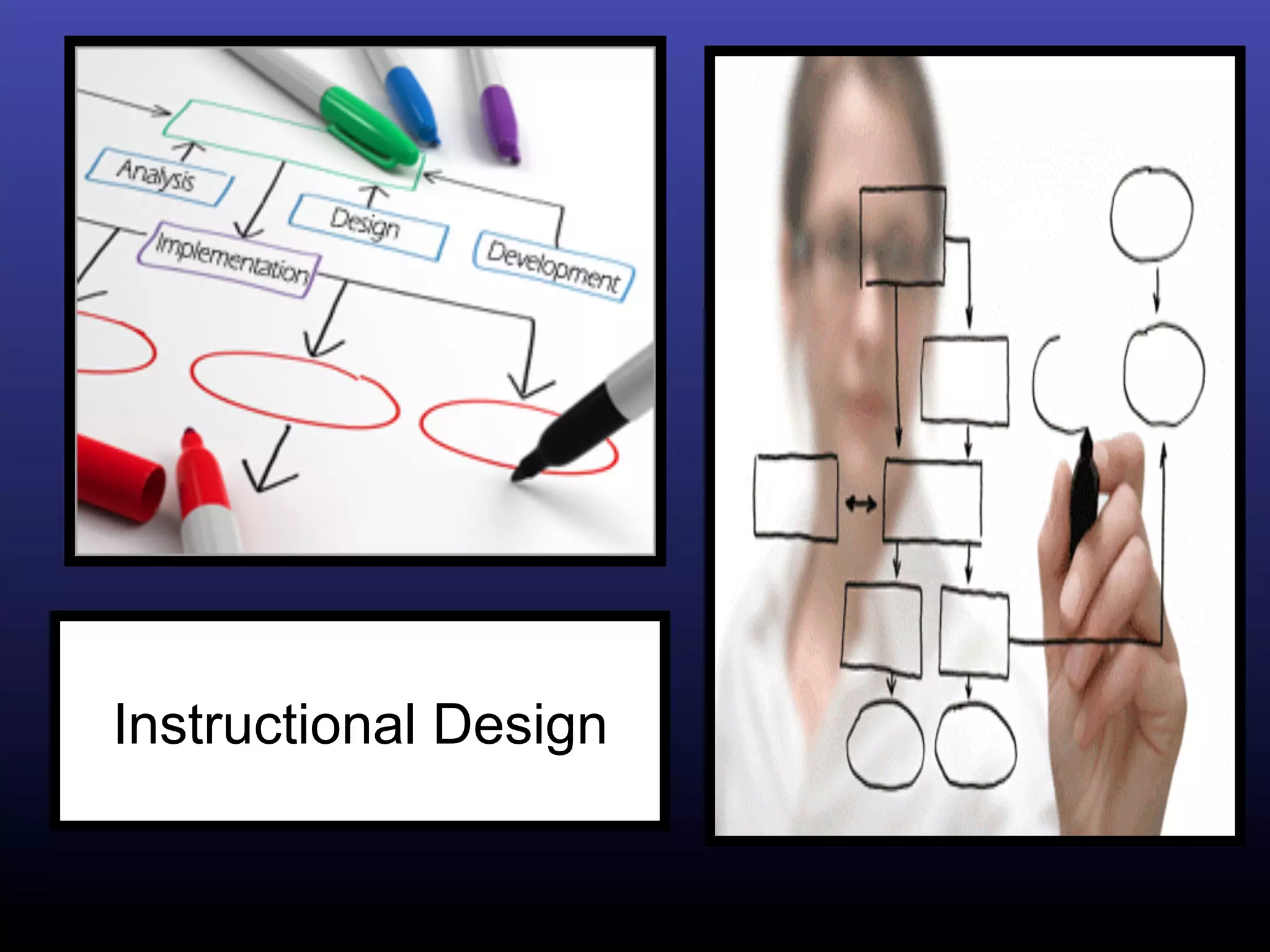
Instructional Design
Instructional Technology


The use of technology (computers, compact
  disc, interactive media, modem, satellite,
  teleconferencing, etc.) to support learning
Instructional design


The process by which instruction is improved
through the analysis of learning needs and
systematic development of learning materials
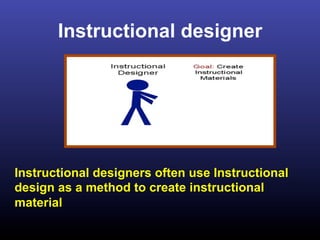
Instructional designer


Instructional designers often use Instructional
design as a method to create instructional
material
Instructional Design model


A systematic guidelines instructional designers
  follow in order to create a workshop, a course,
  a curriculum, an instructional program, or a
  training session (McGriff, 2001)
Instructional Design Models
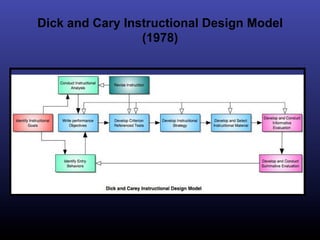
Dick and Cary Instructional Design Model
                 (1978)
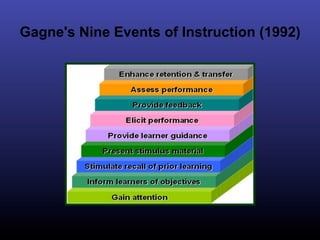
Gagne's Nine Events of Instruction (1992)
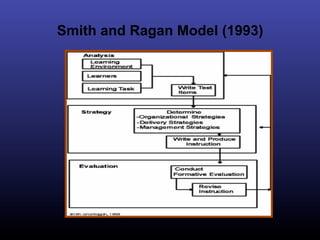
Smith and Ragan Model (1993)
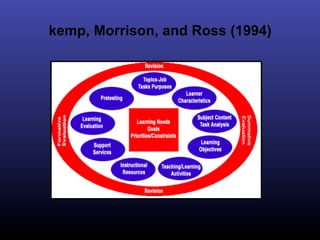
kemp, Morrison, and Ross (1994)
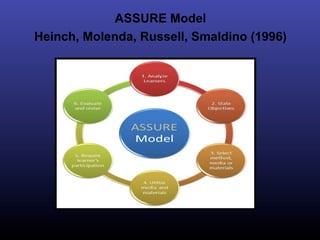
ASSURE Model
Heinch, Molenda, Russell, Smaldino (1996)
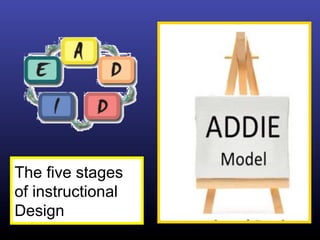
The five stages
of instructional
Design
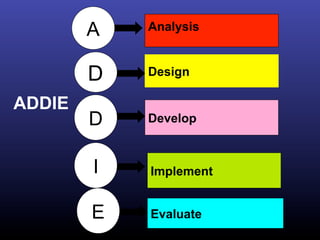
A   Analysis


        D   Design

ADDIE
        D   Develop


        I   Implement


        E   Evaluate
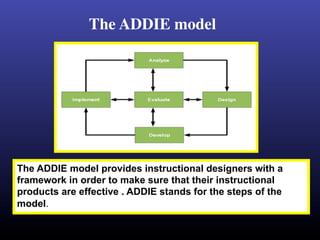
The ADDIE model 	


The ADDIE model provides instructional designers with a
framework in order to make sure that their instructional
products are effective . ADDIE stands for the steps of the
model.
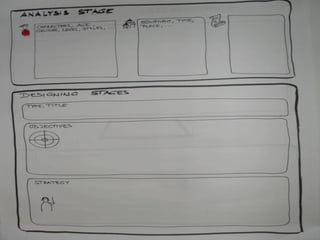
Analysis
        Pre-planning; thinking about the project


Steps of Analysis stage
q  Analysis on the students
q  Analysis on the learning environment
q  Analysis on the Teaching content
Analysis
q  Analysis on the students
Ø Students’ particulars such as characters,
   age, gender, and level in learning.
Ø previous knowledge that the students have.
Ø students’ learning style.
 ( There are some who find it easy to understand a
   new concept if given visual aids, some who like
   working in groups and some who like working
   individually)
Analysis
q  Analysis on the learning environment
  Resources that are available in school or some
   organization such as: tools, cost, timeline,
   place of learning, will determine the method of
   presentation
q Analysis on the Teaching content
  In this stage the designer organize the
   content , and divide it into units , and each unit
   into tasks and learning activities
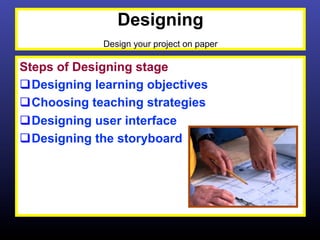
Designing
              Design your project on paper

Steps of Designing stage
q Designing learning objectives
q Choosing teaching strategies
q Designing user interface
q Designing the storyboard
Designing

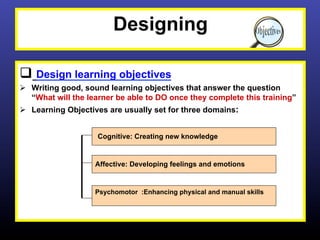
q  Design learning objectives
Ø  Writing good, sound learning objectives that answer the question
    “What will the learner be able to DO once they complete this training”
Ø  Learning Objectives are usually set for three domains:


                    Cognitive: Creating new knowledge


                    Affective: Developing feelings and emotions


                    Psychomotor :Enhancing physical and manual skills
Cognitive Learning Objectives


q Are designed to increase individual
   knowledge .Cognitive objectives relate to
   understanding, comprehension, and critical
   thinking on a particular topic

q Examples:
Ø Define the instructional technology
Ø Describe the meaning of instructional design
Ø Recall the different models of instructional
   design
Designing
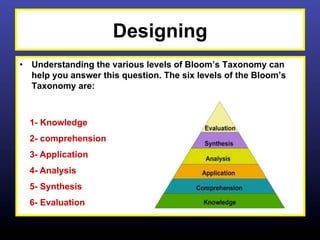
•  Understanding the various levels of Bloom’s Taxonomy can
   help you answer this question. The six levels of the Bloom’s
   Taxonomy are:


  1- Knowledge
  2- comprehension
  3- Application
  4- Analysis
  5- Synthesis
  6- Evaluation
Affective Objectives


q Are designed to describe the way people
   react emotionally / it describes the growth in
   (attitudes- emotions- feeling)

q Examples
Ø Listen to others with respect
Ø Recognize the need for balance between
   freedom and responsible behaviors
Ø Show self reliance when working
   independently
Psychomotor Objectives

q Are designed to describe the ability to
   physical manipulate a tool or instrument like
   hand or a hammer

q Examples
Ø Make a design for an instructional material
Ø Drive a car
Ø Use personal computer
Designing
Ø  Choosing teaching strategies
 There are various teaching strategies that are
    commonly used in systematic teaching based on
    situation and learners. (Some of them are
    : drilling, tutorial, games and simulation)
Designing
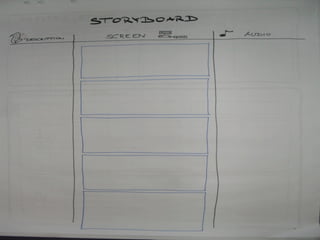
Ø  Design the storyboard

 It is one of the most important steps of designing phase,
   Storyboard is a graphic organize in the form of illustrations
   or iamges displayed in sequence for the purpose of pre-
   visualizing a motion picture, animation, or interactive
   media sequence.
 instructional designer is the one that creates the storyboard to
  guide the programming team who design the project. It allows
  them to see what the instructional designer wants to create .

 The first step in creating a storyboard is to draw a series of
  squares on a piece of paper . Think of these squares as the
  video frame. In each square a different shot or scene will take
  place.
Designing
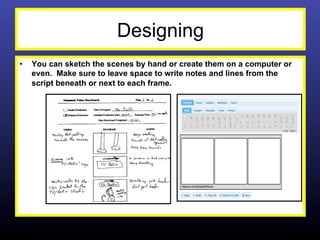
•    You can sketch the scenes by hand or create them on a computer or
     even. Make sure to leave space to write notes and lines from the
     script beneath or next to each frame.
Designing
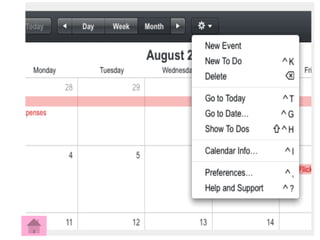
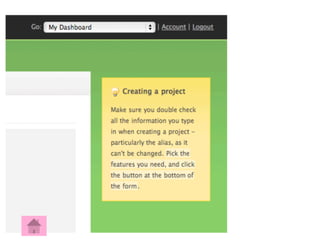
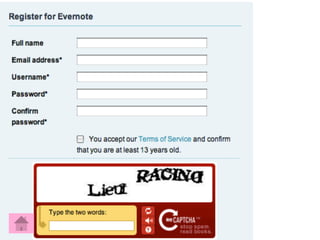
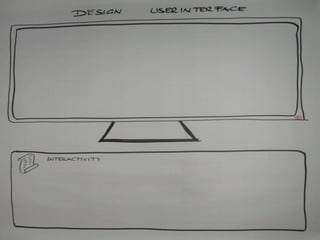
q  Design the User Interface
Ø  The goal of user interface design is to make the user's interaction as
    simple and efficient as possible, in terms of accomplishing user goals.
Ø  Below are a number of principles and ideas for designing a great user
    interface.
•  Consistency is Vital
•  Your Users Will Make Mistakes
•  Offer Personalization Options
•  Use Tabbed Navigation and Buttons for Actions
•  Keep Things Simple
•  Display help messages that attract the eye
•  Design feedback messages carefully
•  Short sign-up forms
•  Enable Keyboard Shortcuts

  Steve Jobs once said, “design is not just what it looks like and feels like.
                            Design is how it works
•  How to Design a Great User Interface


       How to Design a Great User Interface
Development
      Develop course materials and assemble the course

Ø The development phase is the process
   of authoring and producing the course.
Ø It is the actual creation of the content
   and learning materials based on the
   design phase.
Implementing
The content is put into action with real students within the learning Environment


q  Now, it's time to put the course in front of the
    learners and measure how they interact with the
    materials.
q  During the implementation phase, a procedure for
    training the facilitators and the learners is
    developed.
Ø  The facilitators' training should cover the course
    curriculum, learning outcomes, method of delivery,
    and testing procedures.
Ø  Preparation of the learners include training them on
    new tools (software or hardware), student
    registration. and field testing the learning
    environment for completeness, user-friendliness,
    and quality
Evaluation
            Look at the course outcomes with a critical eye


q Two Types of Evaluation
Ø  Formative evaluation Information for this type of
    evaluation is collected while going through each of the
    stages to further improve the teaching and learning
    process. In order to avoid from having a big problem that
    can only be detected after a program had been
    developed.

Ø  Summative Evaluation This type of evaluation is done
    towards the end of the teaching and learning process to
    evaluate and make any necessary changes for the next
    session of teaching and learning.
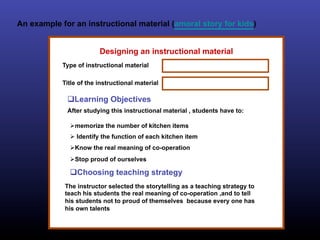
An example for an instructional material (amoral story for kids)


                         Designing an instructional material
            Type of instructional material

            Title of the instructional material

             q Learning Objectives
             After studying this instructional material , students have to:

              Ø memorize the number of kitchen items
              Ø  Identify the function of each kitchen item
              Ø Know the real meaning of co-operation
              Ø Stop proud of ourselves

              q Choosing teaching strategy
            The instructor selected the storytelling as a teaching strategy to
            teach his students the real meaning of co-operation ,and to tell
            his students not to proud of themselves because every one has
            his own talents
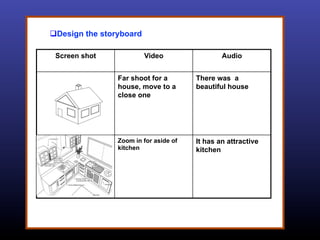
q Design the storyboard

 Screen shot               Video                Audio


                 Far shoot for a        There was a
                 house, move to a       beautiful house
                 close one


                 Zoom in for aside of   It has an attractive
                 kitchen                kitchen
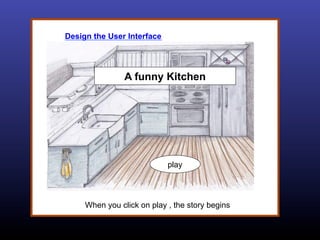
Design the User Interface


                A funny Kitchen


                            play


     When you click on play , the story begins
q References
Ø  http://edweb.sdsu.edu/Courses/EDTEC700/ETP/addie.htm
Ø  http://goanimate.com/video-maker-tips/what-is-a-storyboard-
    and-why-do-you-need-one/
Ø  http://en.wikipedia.org/wiki/Storyboard
Ø  http://www.instructionaldesign.org/models/addie.html
Ø  http://www.learning-theories.com/addie-model.html
Ø  http://www.instructionaldesigncentral.com/htm/
    IDC_instructionaldesignmodels.htm#dickcarey
Ø  http://www.youtube.com/watch?v=jiLLz1SaxGc
Ø  http://www.learning-theories.com/addie-model.html
Ø  http://www.siue.edu/~jomarsh/models.html
Ø  http://www.krummefamily.org/guides/bloom.html
Ø  http://uxdesign.smashingmagazine.com/2009/01/19/12-useful-
    techniques-for-good-user-interface-design-in-web-applications
Ø  http://www.webdesignerdepot.com/2010/10/how-to-design-a-
    great-user-interface/


         Instructional Design for E-Learning

Instructional Design

  • 1.
  • 2.
    Instructional Technology The useof technology (computers, compact disc, interactive media, modem, satellite, teleconferencing, etc.) to support learning
  • 3.
    Instructional design The processby which instruction is improved through the analysis of learning needs and systematic development of learning materials
  • 4.
    Instructional designer Instructional designersoften use Instructional design as a method to create instructional material
  • 5.
    Instructional Design model Asystematic guidelines instructional designers follow in order to create a workshop, a course, a curriculum, an instructional program, or a training session (McGriff, 2001)
  • 6.
  • 7.
    Dick and CaryInstructional Design Model (1978)
  • 8.
    Gagne's Nine Eventsof Instruction (1992)
  • 9.
    Smith and RaganModel (1993)
  • 10.
  • 11.
    ASSURE Model Heinch, Molenda,Russell, Smaldino (1996)
  • 12.
    The five stages ofinstructional Design
  • 13.
    A Analysis D Design ADDIE D Develop I Implement E Evaluate
  • 14.
    The ADDIE model The ADDIE model provides instructional designers with a framework in order to make sure that their instructional products are effective . ADDIE stands for the steps of the model.
  • 15.
    Analysis Pre-planning; thinking about the project Steps of Analysis stage q  Analysis on the students q  Analysis on the learning environment q  Analysis on the Teaching content
  • 16.
    Analysis q  Analysis onthe students Ø Students’ particulars such as characters, age, gender, and level in learning. Ø previous knowledge that the students have. Ø students’ learning style. ( There are some who find it easy to understand a new concept if given visual aids, some who like working in groups and some who like working individually)
  • 17.
    Analysis q  Analysis onthe learning environment Resources that are available in school or some organization such as: tools, cost, timeline, place of learning, will determine the method of presentation q Analysis on the Teaching content In this stage the designer organize the content , and divide it into units , and each unit into tasks and learning activities
  • 18.
    Designing Design your project on paper Steps of Designing stage q Designing learning objectives q Choosing teaching strategies q Designing user interface q Designing the storyboard
  • 19.
    Designing q  Design learningobjectives Ø  Writing good, sound learning objectives that answer the question “What will the learner be able to DO once they complete this training” Ø  Learning Objectives are usually set for three domains: Cognitive: Creating new knowledge Affective: Developing feelings and emotions Psychomotor :Enhancing physical and manual skills
  • 20.
    Cognitive Learning Objectives q Aredesigned to increase individual knowledge .Cognitive objectives relate to understanding, comprehension, and critical thinking on a particular topic q Examples: Ø Define the instructional technology Ø Describe the meaning of instructional design Ø Recall the different models of instructional design
  • 21.
    Designing •  Understanding thevarious levels of Bloom’s Taxonomy can help you answer this question. The six levels of the Bloom’s Taxonomy are: 1- Knowledge 2- comprehension 3- Application 4- Analysis 5- Synthesis 6- Evaluation
  • 22.
    Affective Objectives q Are designedto describe the way people react emotionally / it describes the growth in (attitudes- emotions- feeling) q Examples Ø Listen to others with respect Ø Recognize the need for balance between freedom and responsible behaviors Ø Show self reliance when working independently
  • 23.
    Psychomotor Objectives q Are designedto describe the ability to physical manipulate a tool or instrument like hand or a hammer q Examples Ø Make a design for an instructional material Ø Drive a car Ø Use personal computer
  • 24.
    Designing Ø  Choosing teachingstrategies There are various teaching strategies that are commonly used in systematic teaching based on situation and learners. (Some of them are : drilling, tutorial, games and simulation)
  • 25.
    Designing Ø  Design thestoryboard It is one of the most important steps of designing phase, Storyboard is a graphic organize in the form of illustrations or iamges displayed in sequence for the purpose of pre- visualizing a motion picture, animation, or interactive media sequence. instructional designer is the one that creates the storyboard to guide the programming team who design the project. It allows them to see what the instructional designer wants to create . The first step in creating a storyboard is to draw a series of squares on a piece of paper . Think of these squares as the video frame. In each square a different shot or scene will take place.
  • 26.
    Designing •  You can sketch the scenes by hand or create them on a computer or even. Make sure to leave space to write notes and lines from the script beneath or next to each frame.
  • 27.
    Designing q  Design theUser Interface Ø  The goal of user interface design is to make the user's interaction as simple and efficient as possible, in terms of accomplishing user goals. Ø  Below are a number of principles and ideas for designing a great user interface. •  Consistency is Vital •  Your Users Will Make Mistakes •  Offer Personalization Options •  Use Tabbed Navigation and Buttons for Actions •  Keep Things Simple •  Display help messages that attract the eye •  Design feedback messages carefully •  Short sign-up forms •  Enable Keyboard Shortcuts Steve Jobs once said, “design is not just what it looks like and feels like. Design is how it works
  • 28.
    •  How toDesign a Great User Interface How to Design a Great User Interface
  • 32.
    Development Develop course materials and assemble the course Ø The development phase is the process of authoring and producing the course. Ø It is the actual creation of the content and learning materials based on the design phase.
  • 33.
    Implementing The content isput into action with real students within the learning Environment q  Now, it's time to put the course in front of the learners and measure how they interact with the materials. q  During the implementation phase, a procedure for training the facilitators and the learners is developed. Ø  The facilitators' training should cover the course curriculum, learning outcomes, method of delivery, and testing procedures. Ø  Preparation of the learners include training them on new tools (software or hardware), student registration. and field testing the learning environment for completeness, user-friendliness, and quality
  • 34.
    Evaluation Look at the course outcomes with a critical eye q Two Types of Evaluation Ø  Formative evaluation Information for this type of evaluation is collected while going through each of the stages to further improve the teaching and learning process. In order to avoid from having a big problem that can only be detected after a program had been developed. Ø  Summative Evaluation This type of evaluation is done towards the end of the teaching and learning process to evaluate and make any necessary changes for the next session of teaching and learning.
  • 35.
    An example foran instructional material (amoral story for kids) Designing an instructional material Type of instructional material Title of the instructional material q Learning Objectives After studying this instructional material , students have to: Ø memorize the number of kitchen items Ø  Identify the function of each kitchen item Ø Know the real meaning of co-operation Ø Stop proud of ourselves q Choosing teaching strategy The instructor selected the storytelling as a teaching strategy to teach his students the real meaning of co-operation ,and to tell his students not to proud of themselves because every one has his own talents
  • 36.
    q Design the storyboard Screen shot Video Audio Far shoot for a There was a house, move to a beautiful house close one Zoom in for aside of It has an attractive kitchen kitchen
  • 37.
    Design the UserInterface A funny Kitchen play When you click on play , the story begins
  • 41.
    q References Ø  http://edweb.sdsu.edu/Courses/EDTEC700/ETP/addie.htm Ø  http://goanimate.com/video-maker-tips/what-is-a-storyboard- and-why-do-you-need-one/ Ø  http://en.wikipedia.org/wiki/Storyboard Ø  http://www.instructionaldesign.org/models/addie.html Ø  http://www.learning-theories.com/addie-model.html Ø  http://www.instructionaldesigncentral.com/htm/ IDC_instructionaldesignmodels.htm#dickcarey Ø  http://www.youtube.com/watch?v=jiLLz1SaxGc Ø  http://www.learning-theories.com/addie-model.html Ø  http://www.siue.edu/~jomarsh/models.html Ø  http://www.krummefamily.org/guides/bloom.html Ø  http://uxdesign.smashingmagazine.com/2009/01/19/12-useful- techniques-for-good-user-interface-design-in-web-applications Ø  http://www.webdesignerdepot.com/2010/10/how-to-design-a- great-user-interface/ Instructional Design for E-Learning