By: Azar Abid Salih
MSc of Computer Science
D.P.U / Administrative Technical
College
IT Dept. / First Class
Information Technology
Fundamentals
Lecture 2
124 October 2017
• Types of Computer
• Parts of a Computer
• The Central Processing Unit ( CPU )
• Input Devices
• Output Devices
Outlines:
224 October 2017
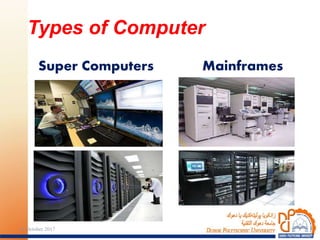
Mainframes
Types of Computer
Super Computers
324 October 2017
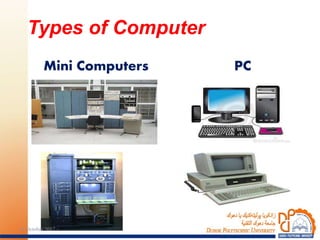
PC
Types of Computer
Mini Computers
424 October 2017
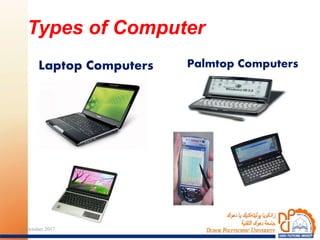
Palmtop Computers
Types of Computer
Laptop Computers
524 October 2017
Types of Computer
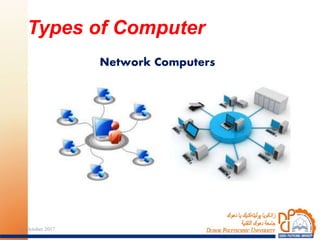
Network Computers
624 October 2017
Computers are classified according to
their capacity and performance:
1. Super Computers:
Are high-capacity computers that cost
millions of dollars very expensive, very
high speed and are often used in:
- Weather forecasting.
- Oil exploration.
- Aircraft design.
- NASA.
Types of Computer:
724 October 2017
2. Mainframes:
Room-sized, expensive, high speed,
very powerful, large storage capacities
and occupy special air-conditioned rooms.
They are used in:
- Banks.
- Government departments.
- Large organizations.
Types of Computer: (cont.)
824 October 2017
3. Mini Computers:
Do the same jobs as a mainframe,
but on a smaller scale.
They are used by medium-sized
computers for specific purposes, less cost,
such as accounting, where personal
computers would be inadequate.
Types of Computer: (cont.)
924 October 2017
4. Personal Computers ( PC ):
Are small enough to fit on top of a
desk in offices and at home and are
designed for an individual user.
In 1981, IBM produced its first
personal computer, known as the IBM
PC.
Types of Computer: (cont.)
1024 October 2017
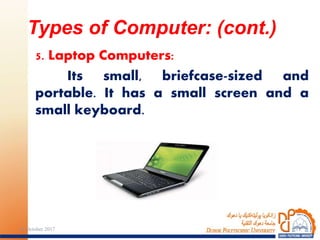
5. Laptop Computers:
Its small, briefcase-sized and
portable. It has a small screen and a
small keyboard.
Types of Computer: (cont.)
1124 October 2017
6. Palmtop Computers:
It is a hand-held computer, which is called
a Notepad. It has a small screen and keyboard.
It performs some special functions and is
considered to be cheap.
Personal Digital Assistants (PDA) are small
pen controlled, handheld computers.
Instead of pecking at a tiny keyboard,
you can use a special pen to write out
commands on the computer screen.
PADs can be used to send and receive
faxes and E-mail, to write memos.
Types of Computer: (cont.)
1224 October 2017
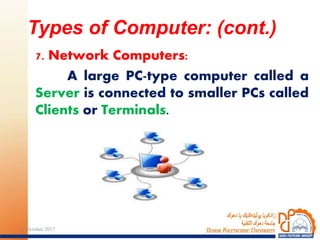
7. Network Computers:
A large PC-type computer called a
Server is connected to smaller PCs called
Clients or Terminals.
Types of Computer: (cont.)
1324 October 2017
The major components of a PC are:
1. System Unit:
This unit contains the following
parts:
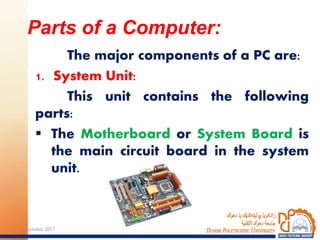
 The Motherboard or System Board is
the main circuit board in the system
unit.
Parts of a Computer:
1424 October 2017
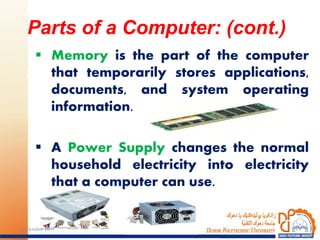
 Memory is the part of the computer
that temporarily stores applications,
documents, and system operating
information.
 A Power Supply changes the normal
household electricity into electricity
that a computer can use.
Parts of a Computer: (cont.)
1524 October 2017
 A Port is a socket on the outside of the
system unit that is connected to an
expansion board on the inside of the
system unit.
There are three types of ports:
 A Parallel Port.
 A Serial Port.
 A Small Computer System Interface
[SCSI] Port.
 USB Port.
Parts of a Computer: (cont.)
1624 October 2017
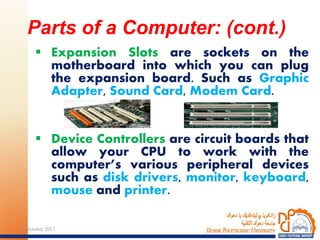
 Expansion Slots are sockets on the
motherboard into which you can plug
the expansion board. Such as Graphic
Adapter, Sound Card, Modem Card.
 Device Controllers are circuit boards that
allow your CPU to work with the
computer’s various peripheral devices
such as disk drivers, monitor, keyboard,
mouse and printer.
Parts of a Computer: (cont.)
1724 October 2017
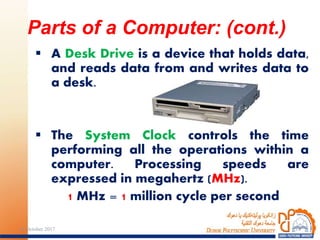
 A Desk Drive is a device that holds data,
and reads data from and writes data to
a desk.
 The System Clock controls the time
performing all the operations within a
computer. Processing speeds are
expressed in megahertz (MHz).
1 MHz = 1 million cycle per second
Parts of a Computer: (cont.)
1824 October 2017
 Light Emitting Diodes (LED) are small
light sources that are used to indicate
that the computer is switched on, and
to indicate the level of activity.
Parts of a Computer: (cont.)
1924 October 2017
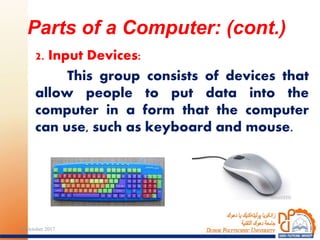
2. Input Devices:
This group consists of devices that
allow people to put data into the
computer in a form that the computer
can use, such as keyboard and mouse.
Parts of a Computer: (cont.)
2024 October 2017
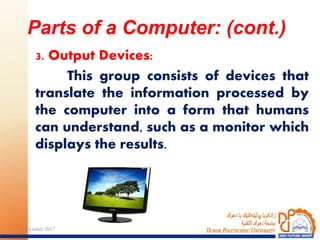
3. Output Devices:
This group consists of devices that
translate the information processed by
the computer into a form that humans
can understand, such as a monitor which
displays the results.
Parts of a Computer: (cont.)
2124 October 2017
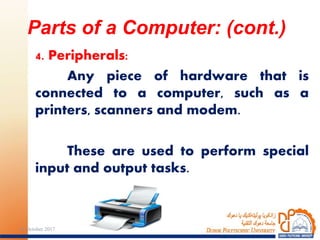
4. Peripherals:
Any piece of hardware that is
connected to a computer, such as a
printers, scanners and modem.
These are used to perform special
input and output tasks.
Parts of a Computer: (cont.)
2224 October 2017
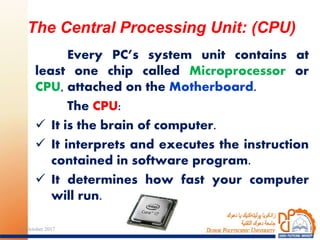
Every PC’s system unit contains at
least one chip called Microprocessor or
CPU, attached on the Motherboard.
The CPU:
 It is the brain of computer.
 It interprets and executes the instruction
contained in software program.
 It determines how fast your computer
will run.
The Central Processing Unit: (CPU)
2324 October 2017
CPUs have three basic parts:
1. Arithmetic and Logic Unit (ALU):
Performs arithmetic operations such
as (A= 10 + 5 / B) and logical operations
such as (IF AV >= 50 Print [“Pass”]) and
controls the speed of those operations.
The Central Processing Unit: (CPU)
2424 October 2017
2. Control Unit (CU):
Tell the rest of the computer system
how to carry out a program’s
instructions.
It directs the movement of
electronic signals between main
memory and the arithmetic unit, input
and output devices.
The Central Processing Unit: (CPU)
2524 October 2017
3. Registers or Immediate Access
Memory (Cash Memory):
Where the data used by the ALU
and the program instructions, which are
used by the CU, are stored.
The Central Processing Unit: (CPU)
2624 October 2017
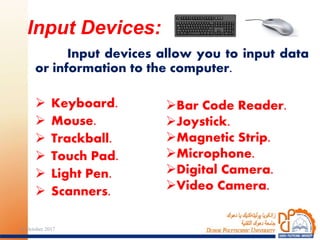
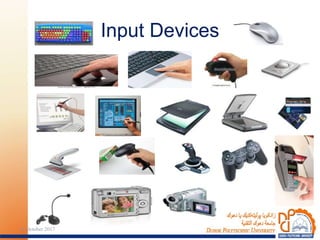
Input devices allow you to input data
or information to the computer.
 Keyboard.
 Mouse.
 Trackball.
 Touch Pad.
 Light Pen.
 Scanners.
Input Devices:
Bar Code Reader.
Joystick.
Magnetic Strip.
Microphone.
Digital Camera.
Video Camera.
2724 October 2017
Input Devices
2824 October 2017
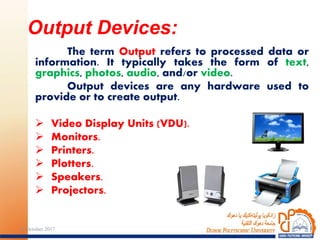
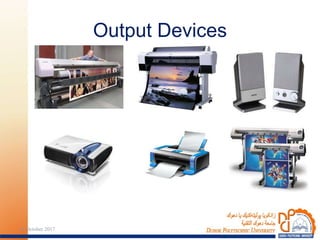
The term Output refers to processed data or
information. It typically takes the form of text,
graphics, photos, audio, and/or video.
Output devices are any hardware used to
provide or to create output.
 Video Display Units (VDU).
 Monitors.
 Printers.
 Plotters.
 Speakers.
 Projectors.
Output Devices:
2924 October 2017
Output Devices
3024 October 2017
The END…
3124 October 2017

Information Technology IT1

  • 1.
    By: Azar AbidSalih MSc of Computer Science D.P.U / Administrative Technical College IT Dept. / First Class Information Technology Fundamentals Lecture 2 124 October 2017
  • 2.
    • Types ofComputer • Parts of a Computer • The Central Processing Unit ( CPU ) • Input Devices • Output Devices Outlines: 224 October 2017
  • 3.
    Mainframes Types of Computer SuperComputers 324 October 2017
  • 4.
    PC Types of Computer MiniComputers 424 October 2017
  • 5.
    Palmtop Computers Types ofComputer Laptop Computers 524 October 2017
  • 6.
    Types of Computer NetworkComputers 624 October 2017
  • 7.
    Computers are classifiedaccording to their capacity and performance: 1. Super Computers: Are high-capacity computers that cost millions of dollars very expensive, very high speed and are often used in: - Weather forecasting. - Oil exploration. - Aircraft design. - NASA. Types of Computer: 724 October 2017
  • 8.
    2. Mainframes: Room-sized, expensive,high speed, very powerful, large storage capacities and occupy special air-conditioned rooms. They are used in: - Banks. - Government departments. - Large organizations. Types of Computer: (cont.) 824 October 2017
  • 9.
    3. Mini Computers: Dothe same jobs as a mainframe, but on a smaller scale. They are used by medium-sized computers for specific purposes, less cost, such as accounting, where personal computers would be inadequate. Types of Computer: (cont.) 924 October 2017
  • 10.
    4. Personal Computers( PC ): Are small enough to fit on top of a desk in offices and at home and are designed for an individual user. In 1981, IBM produced its first personal computer, known as the IBM PC. Types of Computer: (cont.) 1024 October 2017
  • 11.
    5. Laptop Computers: Itssmall, briefcase-sized and portable. It has a small screen and a small keyboard. Types of Computer: (cont.) 1124 October 2017
  • 12.
    6. Palmtop Computers: Itis a hand-held computer, which is called a Notepad. It has a small screen and keyboard. It performs some special functions and is considered to be cheap. Personal Digital Assistants (PDA) are small pen controlled, handheld computers. Instead of pecking at a tiny keyboard, you can use a special pen to write out commands on the computer screen. PADs can be used to send and receive faxes and E-mail, to write memos. Types of Computer: (cont.) 1224 October 2017
  • 13.
    7. Network Computers: Alarge PC-type computer called a Server is connected to smaller PCs called Clients or Terminals. Types of Computer: (cont.) 1324 October 2017
  • 14.
    The major componentsof a PC are: 1. System Unit: This unit contains the following parts:  The Motherboard or System Board is the main circuit board in the system unit. Parts of a Computer: 1424 October 2017
  • 15.
     Memory isthe part of the computer that temporarily stores applications, documents, and system operating information.  A Power Supply changes the normal household electricity into electricity that a computer can use. Parts of a Computer: (cont.) 1524 October 2017
  • 16.
     A Portis a socket on the outside of the system unit that is connected to an expansion board on the inside of the system unit. There are three types of ports:  A Parallel Port.  A Serial Port.  A Small Computer System Interface [SCSI] Port.  USB Port. Parts of a Computer: (cont.) 1624 October 2017
  • 17.
     Expansion Slotsare sockets on the motherboard into which you can plug the expansion board. Such as Graphic Adapter, Sound Card, Modem Card.  Device Controllers are circuit boards that allow your CPU to work with the computer’s various peripheral devices such as disk drivers, monitor, keyboard, mouse and printer. Parts of a Computer: (cont.) 1724 October 2017
  • 18.
     A DeskDrive is a device that holds data, and reads data from and writes data to a desk.  The System Clock controls the time performing all the operations within a computer. Processing speeds are expressed in megahertz (MHz). 1 MHz = 1 million cycle per second Parts of a Computer: (cont.) 1824 October 2017
  • 19.
     Light EmittingDiodes (LED) are small light sources that are used to indicate that the computer is switched on, and to indicate the level of activity. Parts of a Computer: (cont.) 1924 October 2017
  • 20.
    2. Input Devices: Thisgroup consists of devices that allow people to put data into the computer in a form that the computer can use, such as keyboard and mouse. Parts of a Computer: (cont.) 2024 October 2017
  • 21.
    3. Output Devices: Thisgroup consists of devices that translate the information processed by the computer into a form that humans can understand, such as a monitor which displays the results. Parts of a Computer: (cont.) 2124 October 2017
  • 22.
    4. Peripherals: Any pieceof hardware that is connected to a computer, such as a printers, scanners and modem. These are used to perform special input and output tasks. Parts of a Computer: (cont.) 2224 October 2017
  • 23.
    Every PC’s systemunit contains at least one chip called Microprocessor or CPU, attached on the Motherboard. The CPU:  It is the brain of computer.  It interprets and executes the instruction contained in software program.  It determines how fast your computer will run. The Central Processing Unit: (CPU) 2324 October 2017
  • 24.
    CPUs have threebasic parts: 1. Arithmetic and Logic Unit (ALU): Performs arithmetic operations such as (A= 10 + 5 / B) and logical operations such as (IF AV >= 50 Print [“Pass”]) and controls the speed of those operations. The Central Processing Unit: (CPU) 2424 October 2017
  • 25.
    2. Control Unit(CU): Tell the rest of the computer system how to carry out a program’s instructions. It directs the movement of electronic signals between main memory and the arithmetic unit, input and output devices. The Central Processing Unit: (CPU) 2524 October 2017
  • 26.
    3. Registers orImmediate Access Memory (Cash Memory): Where the data used by the ALU and the program instructions, which are used by the CU, are stored. The Central Processing Unit: (CPU) 2624 October 2017
  • 27.
    Input devices allowyou to input data or information to the computer.  Keyboard.  Mouse.  Trackball.  Touch Pad.  Light Pen.  Scanners. Input Devices: Bar Code Reader. Joystick. Magnetic Strip. Microphone. Digital Camera. Video Camera. 2724 October 2017
  • 28.
  • 29.
    The term Outputrefers to processed data or information. It typically takes the form of text, graphics, photos, audio, and/or video. Output devices are any hardware used to provide or to create output.  Video Display Units (VDU).  Monitors.  Printers.  Plotters.  Speakers.  Projectors. Output Devices: 2924 October 2017
  • 30.
  • 31.