Presented by:
Haidar Al Fehaid 452
Supervisor:
Dr. El Abed, Haikal
5/31/2015 1
Content overview
 Introduction
 First part : Computer parts
 Second part: Ports and connections
 Third part: Input and Output devices (I/O)
 Summary
5/31/2015 2
Introduction
 What is the personal computer?
 It is an electronic device.
 Stores data and information.
 Has hardware and software linked together.
 Process data and information.
5/31/2015 3
First part
 Computer parts:
1) Motherboard
2) CPU
3) RAM
4) Power supply
5) Hard disk drive (HDD)
6) Compact Disc Drive (CDD R/W)
5/31/2015 4
Case
What is the case of computer?
 It is as a box.
 Contains the internal parts of computer.
 Protects the internal parts.
5/31/2015 5
What are the types of computer case?
 The types of computer case are:
 AT, ATX and BTX
1) AT ( Advance Technology)
2) ATX ( Advance Technology Extended )
3) BTX ( Balance Technology Extended )
5/31/2015 6
Motherboard
What is the motherboard?
 It is the main printed circuit board inside the computer.
 Contains internal components installed on it.
 Enables to connects all computer parts together.
5/31/2015 7
What are the common type of motherboards?
 The common type of motherboards are:
1) AT ( Advance Technology)
2) ATX ( Advance Technology Extended )
5/31/2015 8
ATX AT
5/31/2015 9
CPU
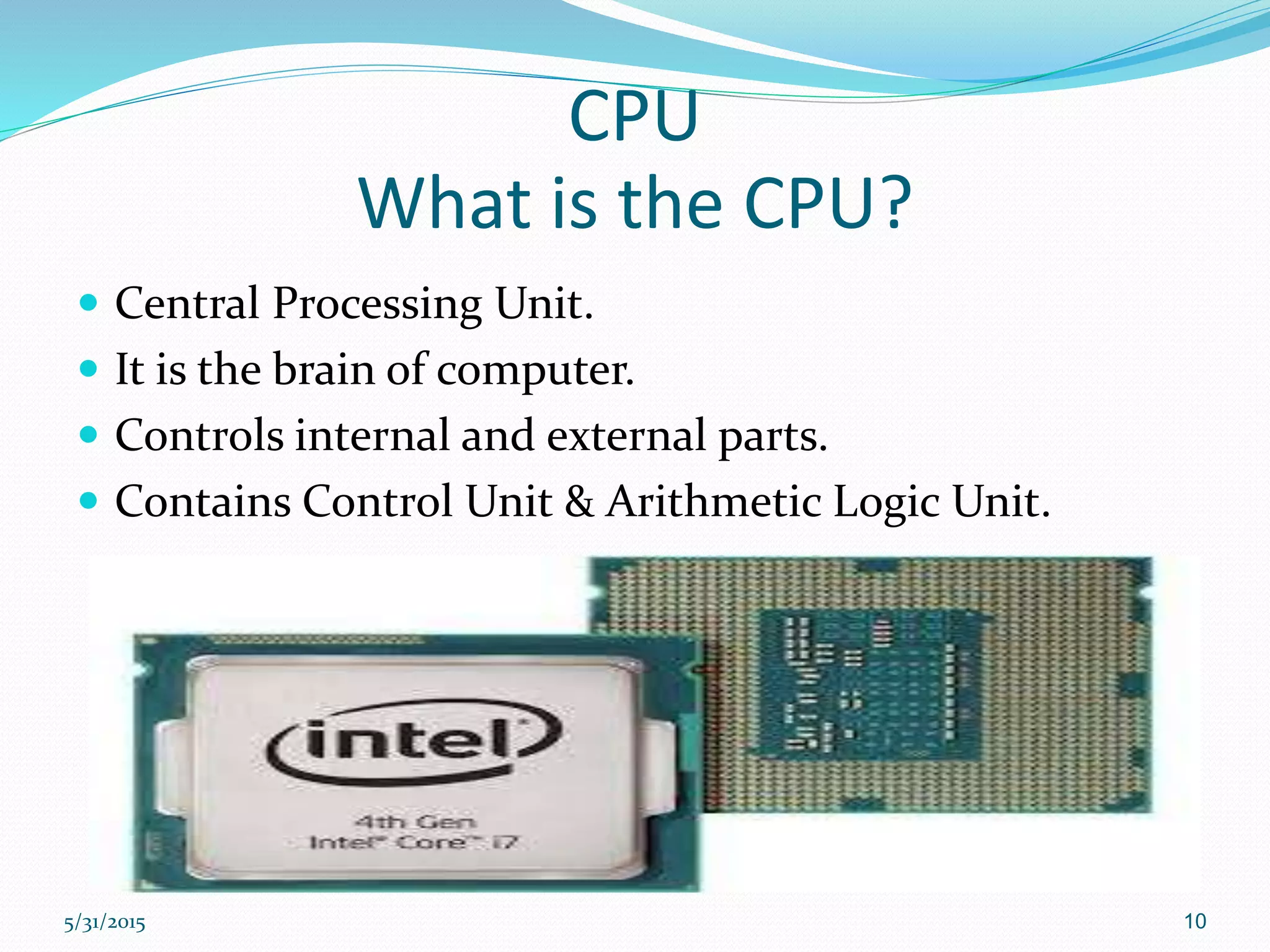
What is the CPU?
 Central Processing Unit.
 It is the brain of computer.
 Controls internal and external parts.
 Contains Control Unit & Arithmetic Logic Unit.
5/31/2015 10
RAM
What is the RAM?
 Random Access Memory
 It is a temporary storage (short term).
 Supports CPU to process the instructions and data
quickly.
5/31/2015 11
What are the types of RAM?
Dynamic RAM Static RAM
 Charges leak
 Need refreshing even when powered
 Simpler construction
 Smaller per bit
 Less expensive
 Need refresh circuits
 Slower
 Main memory
 No charges to leak
 No refreshing needed when powered
 More complex construction
 Larger per bit
 More expensive
 Does not need refresh circuits
 Faster
 Cache
5/31/2015 12
Power Supply
 Converts the volt from the Alternating Current (AC)
to the Direct Current (DC).
 Provides the suitable volts for the internal parts of
computer.
5/31/2015 13
What are the two types of power supply?
AT ATX
 Old standard
 Uses with AT motherboard
 Two 12-pin plugs
 Physical switch
 Provides less than 250 watts
 New standard
 Uses with ATX motherboard
 One 20/24 pin plug
 Soft switch
 Provides 300 watts or more
5/31/2015 14
Hard disk drive
 It is the secondary storage device that permanently
stores all data and information of computer.
 An electromagnetic storage device.
 Stores operating system.
5/31/2015 15
CDD R/W
 Compact Disc Drive – Read/Write.
 It is a laser/optical storage device.
5/31/2015 16
Group work
3 Minutes
5/31/2015 17
Second part
 Ports and connections:
1) PS/2
2) USB
3) RJ-45
4) LPT
5) VGA
6) An audio ports
7) Fire Wire
5/31/2015 18
Ports and connections
5/31/2015 19
PicturePort name and definitionsNo
PS/2 ( Personal System ) : is used to connect
the mouse.
1
PS/2 : is used to connect the keyboard.
2
USB ( Universal Serial Bus ): is used to
connect various USB devices.
3
RJ-45 (Ethernet port): is used to connect the
computer to the LAN.
4
Ports and connections
5/31/2015 20
PicturePort name and definitionsNo
LPT ( Line Printer Terminal ): is used to
connect the parallel device such as printer and
scanner.
5
VGA (Visual Graphic Adapter ): is used to
connect display devices.
6
An audio ports: is used to connect an audio
devices to the computer.
7
Fire Wire: is used to connect multiple types of
devices that requires faster data transmission
speed.
8
Ports and connections
5/31/2015 21
Serial vs. Parallel
Serial port Parallel port
 All the bits go to one by one
through the CPU to process.
 New ( plug an play)
 Supports hot swap technology
 Charges some devices.
 Runs up to 63 devices in one
time.
 USB & Fire Wire
 Fast data transmission
 All the bit go to in one time
through the CPU to process.
 Old
 LPT
 Slow data transmission
5/31/2015 22
Partner work
2 minutes
5/31/2015 23
Third part
 Input devices
 Output devices
5/31/2015 24
Input and Output device
 Input device: uses to enter data or information into a
computer.
 Output device: uses to send data or information from a
computer to another device that connected to the
computer.
 Note: some devices can be both input and output
devices such as touch screen etc.
5/31/2015 25
Game
 Divide the trainees to three groups to write the name of
input, output and both ( I/O ) devices on the whiteboard.
 Group A: Input devices
 Group B: Output devices
 Group C: Input & Output ( I/O ) devices
The time is 2 minutes.
5/31/2015 26
Individual work (Quiz)
3 minutes
5/31/2015 27
Summary
 This lesson talk about :
1) The important parts inside the computer.
2) The ports and connections.
3) The input and output devices.
5/31/2015 28
5/31/2015 29

Introduction to personal computer

  • 1.
    Presented by: Haidar AlFehaid 452 Supervisor: Dr. El Abed, Haikal 5/31/2015 1
  • 2.
    Content overview  Introduction First part : Computer parts  Second part: Ports and connections  Third part: Input and Output devices (I/O)  Summary 5/31/2015 2
  • 3.
    Introduction  What isthe personal computer?  It is an electronic device.  Stores data and information.  Has hardware and software linked together.  Process data and information. 5/31/2015 3
  • 4.
    First part  Computerparts: 1) Motherboard 2) CPU 3) RAM 4) Power supply 5) Hard disk drive (HDD) 6) Compact Disc Drive (CDD R/W) 5/31/2015 4
  • 5.
    Case What is thecase of computer?  It is as a box.  Contains the internal parts of computer.  Protects the internal parts. 5/31/2015 5
  • 6.
    What are thetypes of computer case?  The types of computer case are:  AT, ATX and BTX 1) AT ( Advance Technology) 2) ATX ( Advance Technology Extended ) 3) BTX ( Balance Technology Extended ) 5/31/2015 6
  • 7.
    Motherboard What is themotherboard?  It is the main printed circuit board inside the computer.  Contains internal components installed on it.  Enables to connects all computer parts together. 5/31/2015 7
  • 8.
    What are thecommon type of motherboards?  The common type of motherboards are: 1) AT ( Advance Technology) 2) ATX ( Advance Technology Extended ) 5/31/2015 8
  • 9.
  • 10.
    CPU What is theCPU?  Central Processing Unit.  It is the brain of computer.  Controls internal and external parts.  Contains Control Unit & Arithmetic Logic Unit. 5/31/2015 10
  • 11.
    RAM What is theRAM?  Random Access Memory  It is a temporary storage (short term).  Supports CPU to process the instructions and data quickly. 5/31/2015 11
  • 12.
    What are thetypes of RAM? Dynamic RAM Static RAM  Charges leak  Need refreshing even when powered  Simpler construction  Smaller per bit  Less expensive  Need refresh circuits  Slower  Main memory  No charges to leak  No refreshing needed when powered  More complex construction  Larger per bit  More expensive  Does not need refresh circuits  Faster  Cache 5/31/2015 12
  • 13.
    Power Supply  Convertsthe volt from the Alternating Current (AC) to the Direct Current (DC).  Provides the suitable volts for the internal parts of computer. 5/31/2015 13
  • 14.
    What are thetwo types of power supply? AT ATX  Old standard  Uses with AT motherboard  Two 12-pin plugs  Physical switch  Provides less than 250 watts  New standard  Uses with ATX motherboard  One 20/24 pin plug  Soft switch  Provides 300 watts or more 5/31/2015 14
  • 15.
    Hard disk drive It is the secondary storage device that permanently stores all data and information of computer.  An electromagnetic storage device.  Stores operating system. 5/31/2015 15
  • 16.
    CDD R/W  CompactDisc Drive – Read/Write.  It is a laser/optical storage device. 5/31/2015 16
  • 17.
  • 18.
    Second part  Portsand connections: 1) PS/2 2) USB 3) RJ-45 4) LPT 5) VGA 6) An audio ports 7) Fire Wire 5/31/2015 18
  • 19.
  • 20.
    PicturePort name anddefinitionsNo PS/2 ( Personal System ) : is used to connect the mouse. 1 PS/2 : is used to connect the keyboard. 2 USB ( Universal Serial Bus ): is used to connect various USB devices. 3 RJ-45 (Ethernet port): is used to connect the computer to the LAN. 4 Ports and connections 5/31/2015 20
  • 21.
    PicturePort name anddefinitionsNo LPT ( Line Printer Terminal ): is used to connect the parallel device such as printer and scanner. 5 VGA (Visual Graphic Adapter ): is used to connect display devices. 6 An audio ports: is used to connect an audio devices to the computer. 7 Fire Wire: is used to connect multiple types of devices that requires faster data transmission speed. 8 Ports and connections 5/31/2015 21
  • 22.
    Serial vs. Parallel Serialport Parallel port  All the bits go to one by one through the CPU to process.  New ( plug an play)  Supports hot swap technology  Charges some devices.  Runs up to 63 devices in one time.  USB & Fire Wire  Fast data transmission  All the bit go to in one time through the CPU to process.  Old  LPT  Slow data transmission 5/31/2015 22
  • 23.
  • 24.
    Third part  Inputdevices  Output devices 5/31/2015 24
  • 25.
    Input and Outputdevice  Input device: uses to enter data or information into a computer.  Output device: uses to send data or information from a computer to another device that connected to the computer.  Note: some devices can be both input and output devices such as touch screen etc. 5/31/2015 25
  • 26.
    Game  Divide thetrainees to three groups to write the name of input, output and both ( I/O ) devices on the whiteboard.  Group A: Input devices  Group B: Output devices  Group C: Input & Output ( I/O ) devices The time is 2 minutes. 5/31/2015 26
  • 27.
    Individual work (Quiz) 3minutes 5/31/2015 27
  • 28.
    Summary  This lessontalk about : 1) The important parts inside the computer. 2) The ports and connections. 3) The input and output devices. 5/31/2015 28
  • 29.

Editor's Notes

  • #7 The computer cases are called Form Factor in the IT environment factory