CNIT 121:
Computer
Forensics
8 Forensic Duplication
Types of Duplication
• Simple duplication
• Copy selected data; file, folder, partition...
• Forensic duplication
• Every bit on the source is retained
• Including deleted files
• Goal: act as admissible evidence in court
proceedings
Requirements
Requirements
Every Bit?
• Some data on a hard disk or SSD isn't normally
used to store user data
• It contains firmware
• "Host Protected Area" (HPA)
• Not normally included in a forensic image
Forensic Image Formats
Three Types of Forensic
Images
• Complete disk
• Partition
• Logical
Complete Disk Image
Demo: FTK Imager
Demo: FTK Imager
Recovering Deleted Files
• If a suspect attempts to hide data by
• Deleting files or partitions
• Reinstalling the OS
• Reformatting
• Then a whole-drive image gives the best chance
of recovering the missing data
HPA and DCO
• Host Protected Area (HPA) and Device
Configuration Overlay (DCO)
• A portion of the disk hidden from the
computers's OS
• Used for boot and recovery utilities
• Rootkits can also hide here (link Ch 8a)
Three Data Types
• Active data
• Files and folders in use, in the directory
• Unallocated Space
• Remnants of deleted files
• File slack
• Fragments of data left at the end of other files
Partition Image
• Not a common technique
• May be required because of limited scope of
authority, or an excessively large disk
• All allocation units from a partition
• Allows recovery of deleted files on that
partition only
• But not unpatitioned space, reserved areas,
or other partitions
Logical Image
• A simple copy of selected files or folders
• Active data only--no chance to recover deleted
files
• If you are required to use a logical image, record
the reason for later reference
When to Acquire a Logical
Image
• Court order only allows certain files to be
collected
• Only one user's files from a shared storage
device, such as a NAS (Network Attached
Storage) or SAN (Storage Area Network)
• Files from a business-critical NAS or SAN that
cannot be taken offline for duplication
• And you are not able to perform a live image
Acquiring Logical Images
• You need to save file metadata
• Creation times, permissions, etc.
• Also integrity hashes
• FTK Imager and EnCase can collect logical
images
Non-Standard Data
• System admin gives you a USB stick full of logs
• VM server admin hands over virtual machine
files
• Network admin submits network capture files
• Document as much as you can and track the
data the same way you tracn forensic images
Image Integrity
• Hashes ensure that data is not changed after
the time when the hash was computed
• Also ensures that copies are accurate
• Drives with bad sectors give a different hash
each time they are imaged
• Document that if it happens
Image Formats
• AFF (Advanced Forensic Framework)
• Used by AccessData's FTK and ASR Data's
SMART
• Expert Witness Format (EWF)
• Used by EnCase
• Both store MD5 or SHA1 hashes automatically
• Both are compressed formats & split data into
several files; such as .E01, .E02, .E03, ...
DD Files
• .dd files are exact copies of a drive
• A 500 GB drive results in a 500 GB .dd
file
• No compression, no extra data like hash
values
• dcfldd computes hashes also, and can
optionally save them in a separate text file
Documentation
• Evidence documentation must include integrity
hashes
• Chain of custody
• Reports, other documents
Choosing a Format
• All forensic image formats contain the same disk
data, of course
• Each can be converted to the others, but it's a
lengthy process
• Commercial Windows tools usually expect EWF
files
• Open-source tools usually require .dd files
• For RAID and other multi-disk arrays, .dd files are
best for advanced processing
Traditional Duplication
Static Image
• Hard drive only
• Computer has been powered off
• Image is made with a hardware disk duplicator
• Or by booting from a forensic LiveDVD
Hardware Write Blockers
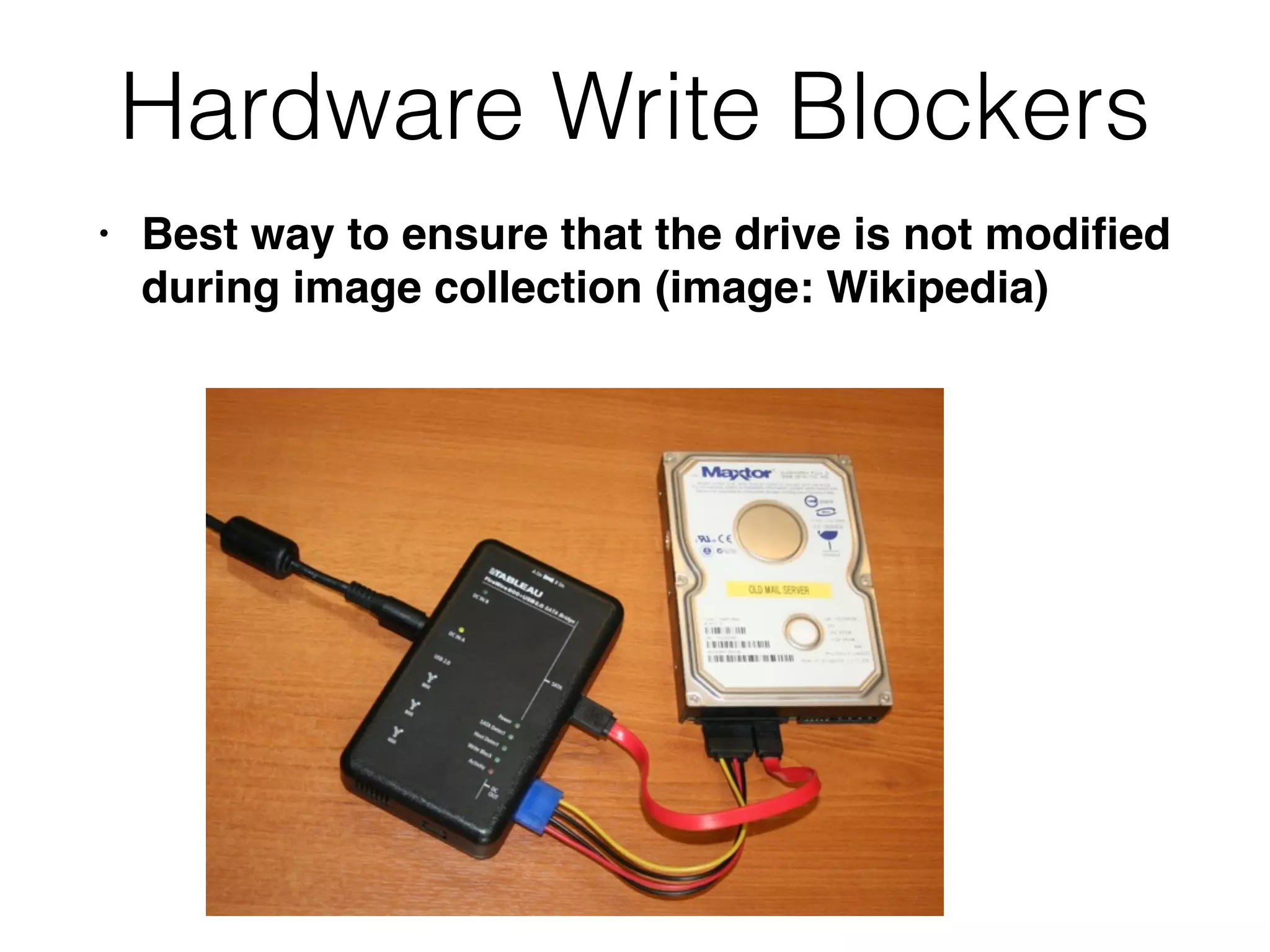
• Best way to ensure that the drive is not modified
during image collection (image: Wikipedia)
Write-Blockers
• Industry leaders are Tableau and WeibeTech
• They cost hundreds of dollars
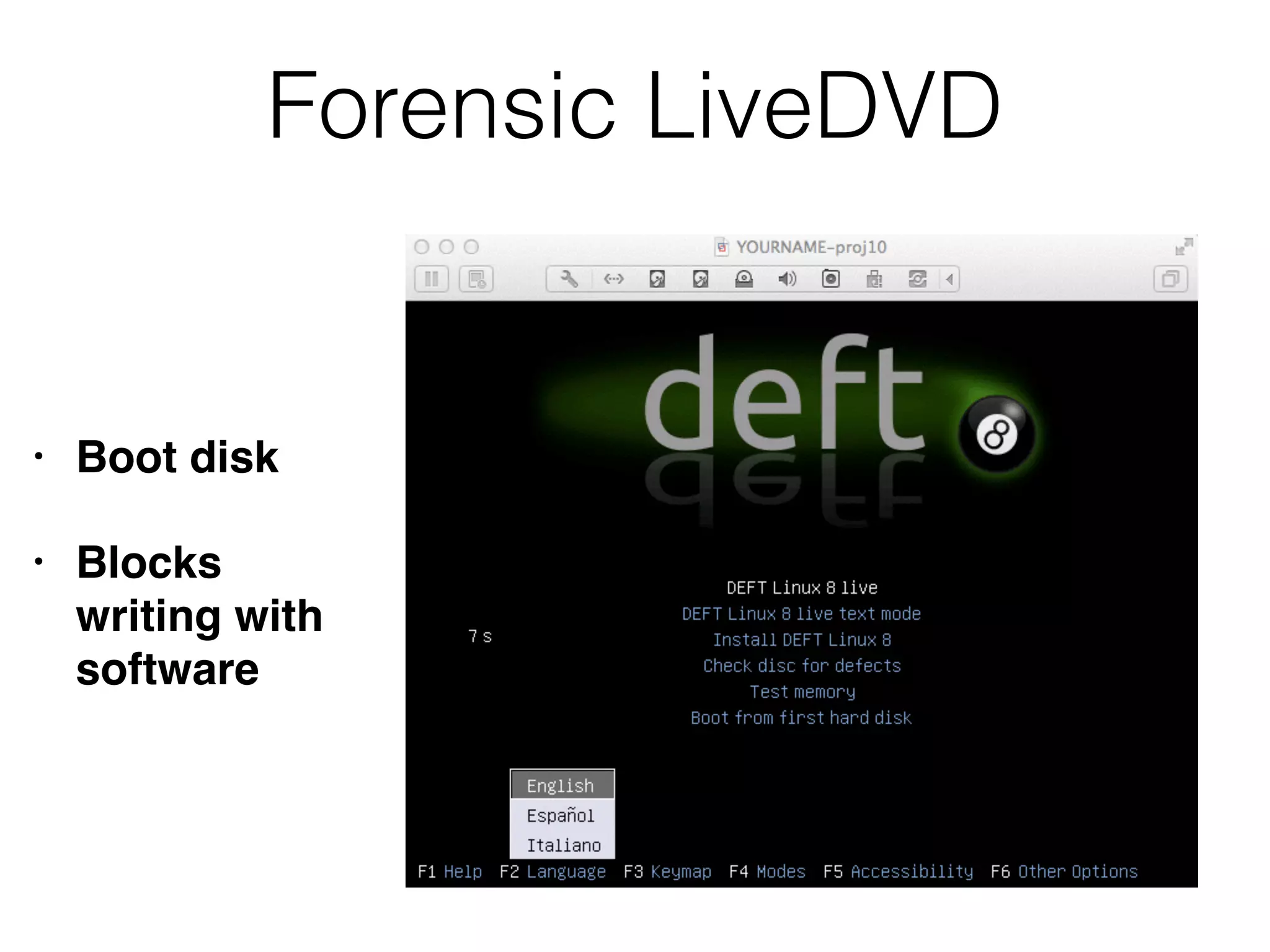
Forensic LiveDVD
• Boot disk
• Blocks
writing with
software
Image Creation Tools
• Software tools: dc3dd, FTK Imager, EnCase
• Hardware disk duplicators
• Expensive but convenient
Imaging Considerations
dd, dcfldd, dc3dd
• dd is included in Linux and Unix systems
• It works, but doesn't create a hash value and
doesn't provide user feedback
• dcfldd and dc3dd
• Add the missing features to dd
• From US DoD Computer Forensics Laboratory
(DCFL) and Defense Cyber Crime Center (DC3)
Device Automounting
• Every modern OS mounts disks automatically
• And writes on them immediately
• Changing timestamps, journal entries, etc.
• Hardware write-blockers are the best defense
• Forensic LiveDVDs block this process in
software
EnCase
• Several tools to create forensic images
• Directly in Windows with Encase Forensic
• Two command-line utilities
• winen.exe or winacq.exe
• LinEn: Linux-based boot disk
• You must own EnCase to use them
Live System Duplication
Live Imaging
• Creating an image of media in a computer
while it is running
• Not ideal; called a "smear"
• May be only option for
• Business-critical systems
• Encrypted drives
• Document what you did
Risks of Live Imaging
• No write-blocker
• You are changing the system
• You might destroy evidence
• You might cause performance problems or even
crash the system
• Don't install anything or save anything on the
evidence system
• Run FTK Imager Lite from a network share or
removable media
Apple Hardware
• Compenents are integrated, hard to access
• Use strange connectors, like ZIF ribbon connector
• Reboot into Target Disk Mode
• Makes the Mac act like a portable disk drive
• Image it using Firewire or Thunderbolt
connector
• Tableau sells a FireWire write-blocker
Central Storage Systems
• RAID, SAN, NAS
• Not feasible to duplicate the entire original
source, due to size and complexity
• Sometimes using proprietary methods
• Determine where relevant data is, and make a
logical copy of it
• Forensic tools like FTK can place the copy in a
"container" with original metadata and a hash
• Live imaging might work best
Virtual Machines
• Many servers are now virtualized
• Can simply copy VM files, including RAM
• Document the source and calculate a hash
CNIT 121: 8 Forensic Duplication

CNIT 121: 8 Forensic Duplication

  • 1.
  • 2.
    Types of Duplication •Simple duplication • Copy selected data; file, folder, partition... • Forensic duplication • Every bit on the source is retained • Including deleted files • Goal: act as admissible evidence in court proceedings
  • 3.
  • 4.
  • 5.
    Every Bit? • Somedata on a hard disk or SSD isn't normally used to store user data • It contains firmware • "Host Protected Area" (HPA) • Not normally included in a forensic image
  • 6.
  • 7.
    Three Types ofForensic Images • Complete disk • Partition • Logical
  • 8.
  • 9.
  • 10.
  • 11.
    Recovering Deleted Files •If a suspect attempts to hide data by • Deleting files or partitions • Reinstalling the OS • Reformatting • Then a whole-drive image gives the best chance of recovering the missing data
  • 12.
    HPA and DCO •Host Protected Area (HPA) and Device Configuration Overlay (DCO) • A portion of the disk hidden from the computers's OS • Used for boot and recovery utilities • Rootkits can also hide here (link Ch 8a)
  • 13.
    Three Data Types •Active data • Files and folders in use, in the directory • Unallocated Space • Remnants of deleted files • File slack • Fragments of data left at the end of other files
  • 14.
    Partition Image • Nota common technique • May be required because of limited scope of authority, or an excessively large disk • All allocation units from a partition • Allows recovery of deleted files on that partition only • But not unpatitioned space, reserved areas, or other partitions
  • 15.
    Logical Image • Asimple copy of selected files or folders • Active data only--no chance to recover deleted files • If you are required to use a logical image, record the reason for later reference
  • 16.
    When to Acquirea Logical Image • Court order only allows certain files to be collected • Only one user's files from a shared storage device, such as a NAS (Network Attached Storage) or SAN (Storage Area Network) • Files from a business-critical NAS or SAN that cannot be taken offline for duplication • And you are not able to perform a live image
  • 17.
    Acquiring Logical Images •You need to save file metadata • Creation times, permissions, etc. • Also integrity hashes • FTK Imager and EnCase can collect logical images
  • 18.
    Non-Standard Data • Systemadmin gives you a USB stick full of logs • VM server admin hands over virtual machine files • Network admin submits network capture files • Document as much as you can and track the data the same way you tracn forensic images
  • 19.
    Image Integrity • Hashesensure that data is not changed after the time when the hash was computed • Also ensures that copies are accurate • Drives with bad sectors give a different hash each time they are imaged • Document that if it happens
  • 20.
    Image Formats • AFF(Advanced Forensic Framework) • Used by AccessData's FTK and ASR Data's SMART • Expert Witness Format (EWF) • Used by EnCase • Both store MD5 or SHA1 hashes automatically • Both are compressed formats & split data into several files; such as .E01, .E02, .E03, ...
  • 21.
    DD Files • .ddfiles are exact copies of a drive • A 500 GB drive results in a 500 GB .dd file • No compression, no extra data like hash values • dcfldd computes hashes also, and can optionally save them in a separate text file
  • 22.
    Documentation • Evidence documentationmust include integrity hashes • Chain of custody • Reports, other documents
  • 23.
    Choosing a Format •All forensic image formats contain the same disk data, of course • Each can be converted to the others, but it's a lengthy process • Commercial Windows tools usually expect EWF files • Open-source tools usually require .dd files • For RAID and other multi-disk arrays, .dd files are best for advanced processing
  • 24.
  • 25.
    Static Image • Harddrive only • Computer has been powered off • Image is made with a hardware disk duplicator • Or by booting from a forensic LiveDVD
  • 26.
    Hardware Write Blockers •Best way to ensure that the drive is not modified during image collection (image: Wikipedia)
  • 27.
    Write-Blockers • Industry leadersare Tableau and WeibeTech • They cost hundreds of dollars
  • 28.
    Forensic LiveDVD • Bootdisk • Blocks writing with software
  • 29.
    Image Creation Tools •Software tools: dc3dd, FTK Imager, EnCase • Hardware disk duplicators • Expensive but convenient
  • 30.
  • 31.
    dd, dcfldd, dc3dd •dd is included in Linux and Unix systems • It works, but doesn't create a hash value and doesn't provide user feedback • dcfldd and dc3dd • Add the missing features to dd • From US DoD Computer Forensics Laboratory (DCFL) and Defense Cyber Crime Center (DC3)
  • 32.
    Device Automounting • Everymodern OS mounts disks automatically • And writes on them immediately • Changing timestamps, journal entries, etc. • Hardware write-blockers are the best defense • Forensic LiveDVDs block this process in software
  • 33.
    EnCase • Several toolsto create forensic images • Directly in Windows with Encase Forensic • Two command-line utilities • winen.exe or winacq.exe • LinEn: Linux-based boot disk • You must own EnCase to use them
  • 34.
  • 35.
    Live Imaging • Creatingan image of media in a computer while it is running • Not ideal; called a "smear" • May be only option for • Business-critical systems • Encrypted drives • Document what you did
  • 36.
    Risks of LiveImaging • No write-blocker • You are changing the system • You might destroy evidence • You might cause performance problems or even crash the system • Don't install anything or save anything on the evidence system • Run FTK Imager Lite from a network share or removable media
  • 37.
    Apple Hardware • Compenentsare integrated, hard to access • Use strange connectors, like ZIF ribbon connector • Reboot into Target Disk Mode • Makes the Mac act like a portable disk drive • Image it using Firewire or Thunderbolt connector • Tableau sells a FireWire write-blocker
  • 38.
    Central Storage Systems •RAID, SAN, NAS • Not feasible to duplicate the entire original source, due to size and complexity • Sometimes using proprietary methods • Determine where relevant data is, and make a logical copy of it • Forensic tools like FTK can place the copy in a "container" with original metadata and a hash • Live imaging might work best
  • 39.
    Virtual Machines • Manyservers are now virtualized • Can simply copy VM files, including RAM • Document the source and calculate a hash