Computer Forensics – Mobile Forensics – Incident Response – Litigation Support
Module Objectives
• Data Storage Media
• Acquisition Tools
− Software
− Hardware
• Image Formats
• FTK Imager Interface
− File System Support
− File Properties and Interpreters
− Right-click Menu Options
• FTK Imager Functionality
− Previewing and Triage
− Acquisition
− Conversion / Verification
− Custom Content Images
− Mounting Images
− Acquire Memory
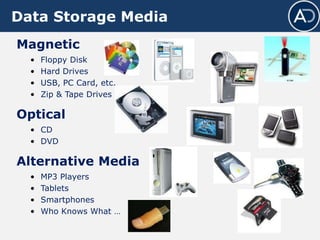
Data Storage Media
Magnetic
• Floppy Disk
• Hard Drives
• USB, PC Card, etc.
• Zip & Tape Drives
Optical
• CD
• DVD
Alternative Media
• MP3 Players
• Tablets
• Smartphones
• Who Knows What …
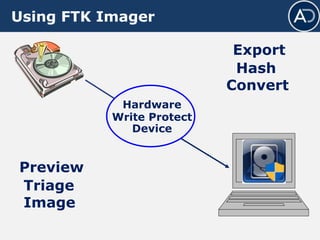
Using FTK Imager
Hardware
Write Protect
Device
Preview
Triage
Image
Export
Hash
Convert
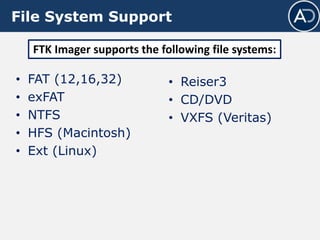
File System Support
• FAT (12,16,32)
• exFAT
• NTFS
• HFS (Macintosh)
• Ext (Linux)
• Reiser3
• CD/DVD
• VXFS (Veritas)
FTK Imager supports the following file systems:
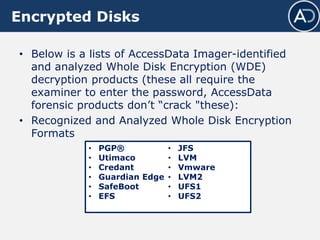
Encrypted Disks
• Below is a lists of AccessData Imager-identified
and analyzed Whole Disk Encryption (WDE)
decryption products (these all require the
examiner to enter the password, AccessData
forensic products don’t “crack "these):
• Recognized and Analyzed Whole Disk Encryption
Formats
• PGP®
• Utimaco
• Credant
• Guardian Edge
• SafeBoot
• EFS
• JFS
• LVM
• Vmware
• LVM2
• UFS1
• UFS2
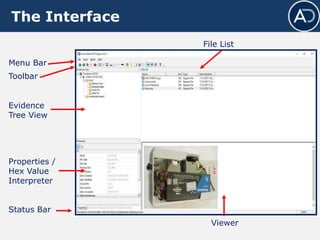
The Interface
Menu Bar
Viewer
File List
Status Bar
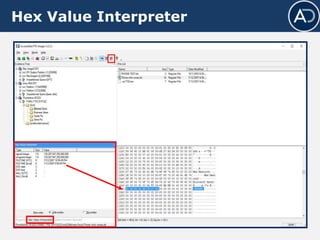
Properties /
Hex Value
Interpreter
Evidence
Tree View
Toolbar
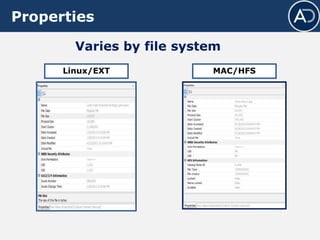
Properties
FAT and NTFS• Varies by file system
• Also shows image
information
Evidence Info
Properties
MAC/HFS
Varies by file system
Linux/EXT
Hex Value Interpreter
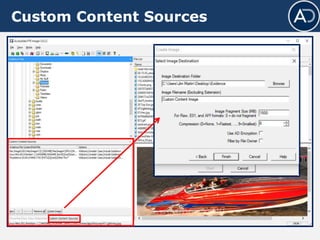
Custom Content Sources
Right Click Menu Options
Unallocated Space
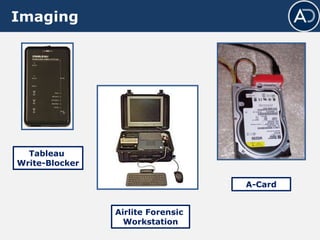
Imaging
A-Card
Airlite Forensic
Workstation
Tableau
Write-Blocker
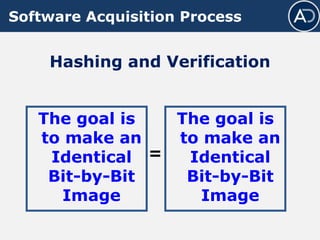
Software Acquisition Process
Hashing and Verification
The goal is
to make an
Identical
Bit-by-Bit
Image
The goal is
to make an
Identical
Bit-by-Bit
Image
=
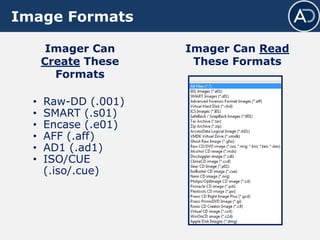
Image Formats
• Raw-DD (.001)
• SMART (.s01)
• Encase (.e01)
• AFF (.aff)
• AD1 (.ad1)
• ISO/CUE
(.iso/.cue)
Imager Can Read
These Formats
Imager Can
Create These
Formats
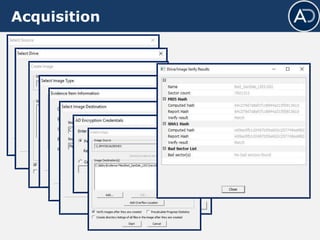
SelectView Source
Verify the source to be acquired, then Export Disk Image.
Acquisition
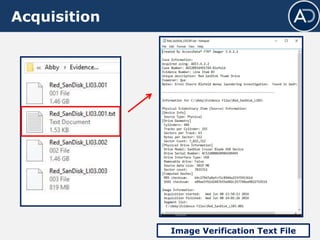
Acquisition
Image Verification Text File
Single Source – Multi Image
Create multiple
image formats
from a single
source at once
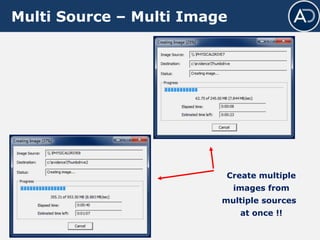
Multi Source – Multi Image
Create multiple
images from
multiple sources
at once !!
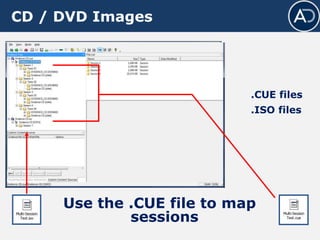
CD / DVD Images
Use the .CUE file to map
sessions
.CUE files
.ISO files
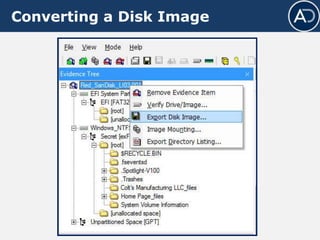
Converting a Disk Image
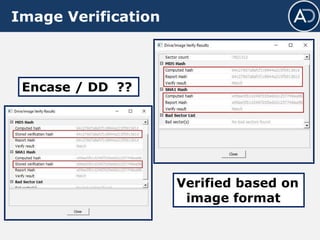
Image Verification
Encase / DD ??
Verified based on
image format
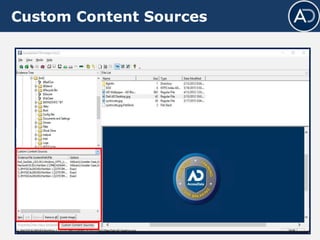
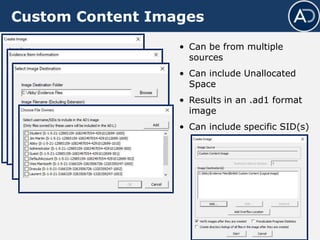
Custom Content Sources
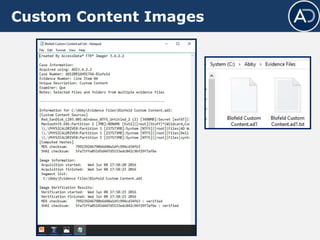
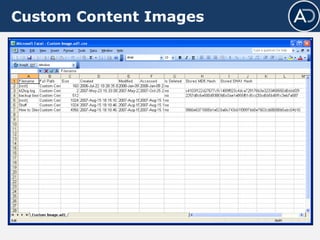
Custom Content Images
• Can be from multiple
sources
• Can include Unallocated
Space
• Results in an .ad1 format
image
• Can include specific SID(s)
Custom Content Images
Export Files
Select the file
Select the
destination
Export Folders
Export File Hash List
Detecting EFS Encryption
Capture Active Memory
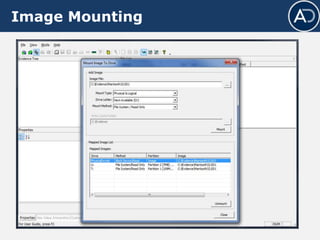
Image Mounting
Module Review
• Data Storage Media
• Acquisition Tools
− Software
− Hardware
• Image Formats
• FTK Imager Interface
− File System Support
− File Properties and Interpreters
− Right-click Menu Options
• FTK Imager Functionality
− Previewing and Triage
− Acquisition
− Conversion / Verification
− Custom Content Images
− Mounting Images
− Acquire Memory
Module 02 ftk imager

Module 02 ftk imager