Downloaded 181 times






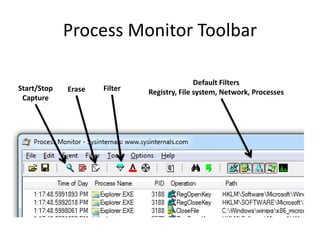




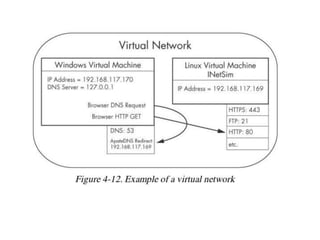

This document discusses using virtual machines for safe dynamic malware analysis. It recommends using a virtual machine to run malware in a protected environment isolated from the host system. Specific virtualization software discussed includes VMware Player, Workstation and Fusion along with VirtualBox and Hyper-V. The document outlines techniques for configuring networking and taking snapshots in virtual machines for malware analysis. It also introduces tools for dynamic analysis within virtual machines like Process Monitor, Process Explorer, Regshot, INetSim and Wireshark that can monitor the behavior and network activity of malware samples.


