The document discusses techniques for mapping web applications to identify security vulnerabilities and attack surfaces. It covers various methods such as automated and user-directed spidering, limitations of web spiders, and tools for discovering hidden content. The document also emphasizes the importance of analyzing the application's behavior, entry points for user input, and server-side functionality to uncover potential weaknesses.
Introduction to the course on CNIT 129S: Securing Web Applications, covering Chapter 4 on mapping the application.
Discusses mapping web applications, identifying content, functionality, hidden aspects, attack surfaces, and vulnerabilities.
Techniques for enumerating content via web spiders that load pages and identify links within targeted domains.
Focuses on web application spiders, their ability to parse HTML forms, fill them, and extract URLs while mentioning tools like Zed Attack Proxy.
Explains the role of robots.txt in guiding web spiders and potential content discovery.
Outlines limitations of automated spidering such as missed navigation mechanisms, form validation, and issues with user authentication.
User-directed spidering allows manual interaction with applications for testing, providing advantages in navigation and data entry.
Discussion on utilizing browser tools like Chrome's Developer Tools for examining requests and responses without a proxy.
Methods for discovering hidden content in applications, including testing features, backup archives, and configuration files.
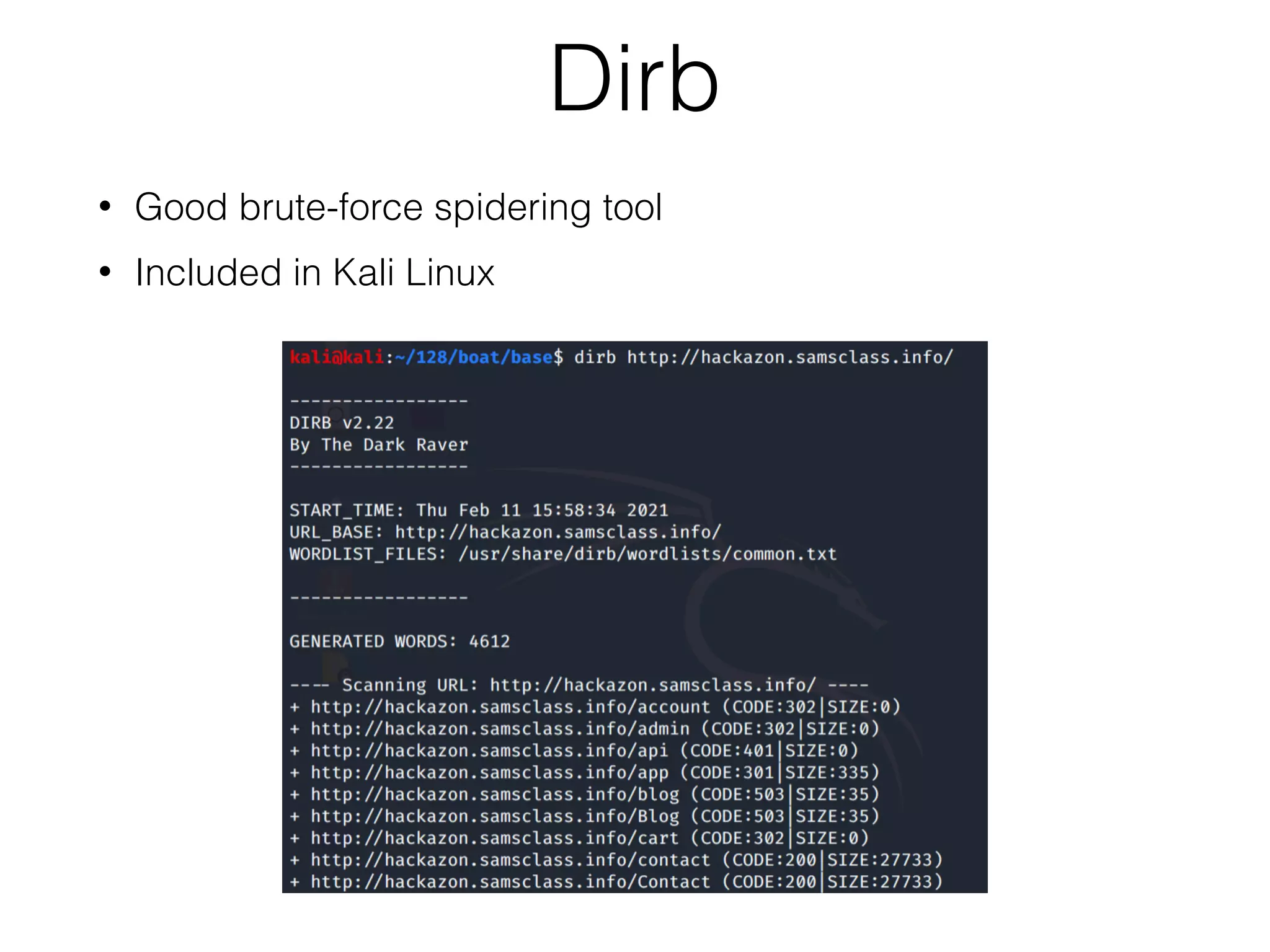
Introduction to brute-force techniques in mapping, using tools like Burp's brute-forcer and Dirb.
Analyzing patterns and clues from published content to find vulnerabilities.
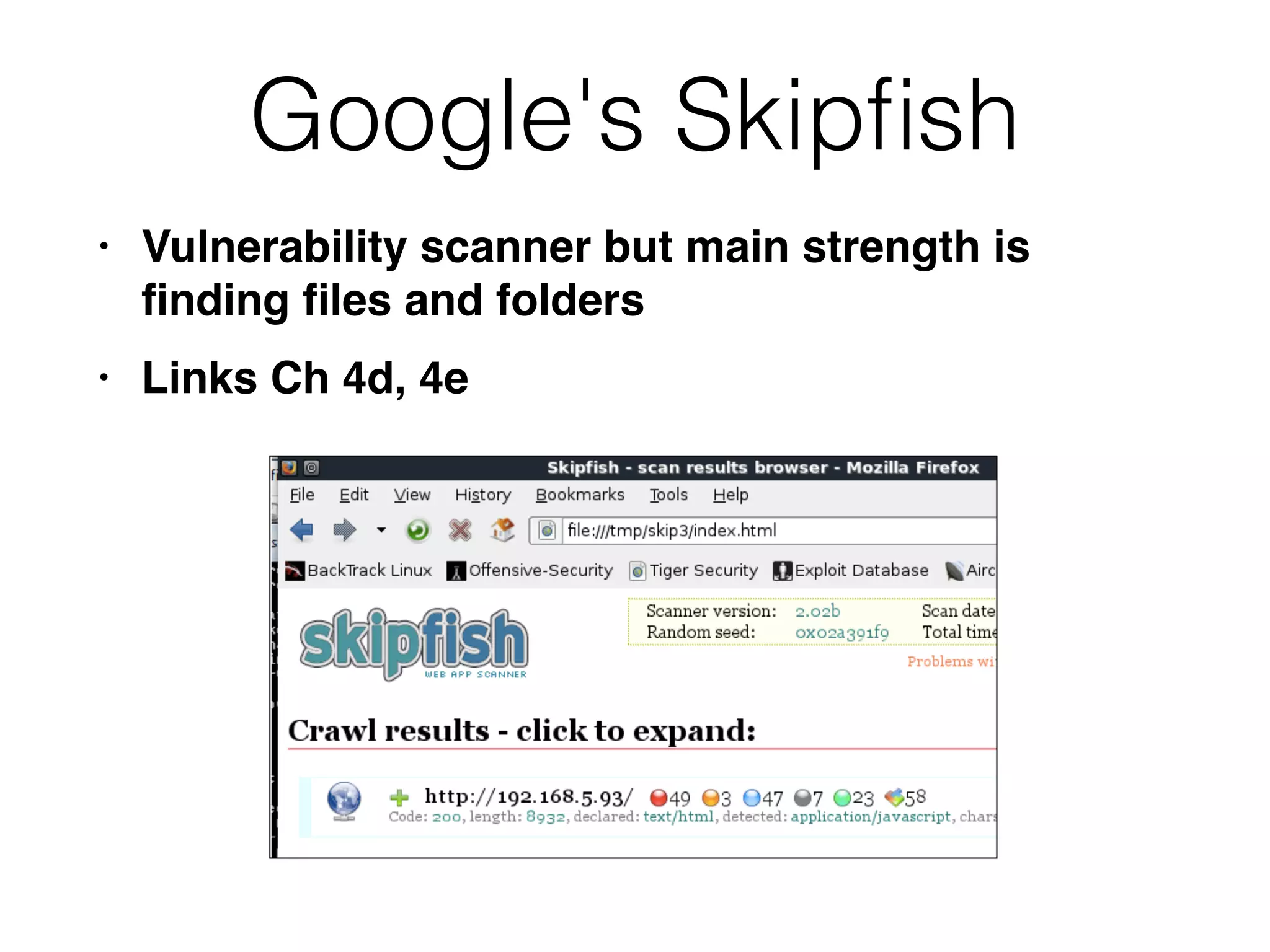
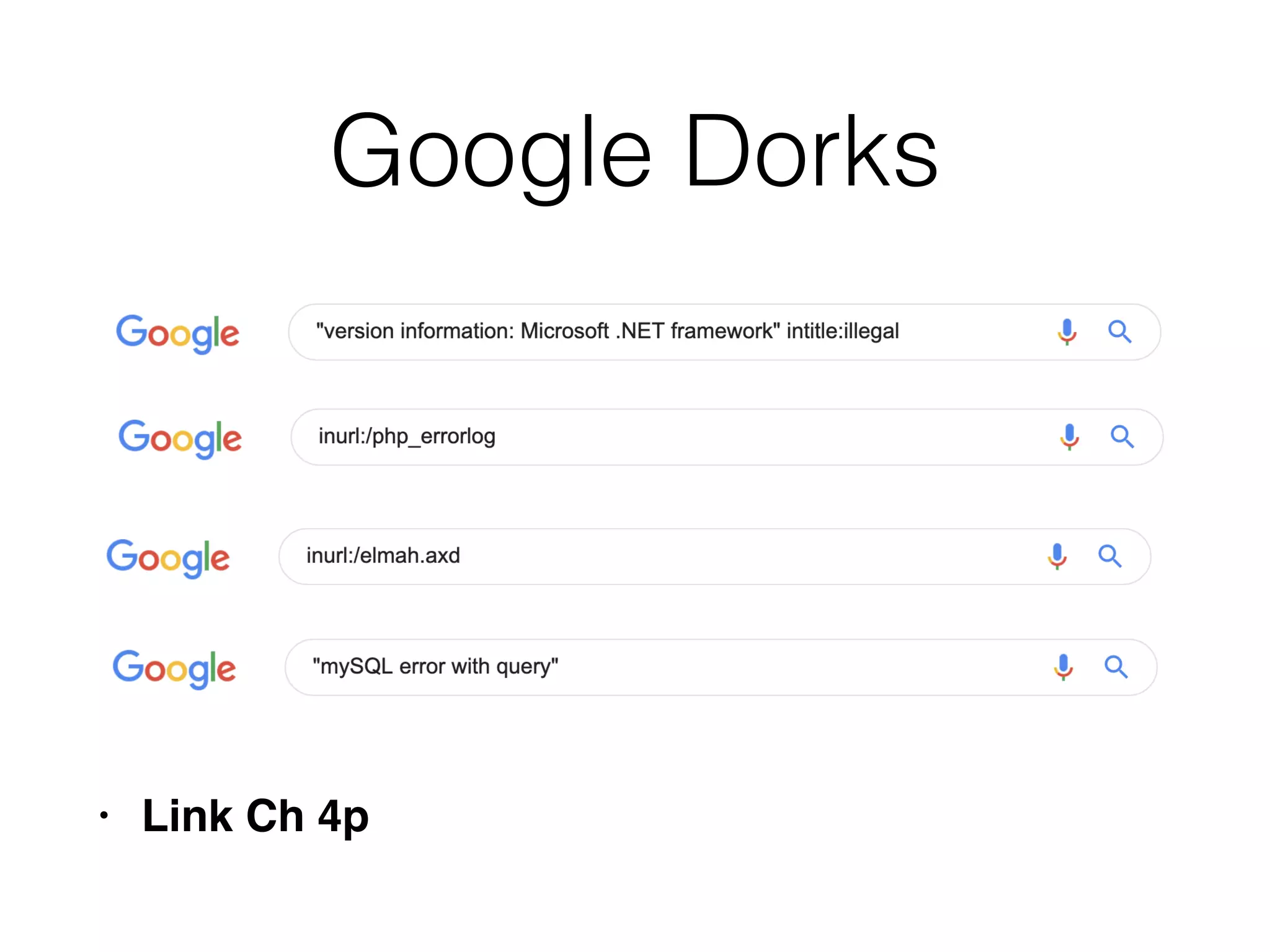
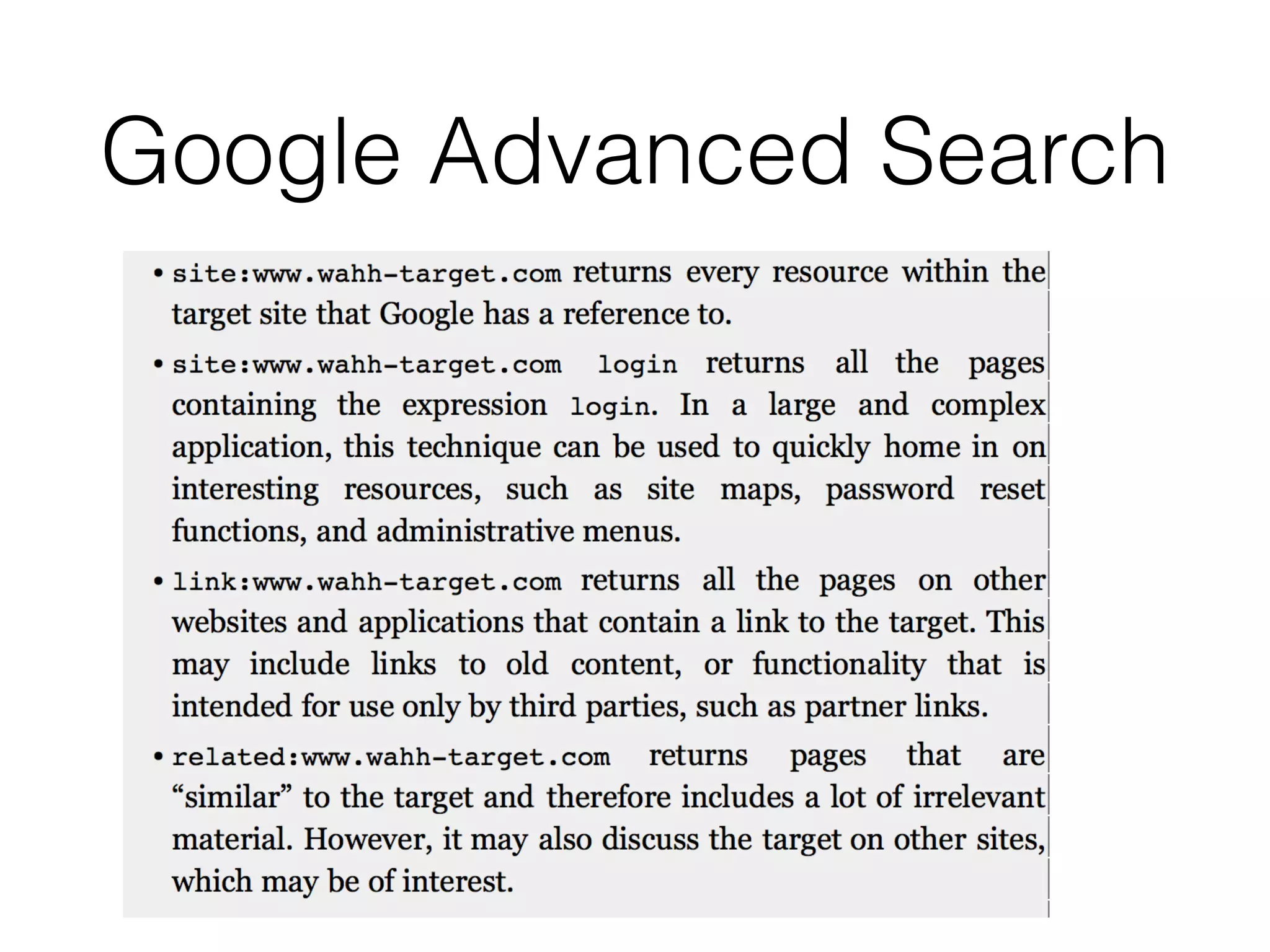
Using Google's Skipfish, public information, and cached content from search engines to identify vulnerabilities.
Overview of tools like Nikto and Wikto for scanning servers and identifying known vulnerabilities.
Describes mapping functional paths in applications and key areas to focus on in security assessments.
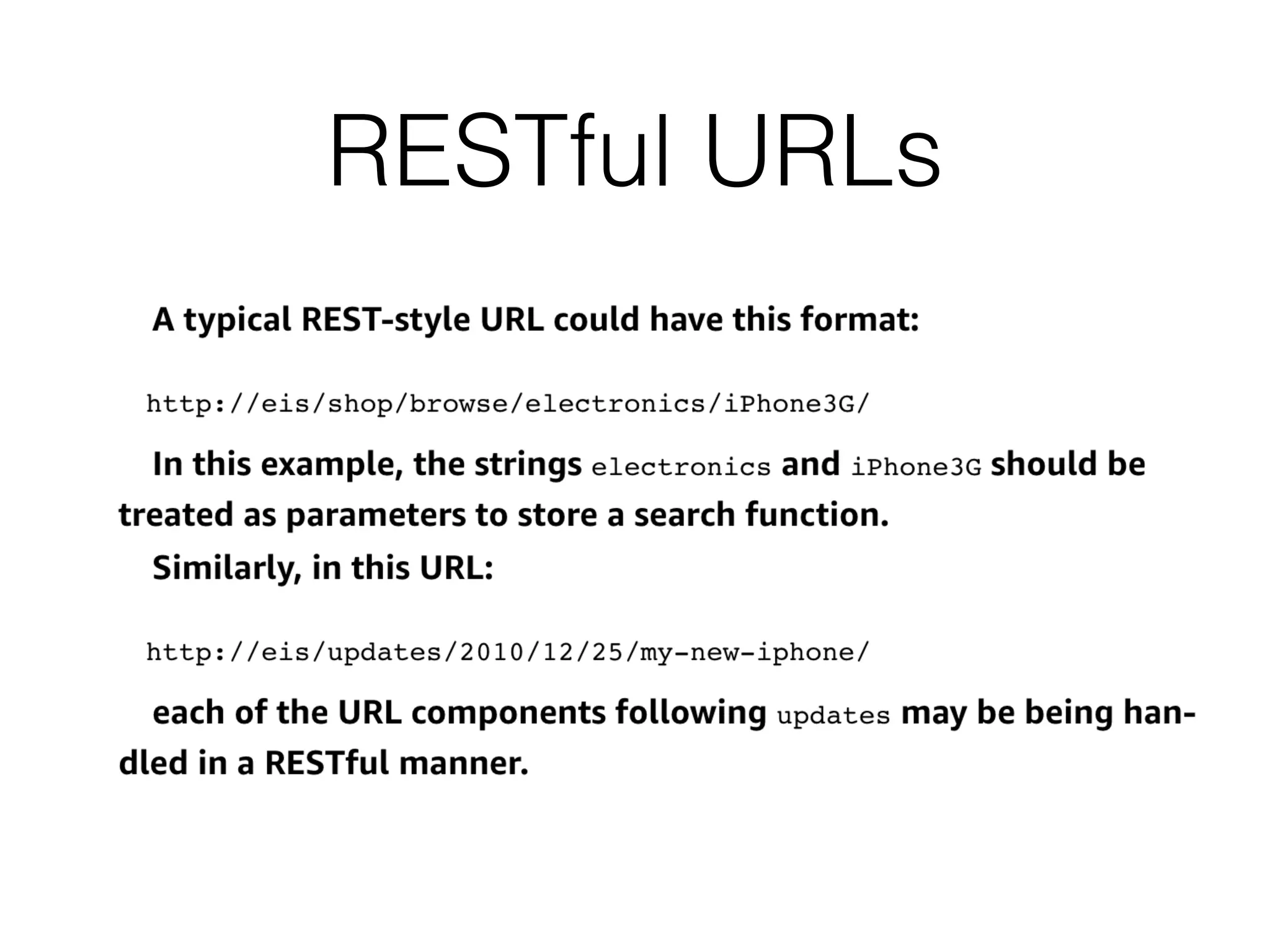
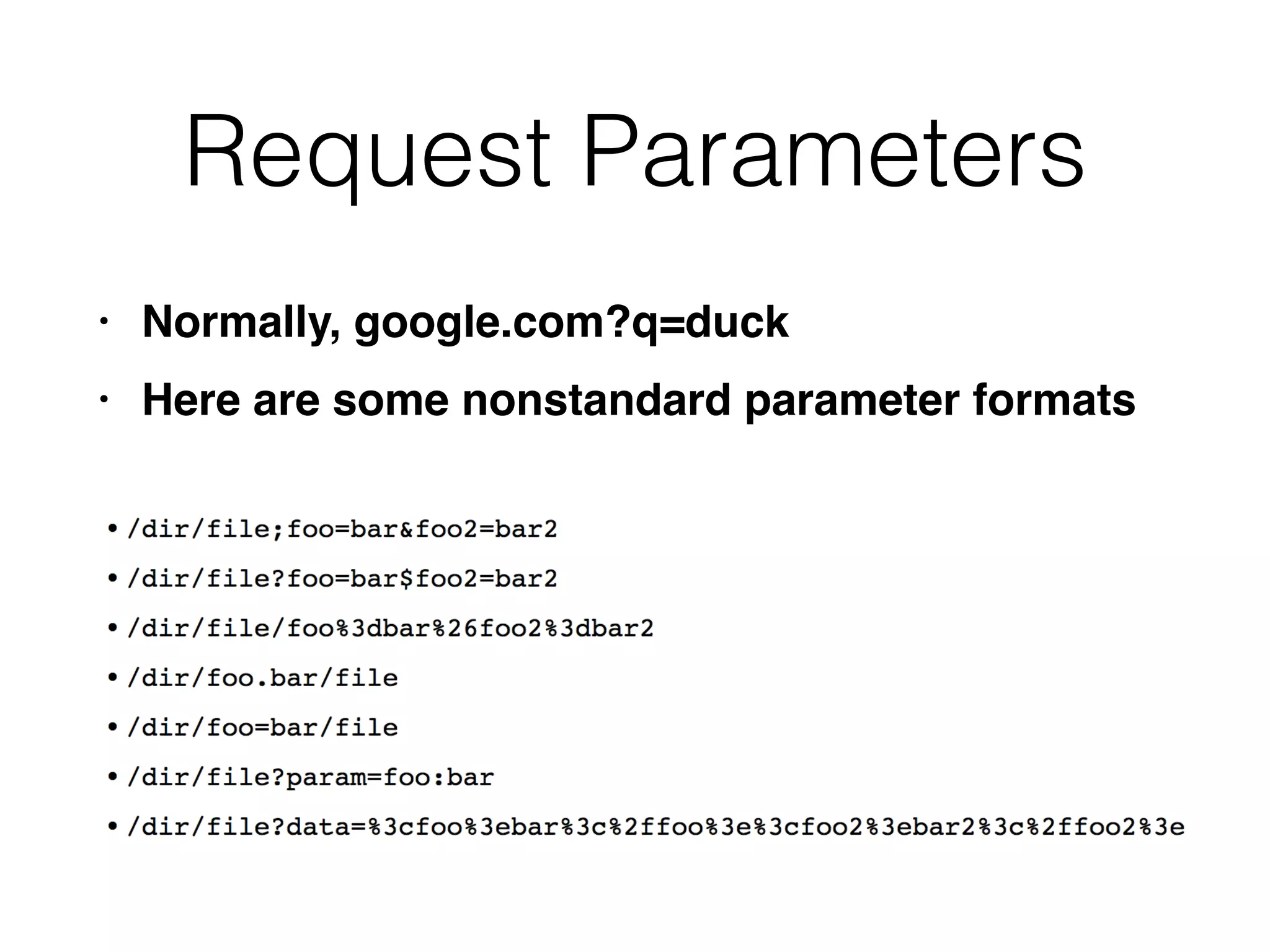
Discusses identifying request parameters, RESTful URLs, HTTP headers, and the importance of analyzing user data channels.
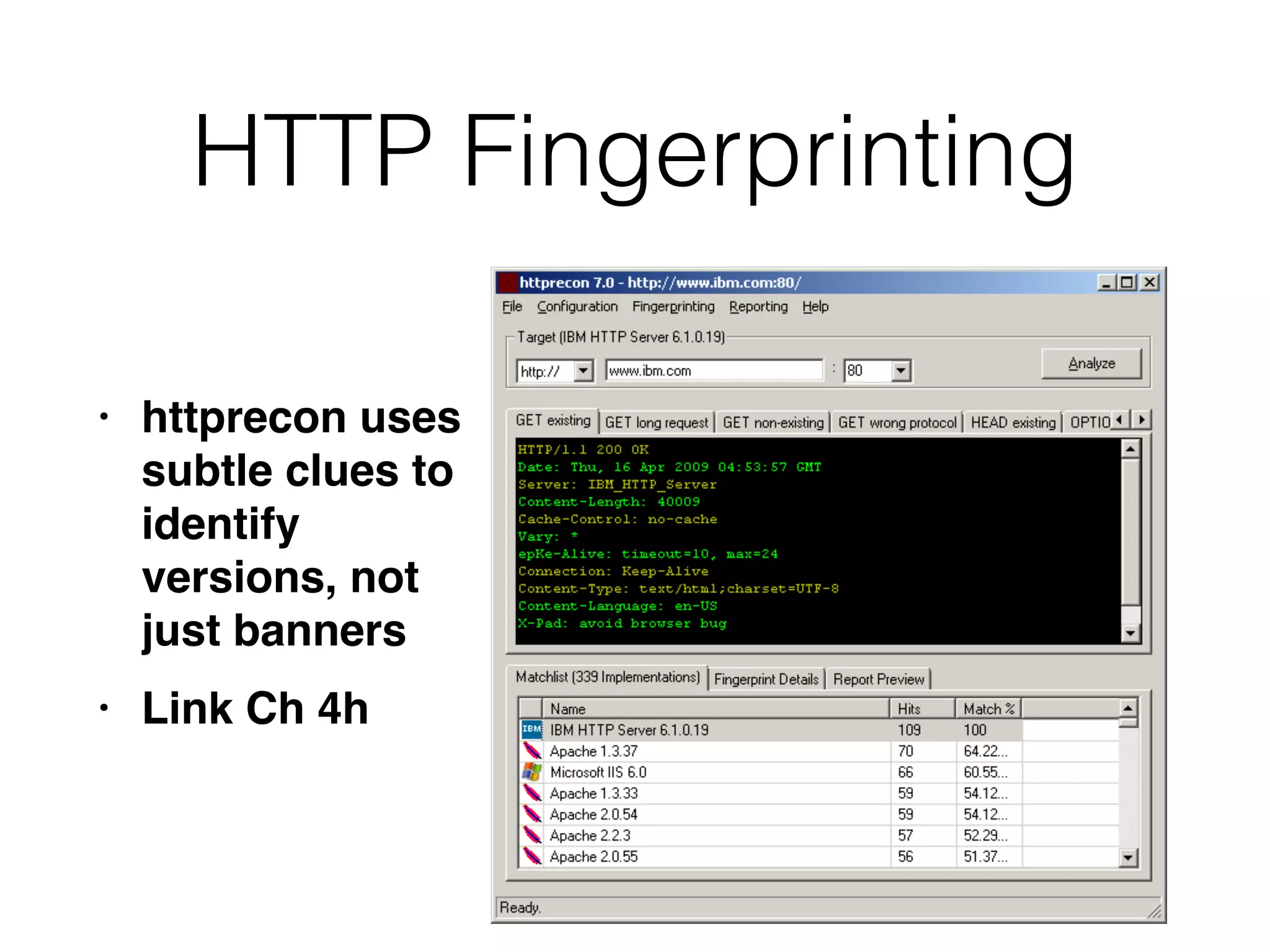
Techniques for identifying server-side technologies using banner grabbing and other fingerprinting methods.
Specific steps for penetration testing, including identifying entry points and examining various inputs.
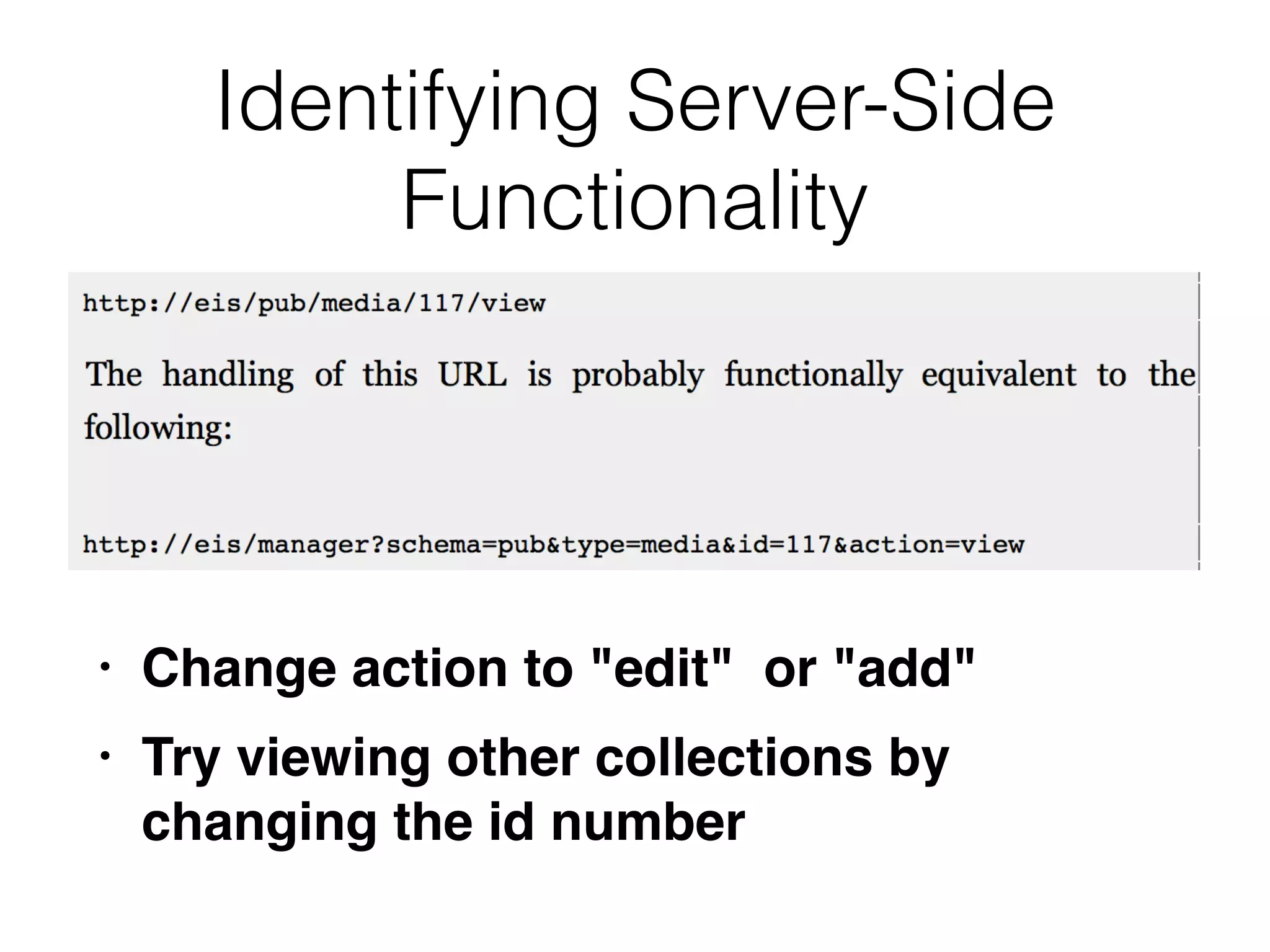
Understanding server-side functionality through modification and observation of application behavior.
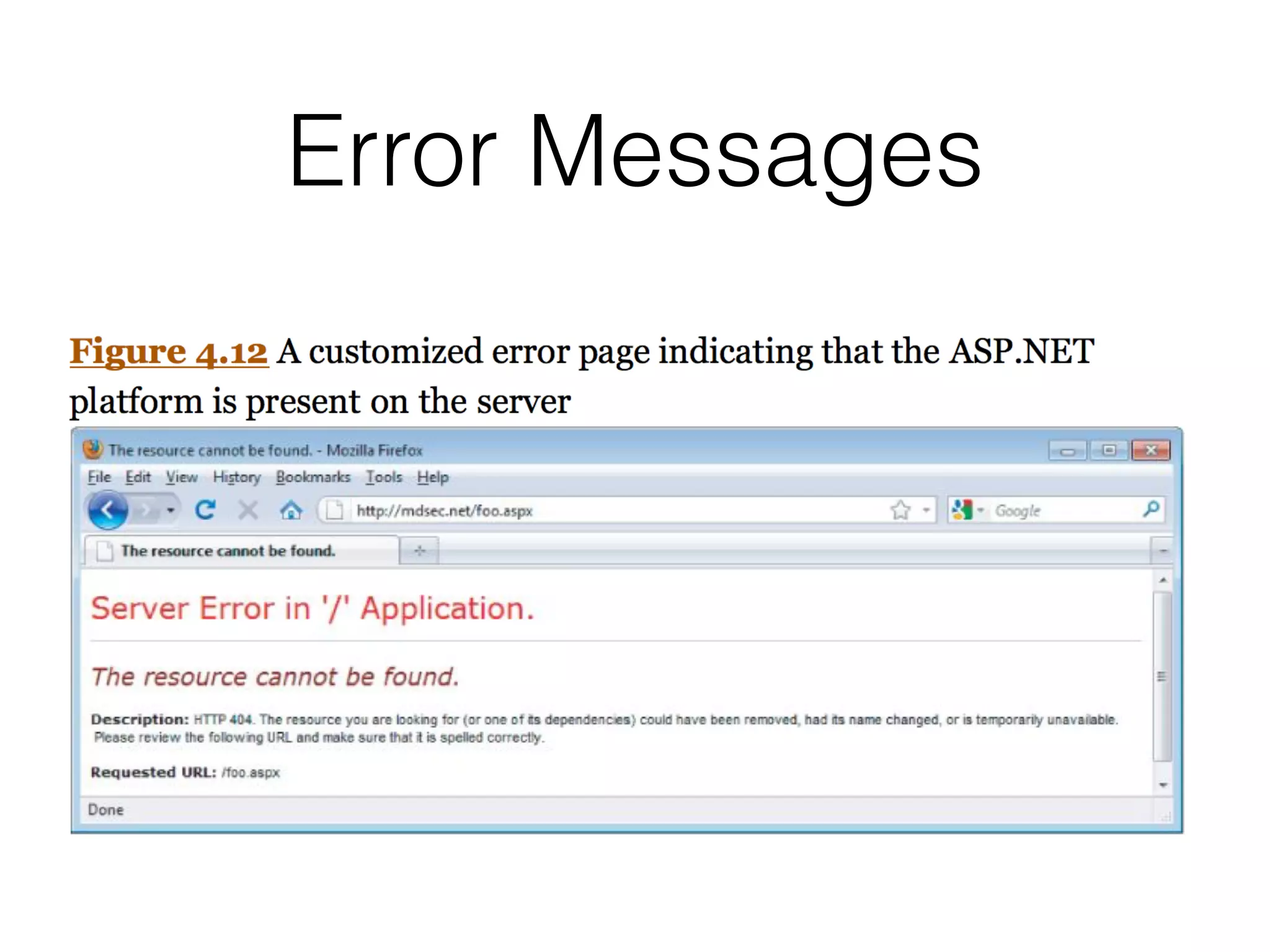
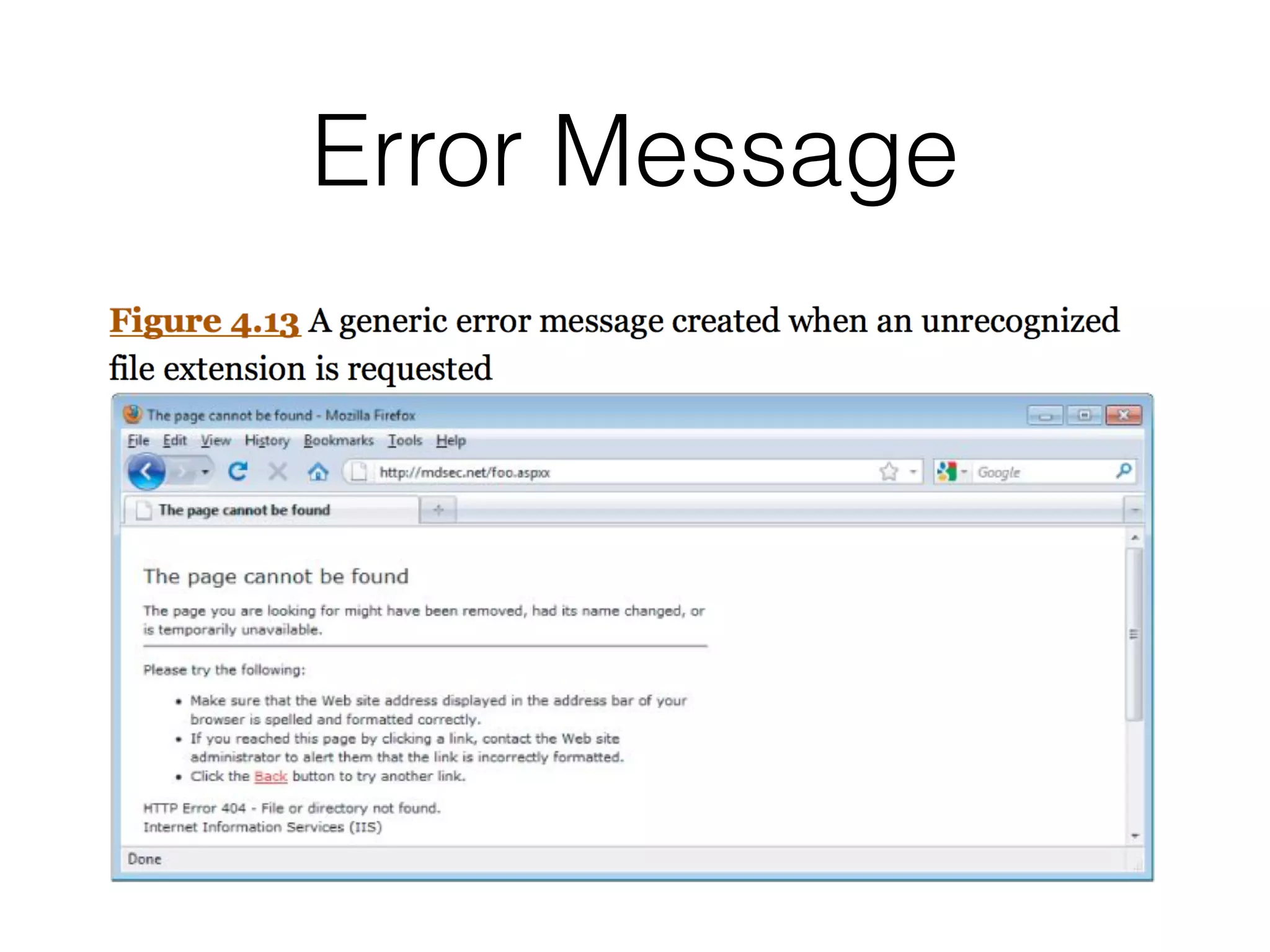
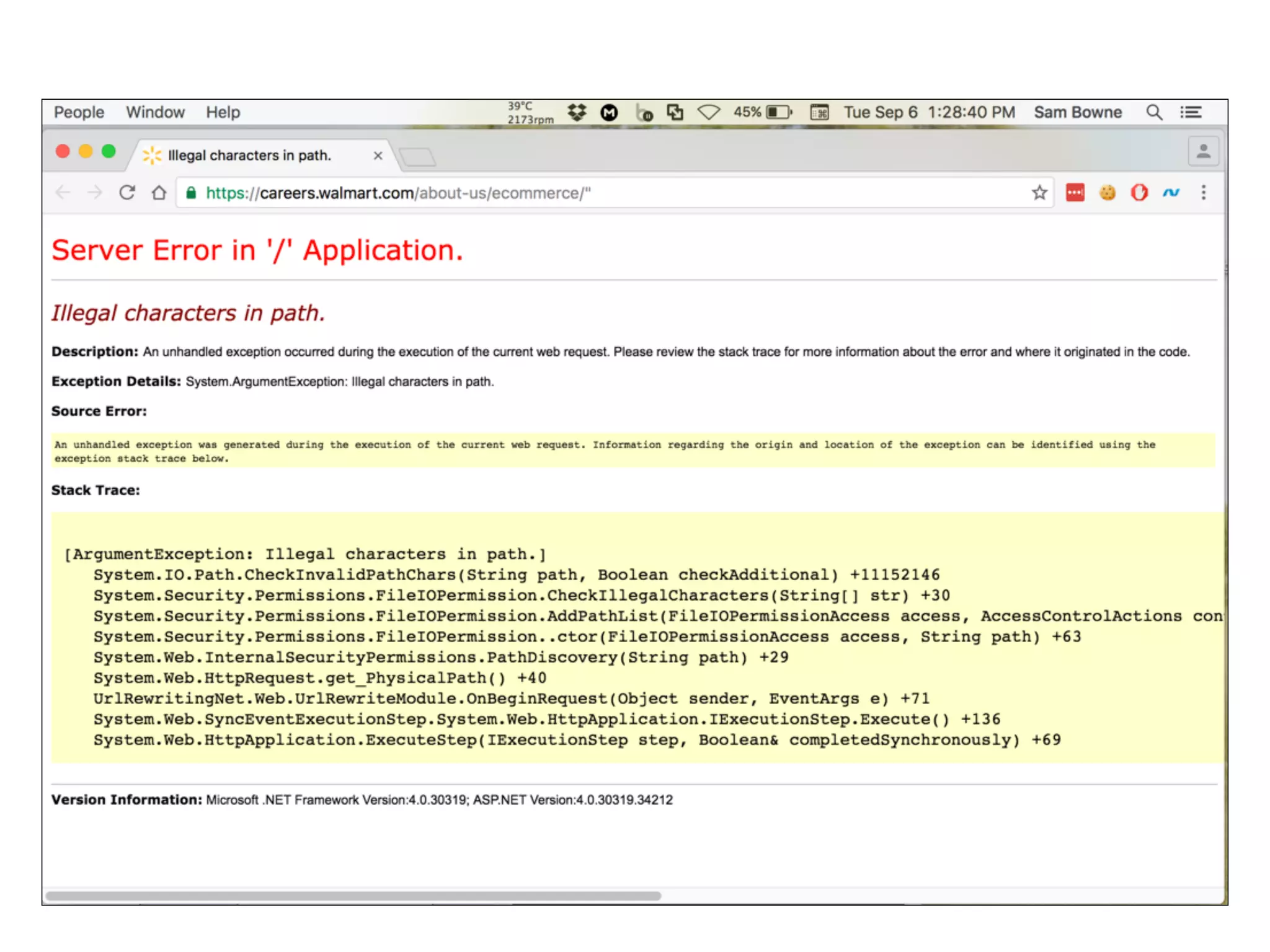
Exploration of error handling processes in applications and how it may reveal vulnerabilities.
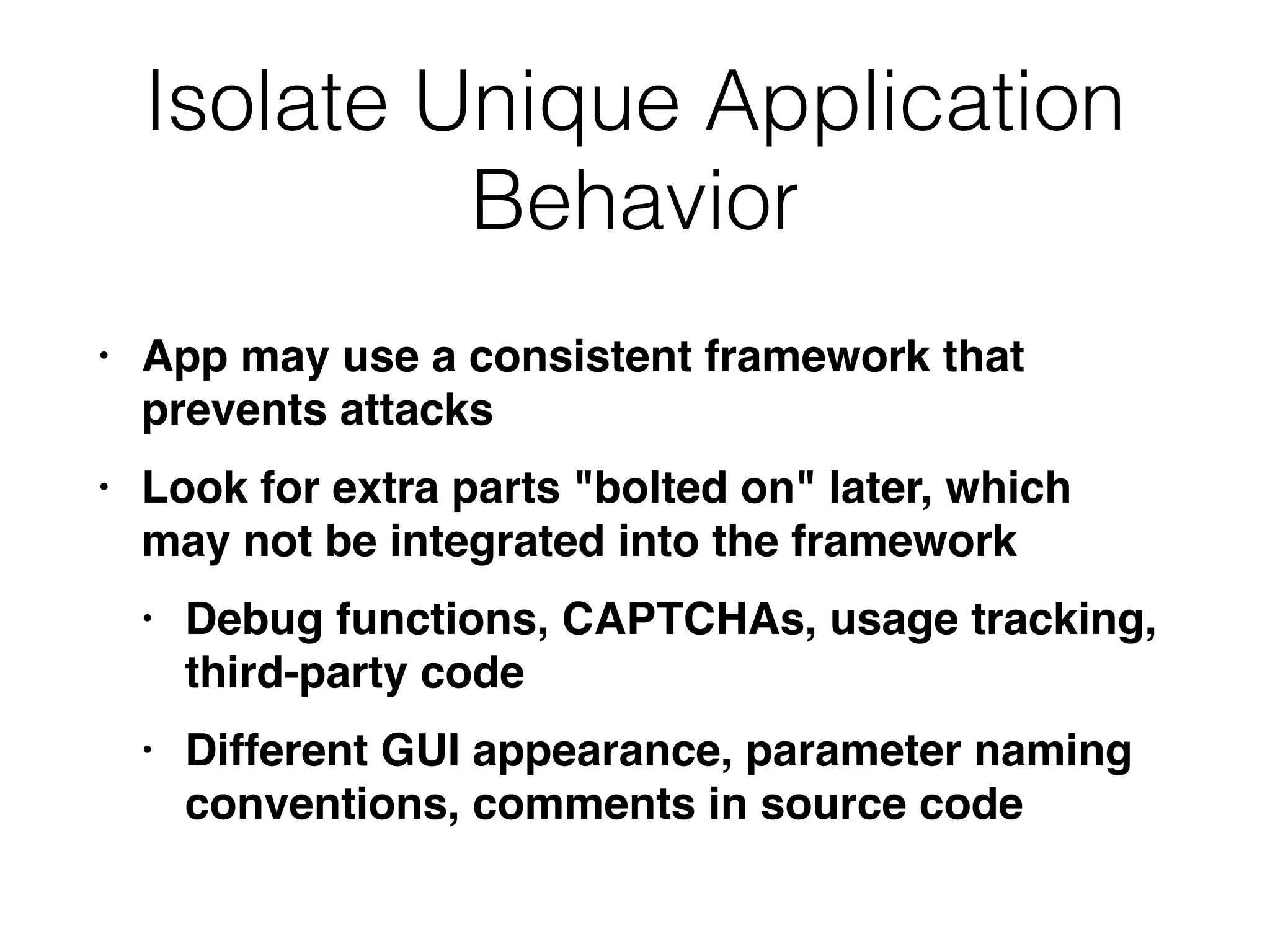
Techniques for isolating unique behaviors within applications that may expose security risks.Discussing various aspects of mapping the attack surface, including client-side validation and session handling.Practical examples of attack surface mapping, demonstrating potential vulnerabilities and testing areas in web applications.
Mapping
• Enumerate application'scontent and
functionalit
y
• Some is hidden, requiring guesswork
and luck to discove
r
• Examine every aspect of behavior,
security mechanisms, and technologie
s
• Determine attack surface and
vulnerabilities
Web Spiders
• Loadweb page,
fi
nd all links on i
t
• (into the targeted domain
)
• Load those pages,
fi
nd more link
s
• Continue until no new content is discovered
5.
Web Application Spiders
•Also parse HTML form
s
• Fill in the forms with preset or random values
and submit the
m
• Trying to walk through multistage
functionalit
y
• Can also parse client-side JavaScript to extract
URL
s
• Tool: Zed Attack Prox
y
• WebScarab & CAT seem old and abandoned
Limitations of Automatic
Spidering
•May fail to handle unusual navigation
mechanisms, such as dynamically created
JavaScript menu
s
• So it may miss whole areas of an applicatio
n
• Links buried in compiled client-side objects like
ActiveX or Java may be missed
8.
Limitations of Automatic
Spidering
•Forms may have validation checks, such as
user registration form
s
• Email address, telephone number, address,
zip cod
e
• Too complex for most spiders, which use a
single text string for all form
fi
eld
s
• Spider cannot understand the "Invalid" error
messages
9.
Limitations of Automatic
Spidering
•Spiders only fetch each URL onc
e
• But applications use forms-based navigation,
in which the same URL may return different
content and function
s
• For example, a bank may implement every
user action with a POST to /account.jsp with
parameters determining the actio
n
• Spiders aren't smart enough to handle that
10.
Limitations of Automatic
Spidering
•Some applications place volatile data within
URL
s
• Parameters containing timers or random
number seed
s
• Spider will fetch the same page over and over,
thinking it's ne
w
• May freeze up
11.
Limitations of Automatic
Spidering
•Authentication: spider must be able to submit
valid credential
s
• Perhaps using a valid cooki
e
• However, spiders often break the authenticated
session, b
y
• Requesting a logout functio
n
• Submitting invalid input to a sensitive functio
n
• Requesting pages out-of-sequence
12.
Warning
• Spiders may
fi
ndan administrative page and
click every lin
k
• Delete User, Shut Down Database, Restart
Server...
13.
User-Directed Spidering
• Moresophisticated and controlled technique
than automated spidering, usually preferabl
e
• User walks through application using a browser
connected to Burp (or another proxy
)
• The proxy collects all requests and responses
14.
Preparing Burp
• LaunchBurp Suite
• Click Next, Start Burp
• On the Proxy Tab, turn off Intercept
• Click Open Browser
15.
Shopping
• In Burp'sbrowser, go to
http://hackazon.samsclass.inf
o
• Click an item, then click Add to car
t
• Repeat for a second item
16.
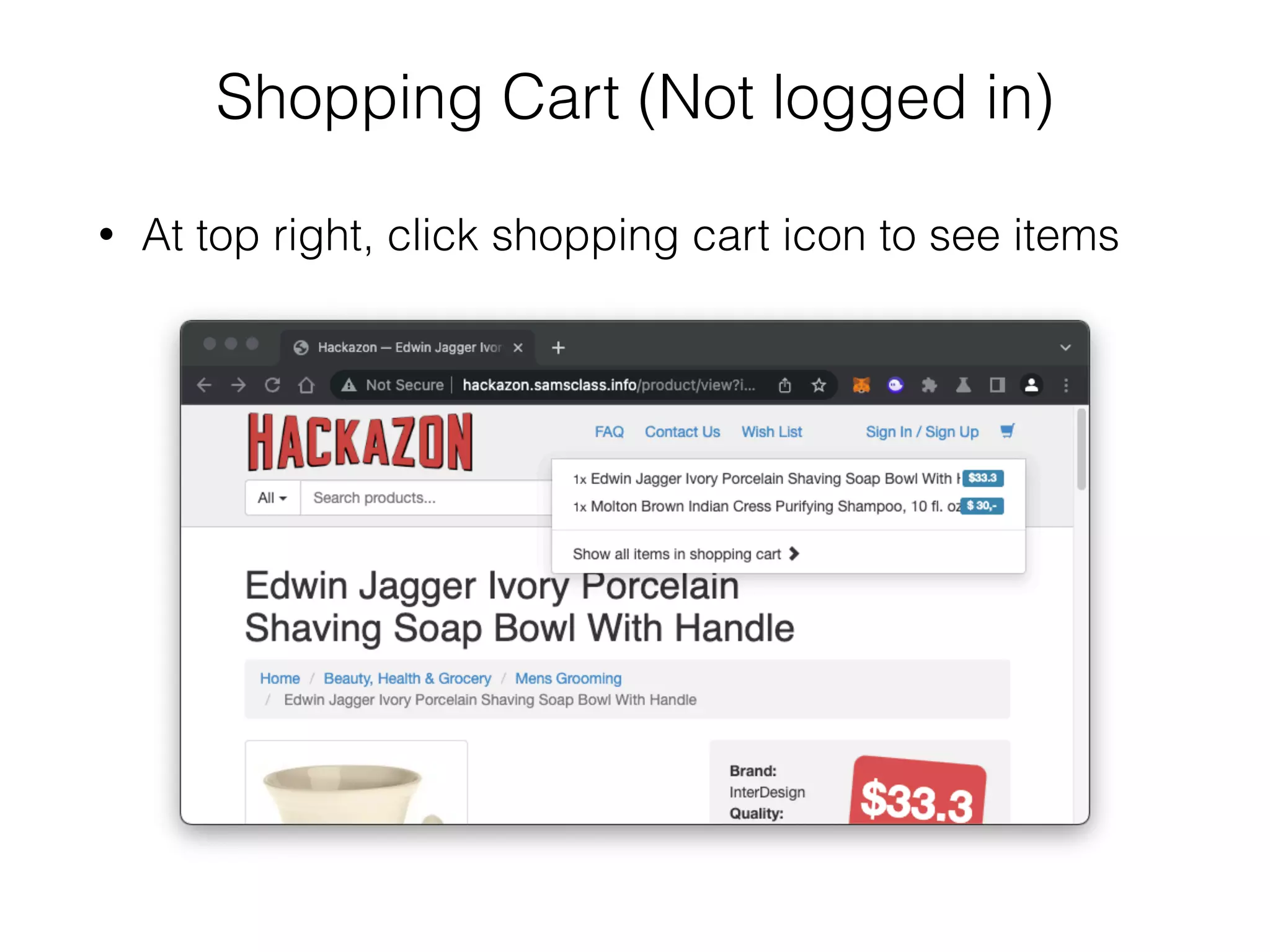
Shopping Cart (Notlogged in)
• At top right, click shopping cart icon to see items
17.
Shopping
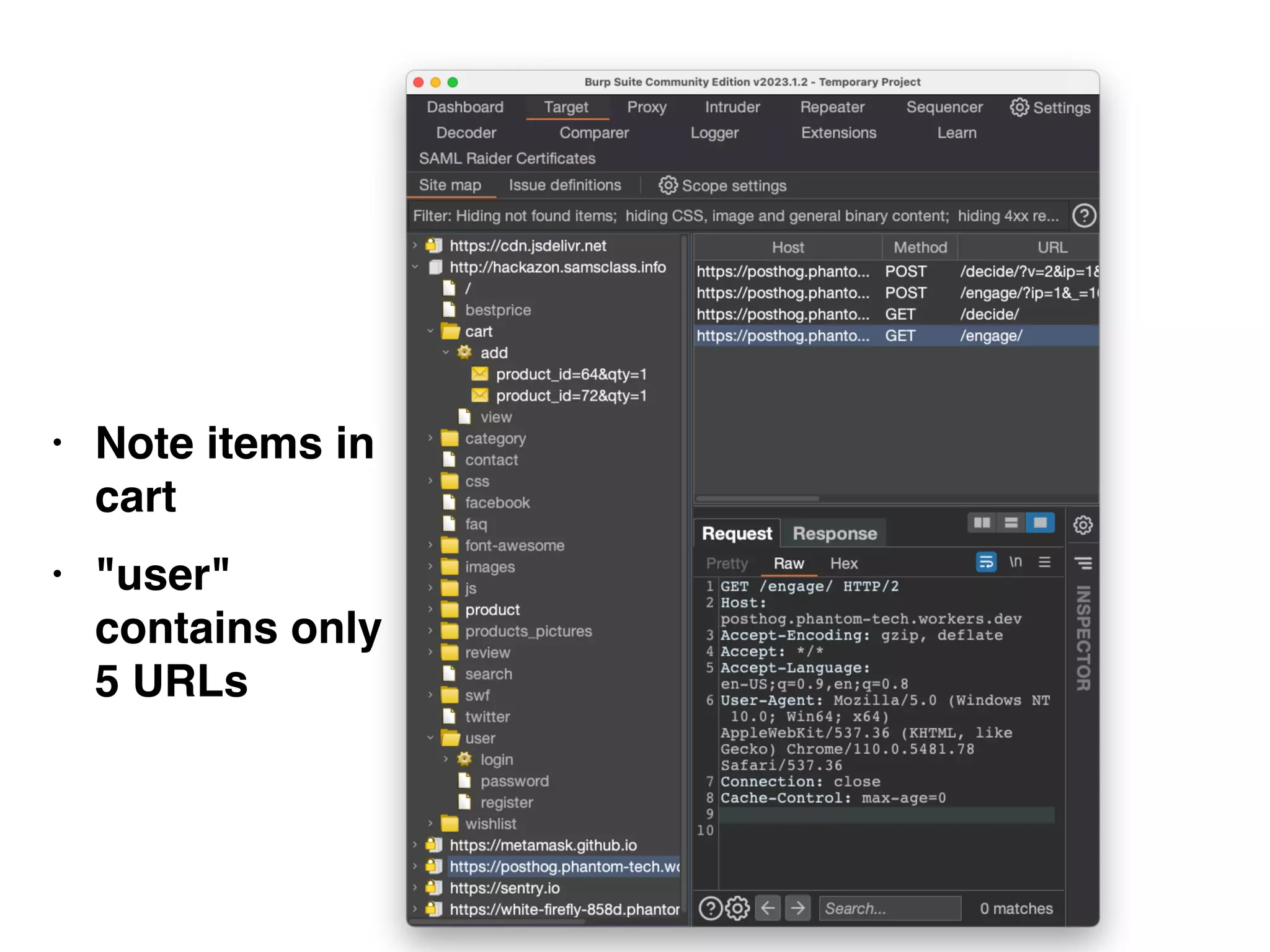
• In Burp,on the Target tab
• On the Site map sub-tab
• Expand http://hackazon.samsclass.info
• Expand cart
• Expand add
• Expand user
18.
• Note itemsin
car
t
• "user"
contains only
5 URLs
19.
Logging In
• Inthe Hackazon page, at the top right, click Sign
U
p
• Register a new user
• Log out
• Sign in
Advantages of
User-Directed Spidering
•User can follow unusual or complex navigation
mechanism
s
• User can enter valid data where neede
d
• User can log in as neede
d
• User can avoid dangerous functionality, such as
deleteUser.jsp
23.
Browser Tools
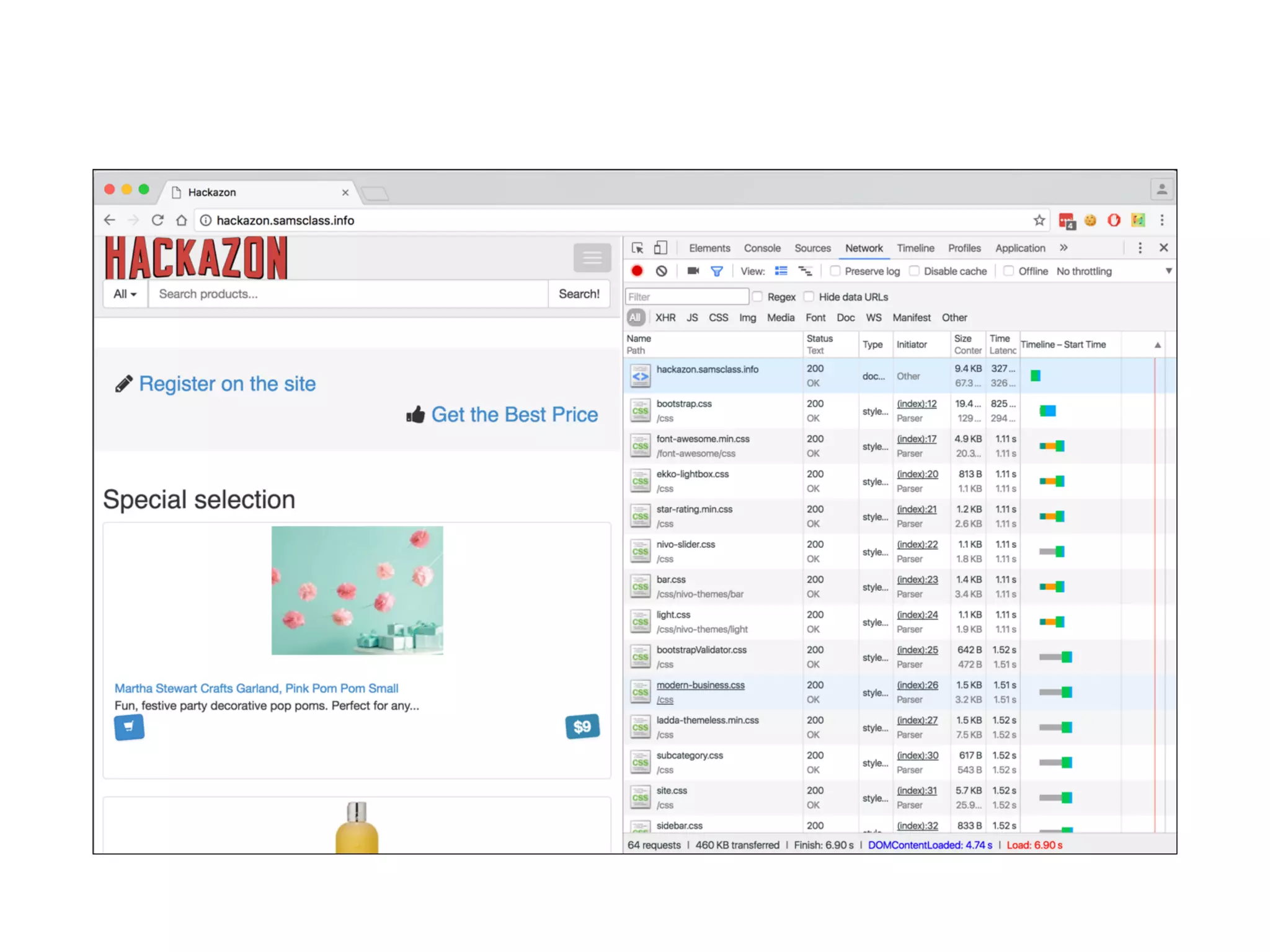
• Chrome'sDeveloper Tools can show details of
requests and responses within the browse
r
• No proxy neede
d
• Often useful; shows timing as well as content
26.
Discovering Hidden Content
•Finding it requires automated testing, manual
testing, and luc
k
• Testing or debugging features left in applicatio
n
• Different functionality for different categories of
user
s
• Anonymous, authenticated, administrator
s
• Backup copies of live
fi
le
s
• May be non-executable and reveal source
code
27.
Discovering Hidden Content
•Backup archives that contain snapshot of entire
applicatio
n
• New functionality implemented for testing but
not yet linked from main applicatio
n
• Default functionality in an off-the-shelf
application that has been super
fi
cially hidden
from the user but not remove
d
• Old versions of
fi
les--may still be exploitable
28.
Discovering Hidden Content
•Con
fi
guration and include
fi
les containing
sensitive data such as database credential
s
• Source
fi
les from which application functions
were compile
d
• Comments in source code; may contain
usernames and passwords, "test this" marks,
and other useful dat
a
• Log
fi
les--may contain valid usernames, session
tokens, etc.
29.
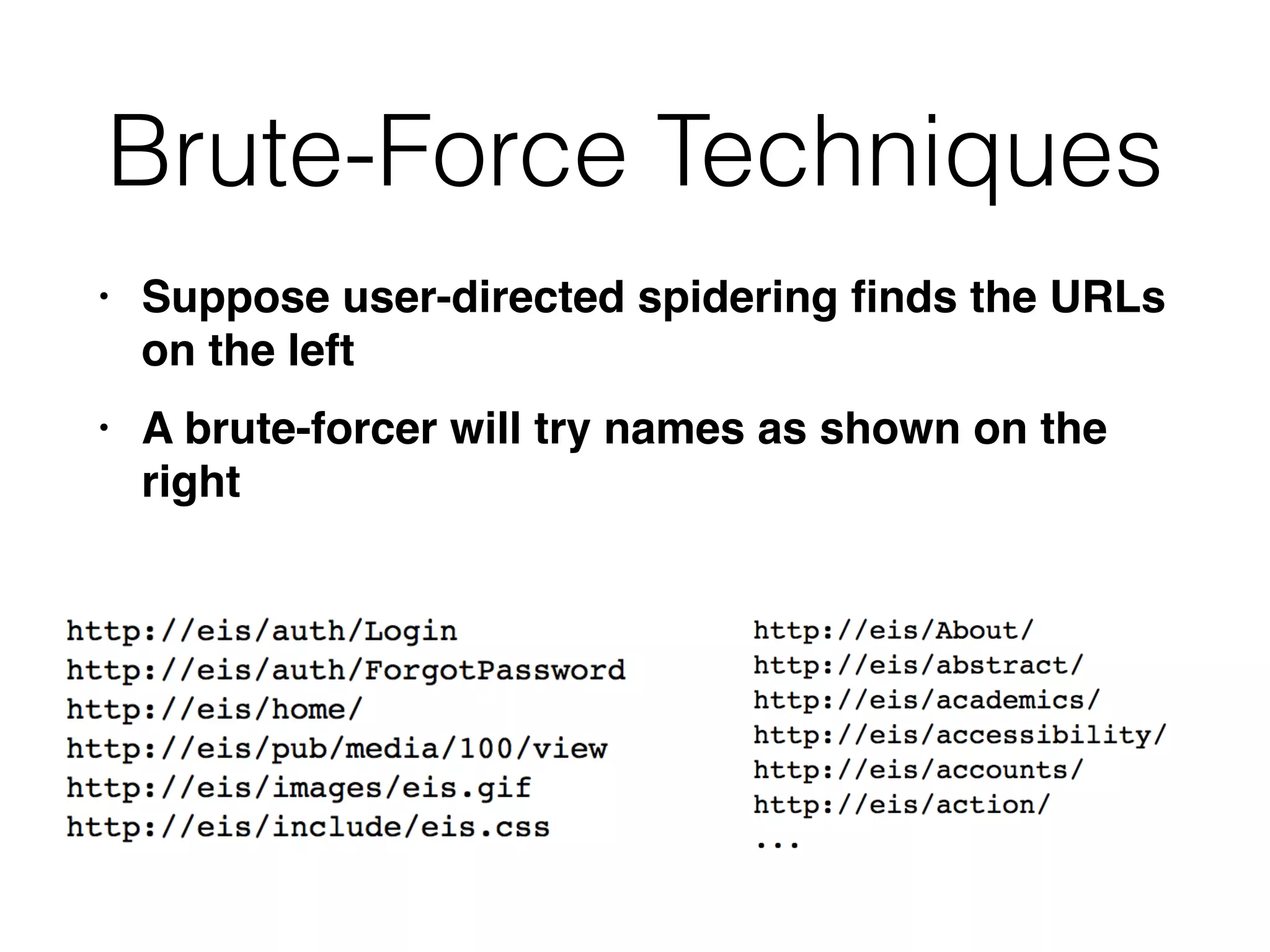
Brute-Force Techniques
• Supposeuser-directed spidering
fi
nds the URLs
on the lef
t
• A brute-forcer will try names as shown on the
right
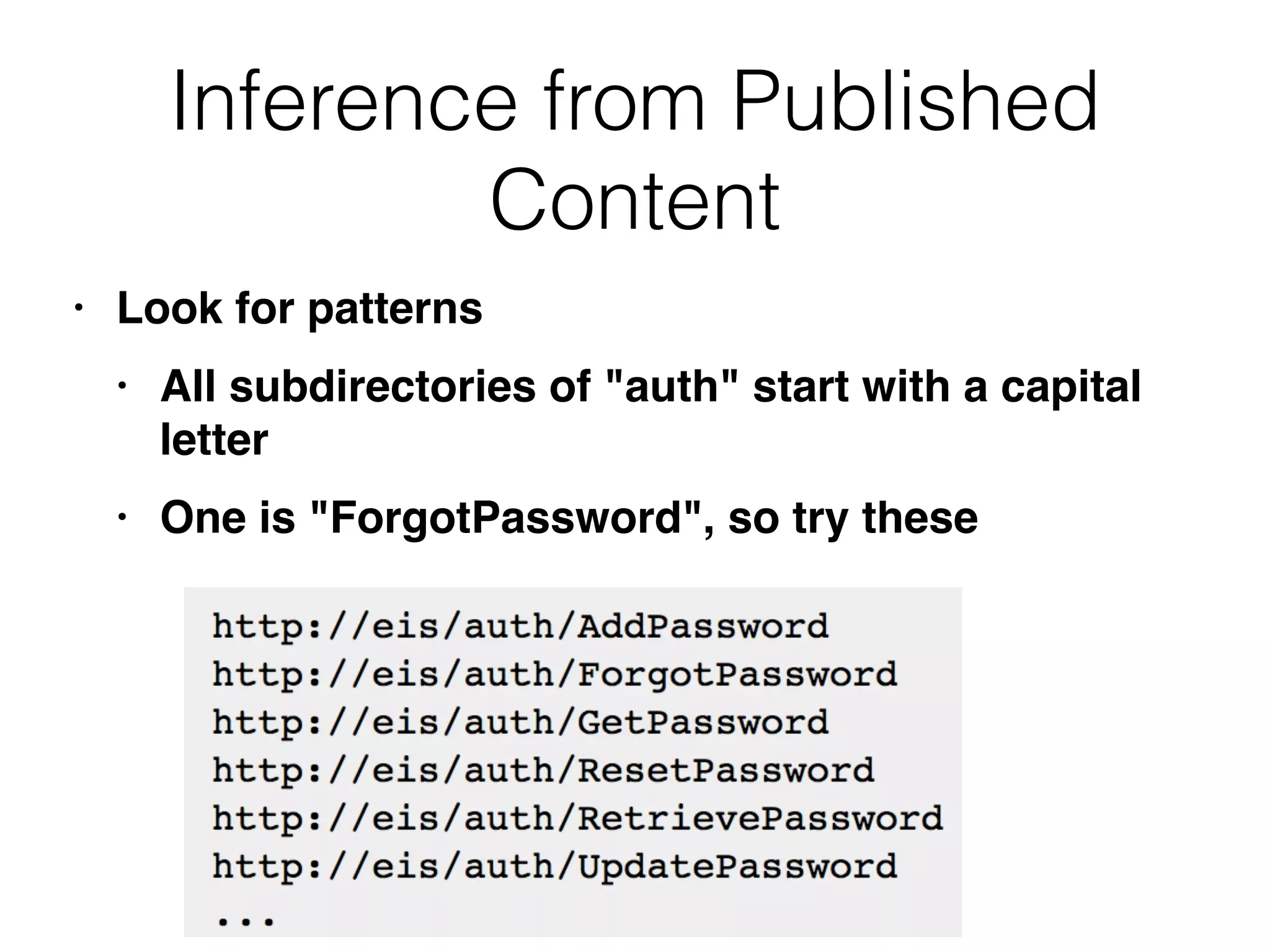
Inference from Published
Content
•Look for pattern
s
• All subdirectories of "auth" start with a capital
lette
r
• One is "ForgotPassword", so try these
34.
Other Patterns
• Namesmay use numbers or date
s
• Check include
fi
les from HTML and JavaScrip
t
• They may be publicly readabl
e
• Comments may include database names, SQL
query string
s
• Java applets and ActiveX controls may contain
sensitive data
35.
More Clues
• Searchfor temporary
fi
les created by tools and
fi
le editor
s
• .DS_Store
fi
le (a directory index created by Mac
OS X
)
•
fi
le.php-1 created when
fi
le.php is edite
d
• .tmp
fi
les created by many tools
Web Server Vulnerabilities
•Some Web servers let you list directory
contents or see raw source cod
e
• Sample and diagnostic scripts may contain
vulnerabilities
41.
Nikto and Wikto
•Scans servers for known vulnerable
fi
les and
version
s
• Wikto is the Windows versio
n
• Nikto is the Linux versio
n
• Included in Kal
i
• Fast and easy to us
e
• Has false positives like all vulnerability
scanner
s
• Must verify results with manual testing
Functional Paths
• Differentfrom old-fashioned tree-
structured
fi
le syste
m
• Every request goes to the same UR
L
• Parameters specify functio
n
• Very different structure to explore
Analyzing the Application
•Key area
s
• Core functionalit
y
• Peripheral behavior: off-site links, error
messages, administrative and logging
functions, and use of redirect
s
• Core security mechanisms: session state,
access control, authenticatio
n
• User registration, password change,
account recovery
47.
Key Areas (continued)
•Everywhere the application processes user-
supplied inpu
t
• URL, query string, POST data, cookie
s
• Client-side technologie
s
• Forms, scripts, thick-client components (Java
applets, ActiveX controls, and Flash), and
cookies
48.
Key Areas (continued)
•Server-side technologie
s
• Static and dynamic pages, request
parameters, SSL, Web server software,
interaction with databases, email systems,
and other back-end components
HTTP Headers
• User-Agentis used to detect small screen
s
• Sometimes to modify content to boost search
engine ranking
s
• May allow XSS and other injection attack
s
• Changing User-Agent may reveal a different
user interface
53.
HTTP Headers
• Applicationsbehind a load balancer or proxy
may use X-Forwarded-For header to identify
sourc
e
• Can be manipulated by attacker to inject content
54.
Out-of-Band Channels
• Userdata may come in vi
a
• Emai
l
• Publishing content via HTTP from another
server (e.g. WebDAV
)
• IDS that sniffs traf
fi
c and puts it into a
Web applicatio
n
• API interface for non-browser user agents,
such as cell phone apps, and then shares
data with the primary web application
Third-Party Code
Components
• Addcommon functionality lik
e
• Shopping cart
s
• Login mechanism
s
• Message board
s
• Open-source or commercia
l
• May contain known vulnerabilities
68.
Hack Steps
1. Identifyall entry points for user inpu
t
•URL, query string parameters, POST data,
cookies, HTTP header
s
2. Examine query string format; should be some
variation on name/value pai
r
3. Identify any other channels that allow user-
controllable or third-party data into the app
69.
Hack Steps
4. ViewHTTP server banner returned by the
app; it may use several different server
s
5. Check for other software identi
fi
ers in
custom HTTP headers or HTML source code
6. Run httprint to
fi
ngerprint the web serve
r
7. Research software versions for
vulnerabilitie
s
8. Review map of URLs to
fi
nd interesting
fi
le
extensions, directories, etc. with clues about
the technologies in use
70.
httprint
• Not updatedsince 2005 (link Ch 4j
)
• Alternatives include nmap, Netcraft, and
SHODAN (Link Ch 4k
)
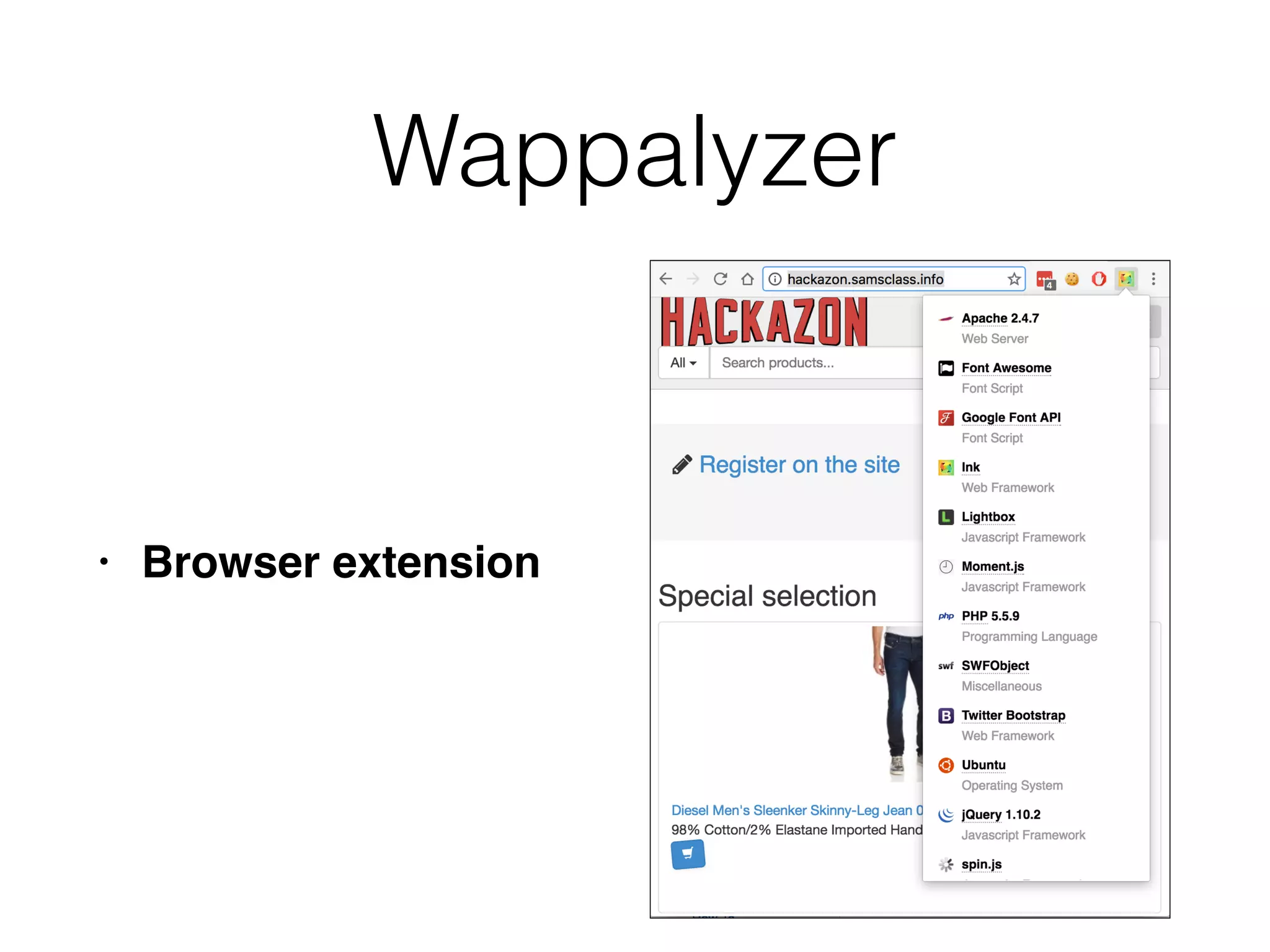
• Also the Wappalyzer Chrome extension
71.
Hack Steps
9. Reviewnames of session tokens to identify
technologies being use
d
10. Use lists of common technologies, or Google,
to identify technologies in use, or discover other
websites that use the same technologie
s
11. Google unusual cookie names, scripts, HTTP
headers, etc. If possible, download and install
the software to analyze it and
fi
nd vulnerabilities
72.
Identifying Server-Side
Functionality
• .jsp- Java Server Page
s
• OrderBy parameter looks like SQ
L
• isExpired suggests that we could get expired
content by changing this value
73.
Identifying Server-Side
Functionality
• .aspx- Active Server Pages (Microsoft
)
• template - seems to be a
fi
lename and loc - looks
like a directory; may be vulnerable to path
traversa
l
• edit - maybe we can change
fi
les if this is tru
e
• ver - perhaps changing this will reveal other
functions to attack
74.
Identifying Server-Side
Functionality
• .php- PH
P
• Connecting to an email server, with user-controllable
content in all
fi
eld
s
• May be usable to send email
s
• Any
fi
elds may be vulnerable to email header injection
Extrapolating Application
Behavior
• Anapplication often behaves consistently
across the range of its functionalit
y
• Because code is re-used or written by the
same developer, or to the same speci
fi
cation
s
• So if your SQL injections are being
fi
ltered out,
try injecting elsewhere to see what
fi
ltering is in
effect
77.
Extrapolating Application
Behavior
• Ifapp obfuscates data, try
fi
nding a place where
a user can enter an obfuscated string and
retrieve the original
• Such as an error messag
e
• Or test systematically-varying values and
deduce the obfuscation scheme
78.
Error Handling
• Someerrors may be properly handled and give
little information
Others may crash and return verbose error
information
Isolate Unique Application
Behavior
•App may use a consistent framework that
prevents attack
s
• Look for extra parts "bolted on" later, which
may not be integrated into the framewor
k
• Debug functions, CAPTCHAs, usage tracking,
third-party cod
e
• Different GUI appearance, parameter naming
conventions, comments in source code
82.
Mapping the AttackSurface
• Client-side validatio
n
• Database interaction -- SQL injectio
n
• File uploading and downloading -- Path
traversal, stored XS
S
• Display of user-supplied data - XS
S
• Dynamic redirects -- Redirection and header
attacks
83.
Mapping the AttackSurface
• Social networking features -- username
enumeration, stored XS
S
• Login -- Username enumeration, weak
passwords, brute-force attack
s
• Multistage login -- Logic
fl
aw
s
• Session state -- Predictable tokens, insecure
token handling
84.
Mapping the AttackSurface
• Access controls -- Horizontal and vertical
privilege escalatio
n
• User impersonation functions -- Privilege
escalatio
n
• Cleartext communications -- Session hijacking,
credential thef
t
• Off-site links -- Leakage of query string
parameters in the Referer heade
r
• Interfaces to external systems -- Shortcuts
handling sessions or access controls
85.
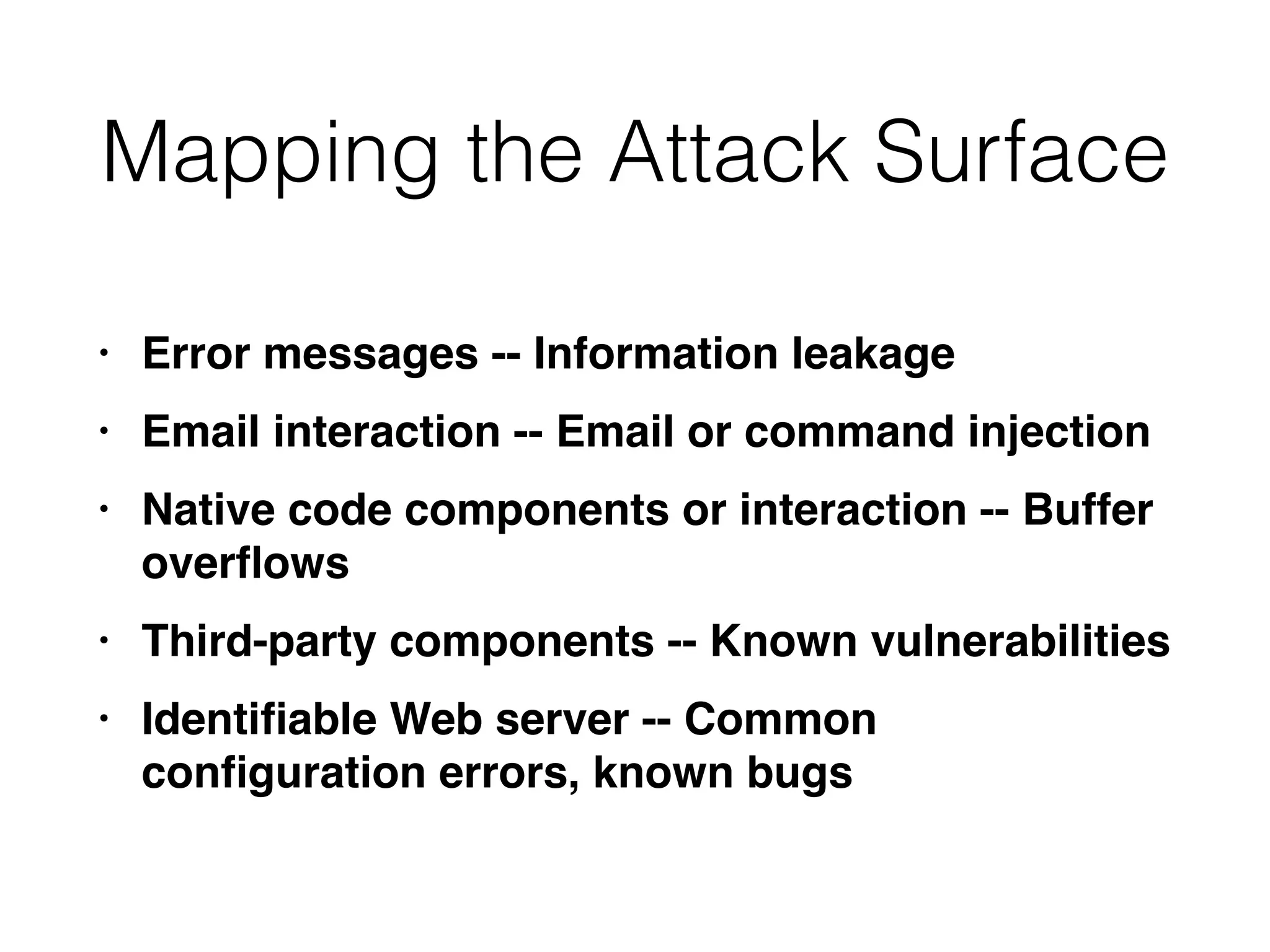
Mapping the AttackSurface
• Error messages -- Information leakag
e
• Email interaction -- Email or command injectio
n
• Native code components or interaction -- Buffer
over
fl
ow
s
• Third-party components -- Known vulnerabilitie
s
• Identi
fi
able Web server -- Common
con
fi
guration errors, known bugs
86.
Example
• /auth containsauthentication
functions -- test session handling
and access contro
l
• /core/sitestats -- parameters; try
varying them; try wildcards like
all and * ; PageID contains a path,
try traversa
l
• /home -- authenticated user
content; try horizontal privilege
escalation to see other user's info
87.
Example
• /icons and/images -- static content,
might
fi
nd icons indicating third-
party content, but probably nothing
interesting her
e
• /pub -- RESTful resources under /
pub/media and /pub/user; try
changing the numerical value at the
en
d
• /shop -- online shopping, all items
handled similarly; check logic for
possible exploits