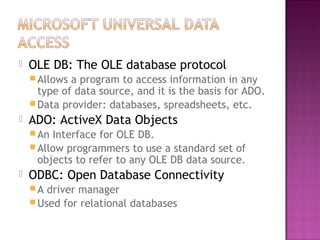
 OLE DB: The OLE database protocol
Allows a program to access information in any
type of data source, and it is the basis for ADO.
Data provider: databases, spreadsheets, etc.
 ADO: ActiveX Data Objects
An Interface for OLE DB.
Allow programmers to use a standard set of
objects to refer to any OLE DB data source.
 ODBC: Open Database Connectivity
A driver manager
Used for relational databases
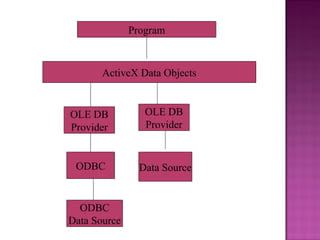
Program
ActiveX Data Objects
OLE DB
Provider
Data Source
OLE DB
Provider
ODBC
ODBC
Data Source
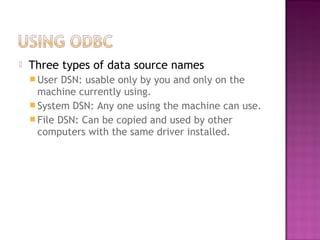
 Three types of data source names
 User DSN: usable only by you and only on the
machine currently using.
 System DSN: Any one using the machine can use.
 File DSN: Can be copied and used by other
computers with the same driver installed.
 Visual Data Manager
 Data Environments
 Data Views
 Data Report Designer
 Data Projects
 Add-Ins/Visual Data Manager
 Supports: Access, dBase, FoxPro, Paradox,
ODBC, Text files.
 Creating new database
 Managing existing database
 Query Builder, Form Wizard
 DAO
 Project/More ActiveX Designer/Data
Environment
 Data Environments are designed to be the
basis of design-time and run-time data
access. They make data available to any
forms and modules in your application.
 Right Click Connection1
Click Properties to set up database connection
Click Add Command to choose record source.
 Drag and drop fields from Command1 to
form. Text box properties:
Data Source: Data Environment1
Data Member: Command1 (Note: Data
environment can support many command
objects)
Data Field
 Access command object’s Recordset
object and Recordset object’s methods.
 Recordset’s name: rs+command name.
Ex. rsCommand1
 Properties:
EOF, BOF, RecordCount
 Methods:
MoveFirst, MoveLast, MoveNext, MovePrevious
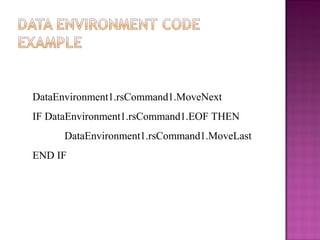
DataEnvironment1.rsCommand1.MoveNext
IF DataEnvironment1.rsCommand1.EOF THEN
DataEnvironment1.rsCommand1.MoveLast
END IF
 View/Data View Window
 An overview of the database objects you
have in a project, such as Data
Environments, connections, data links.
 Project/Add Data Report
 Features of Data Report Designer
 Drag and Drop fields from the Data Environment
to report detail section. The DataMember and
DataField properties of the text box are
automatically set.
 Drag and Drop the Command object (Must make
sure the DataSOurce and DataMember properties
of the DataReport are set properly).
‘To preview report
DataReport1.Show
‘To print
DataReport.PrintReport
 VB projects come with built-in Data
Environments and Data Report Designer.
 Three VB database objects:
 DAO, RDO, ADO
 Two ways to work with these objects:
 VB Data controls, data-bound controls
 Programming objects
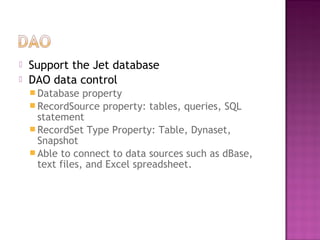
 Support the Jet database
 DAO data control
 Database property
 RecordSource property: tables, queries, SQL
statement
 RecordSet Type Property: Table, Dynaset,
Snapshot
 Able to connect to data sources such as dBase,
text files, and Excel spreadsheet.
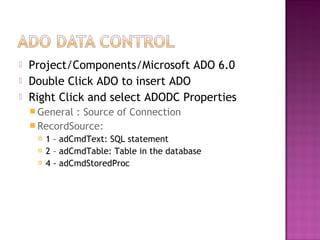
 Project/Components/Microsoft ADO 6.0
 Double Click ADO to insert ADO
 Right Click and select ADODC Properties
 General : Source of Connection
 RecordSource:
 1 – adCmdText: SQL statement
 2 – adCmdTable: Table in the database
 4 - adCmdStoredProc
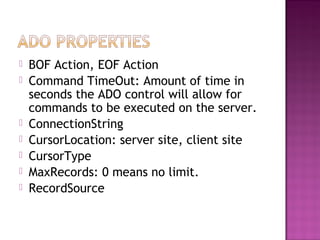
 BOF Action, EOF Action
 Command TimeOut: Amount of time in
seconds the ADO control will allow for
commands to be executed on the server.
 ConnectionString
 CursorLocation: server site, client site
 CursorType
 MaxRecords: 0 means no limit.
 RecordSource
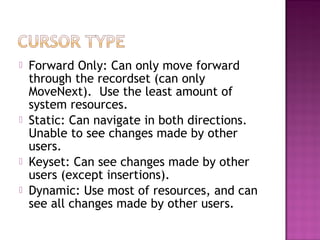
 Forward Only: Can only move forward
through the recordset (can only
MoveNext). Use the least amount of
system resources.
 Static: Can navigate in both directions.
Unable to see changes made by other
users.
 Keyset: Can see changes made by other
users (except insertions).
 Dynamic: Use most of resources, and can
see all changes made by other users.
 ReadOnly
 Optimistic: Does not lock the file until
updates are actually applied.
 BatchOptimistic: All changes be submitted
at one time.
 Pessimistic: Lock the table the entire time
that the recordset is open.
 Determines the access rights of the user.
Read
Write
ReadWrite
ShareDenyRead: Deny other from opening
connections with read permissions.
ShareDenyWrite
ShareExclusive
ShareDenyNone: Prevent others from opening
conections with any permissions.
Thank You

vishual basic data base Pankaj

  • 3.
     OLE DB:The OLE database protocol Allows a program to access information in any type of data source, and it is the basis for ADO. Data provider: databases, spreadsheets, etc.  ADO: ActiveX Data Objects An Interface for OLE DB. Allow programmers to use a standard set of objects to refer to any OLE DB data source.  ODBC: Open Database Connectivity A driver manager Used for relational databases
  • 4.
    Program ActiveX Data Objects OLEDB Provider Data Source OLE DB Provider ODBC ODBC Data Source
  • 5.
     Three typesof data source names  User DSN: usable only by you and only on the machine currently using.  System DSN: Any one using the machine can use.  File DSN: Can be copied and used by other computers with the same driver installed.
  • 6.
     Visual DataManager  Data Environments  Data Views  Data Report Designer  Data Projects
  • 7.
     Add-Ins/Visual DataManager  Supports: Access, dBase, FoxPro, Paradox, ODBC, Text files.  Creating new database  Managing existing database  Query Builder, Form Wizard  DAO
  • 8.
     Project/More ActiveXDesigner/Data Environment  Data Environments are designed to be the basis of design-time and run-time data access. They make data available to any forms and modules in your application.
  • 9.
     Right ClickConnection1 Click Properties to set up database connection Click Add Command to choose record source.  Drag and drop fields from Command1 to form. Text box properties: Data Source: Data Environment1 Data Member: Command1 (Note: Data environment can support many command objects) Data Field
  • 10.
     Access commandobject’s Recordset object and Recordset object’s methods.  Recordset’s name: rs+command name. Ex. rsCommand1  Properties: EOF, BOF, RecordCount  Methods: MoveFirst, MoveLast, MoveNext, MovePrevious
  • 11.
  • 12.
     View/Data ViewWindow  An overview of the database objects you have in a project, such as Data Environments, connections, data links.
  • 13.
     Project/Add DataReport  Features of Data Report Designer  Drag and Drop fields from the Data Environment to report detail section. The DataMember and DataField properties of the text box are automatically set.  Drag and Drop the Command object (Must make sure the DataSOurce and DataMember properties of the DataReport are set properly).
  • 14.
    ‘To preview report DataReport1.Show ‘Toprint DataReport.PrintReport
  • 15.
     VB projectscome with built-in Data Environments and Data Report Designer.
  • 16.
     Three VBdatabase objects:  DAO, RDO, ADO  Two ways to work with these objects:  VB Data controls, data-bound controls  Programming objects
  • 17.
     Support theJet database  DAO data control  Database property  RecordSource property: tables, queries, SQL statement  RecordSet Type Property: Table, Dynaset, Snapshot  Able to connect to data sources such as dBase, text files, and Excel spreadsheet.
  • 18.
     Project/Components/Microsoft ADO6.0  Double Click ADO to insert ADO  Right Click and select ADODC Properties  General : Source of Connection  RecordSource:  1 – adCmdText: SQL statement  2 – adCmdTable: Table in the database  4 - adCmdStoredProc
  • 19.
     BOF Action,EOF Action  Command TimeOut: Amount of time in seconds the ADO control will allow for commands to be executed on the server.  ConnectionString  CursorLocation: server site, client site  CursorType  MaxRecords: 0 means no limit.  RecordSource
  • 20.
     Forward Only:Can only move forward through the recordset (can only MoveNext). Use the least amount of system resources.  Static: Can navigate in both directions. Unable to see changes made by other users.  Keyset: Can see changes made by other users (except insertions).  Dynamic: Use most of resources, and can see all changes made by other users.
  • 21.
     ReadOnly  Optimistic:Does not lock the file until updates are actually applied.  BatchOptimistic: All changes be submitted at one time.  Pessimistic: Lock the table the entire time that the recordset is open.
  • 22.
     Determines theaccess rights of the user. Read Write ReadWrite ShareDenyRead: Deny other from opening connections with read permissions. ShareDenyWrite ShareExclusive ShareDenyNone: Prevent others from opening conections with any permissions.
  • 23.