Storage, Multimedia and File Organization CIS 105
List the benefits of secondary storage Identify and describe storage media that are available for personal computers Differentiate among the principal types of secondary storage Describe how data is stored on a disk Discuss the benefits of multimedia Explain how data is organized, accessed, and processed Storage and Multimedia:  The Facts and More
Secondary Storage Separate from the computer itself Software and data stored on a semipermanent basis (Unlike memory, not lost when power is lost) Benefits Space Reliability Convenience Economy
Memory  vs.  Storage   (Volatile)  (Non-volatile) Temporarily  holds instructions to be completed and data to be used with those instructions Holds data, instructions, and information for  future   use.  Access time =  nanoseconds   (billionths of a second) Access time =  milliseconds   (thousandths of a second)
Cost and Speed
Formatting Formatting is the process of preparing a disk, hard disk, or CD for reading or writing. Formatting organizes the disk into storage locations called  tracks   ( a band that forms  a circle on the disk). Formatting breaks the tracks into  sectors  which are small pie-shaped areas. Data stored in sectors must be retrieved for use and placed in memory.  The time required to access and retrieve data is called  access time . Tracks Sectors (Cluster: 2-8 sectors)
Care of  Floppy Disks
Hard Disk Characteristics Platter Low (vendor) and High Level (operating system defines), Format Partitions Removable available IDE (Integrated Drive Electronics) SCSI (Small Computer System Interface) – daisy chaining RAID (Redundant Array of Independent Disks) – level 1 (mirroring) and Striping
RAID  (Redundant Array of Independent Disks)   Can be Combined (RAID LEVEL 0)
Compact Disks CD-ROM - drive can only read data from CDs CD-ROM stores up to 700 MB per disk Primary medium for software distribution CD-R - drive can write to disk once Disk can be read by CD-ROM or CD-R drive CD-RW - drive can erase and record over data multiple times Some compatibility problems trying to read CD-RW disks on CD-ROM drives
Digital Versatile Disk (DVD) Short wavelength laser can read densely packed spots DVD drive can read CD-ROMs Capacity up to 17GB Allows for full-length movies Sound is better than on audio CDs Several versions of writable and rewritable DVDs exist
CDs and DVDs  CD-ROM  (compact disk) 700 MB Single track DVD-ROM  (digital video disk) 4.7-17 GB Denser; 2 layers
Disk Terms Superdisk, Zip, USB Flash High Capacity Portable Disks/Drives Small opening in floppy disk with tab to slide to cover/expose notch; indicates whether info can be written to disk Write protect notch Table of info used to locate files on a disk FAT (File Allocation Table) # sides (2) x tracks (80) x sectors/track (18) x 512 (bytes/sector) = 1.44MB Density 2-8 sectors; smallest unit of space to store data Cluster Pie-shaped arcs making up track. 512 bytes;  Sector Narrow recording band; forms circle on disk surface Track Process of preparing disk by organizing into locations (tracks/sectors) Formatting Portable, inexpensive, 3.5” Floppy disk/diskette
Storage Strategies Enterprise Storage Systems (ESS) Focuses on availability, protection, organization, and back up of storage in a company. Goal: Consolidate storage so that operations run as efficiently as possible. Examples: RAID, tape libraries, Storage Area Networks (SAN) Data Warehouses Centralizes the computing environment, in which large megaservers store data, information, and programs, and less powerful client devices connect to the megaservers to access these items
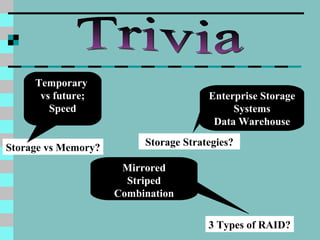
Trivia Storage vs Memory? 3 Types of RAID? Storage Strategies? Temporary  vs future; Speed Enterprise Storage Systems Data Warehouse Mirrored Striped Combination
Multimedia Presents information with text, illustrations, photos, narration, music, animation, and film clips Not practical until the advent of the optical disk
Organizing and Accessing Data Database File Record Field Character Key Field
File Organization Three major methods of organizing data files in secondary storage Sequential Direct Indexed
Sequential File Organization Records are stored in order according to a key field If a particular record is desired, all prior records must be read first To update a record, a new sequential file must be created, with changed and unchanged records Tape storage uses sequential organization
Direct File Organization Also called random access Go directly to desired record by using a key Computer does not have to read all prior records Requires disk storage
Indexed File Organization Combines elements of sequential and direct methods Records stored sequentially, but file also contains an index Index stored sequentially, contains record key Data accessed by record key
the benefits of secondary storage The types of storage media that are available for personal computers the principal types of secondary storage how data is stored on a disk the benefits of multimedia how data is organized, accessed, and processed If asked, can you explain…
Questions? ? ? ? ? ?
Terms to Know: Storage, Multimedia & File Management Access time Backup Bad sectors Character Cluster CD-ROM Database Digital Versatile disk (DVD) FAT (File Allocation Table) Field Formatting Fragmented Key field Preformatted RAID Record Secondary Storage Sectors Server Striping Tracks USB Flash Drive Zip drive
Sources Capron; Computers: Tools for An Information Age, 8 th  Ed. 2003 Pfaffenberger; Computers in Your Future 2003 Microsoft Clipart

presentations

  • 1.
    Storage, Multimedia andFile Organization CIS 105
  • 2.
    List the benefitsof secondary storage Identify and describe storage media that are available for personal computers Differentiate among the principal types of secondary storage Describe how data is stored on a disk Discuss the benefits of multimedia Explain how data is organized, accessed, and processed Storage and Multimedia: The Facts and More
  • 3.
    Secondary Storage Separatefrom the computer itself Software and data stored on a semipermanent basis (Unlike memory, not lost when power is lost) Benefits Space Reliability Convenience Economy
  • 4.
    Memory vs. Storage (Volatile) (Non-volatile) Temporarily holds instructions to be completed and data to be used with those instructions Holds data, instructions, and information for future use. Access time = nanoseconds (billionths of a second) Access time = milliseconds (thousandths of a second)
  • 5.
  • 6.
    Formatting Formatting isthe process of preparing a disk, hard disk, or CD for reading or writing. Formatting organizes the disk into storage locations called tracks ( a band that forms a circle on the disk). Formatting breaks the tracks into sectors which are small pie-shaped areas. Data stored in sectors must be retrieved for use and placed in memory. The time required to access and retrieve data is called access time . Tracks Sectors (Cluster: 2-8 sectors)
  • 7.
    Care of Floppy Disks
  • 8.
    Hard Disk CharacteristicsPlatter Low (vendor) and High Level (operating system defines), Format Partitions Removable available IDE (Integrated Drive Electronics) SCSI (Small Computer System Interface) – daisy chaining RAID (Redundant Array of Independent Disks) – level 1 (mirroring) and Striping
  • 9.
    RAID (RedundantArray of Independent Disks) Can be Combined (RAID LEVEL 0)
  • 10.
    Compact Disks CD-ROM- drive can only read data from CDs CD-ROM stores up to 700 MB per disk Primary medium for software distribution CD-R - drive can write to disk once Disk can be read by CD-ROM or CD-R drive CD-RW - drive can erase and record over data multiple times Some compatibility problems trying to read CD-RW disks on CD-ROM drives
  • 11.
    Digital Versatile Disk(DVD) Short wavelength laser can read densely packed spots DVD drive can read CD-ROMs Capacity up to 17GB Allows for full-length movies Sound is better than on audio CDs Several versions of writable and rewritable DVDs exist
  • 12.
    CDs and DVDs CD-ROM (compact disk) 700 MB Single track DVD-ROM (digital video disk) 4.7-17 GB Denser; 2 layers
  • 13.
    Disk Terms Superdisk,Zip, USB Flash High Capacity Portable Disks/Drives Small opening in floppy disk with tab to slide to cover/expose notch; indicates whether info can be written to disk Write protect notch Table of info used to locate files on a disk FAT (File Allocation Table) # sides (2) x tracks (80) x sectors/track (18) x 512 (bytes/sector) = 1.44MB Density 2-8 sectors; smallest unit of space to store data Cluster Pie-shaped arcs making up track. 512 bytes; Sector Narrow recording band; forms circle on disk surface Track Process of preparing disk by organizing into locations (tracks/sectors) Formatting Portable, inexpensive, 3.5” Floppy disk/diskette
  • 14.
    Storage Strategies EnterpriseStorage Systems (ESS) Focuses on availability, protection, organization, and back up of storage in a company. Goal: Consolidate storage so that operations run as efficiently as possible. Examples: RAID, tape libraries, Storage Area Networks (SAN) Data Warehouses Centralizes the computing environment, in which large megaservers store data, information, and programs, and less powerful client devices connect to the megaservers to access these items
  • 15.
    Trivia Storage vsMemory? 3 Types of RAID? Storage Strategies? Temporary vs future; Speed Enterprise Storage Systems Data Warehouse Mirrored Striped Combination
  • 16.
    Multimedia Presents informationwith text, illustrations, photos, narration, music, animation, and film clips Not practical until the advent of the optical disk
  • 17.
    Organizing and AccessingData Database File Record Field Character Key Field
  • 18.
    File Organization Threemajor methods of organizing data files in secondary storage Sequential Direct Indexed
  • 19.
    Sequential File OrganizationRecords are stored in order according to a key field If a particular record is desired, all prior records must be read first To update a record, a new sequential file must be created, with changed and unchanged records Tape storage uses sequential organization
  • 20.
    Direct File OrganizationAlso called random access Go directly to desired record by using a key Computer does not have to read all prior records Requires disk storage
  • 21.
    Indexed File OrganizationCombines elements of sequential and direct methods Records stored sequentially, but file also contains an index Index stored sequentially, contains record key Data accessed by record key
  • 22.
    the benefits ofsecondary storage The types of storage media that are available for personal computers the principal types of secondary storage how data is stored on a disk the benefits of multimedia how data is organized, accessed, and processed If asked, can you explain…
  • 23.
  • 24.
    Terms to Know:Storage, Multimedia & File Management Access time Backup Bad sectors Character Cluster CD-ROM Database Digital Versatile disk (DVD) FAT (File Allocation Table) Field Formatting Fragmented Key field Preformatted RAID Record Secondary Storage Sectors Server Striping Tracks USB Flash Drive Zip drive
  • 25.
    Sources Capron; Computers:Tools for An Information Age, 8 th Ed. 2003 Pfaffenberger; Computers in Your Future 2003 Microsoft Clipart