Security and Privacy: Computers and the Internet CIS 105 Revised October 2004
Objectives Explain the different types of computer crime and the difficulties of discovery and prosecution Describe the aspects of securing corporate data, including software and data security, disaster recovery plans, and security legislation Describe in general terms how viruses work, the damage they can cause, and procedures used to prevent this damage Explain the threats to personal privacy posed by computers and the Internet.  Describe actions you can take to maximize your privacy
Computer Crime Most commonly reported categories Credit card fraud Data communications fraud Unauthorized access to computer files Unlawful copying of copyrighted software
What’s at Stake? Consumption of Staff Time Downtime Fraud and Theft Adverse Publicity Vandalism Character Assassination Loss of Privacy Risks to Public Safety Denial of Service (DoS)
Methods Computer Criminals Use Bomb Data diddling Denial of service attacks Piggybacking Salami technique Scavenging Trapdoor Trojan horse Zapping
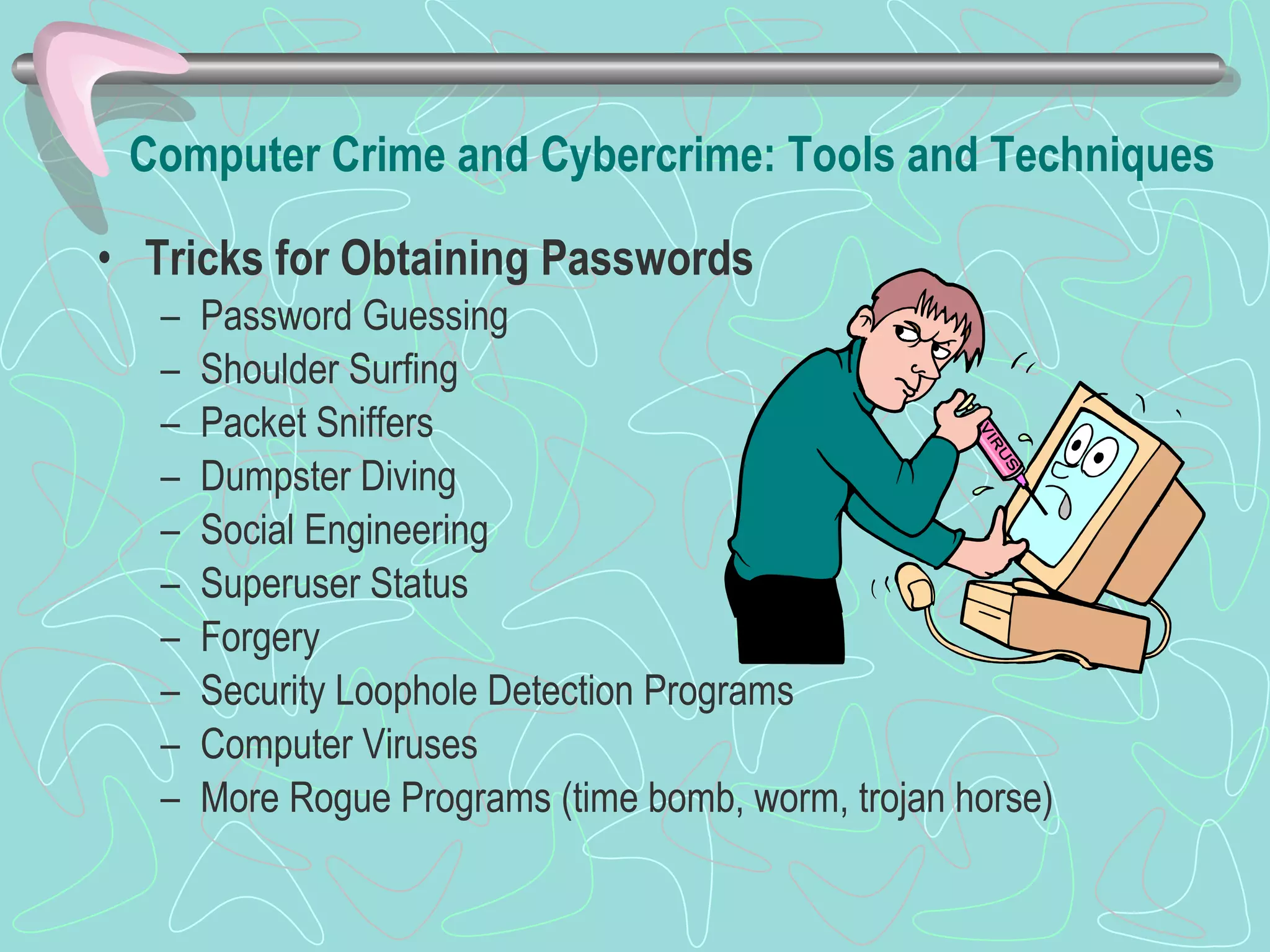
Computer Crime and Cybercrime: Tools and Techniques Tricks for Obtaining Passwords Password Guessing Shoulder Surfing Packet Sniffers Dumpster Diving Social Engineering  Superuser Status Forgery Security Loophole Detection Programs Computer Viruses More Rogue Programs (time bomb, worm, trojan horse)
Meet the Attackers Spies Swindlers Shills Cyberstalkers and Sexual Predators Information Warfare
Playing it Safe: A System of Safeguards Protects system and data from deliberate or accidental damage Protecting Computers from Power-Related Problems Backing up Data Protects system and data from unauthorized access Controlling Access Using Firewalls Using Encryption Using Antivirus Programs Avoiding Scams Preventing Cyberstalkers Possessed Objects (PIN) Biometrics Devices Callback Systems Audit Trail Pop-Up Stoppers Spy-Bots
Discovery and Prosecution Crimes are often undetected When they are detected, they are often not reported Prosecution is difficult Law enforcement agencies and prosecutors are ill-equipped to handle computer crime Judges and juries often don’t understand computer crime Congress passed the Computer Fraud and Abuse Act to increase awareness of computer crime
Computer Forensics Uncovering computer-stored information suitable for use as evidence in courts of law Restores files and/or e-mail messages that someone has deleted Some experts are available for hire, but most are on the staffs of police departments and law firms
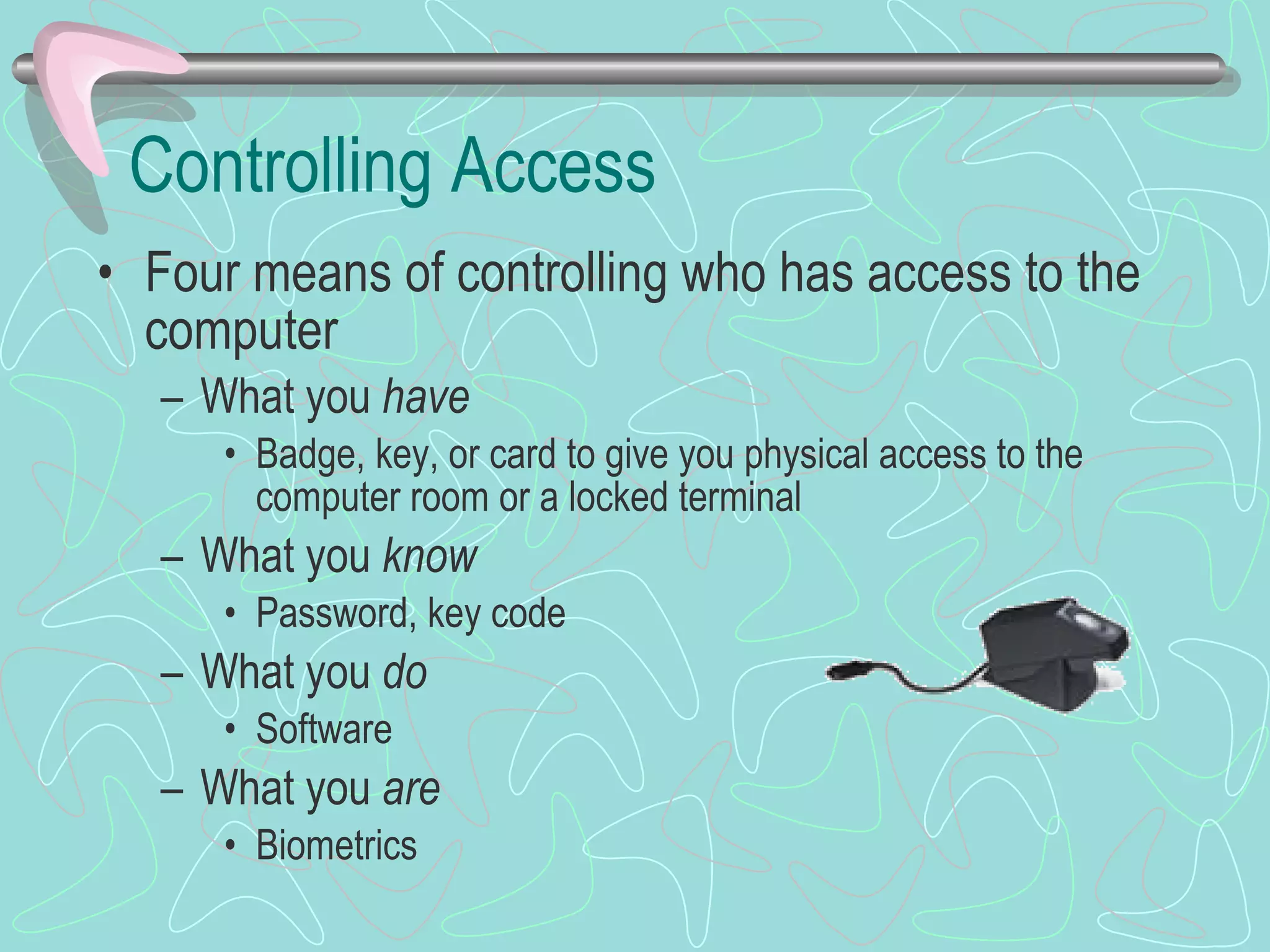
Controlling Access Four means of controlling who has access to the computer What you  have Badge, key, or card to give you physical access to the computer room or a locked terminal What you  know Password, key code What you  do Software What you  are Biometrics
A Disaster Recovery Plan A method of restoring computer processing operations and data files in the event of major destruction Several approaches Manual services Buying time at a service bureau Consortium  Plan should include priorities for restoring programs, plans for notifying employees, and procedures for handling data in a different environment
Software Security Who owns custom-made software? What prevents a programmer from taking a copy of the program? Answer is well established If the programmer is employed by the company, the software belongs to the company If the programmer is a consultant, ownership of the software should be specified in the contract
Data Security Several techniques can be taken to prevent theft or alteration of data Secured waste Internal controls Auditor checks Applicant screening Passwords Built-in software protection
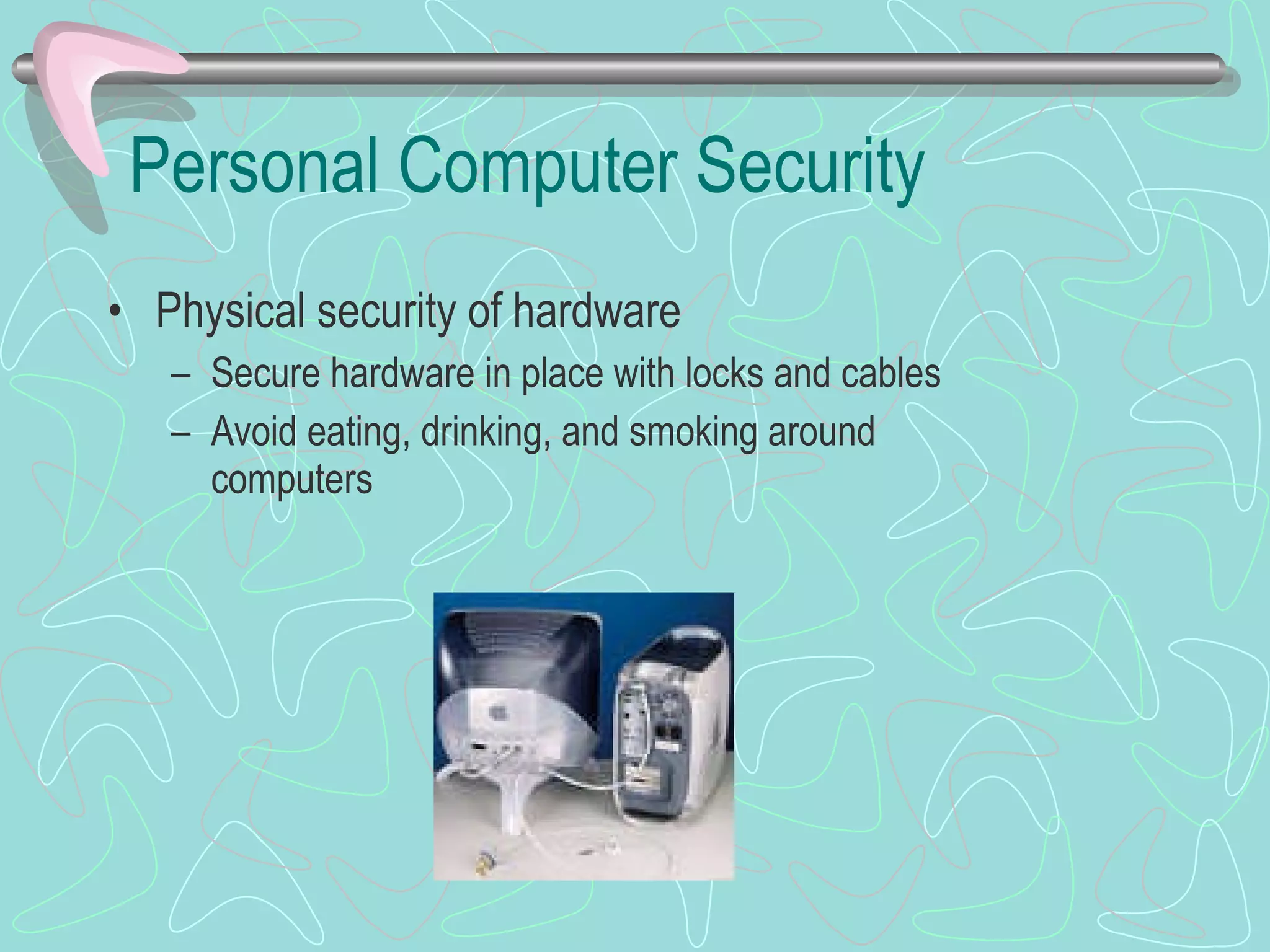
Personal Computer Security Physical security of hardware Secure hardware in place with locks and cables Avoid eating, drinking, and smoking around computers
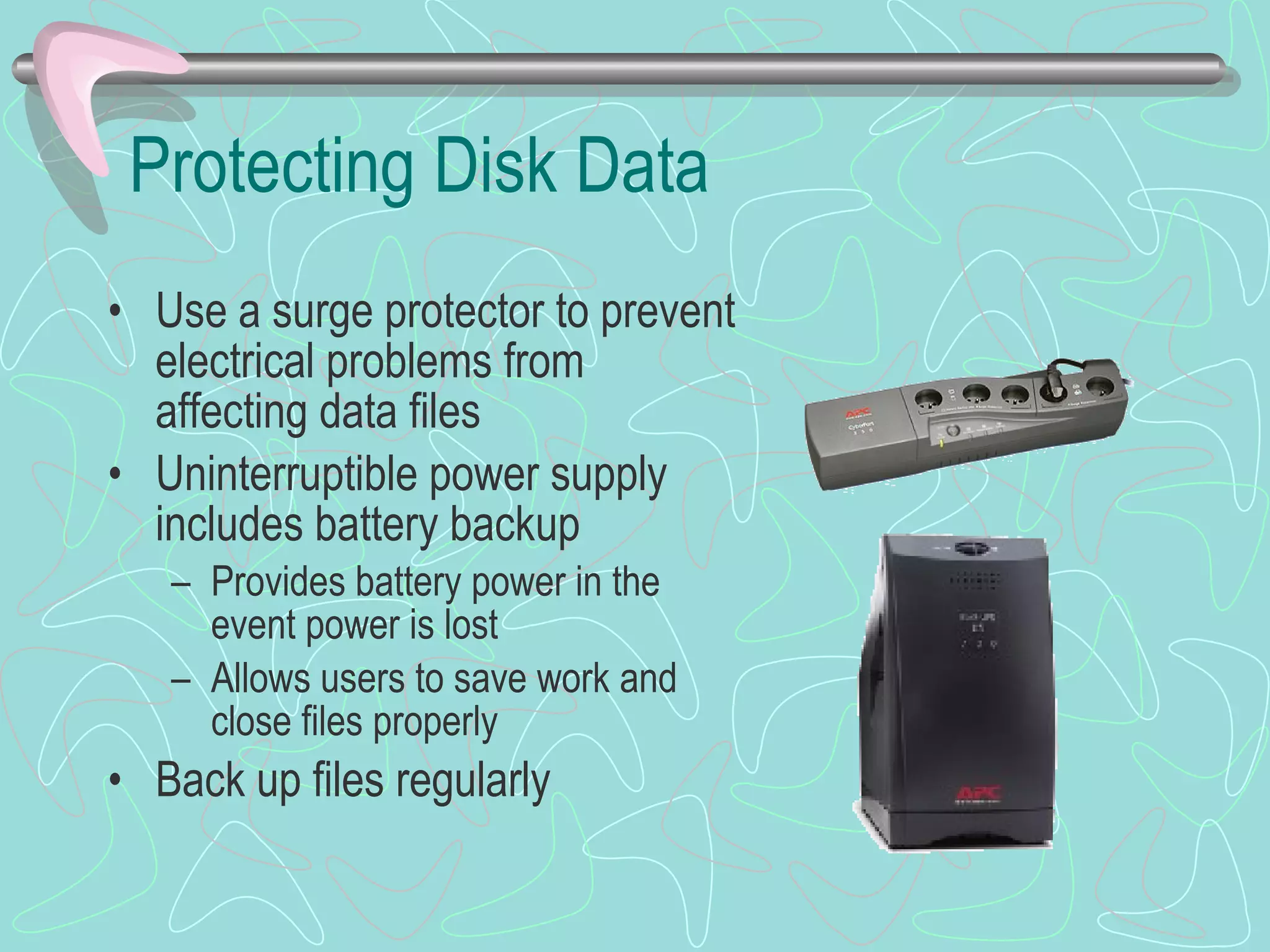
Protecting Disk Data Use a surge protector to prevent electrical problems from affecting data files Uninterruptible power supply includes battery backup Provides battery power in the event power is lost Allows users to save work and close files properly Back up files regularly
 
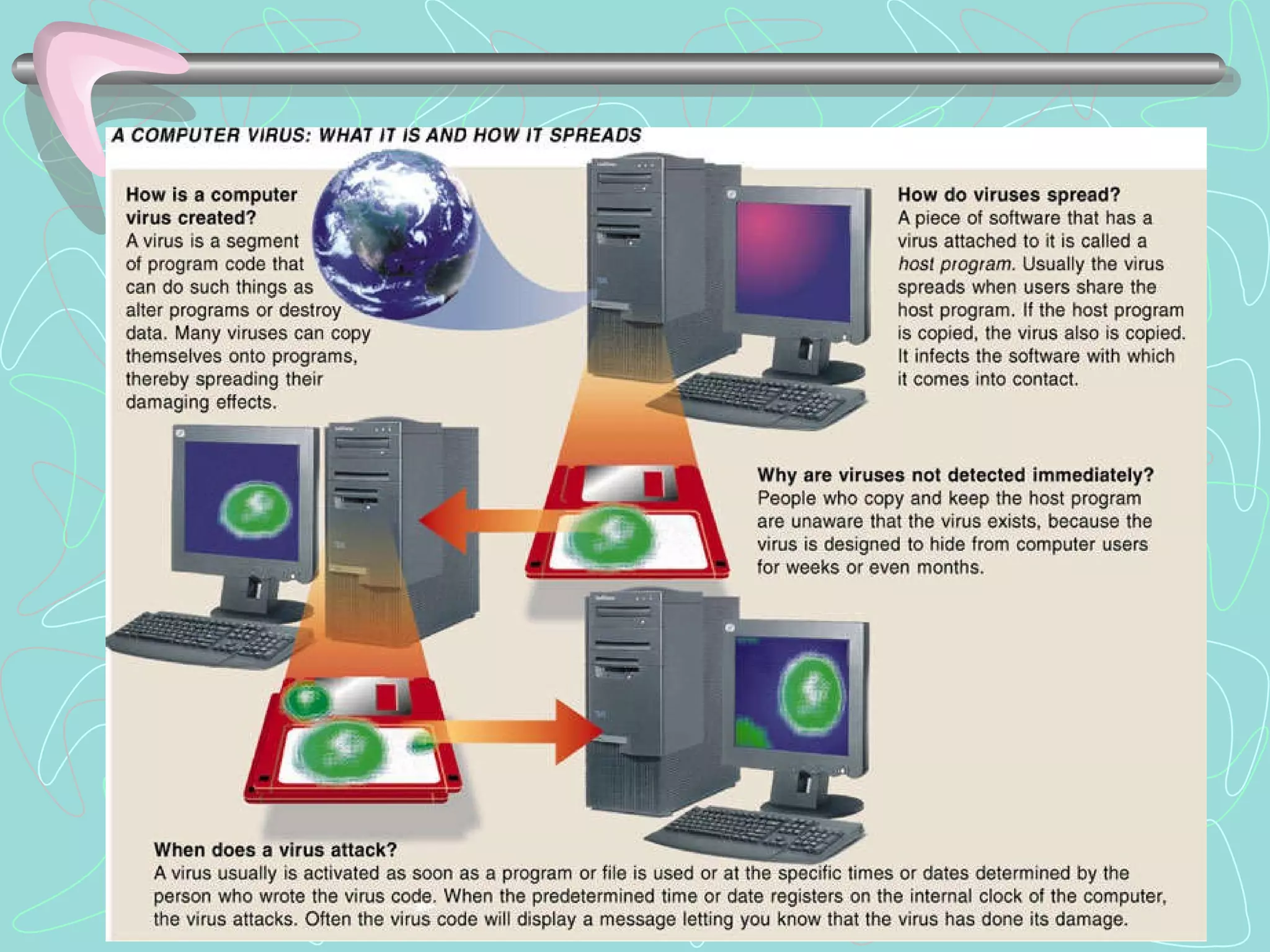
Preventing Virus Infections Install antivirus program on all computers; update Write-protect rescue disk Never start computer with floppy disk in drive A: Scan floppy disk before using it Check all download programs for virus (download directory) Back up files regularly; scan back-up program prior to backing up. Ensure virus free.
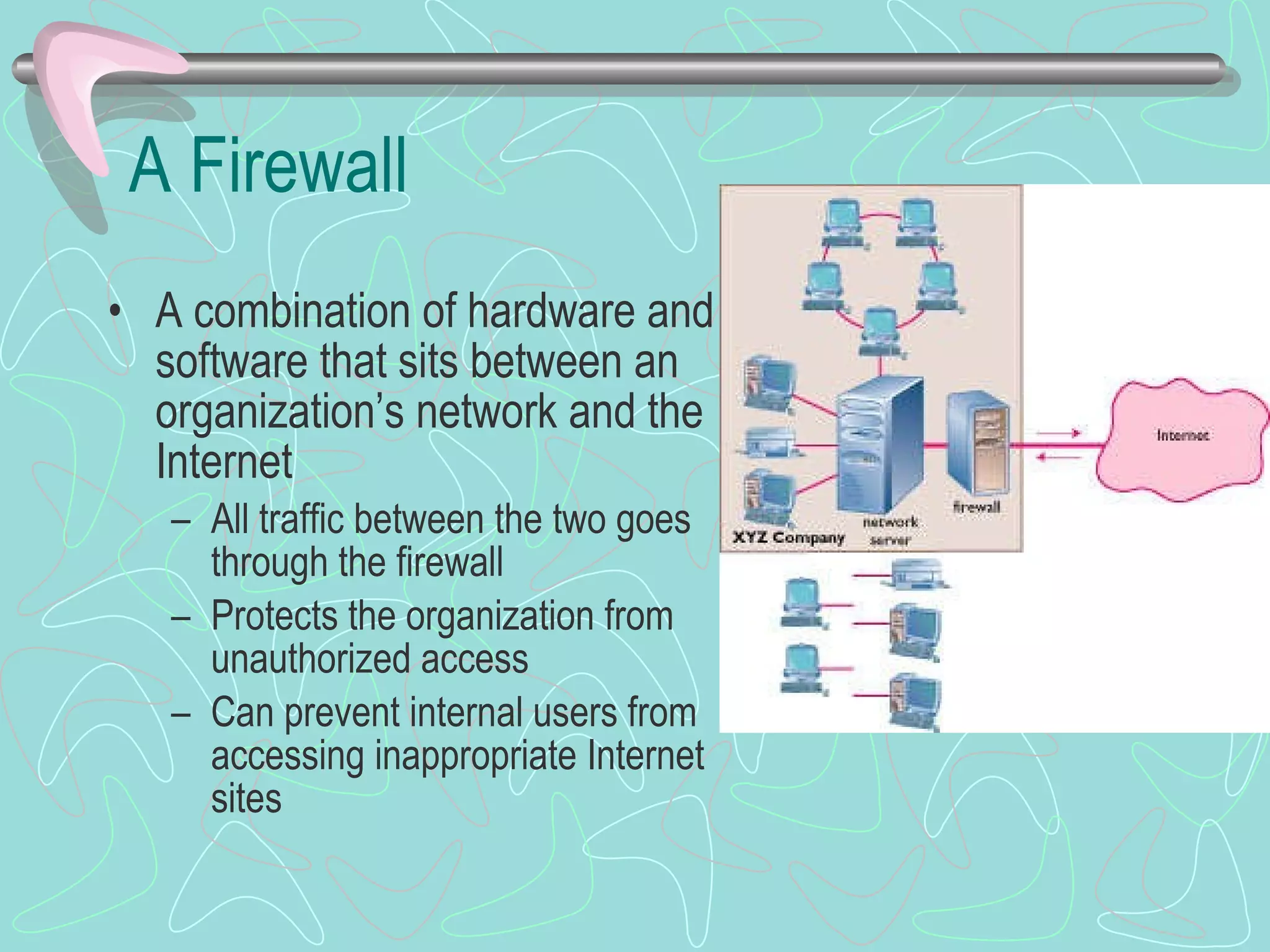
A Firewall A combination of hardware and software that sits between an organization’s network and the Internet All traffic between the two goes through the firewall Protects the organization from unauthorized access Can prevent internal users from accessing inappropriate Internet sites
Encryption Scrambling data so that it can only be read by a computer with the appropriate key Encryption key converts the message into an unreadable form Message can be decrypted only by someone with the proper key Private key encryption – senders and receivers share the same key Public key encryption – encryption software generates the key
Being Monitored Employers can monitor employees’  e-mail, use of the Internet, and count the number of keystrokes per minute Employees are often unaware they are being monitored Web sites can easily collect information when a user just visits the site Web sites use cookies to store your preferences
Cookies A small text file stored on your hard drive File is sent back to the server each time you visit that site Stores preferences, allowing Web site to be customized Stores passwords, allowing you to visit multiple pages within the site without logging in to each one Tracks surfing habits, targeting you for specific types of advertisements
Spamming Mass advertising via e-mail Can overflow your e-mail inbox Bogs down your e-mail server, increasing the cost of e-mail service Preventing spam
Worst Practices Email forwarding Auto reply HTML email Instant Messaging  Peer to Peer Networking (P2P)  Software Downloads Unauthorized Users Public Networks/Wireless Networks
Recovery & Security Backup systems Disaster Recovery Plan  Emergency -- Backup – Recovery – Test  Computer Security Plan
Backing Up Files Back up to tape drive, CD-RW, or DVD-RAM You can use software that automatically backs up at a certain type of day Disk mirroring Makes second copy of everything you put on disk to another hard disk
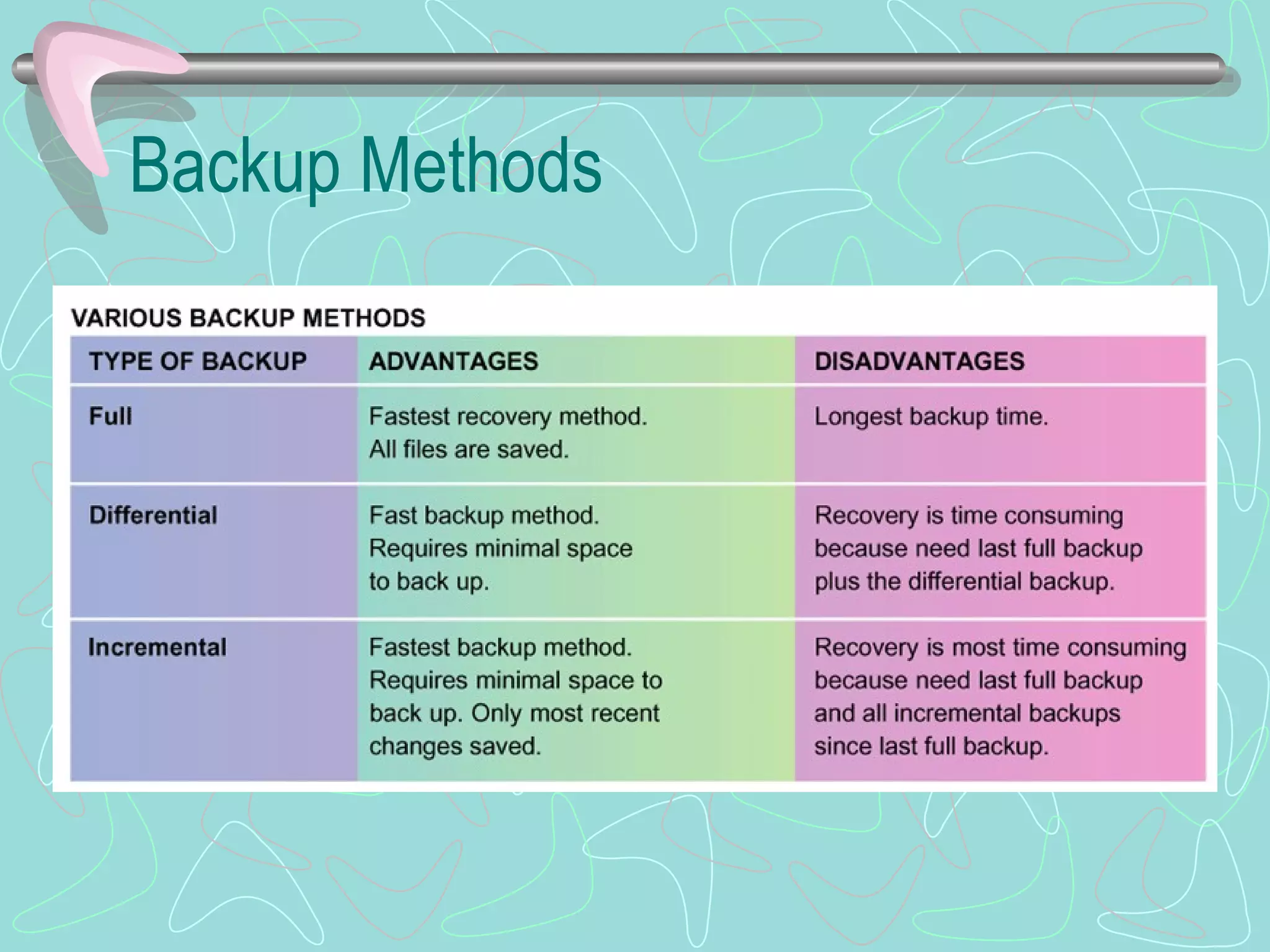
Types of Backup Three types of backup Full backup – copies everything from the hard drive Differential backup – copies all files that have been changed since the last full backup Incremental backup – copies only those files that have been changed since either the last full backup or the last incremental backup Comprehensive backup plan involves periodic full backups, complemented by more frequent incremental or differential backups
Backup Methods
Your Turn!  How Would You Handle It? Security risks Safeguarding a computer Computer viruses Computer backups Disaster recovery Security/privacy issues
If asked, can you…. Explain the different types of computer crime and the difficulties of discovery and prosecution Describe the aspects of securing corporate data, including software and data security, disaster recovery plans, and security legislation Describe in general terms how viruses work, the damage they can cause, and procedures used to prevent this damage Explain the threats to personal privacy posed by computers and the Internet.  Describe actions you can take to maximize your privacy
Sources Capron; Computers: Tools for An Information Age, 8 th  Ed. 2003 Pfaffenberger; Computers in Your Future 2003 Microsoft Clipart

3e - Computer Crime

  • 1.
    Security and Privacy:Computers and the Internet CIS 105 Revised October 2004
  • 2.
    Objectives Explain thedifferent types of computer crime and the difficulties of discovery and prosecution Describe the aspects of securing corporate data, including software and data security, disaster recovery plans, and security legislation Describe in general terms how viruses work, the damage they can cause, and procedures used to prevent this damage Explain the threats to personal privacy posed by computers and the Internet. Describe actions you can take to maximize your privacy
  • 3.
    Computer Crime Mostcommonly reported categories Credit card fraud Data communications fraud Unauthorized access to computer files Unlawful copying of copyrighted software
  • 4.
    What’s at Stake?Consumption of Staff Time Downtime Fraud and Theft Adverse Publicity Vandalism Character Assassination Loss of Privacy Risks to Public Safety Denial of Service (DoS)
  • 5.
    Methods Computer CriminalsUse Bomb Data diddling Denial of service attacks Piggybacking Salami technique Scavenging Trapdoor Trojan horse Zapping
  • 6.
    Computer Crime andCybercrime: Tools and Techniques Tricks for Obtaining Passwords Password Guessing Shoulder Surfing Packet Sniffers Dumpster Diving Social Engineering Superuser Status Forgery Security Loophole Detection Programs Computer Viruses More Rogue Programs (time bomb, worm, trojan horse)
  • 7.
    Meet the AttackersSpies Swindlers Shills Cyberstalkers and Sexual Predators Information Warfare
  • 8.
    Playing it Safe:A System of Safeguards Protects system and data from deliberate or accidental damage Protecting Computers from Power-Related Problems Backing up Data Protects system and data from unauthorized access Controlling Access Using Firewalls Using Encryption Using Antivirus Programs Avoiding Scams Preventing Cyberstalkers Possessed Objects (PIN) Biometrics Devices Callback Systems Audit Trail Pop-Up Stoppers Spy-Bots
  • 9.
    Discovery and ProsecutionCrimes are often undetected When they are detected, they are often not reported Prosecution is difficult Law enforcement agencies and prosecutors are ill-equipped to handle computer crime Judges and juries often don’t understand computer crime Congress passed the Computer Fraud and Abuse Act to increase awareness of computer crime
  • 10.
    Computer Forensics Uncoveringcomputer-stored information suitable for use as evidence in courts of law Restores files and/or e-mail messages that someone has deleted Some experts are available for hire, but most are on the staffs of police departments and law firms
  • 11.
    Controlling Access Fourmeans of controlling who has access to the computer What you have Badge, key, or card to give you physical access to the computer room or a locked terminal What you know Password, key code What you do Software What you are Biometrics
  • 12.
    A Disaster RecoveryPlan A method of restoring computer processing operations and data files in the event of major destruction Several approaches Manual services Buying time at a service bureau Consortium Plan should include priorities for restoring programs, plans for notifying employees, and procedures for handling data in a different environment
  • 13.
    Software Security Whoowns custom-made software? What prevents a programmer from taking a copy of the program? Answer is well established If the programmer is employed by the company, the software belongs to the company If the programmer is a consultant, ownership of the software should be specified in the contract
  • 14.
    Data Security Severaltechniques can be taken to prevent theft or alteration of data Secured waste Internal controls Auditor checks Applicant screening Passwords Built-in software protection
  • 15.
    Personal Computer SecurityPhysical security of hardware Secure hardware in place with locks and cables Avoid eating, drinking, and smoking around computers
  • 16.
    Protecting Disk DataUse a surge protector to prevent electrical problems from affecting data files Uninterruptible power supply includes battery backup Provides battery power in the event power is lost Allows users to save work and close files properly Back up files regularly
  • 17.
  • 18.
    Preventing Virus InfectionsInstall antivirus program on all computers; update Write-protect rescue disk Never start computer with floppy disk in drive A: Scan floppy disk before using it Check all download programs for virus (download directory) Back up files regularly; scan back-up program prior to backing up. Ensure virus free.
  • 19.
    A Firewall Acombination of hardware and software that sits between an organization’s network and the Internet All traffic between the two goes through the firewall Protects the organization from unauthorized access Can prevent internal users from accessing inappropriate Internet sites
  • 20.
    Encryption Scrambling dataso that it can only be read by a computer with the appropriate key Encryption key converts the message into an unreadable form Message can be decrypted only by someone with the proper key Private key encryption – senders and receivers share the same key Public key encryption – encryption software generates the key
  • 21.
    Being Monitored Employerscan monitor employees’ e-mail, use of the Internet, and count the number of keystrokes per minute Employees are often unaware they are being monitored Web sites can easily collect information when a user just visits the site Web sites use cookies to store your preferences
  • 22.
    Cookies A smalltext file stored on your hard drive File is sent back to the server each time you visit that site Stores preferences, allowing Web site to be customized Stores passwords, allowing you to visit multiple pages within the site without logging in to each one Tracks surfing habits, targeting you for specific types of advertisements
  • 23.
    Spamming Mass advertisingvia e-mail Can overflow your e-mail inbox Bogs down your e-mail server, increasing the cost of e-mail service Preventing spam
  • 24.
    Worst Practices Emailforwarding Auto reply HTML email Instant Messaging Peer to Peer Networking (P2P) Software Downloads Unauthorized Users Public Networks/Wireless Networks
  • 25.
    Recovery & SecurityBackup systems Disaster Recovery Plan Emergency -- Backup – Recovery – Test Computer Security Plan
  • 26.
    Backing Up FilesBack up to tape drive, CD-RW, or DVD-RAM You can use software that automatically backs up at a certain type of day Disk mirroring Makes second copy of everything you put on disk to another hard disk
  • 27.
    Types of BackupThree types of backup Full backup – copies everything from the hard drive Differential backup – copies all files that have been changed since the last full backup Incremental backup – copies only those files that have been changed since either the last full backup or the last incremental backup Comprehensive backup plan involves periodic full backups, complemented by more frequent incremental or differential backups
  • 28.
  • 29.
    Your Turn! How Would You Handle It? Security risks Safeguarding a computer Computer viruses Computer backups Disaster recovery Security/privacy issues
  • 30.
    If asked, canyou…. Explain the different types of computer crime and the difficulties of discovery and prosecution Describe the aspects of securing corporate data, including software and data security, disaster recovery plans, and security legislation Describe in general terms how viruses work, the damage they can cause, and procedures used to prevent this damage Explain the threats to personal privacy posed by computers and the Internet. Describe actions you can take to maximize your privacy
  • 31.
    Sources Capron; Computers:Tools for An Information Age, 8 th Ed. 2003 Pfaffenberger; Computers in Your Future 2003 Microsoft Clipart