Getnet T. Email:getnet6202@gmail.com , College of Informatics , University of Gondar, January 11 , 2026
College of Informatics
Department of Computer Science
Computer Security (CoSc4035)
Chapter Two: Computer Threat
University of Gondar
2.
Getnet T. Email:getnet6202@gmail.com , College of Informatics , University of Gondar, January 11 , 2026
ComputerThreat
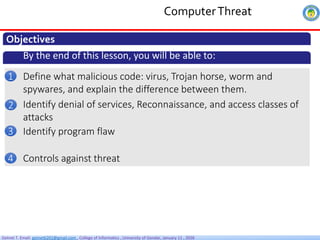
Objectives
By the end of this lesson, you will be able to:
Define what malicious code: virus, Trojan horse, worm and
spywares, and explain the difference between them.
1
Identify denial of services, Reconnaissance, and access classes of
attacks
2
Identify program flaw
3
Controls against threat
4
3.
Getnet T. Email:getnet6202@gmail.com , College of Informatics , University of Gondar, January 11 , 2026
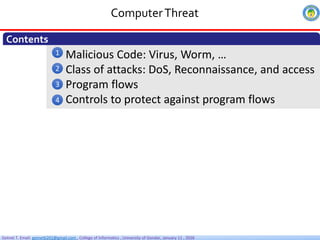
Malicious Code: Virus, Worm, …
Class of attacks: DoS, Reconnaissance, and access
Program flows
Controls to protect against program flows
ComputerThreat
Contents
1
2
3
4
4.
Getnet T. Email:getnet6202@gmail.com , College of Informatics , University of Gondar, January 11 , 2026
ComputerThreat
Threat
1
Any circumstance or event with the potential to adversely
impact an asset through unauthorized access, destruction,
disclosure, modification of data, and/or denial of service”.
It’s a potential violation of security; it is any person, act, or object
that poses a danger to computer security/privacy.
Understanding each security threat to a system helps to effectively
protects the system through
Security policy
Education
Training
Technology controls
5.
Getnet T. Email:getnet6202@gmail.com , College of Informatics , University of Gondar, January 11 , 2026
ComputerThreat
Threat
1
• Disclosure: unauthorized access to information (also called
snooping or Interception)
–E.g., Snooping: unauthorized interception of information
• Deception: acceptance of false data (modification, spoofing,
repudiation of origin, denial of receipt)
–E.g., Modification: unauthorized change of information; Denial of
receipt
• Disruption: interruption or prevention of correct operation
–E.g., Modification: unauthorized change of information
• Usurpation: unauthorized control of some part of a system
–e.g., Denial of service
Types of threats
6.
Getnet T. Email:getnet6202@gmail.com , College of Informatics , University of Gondar, January 11 , 2026
ComputerThreat
Malicious Code
2
Software that are deliberately designed to disrupt computer operation,
steal security sensitive information, or gain unauthorized access to
computer systems without the users consent
It can appear in the form of code, scripts, active content, and other
software
What is Malware? Short for Malicious software
Virus
Virus is the most commonly known malware type that is capable of
infecting other files and spreading to other computers.
Attach to files and spread it self when executed.
The virus spreads when an infected file is passed from system to system
In this sense, they do not spread on their own and require an
unsuspecting user to execute them for the initiation of the malicious
behavior
7.
Getnet T. Email:getnet6202@gmail.com , College of Informatics , University of Gondar, January 11 , 2026
ComputerThreat
Malicious Code
2
A worm is very much like a virus but it can self-replicate
without a host program and spreads without any human
interaction.
Worms usually slow down networks.
A virus needs a host program to run but worms can run by
themselves.
After a worm affects a host, it is able to spread very quickly
over the network
Worms
8.
Getnet T. Email:getnet6202@gmail.com , College of Informatics , University of Gondar, January 11 , 2026
ComputerThreat
Malicious Code
2
Virus vs. Worms
Comparis
on
Worms Virus
Definition A Worm is a form of malware that
replicates itself and can spread to
different computers via a Network
A Virus is a malicious
executable code
attached to another
executable file that can
modify or delete data
Objective The main objective of worms is to
consumes system resources such as
memory and bandwidth and makes
the system slow in speed to such an
extent that it stops responding
The main objective of
viruses is to modify the
information
Host It doesn’t need a host to replicate
from one computer to another
It requires a host is
needed for spreading
9.
Getnet T. Email:getnet6202@gmail.com , College of Informatics , University of Gondar, January 11 , 2026
ComputerThreat
Malicious Code
2
Spyware
A piece of software that gets installed and secretly gathers your
personal information and sends it to third party advertisers or
hackers without users permission.
For a customized ads for marketing
To execute financial crimes
Capture keystrokes, screenshots, authentication credentials,
personal email addresses, web form data…
A keylogger is a type of spyware that monitors user keyboard
or mouse input and reports to an adversary
10.
Getnet T. Email:getnet6202@gmail.com , College of Informatics , University of Gondar, January 11 , 2026
ComputerThreat
Malicious Code
2
Trojan horse
A Trojan is a type of malware that masks itself as a legitimate
file or program to trick users into installing it.
but they contain malicious instructions and are harmful when
executed
Neither replicates nor copies itself, but causes damage or
compromises the security of the computer.
Usually arrive via another program(email, infected websites,
etc.) or in the form of a software of some sort
Example, a fake antivirus program, which pops up and claims
you’re infected, then instructs you to run a program to clean
your PC
11.
Getnet T. Email:getnet6202@gmail.com , College of Informatics , University of Gondar, January 11 , 2026
ComputerThreat
Malicious Code
2
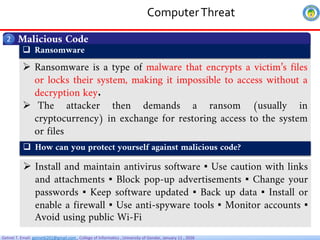
Ransomware
Ransomware is a type of malware that encrypts a victim’s files
or locks their system, making it impossible to access without a
decryption key.
The attacker then demands a ransom (usually in
cryptocurrency) in exchange for restoring access to the system
or files
How can you protect yourself against malicious code?
Install and maintain antivirus software ▪ Use caution with links
and attachments ▪ Block pop-up advertisements ▪ Change your
passwords ▪ Keep software updated ▪ Back up data ▪ Install or
enable a firewall ▪ Use anti-spyware tools ▪ Monitor accounts ▪
Avoid using public Wi-Fi
12.
Getnet T. Email:getnet6202@gmail.com , College of Informatics , University of Gondar, January 11 , 2026
ComputerThreat
Class of Attacks
3
I. Reconnaissance Attack
Reconnaissance attacks can be defined as attempts to gain information about an
organization’s systems and networks without the explicit permission of the organization.
The hacker surveys a network and collects data for a future attack
Important information that can be compiled during a reconnaissance attack includes the
following: Ports open on a server Ports open on a firewall IP addresses on the host
network Hostnames associated with the IP addresses
II. Access Attack
An attempt to access another user account or network device through improper
means.
If proper security measures are not in place, the network may be left vulnerable to
intrusion.
A network administrator is responsible for ensuring that only authorized users
access the network.
Unauthorized attacks are attempted via four means, all of which try to by pass some
facet of the authentication process: password attacks, trust exploitation, port
redirection, and man-in-the-middle attacks
13.
Getnet T. Email:getnet6202@gmail.com , College of Informatics , University of Gondar, January 11 , 2026
ComputerThreat
Class of Attacks
3
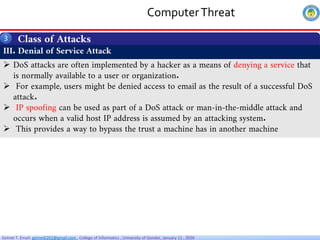
III. Denial of Service Attack
DoS attacks are often implemented by a hacker as a means of denying a service that
is normally available to a user or organization.
For example, users might be denied access to email as the result of a successful DoS
attack.
IP spoofing can be used as part of a DoS attack or man-in-the-middle attack and
occurs when a valid host IP address is assumed by an attacking system.
This provides a way to bypass the trust a machine has in another machine
14.
Getnet T. Email:getnet6202@gmail.com , College of Informatics , University of Gondar, January 11 , 2026
ComputerThreat
Program flaws
4
Error
A flaw is a problem with a program
An error refers to a mistake or
an incorrect action made by a
system, user, or process.
It can occur due to invalid input,
miscommunication, or bugs in
the software
Fault
It is an incorrect step, command,
process, or data definition in a computer
program
Failure
System malfunction caused by fault
Faults - seen by „insiders” (e.g., programmers)
Failures - seen by „outsiders” (e.g., independent testers, users)
Error/fault/failure example:
Programmer’s indexing error, leads to buffer overflow fault
Buffer overflow fault causes system crash (a failure)
Note
15.
Getnet T. Email:getnet6202@gmail.com , College of Informatics , University of Gondar, January 11 , 2026
ComputerThreat
Types of Program flaws
4
Nonmalicious Program flows include
I. Buffer overflows
II. Incomplete mediation
III. Time-of-check to time-of-use
A. Malicious (intentional)
B. Nonmalicious (accidental)
I. Buffer overflows
A buffer overflow occurs when a
program writes more data to a buffer
(fixed-size memory space) than it can
hold.
This flaw is often unintentional (no
malicious) but can have severe security
consequences, including system crashes,
data corruption, and security
vulnerabilities that hackers can exploit
int main()
{
char source []=“user”;
char destination [2];
strcpy (destination, source);
}
16.
Getnet T. Email:getnet6202@gmail.com , College of Informatics , University of Gondar, January 11 , 2026
ComputerThreat
Types of Program flaws
4
II. Incomplete Mediation
Sensitive data are in exposed, uncontrolled condition
Incomplete mediation is a program flaw where a system fails to properly check
every access to a resource, allowing unauthorized actions
A program checks permissions once, but does not re-check them for every request
or access. As a result, an attacker can bypass security controls
Example :URL to be generated by client’s browser to access server, e.g.:
http://www.things.com/order/final&custID=101&part=555A&qy=20&price
=10&ship=boat&shipcost=5&total=205
Instead, user edits URL directly, changing price and total cost as follows:
http://www.things.com/order/final&custID=101&part=555A&qy=20&price
=1&ship=boat&shipcost=5&total=25
User uses forged URL to access server
The server takes 25 as the total cost
17.
Getnet T. Email:getnet6202@gmail.com , College of Informatics , University of Gondar, January 11 , 2026
ComputerThreat
Types of Program flaws
4
III. Time-of-check to Time-of-use
A.k.a. synchronization flaw / serialization flaw
TOCTTOU — mediation with “bait and switch” in the middle
In computing:
o Change of a resource (e.g., data) between time access checked and time
access used
Q: Any examples of TOCTTOU problems from computing?
A: E.g., DBMS/OS: serialization problem:
pgm1 reads value of X = 10
pgm1 adds X = X+ 5
→ pgm2 reads X = 10, adds 3 to X, writes X = 13
pgm1 writes X = 15
X ends up with value 15 – should be X = 18
18.
Getnet T. Email:getnet6202@gmail.com , College of Informatics , University of Gondar, January 11 , 2026
Computer Threat
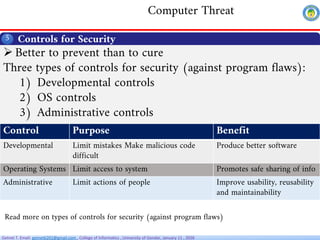
Controls for Security
Better to prevent than to cure
Three types of controls for security (against program flaws):
1) Developmental controls
2) OS controls
3) Administrative controls
5
Control Purpose Benefit
Developmental Limit mistakes Make malicious code
difficult
Produce better software
Operating Systems Limit access to system Promotes safe sharing of info
Administrative Limit actions of people Improve usability, reusability
and maintainability
Read more on types of controls for security (against program flaws)
19.
Getnet T. Email:getnet6202@gmail.com , College of Informatics , University of Gondar, January 11 , 2026
Computer Threat
Thank You




![Getnet T. Email: getnet6202@gmail.com , College of Informatics , University of Gondar, January 11 , 2026
ComputerThreat
Types of Program flaws
4
Nonmalicious Program flows include
I. Buffer overflows
II. Incomplete mediation
III. Time-of-check to time-of-use
A. Malicious (intentional)
B. Nonmalicious (accidental)
I. Buffer overflows
A buffer overflow occurs when a
program writes more data to a buffer
(fixed-size memory space) than it can
hold.
This flaw is often unintentional (no
malicious) but can have severe security
consequences, including system crashes,
data corruption, and security
vulnerabilities that hackers can exploit
int main()
{
char source []=“user”;
char destination [2];
strcpy (destination, source);
}](https://image.slidesharecdn.com/chapter2computerthreat-260112053135-cb6a89b8/85/Chapter-2-Computer-Threat-pdf-15-320.jpg)