Working practices By the end of the presentation you should be able to answer the following questions: Describe how jobs have changed from traditional office-based employment Explain how ICT applications are used in particular jobs Describe the different methods of communication used by businesses
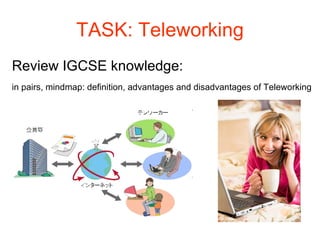
TASK: Teleworking Review IGCSE knowledge:  in pairs, mindmap: definition, advantages and disadvantages of Teleworking
Teleworking: Review Definition:  Teleworking is another name for Working from Home Advantages to the employer Office running costs and overheads (rates, electricity, heating etc.) can be reduced. Less office space needed. Travel-related problems may be reduced. It may tempt better staff to come and work for the company. Advantages for the employee You can work from the comfort of your own home. There is no time wasted traveling and no travel costs. You can live in an affordable far from work. It enables you to work around the needs of your family and/or children. It is more convenient - you can plan the working day to suit you, which could help reduce stress levels. Disadvantages There is less opportunity to meet people and share ideas - teamwork is more difficult. There may be more temptation to spend time on non-work-related activities. People often work longer hours than they should and find it hard to switch off.
TASK: Teleworking In pairs, answer this question: What areas of ICT have developed in order to make teleworking possible?
Teleworking The ability to communicate at distance has increased due to  New technology  e.g: Portable communication devices Networks Broadband connection Virtual private Network (VPN) Mobile phone /PDA with wireless features  Laptop
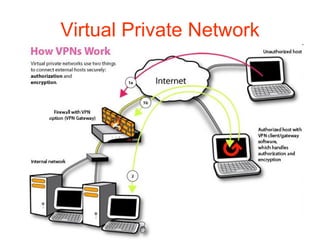
Virtual Private Network
VPN A process whereby software is used to create what appears as a private network running over a public network i.e the internet The network typically uses encryption to keep information secure
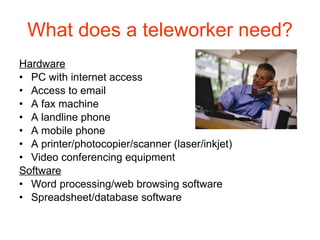
What does a teleworker need? Hardware PC with internet access Access to email A fax machine A landline phone A mobile phone A printer/photocopier/scanner (laser/inkjet) Video conferencing equipment Software Word processing/web browsing software Spreadsheet/database software
Examples of teleworking jobs: Professional services e.g. tax advice, legal advice, financial advice Writing Book editing Proof reading Translation Technical/customer support Tele sales/marketing Teleworking – suits professions that are done on an individual basis
How a manager decides  which employee will telework: Type of work  What type of person/employee are they? Can they work well on their own? How frequently they need contact with their employee? (once a week?/daily progress?)
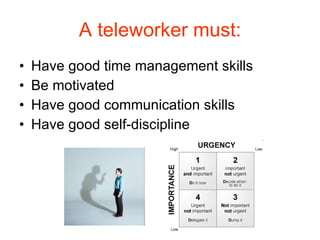
A teleworker must: Have good time management skills Be motivated Have good communication skills Have good self-discipline
How a manager builds relationships with teleworkers: Personal contact- visit office once a week or receive daily update emails Involves teleworkers with other office staff for; training, staff meetings and company outings
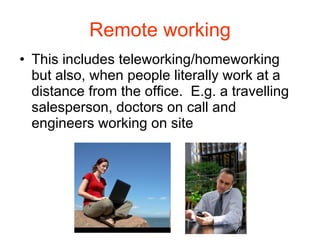
Remote working This includes teleworking/homeworking but also, when people literally work at a distance from the office.  E.g. a travelling salesperson, doctors on call and engineers working on site
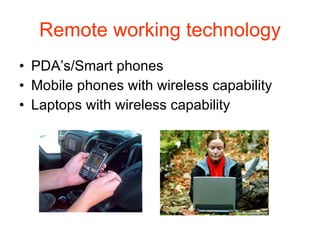
Remote working technology PDA’s/Smart phones Mobile phones with wireless capability Laptops with wireless capability
Examples: Engineers:  use a pda to email reports, view technical manuals and use word processing or other software Doctors:  use laptops to connect to a VPN to access patient records, x-rays Travelling salesman:  use PDA/mobile phone to talk to other salesman, connect to their office to access customer files, sales figures, email orders etc. Mostly use Hotspots around town
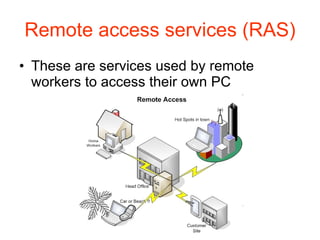
Remote access services (RAS) These are services used by remote workers to access their own PC
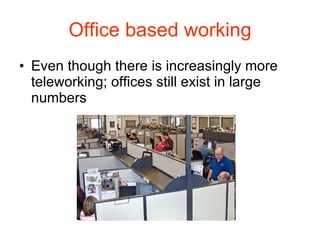
Office based working Even though there is increasingly more teleworking; offices still exist in large numbers
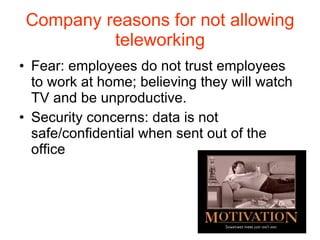
Company reasons for not allowing teleworking Fear: employees do not trust employees to work at home; believing they will watch TV and be unproductive. Security concerns: data is not safe/confidential when sent out of the office
Employees reasons for not wanting to telework Social aspect Team work Fear: that they could lose their jobs easier if the employer doesn’t see them
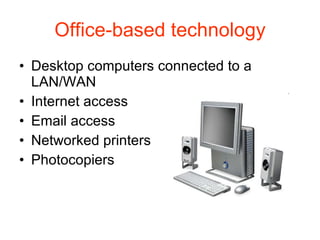
Office-based technology Desktop computers connected to a LAN/WAN Internet access Email access Networked printers Photocopiers
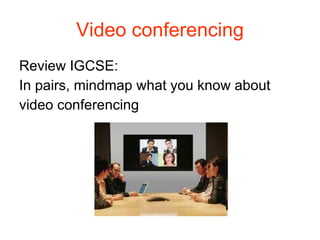
Video conferencing Review IGCSE: In pairs, mindmap what you know about video conferencing
Task Fill in the table about Office communication called  Communication methods  found here: Y:\ICT\A Level Applied ICT\- Unit 2 - Organisations use of ICT\2b. ICT in the Workplace
Video conferencing equipment Hardware: PC, mouse and keyboard Monitor Speakers Network connection: Modem High broadband speed Webcam Microphone Videoconferening  software
How does it work? 2 types of conferences: A person has individual access to the conference A group has access to the conference Steps: Members log in to the system  Then all delegates can see/hear each other Documents: delegates view using software
Where is it used? Schools:  used to communicate with other schools around the world Doctors:  used to speak to other doctors/experts Business:  used by teleworkers, or in the office to communicate to customers or other offices based elsewhere
Task: Video conferencing REVIEW IGCSE, In pairs, mindmap advantages & disadvantage of video conferencing Advantages of video conferencing Meetings can take place without leaving the office. Travel costs and the time taken to travel can be reduced significantly. Meetings can be called instantly worldwide with little notice. Delegates can still attend meetings even if they are physically unable to. Disadvantages to video conferencing May not be as productive as a discussion around a table. Confidential documents may need to be viewed and signed in person. There will always be times when you need to be able to meet face to face.
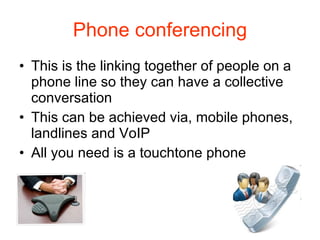
Phone conferencing This is the linking together of people on a phone line so they can have a collective conversation This can be achieved via, mobile phones, landlines and VoIP All you need is a touchtone phone
How it works: Delegates: agree a time/data for the call Delegates are sent the phone number and individual PIN’s The organiser dials the conference number (using a special PIN) first to set up the conference call Then delegate dials the conference phone number and enters their PIN
Email Advantages  Quick communication around the world. Free once an internet connection has been paid. Send a message to many people at once. Send documents in digital form to be printed for signing. Access to instant messaging allowing for real time discussion. Disadvantages Email is prone to viruses and hacking; software protection can be expensive. Not instant. Written responses take time to write. Documents that require signature will still need to be sent by facsimile (facs) Messages can be misunderstood causing time delays.
Instant messaging This is the exchange of text messages between two or more people logged into an IM service It is an interactive service allowing people to reply immediately to others logged in It is instant,  so better then email. However it does not store the messages and does not offer format features.
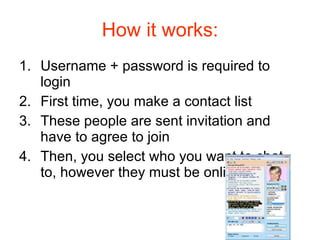
How it works: Username + password is required to login First time, you make a contact list These people are sent invitation and have to agree to join Then, you select who you want to chat to, however they must be online
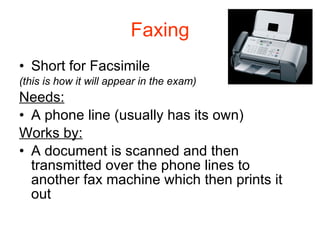
Faxing Short for Facsimile (this is how it will appear in the exam) Needs: A phone line (usually has its own) Works by: A document is scanned and then transmitted over the phone lines to another fax machine which then prints it out
Faxing Disadvantages: Uses a modem so the speed of transmission tends to be slow Lack of confidentiality Quality is not reliable Advantages: Good, when exact copies of the original are required Examples of fax use: In the USA, publishers send a newspaper fax to the newspaper plant for printing Signed copies of a fax are legally accepted in the UK
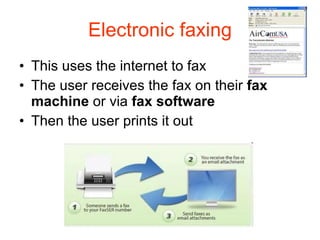
Electronic faxing This uses the internet to fax The user receives the fax on their  fax machine  or via  fax software Then the user prints it out
Electronic faxing advantages over faxing Saves time going to and retrieving faxes Equipment costs are lower (no fax machine needed) Running costs are lower (another fax phone line is not needed) Confidential faxes are secure Can receive a fax anywhere – don’t have to be in the office
Task list Communication worksheet Vocabulary – update your dictionary for Control systems Spreadsheet Enter definitions – english and vietnamese Enter examples of function syntax and/or screenshots
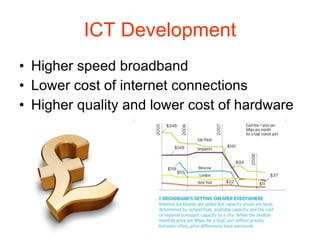
ICT Development Higher speed broadband Lower cost of internet connections Higher quality and lower cost of hardware

Working practices ca

  • 1.
    Working practices Bythe end of the presentation you should be able to answer the following questions: Describe how jobs have changed from traditional office-based employment Explain how ICT applications are used in particular jobs Describe the different methods of communication used by businesses
  • 2.
    TASK: Teleworking ReviewIGCSE knowledge: in pairs, mindmap: definition, advantages and disadvantages of Teleworking
  • 3.
    Teleworking: Review Definition: Teleworking is another name for Working from Home Advantages to the employer Office running costs and overheads (rates, electricity, heating etc.) can be reduced. Less office space needed. Travel-related problems may be reduced. It may tempt better staff to come and work for the company. Advantages for the employee You can work from the comfort of your own home. There is no time wasted traveling and no travel costs. You can live in an affordable far from work. It enables you to work around the needs of your family and/or children. It is more convenient - you can plan the working day to suit you, which could help reduce stress levels. Disadvantages There is less opportunity to meet people and share ideas - teamwork is more difficult. There may be more temptation to spend time on non-work-related activities. People often work longer hours than they should and find it hard to switch off.
  • 4.
    TASK: Teleworking Inpairs, answer this question: What areas of ICT have developed in order to make teleworking possible?
  • 5.
    Teleworking The abilityto communicate at distance has increased due to New technology e.g: Portable communication devices Networks Broadband connection Virtual private Network (VPN) Mobile phone /PDA with wireless features Laptop
  • 6.
  • 7.
    VPN A processwhereby software is used to create what appears as a private network running over a public network i.e the internet The network typically uses encryption to keep information secure
  • 8.
    What does ateleworker need? Hardware PC with internet access Access to email A fax machine A landline phone A mobile phone A printer/photocopier/scanner (laser/inkjet) Video conferencing equipment Software Word processing/web browsing software Spreadsheet/database software
  • 9.
    Examples of teleworkingjobs: Professional services e.g. tax advice, legal advice, financial advice Writing Book editing Proof reading Translation Technical/customer support Tele sales/marketing Teleworking – suits professions that are done on an individual basis
  • 10.
    How a managerdecides which employee will telework: Type of work What type of person/employee are they? Can they work well on their own? How frequently they need contact with their employee? (once a week?/daily progress?)
  • 11.
    A teleworker must:Have good time management skills Be motivated Have good communication skills Have good self-discipline
  • 12.
    How a managerbuilds relationships with teleworkers: Personal contact- visit office once a week or receive daily update emails Involves teleworkers with other office staff for; training, staff meetings and company outings
  • 13.
    Remote working Thisincludes teleworking/homeworking but also, when people literally work at a distance from the office. E.g. a travelling salesperson, doctors on call and engineers working on site
  • 14.
    Remote working technologyPDA’s/Smart phones Mobile phones with wireless capability Laptops with wireless capability
  • 15.
    Examples: Engineers: use a pda to email reports, view technical manuals and use word processing or other software Doctors: use laptops to connect to a VPN to access patient records, x-rays Travelling salesman: use PDA/mobile phone to talk to other salesman, connect to their office to access customer files, sales figures, email orders etc. Mostly use Hotspots around town
  • 16.
    Remote access services(RAS) These are services used by remote workers to access their own PC
  • 17.
    Office based workingEven though there is increasingly more teleworking; offices still exist in large numbers
  • 18.
    Company reasons fornot allowing teleworking Fear: employees do not trust employees to work at home; believing they will watch TV and be unproductive. Security concerns: data is not safe/confidential when sent out of the office
  • 19.
    Employees reasons fornot wanting to telework Social aspect Team work Fear: that they could lose their jobs easier if the employer doesn’t see them
  • 20.
    Office-based technology Desktopcomputers connected to a LAN/WAN Internet access Email access Networked printers Photocopiers
  • 21.
    Video conferencing ReviewIGCSE: In pairs, mindmap what you know about video conferencing
  • 22.
    Task Fill inthe table about Office communication called Communication methods found here: Y:\ICT\A Level Applied ICT\- Unit 2 - Organisations use of ICT\2b. ICT in the Workplace
  • 23.
    Video conferencing equipmentHardware: PC, mouse and keyboard Monitor Speakers Network connection: Modem High broadband speed Webcam Microphone Videoconferening software
  • 24.
    How does itwork? 2 types of conferences: A person has individual access to the conference A group has access to the conference Steps: Members log in to the system Then all delegates can see/hear each other Documents: delegates view using software
  • 25.
    Where is itused? Schools: used to communicate with other schools around the world Doctors: used to speak to other doctors/experts Business: used by teleworkers, or in the office to communicate to customers or other offices based elsewhere
  • 26.
    Task: Video conferencingREVIEW IGCSE, In pairs, mindmap advantages & disadvantage of video conferencing Advantages of video conferencing Meetings can take place without leaving the office. Travel costs and the time taken to travel can be reduced significantly. Meetings can be called instantly worldwide with little notice. Delegates can still attend meetings even if they are physically unable to. Disadvantages to video conferencing May not be as productive as a discussion around a table. Confidential documents may need to be viewed and signed in person. There will always be times when you need to be able to meet face to face.
  • 27.
    Phone conferencing Thisis the linking together of people on a phone line so they can have a collective conversation This can be achieved via, mobile phones, landlines and VoIP All you need is a touchtone phone
  • 28.
    How it works:Delegates: agree a time/data for the call Delegates are sent the phone number and individual PIN’s The organiser dials the conference number (using a special PIN) first to set up the conference call Then delegate dials the conference phone number and enters their PIN
  • 29.
    Email Advantages Quick communication around the world. Free once an internet connection has been paid. Send a message to many people at once. Send documents in digital form to be printed for signing. Access to instant messaging allowing for real time discussion. Disadvantages Email is prone to viruses and hacking; software protection can be expensive. Not instant. Written responses take time to write. Documents that require signature will still need to be sent by facsimile (facs) Messages can be misunderstood causing time delays.
  • 30.
    Instant messaging Thisis the exchange of text messages between two or more people logged into an IM service It is an interactive service allowing people to reply immediately to others logged in It is instant, so better then email. However it does not store the messages and does not offer format features.
  • 31.
    How it works:Username + password is required to login First time, you make a contact list These people are sent invitation and have to agree to join Then, you select who you want to chat to, however they must be online
  • 32.
    Faxing Short forFacsimile (this is how it will appear in the exam) Needs: A phone line (usually has its own) Works by: A document is scanned and then transmitted over the phone lines to another fax machine which then prints it out
  • 33.
    Faxing Disadvantages: Usesa modem so the speed of transmission tends to be slow Lack of confidentiality Quality is not reliable Advantages: Good, when exact copies of the original are required Examples of fax use: In the USA, publishers send a newspaper fax to the newspaper plant for printing Signed copies of a fax are legally accepted in the UK
  • 34.
    Electronic faxing Thisuses the internet to fax The user receives the fax on their fax machine or via fax software Then the user prints it out
  • 35.
    Electronic faxing advantagesover faxing Saves time going to and retrieving faxes Equipment costs are lower (no fax machine needed) Running costs are lower (another fax phone line is not needed) Confidential faxes are secure Can receive a fax anywhere – don’t have to be in the office
  • 36.
    Task list Communicationworksheet Vocabulary – update your dictionary for Control systems Spreadsheet Enter definitions – english and vietnamese Enter examples of function syntax and/or screenshots
  • 37.
    ICT Development Higherspeed broadband Lower cost of internet connections Higher quality and lower cost of hardware