Storage Devices
What Kinds of Peripheral
Devices Would Suit Your
Needs?
©2003 The McGraw-Hill Companies
Student Learning Outcomes
1. List and compare eight input devices.
2. Define and describe four types of pointing
devices.
3. Compare and contrast inkjet and laser printers.
4. Define the three major technologies on which
computer storage is based.
©2003 The McGraw-Hill Companies
Introduction
In this chapter storage devices designed to
meet the various needs and lifestyles of
people.
This chapter explores the features available
in these devices.
©2003 The McGraw-Hill Companies
What Peripheral Devices
Suit Your Needs?
Input DevicesInput Devices Output DevicesOutput Devices Storage DevicesStorage Devices
©2003 The McGraw-Hill Companies
Storage Devices
• Storage device stores information to be
recalled and used at a later time
• Storage device consists of:
•Storage medium
•Storage device
• Three major technology types for
information storage:
•Magnetic
•Optical or laser
•Flash memory
SimNet Concepts Support CD: “Storage Concepts”
©2003 The McGraw-Hill Companies
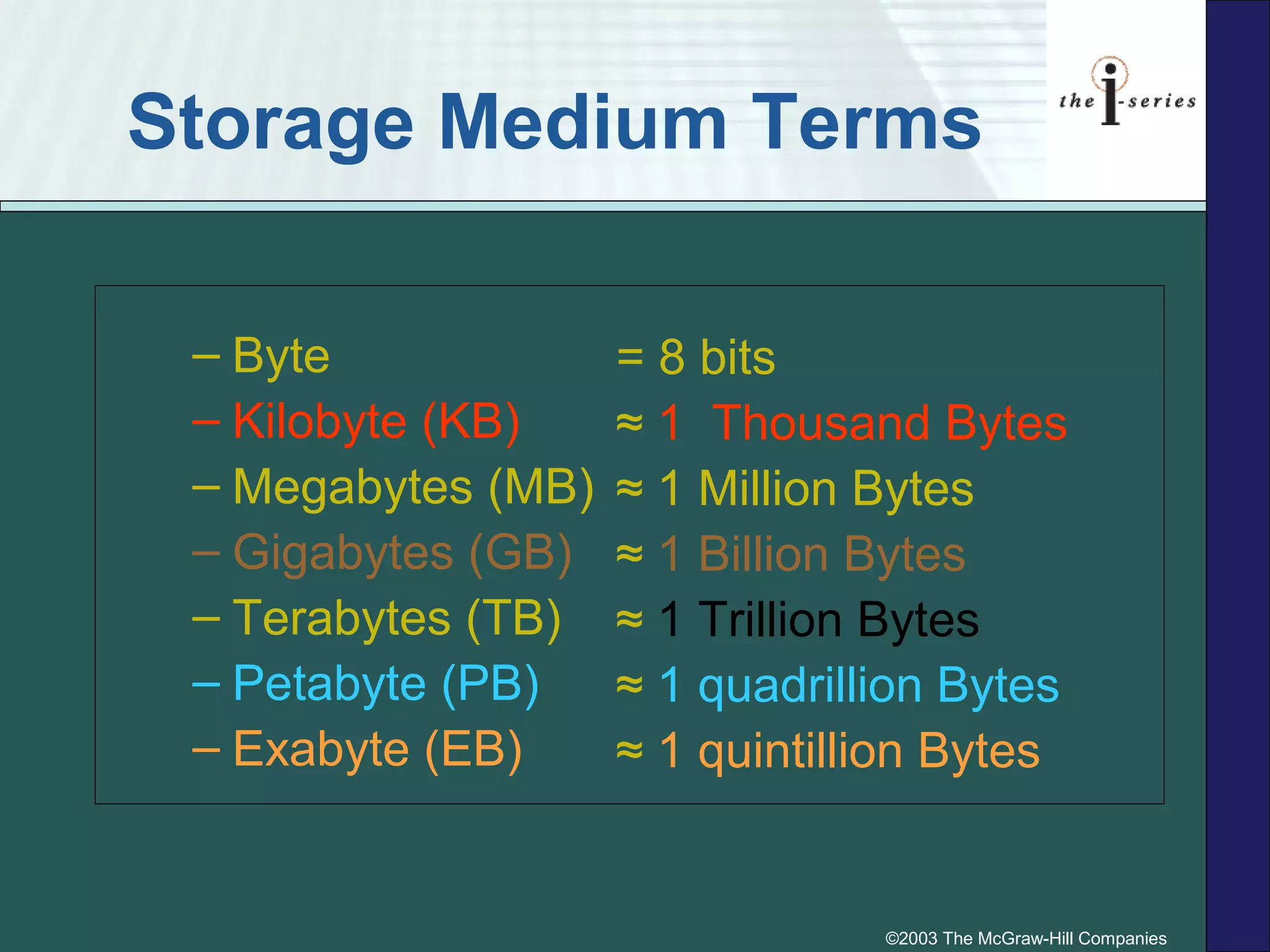
Storage Medium Terms
– Byte
– Kilobyte (KB)
– Megabytes (MB)
– Gigabytes (GB)
– Terabytes (TB)
– Petabyte (PB)
– Exabyte (EB)
= 8 bits
≈ 1 Thousand Bytes
≈ 1 Million Bytes
≈ 1 Billion Bytes
≈ 1 Trillion Bytes
≈ 1 quadrillion Bytes
≈ 1 quintillion Bytes
©2003 The McGraw-Hill Companies
Magnetic and Optical
Storage
p. 5.142 & 5.144 Fig. 5.13 & 5.16
©2003 The McGraw-Hill Companies
Magnetic Storage Devices:
Internal Magnetic Hard Disk
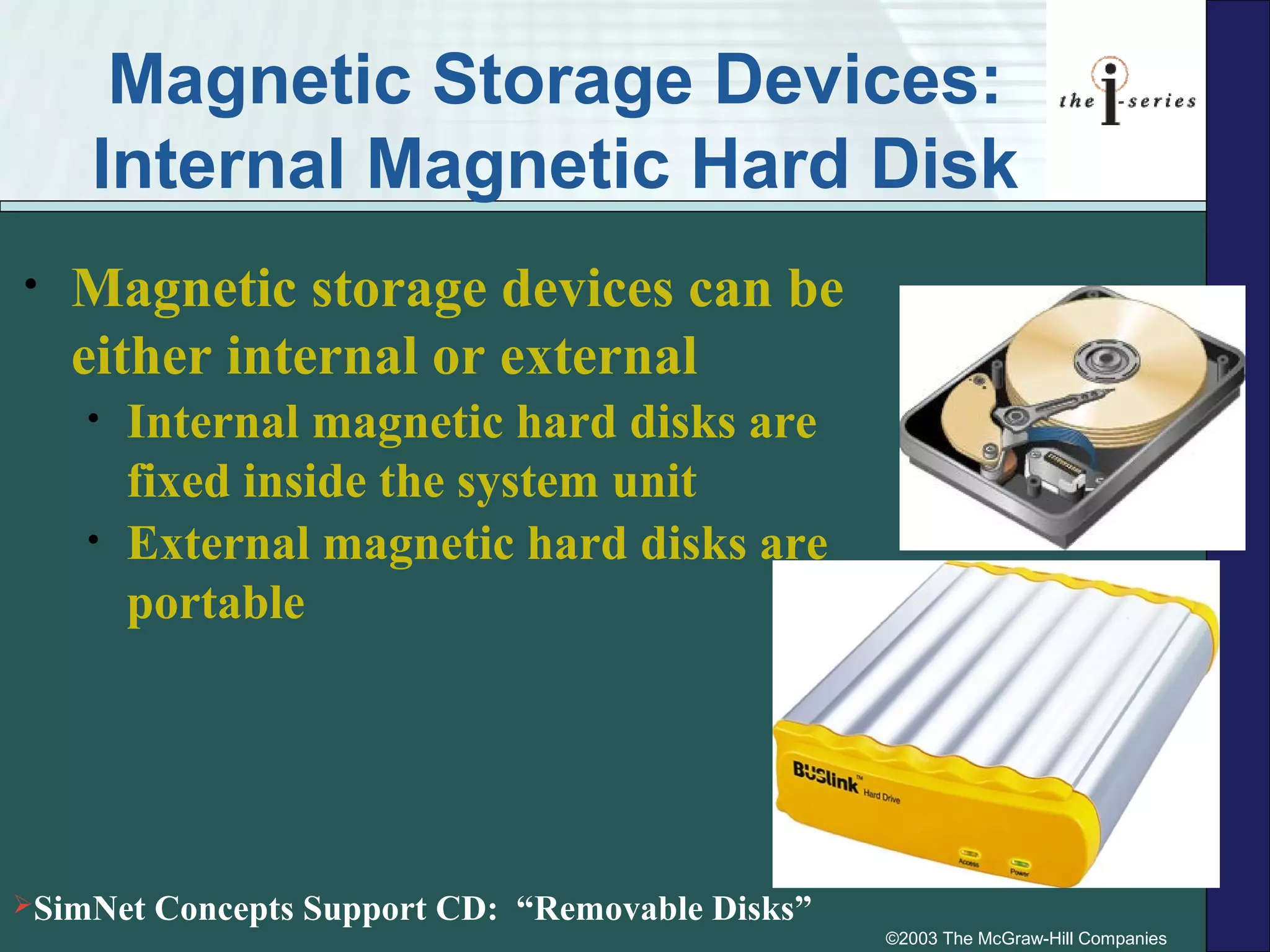
• Magnetic storage devices can be
either internal or external
• Internal magnetic hard disks are
fixed inside the system unit
• External magnetic hard disks are
portable
SimNet Concepts Support CD: “Removable Disks”
©2003 The McGraw-Hill Companies
Magnetic Storage Devices:
Internal Magnetic Hard Disk
• Internal hard disk is a magnetic
storage device with
• One or more thin platters that store
information sealed inside the disk
drive.
• Read/write heads access the
information on surface
• Heads read information while copying
it from disk to RAM
• Heads write information when
copying it from RAM to disk
©2003 The McGraw-Hill Companies
Magnetic Storage Devices:
External Magnetic Hard Disk
• External hard disks are
magnetic storage media which
are portable storage units that
you can connect to your
computer as necessary
• Great for backup storage devices
• Ability to transport your hard disk
from one computer to another
©2003 The McGraw-Hill Companies
Hard Drives
• Long term storage system
and application software
• Operating system and
application software are
copied from the hard disk
to memory
• Capacity measured in
gigabytes
©2003 The McGraw-Hill Companies
Floppy Disks and Zip Disks
• Removable magnetic storage
media come in two basic types:
– Traditional floppy disks
– Zip disks
• These storage media are useful
for:
– Storing files for backup or security
purposes
– Transferring files from one computer
to another
©2003 The McGraw-Hill Companies
Removable Magnetic
Storage: Floppy Disk
• Floppy Mylar disk
– Housed inside a hard plastic
casing
– Thin, flexible plastic disk
• 3.5 inch floppy disks
– also called floppies, diskettes,
floppy disks
– Holds about 1.44 megabytes of
information
• High-capacity disks
– Zip® disk
p. 5.144 Fig. 5.15
©2003 The McGraw-Hill Companies
Removable Magnetic
Storage: Zip Disk
• High capacity plastic platter disk
– Called removable hard disks
– Provide a higher storage capacity than Mylar
disks
• Example - Zip® disk with capacity of 100MB,
250MB, and 750MB
©2003 The McGraw-Hill Companies
Optical Storage
• CDs
• DVDs
• Both are optical
storage and have
three formats:
– Read-only
– Write-once
– Read-and-write
©2003 The McGraw-Hill Companies
Optical Storage Media
• Read-Only
 CD-ROM
 DVD-ROM
• One-Time Writable
 CD-R
 DVD-R
 DVD+R
• Fully Read-and-
Write
 CD-RW
 DVD-RW or
DVD+RW or
DVD-RAM
SimNet Concepts Support CD: “CDs and DVDs”
©2003 The McGraw-Hill Companies
Flash Memory Cards
• Flash memory cards have
high-capacity storage
laminated inside a small
piece of plastic
• Flash flash memory cards do
not need a drive with moving
parts to operate
©2003 The McGraw-Hill Companies
Flash Memory Talk
• CompactFlash (CF)
• xD-Picture Card (xD)
• SmartMedia (SM) Card
• SecureDigital (SD) card and
MultiMediaCards (MMC)
• Memory Stick Media
©2003 The McGraw-Hill Companies
Flash Memory Card Readers
• Some devices have flash memory slots
into which you slide your flash memory
card
• Other devices can use an external flash
memory card reader in order to transfer
information
• A flash memory drive is a flash memory
storage medium for a computer that is
small enough to fit in your pocket and
usually plugs directly into a USB port

Storage devices

  • 1.
    Storage Devices What Kindsof Peripheral Devices Would Suit Your Needs?
  • 2.
    ©2003 The McGraw-HillCompanies Student Learning Outcomes 1. List and compare eight input devices. 2. Define and describe four types of pointing devices. 3. Compare and contrast inkjet and laser printers. 4. Define the three major technologies on which computer storage is based.
  • 3.
    ©2003 The McGraw-HillCompanies Introduction In this chapter storage devices designed to meet the various needs and lifestyles of people. This chapter explores the features available in these devices.
  • 4.
    ©2003 The McGraw-HillCompanies What Peripheral Devices Suit Your Needs? Input DevicesInput Devices Output DevicesOutput Devices Storage DevicesStorage Devices
  • 5.
    ©2003 The McGraw-HillCompanies Storage Devices • Storage device stores information to be recalled and used at a later time • Storage device consists of: •Storage medium •Storage device • Three major technology types for information storage: •Magnetic •Optical or laser •Flash memory SimNet Concepts Support CD: “Storage Concepts”
  • 6.
    ©2003 The McGraw-HillCompanies Storage Medium Terms – Byte – Kilobyte (KB) – Megabytes (MB) – Gigabytes (GB) – Terabytes (TB) – Petabyte (PB) – Exabyte (EB) = 8 bits ≈ 1 Thousand Bytes ≈ 1 Million Bytes ≈ 1 Billion Bytes ≈ 1 Trillion Bytes ≈ 1 quadrillion Bytes ≈ 1 quintillion Bytes
  • 7.
    ©2003 The McGraw-HillCompanies Magnetic and Optical Storage p. 5.142 & 5.144 Fig. 5.13 & 5.16
  • 8.
    ©2003 The McGraw-HillCompanies Magnetic Storage Devices: Internal Magnetic Hard Disk • Magnetic storage devices can be either internal or external • Internal magnetic hard disks are fixed inside the system unit • External magnetic hard disks are portable SimNet Concepts Support CD: “Removable Disks”
  • 9.
    ©2003 The McGraw-HillCompanies Magnetic Storage Devices: Internal Magnetic Hard Disk • Internal hard disk is a magnetic storage device with • One or more thin platters that store information sealed inside the disk drive. • Read/write heads access the information on surface • Heads read information while copying it from disk to RAM • Heads write information when copying it from RAM to disk
  • 10.
    ©2003 The McGraw-HillCompanies Magnetic Storage Devices: External Magnetic Hard Disk • External hard disks are magnetic storage media which are portable storage units that you can connect to your computer as necessary • Great for backup storage devices • Ability to transport your hard disk from one computer to another
  • 11.
    ©2003 The McGraw-HillCompanies Hard Drives • Long term storage system and application software • Operating system and application software are copied from the hard disk to memory • Capacity measured in gigabytes
  • 12.
    ©2003 The McGraw-HillCompanies Floppy Disks and Zip Disks • Removable magnetic storage media come in two basic types: – Traditional floppy disks – Zip disks • These storage media are useful for: – Storing files for backup or security purposes – Transferring files from one computer to another
  • 13.
    ©2003 The McGraw-HillCompanies Removable Magnetic Storage: Floppy Disk • Floppy Mylar disk – Housed inside a hard plastic casing – Thin, flexible plastic disk • 3.5 inch floppy disks – also called floppies, diskettes, floppy disks – Holds about 1.44 megabytes of information • High-capacity disks – Zip® disk p. 5.144 Fig. 5.15
  • 14.
    ©2003 The McGraw-HillCompanies Removable Magnetic Storage: Zip Disk • High capacity plastic platter disk – Called removable hard disks – Provide a higher storage capacity than Mylar disks • Example - Zip® disk with capacity of 100MB, 250MB, and 750MB
  • 15.
    ©2003 The McGraw-HillCompanies Optical Storage • CDs • DVDs • Both are optical storage and have three formats: – Read-only – Write-once – Read-and-write
  • 16.
    ©2003 The McGraw-HillCompanies Optical Storage Media • Read-Only  CD-ROM  DVD-ROM • One-Time Writable  CD-R  DVD-R  DVD+R • Fully Read-and- Write  CD-RW  DVD-RW or DVD+RW or DVD-RAM SimNet Concepts Support CD: “CDs and DVDs”
  • 17.
    ©2003 The McGraw-HillCompanies Flash Memory Cards • Flash memory cards have high-capacity storage laminated inside a small piece of plastic • Flash flash memory cards do not need a drive with moving parts to operate
  • 18.
    ©2003 The McGraw-HillCompanies Flash Memory Talk • CompactFlash (CF) • xD-Picture Card (xD) • SmartMedia (SM) Card • SecureDigital (SD) card and MultiMediaCards (MMC) • Memory Stick Media
  • 19.
    ©2003 The McGraw-HillCompanies Flash Memory Card Readers • Some devices have flash memory slots into which you slide your flash memory card • Other devices can use an external flash memory card reader in order to transfer information • A flash memory drive is a flash memory storage medium for a computer that is small enough to fit in your pocket and usually plugs directly into a USB port

Editor's Notes

  • #5 In this chapter you’ll discuss with students a number of peripheral devices that are available. People have varied needs and lifestyles that are fulfilled by different combinations of peripherals and features. First we look at a number of input devices to see how how information is captured and translated into a form that can be processed and used by other parts of the computer. Next come output devices that takes information within your computer and presents it to you in a form that you can understand. The main output devices are monitors, printers, and speakers.networks. Lastly, you’ll focus on the various types of storage devices.
  • #6 Ask students to give you other examples of storage devices.
  • #8 Computer storage is either magnetic or optical.
  • #10 A hard disk is a magnetic storage medium, usually fixed inside the system unit, consisting of one or more thin platters or disks that store information. Magnetic storage devices all work on the same basic principal – a thin layer of magnetic iron oxide compound coats either metal or plastic and is magnetized to represent information. Read/write heads access the information on the disk surfaces (both top and bottom) and transfer copies to and from RAM. The heads “read” information while copying it from the storage medium to RAM and “write” it when copying it from RAM to the storage medium. Your hard disk is where you store your operating system and application software long-term. When you start up your system, the operating system instructions are copied from your hard disk into memory. When you launch an application, a copy of the software goes into memory so that the CPU can execute the instructions. The CPU can’t carry out software instructions directly from any storage device; they must go into memory first.
  • #12 Since the hard disk is where you keep most of your software until you want to use it, and you’ll probably add new software from time to time It’s generally advisable to get a hard disk as big as you can afford. Hard disk capacity is usually measured in gigabytes, that is, billions of characters.
  • #13 Removable storage media, like floppy disks and CD-ROMs, can be removed from the drive, unlike hard disks which are fixed inside the hard disk drive unit. Removable storage media come in two varieties: magnetic and optical.
  • #14 There are two basic types of removable magnetic storage disks. The first kind are those that store information on a floppy Mylar disk housed inside a plastic casing. A Mylar disk is a thin, flexible plastic disk. Mylar disks come in 2 varieties: traditional 3.5-inch floppy disks and high capacity floppy disks. Note: You might point out that SuperDisks (LS 120s) are no longer being manufactured. They’ve been beaten in the marketplace by Zip disks.
  • #15 The second type of removable storage disk stores information on one or more metal platters instead of on Mylar disks. These are sometimes called removable hard disks. The metal platters provide a higher storage capacity. The Jaz® disk is an example of this type of removable hard disk and has a capacity of 2 GB.
  • #16 Optical storage comes in two capacities… a CD holds up to a maximum of about 800 MB. a DVD holds from 4.7 GB to 17 GB depending on whether it uses both sides and whether the side(s) have one or two layers available for storage
  • #17 Read-Only Optical Storage Media - read-only means you can’t write to it or change it. CD-ROM (compact disc read-only memory) is an optical or laser disc whose information cannot be changed once it has been created. DVD-ROM is an optical storage medium whose information can’t be changed, but which has a larger capacity than a CD-ROM. One-Time Writable Optical Storage Media CD-R (compact disc – recordable) is an optical disc to which you can write information once. DVD-R (DVD – recordable) is an optical disc to which you can write one time only and which has a higher capacity than a CD. Fully Read-and-Write Optical Storage Media CD-RW (compact disc – rewritable) is a compact disc storage medium that allows you to save, change, and delete files. DVD-RW (also called DVD-RAM or DVD+RW by different manufacturers) is an optical storage medium that allows you to save, change, and delete files but which has a larger capacity than a CD-RW.
  • #18 Many students are familiar with this type f memory card as they are popular with the appliances that young students like to purchase. – i.e., MP3 players, digital cameras.