CREATING A
FORMULA
MS EXCEL
Prepared by: Mr. Jesus F. Obenita Jr.
Teacher Benjamin B. Esguerra MNHS
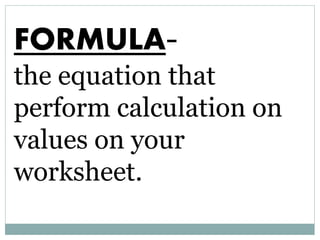
FORMULA-
the equation that
perform calculation on
values on your
worksheet.
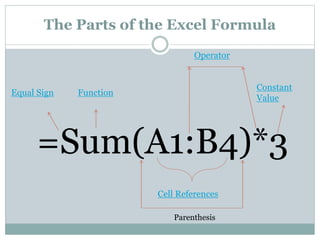
The Parts of the Excel Formula
=Sum(A1:B4)*3
Equal Sign Function
Cell References
Operator
Constant
Value
Parenthesis
Equal Sign-
a sign that tells Excel
that the succeeding
characters constitute
a formula. Back to previous
Function- a pre-
written formula that
takes a value/s. perform
an operations and
return a value/s.
Back to previous
Cell reference:
the address of a cell
based on the relative
position of the cell
that contains formula.
Back to previous
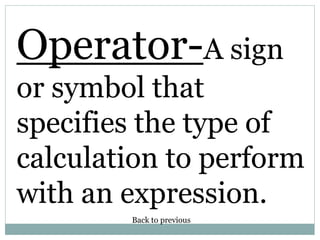
Operator-A sign
or symbol that
specifies the type of
calculation to perform
with an expression.
Back to previous
Constant
Value- a value is
not calculated and
therefore does not
changes. Back to previous
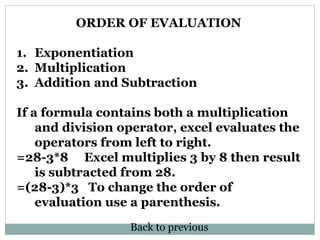
ORDER OF EVALUATION
1. Exponentiation
2. Multiplication
3. Addition and Subtraction
If a formula contains both a multiplication
and division operator, excel evaluates the
operators from left to right.
=28-3*8 Excel multiplies 3 by 8 then result
is subtracted from 28.
=(28-3)*3 To change the order of
evaluation use a parenthesis.
Back to previous

Ms excel formula

  • 1.
    CREATING A FORMULA MS EXCEL Preparedby: Mr. Jesus F. Obenita Jr. Teacher Benjamin B. Esguerra MNHS
  • 2.
    FORMULA- the equation that performcalculation on values on your worksheet.
  • 3.
    The Parts ofthe Excel Formula =Sum(A1:B4)*3 Equal Sign Function Cell References Operator Constant Value Parenthesis
  • 4.
    Equal Sign- a signthat tells Excel that the succeeding characters constitute a formula. Back to previous
  • 5.
    Function- a pre- writtenformula that takes a value/s. perform an operations and return a value/s. Back to previous
  • 6.
    Cell reference: the addressof a cell based on the relative position of the cell that contains formula. Back to previous
  • 7.
    Operator-A sign or symbolthat specifies the type of calculation to perform with an expression. Back to previous
  • 8.
    Constant Value- a valueis not calculated and therefore does not changes. Back to previous
  • 9.
    ORDER OF EVALUATION 1.Exponentiation 2. Multiplication 3. Addition and Subtraction If a formula contains both a multiplication and division operator, excel evaluates the operators from left to right. =28-3*8 Excel multiplies 3 by 8 then result is subtracted from 28. =(28-3)*3 To change the order of evaluation use a parenthesis. Back to previous