Canva for Education
• ARTMIKER •
Produced by Artmiker Studios on: June 4, 2023. All Intellectual Property mentioned in this document are owned by their own respective owners. All Rights Reserved.
Document editing and template sites offer a wide range of pre-designed
templates for various purposes, including resumes, business proposals,
presentations, newsletters, and more.
These templates serve as a foundation, providing a professionally designed
structure that users can customize with their own content and branding.
With intuitive editing interfaces, users can easily modify text, insert images,
adjust formatting, and personalize the templates to suit their specific needs.
The sites often offer a wide selection of fonts, colors, and graphics, enabling
users to create visually appealing and cohesive documents without the need
for advanced design skills.
Introduction
Introduction
Canva, a popular document editing and template site,
has created a tool that both students and teachers may
utilize. Canva for Education, as it is known, is a free
feature available to K-12 teachers and their students.
● It offers free worksheets, lesson plans, and
infographic templates that can help both students
and teachers study more effectively in school.
● Furthermore, it offers users with the freedom to build
designs from scratch.
● It is available to both teachers and pupils, albeit
teachers must first verify their identity before using it.
source: canva
History
● January 2013 - Melanie Perkins, Cliff Obrecht, and Cameron Adams started
Canva in Perth, Australia. Canva has over 750,000 users in its first year.
● April 2014 - Guy Kawasaki, a social media and technology guru, joined the
company as its chief evangelist (brand pusher).
● 2021- Canva launched a video-editing tool.
● December 2022 – Canva launched Magic Write, an AI-powered copywriting
assistant.
● March 2023 – Canva announced its new Assistan tool, that makes
recommendations in graphic and styles that match the user’s existing design.
source: canva
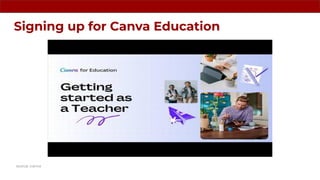
Signing up for Canva Education
source: canva
How to verify as a Teacher
● Open the Canva for Education sign up page.
● If you can, sign up for Canva for Education with a verified educational email domain. You
can also sign up with your school or district’s Clever, Microsoft, or Google account.
● Follow the sign up prompts.
● After signing up, select that you are a Teacher.
● Click Get verified.
● If you signed up with a verified educational email domain, you’ll get access right away –
congratulations!
● If you don’t have an educational email domain, no problem. Just upload a photo or
scanned copy of an approved document, and we’ll review your application within 48
hours.
source: canva
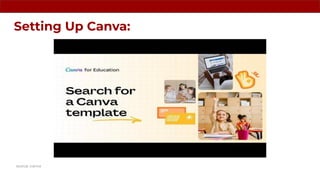
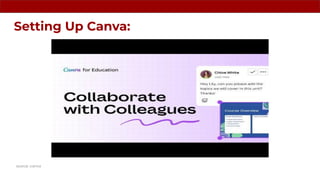
Setting Up Canva:
source: canva
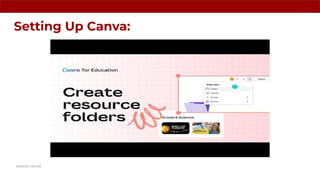
Setting Up Canva:
source: canva
Setting Up Canva:
source: canva
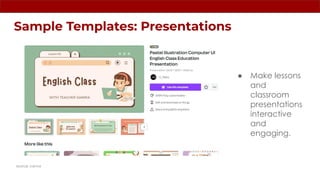
Sample Templates: Presentations
● Make lessons
and
classroom
presentations
interactive
and
engaging.
source: canva
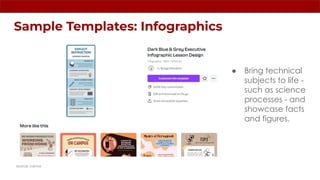
Sample Templates: Infographics
● Bring technical
subjects to life -
such as science
processes - and
showcase facts
and figures.
source: canva
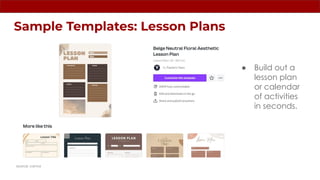
Sample Templates: Lesson Plans
● Build out a
lesson plan
or calendar
of activities
in seconds.
source: canva
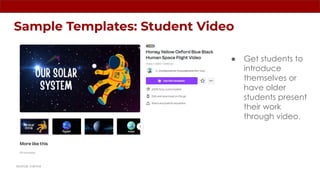
Sample Templates: Student Video
● Get students to
introduce
themselves or
have older
students present
their work
through video.
source: canva
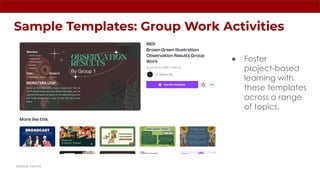
Sample Templates: Group Work Activities
● Foster
project-based
learning with
these templates
across a range
of topics.
source: canva
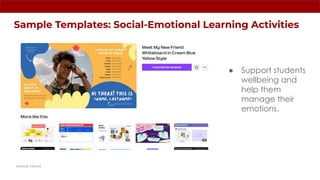
Sample Templates: Social-Emotional Learning Activities
● Support students
wellbeing and
help them
manage their
emotions.
source: canva
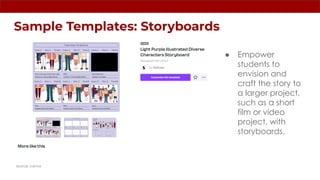
Sample Templates: Storyboards
● Empower
students to
envision and
craft the story to
a larger project,
such as a short
film or video
project, with
storyboards.
source: canva
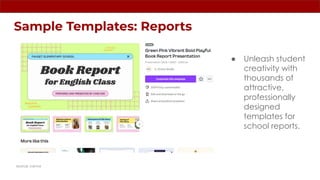
Sample Templates: Reports
● Unleash student
creativity with
thousands of
attractive,
professionally
designed
templates for
school reports.
source: canva
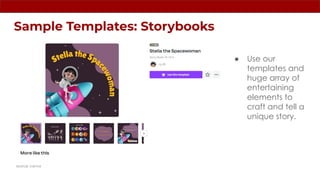
Sample Templates: Storybooks
● Use our
templates and
huge array of
entertaining
elements to
craft and tell a
unique story.
source: canva
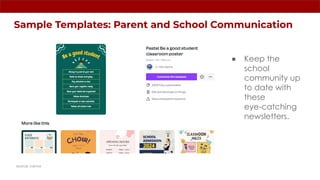
Sample Templates: Parent and School Communication
● Keep the
school
community up
to date with
these
eye-catching
newsletters.
source: canva
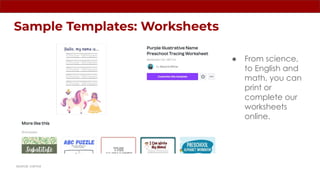
Sample Templates: Worksheets
● From science,
to English and
math, you can
print or
complete our
worksheets
online.
source: canva
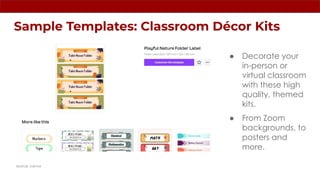
Sample Templates: Classroom Décor Kits
● Decorate your
in-person or
virtual classroom
with these high
quality, themed
kits.
● From Zoom
backgrounds, to
posters and
more.
source: canva
Citations:
de Maine, B. (n.d.). How to use CANVA for education. Canva for Education: How to get started as a teacher. Retrieved April 25, 2023, from
https://www.canva.com/learn/canva-for-education/
g-72329192. (2022, October 17). Pastel Illustration Computer UI English class education presentation - G-72329192 Flip PDF. AnyFlip.
Retrieved April 26, 2023, from https://anyflip.com/nczei/psjz
Wikimedia Foundation. (2023, April 20). Canva. Wikipedia. Retrieved April 26, 2023, from https://en.wikipedia.org/wiki/Canva
Yuan, M. (n.d.). Free templates | CANVA. Retrieved April 25, 2023, from https://www.canva.com/templates/
FOR CREATIVE CONTENT & RESEARCH SERVICES, PLEASE VISIT:
www.artmiker.com
END of SLIDE
www.artmiker.com

Canva for Education

  • 1.
    Canva for Education •ARTMIKER • Produced by Artmiker Studios on: June 4, 2023. All Intellectual Property mentioned in this document are owned by their own respective owners. All Rights Reserved.
  • 2.
    Document editing andtemplate sites offer a wide range of pre-designed templates for various purposes, including resumes, business proposals, presentations, newsletters, and more. These templates serve as a foundation, providing a professionally designed structure that users can customize with their own content and branding. With intuitive editing interfaces, users can easily modify text, insert images, adjust formatting, and personalize the templates to suit their specific needs. The sites often offer a wide selection of fonts, colors, and graphics, enabling users to create visually appealing and cohesive documents without the need for advanced design skills. Introduction
  • 3.
    Introduction Canva, a populardocument editing and template site, has created a tool that both students and teachers may utilize. Canva for Education, as it is known, is a free feature available to K-12 teachers and their students. ● It offers free worksheets, lesson plans, and infographic templates that can help both students and teachers study more effectively in school. ● Furthermore, it offers users with the freedom to build designs from scratch. ● It is available to both teachers and pupils, albeit teachers must first verify their identity before using it. source: canva
  • 4.
    History ● January 2013- Melanie Perkins, Cliff Obrecht, and Cameron Adams started Canva in Perth, Australia. Canva has over 750,000 users in its first year. ● April 2014 - Guy Kawasaki, a social media and technology guru, joined the company as its chief evangelist (brand pusher). ● 2021- Canva launched a video-editing tool. ● December 2022 – Canva launched Magic Write, an AI-powered copywriting assistant. ● March 2023 – Canva announced its new Assistan tool, that makes recommendations in graphic and styles that match the user’s existing design. source: canva
  • 5.
    Signing up forCanva Education source: canva
  • 6.
    How to verifyas a Teacher ● Open the Canva for Education sign up page. ● If you can, sign up for Canva for Education with a verified educational email domain. You can also sign up with your school or district’s Clever, Microsoft, or Google account. ● Follow the sign up prompts. ● After signing up, select that you are a Teacher. ● Click Get verified. ● If you signed up with a verified educational email domain, you’ll get access right away – congratulations! ● If you don’t have an educational email domain, no problem. Just upload a photo or scanned copy of an approved document, and we’ll review your application within 48 hours. source: canva
  • 7.
  • 8.
  • 9.
  • 10.
    Sample Templates: Presentations ●Make lessons and classroom presentations interactive and engaging. source: canva
  • 11.
    Sample Templates: Infographics ●Bring technical subjects to life - such as science processes - and showcase facts and figures. source: canva
  • 12.
    Sample Templates: LessonPlans ● Build out a lesson plan or calendar of activities in seconds. source: canva
  • 13.
    Sample Templates: StudentVideo ● Get students to introduce themselves or have older students present their work through video. source: canva
  • 14.
    Sample Templates: GroupWork Activities ● Foster project-based learning with these templates across a range of topics. source: canva
  • 15.
    Sample Templates: Social-EmotionalLearning Activities ● Support students wellbeing and help them manage their emotions. source: canva
  • 16.
    Sample Templates: Storyboards ●Empower students to envision and craft the story to a larger project, such as a short film or video project, with storyboards. source: canva
  • 17.
    Sample Templates: Reports ●Unleash student creativity with thousands of attractive, professionally designed templates for school reports. source: canva
  • 18.
    Sample Templates: Storybooks ●Use our templates and huge array of entertaining elements to craft and tell a unique story. source: canva
  • 19.
    Sample Templates: Parentand School Communication ● Keep the school community up to date with these eye-catching newsletters. source: canva
  • 20.
    Sample Templates: Worksheets ●From science, to English and math, you can print or complete our worksheets online. source: canva
  • 21.
    Sample Templates: ClassroomDécor Kits ● Decorate your in-person or virtual classroom with these high quality, themed kits. ● From Zoom backgrounds, to posters and more. source: canva
  • 22.
    Citations: de Maine, B.(n.d.). How to use CANVA for education. Canva for Education: How to get started as a teacher. Retrieved April 25, 2023, from https://www.canva.com/learn/canva-for-education/ g-72329192. (2022, October 17). Pastel Illustration Computer UI English class education presentation - G-72329192 Flip PDF. AnyFlip. Retrieved April 26, 2023, from https://anyflip.com/nczei/psjz Wikimedia Foundation. (2023, April 20). Canva. Wikipedia. Retrieved April 26, 2023, from https://en.wikipedia.org/wiki/Canva Yuan, M. (n.d.). Free templates | CANVA. Retrieved April 25, 2023, from https://www.canva.com/templates/
  • 23.
    FOR CREATIVE CONTENT& RESEARCH SERVICES, PLEASE VISIT: www.artmiker.com
  • 24.