Desktop
Publishing
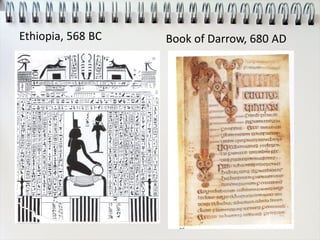
Ethiopia, 568 BC Book of Darrow, 680 AD
La Operina da imparare di
scrivere littera
cancellarescha, 1522
Handbill, 1876
Art Nouveau, 1903 Type as art, 1918
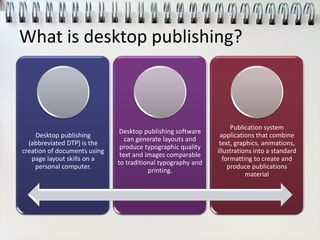
What is desktop publishing?
Desktop publishing
(abbreviated DTP) is the
creation of documents using
page layout skills on a
personal computer.
Desktop publishing software
can generate layouts and
produce typographic quality
text and images comparable
to traditional typography and
printing.
Publication system
applications that combine
text, graphics, animations,
illustrations into a standard
formatting to create and
produce publications
material
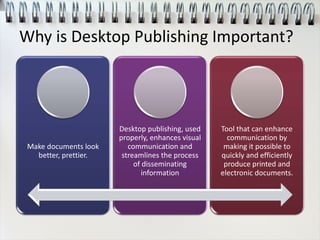
Why is Desktop Publishing Important?
Make documents look
better, prettier.
Desktop publishing, used
properly, enhances visual
communication and
streamlines the process
of disseminating
information
Tool that can enhance
communication by
making it possible to
quickly and efficiently
produce printed and
electronic documents.
Graphic design vs. Desktop Publishing
Graphic design involves the creative process of coming
up with the concepts and ideas and arrangements for
visually communicating a specific message.
Desktop publishing is the mechanical process that the
designer and the non-designer use to turn their ideas
for newsletters, brochures, ads, posters, greeting cards,
and other projects into digital files for desktop or
commercial printing.
• While desktop publishing does require a certain amount of creativity,
it is more production-oriented than design-oriented.
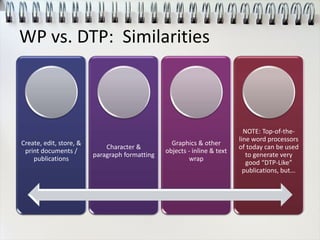
WP vs. DTP: Similarities
Create, edit, store, &
print documents /
publications
Character &
paragraph formatting
Graphics & other
objects - inline & text
wrap
NOTE: Top-of-the-
line word processors
of today can be used
to generate very
good “DTP-Like”
publications, but...
WP vs. DTP: Differences
• Margins
• Paragraphs
In Margins/
Columns
• Single
Layered
Word
Processing
•Page
•Guides
•Text Boxes
•Multiple
Layered
Objects
Desktop
Publishing
History
• Type Processor One1983
• Apple LaserWriter Printer & PageMaker1985
• Adobe PostScript Fonts
• Adobe IllustratorMid-1980’s
• QuarkXpress1987
• Photoshop Introduced1989
DTP Software
Adobe InDesign Adobe
PageMaker
Adobe
Photoshop
Adobe Illustrator Adobe
FrameMaker
Corel DRAW Corel Photo-
Paint
Corel Ventura Microsoft Office
Publisher
QuarkXPress
Serif PagePlus Deneba Canvas RagTime
8 Things to Consider (Before You Begin)
• Time
• Audience
• Reader Motivation
• Method of Delivery
• Image
• Ease of Reading
• Limitations
• Feedback
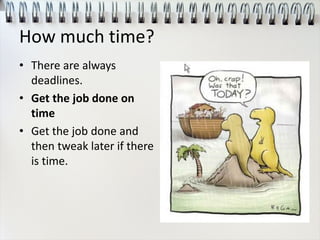
How much time?
• There are always
deadlines.
• Get the job done on
time
• Get the job done and
then tweak later if there
is time.
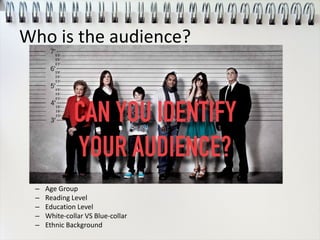
Who is the audience?
– Age Group
– Reading Level
– Education Level
– White-collar VS Blue-collar
– Ethnic Background
Opps …
• In the end, however,
the blunder didn't
end up hurting KFC
too badly:
• It's the No. 1 quick-
service restaurant
brand in China
today, with more
than 4,400
restaurants in more
than 850 cities.
Why are they reading this?
• Personal Interest
• Needing Information
• Required Reading
• Casual Browsing
How will they get this?
• Direct Mail
• Bulletin Board
• Brochure Rack
• Table or Counter
• Person to Person
RGB & CMYK
What is our/their image?
Can I make the reader’s job easier?
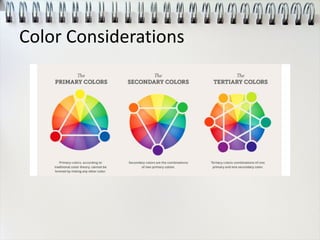
Color Considerations
Are there limitations?
• Always!
• Budget
• Resources
• Size (Dimensions & Number
Of Pages)
• Medium
• Time
• Personal Preferences (Esp.
The Client’s)
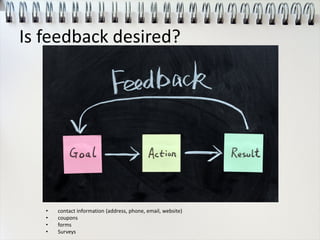
Is feedback desired?
• contact information (address, phone, email, website)
• coupons
• forms
• Surveys
Typography
Legibility
• Speed and ease with
which individual letters
can be recognized
Readability
• Likelihood that your
readers will pick up
material, read it and
take action
San-Serif vs. Serif
Screen Print
Heading Heads: Minimum of 2
times larger than
subheads
Subheads: minimum of 2
pts larger than body copy
Heads: Minimum of 2
times larger than subheads
Subheads: minimum of 2
pts larger than body copy
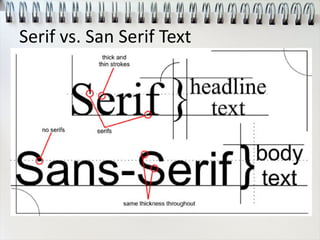
Body San-Serif Serif
Weight Bold Bold
Captions Same size as body text 2 pts larger or 1 pt smaller
Serif vs. San Serif Text
How Many Typefaces?
• Just because you have 2500 typefaces ... You don’t have to use them all!!!!
• One gives consistent look. Two complementary typefaces is common Three is the max!
• More makes the publication to busy and confusing.
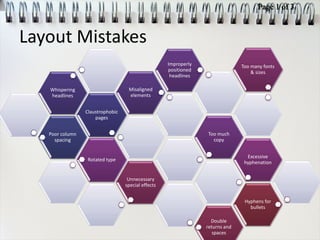
Layout Mistakes
Poor column
spacing
Claustrophobic
pages
Whispering
headlines
Misaligned
elements
Improperly
positioned
headlines
Too much
copy
Rotated type
Excessive
hyphenation
Too many fonts
& sizes
Unnecessary
special effects
Double
returns and
spaces
Hyphens for
bullets
Page 1 of 3
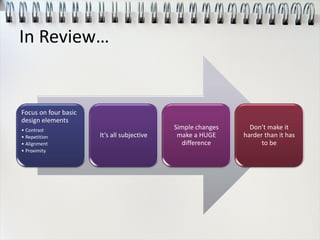
In Review…
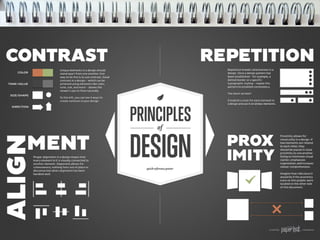
Focus on four basic
design elements
• Contrast
• Repetition
• Alignment
• Proximity
It’s all subjective
Simple changes
make a HUGE
difference
Don’t make it
harder than it has
to be

Desktop publishing intro

  • 1.
  • 6.
    Ethiopia, 568 BCBook of Darrow, 680 AD
  • 7.
    La Operina daimparare di scrivere littera cancellarescha, 1522 Handbill, 1876
  • 8.
    Art Nouveau, 1903Type as art, 1918
  • 10.
    What is desktoppublishing? Desktop publishing (abbreviated DTP) is the creation of documents using page layout skills on a personal computer. Desktop publishing software can generate layouts and produce typographic quality text and images comparable to traditional typography and printing. Publication system applications that combine text, graphics, animations, illustrations into a standard formatting to create and produce publications material
  • 11.
    Why is DesktopPublishing Important? Make documents look better, prettier. Desktop publishing, used properly, enhances visual communication and streamlines the process of disseminating information Tool that can enhance communication by making it possible to quickly and efficiently produce printed and electronic documents.
  • 12.
    Graphic design vs.Desktop Publishing Graphic design involves the creative process of coming up with the concepts and ideas and arrangements for visually communicating a specific message. Desktop publishing is the mechanical process that the designer and the non-designer use to turn their ideas for newsletters, brochures, ads, posters, greeting cards, and other projects into digital files for desktop or commercial printing. • While desktop publishing does require a certain amount of creativity, it is more production-oriented than design-oriented.
  • 13.
    WP vs. DTP:Similarities Create, edit, store, & print documents / publications Character & paragraph formatting Graphics & other objects - inline & text wrap NOTE: Top-of-the- line word processors of today can be used to generate very good “DTP-Like” publications, but...
  • 14.
    WP vs. DTP:Differences • Margins • Paragraphs In Margins/ Columns • Single Layered Word Processing •Page •Guides •Text Boxes •Multiple Layered Objects Desktop Publishing
  • 16.
    History • Type ProcessorOne1983 • Apple LaserWriter Printer & PageMaker1985 • Adobe PostScript Fonts • Adobe IllustratorMid-1980’s • QuarkXpress1987 • Photoshop Introduced1989
  • 17.
    DTP Software Adobe InDesignAdobe PageMaker Adobe Photoshop Adobe Illustrator Adobe FrameMaker Corel DRAW Corel Photo- Paint Corel Ventura Microsoft Office Publisher QuarkXPress Serif PagePlus Deneba Canvas RagTime
  • 18.
    8 Things toConsider (Before You Begin) • Time • Audience • Reader Motivation • Method of Delivery • Image • Ease of Reading • Limitations • Feedback
  • 19.
    How much time? •There are always deadlines. • Get the job done on time • Get the job done and then tweak later if there is time.
  • 20.
    Who is theaudience? – Age Group – Reading Level – Education Level – White-collar VS Blue-collar – Ethnic Background
  • 21.
    Opps … • Inthe end, however, the blunder didn't end up hurting KFC too badly: • It's the No. 1 quick- service restaurant brand in China today, with more than 4,400 restaurants in more than 850 cities.
  • 22.
    Why are theyreading this? • Personal Interest • Needing Information • Required Reading • Casual Browsing
  • 23.
    How will theyget this? • Direct Mail • Bulletin Board • Brochure Rack • Table or Counter • Person to Person
  • 24.
  • 25.
  • 27.
    Can I makethe reader’s job easier?
  • 28.
  • 30.
    Are there limitations? •Always! • Budget • Resources • Size (Dimensions & Number Of Pages) • Medium • Time • Personal Preferences (Esp. The Client’s)
  • 31.
    Is feedback desired? •contact information (address, phone, email, website) • coupons • forms • Surveys
  • 33.
    Typography Legibility • Speed andease with which individual letters can be recognized Readability • Likelihood that your readers will pick up material, read it and take action
  • 34.
    San-Serif vs. Serif ScreenPrint Heading Heads: Minimum of 2 times larger than subheads Subheads: minimum of 2 pts larger than body copy Heads: Minimum of 2 times larger than subheads Subheads: minimum of 2 pts larger than body copy Body San-Serif Serif Weight Bold Bold Captions Same size as body text 2 pts larger or 1 pt smaller
  • 35.
    Serif vs. SanSerif Text
  • 36.
    How Many Typefaces? •Just because you have 2500 typefaces ... You don’t have to use them all!!!! • One gives consistent look. Two complementary typefaces is common Three is the max! • More makes the publication to busy and confusing.
  • 37.
    Layout Mistakes Poor column spacing Claustrophobic pages Whispering headlines Misaligned elements Improperly positioned headlines Toomuch copy Rotated type Excessive hyphenation Too many fonts & sizes Unnecessary special effects Double returns and spaces Hyphens for bullets Page 1 of 3
  • 38.
    In Review… Focus onfour basic design elements • Contrast • Repetition • Alignment • Proximity It’s all subjective Simple changes make a HUGE difference Don’t make it harder than it has to be