WORD 2013 
WORKING WITH AND EDITING TEXT
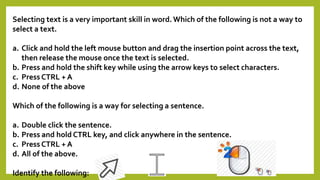
Selecting text is a very important skill in word. Which of the following is not a way to 
select a text. 
a. Click and hold the left mouse button and drag the insertion point across the text, 
then release the mouse once the text is selected. 
b. Press and hold the shift key while using the arrow keys to select characters. 
c. Press CTRL + A 
d. None of the above 
Which of the following is a way for selecting a sentence. 
a. Double click the sentence. 
b. Press and hold CTRL key, and click anywhere in the sentence. 
c. Press CTRL + A 
d. All of the above. 
Identify the following:
Underlining red wavy line- tells that 
there is in any case, a spelling error. 
Underlining blue wavy line- tells that 
there is in any case, a grammar error. 
(older version of MS Word it was green 
wavy lines.)
Thesaurus 
From Wikipedia, the free encyclopedia 
In general usage, a thesaurus is a reference work that lists words 
grouped together according to similarity of meaning (containing 
synonyms and sometimes antonyms), in contrast to a dictionary, which 
provides definitions for words, and generally lists them in alphabetical 
order. The main purpose of such reference works is to help the user “to 
find the word, or words, by which [an] idea may be most fitly and aptly 
expressed” – to quote Peter Mark Roget, architect of the best known 
thesaurus in the English language.[1] 
Although including synonyms, a thesaurus should not be taken as a 
complete list of all the synonyms for a particular word. The entries are 
also designed for drawing distinctions between similar words and 
assisting in choosing exactly the right word. Unlike a dictionary, a 
thesaurus entry does not give the definition of words.
Ms word 2013 6
Ms word 2013 6
Ms word 2013 6
Ms word 2013 6

Ms word 2013 6

  • 1.
    WORD 2013 WORKINGWITH AND EDITING TEXT
  • 3.
    Selecting text isa very important skill in word. Which of the following is not a way to select a text. a. Click and hold the left mouse button and drag the insertion point across the text, then release the mouse once the text is selected. b. Press and hold the shift key while using the arrow keys to select characters. c. Press CTRL + A d. None of the above Which of the following is a way for selecting a sentence. a. Double click the sentence. b. Press and hold CTRL key, and click anywhere in the sentence. c. Press CTRL + A d. All of the above. Identify the following:
  • 4.
    Underlining red wavyline- tells that there is in any case, a spelling error. Underlining blue wavy line- tells that there is in any case, a grammar error. (older version of MS Word it was green wavy lines.)
  • 12.
    Thesaurus From Wikipedia,the free encyclopedia In general usage, a thesaurus is a reference work that lists words grouped together according to similarity of meaning (containing synonyms and sometimes antonyms), in contrast to a dictionary, which provides definitions for words, and generally lists them in alphabetical order. The main purpose of such reference works is to help the user “to find the word, or words, by which [an] idea may be most fitly and aptly expressed” – to quote Peter Mark Roget, architect of the best known thesaurus in the English language.[1] Although including synonyms, a thesaurus should not be taken as a complete list of all the synonyms for a particular word. The entries are also designed for drawing distinctions between similar words and assisting in choosing exactly the right word. Unlike a dictionary, a thesaurus entry does not give the definition of words.