The document provides an overview of the PIC18 microcontroller features, including its RISC architecture, memory types (ROM, RAM, EEPROM), and assembly language programming concepts. It details the use of registers like the WREG and the file register, instruction types, and assembler directives. Additionally, it discusses the program counter and performance enhancement methods for microprocessor design.
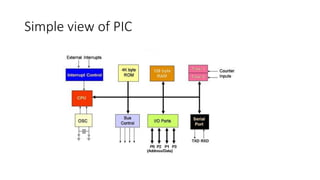
Program ROM
• ROMis used to store programs (program or code ROM)
• PIC 18 program ROM
• Flash [letter F for this]
• OTP (One Time Programmable) [letter C for this]
• Masked (during fabrication process)
6.
Data RAM andEEPROM
• RAM is for data storage.
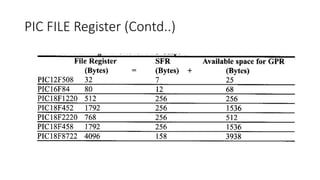
• RAM Space = General Purpose Register (GPR) + Special Function
Registers (SFR)
• Microchip website gives only the GPR size (because SFRs are fixed)
• EEPROM:
• To store critical data that does not need to be changed very often
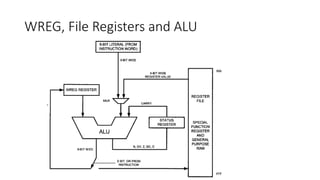
The WREG register
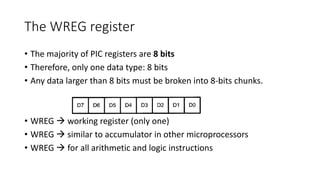
•The majority of PIC registers are 8 bits
• Therefore, only one data type: 8 bits
• Any data larger than 8 bits must be broken into 8-bits chunks.
• WREG working register (only one)
• WREG similar to accumulator in other microprocessors
• WREG for all arithmetic and logic instructions
10.
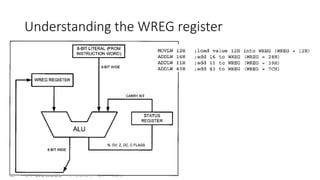
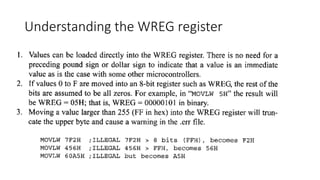
Understanding the WREGregister
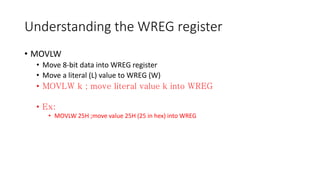
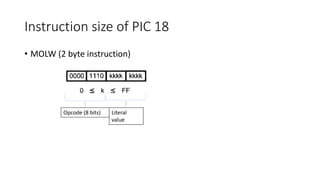
• MOVLW
• Move 8-bit data into WREG register
• Move a literal (L) value to WREG (W)
•
•
• MOVLW 25H ;move value 25H (25 in hex) into WREG
11.
Understanding the WREGregister
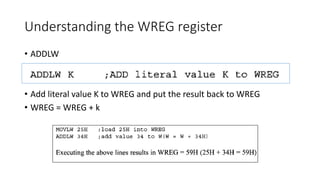
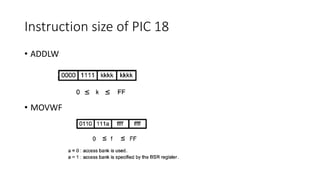
• ADDLW
• Add literal value K to WREG and put the result back to WREG
• WREG = WREG + k
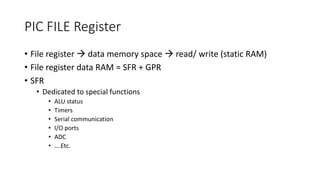
PIC FILE Register
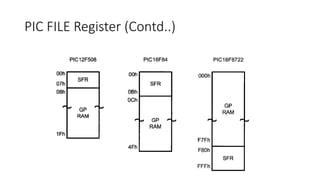
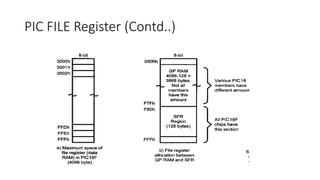
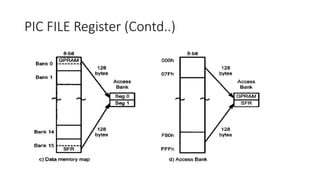
•File register data memory space read/ write (static RAM)
• File register data RAM = SFR + GPR
• SFR
• Dedicated to special functions
• ALU status
• Timers
• Serial communication
• I/O ports
• ADC
• ….Etc.
15.
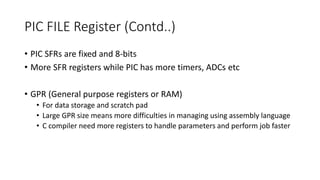
PIC FILE Register(Contd..)
• PIC SFRs are fixed and 8-bits
• More SFR registers while PIC has more timers, ADCs etc
• GPR (General purpose registers or RAM)
• For data storage and scratch pad
• Large GPR size means more difficulties in managing using assembly language
• C compiler need more registers to handle parameters and perform job faster
Simple instructions withthe default access
bank
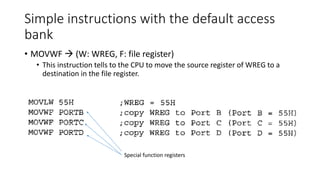
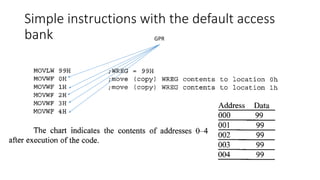
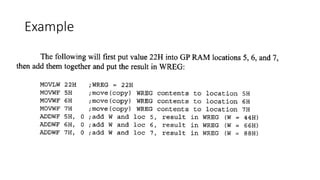
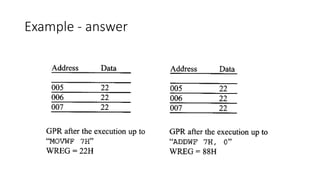
• MOVWF (W: WREG, F: file register)
• This instruction tells to the CPU to move the source register of WREG to a
destination in the file register.
Special function registers
More instructions
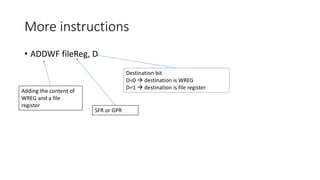
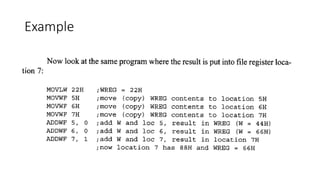
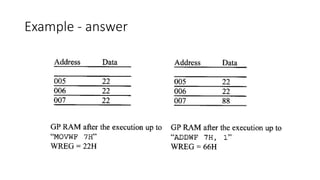
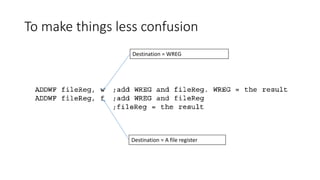
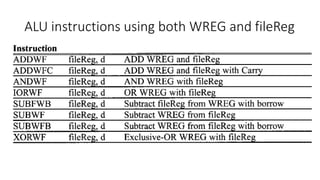
• ADDWFfileReg, D
SFR or GPR
Adding the content of
WREG and a file
register
Destination bit
D=0 destination is WREG
D=1 destination is file register
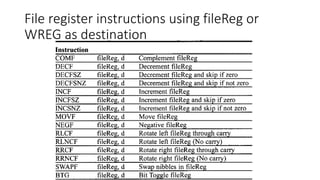
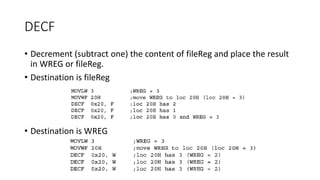
DECF
• Decrement (subtractone) the content of fileReg and place the result
in WREG or fileReg.
• Destination is fileReg
• Destination is WREG
39.
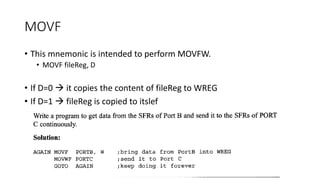
MOVF
• This mnemonicis intended to perform MOVFW.
• MOVF fileReg, D
• If D=0 it copies the content of fileReg to WREG
• If D=1 fileReg is copied to itslef
40.
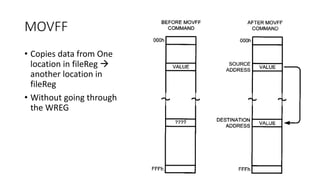
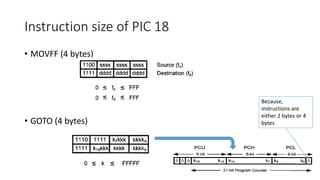
MOVFF
• Copies datafrom One
location in fileReg
another location in
fileReg
• Without going through
the WREG
PIC Status Register
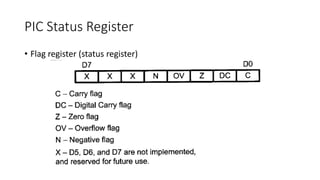
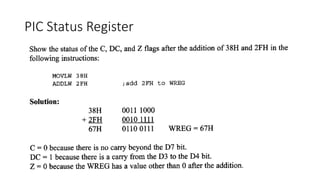
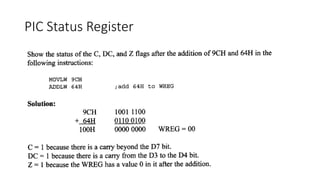
•C (carry flag)
• This is set whenever there is a carry out from D7 bit (8th bit)
• This is affected after 8-bit addition and subtraction
• DC (digital carry flag) [Auxiliary Carry Flag]
• This bit is set whenever if there is a carry from D3 to D4 (during add and sub)
• This is used for BCD arithmetic
• Z (zero flag)
• If the result of arithmetic or logical operation is zero then z=1, otherwise (z=0)
for non-zero result.
43.
PIC Status Register
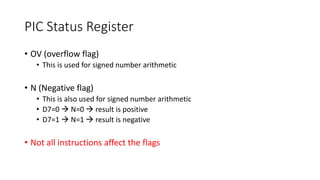
•OV (overflow flag)
• This is used for signed number arithmetic
• N (Negative flag)
• This is also used for signed number arithmetic
• D7=0 N=0 result is positive
• D7=1 N=1 result is negative
• Not all instructions affect the flags
Flag bits anddecision
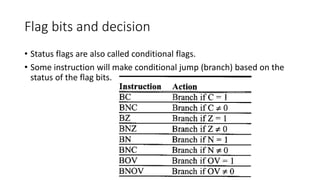
• Status flags are also called conditional flags.
• Some instruction will make conditional jump (branch) based on the
status of the flag bits.
47.
PIC data formatrepresentation
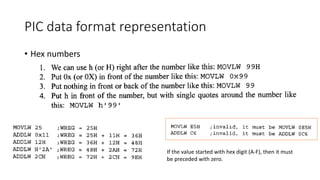
• Hex numbers
If the value started with hex digit (A-F), then it must
be preceded with zero.
48.
PIC data formatrepresentation
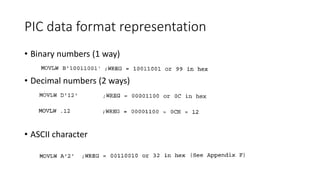
• Binary numbers (1 way)
• Decimal numbers (2 ways)
• ASCII character
49.
Assembler Directives
• Instructions What to do using the CPU
• Directives (pseudo instructions) Directions to the assembler
• Ex: EQU, SET, ORG and END
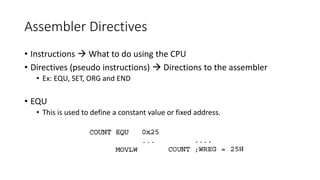
• EQU
• This is used to define a constant value or fixed address.
50.
Assembler Directives
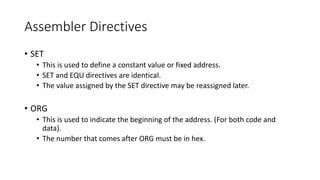
• SET
•This is used to define a constant value or fixed address.
• SET and EQU directives are identical.
• The value assigned by the SET directive may be reassigned later.
• ORG
• This is used to indicate the beginning of the address. (For both code and
data).
• The number that comes after ORG must be in hex.
51.
Assembler Directives
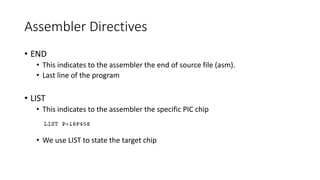
• END
•This indicates to the assembler the end of source file (asm).
• Last line of the program
• LIST
• This indicates to the assembler the specific PIC chip
• We use LIST to state the target chip
52.
Assembler Directives
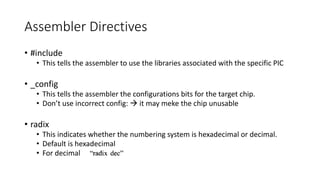
• #include
•This tells the assembler to use the libraries associated with the specific PIC
• _config
• This tells the assembler the configurations bits for the target chip.
• Don’t use incorrect config: it may meke the chip unusable
• radix
• This indicates whether the numbering system is hexadecimal or decimal.
• Default is hexadecimal
• For decimal
53.
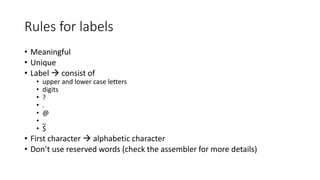
Rules for labels
•Meaningful
• Unique
• Label consist of
• upper and lower case letters
• digits
• ?
• .
• @
• _
• $
• First character alphabetic character
• Don’t use reserved words (check the assembler for more details)
54.
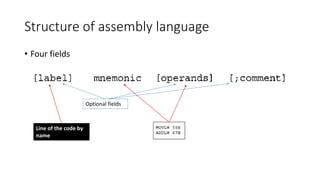
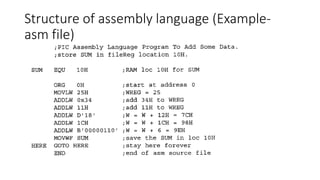
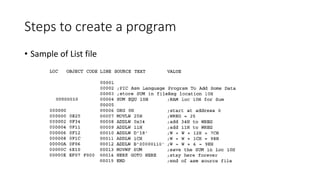
Structure of assemblylanguage
• Four fields
Optional fields
Line of the code by
name
Program counter (PC)
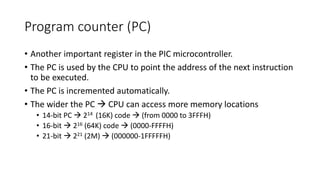
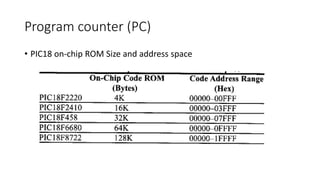
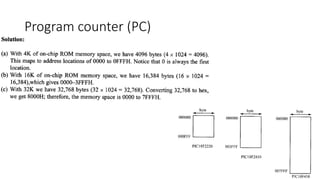
•Another important register in the PIC microcontroller.
• The PC is used by the CPU to point the address of the next instruction
to be executed.
• The PC is incremented automatically.
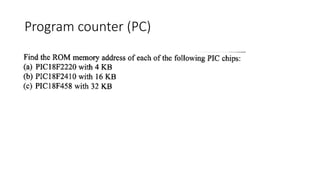
• The wider the PC CPU can access more memory locations
• 14-bit PC 214 (16K) code (from 0000 to 3FFFH)
• 16-bit 216 (64K) code (0000-FFFFH)
• 21-bit 221 (2M) (000000-1FFFFFH)
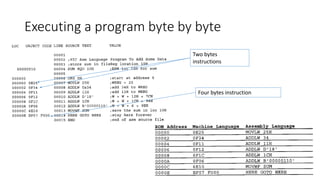
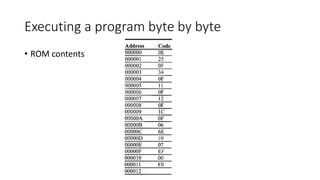
Instruction size ofPIC 18
• MOVFF (4 bytes)
• GOTO (4 bytes)
Because,
instructions are
either 2 bytes or 4
bytes
69.
Ways to increaseperformance
• There are three ways available to microprocessor designers to
increase the processing power of CPU
• Increase clock frequency more power and heat dissipation
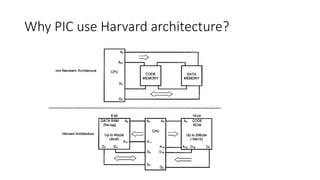
• Use Harvard architecture very expensive and unrealistic for x86
architecture
• Use RISC architecture
Microchip used all three methods
70.
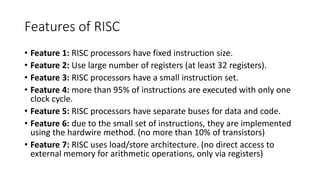
Features of RISC
•Feature 1: RISC processors have fixed instruction size.
• Feature 2: Use large number of registers (at least 32 registers).
• Feature 3: RISC processors have a small instruction set.
• Feature 4: more than 95% of instructions are executed with only one
clock cycle.
• Feature 5: RISC processors have separate buses for data and code.
• Feature 6: due to the small set of instructions, they are implemented
using the hardwire method. (no more than 10% of transistors)
• Feature 7: RISC uses load/store architecture. (no direct access to
external memory for arithmetic operations, only via registers)