 ERP – Enterprise Resource Planning is a
business application that integrates all
business processes in an organization.
 ERP provides an integrated view of various
functions that helps in effective use of
management resources to improve the
efficiency of an enterprise.
 Enterprise is a group of people with a
common goal and certain resources at its
disposal to achieve that goal
 Enterprise is divided into different units
based on the functions they perform
 Enterprise must act as a single entity
 Improves productivity of processes &
personnel
 Lowering the cost of products and services
purchased
 Inventory reduction
 Lead time reduction
 Reduced stock obsolescence
 Eliminate duplication and unnecessary
paper work
 Order fulfillment improvement
 Better analysis & planning capabilities
 Increases organizational transparency and
responsibility
 Accurate and faster access to data for
timely decisions
 Improved customer response
 Saves enormous time and effort in data
entry
 More controls there by lowering the risk of
mis-utilization of resources
 Uniform reporting according to global
standards
 Improves Company’s Image
• ERP means more work and procedures
• ERP will make many employees redundant
and jobless
• ERP is the sole responsibility of the
management
• ERP is just for the managers/decision
makers
• ERP is just for the ERP implementation team
• ERP slows down the organisation
• ERP is just to impress the customers
• ERP will take care of everything without
doing anything
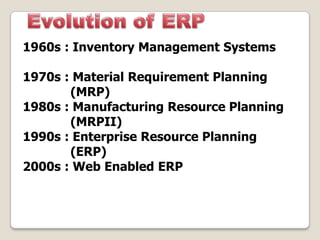
1960s : Inventory Management Systems
1970s : Material Requirement Planning
(MRP)
1980s : Manufacturing Resource Planning
(MRPII)
1990s : Enterprise Resource Planning
(ERP)
2000s : Web Enabled ERP
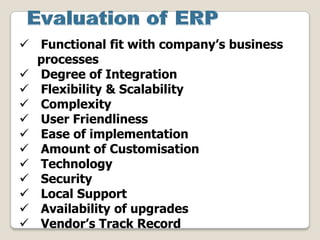
 Functional fit with company’s business
processes
 Degree of Integration
 Flexibility & Scalability
 Complexity
 User Friendliness
 Ease of implementation
 Amount of Customisation
 Technology
 Security
 Local Support
 Availability of upgrades
 Vendor’s Track Record
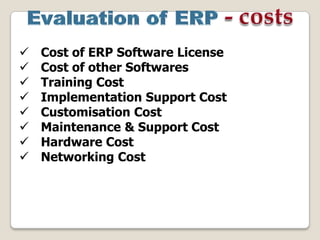
 Cost of ERP Software License
 Cost of other Softwares
 Training Cost
 Implementation Support Cost
 Customisation Cost
 Maintenance & Support Cost
 Hardware Cost
 Networking Cost
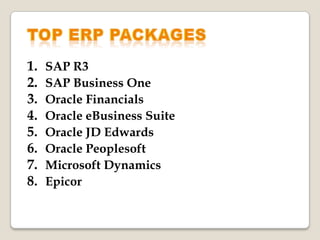
1. SAP R3
2. SAP Business One
3. Oracle Financials
4. Oracle eBusiness Suite
5. Oracle JD Edwards
6. Oracle Peoplesoft
7. Microsoft Dynamics
8. Epicor
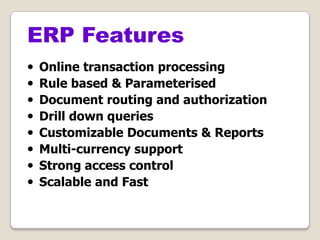
• Online transaction processing
• Rule based & Parameterised
• Document routing and authorization
• Drill down queries
• Customizable Documents & Reports
• Multi-currency support
• Strong access control
• Scalable and Fast
ERP Features
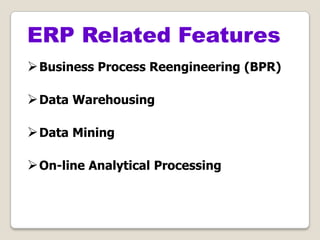
Business Process Reengineering (BPR)
Data Warehousing
Data Mining
On-line Analytical Processing
ERP Related Features
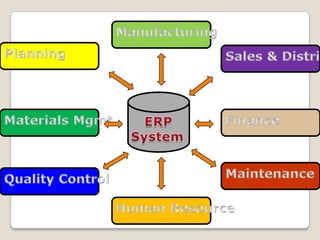
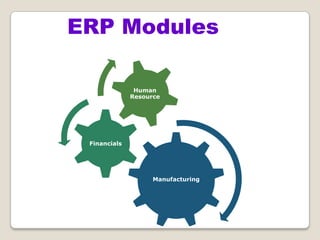
ERP Modules
Manufacturing
Financials
Human
Resource
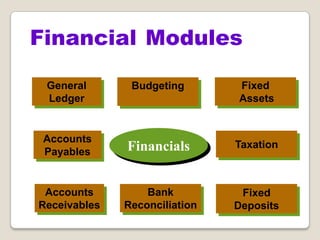
Financial Modules
Financials
Accounts
Payables
Accounts
Receivables
Bank
Reconciliation
General
Ledger
Fixed
Assets
Fixed
Deposits
Taxation
Budgeting
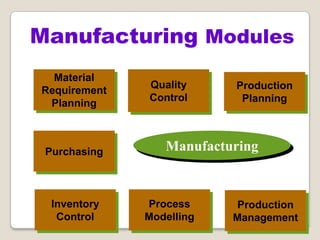
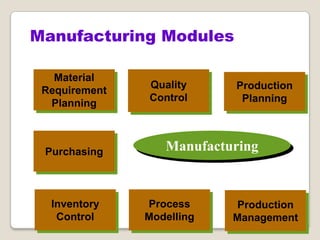
Manufacturing
Inventory
Control
Material
Requirement
Planning
Process
Modelling
Quality
Control
Production
Planning
Purchasing
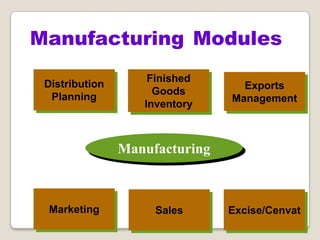
Manufacturing Modules
Production
Management
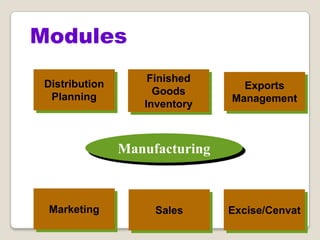
Manufacturing
Sales
Distribution
Planning
Excise/Cenvat
Finished
Goods
Inventory
Exports
Management
Marketing
Manufacturing Modules
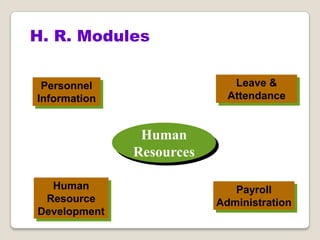
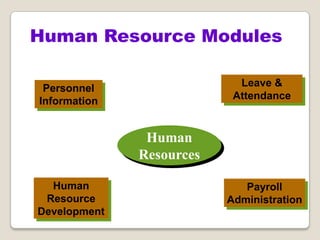
H. R. Modules
Human
Resources
Personnel
Information
Human
Resource
Development
Payroll
Administration
Leave &
Attendance
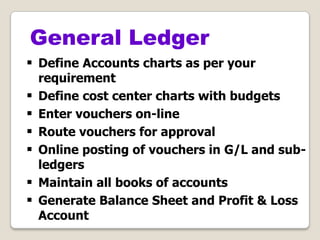
General Ledger
 Define Accounts charts as per your
requirement
 Define cost center charts with budgets
 Enter vouchers on-line
 Route vouchers for approval
 Online posting of vouchers in G/L and sub-
ledgers
 Maintain all books of accounts
 Generate Balance Sheet and Profit & Loss
Account
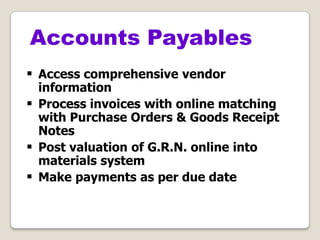
 Access comprehensive vendor
information
 Process invoices with online matching
with Purchase Orders & Goods Receipt
Notes
 Post valuation of G.R.N. online into
materials system
 Make payments as per due date
Accounts Payables
 Enter/Import passbook online and match
with bank book
 Create commission/interest vouchers while
entering passbook
 Generate bank reconciliation statement
 Calculate Interest for the given period
Bank Reconciliation
 Excise
 VAT
 Sales Tax
 Service Tax
 Income Tax
 T.D.S.
Taxation
 Record comprehensive details of each
asset
 Record additions, transfers and
retirement of assets
 Track an asset by asset number,
description, location etc.
 Maintain books of depreciation as per
company law as well as IT rules
Fixed Assets
 Calculate depreciation for part of the
year based on number of days or half
yearly period
 Post depreciation entries to G/L
 Capitalize revenue expenditure on
assets
 Track insurance policies and claims
 Track third party maintenance contracts
Fixed Assets
Manufacturing
Inventory
Control
Material
Requirement
Planning
Process
Modelling
Quality
Control
Production
Planning
Purchasing
Manufacturing Modules
Production
Management
Manufacturing
Sales
Distribution
Planning
Excise/Cenvat
Finished
Goods
Inventory
Exports
Management
Marketing
Modules
 Define Daily, Monthly or Annual Production
Plans
 Carry out BOM explosion for the production
plan
 Generate Materials Requirement Plan
based on Production Plan
 Generate MRP Plan on Daily, Weekly or
user defined period basis
 Create purchase requisitions based on MRP
Plan
Material Requirement Planning
 Manage Vendor database
 Create vendor-item catalog
 Send request for quotation to vendors
 Enter quotations received and perform
comparative analysis
 Approve quotations for purchases
 Create purchase orders online based on
requisitions as well as MRP Plan
Purchasing
 Create delivery schedule releases and
send to vendors
 Reschedule deliveries
 Create P.O. amendments
 Vendor performance ratingbased on
quality and delivery
 Fully integrated with Accounts Payable
Purchasing
 Define Multiple stores
 Enter all stores transactions online
 Stores transaction include
- Goods receipts from suppliers
- Returns to suppliers
- Issue to Production
- Issue to others
- Finished Goods receipts from production
Inventory Control
- Returns from customers
- Inter-store transfers
- Other misc. transactions
 Update stock transactions online to stock ledger
 Generate stock ledgers & statements
 Update overhead costs on receipts
 Value inventory based on several methods - FIFO,
Standard Rate, Weighted Average Rate
 Create various analysis reports (ABC, XYZ, FSN)
Inventory Control
 Define QC specifications (including
assay, Loss on Drying and standard test
procedures for each item
 Access G.R.N.’s awaiting QC online
 Allot testing to analysts based on work
load
 Generate QC register for items/batches
to be analyzed
 Update test results online and match
with standards to approve or reject
material
 Print Test Certificates
Quality Control
 Define Production facilities in terms of
production centers, production stages etc.
 Define manpower assigned for each
production stage/machine
 For each product, define Process Bill
including
 sequence of manufacturing operation
 machines used for each operation
Process Modelling
 inputs, outputs, yield, time, and manpower for
each operation
 measurements required to be taken
 test requirements
 standard operating procedures
Process Modelling
 Create Production Plan based on
Distribution Plan
 Project gross raw material requirement
 Assess plan feasibility with respect to
capacity and manpower currently
deployed
 Analyze capacity utilization w.r.t. Plan
 Analyse manpower utilisation w.r.t. Plan
 Track Plan vs. Actuals Position
 Automatically roll over unrealized Plan
Production Planning
 Create New Batch Record
 Generate Stores Requisition for raw
material for batch order
 Enter Batch Details (Operation wise)
 Access Process Bills Details including
Standard Operating Procedures on-line
 Generate intimations for Q.C. for testing
intermediate and finished goods
Production Management
 Print Batch Tickets for completed
batches
 Generate
- Various Production Reports
- Capacity Utilization Reports
- Manpower Utilization Reports
- Yield Variance Reports
- Batch Costing Reports
- W.I.P. Reports
Production Management
 Group products by product groups for
planning, reporting and analysis
 Group marketing areas by Zone,
Regions and Territories
 Define Depot wise Sales Forecast
 Create Depot Distribution Plans based
on sales forecast and inventories held
 Create Depot despatch schedules from
Distribution Plan and Production Plan
Distribution Planning
Marketing & Sales
 Maintain comprehensive customer’s
information
 Process request for quotations and
generate quotations
 Process Sales orders
 Create sales invoices, depot stock
transfer notes
 Track Daily Stock and Sales
 Fully integrated with Accounts
Receivables
Exports Management
 Maintain Standard Input/Output Norms
 Process export licenses such as DEPB,
DFRC, Advance License etc.
 Generate complete pre-shipment and
post-shipment export documentation
Human Resource Modules
Human
Resources
Personnel
Information
Human
Resource
Development
Payroll
Administration
Leave &
Attendance
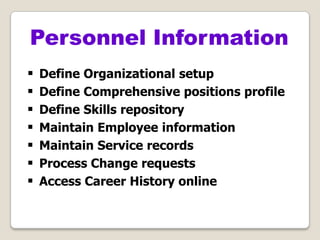
 Define Organizational setup
 Define Comprehensive positions profile
 Define Skills repository
 Maintain Employee information
 Maintain Service records
 Process Change requests
 Access Career History online
Personnel Information
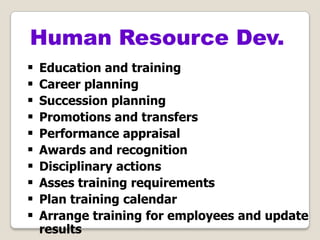
 Education and training
 Career planning
 Succession planning
 Promotions and transfers
 Performance appraisal
 Awards and recognition
 Disciplinary actions
 Asses training requirements
 Plan training calendar
 Arrange training for employees and update
results
Human Resource Dev.
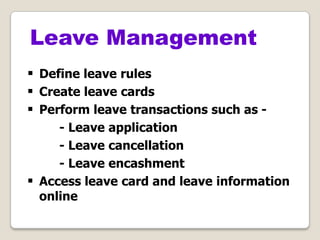
 Define leave rules
 Create leave cards
 Perform leave transactions such as -
- Leave application
- Leave cancellation
- Leave encashment
 Access leave card and leave information
online
Leave Management
 Define shifts and holidays
 Define Department wise shift plan
 Interface with attendance recording
machine
 Post attendance data on muster
 Authorize overtime
 Generate absenteeism, late coming, early
going and unauthorized absence reports
Attendance Management
 Define Category wise payroll rules
 Define Income Tax rules
 Import attendance data into payroll
 Payroll Processing
 Arrears Payments
 Compliance with Income Tax, TDS,PF, ESI
 Integrated with General Ledger
Payroll Administration

Erp introduction

  • 2.
     ERP –Enterprise Resource Planning is a business application that integrates all business processes in an organization.  ERP provides an integrated view of various functions that helps in effective use of management resources to improve the efficiency of an enterprise.
  • 3.
     Enterprise isa group of people with a common goal and certain resources at its disposal to achieve that goal  Enterprise is divided into different units based on the functions they perform  Enterprise must act as a single entity
  • 5.
     Improves productivityof processes & personnel  Lowering the cost of products and services purchased  Inventory reduction  Lead time reduction  Reduced stock obsolescence  Eliminate duplication and unnecessary paper work  Order fulfillment improvement  Better analysis & planning capabilities
  • 6.
     Increases organizationaltransparency and responsibility  Accurate and faster access to data for timely decisions  Improved customer response  Saves enormous time and effort in data entry  More controls there by lowering the risk of mis-utilization of resources  Uniform reporting according to global standards  Improves Company’s Image
  • 7.
    • ERP meansmore work and procedures • ERP will make many employees redundant and jobless • ERP is the sole responsibility of the management • ERP is just for the managers/decision makers • ERP is just for the ERP implementation team • ERP slows down the organisation • ERP is just to impress the customers • ERP will take care of everything without doing anything
  • 8.
    1960s : InventoryManagement Systems 1970s : Material Requirement Planning (MRP) 1980s : Manufacturing Resource Planning (MRPII) 1990s : Enterprise Resource Planning (ERP) 2000s : Web Enabled ERP
  • 9.
     Functional fitwith company’s business processes  Degree of Integration  Flexibility & Scalability  Complexity  User Friendliness  Ease of implementation  Amount of Customisation  Technology  Security  Local Support  Availability of upgrades  Vendor’s Track Record
  • 10.
     Cost ofERP Software License  Cost of other Softwares  Training Cost  Implementation Support Cost  Customisation Cost  Maintenance & Support Cost  Hardware Cost  Networking Cost
  • 11.
    1. SAP R3 2.SAP Business One 3. Oracle Financials 4. Oracle eBusiness Suite 5. Oracle JD Edwards 6. Oracle Peoplesoft 7. Microsoft Dynamics 8. Epicor
  • 12.
    • Online transactionprocessing • Rule based & Parameterised • Document routing and authorization • Drill down queries • Customizable Documents & Reports • Multi-currency support • Strong access control • Scalable and Fast ERP Features
  • 13.
    Business Process Reengineering(BPR) Data Warehousing Data Mining On-line Analytical Processing ERP Related Features
  • 14.
  • 15.
  • 16.
  • 17.
  • 18.
  • 19.
    General Ledger  DefineAccounts charts as per your requirement  Define cost center charts with budgets  Enter vouchers on-line  Route vouchers for approval  Online posting of vouchers in G/L and sub- ledgers  Maintain all books of accounts  Generate Balance Sheet and Profit & Loss Account
  • 20.
     Access comprehensivevendor information  Process invoices with online matching with Purchase Orders & Goods Receipt Notes  Post valuation of G.R.N. online into materials system  Make payments as per due date Accounts Payables
  • 21.
     Enter/Import passbookonline and match with bank book  Create commission/interest vouchers while entering passbook  Generate bank reconciliation statement  Calculate Interest for the given period Bank Reconciliation
  • 22.
     Excise  VAT Sales Tax  Service Tax  Income Tax  T.D.S. Taxation
  • 23.
     Record comprehensivedetails of each asset  Record additions, transfers and retirement of assets  Track an asset by asset number, description, location etc.  Maintain books of depreciation as per company law as well as IT rules Fixed Assets
  • 24.
     Calculate depreciationfor part of the year based on number of days or half yearly period  Post depreciation entries to G/L  Capitalize revenue expenditure on assets  Track insurance policies and claims  Track third party maintenance contracts Fixed Assets
  • 25.
  • 26.
  • 27.
     Define Daily,Monthly or Annual Production Plans  Carry out BOM explosion for the production plan  Generate Materials Requirement Plan based on Production Plan  Generate MRP Plan on Daily, Weekly or user defined period basis  Create purchase requisitions based on MRP Plan Material Requirement Planning
  • 28.
     Manage Vendordatabase  Create vendor-item catalog  Send request for quotation to vendors  Enter quotations received and perform comparative analysis  Approve quotations for purchases  Create purchase orders online based on requisitions as well as MRP Plan Purchasing
  • 29.
     Create deliveryschedule releases and send to vendors  Reschedule deliveries  Create P.O. amendments  Vendor performance ratingbased on quality and delivery  Fully integrated with Accounts Payable Purchasing
  • 30.
     Define Multiplestores  Enter all stores transactions online  Stores transaction include - Goods receipts from suppliers - Returns to suppliers - Issue to Production - Issue to others - Finished Goods receipts from production Inventory Control
  • 31.
    - Returns fromcustomers - Inter-store transfers - Other misc. transactions  Update stock transactions online to stock ledger  Generate stock ledgers & statements  Update overhead costs on receipts  Value inventory based on several methods - FIFO, Standard Rate, Weighted Average Rate  Create various analysis reports (ABC, XYZ, FSN) Inventory Control
  • 32.
     Define QCspecifications (including assay, Loss on Drying and standard test procedures for each item  Access G.R.N.’s awaiting QC online  Allot testing to analysts based on work load  Generate QC register for items/batches to be analyzed  Update test results online and match with standards to approve or reject material  Print Test Certificates Quality Control
  • 33.
     Define Productionfacilities in terms of production centers, production stages etc.  Define manpower assigned for each production stage/machine  For each product, define Process Bill including  sequence of manufacturing operation  machines used for each operation Process Modelling
  • 34.
     inputs, outputs,yield, time, and manpower for each operation  measurements required to be taken  test requirements  standard operating procedures Process Modelling
  • 35.
     Create ProductionPlan based on Distribution Plan  Project gross raw material requirement  Assess plan feasibility with respect to capacity and manpower currently deployed  Analyze capacity utilization w.r.t. Plan  Analyse manpower utilisation w.r.t. Plan  Track Plan vs. Actuals Position  Automatically roll over unrealized Plan Production Planning
  • 36.
     Create NewBatch Record  Generate Stores Requisition for raw material for batch order  Enter Batch Details (Operation wise)  Access Process Bills Details including Standard Operating Procedures on-line  Generate intimations for Q.C. for testing intermediate and finished goods Production Management
  • 37.
     Print BatchTickets for completed batches  Generate - Various Production Reports - Capacity Utilization Reports - Manpower Utilization Reports - Yield Variance Reports - Batch Costing Reports - W.I.P. Reports Production Management
  • 38.
     Group productsby product groups for planning, reporting and analysis  Group marketing areas by Zone, Regions and Territories  Define Depot wise Sales Forecast  Create Depot Distribution Plans based on sales forecast and inventories held  Create Depot despatch schedules from Distribution Plan and Production Plan Distribution Planning
  • 39.
    Marketing & Sales Maintain comprehensive customer’s information  Process request for quotations and generate quotations  Process Sales orders  Create sales invoices, depot stock transfer notes  Track Daily Stock and Sales  Fully integrated with Accounts Receivables
  • 40.
    Exports Management  MaintainStandard Input/Output Norms  Process export licenses such as DEPB, DFRC, Advance License etc.  Generate complete pre-shipment and post-shipment export documentation
  • 41.
  • 42.
     Define Organizationalsetup  Define Comprehensive positions profile  Define Skills repository  Maintain Employee information  Maintain Service records  Process Change requests  Access Career History online Personnel Information
  • 43.
     Education andtraining  Career planning  Succession planning  Promotions and transfers  Performance appraisal  Awards and recognition  Disciplinary actions  Asses training requirements  Plan training calendar  Arrange training for employees and update results Human Resource Dev.
  • 44.
     Define leaverules  Create leave cards  Perform leave transactions such as - - Leave application - Leave cancellation - Leave encashment  Access leave card and leave information online Leave Management
  • 45.
     Define shiftsand holidays  Define Department wise shift plan  Interface with attendance recording machine  Post attendance data on muster  Authorize overtime  Generate absenteeism, late coming, early going and unauthorized absence reports Attendance Management
  • 46.
     Define Categorywise payroll rules  Define Income Tax rules  Import attendance data into payroll  Payroll Processing  Arrears Payments  Compliance with Income Tax, TDS,PF, ESI  Integrated with General Ledger Payroll Administration