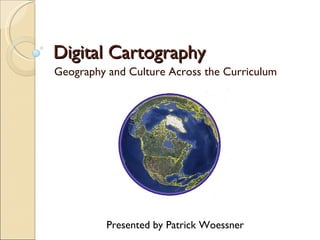
Digital Cartography Geography and Culture Across the Curriculum Presented by Patrick Woessner
How Well Do We Know Our World? Only thirty-seven percent  of young Americans can find Iraq on a map—though U.S. troops have been there since 2003.  Forty-seven percent  could not find the Indian subcontinent on a map of Asia.  Seventy-five percent  were unable to locate Israel on a map of the Middle East.  Twenty percent  of young Americans think Sudan is in Asia. (It's the largest country in Africa.)  Fifty percent  of 18-24 year old Americans can't find New York on a map.  Source:  2006 National Geographic-Roper Survey Image Source:  The Onion
How Well Do We Know Our World? Fewer than thirty percent  think  it important to know the locations of countries in the news and just  fourteen percent  believe speaking another language is a necessary skill.  Nearly three-quarters  incorrectly named English as the most widely spoken native language.  Forty-eight percent  of young Americans believe the majority population in India is Muslim. (It's Hindu—by a landslide.)  Source:  2006 National Geographic-Roper Survey Image Source:  National Geographic News Six in ten  did not know the border between North and South Korea is the most heavily fortified in the world.
Geography, Culture, and Literacy Intercultural literacy is essential today
A Geographic Perspective Any discipline can be approached from a geographic perspective: Math concepts and explorations Scientific data and discoveries Literature tours and trips Historical places and maps Language and culture Art and music
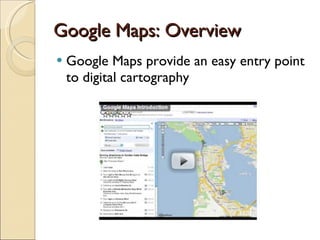
Google Maps: Overview Google Maps provide an easy entry point to digital cartography
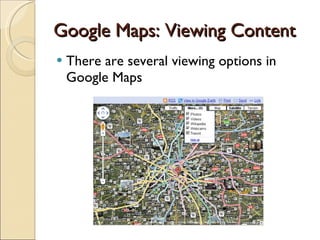
Google Maps: Viewing Content There are several viewing options in Google Maps
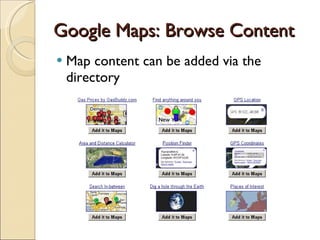
Google Maps: Browse Content Map content can be added via the directory
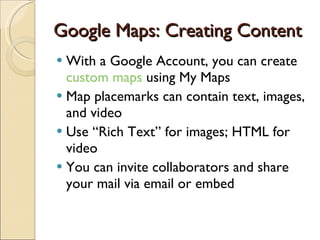
Google Maps: Creating Content With a Google Account, you can create  custom maps  using My Maps Map placemarks can contain text, images, and video Use “Rich Text” for images; HTML for video You can invite collaborators and share your mail via email or embed
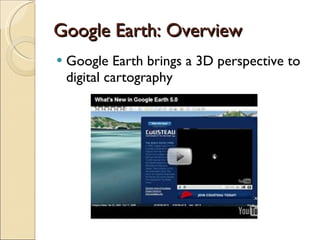
Google Earth: Overview Google Earth brings a 3D perspective to digital cartography
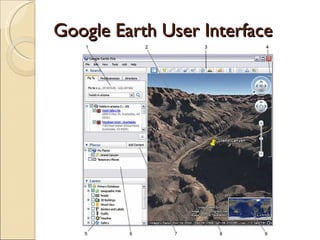
Google Earth User Interface
Google Earth Toolbar Click toolbar buttons to… For more information, see the  Google Earth User Guide
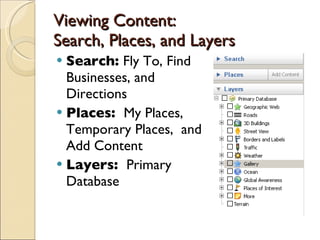
Viewing Content:  Search, Places, and Layers Search:  Fly To, Find Businesses, and Directions Places:  My Places, Temporary Places,  and Add Content Layers:  Primary Database
Viewing Content: Historical Layers
Viewing Content:  Earth, Sky, Ocean, and Mars The View button can toggle between Earth, Sky, and Mars Like earth, the Sky and Mars can be searched The Earth’s oceans are available in the Layers panel
Creating Content:  Placemarks A Placemark (pin) can contain text, images, video, and audio Content is formatted using HTML You can learn HTML (tedious) or use an HTLM editor (easy) Online HTML Editor NVU Templates  are also available
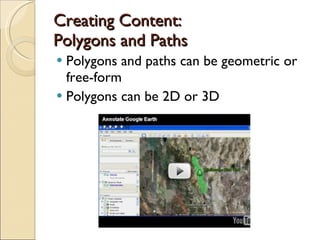
Creating Content: Polygons and Paths Polygons and paths can be geometric or free-form Polygons can be 2D or 3D
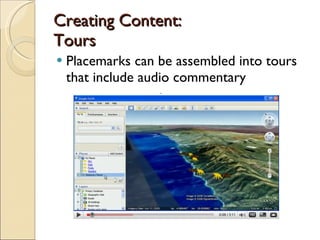
Creating Content: Tours Placemarks can be assembled into tours that include audio commentary
Assorted Features and Tips Views can be saved as images File    Save    Save Image Snapshot View determines precise display of your placemark View    Snapshop View The Ruler can measure lines and paths Places/tours can be saved as KMZ files and share via email or upload to the web
Additional Google Earth/ Google Maps Resources Google Earth Community Google Earth Blog Digital Geography Real World Math Using Google Earth Google Lit Trips Google Almanac Delicious google_earth Tag
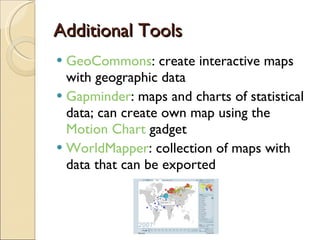
Additional Tools GeoCommons : create interactive maps with geographic data Gapminder : maps and charts of statistical data; can create own map using the  Motion Chart  gadget WorldMapper : collection of maps with data that can be exported
Addition Information More information on this topic and presentation can be found at:  http://pwoessner.wikispaces.com/Digital+Cartography Questions or comments?  Email me at  [email_address] Twitter: @pcwoessner Blog: http://pwoessner.com

Digital Cartography

  • 1.
    Digital Cartography Geographyand Culture Across the Curriculum Presented by Patrick Woessner
  • 2.
    How Well DoWe Know Our World? Only thirty-seven percent of young Americans can find Iraq on a map—though U.S. troops have been there since 2003. Forty-seven percent could not find the Indian subcontinent on a map of Asia. Seventy-five percent were unable to locate Israel on a map of the Middle East. Twenty percent of young Americans think Sudan is in Asia. (It's the largest country in Africa.) Fifty percent of 18-24 year old Americans can't find New York on a map. Source: 2006 National Geographic-Roper Survey Image Source: The Onion
  • 3.
    How Well DoWe Know Our World? Fewer than thirty percent think it important to know the locations of countries in the news and just fourteen percent believe speaking another language is a necessary skill. Nearly three-quarters incorrectly named English as the most widely spoken native language. Forty-eight percent of young Americans believe the majority population in India is Muslim. (It's Hindu—by a landslide.) Source: 2006 National Geographic-Roper Survey Image Source: National Geographic News Six in ten did not know the border between North and South Korea is the most heavily fortified in the world.
  • 4.
    Geography, Culture, andLiteracy Intercultural literacy is essential today
  • 5.
    A Geographic PerspectiveAny discipline can be approached from a geographic perspective: Math concepts and explorations Scientific data and discoveries Literature tours and trips Historical places and maps Language and culture Art and music
  • 6.
    Google Maps: OverviewGoogle Maps provide an easy entry point to digital cartography
  • 7.
    Google Maps: ViewingContent There are several viewing options in Google Maps
  • 8.
    Google Maps: BrowseContent Map content can be added via the directory
  • 9.
    Google Maps: CreatingContent With a Google Account, you can create custom maps using My Maps Map placemarks can contain text, images, and video Use “Rich Text” for images; HTML for video You can invite collaborators and share your mail via email or embed
  • 10.
    Google Earth: OverviewGoogle Earth brings a 3D perspective to digital cartography
  • 11.
  • 12.
    Google Earth ToolbarClick toolbar buttons to… For more information, see the Google Earth User Guide
  • 13.
    Viewing Content: Search, Places, and Layers Search: Fly To, Find Businesses, and Directions Places: My Places, Temporary Places, and Add Content Layers: Primary Database
  • 14.
  • 15.
    Viewing Content: Earth, Sky, Ocean, and Mars The View button can toggle between Earth, Sky, and Mars Like earth, the Sky and Mars can be searched The Earth’s oceans are available in the Layers panel
  • 16.
    Creating Content: Placemarks A Placemark (pin) can contain text, images, video, and audio Content is formatted using HTML You can learn HTML (tedious) or use an HTLM editor (easy) Online HTML Editor NVU Templates are also available
  • 17.
    Creating Content: Polygonsand Paths Polygons and paths can be geometric or free-form Polygons can be 2D or 3D
  • 18.
    Creating Content: ToursPlacemarks can be assembled into tours that include audio commentary
  • 19.
    Assorted Features andTips Views can be saved as images File  Save  Save Image Snapshot View determines precise display of your placemark View  Snapshop View The Ruler can measure lines and paths Places/tours can be saved as KMZ files and share via email or upload to the web
  • 20.
    Additional Google Earth/Google Maps Resources Google Earth Community Google Earth Blog Digital Geography Real World Math Using Google Earth Google Lit Trips Google Almanac Delicious google_earth Tag
  • 21.
    Additional Tools GeoCommons: create interactive maps with geographic data Gapminder : maps and charts of statistical data; can create own map using the Motion Chart gadget WorldMapper : collection of maps with data that can be exported
  • 22.
    Addition Information Moreinformation on this topic and presentation can be found at: http://pwoessner.wikispaces.com/Digital+Cartography Questions or comments? Email me at [email_address] Twitter: @pcwoessner Blog: http://pwoessner.com

Editor's Notes

  • #3 507 American respondents ages 18-24 See: http://www.nationalgeographic.com/roper2006/ for more information It’s more than geography (location)—it’s also culture
  • #4 507 American respondents ages 18-24 See: http://www.nationalgeographic.com/roper2006/ for more information
  • #8 Street view is available for selected cities The “Peg Man” will appear if street view is available
  • #12 Image source and info: http://earth.google.com/userguide/v5/ug_toc.html 1. Search panel - Use this to find places and directions and manage search results . Google Earth EC may display additional tabs here. 2. 3D Viewer - View the globe and its terrain in this window. 3. Toolbar buttons - See below . 4. Navigation controls - Use these to zoom, look and move around ( see below ). 5. Layers panel - Use this to display points of interest . 6. Places panel - Use this to locate, save, organize and revisit placemarks . 7. Add Content - Click this to import exciting content from the KML Gallery 8. Status bar - View coordinate, elevation, imagery date and streaming status here. 9. Overview map - Use this for an additional perspective of the Earth.
  • #17 Use the snapshot feature to control the view your placemark
  • #18 Video source: http://www.youtube.com/watch?v=feVa7DRgimk History teachers should also view: http://www.youtube.com/watch?v=-c4GeZVWyCc
  • #19 Must remember to save the audio/motion