Collaboration in the Digital AgePatrick WoessnerMICDS Professional Development 2010
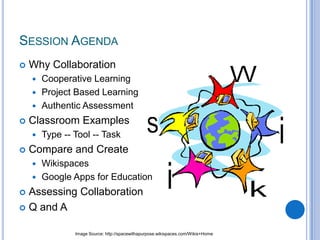
Session AgendaWhy CollaborationCooperative LearningProject Based LearningAuthentic AssessmentClassroom ExamplesType -- Tool -- TaskCompare and CreateWikispacesGoogle Apps for EducationAssessing CollaborationQ and AImage Source: http://spacewithapurpose.wikispaces.com/Wikis+Home
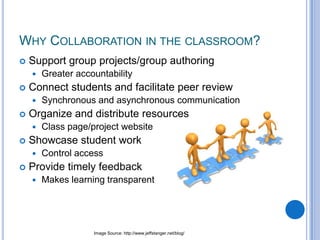
Why Collaboration in the classroom?Support group projects/group authoringGreater accountabilityConnect students and facilitate peer reviewSynchronous and asynchronous communicationOrganize and distribute resourcesClass page/project websiteShowcase student workControl accessProvide timely feedbackMakes learning transparentImage Source: http://www.jeffstanger.net/blog/
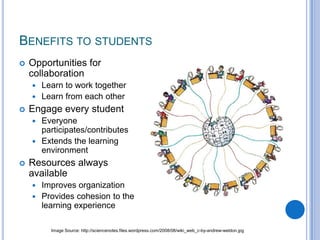
Benefits to studentsOpportunities for collaborationLearn to work togetherLearn from each otherEngage every studentEveryone participates/contributesExtends the learning environmentResources always availableImproves organizationProvides cohesion to the learning experienceImage Source: http://sciencenotes.files.wordpress.com/2008/08/wiki_web_c-by-andrew-weldon.jpg
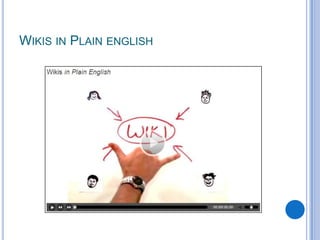
Wikis in Plain english
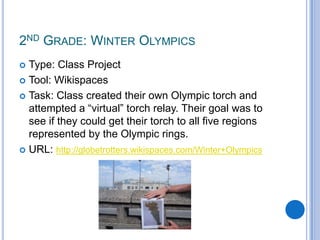
2nd Grade: Winter OlympicsType: Class ProjectTool: WikispacesTask: Class created their own Olympic torch and attempted a “virtual” torch relay. Their goal was to see if they could get their torch to all five regions represented by the Olympic rings.URL: http://globetrotters.wikispaces.com/Winter+Olympics
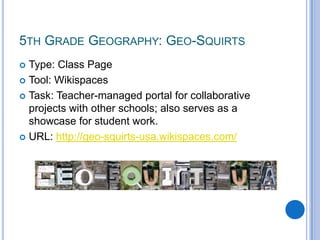
5th Grade Geography: Geo-Squirts Type: Class PageTool: WikispacesTask: Teacher-managed portal for collaborative projects with other schools; also serves as a showcase for student work.URL: http://geo-squirts-usa.wikispaces.com/
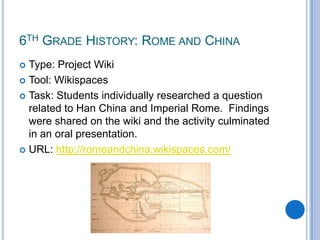
6th Grade History: Rome and ChinaType: Project WikiTool: WikispacesTask: Students individually researched a question related to Han China and Imperial Rome.  Findings were shared on the wiki and the activity culminated in an oral presentation.URL: http://romeandchina.wikispaces.com/
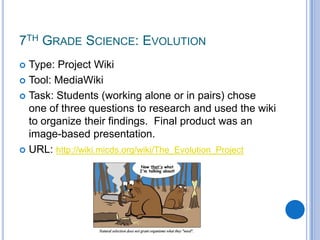
7th Grade Science: Evolution Type: Project WikiTool: MediaWikiTask: Students (working alone or in pairs) chose one of three questions to research and used the wiki to organize their findings.  Final product was an image-based presentation.URL: http://wiki.micds.org/wiki/The_Evolution_Project
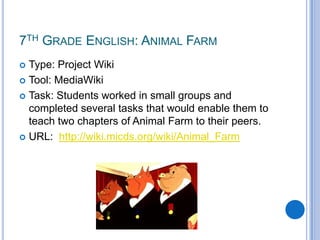
7th Grade English: Animal FarmType: Project WikiTool: MediaWikiTask: Students worked in small groups and completed several tasks that would enable them to teach two chapters of Animal Farm to their peers.URL:  http://wiki.micds.org/wiki/Animal_Farm
8th Grade English: Single Scene PlayType: ProjectTool: MediaWikiTask: Working in small groups, students wrote a single scene play that included cast descriptions, stage directions, and dialog.URL: http://tinyurl.com/wikiplay
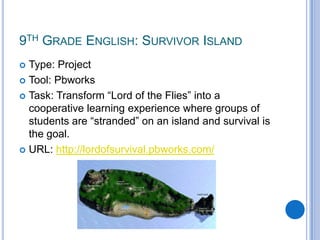
9th Grade English: Survivor IslandType: ProjectTool: PbworksTask: Transform “Lord of the Flies” into a cooperative learning experience where groups of students are “stranded” on an island and survival is the goal.URL: http://lordofsurvival.pbworks.com/
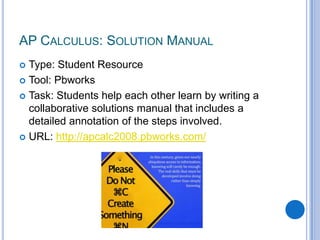
AP Calculus: Solution ManualType: Student ResourceTool: PbworksTask: Students help each other learn by writing a collaborative solutions manual that includes a detailed annotation of the steps involved.URL: http://apcalc2008.pbworks.com/
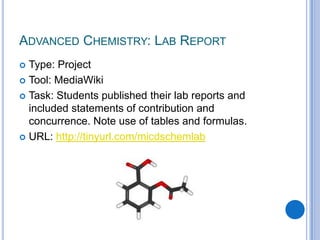
Advanced Chemistry: Lab Report	Type: ProjectTool: MediaWikiTask: Students published their lab reports and included statements of contribution and concurrence. Note use of tables and formulas.URL: http://tinyurl.com/micdschemlab
Activity: Explore a wikiBrowse through the selection of example wikis provided and consider how you might use a wiki for communication and collaboration.
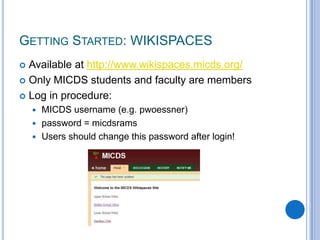
Getting Started: WIKISPACESAvailable at http://www.wikispaces.micds.org/Only MICDS students and faculty are membersLog in procedure:MICDS username (e.g. pwoessner)password = micdsramsUsers should change this password after login!
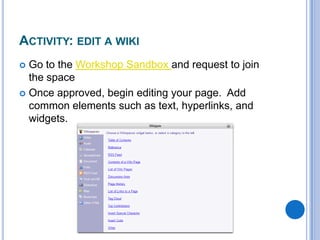
Activity: edit a wikiGo to the Workshop Sandbox and request to join the spaceOnce approved, begin editing your page.  Add common elements such as text, hyperlinks, and widgets.
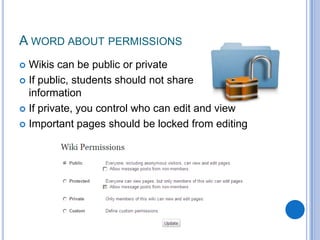
A word about permissionsWikis can be public or privateIf public, students should not share           personal informationIf private, you control who can edit and viewImportant pages should be locked from editing
Google Apps for Education
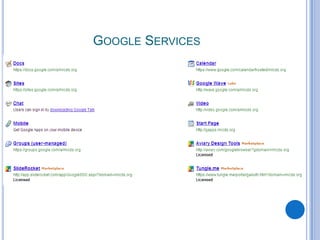
Google Services
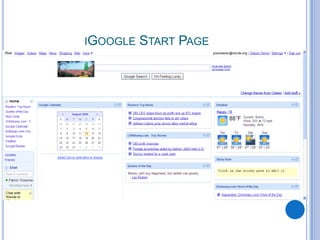
iGoogle Start Page
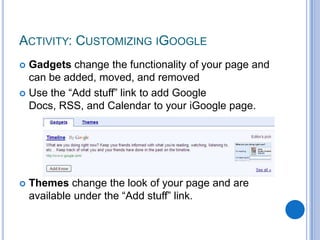
Gadgets change the functionality of your page and can be added, moved, and removedUse the “Add stuff” link to add Google Docs, RSS, and Calendar to your iGoogle page.Themes change the look of your page and are available under the “Add stuff” link.Activity: Customizing iGoogle
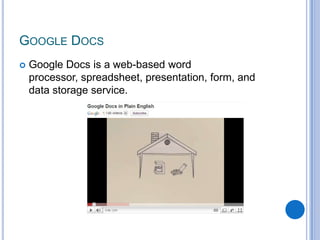
Google Docs is a web-based word processor, spreadsheet, presentation, form, and data storage service.Google Docs
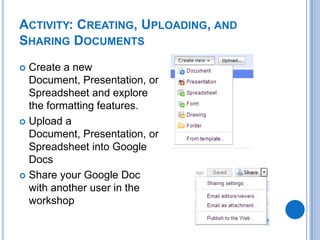
Activity: Creating, Uploading, and Sharing DocumentsCreate a new Document, Presentation, or Spreadsheet and explore the formatting features. Upload a Document, Presentation, or Spreadsheet into Google DocsShare your Google Doc with another user in the workshop
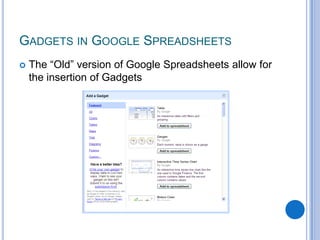
The “Old” version of Google Spreadsheets allow for the insertion of GadgetsGadgets in Google Spreadsheets
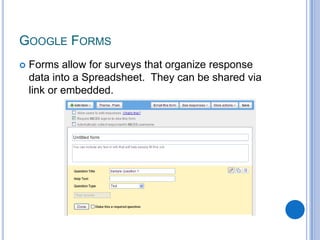
Forms allow for surveys that organize response data into a Spreadsheet.  They can be shared via link or embedded.Google Forms
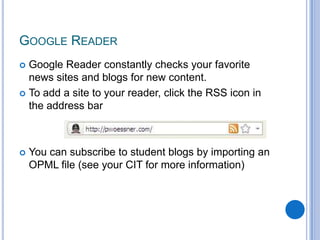
Google Reader constantly checks your favorite news sites and blogs for new content.To add a site to your reader, click the RSS icon in the address barYou can subscribe to student blogs by importing an OPML file (see your CIT for more information)Google Reader
Choose from the following options:Add a Gadget to a Google SpreadsheetCreate a Google FormSubscribe to an RSS feed from a blog or websiteActivity: Gadgets, Forms, RSS
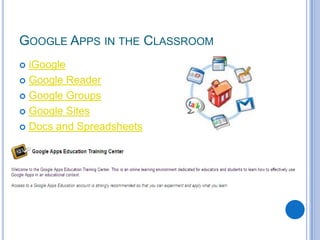
iGoogleGoogle ReaderGoogle GroupsGoogle SitesDocs and SpreadsheetsGoogle Apps in the Classroom
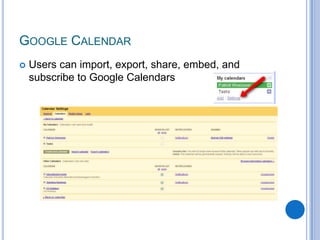
Users can import, export, share, embed, and subscribe to Google CalendarsGoogle Calendar
Google Groups: Create and manage groups of MICDS students/usersGoogle Sites: Create a webpage/website with access controlGoogle Video: Upload, share, and manage video (up to 300 MB) with MICDS usersGoogle Mobile: Access Google Apps through your SmartPhoneAviary: Suite of browser-based design tools available from within Google AppsOther Google Apps/Services
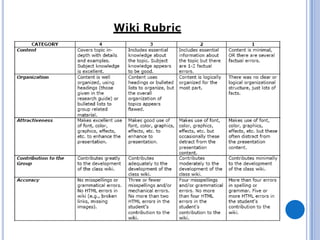
Assessing Collaborative workProcess is as important as ProductUtilize document/site history, in-class observations, & peer reviewRead-Write-Think offers a 5 category wiki rubric:ContentOrganizationAttractivenessContribution to the GroupAccuracyTools like Rubistar and iRubric can greatly aid the rubric creation process and allow for easy collaboration among teachers.
Questions?

Collaboration in the Digital Age

  • 1.
    Collaboration in theDigital AgePatrick WoessnerMICDS Professional Development 2010
  • 2.
    Session AgendaWhy CollaborationCooperativeLearningProject Based LearningAuthentic AssessmentClassroom ExamplesType -- Tool -- TaskCompare and CreateWikispacesGoogle Apps for EducationAssessing CollaborationQ and AImage Source: http://spacewithapurpose.wikispaces.com/Wikis+Home
  • 3.
    Why Collaboration inthe classroom?Support group projects/group authoringGreater accountabilityConnect students and facilitate peer reviewSynchronous and asynchronous communicationOrganize and distribute resourcesClass page/project websiteShowcase student workControl accessProvide timely feedbackMakes learning transparentImage Source: http://www.jeffstanger.net/blog/
  • 4.
    Benefits to studentsOpportunitiesfor collaborationLearn to work togetherLearn from each otherEngage every studentEveryone participates/contributesExtends the learning environmentResources always availableImproves organizationProvides cohesion to the learning experienceImage Source: http://sciencenotes.files.wordpress.com/2008/08/wiki_web_c-by-andrew-weldon.jpg
  • 5.
  • 6.
    2nd Grade: WinterOlympicsType: Class ProjectTool: WikispacesTask: Class created their own Olympic torch and attempted a “virtual” torch relay. Their goal was to see if they could get their torch to all five regions represented by the Olympic rings.URL: http://globetrotters.wikispaces.com/Winter+Olympics
  • 7.
    5th Grade Geography:Geo-Squirts Type: Class PageTool: WikispacesTask: Teacher-managed portal for collaborative projects with other schools; also serves as a showcase for student work.URL: http://geo-squirts-usa.wikispaces.com/
  • 8.
    6th Grade History:Rome and ChinaType: Project WikiTool: WikispacesTask: Students individually researched a question related to Han China and Imperial Rome. Findings were shared on the wiki and the activity culminated in an oral presentation.URL: http://romeandchina.wikispaces.com/
  • 9.
    7th Grade Science:Evolution Type: Project WikiTool: MediaWikiTask: Students (working alone or in pairs) chose one of three questions to research and used the wiki to organize their findings. Final product was an image-based presentation.URL: http://wiki.micds.org/wiki/The_Evolution_Project
  • 10.
    7th Grade English:Animal FarmType: Project WikiTool: MediaWikiTask: Students worked in small groups and completed several tasks that would enable them to teach two chapters of Animal Farm to their peers.URL: http://wiki.micds.org/wiki/Animal_Farm
  • 11.
    8th Grade English:Single Scene PlayType: ProjectTool: MediaWikiTask: Working in small groups, students wrote a single scene play that included cast descriptions, stage directions, and dialog.URL: http://tinyurl.com/wikiplay
  • 12.
    9th Grade English:Survivor IslandType: ProjectTool: PbworksTask: Transform “Lord of the Flies” into a cooperative learning experience where groups of students are “stranded” on an island and survival is the goal.URL: http://lordofsurvival.pbworks.com/
  • 13.
    AP Calculus: SolutionManualType: Student ResourceTool: PbworksTask: Students help each other learn by writing a collaborative solutions manual that includes a detailed annotation of the steps involved.URL: http://apcalc2008.pbworks.com/
  • 14.
    Advanced Chemistry: LabReport Type: ProjectTool: MediaWikiTask: Students published their lab reports and included statements of contribution and concurrence. Note use of tables and formulas.URL: http://tinyurl.com/micdschemlab
  • 15.
    Activity: Explore awikiBrowse through the selection of example wikis provided and consider how you might use a wiki for communication and collaboration.
  • 16.
    Getting Started: WIKISPACESAvailableat http://www.wikispaces.micds.org/Only MICDS students and faculty are membersLog in procedure:MICDS username (e.g. pwoessner)password = micdsramsUsers should change this password after login!
  • 17.
    Activity: edit awikiGo to the Workshop Sandbox and request to join the spaceOnce approved, begin editing your page. Add common elements such as text, hyperlinks, and widgets.
  • 18.
    A word aboutpermissionsWikis can be public or privateIf public, students should not share personal informationIf private, you control who can edit and viewImportant pages should be locked from editing
  • 19.
  • 20.
  • 21.
  • 22.
    Gadgets change thefunctionality of your page and can be added, moved, and removedUse the “Add stuff” link to add Google Docs, RSS, and Calendar to your iGoogle page.Themes change the look of your page and are available under the “Add stuff” link.Activity: Customizing iGoogle
  • 23.
    Google Docs isa web-based word processor, spreadsheet, presentation, form, and data storage service.Google Docs
  • 24.
    Activity: Creating, Uploading,and Sharing DocumentsCreate a new Document, Presentation, or Spreadsheet and explore the formatting features. Upload a Document, Presentation, or Spreadsheet into Google DocsShare your Google Doc with another user in the workshop
  • 25.
    The “Old” versionof Google Spreadsheets allow for the insertion of GadgetsGadgets in Google Spreadsheets
  • 26.
    Forms allow forsurveys that organize response data into a Spreadsheet. They can be shared via link or embedded.Google Forms
  • 27.
    Google Reader constantlychecks your favorite news sites and blogs for new content.To add a site to your reader, click the RSS icon in the address barYou can subscribe to student blogs by importing an OPML file (see your CIT for more information)Google Reader
  • 28.
    Choose from thefollowing options:Add a Gadget to a Google SpreadsheetCreate a Google FormSubscribe to an RSS feed from a blog or websiteActivity: Gadgets, Forms, RSS
  • 29.
    iGoogleGoogle ReaderGoogle GroupsGoogleSitesDocs and SpreadsheetsGoogle Apps in the Classroom
  • 30.
    Users can import,export, share, embed, and subscribe to Google CalendarsGoogle Calendar
  • 31.
    Google Groups: Createand manage groups of MICDS students/usersGoogle Sites: Create a webpage/website with access controlGoogle Video: Upload, share, and manage video (up to 300 MB) with MICDS usersGoogle Mobile: Access Google Apps through your SmartPhoneAviary: Suite of browser-based design tools available from within Google AppsOther Google Apps/Services
  • 32.
    Assessing Collaborative workProcessis as important as ProductUtilize document/site history, in-class observations, & peer reviewRead-Write-Think offers a 5 category wiki rubric:ContentOrganizationAttractivenessContribution to the GroupAccuracyTools like Rubistar and iRubric can greatly aid the rubric creation process and allow for easy collaboration among teachers.
  • 34.