Protected-Mode Interrupt Processing Chapter 14 S. Dandamudi
Outline Introduction Taxonomy of interrupts Interrupt processing Exceptions Software interrupts File I/O File descriptor File pointer File system calls Illustrative examples Write a character to display Read a string from the keyboard File copy Hardware interrupts
Introduction Interrupts alter a program’s flow of control Behavior is similar to a procedure call Some significant differences between the two Interrupt causes transfer of  control to an  interrupt service routine  (ISR) ISR is also called a  handler When  the ISR is completed, the original program resumes execution Interrupts provide an efficient way to handle unanticipated events
Interrupts vs. Procedures Interrupts Initiated by both  software  and  hardware Can handle  anticipated  and  unanticipated  internal as well as external events ISRs or interrupt handlers are memory resident Use numbers to identify an interrupt service (E)FLAGS register is saved automatically Procedures Can only be initiated by  software Can handle  anticipated  events that are coded into the program Typically loaded along with the program Use meaningful names to indicate their function Do not save the (E)FLAGS register
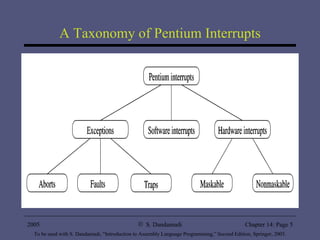
A Taxonomy of Pentium Interrupts
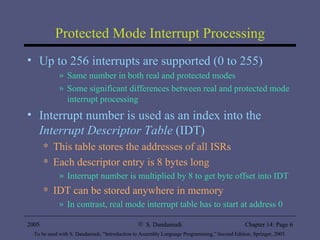
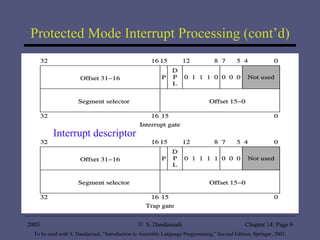
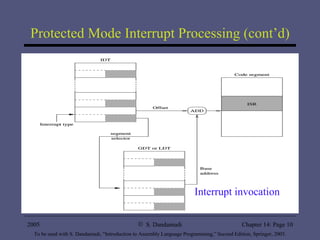
Protected Mode Interrupt Processing Up to 256 interrupts are supported (0 to 255) Same number in both real and protected modes Some significant differences between real and protected mode interrupt processing Interrupt number is used as an index into the  Interrupt Descriptor Table  (IDT) This table stores the addresses of all ISRs Each descriptor entry is 8 bytes long Interrupt number is multiplied by 8 to get byte offset into IDT IDT can be stored anywhere in memory In contrast, real mode interrupt table has to start at address 0
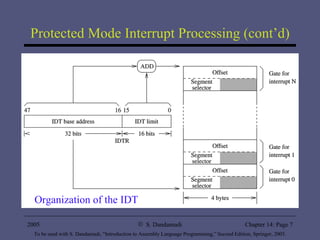
Protected Mode Interrupt Processing (cont’d) Organization of the IDT
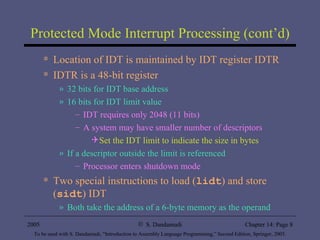
Protected Mode Interrupt Processing (cont’d) Location of IDT is maintained by IDT register IDTR IDTR is a 48-bit register 32 bits for IDT base address 16 bits for IDT limit value IDT requires only 2048 (11 bits) A system may have smaller number of descriptors Set the IDT limit to indicate the size in bytes If a descriptor outside the limit is referenced  Processor enters shutdown mode Two special instructions to load ( lidt ) and store ( sidt ) IDT Both take the address of a 6-byte memory as the operand
Protected Mode Interrupt Processing (cont’d) Interrupt descriptor
Protected Mode Interrupt Processing (cont’d) Interrupt invocation
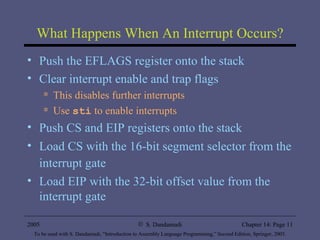
What Happens When An Interrupt Occurs? Push the EFLAGS register onto the stack Clear interrupt enable and trap flags This disables further interrupts Use  sti  to enable interrupts Push CS and EIP registers onto the stack Load CS with the 16-bit segment selector from the interrupt gate   Load EIP with the 32-bit offset value from the interrupt gate
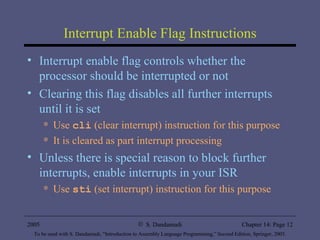
Interrupt Enable Flag Instructions Interrupt enable flag controls whether the processor should be interrupted or not Clearing this flag disables all further interrupts until it is set Use  cli  (clear interrupt) instruction for this purpose It is cleared as part interrupt processing  Unless there is special reason to block further interrupts, enable interrupts in your ISR Use  sti  (set interrupt) instruction for this purpose
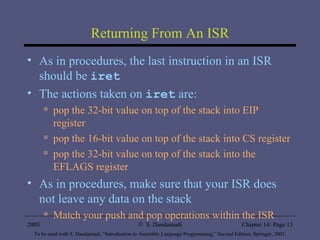
Returning From An ISR As in procedures, the last instruction in an ISR should be  iret The actions taken on  iret  are: pop the 32-bit value on top of the stack into EIP register pop the 16-bit value on top of the stack into CS register pop the 32-bit value on top of the stack into the EFLAGS register As in procedures, make sure that your ISR does not leave any data on the stack  Match your push and pop operations within the ISR
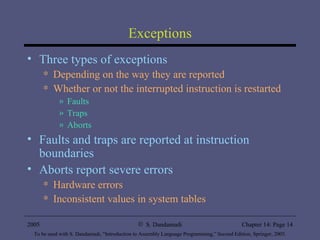
Exceptions Three types of exceptions Depending on the way they are reported Whether or not the interrupted instruction is restarted Faults Traps Aborts Faults and traps are reported at instruction boundaries Aborts report severe errors Hardware errors Inconsistent values in system tables
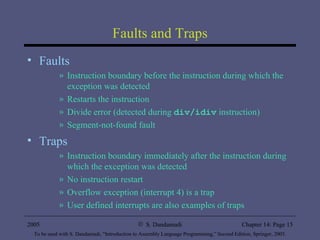
Faults and Traps Faults Instruction boundary before the instruction during which the exception was detected Restarts the instruction Divide error (detected during  div/idiv  instruction) Segment-not-found fault Traps Instruction boundary immediately after the instruction during which the exception was detected No instruction restart Overflow exception (interrupt 4) is a trap User defined interrupts are also examples of traps
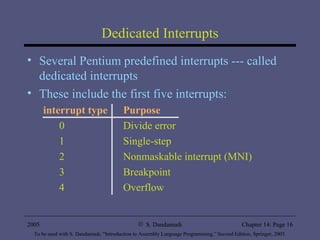
Dedicated Interrupts Several Pentium predefined interrupts --- called dedicated interrupts These include the first five interrupts: interrupt type Purpose 0 Divide error 1 Single-step 2 Nonmaskable interrupt (MNI) 3 Breakpoint 4 Overflow
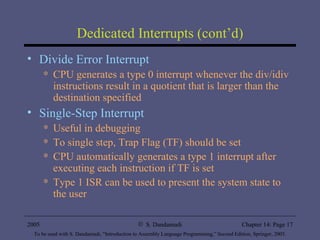
Dedicated Interrupts (cont’d) Divide Error Interrupt CPU generates a type 0 interrupt whenever the div/idiv instructions result in a quotient that is larger than the destination specified Single-Step Interrupt Useful in debugging To single step, Trap Flag (TF) should be set CPU automatically generates a type 1 interrupt after executing each instruction if TF is set Type 1 ISR can be used to present the system state to the user
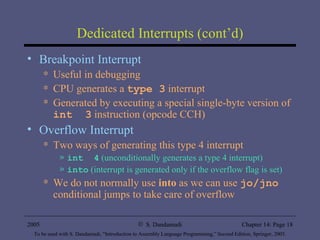
Dedicated Interrupts (cont’d) Breakpoint Interrupt Useful in debugging  CPU generates a  type 3  interrupt  Generated by executing a special single-byte version of  int  3  instruction (opcode CCH) Overflow Interrupt Two ways of generating this type 4 interrupt int  4  (unconditionally generates a type 4 interrupt) into  (interrupt is generated only if the overflow flag is set) We do not normally use  into  as we can use  jo/jno  conditional jumps to take care of overflow
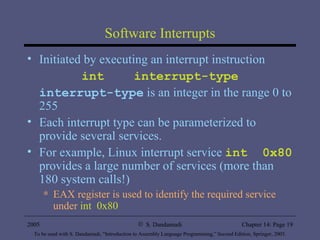
Software Interrupts Initiated by executing an interrupt instruction int  interrupt-type interrupt-type  is an integer in the range 0 to 255 Each interrupt type can be parameterized to provide several services. For example, Linux interrupt service  int  0x80  provides a large number of services (more than 180 system calls!) EAX register is used to identify the required service under  int  0x80
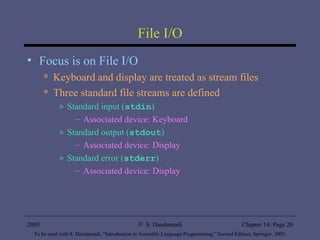
File I/O Focus is on File I/O Keyboard and display are treated as stream files Three standard file streams are defined Standard input ( stdin ) Associated device: Keyboard Standard output ( stdout ) Associated device: Display Standard error ( stderr ) Associated device: Display
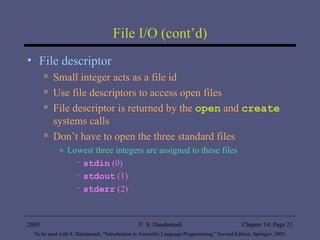
File I/O (cont’d) File descriptor Small integer acts as a file id Use file descriptors to access open files File descriptor is returned by the  open  and  create  systems calls Don’t have to open the three standard files Lowest three integers are assigned to these files stdin  (0) stdout  (1) stderr  (2)
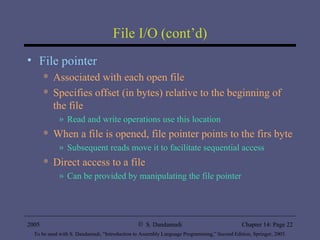
File I/O (cont’d) File pointer Associated with each open file Specifies offset (in bytes) relative to the beginning of the file Read and write operations use this location When a file is opened, file pointer points to the firs byte Subsequent reads move it to facilitate sequential access Direct access to a file Can be provided by manipulating the file pointer
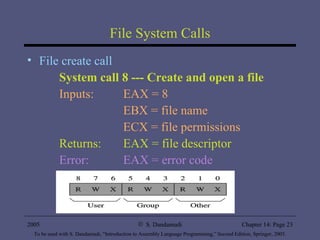
File System Calls File create call System call 8 --- Create and open a file Inputs:  EAX = 8 EBX = file name ECX = file permissions Returns:  EAX = file descriptor Error:  EAX = error code
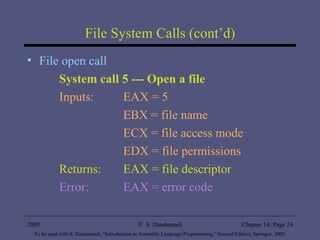
File System Calls (cont’d) File open call System call 5 --- Open a file Inputs:  EAX = 5 EBX = file name ECX = file access mode EDX = file permissions Returns:  EAX = file descriptor Error:  EAX = error code
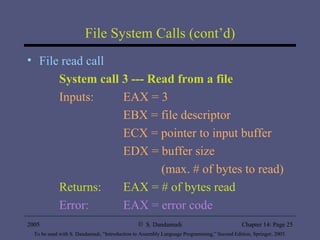
File System Calls (cont’d) File read call System call 3 --- Read from a file Inputs:  EAX = 3 EBX = file descriptor ECX = pointer to input buffer EDX = buffer size    (max. # of bytes to read) Returns:  EAX = # of bytes read Error:  EAX = error code
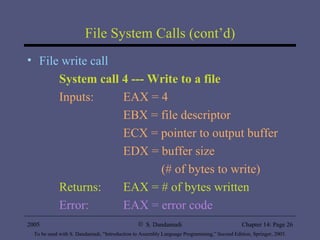
File System Calls (cont’d) File write call System call 4 --- Write to a file Inputs:  EAX = 4 EBX = file descriptor ECX = pointer to output buffer EDX = buffer size    (# of bytes to write) Returns:  EAX = # of bytes written Error:  EAX = error code
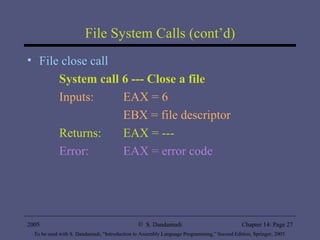
File System Calls (cont’d) File close call System call 6 --- Close a file Inputs:  EAX = 6 EBX = file descriptor Returns:  EAX = --- Error:  EAX = error code
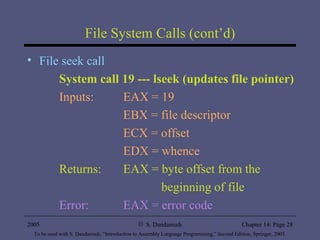
File System Calls (cont’d) File seek call System call 19 --- lseek (updates file pointer) Inputs:  EAX = 19 EBX = file descriptor ECX = offset EDX = whence Returns:  EAX = byte offset from the    beginning of file Error:  EAX = error code
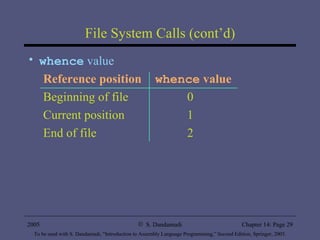
File System Calls (cont’d) whence  value Reference position whence  value Beginning of file 0 Current position 1 End of file 2
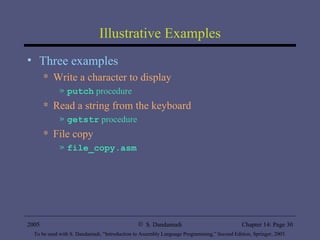
Illustrative Examples Three examples Write a character to display  putch  procedure Read a string from the keyboard  getstr  procedure File copy  file_copy.asm
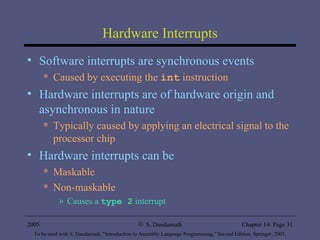
Hardware Interrupts Software interrupts are synchronous events  Caused by executing the  int  instruction Hardware interrupts are of hardware origin and asynchronous in nature Typically caused by applying an electrical signal to the processor chip Hardware interrupts can be  Maskable Non-maskable  Causes a  type 2  interrupt
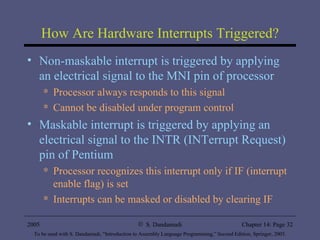
How Are Hardware Interrupts Triggered? Non-maskable interrupt is triggered by applying an electrical signal to the MNI pin of processor Processor always responds to this signal Cannot be disabled under program control Maskable interrupt is triggered by applying an electrical signal to the INTR (INTerrupt Request) pin of Pentium Processor recognizes this interrupt only if IF (interrupt enable flag) is set Interrupts can be masked or disabled by clearing IF
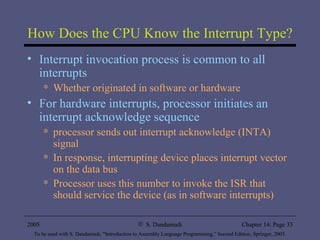
How Does the CPU Know the Interrupt Type? Interrupt invocation process is common to all interrupts Whether originated in software or hardware For hardware interrupts, processor initiates an interrupt acknowledge sequence processor sends out interrupt acknowledge (INTA) signal In response, interrupting device places interrupt vector on the data bus Processor uses this number to invoke the ISR that should service the device (as in software interrupts)
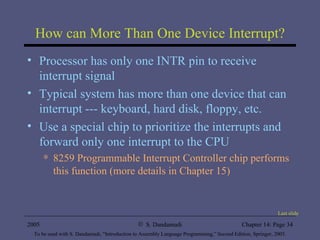
How can More Than One Device Interrupt? Processor has only one INTR pin to receive interrupt signal Typical system has more than one device that can interrupt --- keyboard, hard disk, floppy, etc. Use a special chip to prioritize the interrupts and forward only one interrupt to the CPU 8259 Programmable Interrupt Controller chip performs this function (more details in Chapter 15) Last slide

Al2ed chapter14

  • 1.
    Protected-Mode Interrupt ProcessingChapter 14 S. Dandamudi
  • 2.
    Outline Introduction Taxonomyof interrupts Interrupt processing Exceptions Software interrupts File I/O File descriptor File pointer File system calls Illustrative examples Write a character to display Read a string from the keyboard File copy Hardware interrupts
  • 3.
    Introduction Interrupts altera program’s flow of control Behavior is similar to a procedure call Some significant differences between the two Interrupt causes transfer of control to an interrupt service routine (ISR) ISR is also called a handler When the ISR is completed, the original program resumes execution Interrupts provide an efficient way to handle unanticipated events
  • 4.
    Interrupts vs. ProceduresInterrupts Initiated by both software and hardware Can handle anticipated and unanticipated internal as well as external events ISRs or interrupt handlers are memory resident Use numbers to identify an interrupt service (E)FLAGS register is saved automatically Procedures Can only be initiated by software Can handle anticipated events that are coded into the program Typically loaded along with the program Use meaningful names to indicate their function Do not save the (E)FLAGS register
  • 5.
    A Taxonomy ofPentium Interrupts
  • 6.
    Protected Mode InterruptProcessing Up to 256 interrupts are supported (0 to 255) Same number in both real and protected modes Some significant differences between real and protected mode interrupt processing Interrupt number is used as an index into the Interrupt Descriptor Table (IDT) This table stores the addresses of all ISRs Each descriptor entry is 8 bytes long Interrupt number is multiplied by 8 to get byte offset into IDT IDT can be stored anywhere in memory In contrast, real mode interrupt table has to start at address 0
  • 7.
    Protected Mode InterruptProcessing (cont’d) Organization of the IDT
  • 8.
    Protected Mode InterruptProcessing (cont’d) Location of IDT is maintained by IDT register IDTR IDTR is a 48-bit register 32 bits for IDT base address 16 bits for IDT limit value IDT requires only 2048 (11 bits) A system may have smaller number of descriptors Set the IDT limit to indicate the size in bytes If a descriptor outside the limit is referenced Processor enters shutdown mode Two special instructions to load ( lidt ) and store ( sidt ) IDT Both take the address of a 6-byte memory as the operand
  • 9.
    Protected Mode InterruptProcessing (cont’d) Interrupt descriptor
  • 10.
    Protected Mode InterruptProcessing (cont’d) Interrupt invocation
  • 11.
    What Happens WhenAn Interrupt Occurs? Push the EFLAGS register onto the stack Clear interrupt enable and trap flags This disables further interrupts Use sti to enable interrupts Push CS and EIP registers onto the stack Load CS with the 16-bit segment selector from the interrupt gate Load EIP with the 32-bit offset value from the interrupt gate
  • 12.
    Interrupt Enable FlagInstructions Interrupt enable flag controls whether the processor should be interrupted or not Clearing this flag disables all further interrupts until it is set Use cli (clear interrupt) instruction for this purpose It is cleared as part interrupt processing Unless there is special reason to block further interrupts, enable interrupts in your ISR Use sti (set interrupt) instruction for this purpose
  • 13.
    Returning From AnISR As in procedures, the last instruction in an ISR should be iret The actions taken on iret are: pop the 32-bit value on top of the stack into EIP register pop the 16-bit value on top of the stack into CS register pop the 32-bit value on top of the stack into the EFLAGS register As in procedures, make sure that your ISR does not leave any data on the stack Match your push and pop operations within the ISR
  • 14.
    Exceptions Three typesof exceptions Depending on the way they are reported Whether or not the interrupted instruction is restarted Faults Traps Aborts Faults and traps are reported at instruction boundaries Aborts report severe errors Hardware errors Inconsistent values in system tables
  • 15.
    Faults and TrapsFaults Instruction boundary before the instruction during which the exception was detected Restarts the instruction Divide error (detected during div/idiv instruction) Segment-not-found fault Traps Instruction boundary immediately after the instruction during which the exception was detected No instruction restart Overflow exception (interrupt 4) is a trap User defined interrupts are also examples of traps
  • 16.
    Dedicated Interrupts SeveralPentium predefined interrupts --- called dedicated interrupts These include the first five interrupts: interrupt type Purpose 0 Divide error 1 Single-step 2 Nonmaskable interrupt (MNI) 3 Breakpoint 4 Overflow
  • 17.
    Dedicated Interrupts (cont’d)Divide Error Interrupt CPU generates a type 0 interrupt whenever the div/idiv instructions result in a quotient that is larger than the destination specified Single-Step Interrupt Useful in debugging To single step, Trap Flag (TF) should be set CPU automatically generates a type 1 interrupt after executing each instruction if TF is set Type 1 ISR can be used to present the system state to the user
  • 18.
    Dedicated Interrupts (cont’d)Breakpoint Interrupt Useful in debugging CPU generates a type 3 interrupt Generated by executing a special single-byte version of int 3 instruction (opcode CCH) Overflow Interrupt Two ways of generating this type 4 interrupt int 4 (unconditionally generates a type 4 interrupt) into (interrupt is generated only if the overflow flag is set) We do not normally use into as we can use jo/jno conditional jumps to take care of overflow
  • 19.
    Software Interrupts Initiatedby executing an interrupt instruction int interrupt-type interrupt-type is an integer in the range 0 to 255 Each interrupt type can be parameterized to provide several services. For example, Linux interrupt service int 0x80 provides a large number of services (more than 180 system calls!) EAX register is used to identify the required service under int 0x80
  • 20.
    File I/O Focusis on File I/O Keyboard and display are treated as stream files Three standard file streams are defined Standard input ( stdin ) Associated device: Keyboard Standard output ( stdout ) Associated device: Display Standard error ( stderr ) Associated device: Display
  • 21.
    File I/O (cont’d)File descriptor Small integer acts as a file id Use file descriptors to access open files File descriptor is returned by the open and create systems calls Don’t have to open the three standard files Lowest three integers are assigned to these files stdin (0) stdout (1) stderr (2)
  • 22.
    File I/O (cont’d)File pointer Associated with each open file Specifies offset (in bytes) relative to the beginning of the file Read and write operations use this location When a file is opened, file pointer points to the firs byte Subsequent reads move it to facilitate sequential access Direct access to a file Can be provided by manipulating the file pointer
  • 23.
    File System CallsFile create call System call 8 --- Create and open a file Inputs: EAX = 8 EBX = file name ECX = file permissions Returns: EAX = file descriptor Error: EAX = error code
  • 24.
    File System Calls(cont’d) File open call System call 5 --- Open a file Inputs: EAX = 5 EBX = file name ECX = file access mode EDX = file permissions Returns: EAX = file descriptor Error: EAX = error code
  • 25.
    File System Calls(cont’d) File read call System call 3 --- Read from a file Inputs: EAX = 3 EBX = file descriptor ECX = pointer to input buffer EDX = buffer size (max. # of bytes to read) Returns: EAX = # of bytes read Error: EAX = error code
  • 26.
    File System Calls(cont’d) File write call System call 4 --- Write to a file Inputs: EAX = 4 EBX = file descriptor ECX = pointer to output buffer EDX = buffer size (# of bytes to write) Returns: EAX = # of bytes written Error: EAX = error code
  • 27.
    File System Calls(cont’d) File close call System call 6 --- Close a file Inputs: EAX = 6 EBX = file descriptor Returns: EAX = --- Error: EAX = error code
  • 28.
    File System Calls(cont’d) File seek call System call 19 --- lseek (updates file pointer) Inputs: EAX = 19 EBX = file descriptor ECX = offset EDX = whence Returns: EAX = byte offset from the beginning of file Error: EAX = error code
  • 29.
    File System Calls(cont’d) whence value Reference position whence value Beginning of file 0 Current position 1 End of file 2
  • 30.
    Illustrative Examples Threeexamples Write a character to display putch procedure Read a string from the keyboard getstr procedure File copy file_copy.asm
  • 31.
    Hardware Interrupts Softwareinterrupts are synchronous events Caused by executing the int instruction Hardware interrupts are of hardware origin and asynchronous in nature Typically caused by applying an electrical signal to the processor chip Hardware interrupts can be Maskable Non-maskable Causes a type 2 interrupt
  • 32.
    How Are HardwareInterrupts Triggered? Non-maskable interrupt is triggered by applying an electrical signal to the MNI pin of processor Processor always responds to this signal Cannot be disabled under program control Maskable interrupt is triggered by applying an electrical signal to the INTR (INTerrupt Request) pin of Pentium Processor recognizes this interrupt only if IF (interrupt enable flag) is set Interrupts can be masked or disabled by clearing IF
  • 33.
    How Does theCPU Know the Interrupt Type? Interrupt invocation process is common to all interrupts Whether originated in software or hardware For hardware interrupts, processor initiates an interrupt acknowledge sequence processor sends out interrupt acknowledge (INTA) signal In response, interrupting device places interrupt vector on the data bus Processor uses this number to invoke the ISR that should service the device (as in software interrupts)
  • 34.
    How can MoreThan One Device Interrupt? Processor has only one INTR pin to receive interrupt signal Typical system has more than one device that can interrupt --- keyboard, hard disk, floppy, etc. Use a special chip to prioritize the interrupts and forward only one interrupt to the CPU 8259 Programmable Interrupt Controller chip performs this function (more details in Chapter 15) Last slide