Word Processing Test Review Basic Computers A
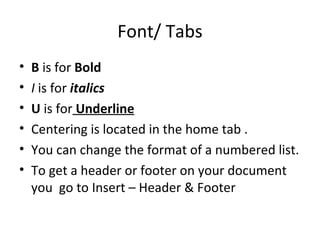
Font/ Tabs B  is for  Bold I  is for  italics U  is for   Underline Centering is located in the home tab . You can change the format of a numbered list. To get a header or footer on your document you  go to Insert – Header & Footer
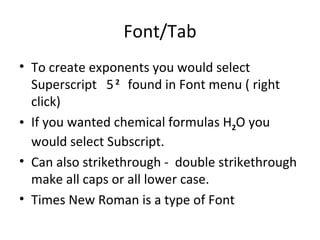
Font/Tab To create exponents you would select Superscript  5   2   found in Font menu ( right click)  If you wanted chemical formulas H 2 O you would select Subscript.  Can also strikethrough -  double strikethrough make all caps or all lower case.  Times New Roman is a type of Font
Tabs/ menu bars You save your work in your computer folder Changing the text in a document is called Editing. There is more than one way to open a word processing document.  1) File – blank document or New 2) File - Recent Document 3) Ctrl – N key  4) Office Button
Wording Processing There is at least two ways to move text in a word processing document.  1) Word wrap – space bar  2) Enter and Backspace The floppy disk in the upper left corner means  save document. Spell – check will  not  catch all mistakes in a document.  A business letter should always include the address of a person or company you are sending it to.
Word processing If the right and left margins are ragged ( not even,) the alignment is Center Removing text or a graphic from a document and placing it on the clipboard is called cutting. Highlighting a text or graphic on an document right click to copy a document Paste a text or graphic by right clicking and pasting or click on paste in tool bar.
Word Review After you type a document you should always do  spell check To get rid of unwanted text or extra lines you would use the delete key The blinking line on the screen that is next to where the text will appear is the cursor. Transferring a copy of the text from the clipboard into a document at the insertion point ( where you place the cursor) is called Pasting
Review Print View  will show you exactly how a document will appear on the printed page. To make text  word wrap  you never hit the enter key, except to begin a new paragraph. When saving a document for the first time you should SAVE AS to your H:/ Drive  To change the  orientation  of a document from portrait to landscape you go to page layout – orientation.
Review To make several copies of the same text you can copy and past in of typing it over and over.  You hit the space bar 2 times after punctuation at the end of a sentence. An example of Sans Serif Font is  Lucida Calligraphy An example of Serif Font is  Georgia
Review Use the tab key to indent a paragraph The extra space at the beginning of a paragraph is called the indent. You should space 1 time after a comma. Types of text styles are regular, bold, italic and underline Justify is alignment that is even on both margins?
Review In tables columns goes up and down and rows go across. One point (font size) is equal to 1/72 of an inch. A works-cited page is required by MLA formatting style. You should use size 12 font for a business letter?
Cover Letter and Resume A cover letter is a letter of introduction that you send with your resume. The purpose of a cover letter is to convince a prospective employer that you are worthy of an interview.  A resume is a one-page summary of your work history and skills.
Review To change the space between paragraphs or get rid of extra spaces between paragraphs go the paragraph formatting box.  To run spell check go to the review box or tools bar.

Word processing test review

  • 1.
    Word Processing TestReview Basic Computers A
  • 2.
    Font/ Tabs B is for Bold I is for italics U is for Underline Centering is located in the home tab . You can change the format of a numbered list. To get a header or footer on your document you go to Insert – Header & Footer
  • 3.
    Font/Tab To createexponents you would select Superscript 5 2 found in Font menu ( right click) If you wanted chemical formulas H 2 O you would select Subscript. Can also strikethrough - double strikethrough make all caps or all lower case. Times New Roman is a type of Font
  • 4.
    Tabs/ menu barsYou save your work in your computer folder Changing the text in a document is called Editing. There is more than one way to open a word processing document. 1) File – blank document or New 2) File - Recent Document 3) Ctrl – N key 4) Office Button
  • 5.
    Wording Processing Thereis at least two ways to move text in a word processing document. 1) Word wrap – space bar 2) Enter and Backspace The floppy disk in the upper left corner means save document. Spell – check will not catch all mistakes in a document. A business letter should always include the address of a person or company you are sending it to.
  • 6.
    Word processing Ifthe right and left margins are ragged ( not even,) the alignment is Center Removing text or a graphic from a document and placing it on the clipboard is called cutting. Highlighting a text or graphic on an document right click to copy a document Paste a text or graphic by right clicking and pasting or click on paste in tool bar.
  • 7.
    Word Review Afteryou type a document you should always do spell check To get rid of unwanted text or extra lines you would use the delete key The blinking line on the screen that is next to where the text will appear is the cursor. Transferring a copy of the text from the clipboard into a document at the insertion point ( where you place the cursor) is called Pasting
  • 8.
    Review Print View will show you exactly how a document will appear on the printed page. To make text word wrap you never hit the enter key, except to begin a new paragraph. When saving a document for the first time you should SAVE AS to your H:/ Drive To change the orientation of a document from portrait to landscape you go to page layout – orientation.
  • 9.
    Review To makeseveral copies of the same text you can copy and past in of typing it over and over. You hit the space bar 2 times after punctuation at the end of a sentence. An example of Sans Serif Font is Lucida Calligraphy An example of Serif Font is Georgia
  • 10.
    Review Use thetab key to indent a paragraph The extra space at the beginning of a paragraph is called the indent. You should space 1 time after a comma. Types of text styles are regular, bold, italic and underline Justify is alignment that is even on both margins?
  • 11.
    Review In tablescolumns goes up and down and rows go across. One point (font size) is equal to 1/72 of an inch. A works-cited page is required by MLA formatting style. You should use size 12 font for a business letter?
  • 12.
    Cover Letter andResume A cover letter is a letter of introduction that you send with your resume. The purpose of a cover letter is to convince a prospective employer that you are worthy of an interview. A resume is a one-page summary of your work history and skills.
  • 13.
    Review To changethe space between paragraphs or get rid of extra spaces between paragraphs go the paragraph formatting box. To run spell check go to the review box or tools bar.