
Orthographic projection &Orthographic projection &
Auxiliary viewAuxiliary view
Orthographic projection &Orthographic projection &
Auxiliary viewAuxiliary view
Creating an Orthographic ProjectionCreating an Orthographic Projection
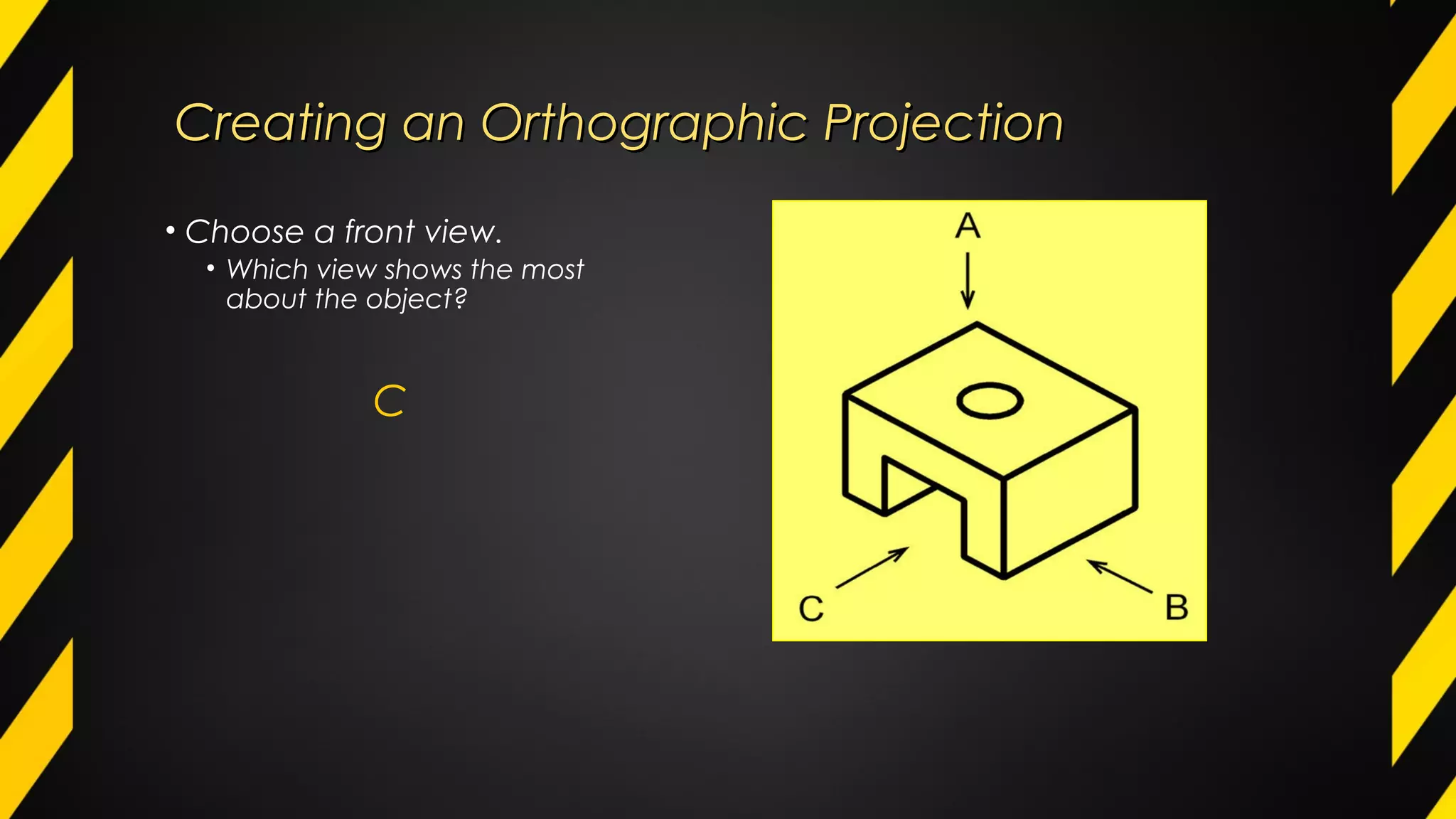
• Choose a front view.
• Which view shows the most
about the object?
C
Creating an Orthographic ProjectionCreating an Orthographic Projection
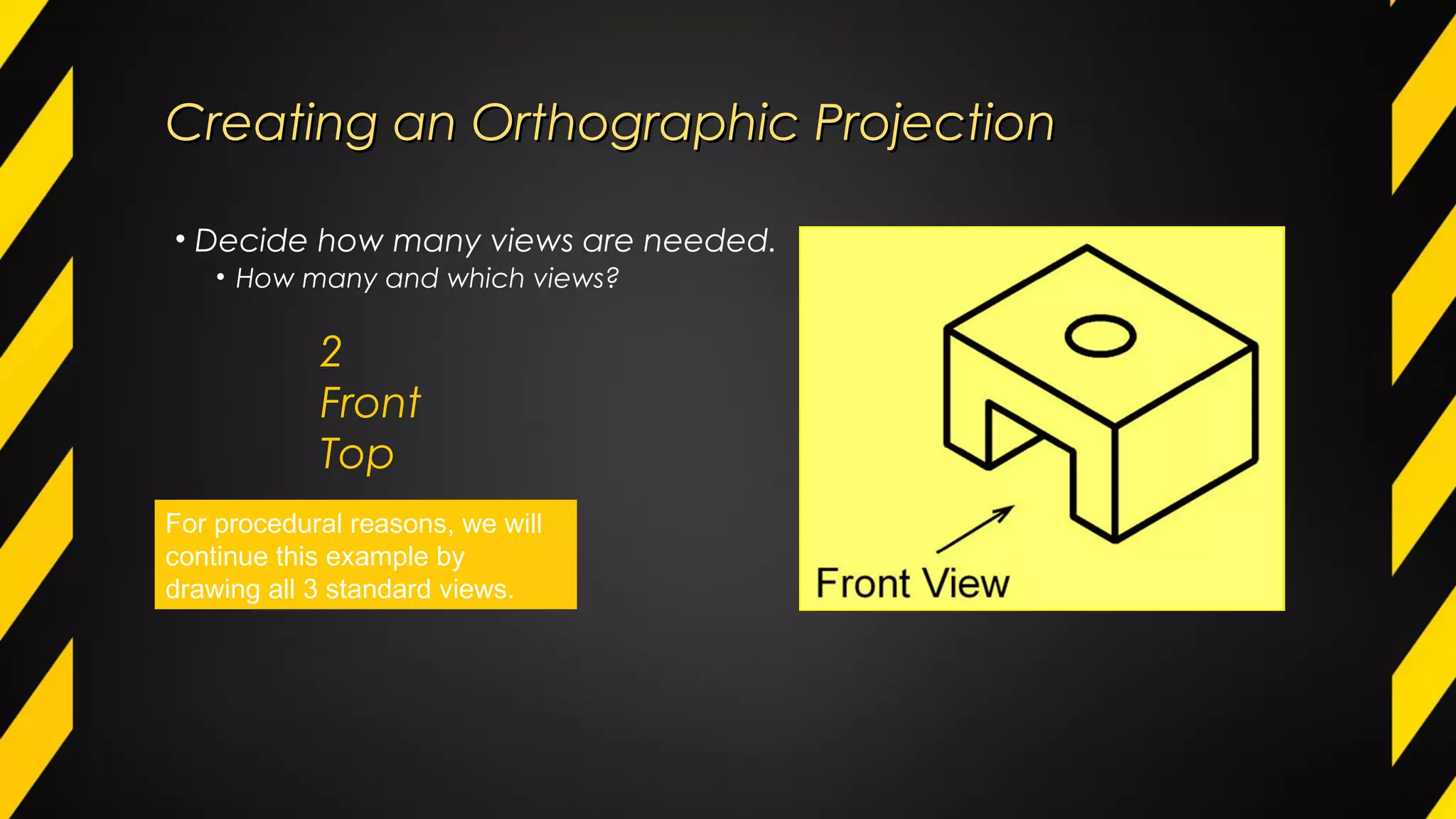
• Decide how many views are needed.
• How many and which views?
2
Front
Top
For procedural reasons, we will
continue this example by
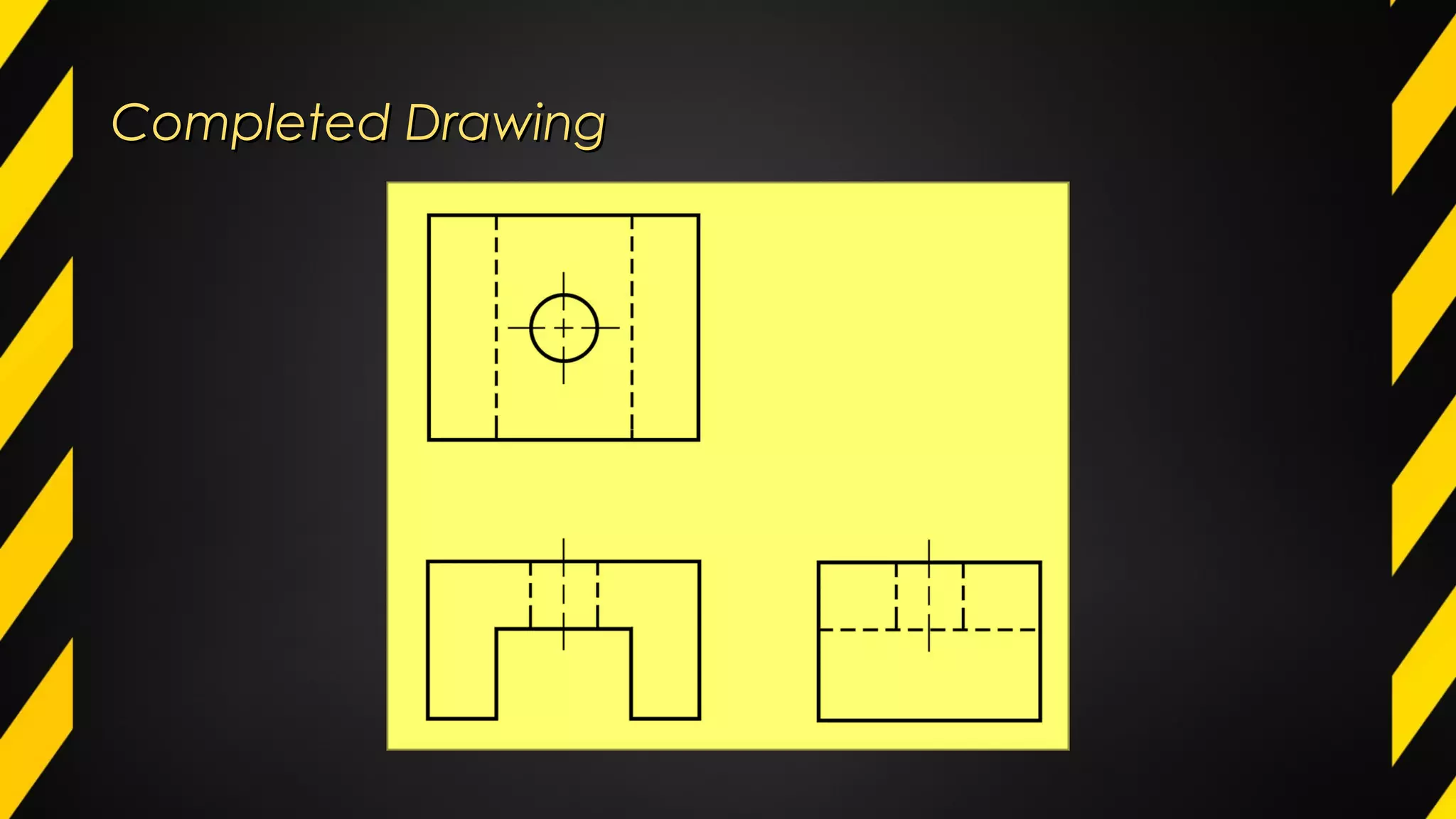
drawing all 3 standard views.
Creating an Orthographic ProjectionCreating an Orthographic Projection
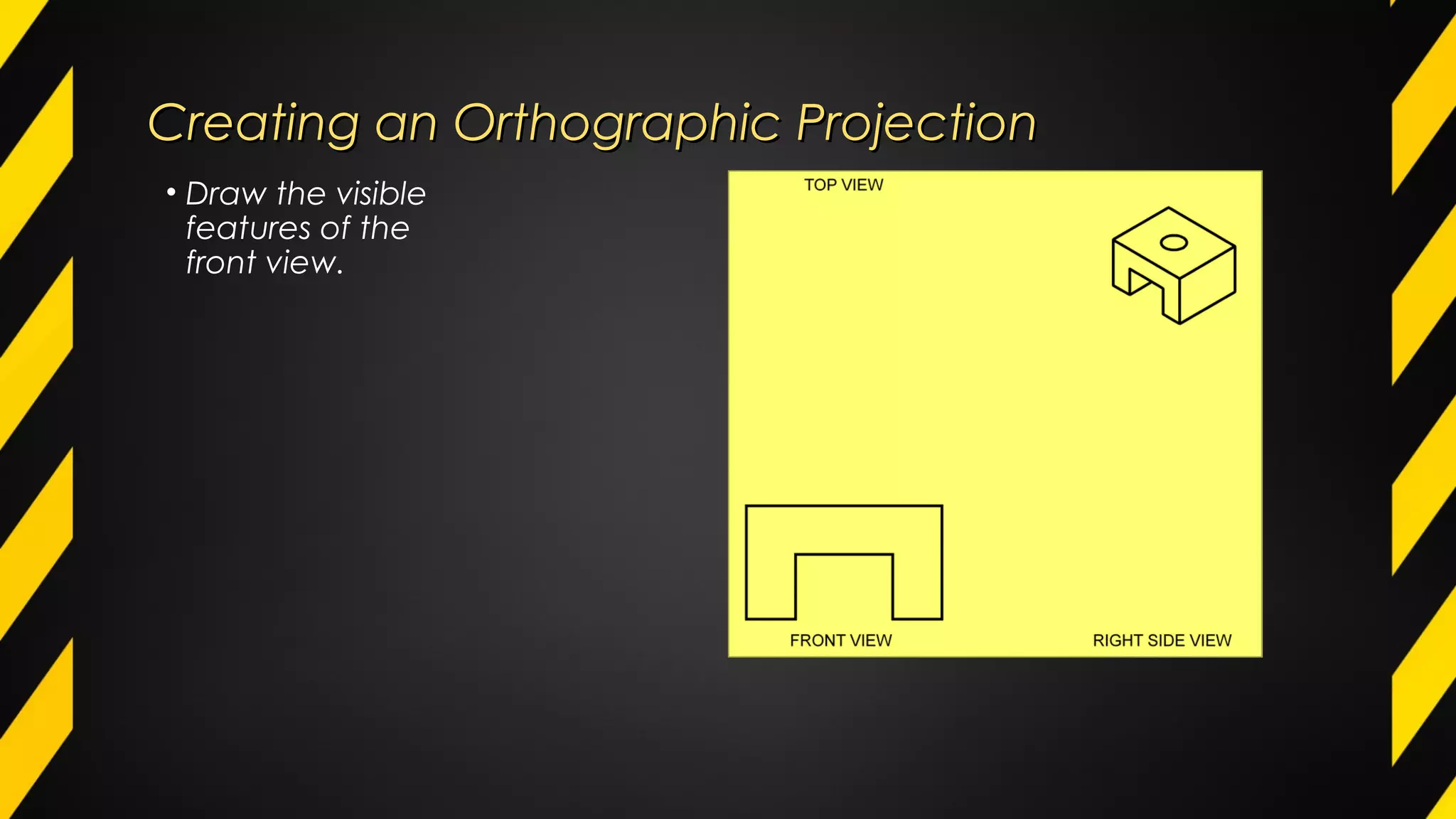
• Draw the visible
features of the
front view.
Creating an Orthographic ProjectionCreating an Orthographic Projection
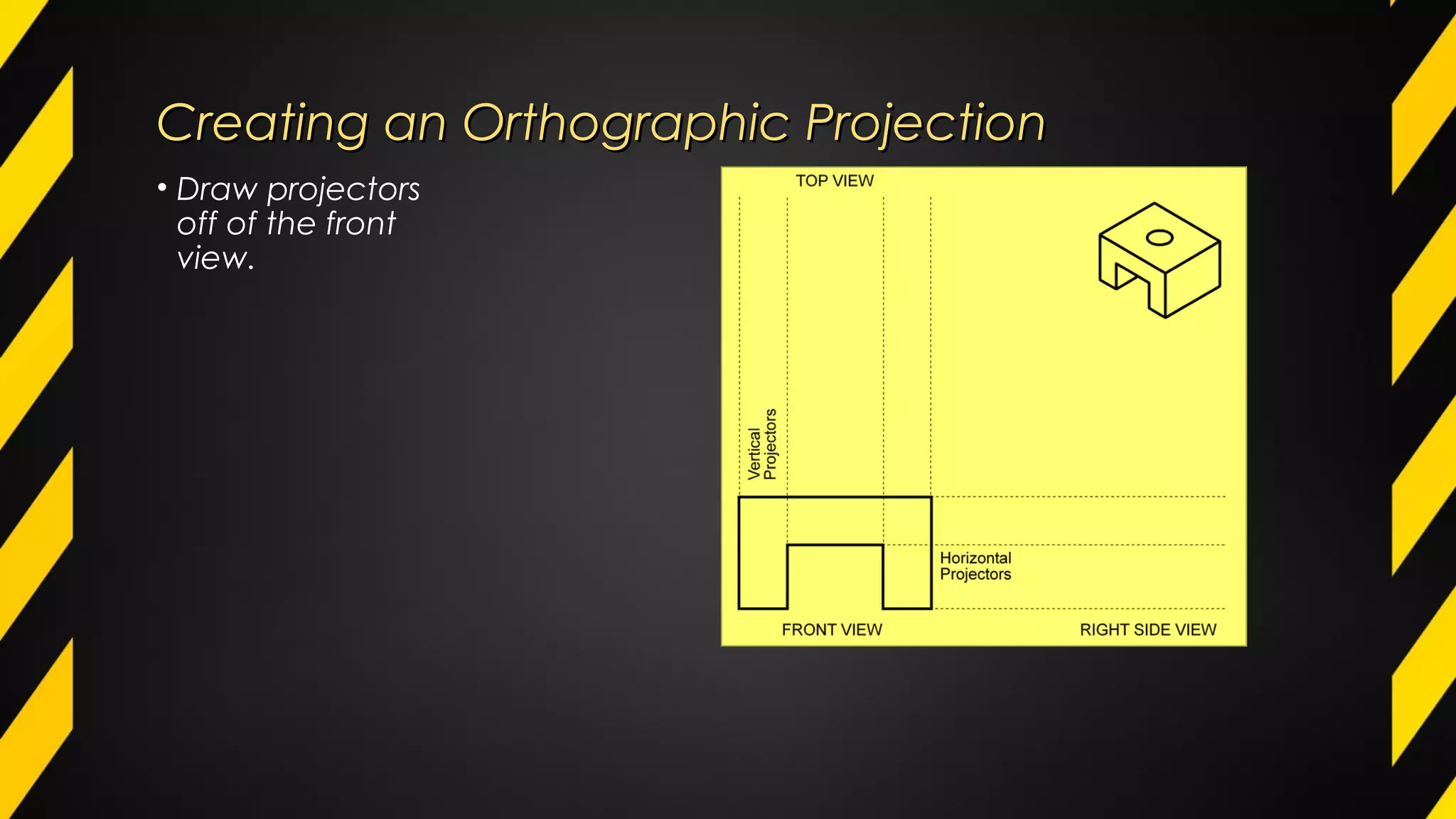
• Draw projectors
off of the front
view.
Creating an Orthographic ProjectionCreating an Orthographic Projection
• Draw the top
view.
Creating an Orthographic ProjectionCreating an Orthographic Projection
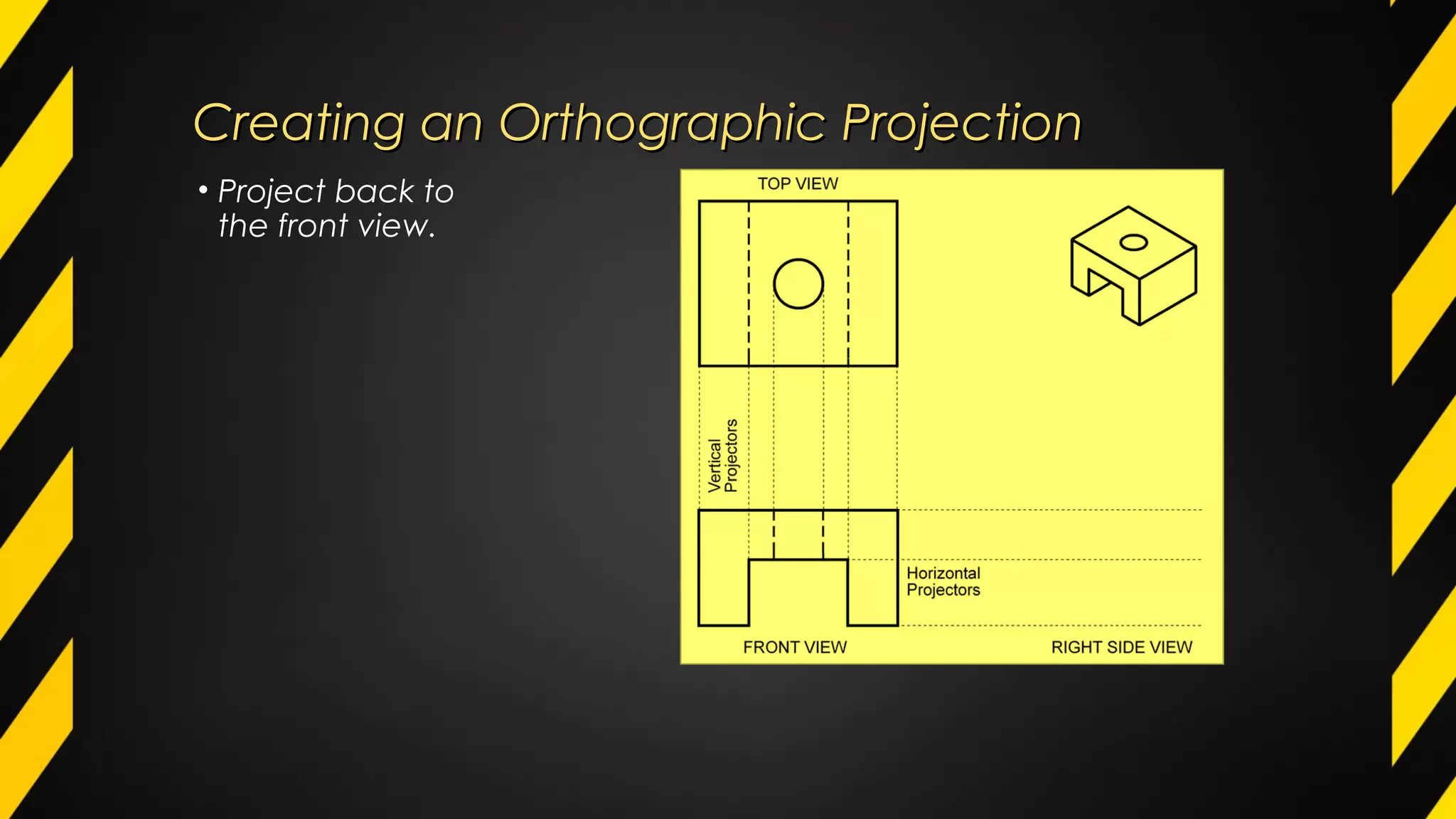
• Project back to
the front view.
Creating an Orthographic ProjectionCreating an Orthographic Projection
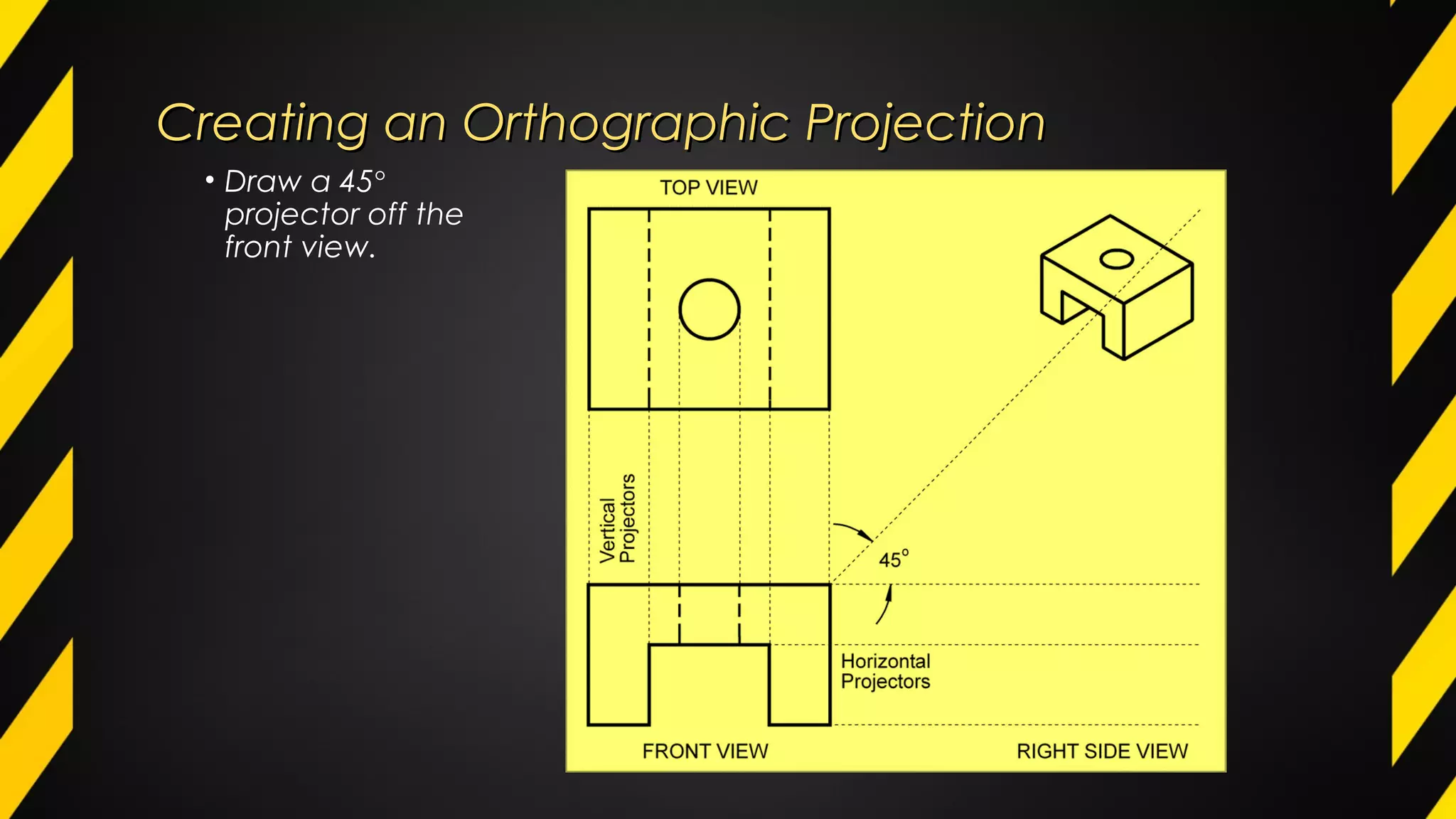
• Draw a 45°
projector off the
front view.
Creating an Orthographic ProjectionCreating an Orthographic Projection
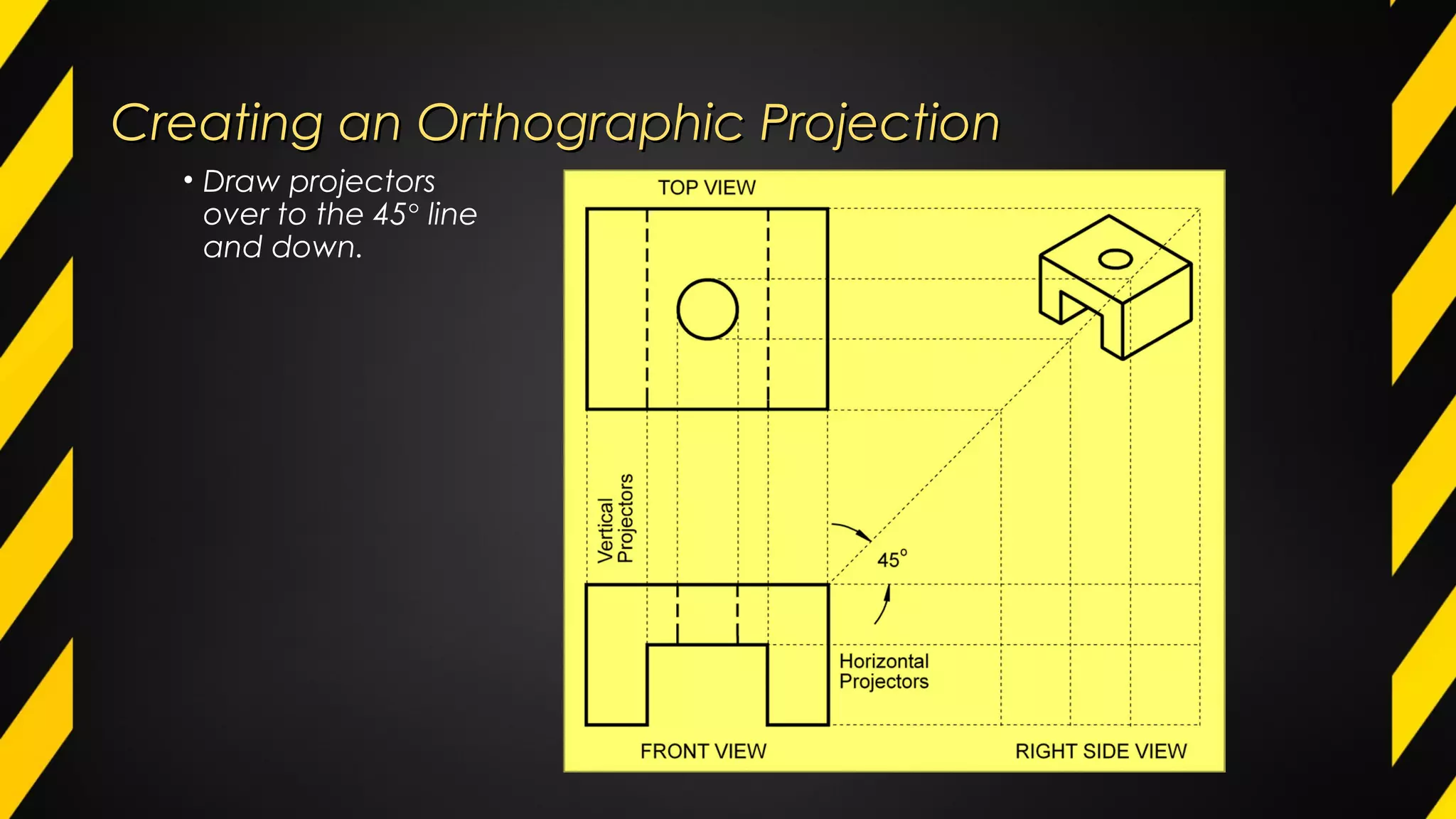
• Draw projectors
over to the 45° line
and down.
Creating an Orthographic ProjectionCreating an Orthographic Projection
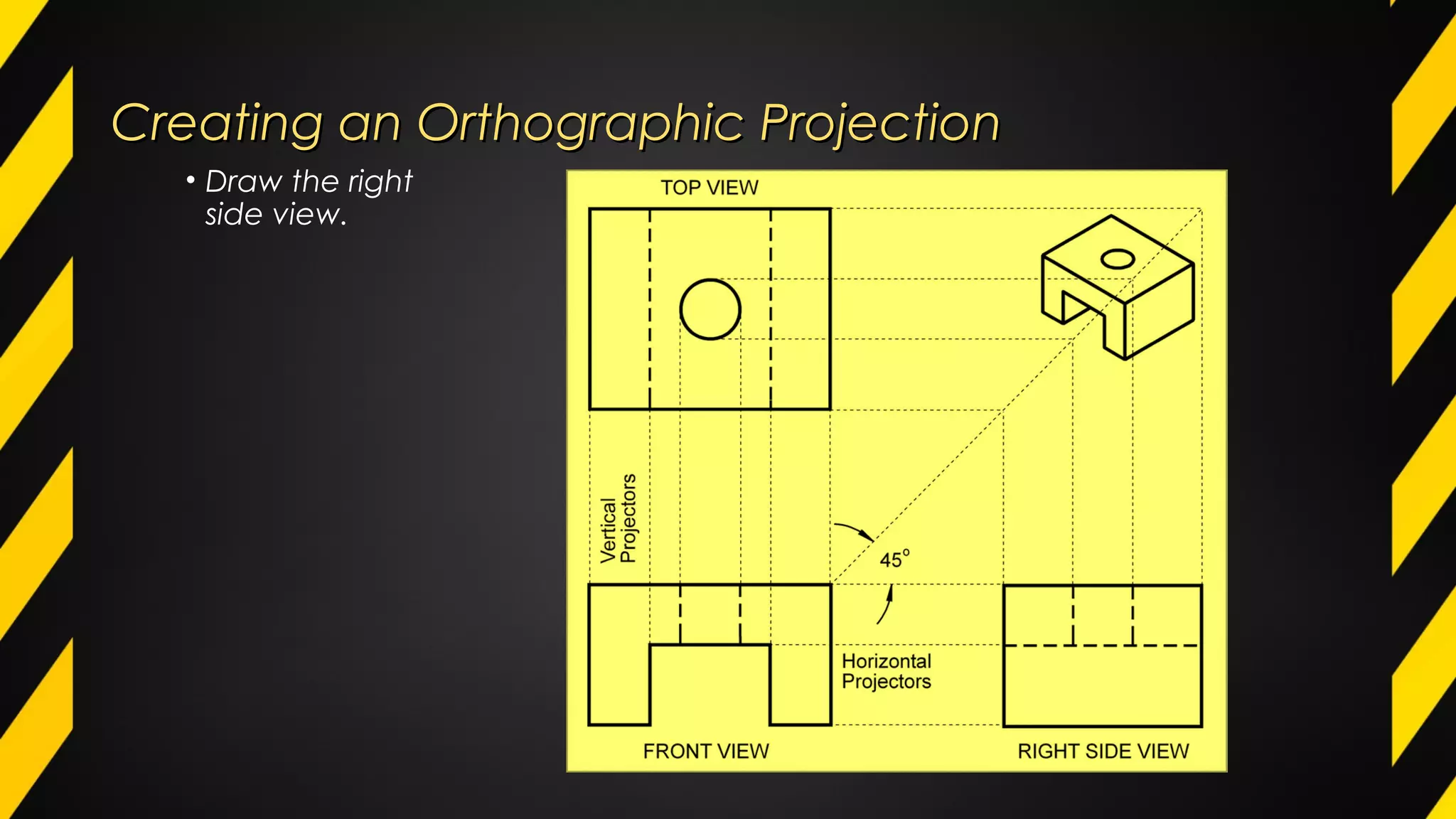
• Draw the right
side view.
Creating an Orthographic ProjectionCreating an Orthographic Projection
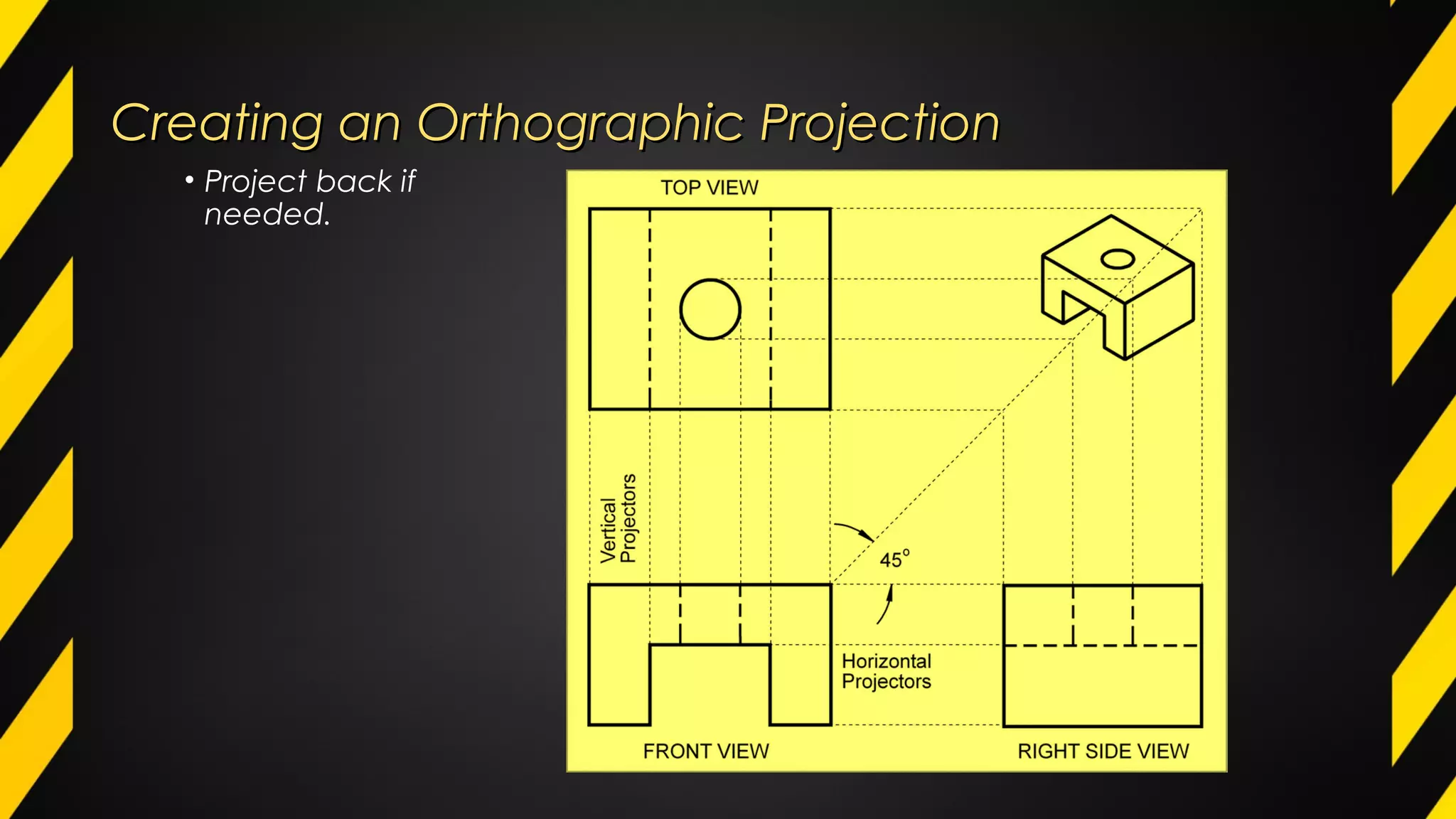
• Project back if
needed.
Creating an Orthographic ProjectionCreating an Orthographic Projection
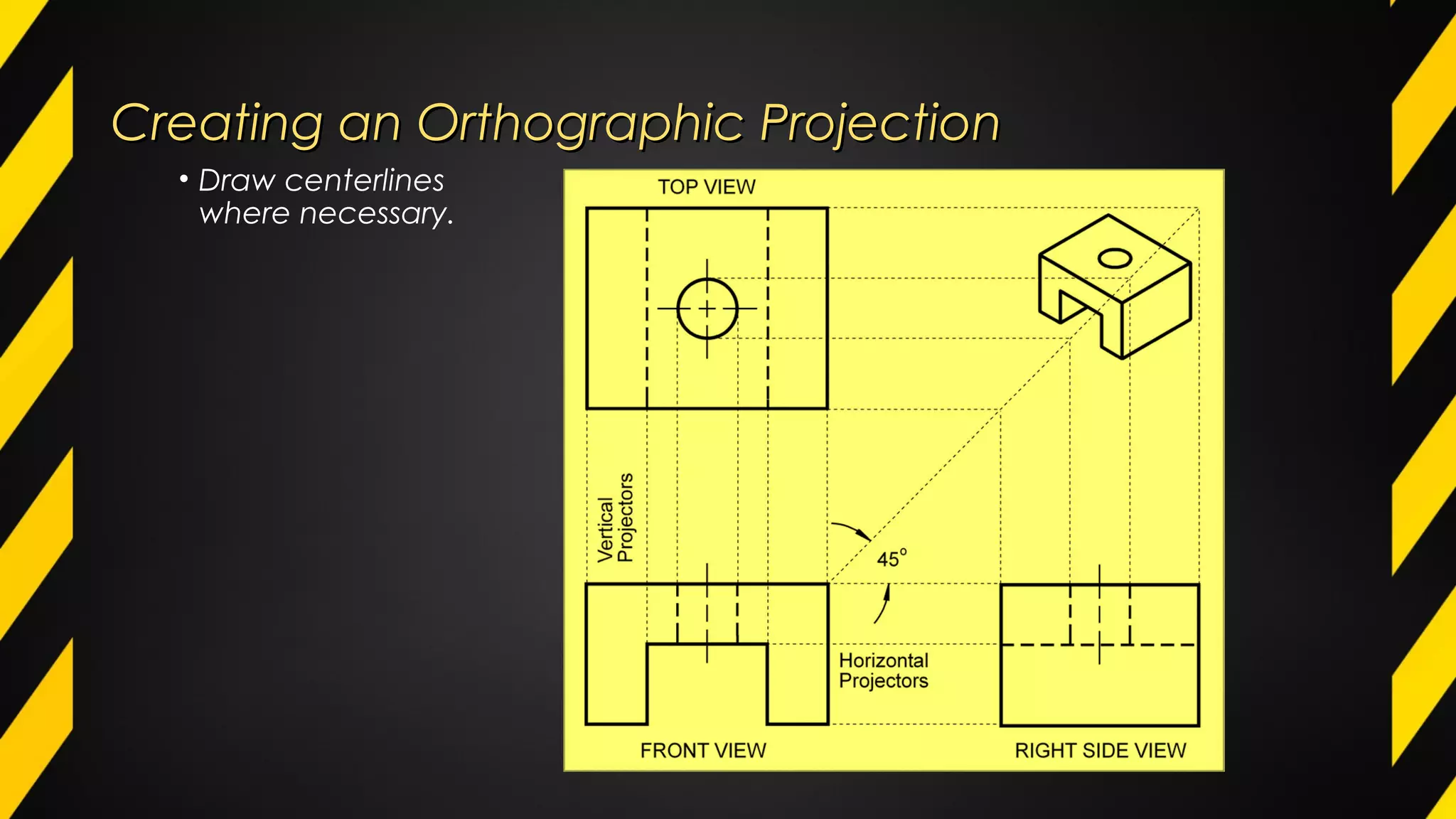
• Draw centerlines
where necessary.
Creating an Orthographic ProjectionCreating an Orthographic Projection
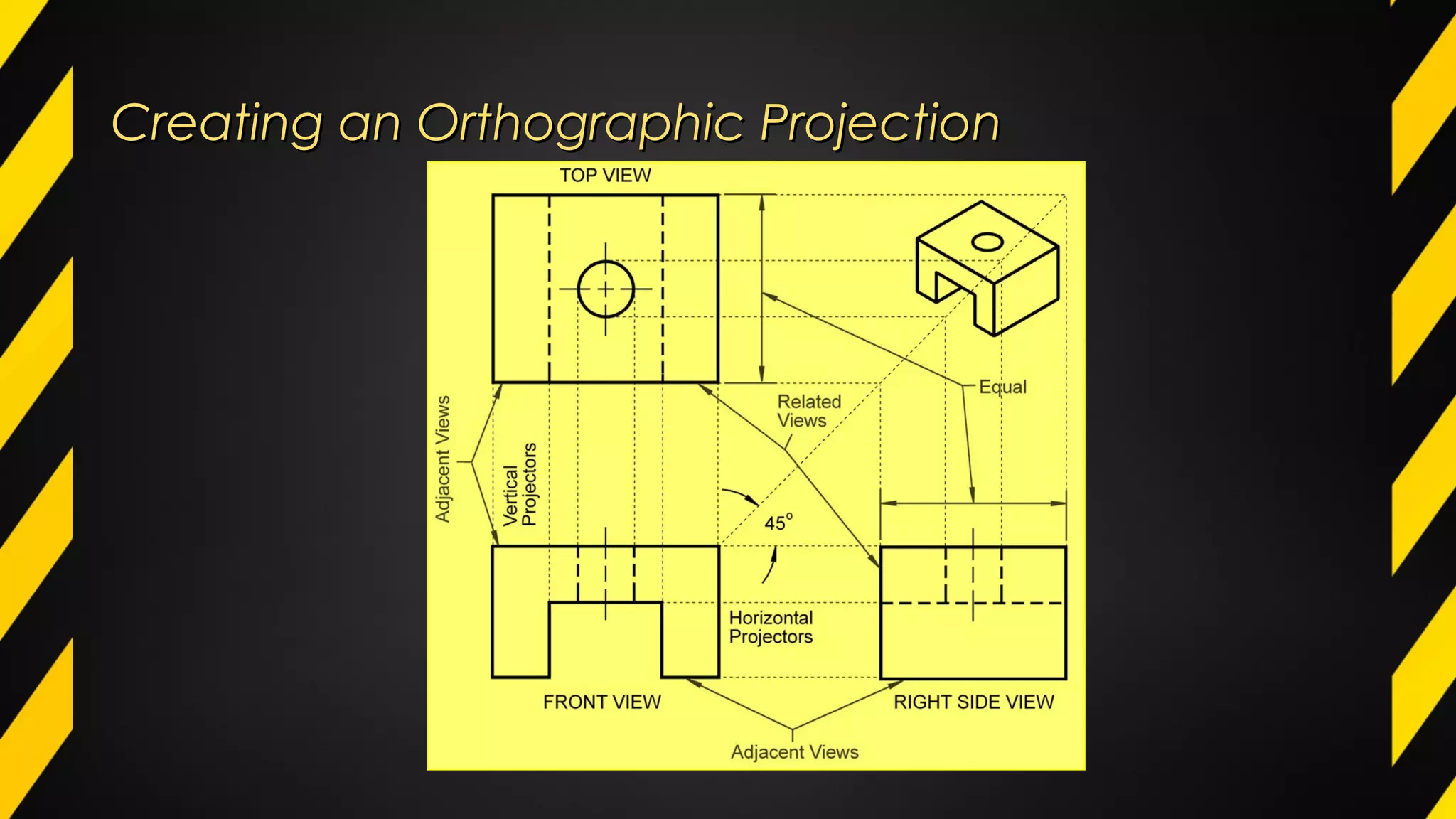
Completed DrawingCompleted Drawing
Auxiliary ViewAuxiliary View
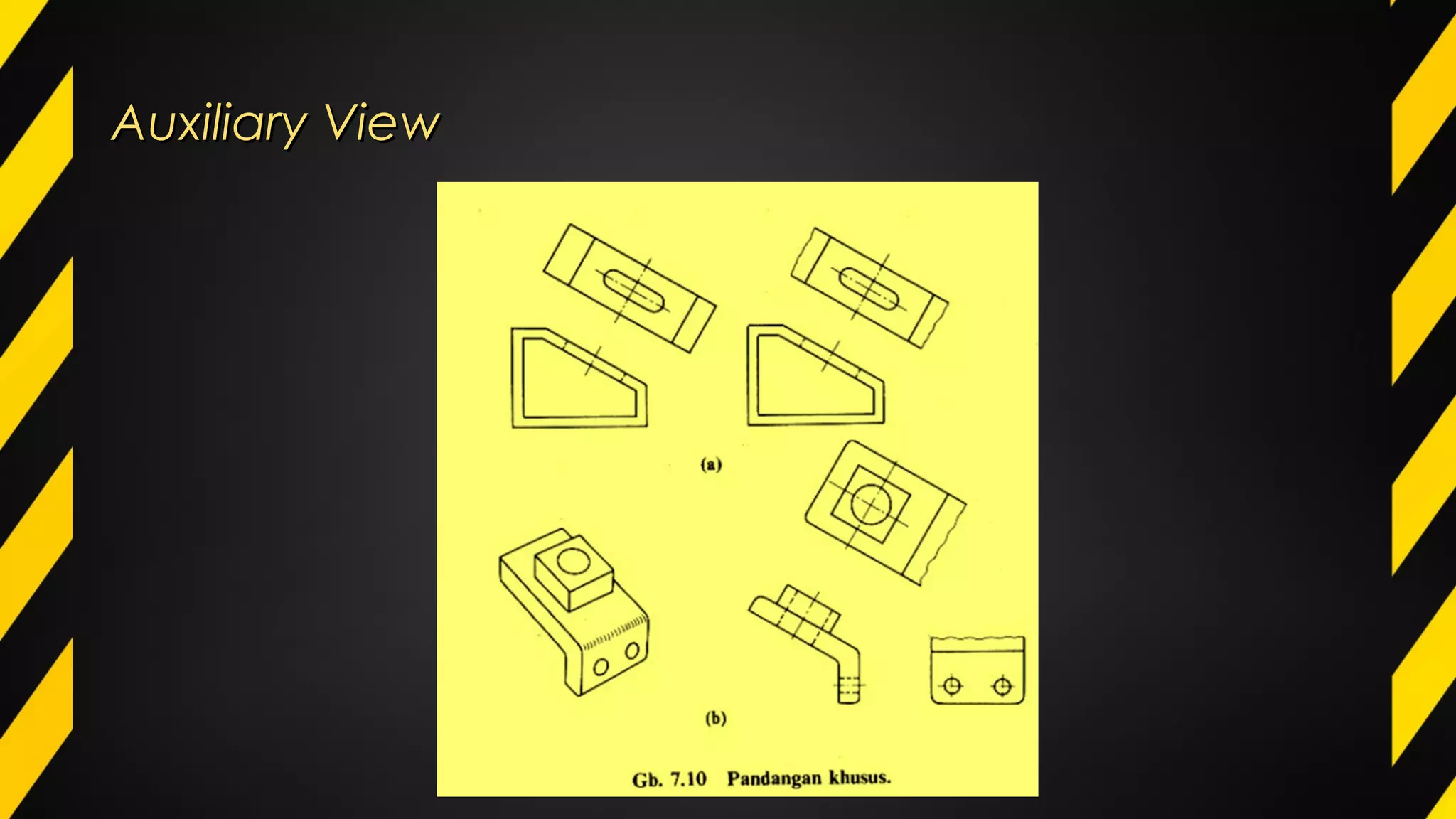
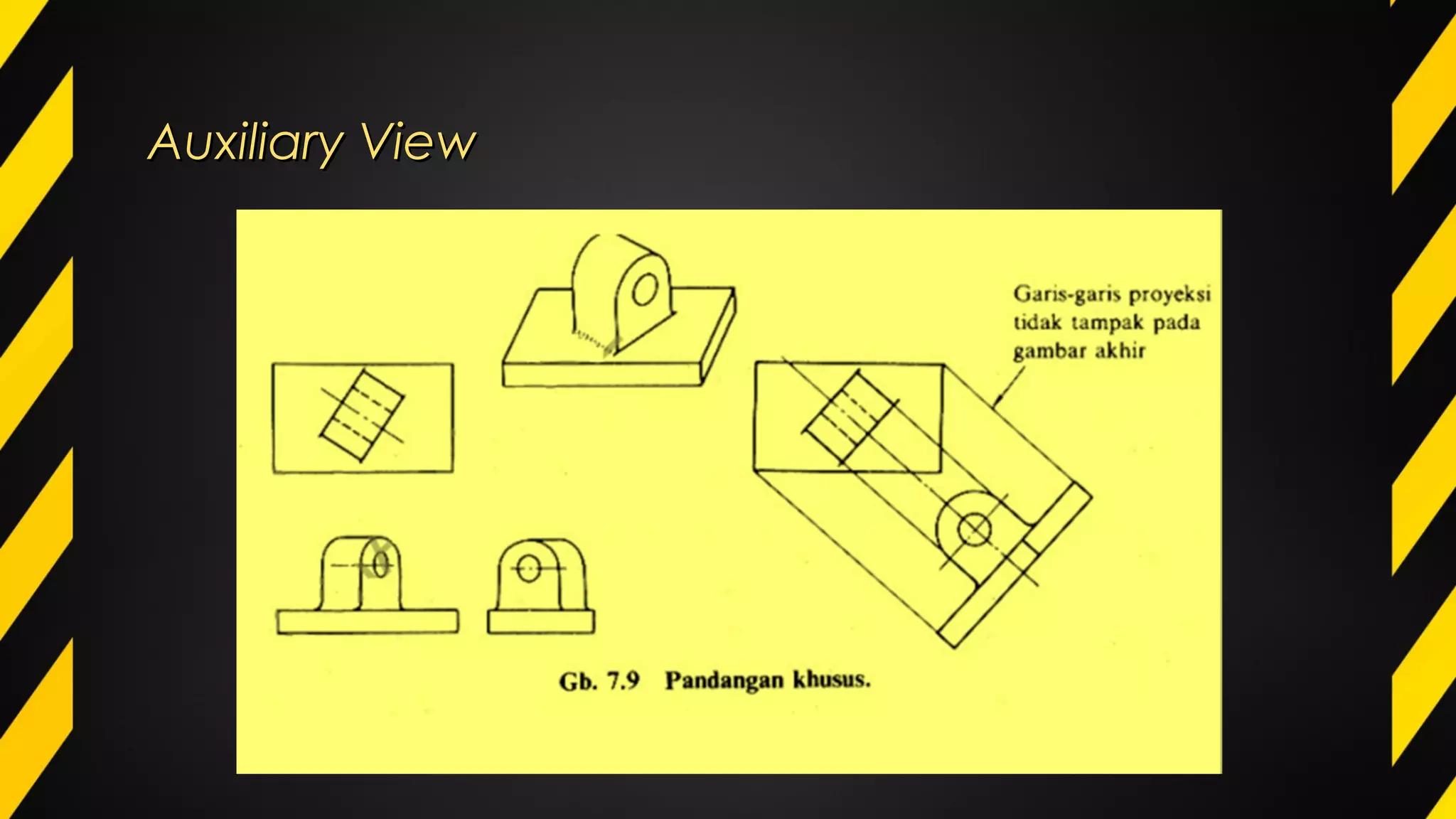
An auxiliary view is an orthographic view taken in
such a manner that the lines of sight are not parallel
to the principal projection planes (frontal, horizontal,
or profile). There are an infinite number of possible
auxiliary views of any given object.
Auxiliary ViewAuxiliary View
Skillcruise.com

orthographic projection & auxiliary view