TCP Intercept
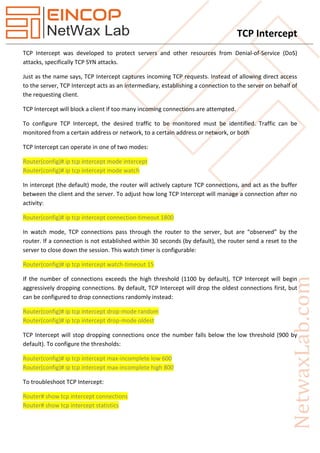
TCP Intercept was developed to protect servers and other resources from Denial-of-Service (DoS)
attacks, specifically TCP SYN attacks.
Just as the name says, TCP Intercept captures incoming TCP requests. Instead of allowing direct access
to the server, TCP Intercept acts as an intermediary, establishing a connection to the server on behalf of
the requesting client.
TCP Intercept will block a client if too many incoming connections are attempted.
To configure TCP Intercept, the desired traffic to be monitored must be identified. Traffic can be
monitored from a certain address or network, to a certain address or network, or both
TCP Intercept can operate in one of two modes:
Router(config)# ip tcp intercept mode intercept
Router(config)# ip tcp intercept mode watch
In intercept (the default) mode, the router will actively capture TCP connections, and act as the buffer
between the client and the server. To adjust how long TCP Intercept will manage a connection after no
activity:
Router(config)# ip tcp intercept connection-timeout 1800
In watch mode, TCP connections pass through the router to the server, but are “observed” by the
router. If a connection is not established within 30 seconds (by default), the router send a reset to the
server to close down the session. This watch timer is configurable:
Router(config)# ip tcp intercept watch-timeout 15
If the number of connections exceeds the high threshold (1100 by default), TCP Intercept will begin
aggressively dropping connections. By default, TCP Intercept will drop the oldest connections first, but
can be configured to drop connections randomly instead:
Router(config)# ip tcp intercept drop-mode random
Router(config)# ip tcp intercept drop-mode oldest
TCP Intercept will stop dropping connections once the number falls below the low threshold (900 by
default). To configure the thresholds:
Router(config)# ip tcp intercept max-incomplete low 600
Router(config)# ip tcp intercept max-incomplete high 800
To troubleshoot TCP Intercept:
Router# show tcp intercept connections
Router# show tcp intercept statistics
TCP Intercept
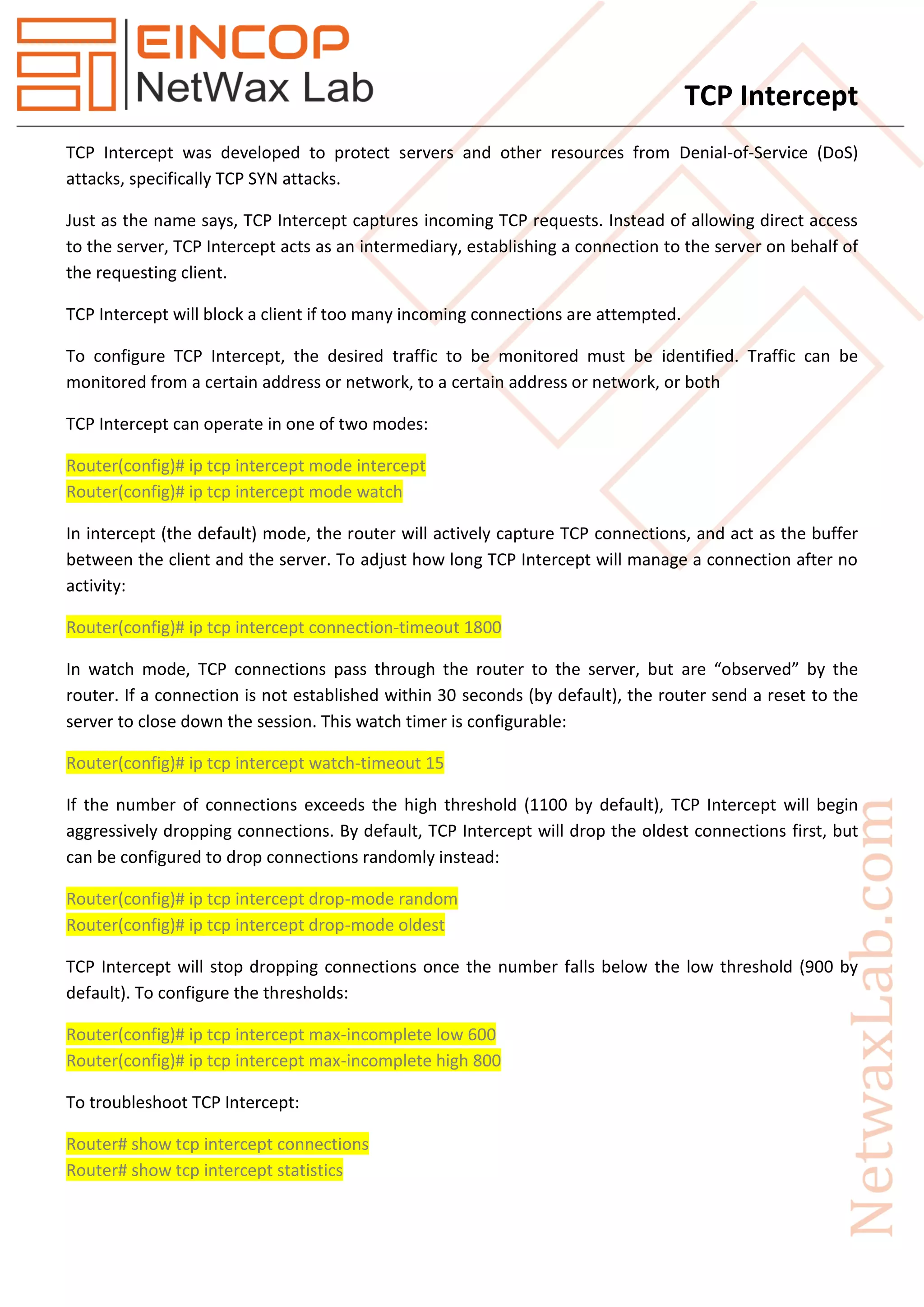
Example
Host_1
int f0/0
ip add 101.1.1.100 255.255.255.0
no shut
exit
router ei 100
no auto-summary
network 0.0.0.0
exit
Interceptor
int f0/0
ip add 101.1.1.1 255.255.255.0
no shut
exit
Figure 1 Topology
TCP Intercept
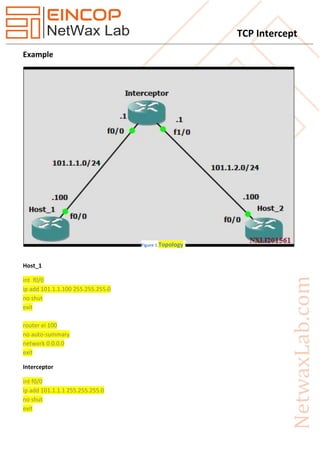
int f0/1
ip add 101.1.2.1 255.255.255.0
no shut
exit
router ei 100
no auto-summary
network 0.0.0.0
exit
Host_2
int f0/0
ip add 101.1.2.100 255.255.255.0
no shut
exit
router ei 100
no auto-summary
network 0.0.0.0
exit
line vty 0 4
no login
exit
enable password cisco
username cisco password cisco
line vty 0 4
login local
exit
(Note: verify telnet form Host_1)
Interceptor
ip tcp intercept mode intercept
ip access-list extended 101
permit tcp any any
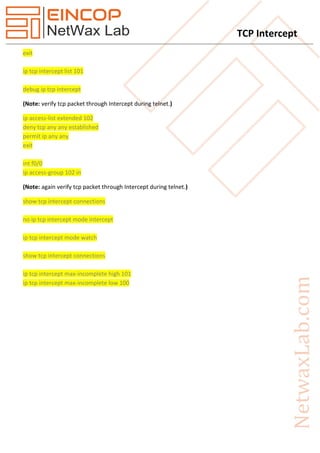
TCP Intercept
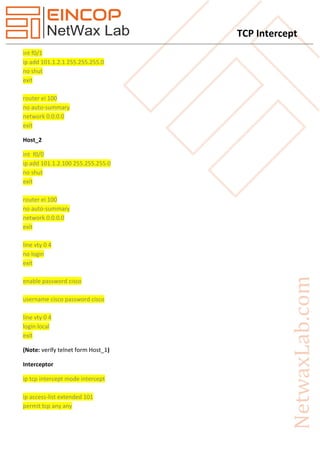
exit
ip tcp intercept list 101
debug ip tcp intercept
(Note: verify tcp packet through Intercept during telnet.)
ip access-list extended 102
deny tcp any any established
permit ip any any
exit
int f0/0
ip access-group 102 in
(Note: again verify tcp packet through Intercept during telnet.)
show tcp intercept connections
no ip tcp intercept mode intercept
ip tcp intercept mode watch
show tcp intercept connections
ip tcp intercept max-incomplete high 101
ip tcp intercept max-incomplete low 100

TCP Intercept

  • 1.
    TCP Intercept TCP Interceptwas developed to protect servers and other resources from Denial-of-Service (DoS) attacks, specifically TCP SYN attacks. Just as the name says, TCP Intercept captures incoming TCP requests. Instead of allowing direct access to the server, TCP Intercept acts as an intermediary, establishing a connection to the server on behalf of the requesting client. TCP Intercept will block a client if too many incoming connections are attempted. To configure TCP Intercept, the desired traffic to be monitored must be identified. Traffic can be monitored from a certain address or network, to a certain address or network, or both TCP Intercept can operate in one of two modes: Router(config)# ip tcp intercept mode intercept Router(config)# ip tcp intercept mode watch In intercept (the default) mode, the router will actively capture TCP connections, and act as the buffer between the client and the server. To adjust how long TCP Intercept will manage a connection after no activity: Router(config)# ip tcp intercept connection-timeout 1800 In watch mode, TCP connections pass through the router to the server, but are “observed” by the router. If a connection is not established within 30 seconds (by default), the router send a reset to the server to close down the session. This watch timer is configurable: Router(config)# ip tcp intercept watch-timeout 15 If the number of connections exceeds the high threshold (1100 by default), TCP Intercept will begin aggressively dropping connections. By default, TCP Intercept will drop the oldest connections first, but can be configured to drop connections randomly instead: Router(config)# ip tcp intercept drop-mode random Router(config)# ip tcp intercept drop-mode oldest TCP Intercept will stop dropping connections once the number falls below the low threshold (900 by default). To configure the thresholds: Router(config)# ip tcp intercept max-incomplete low 600 Router(config)# ip tcp intercept max-incomplete high 800 To troubleshoot TCP Intercept: Router# show tcp intercept connections Router# show tcp intercept statistics
  • 2.
    TCP Intercept Example Host_1 int f0/0 ipadd 101.1.1.100 255.255.255.0 no shut exit router ei 100 no auto-summary network 0.0.0.0 exit Interceptor int f0/0 ip add 101.1.1.1 255.255.255.0 no shut exit Figure 1 Topology
  • 3.
    TCP Intercept int f0/1 ipadd 101.1.2.1 255.255.255.0 no shut exit router ei 100 no auto-summary network 0.0.0.0 exit Host_2 int f0/0 ip add 101.1.2.100 255.255.255.0 no shut exit router ei 100 no auto-summary network 0.0.0.0 exit line vty 0 4 no login exit enable password cisco username cisco password cisco line vty 0 4 login local exit (Note: verify telnet form Host_1) Interceptor ip tcp intercept mode intercept ip access-list extended 101 permit tcp any any
  • 4.
    TCP Intercept exit ip tcpintercept list 101 debug ip tcp intercept (Note: verify tcp packet through Intercept during telnet.) ip access-list extended 102 deny tcp any any established permit ip any any exit int f0/0 ip access-group 102 in (Note: again verify tcp packet through Intercept during telnet.) show tcp intercept connections no ip tcp intercept mode intercept ip tcp intercept mode watch show tcp intercept connections ip tcp intercept max-incomplete high 101 ip tcp intercept max-incomplete low 100