Lab 29: EIGRP-II
Task
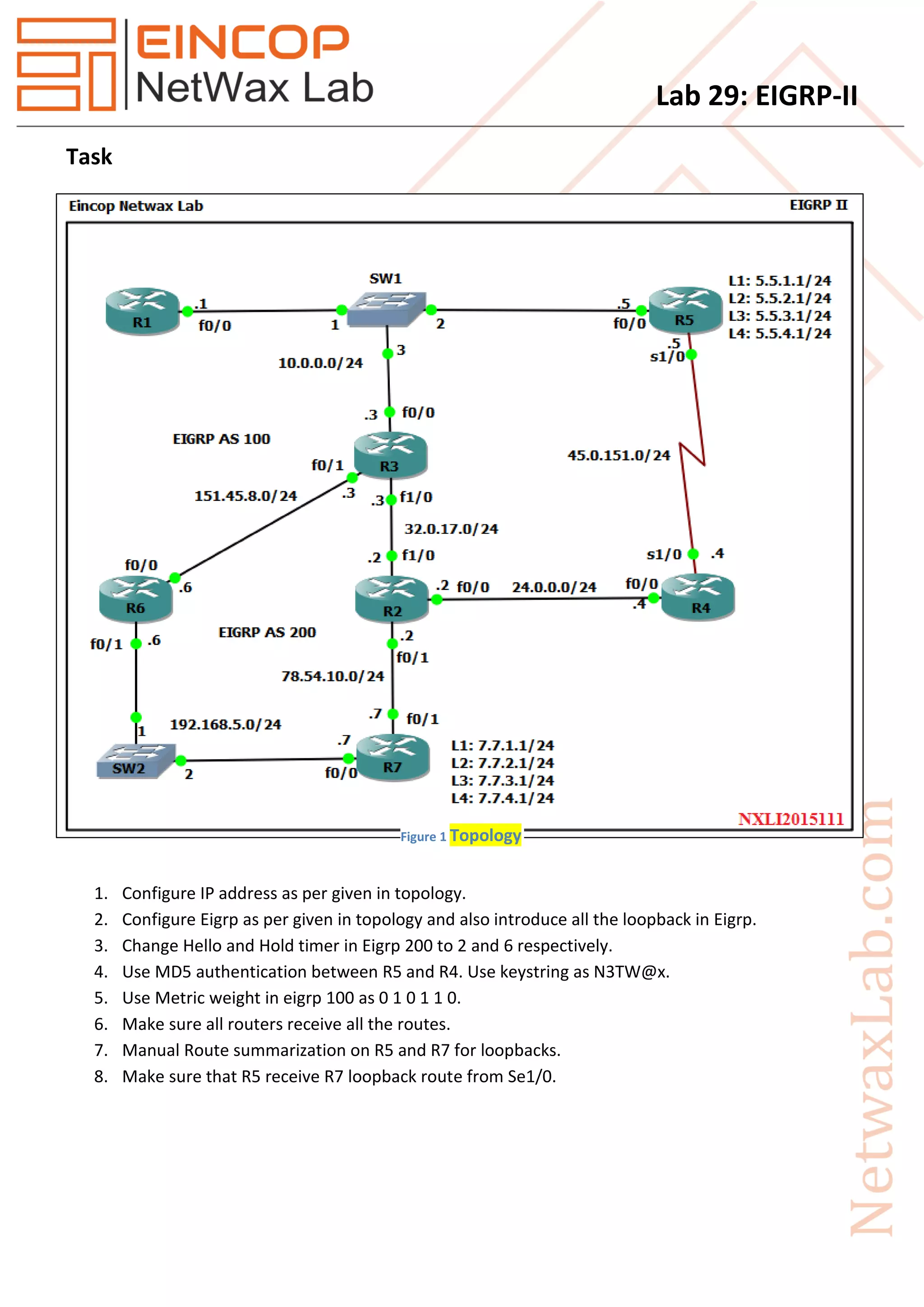
1. Configure IP address as per given in topology.
2. Configure Eigrp as per given in topology and also introduce all the loopback in Eigrp.
3. Change Hello and Hold timer in Eigrp 200 to 2 and 6 respectively.
4. Use MD5 authentication between R5 and R4. Use keystring as N3TW@x.
5. Use Metric weight in eigrp 100 as 0 1 0 1 1 0.
6. Make sure all routers receive all the routes.
7. Manual Route summarization on R5 and R7 for loopbacks.
8. Make sure that R5 receive R7 loopback route from Se1/0.
Figure 1 Topology
Lab 29: EIGRP-II
Solution
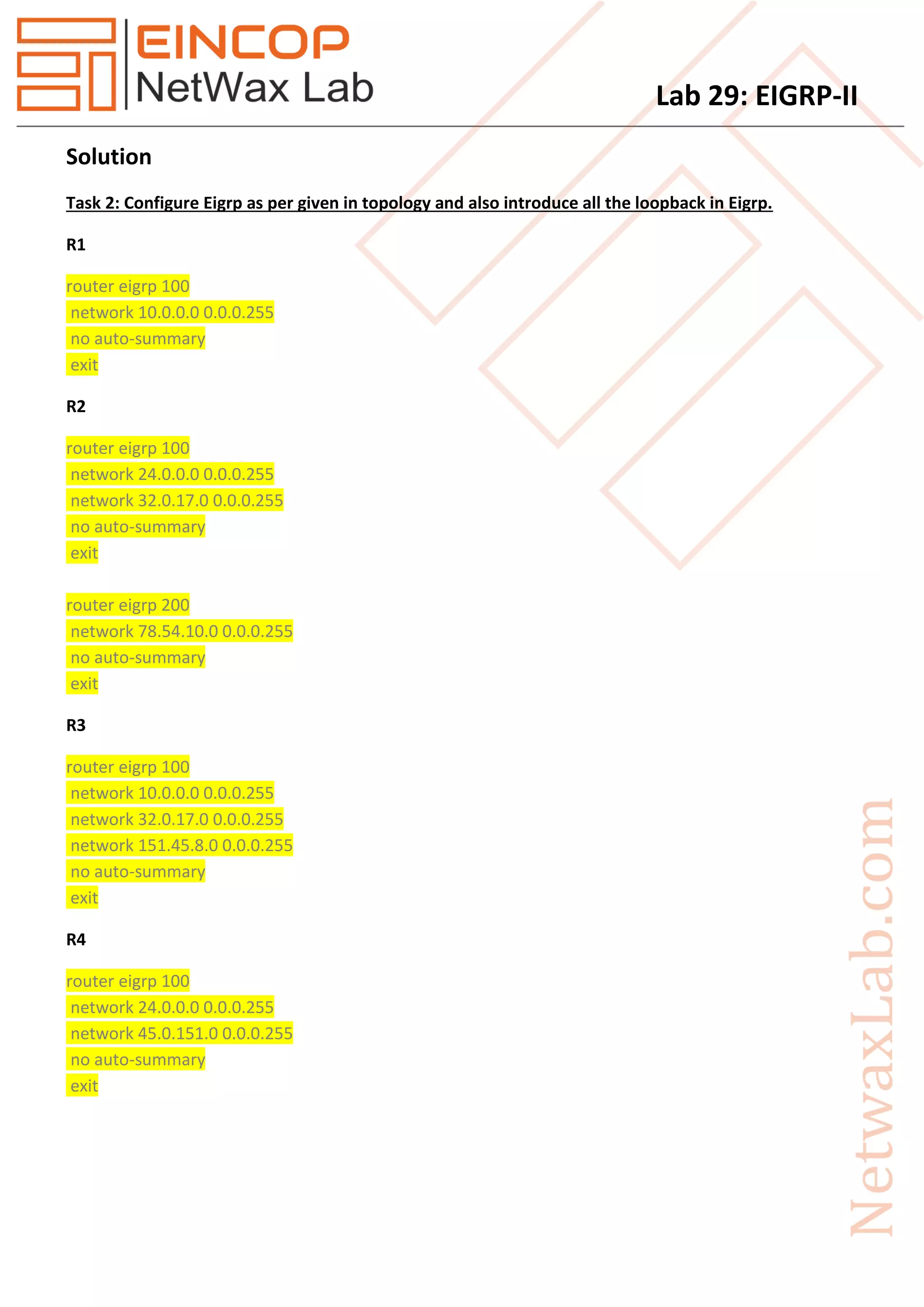
Task 2: Configure Eigrp as per given in topology and also introduce all the loopback in Eigrp.
R1
router eigrp 100
network 10.0.0.0 0.0.0.255
no auto-summary
exit
R2
router eigrp 100
network 24.0.0.0 0.0.0.255
network 32.0.17.0 0.0.0.255
no auto-summary
exit
router eigrp 200
network 78.54.10.0 0.0.0.255
no auto-summary
exit
R3
router eigrp 100
network 10.0.0.0 0.0.0.255
network 32.0.17.0 0.0.0.255
network 151.45.8.0 0.0.0.255
no auto-summary
exit
R4
router eigrp 100
network 24.0.0.0 0.0.0.255
network 45.0.151.0 0.0.0.255
no auto-summary
exit
Lab 29: EIGRP-II
R5
router eigrp 100
network 5.5.1.0 0.0.0.255
network 5.5.2.0 0.0.0.255
network 5.5.3.0 0.0.0.255
network 5.5.4.0 0.0.0.255
network 10.0.0.0 0.0.0.255
network 45.0.151.0 0.0.0.255
no auto-summary
exit
R6
router eigrp 100
network 151.45.8.0 0.0.0.255
no auto-summary
exit
router eigrp 200
network 192.168.5.0
no auto-summary
exit
R7
router eigrp 200
network 7.7.1.0 0.0.0.255
network 7.7.2.0 0.0.0.255
network 7.7.3.0 0.0.0.255
network 7.7.4.0 0.0.0.255
network 78.54.10.0 0.0.0.255
network 192.168.5.0
no auto-summary
exit
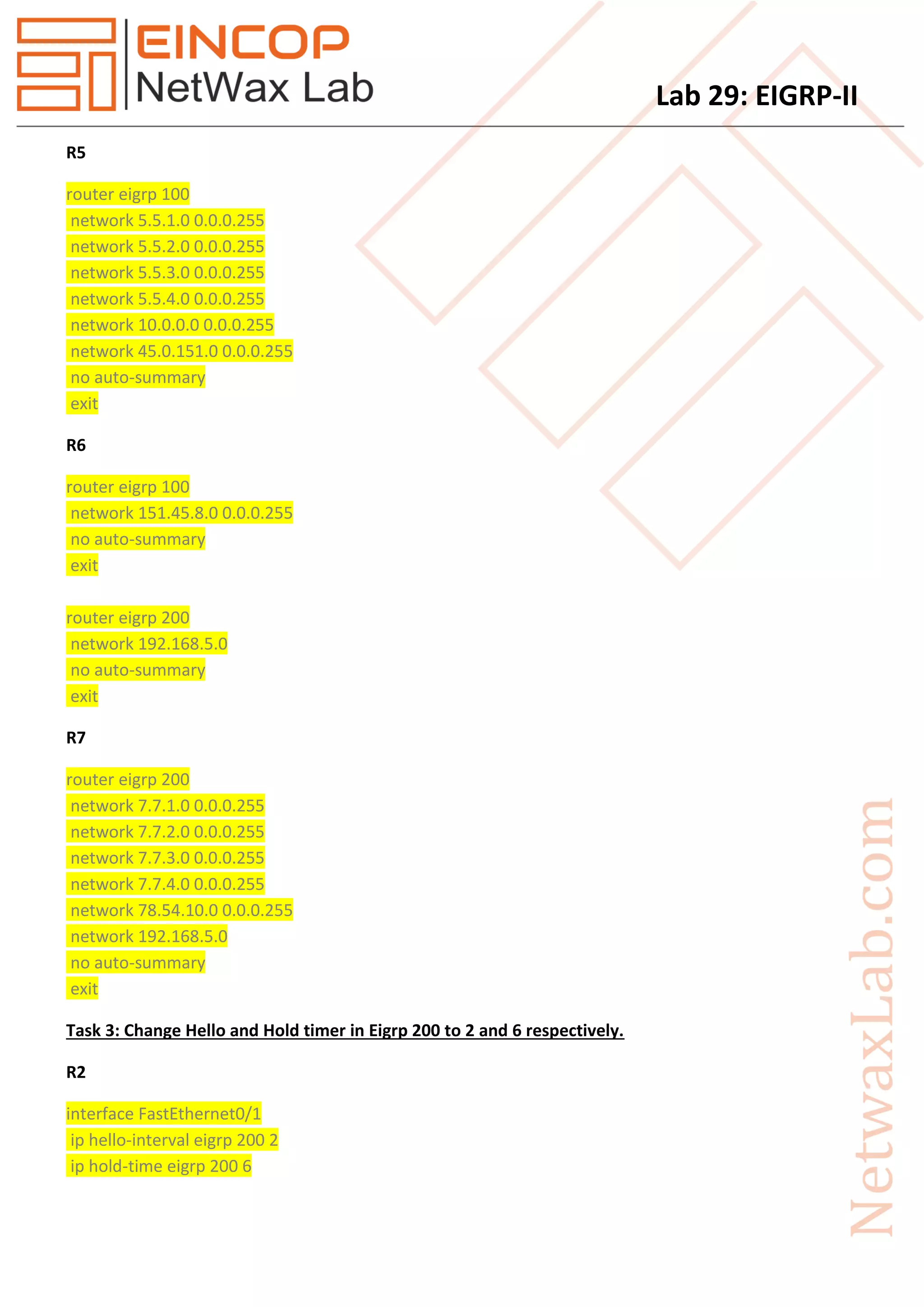
Task 3: Change Hello and Hold timer in Eigrp 200 to 2 and 6 respectively.
R2
interface FastEthernet0/1
ip hello-interval eigrp 200 2
ip hold-time eigrp 200 6
Lab 29: EIGRP-II
exit
R6
interface FastEthernet0/1
ip hello-interval eigrp 200 2
ip hold-time eigrp 200 6
exit
R7
interface FastEthernet0/0
ip hello-interval eigrp 200 2
ip hold-time eigrp 200 6
exit
interface FastEthernet0/1
ip hello-interval eigrp 200 2
ip hold-time eigrp 200 6
exit
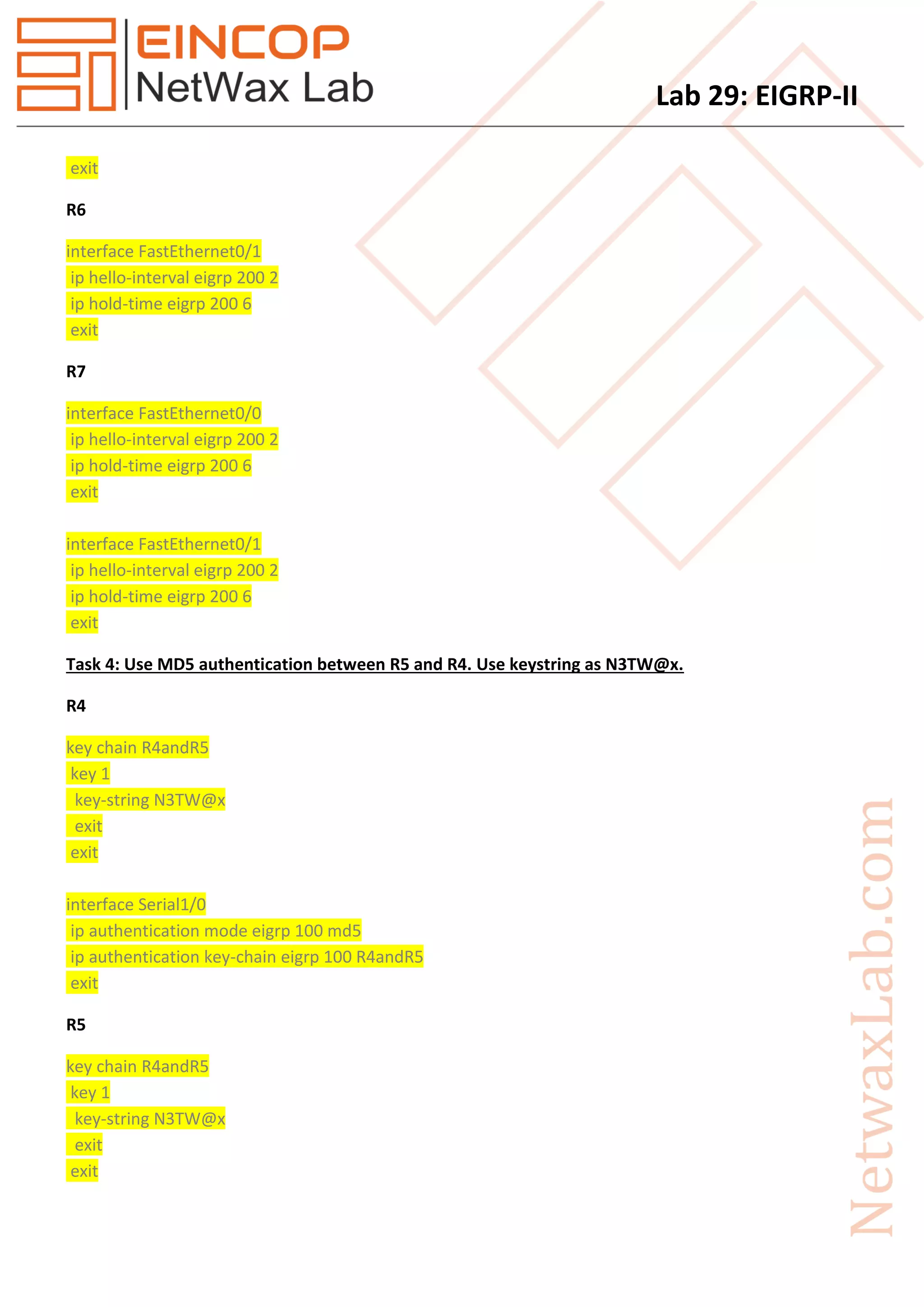
Task 4: Use MD5 authentication between R5 and R4. Use keystring as N3TW@x.
R4
key chain R4andR5
key 1
key-string N3TW@x
exit
exit
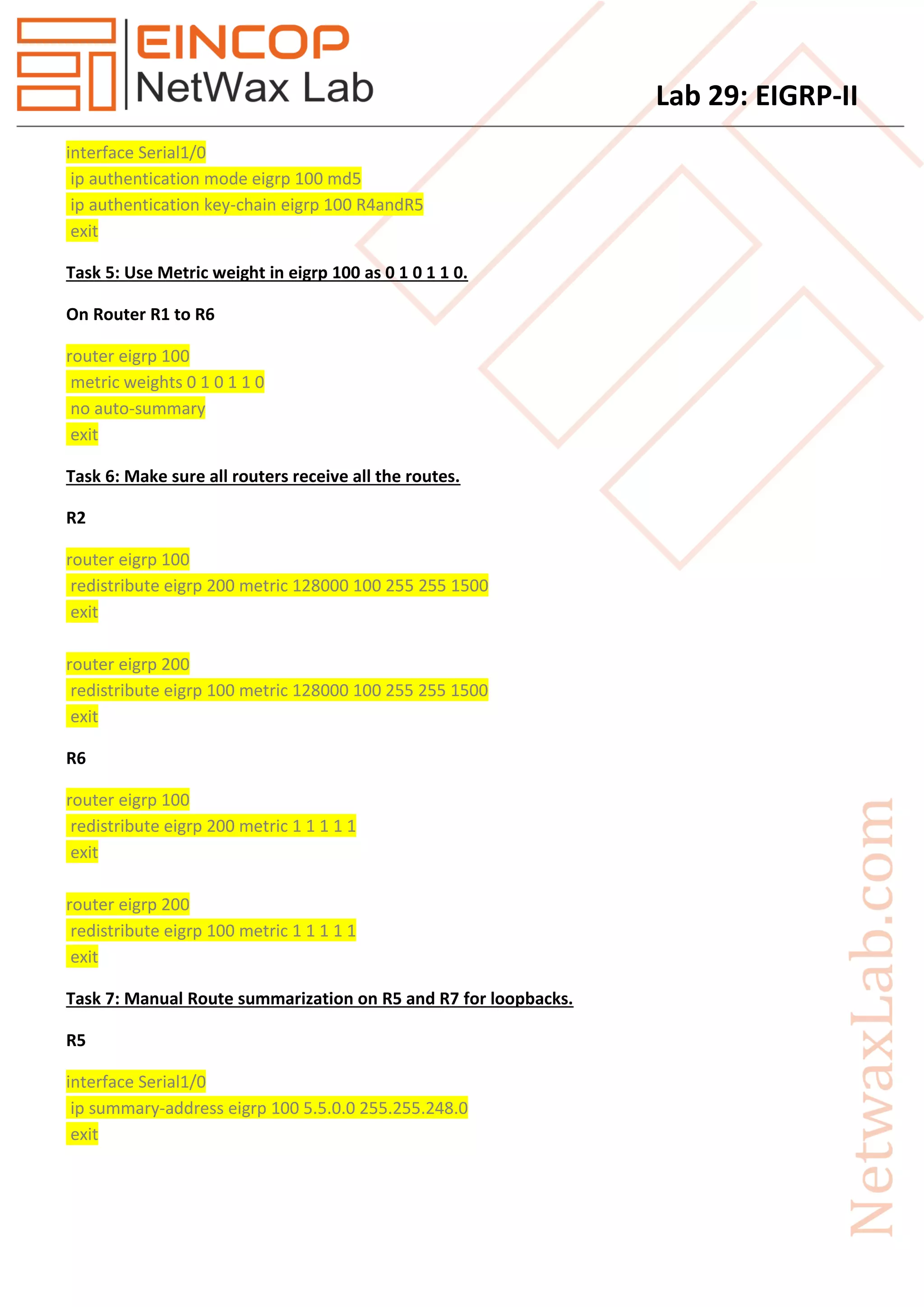
interface Serial1/0
ip authentication mode eigrp 100 md5
ip authentication key-chain eigrp 100 R4andR5
exit
R5
key chain R4andR5
key 1
key-string N3TW@x
exit
exit
Lab 29: EIGRP-II
interface Serial1/0
ip authentication mode eigrp 100 md5
ip authentication key-chain eigrp 100 R4andR5
exit
Task 5: Use Metric weight in eigrp 100 as 0 1 0 1 1 0.
On Router R1 to R6
router eigrp 100
metric weights 0 1 0 1 1 0
no auto-summary
exit
Task 6: Make sure all routers receive all the routes.
R2
router eigrp 100
redistribute eigrp 200 metric 128000 100 255 255 1500
exit
router eigrp 200
redistribute eigrp 100 metric 128000 100 255 255 1500
exit
R6
router eigrp 100
redistribute eigrp 200 metric 1 1 1 1 1
exit
router eigrp 200
redistribute eigrp 100 metric 1 1 1 1 1
exit
Task 7: Manual Route summarization on R5 and R7 for loopbacks.
R5
interface Serial1/0
ip summary-address eigrp 100 5.5.0.0 255.255.248.0
exit
Lab 29: EIGRP-II
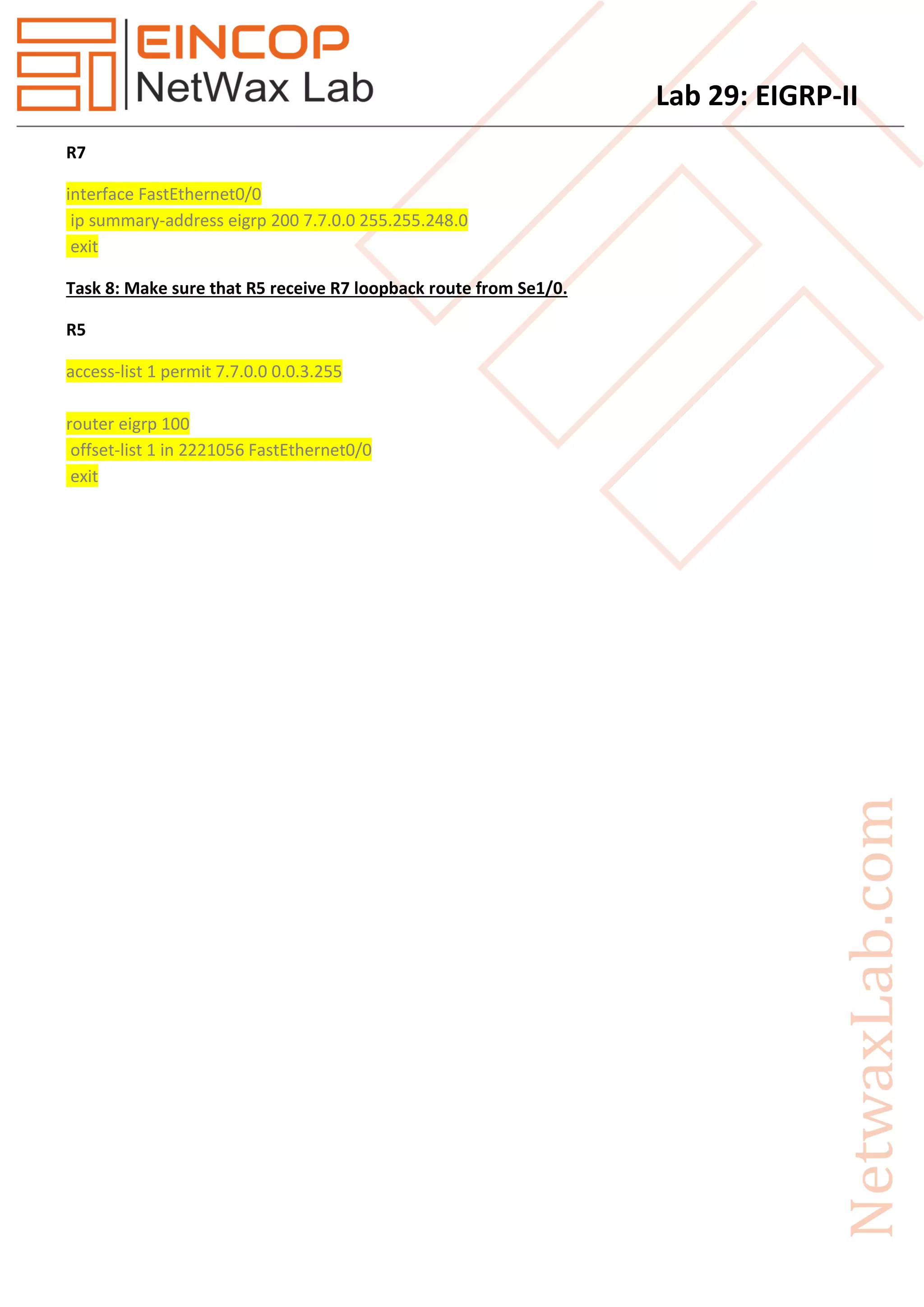
R7
interface FastEthernet0/0
ip summary-address eigrp 200 7.7.0.0 255.255.248.0
exit
Task 8: Make sure that R5 receive R7 loopback route from Se1/0.
R5
access-list 1 permit 7.7.0.0 0.0.3.255
router eigrp 100
offset-list 1 in 2221056 FastEthernet0/0
exit

Eincop Netwax Lab: EIGRP ii

  • 1.
    Lab 29: EIGRP-II Task 1.Configure IP address as per given in topology. 2. Configure Eigrp as per given in topology and also introduce all the loopback in Eigrp. 3. Change Hello and Hold timer in Eigrp 200 to 2 and 6 respectively. 4. Use MD5 authentication between R5 and R4. Use keystring as N3TW@x. 5. Use Metric weight in eigrp 100 as 0 1 0 1 1 0. 6. Make sure all routers receive all the routes. 7. Manual Route summarization on R5 and R7 for loopbacks. 8. Make sure that R5 receive R7 loopback route from Se1/0. Figure 1 Topology
  • 2.
    Lab 29: EIGRP-II Solution Task2: Configure Eigrp as per given in topology and also introduce all the loopback in Eigrp. R1 router eigrp 100 network 10.0.0.0 0.0.0.255 no auto-summary exit R2 router eigrp 100 network 24.0.0.0 0.0.0.255 network 32.0.17.0 0.0.0.255 no auto-summary exit router eigrp 200 network 78.54.10.0 0.0.0.255 no auto-summary exit R3 router eigrp 100 network 10.0.0.0 0.0.0.255 network 32.0.17.0 0.0.0.255 network 151.45.8.0 0.0.0.255 no auto-summary exit R4 router eigrp 100 network 24.0.0.0 0.0.0.255 network 45.0.151.0 0.0.0.255 no auto-summary exit
  • 3.
    Lab 29: EIGRP-II R5 routereigrp 100 network 5.5.1.0 0.0.0.255 network 5.5.2.0 0.0.0.255 network 5.5.3.0 0.0.0.255 network 5.5.4.0 0.0.0.255 network 10.0.0.0 0.0.0.255 network 45.0.151.0 0.0.0.255 no auto-summary exit R6 router eigrp 100 network 151.45.8.0 0.0.0.255 no auto-summary exit router eigrp 200 network 192.168.5.0 no auto-summary exit R7 router eigrp 200 network 7.7.1.0 0.0.0.255 network 7.7.2.0 0.0.0.255 network 7.7.3.0 0.0.0.255 network 7.7.4.0 0.0.0.255 network 78.54.10.0 0.0.0.255 network 192.168.5.0 no auto-summary exit Task 3: Change Hello and Hold timer in Eigrp 200 to 2 and 6 respectively. R2 interface FastEthernet0/1 ip hello-interval eigrp 200 2 ip hold-time eigrp 200 6
  • 4.
    Lab 29: EIGRP-II exit R6 interfaceFastEthernet0/1 ip hello-interval eigrp 200 2 ip hold-time eigrp 200 6 exit R7 interface FastEthernet0/0 ip hello-interval eigrp 200 2 ip hold-time eigrp 200 6 exit interface FastEthernet0/1 ip hello-interval eigrp 200 2 ip hold-time eigrp 200 6 exit Task 4: Use MD5 authentication between R5 and R4. Use keystring as N3TW@x. R4 key chain R4andR5 key 1 key-string N3TW@x exit exit interface Serial1/0 ip authentication mode eigrp 100 md5 ip authentication key-chain eigrp 100 R4andR5 exit R5 key chain R4andR5 key 1 key-string N3TW@x exit exit
  • 5.
    Lab 29: EIGRP-II interfaceSerial1/0 ip authentication mode eigrp 100 md5 ip authentication key-chain eigrp 100 R4andR5 exit Task 5: Use Metric weight in eigrp 100 as 0 1 0 1 1 0. On Router R1 to R6 router eigrp 100 metric weights 0 1 0 1 1 0 no auto-summary exit Task 6: Make sure all routers receive all the routes. R2 router eigrp 100 redistribute eigrp 200 metric 128000 100 255 255 1500 exit router eigrp 200 redistribute eigrp 100 metric 128000 100 255 255 1500 exit R6 router eigrp 100 redistribute eigrp 200 metric 1 1 1 1 1 exit router eigrp 200 redistribute eigrp 100 metric 1 1 1 1 1 exit Task 7: Manual Route summarization on R5 and R7 for loopbacks. R5 interface Serial1/0 ip summary-address eigrp 100 5.5.0.0 255.255.248.0 exit
  • 6.
    Lab 29: EIGRP-II R7 interfaceFastEthernet0/0 ip summary-address eigrp 200 7.7.0.0 255.255.248.0 exit Task 8: Make sure that R5 receive R7 loopback route from Se1/0. R5 access-list 1 permit 7.7.0.0 0.0.3.255 router eigrp 100 offset-list 1 in 2221056 FastEthernet0/0 exit