1
IPTABLES LAB
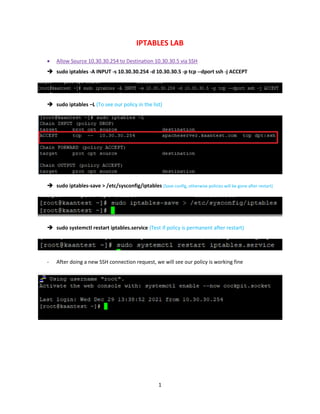
 Allow Source 10.30.30.254 to Destination 10.30.30.5 via SSH
 sudo iptables -A INPUT -s 10.30.30.254 -d 10.30.30.5 -p tcp --dport ssh -j ACCEPT
 sudo iptables –L (To see our policy in the list)
 sudo iptables-save > /etc/sysconfig/iptables (Save config, otherwise policies will be gone after restart)
 sudo systemctl restart iptables.service (Test if policy is permanent after restart)
- After doing a new SSH connection request, we will see our policy is working fine
2
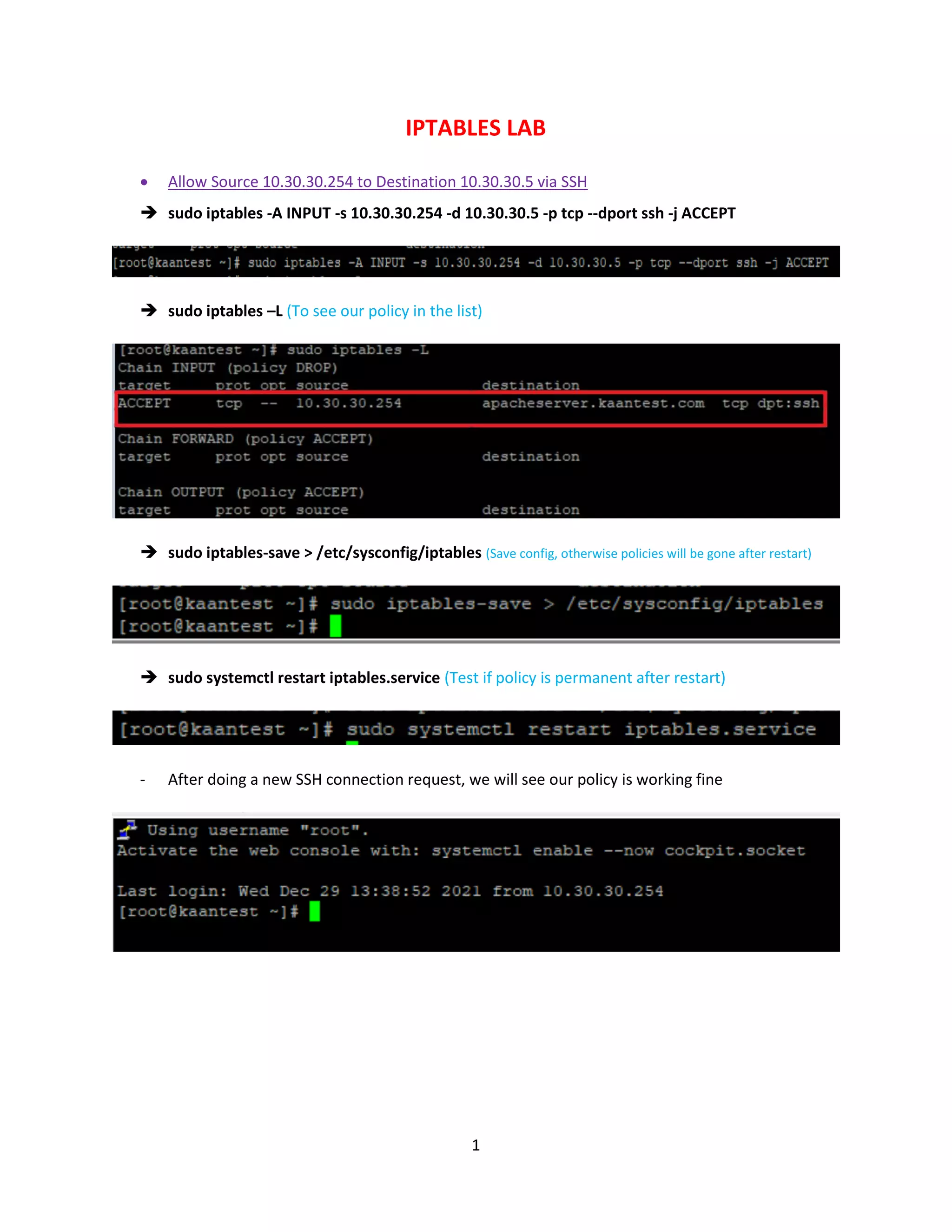
 What if we change our source IP and try again?
Answer: It will be matched with the “INPUT DROP POLICY” and drop our SSH connection request.
3
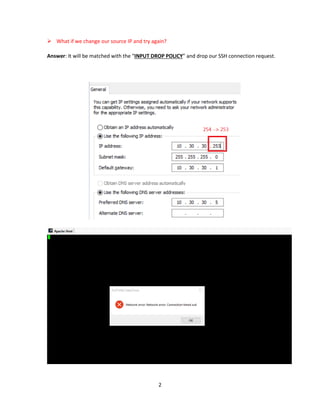
 Allow DNS, HTTP, HTTPS Source 10.30.30.254 Destination 10.30.30.5
 sudo iptables -A INPUT -s 10.30.30.254 -d 10.30.30.5 -p tcp --dport http -j ACCEPT
 sudo iptables -A INPUT -s 10.30.30.254 -d 10.30.30.5 -p tcp --dport https -j ACCEPT
 sudo iptables -A INPUT -s 10.30.30.254 -d 10.30.30.5 -p tcp --dport 53 -j ACCEPT
 sudo iptables –L (To see our policy in the list)
 sudo iptables-save > /etc/sysconfig/iptables (Save config, otherwise policies will be gone after restart)
 sudo iptables -D INPUT -s 10.30.30.254 -d 10.30.30.5 -p tcp --dport 53 -j ACCEPT
“-D” is deleting policy. Now we deleted the DNS access and when we will send “telnet” request to
our BIND server, we will not have a successful connection
But also we didn’t save the config to /etc/sysconfig/iptables so after restarting the iptables service
we expect to see our saved “Allow 53 “ policy
4
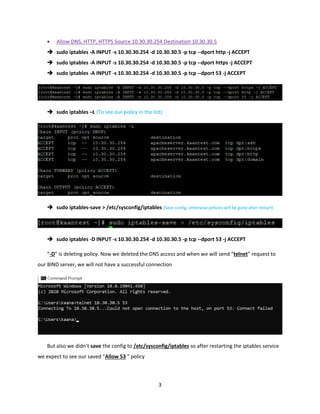
 sudo systemctl restart iptables.service (Test if policy is permanent after restart)
 sudo iptables –L
To send the connection request if we have access to our server via 53 port:
 telnet 10.30.30.5 53
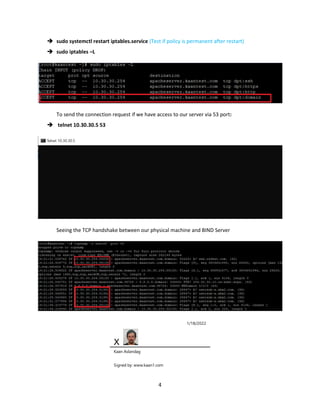
Seeing the TCP handshake between our physical machine and BIND Server
1/18/2022
X
Kaan Aslandag
Signed by: www.kaan1.com

IPTables Lab

  • 1.
    1 IPTABLES LAB  AllowSource 10.30.30.254 to Destination 10.30.30.5 via SSH  sudo iptables -A INPUT -s 10.30.30.254 -d 10.30.30.5 -p tcp --dport ssh -j ACCEPT  sudo iptables –L (To see our policy in the list)  sudo iptables-save > /etc/sysconfig/iptables (Save config, otherwise policies will be gone after restart)  sudo systemctl restart iptables.service (Test if policy is permanent after restart) - After doing a new SSH connection request, we will see our policy is working fine
  • 2.
    2  What ifwe change our source IP and try again? Answer: It will be matched with the “INPUT DROP POLICY” and drop our SSH connection request.
  • 3.
    3  Allow DNS,HTTP, HTTPS Source 10.30.30.254 Destination 10.30.30.5  sudo iptables -A INPUT -s 10.30.30.254 -d 10.30.30.5 -p tcp --dport http -j ACCEPT  sudo iptables -A INPUT -s 10.30.30.254 -d 10.30.30.5 -p tcp --dport https -j ACCEPT  sudo iptables -A INPUT -s 10.30.30.254 -d 10.30.30.5 -p tcp --dport 53 -j ACCEPT  sudo iptables –L (To see our policy in the list)  sudo iptables-save > /etc/sysconfig/iptables (Save config, otherwise policies will be gone after restart)  sudo iptables -D INPUT -s 10.30.30.254 -d 10.30.30.5 -p tcp --dport 53 -j ACCEPT “-D” is deleting policy. Now we deleted the DNS access and when we will send “telnet” request to our BIND server, we will not have a successful connection But also we didn’t save the config to /etc/sysconfig/iptables so after restarting the iptables service we expect to see our saved “Allow 53 “ policy
  • 4.
    4  sudo systemctlrestart iptables.service (Test if policy is permanent after restart)  sudo iptables –L To send the connection request if we have access to our server via 53 port:  telnet 10.30.30.5 53 Seeing the TCP handshake between our physical machine and BIND Server 1/18/2022 X Kaan Aslandag Signed by: www.kaan1.com