i3
                    imagine • inspire • innovate
           iPad Workshop Feb. 8, 2013, Whistler Secondary
                     Supporting All Learners


We are honoured to be learning on the Traditional Territory of the S ḵ wxwú7mesh
                                                                         ̱
                       Úxwumixw and St’át’imc Nation.
Introductions

• Who are we?

• Who are you?
• Elem? Middle or Secondary? Zones?
• Out of district?

• “I want my iPad!”

• #sd48ipads is our new Twitter hashtag
What the Morning Looks Like

•   Introductions and agenda
•   The bandwidth thing
•   The “should nots and shoulds” of technology
•   Some apps to get us started
•   Rubrics and checklists for app selection
•   Break “ticket” - “Stickies” for interest areas
•   Sharing time in small groups
•   Practical questions in the parking lot
•   Lunch
What the Afternoon Looks Like

•   Reconvene for some practical answers
•   Apple TV demo
•   Lesson Design Framing
•   Time to build lessons
•   Break
•   Time to finish and test
•   A brief sharing out with the group
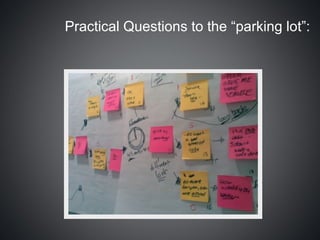
Practical Questions to the “parking lot”:
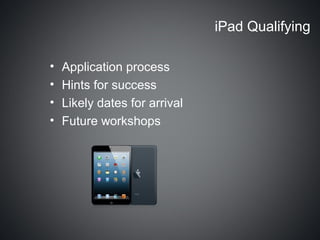
iPad Qualifying

•   Application process
•   Hints for success
•   Likely dates for arrival
•   Future workshops
Keep it Clean!

• Use only a soft, lint-free cloth. Abrasive cloths,
  towels, paper towels, and similar items may cause
  damage to the item.
• Disconnect your Apple product from any external
  power sources.
• Disconnect any external devices and other cabling
  from the product.
• Keep liquids away from the product.
• Don’t get moisture into any openings, and don't use
  aerosol sprays, solvents, or abrasives.
• Do not spray cleaners directly onto the item.
Learning Intentions for Today


1. My comfort with the iPad has increased
2. I am aware of several more apps I can use
   in my classroom with some preparation
3. I have at least one tech-rich lesson that is
   ready to go that will help a struggling
   learner be more successful
Bandwidth: A Cautionary Tale

• iPads don’t want to connect to a wifi under
  0.5mg/s (WSS “limiter” set at 512k)
• Elementary schools have “up to” 10mg/s
• Secondary schools have “up to” 30mg/s
• Access points usually have “up to” 6-7 mg/s

•   360p Video (med res.)
•   Bits Per Second (down): 900Kbps - 1.1Mbps
•   Bits Per Second (up): 15-20 Kbps
•   Data used per 5 minute video: 13.333MB
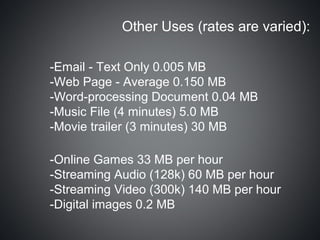
Other Uses (rates are varied):

-Email - Text Only 0.005 MB
-Web Page - Average 0.150 MB
-Word-processing Document 0.04 MB
-Music File (4 minutes) 5.0 MB
-Movie trailer (3 minutes) 30 MB

-Online Games 33 MB per hour
-Streaming Audio (128k) 60 MB per hour
-Streaming Video (300k) 140 MB per hour
-Digital images 0.2 MB
Do you have enough bandwidth?


Pre-lesson testing is not a bad idea!


• Speedtest X
THE “NOTS” OF
TECHNOLOGY
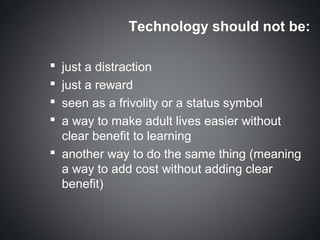
Technology should not be:

 just a distraction
 just a reward
 seen as a frivolity or a status symbol
 a way to make adult lives easier without
  clear benefit to learning
 another way to do the same thing (meaning
  a way to add cost without adding clear
  benefit)
Technology should be:
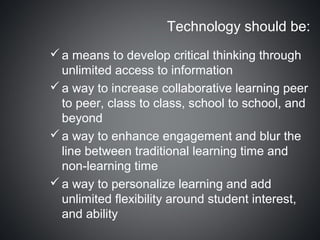
 a means to develop critical thinking through
  unlimited access to information
 a way to increase collaborative learning peer
  to peer, class to class, school to school, and
  beyond
 a way to enhance engagement and blur the
  line between traditional learning time and
  non-learning time
 a way to personalize learning and add
  unlimited flexibility around student interest,
  and ability
Technology could also …

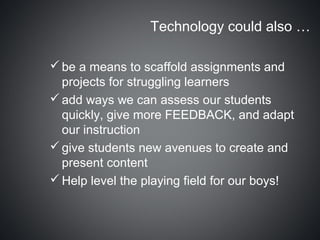
 be a means to scaffold assignments and
  projects for struggling learners
 add ways we can assess our students
  quickly, give more FEEDBACK, and adapt
  our instruction
 give students new avenues to create and
  present content
 Help level the playing field for our boys!
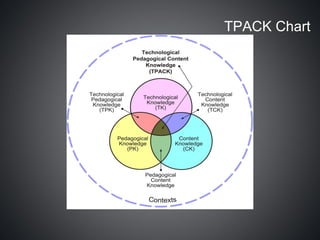
TPACK Chart
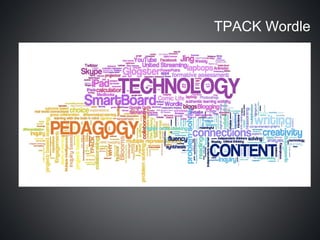
TPACK Wordle
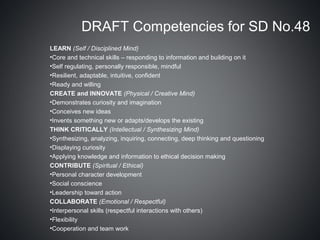
DRAFT Competencies for SD No.48
LEARN (Self / Disciplined Mind)
•Core and technical skills – responding to information and building on it
•Self regulating, personally responsible, mindful
•Resilient, adaptable, intuitive, confident
•Ready and willing
CREATE and INNOVATE (Physical / Creative Mind)
•Demonstrates curiosity and imagination
•Conceives new ideas
•Invents something new or adapts/develops the existing
THINK CRITICALLY (Intellectual / Synthesizing Mind)
•Synthesizing, analyzing, inquiring, connecting, deep thinking and questioning
•Displaying curiosity
•Applying knowledge and information to ethical decision making
CONTRIBUTE (Spiritual / Ethical)
•Personal character development
•Social conscience
•Leadership toward action
COLLABORATE (Emotional / Respectful)
•Interpersonal skills (respectful interactions with others)
•Flexibility
•Cooperation and team work
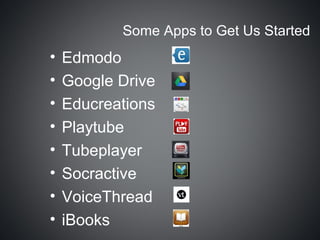
Some Apps to Get Us Started
•   Edmodo
•   Google Drive
•   Educreations
•   Playtube
•   Tubeplayer
•   Socractive
•   VoiceThread
•   iBooks
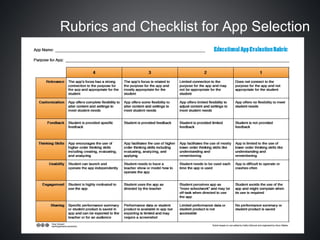
Rubrics and Checklist for App Selection
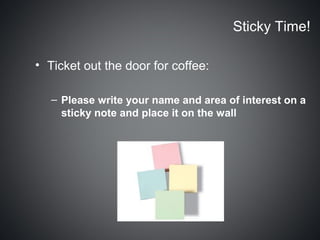
Sticky Time!

• Ticket out the door for coffee:

   – Please write your name and area of interest on a
     sticky note and place it on the wall
Coffee
Small Group Sharing Time


• Please sit with your curricular groups, share
  apps that you like, and collaborate about
  possible ways to integrate them into your
  classrooms to improve learning
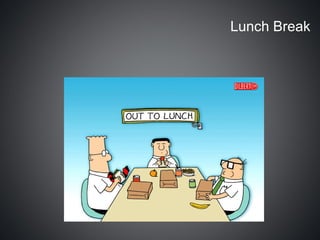
Lunch Break
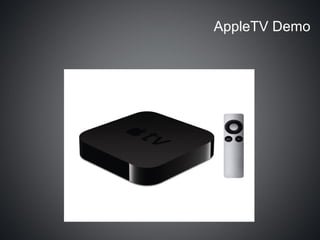
AppleTV Demo
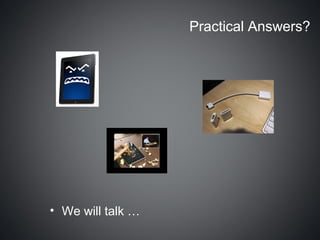
Practical Answers?


• We will talk …
iPad Lesson Design

Some guiding questions:

1.What are your learning intentions?
2.Which students are you most concerned about?
3.How can the apps support and scaffold learning for
these students?
4.How can the apps extend everyone’s learning?
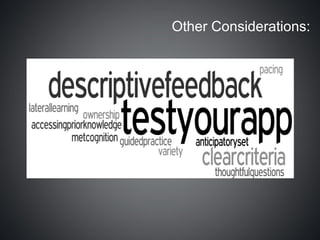
Other Considerations:
Planning Time:
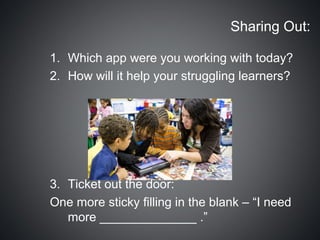
Sharing Out:

1. Which app were you working with today?
2. How will it help your struggling learners?


3. Ticket out the door:
One more sticky filling in the blank – “I need
   more ______________ .”
Hopefully this time was useful to you.
      Have a safe trip home.

I pad workshop supporting all learners

  • 1.
    i3 imagine • inspire • innovate iPad Workshop Feb. 8, 2013, Whistler Secondary Supporting All Learners We are honoured to be learning on the Traditional Territory of the S ḵ wxwú7mesh ̱ Úxwumixw and St’át’imc Nation.
  • 2.
    Introductions • Who arewe? • Who are you? • Elem? Middle or Secondary? Zones? • Out of district? • “I want my iPad!” • #sd48ipads is our new Twitter hashtag
  • 3.
    What the MorningLooks Like • Introductions and agenda • The bandwidth thing • The “should nots and shoulds” of technology • Some apps to get us started • Rubrics and checklists for app selection • Break “ticket” - “Stickies” for interest areas • Sharing time in small groups • Practical questions in the parking lot • Lunch
  • 4.
    What the AfternoonLooks Like • Reconvene for some practical answers • Apple TV demo • Lesson Design Framing • Time to build lessons • Break • Time to finish and test • A brief sharing out with the group
  • 5.
    Practical Questions tothe “parking lot”:
  • 6.
    iPad Qualifying • Application process • Hints for success • Likely dates for arrival • Future workshops
  • 7.
    Keep it Clean! •Use only a soft, lint-free cloth. Abrasive cloths, towels, paper towels, and similar items may cause damage to the item. • Disconnect your Apple product from any external power sources. • Disconnect any external devices and other cabling from the product. • Keep liquids away from the product. • Don’t get moisture into any openings, and don't use aerosol sprays, solvents, or abrasives. • Do not spray cleaners directly onto the item.
  • 8.
    Learning Intentions forToday 1. My comfort with the iPad has increased 2. I am aware of several more apps I can use in my classroom with some preparation 3. I have at least one tech-rich lesson that is ready to go that will help a struggling learner be more successful
  • 9.
    Bandwidth: A CautionaryTale • iPads don’t want to connect to a wifi under 0.5mg/s (WSS “limiter” set at 512k) • Elementary schools have “up to” 10mg/s • Secondary schools have “up to” 30mg/s • Access points usually have “up to” 6-7 mg/s • 360p Video (med res.) • Bits Per Second (down): 900Kbps - 1.1Mbps • Bits Per Second (up): 15-20 Kbps • Data used per 5 minute video: 13.333MB
  • 10.
    Other Uses (ratesare varied): -Email - Text Only 0.005 MB -Web Page - Average 0.150 MB -Word-processing Document 0.04 MB -Music File (4 minutes) 5.0 MB -Movie trailer (3 minutes) 30 MB -Online Games 33 MB per hour -Streaming Audio (128k) 60 MB per hour -Streaming Video (300k) 140 MB per hour -Digital images 0.2 MB
  • 11.
    Do you haveenough bandwidth? Pre-lesson testing is not a bad idea! • Speedtest X
  • 12.
  • 13.
    Technology should notbe:  just a distraction  just a reward  seen as a frivolity or a status symbol  a way to make adult lives easier without clear benefit to learning  another way to do the same thing (meaning a way to add cost without adding clear benefit)
  • 14.
    Technology should be: a means to develop critical thinking through unlimited access to information  a way to increase collaborative learning peer to peer, class to class, school to school, and beyond  a way to enhance engagement and blur the line between traditional learning time and non-learning time  a way to personalize learning and add unlimited flexibility around student interest, and ability
  • 15.
    Technology could also…  be a means to scaffold assignments and projects for struggling learners  add ways we can assess our students quickly, give more FEEDBACK, and adapt our instruction  give students new avenues to create and present content  Help level the playing field for our boys!
  • 17.
  • 18.
  • 19.
    DRAFT Competencies forSD No.48 LEARN (Self / Disciplined Mind) •Core and technical skills – responding to information and building on it •Self regulating, personally responsible, mindful •Resilient, adaptable, intuitive, confident •Ready and willing CREATE and INNOVATE (Physical / Creative Mind) •Demonstrates curiosity and imagination •Conceives new ideas •Invents something new or adapts/develops the existing THINK CRITICALLY (Intellectual / Synthesizing Mind) •Synthesizing, analyzing, inquiring, connecting, deep thinking and questioning •Displaying curiosity •Applying knowledge and information to ethical decision making CONTRIBUTE (Spiritual / Ethical) •Personal character development •Social conscience •Leadership toward action COLLABORATE (Emotional / Respectful) •Interpersonal skills (respectful interactions with others) •Flexibility •Cooperation and team work
  • 20.
    Some Apps toGet Us Started • Edmodo • Google Drive • Educreations • Playtube • Tubeplayer • Socractive • VoiceThread • iBooks
  • 21.
    Rubrics and Checklistfor App Selection
  • 22.
    Sticky Time! • Ticketout the door for coffee: – Please write your name and area of interest on a sticky note and place it on the wall
  • 23.
  • 24.
    Small Group SharingTime • Please sit with your curricular groups, share apps that you like, and collaborate about possible ways to integrate them into your classrooms to improve learning
  • 25.
  • 26.
  • 27.
  • 28.
    iPad Lesson Design Someguiding questions: 1.What are your learning intentions? 2.Which students are you most concerned about? 3.How can the apps support and scaffold learning for these students? 4.How can the apps extend everyone’s learning?
  • 29.
  • 30.
  • 31.
    Sharing Out: 1. Whichapp were you working with today? 2. How will it help your struggling learners? 3. Ticket out the door: One more sticky filling in the blank – “I need more ______________ .”
  • 32.
    Hopefully this timewas useful to you. Have a safe trip home.