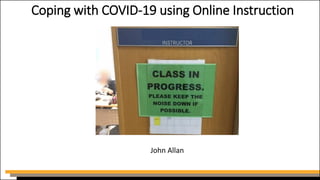
Coping with COVID-19 using Online Instruction
John Allan
Available after the webinar
•PowerPoint file
•webinar recording
•resources handout (with active links)
Session Path
•Meeting challenges
•Online opportunities
•Online facilitating
•Questions and answers
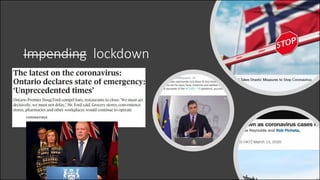
Impending lockdown
Challenges
•What are they and how do we meet them?
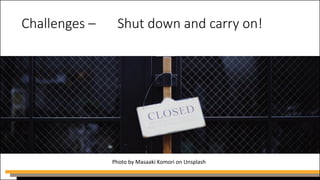
Challenges – Shut down and carry on!
Photo by Masaaki Komori on Unsplash
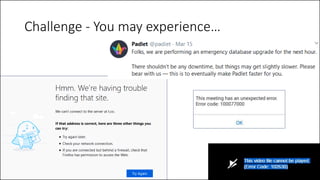
Challenge - You may experience…
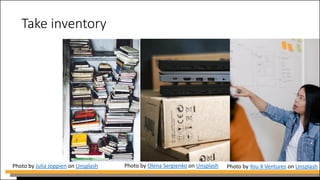
Take inventory
Photo by Julia Joppien on Unsplash Photo by Olena Sergienko on Unsplash Photo by You X Ventures on Unsplash
Inventory - available resources
•reliable internet access
•digital communications arrangements
•appropriate contemporary technology
•teachers’ laptops, video cameras, headsets
•learning management system (LMS)
•courses on LMS?
•licensed apps and software
•align expectations with existing technology
Inventory - in-house expertise
• certified blended learning instructors
• edtech champions
• culture of learning? (will make transition easier)
Photo by STIL on Unsplash
Inventory - content delivery modes
• textbooks (paper)
• e-books
• mobile apps
• learning management system
• photocopied module packs
• memory sticks
• virtual classroom
• mail/courier
Photo by Keith King on Unsplash
Inventory - administration
• contacts database up to date?
• phone numbers
• email addresses
• revise course schedules
• inform students that they will be
completing work without the
instructor present
Photo by LinkedIn Sales Navigator on Unsplash
Inventory - student readiness
•hardware: laptop, workstation, smart device, printer, headset
•software / apps
•home or accessible public internet access
•Communication support
•access to IT support phone number, email addresses
•personal support line
•confirm a suitable home learning space
It’s a fact!
Teachers love
change!
Challenge - individual instructor issues
•learning unfamiliar technologies
•keep students engaged for a few weeks or to closure
•start online at a gentler pace in the beginning
•personal balance (self-care)
•prioritize tasks breaks
•leave your home - walk
•procrastination (distractions/ family responsibilities)
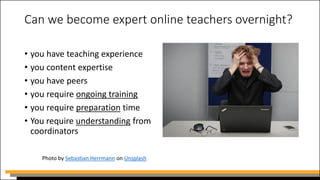
Can we become expert online teachers overnight?
• you have teaching experience
• you content expertise
• you have peers
• you require ongoing training
• you require preparation time
• You require understanding from
coordinators
Photo by Sebastian Herrmann on Unsplash
Required instructor support
•timely tech support
•appropriate technology
•adequate internet access
•clear expectations/ directions
•home workspace
Challenge - management issues
•coordinating unfamiliar technologies
•managing cultural change
•expect:
• confusion
• strong emotions
• resistance
• new leaders to emerge
• pleasant surprises
Challenge - management issues
•THE FIRST WEEK OF FULLY ONLINE TEACHING
• Arrange as much support as possible
• Listen to instructors’ issues
• Consult edtech champions
• Know that it will be much better in week 2
Online opportunities
Photo by Moritz Kindler on Unsplash
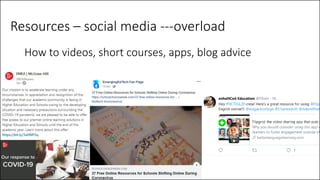
Resources – social media ---overload
How to videos, short courses, apps, blog advice
Resources –
limited freebies
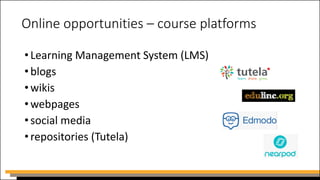
Online opportunities – course platforms
•Learning Management System (LMS)
•blogs
•wikis
•webpages
•social media
•repositories (Tutela)
Online opportunities - quizzes
•Learning Management System (LMS)
•Quizizz
•EdPuzzle
•H5P (no longer free)
•Socrative
•Kahoot
•TedEd Lessons
Online opportunities – quizzes
•Quizzes should be:
• formative
• very low, low, low-stakes
• not taken from the normal quiz bank
• highest, mean or last score
• randomize questions (pools)
• no trick questions
• less weight on quizzes more on
productive tasks
Online opportunities – 2 weeks into the closure
•add variety
•relieve claustrophobia
•challenge learners to:
• create
• communicate
• think
• cooperate
• design
• demonstrate comprehension
Photo by NordWood Themes on Unsplash
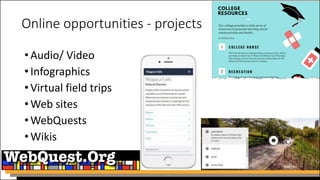
Online opportunities - projects
•Audio/ Video
•Infographics
•Virtual field trips
•Web sites
•WebQuests
•Wikis
Online opportunities – current events
•Breaking News English
•27 pages of activities
•6 levels
•Audio in UK and US English
•Two new items each week
•Thousands of archived themes
Online opportunities – vocabulary
•Quizlet
•free
•millions of digital and printable vocabulary lists
•image, audio compatible
•multiple activities with each studyset
•instant feedback – spelling
•easy to author new study sets
Online opportunities – extensive reading
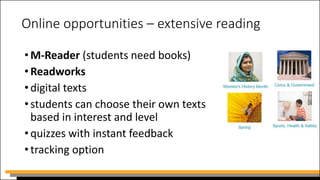
•M-Reader (students need books)
•Readworks
•digital texts
•students can choose their own texts
based in interest and level
•quizzes with instant feedback
•tracking option
Online opportunities – student concordancing
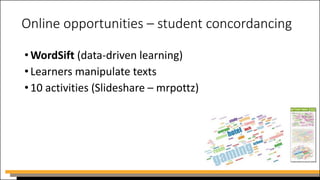
•WordSift (data-driven learning)
•Learners manipulate texts
•10 activities (Slideshare – mrpottz)
Online opportunities – virtual tours
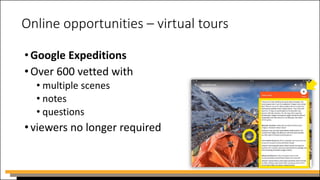
•Google Expeditions
•Over 600 vetted with
• multiple scenes
• notes
• questions
•viewers no longer required
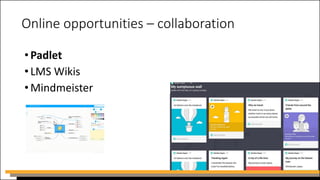
Online opportunities – collaboration
•Padlet
•LMS Wikis
•Mindmeister
Online opportunities - content creation
•online resources using templates/forms
• eg: Quizlet, Kahoot, Moodle quiz
•Simulations – record screen actions
• Windows 10 - Windows Key + G
• Screencast-o-matic
• Snagit
Online opportunities - content creation
•online media editors
•Audio - Audacity
•Video - KapWing
•Images – Pixl.r
•App media editors
• App Store or Google Play
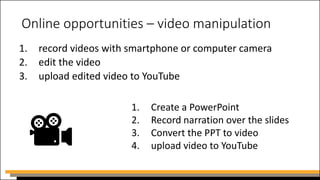
Online opportunities – video manipulation
1. record videos with smartphone or computer camera
2. edit the video
3. upload edited video to YouTube
1. Create a PowerPoint
2. Record narration over the slides
3. Convert the PPT to video
4. upload video to YouTube
Good practices - communication
•set up an online best practice sharing resource
Good practices - communication
•use one way communication to broadcast news
• News, notifications, announcements
•use asynchronous discussion to answer questions or
clarify issues
• Forums, messaging
•use synchronous discussions to debate, clarify
complex issues
• Video call, chat, VOIP, audio call, texting
Good practices - communication
•questions and answer forum, Q and A
your students will know where to find answers to
common questions
•you can avoid answering the same question multiple
times
•you can better manage your time, as it will reduce the
number of emails that you get
Good practices - communication
• use synchronous tools for open office hours
• set-up alternate options for communication – phone, email,
texting
• students might be new to learning online. Create a class Code of
Conduct for online interactions
• reserve a daily time for reading and replying to emails,
messages, and discussion posts not throughout the day
• (eg: I will respond to email within 24 hours)
Good practices - timing
•stay at least one week ahead of the students with your
development
•hide content from students until it is appropriate
•use conditional release
Good practices - consistency
•set course routines
•course materials
•communication
•distribution of materials
•assessment
•be punctual
Good practices – at risk students
•check student access logs
•require digital check-ins for attendance reporting
•assign forum questions
•assign a student blog (journal)
Good practices – virtual classes (BEFORE)
•choose the tool (BigBlueButton, Connect, Zoom)
•ensure students have headsets with a microphone
•ensure students’ headsets are working
•assign prework (reading, viewing, researching…)
•preload media (PPT, Image, video, animation)
•practice technology before you go live
Good practices – virtual (DURING)
•mute all student microphones at start
•cameras on/off (student privacy) <your choice>
•use text chat and archive it
•post lesson hyperlinks/questions in the chat box
•invite students to speak one at a time (raised hands)
•use video sparingly
•use polling feature
•record sessions for students who miss class
Good practices – virtual classes (AFTER)
•save messaging box discussion after each session
•provide feedback on messaging discussion
•ensure that the recorded lesson is made available
to students for future reference
Good practices – projects
•set up weekly projects
•involve students’ lives, experiences,
•real-world tasks
•assign the mode or tool to submit project
(VoiceThread, PPT, infographic, audio clip, video clip,
Padlet, PDF, VR Tour )
•students rate and comment
Questions

Coping with COVID-19 Webinar

  • 1.
    Coping with COVID-19using Online Instruction John Allan
  • 2.
    Available after thewebinar •PowerPoint file •webinar recording •resources handout (with active links)
  • 3.
    Session Path •Meeting challenges •Onlineopportunities •Online facilitating •Questions and answers
  • 4.
  • 5.
    Challenges •What are theyand how do we meet them?
  • 6.
    Challenges – Shutdown and carry on! Photo by Masaaki Komori on Unsplash
  • 7.
    Challenge - Youmay experience…
  • 8.
    Take inventory Photo byJulia Joppien on Unsplash Photo by Olena Sergienko on Unsplash Photo by You X Ventures on Unsplash
  • 9.
    Inventory - availableresources •reliable internet access •digital communications arrangements •appropriate contemporary technology •teachers’ laptops, video cameras, headsets •learning management system (LMS) •courses on LMS? •licensed apps and software •align expectations with existing technology
  • 10.
    Inventory - in-houseexpertise • certified blended learning instructors • edtech champions • culture of learning? (will make transition easier) Photo by STIL on Unsplash
  • 11.
    Inventory - contentdelivery modes • textbooks (paper) • e-books • mobile apps • learning management system • photocopied module packs • memory sticks • virtual classroom • mail/courier Photo by Keith King on Unsplash
  • 12.
    Inventory - administration •contacts database up to date? • phone numbers • email addresses • revise course schedules • inform students that they will be completing work without the instructor present Photo by LinkedIn Sales Navigator on Unsplash
  • 13.
    Inventory - studentreadiness •hardware: laptop, workstation, smart device, printer, headset •software / apps •home or accessible public internet access •Communication support •access to IT support phone number, email addresses •personal support line •confirm a suitable home learning space
  • 14.
  • 15.
    Challenge - individualinstructor issues •learning unfamiliar technologies •keep students engaged for a few weeks or to closure •start online at a gentler pace in the beginning •personal balance (self-care) •prioritize tasks breaks •leave your home - walk •procrastination (distractions/ family responsibilities)
  • 16.
    Can we becomeexpert online teachers overnight? • you have teaching experience • you content expertise • you have peers • you require ongoing training • you require preparation time • You require understanding from coordinators Photo by Sebastian Herrmann on Unsplash
  • 17.
    Required instructor support •timelytech support •appropriate technology •adequate internet access •clear expectations/ directions •home workspace
  • 18.
    Challenge - managementissues •coordinating unfamiliar technologies •managing cultural change •expect: • confusion • strong emotions • resistance • new leaders to emerge • pleasant surprises
  • 19.
    Challenge - managementissues •THE FIRST WEEK OF FULLY ONLINE TEACHING • Arrange as much support as possible • Listen to instructors’ issues • Consult edtech champions • Know that it will be much better in week 2
  • 20.
    Online opportunities Photo byMoritz Kindler on Unsplash
  • 21.
    Resources – socialmedia ---overload How to videos, short courses, apps, blog advice
  • 22.
  • 23.
    Online opportunities –course platforms •Learning Management System (LMS) •blogs •wikis •webpages •social media •repositories (Tutela)
  • 24.
    Online opportunities -quizzes •Learning Management System (LMS) •Quizizz •EdPuzzle •H5P (no longer free) •Socrative •Kahoot •TedEd Lessons
  • 25.
    Online opportunities –quizzes •Quizzes should be: • formative • very low, low, low-stakes • not taken from the normal quiz bank • highest, mean or last score • randomize questions (pools) • no trick questions • less weight on quizzes more on productive tasks
  • 26.
    Online opportunities –2 weeks into the closure •add variety •relieve claustrophobia •challenge learners to: • create • communicate • think • cooperate • design • demonstrate comprehension Photo by NordWood Themes on Unsplash
  • 27.
    Online opportunities -projects •Audio/ Video •Infographics •Virtual field trips •Web sites •WebQuests •Wikis
  • 28.
    Online opportunities –current events •Breaking News English •27 pages of activities •6 levels •Audio in UK and US English •Two new items each week •Thousands of archived themes
  • 29.
    Online opportunities –vocabulary •Quizlet •free •millions of digital and printable vocabulary lists •image, audio compatible •multiple activities with each studyset •instant feedback – spelling •easy to author new study sets
  • 30.
    Online opportunities –extensive reading •M-Reader (students need books) •Readworks •digital texts •students can choose their own texts based in interest and level •quizzes with instant feedback •tracking option
  • 31.
    Online opportunities –student concordancing •WordSift (data-driven learning) •Learners manipulate texts •10 activities (Slideshare – mrpottz)
  • 32.
    Online opportunities –virtual tours •Google Expeditions •Over 600 vetted with • multiple scenes • notes • questions •viewers no longer required
  • 33.
    Online opportunities –collaboration •Padlet •LMS Wikis •Mindmeister
  • 34.
    Online opportunities -content creation •online resources using templates/forms • eg: Quizlet, Kahoot, Moodle quiz •Simulations – record screen actions • Windows 10 - Windows Key + G • Screencast-o-matic • Snagit
  • 35.
    Online opportunities -content creation •online media editors •Audio - Audacity •Video - KapWing •Images – Pixl.r •App media editors • App Store or Google Play
  • 36.
    Online opportunities –video manipulation 1. record videos with smartphone or computer camera 2. edit the video 3. upload edited video to YouTube 1. Create a PowerPoint 2. Record narration over the slides 3. Convert the PPT to video 4. upload video to YouTube
  • 37.
    Good practices -communication •set up an online best practice sharing resource
  • 38.
    Good practices -communication •use one way communication to broadcast news • News, notifications, announcements •use asynchronous discussion to answer questions or clarify issues • Forums, messaging •use synchronous discussions to debate, clarify complex issues • Video call, chat, VOIP, audio call, texting
  • 39.
    Good practices -communication •questions and answer forum, Q and A your students will know where to find answers to common questions •you can avoid answering the same question multiple times •you can better manage your time, as it will reduce the number of emails that you get
  • 40.
    Good practices -communication • use synchronous tools for open office hours • set-up alternate options for communication – phone, email, texting • students might be new to learning online. Create a class Code of Conduct for online interactions • reserve a daily time for reading and replying to emails, messages, and discussion posts not throughout the day • (eg: I will respond to email within 24 hours)
  • 41.
    Good practices -timing •stay at least one week ahead of the students with your development •hide content from students until it is appropriate •use conditional release
  • 42.
    Good practices -consistency •set course routines •course materials •communication •distribution of materials •assessment •be punctual
  • 43.
    Good practices –at risk students •check student access logs •require digital check-ins for attendance reporting •assign forum questions •assign a student blog (journal)
  • 44.
    Good practices –virtual classes (BEFORE) •choose the tool (BigBlueButton, Connect, Zoom) •ensure students have headsets with a microphone •ensure students’ headsets are working •assign prework (reading, viewing, researching…) •preload media (PPT, Image, video, animation) •practice technology before you go live
  • 45.
    Good practices –virtual (DURING) •mute all student microphones at start •cameras on/off (student privacy) <your choice> •use text chat and archive it •post lesson hyperlinks/questions in the chat box •invite students to speak one at a time (raised hands) •use video sparingly •use polling feature •record sessions for students who miss class
  • 46.
    Good practices –virtual classes (AFTER) •save messaging box discussion after each session •provide feedback on messaging discussion •ensure that the recorded lesson is made available to students for future reference
  • 47.
    Good practices –projects •set up weekly projects •involve students’ lives, experiences, •real-world tasks •assign the mode or tool to submit project (VoiceThread, PPT, infographic, audio clip, video clip, Padlet, PDF, VR Tour ) •students rate and comment
  • 48.