Practical ways for
unconfident ICT
teachers to use e-
learning in the junior
school.
Integrating new technologies to empower learning and transform leadership
Linley Van Echten and Liz Owen
Kainui Cluster
2010 book
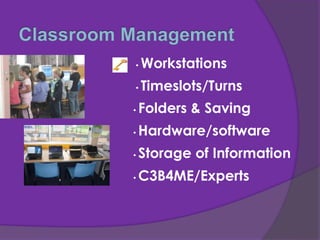
• Workstations
• Timeslots/Turns
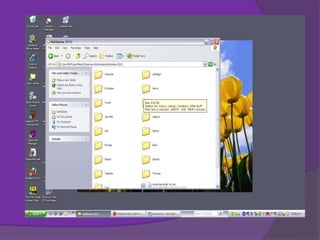
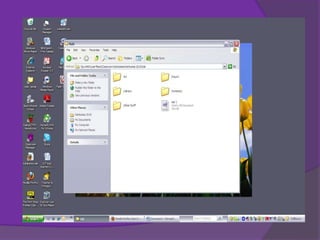
• Folders & Saving
• C3B4ME/Experts
• Storage of Information
• Hardware/software
How to fit in e-learning
Integrate!!!
Simply Think :
What e-learning could I use?
Include in your planning
Skill Teaching
Slot time in your timetable to teach the
skills
 Demonstrate the skill
 Let the class practice it
 Bring them back together
 Work out the tricky parts
 Re-practice
 Integrate into your programme
 Not enough computers/equipment
 Technical problems
 Lack of data projector for Youtube etc
 Too much light in the room
 Poor behaviour by some, can’t be
trusted?
 Support for children while teaching
others
 Teachers reluctant or not confident to
include ICT
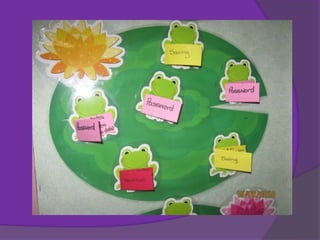
 Passwords – simple, memorable, record
Digital Camera
 Let the children use the camera
 Teach how to use it
 Set a purpose/context
 Turns – photographer of the day
 Analyse together
 Save their photos to own file
 Evidence of learning
Digital Camera
Ways to use the pictures:
 Comic Life
 Picture Trail
 Photo Story 3
Camp Photos
using
Comic Life
To obtain Comic life
contact:
Innes Kennard
[innesk@werc.ac.nz]
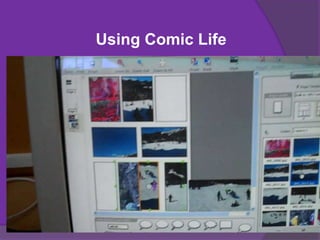
Using Comic Life
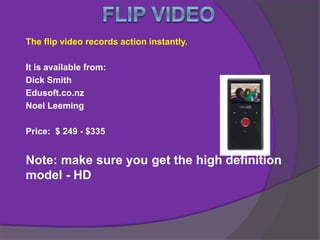
The flip video records action instantly.
It is available from:
Dick Smith
Edusoft.co.nz
Noel Leeming
Price: $ 249 - $335
Note: make sure you get the high definition
model - HD
Flip Video
How to use it in class:
•Demonstrate to class
•Have rules
•Set up children as experts
•Let the children take control
•Follow up and look at videos
•Saving
•Use them to make movies
How to use the flip video
Flip Video
Examples of ideas for use:
 Any class trips or activities
 Checking if doing task correctly
 Maths/reading/writing
 Inquiry
 Anywhere
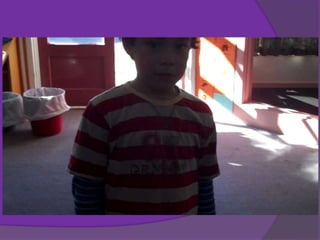
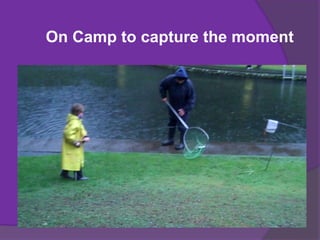
On Camp to capture the moment
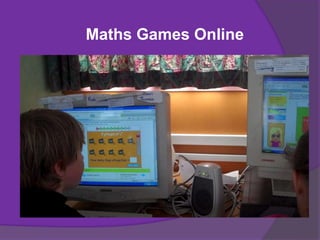
Maths Games Online
Wonderings
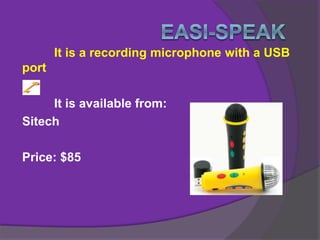
It is a recording microphone with a USB
port
It is available from:
Sitech
Price: $85
Easi-speak
How to use it in class:
•Demonstrate to class
•Have rules
•Set up experts
•Let the children take control
•Follow up and listen to recordings
•Saving
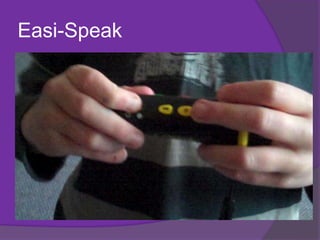
Easi-Speak
Easi-Speak
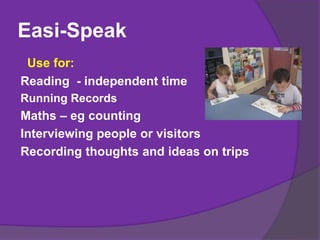
Use for:
Reading - independent time
Running Records
Maths – eg counting
Interviewing people or visitors
Recording thoughts and ideas on trips
•Look at what you already have
•Eureka Software
•Educational Software (PM
software)
•Online games
•Google Images
•Teach the rules
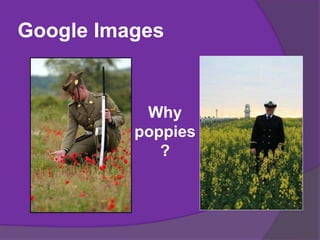
Google Images
Why
poppies
?
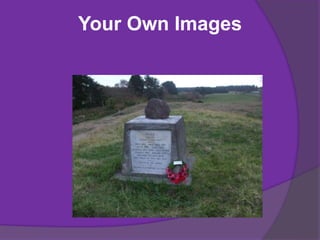
Your Own Images
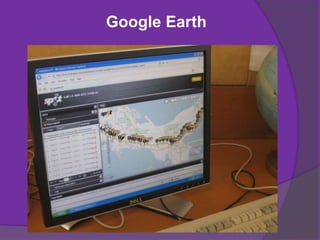
Google Earth
Hey Apple
Human Impact On The Environment
YouTube
•Ideal for sharing what you have
done with others
•Searching for clips on your topic
ePals
 Class wiki – www.wikispaces.com
 Class blog - www.blogger.com
 Children post their own work
 Compress Photos -www.youtube.com
(how to)
 Update to maintain interest
 http://rachelboyd.wikispaces.com
 www.ebest.co.nz
 http://question-skills.wikispaces.com
 www.delicious.com/tags/tangaroateam
 www.readingandtheweb.wikispaces.com
 www.thetoolbox.wikispaces.com
 http://NZMaths.co.nz/digistore
 www.ictgames.com
 http://kahikateabunnythorpe.wikispaces.com/
Questioning
Inquiry
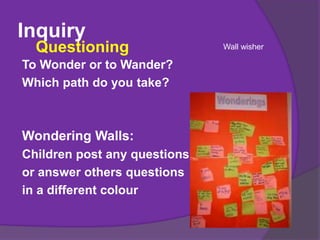
To Wonder or to Wander?
Which path do you take?
Wondering Walls:
Children post any questions,
or answer others questions
in a different colour
Questioning Wall wisher
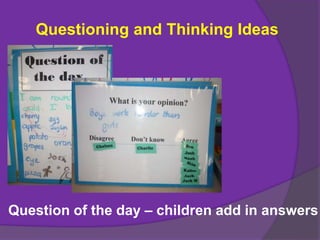
Questioning and Thinking Ideas
Question of the day – children add in answers
• How do you use e-learning in your
classroomICT
• Good ways to manage it - hardware time
slotsManagement
• How do you go about posting work on the
internet? – blogs, wikis, portfolio, Youtube
etc
Posting Work
• What software and what equipment?
Recommend
Inquiry
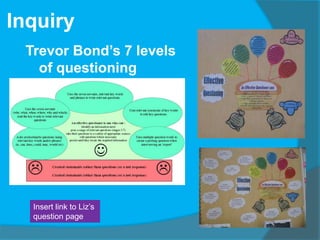
Trevor Bond’s 7 levels
of questioning
Insert link to Liz’s
question page
Inquiry
How to Get Key Vocabulary
Context – Commemoration
Key Word: ANZAC
Key Phrases: Animals used in WW2,
Poppies
Show Images:
 Use Google, YouTube, personal
photos
Where to start?
•Have the end in mind
•Sort your resources
•Find the key vocabulary
•Set the tasks
•Teach the children how to question
Anzac
inquiry
Ritson

UlearnOct2010

  • 1.
    Practical ways for unconfidentICT teachers to use e- learning in the junior school. Integrating new technologies to empower learning and transform leadership Linley Van Echten and Liz Owen Kainui Cluster 2010 book
  • 3.
    • Workstations • Timeslots/Turns •Folders & Saving • C3B4ME/Experts • Storage of Information • Hardware/software
  • 6.
    How to fitin e-learning Integrate!!! Simply Think : What e-learning could I use? Include in your planning
  • 7.
    Skill Teaching Slot timein your timetable to teach the skills  Demonstrate the skill  Let the class practice it  Bring them back together  Work out the tricky parts  Re-practice  Integrate into your programme
  • 9.
     Not enoughcomputers/equipment  Technical problems  Lack of data projector for Youtube etc  Too much light in the room  Poor behaviour by some, can’t be trusted?  Support for children while teaching others  Teachers reluctant or not confident to include ICT  Passwords – simple, memorable, record
  • 10.
    Digital Camera  Letthe children use the camera  Teach how to use it  Set a purpose/context  Turns – photographer of the day  Analyse together  Save their photos to own file  Evidence of learning
  • 11.
    Digital Camera Ways touse the pictures:  Comic Life  Picture Trail  Photo Story 3
  • 12.
    Camp Photos using Comic Life Toobtain Comic life contact: Innes Kennard [innesk@werc.ac.nz]
  • 14.
  • 21.
    The flip videorecords action instantly. It is available from: Dick Smith Edusoft.co.nz Noel Leeming Price: $ 249 - $335 Note: make sure you get the high definition model - HD
  • 23.
    Flip Video How touse it in class: •Demonstrate to class •Have rules •Set up children as experts •Let the children take control •Follow up and look at videos •Saving •Use them to make movies How to use the flip video
  • 24.
    Flip Video Examples ofideas for use:  Any class trips or activities  Checking if doing task correctly  Maths/reading/writing  Inquiry  Anywhere
  • 26.
    On Camp tocapture the moment
  • 27.
  • 28.
  • 29.
    It is arecording microphone with a USB port It is available from: Sitech Price: $85
  • 30.
    Easi-speak How to useit in class: •Demonstrate to class •Have rules •Set up experts •Let the children take control •Follow up and listen to recordings •Saving
  • 31.
  • 32.
    Easi-Speak Use for: Reading -independent time Running Records Maths – eg counting Interviewing people or visitors Recording thoughts and ideas on trips
  • 34.
    •Look at whatyou already have •Eureka Software •Educational Software (PM software) •Online games •Google Images •Teach the rules
  • 35.
  • 36.
  • 37.
  • 38.
    Hey Apple Human ImpactOn The Environment YouTube •Ideal for sharing what you have done with others •Searching for clips on your topic
  • 39.
  • 40.
     Class wiki– www.wikispaces.com  Class blog - www.blogger.com  Children post their own work  Compress Photos -www.youtube.com (how to)  Update to maintain interest
  • 41.
     http://rachelboyd.wikispaces.com  www.ebest.co.nz http://question-skills.wikispaces.com  www.delicious.com/tags/tangaroateam  www.readingandtheweb.wikispaces.com  www.thetoolbox.wikispaces.com  http://NZMaths.co.nz/digistore  www.ictgames.com  http://kahikateabunnythorpe.wikispaces.com/ Questioning
  • 42.
    Inquiry To Wonder orto Wander? Which path do you take? Wondering Walls: Children post any questions, or answer others questions in a different colour Questioning Wall wisher
  • 43.
    Questioning and ThinkingIdeas Question of the day – children add in answers
  • 44.
    • How doyou use e-learning in your classroomICT • Good ways to manage it - hardware time slotsManagement • How do you go about posting work on the internet? – blogs, wikis, portfolio, Youtube etc Posting Work • What software and what equipment? Recommend
  • 45.
    Inquiry Trevor Bond’s 7levels of questioning Insert link to Liz’s question page
  • 46.
    Inquiry How to GetKey Vocabulary Context – Commemoration Key Word: ANZAC Key Phrases: Animals used in WW2, Poppies Show Images:  Use Google, YouTube, personal photos
  • 47.
    Where to start? •Havethe end in mind •Sort your resources •Find the key vocabulary •Set the tasks •Teach the children how to question Anzac inquiry Ritson

Editor's Notes

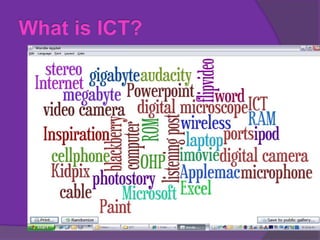
  • #3 LinleyWordleFound at wordle.netChildren can make their own by entering wordsYou may think you aren’t doing much or that you are unconfident but… look at how many of these you already use!
  • #4 LizHow do you manage the class, give help to individuals eg on the computer when taking others for other things?How many workstations do you have?Where are they situated? Is too much light/sunshine a problem?How many children to a station – eg 1 computer to 28 or 1 computer per 2-3 childrenWhat ever you have is okWork with what you have got.How long do you leave children on the computer?Setting up folders and savingI was lucky I had a friend come in and say this is what you need and she set up a master one ( add it in) this is what it looks like.Boy was I sooo grateful to her. Here is a copyGive kids ownership – scary but it pays dividends in the long run.Again you need to spend time teaching the skillsHow to turn on the computer, save, find the games, turn off the computer.Here is an idea I set up late this term. ( add it in)
  • #5 Liz
  • #6 Liz
  • #7 LinleyIs it for all the class, first finished, a group or what, How much extra time will it take to set it up Reading Rotations are a perfect way to add in skills.Use the easi-speak, use the camera, use the flipvideoUse the online games for skill practicesYes at times you do need to teach them how to do the skills.
  • #8 LizMake it timely, eg before you need to use it
  • #9 Liz
  • #10 LinleyTeachers have to realise that ICT is a tool, and even if there are technical or lack of hardware issues, work with what you have. If chn misbehave or waste time at the computer they miss their next turn. Scrounge old computers, nag your BoT.
  • #11 LinleyLet children use the camera. Teach them how to use it.Have turns being “photographer of the day”. Analyse what makes a good photo as a class when child shares their photosHold camera through string loop, stand with feet apart – can’t break the camera!Linley’s sheet of children photos and comments
  • #12 Liz/linley
  • #13 Liz
  • #14 Liz
  • #15 Liz
  • #16 Linley
  • #18 Liz
  • #22 LizFlip videos are great fun!!!They are easy to useAnalyse footage – as a class and learn from next timeHow to hold them: Hold them upright – don’t take picture on the sideThey are VERY easy to use.!Watch the kids explain it.Here are some clipsGet pamphlets on!!!Use for just about anything.Just remember to hold them up the correct way.Add in examples – ( both good)What are you using them forHow to use in the classroom these are easy. CampIn class video vignettes
  • #23 Liz
  • #24 Liz
  • #25 Liz
  • #26 Linley
  • #27 liz
  • #28 Liz
  • #29 Liz
  • #30 LinleyEasi=speakThis is a recording microphone which children love to play with.This is how you turn it on, talk into it, record and then play back.You can get the children to download their stories/ maths/interviewsExamples – handy if need to- hear improvement in their reading aloudUse to interview people and ask and get the answers.Also an independent way to do a running record.Buy the easi-speak from (Have some pamphlets)Put in the examples:How to us
  • #31 Linley/liz
  • #32 Liz
  • #33 Liz
  • #34 Liz
  • #35 LinleyEureka software have loads of games that are great for reading, spelling, Maths. Bought anywhere, they are only $10 eachPM software excellentOnline games – NZ maths-Digistore, ictgames…Google images for studies, find key words for searchingOnline games:Set up as favourites or add into a page onto your wiki for the children to get easy access or delicious .com Show pictures of howAgain teaching them how to get to themTeach them that the flashing stuff usually contains a virus and not to click on itOne example – kids clicked on one and that turned off the firewall. Tech had to fix.
  • #36 LinleyLiz
  • #37 Liz
  • #39 Liz
  • #40 Linley
  • #41 LinleyHow often or who and how to doClass blog or wiki – great for displaying children’s work, communicating with parentsEasy to set up…blogger.comChildren post their own work? Need to learn howNeed to keep it updated to maintain interest
  • #42 Liz/Linley
  • #43 Slide 14: : What is questioningQuestioning is simply asking the right question to get the answer you require.How to : Define what is a question and what is a statementIdeas for:Where to getexamplesIs can be a simple yes/no question or it can be a more complex question requiring more informationInquiry: What is it for me?It is using Trevor Bonds ModelIt is teaching the children the skills they need to do the finding out I took his Sauce Model and turned it into a balloon and basket idea add in photo   You need to get the children to state what is a question and what is a statement This has taken me a term for the majority of children to understand it. Ideas for: QuestioningTell them if what they want to ask will get them some form of answer then it is a question.If it is some thing that they want to share then it is just a statement. examplesA child puts up their hand – ask first is it a statement or question – hear what they have to say and then state it was a question/statement – or ask the class which was it. Activities to improve questioning: Why questioning?To thinkTo find out the information.
  • #45 Both
  • #46 Seven Stages:1: Created statements rather than questions ( or a nul response)2: Any non-revelant questions ( does not contain contectual key words or phrases)3: yes/no questions using relevenat key words and or phrases( is can does would could may etc)4: use the seven servants ( who, what, why, when, where, which and how) and the key words to write relevant questions5: uses the seven servants relevant key words and phrases to write relevant questions6: uses relevant synonyms of key words to edit questions7: uses multiple questions words to create a probing question when interviewing an expert
  • #47 Key Vocabulary: Children need to know what it is and what it means. Sometimes showing them clips from Youtube or googling the information can make the vocab make more sense.Several pictures can show what you mean for example using the term environmentalActivities: Write down what you think it might mean. google your term: what does it say. Is that what you thought it meant ?Thinking tools – question of the day – How to use the information you find: why look it up if you aren’t going to use it